
Python Variable
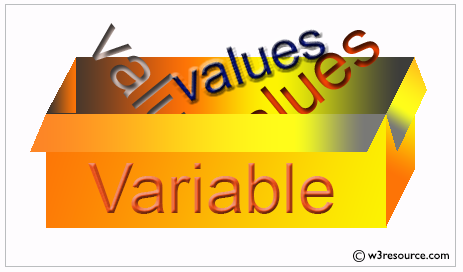
Variable and Value
- A variable is a named memory location where data can be stored. For example: roll_no, amount, name.
- A value is the data stored in a variable, which can be a string, numeric value, etc. For example: "Sara", 120, 25.36.
Key Points About Python Variables:
- Variables are created when they are first assigned a value.
- They must be assigned before being referenced.
- The value stored in a variable can be accessed or updated later.
- No declaration is required before using a variable.
- The type of the variable (e.g., string, int, float) is determined automatically by Python based on the value assigned.
- Python manages memory allocation based on the data type of the variable.
Python Variable Name Rules
- Must begin with a letter (a-z, A-Z) or an underscore (_).
- Subsequent characters can be letters, numbers, or underscores.
- Case-sensitive: age, Age, and AGE are considered different variables.
- Can be of any reasonable length.
- Reserved words (like if, for, while, etc.) cannot be used as variable names.
Good Variable Naming Practices
- Choose meaningful names, such as roll_no, which is clearer than rn.
- Avoid unnecessarily long variable names (e.g., Roll_no_of_a_student is too long).
- Be consistent in your naming convention: roll_no or RollNo, but not both.
- Start variable names with an underscore (_) when you need a special case or private variables.
Python Assignment Statements
Assignment statements create variables and assign values to them. The basic syntax for an assignment is:
Syntax:
<variable> = <expr>
Where the equal sign (=) is used to assign value (right side) to a variable name (left side). See the following statements :
>>> Item_name = "Computer" #A String>>> Item_qty = 10 #An Integer>>> Item_value = 1000.23 #A floating point>>> print(Item_name)Computer>>> print(Item_qty)10>>> print(Item_value)1000.23>>>Note: Assignment reads right to left. This is why a = 12 works, but 12 = a results in a syntax error.
Example:
a = 12 is correct, but 12 = a does not make sense to Python, which creates a syntax error. Check it in Python Shell.
>>> a = 12>>> 12 = aSyntaxError: can't assign to literal>>>Multiple Assignment
The basic assignment statement works for a single variable and a single expression. You can also assign a single value to more than one variables simultaneously.
Syntax:
var1=var2=var3...varn= = <expr>
Example:
x = y = z = 1
Now check the individual value in Python Shell.
>>> x = y = z = 1>>> print(x)1>>> print(y)1>>> print(z)1>>>Alternatively, you can assign multiple values to multiple variables in a single line.
Syntax:
<var>, <var>, ..., <var> = <expr>, <expr>, ..., <expr>
Example:
x, y, z = 1, 2, "abcd"
In the above example x, y and z simultaneously get the new values 1, 2 and "abcd".
>>> x,y,z = 1,2,"abcd">>> print(x)1>>> print(y)2>>> print(z)abcdYou can reuse variable names by simply assigning a new value to them :
>>> x = 100>>> print(x)100>>> x = "Python">>> print(x)Python>>>Other ways to define value
Python allows formatting of large numbers and decimal values for better readability.
>>> five_millions = 5_000_000>>> five_millionsOutput:
5000000
>>> small_int = .35>>> small_intOutput:
0.35
>>> c_thousand = 10e3>>> c_thousandOutput:
10000.0
Swap variables
In Python, you can swap the values of two variables in a single line.
Syntax:
var1, var2 = var2, var1
Example:
>>> x = 10>>> y = 20>>> print(x)10>>> print(y)20>>> x, y = y, x>>> print(x)20>>> print(y)10>>>Local and global variables in Python
- Global variables are accessible throughout the entire program, even within functions.
- Local variables are defined within a function and cannot be accessed outside it.
- A variable is assumed to be local unless explicitly declared as global using the global keyword.
Example:
var1 = "Python"def func1(): var1 = "PHP" print("In side func1() var1 = ",var1)def func2(): print("In side func2() var1 = ",var1)func1()func2()Output:
In side func1() var1 = PHPIn side func2() var1 = Python
You can use a global variable in other functions by declaring it as global keyword :
Example:
def func1(): global var1 var1 = "PHP" print("In side func1() var1 = ",var1)def func2(): print("In side func2() var1 = ",var1)func1()func2()Output:
In side func1() var1 = PHPIn side func2() var1 = PHP
Previous: Python Syntax
Next: Python Data Type
Test your Python skills with w3resource'squiz