 6 min. read
 Summarize in ChatGPT


Your website’sfavicon is a key trademark to its look. It shows up in the navigation bar as well as on browser tabs (for most browsers at least), helping users quickly pick out your website out of the crowd.Creating favicons is simple, and with these online favicon generators, you’ll have your ownfavicons in no time!
Further down the article are some more resources related to favicon design and inspiration.
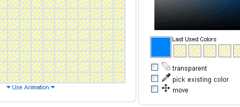 Thefavicon.ico Generator is my favorite out of the pack, and it was used to create Six Revision’s favicon. It has an an intuitive interface and a robust set of features such as the ability to create animated favicons, pixel-level editing, and saving all your icons in a centralized location. You can also publish your favicon under an open license to share to the public.
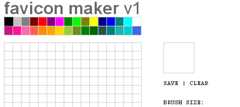 Thefavicon maker is an favicon designer that you can use to draw your own favicons.
You can also upload an existing image as the basis of your design. While you’re drawing, there’s a live preview of how your favicon will look in its actual size.
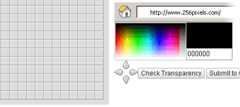 256 Pixels ran a daily favicon challenge where they provided you with a category/theme and you had to use the built-in favicon designer for your entry. As such, you’ll also find a collection of favicons constructed by their readers, sorted by category/theme.
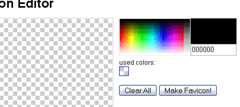 TheFavion Editor is a no-frills favicon editor.
You have the ability to upload local files as the base design and edit it if needed.
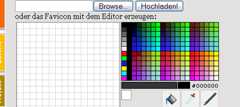 TheFavicon/Icon Generator is a a German web-based application for creating favicons.
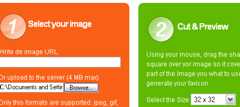 ConvertIcon
 ConvertIcon is a PNG to ICO converter. It can also be used to convert from ICO to PNG, automatically detecting which conversion is neccesary.
You can either upload a local file from your computer or provide a URL to the desired file to be converted.
 FavIcon from Pics is a simple favicon generator. It provides you with a preview of how the favicon looks on an address bar.
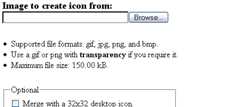 Dynamic Drive’s FavIcon Generator creates favicons from the most popular image file types. It supports images with transparency.
You can also use it to create Windows desktop icons.
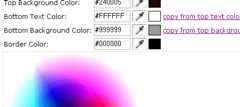 Favicon Generator requires no images. All you have to do is type the text in (you have two rows to work with), choose the colors you want, generate it, and you’re good to go. You can either use the color picker or type in hexadecimal values to customize colors.
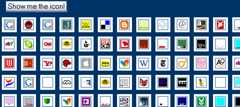 TheFavicon Collector grabs the favicon of a website remotely and saves it as a PNG.
It’s also a gallery of the most popular and user-submitted icons, so it’s an excellent place to see tons of favicons for inspiration.
 Faviconize is a favicon directory with over
800 11,800 favicons archived. It’s a community where users can rate the designs and the top five gets displayed on the side column. The favicons are sortable by title, date, rating, and primary color.
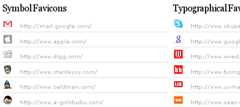 fineicons Favicon Gallery is a one-page showcase of some of the best-looking favicons online.
There’s three categories: Symbol, Typographical, and Other.
Here’s Johnathan Snook’s introductory guide to favicons. He covers the history of the ICO format, ways to create a favicon, and how to include one into a web page.
Smashing Magazine has a series of posts related to favicon design inspiration. It’s a 6-part series, and here’s the other five:
I hope you found this article useful, and if it has inspired you to create a favicon (or re-do your current one),show off your work by dropping a link in comments section to your creation!

WebFX is a full-service marketing agency with 1,100+ client reviews and a 4.9-star rating on Clutch! Find out how our expert team and revenue-accelerating tech can drive results for you!Learn more
Website design costs can be tricky to nail down. Get an instant estimate for a custom web design with our free website design cost calculator!
Try Our Free Web Design Cost Calculator




Use our free tool to get a free, instant quote in under 60 seconds.
View Web Design Calculator
Website design costs can be tricky to nail down. Get an instant estimate for a custom web design with our free website design cost calculator!
Try Our Free Web Design Cost Calculator