What is W3.CSS?
CSS
Modern Responsive CSS
Equality for all browsers: Chrome. Firefox Edge. IE. Safari. Opera.
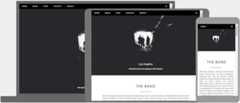
Equality for all devices: Desktop. Laptop. Tablet. Mobile.
Standard CSS only (No jQuery or JavaScript library).
W3.CSS Quickstart
W3.CSS is a modern CSS framework with built-in responsiveness.It supports responsive mobile first design by default,and it is smaller and faster than similar CSS frameworks.
W3.CSS can also speed up and simplify web development because it is easier to learn, and easier to use than other CSS frameworks.
Example
<h1>My W3.CSS Page</h1>
<p>Resize this page to see the responsive effect!</p>
</div>
<div class="w3-row-padding">
<div class="w3-third">
<h2>London</h2>
<p>London is the capital city of England.</p>
<p>It is the most populous city in the United Kingdom,
with a metropolitan area of over 13 million inhabitants.</p>
</div>
<div class="w3-third">
<h2>Paris</h2>
<p>Paris is the capital of France.</p>
<p>The Paris area is one of the largest population centers in Europe,
with more than 12 million inhabitants.</p>
</div>
<div class="w3-third">
<h2>Tokyo</h2>
<p>Tokyo is the capital of Japan.</p>
<p>It is the center of the Greater Tokyo Area,
and the most populous metropolitan area in the world.</p>
</div>
</div>
Click on the "Try it Yourself" button to see how it works.
W3.CSS Containers
Thew3-container class is one of the most important W3.CSS classes.
It provides correct margins, padding, alignments, and more, to most HTML elements.
Example
W3.CSS Colors
Thew3-color classes are inspired by modern colors:
London is the most populous city in the United Kingdom, with a metropolitan area of over 9 million inhabitants.
London is the most populous city in the United Kingdom, with a metropolitan area of over 9 million inhabitants.
London is the most populous city in the United Kingdom, with a metropolitan area of over 9 million inhabitants.
London is the most populous city in the United Kingdom, with a metropolitan area of over 9 million inhabitants.
London is the most populous city in the United Kingdom, with a metropolitan area of over 9 million inhabitants.
London is the most populous city in the United Kingdom, with a metropolitan area of over 9 million inhabitants.
London is the most populous city in the United Kingdom, with a metropolitan area of over 9 million inhabitants.
London is the most populous city in the United Kingdom, with a metropolitan area of over 9 million inhabitants.
London is the most populous city in the United Kingdom, with a metropolitan area of over 9 million inhabitants.
Example
<p>London is the most populous city in the United Kingdom.</p>
</div>
<div class="w3-container w3-blue">
<p>London is the most populous city in the United Kingdom.</p>
</div>
<div class="w3-container w3-red">
<p>London is the most populous city in the United Kingdom.</p>
</div>
<div class="w3-container w3-amber">
<p>London is the most populous city in the United Kingdom.</p>
</div>
W3.CSS Alerts, Notes and Quotes
Thew3-panelclass can display all kinds ofallerts andnotes andquotes:
Danger!
Red often indicates a dangerous or negative situation.
Warning!
Yellow often indicates a warning that might need attention.
Success!
Green often indicates something successful or positive.
Info!
Blue often indicates a neutral informative change or action.
Danger!
Red often indicates a dangerous or negative situation.
Warning!
Yellow or orange often indicates a warning that might need attention.
Success!
Green often indicates something successful or positive.
Info!
Blue often indicates a neutral informative change or action.
Example
<h3>Danger!</h3>
<p>Red often indicates a dangerous or negative situation.</p>
</div>
<div class="w3-panel w3-yellow">
<h3>Warning!</h3>
<p>Yellow or orange often indicates a warning that might need attention.</p>
</div>
London is the most populous city in the United Kingdom,with a metropolitan area of over 9 million inhabitants.
London is the most populous city in the United Kingdom,with a metropolitan area of over 9 million inhabitants.
London is the most populous city in the United Kingdom,with a metropolitan area of over 9 million inhabitants.
"Make it as simple as possible, but not simpler."
Albert Einstein
Example
<p>London is the most populous city in the United Kingdom, with a metropolitan area of over 9 million inhabitants.</p>
</div>
<div class="w3-panel w3-pale-red w3-leftbar w3-border-red">
<p>London is the most populous city in the United Kingdom, with a metropolitan area of over 9 million inhabitants.</p>
</div>
W3.CSS Cards
Thew3-card classes are suitible for both images and notes:
Amazing

French Alps
A Car
A car is a wheeled, self-powered motor vehicle used for transportation. Most definitions of the term specify that cars are designed to run primarily on roads, to have seating for one to eight people, and to typically have four wheels.
(Wikipedia)

John
Architect and Engineer
Example
<img src="img_avatar3.png" alt="Avatar" style="width:100%">
<div class="w3-container">
<h4><b>John</b></h4>
<p>Architect and Engineer</p>
</div>
</div>
W3.CSS Tables
Thew3-tableclasses can handle all kinds of tables:
| First Name | Last Name | Points |
|---|---|---|
| Jill | Smith | 50 |
| Eve | Jackson | 94 |
| Adam | Johnson | 67 |
| Anja | Bore | 100 |
Example
<thead class="w3-dark-grey">
<tr>
<th>First Name</th>
<th>Last Name</th>
<th>Points</th>
</tr>
</thead>
<tbody>
<tr>
<td>Jill</td>
<td>Smith</td>
<td>50</td>
</tr>
<tr>
<td>Eve</td>
<td>Jackson</td>
<td>94</td>
</tr>
</tbody>
</table>
W3.CSS Lists
Thew3-ulclass can handle all kinds of lists:
- ×
 Mike
Mike
Web Designer - ×
 Jill
Jill
Support - ×
 Jane
Jane
Accountant - ×
 Jack
Jack
Advisor
W3.CSS Buttons
Thew3-button andw3-btnclass provides buttons of all sizes and types.
Wide buttons:
Circular or square buttons:
W3.CSS Tags, Labels, Badges, and Signs
Thew3-tag and thew3-badgeclasses are capable of displaying all kinds of tags, labels, badges and signs:
28AB
NewWarningDangerInfo
BREATHE
UNDER WATER
W3.CSS Responsive
TheResponsive Gridclasses provide responsiveness for all device types: PC, laptop, tablet, and mobile.
1/2
1/2
1/3
1/3
1/3
1/3
2/3
1/4
1/4
1/4
1/4
1/2
1/4
1/4
2/3
1/3
1/1
1/4
1/4
1/2
1/4
1/2
1/4
50px
rest
1/4
rest
100px
45px
rest
W3.CSS also supports a12 column mobile-first fluid grid with small, medium, and large classes.
W3.CSS Display
Thew3-display classesallow you to display HTML elements in specific positions:

W3.CSS Modals
Thew3-modalclass provides modal dialog in pure HTML:
Header
Some text. Some text. Some text.
Some text. Some text. Some text.
Modal Image:


W3.CSS Progress Bars
Read more atW3.CSS Progress Bars
W3.CSS Dropdowns
Thew3-dropdownclasses provide dropdowns:
W3.CSS Accordions
Read more atW3.CSS Accordions
Lorem ipsum dolor sit amet, consectetur adipisicing elit, sed do eiusmod tempor incididunt ut labore et dolore magna aliqua. Ut enim ad minim veniam, quis nostrud exercitation ullamco laboris nisi ut aliquip ex ea commodo consequat.
Accordion with Images:

French Alps
W3.CSS Tabs
Tabs are perfect for single page web applications, or for web pages capable of displaying different subjects.
London
London is the capital of England.
It is the most populous city in the United Kingdom,with a metropolitan area of over 9 million inhabitants.
Paris
Paris is the capital of France.
The Paris area is one of the largest population centers in Europe,with more than 12 million inhabitants.
Tokyo
Tokyo is the capital of Japan.
It is the center of the Greater Tokyo Area,and the most populous metropolitan area in the world.
Tabbed Image Gallery (Click on one of the pictures):
 ×
× ×
× ×
× ×
×W3.CSS Navigation
Thew3-bar class can be used to create a navigation bar:
Navigation bar with input:
Navigation bar with dropdown:
Thew3-sidebar class creates a side navigation:
W3.CSS Pagination
W3.CSS provides simple ways forpage pagination.
Slideshows
W3.CSS provideslideshows for cycling through images or other content:
Lightbox
CombineModals andSlideshows to create a lightbox (modal image gallery):
W3.CSS Animations
Thew3-animateclasses provide an easy way to slide and fade in elements:
W3.CSS Images
Stylingimages in W3CSS is easy:

W3.CSS Effects
Add specialeffects to any element:

Normal
Opacity
Grayscale
Sepia
W3.CSS Input Forms
Thew3-inputclasses are for input forms:
Input Form
Input Form
W3.CSS Filters
UseW3.CSS Filters to search for a specific element inside a list, table, dropdown, etc:
| Name | Country |
|---|---|
| Alfreds Futterkiste | Germany |
| Berglunds snabbkop | Sweden |
| Island Trading | UK |
| Koniglich Essen | Germany |
| Laughing Bacchus Winecellars | Canada |
| Magazzini Alimentari Riuniti | Italy |
| North/South | UK |
| Paris specialites | France |
W3.CSS Fonts
With W3.CSS it is extremely easy to addfonts to a web page:
W3.CSS Tooltips
Thew3-tooltipclass can display all kinds of tooltips:
Hover over this text!Tooltip content
Hover over this text!Tooltip content
Color Themes
Color themes can easily be added to any web application:
Theme Indigo
Movies 2014
Frozen
The response to the animations was ridiculous
The Fault in Our Stars
Touching, gripping and genuinely well made
The Avengers
A huge success for Marvel and Disney
Theme Teal
Movies 2014
Frozen
The response to the animations was ridiculous
The Fault in Our Stars
Touching, gripping and genuinely well made
The Avengers
A huge success for Marvel and Disney
Color themes are a perfect match for mobile applications.
Full W3.CSS Tutorial
This has been a short description of W3.CSS.
For a full W3.CSS tutorial go toW3Schools W3.CSS Tutorial.
For a full W3.CSS reference go toW3Schools W3.CSS Reference.

