How TO - Responsive Images
Learn how to create an responsive image with CSS.
Responsive images will automatically adjust to fit the size of the screen.
Resize the browser window to see the responsive effect:
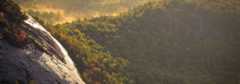
How To Create Responsive Images
Step 1) Add HTML:
Example
<img src="nature.jpg" alt="Nature" class="responsive">
Step 2) Add CSS:
If you want the image to scale both up and down on responsiveness, set the CSSwidth property to 100% andheight to auto:
If you want an image to scale down if it has to, but never scale up to be larger than its original size, usemax-width: 100%:
If you want to restrict a responsive image to a maximum size, use themax-width property, with a pixel value of your choice:
Go to ourCSS Images Tutorial to learn more about how to style images.
Go to ourCSS RWD Tutorial to learn more about responsive web design.

