Google Sheets Get Started
Google Sheets
Google Sheets does not require downloading and installation of the program. It simply runs in your browser.
Google Sheets can be accessed fromhttps://docs.google.com/spreadsheets/.
Install
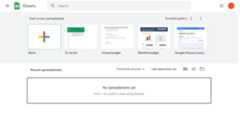
Once you have successfully logged in, you will land in Google Sheets' start Page. Click on the Blank button to get started with a newworkbook.
Enter a name for your workbook, and hit the Enter button on your keyboard:
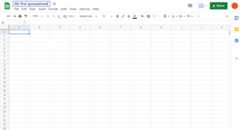
Google Sheets has columns and rows, similar to a squared math exercise book.
Do not worry if the functionality looks overwhelming at first. You will get comfortable as you learn more in the chapters to come.
For now focus on the rows, columns, and the cells.
Ok. Let's make a function!
- First, click the cell
A1, the one that is marked with the blue rectangle in the picture - Second, type
=1+1. - Third, hit theEnter button:
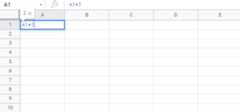
Congratulations! You have typed your first function,1+1=2.

