Movatterモバイル変換


[0]ホーム

URL:


Menu
×
See More 
Sign In
+1 Get Certified Upgrade Teachers Spaces Get Certified Upgrade Teachers Spaces
   ❮   
     ❯   

Excel Tutorial

Excel HOMEExcel IntroductionExcel Get StartedExcel OverviewExcel SyntaxExcel RangesExcel FillExcel Move CellsExcel Add CellsExcel Delete CellsExcel Undo RedoExcel FormulasExcel Relative ReferenceExcel Absolute ReferenceExcel Arithmetic OperatorsExcel ParenthesesExcel Functions

Excel Formatting

Excel FormattingExcel Format PainterExcel Format ColorsExcel Format FontsExcel Format BordersExcel Format NumbersExcel Format GridsExcel Format Settings

Excel Data Analysis

Excel SortExcel FilterExcel TablesExcel Conditional FormatExcel Highlight Cell RulesExcel Top Bottom RulesExcel Data BarsExcel Color ScalesExcel Icon SetsExcel Manage Rules (CF)Excel Charts

Table Pivot

Table Pivot Intro

Excel Case

Case: Poke MartCase: Poke Mart, Styling

Excel Functions

ANDAVERAGEAVERAGEIFAVERAGEIFSCONCATCOUNTCOUNTACOUNTBLANKCOUNTIFCOUNTIFSIFIFSLEFTLOWERMAXMEDIANMINMODENPVORRANDRIGHTSTDEV.PSTDEV.SSUMSUMIFSUMIFSTRIMVLOOKUPXOR

Excel How To

Convert Time to SecondsDifference Between TimesNPV (Net Present Value)Remove Duplicates

Excel Examples

Excel ExercisesExcel SyllabusExcel Study PlanExcel CertificateExcel Training

Excel References

Excel Keyboard Shortcuts


ExcelTutorial

Learn Excel

Excel is the world's most used spreadsheet program

Excel is a powerful tool to use for mathematical functions

Start learning Excel now »

Learn Excel

Tip:Sign in to track your progress.


Examples in Each Chapter

We use practical examples to give the user a better understanding of the concepts.


Copy Values Tool

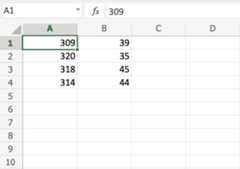
Example values can be copied from the tutorial and into your spreadsheet, making it easy for you to tag along step-by-step:
Copy Values


Case Based Learning

We have created active learning activities, so you can test and build your knowledge. Making the learning experience more fun and engaging.

Solve Case »


Why Study Excel?

Excel is the world's most used spreadsheet program.

Example use areas:

  1. Data analytics
  2. Project management
  3. Finance and accounting

Test Yourself With Exercises

Excel Exercise:

Complete the Excel formula:

1+1

Start the Exercise


Track Your Progress

Create a W3Schools account and get access to more features and learning materials:

  • CheckmarkView your completed tutorials, exercises, and quizzes
  • CheckmarkKeep an eye on your progress and daily streaks
  • CheckmarkJoin the leaderboard and compete with others
  • CheckmarkGet your own avatar and unlock new skins
  • CheckmarkCreate your own personal website

Sign Up »

Note: This is an optional feature. You can study at W3Schools without creating an account.



×

Contact Sales

If you want to use W3Schools services as an educational institution, team or enterprise, send us an e-mail:
sales@w3schools.com

Report Error

If you want to report an error, or if you want to make a suggestion, send us an e-mail:
help@w3schools.com

W3Schools is optimized for learning and training. Examples might be simplified to improve reading and learning.
Tutorials, references, and examples are constantly reviewed to avoid errors, but we cannot warrant full correctness
of all content. While using W3Schools, you agree to have read and accepted ourterms of use,cookies andprivacy policy.

Copyright 1999-2025 by Refsnes Data. All Rights Reserved.W3Schools is Powered by W3.CSS.


[8]ページ先頭

©2009-2025 Movatter.jp