ExcelVLOOKUP Function
VLOOKUP Function
TheVLOOKUP function is a premade function in Excel, which allows searches across columns.
It is typed=VLOOKUP and has the following parts:
Note: The column which holds the data used to lookup must always be to the left.
Note: The different parts of the function are separated by a symbol, like comma, or semicolon;
The symbol depends on yourLanguage Settings.
Lookup_value: Select the cell where search values will be entered.
Table_array: The table range, including all cells in the table.
Col_index_num: The data which is being looked up. The input is the number of the column, counted from the left:
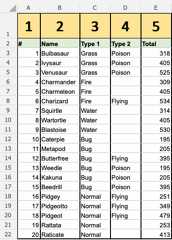
Range_lookup: TRUE if numbers (1) or FALSE if text (0).
Note:Both 1 / 0 and True / False can be used inRange_lookup.
How to use theVLOOKUP function.
- Select a cell (
H4) - Type
=VLOOKUP - Double click the VLOOKUP command
- Select the cell where search value will be entered (
H3) - Type (
,) - Mark table range (
A2:E21) - Type (
,) - Type the number of the column, counted from the left (
2) - Type True (1) or False (0) (
1) - Hit enter
- Enter a value in the cell selected for the Lookup_value
H3(7)
Let's have a look at an example!
Use theVLOOKUPfunction to find the Pokemon names based on theirID#:
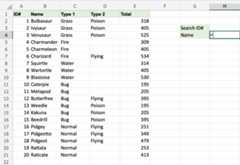
H4 is where the search result is displayed. In this case, the Pokemons names based on their ID#.
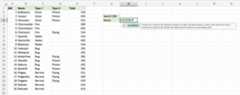
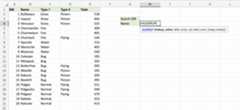
H3 selected aslookup_value. This is the cell where the search query is entered. In this case the PokemonsID#.
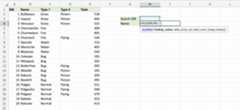
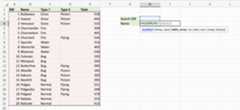
The range of the table is marked attable_array, in this exampleA2:E21.
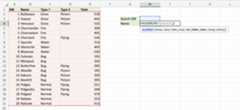
The number2 is entered ascol_index_number. This is the second column from the left and is the data that is being looked up.
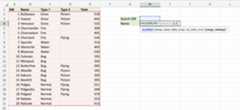
An illustration for selectingcol_index_number2.
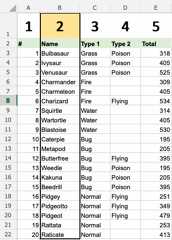
Ok, so next -1(True)is entered asrange_lookup. This is because the most left column has numbers only. If it was text,0(False) would have been used.
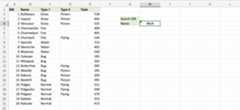
Good job! The function returns the#N/A value. This is because there have not been entered any value to the Search ID#H3.
Let us feed a value to it, typeH3(7):
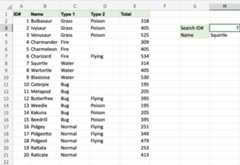
Have a look at that! TheVLOOKUP function has successfully found the Pokemon Squirtle which has the ID#7.
One more time, type(H3)4:
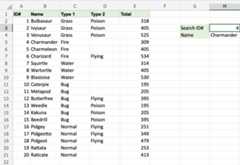
It still works! The function returned Charmanders name, which has4 as its ID#.That's great.

