Movatterモバイル変換


[0]ホーム

URL:


Menu
×
See More 
Sign In
+1 Get Certified Upgrade Teachers Spaces Get Certified Upgrade Teachers Spaces
   ❮   
     ❯   

Excel Tutorial

Excel HOMEExcel IntroductionExcel Get StartedExcel OverviewExcel SyntaxExcel RangesExcel FillExcel Move CellsExcel Add CellsExcel Delete CellsExcel Undo RedoExcel FormulasExcel Relative ReferenceExcel Absolute ReferenceExcel Arithmetic OperatorsExcel ParenthesesExcel Functions

Excel Formatting

Excel FormattingExcel Format PainterExcel Format ColorsExcel Format FontsExcel Format BordersExcel Format NumbersExcel Format GridsExcel Format Settings

Excel Data Analysis

Excel SortExcel FilterExcel TablesExcel Conditional FormatExcel Highlight Cell RulesExcel Top Bottom RulesExcel Data BarsExcel Color ScalesExcel Icon SetsExcel Manage Rules (CF)Excel Charts

Table Pivot

Table Pivot Intro

Excel Case

Case: Poke MartCase: Poke Mart, Styling

Excel Functions

ANDAVERAGEAVERAGEIFAVERAGEIFSCONCATCOUNTCOUNTACOUNTBLANKCOUNTIFCOUNTIFSIFIFSLEFTLOWERMAXMEDIANMINMODENPVORRANDRIGHTSTDEV.PSTDEV.SSUMSUMIFSUMIFSTRIMVLOOKUPXOR

Excel How To

Convert Time to SecondsDifference Between TimesNPV (Net Present Value)Remove Duplicates

Excel Examples

Excel ExercisesExcel SyllabusExcel Study PlanExcel CertificateExcel Training

Excel References

Excel Keyboard Shortcuts


ExcelMIN Function


MIN Function

TheMIN function is a premade function in Excel, which finds the lowest number in a range.

It is typed=MIN

The function ignores cells with text. It will only work for cells with numbers.

Note: There is another function calledMAX, which finds the highest value in a range, the opposite ofMIN.

How to use the=MIN function:

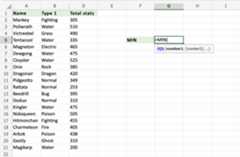
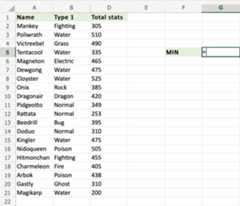
  1. Select a cell (G5)
  2. Type=MIN
  3. Double click theMIN command
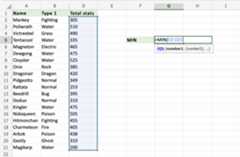
  4. Select a range (D2:D21)
  5. Hit enter

Let's have a look at an example!

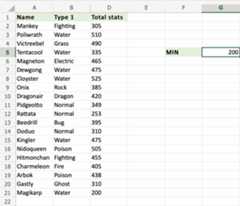
Find the Pokemon which has the lowest total stats in the rangeD2:D21:
Copy Values


Look at that! The function has successfully found the lowest value,200. Magikarp has the lowest Total stats of the Pokemons in the rangeD2:D21.

Let's add text to a cell in the rangeD2:21 to see what happens. Type Kadabra toD21.
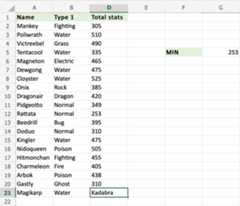
Right on! The function ignores the text typed in the range.253 is returned as the new lowest value, as the old one was replaced with text. Rattata is now the Pokemon with the lowest Total stats in the rangeD2:D21.



×

Contact Sales

If you want to use W3Schools services as an educational institution, team or enterprise, send us an e-mail:
sales@w3schools.com

Report Error

If you want to report an error, or if you want to make a suggestion, send us an e-mail:
help@w3schools.com

W3Schools is optimized for learning and training. Examples might be simplified to improve reading and learning.
Tutorials, references, and examples are constantly reviewed to avoid errors, but we cannot warrant full correctness
of all content. While using W3Schools, you agree to have read and accepted ourterms of use,cookies andprivacy policy.

Copyright 1999-2025 by Refsnes Data. All Rights Reserved.W3Schools is Powered by W3.CSS.


[8]ページ先頭

©2009-2025 Movatter.jp