Excel LEFT Function
LEFT Function
TheLEFT function is used to retrieve a chosen amount of characters, counting from the left side of an Excel cell. The chosen number has to be greater than 0 and is set to 1 by default.
It is typed=LEFT
If you want to use the function on a single cell, write:
If you want to use the function on a range of cells, write:
How to Use LEFT Function
To retrieve values from the left side of an Excel cell, useLEFT.
Step 1) Start the LEFT function
- Select a cell
E2 - Type
=LEFT - Double click theLEFT command
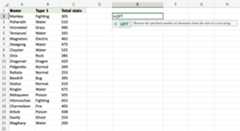
Follow along the tutorial by trying it yourself!
Copy the values in the example above and try it on your own!
Step 2) Enter values to the LEFT function
- Select a cell (
A2) - Hit enter
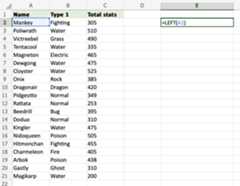
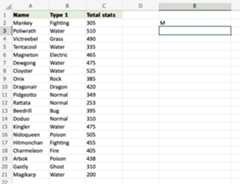
=LEFT(A2) uses the default funcion ofLEFT and retrieves the first symbol from theA2 cell.
How to Use theLEFT Function with a Defined Length of Characters
Learn to use=LEFT to get more than one character.
Step 1) Start the LEFT function
- Select a cell
E2 - Type
=LEFT - Double click theLEFT command
Note: The different parts of the function are separated by a symbol, like comma, or semicolon;
The symbol depends on yourLanguage Settings.
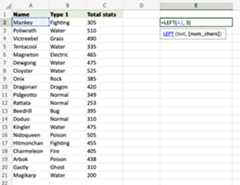
Step 2) Select cells and set the number of characters
- Enter the cell name (
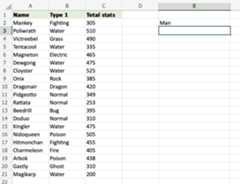
A2) and define the length of characters you want to retrieve, using a,as a delimiter (A2,3) - Hit enter
The function returns the first 3 characters from cellA2.
How to use theLEFT Function on a Range of Cells
Step 1) Start the LEFT function
- Select a cell
E2 - Type
=LEFT - Double click theLEFT command
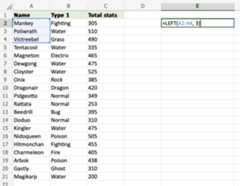
Step 2) Select cells and number of characters
- Select the cells (
A2:A4) and define the length of characters you want to retrieve, using a,as a delimiter (A2:A4,3) - Hit enter
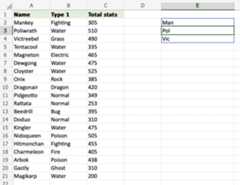
The function returns the first 3 characters from each cell within the rangeA2:A4.