
Vue HeatMap Chart - Visualize Matrix Data
- Display simple or large matrix data graphically through color variations in SVG or canvas.
- Analyze data pattern of the subject quickly with multiple views such as rectangle, bubble, calendar, and sector HeatMaps.
Trusted by the world’s leading companies

Overview
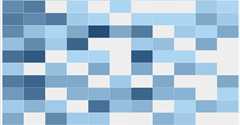
The Vue HeatMap Chart is a graphical representation of two-dimensional data where values are represented with gradient or solid color variations. The data points are rendered as HeatMap cells using Scalable Vector Graphics (SVG) or canvas UI rendering.
Vue HeatMap Chart Code Example
Easily get started with the Vue HeatMap Chart using a few simple lines of HTML code, as demonstrated below. Also explore ourVue HeatMap Chart example that shows you how to render and configure the HeatMap Chart in Vue.
<template><divid="heatmap"><ejs-heatmapid="heatmap":dataSource='dataSource':xAxis='xAxis':yAxis='yAxis':titleSettings='titleSettings':legendSettings='legendSettings'></ejs-heatmap></div></template><script>importVuefrom'vue';import{HeatMapPlugin,Tooltip,Legend}from'@syncfusion/ej2-vue-heatmap';Vue.use(HeatMapPlugin);exportdefault{data(){return{xAxis:{labels:['Nancy','Andrew','Janet','Margaret','Steven','Michael','Robert','Laura','Anne','Paul','Karin','Mario'],},yAxis:{labels:['Mon','Tues','Wed','Thurs','Fri','Sat'],},titleSettings:{text:'Sales Revenue per Employee (in 1000 US$)',},dataSource:[[73,39,26,39,94,0],[93,58,53,38,26,68],[99,28,22,4,66,90],[14,26,97,69,69,3],[7,46,47,47,88,6],[41,55,73,23,3,79],[56,69,21,86,3,33],[45,7,53,81,95,79],[60,77,74,68,88,51],[25,25,10,12,78,14],[25,56,55,58,12,82],[74,33,88,23,86,59]],legendSettings:{visible:true,}}},provide:{heatmap:[Tooltip,Legend]},}</script>
Dealing with large data
Though the Vue HeatMap Chart can render data points using both SVG and canvas modes, it uses canvas rendering mode while displaying large volumes of data for the best initial load performance and optimized memory usage.
Data binding
The HeatMap Chart can be bound to data using JSON or an array of objects. JSON data can be local or remote, and it can be retrieved using different adaptors. The JSON data can be nested as well.
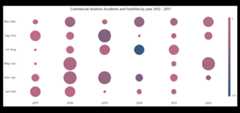
Bubble HeatMap Chart
The Vue bubble HeatMap Chart or the matrix bubble chart, visualizes data using variations in bubble attributes such as size, color, and sector.
Calendar HeatMap
The Vue calendar HeatMap visualizes time series data, with each data point representing a value bound to a specific time.
Axis
Populate data in the Vue HeatMap Chart using different axis types: numeric, category, and date-time.
Numeric axis
Use a numeric axis to represent numeric data in a HeatMap.
Date-time axis
Use a date-time axis to represent time series data in a HeatMap. Similarly, display dates and times as axis labels with different formats.
Category axis
Use a category axis to represent non-numerical data in a HeatMap and display text labels instead of numbers.
Customizable axis
The Vue HeatMap Chart allows you to customize axis elements to make an axis more readable.
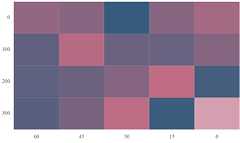
Inversed axis
Achieve RTL layout by reversing the axis labels. This swaps the higher and lower ranges of an axis.
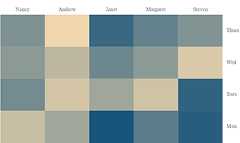
Opposed position
Arrange the axes smartly by moving them to positions opposite to their default positions.
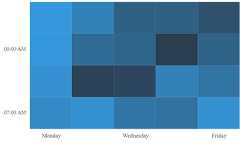
Axis intervals
Set axis labels with regular intervals, hiding adjacent labels across all types of axes.
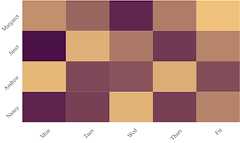
Axis label rotation
Rotate axis labels clockwise or counterclockwise to any desired angle.
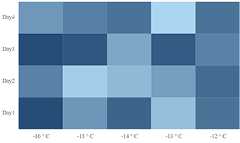
Axis label formatting
Customize the axis label text using the available formatting options.
HeatMap cell customization
Customize the default appearance of a cell or data point using the available formatting options.
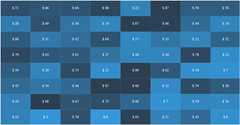
Data label
Toggle visibility or format the data labels to display custom text along with the cell values.
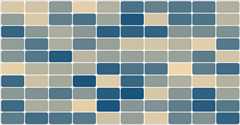
Borders
Change the borders and cell spacing by customizing the border settings.
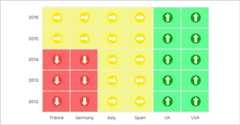
Data label template
Render any HTML element as a label for the cells in the HeatMap.
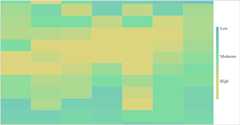
Palette
Customize the default color settings of the HeatMap cells with gradient or solid custom colors.
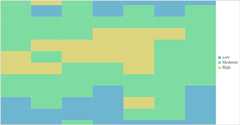
Cell color range customization
Color ranges allow a color to be applied to specific ranges in HeatMap cells.
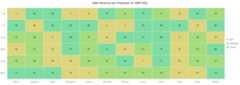
Legends
Display additional information about data points in the Vue HeatMap Chart using a legend.

Types
Choose between a gradient pointer and a list-type legend for improving data points readability.
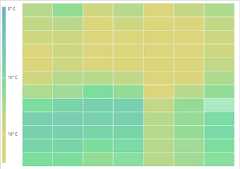
Positioning
Place the legend anywhere in the chart area to make it fit best on a page.
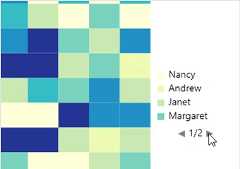
Paging
The control enables paging when legend items exceed the bounds. Then, each legend item can be viewed by navigating between the pages.
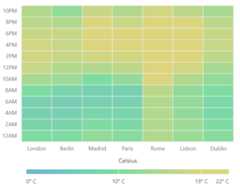
Legend title
A legend title provides information about the heatmap legend.
Empty points
Handle missed or undefined data values with empty data points.
Selection
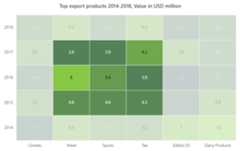
Select single or multiple cells using keyboard, mouse, and touch interactions.
Tooltip
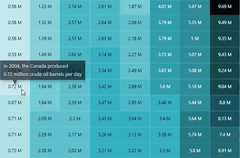
Display additional information for the data points with tooltips on mouse hover.
Other supported frameworks
The HeatMap Chart is available for the Blazor, React, Angular, and JavaScript frameworks. Explore its platform-specific options through the following links:


Supported browsers
The Vue HeatMap Chart works well with all modern web browsers, including Chrome, Firefox, Edge, Safari, and Opera.

Not sure how to create your first Vue HeatMap Chart? Our documentation can help.
I’d love to read it now145+ VUE UI COMPONENTS
Frequently Asked Questions
✅ Why should you choose Syncfusion Vue HeatMap Chart?
The Syncfusion HeatMap Chart for Vue provides the following features:
- Display simple or large matrix data graphically.
Supports automatic switching between SVG and canvasrendering modes.
Legend provides value information for the colors which represents each values.
- Analyze data patterns of the subject quickly with multiple views such as rectangle, bubble, calendar, and sector heatmaps.
- One of the best Vue HeatMap Chart components on the market, offering a feature-rich UI.
- Simple configuration and API.
- Supports all modern browsers.
- Touch-friendly and responsive.
Expansive learning resources such asdemos anddocumentation to let you get started quickly with Vue HeatMap Chart.
✅ Where can I find the Syncfusion Vue HeatMap Chart demo?
You can find ourVue HeatMap Chart demo, which demonstrates how to render and configure the HeatMap Chart.
✅ Can I download and utilize the Syncfusion Vue HeatMap Chart for free?
No, this is a commercial product and requires a paid license. However, afree Community License is also available for companies and individuals whose organizations have less than $1 million USD in annual gross revenue, 5 or fewer developers, and 10 or fewer total employees.
✅ How do I get started with Syncfusion Vue HeatMap Chart?
A good place to start would be our comprehensivegetting started documentation.
Our Customers Love Us


See Real Success Stories
Developers around the world trust Syncfusion’s Essential Studio to simplify complex projects and speed up delivery. With a vast library of UI controls, powerful SDKs, and reliable support, Essential Studio helps teams build enterprise-ready applications with confidence.
Explore Case StudiesIndustry
Software development
75% Cost reduction
50% Faster development

Industry
Utilities (oil and gas)

450+ hours saved
Streamlined processes and hours of development effort saved.

Advanced, flexible features
Empowered users through robust and versatile functionality.
Industry
Software and technology
1000+ of hours saved
Accelerated development with enterprise-ready UI components.

Efficient file management
Streamlined workflows with document libraries without building them from scratch.
Industry
Software and technology

2 Years of delay avoided
Two years of delays prevented with proactive planning.

On-time delivery
Projects delivered on schedule using trusted controls.
Industry
IT services and IT consulting

Improved performance
Large datasets handled with easy customization and quick debugging.

Highly customizable
Plug-and-play controls with quick template integration.
Industry
Professional services
Instant access
Quick availability of features and resources.
Reduced dependencies
Fewer dependencies for faster development.
Rated by users across the globe


Transform your applications today by downloading our free evaluation version Download Free TrialNo credit card required.


Awards
Greatness—it’s one thing to say you have it, but it means more when others recognize it.Syncfusion® is proud to hold the following industry awards.




