
Vue Input Mask Component with Custom Masking
- Allows users to enter valid data only through the input mask.
- Supports custom mask formats with regular expressions (regex) to validate application-specific data.
- Allows the validation of specific data formats such as phone numbers and date masks with different mask combinations.
Trusted by the world’s leading companies

Overview
The Vue Input Mask or masked textbox is a component that provides an easy and reliable way to collect user input based on a standard mask. It allows you to capture phone numbers, date values, credit card numbers, and other standard format values.
Standard mask
The Vue input mask component supports the standard masks listed onMSDN.
Custom mask
Other than the standard mask elements, any custom character also can be a mask element by defining rules for it.
Regular expression
The mask elements can be regular expressions, which is useful when defining user-specific data such as IP addresses.
Mask input combinations
The Vue input mask component allows different mask combinations based on the standard and custom masks. So, you can form different mask formats based on your application scenarios.

Number mask
From the standard mask elements, form a number mask for capturing any finite-length number to get number inputs such as phone numbers and credit card numbers.

String mask
In the case of a country code or product key input, where the input string requires uppercase characters, the string mask format will enforce this.

Date mask
The mask can form any date format to get similarly formatted date values. This is helpful in getting culture-specific date values by defining the corresponding date mask.
Form support and validation
As a form component, the captured value of a masked textbox component proceeds in the raw format when submitting the form.
You can also integrate the form validator plugin to perform any custom validation.
HTML5 input type support
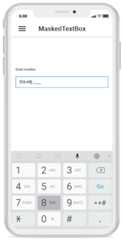
You can create the masked textbox component from the HTML5tel input. It opens the numeric keypad on mobile devices, which is useful for obtaining phone numbers or any other number-only inputs.
Other supported frameworks
The Input Mask component is also available in Blazor, React, Angular, and JavaScript frameworks. Check out the different Input Mask platforms from the links below,
Web accessibility
- Fully supportsWAI-ARIA accessibility to work with screen readers and assistive devices.
- FollowsWAI-ARIA best practices for implementing keyboard interaction.
- Designs the UI element visuals such as foreground color, background color, line spacing, text, and images based onWCAG 2.0 standard.
Developer-friendly APIs
Developers can customize all UI elements and control behaviors of the Vue input mask according to the end user’s requirements using its rich set of client-side APIs.
Not sure how to create your first Vue Input Mask? Our documentation can help.
I’d love to read it now145+ VUE UI COMPONENTS
Our Customers Love Us


See Real Success Stories
Developers around the world trust Syncfusion’s Essential Studio to simplify complex projects and speed up delivery. With a vast library of UI controls, powerful SDKs, and reliable support, Essential Studio helps teams build enterprise-ready applications with confidence.
Explore Case StudiesIndustry
Software development
75% Cost reduction
50% Faster development

Industry
Utilities (oil and gas)

450+ hours saved
Streamlined processes and hours of development effort saved.

Advanced, flexible features
Empowered users through robust and versatile functionality.
Industry
Software and technology
1000+ of hours saved
Accelerated development with enterprise-ready UI components.

Efficient file management
Streamlined workflows with document libraries without building them from scratch.
Industry
Software and technology

2 Years of delay avoided
Two years of delays prevented with proactive planning.

On-time delivery
Projects delivered on schedule using trusted controls.
Industry
IT services and IT consulting

Improved performance
Large datasets handled with easy customization and quick debugging.

Highly customizable
Plug-and-play controls with quick template integration.
Industry
Professional services
Instant access
Quick availability of features and resources.
Reduced dependencies
Fewer dependencies for faster development.
Rated by users across the globe


Transform your applications today by downloading our free evaluation version Download Free TrialNo credit card required.
 Documentation


Awards
Greatness—it’s one thing to say you have it, but it means more when others recognize it.Syncfusion® is proud to hold the following industry awards.




