
Vue Context Menu Component - A Responsive Right Click Menu
- The Context Menu is easily configurable with other components using fluent API.
- Automatic collision detection and handling with submenu flip-and-fit.
- Option to customize menu items for templating or include other components like Checkbox, Radio Button, etc.
Trusted by the world’s leading companies

Overview
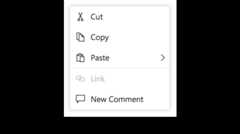
The Vue Context Menu or right-click menu is a graphical user interface component that appears when the user right-clicks or performs a touch and hold action. You can define the list of items the context menu will contain, create multilevel menus, and attach event handlers to the menu items for seamless integration with other components.
Multi-level nesting
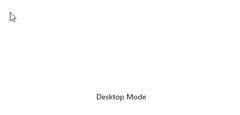
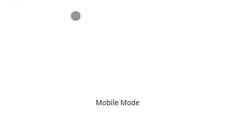
Multi-level nested items are supported in Context menu. You can browse the sub menu by mouse hover/click in menu items. The appearance of context menu varies for desktop and mobile. In Mobile, users can view Multilevel nested items in single layer with provision to backtrack parent item.
Menu Item Icons
You can include icons or sprite images in menu items easily to add the visual representation of the action in Context Menu.
Context Menu Templates
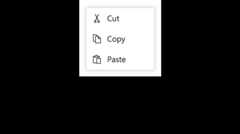
Templates is used to create custom user experience. You can create custom Context Menu by using template for each element of Context menu.
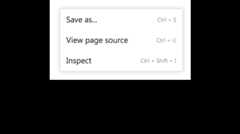
Integration with other components
Vue Context Menu can be used with any component. Adding a context menu to other components require simple configurations.
Other supported frameworks
The Context Menu component is also available in Blazor, React, Angular, and JavaScript frameworks. Check out the different Context Menu platforms from the links below,
Built-in themes
The Vue Context Menu supports built-in themes such as Bootstrap 5, Tailwind CSS, Fluent, high contrast, and more. Users can customize these built-in themes or create new themes to achieve the desired look and feel either by simply overriding SASS variables or using the Theme Studio application.
Web Accessibility
- Fully supportsWAI-ARIA for working with screen readers and assistive devices.
- FollowsWAI-ARIA best practices for implementing keyboard interaction.
- Based onWCAG 2.0 standards, we designed the UI element visuals such as foreground color, background color, line spacing, text, and images.
- Supports right-to-left (RTL) text direction for users working in right-to-left languages like Hebrew, Arabic, or Persian.
Not sure how to create your first Vue Context Menu? Our documentation can help.
I’d love to read it now145+ VUE UI COMPONENTS
Frequently Asked Questions
✅ Why should you choose Syncfusion Vue Context Menu?
- It is a graphical user interface component that appears when the user right-clicks or performs a touch and hold action.
Supportsmultilevel nested sub menus.
- Supports automatic collision detection and handling with submenu flip-and-fit.
- Supports option to customize menu items for templating or include other controls like Checkbox, Radio Button, etc.
- Support separator to represent similar action items as a group within the list of available items.
- Industry-standard themes are included: Material, Fabric, Fluent, and Bootstrap.
- Simple configuration and API.
- Supports all modern browsers.
- Touch friendly and responsive UI.
- One of the best Vue Context Menu in the market that offers feature-rich UI to interact with the software.
Extensivedemos, anddocumentation to learn quickly and get started with the Vue Context Menu component.
✅ Where can I find the Syncfusion Vue Context Menu demo?
You can find ourVue Context Menu demo, which demonstrates how to render and configure the Context Menu.
✅ Can I download and utilize the Syncfusion Vue Context Menu for free?
No, this is a commercial product and requires a paid license. However, afree community license is also available for companies and individuals whose organizations have less than $1 million USD in annual gross revenue, 5 or fewer developers, and 10 or fewer total employees.
✅ How do I get started with Syncfusion Vue Context Menu?
A good place to start would be our comprehensivegetting started documentation.
Our Customers Love Us


See Real Success Stories
Developers around the world trust Syncfusion’s Essential Studio to simplify complex projects and speed up delivery. With a vast library of UI controls, powerful SDKs, and reliable support, Essential Studio helps teams build enterprise-ready applications with confidence.
Explore Case StudiesIndustry
Software development
75% Cost reduction
50% Faster development

Industry
Utilities (oil and gas)

450+ hours saved
Streamlined processes and hours of development effort saved.

Advanced, flexible features
Empowered users through robust and versatile functionality.
Industry
Software and technology
1000+ of hours saved
Accelerated development with enterprise-ready UI components.

Efficient file management
Streamlined workflows with document libraries without building them from scratch.
Industry
Software and technology

2 Years of delay avoided
Two years of delays prevented with proactive planning.

On-time delivery
Projects delivered on schedule using trusted controls.
Industry
IT services and IT consulting

Improved performance
Large datasets handled with easy customization and quick debugging.

Highly customizable
Plug-and-play controls with quick template integration.
Industry
Professional services
Instant access
Quick availability of features and resources.
Reduced dependencies
Fewer dependencies for faster development.
Rated by users across the globe


Transform your applications today by downloading our free evaluation version Download Free TrialNo credit card required.
 Documentation


Awards
Greatness—it’s one thing to say you have it, but it means more when others recognize it.Syncfusion® is proud to hold the following industry awards.




