
Simple and Elegant JavaScript ProgressBar
- Linear or circular progress bars provide elegance in representing progression.
- Secondary progress can be shown like YouTube buffering.
- Indeterminate state options allow you to show progress interruption.
Trusted by the world’s leading companies

Overview
The JavaScript ProgressBar is a control that indicates the progress of a task with customizable visuals. It includes features to visualize progress in rectangular and circular shapes, determinate and indeterminate states, segments, and customized ranges in different colors. It also supports animation.
Types
Visualize progress in different shapes (rectangle, circle, and semi-circle) to give a unique appearance to your app design.
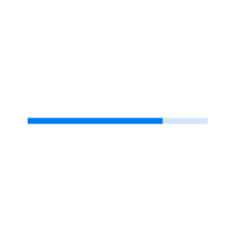
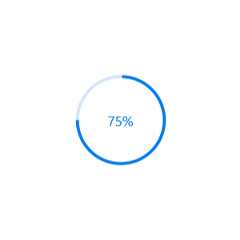

States
Visualize progress in different modes.

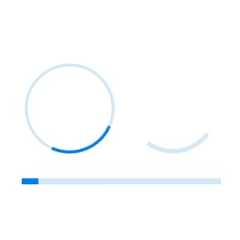
Determinate
Use the determinate mode progress bar when progress can be estimated.
Indeterminate
Use the indeterminate mode progress bar when progress cannot be estimated or calculated. It can be combined with determinate mode to let users know that the app is estimating the progress before the actual progress starts.
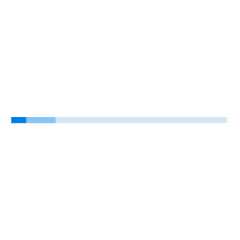
Buffer
Use a secondary progress indicator when the primary task depends on the secondary task. This will allow users to visualize both primary and secondary tasks’ progress simultaneously.
Segments
Avoid writing several lines of code to create and position multiple progress bars: just divide a progress bar into multiple segments using a single API to visualize the progress of multiple sequential tasks.

Angle
Customize the start and sweep angles of circular progress to give a unique style to the circular progress bar.

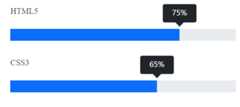
Tooltip
Display tooltips during initial load of progress bars and mouse hover with numeric or text values of the progress.
Custom content
Add any view to the center of a circular progress bar to: indicate the completion of the progress; add start, pause, or cancel buttons to control the progress interactively; add an image that indicates the actual task in progress; add custom text that conveys the progress.

Visualize multiple ranges
Along with visualizing the progress of a task, users can also visualize multiple ranges with gradient colors or solid colors that are mapped to each range to enhance the readability.

Appearance
The appearance of a progress bar is highly customizable.
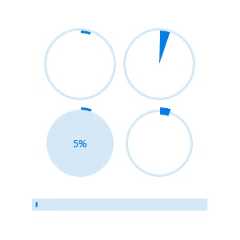
Thickness
Tweak the thickness of the track and progress indicator to render the ProgressBar with different appearances.
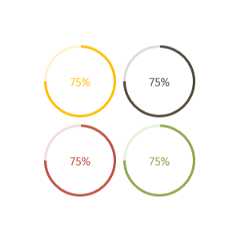
Colors
Apply appealing colors to the track and progress indicator to match your app theme.

Corner radius
The corner radius of the progress bar can be customized.
JavaScript Progress Bar Code Example
Easily get started with JavaScript Progress Bar using a few simple lines of HTML and JS code example as demonstrated below. Also explore ourJavaScript Progress Bar Example that shows you how to render and configure the chart.
<!DOCTYPE html><html><head></head><body><divid="container"><divid="percentage"></div></div></body></html>
import{ProgressBar}from'@syncfusion/ej2-progressbar';// Initialize ProgressBar componentletProgressBar:ProgressBar=newProgressBar({value:40});// Render initialized ProgressBarProgressBar.appendTo('#percentage');
Other supported frameworks
The ProgressBar component is also available in Blazor, React, Angular, and Vue frameworks. Check out the different ProgressBar platforms from the links below,
145+ JAVASCRIPT UI CONTROLS
Our Customers Love Us


See Real Success Stories
Developers around the world trust Syncfusion’s Essential Studio to simplify complex projects and speed up delivery. With a vast library of UI controls, powerful SDKs, and reliable support, Essential Studio helps teams build enterprise-ready applications with confidence.
Explore Case StudiesIndustry
Software development
75% Cost reduction
50% Faster development

Industry
Utilities (oil and gas)

450+ hours saved
Streamlined processes and hours of development effort saved.

Advanced, flexible features
Empowered users through robust and versatile functionality.
Industry
Software and technology
1000+ of hours saved
Accelerated development with enterprise-ready UI components.

Efficient file management
Streamlined workflows with document libraries without building them from scratch.
Industry
Software and technology

2 Years of delay avoided
Two years of delays prevented with proactive planning.

On-time delivery
Projects delivered on schedule using trusted controls.
Industry
IT services and IT consulting

Improved performance
Large datasets handled with easy customization and quick debugging.

Highly customizable
Plug-and-play controls with quick template integration.
Industry
Professional services
Instant access
Quick availability of features and resources.
Reduced dependencies
Fewer dependencies for faster development.
Rated by users across the globe


Transform your applications today by downloading our free evaluation version Download Free TrialNo credit card required.
 Documentation


Awards
Greatness—it’s one thing to say you have it, but it means more when others recognize it.Syncfusion® is proud to hold the following industry awards.




