
JavaScript Block Editor – Modern UI for Structured Content Creation
- Create structured content using blocks like headings, lists, quotes, and code.
- Add and manage blocks easily with slash commands and toolbars.
- Rearrange content with drag-and-drop and quick keyboard actions.
- Format text and insert inline elements like links and labels.
Trusted by the world’s leading companies

Overview
The JavaScript Block Editor is a block-based content editing solution for web applications. It provides an intuitive and flexible interface for creating rich, structured documents using interactive content blocks. It supports many block types and text-formatting options, enabling users to compose and manage content with precision.
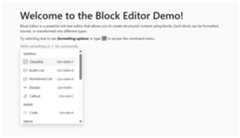
JavaScript Block Editor Code Example
Get started with the JavaScript Block Editor using a few simple lines of HTML and TS code example as demonstrated below. Also, explore theJavaScript Block Editor example that shows how to render and configure the Block Editor in JavaScript.
<divclass="control-section"><divid="defaultBlockeditor"></div></div>
import{BlockEditor}from"@syncfusion/ej2-blockeditor"letdefaultEditor:BlockEditor=newBlockEditor({blocks:[{id:'heading-block',type:BlockType.Heading1,content:[{id:'heading-content',type:ContentType.Text,content:'Welcome to the Block Editor Demo!'}]},{id:'intro-block',type:BlockType.Paragraph,content:[{id:'intro-content',type:ContentType.Text,content:'Block Editor is a powerful rich text editor that allows you to create structured content using blocks. Each block can be formatted, moved, or transformed into different types.',}]},\],`});defaultEditor.appendTo('#defaultBlockeditor');
Different block types
The JavaScript Block Editor supports a comprehensive range of block types to create structured, rich content. Each block type serves a specific purpose and can be easily inserted, formatted, and managed within the editor.


Paragraph
Standard paragraph blocks form the foundation of content creation. They support rich text formatting, inline elements, and can be easily converted to other block types.

Heading (H1-H4)
Heading blocks provide content structure with four levels of hierarchy (H1-H4). Each heading level has distinct styling and semantic meaning, helping create well-organized, accessible content with proper block content outline.

Toggle paragrah
Toggle blocks create collapsible content sections where users can show or hide paragraph content. This feature is perfect for FAQs, detailed explanations, or any content that benefits from progressive disclosure.

Toggle heading (H1-H4)
Similar to toggle paragraphs, toggle headings create collapsible sections with heading-level styling. These blocks combine the structural benefits of headings with the space-saving advantages of collapsible content.

Checklist
Interactive checklist blocks allow users to create task lists with clickable checkboxes. Items can be marked as complete or incomplete, making it ideal for to-do lists, requirements, or any content requiring completion tracking.
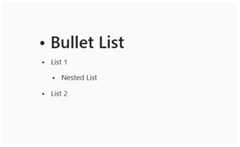
Bullet list
Unordered bullet lists organize information in a clear, hierarchical structure. The editor supports nested lists with multiple indentation levels, making it easy to create complex information hierarchies.
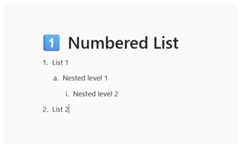
Numbered list
Ordered (numbered) lists provide sequential organization of information. Like bullet lists, they support nesting and automatic numbering, perfect for step-by-step instructions, procedures, or ranked content.

Quote
Quote blocks highlight important text or citations with distinctive styling, perfect for testimonials, important statements, or any content that needs visual emphasis and separation from regular text.

Divider
Divider blocks create visual separation between content sections. These horizontal lines help organize content and improve readability by clearly delineating different topics or sections.

Callout
Callout blocks, with their colored backgrounds and icons, draw attention to important information. They are ideal for tips, warnings, notes, or any content that requires special attention from readers.

Code
Code blocks display programming code or technical content making them perfect for code examples, configuration files, or technical documentation.

Image
Image blocks allow users to insert, resize the images within the content. They support various image formats and provide options for sizing, and alternative text for accessibility.

Table
Table blocks let you organize information in a structured grid format, making them ideal for presenting comparisons, schedules, or any tabular data. They provide a clean and organized way to display content for better readability and clarity.
Built-in toolbar
The JavaScript Block Editor provides comprehensive built-in toolbars with essential text formatting options. The inline toolbar appears when text is selected, offering quick access to formatting tools including bold, italic, underline, subscript, superscript, text case transformations (uppercase, lowercase). It also has color customization options for both text color and background color, which streamline’s the editing experience.

Formatting the text
The JavaScript Block Editor provides comprehensive text formatting capabilities with inline formatting options. Users can apply bold, italic, underline, strikethrough, and other text styles directly within blocks making it easy to create rich, styled content without interrupting the writing flow.

Editor menus
The intuitive menu systems provide quick access to the block management options. These menus enhance productivity by keeping essential tools within easy reach.
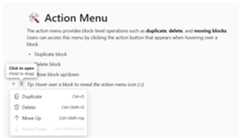
Action menu
The action menu provides block-level operations such as duplicate, delete, and transform blocks. Users can access this menu by clicking the action button that appears when hovering over blocks offering actions for each block type.
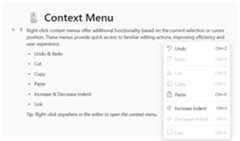
Context menu
Right-click context menus offer additional functionality based on the current selection or cursor position. The context menu provides options for cut, copy, paste, and other relevant actions, making content editing more efficient with recent interaction patterns.
Inline content
The Block Editor supports various types of inline content elements that can be embedded within text blocks, which enhances the richness and functionality of your content:

Text
Plain text content forms the foundation of all blocks. This is the standard text content that supports all formatting options like bold, italic, underline, and color styling.
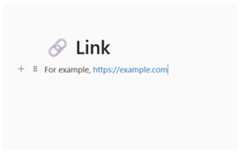
Link
Hyperlink elements allow users to insert clickable links within text. Links can point to external URLs, internal pages, or email addresses, making content interactive and connected.

Code
Inline code snippets display programming code or technical terms with monospace formatting and syntax highlighting. They are perfect for embedding code references within paragraphs without creating separate code blocks.

Mention
User mention functionality enables referencing specific users or entities within the content. Mentions typically appear with special styling and can trigger notifications or provide user context.
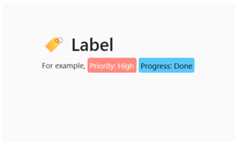
Label
Label or tag elements provide categorization and metadata within content. Labels help organize information and can be used for tagging, categorization, or adding contextual information to text.
Drag and drop
The intuitive drag-and-drop functionality rearranges content blocks. Users can easily reorder blocks by dragging them to new positions, making content organization effortless. Visual indicators show valid drop zones during the drag operation.

Additional features
Cut, copy, and paste
The Block Editor in JavaScript typically allows users to use clipboard operations (cut, copy, and paste).
Undo/redo manager
The Block Editor in JavaScript manages theundo/redo action history, which stores editing actions and allows customization of the undo steps.
Print block editor content
Print the Block Editor content using the print option programmatically with applied format style.
Touch-friendly and responsive block editor
The Block Editor recognizes touch gestures, allowing users to format using the inline and slash menu toolbars. This responsive, mobile friendly design provides the best user experience on all mobile, tablet, and desktop form factors.
Built-in and customizable themes
The JavaScript Block Editor is shipped with several built-in themes such as Tailwind CSS, Bootstrap 5, Bootstrap 4, Bootstrap, Material, Fabric, Fluent, and high contrast.
Developer-friendly APIs
There are sufficient client-side APIs available to optimize content editing.
HTML editor accessibility
Keyboard navigation
This component is accessible using the keyboard. Major features like block addition, block actions, indent, select, and formatting can be performed using keyboard commands. This helps create highly accessible applications.
Screen reader
The JavaScript Block Editor view has complete WAI-ARIA accessibility support. The UI includes high-contrast visual elements that help visually impaired people to have the best viewing experience. Also, valid UI descriptions are easily accessible through assistive technologies such as screen readers.
Right to Left (RTL)
The HTML5/JavaScript Block Editor supports RTL rendering, allowing the text direction and layout of the editor to be displayed from right to left. This improves the user experience and accessibility for RTL languages such as Arabic, Farsi, Hebrew, etc.
145+ JAVASCRIPT UI CONTROLS
Our Customers Love Us


See Real Success Stories
Developers around the world trust Syncfusion’s Essential Studio to simplify complex projects and speed up delivery. With a vast library of UI controls, powerful SDKs, and reliable support, Essential Studio helps teams build enterprise-ready applications with confidence.
Explore Case StudiesIndustry
Software development
75% Cost reduction
50% Faster development

Industry
Utilities (oil and gas)

450+ hours saved
Streamlined processes and hours of development effort saved.

Advanced, flexible features
Empowered users through robust and versatile functionality.
Industry
Software and technology
1000+ of hours saved
Accelerated development with enterprise-ready UI components.

Efficient file management
Streamlined workflows with document libraries without building them from scratch.
Industry
Software and technology

2 Years of delay avoided
Two years of delays prevented with proactive planning.

On-time delivery
Projects delivered on schedule using trusted controls.
Industry
IT services and IT consulting

Improved performance
Large datasets handled with easy customization and quick debugging.

Highly customizable
Plug-and-play controls with quick template integration.
Industry
Professional services
Instant access
Quick availability of features and resources.
Reduced dependencies
Fewer dependencies for faster development.
Rated by users across the globe


Transform your applications today by downloading our free evaluation version Download Free TrialNo credit card required.
 Documentation


Awards
Greatness—it’s one thing to say you have it, but it means more when others recognize it.Syncfusion® is proud to hold the following industry awards.




