Movatterモバイル変換


[0]ホーム

URL:


PDF, PPTX513 views

UX for Business Analysts

This document provides an overview of user experience (UX) principles for business analysts, emphasizing the importance of understanding user needs through requirements gathering and contextual inquiry. It covers key topics such as information architecture, screen design, and usability testing, highlighting how these elements influence user interactions. The document concludes with key takeaways, encouraging analysts to engage with actual users and refine their designs based on feedback and testing.

Embed presentation

Download as PDF, PPTX
User Experience forBusiness Analysts
HiI’m Rick DzekmanA User Experience Consultant who’sworked on a wide range of projects fromsmall apps to enterprise software2
1.What is UX?A brief intro to User Experience3
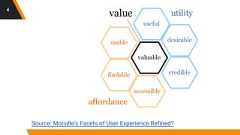
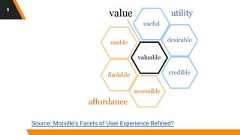
Source: Morville's Facets of User Experience Refined?4
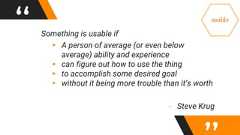
“ Something is usable if▸ A person of average (or even belowaverage) ability and experience▸ can figure out how to use the thing▸ to accomplish some desired goal▸ without it being more trouble than it’s worth- Steve Krug
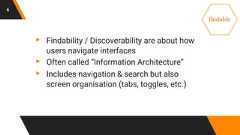
6▸ Findability / Discoverability are about howusers navigate interfaces▸ Often called “Information Architecture”▸ Includes navigation & search but alsoscreen organisation (tabs, toggles, etc.)
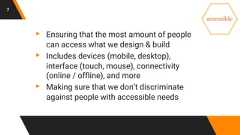
7▸ Ensuring that the most amount of peoplecan access what we design & build▸ Includes devices (mobile, desktop),interface (touch, mouse), connectivity(online / offline), and more▸ Making sure that we don’t discriminateagainst people with accessible needs
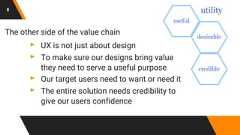
8The other side of the value chain▸ UX is not just about design▸ To make sure our designs bring valuethey need to serve a useful purpose▸ Our target users need to want or need it▸ The entire solution needs credibility togive our users confidence
Source: Morville's Facets of User Experience Refined?9
2.RequirementsGatheringUX design also involves requirements10
Requirements in UX look a little different▸ Make sure we are building the right thing▸ Don't ask users what they want - insteaduse “contextual enquiry” to find out whattheir goals / problems are▸ Understand:▹ Goals, Behaviours, Mental Models, Emotions,Access Methods, Journeys11
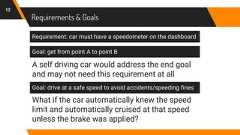
Requirements & Goals12Requirement: car must have a speedometer on the dashboardGoal: get from point A to point BA self driving car would address the end goaland may not need this requirement at allGoal: drive at a safe speed to avoid accidents/speeding finesWhat if the car automatically knew the speedlimit and automatically cruised at that speedunless the brake was applied?
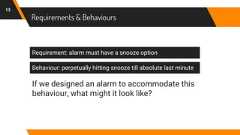
Requirements & Behaviours13Requirement: alarm must have a snooze optionBehaviour: perpetually hitting snooze till absolute last minuteIf we designed an alarm to accommodate thisbehaviour, what might it look like?
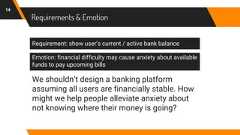
Requirements & Emotion14Requirement: show user’s current / active bank balanceEmotion: financial difficulty may cause anxiety about availablefunds to pay upcoming billsWe shouldn’t design a banking platformassuming all users are financially stable. Howmight we help people alleviate anxiety aboutnot knowing where their money is going?
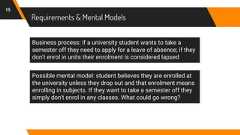
Requirements & Mental Models15Business process: if a university student wants to take asemester off they need to apply for a leave of absence; if theydon't enrol in units their enrolment is considered lapsedPossible mental model: student believes they are enrolled atthe university unless they drop out and that enrolment meansenrolling in subjects. If they want to take a semester off theysimply don't enrol in any classes. What could go wrong?
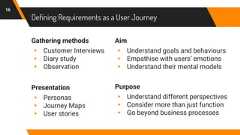
Defining Requirements as a User JourneyGathering methods▸ Customer Interviews▸ Diary study▸ ObservationPresentation▸ Personas▸ Journey Maps▸ User storiesAim▸ Understand goals and behaviours▸ Empathise with users’ emotions▸ Understand their mental modelsPurpose▸ Understand different perspectives▸ Consider more than just function▸ Go beyond business processes16
Activity #1Making a persona17
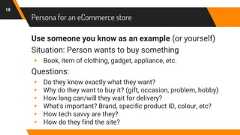
Persona for an eCommerce storeUse someone you know as an example (or yourself)Situation: Person wants to buy something▸ Book, item of clothing, gadget, appliance, etc.Questions:▸ Do they know exactly what they want?▸ Why do they want to buy it? (gift, occasion, problem, hobby)▸ How long can/will they wait for delivery?▸ What's important? Brand, specific product ID, colour, etc?▸ How tech savvy are they?▸ How do they find the site?18
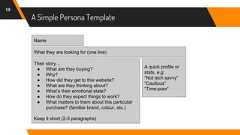
A Simple Persona Template19NameWhat they are looking for (one line)A quick profile orstats, e.g:“Not tech savvy”“Cautious”“Time-poor”Their story…● What are they buying?● Why?● How did they get to this website?● What are they thinking about?● What’s their emotional state?● How do they expect things to work?● What matters to them about this particularpurchase? (familiar brand, colour, etc.)Keep it short (2-3 paragraphs)
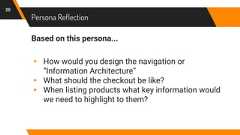
Persona ReflectionBased on this persona...▸ How would you design the navigation or“Information Architecture”▸ What should the checkout be like?▸ When listing products what key information wouldwe need to highlight to them?20
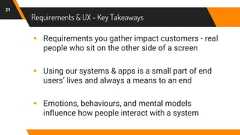
Requirements & UX - Key Takeaways▸ Requirements you gather impact customers - realpeople who sit on the other side of a screen▸ Using our systems & apps is a small part of endusers’ lives and always a means to an end▸ Emotions, behaviours, and mental modelsinfluence how people interact with a system21
3.InformationArchitectureIt’s not about the underlying data22
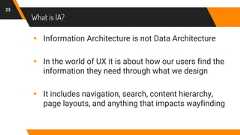
What is IA?▸ Information Architecture is not Data Architecture▸ In the world of UX it is about how our users find theinformation they need through what we design▸ It includes navigation, search, content hierarchy,page layouts, and anything that impacts wayfinding23
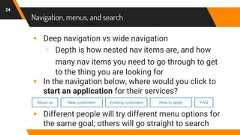
Navigation, menus, and search▸ Deep navigation vs wide navigation▹ Depth is how nested nav items are, and howmany nav items you need to go through to getto the thing you are looking for▸ In the navigation below, where would you click tostart an application for their services?▸ Different people will try different menu options forthe same goal; others will go straight to search24About us New customers Existing customers How to apply FAQ
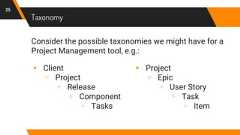
Taxonomy▸ Client▹ Project▹ Release▹ Component▹ Tasks25▸ Project▹ Epic▹ User Story▹ Task▹ ItemConsider the possible taxonomies we might have for aProject Management tool, e.g.:
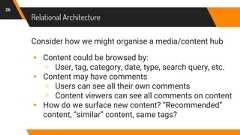
Relational Architecture26Consider how we might organise a media/content hub▸ Content could be browsed by:▹ User, tag, category, date, type, search query, etc.▸ Content may have comments▹ Users can see all their own comments▹ Content viewers can see all comments on content▸ How do we surface new content? “Recommended”content, “similar” content, same tags?
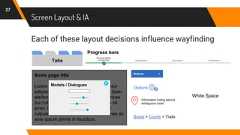
Screen Layout & IA27Each of these layout decisions influence wayfindingTabsProgress barsSome page titleLorem ipsum dolor sit amet, consecteturadipiscing elit. Vivamus at massa vel diameleifend porta quis et nulla. Fusce ultricesdui nulla, vitae imperdiet nunc viverra sitamet. Duis sagittis pharetra sapien utvulputate. Interdum et malesuada fames acante ipsum primis in faucibus.Modals / Dialogues xButtons >OptionsInformation hiding behindambiguous iconsBread > Crumb > TrailsWhite Space
Why Information Architecture Matters28▸ Our users have mental models of how informationis organised - these models can change over time▸ When we design navigation (and other wayfinding)we assume a particular mental model▸ Our assumptions about where users will think tolook are very often wrong
How to Design Information Architecture29▸ Test before we commit to a data model thatconstricts our IA (and is expensive to change)▸ Use research techniques like card sorting to workout users’ mental models ahead of time▸ Test assumptions with Usability Tests / Tree Tests
4.Screen DesignA quick guide to what should be on a screen30
Screen Design: State31▸ A screen should show the user the current “state”of the system▸ Questions that could be answered with state:▹ Where Am I?▹ What actions have been performed so far?▹ What is the current status? (e.g. of actions)▸ Imagine the user gets distracted for 10 minutesand comes back… “what was I doing again?”
Screen Design: Options32▸ On any single screen the user needs to know whattheir options are▸ What actions are allowed / possible?▸ Where can I navigate to?▸ What will happen if I select this option?
Screen Design: Feedback33▸ If an action is performed the screen should giveinstant feedback to acknowledge the action▸ This is especially important in interactive systems▸ This feedback is how we tell the user:▹ “yes, pressing that button did indeed work. Notonly do you not need to press it again but it’s nolonger possible to do so”
Screen Design: Response34▸ Once the result of an action is (quickly) completedwe need to let the user know the result▸ What did the action do? What are theconsequences? What does this mean for me?▸ Were there any problems? Can the action beundone? Can I go back to the previous state?
Screen Design: Heuristic Evaluation35▸ A good way to evaluate a screen (or a set ofscreens) is to use a heuristic evaluation▸ Jakob Nielsen has an article called:▹ “10 Heuristics for User Interface Design”▸ Use these heuristics to evaluate designs
Screen Design as a BA36▸ As a BA you often define the requirements forvarious screens / interfaces▸ Sometimes you even wireframes / design them▸ It’s easy to get lost in business / technicalrequirements and forget about end users
Activity #2Heuristic Evaluation37
Heuristic Evaluation Exercise38▸ Take an App or Website you are familiar with▸ Go to a random inner screen / page▸ Evaluate the screen against the 10 heuristics▸ How effective would this be for a first time user?What about a less tech-savvy one?
5.Usability TestingA primer on testing usability39
Usability Testing is not like UAT40▸ Usability testing is used to see if an end user iscapable of completing some task (or goal)▸ No instructions are given to the user other than aspecific task▸ Help is given to users only if they get stuck andcannot complete the process (obviously this isconsidered a bad thing)
How Usability Testing Works (1)41▸ Give users a specific task which has an end goal(e.g. find the location of your next exam)▸ If possible try to find an actual end user, using theirown behaviours and goals▸ If you can't find actual end users try anyone whohasn't seen the system, do a “hallway usability test”where you ask the closest person near you, if youare really stuck ask a team member on the project
How Usability Testing Works (2)42▸ Tests can be done on paper prototypes,wireframes, dev/test releases, or live in production▸ During the session ask the participant to think outloud, let you know what's on their mind, ask you anyquestions they might have▸ Try to record the session (screen capture + audio +(optional) webcam) to review later▸ Find the biggest difficulties people had and try tocome up with a solution to address them
Activity #3Usability Test43
Usability Testing Exercise - Pair Up!44▸ One person will pick an app/site they are familiarwith; give a task to the other person; then observe,prompt the person to think out loud, take notes▸ Second person will use the app/site to complete aspecific task on the phone▸ Where do they go? What do they click? Why? Whatare they thinking/feeling? Did they succeed?▸ Make the task have a specific end goal - “order anUber”, “create a shopping list”, “find this video”, etc.
Usability Testing Outcomes45▸ Who succeeded in their task?▸ What were the first steps they took?▸ What was easy?▸ What was difficult?▸ What would be one thing you could change tomake this experience better?
6.Wrap-UpWhat to take away from this session46
Key Takeaways47▸ When gathering requirements try to get input fromyour actual users through “contextual enquiry”▸ Think about Information Architecture (and test it)▸ Usability is perfected through testing - don’t just doUAT but try usability test with real users too
Recommended Reading48▸ “Don't Make Me Think (Revisited)”▹ By Steve Krug▸ “The Design of Everyday Things”▹ By Don Norman▸ “The Elements of User Experience”▹ By Jesse James Garrett▸ “A Project Guide to UX Design”▹ By Russ Unger and Carolyn Chandler
49THANKS!Any questions?You can find me at www.rickdzekman.com or onTwitter, LinkedIn, or SlideShare

Recommended

PDF
Usable Information Visualizations & Dashboards
PPTX
Designing usable forms
PPTX
Enterprise User Experience in Higher Education
PDF
Beginners Guide to Accessibility
PPTX
Basic Visual Design Principles and UI Design Best Practices
PDF
UXPA2019 Designing Technology for an Aging Population
PDF
Principles of User Interface Design
PDF
UXPA2019 Optimal AR UX for Complex Purchases — How immersive technology boost...
PDF
Usability Testing
PPTX
UXPA2019 Enhancing the User Experience for People with Disabilities: Top 10 ...
PDF
UX crash course - part 1
PDF
The Complexity Curve: How to Design for Simplicity (SXSW, March 2012)
PPTX
UXPA2019 How to (Build and) Test Conversational Interfaces
PPT
Usability Heuristics
PDF
What is UX?
PDF
Going from Here to There: Transitioning into a UX Career
PDF
User Experience 3: User Experience, Usability and Accessibility
PDF
The Value of User Experience (from Web 2.0 Expo Berlin 2008)
PDF
Good UX Bad UX
PPTX
Designing a Cohesive Customer Experience
PDF
Evangelizing User Experience Design
PPTX
Newbie UX: Something I learned about UX (Business vs Design)
PPTX
Usability and User Experience Training Seminar
PPTX
Ux Overview
PPT
Usability--What is it?
PDF
Why UX is Important
PPTX
Usability Essentials to Know
PDF
User Experience (UX) Overview
PPTX
Business of UX - Midwest UX Presentation
PDF
Digital ux strategy

More Related Content

PDF
Usable Information Visualizations & Dashboards
PPTX
Designing usable forms
PPTX
Enterprise User Experience in Higher Education
PDF
Beginners Guide to Accessibility
PPTX
Basic Visual Design Principles and UI Design Best Practices
PDF
UXPA2019 Designing Technology for an Aging Population
PDF
Principles of User Interface Design
PDF
UXPA2019 Optimal AR UX for Complex Purchases — How immersive technology boost...
Usable Information Visualizations & Dashboards
Designing usable forms
Enterprise User Experience in Higher Education
Beginners Guide to Accessibility
Basic Visual Design Principles and UI Design Best Practices
UXPA2019 Designing Technology for an Aging Population
Principles of User Interface Design
UXPA2019 Optimal AR UX for Complex Purchases — How immersive technology boost...

What's hot

PDF
Usability Testing
PPTX
UXPA2019 Enhancing the User Experience for People with Disabilities: Top 10 ...
PDF
UX crash course - part 1
PDF
The Complexity Curve: How to Design for Simplicity (SXSW, March 2012)
PPTX
UXPA2019 How to (Build and) Test Conversational Interfaces
PPT
Usability Heuristics
PDF
What is UX?
PDF
Going from Here to There: Transitioning into a UX Career
PDF
User Experience 3: User Experience, Usability and Accessibility
PDF
The Value of User Experience (from Web 2.0 Expo Berlin 2008)
PDF
Good UX Bad UX
PPTX
Designing a Cohesive Customer Experience
PDF
Evangelizing User Experience Design
PPTX
Newbie UX: Something I learned about UX (Business vs Design)
PPTX
Usability and User Experience Training Seminar
PPTX
Ux Overview
PPT
Usability--What is it?
PDF
Why UX is Important
PPTX
Usability Essentials to Know
PDF
User Experience (UX) Overview
Usability Testing
UXPA2019 Enhancing the User Experience for People with Disabilities: Top 10 ...
UX crash course - part 1
The Complexity Curve: How to Design for Simplicity (SXSW, March 2012)
UXPA2019 How to (Build and) Test Conversational Interfaces
Usability Heuristics
What is UX?
Going from Here to There: Transitioning into a UX Career
User Experience 3: User Experience, Usability and Accessibility
The Value of User Experience (from Web 2.0 Expo Berlin 2008)
Good UX Bad UX
Designing a Cohesive Customer Experience
Evangelizing User Experience Design
Newbie UX: Something I learned about UX (Business vs Design)
Usability and User Experience Training Seminar
Ux Overview
Usability--What is it?
Why UX is Important
Usability Essentials to Know
User Experience (UX) Overview

Viewers also liked

PPTX
Business of UX - Midwest UX Presentation
PDF
Digital ux strategy
PPTX
UX: The Untold Story
PDF
Customer experience: The natural ally for UX in business
PDF
Harvard Library UX Methods Workshop w/Matt Reidsma
PDF
UX & Measures of Engagement
PDF
What is UX, in 10 Slides
PDF
Engaging UX / UX Engageant: Journée Mondiale UX @HEC Montréal
Business of UX - Midwest UX Presentation
Digital ux strategy
UX: The Untold Story
Customer experience: The natural ally for UX in business
Harvard Library UX Methods Workshop w/Matt Reidsma
UX & Measures of Engagement
What is UX, in 10 Slides
Engaging UX / UX Engageant: Journée Mondiale UX @HEC Montréal

Similar to UX for Business Analysts

PDF
UX Workshop at Startit@KBC
PDF
Demystifying User Experience - General Assembly
PDF
Ux gsg
PPTX
What’s in your BA Toolbox – Has User experience and Usability gone to the way...
PDF
Introduction to User Experience - Mike Biggs
PPTX
User Experience: Why and How
PDF
Creating an unforgettable user experience
PDF
User Experience Design: an Overview
PPTX
The Importance of UX
PPT
Final wireframes from screen concept to user interaction v0.4
PPTX
Tampa UX November 2014 Meetup
PPTX
Intro to user experience design
 
PDF
Designing the user experience
PPTX
Design Like a Pro: Building Better HMI Navigation Schemes
PPTX
Design Like a Pro: Building Better HMI Navigation Schemes
PDF
User Experience 2: Talk@Stabilo
PPT
Bake UX into your Startup (March 2009)
PDF
NYU Web Intensive - Week 3 Class 1
PPT
Make Stuff People Can Use - Agile Alliance 2010
UX Workshop at Startit@KBC
Demystifying User Experience - General Assembly
Ux gsg
What’s in your BA Toolbox – Has User experience and Usability gone to the way...
Introduction to User Experience - Mike Biggs
User Experience: Why and How
Creating an unforgettable user experience
User Experience Design: an Overview
The Importance of UX
Final wireframes from screen concept to user interaction v0.4
Tampa UX November 2014 Meetup
Intro to user experience design
 
Designing the user experience
Design Like a Pro: Building Better HMI Navigation Schemes
User Experience 2: Talk@Stabilo
Bake UX into your Startup (March 2009)
NYU Web Intensive - Week 3 Class 1
Make Stuff People Can Use - Agile Alliance 2010

Recently uploaded

PPTX
ENGLISH DICTIONARY PORTFOLIO FOR EVENTS.
PPTX
Pathological Fractures Lecture.pptx ORTHOPAEDICS
PDF
Architectural Professional portfolio designs.pdf
PDF
TOC Unit 1 Finite State Machine and divisible by 3
PPTX
Brain storming and Game storming IN ui ux
PDF
CASE STUDY about Shreyas wellness Center, Quiet healing center; Auroville
PPTX
MAJOR factors affecting TO SEED STORAGE PPT
PDF
Why Investing in UI/UX Strategy Boosts User Engagement
PPTX
2D Transformation (Translation, Rotation, Scaling) in Computer Graphics
PPTX
HARDITS THEORY: “to design the design as a design. PRESENTATION.pptx
PPTX
Visual_Merchandising_Detailed_Redesigned.pptx
 
PPTX
TLE - FCS 7 - Introduction to Technical Drawing.pptx
PDF
🥳 BUKTI KEMENANGAN HARI INI SELASA 03 FEBRUARI 2026 🥰
 
PDF
VERNACULAR ARCHITECTURE - CONCEPTS & PRINCIPLES
PPTX
ZAIRON AND CARLYN PPT 111111111111111111
PDF
Should you buy verified PayPal or Stripe accounts_.pdf
PPTX
etics.pptxghhhhhhhhhhhhhhhhhhhhhhhhhhhhhhhhhhhhhhhhhhhhhhhhhhhhhhhhhhhhhhhhhh...
PPTX
Noora_Custom_Color_HIV_TB_Flowchart.pptx
PPTX
Development of Residential Areas - a case of Indira Nagar, Lucknow, India
PPTX
POMIS PROTOTYPE (Previous Meetings).pptx
ENGLISH DICTIONARY PORTFOLIO FOR EVENTS.
Pathological Fractures Lecture.pptx ORTHOPAEDICS
Architectural Professional portfolio designs.pdf
TOC Unit 1 Finite State Machine and divisible by 3
Brain storming and Game storming IN ui ux
CASE STUDY about Shreyas wellness Center, Quiet healing center; Auroville
MAJOR factors affecting TO SEED STORAGE PPT
Why Investing in UI/UX Strategy Boosts User Engagement
2D Transformation (Translation, Rotation, Scaling) in Computer Graphics
HARDITS THEORY: “to design the design as a design. PRESENTATION.pptx
Visual_Merchandising_Detailed_Redesigned.pptx
 
TLE - FCS 7 - Introduction to Technical Drawing.pptx
🥳 BUKTI KEMENANGAN HARI INI SELASA 03 FEBRUARI 2026 🥰
 
VERNACULAR ARCHITECTURE - CONCEPTS & PRINCIPLES
ZAIRON AND CARLYN PPT 111111111111111111
Should you buy verified PayPal or Stripe accounts_.pdf
etics.pptxghhhhhhhhhhhhhhhhhhhhhhhhhhhhhhhhhhhhhhhhhhhhhhhhhhhhhhhhhhhhhhhhhh...
Noora_Custom_Color_HIV_TB_Flowchart.pptx
Development of Residential Areas - a case of Indira Nagar, Lucknow, India
POMIS PROTOTYPE (Previous Meetings).pptx

UX for Business Analysts

  • 1.
  • 2.
    HiI’m Rick DzekmanAUser Experience Consultant who’sworked on a wide range of projects fromsmall apps to enterprise software2
  • 3.
    1.What is UX?Abrief intro to User Experience3
  • 4.
    Source: Morville's Facetsof User Experience Refined?4
  • 5.
    “ Something isusable if▸ A person of average (or even belowaverage) ability and experience▸ can figure out how to use the thing▸ to accomplish some desired goal▸ without it being more trouble than it’s worth- Steve Krug
  • 6.
    6▸ Findability /Discoverability are about howusers navigate interfaces▸ Often called “Information Architecture”▸ Includes navigation & search but alsoscreen organisation (tabs, toggles, etc.)
  • 7.
    7▸ Ensuring thatthe most amount of peoplecan access what we design & build▸ Includes devices (mobile, desktop),interface (touch, mouse), connectivity(online / offline), and more▸ Making sure that we don’t discriminateagainst people with accessible needs
  • 8.
    8The other sideof the value chain▸ UX is not just about design▸ To make sure our designs bring valuethey need to serve a useful purpose▸ Our target users need to want or need it▸ The entire solution needs credibility togive our users confidence
  • 9.
    Source: Morville's Facetsof User Experience Refined?9
  • 10.
  • 11.
    Requirements in UXlook a little different▸ Make sure we are building the right thing▸ Don't ask users what they want - insteaduse “contextual enquiry” to find out whattheir goals / problems are▸ Understand:▹ Goals, Behaviours, Mental Models, Emotions,Access Methods, Journeys11
  • 12.
    Requirements & Goals12Requirement:car must have a speedometer on the dashboardGoal: get from point A to point BA self driving car would address the end goaland may not need this requirement at allGoal: drive at a safe speed to avoid accidents/speeding finesWhat if the car automatically knew the speedlimit and automatically cruised at that speedunless the brake was applied?
  • 13.
    Requirements & Behaviours13Requirement:alarm must have a snooze optionBehaviour: perpetually hitting snooze till absolute last minuteIf we designed an alarm to accommodate thisbehaviour, what might it look like?
  • 14.
    Requirements & Emotion14Requirement:show user’s current / active bank balanceEmotion: financial difficulty may cause anxiety about availablefunds to pay upcoming billsWe shouldn’t design a banking platformassuming all users are financially stable. Howmight we help people alleviate anxiety aboutnot knowing where their money is going?
  • 15.
    Requirements & MentalModels15Business process: if a university student wants to take asemester off they need to apply for a leave of absence; if theydon't enrol in units their enrolment is considered lapsedPossible mental model: student believes they are enrolled atthe university unless they drop out and that enrolment meansenrolling in subjects. If they want to take a semester off theysimply don't enrol in any classes. What could go wrong?
  • 16.
    Defining Requirements asa User JourneyGathering methods▸ Customer Interviews▸ Diary study▸ ObservationPresentation▸ Personas▸ Journey Maps▸ User storiesAim▸ Understand goals and behaviours▸ Empathise with users’ emotions▸ Understand their mental modelsPurpose▸ Understand different perspectives▸ Consider more than just function▸ Go beyond business processes16
  • 17.
  • 18.
    Persona for aneCommerce storeUse someone you know as an example (or yourself)Situation: Person wants to buy something▸ Book, item of clothing, gadget, appliance, etc.Questions:▸ Do they know exactly what they want?▸ Why do they want to buy it? (gift, occasion, problem, hobby)▸ How long can/will they wait for delivery?▸ What's important? Brand, specific product ID, colour, etc?▸ How tech savvy are they?▸ How do they find the site?18
  • 19.
    A Simple PersonaTemplate19NameWhat they are looking for (one line)A quick profile orstats, e.g:“Not tech savvy”“Cautious”“Time-poor”Their story…● What are they buying?● Why?● How did they get to this website?● What are they thinking about?● What’s their emotional state?● How do they expect things to work?● What matters to them about this particularpurchase? (familiar brand, colour, etc.)Keep it short (2-3 paragraphs)
  • 20.
    Persona ReflectionBased onthis persona...▸ How would you design the navigation or“Information Architecture”▸ What should the checkout be like?▸ When listing products what key information wouldwe need to highlight to them?20
  • 21.
    Requirements & UX- Key Takeaways▸ Requirements you gather impact customers - realpeople who sit on the other side of a screen▸ Using our systems & apps is a small part of endusers’ lives and always a means to an end▸ Emotions, behaviours, and mental modelsinfluence how people interact with a system21
  • 22.
  • 23.
    What is IA?▸Information Architecture is not Data Architecture▸ In the world of UX it is about how our users find theinformation they need through what we design▸ It includes navigation, search, content hierarchy,page layouts, and anything that impacts wayfinding23
  • 24.
    Navigation, menus, andsearch▸ Deep navigation vs wide navigation▹ Depth is how nested nav items are, and howmany nav items you need to go through to getto the thing you are looking for▸ In the navigation below, where would you click tostart an application for their services?▸ Different people will try different menu options forthe same goal; others will go straight to search24About us New customers Existing customers How to apply FAQ
  • 25.
    Taxonomy▸ Client▹ Project▹Release▹ Component▹ Tasks25▸ Project▹ Epic▹ User Story▹ Task▹ ItemConsider the possible taxonomies we might have for aProject Management tool, e.g.:
  • 26.
    Relational Architecture26Consider howwe might organise a media/content hub▸ Content could be browsed by:▹ User, tag, category, date, type, search query, etc.▸ Content may have comments▹ Users can see all their own comments▹ Content viewers can see all comments on content▸ How do we surface new content? “Recommended”content, “similar” content, same tags?
  • 27.
    Screen Layout &IA27Each of these layout decisions influence wayfindingTabsProgress barsSome page titleLorem ipsum dolor sit amet, consecteturadipiscing elit. Vivamus at massa vel diameleifend porta quis et nulla. Fusce ultricesdui nulla, vitae imperdiet nunc viverra sitamet. Duis sagittis pharetra sapien utvulputate. Interdum et malesuada fames acante ipsum primis in faucibus.Modals / Dialogues xButtons >OptionsInformation hiding behindambiguous iconsBread > Crumb > TrailsWhite Space
  • 28.
    Why Information ArchitectureMatters28▸ Our users have mental models of how informationis organised - these models can change over time▸ When we design navigation (and other wayfinding)we assume a particular mental model▸ Our assumptions about where users will think tolook are very often wrong
  • 29.
    How to DesignInformation Architecture29▸ Test before we commit to a data model thatconstricts our IA (and is expensive to change)▸ Use research techniques like card sorting to workout users’ mental models ahead of time▸ Test assumptions with Usability Tests / Tree Tests
  • 30.
    4.Screen DesignA quickguide to what should be on a screen30
  • 31.
    Screen Design: State31▸A screen should show the user the current “state”of the system▸ Questions that could be answered with state:▹ Where Am I?▹ What actions have been performed so far?▹ What is the current status? (e.g. of actions)▸ Imagine the user gets distracted for 10 minutesand comes back… “what was I doing again?”
  • 32.
    Screen Design: Options32▸On any single screen the user needs to know whattheir options are▸ What actions are allowed / possible?▸ Where can I navigate to?▸ What will happen if I select this option?
  • 33.
    Screen Design: Feedback33▸If an action is performed the screen should giveinstant feedback to acknowledge the action▸ This is especially important in interactive systems▸ This feedback is how we tell the user:▹ “yes, pressing that button did indeed work. Notonly do you not need to press it again but it’s nolonger possible to do so”
  • 34.
    Screen Design: Response34▸Once the result of an action is (quickly) completedwe need to let the user know the result▸ What did the action do? What are theconsequences? What does this mean for me?▸ Were there any problems? Can the action beundone? Can I go back to the previous state?
  • 35.
    Screen Design: HeuristicEvaluation35▸ A good way to evaluate a screen (or a set ofscreens) is to use a heuristic evaluation▸ Jakob Nielsen has an article called:▹ “10 Heuristics for User Interface Design”▸ Use these heuristics to evaluate designs
  • 36.
    Screen Design asa BA36▸ As a BA you often define the requirements forvarious screens / interfaces▸ Sometimes you even wireframes / design them▸ It’s easy to get lost in business / technicalrequirements and forget about end users
  • 37.
  • 38.
    Heuristic Evaluation Exercise38▸Take an App or Website you are familiar with▸ Go to a random inner screen / page▸ Evaluate the screen against the 10 heuristics▸ How effective would this be for a first time user?What about a less tech-savvy one?
  • 39.
    5.Usability TestingA primeron testing usability39
  • 40.
    Usability Testing isnot like UAT40▸ Usability testing is used to see if an end user iscapable of completing some task (or goal)▸ No instructions are given to the user other than aspecific task▸ Help is given to users only if they get stuck andcannot complete the process (obviously this isconsidered a bad thing)
  • 41.
    How Usability TestingWorks (1)41▸ Give users a specific task which has an end goal(e.g. find the location of your next exam)▸ If possible try to find an actual end user, using theirown behaviours and goals▸ If you can't find actual end users try anyone whohasn't seen the system, do a “hallway usability test”where you ask the closest person near you, if youare really stuck ask a team member on the project
  • 42.
    How Usability TestingWorks (2)42▸ Tests can be done on paper prototypes,wireframes, dev/test releases, or live in production▸ During the session ask the participant to think outloud, let you know what's on their mind, ask you anyquestions they might have▸ Try to record the session (screen capture + audio +(optional) webcam) to review later▸ Find the biggest difficulties people had and try tocome up with a solution to address them
  • 43.
  • 44.
    Usability Testing Exercise- Pair Up!44▸ One person will pick an app/site they are familiarwith; give a task to the other person; then observe,prompt the person to think out loud, take notes▸ Second person will use the app/site to complete aspecific task on the phone▸ Where do they go? What do they click? Why? Whatare they thinking/feeling? Did they succeed?▸ Make the task have a specific end goal - “order anUber”, “create a shopping list”, “find this video”, etc.
  • 45.
    Usability Testing Outcomes45▸Who succeeded in their task?▸ What were the first steps they took?▸ What was easy?▸ What was difficult?▸ What would be one thing you could change tomake this experience better?
  • 46.
    6.Wrap-UpWhat to takeaway from this session46
  • 47.
    Key Takeaways47▸ Whengathering requirements try to get input fromyour actual users through “contextual enquiry”▸ Think about Information Architecture (and test it)▸ Usability is perfected through testing - don’t just doUAT but try usability test with real users too
  • 48.
    Recommended Reading48▸ “Don'tMake Me Think (Revisited)”▹ By Steve Krug▸ “The Design of Everyday Things”▹ By Don Norman▸ “The Elements of User Experience”▹ By Jesse James Garrett▸ “A Project Guide to UX Design”▹ By Russ Unger and Carolyn Chandler
  • 49.
    49THANKS!Any questions?You canfind me at www.rickdzekman.com or onTwitter, LinkedIn, or SlideShare

[8]ページ先頭

©2009-2026 Movatter.jp