Movatterモバイル変換


[0]ホーム

URL:


Uploaded byayaankim007
17 views

postgresql 16.3(latest version) 2024-25.pdf

The PostgreSQL 16.3 documentation provides comprehensive information about the database system, including installation, architectural fundamentals, and SQL language fundamentals. It covers advanced features, server administration, performance tips, and data manipulation, among other topics. This documentation serves as a detailed resource for users to understand and utilize PostgreSQL effectively.

Embed presentation

Download to read offline
PostgreSQL 16.3 DocumentationThe PostgreSQL Global Development Group
PostgreSQL 16.3 DocumentationThe PostgreSQL Global Development GroupCopyright © 1996–2024 The PostgreSQL Global Development GroupLegal NoticePostgreSQL is Copyright © 1996–2024 by the PostgreSQL Global Development Group.Postgres95 is Copyright © 1994–5 by the Regents of the University of California.Permission to use, copy, modify, and distribute this software and its documentation for any purpose, without fee, and without a writtenagreement is hereby granted, provided that the above copyright notice and this paragraph and the following two paragraphs appear in all copies.IN NO EVENT SHALL THE UNIVERSITY OF CALIFORNIA BE LIABLE TO ANY PARTY FOR DIRECT, INDIRECT, SPECIAL,INCIDENTAL, OR CONSEQUENTIAL DAMAGES, INCLUDING LOST PROFITS, ARISING OUT OF THE USE OF THIS SOFTWAREAND ITS DOCUMENTATION, EVEN IF THE UNIVERSITY OF CALIFORNIA HAS BEEN ADVISED OF THE POSSIBILITY OFSUCH DAMAGE.THE UNIVERSITY OF CALIFORNIA SPECIFICALLY DISCLAIMS ANY WARRANTIES, INCLUDING, BUT NOT LIMITED TO, THEIMPLIED WARRANTIES OF MERCHANTABILITY AND FITNESS FOR A PARTICULAR PURPOSE. THE SOFTWARE PROVIDEDHEREUNDER IS ON AN “AS-IS” BASIS, AND THE UNIVERSITY OF CALIFORNIA HAS NO OBLIGATIONS TO PROVIDE MAIN-TENANCE, SUPPORT, UPDATES, ENHANCEMENTS, OR MODIFICATIONS.
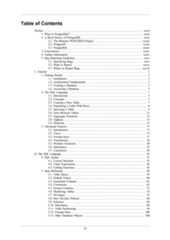
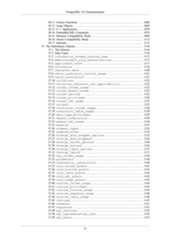
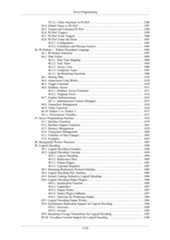
Table of ContentsPreface ................................................................................................................... xxxii1. What Is PostgreSQL? .................................................................................... xxxii2. A Brief History of PostgreSQL ....................................................................... xxxii2.1. The Berkeley POSTGRES Project ........................................................ xxxiii2.2. Postgres95 ....................................................................................... xxxiii2.3. PostgreSQL ...................................................................................... xxxiv3. Conventions ................................................................................................ xxxiv4. Further Information ...................................................................................... xxxiv5. Bug Reporting Guidelines .............................................................................. xxxv5.1. Identifying Bugs ................................................................................ xxxv5.2. What to Report ................................................................................. xxxvi5.3. Where to Report Bugs ....................................................................... xxxviiI. Tutorial .................................................................................................................... 11. Getting Started .................................................................................................. 31.1. Installation ............................................................................................. 31.2. Architectural Fundamentals ....................................................................... 31.3. Creating a Database ................................................................................. 31.4. Accessing a Database .............................................................................. 52. The SQL Language ............................................................................................ 72.1. Introduction ............................................................................................ 72.2. Concepts ................................................................................................ 72.3. Creating a New Table .............................................................................. 72.4. Populating a Table With Rows .................................................................. 82.5. Querying a Table .................................................................................... 92.6. Joins Between Tables ............................................................................. 112.7. Aggregate Functions .............................................................................. 132.8. Updates ............................................................................................... 152.9. Deletions .............................................................................................. 153. Advanced Features ........................................................................................... 173.1. Introduction .......................................................................................... 173.2. Views .................................................................................................. 173.3. Foreign Keys ........................................................................................ 173.4. Transactions ......................................................................................... 183.5. Window Functions ................................................................................. 203.6. Inheritance ........................................................................................... 233.7. Conclusion ........................................................................................... 24II. The SQL Language ................................................................................................. 254. SQL Syntax .................................................................................................... 334.1. Lexical Structure ................................................................................... 334.2. Value Expressions ................................................................................. 424.3. Calling Functions .................................................................................. 565. Data Definition ................................................................................................ 595.1. Table Basics ......................................................................................... 595.2. Default Values ...................................................................................... 605.3. Generated Columns ................................................................................ 615.4. Constraints ........................................................................................... 625.5. System Columns ................................................................................... 715.6. Modifying Tables .................................................................................. 725.7. Privileges ............................................................................................. 755.8. Row Security Policies ............................................................................ 805.9. Schemas ............................................................................................... 865.10. Inheritance .......................................................................................... 905.11. Table Partitioning ................................................................................ 945.12. Foreign Data ..................................................................................... 1085.13. Other Database Objects ....................................................................... 108iii
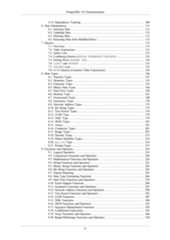
PostgreSQL 16.3 Documentation5.14. Dependency Tracking ......................................................................... 1086. Data Manipulation .......................................................................................... 1116.1. Inserting Data ..................................................................................... 1116.2. Updating Data ..................................................................................... 1126.3. Deleting Data ...................................................................................... 1136.4. Returning Data from Modified Rows ....................................................... 1137. Queries ......................................................................................................... 1157.1. Overview ............................................................................................ 1157.2. Table Expressions ................................................................................ 1157.3. Select Lists ......................................................................................... 1317.4. Combining Queries (UNION, INTERSECT, EXCEPT) ................................ 1337.5. Sorting Rows (ORDER BY) .................................................................. 1347.6. LIMIT and OFFSET ............................................................................ 1357.7. VALUES Lists ..................................................................................... 1357.8. WITH Queries (Common Table Expressions) ............................................ 1368. Data Types .................................................................................................... 1468.1. Numeric Types .................................................................................... 1478.2. Monetary Types ................................................................................... 1538.3. Character Types ................................................................................... 1538.4. Binary Data Types ............................................................................... 1568.5. Date/Time Types ................................................................................. 1588.6. Boolean Type ...................................................................................... 1678.7. Enumerated Types ............................................................................... 1688.8. Geometric Types ................................................................................. 1708.9. Network Address Types ........................................................................ 1738.10. Bit String Types ................................................................................ 1758.11. Text Search Types .............................................................................. 1768.12. UUID Type ....................................................................................... 1798.13. XML Type ........................................................................................ 1798.14. JSON Types ...................................................................................... 1818.15. Arrays .............................................................................................. 1918.16. Composite Types ............................................................................... 2018.17. Range Types ..................................................................................... 2078.18. Domain Types ................................................................................... 2138.19. Object Identifier Types ....................................................................... 2148.20. pg_lsn Type ................................................................................... 2168.21. Pseudo-Types .................................................................................... 2179. Functions and Operators .................................................................................. 2199.1. Logical Operators ................................................................................ 2199.2. Comparison Functions and Operators ...................................................... 2209.3. Mathematical Functions and Operators .................................................... 2249.4. String Functions and Operators .............................................................. 2319.5. Binary String Functions and Operators .................................................... 2419.6. Bit String Functions and Operators ......................................................... 2459.7. Pattern Matching ................................................................................. 2479.8. Data Type Formatting Functions ............................................................. 2669.9. Date/Time Functions and Operators ........................................................ 2749.10. Enum Support Functions ..................................................................... 2909.11. Geometric Functions and Operators ....................................................... 2919.12. Network Address Functions and Operators .............................................. 2989.13. Text Search Functions and Operators ..................................................... 3019.14. UUID Functions ................................................................................ 3079.15. XML Functions ................................................................................. 3089.16. JSON Functions and Operators ............................................................. 3229.17. Sequence Manipulation Functions ......................................................... 3429.18. Conditional Expressions ...................................................................... 3439.19. Array Functions and Operators ............................................................. 3469.20. Range/Multirange Functions and Operators ............................................. 350iv
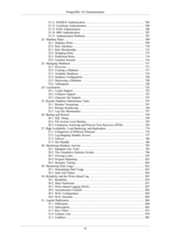
PostgreSQL 16.3 Documentation9.21. Aggregate Functions ........................................................................... 3569.22. Window Functions ............................................................................. 3639.23. Subquery Expressions ......................................................................... 3659.24. Row and Array Comparisons ............................................................... 3679.25. Set Returning Functions ...................................................................... 3709.26. System Information Functions and Operators .......................................... 3749.27. System Administration Functions .......................................................... 3939.28. Trigger Functions ............................................................................... 4109.29. Event Trigger Functions ...................................................................... 4119.30. Statistics Information Functions ............................................................ 41410. Type Conversion .......................................................................................... 41610.1. Overview .......................................................................................... 41610.2. Operators .......................................................................................... 41710.3. Functions .......................................................................................... 42110.4. Value Storage .................................................................................... 42510.5. UNION, CASE, and Related Constructs .................................................. 42610.6. SELECT Output Columns .................................................................... 42711. Indexes ....................................................................................................... 42911.1. Introduction ....................................................................................... 42911.2. Index Types ...................................................................................... 43011.3. Multicolumn Indexes .......................................................................... 43211.4. Indexes and ORDER BY ..................................................................... 43311.5. Combining Multiple Indexes ................................................................ 43411.6. Unique Indexes .................................................................................. 43511.7. Indexes on Expressions ....................................................................... 43511.8. Partial Indexes ................................................................................... 43611.9. Index-Only Scans and Covering Indexes ................................................ 43911.10. Operator Classes and Operator Families ................................................ 44111.11. Indexes and Collations ...................................................................... 44311.12. Examining Index Usage ..................................................................... 44312. Full Text Search ........................................................................................... 44512.1. Introduction ....................................................................................... 44512.2. Tables and Indexes ............................................................................. 44912.3. Controlling Text Search ...................................................................... 45112.4. Additional Features ............................................................................ 45812.5. Parsers ............................................................................................. 46412.6. Dictionaries ....................................................................................... 46512.7. Configuration Example ....................................................................... 47512.8. Testing and Debugging Text Search ...................................................... 47612.9. Preferred Index Types for Text Search ................................................... 48112.10. psql Support .................................................................................... 48212.11. Limitations ...................................................................................... 48513. Concurrency Control ..................................................................................... 48613.1. Introduction ....................................................................................... 48613.2. Transaction Isolation ........................................................................... 48613.3. Explicit Locking ................................................................................ 49213.4. Data Consistency Checks at the Application Level ................................... 49813.5. Serialization Failure Handling .............................................................. 49913.6. Caveats ............................................................................................. 50013.7. Locking and Indexes ........................................................................... 50014. Performance Tips ......................................................................................... 50214.1. Using EXPLAIN ................................................................................ 50214.2. Statistics Used by the Planner .............................................................. 51414.3. Controlling the Planner with Explicit JOIN Clauses ................................. 51914.4. Populating a Database ......................................................................... 52114.5. Non-Durable Settings .......................................................................... 52415. Parallel Query .............................................................................................. 52515.1. How Parallel Query Works .................................................................. 525v
PostgreSQL 16.3 Documentation15.2. When Can Parallel Query Be Used? ...................................................... 52615.3. Parallel Plans ..................................................................................... 52715.4. Parallel Safety ................................................................................... 529III. Server Administration ............................................................................................ 53116. Installation from Binaries ............................................................................... 53817. Installation from Source Code ......................................................................... 53917.1. Requirements ..................................................................................... 53917.2. Getting the Source .............................................................................. 54117.3. Building and Installation with Autoconf and Make ................................... 54117.4. Building and Installation with Meson ..................................................... 55417.5. Post-Installation Setup ......................................................................... 56317.6. Supported Platforms ........................................................................... 56517.7. Platform-Specific Notes ....................................................................... 56518. Installation from Source Code on Windows ....................................................... 57018.1. Building with Visual C++ or the Microsoft Windows SDK ........................ 57019. Server Setup and Operation ............................................................................ 57619.1. The PostgreSQL User Account ............................................................. 57619.2. Creating a Database Cluster ................................................................. 57619.3. Starting the Database Server ................................................................ 57819.4. Managing Kernel Resources ................................................................. 58219.5. Shutting Down the Server .................................................................... 59019.6. Upgrading a PostgreSQL Cluster .......................................................... 59019.7. Preventing Server Spoofing .................................................................. 59319.8. Encryption Options ............................................................................. 59419.9. Secure TCP/IP Connections with SSL .................................................... 59519.10. Secure TCP/IP Connections with GSSAPI Encryption ............................. 59919.11. Secure TCP/IP Connections with SSH Tunnels ...................................... 59919.12. Registering Event Log on Windows ..................................................... 60020. Server Configuration ..................................................................................... 60220.1. Setting Parameters .............................................................................. 60220.2. File Locations .................................................................................... 60620.3. Connections and Authentication ............................................................ 60720.4. Resource Consumption ........................................................................ 61420.5. Write Ahead Log ............................................................................... 62220.6. Replication ........................................................................................ 63220.7. Query Planning .................................................................................. 63920.8. Error Reporting and Logging ............................................................... 64620.9. Run-time Statistics ............................................................................. 65920.10. Automatic Vacuuming ....................................................................... 66120.11. Client Connection Defaults ................................................................. 66320.12. Lock Management ............................................................................ 67420.13. Version and Platform Compatibility ..................................................... 67520.14. Error Handling ................................................................................. 67620.15. Preset Options .................................................................................. 67720.16. Customized Options .......................................................................... 67920.17. Developer Options ............................................................................ 67920.18. Short Options ................................................................................... 68521. Client Authentication ..................................................................................... 68621.1. The pg_hba.conf File ..................................................................... 68621.2. User Name Maps ............................................................................... 69521.3. Authentication Methods ....................................................................... 69721.4. Trust Authentication ........................................................................... 69721.5. Password Authentication ..................................................................... 69821.6. GSSAPI Authentication ....................................................................... 69921.7. SSPI Authentication ............................................................................ 70021.8. Ident Authentication ........................................................................... 70121.9. Peer Authentication ............................................................................ 70221.10. LDAP Authentication ........................................................................ 702vi
PostgreSQL 16.3 Documentation21.11. RADIUS Authentication .................................................................... 70521.12. Certificate Authentication ................................................................... 70621.13. PAM Authentication ......................................................................... 70621.14. BSD Authentication .......................................................................... 70721.15. Authentication Problems .................................................................... 70722. Database Roles ............................................................................................. 70922.1. Database Roles .................................................................................. 70922.2. Role Attributes .................................................................................. 71022.3. Role Membership ............................................................................... 71222.4. Dropping Roles .................................................................................. 71322.5. Predefined Roles ................................................................................ 71422.6. Function Security ............................................................................... 71623. Managing Databases ..................................................................................... 71723.1. Overview .......................................................................................... 71723.2. Creating a Database ............................................................................ 71723.3. Template Databases ............................................................................ 71823.4. Database Configuration ....................................................................... 72023.5. Destroying a Database ........................................................................ 72023.6. Tablespaces ....................................................................................... 72024. Localization ................................................................................................. 72324.1. Locale Support .................................................................................. 72324.2. Collation Support ............................................................................... 72724.3. Character Set Support ......................................................................... 73725. Routine Database Maintenance Tasks ............................................................... 74725.1. Routine Vacuuming ............................................................................ 74725.2. Routine Reindexing ............................................................................ 75625.3. Log File Maintenance ......................................................................... 75726. Backup and Restore ...................................................................................... 75926.1. SQL Dump ....................................................................................... 75926.2. File System Level Backup ................................................................... 76226.3. Continuous Archiving and Point-in-Time Recovery (PITR) ........................ 76327. High Availability, Load Balancing, and Replication ............................................ 77427.1. Comparison of Different Solutions ........................................................ 77427.2. Log-Shipping Standby Servers .............................................................. 77727.3. Failover ............................................................................................ 78627.4. Hot Standby ...................................................................................... 78628. Monitoring Database Activity ......................................................................... 79528.1. Standard Unix Tools ........................................................................... 79528.2. The Cumulative Statistics System ......................................................... 79628.3. Viewing Locks .................................................................................. 83528.4. Progress Reporting ............................................................................. 83528.5. Dynamic Tracing ............................................................................... 84329. Monitoring Disk Usage .................................................................................. 85329.1. Determining Disk Usage ..................................................................... 85329.2. Disk Full Failure ................................................................................ 85430. Reliability and the Write-Ahead Log ................................................................ 85530.1. Reliability ......................................................................................... 85530.2. Data Checksums ................................................................................ 85730.3. Write-Ahead Logging (WAL) ............................................................... 85730.4. Asynchronous Commit ........................................................................ 85830.5. WAL Configuration ............................................................................ 85930.6. WAL Internals ................................................................................... 86231. Logical Replication ....................................................................................... 86431.1. Publication ........................................................................................ 86431.2. Subscription ...................................................................................... 86531.3. Row Filters ....................................................................................... 87131.4. Column Lists ..................................................................................... 87931.5. Conflicts ........................................................................................... 882vii
PostgreSQL 16.3 Documentation31.6. Restrictions ....................................................................................... 88231.7. Architecture ...................................................................................... 88331.8. Monitoring ........................................................................................ 88431.9. Security ............................................................................................ 88431.10. Configuration Settings ....................................................................... 88531.11. Quick Setup ..................................................................................... 88632. Just-in-Time Compilation (JIT) ....................................................................... 88732.1. What Is JIT compilation? .................................................................... 88732.2. When to JIT? .................................................................................... 88732.3. Configuration .................................................................................... 88932.4. Extensibility ...................................................................................... 88933. Regression Tests ........................................................................................... 89033.1. Running the Tests .............................................................................. 89033.2. Test Evaluation .................................................................................. 89433.3. Variant Comparison Files .................................................................... 89633.4. TAP Tests ......................................................................................... 89733.5. Test Coverage Examination ................................................................. 898IV. Client Interfaces ................................................................................................... 89934. libpq — C Library ........................................................................................ 90434.1. Database Connection Control Functions ................................................. 90434.2. Connection Status Functions ................................................................ 92234.3. Command Execution Functions ............................................................. 92934.4. Asynchronous Command Processing ...................................................... 94534.5. Pipeline Mode ................................................................................... 94934.6. Retrieving Query Results Row-by-Row .................................................. 95334.7. Canceling Queries in Progress .............................................................. 95434.8. The Fast-Path Interface ....................................................................... 95534.9. Asynchronous Notification ................................................................... 95634.10. Functions Associated with the COPY Command ..................................... 95734.11. Control Functions ............................................................................. 96134.12. Miscellaneous Functions .................................................................... 96334.13. Notice Processing ............................................................................. 96734.14. Event System ................................................................................... 96834.15. Environment Variables ...................................................................... 97434.16. The Password File ............................................................................ 97634.17. The Connection Service File ............................................................... 97734.18. LDAP Lookup of Connection Parameters .............................................. 97734.19. SSL Support .................................................................................... 97834.20. Behavior in Threaded Programs .......................................................... 98234.21. Building libpq Programs .................................................................... 98334.22. Example Programs ............................................................................ 98435. Large Objects .............................................................................................. 99635.1. Introduction ....................................................................................... 99635.2. Implementation Features ...................................................................... 99635.3. Client Interfaces ................................................................................. 99635.4. Server-Side Functions ....................................................................... 100135.5. Example Program ............................................................................. 100236. ECPG — Embedded SQL in C ..................................................................... 100836.1. The Concept .................................................................................... 100836.2. Managing Database Connections ......................................................... 100836.3. Running SQL Commands .................................................................. 101236.4. Using Host Variables ........................................................................ 101536.5. Dynamic SQL .................................................................................. 102936.6. pgtypes Library ................................................................................ 103136.7. Using Descriptor Areas ..................................................................... 104536.8. Error Handling ................................................................................. 105836.9. Preprocessor Directives ..................................................................... 106536.10. Processing Embedded SQL Programs ................................................. 1067viii
PostgreSQL 16.3 Documentation36.11. Library Functions ............................................................................ 106836.12. Large Objects ................................................................................. 106936.13. C++ Applications ............................................................................ 107036.14. Embedded SQL Commands .............................................................. 107436.15. Informix Compatibility Mode ............................................................ 109836.16. Oracle Compatibility Mode ............................................................... 111336.17. Internals ........................................................................................ 111337. The Information Schema .............................................................................. 111637.1. The Schema ..................................................................................... 111637.2. Data Types ...................................................................................... 111637.3. information_schema_catalog_name ........................................ 111737.4. administrable_role_authorizations .................................... 111737.5. applicable_roles ..................................................................... 111737.6. attributes ................................................................................. 111837.7. character_sets ......................................................................... 112037.8. check_constraint_routine_usage .......................................... 112137.9. check_constraints ................................................................... 112137.10. collations ................................................................................ 112237.11. collation_character_set_applicability .......................... 112237.12. column_column_usage .............................................................. 112337.13. column_domain_usage .............................................................. 112337.14. column_options ........................................................................ 112337.15. column_privileges .................................................................. 112437.16. column_udt_usage .................................................................... 112537.17. columns ...................................................................................... 112537.18. constraint_column_usage ...................................................... 112837.19. constraint_table_usage ........................................................ 112937.20. data_type_privileges ............................................................ 112937.21. domain_constraints ................................................................ 113037.22. domain_udt_usage .................................................................... 113037.23. domains ...................................................................................... 113137.24. element_types .......................................................................... 113337.25. enabled_roles .......................................................................... 113537.26. foreign_data_wrapper_options ............................................ 113537.27. foreign_data_wrappers .......................................................... 113637.28. foreign_server_options ........................................................ 113637.29. foreign_servers ...................................................................... 113637.30. foreign_table_options .......................................................... 113737.31. foreign_tables ........................................................................ 113737.32. key_column_usage .................................................................... 113837.33. parameters ................................................................................ 113837.34. referential_constraints ...................................................... 114037.35. role_column_grants ................................................................ 114137.36. role_routine_grants .............................................................. 114137.37. role_table_grants .................................................................. 114237.38. role_udt_grants ...................................................................... 114337.39. role_usage_grants .................................................................. 114337.40. routine_column_usage ............................................................ 114437.41. routine_privileges ................................................................ 114437.42. routine_routine_usage .......................................................... 114537.43. routine_sequence_usage ........................................................ 114637.44. routine_table_usage .............................................................. 114637.45. routines .................................................................................... 114737.46. schemata .................................................................................... 115137.47. sequences .................................................................................. 115137.48. sql_features ............................................................................ 115237.49. sql_implementation_info ...................................................... 115337.50. sql_parts .................................................................................. 1153ix
PostgreSQL 16.3 Documentation37.51. sql_sizing ................................................................................ 115437.52. table_constraints .................................................................. 115437.53. table_privileges .................................................................... 115537.54. tables ........................................................................................ 115537.55. transforms ................................................................................ 115637.56. triggered_update_columns .................................................... 115737.57. triggers .................................................................................... 115737.58. udt_privileges ........................................................................ 115937.59. usage_privileges .................................................................... 115937.60. user_defined_types ................................................................ 116037.61. user_mapping_options ............................................................ 116237.62. user_mappings .......................................................................... 116237.63. view_column_usage .................................................................. 116237.64. view_routine_usage ................................................................ 116337.65. view_table_usage .................................................................... 116337.66. views .......................................................................................... 1164V. Server Programming ............................................................................................. 116638. Extending SQL ........................................................................................... 117238.1. How Extensibility Works ................................................................... 117238.2. The PostgreSQL Type System ............................................................ 117238.3. User-Defined Functions ..................................................................... 117538.4. User-Defined Procedures ................................................................... 117638.5. Query Language (SQL) Functions ....................................................... 117638.6. Function Overloading ........................................................................ 119338.7. Function Volatility Categories ............................................................. 119438.8. Procedural Language Functions ........................................................... 119538.9. Internal Functions ............................................................................. 119538.10. C-Language Functions ..................................................................... 119638.11. Function Optimization Information .................................................... 121638.12. User-Defined Aggregates ................................................................. 121838.13. User-Defined Types ........................................................................ 122538.14. User-Defined Operators ................................................................... 122938.15. Operator Optimization Information .................................................... 123038.16. Interfacing Extensions to Indexes ....................................................... 123438.17. Packaging Related Objects into an Extension ....................................... 124738.18. Extension Building Infrastructure ....................................................... 125539. Triggers ..................................................................................................... 126039.1. Overview of Trigger Behavior ............................................................ 126039.2. Visibility of Data Changes ................................................................. 126339.3. Writing Trigger Functions in C ........................................................... 126339.4. A Complete Trigger Example ............................................................. 126640. Event Triggers ............................................................................................ 127040.1. Overview of Event Trigger Behavior .................................................... 127040.2. Event Trigger Firing Matrix ............................................................... 127140.3. Writing Event Trigger Functions in C .................................................. 127440.4. A Complete Event Trigger Example .................................................... 127540.5. A Table Rewrite Event Trigger Example .............................................. 127641. The Rule System ........................................................................................ 127841.1. The Query Tree ................................................................................ 127841.2. Views and the Rule System ................................................................ 128041.3. Materialized Views ........................................................................... 128641.4. Rules on INSERT, UPDATE, and DELETE ........................................... 128941.5. Rules and Privileges .......................................................................... 130041.6. Rules and Command Status ................................................................ 130241.7. Rules Versus Triggers ....................................................................... 130242. Procedural Languages .................................................................................. 130542.1. Installing Procedural Languages .......................................................... 130543. PL/pgSQL — SQL Procedural Language ........................................................ 1308x
PostgreSQL 16.3 Documentation43.1. Overview ........................................................................................ 130843.2. Structure of PL/pgSQL ...................................................................... 130943.3. Declarations ..................................................................................... 131143.4. Expressions ..................................................................................... 131743.5. Basic Statements .............................................................................. 131843.6. Control Structures ............................................................................. 132643.7. Cursors ........................................................................................... 134143.8. Transaction Management ................................................................... 134743.9. Errors and Messages ......................................................................... 134843.10. Trigger Functions ............................................................................ 135043.11. PL/pgSQL under the Hood ............................................................... 135943.12. Tips for Developing in PL/pgSQL ..................................................... 136243.13. Porting from Oracle PL/SQL ............................................................ 136644. PL/Tcl — Tcl Procedural Language ............................................................... 137644.1. Overview ........................................................................................ 137644.2. PL/Tcl Functions and Arguments ........................................................ 137644.3. Data Values in PL/Tcl ....................................................................... 137844.4. Global Data in PL/Tcl ....................................................................... 137844.5. Database Access from PL/Tcl ............................................................. 137944.6. Trigger Functions in PL/Tcl ............................................................... 138144.7. Event Trigger Functions in PL/Tcl ....................................................... 138344.8. Error Handling in PL/Tcl ................................................................... 138344.9. Explicit Subtransactions in PL/Tcl ....................................................... 138444.10. Transaction Management .................................................................. 138544.11. PL/Tcl Configuration ....................................................................... 138644.12. Tcl Procedure Names ...................................................................... 138645. PL/Perl — Perl Procedural Language ............................................................. 138745.1. PL/Perl Functions and Arguments ....................................................... 138745.2. Data Values in PL/Perl ...................................................................... 139245.3. Built-in Functions ............................................................................. 139245.4. Global Values in PL/Perl ................................................................... 139745.5. Trusted and Untrusted PL/Perl ............................................................ 139845.6. PL/Perl Triggers ............................................................................... 139945.7. PL/Perl Event Triggers ...................................................................... 140045.8. PL/Perl Under the Hood .................................................................... 140146. PL/Python — Python Procedural Language ..................................................... 140346.1. PL/Python Functions ......................................................................... 140346.2. Data Values ..................................................................................... 140446.3. Sharing Data .................................................................................... 141046.4. Anonymous Code Blocks ................................................................... 141046.5. Trigger Functions ............................................................................. 141046.6. Database Access ............................................................................... 141146.7. Explicit Subtransactions ..................................................................... 141546.8. Transaction Management ................................................................... 141646.9. Utility Functions .............................................................................. 141646.10. Python 2 vs. Python 3 ..................................................................... 141746.11. Environment Variables ..................................................................... 141747. Server Programming Interface ....................................................................... 141947.1. Interface Functions ........................................................................... 141947.2. Interface Support Functions ................................................................ 146147.3. Memory Management ....................................................................... 147047.4. Transaction Management ................................................................... 148047.5. Visibility of Data Changes ................................................................. 148347.6. Examples ........................................................................................ 148348. Background Worker Processes ...................................................................... 148749. Logical Decoding ........................................................................................ 149049.1. Logical Decoding Examples ............................................................... 149049.2. Logical Decoding Concepts ................................................................ 1494xi
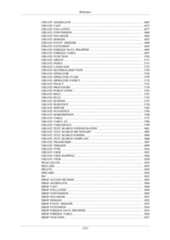
PostgreSQL 16.3 Documentation49.3. Streaming Replication Protocol Interface .............................................. 149549.4. Logical Decoding SQL Interface ......................................................... 149649.5. System Catalogs Related to Logical Decoding ....................................... 149649.6. Logical Decoding Output Plugins ........................................................ 149649.7. Logical Decoding Output Writers ........................................................ 150449.8. Synchronous Replication Support for Logical Decoding ........................... 150449.9. Streaming of Large Transactions for Logical Decoding ............................ 150549.10. Two-phase Commit Support for Logical Decoding ................................ 150650. Replication Progress Tracking ....................................................................... 150851. Archive Modules ........................................................................................ 150951.1. Initialization Functions ...................................................................... 150951.2. Archive Module Callbacks ................................................................. 1509VI. Reference .......................................................................................................... 1511I. SQL Commands ............................................................................................ 1516ABORT .................................................................................................. 1520ALTER AGGREGATE ............................................................................. 1521ALTER COLLATION .............................................................................. 1523ALTER CONVERSION ............................................................................ 1526ALTER DATABASE ................................................................................ 1528ALTER DEFAULT PRIVILEGES .............................................................. 1531ALTER DOMAIN .................................................................................... 1535ALTER EVENT TRIGGER ....................................................................... 1539ALTER EXTENSION ............................................................................... 1540ALTER FOREIGN DATA WRAPPER ........................................................ 1544ALTER FOREIGN TABLE ....................................................................... 1546ALTER FUNCTION ................................................................................. 1551ALTER GROUP ...................................................................................... 1555ALTER INDEX ....................................................................................... 1557ALTER LANGUAGE ............................................................................... 1560ALTER LARGE OBJECT ......................................................................... 1561ALTER MATERIALIZED VIEW ............................................................... 1562ALTER OPERATOR ................................................................................ 1564ALTER OPERATOR CLASS .................................................................... 1566ALTER OPERATOR FAMILY .................................................................. 1567ALTER POLICY ..................................................................................... 1571ALTER PROCEDURE .............................................................................. 1573ALTER PUBLICATION ........................................................................... 1576ALTER ROLE ......................................................................................... 1579ALTER ROUTINE ................................................................................... 1583ALTER RULE ......................................................................................... 1585ALTER SCHEMA ................................................................................... 1586ALTER SEQUENCE ................................................................................ 1587ALTER SERVER ..................................................................................... 1590ALTER STATISTICS ............................................................................... 1592ALTER SUBSCRIPTION .......................................................................... 1593ALTER SYSTEM .................................................................................... 1596ALTER TABLE ....................................................................................... 1598ALTER TABLESPACE ............................................................................ 1616ALTER TEXT SEARCH CONFIGURATION .............................................. 1618ALTER TEXT SEARCH DICTIONARY ..................................................... 1620ALTER TEXT SEARCH PARSER ............................................................. 1622ALTER TEXT SEARCH TEMPLATE ........................................................ 1623ALTER TRIGGER ................................................................................... 1624ALTER TYPE ......................................................................................... 1626ALTER USER ......................................................................................... 1631ALTER USER MAPPING ......................................................................... 1632ALTER VIEW ......................................................................................... 1633ANALYZE .............................................................................................. 1635xii
PostgreSQL 16.3 DocumentationBEGIN ................................................................................................... 1638CALL ..................................................................................................... 1640CHECKPOINT ........................................................................................ 1642CLOSE ................................................................................................... 1643CLUSTER .............................................................................................. 1644COMMENT ............................................................................................ 1647COMMIT ................................................................................................ 1652COMMIT PREPARED ............................................................................. 1653COPY .................................................................................................... 1654CREATE ACCESS METHOD ................................................................... 1664CREATE AGGREGATE ........................................................................... 1665CREATE CAST ....................................................................................... 1673CREATE COLLATION ............................................................................ 1677CREATE CONVERSION .......................................................................... 1680CREATE DATABASE ............................................................................. 1682CREATE DOMAIN ................................................................................. 1687CREATE EVENT TRIGGER ..................................................................... 1690CREATE EXTENSION ............................................................................ 1692CREATE FOREIGN DATA WRAPPER ...................................................... 1695CREATE FOREIGN TABLE ..................................................................... 1697CREATE FUNCTION .............................................................................. 1702CREATE GROUP .................................................................................... 1711CREATE INDEX ..................................................................................... 1712CREATE LANGUAGE ............................................................................. 1721CREATE MATERIALIZED VIEW ............................................................. 1724CREATE OPERATOR .............................................................................. 1726CREATE OPERATOR CLASS .................................................................. 1729CREATE OPERATOR FAMILY ................................................................ 1732CREATE POLICY ................................................................................... 1733CREATE PROCEDURE ........................................................................... 1739CREATE PUBLICATION ......................................................................... 1743CREATE ROLE ...................................................................................... 1747CREATE RULE ...................................................................................... 1752CREATE SCHEMA ................................................................................. 1755CREATE SEQUENCE .............................................................................. 1758CREATE SERVER .................................................................................. 1762CREATE STATISTICS ............................................................................. 1764CREATE SUBSCRIPTION ....................................................................... 1768CREATE TABLE .................................................................................... 1773CREATE TABLE AS ............................................................................... 1796CREATE TABLESPACE .......................................................................... 1799CREATE TEXT SEARCH CONFIGURATION ............................................ 1801CREATE TEXT SEARCH DICTIONARY ................................................... 1802CREATE TEXT SEARCH PARSER ........................................................... 1804CREATE TEXT SEARCH TEMPLATE ...................................................... 1806CREATE TRANSFORM ........................................................................... 1807CREATE TRIGGER ................................................................................. 1809CREATE TYPE ....................................................................................... 1816CREATE USER ....................................................................................... 1825CREATE USER MAPPING ....................................................................... 1826CREATE VIEW ...................................................................................... 1828DEALLOCATE ....................................................................................... 1834DECLARE .............................................................................................. 1835DELETE ................................................................................................. 1839DISCARD ............................................................................................... 1842DO ........................................................................................................ 1843DROP ACCESS METHOD ....................................................................... 1845DROP AGGREGATE ............................................................................... 1846xiii
PostgreSQL 16.3 DocumentationDROP CAST ........................................................................................... 1848DROP COLLATION ................................................................................ 1849DROP CONVERSION .............................................................................. 1850DROP DATABASE ................................................................................. 1851DROP DOMAIN ...................................................................................... 1852DROP EVENT TRIGGER ......................................................................... 1853DROP EXTENSION ................................................................................. 1854DROP FOREIGN DATA WRAPPER .......................................................... 1855DROP FOREIGN TABLE ......................................................................... 1856DROP FUNCTION .................................................................................. 1857DROP GROUP ........................................................................................ 1859DROP INDEX ......................................................................................... 1860DROP LANGUAGE ................................................................................. 1862DROP MATERIALIZED VIEW ................................................................. 1863DROP OPERATOR .................................................................................. 1864DROP OPERATOR CLASS ...................................................................... 1866DROP OPERATOR FAMILY .................................................................... 1868DROP OWNED ....................................................................................... 1870DROP POLICY ....................................................................................... 1871DROP PROCEDURE ............................................................................... 1872DROP PUBLICATION ............................................................................. 1874DROP ROLE .......................................................................................... 1875DROP ROUTINE ..................................................................................... 1876DROP RULE .......................................................................................... 1878DROP SCHEMA ..................................................................................... 1879DROP SEQUENCE .................................................................................. 1880DROP SERVER ...................................................................................... 1881DROP STATISTICS ................................................................................. 1882DROP SUBSCRIPTION ............................................................................ 1883DROP TABLE ........................................................................................ 1885DROP TABLESPACE .............................................................................. 1886DROP TEXT SEARCH CONFIGURATION ................................................ 1887DROP TEXT SEARCH DICTIONARY ....................................................... 1888DROP TEXT SEARCH PARSER ............................................................... 1889DROP TEXT SEARCH TEMPLATE .......................................................... 1890DROP TRANSFORM ............................................................................... 1891DROP TRIGGER ..................................................................................... 1892DROP TYPE ........................................................................................... 1893DROP USER ........................................................................................... 1894DROP USER MAPPING ........................................................................... 1895DROP VIEW .......................................................................................... 1896END ...................................................................................................... 1897EXECUTE .............................................................................................. 1898EXPLAIN ............................................................................................... 1899FETCH ................................................................................................... 1905GRANT .................................................................................................. 1909IMPORT FOREIGN SCHEMA .................................................................. 1915INSERT .................................................................................................. 1917LISTEN .................................................................................................. 1925LOAD .................................................................................................... 1927LOCK .................................................................................................... 1928MERGE .................................................................................................. 1931MOVE ................................................................................................... 1937NOTIFY ................................................................................................. 1939PREPARE ............................................................................................... 1942PREPARE TRANSACTION ...................................................................... 1945REASSIGN OWNED ............................................................................... 1947REFRESH MATERIALIZED VIEW ........................................................... 1948xiv
PostgreSQL 16.3 DocumentationREINDEX ............................................................................................... 1950RELEASE SAVEPOINT ........................................................................... 1955RESET ................................................................................................... 1957REVOKE ................................................................................................ 1958ROLLBACK ........................................................................................... 1963ROLLBACK PREPARED ......................................................................... 1964ROLLBACK TO SAVEPOINT .................................................................. 1965SAVEPOINT ........................................................................................... 1967SECURITY LABEL ................................................................................. 1969SELECT ................................................................................................. 1972SELECT INTO ........................................................................................ 1994SET ....................................................................................................... 1996SET CONSTRAINTS ............................................................................... 1999SET ROLE ............................................................................................. 2000SET SESSION AUTHORIZATION ............................................................ 2002SET TRANSACTION ............................................................................... 2004SHOW ................................................................................................... 2007START TRANSACTION .......................................................................... 2009TRUNCATE ........................................................................................... 2010UNLISTEN ............................................................................................. 2012UPDATE ................................................................................................ 2014VACUUM .............................................................................................. 2019VALUES ................................................................................................ 2024II. PostgreSQL Client Applications ..................................................................... 2027clusterdb ................................................................................................. 2028createdb .................................................................................................. 2031createuser ................................................................................................ 2035dropdb .................................................................................................... 2040dropuser .................................................................................................. 2043ecpg ....................................................................................................... 2046pg_amcheck ............................................................................................ 2049pg_basebackup ......................................................................................... 2055pgbench .................................................................................................. 2064pg_config ................................................................................................ 2088pg_dump ................................................................................................. 2091pg_dumpall ............................................................................................. 2105pg_isready ............................................................................................... 2112pg_receivewal .......................................................................................... 2114pg_recvlogical ......................................................................................... 2119pg_restore ............................................................................................... 2123pg_verifybackup ....................................................................................... 2132psql ........................................................................................................ 2135reindexdb ................................................................................................ 2179vacuumdb ............................................................................................... 2183III. PostgreSQL Server Applications .................................................................... 2188initdb ..................................................................................................... 2189pg_archivecleanup .................................................................................... 2194pg_checksums .......................................................................................... 2196pg_controldata ......................................................................................... 2198pg_ctl ..................................................................................................... 2199pg_resetwal ............................................................................................. 2205pg_rewind ............................................................................................... 2209pg_test_fsync ........................................................................................... 2213pg_test_timing ......................................................................................... 2214pg_upgrade .............................................................................................. 2218pg_waldump ............................................................................................ 2227postgres .................................................................................................. 2231VII. Internals ........................................................................................................... 2238xv
PostgreSQL 16.3 Documentation52. Overview of PostgreSQL Internals ................................................................. 224452.1. The Path of a Query ......................................................................... 224452.2. How Connections Are Established ....................................................... 224452.3. The Parser Stage .............................................................................. 224552.4. The PostgreSQL Rule System ............................................................. 224652.5. Planner/Optimizer ............................................................................. 224652.6. Executor ......................................................................................... 224753. System Catalogs ......................................................................................... 224953.1. Overview ........................................................................................ 224953.2. pg_aggregate ............................................................................. 225153.3. pg_am ........................................................................................... 225253.4. pg_amop ....................................................................................... 225353.5. pg_amproc ................................................................................... 225453.6. pg_attrdef ................................................................................. 225453.7. pg_attribute ............................................................................. 225553.8. pg_authid ................................................................................... 225753.9. pg_auth_members ....................................................................... 225853.10. pg_cast ...................................................................................... 225853.11. pg_class .................................................................................... 225953.12. pg_collation ............................................................................ 226253.13. pg_constraint .......................................................................... 226253.14. pg_conversion .......................................................................... 226453.15. pg_database .............................................................................. 226553.16. pg_db_role_setting ................................................................ 226653.17. pg_default_acl ........................................................................ 226653.18. pg_depend .................................................................................. 226753.19. pg_description ........................................................................ 226953.20. pg_enum ...................................................................................... 226953.21. pg_event_trigger .................................................................... 227053.22. pg_extension ............................................................................ 227053.23. pg_foreign_data_wrapper ...................................................... 227153.24. pg_foreign_server .................................................................. 227253.25. pg_foreign_table .................................................................... 227253.26. pg_index .................................................................................... 227253.27. pg_inherits .............................................................................. 227453.28. pg_init_privs .......................................................................... 227453.29. pg_language .............................................................................. 227553.30. pg_largeobject ........................................................................ 227653.31. pg_largeobject_metadata ...................................................... 227653.32. pg_namespace ............................................................................ 227753.33. pg_opclass ................................................................................ 227753.34. pg_operator .............................................................................. 227853.35. pg_opfamily .............................................................................. 227853.36. pg_parameter_acl .................................................................... 227953.37. pg_partitioned_table ............................................................ 227953.38. pg_policy .................................................................................. 228053.39. pg_proc ...................................................................................... 228153.40. pg_publication ........................................................................ 228353.41. pg_publication_namespace .................................................... 228453.42. pg_publication_rel ................................................................ 228453.43. pg_range .................................................................................... 228453.44. pg_replication_origin .......................................................... 228553.45. pg_rewrite ................................................................................ 228553.46. pg_seclabel .............................................................................. 228653.47. pg_sequence .............................................................................. 228753.48. pg_shdepend .............................................................................. 228753.49. pg_shdescription .................................................................... 228853.50. pg_shseclabel .......................................................................... 2289xvi
PostgreSQL 16.3 Documentation53.51. pg_statistic ............................................................................ 228953.52. pg_statistic_ext .................................................................... 229053.53. pg_statistic_ext_data .......................................................... 229153.54. pg_subscription ...................................................................... 229253.55. pg_subscription_rel .............................................................. 229353.56. pg_tablespace .......................................................................... 229353.57. pg_transform ............................................................................ 229453.58. pg_trigger ................................................................................ 229453.59. pg_ts_config ............................................................................ 229653.60. pg_ts_config_map .................................................................... 229653.61. pg_ts_dict ................................................................................ 229753.62. pg_ts_parser ............................................................................ 229753.63. pg_ts_template ........................................................................ 229853.64. pg_type ...................................................................................... 229853.65. pg_user_mapping ...................................................................... 230254. System Views ............................................................................................ 230354.1. Overview ........................................................................................ 230354.2. pg_available_extensions ........................................................ 230454.3. pg_available_extension_versions ........................................ 230454.4. pg_backend_memory_contexts .................................................. 230554.5. pg_config ................................................................................... 230654.6. pg_cursors ................................................................................. 230654.7. pg_file_settings ..................................................................... 230754.8. pg_group ..................................................................................... 230754.9. pg_hba_file_rules ................................................................... 230854.10. pg_ident_file_mappings ........................................................ 230954.11. pg_indexes ................................................................................ 230954.12. pg_locks .................................................................................... 231054.13. pg_matviews .............................................................................. 231254.14. pg_policies .............................................................................. 231354.15. pg_prepared_statements ........................................................ 231354.16. pg_prepared_xacts .................................................................. 231454.17. pg_publication_tables .......................................................... 231554.18. pg_replication_origin_status ............................................ 231554.19. pg_replication_slots ............................................................ 231654.20. pg_roles .................................................................................... 231754.21. pg_rules .................................................................................... 231854.22. pg_seclabels ............................................................................ 231854.23. pg_sequences ............................................................................ 231954.24. pg_settings .............................................................................. 231954.25. pg_shadow .................................................................................. 232254.26. pg_shmem_allocations ............................................................ 232254.27. pg_stats .................................................................................... 232354.28. pg_stats_ext ............................................................................ 232454.29. pg_stats_ext_exprs ................................................................ 232554.30. pg_tables .................................................................................. 232754.31. pg_timezone_abbrevs .............................................................. 232754.32. pg_timezone_names .................................................................. 232854.33. pg_user ...................................................................................... 232854.34. pg_user_mappings .................................................................... 232954.35. pg_views .................................................................................... 232955. Frontend/Backend Protocol ........................................................................... 233155.1. Overview ........................................................................................ 233155.2. Message Flow .................................................................................. 233255.3. SASL Authentication ........................................................................ 234655.4. Streaming Replication Protocol ........................................................... 234755.5. Logical Streaming Replication Protocol ................................................ 235755.6. Message Data Types ......................................................................... 2358xvii
PostgreSQL 16.3 Documentation55.7. Message Formats .............................................................................. 235955.8. Error and Notice Message Fields ......................................................... 237655.9. Logical Replication Message Formats .................................................. 237755.10. Summary of Changes since Protocol 2.0 ............................................. 238656. PostgreSQL Coding Conventions ................................................................... 238856.1. Formatting ....................................................................................... 238856.2. Reporting Errors Within the Server ...................................................... 238856.3. Error Message Style Guide ................................................................. 239256.4. Miscellaneous Coding Conventions ...................................................... 239657. Native Language Support ............................................................................. 239857.1. For the Translator ............................................................................. 239857.2. For the Programmer .......................................................................... 240058. Writing a Procedural Language Handler .......................................................... 240459. Writing a Foreign Data Wrapper .................................................................... 240659.1. Foreign Data Wrapper Functions ......................................................... 240659.2. Foreign Data Wrapper Callback Routines .............................................. 240659.3. Foreign Data Wrapper Helper Functions ............................................... 242259.4. Foreign Data Wrapper Query Planning ................................................. 242359.5. Row Locking in Foreign Data Wrappers ............................................... 242660. Writing a Table Sampling Method ................................................................. 242860.1. Sampling Method Support Functions .................................................... 242861. Writing a Custom Scan Provider .................................................................... 243161.1. Creating Custom Scan Paths ............................................................... 243161.2. Creating Custom Scan Plans ............................................................... 243261.3. Executing Custom Scans .................................................................... 243362. Genetic Query Optimizer .............................................................................. 243662.1. Query Handling as a Complex Optimization Problem .............................. 243662.2. Genetic Algorithms ........................................................................... 243662.3. Genetic Query Optimization (GEQO) in PostgreSQL .............................. 243762.4. Further Reading ............................................................................... 243963. Table Access Method Interface Definition ....................................................... 244064. Index Access Method Interface Definition ....................................................... 244164.1. Basic API Structure for Indexes .......................................................... 244164.2. Index Access Method Functions .......................................................... 244464.3. Index Scanning ................................................................................ 245064.4. Index Locking Considerations ............................................................. 245164.5. Index Uniqueness Checks .................................................................. 245264.6. Index Cost Estimation Functions ......................................................... 245365. Generic WAL Records ................................................................................. 245766. Custom WAL Resource Managers ................................................................. 245967. B-Tree Indexes ........................................................................................... 246167.1. Introduction ..................................................................................... 246167.2. Behavior of B-Tree Operator Classes ................................................... 246167.3. B-Tree Support Functions .................................................................. 246267.4. Implementation ................................................................................ 246568. GiST Indexes ............................................................................................. 246868.1. Introduction ..................................................................................... 246868.2. Built-in Operator Classes ................................................................... 246868.3. Extensibility .................................................................................... 247168.4. Implementation ................................................................................ 248368.5. Examples ........................................................................................ 248469. SP-GiST Indexes ........................................................................................ 248569.1. Introduction ..................................................................................... 248569.2. Built-in Operator Classes ................................................................... 248569.3. Extensibility .................................................................................... 248769.4. Implementation ................................................................................ 249669.5. Examples ........................................................................................ 249770. GIN Indexes .............................................................................................. 2498xviii
PostgreSQL 16.3 Documentation70.1. Introduction ..................................................................................... 249870.2. Built-in Operator Classes ................................................................... 249870.3. Extensibility .................................................................................... 249970.4. Implementation ................................................................................ 250170.5. GIN Tips and Tricks ......................................................................... 250370.6. Limitations ...................................................................................... 250370.7. Examples ........................................................................................ 250471. BRIN Indexes ............................................................................................ 250571.1. Introduction ..................................................................................... 250571.2. Built-in Operator Classes ................................................................... 250671.3. Extensibility .................................................................................... 251372. Hash Indexes .............................................................................................. 251872.1. Overview ........................................................................................ 251872.2. Implementation ................................................................................ 251973. Database Physical Storage ............................................................................ 252073.1. Database File Layout ........................................................................ 252073.2. TOAST ........................................................................................... 252273.3. Free Space Map ............................................................................... 252573.4. Visibility Map .................................................................................. 252573.5. The Initialization Fork ....................................................................... 252673.6. Database Page Layout ....................................................................... 252673.7. Heap-Only Tuples (HOT) .................................................................. 252974. Transaction Processing ................................................................................. 253074.1. Transactions and Identifiers ................................................................ 253074.2. Transactions and Locking .................................................................. 253074.3. Subtransactions ................................................................................ 253074.4. Two-Phase Transactions .................................................................... 253175. System Catalog Declarations and Initial Contents ............................................. 253275.1. System Catalog Declaration Rules ....................................................... 253275.2. System Catalog Initial Data ................................................................ 253375.3. BKI File Format ............................................................................... 253875.4. BKI Commands ............................................................................... 253875.5. Structure of the Bootstrap BKI File ..................................................... 253975.6. BKI Example ................................................................................... 254076. How the Planner Uses Statistics .................................................................... 254176.1. Row Estimation Examples ................................................................. 254176.2. Multivariate Statistics Examples .......................................................... 254676.3. Planner Statistics and Security ............................................................ 255077. Backup Manifest Format .............................................................................. 255177.1. Backup Manifest Top-level Object ....................................................... 255177.2. Backup Manifest File Object .............................................................. 255177.3. Backup Manifest WAL Range Object .................................................. 2552VIII. Appendixes ...................................................................................................... 2553A. PostgreSQL Error Codes ............................................................................... 2560B. Date/Time Support ....................................................................................... 2569B.1. Date/Time Input Interpretation ............................................................. 2569B.2. Handling of Invalid or Ambiguous Timestamps ....................................... 2570B.3. Date/Time Key Words ........................................................................ 2571B.4. Date/Time Configuration Files ............................................................. 2572B.5. POSIX Time Zone Specifications ......................................................... 2573B.6. History of Units ................................................................................ 2575B.7. Julian Dates ...................................................................................... 2576C. SQL Key Words .......................................................................................... 2577D. SQL Conformance ....................................................................................... 2602D.1. Supported Features ............................................................................ 2603D.2. Unsupported Features ......................................................................... 2614D.3. XML Limits and Conformance to SQL/XML ......................................... 2623E. Release Notes .............................................................................................. 2627xix
PostgreSQL 16.3 DocumentationE.1. Release 16.3 ..................................................................................... 2627E.2. Release 16.2 ..................................................................................... 2632E.3. Release 16.1 ..................................................................................... 2638E.4. Release 16 ........................................................................................ 2644E.5. Prior Releases ................................................................................... 2664F. Additional Supplied Modules and Extensions .................................................... 2665F.1. adminpack — pgAdmin support toolpack ............................................... 2667F.2. amcheck — tools to verify table and index consistency ............................. 2669F.3. auth_delay — pause on authentication failure .......................................... 2675F.4. auto_explain — log execution plans of slow queries ................................. 2676F.5. basebackup_to_shell — example "shell" pg_basebackup module ................. 2679F.6. basic_archive — an example WAL archive module .................................. 2680F.7. bloom — bloom filter index access method ............................................ 2681F.8. btree_gin — GIN operator classes with B-tree behavior ............................ 2685F.9. btree_gist — GiST operator classes with B-tree behavior ........................... 2686F.10. citext — a case-insensitive character string type ..................................... 2688F.11. cube — a multi-dimensional cube data type .......................................... 2691F.12. dblink — connect to other PostgreSQL databases ................................... 2696F.13. dict_int — example full-text search dictionary for integers ....................... 2728F.14. dict_xsyn — example synonym full-text search dictionary ....................... 2729F.15. earthdistance — calculate great-circle distances ..................................... 2731F.16. file_fdw — access data files in the server's file system ............................ 2733F.17. fuzzystrmatch — determine string similarities and distance ...................... 2736F.18. hstore — hstore key/value datatype ..................................................... 2741F.19. intagg — integer aggregator and enumerator ......................................... 2749F.20. intarray — manipulate arrays of integers .............................................. 2751F.21. isn — data types for international standard numbers (ISBN, EAN, UPC,etc.) ....................................................................................................... 2755F.22. lo — manage large objects ................................................................. 2759F.23. ltree — hierarchical tree-like data type ................................................. 2761F.24. old_snapshot — inspect old_snapshot_threshold state ................. 2769F.25. pageinspect — low-level inspection of database pages ............................. 2770F.26. passwordcheck — verify password strength .......................................... 2781F.27. pg_buffercache — inspect PostgreSQL buffer cache state ........................ 2782F.28. pgcrypto — cryptographic functions .................................................... 2786F.29. pg_freespacemap — examine the free space map ................................... 2796F.30. pg_prewarm — preload relation data into buffer caches ........................... 2798F.31. pgrowlocks — show a table's row locking information ............................ 2800F.32. pg_stat_statements — track statistics of SQL planning and execution ......... 2802F.33. pgstattuple — obtain tuple-level statistics ............................................. 2810F.34. pg_surgery — perform low-level surgery on relation data ........................ 2815F.35. pg_trgm — support for similarity of text using trigram matching ............... 2817F.36. pg_visibility — visibility map information and utilities ............................ 2823F.37. pg_walinspect — low-level WAL inspection ......................................... 2825F.38. postgres_fdw — access data stored in external PostgreSQL servers ............ 2829F.39. seg — a datatype for line segments or floating point intervals ................... 2839F.40. sepgsql — SELinux-, label-based mandatory access control (MAC) securitymodule ................................................................................................... 2842F.41. spi — Server Programming Interface features/examples ........................... 2850F.42. sslinfo — obtain client SSL information ............................................... 2852F.43. tablefunc — functions that return tables (crosstab and others) .............. 2854F.44. tcn — a trigger function to notify listeners of changes to table content ........ 2864F.45. test_decoding — SQL-based test/example module for WAL logical decod-ing ......................................................................................................... 2866F.46. tsm_system_rows — the SYSTEM_ROWS sampling method forTABLESAMPLE ....................................................................................... 2867F.47. tsm_system_time — the SYSTEM_TIME sampling method for TABLESAM-PLE ....................................................................................................... 2868xx
PostgreSQL 16.3 DocumentationF.48. unaccent — a text search dictionary which removes diacritics ................... 2869F.49. uuid-ossp — a UUID generator .......................................................... 2872F.50. xml2 — XPath querying and XSLT functionality ................................... 2874G. Additional Supplied Programs ........................................................................ 2879G.1. Client Applications ............................................................................ 2879G.2. Server Applications ............................................................................ 2886H. External Projects .......................................................................................... 2887H.1. Client Interfaces ................................................................................ 2887H.2. Administration Tools .......................................................................... 2887H.3. Procedural Languages ........................................................................ 2887H.4. Extensions ........................................................................................ 2887I. The Source Code Repository ........................................................................... 2888I.1. Getting the Source via Git .................................................................... 2888J. Documentation ............................................................................................. 2889J.1. DocBook ........................................................................................... 2889J.2. Tool Sets .......................................................................................... 2889J.3. Building the Documentation with Make .................................................. 2891J.4. Building the Documentation with Meson ................................................ 2893J.5. Documentation Authoring .................................................................... 2893J.6. Style Guide ....................................................................................... 2894K. PostgreSQL Limits ....................................................................................... 2896L. Acronyms ................................................................................................... 2897M. Glossary .................................................................................................... 2904N. Color Support .............................................................................................. 2918N.1. When Color is Used .......................................................................... 2918N.2. Configuring the Colors ....................................................................... 2918O. Obsolete or Renamed Features ....................................................................... 2919O.1. recovery.conf file merged into postgresql.conf ....................... 2919O.2. Default Roles Renamed to Predefined Roles ........................................... 2919O.3. pg_xlogdump renamed to pg_waldump ........................................... 2919O.4. pg_resetxlog renamed to pg_resetwal ........................................ 2919O.5. pg_receivexlog renamed to pg_receivewal ................................ 2919Bibliography ............................................................................................................ 2921Index ...................................................................................................................... 2923xxi
List of Figures62.1. Structure of a Genetic Algorithm ........................................................................ 243770.1. GIN Internals ................................................................................................... 250273.1. Page Layout .................................................................................................... 2528xxii
List of Tables4.1. Backslash Escape Sequences ................................................................................... 364.2. Operator Precedence (highest to lowest) .................................................................... 415.1. ACL Privilege Abbreviations ................................................................................... 785.2. Summary of Access Privileges ................................................................................. 788.1. Data Types ......................................................................................................... 1468.2. Numeric Types .................................................................................................... 1478.3. Monetary Types .................................................................................................. 1538.4. Character Types .................................................................................................. 1548.5. Special Character Types ........................................................................................ 1558.6. Binary Data Types ............................................................................................... 1568.7. bytea Literal Escaped Octets ............................................................................... 1578.8. bytea Output Escaped Octets ............................................................................... 1578.9. Date/Time Types ................................................................................................. 1588.10. Date Input ......................................................................................................... 1598.11. Time Input ........................................................................................................ 1608.12. Time Zone Input ................................................................................................ 1618.13. Special Date/Time Inputs ..................................................................................... 1628.14. Date/Time Output Styles ..................................................................................... 1638.15. Date Order Conventions ...................................................................................... 1638.16. ISO 8601 Interval Unit Abbreviations .................................................................... 1658.17. Interval Input ..................................................................................................... 1668.18. Interval Output Style Examples ............................................................................ 1678.19. Boolean Data Type ............................................................................................. 1688.20. Geometric Types ................................................................................................ 1708.21. Network Address Types ...................................................................................... 1738.22. cidr Type Input Examples ................................................................................. 1738.23. JSON Primitive Types and Corresponding PostgreSQL Types .................................... 1828.24. jsonpath Variables ......................................................................................... 1918.25. jsonpath Accessors ........................................................................................ 1918.26. Object Identifier Types ....................................................................................... 2148.27. Pseudo-Types .................................................................................................... 2179.1. Comparison Operators .......................................................................................... 2209.2. Comparison Predicates .......................................................................................... 2209.3. Comparison Functions .......................................................................................... 2239.4. Mathematical Operators ........................................................................................ 2249.5. Mathematical Functions ........................................................................................ 2269.6. Random Functions ............................................................................................... 2299.7. Trigonometric Functions ....................................................................................... 2299.8. Hyperbolic Functions ........................................................................................... 2319.9. SQL String Functions and Operators ....................................................................... 2329.10. Other String Functions and Operators .................................................................... 2349.11. SQL Binary String Functions and Operators ........................................................... 2429.12. Other Binary String Functions .............................................................................. 2439.13. Text/Binary String Conversion Functions ............................................................... 2449.14. Bit String Operators ........................................................................................... 2469.15. Bit String Functions ........................................................................................... 2469.16. Regular Expression Match Operators ..................................................................... 2519.17. Regular Expression Atoms ................................................................................... 2569.18. Regular Expression Quantifiers ............................................................................. 2579.19. Regular Expression Constraints ............................................................................ 2589.20. Regular Expression Character-Entry Escapes ........................................................... 2599.21. Regular Expression Class-Shorthand Escapes .......................................................... 2609.22. Regular Expression Constraint Escapes .................................................................. 2619.23. Regular Expression Back References ..................................................................... 2619.24. ARE Embedded-Option Letters ............................................................................ 262xxiii
PostgreSQL 16.3 Documentation9.25. Regular Expression Functions Equivalencies ........................................................... 2659.26. Formatting Functions .......................................................................................... 2669.27. Template Patterns for Date/Time Formatting ........................................................... 2679.28. Template Pattern Modifiers for Date/Time Formatting .............................................. 2699.29. Template Patterns for Numeric Formatting ............................................................. 2729.30. Template Pattern Modifiers for Numeric Formatting ................................................. 2739.31. to_char Examples ........................................................................................... 2739.32. Date/Time Operators ........................................................................................... 2759.33. Date/Time Functions ........................................................................................... 2769.34. AT TIME ZONE Variants ................................................................................. 2879.35. Enum Support Functions ..................................................................................... 2909.36. Geometric Operators ........................................................................................... 2919.37. Geometric Functions ........................................................................................... 2959.38. Geometric Type Conversion Functions ................................................................... 2969.39. IP Address Operators .......................................................................................... 2989.40. IP Address Functions .......................................................................................... 2999.41. MAC Address Functions ..................................................................................... 3019.42. Text Search Operators ......................................................................................... 3019.43. Text Search Functions ......................................................................................... 3029.44. Text Search Debugging Functions ......................................................................... 3079.45. json and jsonb Operators ................................................................................ 3239.46. Additional jsonb Operators ................................................................................ 3249.47. JSON Creation Functions .................................................................................... 3269.48. SQL/JSON Testing Functions ............................................................................... 3279.49. JSON Processing Functions ................................................................................. 3289.50. jsonpath Operators and Methods ...................................................................... 3379.51. jsonpath Filter Expression Elements .................................................................. 3399.52. Sequence Functions ............................................................................................ 3429.53. Array Operators ................................................................................................. 3469.54. Array Functions ................................................................................................. 3479.55. Range Operators ................................................................................................ 3509.56. Multirange Operators .......................................................................................... 3519.57. Range Functions ................................................................................................ 3549.58. Multirange Functions .......................................................................................... 3559.59. General-Purpose Aggregate Functions .................................................................... 3569.60. Aggregate Functions for Statistics ......................................................................... 3599.61. Ordered-Set Aggregate Functions .......................................................................... 3619.62. Hypothetical-Set Aggregate Functions ................................................................... 3629.63. Grouping Operations ........................................................................................... 3629.64. General-Purpose Window Functions ...................................................................... 3639.65. Series Generating Functions ................................................................................. 3709.66. Subscript Generating Functions ............................................................................ 3729.67. Session Information Functions .............................................................................. 3749.68. Access Privilege Inquiry Functions ........................................................................ 3779.69. aclitem Operators ........................................................................................... 3799.70. aclitem Functions ........................................................................................... 3799.71. Schema Visibility Inquiry Functions ...................................................................... 3809.72. System Catalog Information Functions ................................................................... 3819.73. Index Column Properties ..................................................................................... 3869.74. Index Properties ................................................................................................. 3869.75. Index Access Method Properties ........................................................................... 3869.76. GUC Flags ........................................................................................................ 3879.77. Object Information and Addressing Functions ......................................................... 3879.78. Comment Information Functions ........................................................................... 3889.79. Data Validity Checking Functions ......................................................................... 3889.80. Transaction ID and Snapshot Information Functions ................................................. 3899.81. Snapshot Components ......................................................................................... 3909.82. Deprecated Transaction ID and Snapshot Information Functions ................................. 391xxiv
PostgreSQL 16.3 Documentation9.83. Committed Transaction Information Functions ........................................................ 3919.84. Control Data Functions ....................................................................................... 3929.85. pg_control_checkpoint Output Columns ...................................................... 3929.86. pg_control_system Output Columns .............................................................. 3939.87. pg_control_init Output Columns .................................................................. 3939.88. pg_control_recovery Output Columns .......................................................... 3939.89. Configuration Settings Functions .......................................................................... 3949.90. Server Signaling Functions .................................................................................. 3949.91. Backup Control Functions ................................................................................... 3969.92. Recovery Information Functions ........................................................................... 3989.93. Recovery Control Functions ................................................................................. 3999.94. Snapshot Synchronization Functions ...................................................................... 4009.95. Replication Management Functions ....................................................................... 4019.96. Database Object Size Functions ............................................................................ 4039.97. Database Object Location Functions ...................................................................... 4049.98. Collation Management Functions .......................................................................... 4059.99. Partitioning Information Functions ........................................................................ 4059.100. Index Maintenance Functions ............................................................................. 4069.101. Generic File Access Functions ............................................................................ 4079.102. Advisory Lock Functions ................................................................................... 4099.103. Built-In Trigger Functions .................................................................................. 4109.104. Table Rewrite Information Functions ................................................................... 41412.1. Default Parser's Token Types ............................................................................... 46413.1. Transaction Isolation Levels ................................................................................. 48713.2. Conflicting Lock Modes ...................................................................................... 49413.3. Conflicting Row-Level Locks ............................................................................... 49619.1. System V IPC Parameters .................................................................................... 58219.2. SSL Server File Usage ........................................................................................ 59720.1. synchronous_commit Modes ................................................................................ 62420.2. Message Severity Levels ..................................................................................... 65120.3. Keys and Values of JSON Log Entries .................................................................. 65820.4. Short Option Key ............................................................................................... 68522.1. Predefined Roles ................................................................................................ 71424.1. ICU Collation Levels .......................................................................................... 73324.2. ICU Collation Settings ........................................................................................ 73424.3. PostgreSQL Character Sets .................................................................................. 73724.4. Built-in Client/Server Character Set Conversions ..................................................... 74224.5. All Built-in Character Set Conversions .................................................................. 74327.1. High Availability, Load Balancing, and Replication Feature Matrix ............................. 77628.1. Dynamic Statistics Views .................................................................................... 79728.2. Collected Statistics Views .................................................................................... 79828.3. pg_stat_activity View ............................................................................... 80128.4. Wait Event Types .............................................................................................. 80228.5. Wait Events of Type Activity .......................................................................... 80328.6. Wait Events of Type BufferPin ........................................................................ 80428.7. Wait Events of Type Client .............................................................................. 80428.8. Wait Events of Type Extension ........................................................................ 80428.9. Wait Events of Type IO ..................................................................................... 80428.10. Wait Events of Type IPC .................................................................................. 80728.11. Wait Events of Type Lock ................................................................................ 80928.12. Wait Events of Type LWLock ............................................................................ 81028.13. Wait Events of Type Timeout .......................................................................... 81328.14. pg_stat_replication View ....................................................................... 81428.15. pg_stat_replication_slots View ........................................................... 81628.16. pg_stat_wal_receiver View ..................................................................... 81728.17. pg_stat_recovery_prefetch View ........................................................... 81828.18. pg_stat_subscription View ..................................................................... 81828.19. pg_stat_subscription_stats View ......................................................... 819xxv
PostgreSQL 16.3 Documentation28.20. pg_stat_ssl View ....................................................................................... 82028.21. pg_stat_gssapi View ................................................................................. 82028.22. pg_stat_archiver View ............................................................................. 82128.23. pg_stat_io View ......................................................................................... 82128.24. pg_stat_bgwriter View ............................................................................. 82328.25. pg_stat_wal View ....................................................................................... 82428.26. pg_stat_database View ............................................................................. 82528.27. pg_stat_database_conflicts View ......................................................... 82728.28. pg_stat_all_tables View ......................................................................... 82728.29. pg_stat_all_indexes View ....................................................................... 82928.30. pg_statio_all_tables View ..................................................................... 83028.31. pg_statio_all_indexes View ................................................................... 83028.32. pg_statio_all_sequences View ............................................................... 83128.33. pg_stat_user_functions View ................................................................. 83128.34. pg_stat_slru View ..................................................................................... 83228.35. Additional Statistics Functions ............................................................................ 83228.36. Per-Backend Statistics Functions ......................................................................... 83428.37. pg_stat_progress_analyze View ............................................................. 83528.38. ANALYZE Phases ............................................................................................ 83628.39. pg_stat_progress_cluster View ............................................................. 83728.40. CLUSTER and VACUUM FULL Phases .............................................................. 83828.41. pg_stat_progress_copy View ................................................................... 83828.42. pg_stat_progress_create_index View ................................................... 83928.43. CREATE INDEX Phases ................................................................................... 84028.44. pg_stat_progress_vacuum View ............................................................... 84128.45. VACUUM Phases ............................................................................................ 84128.46. pg_stat_progress_basebackup View ....................................................... 84228.47. Base Backup Phases ......................................................................................... 84328.48. Built-in DTrace Probes ...................................................................................... 84428.49. Defined Types Used in Probe Parameters ............................................................. 85031.1. UPDATE Transformation Summary ....................................................................... 87234.1. SSL Mode Descriptions ....................................................................................... 98134.2. Libpq/Client SSL File Usage ................................................................................ 98135.1. SQL-Oriented Large Object Functions .................................................................. 100136.1. Mapping Between PostgreSQL Data Types and C Variable Types ............................. 101736.2. Valid Input Formats for PGTYPESdate_from_asc ............................................ 103536.3. Valid Input Formats for PGTYPESdate_fmt_asc .............................................. 103736.4. Valid Input Formats for rdefmtdate ................................................................ 103836.5. Valid Input Formats for PGTYPEStimestamp_from_asc ................................... 103937.1. information_schema_catalog_name Columns ........................................... 111737.2. administrable_role_authorizations Columns ....................................... 111737.3. applicable_roles Columns ........................................................................ 111737.4. attributes Columns .................................................................................... 111837.5. character_sets Columns ............................................................................ 112037.6. check_constraint_routine_usage Columns ............................................. 112137.7. check_constraints Columns ...................................................................... 112137.8. collations Columns .................................................................................... 112237.9. collation_character_set_applicability Columns ............................... 112237.10. column_column_usage Columns ................................................................. 112337.11. column_domain_usage Columns ................................................................. 112337.12. column_options Columns ........................................................................... 112437.13. column_privileges Columns ..................................................................... 112437.14. column_udt_usage Columns ....................................................................... 112537.15. columns Columns ......................................................................................... 112537.16. constraint_column_usage Columns ......................................................... 112837.17. constraint_table_usage Columns ........................................................... 112937.18. data_type_privileges Columns ............................................................... 113037.19. domain_constraints Columns ................................................................... 1130xxvi
PostgreSQL 16.3 Documentation37.20. domain_udt_usage Columns ....................................................................... 113137.21. domains Columns ......................................................................................... 113137.22. element_types Columns ............................................................................. 113337.23. enabled_roles Columns ............................................................................. 113537.24. foreign_data_wrapper_options Columns ............................................... 113537.25. foreign_data_wrappers Columns ............................................................. 113637.26. foreign_server_options Columns ........................................................... 113637.27. foreign_servers Columns ......................................................................... 113637.28. foreign_table_options Columns ............................................................. 113737.29. foreign_tables Columns ........................................................................... 113737.30. key_column_usage Columns ....................................................................... 113837.31. parameters Columns ................................................................................... 113837.32. referential_constraints Columns ......................................................... 114037.33. role_column_grants Columns ................................................................... 114137.34. role_routine_grants Columns ................................................................. 114137.35. role_table_grants Columns ..................................................................... 114237.36. role_udt_grants Columns ......................................................................... 114337.37. role_usage_grants Columns ..................................................................... 114337.38. routine_column_usage Columns ............................................................... 114437.39. routine_privileges Columns ................................................................... 114537.40. routine_routine_usage Columns ............................................................. 114537.41. routine_sequence_usage Columns ........................................................... 114637.42. routine_table_usage Columns ................................................................. 114637.43. routines Columns ....................................................................................... 114737.44. schemata Columns ....................................................................................... 115137.45. sequences Columns ..................................................................................... 115237.46. sql_features Columns ............................................................................... 115237.47. sql_implementation_info Columns ......................................................... 115337.48. sql_parts Columns ..................................................................................... 115337.49. sql_sizing Columns ................................................................................... 115437.50. table_constraints Columns ..................................................................... 115437.51. table_privileges Columns ....................................................................... 115537.52. tables Columns ........................................................................................... 115637.53. transforms Columns ................................................................................... 115637.54. triggered_update_columns Columns ....................................................... 115737.55. triggers Columns ....................................................................................... 115737.56. udt_privileges Columns ........................................................................... 115937.57. usage_privileges Columns ....................................................................... 116037.58. user_defined_types Columns ................................................................... 116037.59. user_mapping_options Columns ............................................................... 116237.60. user_mappings Columns ............................................................................. 116237.61. view_column_usage Columns ..................................................................... 116337.62. view_routine_usage Columns ................................................................... 116337.63. view_table_usage Columns ....................................................................... 116437.64. views Columns ............................................................................................. 116438.1. Polymorphic Types ........................................................................................... 117338.2. Equivalent C Types for Built-in SQL Types .......................................................... 119938.3. B-Tree Strategies .............................................................................................. 123538.4. Hash Strategies ................................................................................................ 123538.5. GiST Two-Dimensional “R-tree” Strategies ........................................................... 123538.6. SP-GiST Point Strategies ................................................................................... 123538.7. GIN Array Strategies ........................................................................................ 123638.8. BRIN Minmax Strategies ................................................................................... 123638.9. B-Tree Support Functions .................................................................................. 123738.10. Hash Support Functions ................................................................................... 123738.11. GiST Support Functions ................................................................................... 123738.12. SP-GiST Support Functions .............................................................................. 123838.13. GIN Support Functions .................................................................................... 1238xxvii
PostgreSQL 16.3 Documentation38.14. BRIN Support Functions .................................................................................. 123940.1. Event Trigger Support by Command Tag .............................................................. 127143.1. Available Diagnostics Items ............................................................................... 132543.2. Error Diagnostics Items ..................................................................................... 1339292. Policies Applied by Command Type ..................................................................... 1736293. pgbench Automatic Variables .............................................................................. 2073294. pgbench Operators ............................................................................................. 2075295. pgbench Functions ............................................................................................. 207753.1. System Catalogs ............................................................................................... 224953.2. pg_aggregate Columns ................................................................................ 225153.3. pg_am Columns .............................................................................................. 225253.4. pg_amop Columns .......................................................................................... 225353.5. pg_amproc Columns ...................................................................................... 225453.6. pg_attrdef Columns .................................................................................... 225453.7. pg_attribute Columns ................................................................................ 225553.8. pg_authid Columns ...................................................................................... 225753.9. pg_auth_members Columns .......................................................................... 225853.10. pg_cast Columns ......................................................................................... 225953.11. pg_class Columns ....................................................................................... 225953.12. pg_collation Columns ............................................................................... 226253.13. pg_constraint Columns ............................................................................. 226353.14. pg_conversion Columns ............................................................................. 226453.15. pg_database Columns ................................................................................. 226553.16. pg_db_role_setting Columns ................................................................... 226653.17. pg_default_acl Columns ........................................................................... 226753.18. pg_depend Columns ..................................................................................... 226753.19. pg_description Columns ........................................................................... 226953.20. pg_enum Columns ......................................................................................... 227053.21. pg_event_trigger Columns ....................................................................... 227053.22. pg_extension Columns ............................................................................... 227153.23. pg_foreign_data_wrapper Columns ......................................................... 227153.24. pg_foreign_server Columns ..................................................................... 227253.25. pg_foreign_table Columns ....................................................................... 227253.26. pg_index Columns ....................................................................................... 227353.27. pg_inherits Columns ................................................................................. 227453.28. pg_init_privs Columns ............................................................................. 227553.29. pg_language Columns ................................................................................. 227553.30. pg_largeobject Columns ........................................................................... 227653.31. pg_largeobject_metadata Columns ......................................................... 227653.32. pg_namespace Columns ............................................................................... 227753.33. pg_opclass Columns ................................................................................... 227753.34. pg_operator Columns ................................................................................. 227853.35. pg_opfamily Columns ................................................................................. 227953.36. pg_parameter_acl Columns ....................................................................... 227953.37. pg_partitioned_table Columns ............................................................... 227953.38. pg_policy Columns ..................................................................................... 228053.39. pg_proc Columns ......................................................................................... 228153.40. pg_publication Columns ........................................................................... 228353.41. pg_publication_namespace Columns ....................................................... 228453.42. pg_publication_rel Columns ................................................................... 228453.43. pg_range Columns ....................................................................................... 228553.44. pg_replication_origin Columns ............................................................. 228553.45. pg_rewrite Columns ................................................................................... 228553.46. pg_seclabel Columns ................................................................................. 228653.47. pg_sequence Columns ................................................................................. 228753.48. pg_shdepend Columns ................................................................................. 228753.49. pg_shdescription Columns ....................................................................... 228853.50. pg_shseclabel Columns ............................................................................. 2289xxviii
PostgreSQL 16.3 Documentation53.51. pg_statistic Columns ............................................................................... 229053.52. pg_statistic_ext Columns ....................................................................... 229153.53. pg_statistic_ext_data Columns ............................................................. 229253.54. pg_subscription Columns ......................................................................... 229253.55. pg_subscription_rel Columns ................................................................. 229353.56. pg_tablespace Columns ............................................................................. 229453.57. pg_transform Columns ............................................................................... 229453.58. pg_trigger Columns ................................................................................... 229453.59. pg_ts_config Columns ............................................................................... 229653.60. pg_ts_config_map Columns ....................................................................... 229653.61. pg_ts_dict Columns ................................................................................... 229753.62. pg_ts_parser Columns ............................................................................... 229753.63. pg_ts_template Columns ........................................................................... 229853.64. pg_type Columns ......................................................................................... 229853.65. typcategory Codes .................................................................................... 230153.66. pg_user_mapping Columns ......................................................................... 230254.1. System Views .................................................................................................. 230354.2. pg_available_extensions Columns .......................................................... 230454.3. pg_available_extension_versions Columns ........................................... 230454.4. pg_backend_memory_contexts Columns ..................................................... 230554.5. pg_config Columns ...................................................................................... 230654.6. pg_cursors Columns .................................................................................... 230654.7. pg_file_settings Columns ........................................................................ 230754.8. pg_group Columns ........................................................................................ 230854.9. pg_hba_file_rules Columns ...................................................................... 230854.10. pg_ident_file_mappings Columns ........................................................... 230954.11. pg_indexes Columns ................................................................................... 230954.12. pg_locks Columns ....................................................................................... 231054.13. pg_matviews Columns ................................................................................. 231354.14. pg_policies Columns ................................................................................. 231354.15. pg_prepared_statements Columns ........................................................... 231454.16. pg_prepared_xacts Columns ..................................................................... 231454.17. pg_publication_tables Columns ............................................................. 231554.18. pg_replication_origin_status Columns ............................................... 231554.19. pg_replication_slots Columns ............................................................... 231654.20. pg_roles Columns ....................................................................................... 231754.21. pg_rules Columns ....................................................................................... 231854.22. pg_seclabels Columns ............................................................................... 231854.23. pg_sequences Columns ............................................................................... 231954.24. pg_settings Columns ................................................................................. 232054.25. pg_shadow Columns ..................................................................................... 232254.26. pg_shmem_allocations Columns ............................................................... 232254.27. pg_stats Columns ....................................................................................... 232354.28. pg_stats_ext Columns ............................................................................... 232454.29. pg_stats_ext_exprs Columns ................................................................... 232654.30. pg_tables Columns ..................................................................................... 232754.31. pg_timezone_abbrevs Columns ................................................................. 232854.32. pg_timezone_names Columns ..................................................................... 232854.33. pg_user Columns ......................................................................................... 232854.34. pg_user_mappings Columns ....................................................................... 232954.35. pg_views Columns ....................................................................................... 233068.1. Built-in GiST Operator Classes ........................................................................... 246869.1. Built-in SP-GiST Operator Classes ...................................................................... 248570.1. Built-in GIN Operator Classes ............................................................................ 249871.1. Built-in BRIN Operator Classes .......................................................................... 250671.2. Function and Support Numbers for Minmax Operator Classes ................................... 251571.3. Function and Support Numbers for Inclusion Operator Classes ................................. 251571.4. Procedure and Support Numbers for Bloom Operator Classes ................................... 2516xxix
PostgreSQL 16.3 Documentation71.5. Procedure and Support Numbers for minmax-multi Operator Classes ......................... 251773.1. Contents of PGDATA ......................................................................................... 252073.2. Page Layout .................................................................................................... 252673.3. PageHeaderData Layout ..................................................................................... 252773.4. HeapTupleHeaderData Layout ............................................................................ 2528A.1. PostgreSQL Error Codes ..................................................................................... 2560B.1. Month Names ................................................................................................... 2571B.2. Day of the Week Names ..................................................................................... 2571B.3. Date/Time Field Modifiers .................................................................................. 2571C.1. SQL Key Words ................................................................................................ 2577F.1. adminpack Functions ....................................................................................... 2667F.2. Cube External Representations ............................................................................. 2691F.3. Cube Operators .................................................................................................. 2691F.4. Cube Functions .................................................................................................. 2692F.5. Cube-Based Earthdistance Functions ..................................................................... 2731F.6. Point-Based Earthdistance Operators ..................................................................... 2732F.7. hstore Operators ............................................................................................. 2742F.8. hstore Functions ............................................................................................. 2743F.9. intarray Functions ......................................................................................... 2751F.10. intarray Operators ....................................................................................... 2752F.11. isn Data Types ............................................................................................... 2755F.12. isn Functions ................................................................................................. 2756F.13. ltree Operators ............................................................................................. 2762F.14. ltree Functions ............................................................................................. 2764F.15. pg_buffercache Columns ............................................................................ 2782F.16. pg_buffercache_summary() Output Columns .............................................. 2783F.17. pg_buffercache_usage_counts() Output Columns .................................... 2783F.18. Supported Algorithms for crypt() ................................................................... 2787F.19. Iteration Counts for crypt() ........................................................................... 2787F.20. Hash Algorithm Speeds ..................................................................................... 2788F.21. pgrowlocks Output Columns .......................................................................... 2800F.22. pg_stat_statements Columns .................................................................... 2802F.23. pg_stat_statements_info Columns .......................................................... 2806F.24. pgstattuple Output Columns ........................................................................ 2810F.25. pgstattuple_approx Output Columns .......................................................... 2813F.26. pg_trgm Functions ......................................................................................... 2817F.27. pg_trgm Operators ......................................................................................... 2818F.28. seg External Representations ............................................................................. 2840F.29. Examples of Valid seg Input ............................................................................. 2840F.30. Seg GiST Operators .......................................................................................... 2840F.31. Sepgsql Functions ............................................................................................ 2848F.32. tablefunc Functions ..................................................................................... 2854F.33. connectby Parameters ................................................................................... 2861F.34. Functions for UUID Generation .......................................................................... 2872F.35. Functions Returning UUID Constants .................................................................. 2873F.36. xml2 Functions ............................................................................................... 2874F.37. xpath_table Parameters ............................................................................... 2875K.1. PostgreSQL Limitations ...................................................................................... 2896xxx
List of Examples8.1. Using the Character Types .................................................................................... 1558.2. Using the boolean Type ..................................................................................... 1688.3. Using the Bit String Types .................................................................................... 1769.1. XSLT Stylesheet for Converting SQL/XML Output to HTML ..................................... 32110.1. Square Root Operator Type Resolution .................................................................. 41810.2. String Concatenation Operator Type Resolution ....................................................... 41910.3. Absolute-Value and Negation Operator Type Resolution ........................................... 41910.4. Array Inclusion Operator Type Resolution .............................................................. 42010.5. Custom Operator on a Domain Type ..................................................................... 42010.6. Rounding Function Argument Type Resolution ....................................................... 42310.7. Variadic Function Resolution ............................................................................... 42310.8. Substring Function Type Resolution ...................................................................... 42410.9. character Storage Type Conversion .................................................................. 42510.10. Type Resolution with Underspecified Types in a Union ........................................... 42610.11. Type Resolution in a Simple Union ..................................................................... 42610.12. Type Resolution in a Transposed Union ............................................................... 42710.13. Type Resolution in a Nested Union ..................................................................... 42711.1. Setting up a Partial Index to Exclude Common Values .............................................. 43611.2. Setting up a Partial Index to Exclude Uninteresting Values ........................................ 43711.3. Setting up a Partial Unique Index ......................................................................... 43811.4. Do Not Use Partial Indexes as a Substitute for Partitioning ........................................ 43821.1. Example pg_hba.conf Entries .......................................................................... 69321.2. An Example pg_ident.conf File ..................................................................... 69734.1. libpq Example Program 1 .................................................................................... 98534.2. libpq Example Program 2 .................................................................................... 98734.3. libpq Example Program 3 .................................................................................... 99035.1. Large Objects with libpq Example Program .......................................................... 100236.1. Example SQLDA Program ................................................................................. 105536.2. ECPG Program Accessing Large Objects .............................................................. 106942.1. Manual Installation of PL/Perl ............................................................................ 130643.1. Quoting Values in Dynamic Queries .................................................................... 132343.2. Exceptions with UPDATE/INSERT ...................................................................... 133843.3. A PL/pgSQL Trigger Function ............................................................................ 135243.4. A PL/pgSQL Trigger Function for Auditing .......................................................... 135343.5. A PL/pgSQL View Trigger Function for Auditing .................................................. 135443.6. A PL/pgSQL Trigger Function for Maintaining a Summary Table ............................. 135543.7. Auditing with Transition Tables .......................................................................... 135743.8. A PL/pgSQL Event Trigger Function ................................................................... 135943.9. Porting a Simple Function from PL/SQL to PL/pgSQL ............................................ 136743.10. Porting a Function that Creates Another Function from PL/SQL to PL/pgSQL ............ 136843.11. Porting a Procedure With String Manipulation and OUT Parameters from PL/SQL toPL/pgSQL ............................................................................................................... 136943.12. Porting a Procedure from PL/SQL to PL/pgSQL .................................................. 1371F.1. Create a Foreign Table for PostgreSQL CSV Logs ................................................... 2734xxxi
PrefaceThis book is the official documentation of PostgreSQL. It has been written by the PostgreSQL devel-opers and other volunteers in parallel to the development of the PostgreSQL software. It describes allthe functionality that the current version of PostgreSQL officially supports.To make the large amount of information about PostgreSQL manageable, this book has been organizedin several parts. Each part is targeted at a different class of users, or at users in different stages of theirPostgreSQL experience:• Part I is an informal introduction for new users.• Part II documents the SQL query language environment, including data types and functions, as wellas user-level performance tuning. Every PostgreSQL user should read this.• Part III describes the installation and administration of the server. Everyone who runs a PostgreSQLserver, be it for private use or for others, should read this part.• Part IV describes the programming interfaces for PostgreSQL client programs.• Part V contains information for advanced users about the extensibility capabilities of the server.Topics include user-defined data types and functions.• Part VI contains reference information about SQL commands, client and server programs. This partsupports the other parts with structured information sorted by command or program.• Part VII contains assorted information that might be of use to PostgreSQL developers.1. What Is PostgreSQL?PostgreSQL is an object-relational database management system (ORDBMS) based on POSTGRES,Version 4.21, developed at the University of California at Berkeley Computer Science Department.POSTGRES pioneered many concepts that only became available in some commercial database sys-tems much later.PostgreSQL is an open-source descendant of this original Berkeley code. It supports a large part ofthe SQL standard and offers many modern features:• complex queries• foreign keys• triggers• updatable views• transactional integrity• multiversion concurrency controlAlso, PostgreSQL can be extended by the user in many ways, for example by adding new• data types• functions• operators• aggregate functions• index methods• procedural languagesAnd because of the liberal license, PostgreSQL can be used, modified, and distributed by anyone freeof charge for any purpose, be it private, commercial, or academic.2. A Brief History of PostgreSQL1https://dsf.berkeley.edu/postgres.htmlxxxii
PrefaceThe object-relational database management system now known as PostgreSQL is derived from thePOSTGRES package written at the University of California at Berkeley. With decades of developmentbehind it, PostgreSQL is now the most advanced open-source database available anywhere.2.1. The Berkeley POSTGRES ProjectThe POSTGRES project, led by Professor Michael Stonebraker, was sponsored by the Defense Ad-vanced Research Projects Agency (DARPA), the Army Research Office (ARO), the National ScienceFoundation (NSF), and ESL, Inc. The implementation of POSTGRES began in 1986. The initial con-cepts for the system were presented in [ston86], and the definition of the initial data model appearedin [rowe87]. The design of the rule system at that time was described in [ston87a]. The rationale andarchitecture of the storage manager were detailed in [ston87b].POSTGRES has undergone several major releases since then. The first “demoware” system becameoperational in 1987 and was shown at the 1988 ACM-SIGMOD Conference. Version 1, described in[ston90a], was released to a few external users in June 1989. In response to a critique of the first rulesystem ([ston89]), the rule system was redesigned ([ston90b]), and Version 2 was released in June1990 with the new rule system. Version 3 appeared in 1991 and added support for multiple storagemanagers, an improved query executor, and a rewritten rule system. For the most part, subsequentreleases until Postgres95 (see below) focused on portability and reliability.POSTGRES has been used to implement many different research and production applications. Theseinclude: a financial data analysis system, a jet engine performance monitoring package, an aster-oid tracking database, a medical information database, and several geographic information systems.POSTGRES has also been used as an educational tool at several universities. Finally, Illustra Infor-mation Technologies (later merged into Informix2, which is now owned by IBM3) picked up the codeand commercialized it. In late 1992, POSTGRES became the primary data manager for the Sequoia2000 scientific computing project4.The size of the external user community nearly doubled during 1993. It became increasingly obviousthat maintenance of the prototype code and support was taking up large amounts of time that shouldhave been devoted to database research. In an effort to reduce this support burden, the Berkeley POST-GRES project officially ended with Version 4.2.2.2. Postgres95In 1994, Andrew Yu and Jolly Chen added an SQL language interpreter to POSTGRES. Under a newname, Postgres95 was subsequently released to the web to find its own way in the world as an open-source descendant of the original POSTGRES Berkeley code.Postgres95 code was completely ANSI C and trimmed in size by 25%. Many internal changes im-proved performance and maintainability. Postgres95 release 1.0.x ran about 30–50% faster on theWisconsin Benchmark compared to POSTGRES, Version 4.2. Apart from bug fixes, the followingwere the major enhancements:• The query language PostQUEL was replaced with SQL (implemented in the server). (Interface li-brary libpq was named after PostQUEL.) Subqueries were not supported until PostgreSQL (see be-low), but they could be imitated in Postgres95 with user-defined SQL functions. Aggregate func-tions were re-implemented. Support for the GROUP BY query clause was also added.• A new program (psql) was provided for interactive SQL queries, which used GNU Readline. Thislargely superseded the old monitor program.• A new front-end library, libpgtcl, supported Tcl-based clients. A sample shell, pgtclsh, pro-vided new Tcl commands to interface Tcl programs with the Postgres95 server.2https://www.ibm.com/analytics/informix3https://www.ibm.com/4http://meteora.ucsd.edu/s2k/s2k_home.htmlxxxiii
Preface• The large-object interface was overhauled. The inversion large objects were the only mechanismfor storing large objects. (The inversion file system was removed.)• The instance-level rule system was removed. Rules were still available as rewrite rules.• A short tutorial introducing regular SQL features as well as those of Postgres95 was distributedwith the source code• GNU make (instead of BSD make) was used for the build. Also, Postgres95 could be compiled withan unpatched GCC (data alignment of doubles was fixed).2.3. PostgreSQLBy 1996, it became clear that the name “Postgres95” would not stand the test of time. We chose a newname, PostgreSQL, to reflect the relationship between the original POSTGRES and the more recentversions with SQL capability. At the same time, we set the version numbering to start at 6.0, puttingthe numbers back into the sequence originally begun by the Berkeley POSTGRES project.Many people continue to refer to PostgreSQL as “Postgres” (now rarely in all capital letters) becauseof tradition or because it is easier to pronounce. This usage is widely accepted as a nickname or alias.The emphasis during development of Postgres95 was on identifying and understanding existing prob-lems in the server code. With PostgreSQL, the emphasis has shifted to augmenting features and capa-bilities, although work continues in all areas.Details about what has happened in PostgreSQL since then can be found in Appendix E.3. ConventionsThe following conventions are used in the synopsis of a command: brackets ([ and ]) indicate optionalparts. Braces ({ and }) and vertical lines (|) indicate that you must choose one alternative. Dots (...)mean that the preceding element can be repeated. All other symbols, including parentheses, shouldbe taken literally.Where it enhances the clarity, SQL commands are preceded by the prompt =>, and shell commandsare preceded by the prompt $. Normally, prompts are not shown, though.An administrator is generally a person who is in charge of installing and running the server. A usercould be anyone who is using, or wants to use, any part of the PostgreSQL system. These termsshould not be interpreted too narrowly; this book does not have fixed presumptions about systemadministration procedures.4. Further InformationBesides the documentation, that is, this book, there are other resources about PostgreSQL:WikiThe PostgreSQL wiki5contains the project's FAQ6(Frequently Asked Questions) list, TODO7list, and detailed information about many more topics.Web SiteThe PostgreSQL web site8carries details on the latest release and other information to make yourwork or play with PostgreSQL more productive.5https://wiki.postgresql.org6https://wiki.postgresql.org/wiki/Frequently_Asked_Questions7https://wiki.postgresql.org/wiki/Todo8https://www.postgresql.orgxxxiv
PrefaceMailing ListsThe mailing lists are a good place to have your questions answered, to share experiences withother users, and to contact the developers. Consult the PostgreSQL web site for details.Yourself!PostgreSQL is an open-source project. As such, it depends on the user community for ongoingsupport. As you begin to use PostgreSQL, you will rely on others for help, either through thedocumentation or through the mailing lists. Consider contributing your knowledge back. Readthe mailing lists and answer questions. If you learn something which is not in the documentation,write it up and contribute it. If you add features to the code, contribute them.5. Bug Reporting GuidelinesWhen you find a bug in PostgreSQL we want to hear about it. Your bug reports play an important partin making PostgreSQL more reliable because even the utmost care cannot guarantee that every partof PostgreSQL will work on every platform under every circumstance.The following suggestions are intended to assist you in forming bug reports that can be handled in aneffective fashion. No one is required to follow them but doing so tends to be to everyone's advantage.We cannot promise to fix every bug right away. If the bug is obvious, critical, or affects a lot of users,chances are good that someone will look into it. It could also happen that we tell you to update toa newer version to see if the bug happens there. Or we might decide that the bug cannot be fixedbefore some major rewrite we might be planning is done. Or perhaps it is simply too hard and there aremore important things on the agenda. If you need help immediately, consider obtaining a commercialsupport contract.5.1. Identifying BugsBefore you report a bug, please read and re-read the documentation to verify that you can really dowhatever it is you are trying. If it is not clear from the documentation whether you can do somethingor not, please report that too; it is a bug in the documentation. If it turns out that a program doessomething different from what the documentation says, that is a bug. That might include, but is notlimited to, the following circumstances:• A program terminates with a fatal signal or an operating system error message that would point toa problem in the program. (A counterexample might be a “disk full” message, since you have tofix that yourself.)• A program produces the wrong output for any given input.• A program refuses to accept valid input (as defined in the documentation).• A program accepts invalid input without a notice or error message. But keep in mind that your ideaof invalid input might be our idea of an extension or compatibility with traditional practice.• PostgreSQL fails to compile, build, or install according to the instructions on supported platforms.Here “program” refers to any executable, not only the backend process.Being slow or resource-hogging is not necessarily a bug. Read the documentation or ask on one ofthe mailing lists for help in tuning your applications. Failing to comply to the SQL standard is notnecessarily a bug either, unless compliance for the specific feature is explicitly claimed.Before you continue, check on the TODO list and in the FAQ to see if your bug is already known.If you cannot decode the information on the TODO list, report your problem. The least we can do ismake the TODO list clearer.xxxv
Preface5.2. What to ReportThe most important thing to remember about bug reporting is to state all the facts and only facts. Donot speculate what you think went wrong, what “it seemed to do”, or which part of the program has afault. If you are not familiar with the implementation you would probably guess wrong and not helpus a bit. And even if you are, educated explanations are a great supplement to but no substitute forfacts. If we are going to fix the bug we still have to see it happen for ourselves first. Reporting thebare facts is relatively straightforward (you can probably copy and paste them from the screen) butall too often important details are left out because someone thought it does not matter or the reportwould be understood anyway.The following items should be contained in every bug report:• The exact sequence of steps from program start-up necessary to reproduce the problem. This shouldbe self-contained; it is not enough to send in a bare SELECT statement without the preceding CRE-ATE TABLE and INSERT statements, if the output should depend on the data in the tables. Wedo not have the time to reverse-engineer your database schema, and if we are supposed to make upour own data we would probably miss the problem.The best format for a test case for SQL-related problems is a file that can be run through the psqlfrontend that shows the problem. (Be sure to not have anything in your ~/.psqlrc start-up file.)An easy way to create this file is to use pg_dump to dump out the table declarations and data neededto set the scene, then add the problem query. You are encouraged to minimize the size of yourexample, but this is not absolutely necessary. If the bug is reproducible, we will find it either way.If your application uses some other client interface, such as PHP, then please try to isolate theoffending queries. We will probably not set up a web server to reproduce your problem. In any caseremember to provide the exact input files; do not guess that the problem happens for “large files”or “midsize databases”, etc. since this information is too inexact to be of use.• The output you got. Please do not say that it “didn't work” or “crashed”. If there is an error message,show it, even if you do not understand it. If the program terminates with an operating system error,say which. If nothing at all happens, say so. Even if the result of your test case is a program crashor otherwise obvious it might not happen on our platform. The easiest thing is to copy the outputfrom the terminal, if possible.NoteIf you are reporting an error message, please obtain the most verbose form of the message.In psql, say set VERBOSITY verbose beforehand. If you are extracting the messagefrom the server log, set the run-time parameter log_error_verbosity to verbose so that alldetails are logged.NoteIn case of fatal errors, the error message reported by the client might not contain all theinformation available. Please also look at the log output of the database server. If you donot keep your server's log output, this would be a good time to start doing so.• The output you expected is very important to state. If you just write “This command gives me thatoutput.” or “This is not what I expected.”, we might run it ourselves, scan the output, and think itlooks OK and is exactly what we expected. We should not have to spend the time to decode theexact semantics behind your commands. Especially refrain from merely saying that “This is notwhat SQL says/Oracle does.” Digging out the correct behavior from SQL is not a fun undertaking,xxxvi
Prefacenor do we all know how all the other relational databases out there behave. (If your problem is aprogram crash, you can obviously omit this item.)• Any command line options and other start-up options, including any relevant environment variablesor configuration files that you changed from the default. Again, please provide exact information.If you are using a prepackaged distribution that starts the database server at boot time, you shouldtry to find out how that is done.• Anything you did at all differently from the installation instructions.• The PostgreSQL version. You can run the command SELECT version(); to find out the versionof the server you are connected to. Most executable programs also support a --version option;at least postgres --version and psql --version should work. If the function or theoptions do not exist then your version is more than old enough to warrant an upgrade. If you run aprepackaged version, such as RPMs, say so, including any subversion the package might have. Ifyou are talking about a Git snapshot, mention that, including the commit hash.If your version is older than 16.3 we will almost certainly tell you to upgrade. There are many bugfixes and improvements in each new release, so it is quite possible that a bug you have encounteredin an older release of PostgreSQL has already been fixed. We can only provide limited supportfor sites using older releases of PostgreSQL; if you require more than we can provide, consideracquiring a commercial support contract.• Platform information. This includes the kernel name and version, C library, processor, memoryinformation, and so on. In most cases it is sufficient to report the vendor and version, but do notassume everyone knows what exactly “Debian” contains or that everyone runs on x86_64. If youhave installation problems then information about the toolchain on your machine (compiler, make,and so on) is also necessary.Do not be afraid if your bug report becomes rather lengthy. That is a fact of life. It is better to reporteverything the first time than us having to squeeze the facts out of you. On the other hand, if yourinput files are huge, it is fair to ask first whether somebody is interested in looking into it. Here is anarticle9that outlines some more tips on reporting bugs.Do not spend all your time to figure out which changes in the input make the problem go away. Thiswill probably not help solving it. If it turns out that the bug cannot be fixed right away, you will stillhave time to find and share your work-around. Also, once again, do not waste your time guessing whythe bug exists. We will find that out soon enough.When writing a bug report, please avoid confusing terminology. The software package in total iscalled “PostgreSQL”, sometimes “Postgres” for short. If you are specifically talking about the backendprocess, mention that, do not just say “PostgreSQL crashes”. A crash of a single backend processis quite different from crash of the parent “postgres” process; please don't say “the server crashed”when you mean a single backend process went down, nor vice versa. Also, client programs such as theinteractive frontend “psql” are completely separate from the backend. Please try to be specific aboutwhether the problem is on the client or server side.5.3. Where to Report BugsIn general, send bug reports to the bug report mailing list at <pgsql-bugs@lists.post-gresql.org>. You are requested to use a descriptive subject for your email message, perhaps partsof the error message.Another method is to fill in the bug report web-form available at the project's web site10. Enteringa bug report this way causes it to be mailed to the <pgsql-bugs@lists.postgresql.org>mailing list.9https://www.chiark.greenend.org.uk/~sgtatham/bugs.html10https://www.postgresql.org/xxxvii
PrefaceIf your bug report has security implications and you'd prefer that it not become immediately visiblein public archives, don't send it to pgsql-bugs. Security issues can be reported privately to <se-curity@postgresql.org>.Do not send bug reports to any of the user mailing lists, such as <pgsql-sql@lists.post-gresql.org> or <pgsql-general@lists.postgresql.org>. These mailing lists are foranswering user questions, and their subscribers normally do not wish to receive bug reports. Moreimportantly, they are unlikely to fix them.Also, please do not send reports to the developers' mailing list <pgsql-hackers@lists.post-gresql.org>. This list is for discussing the development of PostgreSQL, and it would be nice if wecould keep the bug reports separate. We might choose to take up a discussion about your bug reporton pgsql-hackers, if the problem needs more review.If you have a problem with the documentation, the best place to report it is the documentation mailinglist <pgsql-docs@lists.postgresql.org>. Please be specific about what part of the docu-mentation you are unhappy with.If your bug is a portability problem on a non-supported platform, send mail to <pgsql-hacker-s@lists.postgresql.org>, so we (and you) can work on porting PostgreSQL to your platform.NoteDue to the unfortunate amount of spam going around, all of the above lists will be moderatedunless you are subscribed. That means there will be some delay before the email is delivered.If you wish to subscribe to the lists, please visit https://lists.postgresql.org/ for instructions.xxxviii
Part I. TutorialWelcome to the PostgreSQL Tutorial. The following few chapters are intended to give a simple introduction toPostgreSQL, relational database concepts, and the SQL language to those who are new to any one of these aspects.We only assume some general knowledge about how to use computers. No particular Unix or programming ex-perience is required. This part is mainly intended to give you some hands-on experience with important aspectsof the PostgreSQL system. It makes no attempt to be a complete or thorough treatment of the topics it covers.After you have worked through this tutorial you might want to move on to reading Part II to gain a more formalknowledge of the SQL language, or Part IV for information about developing applications for PostgreSQL. Thosewho set up and manage their own server should also read Part III.
Table of Contents1. Getting Started .......................................................................................................... 31.1. Installation ..................................................................................................... 31.2. Architectural Fundamentals ............................................................................... 31.3. Creating a Database ......................................................................................... 31.4. Accessing a Database ...................................................................................... 52. The SQL Language .................................................................................................... 72.1. Introduction .................................................................................................... 72.2. Concepts ........................................................................................................ 72.3. Creating a New Table ...................................................................................... 72.4. Populating a Table With Rows .......................................................................... 82.5. Querying a Table ............................................................................................ 92.6. Joins Between Tables ..................................................................................... 112.7. Aggregate Functions ...................................................................................... 132.8. Updates ....................................................................................................... 152.9. Deletions ...................................................................................................... 153. Advanced Features ................................................................................................... 173.1. Introduction .................................................................................................. 173.2. Views .......................................................................................................... 173.3. Foreign Keys ................................................................................................ 173.4. Transactions ................................................................................................. 183.5. Window Functions ......................................................................................... 203.6. Inheritance ................................................................................................... 233.7. Conclusion ................................................................................................... 242
Chapter 1. Getting Started1.1. InstallationBefore you can use PostgreSQL you need to install it, of course. It is possible that PostgreSQL isalready installed at your site, either because it was included in your operating system distributionor because the system administrator already installed it. If that is the case, you should obtain infor-mation from the operating system documentation or your system administrator about how to accessPostgreSQL.If you are not sure whether PostgreSQL is already available or whether you can use it for your exper-imentation then you can install it yourself. Doing so is not hard and it can be a good exercise. Post-greSQL can be installed by any unprivileged user; no superuser (root) access is required.If you are installing PostgreSQL yourself, then refer to Chapter 17 for instructions on installation,and return to this guide when the installation is complete. Be sure to follow closely the section aboutsetting up the appropriate environment variables.If your site administrator has not set things up in the default way, you might have some more work todo. For example, if the database server machine is a remote machine, you will need to set the PGHOSTenvironment variable to the name of the database server machine. The environment variable PGPORTmight also have to be set. The bottom line is this: if you try to start an application program and itcomplains that it cannot connect to the database, you should consult your site administrator or, ifthat is you, the documentation to make sure that your environment is properly set up. If you did notunderstand the preceding paragraph then read the next section.1.2. Architectural FundamentalsBefore we proceed, you should understand the basic PostgreSQL system architecture. Understandinghow the parts of PostgreSQL interact will make this chapter somewhat clearer.In database jargon, PostgreSQL uses a client/server model. A PostgreSQL session consists of thefollowing cooperating processes (programs):• A server process, which manages the database files, accepts connections to the database from clientapplications, and performs database actions on behalf of the clients. The database server programis called postgres.• The user's client (frontend) application that wants to perform database operations. Client applica-tions can be very diverse in nature: a client could be a text-oriented tool, a graphical application, aweb server that accesses the database to display web pages, or a specialized database maintenancetool. Some client applications are supplied with the PostgreSQL distribution; most are developedby users.As is typical of client/server applications, the client and the server can be on different hosts. In thatcase they communicate over a TCP/IP network connection. You should keep this in mind, becausethe files that can be accessed on a client machine might not be accessible (or might only be accessibleusing a different file name) on the database server machine.The PostgreSQL server can handle multiple concurrent connections from clients. To achieve this itstarts (“forks”) a new process for each connection. From that point on, the client and the new serverprocess communicate without intervention by the original postgres process. Thus, the supervisorserver process is always running, waiting for client connections, whereas client and associated serverprocesses come and go. (All of this is of course invisible to the user. We only mention it here forcompleteness.)1.3. Creating a Database3
Getting StartedThe first test to see whether you can access the database server is to try to create a database. A runningPostgreSQL server can manage many databases. Typically, a separate database is used for each projector for each user.Possibly, your site administrator has already created a database for your use. In that case you can omitthis step and skip ahead to the next section.To create a new database, in this example named mydb, you use the following command:$ createdb mydbIf this produces no response then this step was successful and you can skip over the remainder ofthis section.If you see a message similar to:createdb: command not foundthen PostgreSQL was not installed properly. Either it was not installed at all or your shell's search pathwas not set to include it. Try calling the command with an absolute path instead:$ /usr/local/pgsql/bin/createdb mydbThe path at your site might be different. Contact your site administrator or check the installation in-structions to correct the situation.Another response could be this:createdb: error: connection to server on socket "/tmp/.s.PGSQL.5432" failed: No such file or directoryIs the server running locally and accepting connections onthat socket?This means that the server was not started, or it is not listening where createdb expects to contactit. Again, check the installation instructions or consult the administrator.Another response could be this:createdb: error: connection to server on socket "/tmp/.s.PGSQL.5432" failed: FATAL: role "joe" does not existwhere your own login name is mentioned. This will happen if the administrator has not created aPostgreSQL user account for you. (PostgreSQL user accounts are distinct from operating system useraccounts.) If you are the administrator, see Chapter 22 for help creating accounts. You will need tobecome the operating system user under which PostgreSQL was installed (usually postgres) tocreate the first user account. It could also be that you were assigned a PostgreSQL user name that isdifferent from your operating system user name; in that case you need to use the -U switch or set thePGUSER environment variable to specify your PostgreSQL user name.If you have a user account but it does not have the privileges required to create a database, you willsee the following:createdb: error: database creation failed: ERROR: permissiondenied to create database4
Getting StartedNot every user has authorization to create new databases. If PostgreSQL refuses to create databasesfor you then the site administrator needs to grant you permission to create databases. Consult yoursite administrator if this occurs. If you installed PostgreSQL yourself then you should log in for thepurposes of this tutorial under the user account that you started the server as. 1You can also create databases with other names. PostgreSQL allows you to create any number ofdatabases at a given site. Database names must have an alphabetic first character and are limited to63 bytes in length. A convenient choice is to create a database with the same name as your currentuser name. Many tools assume that database name as the default, so it can save you some typing. Tocreate that database, simply type:$ createdbIf you do not want to use your database anymore you can remove it. For example, if you are the owner(creator) of the database mydb, you can destroy it using the following command:$ dropdb mydb(For this command, the database name does not default to the user account name. You always need tospecify it.) This action physically removes all files associated with the database and cannot be undone,so this should only be done with a great deal of forethought.More about createdb and dropdb can be found in createdb and dropdb respectively.1.4. Accessing a DatabaseOnce you have created a database, you can access it by:• Running the PostgreSQL interactive terminal program, called psql, which allows you to interac-tively enter, edit, and execute SQL commands.• Using an existing graphical frontend tool like pgAdmin or an office suite with ODBC or JDBCsupport to create and manipulate a database. These possibilities are not covered in this tutorial.• Writing a custom application, using one of the several available language bindings. These possibil-ities are discussed further in Part IV.You probably want to start up psql to try the examples in this tutorial. It can be activated for themydb database by typing the command:$ psql mydbIf you do not supply the database name then it will default to your user account name. You alreadydiscovered this scheme in the previous section using createdb.In psql, you will be greeted with the following message:psql (16.3)Type "help" for help.mydb=>The last line could also be:1As an explanation for why this works: PostgreSQL user names are separate from operating system user accounts. When you connect to adatabase, you can choose what PostgreSQL user name to connect as; if you don't, it will default to the same name as your current operatingsystem account. As it happens, there will always be a PostgreSQL user account that has the same name as the operating system user that startedthe server, and it also happens that that user always has permission to create databases. Instead of logging in as that user you can also specifythe -U option everywhere to select a PostgreSQL user name to connect as.5
Getting Startedmydb=#That would mean you are a database superuser, which is most likely the case if you installed thePostgreSQL instance yourself. Being a superuser means that you are not subject to access controls.For the purposes of this tutorial that is not important.If you encounter problems starting psql then go back to the previous section. The diagnostics ofcreatedb and psql are similar, and if the former worked the latter should work as well.The last line printed out by psql is the prompt, and it indicates that psql is listening to you and thatyou can type SQL queries into a work space maintained by psql. Try out these commands:mydb=> SELECT version();version------------------------------------------------------------------------------------------PostgreSQL 16.3 on x86_64-pc-linux-gnu, compiled by gcc (Debian4.9.2-10) 4.9.2, 64-bit(1 row)mydb=> SELECT current_date;date------------2016-01-07(1 row)mydb=> SELECT 2 + 2;?column?----------4(1 row)The psql program has a number of internal commands that are not SQL commands. They begin withthe backslash character, “”. For example, you can get help on the syntax of various PostgreSQL SQLcommands by typing:mydb=> hTo get out of psql, type:mydb=> qand psql will quit and return you to your command shell. (For more internal commands, type ? atthe psql prompt.) The full capabilities of psql are documented in psql. In this tutorial we will notuse these features explicitly, but you can use them yourself when it is helpful.6
Chapter 2. The SQL Language2.1. IntroductionThis chapter provides an overview of how to use SQL to perform simple operations. This tutorial isonly intended to give you an introduction and is in no way a complete tutorial on SQL. Numerousbooks have been written on SQL, including [melt93] and [date97]. You should be aware that somePostgreSQL language features are extensions to the standard.In the examples that follow, we assume that you have created a database named mydb, as describedin the previous chapter, and have been able to start psql.Examples in this manual can also be found in the PostgreSQL source distribution in the directorysrc/tutorial/. (Binary distributions of PostgreSQL might not provide those files.) To use thosefiles, first change to that directory and run make:$ cd .../src/tutorial$ makeThis creates the scripts and compiles the C files containing user-defined functions and types. Then,to start the tutorial, do the following:$ psql -s mydb...mydb=> i basics.sqlThe i command reads in commands from the specified file. psql's -s option puts you in single stepmode which pauses before sending each statement to the server. The commands used in this sectionare in the file basics.sql.2.2. ConceptsPostgreSQL is a relational database management system (RDBMS). That means it is a system formanaging data stored in relations. Relation is essentially a mathematical term for table. The notionof storing data in tables is so commonplace today that it might seem inherently obvious, but thereare a number of other ways of organizing databases. Files and directories on Unix-like operating sys-tems form an example of a hierarchical database. A more modern development is the object-orienteddatabase.Each table is a named collection of rows. Each row of a given table has the same set of namedcolumns, and each column is of a specific data type. Whereas columns have a fixed order in each row,it is important to remember that SQL does not guarantee the order of the rows within the table in anyway (although they can be explicitly sorted for display).Tables are grouped into databases, and a collection of databases managed by a single PostgreSQLserver instance constitutes a database cluster.2.3. Creating a New TableYou can create a new table by specifying the table name, along with all column names and their types:7
The SQL LanguageCREATE TABLE weather (city varchar(80),temp_lo int, -- low temperaturetemp_hi int, -- high temperatureprcp real, -- precipitationdate date);You can enter this into psql with the line breaks. psql will recognize that the command is notterminated until the semicolon.White space (i.e., spaces, tabs, and newlines) can be used freely in SQL commands. That means youcan type the command aligned differently than above, or even all on one line. Two dashes (“--”)introduce comments. Whatever follows them is ignored up to the end of the line. SQL is case-insen-sitive about key words and identifiers, except when identifiers are double-quoted to preserve the case(not done above).varchar(80) specifies a data type that can store arbitrary character strings up to 80 charactersin length. int is the normal integer type. real is a type for storing single precision floating-pointnumbers. date should be self-explanatory. (Yes, the column of type date is also named date. Thismight be convenient or confusing — you choose.)PostgreSQL supports the standard SQL types int, smallint, real, double precision,char(N), varchar(N), date, time, timestamp, and interval, as well as other types ofgeneral utility and a rich set of geometric types. PostgreSQL can be customized with an arbitrarynumber of user-defined data types. Consequently, type names are not key words in the syntax, exceptwhere required to support special cases in the SQL standard.The second example will store cities and their associated geographical location:CREATE TABLE cities (name varchar(80),location point);The point type is an example of a PostgreSQL-specific data type.Finally, it should be mentioned that if you don't need a table any longer or want to recreate it differentlyyou can remove it using the following command:DROP TABLE tablename;2.4. Populating a Table With RowsThe INSERT statement is used to populate a table with rows:INSERT INTO weather VALUES ('San Francisco', 46, 50, 0.25,'1994-11-27');Note that all data types use rather obvious input formats. Constants that are not simple numeric valuesusually must be surrounded by single quotes ('), as in the example. The date type is actually quiteflexible in what it accepts, but for this tutorial we will stick to the unambiguous format shown here.The point type requires a coordinate pair as input, as shown here:INSERT INTO cities VALUES ('San Francisco', '(-194.0, 53.0)');8
The SQL LanguageThe syntax used so far requires you to remember the order of the columns. An alternative syntax allowsyou to list the columns explicitly:INSERT INTO weather (city, temp_lo, temp_hi, prcp, date)VALUES ('San Francisco', 43, 57, 0.0, '1994-11-29');You can list the columns in a different order if you wish or even omit some columns, e.g., if theprecipitation is unknown:INSERT INTO weather (date, city, temp_hi, temp_lo)VALUES ('1994-11-29', 'Hayward', 54, 37);Many developers consider explicitly listing the columns better style than relying on the order implic-itly.Please enter all the commands shown above so you have some data to work with in the followingsections.You could also have used COPY to load large amounts of data from flat-text files. This is usuallyfaster because the COPY command is optimized for this application while allowing less flexibility thanINSERT. An example would be:COPY weather FROM '/home/user/weather.txt';where the file name for the source file must be available on the machine running the backend process,not the client, since the backend process reads the file directly. You can read more about the COPYcommand in COPY.2.5. Querying a TableTo retrieve data from a table, the table is queried. An SQL SELECT statement is used to do this. Thestatement is divided into a select list (the part that lists the columns to be returned), a table list (thepart that lists the tables from which to retrieve the data), and an optional qualification (the part thatspecifies any restrictions). For example, to retrieve all the rows of table weather, type:SELECT * FROM weather;Here * is a shorthand for “all columns”. 1So the same result would be had with:SELECT city, temp_lo, temp_hi, prcp, date FROM weather;The output should be:city | temp_lo | temp_hi | prcp | date---------------+---------+---------+------+------------San Francisco | 46 | 50 | 0.25 | 1994-11-27San Francisco | 43 | 57 | 0 | 1994-11-29Hayward | 37 | 54 | | 1994-11-29(3 rows)You can write expressions, not just simple column references, in the select list. For example, you cando:1While SELECT * is useful for off-the-cuff queries, it is widely considered bad style in production code, since adding a column to the tablewould change the results.9
The SQL LanguageSELECT city, (temp_hi+temp_lo)/2 AS temp_avg, date FROM weather;This should give:city | temp_avg | date---------------+----------+------------San Francisco | 48 | 1994-11-27San Francisco | 50 | 1994-11-29Hayward | 45 | 1994-11-29(3 rows)Notice how the AS clause is used to relabel the output column. (The AS clause is optional.)A query can be “qualified” by adding a WHERE clause that specifies which rows are wanted. TheWHERE clause contains a Boolean (truth value) expression, and only rows for which the Booleanexpression is true are returned. The usual Boolean operators (AND, OR, and NOT) are allowed in thequalification. For example, the following retrieves the weather of San Francisco on rainy days:SELECT * FROM weatherWHERE city = 'San Francisco' AND prcp > 0.0;Result:city | temp_lo | temp_hi | prcp | date---------------+---------+---------+------+------------San Francisco | 46 | 50 | 0.25 | 1994-11-27(1 row)You can request that the results of a query be returned in sorted order:SELECT * FROM weatherORDER BY city;city | temp_lo | temp_hi | prcp | date---------------+---------+---------+------+------------Hayward | 37 | 54 | | 1994-11-29San Francisco | 43 | 57 | 0 | 1994-11-29San Francisco | 46 | 50 | 0.25 | 1994-11-27In this example, the sort order isn't fully specified, and so you might get the San Francisco rows ineither order. But you'd always get the results shown above if you do:SELECT * FROM weatherORDER BY city, temp_lo;You can request that duplicate rows be removed from the result of a query:SELECT DISTINCT cityFROM weather;city---------------10
The SQL LanguageHaywardSan Francisco(2 rows)Here again, the result row ordering might vary. You can ensure consistent results by using DISTINCTand ORDER BY together: 2SELECT DISTINCT cityFROM weatherORDER BY city;2.6. Joins Between TablesThus far, our queries have only accessed one table at a time. Queries can access multiple tables at once,or access the same table in such a way that multiple rows of the table are being processed at the sametime. Queries that access multiple tables (or multiple instances of the same table) at one time are calledjoin queries. They combine rows from one table with rows from a second table, with an expressionspecifying which rows are to be paired. For example, to return all the weather records together withthe location of the associated city, the database needs to compare the city column of each row of theweather table with the name column of all rows in the cities table, and select the pairs of rowswhere these values match.3This would be accomplished by the following query:SELECT * FROM weather JOIN cities ON city = name;city | temp_lo | temp_hi | prcp | date | name| location---------------+---------+---------+------+------------+---------------+-----------San Francisco | 46 | 50 | 0.25 | 1994-11-27 | SanFrancisco | (-194,53)San Francisco | 43 | 57 | 0 | 1994-11-29 | SanFrancisco | (-194,53)(2 rows)Observe two things about the result set:• There is no result row for the city of Hayward. This is because there is no matching entry in thecities table for Hayward, so the join ignores the unmatched rows in the weather table. Wewill see shortly how this can be fixed.• There are two columns containing the city name. This is correct because the lists of columns fromthe weather and cities tables are concatenated. In practice this is undesirable, though, so youwill probably want to list the output columns explicitly rather than using *:SELECT city, temp_lo, temp_hi, prcp, date, locationFROM weather JOIN cities ON city = name;Since the columns all had different names, the parser automatically found which table they belongto. If there were duplicate column names in the two tables you'd need to qualify the column namesto show which one you meant, as in:2In some database systems, including older versions of PostgreSQL, the implementation of DISTINCT automatically orders the rows andso ORDER BY is unnecessary. But this is not required by the SQL standard, and current PostgreSQL does not guarantee that DISTINCTcauses the rows to be ordered.3This is only a conceptual model. The join is usually performed in a more efficient manner than actually comparing each possible pair ofrows, but this is invisible to the user.11
The SQL LanguageSELECT weather.city, weather.temp_lo, weather.temp_hi,weather.prcp, weather.date, cities.locationFROM weather JOIN cities ON weather.city = cities.name;It is widely considered good style to qualify all column names in a join query, so that the query won'tfail if a duplicate column name is later added to one of the tables.Join queries of the kind seen thus far can also be written in this form:SELECT *FROM weather, citiesWHERE city = name;This syntax pre-dates the JOIN/ON syntax, which was introduced in SQL-92. The tables are simplylisted in the FROM clause, and the comparison expression is added to the WHERE clause. The resultsfrom this older implicit syntax and the newer explicit JOIN/ON syntax are identical. But for a reader ofthe query, the explicit syntax makes its meaning easier to understand: The join condition is introducedby its own key word whereas previously the condition was mixed into the WHERE clause togetherwith other conditions.Now we will figure out how we can get the Hayward records back in. What we want the query to dois to scan the weather table and for each row to find the matching cities row(s). If no matchingrow is found we want some “empty values” to be substituted for the cities table's columns. Thiskind of query is called an outer join. (The joins we have seen so far are inner joins.) The commandlooks like this:SELECT *FROM weather LEFT OUTER JOIN cities ON weather.city =cities.name;city | temp_lo | temp_hi | prcp | date | name| location---------------+---------+---------+------+------------+---------------+-----------Hayward | 37 | 54 | | 1994-11-29 ||San Francisco | 46 | 50 | 0.25 | 1994-11-27 | SanFrancisco | (-194,53)San Francisco | 43 | 57 | 0 | 1994-11-29 | SanFrancisco | (-194,53)(3 rows)This query is called a left outer join because the table mentioned on the left of the join operator willhave each of its rows in the output at least once, whereas the table on the right will only have thoserows output that match some row of the left table. When outputting a left-table row for which there isno right-table match, empty (null) values are substituted for the right-table columns.Exercise: There are also right outer joins and full outer joins. Try to find out what those do.We can also join a table against itself. This is called a self join. As an example, suppose we wish tofind all the weather records that are in the temperature range of other weather records. So we need tocompare the temp_lo and temp_hi columns of each weather row to the temp_lo and tem-p_hi columns of all other weather rows. We can do this with the following query:12
The SQL LanguageSELECT w1.city, w1.temp_lo AS low, w1.temp_hi AS high,w2.city, w2.temp_lo AS low, w2.temp_hi AS highFROM weather w1 JOIN weather w2ON w1.temp_lo < w2.temp_lo AND w1.temp_hi > w2.temp_hi;city | low | high | city | low | high---------------+-----+------+---------------+-----+------San Francisco | 43 | 57 | San Francisco | 46 | 50Hayward | 37 | 54 | San Francisco | 46 | 50(2 rows)Here we have relabeled the weather table as w1 and w2 to be able to distinguish the left and right sideof the join. You can also use these kinds of aliases in other queries to save some typing, e.g.:SELECT *FROM weather w JOIN cities c ON w.city = c.name;You will encounter this style of abbreviating quite frequently.2.7. Aggregate FunctionsLike most other relational database products, PostgreSQL supports aggregate functions. An aggregatefunction computes a single result from multiple input rows. For example, there are aggregates to com-pute the count, sum, avg (average), max (maximum) and min (minimum) over a set of rows.As an example, we can find the highest low-temperature reading anywhere with:SELECT max(temp_lo) FROM weather;max-----46(1 row)If we wanted to know what city (or cities) that reading occurred in, we might try:SELECT city FROM weather WHERE temp_lo = max(temp_lo); WRONGbut this will not work since the aggregate max cannot be used in the WHERE clause. (This restrictionexists because the WHERE clause determines which rows will be included in the aggregate calculation;so obviously it has to be evaluated before aggregate functions are computed.) However, as is often thecase the query can be restated to accomplish the desired result, here by using a subquery:SELECT city FROM weatherWHERE temp_lo = (SELECT max(temp_lo) FROM weather);city---------------San Francisco(1 row)This is OK because the subquery is an independent computation that computes its own aggregateseparately from what is happening in the outer query.13
The SQL LanguageAggregates are also very useful in combination with GROUP BY clauses. For example, we can getthe number of readings and the maximum low temperature observed in each city with:SELECT city, count(*), max(temp_lo)FROM weatherGROUP BY city;city | count | max---------------+-------+-----Hayward | 1 | 37San Francisco | 2 | 46(2 rows)which gives us one output row per city. Each aggregate result is computed over the table rows matchingthat city. We can filter these grouped rows using HAVING:SELECT city, count(*), max(temp_lo)FROM weatherGROUP BY cityHAVING max(temp_lo) < 40;city | count | max---------+-------+-----Hayward | 1 | 37(1 row)which gives us the same results for only the cities that have all temp_lo values below 40. Finally,if we only care about cities whose names begin with “S”, we might do:SELECT city, count(*), max(temp_lo)FROM weatherWHERE city LIKE 'S%' -- 1GROUP BY city;city | count | max---------------+-------+-----San Francisco | 2 | 46(1 row)1 The LIKE operator does pattern matching and is explained in Section 9.7.It is important to understand the interaction between aggregates and SQL's WHERE and HAVING claus-es. The fundamental difference between WHERE and HAVING is this: WHERE selects input rows beforegroups and aggregates are computed (thus, it controls which rows go into the aggregate computation),whereas HAVING selects group rows after groups and aggregates are computed. Thus, the WHEREclause must not contain aggregate functions; it makes no sense to try to use an aggregate to determinewhich rows will be inputs to the aggregates. On the other hand, the HAVING clause always containsaggregate functions. (Strictly speaking, you are allowed to write a HAVING clause that doesn't useaggregates, but it's seldom useful. The same condition could be used more efficiently at the WHEREstage.)In the previous example, we can apply the city name restriction in WHERE, since it needs no aggregate.This is more efficient than adding the restriction to HAVING, because we avoid doing the groupingand aggregate calculations for all rows that fail the WHERE check.14
The SQL LanguageAnother way to select the rows that go into an aggregate computation is to use FILTER, which is aper-aggregate option:SELECT city, count(*) FILTER (WHERE temp_lo < 45), max(temp_lo)FROM weatherGROUP BY city;city | count | max---------------+-------+-----Hayward | 1 | 37San Francisco | 1 | 46(2 rows)FILTER is much like WHERE, except that it removes rows only from the input of the particular ag-gregate function that it is attached to. Here, the count aggregate counts only rows with temp_lobelow 45; but the max aggregate is still applied to all rows, so it still finds the reading of 46.2.8. UpdatesYou can update existing rows using the UPDATE command. Suppose you discover the temperaturereadings are all off by 2 degrees after November 28. You can correct the data as follows:UPDATE weatherSET temp_hi = temp_hi - 2, temp_lo = temp_lo - 2WHERE date > '1994-11-28';Look at the new state of the data:SELECT * FROM weather;city | temp_lo | temp_hi | prcp | date---------------+---------+---------+------+------------San Francisco | 46 | 50 | 0.25 | 1994-11-27San Francisco | 41 | 55 | 0 | 1994-11-29Hayward | 35 | 52 | | 1994-11-29(3 rows)2.9. DeletionsRows can be removed from a table using the DELETE command. Suppose you are no longer interestedin the weather of Hayward. Then you can do the following to delete those rows from the table:DELETE FROM weather WHERE city = 'Hayward';All weather records belonging to Hayward are removed.SELECT * FROM weather;city | temp_lo | temp_hi | prcp | date---------------+---------+---------+------+------------San Francisco | 46 | 50 | 0.25 | 1994-11-2715
The SQL LanguageSan Francisco | 41 | 55 | 0 | 1994-11-29(2 rows)One should be wary of statements of the formDELETE FROM tablename;Without a qualification, DELETE will remove all rows from the given table, leaving it empty. Thesystem will not request confirmation before doing this!16
Chapter 3. Advanced Features3.1. IntroductionIn the previous chapter we have covered the basics of using SQL to store and access your data inPostgreSQL. We will now discuss some more advanced features of SQL that simplify managementand prevent loss or corruption of your data. Finally, we will look at some PostgreSQL extensions.This chapter will on occasion refer to examples found in Chapter 2 to change or improve them, soit will be useful to have read that chapter. Some examples from this chapter can also be found inadvanced.sql in the tutorial directory. This file also contains some sample data to load, which isnot repeated here. (Refer to Section 2.1 for how to use the file.)3.2. ViewsRefer back to the queries in Section 2.6. Suppose the combined listing of weather records and citylocation is of particular interest to your application, but you do not want to type the query each timeyou need it. You can create a view over the query, which gives a name to the query that you can referto like an ordinary table:CREATE VIEW myview ASSELECT name, temp_lo, temp_hi, prcp, date, locationFROM weather, citiesWHERE city = name;SELECT * FROM myview;Making liberal use of views is a key aspect of good SQL database design. Views allow you to en-capsulate the details of the structure of your tables, which might change as your application evolves,behind consistent interfaces.Views can be used in almost any place a real table can be used. Building views upon other views isnot uncommon.3.3. Foreign KeysRecall the weather and cities tables from Chapter 2. Consider the following problem: You wantto make sure that no one can insert rows in the weather table that do not have a matching entryin the cities table. This is called maintaining the referential integrity of your data. In simplisticdatabase systems this would be implemented (if at all) by first looking at the cities table to checkif a matching record exists, and then inserting or rejecting the new weather records. This approachhas a number of problems and is very inconvenient, so PostgreSQL can do this for you.The new declaration of the tables would look like this:CREATE TABLE cities (name varchar(80) primary key,location point);CREATE TABLE weather (city varchar(80) references cities(name),temp_lo int,17
Advanced Featurestemp_hi int,prcp real,date date);Now try inserting an invalid record:INSERT INTO weather VALUES ('Berkeley', 45, 53, 0.0, '1994-11-28');ERROR: insert or update on table "weather" violates foreign keyconstraint "weather_city_fkey"DETAIL: Key (city)=(Berkeley) is not present in table "cities".The behavior of foreign keys can be finely tuned to your application. We will not go beyond this simpleexample in this tutorial, but just refer you to Chapter 5 for more information. Making correct use offoreign keys will definitely improve the quality of your database applications, so you are stronglyencouraged to learn about them.3.4. TransactionsTransactions are a fundamental concept of all database systems. The essential point of a transaction isthat it bundles multiple steps into a single, all-or-nothing operation. The intermediate states betweenthe steps are not visible to other concurrent transactions, and if some failure occurs that prevents thetransaction from completing, then none of the steps affect the database at all.For example, consider a bank database that contains balances for various customer accounts, as well astotal deposit balances for branches. Suppose that we want to record a payment of $100.00 from Alice'saccount to Bob's account. Simplifying outrageously, the SQL commands for this might look like:UPDATE accounts SET balance = balance - 100.00WHERE name = 'Alice';UPDATE branches SET balance = balance - 100.00WHERE name = (SELECT branch_name FROM accounts WHERE name ='Alice');UPDATE accounts SET balance = balance + 100.00WHERE name = 'Bob';UPDATE branches SET balance = balance + 100.00WHERE name = (SELECT branch_name FROM accounts WHERE name ='Bob');The details of these commands are not important here; the important point is that there are severalseparate updates involved to accomplish this rather simple operation. Our bank's officers will want tobe assured that either all these updates happen, or none of them happen. It would certainly not do fora system failure to result in Bob receiving $100.00 that was not debited from Alice. Nor would Alicelong remain a happy customer if she was debited without Bob being credited. We need a guaranteethat if something goes wrong partway through the operation, none of the steps executed so far willtake effect. Grouping the updates into a transaction gives us this guarantee. A transaction is said to beatomic: from the point of view of other transactions, it either happens completely or not at all.We also want a guarantee that once a transaction is completed and acknowledged by the databasesystem, it has indeed been permanently recorded and won't be lost even if a crash ensues shortlythereafter. For example, if we are recording a cash withdrawal by Bob, we do not want any chance thatthe debit to his account will disappear in a crash just after he walks out the bank door. A transactionaldatabase guarantees that all the updates made by a transaction are logged in permanent storage (i.e.,on disk) before the transaction is reported complete.18
Advanced FeaturesAnother important property of transactional databases is closely related to the notion of atomic up-dates: when multiple transactions are running concurrently, each one should not be able to see theincomplete changes made by others. For example, if one transaction is busy totalling all the branchbalances, it would not do for it to include the debit from Alice's branch but not the credit to Bob'sbranch, nor vice versa. So transactions must be all-or-nothing not only in terms of their permanenteffect on the database, but also in terms of their visibility as they happen. The updates made so far byan open transaction are invisible to other transactions until the transaction completes, whereupon allthe updates become visible simultaneously.In PostgreSQL, a transaction is set up by surrounding the SQL commands of the transaction withBEGIN and COMMIT commands. So our banking transaction would actually look like:BEGIN;UPDATE accounts SET balance = balance - 100.00WHERE name = 'Alice';-- etc etcCOMMIT;If, partway through the transaction, we decide we do not want to commit (perhaps we just noticed thatAlice's balance went negative), we can issue the command ROLLBACK instead of COMMIT, and allour updates so far will be canceled.PostgreSQL actually treats every SQL statement as being executed within a transaction. If you do notissue a BEGIN command, then each individual statement has an implicit BEGIN and (if successful)COMMIT wrapped around it. A group of statements surrounded by BEGIN and COMMIT is sometimescalled a transaction block.NoteSome client libraries issue BEGIN and COMMIT commands automatically, so that you mightget the effect of transaction blocks without asking. Check the documentation for the interfaceyou are using.It's possible to control the statements in a transaction in a more granular fashion through the use ofsavepoints. Savepoints allow you to selectively discard parts of the transaction, while committing therest. After defining a savepoint with SAVEPOINT, you can if needed roll back to the savepoint withROLLBACK TO. All the transaction's database changes between defining the savepoint and rollingback to it are discarded, but changes earlier than the savepoint are kept.After rolling back to a savepoint, it continues to be defined, so you can roll back to it several times.Conversely, if you are sure you won't need to roll back to a particular savepoint again, it can bereleased, so the system can free some resources. Keep in mind that either releasing or rolling back toa savepoint will automatically release all savepoints that were defined after it.All this is happening within the transaction block, so none of it is visible to other database sessions.When and if you commit the transaction block, the committed actions become visible as a unit to othersessions, while the rolled-back actions never become visible at all.Remembering the bank database, suppose we debit $100.00 from Alice's account, and credit Bob'saccount, only to find later that we should have credited Wally's account. We could do it using save-points like this:BEGIN;UPDATE accounts SET balance = balance - 100.00WHERE name = 'Alice';SAVEPOINT my_savepoint;19
Advanced FeaturesUPDATE accounts SET balance = balance + 100.00WHERE name = 'Bob';-- oops ... forget that and use Wally's accountROLLBACK TO my_savepoint;UPDATE accounts SET balance = balance + 100.00WHERE name = 'Wally';COMMIT;This example is, of course, oversimplified, but there's a lot of control possible in a transaction blockthrough the use of savepoints. Moreover, ROLLBACK TO is the only way to regain control of atransaction block that was put in aborted state by the system due to an error, short of rolling it backcompletely and starting again.3.5. Window FunctionsA window function performs a calculation across a set of table rows that are somehow related to thecurrent row. This is comparable to the type of calculation that can be done with an aggregate function.However, window functions do not cause rows to become grouped into a single output row like non-window aggregate calls would. Instead, the rows retain their separate identities. Behind the scenes,the window function is able to access more than just the current row of the query result.Here is an example that shows how to compare each employee's salary with the average salary in hisor her department:SELECT depname, empno, salary, avg(salary) OVER (PARTITION BYdepname) FROM empsalary;depname | empno | salary | avg-----------+-------+--------+-----------------------develop | 11 | 5200 | 5020.0000000000000000develop | 7 | 4200 | 5020.0000000000000000develop | 9 | 4500 | 5020.0000000000000000develop | 8 | 6000 | 5020.0000000000000000develop | 10 | 5200 | 5020.0000000000000000personnel | 5 | 3500 | 3700.0000000000000000personnel | 2 | 3900 | 3700.0000000000000000sales | 3 | 4800 | 4866.6666666666666667sales | 1 | 5000 | 4866.6666666666666667sales | 4 | 4800 | 4866.6666666666666667(10 rows)The first three output columns come directly from the table empsalary, and there is one output rowfor each row in the table. The fourth column represents an average taken across all the table rowsthat have the same depname value as the current row. (This actually is the same function as thenon-window avg aggregate, but the OVER clause causes it to be treated as a window function andcomputed across the window frame.)A window function call always contains an OVER clause directly following the window function'sname and argument(s). This is what syntactically distinguishes it from a normal function or non-window aggregate. The OVER clause determines exactly how the rows of the query are split up forprocessing by the window function. The PARTITION BY clause within OVER divides the rows intogroups, or partitions, that share the same values of the PARTITION BY expression(s). For each row,the window function is computed across the rows that fall into the same partition as the current row.You can also control the order in which rows are processed by window functions using ORDER BYwithin OVER. (The window ORDER BY does not even have to match the order in which the rows areoutput.) Here is an example:20
Advanced FeaturesSELECT depname, empno, salary,rank() OVER (PARTITION BY depname ORDER BY salary DESC)FROM empsalary;depname | empno | salary | rank-----------+-------+--------+------develop | 8 | 6000 | 1develop | 10 | 5200 | 2develop | 11 | 5200 | 2develop | 9 | 4500 | 4develop | 7 | 4200 | 5personnel | 2 | 3900 | 1personnel | 5 | 3500 | 2sales | 1 | 5000 | 1sales | 4 | 4800 | 2sales | 3 | 4800 | 2(10 rows)As shown here, the rank function produces a numerical rank for each distinct ORDER BY value inthe current row's partition, using the order defined by the ORDER BY clause. rank needs no explicitparameter, because its behavior is entirely determined by the OVER clause.The rows considered by a window function are those of the “virtual table” produced by the query'sFROM clause as filtered by its WHERE, GROUP BY, and HAVING clauses if any. For example, a rowremoved because it does not meet the WHERE condition is not seen by any window function. A querycan contain multiple window functions that slice up the data in different ways using different OVERclauses, but they all act on the same collection of rows defined by this virtual table.We already saw that ORDER BY can be omitted if the ordering of rows is not important. It is alsopossible to omit PARTITION BY, in which case there is a single partition containing all rows.There is another important concept associated with window functions: for each row, there is a set ofrows within its partition called its window frame. Some window functions act only on the rows of thewindow frame, rather than of the whole partition. By default, if ORDER BY is supplied then the frameconsists of all rows from the start of the partition up through the current row, plus any following rowsthat are equal to the current row according to the ORDER BY clause. When ORDER BY is omitted thedefault frame consists of all rows in the partition. 1Here is an example using sum:SELECT salary, sum(salary) OVER () FROM empsalary;salary | sum--------+-------5200 | 471005000 | 471003500 | 471004800 | 471003900 | 471004200 | 471004500 | 471004800 | 471006000 | 471005200 | 47100(10 rows)1There are options to define the window frame in other ways, but this tutorial does not cover them. See Section 4.2.8 for details.21
Advanced FeaturesAbove, since there is no ORDER BY in the OVER clause, the window frame is the same as the partition,which for lack of PARTITION BY is the whole table; in other words each sum is taken over thewhole table and so we get the same result for each output row. But if we add an ORDER BY clause,we get very different results:SELECT salary, sum(salary) OVER (ORDER BY salary) FROM empsalary;salary | sum--------+-------3500 | 35003900 | 74004200 | 116004500 | 161004800 | 257004800 | 257005000 | 307005200 | 411005200 | 411006000 | 47100(10 rows)Here the sum is taken from the first (lowest) salary up through the current one, including any duplicatesof the current one (notice the results for the duplicated salaries).Window functions are permitted only in the SELECT list and the ORDER BY clause of the query.They are forbidden elsewhere, such as in GROUP BY, HAVING and WHERE clauses. This is becausethey logically execute after the processing of those clauses. Also, window functions execute afternon-window aggregate functions. This means it is valid to include an aggregate function call in thearguments of a window function, but not vice versa.If there is a need to filter or group rows after the window calculations are performed, you can use asub-select. For example:SELECT depname, empno, salary, enroll_dateFROM(SELECT depname, empno, salary, enroll_date,rank() OVER (PARTITION BY depname ORDER BY salary DESC,empno) AS posFROM empsalary) AS ssWHERE pos < 3;The above query only shows the rows from the inner query having rank less than 3.When a query involves multiple window functions, it is possible to write out each one with a separateOVER clause, but this is duplicative and error-prone if the same windowing behavior is wanted forseveral functions. Instead, each windowing behavior can be named in a WINDOW clause and thenreferenced in OVER. For example:SELECT sum(salary) OVER w, avg(salary) OVER wFROM empsalaryWINDOW w AS (PARTITION BY depname ORDER BY salary DESC);More details about window functions can be found in Section 4.2.8, Section 9.22, Section 7.2.5, andthe SELECT reference page.22
Advanced Features3.6. InheritanceInheritance is a concept from object-oriented databases. It opens up interesting new possibilities ofdatabase design.Let's create two tables: A table cities and a table capitals. Naturally, capitals are also cities,so you want some way to show the capitals implicitly when you list all cities. If you're really cleveryou might invent some scheme like this:CREATE TABLE capitals (name text,population real,elevation int, -- (in ft)state char(2));CREATE TABLE non_capitals (name text,population real,elevation int -- (in ft));CREATE VIEW cities ASSELECT name, population, elevation FROM capitalsUNIONSELECT name, population, elevation FROM non_capitals;This works OK as far as querying goes, but it gets ugly when you need to update several rows, forone thing.A better solution is this:CREATE TABLE cities (name text,population real,elevation int -- (in ft));CREATE TABLE capitals (state char(2) UNIQUE NOT NULL) INHERITS (cities);In this case, a row of capitals inherits all columns (name, population, and elevation) fromits parent, cities. The type of the column name is text, a native PostgreSQL type for variablelength character strings. The capitals table has an additional column, state, which shows itsstate abbreviation. In PostgreSQL, a table can inherit from zero or more other tables.For example, the following query finds the names of all cities, including state capitals, that are locatedat an elevation over 500 feet:SELECT name, elevationFROM citiesWHERE elevation > 500;which returns:23
Advanced Featuresname | elevation-----------+-----------Las Vegas | 2174Mariposa | 1953Madison | 845(3 rows)On the other hand, the following query finds all the cities that are not state capitals and are situatedat an elevation over 500 feet:SELECT name, elevationFROM ONLY citiesWHERE elevation > 500;name | elevation-----------+-----------Las Vegas | 2174Mariposa | 1953(2 rows)Here the ONLY before cities indicates that the query should be run over only the cities table, andnot tables below cities in the inheritance hierarchy. Many of the commands that we have alreadydiscussed — SELECT, UPDATE, and DELETE — support this ONLY notation.NoteAlthough inheritance is frequently useful, it has not been integrated with unique constraints orforeign keys, which limits its usefulness. See Section 5.10 for more detail.3.7. ConclusionPostgreSQL has many features not touched upon in this tutorial introduction, which has been orientedtoward newer users of SQL. These features are discussed in more detail in the remainder of this book.If you feel you need more introductory material, please visit the PostgreSQL web site2for links tomore resources.2https://www.postgresql.org24
Part II. The SQL LanguageThis part describes the use of the SQL language in PostgreSQL. We start with describing the general syntax ofSQL, then explain how to create the structures to hold data, how to populate the database, and how to query it. Themiddle part lists the available data types and functions for use in SQL commands. The rest treats several aspectsthat are important for tuning a database for optimal performance.The information in this part is arranged so that a novice user can follow it start to end to gain a full understandingof the topics without having to refer forward too many times. The chapters are intended to be self-contained, sothat advanced users can read the chapters individually as they choose. The information in this part is presented ina narrative fashion in topical units. Readers looking for a complete description of a particular command shouldsee Part VI.Readers of this part should know how to connect to a PostgreSQL database and issue SQL commands. Readersthat are unfamiliar with these issues are encouraged to read Part I first. SQL commands are typically entered usingthe PostgreSQL interactive terminal psql, but other programs that have similar functionality can be used as well.
Table of Contents4. SQL Syntax ............................................................................................................ 334.1. Lexical Structure ........................................................................................... 334.1.1. Identifiers and Key Words .................................................................... 334.1.2. Constants ........................................................................................... 354.1.3. Operators ........................................................................................... 404.1.4. Special Characters ............................................................................... 404.1.5. Comments ......................................................................................... 414.1.6. Operator Precedence ............................................................................ 414.2. Value Expressions ......................................................................................... 424.2.1. Column References ............................................................................. 434.2.2. Positional Parameters ........................................................................... 434.2.3. Subscripts .......................................................................................... 434.2.4. Field Selection .................................................................................... 444.2.5. Operator Invocations ........................................................................... 444.2.6. Function Calls .................................................................................... 454.2.7. Aggregate Expressions ......................................................................... 454.2.8. Window Function Calls ........................................................................ 474.2.9. Type Casts ......................................................................................... 504.2.10. Collation Expressions ......................................................................... 514.2.11. Scalar Subqueries .............................................................................. 524.2.12. Array Constructors ............................................................................ 524.2.13. Row Constructors .............................................................................. 534.2.14. Expression Evaluation Rules ............................................................... 554.3. Calling Functions .......................................................................................... 564.3.1. Using Positional Notation ..................................................................... 574.3.2. Using Named Notation ......................................................................... 574.3.3. Using Mixed Notation ......................................................................... 585. Data Definition ........................................................................................................ 595.1. Table Basics ................................................................................................. 595.2. Default Values .............................................................................................. 605.3. Generated Columns ........................................................................................ 615.4. Constraints ................................................................................................... 625.4.1. Check Constraints ............................................................................... 625.4.2. Not-Null Constraints ............................................................................ 655.4.3. Unique Constraints .............................................................................. 655.4.4. Primary Keys ..................................................................................... 675.4.5. Foreign Keys ...................................................................................... 685.4.6. Exclusion Constraints .......................................................................... 715.5. System Columns ........................................................................................... 715.6. Modifying Tables .......................................................................................... 725.6.1. Adding a Column ............................................................................... 735.6.2. Removing a Column ............................................................................ 735.6.3. Adding a Constraint ............................................................................ 735.6.4. Removing a Constraint ........................................................................ 745.6.5. Changing a Column's Default Value ....................................................... 745.6.6. Changing a Column's Data Type ............................................................ 745.6.7. Renaming a Column ............................................................................ 755.6.8. Renaming a Table ............................................................................... 755.7. Privileges ..................................................................................................... 755.8. Row Security Policies .................................................................................... 805.9. Schemas ....................................................................................................... 865.9.1. Creating a Schema .............................................................................. 865.9.2. The Public Schema ............................................................................. 875.9.3. The Schema Search Path ...................................................................... 875.9.4. Schemas and Privileges ........................................................................ 8926
The SQL Language5.9.5. The System Catalog Schema ................................................................. 895.9.6. Usage Patterns .................................................................................... 895.9.7. Portability .......................................................................................... 905.10. Inheritance .................................................................................................. 905.10.1. Caveats ............................................................................................ 935.11. Table Partitioning ........................................................................................ 945.11.1. Overview ......................................................................................... 945.11.2. Declarative Partitioning ...................................................................... 955.11.3. Partitioning Using Inheritance ............................................................ 1005.11.4. Partition Pruning ............................................................................. 1045.11.5. Partitioning and Constraint Exclusion .................................................. 1065.11.6. Best Practices for Declarative Partitioning ............................................ 1075.12. Foreign Data ............................................................................................. 1085.13. Other Database Objects ............................................................................... 1085.14. Dependency Tracking ................................................................................. 1086. Data Manipulation .................................................................................................. 1116.1. Inserting Data ............................................................................................. 1116.2. Updating Data ............................................................................................. 1126.3. Deleting Data .............................................................................................. 1136.4. Returning Data from Modified Rows ............................................................... 1137. Queries ................................................................................................................. 1157.1. Overview .................................................................................................... 1157.2. Table Expressions ........................................................................................ 1157.2.1. The FROM Clause .............................................................................. 1167.2.2. The WHERE Clause ............................................................................ 1247.2.3. The GROUP BY and HAVING Clauses .................................................. 1257.2.4. GROUPING SETS, CUBE, and ROLLUP .............................................. 1287.2.5. Window Function Processing .............................................................. 1317.3. Select Lists ................................................................................................. 1317.3.1. Select-List Items ............................................................................... 1317.3.2. Column Labels .................................................................................. 1327.3.3. DISTINCT ...................................................................................... 1327.4. Combining Queries (UNION, INTERSECT, EXCEPT) ........................................ 1337.5. Sorting Rows (ORDER BY) .......................................................................... 1347.6. LIMIT and OFFSET .................................................................................... 1357.7. VALUES Lists ............................................................................................. 1357.8. WITH Queries (Common Table Expressions) .................................................... 1367.8.1. SELECT in WITH ............................................................................. 1377.8.2. Recursive Queries ............................................................................. 1377.8.3. Common Table Expression Materialization ............................................ 1427.8.4. Data-Modifying Statements in WITH .................................................... 1438. Data Types ............................................................................................................ 1468.1. Numeric Types ............................................................................................ 1478.1.1. Integer Types .................................................................................... 1488.1.2. Arbitrary Precision Numbers ............................................................... 1488.1.3. Floating-Point Types .......................................................................... 1508.1.4. Serial Types ..................................................................................... 1528.2. Monetary Types ........................................................................................... 1538.3. Character Types ........................................................................................... 1538.4. Binary Data Types ....................................................................................... 1568.4.1. bytea Hex Format ........................................................................... 1568.4.2. bytea Escape Format ....................................................................... 1568.5. Date/Time Types ......................................................................................... 1588.5.1. Date/Time Input ................................................................................ 1598.5.2. Date/Time Output .............................................................................. 1638.5.3. Time Zones ...................................................................................... 1648.5.4. Interval Input .................................................................................... 1658.5.5. Interval Output .................................................................................. 16727
The SQL Language8.6. Boolean Type .............................................................................................. 1678.7. Enumerated Types ....................................................................................... 1688.7.1. Declaration of Enumerated Types ......................................................... 1698.7.2. Ordering .......................................................................................... 1698.7.3. Type Safety ...................................................................................... 1698.7.4. Implementation Details ....................................................................... 1708.8. Geometric Types ......................................................................................... 1708.8.1. Points .............................................................................................. 1718.8.2. Lines ............................................................................................... 1718.8.3. Line Segments .................................................................................. 1718.8.4. Boxes .............................................................................................. 1718.8.5. Paths ............................................................................................... 1728.8.6. Polygons .......................................................................................... 1728.8.7. Circles ............................................................................................. 1728.9. Network Address Types ................................................................................ 1738.9.1. inet .............................................................................................. 1738.9.2. cidr .............................................................................................. 1738.9.3. inet vs. cidr ................................................................................ 1748.9.4. macaddr ........................................................................................ 1748.9.5. macaddr8 ...................................................................................... 1758.10. Bit String Types ........................................................................................ 1758.11. Text Search Types ...................................................................................... 1768.11.1. tsvector ..................................................................................... 1768.11.2. tsquery ....................................................................................... 1778.12. UUID Type ............................................................................................... 1798.13. XML Type ................................................................................................ 1798.13.1. Creating XML Values ...................................................................... 1798.13.2. Encoding Handling .......................................................................... 1808.13.3. Accessing XML Values .................................................................... 1818.14. JSON Types .............................................................................................. 1818.14.1. JSON Input and Output Syntax .......................................................... 1838.14.2. Designing JSON Documents .............................................................. 1848.14.3. jsonb Containment and Existence ..................................................... 1848.14.4. jsonb Indexing .............................................................................. 1868.14.5. jsonb Subscripting ......................................................................... 1888.14.6. Transforms ..................................................................................... 1908.14.7. jsonpath Type ................................................................................. 1908.15. Arrays ...................................................................................................... 1918.15.1. Declaration of Array Types ............................................................... 1928.15.2. Array Value Input ............................................................................ 1928.15.3. Accessing Arrays ............................................................................. 1948.15.4. Modifying Arrays ............................................................................ 1968.15.5. Searching in Arrays ......................................................................... 1998.15.6. Array Input and Output Syntax .......................................................... 2008.16. Composite Types ....................................................................................... 2018.16.1. Declaration of Composite Types ......................................................... 2018.16.2. Constructing Composite Values .......................................................... 2028.16.3. Accessing Composite Types .............................................................. 2038.16.4. Modifying Composite Types .............................................................. 2038.16.5. Using Composite Types in Queries ..................................................... 2048.16.6. Composite Type Input and Output Syntax ............................................ 2068.17. Range Types ............................................................................................. 2078.17.1. Built-in Range and Multirange Types .................................................. 2088.17.2. Examples ....................................................................................... 2088.17.3. Inclusive and Exclusive Bounds ......................................................... 2088.17.4. Infinite (Unbounded) Ranges ............................................................. 2098.17.5. Range Input/Output .......................................................................... 2098.17.6. Constructing Ranges and Multiranges .................................................. 21028
The SQL Language8.17.7. Discrete Range Types ....................................................................... 2118.17.8. Defining New Range Types ............................................................... 2118.17.9. Indexing ......................................................................................... 2128.17.10. Constraints on Ranges .................................................................... 2128.18. Domain Types ........................................................................................... 2138.19. Object Identifier Types ............................................................................... 2148.20. pg_lsn Type ........................................................................................... 2168.21. Pseudo-Types ............................................................................................ 2179. Functions and Operators .......................................................................................... 2199.1. Logical Operators ........................................................................................ 2199.2. Comparison Functions and Operators .............................................................. 2209.3. Mathematical Functions and Operators ............................................................ 2249.4. String Functions and Operators ...................................................................... 2319.4.1. format .......................................................................................... 2399.5. Binary String Functions and Operators ............................................................ 2419.6. Bit String Functions and Operators ................................................................. 2459.7. Pattern Matching ......................................................................................... 2479.7.1. LIKE .............................................................................................. 2489.7.2. SIMILAR TO Regular Expressions ..................................................... 2499.7.3. POSIX Regular Expressions ................................................................ 2509.8. Data Type Formatting Functions ..................................................................... 2669.9. Date/Time Functions and Operators ................................................................ 2749.9.1. EXTRACT, date_part .................................................................... 2819.9.2. date_trunc .................................................................................. 2869.9.3. date_bin ...................................................................................... 2869.9.4. AT TIME ZONE ............................................................................. 2879.9.5. Current Date/Time ............................................................................. 2889.9.6. Delaying Execution ........................................................................... 2899.10. Enum Support Functions ............................................................................. 2909.11. Geometric Functions and Operators ............................................................... 2919.12. Network Address Functions and Operators ..................................................... 2989.13. Text Search Functions and Operators ............................................................. 3019.14. UUID Functions ........................................................................................ 3079.15. XML Functions ......................................................................................... 3089.15.1. Producing XML Content ................................................................... 3089.15.2. XML Predicates .............................................................................. 3129.15.3. Processing XML .............................................................................. 3149.15.4. Mapping Tables to XML .................................................................. 3199.16. JSON Functions and Operators ..................................................................... 3229.16.1. Processing and Creating JSON Data .................................................... 3239.16.2. The SQL/JSON Path Language .......................................................... 3349.17. Sequence Manipulation Functions ................................................................. 3429.18. Conditional Expressions .............................................................................. 3439.18.1. CASE ............................................................................................. 3449.18.2. COALESCE ..................................................................................... 3459.18.3. NULLIF ......................................................................................... 3459.18.4. GREATEST and LEAST .................................................................... 3469.19. Array Functions and Operators ..................................................................... 3469.20. Range/Multirange Functions and Operators ..................................................... 3509.21. Aggregate Functions ................................................................................... 3569.22. Window Functions ..................................................................................... 3639.23. Subquery Expressions ................................................................................. 3659.23.1. EXISTS ......................................................................................... 3659.23.2. IN ................................................................................................. 3659.23.3. NOT IN ........................................................................................ 3669.23.4. ANY/SOME ...................................................................................... 3669.23.5. ALL ............................................................................................... 3679.23.6. Single-Row Comparison ................................................................... 36729
The SQL Language9.24. Row and Array Comparisons ....................................................................... 3679.24.1. IN ................................................................................................. 3689.24.2. NOT IN ........................................................................................ 3689.24.3. ANY/SOME (array) ............................................................................ 3689.24.4. ALL (array) .................................................................................... 3699.24.5. Row Constructor Comparison ............................................................ 3699.24.6. Composite Type Comparison ............................................................. 3709.25. Set Returning Functions .............................................................................. 3709.26. System Information Functions and Operators .................................................. 3749.26.1. Session Information Functions ........................................................... 3749.26.2. Access Privilege Inquiry Functions ..................................................... 3779.26.3. Schema Visibility Inquiry Functions .................................................... 3809.26.4. System Catalog Information Functions ................................................ 3819.26.5. Object Information and Addressing Functions ....................................... 3879.26.6. Comment Information Functions ........................................................ 3889.26.7. Data Validity Checking Functions ...................................................... 3889.26.8. Transaction ID and Snapshot Information Functions ............................... 3899.26.9. Committed Transaction Information Functions ...................................... 3919.26.10. Control Data Functions ................................................................... 3929.27. System Administration Functions .................................................................. 3939.27.1. Configuration Settings Functions ........................................................ 3939.27.2. Server Signaling Functions ................................................................ 3949.27.3. Backup Control Functions ................................................................. 3969.27.4. Recovery Control Functions .............................................................. 3989.27.5. Snapshot Synchronization Functions ................................................... 4009.27.6. Replication Management Functions ..................................................... 4009.27.7. Database Object Management Functions .............................................. 4039.27.8. Index Maintenance Functions ............................................................. 4069.27.9. Generic File Access Functions ........................................................... 4069.27.10. Advisory Lock Functions ................................................................ 4099.28. Trigger Functions ....................................................................................... 4109.29. Event Trigger Functions .............................................................................. 4119.29.1. Capturing Changes at Command End .................................................. 4119.29.2. Processing Objects Dropped by a DDL Command ................................. 4129.29.3. Handling a Table Rewrite Event ......................................................... 4139.30. Statistics Information Functions .................................................................... 4149.30.1. Inspecting MCV Lists ...................................................................... 41410. Type Conversion .................................................................................................. 41610.1. Overview .................................................................................................. 41610.2. Operators .................................................................................................. 41710.3. Functions .................................................................................................. 42110.4. Value Storage ............................................................................................ 42510.5. UNION, CASE, and Related Constructs .......................................................... 42610.6. SELECT Output Columns ............................................................................ 42711. Indexes ............................................................................................................... 42911.1. Introduction ............................................................................................... 42911.2. Index Types .............................................................................................. 43011.2.1. B-Tree ........................................................................................... 43011.2.2. Hash .............................................................................................. 43111.2.3. GiST ............................................................................................. 43111.2.4. SP-GiST ......................................................................................... 43111.2.5. GIN ............................................................................................... 43111.2.6. BRIN ............................................................................................. 43211.3. Multicolumn Indexes .................................................................................. 43211.4. Indexes and ORDER BY ............................................................................. 43311.5. Combining Multiple Indexes ........................................................................ 43411.6. Unique Indexes .......................................................................................... 43511.7. Indexes on Expressions ............................................................................... 43530
The SQL Language11.8. Partial Indexes ........................................................................................... 43611.9. Index-Only Scans and Covering Indexes ........................................................ 43911.10. Operator Classes and Operator Families ....................................................... 44111.11. Indexes and Collations .............................................................................. 44311.12. Examining Index Usage ............................................................................. 44312. Full Text Search ................................................................................................... 44512.1. Introduction ............................................................................................... 44512.1.1. What Is a Document? ....................................................................... 44612.1.2. Basic Text Matching ........................................................................ 44612.1.3. Configurations ................................................................................. 44812.2. Tables and Indexes ..................................................................................... 44912.2.1. Searching a Table ............................................................................ 44912.2.2. Creating Indexes .............................................................................. 45012.3. Controlling Text Search .............................................................................. 45112.3.1. Parsing Documents .......................................................................... 45112.3.2. Parsing Queries ............................................................................... 45212.3.3. Ranking Search Results .................................................................... 45512.3.4. Highlighting Results ......................................................................... 45712.4. Additional Features .................................................................................... 45812.4.1. Manipulating Documents .................................................................. 45812.4.2. Manipulating Queries ....................................................................... 45912.4.3. Triggers for Automatic Updates ......................................................... 46212.4.4. Gathering Document Statistics ........................................................... 46312.5. Parsers ..................................................................................................... 46412.6. Dictionaries ............................................................................................... 46512.6.1. Stop Words .................................................................................... 46612.6.2. Simple Dictionary ............................................................................ 46712.6.3. Synonym Dictionary ........................................................................ 46812.6.4. Thesaurus Dictionary ........................................................................ 47012.6.5. Ispell Dictionary .............................................................................. 47212.6.6. Snowball Dictionary ......................................................................... 47412.7. Configuration Example ............................................................................... 47512.8. Testing and Debugging Text Search .............................................................. 47612.8.1. Configuration Testing ....................................................................... 47612.8.2. Parser Testing ................................................................................. 47912.8.3. Dictionary Testing ........................................................................... 48012.9. Preferred Index Types for Text Search ........................................................... 48112.10. psql Support ............................................................................................ 48212.11. Limitations .............................................................................................. 48513. Concurrency Control ............................................................................................. 48613.1. Introduction ............................................................................................... 48613.2. Transaction Isolation ................................................................................... 48613.2.1. Read Committed Isolation Level ........................................................ 48713.2.2. Repeatable Read Isolation Level ......................................................... 48913.2.3. Serializable Isolation Level ................................................................ 49013.3. Explicit Locking ........................................................................................ 49213.3.1. Table-Level Locks ........................................................................... 49213.3.2. Row-Level Locks ............................................................................ 49513.3.3. Page-Level Locks ............................................................................ 49613.3.4. Deadlocks ....................................................................................... 49613.3.5. Advisory Locks ............................................................................... 49713.4. Data Consistency Checks at the Application Level ........................................... 49813.4.1. Enforcing Consistency with Serializable Transactions ............................. 49813.4.2. Enforcing Consistency with Explicit Blocking Locks .............................. 49913.5. Serialization Failure Handling ...................................................................... 49913.6. Caveats ..................................................................................................... 50013.7. Locking and Indexes ................................................................................... 50014. Performance Tips ................................................................................................. 50231
The SQL Language14.1. Using EXPLAIN ........................................................................................ 50214.1.1. EXPLAIN Basics ............................................................................. 50214.1.2. EXPLAIN ANALYZE ...................................................................... 50814.1.3. Caveats .......................................................................................... 51314.2. Statistics Used by the Planner ...................................................................... 51414.2.1. Single-Column Statistics ................................................................... 51414.2.2. Extended Statistics ........................................................................... 51614.3. Controlling the Planner with Explicit JOIN Clauses ......................................... 51914.4. Populating a Database ................................................................................. 52114.4.1. Disable Autocommit ........................................................................ 52114.4.2. Use COPY ...................................................................................... 52114.4.3. Remove Indexes .............................................................................. 52214.4.4. Remove Foreign Key Constraints ....................................................... 52214.4.5. Increase maintenance_work_mem ................................................. 52214.4.6. Increase max_wal_size ................................................................ 52214.4.7. Disable WAL Archival and Streaming Replication ................................. 52214.4.8. Run ANALYZE Afterwards ................................................................ 52314.4.9. Some Notes about pg_dump .............................................................. 52314.5. Non-Durable Settings .................................................................................. 52415. Parallel Query ...................................................................................................... 52515.1. How Parallel Query Works .......................................................................... 52515.2. When Can Parallel Query Be Used? .............................................................. 52615.3. Parallel Plans ............................................................................................. 52715.3.1. Parallel Scans .................................................................................. 52715.3.2. Parallel Joins .................................................................................. 52715.3.3. Parallel Aggregation ......................................................................... 52815.3.4. Parallel Append ............................................................................... 52815.3.5. Parallel Plan Tips ............................................................................ 52815.4. Parallel Safety ........................................................................................... 52915.4.1. Parallel Labeling for Functions and Aggregates ..................................... 52932
Chapter 4. SQL SyntaxThis chapter describes the syntax of SQL. It forms the foundation for understanding the followingchapters which will go into detail about how SQL commands are applied to define and modify data.We also advise users who are already familiar with SQL to read this chapter carefully because itcontains several rules and concepts that are implemented inconsistently among SQL databases or thatare specific to PostgreSQL.4.1. Lexical StructureSQL input consists of a sequence of commands. A command is composed of a sequence of tokens,terminated by a semicolon (“;”). The end of the input stream also terminates a command. Which tokensare valid depends on the syntax of the particular command.A token can be a key word, an identifier, a quoted identifier, a literal (or constant), or a special charactersymbol. Tokens are normally separated by whitespace (space, tab, newline), but need not be if thereis no ambiguity (which is generally only the case if a special character is adjacent to some other tokentype).For example, the following is (syntactically) valid SQL input:SELECT * FROM MY_TABLE;UPDATE MY_TABLE SET A = 5;INSERT INTO MY_TABLE VALUES (3, 'hi there');This is a sequence of three commands, one per line (although this is not required; more than onecommand can be on a line, and commands can usefully be split across lines).Additionally, comments can occur in SQL input. They are not tokens, they are effectively equivalentto whitespace.The SQL syntax is not very consistent regarding what tokens identify commands and which areoperands or parameters. The first few tokens are generally the command name, so in the above exam-ple we would usually speak of a “SELECT”, an “UPDATE”, and an “INSERT” command. But forinstance the UPDATE command always requires a SET token to appear in a certain position, and thisparticular variation of INSERT also requires a VALUES in order to be complete. The precise syntaxrules for each command are described in Part VI.4.1.1. Identifiers and Key WordsTokens such as SELECT, UPDATE, or VALUES in the example above are examples of key words,that is, words that have a fixed meaning in the SQL language. The tokens MY_TABLE and A areexamples of identifiers. They identify names of tables, columns, or other database objects, dependingon the command they are used in. Therefore they are sometimes simply called “names”. Key wordsand identifiers have the same lexical structure, meaning that one cannot know whether a token is anidentifier or a key word without knowing the language. A complete list of key words can be foundin Appendix C.SQL identifiers and key words must begin with a letter (a-z, but also letters with diacritical marksand non-Latin letters) or an underscore (_). Subsequent characters in an identifier or key word can beletters, underscores, digits (0-9), or dollar signs ($). Note that dollar signs are not allowed in identifiersaccording to the letter of the SQL standard, so their use might render applications less portable. TheSQL standard will not define a key word that contains digits or starts or ends with an underscore, soidentifiers of this form are safe against possible conflict with future extensions of the standard.33
SQL SyntaxThe system uses no more than NAMEDATALEN-1 bytes of an identifier; longer names can be writtenin commands, but they will be truncated. By default, NAMEDATALEN is 64 so the maximum identifierlength is 63 bytes. If this limit is problematic, it can be raised by changing the NAMEDATALEN constantin src/include/pg_config_manual.h.Key words and unquoted identifiers are case-insensitive. Therefore:UPDATE MY_TABLE SET A = 5;can equivalently be written as:uPDaTE my_TabLE SeT a = 5;A convention often used is to write key words in upper case and names in lower case, e.g.:UPDATE my_table SET a = 5;There is a second kind of identifier: the delimited identifier or quoted identifier. It is formed byenclosing an arbitrary sequence of characters in double-quotes ("). A delimited identifier is alwaysan identifier, never a key word. So "select" could be used to refer to a column or table named“select”, whereas an unquoted select would be taken as a key word and would therefore provokea parse error when used where a table or column name is expected. The example can be written withquoted identifiers like this:UPDATE "my_table" SET "a" = 5;Quoted identifiers can contain any character, except the character with code zero. (To include a doublequote, write two double quotes.) This allows constructing table or column names that would otherwisenot be possible, such as ones containing spaces or ampersands. The length limitation still applies.Quoting an identifier also makes it case-sensitive, whereas unquoted names are always folded to lowercase. For example, the identifiers FOO, foo, and "foo" are considered the same by PostgreSQL, but"Foo" and "FOO" are different from these three and each other. (The folding of unquoted names tolower case in PostgreSQL is incompatible with the SQL standard, which says that unquoted namesshould be folded to upper case. Thus, foo should be equivalent to "FOO" not "foo" according tothe standard. If you want to write portable applications you are advised to always quote a particularname or never quote it.)A variant of quoted identifiers allows including escaped Unicode characters identified by their codepoints. This variant starts with U& (upper or lower case U followed by ampersand) immediately beforethe opening double quote, without any spaces in between, for example U&"foo". (Note that thiscreates an ambiguity with the operator &. Use spaces around the operator to avoid this problem.) Insidethe quotes, Unicode characters can be specified in escaped form by writing a backslash followed bythe four-digit hexadecimal code point number or alternatively a backslash followed by a plus signfollowed by a six-digit hexadecimal code point number. For example, the identifier "data" couldbe written asU&"d0061t+000061"The following less trivial example writes the Russian word “slon” (elephant) in Cyrillic letters:U&"0441043B043E043D"If a different escape character than backslash is desired, it can be specified using the UESCAPE clauseafter the string, for example:34
SQL SyntaxU&"d!0061t!+000061" UESCAPE '!'The escape character can be any single character other than a hexadecimal digit, the plus sign, a singlequote, a double quote, or a whitespace character. Note that the escape character is written in singlequotes, not double quotes, after UESCAPE.To include the escape character in the identifier literally, write it twice.Either the 4-digit or the 6-digit escape form can be used to specify UTF-16 surrogate pairs to com-pose characters with code points larger than U+FFFF, although the availability of the 6-digit formtechnically makes this unnecessary. (Surrogate pairs are not stored directly, but are combined into asingle code point.)If the server encoding is not UTF-8, the Unicode code point identified by one of these escape sequencesis converted to the actual server encoding; an error is reported if that's not possible.4.1.2. ConstantsThere are three kinds of implicitly-typed constants in PostgreSQL: strings, bit strings, and numbers.Constants can also be specified with explicit types, which can enable more accurate representation andmore efficient handling by the system. These alternatives are discussed in the following subsections.4.1.2.1. String ConstantsA string constant in SQL is an arbitrary sequence of characters bounded by single quotes ('), forexample 'This is a string'. To include a single-quote character within a string constant,write two adjacent single quotes, e.g., 'Dianne''s horse'. Note that this is not the same as adouble-quote character (").Two string constants that are only separated by whitespace with at least one newline are concatenatedand effectively treated as if the string had been written as one constant. For example:SELECT 'foo''bar';is equivalent to:SELECT 'foobar';but:SELECT 'foo' 'bar';is not valid syntax. (This slightly bizarre behavior is specified by SQL; PostgreSQL is following thestandard.)4.1.2.2. String Constants with C-Style EscapesPostgreSQL also accepts “escape” string constants, which are an extension to the SQL standard. Anescape string constant is specified by writing the letter E (upper or lower case) just before the openingsingle quote, e.g., E'foo'. (When continuing an escape string constant across lines, write E onlybefore the first opening quote.) Within an escape string, a backslash character () begins a C-likebackslash escape sequence, in which the combination of backslash and following character(s) repre-sent a special byte value, as shown in Table 4.1.35
SQL SyntaxTable 4.1. Backslash Escape SequencesBackslash Escape Sequence Interpretationb backspacef form feedn newliner carriage returnt tabo, oo, ooo (o = 0–7) octal byte valuexh, xhh (h = 0–9, A–F) hexadecimal byte valueuxxxx, Uxxxxxxxx (x = 0–9, A–F) 16 or 32-bit hexadecimal Unicode character val-ueAny other character following a backslash is taken literally. Thus, to include a backslash character,write two backslashes (). Also, a single quote can be included in an escape string by writing ',in addition to the normal way of ''.It is your responsibility that the byte sequences you create, especially when using the octal or hexa-decimal escapes, compose valid characters in the server character set encoding. A useful alternativeis to use Unicode escapes or the alternative Unicode escape syntax, explained in Section 4.1.2.3; thenthe server will check that the character conversion is possible.CautionIf the configuration parameter standard_conforming_strings is off, then PostgreSQL recog-nizes backslash escapes in both regular and escape string constants. However, as of Post-greSQL 9.1, the default is on, meaning that backslash escapes are recognized only in es-cape string constants. This behavior is more standards-compliant, but might break applicationswhich rely on the historical behavior, where backslash escapes were always recognized. Asa workaround, you can set this parameter to off, but it is better to migrate away from usingbackslash escapes. If you need to use a backslash escape to represent a special character, writethe string constant with an E.In addition to standard_conforming_strings, the configuration parameters es-cape_string_warning and backslash_quote govern treatment of backslashes in string constants.The character with the code zero cannot be in a string constant.4.1.2.3. String Constants with Unicode EscapesPostgreSQL also supports another type of escape syntax for strings that allows specifying arbitraryUnicode characters by code point. A Unicode escape string constant starts with U& (upper or lowercase letter U followed by ampersand) immediately before the opening quote, without any spaces inbetween, for example U&'foo'. (Note that this creates an ambiguity with the operator &. Use spacesaround the operator to avoid this problem.) Inside the quotes, Unicode characters can be specifiedin escaped form by writing a backslash followed by the four-digit hexadecimal code point numberor alternatively a backslash followed by a plus sign followed by a six-digit hexadecimal code pointnumber. For example, the string 'data' could be written asU&'d0061t+000061'The following less trivial example writes the Russian word “slon” (elephant) in Cyrillic letters:36
SQL SyntaxU&'0441043B043E043D'If a different escape character than backslash is desired, it can be specified using the UESCAPE clauseafter the string, for example:U&'d!0061t!+000061' UESCAPE '!'The escape character can be any single character other than a hexadecimal digit, the plus sign, a singlequote, a double quote, or a whitespace character.To include the escape character in the string literally, write it twice.Either the 4-digit or the 6-digit escape form can be used to specify UTF-16 surrogate pairs to com-pose characters with code points larger than U+FFFF, although the availability of the 6-digit formtechnically makes this unnecessary. (Surrogate pairs are not stored directly, but are combined into asingle code point.)If the server encoding is not UTF-8, the Unicode code point identified by one of these escape sequencesis converted to the actual server encoding; an error is reported if that's not possible.Also, the Unicode escape syntax for string constants only works when the configuration parameterstandard_conforming_strings is turned on. This is because otherwise this syntax could confuse clientsthat parse the SQL statements to the point that it could lead to SQL injections and similar securityissues. If the parameter is set to off, this syntax will be rejected with an error message.4.1.2.4. Dollar-Quoted String ConstantsWhile the standard syntax for specifying string constants is usually convenient, it can be difficult tounderstand when the desired string contains many single quotes, since each of those must be doubled.To allow more readable queries in such situations, PostgreSQL provides another way, called “dollarquoting”, to write string constants. A dollar-quoted string constant consists of a dollar sign ($), anoptional “tag” of zero or more characters, another dollar sign, an arbitrary sequence of characters thatmakes up the string content, a dollar sign, the same tag that began this dollar quote, and a dollar sign.For example, here are two different ways to specify the string “Dianne's horse” using dollar quoting:$$Dianne's horse$$$SomeTag$Dianne's horse$SomeTag$Notice that inside the dollar-quoted string, single quotes can be used without needing to be escaped.Indeed, no characters inside a dollar-quoted string are ever escaped: the string content is always writtenliterally. Backslashes are not special, and neither are dollar signs, unless they are part of a sequencematching the opening tag.It is possible to nest dollar-quoted string constants by choosing different tags at each nesting level.This is most commonly used in writing function definitions. For example:$function$BEGINRETURN ($1 ~ $q$[trnv]$q$);END;$function$Here, the sequence $q$[trnv]$q$ represents a dollar-quoted literal string [trnv], which will be recognized when the function body is executed by PostgreSQL. But since thesequence does not match the outer dollar quoting delimiter $function$, it is just some more char-acters within the constant so far as the outer string is concerned.37
SQL SyntaxThe tag, if any, of a dollar-quoted string follows the same rules as an unquoted identifier, except that itcannot contain a dollar sign. Tags are case sensitive, so $tag$String content$tag$ is correct,but $TAG$String content$tag$ is not.A dollar-quoted string that follows a keyword or identifier must be separated from it by whitespace;otherwise the dollar quoting delimiter would be taken as part of the preceding identifier.Dollar quoting is not part of the SQL standard, but it is often a more convenient way to write com-plicated string literals than the standard-compliant single quote syntax. It is particularly useful whenrepresenting string constants inside other constants, as is often needed in procedural function defini-tions. With single-quote syntax, each backslash in the above example would have to be written as fourbackslashes, which would be reduced to two backslashes in parsing the original string constant, andthen to one when the inner string constant is re-parsed during function execution.4.1.2.5. Bit-String ConstantsBit-string constants look like regular string constants with a B (upper or lower case) immediatelybefore the opening quote (no intervening whitespace), e.g., B'1001'. The only characters allowedwithin bit-string constants are 0 and 1.Alternatively, bit-string constants can be specified in hexadecimal notation, using a leading X (upperor lower case), e.g., X'1FF'. This notation is equivalent to a bit-string constant with four binary digitsfor each hexadecimal digit.Both forms of bit-string constant can be continued across lines in the same way as regular stringconstants. Dollar quoting cannot be used in a bit-string constant.4.1.2.6. Numeric ConstantsNumeric constants are accepted in these general forms:digitsdigits.[digits][e[+-]digits][digits].digits[e[+-]digits]digitse[+-]digitswhere digits is one or more decimal digits (0 through 9). At least one digit must be before orafter the decimal point, if one is used. At least one digit must follow the exponent marker (e), ifone is present. There cannot be any spaces or other characters embedded in the constant, except forunderscores, which can be used for visual grouping as described below. Note that any leading plus orminus sign is not actually considered part of the constant; it is an operator applied to the constant.These are some examples of valid numeric constants:423.54..0015e21.925e-3Additionally, non-decimal integer constants are accepted in these forms:0xhexdigits0ooctdigits0bbindigits38
SQL Syntaxwhere hexdigits is one or more hexadecimal digits (0-9, A-F), octdigits is one or more octaldigits (0-7), and bindigits is one or more binary digits (0 or 1). Hexadecimal digits and the radixprefixes can be in upper or lower case. Note that only integers can have non-decimal forms, not num-bers with fractional parts.These are some examples of valid non-decimal integer constants:0b1001010B100110010o2730O7550x42f0XFFFFFor visual grouping, underscores can be inserted between digits. These have no further effect on thevalue of the constant. For example:1_500_000_0000b10001000_000000000o_1_7550xFFFF_FFFF1.618_034Underscores are not allowed at the start or end of a numeric constant or a group of digits (that is,immediately before or after the decimal point or the exponent marker), and more than one underscorein a row is not allowed.A numeric constant that contains neither a decimal point nor an exponent is initially presumed to betype integer if its value fits in type integer (32 bits); otherwise it is presumed to be type bigintif its value fits in type bigint (64 bits); otherwise it is taken to be type numeric. Constants thatcontain decimal points and/or exponents are always initially presumed to be type numeric.The initially assigned data type of a numeric constant is just a starting point for the type resolutionalgorithms. In most cases the constant will be automatically coerced to the most appropriate type de-pending on context. When necessary, you can force a numeric value to be interpreted as a specific datatype by casting it. For example, you can force a numeric value to be treated as type real (float4)by writing:REAL '1.23' -- string style1.23::REAL -- PostgreSQL (historical) styleThese are actually just special cases of the general casting notations discussed next.4.1.2.7. Constants of Other TypesA constant of an arbitrary type can be entered using any one of the following notations:type 'string''string'::typeCAST ( 'string' AS type )The string constant's text is passed to the input conversion routine for the type called type. The resultis a constant of the indicated type. The explicit type cast can be omitted if there is no ambiguity as tothe type the constant must be (for example, when it is assigned directly to a table column), in whichcase it is automatically coerced.The string constant can be written using either regular SQL notation or dollar-quoting.39
SQL SyntaxIt is also possible to specify a type coercion using a function-like syntax:typename ( 'string' )but not all type names can be used in this way; see Section 4.2.9 for details.The ::, CAST(), and function-call syntaxes can also be used to specify run-time type conver-sions of arbitrary expressions, as discussed in Section 4.2.9. To avoid syntactic ambiguity, the type'string' syntax can only be used to specify the type of a simple literal constant. Another restrictionon the type 'string' syntax is that it does not work for array types; use :: or CAST() to specifythe type of an array constant.The CAST() syntax conforms to SQL. The type 'string' syntax is a generalization of thestandard: SQL specifies this syntax only for a few data types, but PostgreSQL allows it for all types.The syntax with :: is historical PostgreSQL usage, as is the function-call syntax.4.1.3. OperatorsAn operator name is a sequence of up to NAMEDATALEN-1 (63 by default) characters from the fol-lowing list:+ - * / < > = ~ ! @ # % ^ & | ` ?There are a few restrictions on operator names, however:• -- and /* cannot appear anywhere in an operator name, since they will be taken as the start ofa comment.• A multiple-character operator name cannot end in + or -, unless the name also contains at leastone of these characters:~ ! @ # % ^ & | ` ?For example, @- is an allowed operator name, but *- is not. This restriction allows PostgreSQL toparse SQL-compliant queries without requiring spaces between tokens.When working with non-SQL-standard operator names, you will usually need to separate adjacentoperators with spaces to avoid ambiguity. For example, if you have defined a prefix operator named@, you cannot write X*@Y; you must write X* @Y to ensure that PostgreSQL reads it as two operatornames not one.4.1.4. Special CharactersSome characters that are not alphanumeric have a special meaning that is different from being an oper-ator. Details on the usage can be found at the location where the respective syntax element is described.This section only exists to advise the existence and summarize the purposes of these characters.• A dollar sign ($) followed by digits is used to represent a positional parameter in the body of afunction definition or a prepared statement. In other contexts the dollar sign can be part of an iden-tifier or a dollar-quoted string constant.• Parentheses (()) have their usual meaning to group expressions and enforce precedence. In somecases parentheses are required as part of the fixed syntax of a particular SQL command.• Brackets ([]) are used to select the elements of an array. See Section 8.15 for more informationon arrays.• Commas (,) are used in some syntactical constructs to separate the elements of a list.40
SQL Syntax• The semicolon (;) terminates an SQL command. It cannot appear anywhere within a command,except within a string constant or quoted identifier.• The colon (:) is used to select “slices” from arrays. (See Section 8.15.) In certain SQL dialects(such as Embedded SQL), the colon is used to prefix variable names.• The asterisk (*) is used in some contexts to denote all the fields of a table row or composite value.It also has a special meaning when used as the argument of an aggregate function, namely that theaggregate does not require any explicit parameter.• The period (.) is used in numeric constants, and to separate schema, table, and column names.4.1.5. CommentsA comment is a sequence of characters beginning with double dashes and extending to the end ofthe line, e.g.:-- This is a standard SQL commentAlternatively, C-style block comments can be used:/* multiline comment* with nesting: /* nested block comment */*/where the comment begins with /* and extends to the matching occurrence of */. These block com-ments nest, as specified in the SQL standard but unlike C, so that one can comment out larger blocksof code that might contain existing block comments.A comment is removed from the input stream before further syntax analysis and is effectively replacedby whitespace.4.1.6. Operator PrecedenceTable 4.2 shows the precedence and associativity of the operators in PostgreSQL. Most operators havethe same precedence and are left-associative. The precedence and associativity of the operators is hard-wired into the parser. Add parentheses if you want an expression with multiple operators to be parsedin some other way than what the precedence rules imply.Table 4.2. Operator Precedence (highest to lowest)Operator/Element Associativity Description. left table/column name separator:: left PostgreSQL-style typecast[ ] left array element selection+ - right unary plus, unary minusCOLLATE left collation selectionAT left AT TIME ZONE^ left exponentiation* / % left multiplication, division, modulo+ - left addition, subtraction(any other operator) left all other native and user-defined oper-ators41
SQL SyntaxOperator/Element Associativity DescriptionBETWEEN IN LIKE ILIKESIMILARrange containment, set membership,string matching< > = <= >= <> comparison operatorsIS ISNULL NOTNULL IS TRUE, IS FALSE, IS NULL,IS DISTINCT FROM, etc.NOT right logical negationAND left logical conjunctionOR left logical disjunctionNote that the operator precedence rules also apply to user-defined operators that have the same namesas the built-in operators mentioned above. For example, if you define a “+” operator for some customdata type it will have the same precedence as the built-in “+” operator, no matter what yours does.When a schema-qualified operator name is used in the OPERATOR syntax, as for example in:SELECT 3 OPERATOR(pg_catalog.+) 4;the OPERATOR construct is taken to have the default precedence shown in Table 4.2 for “any otheroperator”. This is true no matter which specific operator appears inside OPERATOR().NotePostgreSQL versions before 9.5 used slightly different operator precedence rules. In particu-lar, <= >= and <> used to be treated as generic operators; IS tests used to have higher pri-ority; and NOT BETWEEN and related constructs acted inconsistently, being taken in somecases as having the precedence of NOT rather than BETWEEN. These rules were changed forbetter compliance with the SQL standard and to reduce confusion from inconsistent treatmentof logically equivalent constructs. In most cases, these changes will result in no behavioralchange, or perhaps in “no such operator” failures which can be resolved by adding parentheses.However there are corner cases in which a query might change behavior without any parsingerror being reported.4.2. Value ExpressionsValue expressions are used in a variety of contexts, such as in the target list of the SELECT command,as new column values in INSERT or UPDATE, or in search conditions in a number of commands. Theresult of a value expression is sometimes called a scalar, to distinguish it from the result of a tableexpression (which is a table). Value expressions are therefore also called scalar expressions (or evensimply expressions). The expression syntax allows the calculation of values from primitive parts usingarithmetic, logical, set, and other operations.A value expression is one of the following:• A constant or literal value• A column reference• A positional parameter reference, in the body of a function definition or prepared statement• A subscripted expression• A field selection expression42
SQL Syntax• An operator invocation• A function call• An aggregate expression• A window function call• A type cast• A collation expression• A scalar subquery• An array constructor• A row constructor• Another value expression in parentheses (used to group subexpressions and override precedence)In addition to this list, there are a number of constructs that can be classified as an expression but donot follow any general syntax rules. These generally have the semantics of a function or operator andare explained in the appropriate location in Chapter 9. An example is the IS NULL clause.We have already discussed constants in Section 4.1.2. The following sections discuss the remainingoptions.4.2.1. Column ReferencesA column can be referenced in the form:correlation.columnnamecorrelation is the name of a table (possibly qualified with a schema name), or an alias for a tabledefined by means of a FROM clause. The correlation name and separating dot can be omitted if thecolumn name is unique across all the tables being used in the current query. (See also Chapter 7.)4.2.2. Positional ParametersA positional parameter reference is used to indicate a value that is supplied externally to an SQL state-ment. Parameters are used in SQL function definitions and in prepared queries. Some client librariesalso support specifying data values separately from the SQL command string, in which case parame-ters are used to refer to the out-of-line data values. The form of a parameter reference is:$numberFor example, consider the definition of a function, dept, as:CREATE FUNCTION dept(text) RETURNS deptAS $$ SELECT * FROM dept WHERE name = $1 $$LANGUAGE SQL;Here the $1 references the value of the first function argument whenever the function is invoked.4.2.3. SubscriptsIf an expression yields a value of an array type, then a specific element of the array value can beextracted by writing43
SQL Syntaxexpression[subscript]or multiple adjacent elements (an “array slice”) can be extracted by writingexpression[lower_subscript:upper_subscript](Here, the brackets [ ] are meant to appear literally.) Each subscript is itself an expression, whichwill be rounded to the nearest integer value.In general the array expression must be parenthesized, but the parentheses can be omitted whenthe expression to be subscripted is just a column reference or positional parameter. Also, multiplesubscripts can be concatenated when the original array is multidimensional. For example:mytable.arraycolumn[4]mytable.two_d_column[17][34]$1[10:42](arrayfunction(a,b))[42]The parentheses in the last example are required. See Section 8.15 for more about arrays.4.2.4. Field SelectionIf an expression yields a value of a composite type (row type), then a specific field of the row canbe extracted by writingexpression.fieldnameIn general the row expression must be parenthesized, but the parentheses can be omitted when theexpression to be selected from is just a table reference or positional parameter. For example:mytable.mycolumn$1.somecolumn(rowfunction(a,b)).col3(Thus, a qualified column reference is actually just a special case of the field selection syntax.) Animportant special case is extracting a field from a table column that is of a composite type:(compositecol).somefield(mytable.compositecol).somefieldThe parentheses are required here to show that compositecol is a column name not a table name,or that mytable is a table name not a schema name in the second case.You can ask for all fields of a composite value by writing .*:(compositecol).*This notation behaves differently depending on context; see Section 8.16.5 for details.4.2.5. Operator InvocationsThere are two possible syntaxes for an operator invocation:expression operator expression (binary infix operator)44
SQL Syntaxoperator expression (unary prefix operator)where the operator token follows the syntax rules of Section 4.1.3, or is one of the key words AND,OR, and NOT, or is a qualified operator name in the form:OPERATOR(schema.operatorname)Which particular operators exist and whether they are unary or binary depends on what operators havebeen defined by the system or the user. Chapter 9 describes the built-in operators.4.2.6. Function CallsThe syntax for a function call is the name of a function (possibly qualified with a schema name),followed by its argument list enclosed in parentheses:function_name ([expression [, expression ... ]] )For example, the following computes the square root of 2:sqrt(2)The list of built-in functions is in Chapter 9. Other functions can be added by the user.When issuing queries in a database where some users mistrust other users, observe security precautionsfrom Section 10.3 when writing function calls.The arguments can optionally have names attached. See Section 4.3 for details.NoteA function that takes a single argument of composite type can optionally be called using field-selection syntax, and conversely field selection can be written in functional style. That is, thenotations col(table) and table.col are interchangeable. This behavior is not SQL-standard but is provided in PostgreSQL because it allows use of functions to emulate “com-puted fields”. For more information see Section 8.16.5.4.2.7. Aggregate ExpressionsAn aggregate expression represents the application of an aggregate function across the rows selectedby a query. An aggregate function reduces multiple inputs to a single output value, such as the sum oraverage of the inputs. The syntax of an aggregate expression is one of the following:aggregate_name (expression [ , ... ] [ order_by_clause ] ) [ FILTER( WHERE filter_clause ) ]aggregate_name (ALL expression [ , ... ] [ order_by_clause ] )[ FILTER ( WHERE filter_clause ) ]aggregate_name (DISTINCT expression [ , ... ] [ order_by_clause ] )[ FILTER ( WHERE filter_clause ) ]aggregate_name ( * ) [ FILTER ( WHERE filter_clause ) ]aggregate_name ( [ expression [ , ... ] ] ) WITHIN GROUP( order_by_clause ) [ FILTER ( WHERE filter_clause ) ]where aggregate_name is a previously defined aggregate (possibly qualified with a schema name)and expression is any value expression that does not itself contain an aggregate expression or45
SQL Syntaxa window function call. The optional order_by_clause and filter_clause are describedbelow.The first form of aggregate expression invokes the aggregate once for each input row. The secondform is the same as the first, since ALL is the default. The third form invokes the aggregate once foreach distinct value of the expression (or distinct set of values, for multiple expressions) found in theinput rows. The fourth form invokes the aggregate once for each input row; since no particular inputvalue is specified, it is generally only useful for the count(*) aggregate function. The last form isused with ordered-set aggregate functions, which are described below.Most aggregate functions ignore null inputs, so that rows in which one or more of the expression(s)yield null are discarded. This can be assumed to be true, unless otherwise specified, for all built-inaggregates.For example, count(*) yields the total number of input rows; count(f1) yields the number ofinput rows in which f1 is non-null, since count ignores nulls; and count(distinct f1) yieldsthe number of distinct non-null values of f1.Ordinarily, the input rows are fed to the aggregate function in an unspecified order. In many casesthis does not matter; for example, min produces the same result no matter what order it receives theinputs in. However, some aggregate functions (such as array_agg and string_agg) produceresults that depend on the ordering of the input rows. When using such an aggregate, the optionalorder_by_clause can be used to specify the desired ordering. The order_by_clause hasthe same syntax as for a query-level ORDER BY clause, as described in Section 7.5, except that itsexpressions are always just expressions and cannot be output-column names or numbers. For example:SELECT array_agg(a ORDER BY b DESC) FROM table;When dealing with multiple-argument aggregate functions, note that the ORDER BY clause goes afterall the aggregate arguments. For example, write this:SELECT string_agg(a, ',' ORDER BY a) FROM table;not this:SELECT string_agg(a ORDER BY a, ',') FROM table; -- incorrectThe latter is syntactically valid, but it represents a call of a single-argument aggregate function withtwo ORDER BY keys (the second one being rather useless since it's a constant).If DISTINCT is specified in addition to an order_by_clause, then all the ORDER BY expressionsmust match regular arguments of the aggregate; that is, you cannot sort on an expression that is notincluded in the DISTINCT list.NoteThe ability to specify both DISTINCT and ORDER BY in an aggregate function is a Post-greSQL extension.Placing ORDER BY within the aggregate's regular argument list, as described so far, is used whenordering the input rows for general-purpose and statistical aggregates, for which ordering is op-tional. There is a subclass of aggregate functions called ordered-set aggregates for which an or-der_by_clause is required, usually because the aggregate's computation is only sensible in termsof a specific ordering of its input rows. Typical examples of ordered-set aggregates include rankand percentile calculations. For an ordered-set aggregate, the order_by_clause is written inside46
SQL SyntaxWITHIN GROUP (...), as shown in the final syntax alternative above. The expressions in theorder_by_clause are evaluated once per input row just like regular aggregate arguments, sortedas per the order_by_clause's requirements, and fed to the aggregate function as input arguments.(This is unlike the case for a non-WITHIN GROUP order_by_clause, which is not treated asargument(s) to the aggregate function.) The argument expressions preceding WITHIN GROUP, ifany, are called direct arguments to distinguish them from the aggregated arguments listed in the or-der_by_clause. Unlike regular aggregate arguments, direct arguments are evaluated only onceper aggregate call, not once per input row. This means that they can contain variables only if thosevariables are grouped by GROUP BY; this restriction is the same as if the direct arguments were notinside an aggregate expression at all. Direct arguments are typically used for things like percentilefractions, which only make sense as a single value per aggregation calculation. The direct argumentlist can be empty; in this case, write just () not (*). (PostgreSQL will actually accept either spelling,but only the first way conforms to the SQL standard.)An example of an ordered-set aggregate call is:SELECT percentile_cont(0.5) WITHIN GROUP (ORDER BY income) FROMhouseholds;percentile_cont-----------------50489which obtains the 50th percentile, or median, value of the income column from table households.Here, 0.5 is a direct argument; it would make no sense for the percentile fraction to be a value varyingacross rows.If FILTER is specified, then only the input rows for which the filter_clause evaluates to trueare fed to the aggregate function; other rows are discarded. For example:SELECTcount(*) AS unfiltered,count(*) FILTER (WHERE i < 5) AS filteredFROM generate_series(1,10) AS s(i);unfiltered | filtered------------+----------10 | 4(1 row)The predefined aggregate functions are described in Section 9.21. Other aggregate functions can beadded by the user.An aggregate expression can only appear in the result list or HAVING clause of a SELECT command.It is forbidden in other clauses, such as WHERE, because those clauses are logically evaluated beforethe results of aggregates are formed.When an aggregate expression appears in a subquery (see Section 4.2.11 and Section 9.23), the aggre-gate is normally evaluated over the rows of the subquery. But an exception occurs if the aggregate'sarguments (and filter_clause if any) contain only outer-level variables: the aggregate then be-longs to the nearest such outer level, and is evaluated over the rows of that query. The aggregate ex-pression as a whole is then an outer reference for the subquery it appears in, and acts as a constant overany one evaluation of that subquery. The restriction about appearing only in the result list or HAVINGclause applies with respect to the query level that the aggregate belongs to.4.2.8. Window Function CallsA window function call represents the application of an aggregate-like function over some portion ofthe rows selected by a query. Unlike non-window aggregate calls, this is not tied to grouping of the47
SQL Syntaxselected rows into a single output row — each row remains separate in the query output. However thewindow function has access to all the rows that would be part of the current row's group accordingto the grouping specification (PARTITION BY list) of the window function call. The syntax of awindow function call is one of the following:function_name ([expression [, expression ... ]]) [ FILTER( WHERE filter_clause ) ] OVER window_namefunction_name ([expression [, expression ... ]]) [ FILTER( WHERE filter_clause ) ] OVER ( window_definition )function_name ( * ) [ FILTER ( WHERE filter_clause ) ]OVER window_namefunction_name ( * ) [ FILTER ( WHERE filter_clause ) ] OVER( window_definition )where window_definition has the syntax[ existing_window_name ][ PARTITION BY expression [, ...] ][ ORDER BY expression [ ASC | DESC | USING operator ] [ NULLS{ FIRST | LAST } ] [, ...] ][ frame_clause ]The optional frame_clause can be one of{ RANGE | ROWS | GROUPS } frame_start [ frame_exclusion ]{ RANGE | ROWS | GROUPS } BETWEEN frame_start AND frame_end[ frame_exclusion ]where frame_start and frame_end can be one ofUNBOUNDED PRECEDINGoffset PRECEDINGCURRENT ROWoffset FOLLOWINGUNBOUNDED FOLLOWINGand frame_exclusion can be one ofEXCLUDE CURRENT ROWEXCLUDE GROUPEXCLUDE TIESEXCLUDE NO OTHERSHere, expression represents any value expression that does not itself contain window functioncalls.window_name is a reference to a named window specification defined in the query's WINDOW clause.Alternatively, a full window_definition can be given within parentheses, using the same syntaxas for defining a named window in the WINDOW clause; see the SELECT reference page for details. It'sworth pointing out that OVER wname is not exactly equivalent to OVER (wname ...); the latterimplies copying and modifying the window definition, and will be rejected if the referenced windowspecification includes a frame clause.The PARTITION BY clause groups the rows of the query into partitions, which are processed sepa-rately by the window function. PARTITION BY works similarly to a query-level GROUP BY clause,48
SQL Syntaxexcept that its expressions are always just expressions and cannot be output-column names or num-bers. Without PARTITION BY, all rows produced by the query are treated as a single partition. TheORDER BY clause determines the order in which the rows of a partition are processed by the windowfunction. It works similarly to a query-level ORDER BY clause, but likewise cannot use output-columnnames or numbers. Without ORDER BY, rows are processed in an unspecified order.The frame_clause specifies the set of rows constituting the window frame, which is a subset ofthe current partition, for those window functions that act on the frame instead of the whole partition.The set of rows in the frame can vary depending on which row is the current row. The frame can bespecified in RANGE, ROWS or GROUPS mode; in each case, it runs from the frame_start to theframe_end. If frame_end is omitted, the end defaults to CURRENT ROW.A frame_start of UNBOUNDED PRECEDING means that the frame starts with the first row ofthe partition, and similarly a frame_end of UNBOUNDED FOLLOWING means that the frame endswith the last row of the partition.In RANGE or GROUPS mode, a frame_start of CURRENT ROW means the frame starts with thecurrent row's first peer row (a row that the window's ORDER BY clause sorts as equivalent to thecurrent row), while a frame_end of CURRENT ROW means the frame ends with the current row'slast peer row. In ROWS mode, CURRENT ROW simply means the current row.In the offset PRECEDING and offset FOLLOWING frame options, the offset must be anexpression not containing any variables, aggregate functions, or window functions. The meaning ofthe offset depends on the frame mode:• In ROWS mode, the offset must yield a non-null, non-negative integer, and the option means thatthe frame starts or ends the specified number of rows before or after the current row.• In GROUPS mode, the offset again must yield a non-null, non-negative integer, and the optionmeans that the frame starts or ends the specified number of peer groups before or after the currentrow's peer group, where a peer group is a set of rows that are equivalent in the ORDER BY ordering.(There must be an ORDER BY clause in the window definition to use GROUPS mode.)• In RANGE mode, these options require that the ORDER BY clause specify exactly one column. Theoffset specifies the maximum difference between the value of that column in the current row andits value in preceding or following rows of the frame. The data type of the offset expression variesdepending on the data type of the ordering column. For numeric ordering columns it is typicallyof the same type as the ordering column, but for datetime ordering columns it is an interval.For example, if the ordering column is of type date or timestamp, one could write RANGEBETWEEN '1 day' PRECEDING AND '10 days' FOLLOWING. The offset is stillrequired to be non-null and non-negative, though the meaning of “non-negative” depends on itsdata type.In any case, the distance to the end of the frame is limited by the distance to the end of the partition,so that for rows near the partition ends the frame might contain fewer rows than elsewhere.Notice that in both ROWS and GROUPS mode, 0 PRECEDING and 0 FOLLOWING are equivalent toCURRENT ROW. This normally holds in RANGE mode as well, for an appropriate data-type-specificmeaning of “zero”.The frame_exclusion option allows rows around the current row to be excluded from the frame,even if they would be included according to the frame start and frame end options. EXCLUDE CUR-RENT ROW excludes the current row from the frame. EXCLUDE GROUP excludes the current row andits ordering peers from the frame. EXCLUDE TIES excludes any peers of the current row from theframe, but not the current row itself. EXCLUDE NO OTHERS simply specifies explicitly the defaultbehavior of not excluding the current row or its peers.The default framing option is RANGE UNBOUNDED PRECEDING, which is the same as RANGEBETWEEN UNBOUNDED PRECEDING AND CURRENT ROW. With ORDER BY, this sets the frameto be all rows from the partition start up through the current row's last ORDER BY peer. Without49
SQL SyntaxORDER BY, this means all rows of the partition are included in the window frame, since all rowsbecome peers of the current row.Restrictions are that frame_start cannot be UNBOUNDED FOLLOWING, frame_end cannotbe UNBOUNDED PRECEDING, and the frame_end choice cannot appear earlier in the above listof frame_start and frame_end options than the frame_start choice does — for exampleRANGE BETWEEN CURRENT ROW AND offset PRECEDING is not allowed. But, for example,ROWS BETWEEN 7 PRECEDING AND 8 PRECEDING is allowed, even though it would neverselect any rows.If FILTER is specified, then only the input rows for which the filter_clause evaluates to trueare fed to the window function; other rows are discarded. Only window functions that are aggregatesaccept a FILTER clause.The built-in window functions are described in Table 9.64. Other window functions can be added bythe user. Also, any built-in or user-defined general-purpose or statistical aggregate can be used as awindow function. (Ordered-set and hypothetical-set aggregates cannot presently be used as windowfunctions.)The syntaxes using * are used for calling parameter-less aggregate functions as window functions, forexample count(*) OVER (PARTITION BY x ORDER BY y). The asterisk (*) is customar-ily not used for window-specific functions. Window-specific functions do not allow DISTINCT orORDER BY to be used within the function argument list.Window function calls are permitted only in the SELECT list and the ORDER BY clause of the query.More information about window functions can be found in Section 3.5, Section 9.22, and Section 7.2.5.4.2.9. Type CastsA type cast specifies a conversion from one data type to another. PostgreSQL accepts two equivalentsyntaxes for type casts:CAST ( expression AS type )expression::typeThe CAST syntax conforms to SQL; the syntax with :: is historical PostgreSQL usage.When a cast is applied to a value expression of a known type, it represents a run-time type conversion.The cast will succeed only if a suitable type conversion operation has been defined. Notice that thisis subtly different from the use of casts with constants, as shown in Section 4.1.2.7. A cast appliedto an unadorned string literal represents the initial assignment of a type to a literal constant value,and so it will succeed for any type (if the contents of the string literal are acceptable input syntax forthe data type).An explicit type cast can usually be omitted if there is no ambiguity as to the type that a value expres-sion must produce (for example, when it is assigned to a table column); the system will automaticallyapply a type cast in such cases. However, automatic casting is only done for casts that are marked “OKto apply implicitly” in the system catalogs. Other casts must be invoked with explicit casting syntax.This restriction is intended to prevent surprising conversions from being applied silently.It is also possible to specify a type cast using a function-like syntax:typename ( expression )However, this only works for types whose names are also valid as function names. For example, dou-ble precision cannot be used this way, but the equivalent float8 can. Also, the names in-50
SQL Syntaxterval, time, and timestamp can only be used in this fashion if they are double-quoted, becauseof syntactic conflicts. Therefore, the use of the function-like cast syntax leads to inconsistencies andshould probably be avoided.NoteThe function-like syntax is in fact just a function call. When one of the two standard castsyntaxes is used to do a run-time conversion, it will internally invoke a registered functionto perform the conversion. By convention, these conversion functions have the same name astheir output type, and thus the “function-like syntax” is nothing more than a direct invocation ofthe underlying conversion function. Obviously, this is not something that a portable applicationshould rely on. For further details see CREATE CAST.4.2.10. Collation ExpressionsThe COLLATE clause overrides the collation of an expression. It is appended to the expression itapplies to:expr COLLATE collationwhere collation is a possibly schema-qualified identifier. The COLLATE clause binds tighter thanoperators; parentheses can be used when necessary.If no collation is explicitly specified, the database system either derives a collation from the columnsinvolved in the expression, or it defaults to the default collation of the database if no column is involvedin the expression.The two common uses of the COLLATE clause are overriding the sort order in an ORDER BY clause,for example:SELECT a, b, c FROM tbl WHERE ... ORDER BY a COLLATE "C";and overriding the collation of a function or operator call that has locale-sensitive results, for example:SELECT * FROM tbl WHERE a > 'foo' COLLATE "C";Note that in the latter case the COLLATE clause is attached to an input argument of the operator wewish to affect. It doesn't matter which argument of the operator or function call the COLLATE clause isattached to, because the collation that is applied by the operator or function is derived by consideringall arguments, and an explicit COLLATE clause will override the collations of all other arguments.(Attaching non-matching COLLATE clauses to more than one argument, however, is an error. Formore details see Section 24.2.) Thus, this gives the same result as the previous example:SELECT * FROM tbl WHERE a COLLATE "C" > 'foo';But this is an error:SELECT * FROM tbl WHERE (a > 'foo') COLLATE "C";because it attempts to apply a collation to the result of the > operator, which is of the non-collatabledata type boolean.51
SQL Syntax4.2.11. Scalar SubqueriesA scalar subquery is an ordinary SELECT query in parentheses that returns exactly one row with onecolumn. (See Chapter 7 for information about writing queries.) The SELECT query is executed andthe single returned value is used in the surrounding value expression. It is an error to use a query thatreturns more than one row or more than one column as a scalar subquery. (But if, during a particularexecution, the subquery returns no rows, there is no error; the scalar result is taken to be null.) Thesubquery can refer to variables from the surrounding query, which will act as constants during anyone evaluation of the subquery. See also Section 9.23 for other expressions involving subqueries.For example, the following finds the largest city population in each state:SELECT name, (SELECT max(pop) FROM cities WHERE cities.state =states.name)FROM states;4.2.12. Array ConstructorsAn array constructor is an expression that builds an array value using values for its member elements. Asimple array constructor consists of the key word ARRAY, a left square bracket [, a list of expressions(separated by commas) for the array element values, and finally a right square bracket ]. For example:SELECT ARRAY[1,2,3+4];array---------{1,2,7}(1 row)By default, the array element type is the common type of the member expressions, determined usingthe same rules as for UNION or CASE constructs (see Section 10.5). You can override this by explicitlycasting the array constructor to the desired type, for example:SELECT ARRAY[1,2,22.7]::integer[];array----------{1,2,23}(1 row)This has the same effect as casting each expression to the array element type individually. For moreon casting, see Section 4.2.9.Multidimensional array values can be built by nesting array constructors. In the inner constructors, thekey word ARRAY can be omitted. For example, these produce the same result:SELECT ARRAY[ARRAY[1,2], ARRAY[3,4]];array---------------{{1,2},{3,4}}(1 row)SELECT ARRAY[[1,2],[3,4]];array---------------{{1,2},{3,4}}(1 row)52
SQL SyntaxSince multidimensional arrays must be rectangular, inner constructors at the same level must producesub-arrays of identical dimensions. Any cast applied to the outer ARRAY constructor propagates au-tomatically to all the inner constructors.Multidimensional array constructor elements can be anything yielding an array of the proper kind, notonly a sub-ARRAY construct. For example:CREATE TABLE arr(f1 int[], f2 int[]);INSERT INTO arr VALUES (ARRAY[[1,2],[3,4]], ARRAY[[5,6],[7,8]]);SELECT ARRAY[f1, f2, '{{9,10},{11,12}}'::int[]] FROM arr;array------------------------------------------------{{{1,2},{3,4}},{{5,6},{7,8}},{{9,10},{11,12}}}(1 row)You can construct an empty array, but since it's impossible to have an array with no type, you mustexplicitly cast your empty array to the desired type. For example:SELECT ARRAY[]::integer[];array-------{}(1 row)It is also possible to construct an array from the results of a subquery. In this form, the array construc-tor is written with the key word ARRAY followed by a parenthesized (not bracketed) subquery. Forexample:SELECT ARRAY(SELECT oid FROM pg_proc WHERE proname LIKE 'bytea%');array------------------------------------------------------------------{2011,1954,1948,1952,1951,1244,1950,2005,1949,1953,2006,31,2412}(1 row)SELECT ARRAY(SELECT ARRAY[i, i*2] FROM generate_series(1,5) ASa(i));array----------------------------------{{1,2},{2,4},{3,6},{4,8},{5,10}}(1 row)The subquery must return a single column. If the subquery's output column is of a non-array type,the resulting one-dimensional array will have an element for each row in the subquery result, with anelement type matching that of the subquery's output column. If the subquery's output column is of anarray type, the result will be an array of the same type but one higher dimension; in this case all thesubquery rows must yield arrays of identical dimensionality, else the result would not be rectangular.The subscripts of an array value built with ARRAY always begin with one. For more information aboutarrays, see Section 8.15.4.2.13. Row ConstructorsA row constructor is an expression that builds a row value (also called a composite value) using valuesfor its member fields. A row constructor consists of the key word ROW, a left parenthesis, zero or53
SQL Syntaxmore expressions (separated by commas) for the row field values, and finally a right parenthesis. Forexample:SELECT ROW(1,2.5,'this is a test');The key word ROW is optional when there is more than one expression in the list.A row constructor can include the syntax rowvalue.*, which will be expanded to a list of theelements of the row value, just as occurs when the .* syntax is used at the top level of a SELECT list(see Section 8.16.5). For example, if table t has columns f1 and f2, these are the same:SELECT ROW(t.*, 42) FROM t;SELECT ROW(t.f1, t.f2, 42) FROM t;NoteBefore PostgreSQL 8.2, the .* syntax was not expanded in row constructors, so that writingROW(t.*, 42) created a two-field row whose first field was another row value. The newbehavior is usually more useful. If you need the old behavior of nested row values, write theinner row value without .*, for instance ROW(t, 42).By default, the value created by a ROW expression is of an anonymous record type. If necessary, it canbe cast to a named composite type — either the row type of a table, or a composite type created withCREATE TYPE AS. An explicit cast might be needed to avoid ambiguity. For example:CREATE TABLE mytable(f1 int, f2 float, f3 text);CREATE FUNCTION getf1(mytable) RETURNS int AS 'SELECT $1.f1'LANGUAGE SQL;-- No cast needed since only one getf1() existsSELECT getf1(ROW(1,2.5,'this is a test'));getf1-------1(1 row)CREATE TYPE myrowtype AS (f1 int, f2 text, f3 numeric);CREATE FUNCTION getf1(myrowtype) RETURNS int AS 'SELECT $1.f1'LANGUAGE SQL;-- Now we need a cast to indicate which function to call:SELECT getf1(ROW(1,2.5,'this is a test'));ERROR: function getf1(record) is not uniqueSELECT getf1(ROW(1,2.5,'this is a test')::mytable);getf1-------1(1 row)SELECT getf1(CAST(ROW(11,'this is a test',2.5) AS myrowtype));getf154
SQL Syntax-------11(1 row)Row constructors can be used to build composite values to be stored in a composite-type table column,or to be passed to a function that accepts a composite parameter. Also, it is possible to compare tworow values or test a row with IS NULL or IS NOT NULL, for example:SELECT ROW(1,2.5,'this is a test') = ROW(1, 3, 'not the same');SELECT ROW(table.*) IS NULL FROM table; -- detect all-null rowsFor more detail see Section 9.24. Row constructors can also be used in connection with subqueries,as discussed in Section 9.23.4.2.14. Expression Evaluation RulesThe order of evaluation of subexpressions is not defined. In particular, the inputs of an operator orfunction are not necessarily evaluated left-to-right or in any other fixed order.Furthermore, if the result of an expression can be determined by evaluating only some parts of it, thenother subexpressions might not be evaluated at all. For instance, if one wrote:SELECT true OR somefunc();then somefunc() would (probably) not be called at all. The same would be the case if one wrote:SELECT somefunc() OR true;Note that this is not the same as the left-to-right “short-circuiting” of Boolean operators that is foundin some programming languages.As a consequence, it is unwise to use functions with side effects as part of complex expressions. It isparticularly dangerous to rely on side effects or evaluation order in WHERE and HAVING clauses, sincethose clauses are extensively reprocessed as part of developing an execution plan. Boolean expressions(AND/OR/NOT combinations) in those clauses can be reorganized in any manner allowed by the lawsof Boolean algebra.When it is essential to force evaluation order, a CASE construct (see Section 9.18) can be used. Forexample, this is an untrustworthy way of trying to avoid division by zero in a WHERE clause:SELECT ... WHERE x > 0 AND y/x > 1.5;But this is safe:SELECT ... WHERE CASE WHEN x > 0 THEN y/x > 1.5 ELSE false END;A CASE construct used in this fashion will defeat optimization attempts, so it should only be donewhen necessary. (In this particular example, it would be better to sidestep the problem by writing y> 1.5*x instead.)CASE is not a cure-all for such issues, however. One limitation of the technique illustrated above isthat it does not prevent early evaluation of constant subexpressions. As described in Section 38.7,functions and operators marked IMMUTABLE can be evaluated when the query is planned rather thanwhen it is executed. Thus for example55
SQL SyntaxSELECT CASE WHEN x > 0 THEN x ELSE 1/0 END FROM tab;is likely to result in a division-by-zero failure due to the planner trying to simplify the constant subex-pression, even if every row in the table has x > 0 so that the ELSE arm would never be enteredat run time.While that particular example might seem silly, related cases that don't obviously involve constantscan occur in queries executed within functions, since the values of function arguments and local vari-ables can be inserted into queries as constants for planning purposes. Within PL/pgSQL functions, forexample, using an IF-THEN-ELSE statement to protect a risky computation is much safer than justnesting it in a CASE expression.Another limitation of the same kind is that a CASE cannot prevent evaluation of an aggregate expres-sion contained within it, because aggregate expressions are computed before other expressions in aSELECT list or HAVING clause are considered. For example, the following query can cause a divi-sion-by-zero error despite seemingly having protected against it:SELECT CASE WHEN min(employees) > 0THEN avg(expenses / employees)ENDFROM departments;The min() and avg() aggregates are computed concurrently over all the input rows, so if any rowhas employees equal to zero, the division-by-zero error will occur before there is any opportunityto test the result of min(). Instead, use a WHERE or FILTER clause to prevent problematic inputrows from reaching an aggregate function in the first place.4.3. Calling FunctionsPostgreSQL allows functions that have named parameters to be called using either positional or namednotation. Named notation is especially useful for functions that have a large number of parameters,since it makes the associations between parameters and actual arguments more explicit and reliable.In positional notation, a function call is written with its argument values in the same order as theyare defined in the function declaration. In named notation, the arguments are matched to the functionparameters by name and can be written in any order. For each notation, also consider the effect offunction argument types, documented in Section 10.3.In either notation, parameters that have default values given in the function declaration need not bewritten in the call at all. But this is particularly useful in named notation, since any combination ofparameters can be omitted; while in positional notation parameters can only be omitted from rightto left.PostgreSQL also supports mixed notation, which combines positional and named notation. In this case,positional parameters are written first and named parameters appear after them.The following examples will illustrate the usage of all three notations, using the following functiondefinition:CREATE FUNCTION concat_lower_or_upper(a text, b text, uppercaseboolean DEFAULT false)RETURNS textAS$$SELECT CASEWHEN $3 THEN UPPER($1 || ' ' || $2)ELSE LOWER($1 || ' ' || $2)56
SQL SyntaxEND;$$LANGUAGE SQL IMMUTABLE STRICT;Function concat_lower_or_upper has two mandatory parameters, a and b. Additionally thereis one optional parameter uppercase which defaults to false. The a and b inputs will be concate-nated, and forced to either upper or lower case depending on the uppercase parameter. The remain-ing details of this function definition are not important here (see Chapter 38 for more information).4.3.1. Using Positional NotationPositional notation is the traditional mechanism for passing arguments to functions in PostgreSQL.An example is:SELECT concat_lower_or_upper('Hello', 'World', true);concat_lower_or_upper-----------------------HELLO WORLD(1 row)All arguments are specified in order. The result is upper case since uppercase is specified as true.Another example is:SELECT concat_lower_or_upper('Hello', 'World');concat_lower_or_upper-----------------------hello world(1 row)Here, the uppercase parameter is omitted, so it receives its default value of false, resulting inlower case output. In positional notation, arguments can be omitted from right to left so long as theyhave defaults.4.3.2. Using Named NotationIn named notation, each argument's name is specified using => to separate it from the argument ex-pression. For example:SELECT concat_lower_or_upper(a => 'Hello', b => 'World');concat_lower_or_upper-----------------------hello world(1 row)Again, the argument uppercase was omitted so it is set to false implicitly. One advantage ofusing named notation is that the arguments may be specified in any order, for example:SELECT concat_lower_or_upper(a => 'Hello', b => 'World', uppercase=> true);concat_lower_or_upper-----------------------HELLO WORLD(1 row)57
SQL SyntaxSELECT concat_lower_or_upper(a => 'Hello', uppercase => true, b =>'World');concat_lower_or_upper-----------------------HELLO WORLD(1 row)An older syntax based on ":=" is supported for backward compatibility:SELECT concat_lower_or_upper(a := 'Hello', uppercase := true, b :='World');concat_lower_or_upper-----------------------HELLO WORLD(1 row)4.3.3. Using Mixed NotationThe mixed notation combines positional and named notation. However, as already mentioned, namedarguments cannot precede positional arguments. For example:SELECT concat_lower_or_upper('Hello', 'World', uppercase => true);concat_lower_or_upper-----------------------HELLO WORLD(1 row)In the above query, the arguments a and b are specified positionally, while uppercase is specifiedby name. In this example, that adds little except documentation. With a more complex function havingnumerous parameters that have default values, named or mixed notation can save a great deal of writingand reduce chances for error.NoteNamed and mixed call notations currently cannot be used when calling an aggregate function(but they do work when an aggregate function is used as a window function).58
Chapter 5. Data DefinitionThis chapter covers how one creates the database structures that will hold one's data. In a relationaldatabase, the raw data is stored in tables, so the majority of this chapter is devoted to explaining howtables are created and modified and what features are available to control what data is stored in thetables. Subsequently, we discuss how tables can be organized into schemas, and how privileges canbe assigned to tables. Finally, we will briefly look at other features that affect the data storage, suchas inheritance, table partitioning, views, functions, and triggers.5.1. Table BasicsA table in a relational database is much like a table on paper: It consists of rows and columns. Thenumber and order of the columns is fixed, and each column has a name. The number of rows is variable— it reflects how much data is stored at a given moment. SQL does not make any guarantees aboutthe order of the rows in a table. When a table is read, the rows will appear in an unspecified order,unless sorting is explicitly requested. This is covered in Chapter 7. Furthermore, SQL does not assignunique identifiers to rows, so it is possible to have several completely identical rows in a table. Thisis a consequence of the mathematical model that underlies SQL but is usually not desirable. Later inthis chapter we will see how to deal with this issue.Each column has a data type. The data type constrains the set of possible values that can be assigned toa column and assigns semantics to the data stored in the column so that it can be used for computations.For instance, a column declared to be of a numerical type will not accept arbitrary text strings, andthe data stored in such a column can be used for mathematical computations. By contrast, a columndeclared to be of a character string type will accept almost any kind of data but it does not lend itselfto mathematical calculations, although other operations such as string concatenation are available.PostgreSQL includes a sizable set of built-in data types that fit many applications. Users can alsodefine their own data types. Most built-in data types have obvious names and semantics, so we defera detailed explanation to Chapter 8. Some of the frequently used data types are integer for wholenumbers, numeric for possibly fractional numbers, text for character strings, date for dates,time for time-of-day values, and timestamp for values containing both date and time.To create a table, you use the aptly named CREATE TABLE command. In this command you specifyat least a name for the new table, the names of the columns and the data type of each column. Forexample:CREATE TABLE my_first_table (first_column text,second_column integer);This creates a table named my_first_table with two columns. The first column is namedfirst_column and has a data type of text; the second column has the name second_columnand the type integer. The table and column names follow the identifier syntax explained in Sec-tion 4.1.1. The type names are usually also identifiers, but there are some exceptions. Note that thecolumn list is comma-separated and surrounded by parentheses.Of course, the previous example was heavily contrived. Normally, you would give names to yourtables and columns that convey what kind of data they store. So let's look at a more realistic example:CREATE TABLE products (product_no integer,name text,price numeric59
Data Definition);(The numeric type can store fractional components, as would be typical of monetary amounts.)TipWhen you create many interrelated tables it is wise to choose a consistent naming pattern forthe tables and columns. For instance, there is a choice of using singular or plural nouns fortable names, both of which are favored by some theorist or other.There is a limit on how many columns a table can contain. Depending on the column types, it isbetween 250 and 1600. However, defining a table with anywhere near this many columns is highlyunusual and often a questionable design.If you no longer need a table, you can remove it using the DROP TABLE command. For example:DROP TABLE my_first_table;DROP TABLE products;Attempting to drop a table that does not exist is an error. Nevertheless, it is common in SQL script filesto unconditionally try to drop each table before creating it, ignoring any error messages, so that thescript works whether or not the table exists. (If you like, you can use the DROP TABLE IF EXISTSvariant to avoid the error messages, but this is not standard SQL.)If you need to modify a table that already exists, see Section 5.6 later in this chapter.With the tools discussed so far you can create fully functional tables. The remainder of this chapter isconcerned with adding features to the table definition to ensure data integrity, security, or convenience.If you are eager to fill your tables with data now you can skip ahead to Chapter 6 and read the restof this chapter later.5.2. Default ValuesA column can be assigned a default value. When a new row is created and no values are specifiedfor some of the columns, those columns will be filled with their respective default values. A datamanipulation command can also request explicitly that a column be set to its default value, withouthaving to know what that value is. (Details about data manipulation commands are in Chapter 6.)If no default value is declared explicitly, the default value is the null value. This usually makes sensebecause a null value can be considered to represent unknown data.In a table definition, default values are listed after the column data type. For example:CREATE TABLE products (product_no integer,name text,price numeric DEFAULT 9.99);The default value can be an expression, which will be evaluated whenever the default value is inserted(not when the table is created). A common example is for a timestamp column to have a default ofCURRENT_TIMESTAMP, so that it gets set to the time of row insertion. Another common example isgenerating a “serial number” for each row. In PostgreSQL this is typically done by something like:60
Data DefinitionCREATE TABLE products (product_no integer DEFAULT nextval('products_product_no_seq'),...);where the nextval() function supplies successive values from a sequence object (see Section 9.17).This arrangement is sufficiently common that there's a special shorthand for it:CREATE TABLE products (product_no SERIAL,...);The SERIAL shorthand is discussed further in Section 8.1.4.5.3. Generated ColumnsA generated column is a special column that is always computed from other columns. Thus, it is forcolumns what a view is for tables. There are two kinds of generated columns: stored and virtual. Astored generated column is computed when it is written (inserted or updated) and occupies storage asif it were a normal column. A virtual generated column occupies no storage and is computed when it isread. Thus, a virtual generated column is similar to a view and a stored generated column is similar to amaterialized view (except that it is always updated automatically). PostgreSQL currently implementsonly stored generated columns.To create a generated column, use the GENERATED ALWAYS AS clause in CREATE TABLE, forexample:CREATE TABLE people (...,height_cm numeric,height_in numeric GENERATED ALWAYS AS (height_cm / 2.54) STORED);The keyword STORED must be specified to choose the stored kind of generated column. See CREATETABLE for more details.A generated column cannot be written to directly. In INSERT or UPDATE commands, a value cannotbe specified for a generated column, but the keyword DEFAULT may be specified.Consider the differences between a column with a default and a generated column. The column defaultis evaluated once when the row is first inserted if no other value was provided; a generated column isupdated whenever the row changes and cannot be overridden. A column default may not refer to othercolumns of the table; a generation expression would normally do so. A column default can use volatilefunctions, for example random() or functions referring to the current time; this is not allowed forgenerated columns.Several restrictions apply to the definition of generated columns and tables involving generatedcolumns:• The generation expression can only use immutable functions and cannot use subqueries or referenceanything other than the current row in any way.• A generation expression cannot reference another generated column.• A generation expression cannot reference a system column, except tableoid.• A generated column cannot have a column default or an identity definition.61
Data Definition• A generated column cannot be part of a partition key.• Foreign tables can have generated columns. See CREATE FOREIGN TABLE for details.• For inheritance and partitioning:• If a parent column is a generated column, its child column must also be a generated column;however, the child column can have a different generation expression. The generation expressionthat is actually applied during insert or update of a row is the one associated with the table thatthe row is physically in. (This is unlike the behavior for column defaults: for those, the defaultvalue associated with the table named in the query applies.)• If a parent column is not a generated column, its child column must not be generated either.• For inherited tables, if you write a child column definition without any GENERATED clause inCREATE TABLE ... INHERITS, then its GENERATED clause will automatically be copiedfrom the parent. ALTER TABLE ... INHERIT will insist that parent and child columnsalready match as to generation status, but it will not require their generation expressions to match.• Similarly for partitioned tables, if you write a child column definition without any GENERATEDclause in CREATE TABLE ... PARTITION OF, then its GENERATED clause will auto-matically be copied from the parent. ALTER TABLE ... ATTACH PARTITION will insistthat parent and child columns already match as to generation status, but it will not require theirgeneration expressions to match.• In case of multiple inheritance, if one parent column is a generated column, then all parentcolumns must be generated columns. If they do not all have the same generation expression, thenthe desired expression for the child must be specified explicitly.Additional considerations apply to the use of generated columns.• Generated columns maintain access privileges separately from their underlying base columns. So,it is possible to arrange it so that a particular role can read from a generated column but not fromthe underlying base columns.• Generated columns are, conceptually, updated after BEFORE triggers have run. Therefore, changesmade to base columns in a BEFORE trigger will be reflected in generated columns. But conversely,it is not allowed to access generated columns in BEFORE triggers.5.4. ConstraintsData types are a way to limit the kind of data that can be stored in a table. For many applications,however, the constraint they provide is too coarse. For example, a column containing a product priceshould probably only accept positive values. But there is no standard data type that accepts only pos-itive numbers. Another issue is that you might want to constrain column data with respect to othercolumns or rows. For example, in a table containing product information, there should be only onerow for each product number.To that end, SQL allows you to define constraints on columns and tables. Constraints give you asmuch control over the data in your tables as you wish. If a user attempts to store data in a columnthat would violate a constraint, an error is raised. This applies even if the value came from the defaultvalue definition.5.4.1. Check ConstraintsA check constraint is the most generic constraint type. It allows you to specify that the value in a cer-tain column must satisfy a Boolean (truth-value) expression. For instance, to require positive productprices, you could use:62
Data DefinitionCREATE TABLE products (product_no integer,name text,price numeric CHECK (price > 0));As you see, the constraint definition comes after the data type, just like default value definitions.Default values and constraints can be listed in any order. A check constraint consists of the key wordCHECK followed by an expression in parentheses. The check constraint expression should involve thecolumn thus constrained, otherwise the constraint would not make too much sense.You can also give the constraint a separate name. This clarifies error messages and allows you to referto the constraint when you need to change it. The syntax is:CREATE TABLE products (product_no integer,name text,price numeric CONSTRAINT positive_price CHECK (price > 0));So, to specify a named constraint, use the key word CONSTRAINT followed by an identifier followedby the constraint definition. (If you don't specify a constraint name in this way, the system choosesa name for you.)A check constraint can also refer to several columns. Say you store a regular price and a discountedprice, and you want to ensure that the discounted price is lower than the regular price:CREATE TABLE products (product_no integer,name text,price numeric CHECK (price > 0),discounted_price numeric CHECK (discounted_price > 0),CHECK (price > discounted_price));The first two constraints should look familiar. The third one uses a new syntax. It is not attached to aparticular column, instead it appears as a separate item in the comma-separated column list. Columndefinitions and these constraint definitions can be listed in mixed order.We say that the first two constraints are column constraints, whereas the third one is a table constraintbecause it is written separately from any one column definition. Column constraints can also be writtenas table constraints, while the reverse is not necessarily possible, since a column constraint is supposedto refer to only the column it is attached to. (PostgreSQL doesn't enforce that rule, but you shouldfollow it if you want your table definitions to work with other database systems.) The above examplecould also be written as:CREATE TABLE products (product_no integer,name text,price numeric,CHECK (price > 0),discounted_price numeric,CHECK (discounted_price > 0),CHECK (price > discounted_price)63
Data Definition);or even:CREATE TABLE products (product_no integer,name text,price numeric CHECK (price > 0),discounted_price numeric,CHECK (discounted_price > 0 AND price > discounted_price));It's a matter of taste.Names can be assigned to table constraints in the same way as column constraints:CREATE TABLE products (product_no integer,name text,price numeric,CHECK (price > 0),discounted_price numeric,CHECK (discounted_price > 0),CONSTRAINT valid_discount CHECK (price > discounted_price));It should be noted that a check constraint is satisfied if the check expression evaluates to true or thenull value. Since most expressions will evaluate to the null value if any operand is null, they will notprevent null values in the constrained columns. To ensure that a column does not contain null values,the not-null constraint described in the next section can be used.NotePostgreSQL does not support CHECK constraints that reference table data other than the newor updated row being checked. While a CHECK constraint that violates this rule may appearto work in simple tests, it cannot guarantee that the database will not reach a state in whichthe constraint condition is false (due to subsequent changes of the other row(s) involved). Thiswould cause a database dump and restore to fail. The restore could fail even when the completedatabase state is consistent with the constraint, due to rows not being loaded in an order thatwill satisfy the constraint. If possible, use UNIQUE, EXCLUDE, or FOREIGN KEY constraintsto express cross-row and cross-table restrictions.If what you desire is a one-time check against other rows at row insertion, rather than a con-tinuously-maintained consistency guarantee, a custom trigger can be used to implement that.(This approach avoids the dump/restore problem because pg_dump does not reinstall triggersuntil after restoring data, so that the check will not be enforced during a dump/restore.)NotePostgreSQL assumes that CHECK constraints' conditions are immutable, that is, they will al-ways give the same result for the same input row. This assumption is what justifies examin-ing CHECK constraints only when rows are inserted or updated, and not at other times. (Thewarning above about not referencing other table data is really a special case of this restriction.)64
Data DefinitionAn example of a common way to break this assumption is to reference a user-defined functionin a CHECK expression, and then change the behavior of that function. PostgreSQL does notdisallow that, but it will not notice if there are rows in the table that now violate the CHECKconstraint. That would cause a subsequent database dump and restore to fail. The recommend-ed way to handle such a change is to drop the constraint (using ALTER TABLE), adjust thefunction definition, and re-add the constraint, thereby rechecking it against all table rows.5.4.2. Not-Null ConstraintsA not-null constraint simply specifies that a column must not assume the null value. A syntax example:CREATE TABLE products (product_no integer NOT NULL,name text NOT NULL,price numeric);A not-null constraint is always written as a column constraint. A not-null constraint is functionallyequivalent to creating a check constraint CHECK (column_name IS NOT NULL), but in Post-greSQL creating an explicit not-null constraint is more efficient. The drawback is that you cannot giveexplicit names to not-null constraints created this way.Of course, a column can have more than one constraint. Just write the constraints one after another:CREATE TABLE products (product_no integer NOT NULL,name text NOT NULL,price numeric NOT NULL CHECK (price > 0));The order doesn't matter. It does not necessarily determine in which order the constraints are checked.The NOT NULL constraint has an inverse: the NULL constraint. This does not mean that the columnmust be null, which would surely be useless. Instead, this simply selects the default behavior that thecolumn might be null. The NULL constraint is not present in the SQL standard and should not be usedin portable applications. (It was only added to PostgreSQL to be compatible with some other databasesystems.) Some users, however, like it because it makes it easy to toggle the constraint in a script file.For example, you could start with:CREATE TABLE products (product_no integer NULL,name text NULL,price numeric NULL);and then insert the NOT key word where desired.TipIn most database designs the majority of columns should be marked not null.5.4.3. Unique Constraints65
Data DefinitionUnique constraints ensure that the data contained in a column, or a group of columns, is unique amongall the rows in the table. The syntax is:CREATE TABLE products (product_no integer UNIQUE,name text,price numeric);when written as a column constraint, and:CREATE TABLE products (product_no integer,name text,price numeric,UNIQUE (product_no));when written as a table constraint.To define a unique constraint for a group of columns, write it as a table constraint with the columnnames separated by commas:CREATE TABLE example (a integer,b integer,c integer,UNIQUE (a, c));This specifies that the combination of values in the indicated columns is unique across the whole table,though any one of the columns need not be (and ordinarily isn't) unique.You can assign your own name for a unique constraint, in the usual way:CREATE TABLE products (product_no integer CONSTRAINT must_be_different UNIQUE,name text,price numeric);Adding a unique constraint will automatically create a unique B-tree index on the column or group ofcolumns listed in the constraint. A uniqueness restriction covering only some rows cannot be writtenas a unique constraint, but it is possible to enforce such a restriction by creating a unique partial index.In general, a unique constraint is violated if there is more than one row in the table where the values ofall of the columns included in the constraint are equal. By default, two null values are not consideredequal in this comparison. That means even in the presence of a unique constraint it is possible to storeduplicate rows that contain a null value in at least one of the constrained columns. This behavior canbe changed by adding the clause NULLS NOT DISTINCT, likeCREATE TABLE products (product_no integer UNIQUE NULLS NOT DISTINCT,name text,price numeric66
Data Definition);orCREATE TABLE products (product_no integer,name text,price numeric,UNIQUE NULLS NOT DISTINCT (product_no));The default behavior can be specified explicitly using NULLS DISTINCT. The default null treatmentin unique constraints is implementation-defined according to the SQL standard, and other implemen-tations have a different behavior. So be careful when developing applications that are intended to beportable.5.4.4. Primary KeysA primary key constraint indicates that a column, or group of columns, can be used as a unique iden-tifier for rows in the table. This requires that the values be both unique and not null. So, the followingtwo table definitions accept the same data:CREATE TABLE products (product_no integer UNIQUE NOT NULL,name text,price numeric);CREATE TABLE products (product_no integer PRIMARY KEY,name text,price numeric);Primary keys can span more than one column; the syntax is similar to unique constraints:CREATE TABLE example (a integer,b integer,c integer,PRIMARY KEY (a, c));Adding a primary key will automatically create a unique B-tree index on the column or group ofcolumns listed in the primary key, and will force the column(s) to be marked NOT NULL.A table can have at most one primary key. (There can be any number of unique and not-null constraints,which are functionally almost the same thing, but only one can be identified as the primary key.)Relational database theory dictates that every table must have a primary key. This rule is not enforcedby PostgreSQL, but it is usually best to follow it.Primary keys are useful both for documentation purposes and for client applications. For example, aGUI application that allows modifying row values probably needs to know the primary key of a tableto be able to identify rows uniquely. There are also various ways in which the database system makesuse of a primary key if one has been declared; for example, the primary key defines the default targetcolumn(s) for foreign keys referencing its table.67
Data Definition5.4.5. Foreign KeysA foreign key constraint specifies that the values in a column (or a group of columns) must match thevalues appearing in some row of another table. We say this maintains the referential integrity betweentwo related tables.Say you have the product table that we have used several times already:CREATE TABLE products (product_no integer PRIMARY KEY,name text,price numeric);Let's also assume you have a table storing orders of those products. We want to ensure that the orderstable only contains orders of products that actually exist. So we define a foreign key constraint in theorders table that references the products table:CREATE TABLE orders (order_id integer PRIMARY KEY,product_no integer REFERENCES products (product_no),quantity integer);Now it is impossible to create orders with non-NULL product_no entries that do not appear inthe products table.We say that in this situation the orders table is the referencing table and the products table is thereferenced table. Similarly, there are referencing and referenced columns.You can also shorten the above command to:CREATE TABLE orders (order_id integer PRIMARY KEY,product_no integer REFERENCES products,quantity integer);because in absence of a column list the primary key of the referenced table is used as the referencedcolumn(s).You can assign your own name for a foreign key constraint, in the usual way.A foreign key can also constrain and reference a group of columns. As usual, it then needs to be writtenin table constraint form. Here is a contrived syntax example:CREATE TABLE t1 (a integer PRIMARY KEY,b integer,c integer,FOREIGN KEY (b, c) REFERENCES other_table (c1, c2));Of course, the number and type of the constrained columns need to match the number and type ofthe referenced columns.68
Data DefinitionSometimes it is useful for the “other table” of a foreign key constraint to be the same table; this iscalled a self-referential foreign key. For example, if you want rows of a table to represent nodes ofa tree structure, you could writeCREATE TABLE tree (node_id integer PRIMARY KEY,parent_id integer REFERENCES tree,name text,...);A top-level node would have NULL parent_id, while non-NULL parent_id entries would beconstrained to reference valid rows of the table.A table can have more than one foreign key constraint. This is used to implement many-to-manyrelationships between tables. Say you have tables about products and orders, but now you want toallow one order to contain possibly many products (which the structure above did not allow). Youcould use this table structure:CREATE TABLE products (product_no integer PRIMARY KEY,name text,price numeric);CREATE TABLE orders (order_id integer PRIMARY KEY,shipping_address text,...);CREATE TABLE order_items (product_no integer REFERENCES products,order_id integer REFERENCES orders,quantity integer,PRIMARY KEY (product_no, order_id));Notice that the primary key overlaps with the foreign keys in the last table.We know that the foreign keys disallow creation of orders that do not relate to any products. But whatif a product is removed after an order is created that references it? SQL allows you to handle that aswell. Intuitively, we have a few options:• Disallow deleting a referenced product• Delete the orders as well• Something else?To illustrate this, let's implement the following policy on the many-to-many relationship exam-ple above: when someone wants to remove a product that is still referenced by an order (via or-der_items), we disallow it. If someone removes an order, the order items are removed as well:CREATE TABLE products (product_no integer PRIMARY KEY,name text,price numeric69
Data Definition);CREATE TABLE orders (order_id integer PRIMARY KEY,shipping_address text,...);CREATE TABLE order_items (product_no integer REFERENCES products ON DELETE RESTRICT,order_id integer REFERENCES orders ON DELETE CASCADE,quantity integer,PRIMARY KEY (product_no, order_id));Restricting and cascading deletes are the two most common options. RESTRICT prevents deletion ofa referenced row. NO ACTION means that if any referencing rows still exist when the constraint ischecked, an error is raised; this is the default behavior if you do not specify anything. (The essentialdifference between these two choices is that NO ACTION allows the check to be deferred until laterin the transaction, whereas RESTRICT does not.) CASCADE specifies that when a referenced row isdeleted, row(s) referencing it should be automatically deleted as well. There are two other options:SET NULL and SET DEFAULT. These cause the referencing column(s) in the referencing row(s) tobe set to nulls or their default values, respectively, when the referenced row is deleted. Note that thesedo not excuse you from observing any constraints. For example, if an action specifies SET DEFAULTbut the default value would not satisfy the foreign key constraint, the operation will fail.The appropriate choice of ON DELETE action depends on what kinds of objects the related tablesrepresent. When the referencing table represents something that is a component of what is representedby the referenced table and cannot exist independently, then CASCADE could be appropriate. If thetwo tables represent independent objects, then RESTRICT or NO ACTION is more appropriate; anapplication that actually wants to delete both objects would then have to be explicit about this andrun two delete commands. In the above example, order items are part of an order, and it is convenientif they are deleted automatically if an order is deleted. But products and orders are different things,and so making a deletion of a product automatically cause the deletion of some order items could beconsidered problematic. The actions SET NULL or SET DEFAULT can be appropriate if a foreign-keyrelationship represents optional information. For example, if the products table contained a referenceto a product manager, and the product manager entry gets deleted, then setting the product's productmanager to null or a default might be useful.The actions SET NULL and SET DEFAULT can take a column list to specify which columns to set.Normally, all columns of the foreign-key constraint are set; setting only a subset is useful in somespecial cases. Consider the following example:CREATE TABLE tenants (tenant_id integer PRIMARY KEY);CREATE TABLE users (tenant_id integer REFERENCES tenants ON DELETE CASCADE,user_id integer NOT NULL,PRIMARY KEY (tenant_id, user_id));CREATE TABLE posts (tenant_id integer REFERENCES tenants ON DELETE CASCADE,post_id integer NOT NULL,author_id integer,PRIMARY KEY (tenant_id, post_id),70
Data DefinitionFOREIGN KEY (tenant_id, author_id) REFERENCES users ON DELETESET NULL (author_id));Without the specification of the column, the foreign key would also set the column tenant_id tonull, but that column is still required as part of the primary key.Analogous to ON DELETE there is also ON UPDATE which is invoked when a referenced columnis changed (updated). The possible actions are the same, except that column lists cannot be specifiedfor SET NULL and SET DEFAULT. In this case, CASCADE means that the updated values of thereferenced column(s) should be copied into the referencing row(s).Normally, a referencing row need not satisfy the foreign key constraint if any of its referencingcolumns are null. If MATCH FULL is added to the foreign key declaration, a referencing row escapessatisfying the constraint only if all its referencing columns are null (so a mix of null and non-nullvalues is guaranteed to fail a MATCH FULL constraint). If you don't want referencing rows to be ableto avoid satisfying the foreign key constraint, declare the referencing column(s) as NOT NULL.A foreign key must reference columns that either are a primary key or form a unique constraint, orare columns from a non-partial unique index. This means that the referenced columns always havean index to allow efficient lookups on whether a referencing row has a match. Since a DELETE ofa row from the referenced table or an UPDATE of a referenced column will require a scan of thereferencing table for rows matching the old value, it is often a good idea to index the referencingcolumns too. Because this is not always needed, and there are many choices available on how to index,the declaration of a foreign key constraint does not automatically create an index on the referencingcolumns.More information about updating and deleting data is in Chapter 6. Also see the description of foreignkey constraint syntax in the reference documentation for CREATE TABLE.5.4.6. Exclusion ConstraintsExclusion constraints ensure that if any two rows are compared on the specified columns or expressionsusing the specified operators, at least one of these operator comparisons will return false or null. Thesyntax is:CREATE TABLE circles (c circle,EXCLUDE USING gist (c WITH &&));See also CREATE TABLE ... CONSTRAINT ... EXCLUDE for details.Adding an exclusion constraint will automatically create an index of the type specified in the constraintdeclaration.5.5. System ColumnsEvery table has several system columns that are implicitly defined by the system. Therefore, thesenames cannot be used as names of user-defined columns. (Note that these restrictions are separate fromwhether the name is a key word or not; quoting a name will not allow you to escape these restrictions.)You do not really need to be concerned about these columns; just know they exist.tableoidThe OID of the table containing this row. This column is particularly handy for queries that se-lect from partitioned tables (see Section 5.11) or inheritance hierarchies (see Section 5.10), since71
Data Definitionwithout it, it's difficult to tell which individual table a row came from. The tableoid can bejoined against the oid column of pg_class to obtain the table name.xminThe identity (transaction ID) of the inserting transaction for this row version. (A row version is anindividual state of a row; each update of a row creates a new row version for the same logical row.)cminThe command identifier (starting at zero) within the inserting transaction.xmaxThe identity (transaction ID) of the deleting transaction, or zero for an undeleted row version. Itis possible for this column to be nonzero in a visible row version. That usually indicates that thedeleting transaction hasn't committed yet, or that an attempted deletion was rolled back.cmaxThe command identifier within the deleting transaction, or zero.ctidThe physical location of the row version within its table. Note that although the ctid can be usedto locate the row version very quickly, a row's ctid will change if it is updated or moved byVACUUM FULL. Therefore ctid is useless as a long-term row identifier. A primary key shouldbe used to identify logical rows.Transaction identifiers are also 32-bit quantities. In a long-lived database it is possible for transactionIDs to wrap around. This is not a fatal problem given appropriate maintenance procedures; see Chap-ter 25 for details. It is unwise, however, to depend on the uniqueness of transaction IDs over the longterm (more than one billion transactions).Command identifiers are also 32-bit quantities. This creates a hard limit of 232(4 billion) SQL com-mands within a single transaction. In practice this limit is not a problem — note that the limit is onthe number of SQL commands, not the number of rows processed. Also, only commands that actuallymodify the database contents will consume a command identifier.5.6. Modifying TablesWhen you create a table and you realize that you made a mistake, or the requirements of the applicationchange, you can drop the table and create it again. But this is not a convenient option if the table isalready filled with data, or if the table is referenced by other database objects (for instance a foreign keyconstraint). Therefore PostgreSQL provides a family of commands to make modifications to existingtables. Note that this is conceptually distinct from altering the data contained in the table: here we areinterested in altering the definition, or structure, of the table.You can:• Add columns• Remove columns• Add constraints• Remove constraints• Change default values• Change column data types• Rename columns• Rename tablesAll these actions are performed using the ALTER TABLE command, whose reference page containsdetails beyond those given here.72
Data Definition5.6.1. Adding a ColumnTo add a column, use a command like:ALTER TABLE products ADD COLUMN description text;The new column is initially filled with whatever default value is given (null if you don't specify aDEFAULT clause).TipFrom PostgreSQL 11, adding a column with a constant default value no longer means thateach row of the table needs to be updated when the ALTER TABLE statement is executed.Instead, the default value will be returned the next time the row is accessed, and applied whenthe table is rewritten, making the ALTER TABLE very fast even on large tables.However, if the default value is volatile (e.g., clock_timestamp()) each row will needto be updated with the value calculated at the time ALTER TABLE is executed. To avoid apotentially lengthy update operation, particularly if you intend to fill the column with mostlynondefault values anyway, it may be preferable to add the column with no default, insert thecorrect values using UPDATE, and then add any desired default as described below.You can also define constraints on the column at the same time, using the usual syntax:ALTER TABLE products ADD COLUMN description text CHECK (description<> '');In fact all the options that can be applied to a column description in CREATE TABLE can be used here.Keep in mind however that the default value must satisfy the given constraints, or the ADD will fail.Alternatively, you can add constraints later (see below) after you've filled in the new column correctly.5.6.2. Removing a ColumnTo remove a column, use a command like:ALTER TABLE products DROP COLUMN description;Whatever data was in the column disappears. Table constraints involving the column are dropped, too.However, if the column is referenced by a foreign key constraint of another table, PostgreSQL willnot silently drop that constraint. You can authorize dropping everything that depends on the columnby adding CASCADE:ALTER TABLE products DROP COLUMN description CASCADE;See Section 5.14 for a description of the general mechanism behind this.5.6.3. Adding a ConstraintTo add a constraint, the table constraint syntax is used. For example:ALTER TABLE products ADD CHECK (name <> '');ALTER TABLE products ADD CONSTRAINT some_name UNIQUE (product_no);73
Data DefinitionALTER TABLE products ADD FOREIGN KEY (product_group_id) REFERENCESproduct_groups;To add a not-null constraint, which cannot be written as a table constraint, use this syntax:ALTER TABLE products ALTER COLUMN product_no SET NOT NULL;The constraint will be checked immediately, so the table data must satisfy the constraint before it canbe added.5.6.4. Removing a ConstraintTo remove a constraint you need to know its name. If you gave it a name then that's easy. Otherwisethe system assigned a generated name, which you need to find out. The psql command d table-name can be helpful here; other interfaces might also provide a way to inspect table details. Thenthe command is:ALTER TABLE products DROP CONSTRAINT some_name;(If you are dealing with a generated constraint name like $2, don't forget that you'll need to dou-ble-quote it to make it a valid identifier.)As with dropping a column, you need to add CASCADE if you want to drop a constraint that somethingelse depends on. An example is that a foreign key constraint depends on a unique or primary keyconstraint on the referenced column(s).This works the same for all constraint types except not-null constraints. To drop a not null constraintuse:ALTER TABLE products ALTER COLUMN product_no DROP NOT NULL;(Recall that not-null constraints do not have names.)5.6.5. Changing a Column's Default ValueTo set a new default for a column, use a command like:ALTER TABLE products ALTER COLUMN price SET DEFAULT 7.77;Note that this doesn't affect any existing rows in the table, it just changes the default for future INSERTcommands.To remove any default value, use:ALTER TABLE products ALTER COLUMN price DROP DEFAULT;This is effectively the same as setting the default to null. As a consequence, it is not an error to dropa default where one hadn't been defined, because the default is implicitly the null value.5.6.6. Changing a Column's Data TypeTo convert a column to a different data type, use a command like:ALTER TABLE products ALTER COLUMN price TYPE numeric(10,2);74
Data DefinitionThis will succeed only if each existing entry in the column can be converted to the new type by animplicit cast. If a more complex conversion is needed, you can add a USING clause that specifies howto compute the new values from the old.PostgreSQL will attempt to convert the column's default value (if any) to the new type, as well asany constraints that involve the column. But these conversions might fail, or might produce surprisingresults. It's often best to drop any constraints on the column before altering its type, and then add backsuitably modified constraints afterwards.5.6.7. Renaming a ColumnTo rename a column:ALTER TABLE products RENAME COLUMN product_no TO product_number;5.6.8. Renaming a TableTo rename a table:ALTER TABLE products RENAME TO items;5.7. PrivilegesWhen an object is created, it is assigned an owner. The owner is normally the role that executed thecreation statement. For most kinds of objects, the initial state is that only the owner (or a superuser)can do anything with the object. To allow other roles to use it, privileges must be granted.There are different kinds of privileges: SELECT, INSERT, UPDATE, DELETE, TRUNCATE, REF-ERENCES, TRIGGER, CREATE, CONNECT, TEMPORARY, EXECUTE, USAGE, SET and ALTERSYSTEM. The privileges applicable to a particular object vary depending on the object's type (table,function, etc.). More detail about the meanings of these privileges appears below. The following sec-tions and chapters will also show you how these privileges are used.The right to modify or destroy an object is inherent in being the object's owner, and cannot be grantedor revoked in itself. (However, like all privileges, that right can be inherited by members of the owningrole; see Section 22.3.)An object can be assigned to a new owner with an ALTER command of the appropriate kind for theobject, for exampleALTER TABLE table_name OWNER TO new_owner;Superusers can always do this; ordinary roles can only do it if they are both the current owner of theobject (or inherit the privileges of the owning role) and able to SET ROLE to the new owning role.To assign privileges, the GRANT command is used. For example, if joe is an existing role, andaccounts is an existing table, the privilege to update the table can be granted with:GRANT UPDATE ON accounts TO joe;Writing ALL in place of a specific privilege grants all privileges that are relevant for the object type.The special “role” name PUBLIC can be used to grant a privilege to every role on the system. Also,“group” roles can be set up to help manage privileges when there are many users of a database —for details see Chapter 22.75
Data DefinitionTo revoke a previously-granted privilege, use the fittingly named REVOKE command:REVOKE ALL ON accounts FROM PUBLIC;Ordinarily, only the object's owner (or a superuser) can grant or revoke privileges on an object. How-ever, it is possible to grant a privilege “with grant option”, which gives the recipient the right to grantit in turn to others. If the grant option is subsequently revoked then all who received the privilege fromthat recipient (directly or through a chain of grants) will lose the privilege. For details see the GRANTand REVOKE reference pages.An object's owner can choose to revoke their own ordinary privileges, for example to make a tableread-only for themselves as well as others. But owners are always treated as holding all grant options,so they can always re-grant their own privileges.The available privileges are:SELECTAllows SELECT from any column, or specific column(s), of a table, view, materialized view, orother table-like object. Also allows use of COPY TO. This privilege is also needed to referenceexisting column values in UPDATE, DELETE, or MERGE. For sequences, this privilege also allowsuse of the currval function. For large objects, this privilege allows the object to be read.INSERTAllows INSERT of a new row into a table, view, etc. Can be granted on specific column(s), inwhich case only those columns may be assigned to in the INSERT command (other columns willtherefore receive default values). Also allows use of COPY FROM.UPDATEAllows UPDATE of any column, or specific column(s), of a table, view, etc. (In practice, anynontrivial UPDATE command will require SELECT privilege as well, since it must referencetable columns to determine which rows to update, and/or to compute new values for columns.)SELECT ... FOR UPDATE and SELECT ... FOR SHARE also require this privilege onat least one column, in addition to the SELECT privilege. For sequences, this privilege allowsuse of the nextval and setval functions. For large objects, this privilege allows writing ortruncating the object.DELETEAllows DELETE of a row from a table, view, etc. (In practice, any nontrivial DELETE commandwill require SELECT privilege as well, since it must reference table columns to determine whichrows to delete.)TRUNCATEAllows TRUNCATE on a table.REFERENCESAllows creation of a foreign key constraint referencing a table, or specific column(s) of a table.TRIGGERAllows creation of a trigger on a table, view, etc.CREATEFor databases, allows new schemas and publications to be created within the database, and allowstrusted extensions to be installed within the database.76
Data DefinitionFor schemas, allows new objects to be created within the schema. To rename an existing object,you must own the object and have this privilege for the containing schema.For tablespaces, allows tables, indexes, and temporary files to be created within the tablespace,and allows databases to be created that have the tablespace as their default tablespace.Note that revoking this privilege will not alter the existence or location of existing objects.CONNECTAllows the grantee to connect to the database. This privilege is checked at connection startup (inaddition to checking any restrictions imposed by pg_hba.conf).TEMPORARYAllows temporary tables to be created while using the database.EXECUTEAllows calling a function or procedure, including use of any operators that are implemented ontop of the function. This is the only type of privilege that is applicable to functions and procedures.USAGEFor procedural languages, allows use of the language for the creation of functions in that language.This is the only type of privilege that is applicable to procedural languages.For schemas, allows access to objects contained in the schema (assuming that the objects' ownprivilege requirements are also met). Essentially this allows the grantee to “look up” objects withinthe schema. Without this permission, it is still possible to see the object names, e.g., by queryingsystem catalogs. Also, after revoking this permission, existing sessions might have statementsthat have previously performed this lookup, so this is not a completely secure way to preventobject access.For sequences, allows use of the currval and nextval functions.For types and domains, allows use of the type or domain in the creation of tables, functions, andother schema objects. (Note that this privilege does not control all “usage” of the type, such asvalues of the type appearing in queries. It only prevents objects from being created that depend onthe type. The main purpose of this privilege is controlling which users can create dependencieson a type, which could prevent the owner from changing the type later.)For foreign-data wrappers, allows creation of new servers using the foreign-data wrapper.For foreign servers, allows creation of foreign tables using the server. Grantees may also create,alter, or drop their own user mappings associated with that server.SETAllows a server configuration parameter to be set to a new value within the current session. (Whilethis privilege can be granted on any parameter, it is meaningless except for parameters that wouldnormally require superuser privilege to set.)ALTER SYSTEMAllows a server configuration parameter to be configured to a new value using the ALTERSYSTEM command.The privileges required by other commands are listed on the reference page of the respective command.PostgreSQL grants privileges on some types of objects to PUBLIC by default when the objects arecreated. No privileges are granted to PUBLIC by default on tables, table columns, sequences, foreign77
Data Definitiondata wrappers, foreign servers, large objects, schemas, tablespaces, or configuration parameters. Forother types of objects, the default privileges granted to PUBLIC are as follows: CONNECT and TEM-PORARY (create temporary tables) privileges for databases; EXECUTE privilege for functions andprocedures; and USAGE privilege for languages and data types (including domains). The object ownercan, of course, REVOKE both default and expressly granted privileges. (For maximum security, issuethe REVOKE in the same transaction that creates the object; then there is no window in which anotheruser can use the object.) Also, these default privilege settings can be overridden using the ALTERDEFAULT PRIVILEGES command.Table 5.1 shows the one-letter abbreviations that are used for these privilege types in ACL (AccessControl List) values. You will see these letters in the output of the psql commands listed below, orwhen looking at ACL columns of system catalogs.Table 5.1. ACL Privilege AbbreviationsPrivilege Abbreviation Applicable Object TypesSELECT r (“read”) LARGE OBJECT, SEQUENCE, TABLE (and ta-ble-like objects), table columnINSERT a (“append”) TABLE, table columnUPDATE w (“write”) LARGE OBJECT, SEQUENCE, TABLE, tablecolumnDELETE d TABLETRUNCATE D TABLEREFERENCES x TABLE, table columnTRIGGER t TABLECREATE C DATABASE, SCHEMA, TABLESPACECONNECT c DATABASETEMPORARY T DATABASEEXECUTE X FUNCTION, PROCEDUREUSAGE U DOMAIN, FOREIGN DATA WRAPPER,FOREIGN SERVER, LANGUAGE, SCHEMA,SEQUENCE, TYPESET s PARAMETERALTER SYSTEM A PARAMETERTable 5.2 summarizes the privileges available for each type of SQL object, using the abbreviationsshown above. It also shows the psql command that can be used to examine privilege settings for eachobject type.Table 5.2. Summary of Access PrivilegesObject Type All Privileges Default PUBLICPrivilegespsql CommandDATABASE CTc Tc lDOMAIN U U dD+FUNCTION or PROCEDURE X X df+FOREIGN DATA WRAPPER U none dew+FOREIGN SERVER U none des+LANGUAGE U U dL+LARGE OBJECT rw none dl+78
Data DefinitionObject Type All Privileges Default PUBLICPrivilegespsql CommandPARAMETER sA none dconfig+SCHEMA UC none dn+SEQUENCE rwU none dpTABLE (and table-like objects) arwdDxt none dpTable column arwx none dpTABLESPACE C none db+TYPE U U dT+The privileges that have been granted for a particular object are displayed as a list of aclitementries, each having the format:grantee=privilege-abbreviation[*].../grantorEach aclitem lists all the permissions of one grantee that have been granted by a particular grantor.Specific privileges are represented by one-letter abbreviations from Table 5.1, with * appended if theprivilege was granted with grant option. For example, calvin=r*w/hobbes specifies that the rolecalvin has the privilege SELECT (r) with grant option (*) as well as the non-grantable privilegeUPDATE (w), both granted by the role hobbes. If calvin also has some privileges on the sameobject granted by a different grantor, those would appear as a separate aclitem entry. An emptygrantee field in an aclitem stands for PUBLIC.As an example, suppose that user miriam creates table mytable and does:GRANT SELECT ON mytable TO PUBLIC;GRANT SELECT, UPDATE, INSERT ON mytable TO admin;GRANT SELECT (col1), UPDATE (col1) ON mytable TO miriam_rw;Then psql's dp command would show:=> dp mytableAccess privilegesSchema | Name | Type | Access privileges | Columnprivileges | Policies--------+---------+-------+-----------------------+-----------------------+----------public | mytable | table | miriam=arwdDxt/miriam+| col1:+|| | | =r/miriam +| miriam_rw=rw/miriam || | | admin=arw/miriam ||(1 row)If the “Access privileges” column is empty for a given object, it means the object has default privileges(that is, its privileges entry in the relevant system catalog is null). Default privileges always include allprivileges for the owner, and can include some privileges for PUBLIC depending on the object type,as explained above. The first GRANT or REVOKE on an object will instantiate the default privileges(producing, for example, miriam=arwdDxt/miriam) and then modify them per the specified re-quest. Similarly, entries are shown in “Column privileges” only for columns with nondefault privi-leges. (Note: for this purpose, “default privileges” always means the built-in default privileges for theobject's type. An object whose privileges have been affected by an ALTER DEFAULT PRIVILEGEScommand will always be shown with an explicit privilege entry that includes the effects of the ALTER.)79
Data DefinitionNotice that the owner's implicit grant options are not marked in the access privileges display. A * willappear only when grant options have been explicitly granted to someone.5.8. Row Security PoliciesIn addition to the SQL-standard privilege system available through GRANT, tables can have rowsecurity policies that restrict, on a per-user basis, which rows can be returned by normal queries orinserted, updated, or deleted by data modification commands. This feature is also known as Row-LevelSecurity. By default, tables do not have any policies, so that if a user has access privileges to a tableaccording to the SQL privilege system, all rows within it are equally available for querying or updating.When row security is enabled on a table (with ALTER TABLE ... ENABLE ROW LEVEL SECURI-TY), all normal access to the table for selecting rows or modifying rows must be allowed by a rowsecurity policy. (However, the table's owner is typically not subject to row security policies.) If nopolicy exists for the table, a default-deny policy is used, meaning that no rows are visible or can bemodified. Operations that apply to the whole table, such as TRUNCATE and REFERENCES, are notsubject to row security.Row security policies can be specific to commands, or to roles, or to both. A policy can be specifiedto apply to ALL commands, or to SELECT, INSERT, UPDATE, or DELETE. Multiple roles can beassigned to a given policy, and normal role membership and inheritance rules apply.To specify which rows are visible or modifiable according to a policy, an expression is required thatreturns a Boolean result. This expression will be evaluated for each row prior to any conditions orfunctions coming from the user's query. (The only exceptions to this rule are leakproof functions,which are guaranteed to not leak information; the optimizer may choose to apply such functions aheadof the row-security check.) Rows for which the expression does not return true will not be processed.Separate expressions may be specified to provide independent control over the rows which are visibleand the rows which are allowed to be modified. Policy expressions are run as part of the query andwith the privileges of the user running the query, although security-definer functions can be used toaccess data not available to the calling user.Superusers and roles with the BYPASSRLS attribute always bypass the row security system whenaccessing a table. Table owners normally bypass row security as well, though a table owner can chooseto be subject to row security with ALTER TABLE ... FORCE ROW LEVEL SECURITY.Enabling and disabling row security, as well as adding policies to a table, is always the privilege ofthe table owner only.Policies are created using the CREATE POLICY command, altered using the ALTER POLICY com-mand, and dropped using the DROP POLICY command. To enable and disable row security for agiven table, use the ALTER TABLE command.Each policy has a name and multiple policies can be defined for a table. As policies are table-specific,each policy for a table must have a unique name. Different tables may have policies with the samename.When multiple policies apply to a given query, they are combined using either OR (for permissivepolicies, which are the default) or using AND (for restrictive policies). This is similar to the rule that agiven role has the privileges of all roles that they are a member of. Permissive vs. restrictive policiesare discussed further below.As a simple example, here is how to create a policy on the account relation to allow only membersof the managers role to access rows, and only rows of their accounts:CREATE TABLE accounts (manager text, company text, contact_emailtext);80
Data DefinitionALTER TABLE accounts ENABLE ROW LEVEL SECURITY;CREATE POLICY account_managers ON accounts TO managersUSING (manager = current_user);The policy above implicitly provides a WITH CHECK clause identical to its USING clause, so thatthe constraint applies both to rows selected by a command (so a manager cannot SELECT, UPDATE,or DELETE existing rows belonging to a different manager) and to rows modified by a command (sorows belonging to a different manager cannot be created via INSERT or UPDATE).If no role is specified, or the special user name PUBLIC is used, then the policy applies to all userson the system. To allow all users to access only their own row in a users table, a simple policycan be used:CREATE POLICY user_policy ON usersUSING (user_name = current_user);This works similarly to the previous example.To use a different policy for rows that are being added to the table compared to those rows that arevisible, multiple policies can be combined. This pair of policies would allow all users to view all rowsin the users table, but only modify their own:CREATE POLICY user_sel_policy ON usersFOR SELECTUSING (true);CREATE POLICY user_mod_policy ON usersUSING (user_name = current_user);In a SELECT command, these two policies are combined using OR, with the net effect being that allrows can be selected. In other command types, only the second policy applies, so that the effects arethe same as before.Row security can also be disabled with the ALTER TABLE command. Disabling row security doesnot remove any policies that are defined on the table; they are simply ignored. Then all rows in thetable are visible and modifiable, subject to the standard SQL privileges system.Below is a larger example of how this feature can be used in production environments. The tablepasswd emulates a Unix password file:-- Simple passwd-file based exampleCREATE TABLE passwd (user_name text UNIQUE NOT NULL,pwhash text,uid int PRIMARY KEY,gid int NOT NULL,real_name text NOT NULL,home_phone text,extra_info text,home_dir text NOT NULL,shell text NOT NULL);CREATE ROLE admin; -- AdministratorCREATE ROLE bob; -- Normal userCREATE ROLE alice; -- Normal user81
Data Definition-- Populate the tableINSERT INTO passwd VALUES('admin','xxx',0,0,'Admin','111-222-3333',null,'/root','/bin/dash');INSERT INTO passwd VALUES('bob','xxx',1,1,'Bob','123-456-7890',null,'/home/bob','/bin/zsh');INSERT INTO passwd VALUES('alice','xxx',2,1,'Alice','098-765-4321',null,'/home/alice','/bin/zsh');-- Be sure to enable row-level security on the tableALTER TABLE passwd ENABLE ROW LEVEL SECURITY;-- Create policies-- Administrator can see all rows and add any rowsCREATE POLICY admin_all ON passwd TO admin USING (true) WITH CHECK(true);-- Normal users can view all rowsCREATE POLICY all_view ON passwd FOR SELECT USING (true);-- Normal users can update their own records, but-- limit which shells a normal user is allowed to setCREATE POLICY user_mod ON passwd FOR UPDATEUSING (current_user = user_name)WITH CHECK (current_user = user_name ANDshell IN ('/bin/bash','/bin/sh','/bin/dash','/bin/zsh','/bin/tcsh'));-- Allow admin all normal rightsGRANT SELECT, INSERT, UPDATE, DELETE ON passwd TO admin;-- Users only get select access on public columnsGRANT SELECT(user_name, uid, gid, real_name, home_phone, extra_info,home_dir, shell)ON passwd TO public;-- Allow users to update certain columnsGRANT UPDATE(pwhash, real_name, home_phone, extra_info, shell)ON passwd TO public;As with any security settings, it's important to test and ensure that the system is behaving as expected.Using the example above, this demonstrates that the permission system is working properly.-- admin can view all rows and fieldspostgres=> set role admin;SETpostgres=> table passwd;user_name | pwhash | uid | gid | real_name | home_phone |extra_info | home_dir | shell-----------+--------+-----+-----+-----------+--------------+------------+-------------+-----------admin | xxx | 0 | 0 | Admin | 111-222-3333 || /root | /bin/dashbob | xxx | 1 | 1 | Bob | 123-456-7890 || /home/bob | /bin/zsh82
Data Definitionalice | xxx | 2 | 1 | Alice | 098-765-4321 || /home/alice | /bin/zsh(3 rows)-- Test what Alice is able to dopostgres=> set role alice;SETpostgres=> table passwd;ERROR: permission denied for table passwdpostgres=> selectuser_name,real_name,home_phone,extra_info,home_dir,shell frompasswd;user_name | real_name | home_phone | extra_info | home_dir |shell-----------+-----------+--------------+------------+-------------+-----------admin | Admin | 111-222-3333 | | /root| /bin/dashbob | Bob | 123-456-7890 | | /home/bob| /bin/zshalice | Alice | 098-765-4321 | | /home/alice| /bin/zsh(3 rows)postgres=> update passwd set user_name = 'joe';ERROR: permission denied for table passwd-- Alice is allowed to change her own real_name, but no otherspostgres=> update passwd set real_name = 'Alice Doe';UPDATE 1postgres=> update passwd set real_name = 'John Doe' where user_name= 'admin';UPDATE 0postgres=> update passwd set shell = '/bin/xx';ERROR: new row violates WITH CHECK OPTION for "passwd"postgres=> delete from passwd;ERROR: permission denied for table passwdpostgres=> insert into passwd (user_name) values ('xxx');ERROR: permission denied for table passwd-- Alice can change her own password; RLS silently preventsupdating other rowspostgres=> update passwd set pwhash = 'abc';UPDATE 1All of the policies constructed thus far have been permissive policies, meaning that when multiplepolicies are applied they are combined using the “OR” Boolean operator. While permissive policiescan be constructed to only allow access to rows in the intended cases, it can be simpler to combinepermissive policies with restrictive policies (which the records must pass and which are combinedusing the “AND” Boolean operator). Building on the example above, we add a restrictive policy torequire the administrator to be connected over a local Unix socket to access the records of the passwdtable:CREATE POLICY admin_local_only ON passwd AS RESTRICTIVE TO adminUSING (pg_catalog.inet_client_addr() IS NULL);We can then see that an administrator connecting over a network will not see any records, due to therestrictive policy:83
Data Definition=> SELECT current_user;current_user--------------admin(1 row)=> select inet_client_addr();inet_client_addr------------------127.0.0.1(1 row)=> TABLE passwd;user_name | pwhash | uid | gid | real_name | home_phone |extra_info | home_dir | shell-----------+--------+-----+-----+-----------+------------+------------+----------+-------(0 rows)=> UPDATE passwd set pwhash = NULL;UPDATE 0Referential integrity checks, such as unique or primary key constraints and foreign key references,always bypass row security to ensure that data integrity is maintained. Care must be taken when de-veloping schemas and row level policies to avoid “covert channel” leaks of information through suchreferential integrity checks.In some contexts it is important to be sure that row security is not being applied. For example, whentaking a backup, it could be disastrous if row security silently caused some rows to be omitted fromthe backup. In such a situation, you can set the row_security configuration parameter to off. Thisdoes not in itself bypass row security; what it does is throw an error if any query's results would getfiltered by a policy. The reason for the error can then be investigated and fixed.In the examples above, the policy expressions consider only the current values in the row to be ac-cessed or updated. This is the simplest and best-performing case; when possible, it's best to design rowsecurity applications to work this way. If it is necessary to consult other rows or other tables to makea policy decision, that can be accomplished using sub-SELECTs, or functions that contain SELECTs,in the policy expressions. Be aware however that such accesses can create race conditions that couldallow information leakage if care is not taken. As an example, consider the following table design:-- definition of privilege groupsCREATE TABLE groups (group_id int PRIMARY KEY,group_name text NOT NULL);INSERT INTO groups VALUES(1, 'low'),(2, 'medium'),(5, 'high');GRANT ALL ON groups TO alice; -- alice is the administratorGRANT SELECT ON groups TO public;-- definition of users' privilege levelsCREATE TABLE users (user_name text PRIMARY KEY,group_id int NOT NULL REFERENCES groups);INSERT INTO users VALUES('alice', 5),84
Data Definition('bob', 2),('mallory', 2);GRANT ALL ON users TO alice;GRANT SELECT ON users TO public;-- table holding the information to be protectedCREATE TABLE information (info text,group_id int NOT NULL REFERENCES groups);INSERT INTO information VALUES('barely secret', 1),('slightly secret', 2),('very secret', 5);ALTER TABLE information ENABLE ROW LEVEL SECURITY;-- a row should be visible to/updatable by users whose securitygroup_id is-- greater than or equal to the row's group_idCREATE POLICY fp_s ON information FOR SELECTUSING (group_id <= (SELECT group_id FROM users WHERE user_name =current_user));CREATE POLICY fp_u ON information FOR UPDATEUSING (group_id <= (SELECT group_id FROM users WHERE user_name =current_user));-- we rely only on RLS to protect the information tableGRANT ALL ON information TO public;Now suppose that alice wishes to change the “slightly secret” information, but decides that mal-lory should not be trusted with the new content of that row, so she does:BEGIN;UPDATE users SET group_id = 1 WHERE user_name = 'mallory';UPDATE information SET info = 'secret from mallory' WHERE group_id= 2;COMMIT;That looks safe; there is no window wherein mallory should be able to see the “secret from mallory”string. However, there is a race condition here. If mallory is concurrently doing, say,SELECT * FROM information WHERE group_id = 2 FOR UPDATE;and her transaction is in READ COMMITTED mode, it is possible for her to see “secret from mallory”.That happens if her transaction reaches the information row just after alice's does. It blockswaiting for alice's transaction to commit, then fetches the updated row contents thanks to the FORUPDATE clause. However, it does not fetch an updated row for the implicit SELECT from users,because that sub-SELECT did not have FOR UPDATE; instead the users row is read with the snap-shot taken at the start of the query. Therefore, the policy expression tests the old value of mallory'sprivilege level and allows her to see the updated row.There are several ways around this problem. One simple answer is to use SELECT ... FORSHARE in sub-SELECTs in row security policies. However, that requires granting UPDATE privilegeon the referenced table (here users) to the affected users, which might be undesirable. (But anotherrow security policy could be applied to prevent them from actually exercising that privilege; or thesub-SELECT could be embedded into a security definer function.) Also, heavy concurrent use of row85
Data Definitionshare locks on the referenced table could pose a performance problem, especially if updates of it arefrequent. Another solution, practical if updates of the referenced table are infrequent, is to take anACCESS EXCLUSIVE lock on the referenced table when updating it, so that no concurrent transac-tions could be examining old row values. Or one could just wait for all concurrent transactions to endafter committing an update of the referenced table and before making changes that rely on the newsecurity situation.For additional details see CREATE POLICY and ALTER TABLE.5.9. SchemasA PostgreSQL database cluster contains one or more named databases. Roles and a few other objecttypes are shared across the entire cluster. A client connection to the server can only access data in asingle database, the one specified in the connection request.NoteUsers of a cluster do not necessarily have the privilege to access every database in the cluster.Sharing of role names means that there cannot be different roles named, say, joe in twodatabases in the same cluster; but the system can be configured to allow joe access to onlysome of the databases.A database contains one or more named schemas, which in turn contain tables. Schemas also containother kinds of named objects, including data types, functions, and operators. The same object namecan be used in different schemas without conflict; for example, both schema1 and myschema cancontain tables named mytable. Unlike databases, schemas are not rigidly separated: a user can accessobjects in any of the schemas in the database they are connected to, if they have privileges to do so.There are several reasons why one might want to use schemas:• To allow many users to use one database without interfering with each other.• To organize database objects into logical groups to make them more manageable.• Third-party applications can be put into separate schemas so they do not collide with the namesof other objects.Schemas are analogous to directories at the operating system level, except that schemas cannot benested.5.9.1. Creating a SchemaTo create a schema, use the CREATE SCHEMA command. Give the schema a name of your choice.For example:CREATE SCHEMA myschema;To create or access objects in a schema, write a qualified name consisting of the schema name andtable name separated by a dot:schema.tableThis works anywhere a table name is expected, including the table modification commands and thedata access commands discussed in the following chapters. (For brevity we will speak of tables only,but the same ideas apply to other kinds of named objects, such as types and functions.)86
Data DefinitionActually, the even more general syntaxdatabase.schema.tablecan be used too, but at present this is just for pro forma compliance with the SQL standard. If youwrite a database name, it must be the same as the database you are connected to.So to create a table in the new schema, use:CREATE TABLE myschema.mytable (...);To drop a schema if it's empty (all objects in it have been dropped), use:DROP SCHEMA myschema;To drop a schema including all contained objects, use:DROP SCHEMA myschema CASCADE;See Section 5.14 for a description of the general mechanism behind this.Often you will want to create a schema owned by someone else (since this is one of the ways to restrictthe activities of your users to well-defined namespaces). The syntax for that is:CREATE SCHEMA schema_name AUTHORIZATION user_name;You can even omit the schema name, in which case the schema name will be the same as the username. See Section 5.9.6 for how this can be useful.Schema names beginning with pg_ are reserved for system purposes and cannot be created by users.5.9.2. The Public SchemaIn the previous sections we created tables without specifying any schema names. By default suchtables (and other objects) are automatically put into a schema named “public”. Every new databasecontains such a schema. Thus, the following are equivalent:CREATE TABLE products ( ... );and:CREATE TABLE public.products ( ... );5.9.3. The Schema Search PathQualified names are tedious to write, and it's often best not to wire a particular schema name intoapplications anyway. Therefore tables are often referred to by unqualified names, which consist ofjust the table name. The system determines which table is meant by following a search path, which isa list of schemas to look in. The first matching table in the search path is taken to be the one wanted.87
Data DefinitionIf there is no match in the search path, an error is reported, even if matching table names exist in otherschemas in the database.The ability to create like-named objects in different schemas complicates writing a query that refer-ences precisely the same objects every time. It also opens up the potential for users to change the be-havior of other users' queries, maliciously or accidentally. Due to the prevalence of unqualified namesin queries and their use in PostgreSQL internals, adding a schema to search_path effectively trustsall users having CREATE privilege on that schema. When you run an ordinary query, a malicious userable to create objects in a schema of your search path can take control and execute arbitrary SQLfunctions as though you executed them.The first schema named in the search path is called the current schema. Aside from being the firstschema searched, it is also the schema in which new tables will be created if the CREATE TABLEcommand does not specify a schema name.To show the current search path, use the following command:SHOW search_path;In the default setup this returns:search_path--------------"$user", publicThe first element specifies that a schema with the same name as the current user is to be searched.If no such schema exists, the entry is ignored. The second element refers to the public schema thatwe have seen already.The first schema in the search path that exists is the default location for creating new objects. Thatis the reason that by default objects are created in the public schema. When objects are referencedin any other context without schema qualification (table modification, data modification, or querycommands) the search path is traversed until a matching object is found. Therefore, in the defaultconfiguration, any unqualified access again can only refer to the public schema.To put our new schema in the path, we use:SET search_path TO myschema,public;(We omit the $user here because we have no immediate need for it.) And then we can access thetable without schema qualification:DROP TABLE mytable;Also, since myschema is the first element in the path, new objects would by default be created in it.We could also have written:SET search_path TO myschema;Then we no longer have access to the public schema without explicit qualification. There is nothingspecial about the public schema except that it exists by default. It can be dropped, too.See also Section 9.26 for other ways to manipulate the schema search path.88
Data DefinitionThe search path works in the same way for data type names, function names, and operator names as itdoes for table names. Data type and function names can be qualified in exactly the same way as tablenames. If you need to write a qualified operator name in an expression, there is a special provision:you must writeOPERATOR(schema.operator)This is needed to avoid syntactic ambiguity. An example is:SELECT 3 OPERATOR(pg_catalog.+) 4;In practice one usually relies on the search path for operators, so as not to have to write anything sougly as that.5.9.4. Schemas and PrivilegesBy default, users cannot access any objects in schemas they do not own. To allow that, the owner ofthe schema must grant the USAGE privilege on the schema. By default, everyone has that privilegeon the schema public. To allow users to make use of the objects in a schema, additional privilegesmight need to be granted, as appropriate for the object.A user can also be allowed to create objects in someone else's schema. To allow that, the CREATEprivilege on the schema needs to be granted. In databases upgraded from PostgreSQL 14 or earlier,everyone has that privilege on the schema public. Some usage patterns call for revoking that priv-ilege:REVOKE CREATE ON SCHEMA public FROM PUBLIC;(The first “public” is the schema, the second “public” means “every user”. In the first sense it is anidentifier, in the second sense it is a key word, hence the different capitalization; recall the guidelinesfrom Section 4.1.1.)5.9.5. The System Catalog SchemaIn addition to public and user-created schemas, each database contains a pg_catalog schema,which contains the system tables and all the built-in data types, functions, and operators. pg_cat-alog is always effectively part of the search path. If it is not named explicitly in the path then it isimplicitly searched before searching the path's schemas. This ensures that built-in names will alwaysbe findable. However, you can explicitly place pg_catalog at the end of your search path if youprefer to have user-defined names override built-in names.Since system table names begin with pg_, it is best to avoid such names to ensure that you won't suffera conflict if some future version defines a system table named the same as your table. (With the defaultsearch path, an unqualified reference to your table name would then be resolved as the system tableinstead.) System tables will continue to follow the convention of having names beginning with pg_,so that they will not conflict with unqualified user-table names so long as users avoid the pg_ prefix.5.9.6. Usage PatternsSchemas can be used to organize your data in many ways. A secure schema usage pattern preventsuntrusted users from changing the behavior of other users' queries. When a database does not usea secure schema usage pattern, users wishing to securely query that database would take protec-tive action at the beginning of each session. Specifically, they would begin each session by settingsearch_path to the empty string or otherwise removing schemas that are writable by non-supe-rusers from search_path. There are a few usage patterns easily supported by the default config-uration:89
Data Definition• Constrain ordinary users to user-private schemas. To implement this pattern, first ensure that noschemas have public CREATE privileges. Then, for every user needing to create non-temporaryobjects, create a schema with the same name as that user, for example CREATE SCHEMA aliceAUTHORIZATION alice. (Recall that the default search path starts with $user, which resolvesto the user name. Therefore, if each user has a separate schema, they access their own schemasby default.) This pattern is a secure schema usage pattern unless an untrusted user is the databaseowner or has been granted ADMIN OPTION on a relevant role, in which case no secure schemausage pattern exists.In PostgreSQL 15 and later, the default configuration supports this usage pattern. In prior versions,or when using a database that has been upgraded from a prior version, you will need to removethe public CREATE privilege from the public schema (issue REVOKE CREATE ON SCHEMApublic FROM PUBLIC). Then consider auditing the public schema for objects named likeobjects in schema pg_catalog.• Remove the public schema from the default search path, by modifying postgresql.conf or byissuing ALTER ROLE ALL SET search_path = "$user". Then, grant privileges to createin the public schema. Only qualified names will choose public schema objects. While qualified tablereferences are fine, calls to functions in the public schema will be unsafe or unreliable. If you createfunctions or extensions in the public schema, use the first pattern instead. Otherwise, like the firstpattern, this is secure unless an untrusted user is the database owner or has been granted ADMINOPTION on a relevant role.• Keep the default search path, and grant privileges to create in the public schema. All users access thepublic schema implicitly. This simulates the situation where schemas are not available at all, givinga smooth transition from the non-schema-aware world. However, this is never a secure pattern. It isacceptable only when the database has a single user or a few mutually-trusting users. In databasesupgraded from PostgreSQL 14 or earlier, this is the default.For any pattern, to install shared applications (tables to be used by everyone, additional functions pro-vided by third parties, etc.), put them into separate schemas. Remember to grant appropriate privilegesto allow the other users to access them. Users can then refer to these additional objects by qualifyingthe names with a schema name, or they can put the additional schemas into their search path, as theychoose.5.9.7. PortabilityIn the SQL standard, the notion of objects in the same schema being owned by different users doesnot exist. Moreover, some implementations do not allow you to create schemas that have a differentname than their owner. In fact, the concepts of schema and user are nearly equivalent in a databasesystem that implements only the basic schema support specified in the standard. Therefore, many usersconsider qualified names to really consist of user_name.table_name. This is how PostgreSQLwill effectively behave if you create a per-user schema for every user.Also, there is no concept of a public schema in the SQL standard. For maximum conformance tothe standard, you should not use the public schema.Of course, some SQL database systems might not implement schemas at all, or provide namespacesupport by allowing (possibly limited) cross-database access. If you need to work with those systems,then maximum portability would be achieved by not using schemas at all.5.10. InheritancePostgreSQL implements table inheritance, which can be a useful tool for database designers.(SQL:1999 and later define a type inheritance feature, which differs in many respects from the featuresdescribed here.)Let's start with an example: suppose we are trying to build a data model for cities. Each state has manycities, but only one capital. We want to be able to quickly retrieve the capital city for any particular90
Data Definitionstate. This can be done by creating two tables, one for state capitals and one for cities that are notcapitals. However, what happens when we want to ask for data about a city, regardless of whether it isa capital or not? The inheritance feature can help to resolve this problem. We define the capitalstable so that it inherits from cities:CREATE TABLE cities (name text,population float,elevation int -- in feet);CREATE TABLE capitals (state char(2)) INHERITS (cities);In this case, the capitals table inherits all the columns of its parent table, cities. State capitalsalso have an extra column, state, that shows their state.In PostgreSQL, a table can inherit from zero or more other tables, and a query can reference eitherall rows of a table or all rows of a table plus all of its descendant tables. The latter behavior is thedefault. For example, the following query finds the names of all cities, including state capitals, thatare located at an elevation over 500 feet:SELECT name, elevationFROM citiesWHERE elevation > 500;Given the sample data from the PostgreSQL tutorial (see Section 2.1), this returns:name | elevation-----------+-----------Las Vegas | 2174Mariposa | 1953Madison | 845On the other hand, the following query finds all the cities that are not state capitals and are situatedat an elevation over 500 feet:SELECT name, elevationFROM ONLY citiesWHERE elevation > 500;name | elevation-----------+-----------Las Vegas | 2174Mariposa | 1953Here the ONLY keyword indicates that the query should apply only to cities, and not any tablesbelow cities in the inheritance hierarchy. Many of the commands that we have already discussed— SELECT, UPDATE and DELETE — support the ONLY keyword.You can also write the table name with a trailing * to explicitly specify that descendant tables areincluded:SELECT name, elevation91
Data DefinitionFROM cities*WHERE elevation > 500;Writing * is not necessary, since this behavior is always the default. However, this syntax is stillsupported for compatibility with older releases where the default could be changed.In some cases you might wish to know which table a particular row originated from. There is a systemcolumn called tableoid in each table which can tell you the originating table:SELECT c.tableoid, c.name, c.elevationFROM cities cWHERE c.elevation > 500;which returns:tableoid | name | elevation----------+-----------+-----------139793 | Las Vegas | 2174139793 | Mariposa | 1953139798 | Madison | 845(If you try to reproduce this example, you will probably get different numeric OIDs.) By doing a joinwith pg_class you can see the actual table names:SELECT p.relname, c.name, c.elevationFROM cities c, pg_class pWHERE c.elevation > 500 AND c.tableoid = p.oid;which returns:relname | name | elevation----------+-----------+-----------cities | Las Vegas | 2174cities | Mariposa | 1953capitals | Madison | 845Another way to get the same effect is to use the regclass alias type, which will print the table OIDsymbolically:SELECT c.tableoid::regclass, c.name, c.elevationFROM cities cWHERE c.elevation > 500;Inheritance does not automatically propagate data from INSERT or COPY commands to other tablesin the inheritance hierarchy. In our example, the following INSERT statement will fail:INSERT INTO cities (name, population, elevation, state)VALUES ('Albany', NULL, NULL, 'NY');We might hope that the data would somehow be routed to the capitals table, but this does nothappen: INSERT always inserts into exactly the table specified. In some cases it is possible to redirectthe insertion using a rule (see Chapter 41). However that does not help for the above case becausethe cities table does not contain the column state, and so the command will be rejected beforethe rule can be applied.92
Data DefinitionAll check constraints and not-null constraints on a parent table are automatically inherited by its chil-dren, unless explicitly specified otherwise with NO INHERIT clauses. Other types of constraints(unique, primary key, and foreign key constraints) are not inherited.A table can inherit from more than one parent table, in which case it has the union of the columnsdefined by the parent tables. Any columns declared in the child table's definition are added to these.If the same column name appears in multiple parent tables, or in both a parent table and the child'sdefinition, then these columns are “merged” so that there is only one such column in the child table. Tobe merged, columns must have the same data types, else an error is raised. Inheritable check constraintsand not-null constraints are merged in a similar fashion. Thus, for example, a merged column will bemarked not-null if any one of the column definitions it came from is marked not-null. Check constraintsare merged if they have the same name, and the merge will fail if their conditions are different.Table inheritance is typically established when the child table is created, using the INHERITS clauseof the CREATE TABLE statement. Alternatively, a table which is already defined in a compatible waycan have a new parent relationship added, using the INHERIT variant of ALTER TABLE. To do thisthe new child table must already include columns with the same names and types as the columns of theparent. It must also include check constraints with the same names and check expressions as those ofthe parent. Similarly an inheritance link can be removed from a child using the NO INHERIT variantof ALTER TABLE. Dynamically adding and removing inheritance links like this can be useful whenthe inheritance relationship is being used for table partitioning (see Section 5.11).One convenient way to create a compatible table that will later be made a new child is to use theLIKE clause in CREATE TABLE. This creates a new table with the same columns as the source table.If there are any CHECK constraints defined on the source table, the INCLUDING CONSTRAINTSoption to LIKE should be specified, as the new child must have constraints matching the parent tobe considered compatible.A parent table cannot be dropped while any of its children remain. Neither can columns or checkconstraints of child tables be dropped or altered if they are inherited from any parent tables. If youwish to remove a table and all of its descendants, one easy way is to drop the parent table with theCASCADE option (see Section 5.14).ALTER TABLE will propagate any changes in column data definitions and check constraints downthe inheritance hierarchy. Again, dropping columns that are depended on by other tables is only pos-sible when using the CASCADE option. ALTER TABLE follows the same rules for duplicate columnmerging and rejection that apply during CREATE TABLE.Inherited queries perform access permission checks on the parent table only. Thus, for example, grant-ing UPDATE permission on the cities table implies permission to update rows in the capitalstable as well, when they are accessed through cities. This preserves the appearance that the datais (also) in the parent table. But the capitals table could not be updated directly without an addi-tional grant. In a similar way, the parent table's row security policies (see Section 5.8) are applied torows coming from child tables during an inherited query. A child table's policies, if any, are appliedonly when it is the table explicitly named in the query; and in that case, any policies attached to itsparent(s) are ignored.Foreign tables (see Section 5.12) can also be part of inheritance hierarchies, either as parent or childtables, just as regular tables can be. If a foreign table is part of an inheritance hierarchy then anyoperations not supported by the foreign table are not supported on the whole hierarchy either.5.10.1. CaveatsNote that not all SQL commands are able to work on inheritance hierarchies. Commands that are usedfor data querying, data modification, or schema modification (e.g., SELECT, UPDATE, DELETE, mostvariants of ALTER TABLE, but not INSERT or ALTER TABLE ... RENAME) typically defaultto including child tables and support the ONLY notation to exclude them. Commands that do databasemaintenance and tuning (e.g., REINDEX, VACUUM) typically only work on individual, physical tablesand do not support recursing over inheritance hierarchies. The respective behavior of each individualcommand is documented in its reference page (SQL Commands).93
Data DefinitionA serious limitation of the inheritance feature is that indexes (including unique constraints) and foreignkey constraints only apply to single tables, not to their inheritance children. This is true on both thereferencing and referenced sides of a foreign key constraint. Thus, in the terms of the above example:• If we declared cities.name to be UNIQUE or a PRIMARY KEY, this would not stop the cap-itals table from having rows with names duplicating rows in cities. And those duplicate rowswould by default show up in queries from cities. In fact, by default capitals would have nounique constraint at all, and so could contain multiple rows with the same name. You could add aunique constraint to capitals, but this would not prevent duplication compared to cities.• Similarly, if we were to specify that cities.name REFERENCES some other table, this constraintwould not automatically propagate to capitals. In this case you could work around it by manuallyadding the same REFERENCES constraint to capitals.• Specifying that another table's column REFERENCES cities(name) would allow the othertable to contain city names, but not capital names. There is no good workaround for this case.Some functionality not implemented for inheritance hierarchies is implemented for declarative parti-tioning. Considerable care is needed in deciding whether partitioning with legacy inheritance is usefulfor your application.5.11. Table PartitioningPostgreSQL supports basic table partitioning. This section describes why and how to implement par-titioning as part of your database design.5.11.1. OverviewPartitioning refers to splitting what is logically one large table into smaller physical pieces. Partitioningcan provide several benefits:• Query performance can be improved dramatically in certain situations, particularly when most ofthe heavily accessed rows of the table are in a single partition or a small number of partitions.Partitioning effectively substitutes for the upper tree levels of indexes, making it more likely thatthe heavily-used parts of the indexes fit in memory.• When queries or updates access a large percentage of a single partition, performance can be im-proved by using a sequential scan of that partition instead of using an index, which would requirerandom-access reads scattered across the whole table.• Bulk loads and deletes can be accomplished by adding or removing partitions, if the usage pattern isaccounted for in the partitioning design. Dropping an individual partition using DROP TABLE, ordoing ALTER TABLE DETACH PARTITION, is far faster than a bulk operation. These commandsalso entirely avoid the VACUUM overhead caused by a bulk DELETE.• Seldom-used data can be migrated to cheaper and slower storage media.These benefits will normally be worthwhile only when a table would otherwise be very large. Theexact point at which a table will benefit from partitioning depends on the application, although a ruleof thumb is that the size of the table should exceed the physical memory of the database server.PostgreSQL offers built-in support for the following forms of partitioning:Range PartitioningThe table is partitioned into “ranges” defined by a key column or set of columns, with no overlapbetween the ranges of values assigned to different partitions. For example, one might partition bydate ranges, or by ranges of identifiers for particular business objects. Each range's bounds areunderstood as being inclusive at the lower end and exclusive at the upper end. For example, if94
Data Definitionone partition's range is from 1 to 10, and the next one's range is from 10 to 20, then value 10belongs to the second partition not the first.List PartitioningThe table is partitioned by explicitly listing which key value(s) appear in each partition.Hash PartitioningThe table is partitioned by specifying a modulus and a remainder for each partition. Each partitionwill hold the rows for which the hash value of the partition key divided by the specified moduluswill produce the specified remainder.If your application needs to use other forms of partitioning not listed above, alternative methods suchas inheritance and UNION ALL views can be used instead. Such methods offer flexibility but do nothave some of the performance benefits of built-in declarative partitioning.5.11.2. Declarative PartitioningPostgreSQL allows you to declare that a table is divided into partitions. The table that is divided isreferred to as a partitioned table. The declaration includes the partitioning method as described above,plus a list of columns or expressions to be used as the partition key.The partitioned table itself is a “virtual” table having no storage of its own. Instead, the storage belongsto partitions, which are otherwise-ordinary tables associated with the partitioned table. Each partitionstores a subset of the data as defined by its partition bounds. All rows inserted into a partitioned tablewill be routed to the appropriate one of the partitions based on the values of the partition key column(s).Updating the partition key of a row will cause it to be moved into a different partition if it no longersatisfies the partition bounds of its original partition.Partitions may themselves be defined as partitioned tables, resulting in sub-partitioning. Althoughall partitions must have the same columns as their partitioned parent, partitions may have their ownindexes, constraints and default values, distinct from those of other partitions. See CREATE TABLEfor more details on creating partitioned tables and partitions.It is not possible to turn a regular table into a partitioned table or vice versa. However, it is possible toadd an existing regular or partitioned table as a partition of a partitioned table, or remove a partitionfrom a partitioned table turning it into a standalone table; this can simplify and speed up many main-tenance processes. See ALTER TABLE to learn more about the ATTACH PARTITION and DETACHPARTITION sub-commands.Partitions can also be foreign tables, although considerable care is needed because it is then the user'sresponsibility that the contents of the foreign table satisfy the partitioning rule. There are some otherrestrictions as well. See CREATE FOREIGN TABLE for more information.5.11.2.1. ExampleSuppose we are constructing a database for a large ice cream company. The company measures peaktemperatures every day as well as ice cream sales in each region. Conceptually, we want a table like:CREATE TABLE measurement (city_id int not null,logdate date not null,peaktemp int,unitsales int);We know that most queries will access just the last week's, month's or quarter's data, since the mainuse of this table will be to prepare online reports for management. To reduce the amount of old datathat needs to be stored, we decide to keep only the most recent 3 years worth of data. At the beginning95
Data Definitionof each month we will remove the oldest month's data. In this situation we can use partitioning to helpus meet all of our different requirements for the measurements table.To use declarative partitioning in this case, use the following steps:1. Create the measurement table as a partitioned table by specifying the PARTITION BY clause,which includes the partitioning method (RANGE in this case) and the list of column(s) to use asthe partition key.CREATE TABLE measurement (city_id int not null,logdate date not null,peaktemp int,unitsales int) PARTITION BY RANGE (logdate);2. Create partitions. Each partition's definition must specify bounds that correspond to the partitioningmethod and partition key of the parent. Note that specifying bounds such that the new partition'svalues would overlap with those in one or more existing partitions will cause an error.Partitions thus created are in every way normal PostgreSQL tables (or, possibly, foreign tables).It is possible to specify a tablespace and storage parameters for each partition separately.For our example, each partition should hold one month's worth of data, to match the requirementof deleting one month's data at a time. So the commands might look like:CREATE TABLE measurement_y2006m02 PARTITION OF measurementFOR VALUES FROM ('2006-02-01') TO ('2006-03-01');CREATE TABLE measurement_y2006m03 PARTITION OF measurementFOR VALUES FROM ('2006-03-01') TO ('2006-04-01');...CREATE TABLE measurement_y2007m11 PARTITION OF measurementFOR VALUES FROM ('2007-11-01') TO ('2007-12-01');CREATE TABLE measurement_y2007m12 PARTITION OF measurementFOR VALUES FROM ('2007-12-01') TO ('2008-01-01')TABLESPACE fasttablespace;CREATE TABLE measurement_y2008m01 PARTITION OF measurementFOR VALUES FROM ('2008-01-01') TO ('2008-02-01')WITH (parallel_workers = 4)TABLESPACE fasttablespace;(Recall that adjacent partitions can share a bound value, since range upper bounds are treated asexclusive bounds.)If you wish to implement sub-partitioning, again specify the PARTITION BY clause in the com-mands used to create individual partitions, for example:CREATE TABLE measurement_y2006m02 PARTITION OF measurementFOR VALUES FROM ('2006-02-01') TO ('2006-03-01')PARTITION BY RANGE (peaktemp);After creating partitions of measurement_y2006m02, any data inserted into measurementthat is mapped to measurement_y2006m02 (or data that is directly inserted into measure-ment_y2006m02, which is allowed provided its partition constraint is satisfied) will be further96
Data Definitionredirected to one of its partitions based on the peaktemp column. The partition key specified mayoverlap with the parent's partition key, although care should be taken when specifying the boundsof a sub-partition such that the set of data it accepts constitutes a subset of what the partition's ownbounds allow; the system does not try to check whether that's really the case.Inserting data into the parent table that does not map to one of the existing partitions will cause anerror; an appropriate partition must be added manually.It is not necessary to manually create table constraints describing the partition boundary conditionsfor partitions. Such constraints will be created automatically.3. Create an index on the key column(s), as well as any other indexes you might want, on the par-titioned table. (The key index is not strictly necessary, but in most scenarios it is helpful.) Thisautomatically creates a matching index on each partition, and any partitions you create or attachlater will also have such an index. An index or unique constraint declared on a partitioned tableis “virtual” in the same way that the partitioned table is: the actual data is in child indexes on theindividual partition tables.CREATE INDEX ON measurement (logdate);4. Ensure that the enable_partition_pruning configuration parameter is not disabled in post-gresql.conf. If it is, queries will not be optimized as desired.In the above example we would be creating a new partition each month, so it might be wise to writea script that generates the required DDL automatically.5.11.2.2. Partition MaintenanceNormally the set of partitions established when initially defining the table is not intended to remainstatic. It is common to want to remove partitions holding old data and periodically add new partitionsfor new data. One of the most important advantages of partitioning is precisely that it allows thisotherwise painful task to be executed nearly instantaneously by manipulating the partition structure,rather than physically moving large amounts of data around.The simplest option for removing old data is to drop the partition that is no longer necessary:DROP TABLE measurement_y2006m02;This can very quickly delete millions of records because it doesn't have to individually delete everyrecord. Note however that the above command requires taking an ACCESS EXCLUSIVE lock onthe parent table.Another option that is often preferable is to remove the partition from the partitioned table but retainaccess to it as a table in its own right. This has two forms:ALTER TABLE measurement DETACH PARTITION measurement_y2006m02;ALTER TABLE measurement DETACH PARTITION measurement_y2006m02CONCURRENTLY;These allow further operations to be performed on the data before it is dropped. For example, this isoften a useful time to back up the data using COPY, pg_dump, or similar tools. It might also be a usefultime to aggregate data into smaller formats, perform other data manipulations, or run reports. Thefirst form of the command requires an ACCESS EXCLUSIVE lock on the parent table. Adding theCONCURRENTLY qualifier as in the second form allows the detach operation to require only SHAREUPDATE EXCLUSIVE lock on the parent table, but see ALTER TABLE ... DETACH PARTITIONfor details on the restrictions.Similarly we can add a new partition to handle new data. We can create an empty partition in thepartitioned table just as the original partitions were created above:97
Data DefinitionCREATE TABLE measurement_y2008m02 PARTITION OF measurementFOR VALUES FROM ('2008-02-01') TO ('2008-03-01')TABLESPACE fasttablespace;As an alternative, it is sometimes more convenient to create the new table outside the partition struc-ture, and attach it as a partition later. This allows new data to be loaded, checked, and transformedprior to it appearing in the partitioned table. Moreover, the ATTACH PARTITION operation requiresonly SHARE UPDATE EXCLUSIVE lock on the partitioned table, as opposed to the ACCESS EX-CLUSIVE lock that is required by CREATE TABLE ... PARTITION OF, so it is more friendlyto concurrent operations on the partitioned table. The CREATE TABLE ... LIKE option is helpfulto avoid tediously repeating the parent table's definition:CREATE TABLE measurement_y2008m02(LIKE measurement INCLUDING DEFAULTS INCLUDING CONSTRAINTS)TABLESPACE fasttablespace;ALTER TABLE measurement_y2008m02 ADD CONSTRAINT y2008m02CHECK ( logdate >= DATE '2008-02-01' AND logdate < DATE'2008-03-01' );copy measurement_y2008m02 from 'measurement_y2008m02'-- possibly some other data preparation workALTER TABLE measurement ATTACH PARTITION measurement_y2008m02FOR VALUES FROM ('2008-02-01') TO ('2008-03-01' );Before running the ATTACH PARTITION command, it is recommended to create a CHECK constrainton the table to be attached that matches the expected partition constraint, as illustrated above. Thatway, the system will be able to skip the scan which is otherwise needed to validate the implicit partitionconstraint. Without the CHECK constraint, the table will be scanned to validate the partition constraintwhile holding an ACCESS EXCLUSIVE lock on that partition. It is recommended to drop the now-redundant CHECK constraint after the ATTACH PARTITION is complete. If the table being attachedis itself a partitioned table, then each of its sub-partitions will be recursively locked and scanned untileither a suitable CHECK constraint is encountered or the leaf partitions are reached.Similarly, if the partitioned table has a DEFAULT partition, it is recommended to create a CHECK con-straint which excludes the to-be-attached partition's constraint. If this is not done then the DEFAULTpartition will be scanned to verify that it contains no records which should be located in the partitionbeing attached. This operation will be performed whilst holding an ACCESS EXCLUSIVE lock on theDEFAULT partition. If the DEFAULT partition is itself a partitioned table, then each of its partitionswill be recursively checked in the same way as the table being attached, as mentioned above.As explained above, it is possible to create indexes on partitioned tables so that they are applied au-tomatically to the entire hierarchy. This is very convenient, as not only will the existing partitionsbecome indexed, but also any partitions that are created in the future will. One limitation is that it'snot possible to use the CONCURRENTLY qualifier when creating such a partitioned index. To avoidlong lock times, it is possible to use CREATE INDEX ON ONLY the partitioned table; such an indexis marked invalid, and the partitions do not get the index applied automatically. The indexes on parti-tions can be created individually using CONCURRENTLY, and then attached to the index on the parentusing ALTER INDEX .. ATTACH PARTITION. Once indexes for all partitions are attached tothe parent index, the parent index is marked valid automatically. Example:CREATE INDEX measurement_usls_idx ON ONLY measurement (unitsales);CREATE INDEX CONCURRENTLY measurement_usls_200602_idxON measurement_y2006m02 (unitsales);98
Data DefinitionALTER INDEX measurement_usls_idxATTACH PARTITION measurement_usls_200602_idx;...This technique can be used with UNIQUE and PRIMARY KEY constraints too; the indexes are createdimplicitly when the constraint is created. Example:ALTER TABLE ONLY measurement ADD UNIQUE (city_id, logdate);ALTER TABLE measurement_y2006m02 ADD UNIQUE (city_id, logdate);ALTER INDEX measurement_city_id_logdate_keyATTACH PARTITION measurement_y2006m02_city_id_logdate_key;...5.11.2.3. LimitationsThe following limitations apply to partitioned tables:• To create a unique or primary key constraint on a partitioned table, the partition keys must not in-clude any expressions or function calls and the constraint's columns must include all of the partitionkey columns. This limitation exists because the individual indexes making up the constraint canonly directly enforce uniqueness within their own partitions; therefore, the partition structure itselfmust guarantee that there are not duplicates in different partitions.• There is no way to create an exclusion constraint spanning the whole partitioned table. It is onlypossible to put such a constraint on each leaf partition individually. Again, this limitation stemsfrom not being able to enforce cross-partition restrictions.• BEFORE ROW triggers on INSERT cannot change which partition is the final destination for anew row.• Mixing temporary and permanent relations in the same partition tree is not allowed. Hence, if thepartitioned table is permanent, so must be its partitions and likewise if the partitioned table is tem-porary. When using temporary relations, all members of the partition tree have to be from the samesession.Individual partitions are linked to their partitioned table using inheritance behind-the-scenes. However,it is not possible to use all of the generic features of inheritance with declaratively partitioned tablesor their partitions, as discussed below. Notably, a partition cannot have any parents other than thepartitioned table it is a partition of, nor can a table inherit from both a partitioned table and a regulartable. That means partitioned tables and their partitions never share an inheritance hierarchy withregular tables.Since a partition hierarchy consisting of the partitioned table and its partitions is still an inheritancehierarchy, tableoid and all the normal rules of inheritance apply as described in Section 5.10, witha few exceptions:• Partitions cannot have columns that are not present in the parent. It is not possible to specify columnswhen creating partitions with CREATE TABLE, nor is it possible to add columns to partitionsafter-the-fact using ALTER TABLE. Tables may be added as a partition with ALTER TABLE ...ATTACH PARTITION only if their columns exactly match the parent.• Both CHECK and NOT NULL constraints of a partitioned table are always inherited by all its parti-tions. CHECK constraints that are marked NO INHERIT are not allowed to be created on partitionedtables. You cannot drop a NOT NULL constraint on a partition's column if the same constraint ispresent in the parent table.• Using ONLY to add or drop a constraint on only the partitioned table is supported as long as thereare no partitions. Once partitions exist, using ONLY will result in an error for any constraints other99
Data Definitionthan UNIQUE and PRIMARY KEY. Instead, constraints on the partitions themselves can be addedand (if they are not present in the parent table) dropped.• As a partitioned table does not have any data itself, attempts to use TRUNCATE ONLY on a parti-tioned table will always return an error.5.11.3. Partitioning Using InheritanceWhile the built-in declarative partitioning is suitable for most common use cases, there are somecircumstances where a more flexible approach may be useful. Partitioning can be implemented usingtable inheritance, which allows for several features not supported by declarative partitioning, such as:• For declarative partitioning, partitions must have exactly the same set of columns as the partitionedtable, whereas with table inheritance, child tables may have extra columns not present in the parent.• Table inheritance allows for multiple inheritance.• Declarative partitioning only supports range, list and hash partitioning, whereas table inheritanceallows data to be divided in a manner of the user's choosing. (Note, however, that if constraintexclusion is unable to prune child tables effectively, query performance might be poor.)5.11.3.1. ExampleThis example builds a partitioning structure equivalent to the declarative partitioning example above.Use the following steps:1. Create the “root” table, from which all of the “child” tables will inherit. This table will containno data. Do not define any check constraints on this table, unless you intend them to be appliedequally to all child tables. There is no point in defining any indexes or unique constraints on it,either. For our example, the root table is the measurement table as originally defined:CREATE TABLE measurement (city_id int not null,logdate date not null,peaktemp int,unitsales int);2. Create several “child” tables that each inherit from the root table. Normally, these tables will notadd any columns to the set inherited from the root. Just as with declarative partitioning, these tablesare in every way normal PostgreSQL tables (or foreign tables).CREATE TABLE measurement_y2006m02 () INHERITS (measurement);CREATE TABLE measurement_y2006m03 () INHERITS (measurement);...CREATE TABLE measurement_y2007m11 () INHERITS (measurement);CREATE TABLE measurement_y2007m12 () INHERITS (measurement);CREATE TABLE measurement_y2008m01 () INHERITS (measurement);3. Add non-overlapping table constraints to the child tables to define the allowed key values in each.Typical examples would be:CHECK ( x = 1 )CHECK ( county IN ( 'Oxfordshire', 'Buckinghamshire','Warwickshire' ))CHECK ( outletID >= 100 AND outletID < 200 )100
Data DefinitionEnsure that the constraints guarantee that there is no overlap between the key values permitted indifferent child tables. A common mistake is to set up range constraints like:CHECK ( outletID BETWEEN 100 AND 200 )CHECK ( outletID BETWEEN 200 AND 300 )This is wrong since it is not clear which child table the key value 200 belongs in. Instead, rangesshould be defined in this style:CREATE TABLE measurement_y2006m02 (CHECK ( logdate >= DATE '2006-02-01' AND logdate < DATE'2006-03-01' )) INHERITS (measurement);CREATE TABLE measurement_y2006m03 (CHECK ( logdate >= DATE '2006-03-01' AND logdate < DATE'2006-04-01' )) INHERITS (measurement);...CREATE TABLE measurement_y2007m11 (CHECK ( logdate >= DATE '2007-11-01' AND logdate < DATE'2007-12-01' )) INHERITS (measurement);CREATE TABLE measurement_y2007m12 (CHECK ( logdate >= DATE '2007-12-01' AND logdate < DATE'2008-01-01' )) INHERITS (measurement);CREATE TABLE measurement_y2008m01 (CHECK ( logdate >= DATE '2008-01-01' AND logdate < DATE'2008-02-01' )) INHERITS (measurement);4. For each child table, create an index on the key column(s), as well as any other indexes you mightwant.CREATE INDEX measurement_y2006m02_logdate ONmeasurement_y2006m02 (logdate);CREATE INDEX measurement_y2006m03_logdate ONmeasurement_y2006m03 (logdate);CREATE INDEX measurement_y2007m11_logdate ONmeasurement_y2007m11 (logdate);CREATE INDEX measurement_y2007m12_logdate ONmeasurement_y2007m12 (logdate);CREATE INDEX measurement_y2008m01_logdate ONmeasurement_y2008m01 (logdate);5. We want our application to be able to say INSERT INTO measurement ... and have thedata be redirected into the appropriate child table. We can arrange that by attaching a suitabletrigger function to the root table. If data will be added only to the latest child, we can use a verysimple trigger function:CREATE OR REPLACE FUNCTION measurement_insert_trigger()RETURNS TRIGGER AS $$101
Data DefinitionBEGININSERT INTO measurement_y2008m01 VALUES (NEW.*);RETURN NULL;END;$$LANGUAGE plpgsql;After creating the function, we create a trigger which calls the trigger function:CREATE TRIGGER insert_measurement_triggerBEFORE INSERT ON measurementFOR EACH ROW EXECUTE FUNCTION measurement_insert_trigger();We must redefine the trigger function each month so that it always inserts into the current childtable. The trigger definition does not need to be updated, however.We might want to insert data and have the server automatically locate the child table into whichthe row should be added. We could do this with a more complex trigger function, for example:CREATE OR REPLACE FUNCTION measurement_insert_trigger()RETURNS TRIGGER AS $$BEGINIF ( NEW.logdate >= DATE '2006-02-01' ANDNEW.logdate < DATE '2006-03-01' ) THENINSERT INTO measurement_y2006m02 VALUES (NEW.*);ELSIF ( NEW.logdate >= DATE '2006-03-01' ANDNEW.logdate < DATE '2006-04-01' ) THENINSERT INTO measurement_y2006m03 VALUES (NEW.*);...ELSIF ( NEW.logdate >= DATE '2008-01-01' ANDNEW.logdate < DATE '2008-02-01' ) THENINSERT INTO measurement_y2008m01 VALUES (NEW.*);ELSERAISE EXCEPTION 'Date out of range. Fix themeasurement_insert_trigger() function!';END IF;RETURN NULL;END;$$102
Data DefinitionLANGUAGE plpgsql;The trigger definition is the same as before. Note that each IF test must exactly match the CHECKconstraint for its child table.While this function is more complex than the single-month case, it doesn't need to be updated asoften, since branches can be added in advance of being needed.NoteIn practice, it might be best to check the newest child first, if most inserts go into thatchild. For simplicity, we have shown the trigger's tests in the same order as in other partsof this example.A different approach to redirecting inserts into the appropriate child table is to set up rules, insteadof a trigger, on the root table. For example:CREATE RULE measurement_insert_y2006m02 ASON INSERT TO measurement WHERE( logdate >= DATE '2006-02-01' AND logdate < DATE'2006-03-01' )DO INSTEADINSERT INTO measurement_y2006m02 VALUES (NEW.*);...CREATE RULE measurement_insert_y2008m01 ASON INSERT TO measurement WHERE( logdate >= DATE '2008-01-01' AND logdate < DATE'2008-02-01' )DO INSTEADINSERT INTO measurement_y2008m01 VALUES (NEW.*);A rule has significantly more overhead than a trigger, but the overhead is paid once per queryrather than once per row, so this method might be advantageous for bulk-insert situations. In mostcases, however, the trigger method will offer better performance.Be aware that COPY ignores rules. If you want to use COPY to insert data, you'll need to copy intothe correct child table rather than directly into the root. COPY does fire triggers, so you can useit normally if you use the trigger approach.Another disadvantage of the rule approach is that there is no simple way to force an error if the setof rules doesn't cover the insertion date; the data will silently go into the root table instead.6. Ensure that the constraint_exclusion configuration parameter is not disabled in post-gresql.conf; otherwise child tables may be accessed unnecessarily.As we can see, a complex table hierarchy could require a substantial amount of DDL. In the aboveexample we would be creating a new child table each month, so it might be wise to write a script thatgenerates the required DDL automatically.5.11.3.2. Maintenance for Inheritance PartitioningTo remove old data quickly, simply drop the child table that is no longer necessary:DROP TABLE measurement_y2006m02;To remove the child table from the inheritance hierarchy table but retain access to it as a table in itsown right:103
Data DefinitionALTER TABLE measurement_y2006m02 NO INHERIT measurement;To add a new child table to handle new data, create an empty child table just as the original childrenwere created above:CREATE TABLE measurement_y2008m02 (CHECK ( logdate >= DATE '2008-02-01' AND logdate < DATE'2008-03-01' )) INHERITS (measurement);Alternatively, one may want to create and populate the new child table before adding it to the tablehierarchy. This could allow data to be loaded, checked, and transformed before being made visibleto queries on the parent table.CREATE TABLE measurement_y2008m02(LIKE measurement INCLUDING DEFAULTS INCLUDING CONSTRAINTS);ALTER TABLE measurement_y2008m02 ADD CONSTRAINT y2008m02CHECK ( logdate >= DATE '2008-02-01' AND logdate < DATE'2008-03-01' );copy measurement_y2008m02 from 'measurement_y2008m02'-- possibly some other data preparation workALTER TABLE measurement_y2008m02 INHERIT measurement;5.11.3.3. CaveatsThe following caveats apply to partitioning implemented using inheritance:• There is no automatic way to verify that all of the CHECK constraints are mutually exclusive. It issafer to create code that generates child tables and creates and/or modifies associated objects thanto write each by hand.• Indexes and foreign key constraints apply to single tables and not to their inheritance children, hencethey have some caveats to be aware of.• The schemes shown here assume that the values of a row's key column(s) never change, or at least donot change enough to require it to move to another partition. An UPDATE that attempts to do that willfail because of the CHECK constraints. If you need to handle such cases, you can put suitable updatetriggers on the child tables, but it makes management of the structure much more complicated.• If you are using manual VACUUM or ANALYZE commands, don't forget that you need to run themon each child table individually. A command like:ANALYZE measurement;will only process the root table.• INSERT statements with ON CONFLICT clauses are unlikely to work as expected, as the ONCONFLICT action is only taken in case of unique violations on the specified target relation, notits child relations.• Triggers or rules will be needed to route rows to the desired child table, unless the application isexplicitly aware of the partitioning scheme. Triggers may be complicated to write, and will be muchslower than the tuple routing performed internally by declarative partitioning.5.11.4. Partition Pruning104
Data DefinitionPartition pruning is a query optimization technique that improves performance for declaratively par-titioned tables. As an example:SET enable_partition_pruning = on; -- the defaultSELECT count(*) FROM measurement WHERE logdate >= DATE'2008-01-01';Without partition pruning, the above query would scan each of the partitions of the measurementtable. With partition pruning enabled, the planner will examine the definition of each partition andprove that the partition need not be scanned because it could not contain any rows meeting the query'sWHERE clause. When the planner can prove this, it excludes (prunes) the partition from the query plan.By using the EXPLAIN command and the enable_partition_pruning configuration parameter, it's pos-sible to show the difference between a plan for which partitions have been pruned and one for whichthey have not. A typical unoptimized plan for this type of table setup is:SET enable_partition_pruning = off;EXPLAIN SELECT count(*) FROM measurement WHERE logdate >= DATE'2008-01-01';QUERY PLAN-----------------------------------------------------------------------------------Aggregate (cost=188.76..188.77 rows=1 width=8)-> Append (cost=0.00..181.05 rows=3085 width=0)-> Seq Scan on measurement_y2006m02 (cost=0.00..33.12rows=617 width=0)Filter: (logdate >= '2008-01-01'::date)-> Seq Scan on measurement_y2006m03 (cost=0.00..33.12rows=617 width=0)Filter: (logdate >= '2008-01-01'::date)...-> Seq Scan on measurement_y2007m11 (cost=0.00..33.12rows=617 width=0)Filter: (logdate >= '2008-01-01'::date)-> Seq Scan on measurement_y2007m12 (cost=0.00..33.12rows=617 width=0)Filter: (logdate >= '2008-01-01'::date)-> Seq Scan on measurement_y2008m01 (cost=0.00..33.12rows=617 width=0)Filter: (logdate >= '2008-01-01'::date)Some or all of the partitions might use index scans instead of full-table sequential scans, but the pointhere is that there is no need to scan the older partitions at all to answer this query. When we enablepartition pruning, we get a significantly cheaper plan that will deliver the same answer:SET enable_partition_pruning = on;EXPLAIN SELECT count(*) FROM measurement WHERE logdate >= DATE'2008-01-01';QUERY PLAN-----------------------------------------------------------------------------------Aggregate (cost=37.75..37.76 rows=1 width=8)-> Seq Scan on measurement_y2008m01 (cost=0.00..33.12 rows=617width=0)Filter: (logdate >= '2008-01-01'::date)105
Data DefinitionNote that partition pruning is driven only by the constraints defined implicitly by the partition keys,not by the presence of indexes. Therefore it isn't necessary to define indexes on the key columns.Whether an index needs to be created for a given partition depends on whether you expect that queriesthat scan the partition will generally scan a large part of the partition or just a small part. An indexwill be helpful in the latter case but not the former.Partition pruning can be performed not only during the planning of a given query, but also during itsexecution. This is useful as it can allow more partitions to be pruned when clauses contain expressionswhose values are not known at query planning time, for example, parameters defined in a PREPAREstatement, using a value obtained from a subquery, or using a parameterized value on the inner side ofa nested loop join. Partition pruning during execution can be performed at any of the following times:• During initialization of the query plan. Partition pruning can be performed here for parameter valueswhich are known during the initialization phase of execution. Partitions which are pruned duringthis stage will not show up in the query's EXPLAIN or EXPLAIN ANALYZE. It is possible to de-termine the number of partitions which were removed during this phase by observing the “SubplansRemoved” property in the EXPLAIN output.• During actual execution of the query plan. Partition pruning may also be performed here to removepartitions using values which are only known during actual query execution. This includes valuesfrom subqueries and values from execution-time parameters such as those from parameterized nest-ed loop joins. Since the value of these parameters may change many times during the execution ofthe query, partition pruning is performed whenever one of the execution parameters being used bypartition pruning changes. Determining if partitions were pruned during this phase requires carefulinspection of the loops property in the EXPLAIN ANALYZE output. Subplans corresponding todifferent partitions may have different values for it depending on how many times each of themwas pruned during execution. Some may be shown as (never executed) if they were prunedevery time.Partition pruning can be disabled using the enable_partition_pruning setting.5.11.5. Partitioning and Constraint ExclusionConstraint exclusion is a query optimization technique similar to partition pruning. While it is primar-ily used for partitioning implemented using the legacy inheritance method, it can be used for otherpurposes, including with declarative partitioning.Constraint exclusion works in a very similar way to partition pruning, except that it uses each table'sCHECK constraints — which gives it its name — whereas partition pruning uses the table's partitionbounds, which exist only in the case of declarative partitioning. Another difference is that constraintexclusion is only applied at plan time; there is no attempt to remove partitions at execution time.The fact that constraint exclusion uses CHECK constraints, which makes it slow compared to partitionpruning, can sometimes be used as an advantage: because constraints can be defined even on declar-atively-partitioned tables, in addition to their internal partition bounds, constraint exclusion may beable to elide additional partitions from the query plan.The default (and recommended) setting of constraint_exclusion is neither on nor off, but an inter-mediate setting called partition, which causes the technique to be applied only to queries that arelikely to be working on inheritance partitioned tables. The on setting causes the planner to examineCHECK constraints in all queries, even simple ones that are unlikely to benefit.The following caveats apply to constraint exclusion:• Constraint exclusion is only applied during query planning, unlike partition pruning, which can alsobe applied during query execution.• Constraint exclusion only works when the query's WHERE clause contains constants (or externallysupplied parameters). For example, a comparison against a non-immutable function such as CUR-106
Data DefinitionRENT_TIMESTAMP cannot be optimized, since the planner cannot know which child table thefunction's value might fall into at run time.• Keep the partitioning constraints simple, else the planner may not be able to prove that child tablesmight not need to be visited. Use simple equality conditions for list partitioning, or simple rangetests for range partitioning, as illustrated in the preceding examples. A good rule of thumb is thatpartitioning constraints should contain only comparisons of the partitioning column(s) to constantsusing B-tree-indexable operators, because only B-tree-indexable column(s) are allowed in the par-tition key.• All constraints on all children of the parent table are examined during constraint exclusion, so largenumbers of children are likely to increase query planning time considerably. So the legacy inheri-tance based partitioning will work well with up to perhaps a hundred child tables; don't try to usemany thousands of children.5.11.6. Best Practices for Declarative PartitioningThe choice of how to partition a table should be made carefully, as the performance of query planningand execution can be negatively affected by poor design.One of the most critical design decisions will be the column or columns by which you partition yourdata. Often the best choice will be to partition by the column or set of columns which most commonlyappear in WHERE clauses of queries being executed on the partitioned table. WHERE clauses that arecompatible with the partition bound constraints can be used to prune unneeded partitions. However,you may be forced into making other decisions by requirements for the PRIMARY KEY or a UNIQUEconstraint. Removal of unwanted data is also a factor to consider when planning your partitioningstrategy. An entire partition can be detached fairly quickly, so it may be beneficial to design the par-tition strategy in such a way that all data to be removed at once is located in a single partition.Choosing the target number of partitions that the table should be divided into is also a critical decisionto make. Not having enough partitions may mean that indexes remain too large and that data localityremains poor which could result in low cache hit ratios. However, dividing the table into too manypartitions can also cause issues. Too many partitions can mean longer query planning times and highermemory consumption during both query planning and execution, as further described below. Whenchoosing how to partition your table, it's also important to consider what changes may occur in thefuture. For example, if you choose to have one partition per customer and you currently have a smallnumber of large customers, consider the implications if in several years you instead find yourself witha large number of small customers. In this case, it may be better to choose to partition by HASH andchoose a reasonable number of partitions rather than trying to partition by LIST and hoping that thenumber of customers does not increase beyond what it is practical to partition the data by.Sub-partitioning can be useful to further divide partitions that are expected to become larger than otherpartitions. Another option is to use range partitioning with multiple columns in the partition key. Eitherof these can easily lead to excessive numbers of partitions, so restraint is advisable.It is important to consider the overhead of partitioning during query planning and execution. Thequery planner is generally able to handle partition hierarchies with up to a few thousand partitionsfairly well, provided that typical queries allow the query planner to prune all but a small numberof partitions. Planning times become longer and memory consumption becomes higher when morepartitions remain after the planner performs partition pruning. Another reason to be concerned abouthaving a large number of partitions is that the server's memory consumption may grow significantlyover time, especially if many sessions touch large numbers of partitions. That's because each partitionrequires its metadata to be loaded into the local memory of each session that touches it.With data warehouse type workloads, it can make sense to use a larger number of partitions than withan OLTP type workload. Generally, in data warehouses, query planning time is less of a concern asthe majority of processing time is spent during query execution. With either of these two types ofworkload, it is important to make the right decisions early, as re-partitioning large quantities of datacan be painfully slow. Simulations of the intended workload are often beneficial for optimizing the107
Data Definitionpartitioning strategy. Never just assume that more partitions are better than fewer partitions, nor vice-versa.5.12. Foreign DataPostgreSQL implements portions of the SQL/MED specification, allowing you to access data thatresides outside PostgreSQL using regular SQL queries. Such data is referred to as foreign data. (Notethat this usage is not to be confused with foreign keys, which are a type of constraint within thedatabase.)Foreign data is accessed with help from a foreign data wrapper. A foreign data wrapper is a librarythat can communicate with an external data source, hiding the details of connecting to the data sourceand obtaining data from it. There are some foreign data wrappers available as contrib modules; seeAppendix F. Other kinds of foreign data wrappers might be found as third party products. If none ofthe existing foreign data wrappers suit your needs, you can write your own; see Chapter 59.To access foreign data, you need to create a foreign server object, which defines how to connect toa particular external data source according to the set of options used by its supporting foreign datawrapper. Then you need to create one or more foreign tables, which define the structure of the remotedata. A foreign table can be used in queries just like a normal table, but a foreign table has no storagein the PostgreSQL server. Whenever it is used, PostgreSQL asks the foreign data wrapper to fetch datafrom the external source, or transmit data to the external source in the case of update commands.Accessing remote data may require authenticating to the external data source. This information canbe provided by a user mapping, which can provide additional data such as user names and passwordsbased on the current PostgreSQL role.For additional information, see CREATE FOREIGN DATA WRAPPER, CREATE SERVER, CRE-ATE USER MAPPING, CREATE FOREIGN TABLE, and IMPORT FOREIGN SCHEMA.5.13. Other Database ObjectsTables are the central objects in a relational database structure, because they hold your data. But theyare not the only objects that exist in a database. Many other kinds of objects can be created to make theuse and management of the data more efficient or convenient. They are not discussed in this chapter,but we give you a list here so that you are aware of what is possible:• Views• Functions, procedures, and operators• Data types and domains• Triggers and rewrite rulesDetailed information on these topics appears in Part V.5.14. Dependency TrackingWhen you create complex database structures involving many tables with foreign key constraints,views, triggers, functions, etc. you implicitly create a net of dependencies between the objects. Forinstance, a table with a foreign key constraint depends on the table it references.To ensure the integrity of the entire database structure, PostgreSQL makes sure that you cannot dropobjects that other objects still depend on. For example, attempting to drop the products table we con-sidered in Section 5.4.5, with the orders table depending on it, would result in an error message likethis:108
Data DefinitionDROP TABLE products;ERROR: cannot drop table products because other objects depend onitDETAIL: constraint orders_product_no_fkey on table orders dependson table productsHINT: Use DROP ... CASCADE to drop the dependent objects too.The error message contains a useful hint: if you do not want to bother deleting all the dependent objectsindividually, you can run:DROP TABLE products CASCADE;and all the dependent objects will be removed, as will any objects that depend on them, recursively.In this case, it doesn't remove the orders table, it only removes the foreign key constraint. It stopsthere because nothing depends on the foreign key constraint. (If you want to check what DROP ...CASCADE will do, run DROP without CASCADE and read the DETAIL output.)Almost all DROP commands in PostgreSQL support specifying CASCADE. Of course, the nature ofthe possible dependencies varies with the type of the object. You can also write RESTRICT insteadof CASCADE to get the default behavior, which is to prevent dropping objects that any other objectsdepend on.NoteAccording to the SQL standard, specifying either RESTRICT or CASCADE is required ina DROP command. No database system actually enforces that rule, but whether the defaultbehavior is RESTRICT or CASCADE varies across systems.If a DROP command lists multiple objects, CASCADE is only required when there are dependenciesoutside the specified group. For example, when saying DROP TABLE tab1, tab2 the existenceof a foreign key referencing tab1 from tab2 would not mean that CASCADE is needed to succeed.For a user-defined function or procedure whose body is defined as a string literal, PostgreSQL tracksdependencies associated with the function's externally-visible properties, such as its argument andresult types, but not dependencies that could only be known by examining the function body. As anexample, consider this situation:CREATE TYPE rainbow AS ENUM ('red', 'orange', 'yellow','green', 'blue', 'purple');CREATE TABLE my_colors (color rainbow, note text);CREATE FUNCTION get_color_note (rainbow) RETURNS text AS'SELECT note FROM my_colors WHERE color = $1'LANGUAGE SQL;(See Section 38.5 for an explanation of SQL-language functions.) PostgreSQL will be aware that theget_color_note function depends on the rainbow type: dropping the type would force droppingthe function, because its argument type would no longer be defined. But PostgreSQL will not considerget_color_note to depend on the my_colors table, and so will not drop the function if the tableis dropped. While there are disadvantages to this approach, there are also benefits. The function is stillvalid in some sense if the table is missing, though executing it would cause an error; creating a newtable of the same name would allow the function to work again.109
Data DefinitionOn the other hand, for a SQL-language function or procedure whose body is written in SQL-standardstyle, the body is parsed at function definition time and all dependencies recognized by the parser arestored. Thus, if we write the function above asCREATE FUNCTION get_color_note (rainbow) RETURNS textBEGIN ATOMICSELECT note FROM my_colors WHERE color = $1;END;then the function's dependency on the my_colors table will be known and enforced by DROP.110
Chapter 6. Data ManipulationThe previous chapter discussed how to create tables and other structures to hold your data. Now it istime to fill the tables with data. This chapter covers how to insert, update, and delete table data. Thechapter after this will finally explain how to extract your long-lost data from the database.6.1. Inserting DataWhen a table is created, it contains no data. The first thing to do before a database can be of much useis to insert data. Data is inserted one row at a time. You can also insert more than one row in a singlecommand, but it is not possible to insert something that is not a complete row. Even if you know onlysome column values, a complete row must be created.To create a new row, use the INSERT command. The command requires the table name and columnvalues. For example, consider the products table from Chapter 5:CREATE TABLE products (product_no integer,name text,price numeric);An example command to insert a row would be:INSERT INTO products VALUES (1, 'Cheese', 9.99);The data values are listed in the order in which the columns appear in the table, separated by commas.Usually, the data values will be literals (constants), but scalar expressions are also allowed.The above syntax has the drawback that you need to know the order of the columns in the table. Toavoid this you can also list the columns explicitly. For example, both of the following commands havethe same effect as the one above:INSERT INTO products (product_no, name, price) VALUES (1, 'Cheese',9.99);INSERT INTO products (name, price, product_no) VALUES ('Cheese',9.99, 1);Many users consider it good practice to always list the column names.If you don't have values for all the columns, you can omit some of them. In that case, the columns willbe filled with their default values. For example:INSERT INTO products (product_no, name) VALUES (1, 'Cheese');INSERT INTO products VALUES (1, 'Cheese');The second form is a PostgreSQL extension. It fills the columns from the left with as many values asare given, and the rest will be defaulted.For clarity, you can also request default values explicitly, for individual columns or for the entire row:INSERT INTO products (product_no, name, price) VALUES (1, 'Cheese',DEFAULT);111
Data ManipulationINSERT INTO products DEFAULT VALUES;You can insert multiple rows in a single command:INSERT INTO products (product_no, name, price) VALUES(1, 'Cheese', 9.99),(2, 'Bread', 1.99),(3, 'Milk', 2.99);It is also possible to insert the result of a query (which might be no rows, one row, or many rows):INSERT INTO products (product_no, name, price)SELECT product_no, name, price FROM new_productsWHERE release_date = 'today';This provides the full power of the SQL query mechanism (Chapter 7) for computing the rows to beinserted.TipWhen inserting a lot of data at the same time, consider using the COPY command. It is notas flexible as the INSERT command, but is more efficient. Refer to Section 14.4 for moreinformation on improving bulk loading performance.6.2. Updating DataThe modification of data that is already in the database is referred to as updating. You can updateindividual rows, all the rows in a table, or a subset of all rows. Each column can be updated separately;the other columns are not affected.To update existing rows, use the UPDATE command. This requires three pieces of information:1. The name of the table and column to update2. The new value of the column3. Which row(s) to updateRecall from Chapter 5 that SQL does not, in general, provide a unique identifier for rows. Therefore itis not always possible to directly specify which row to update. Instead, you specify which conditionsa row must meet in order to be updated. Only if you have a primary key in the table (independentof whether you declared it or not) can you reliably address individual rows by choosing a conditionthat matches the primary key. Graphical database access tools rely on this fact to allow you to updaterows individually.For example, this command updates all products that have a price of 5 to have a price of 10:UPDATE products SET price = 10 WHERE price = 5;This might cause zero, one, or many rows to be updated. It is not an error to attempt an update thatdoes not match any rows.Let's look at that command in detail. First is the key word UPDATE followed by the table name. Asusual, the table name can be schema-qualified, otherwise it is looked up in the path. Next is the keyword SET followed by the column name, an equal sign, and the new column value. The new columnvalue can be any scalar expression, not just a constant. For example, if you want to raise the price ofall products by 10% you could use:112
Data ManipulationUPDATE products SET price = price * 1.10;As you see, the expression for the new value can refer to the existing value(s) in the row. We also leftout the WHERE clause. If it is omitted, it means that all rows in the table are updated. If it is present,only those rows that match the WHERE condition are updated. Note that the equals sign in the SETclause is an assignment while the one in the WHERE clause is a comparison, but this does not create anyambiguity. Of course, the WHERE condition does not have to be an equality test. Many other operatorsare available (see Chapter 9). But the expression needs to evaluate to a Boolean result.You can update more than one column in an UPDATE command by listing more than one assignmentin the SET clause. For example:UPDATE mytable SET a = 5, b = 3, c = 1 WHERE a > 0;6.3. Deleting DataSo far we have explained how to add data to tables and how to change data. What remains is to discusshow to remove data that is no longer needed. Just as adding data is only possible in whole rows, youcan only remove entire rows from a table. In the previous section we explained that SQL does notprovide a way to directly address individual rows. Therefore, removing rows can only be done byspecifying conditions that the rows to be removed have to match. If you have a primary key in the tablethen you can specify the exact row. But you can also remove groups of rows matching a condition,or you can remove all rows in the table at once.You use the DELETE command to remove rows; the syntax is very similar to the UPDATE command.For instance, to remove all rows from the products table that have a price of 10, use:DELETE FROM products WHERE price = 10;If you simply write:DELETE FROM products;then all rows in the table will be deleted! Caveat programmer.6.4. Returning Data from Modified RowsSometimes it is useful to obtain data from modified rows while they are being manipulated. TheINSERT, UPDATE, and DELETE commands all have an optional RETURNING clause that supportsthis. Use of RETURNING avoids performing an extra database query to collect the data, and is espe-cially valuable when it would otherwise be difficult to identify the modified rows reliably.The allowed contents of a RETURNING clause are the same as a SELECT command's output list (seeSection 7.3). It can contain column names of the command's target table, or value expressions usingthose columns. A common shorthand is RETURNING *, which selects all columns of the target tablein order.In an INSERT, the data available to RETURNING is the row as it was inserted. This is not so useful intrivial inserts, since it would just repeat the data provided by the client. But it can be very handy whenrelying on computed default values. For example, when using a serial column to provide uniqueidentifiers, RETURNING can return the ID assigned to a new row:CREATE TABLE users (firstname text, lastname text, id serialprimary key);113
Data ManipulationINSERT INTO users (firstname, lastname) VALUES ('Joe', 'Cool')RETURNING id;The RETURNING clause is also very useful with INSERT ... SELECT.In an UPDATE, the data available to RETURNING is the new content of the modified row. For example:UPDATE products SET price = price * 1.10WHERE price <= 99.99RETURNING name, price AS new_price;In a DELETE, the data available to RETURNING is the content of the deleted row. For example:DELETE FROM productsWHERE obsoletion_date = 'today'RETURNING *;If there are triggers (Chapter 39) on the target table, the data available to RETURNING is the row asmodified by the triggers. Thus, inspecting columns computed by triggers is another common use-casefor RETURNING.114
Chapter 7. QueriesThe previous chapters explained how to create tables, how to fill them with data, and how to manipulatethat data. Now we finally discuss how to retrieve the data from the database.7.1. OverviewThe process of retrieving or the command to retrieve data from a database is called a query. In SQLthe SELECT command is used to specify queries. The general syntax of the SELECT command is[WITH with_queries] SELECT select_list FROM table_expression[sort_specification]The following sections describe the details of the select list, the table expression, and the sort specifi-cation. WITH queries are treated last since they are an advanced feature.A simple kind of query has the form:SELECT * FROM table1;Assuming that there is a table called table1, this command would retrieve all rows and all user-defined columns from table1. (The method of retrieval depends on the client application. For ex-ample, the psql program will display an ASCII-art table on the screen, while client libraries will offerfunctions to extract individual values from the query result.) The select list specification * means allcolumns that the table expression happens to provide. A select list can also select a subset of the avail-able columns or make calculations using the columns. For example, if table1 has columns nameda, b, and c (and perhaps others) you can make the following query:SELECT a, b + c FROM table1;(assuming that b and c are of a numerical data type). See Section 7.3 for more details.FROM table1 is a simple kind of table expression: it reads just one table. In general, table expres-sions can be complex constructs of base tables, joins, and subqueries. But you can also omit the tableexpression entirely and use the SELECT command as a calculator:SELECT 3 * 4;This is more useful if the expressions in the select list return varying results. For example, you couldcall a function this way:SELECT random();7.2. Table ExpressionsA table expression computes a table. The table expression contains a FROM clause that is optionallyfollowed by WHERE, GROUP BY, and HAVING clauses. Trivial table expressions simply refer to atable on disk, a so-called base table, but more complex expressions can be used to modify or combinebase tables in various ways.The optional WHERE, GROUP BY, and HAVING clauses in the table expression specify a pipeline ofsuccessive transformations performed on the table derived in the FROM clause. All these transforma-115
Queriestions produce a virtual table that provides the rows that are passed to the select list to compute theoutput rows of the query.7.2.1. The FROM ClauseThe FROM clause derives a table from one or more other tables given in a comma-separated tablereference list.FROM table_reference [, table_reference [, ...]]A table reference can be a table name (possibly schema-qualified), or a derived table such as a sub-query, a JOIN construct, or complex combinations of these. If more than one table reference is listedin the FROM clause, the tables are cross-joined (that is, the Cartesian product of their rows is formed;see below). The result of the FROM list is an intermediate virtual table that can then be subject to trans-formations by the WHERE, GROUP BY, and HAVING clauses and is finally the result of the overalltable expression.When a table reference names a table that is the parent of a table inheritance hierarchy, the tablereference produces rows of not only that table but all of its descendant tables, unless the key wordONLY precedes the table name. However, the reference produces only the columns that appear in thenamed table — any columns added in subtables are ignored.Instead of writing ONLY before the table name, you can write * after the table name to explicitlyspecify that descendant tables are included. There is no real reason to use this syntax any more, be-cause searching descendant tables is now always the default behavior. However, it is supported forcompatibility with older releases.7.2.1.1. Joined TablesA joined table is a table derived from two other (real or derived) tables according to the rules of theparticular join type. Inner, outer, and cross-joins are available. The general syntax of a joined table isT1 join_type T2 [ join_condition ]Joins of all types can be chained together, or nested: either or both T1 and T2 can be joined tables.Parentheses can be used around JOIN clauses to control the join order. In the absence of parentheses,JOIN clauses nest left-to-right.Join TypesCross joinT1 CROSS JOIN T2For every possible combination of rows from T1 and T2 (i.e., a Cartesian product), the joinedtable will contain a row consisting of all columns in T1 followed by all columns in T2. If thetables have N and M rows respectively, the joined table will have N * M rows.FROM T1 CROSS JOIN T2 is equivalent to FROM T1 INNER JOIN T2 ON TRUE (seebelow). It is also equivalent to FROM T1, T2.NoteThis latter equivalence does not hold exactly when more than two tables appear, becauseJOIN binds more tightly than comma. For example FROM T1 CROSS JOIN T2INNER JOIN T3 ON condition is not the same as FROM T1, T2 INNER JOIN116
QueriesT3 ON condition because the condition can reference T1 in the first case butnot the second.Qualified joinsT1 { [INNER] | { LEFT | RIGHT | FULL } [OUTER] } JOIN T2ON boolean_expressionT1 { [INNER] | { LEFT | RIGHT | FULL } [OUTER] } JOIN T2 USING( join column list )T1 NATURAL { [INNER] | { LEFT | RIGHT | FULL } [OUTER] } JOIN T2The words INNER and OUTER are optional in all forms. INNER is the default; LEFT, RIGHT,and FULL imply an outer join.The join condition is specified in the ON or USING clause, or implicitly by the word NATURAL.The join condition determines which rows from the two source tables are considered to “match”,as explained in detail below.The possible types of qualified join are:INNER JOINFor each row R1 of T1, the joined table has a row for each row in T2 that satisfies the joincondition with R1.LEFT OUTER JOINFirst, an inner join is performed. Then, for each row in T1 that does not satisfy the joincondition with any row in T2, a joined row is added with null values in columns of T2. Thus,the joined table always has at least one row for each row in T1.RIGHT OUTER JOINFirst, an inner join is performed. Then, for each row in T2 that does not satisfy the joincondition with any row in T1, a joined row is added with null values in columns of T1. Thisis the converse of a left join: the result table will always have a row for each row in T2.FULL OUTER JOINFirst, an inner join is performed. Then, for each row in T1 that does not satisfy the joincondition with any row in T2, a joined row is added with null values in columns of T2. Also,for each row of T2 that does not satisfy the join condition with any row in T1, a joined rowwith null values in the columns of T1 is added.The ON clause is the most general kind of join condition: it takes a Boolean value expression ofthe same kind as is used in a WHERE clause. A pair of rows from T1 and T2 match if the ONexpression evaluates to true.The USING clause is a shorthand that allows you to take advantage of the specific situation whereboth sides of the join use the same name for the joining column(s). It takes a comma-separatedlist of the shared column names and forms a join condition that includes an equality comparisonfor each one. For example, joining T1 and T2 with USING (a, b) produces the join conditionON T1.a = T2.a AND T1.b = T2.b.Furthermore, the output of JOIN USING suppresses redundant columns: there is no need to printboth of the matched columns, since they must have equal values. While JOIN ON produces allcolumns from T1 followed by all columns from T2, JOIN USING produces one output columnfor each of the listed column pairs (in the listed order), followed by any remaining columns fromT1, followed by any remaining columns from T2.117
QueriesFinally, NATURAL is a shorthand form of USING: it forms a USING list consisting of all columnnames that appear in both input tables. As with USING, these columns appear only once in theoutput table. If there are no common column names, NATURAL JOIN behaves like JOIN ...ON TRUE, producing a cross-product join.NoteUSING is reasonably safe from column changes in the joined relations since only the listedcolumns are combined. NATURAL is considerably more risky since any schema changesto either relation that cause a new matching column name to be present will cause the jointo combine that new column as well.To put this together, assume we have tables t1:num | name-----+------1 | a2 | b3 | cand t2:num | value-----+-------1 | xxx3 | yyy5 | zzzthen we get the following results for the various joins:=> SELECT * FROM t1 CROSS JOIN t2;num | name | num | value-----+------+-----+-------1 | a | 1 | xxx1 | a | 3 | yyy1 | a | 5 | zzz2 | b | 1 | xxx2 | b | 3 | yyy2 | b | 5 | zzz3 | c | 1 | xxx3 | c | 3 | yyy3 | c | 5 | zzz(9 rows)=> SELECT * FROM t1 INNER JOIN t2 ON t1.num = t2.num;num | name | num | value-----+------+-----+-------1 | a | 1 | xxx3 | c | 3 | yyy(2 rows)=> SELECT * FROM t1 INNER JOIN t2 USING (num);num | name | value-----+------+-------1 | a | xxx118
Queries3 | c | yyy(2 rows)=> SELECT * FROM t1 NATURAL INNER JOIN t2;num | name | value-----+------+-------1 | a | xxx3 | c | yyy(2 rows)=> SELECT * FROM t1 LEFT JOIN t2 ON t1.num = t2.num;num | name | num | value-----+------+-----+-------1 | a | 1 | xxx2 | b | |3 | c | 3 | yyy(3 rows)=> SELECT * FROM t1 LEFT JOIN t2 USING (num);num | name | value-----+------+-------1 | a | xxx2 | b |3 | c | yyy(3 rows)=> SELECT * FROM t1 RIGHT JOIN t2 ON t1.num = t2.num;num | name | num | value-----+------+-----+-------1 | a | 1 | xxx3 | c | 3 | yyy| | 5 | zzz(3 rows)=> SELECT * FROM t1 FULL JOIN t2 ON t1.num = t2.num;num | name | num | value-----+------+-----+-------1 | a | 1 | xxx2 | b | |3 | c | 3 | yyy| | 5 | zzz(4 rows)The join condition specified with ON can also contain conditions that do not relate directly to the join.This can prove useful for some queries but needs to be thought out carefully. For example:=> SELECT * FROM t1 LEFT JOIN t2 ON t1.num = t2.num AND t2.value ='xxx';num | name | num | value-----+------+-----+-------1 | a | 1 | xxx2 | b | |3 | c | |(3 rows)Notice that placing the restriction in the WHERE clause produces a different result:119
Queries=> SELECT * FROM t1 LEFT JOIN t2 ON t1.num = t2.num WHERE t2.value= 'xxx';num | name | num | value-----+------+-----+-------1 | a | 1 | xxx(1 row)This is because a restriction placed in the ON clause is processed before the join, while a restrictionplaced in the WHERE clause is processed after the join. That does not matter with inner joins, but itmatters a lot with outer joins.7.2.1.2. Table and Column AliasesA temporary name can be given to tables and complex table references to be used for references tothe derived table in the rest of the query. This is called a table alias.To create a table alias, writeFROM table_reference AS aliasorFROM table_reference aliasThe AS key word is optional noise. alias can be any identifier.A typical application of table aliases is to assign short identifiers to long table names to keep the joinclauses readable. For example:SELECT * FROM some_very_long_table_name s JOINanother_fairly_long_name a ON s.id = a.num;The alias becomes the new name of the table reference so far as the current query is concerned — itis not allowed to refer to the table by the original name elsewhere in the query. Thus, this is not valid:SELECT * FROM my_table AS m WHERE my_table.a > 5; -- wrongTable aliases are mainly for notational convenience, but it is necessary to use them when joining atable to itself, e.g.:SELECT * FROM people AS mother JOIN people AS child ON mother.id =child.mother_id;Parentheses are used to resolve ambiguities. In the following example, the first statement assigns thealias b to the second instance of my_table, but the second statement assigns the alias to the resultof the join:SELECT * FROM my_table AS a CROSS JOIN my_table AS b ...SELECT * FROM (my_table AS a CROSS JOIN my_table) AS b ...Another form of table aliasing gives temporary names to the columns of the table, as well as the tableitself:FROM table_reference [AS] alias ( column1 [, column2 [, ...]] )120
QueriesIf fewer column aliases are specified than the actual table has columns, the remaining columns are notrenamed. This syntax is especially useful for self-joins or subqueries.When an alias is applied to the output of a JOIN clause, the alias hides the original name(s) withinthe JOIN. For example:SELECT a.* FROM my_table AS a JOIN your_table AS b ON ...is valid SQL, but:SELECT a.* FROM (my_table AS a JOIN your_table AS b ON ...) AS cis not valid; the table alias a is not visible outside the alias c.7.2.1.3. SubqueriesSubqueries specifying a derived table must be enclosed in parentheses. They may be assigned a tablealias name, and optionally column alias names (as in Section 7.2.1.2). For example:FROM (SELECT * FROM table1) AS alias_nameThis example is equivalent to FROM table1 AS alias_name. More interesting cases, whichcannot be reduced to a plain join, arise when the subquery involves grouping or aggregation.A subquery can also be a VALUES list:FROM (VALUES ('anne', 'smith'), ('bob', 'jones'), ('joe', 'blow'))AS names(first, last)Again, a table alias is optional. Assigning alias names to the columns of the VALUES list is optional,but is good practice. For more information see Section 7.7.According to the SQL standard, a table alias name must be supplied for a subquery. PostgreSQL allowsAS and the alias to be omitted, but writing one is good practice in SQL code that might be ported toanother system.7.2.1.4. Table FunctionsTable functions are functions that produce a set of rows, made up of either base data types (scalartypes) or composite data types (table rows). They are used like a table, view, or subquery in the FROMclause of a query. Columns returned by table functions can be included in SELECT, JOIN, or WHEREclauses in the same manner as columns of a table, view, or subquery.Table functions may also be combined using the ROWS FROM syntax, with the results returned inparallel columns; the number of result rows in this case is that of the largest function result, withsmaller results padded with null values to match.function_call [WITH ORDINALITY] [[AS] table_alias [(column_alias[, ... ])]]ROWS FROM( function_call [, ... ] ) [WITH ORDINALITY][[AS] table_alias [(column_alias [, ... ])]]If the WITH ORDINALITY clause is specified, an additional column of type bigint will be addedto the function result columns. This column numbers the rows of the function result set, starting from1. (This is a generalization of the SQL-standard syntax for UNNEST ... WITH ORDINALITY.)121
QueriesBy default, the ordinal column is called ordinality, but a different column name can be assignedto it using an AS clause.The special table function UNNEST may be called with any number of array parameters, and it returnsa corresponding number of columns, as if UNNEST (Section 9.19) had been called on each parameterseparately and combined using the ROWS FROM construct.UNNEST( array_expression [, ... ] ) [WITH ORDINALITY][[AS] table_alias [(column_alias [, ... ])]]If no table_alias is specified, the function name is used as the table name; in the case of a ROWSFROM() construct, the first function's name is used.If column aliases are not supplied, then for a function returning a base data type, the column name isalso the same as the function name. For a function returning a composite type, the result columns getthe names of the individual attributes of the type.Some examples:CREATE TABLE foo (fooid int, foosubid int, fooname text);CREATE FUNCTION getfoo(int) RETURNS SETOF foo AS $$SELECT * FROM foo WHERE fooid = $1;$$ LANGUAGE SQL;SELECT * FROM getfoo(1) AS t1;SELECT * FROM fooWHERE foosubid IN (SELECT foosubidFROM getfoo(foo.fooid) zWHERE z.fooid = foo.fooid);CREATE VIEW vw_getfoo AS SELECT * FROM getfoo(1);SELECT * FROM vw_getfoo;In some cases it is useful to define table functions that can return different column sets depending onhow they are invoked. To support this, the table function can be declared as returning the pseudo-typerecord with no OUT parameters. When such a function is used in a query, the expected row structuremust be specified in the query itself, so that the system can know how to parse and plan the query.This syntax looks like:function_call [AS] alias (column_definition [, ... ])function_call AS [alias] (column_definition [, ... ])ROWS FROM( ... function_call AS (column_definition [, ... ])[, ... ] )When not using the ROWS FROM() syntax, the column_definition list replaces the columnalias list that could otherwise be attached to the FROM item; the names in the column definitions serveas column aliases. When using the ROWS FROM() syntax, a column_definition list can beattached to each member function separately; or if there is only one member function and no WITHORDINALITY clause, a column_definition list can be written in place of a column alias listfollowing ROWS FROM().Consider this example:122
QueriesSELECT *FROM dblink('dbname=mydb', 'SELECT proname, prosrc FROMpg_proc')AS t1(proname name, prosrc text)WHERE proname LIKE 'bytea%';The dblink function (part of the dblink module) executes a remote query. It is declared to returnrecord since it might be used for any kind of query. The actual column set must be specified in thecalling query so that the parser knows, for example, what * should expand to.This example uses ROWS FROM:SELECT *FROM ROWS FROM(json_to_recordset('[{"a":40,"b":"foo"},{"a":"100","b":"bar"}]')AS (a INTEGER, b TEXT),generate_series(1, 3)) AS x (p, q, s)ORDER BY p;p | q | s-----+-----+---40 | foo | 1100 | bar | 2| | 3It joins two functions into a single FROM target. json_to_recordset() is instructed to returntwo columns, the first integer and the second text. The result of generate_series() is useddirectly. The ORDER BY clause sorts the column values as integers.7.2.1.5. LATERAL SubqueriesSubqueries appearing in FROM can be preceded by the key word LATERAL. This allows them to ref-erence columns provided by preceding FROM items. (Without LATERAL, each subquery is evaluatedindependently and so cannot cross-reference any other FROM item.)Table functions appearing in FROM can also be preceded by the key word LATERAL, but for functionsthe key word is optional; the function's arguments can contain references to columns provided bypreceding FROM items in any case.A LATERAL item can appear at the top level in the FROM list, or within a JOIN tree. In the latter caseit can also refer to any items that are on the left-hand side of a JOIN that it is on the right-hand side of.When a FROM item contains LATERAL cross-references, evaluation proceeds as follows: for eachrow of the FROM item providing the cross-referenced column(s), or set of rows of multiple FROMitems providing the columns, the LATERAL item is evaluated using that row or row set's values ofthe columns. The resulting row(s) are joined as usual with the rows they were computed from. This isrepeated for each row or set of rows from the column source table(s).A trivial example of LATERAL isSELECT * FROM foo, LATERAL (SELECT * FROM bar WHERE bar.id =foo.bar_id) ss;This is not especially useful since it has exactly the same result as the more conventional123
QueriesSELECT * FROM foo, bar WHERE bar.id = foo.bar_id;LATERAL is primarily useful when the cross-referenced column is necessary for computing the row(s)to be joined. A common application is providing an argument value for a set-returning function. Forexample, supposing that vertices(polygon) returns the set of vertices of a polygon, we couldidentify close-together vertices of polygons stored in a table with:SELECT p1.id, p2.id, v1, v2FROM polygons p1, polygons p2,LATERAL vertices(p1.poly) v1,LATERAL vertices(p2.poly) v2WHERE (v1 <-> v2) < 10 AND p1.id != p2.id;This query could also be writtenSELECT p1.id, p2.id, v1, v2FROM polygons p1 CROSS JOIN LATERAL vertices(p1.poly) v1,polygons p2 CROSS JOIN LATERAL vertices(p2.poly) v2WHERE (v1 <-> v2) < 10 AND p1.id != p2.id;or in several other equivalent formulations. (As already mentioned, the LATERAL key word is unnec-essary in this example, but we use it for clarity.)It is often particularly handy to LEFT JOIN to a LATERAL subquery, so that source rows will appearin the result even if the LATERAL subquery produces no rows for them. For example, if get_prod-uct_names() returns the names of products made by a manufacturer, but some manufacturers inour table currently produce no products, we could find out which ones those are like this:SELECT m.nameFROM manufacturers m LEFT JOIN LATERAL get_product_names(m.id)pname ON trueWHERE pname IS NULL;7.2.2. The WHERE ClauseThe syntax of the WHERE clause isWHERE search_conditionwhere search_condition is any value expression (see Section 4.2) that returns a value of typeboolean.After the processing of the FROM clause is done, each row of the derived virtual table is checkedagainst the search condition. If the result of the condition is true, the row is kept in the output table,otherwise (i.e., if the result is false or null) it is discarded. The search condition typically referencesat least one column of the table generated in the FROM clause; this is not required, but otherwise theWHERE clause will be fairly useless.NoteThe join condition of an inner join can be written either in the WHERE clause or in the JOINclause. For example, these table expressions are equivalent:124
QueriesFROM a, b WHERE a.id = b.id AND b.val > 5and:FROM a INNER JOIN b ON (a.id = b.id) WHERE b.val > 5or perhaps even:FROM a NATURAL JOIN b WHERE b.val > 5Which one of these you use is mainly a matter of style. The JOIN syntax in the FROM clauseis probably not as portable to other SQL database management systems, even though it is inthe SQL standard. For outer joins there is no choice: they must be done in the FROM clause.The ON or USING clause of an outer join is not equivalent to a WHERE condition, becauseit results in the addition of rows (for unmatched input rows) as well as the removal of rowsin the final result.Here are some examples of WHERE clauses:SELECT ... FROM fdt WHERE c1 > 5SELECT ... FROM fdt WHERE c1 IN (1, 2, 3)SELECT ... FROM fdt WHERE c1 IN (SELECT c1 FROM t2)SELECT ... FROM fdt WHERE c1 IN (SELECT c3 FROM t2 WHERE c2 =fdt.c1 + 10)SELECT ... FROM fdt WHERE c1 BETWEEN (SELECT c3 FROM t2 WHERE c2 =fdt.c1 + 10) AND 100SELECT ... FROM fdt WHERE EXISTS (SELECT c1 FROM t2 WHERE c2 >fdt.c1)fdt is the table derived in the FROM clause. Rows that do not meet the search condition of the WHEREclause are eliminated from fdt. Notice the use of scalar subqueries as value expressions. Just like anyother query, the subqueries can employ complex table expressions. Notice also how fdt is referencedin the subqueries. Qualifying c1 as fdt.c1 is only necessary if c1 is also the name of a columnin the derived input table of the subquery. But qualifying the column name adds clarity even whenit is not needed. This example shows how the column naming scope of an outer query extends intoits inner queries.7.2.3. The GROUP BY and HAVING ClausesAfter passing the WHERE filter, the derived input table might be subject to grouping, using the GROUPBY clause, and elimination of group rows using the HAVING clause.SELECT select_listFROM ...[WHERE ...]GROUP BY grouping_column_reference[, grouping_column_reference]...The GROUP BY clause is used to group together those rows in a table that have the same values inall the columns listed. The order in which the columns are listed does not matter. The effect is to125
Queriescombine each set of rows having common values into one group row that represents all rows in thegroup. This is done to eliminate redundancy in the output and/or compute aggregates that apply tothese groups. For instance:=> SELECT * FROM test1;x | y---+---a | 3c | 2b | 5a | 1(4 rows)=> SELECT x FROM test1 GROUP BY x;x---abc(3 rows)In the second query, we could not have written SELECT * FROM test1 GROUP BY x, becausethere is no single value for the column y that could be associated with each group. The grouped-bycolumns can be referenced in the select list since they have a single value in each group.In general, if a table is grouped, columns that are not listed in GROUP BY cannot be referenced exceptin aggregate expressions. An example with aggregate expressions is:=> SELECT x, sum(y) FROM test1 GROUP BY x;x | sum---+-----a | 4b | 5c | 2(3 rows)Here sum is an aggregate function that computes a single value over the entire group. More informationabout the available aggregate functions can be found in Section 9.21.TipGrouping without aggregate expressions effectively calculates the set of distinct values in acolumn. This can also be achieved using the DISTINCT clause (see Section 7.3.3).Here is another example: it calculates the total sales for each product (rather than the total sales ofall products):SELECT product_id, p.name, (sum(s.units) * p.price) AS salesFROM products p LEFT JOIN sales s USING (product_id)GROUP BY product_id, p.name, p.price;In this example, the columns product_id, p.name, and p.price must be in the GROUP BYclause since they are referenced in the query select list (but see below). The column s.units doesnot have to be in the GROUP BY list since it is only used in an aggregate expression (sum(...)),126
Querieswhich represents the sales of a product. For each product, the query returns a summary row about allsales of the product.If the products table is set up so that, say, product_id is the primary key, then it would be enough togroup by product_id in the above example, since name and price would be functionally dependenton the product ID, and so there would be no ambiguity about which name and price value to returnfor each product ID group.In strict SQL, GROUP BY can only group by columns of the source table but PostgreSQL extendsthis to also allow GROUP BY to group by columns in the select list. Grouping by value expressionsinstead of simple column names is also allowed.If a table has been grouped using GROUP BY, but only certain groups are of interest, the HAVINGclause can be used, much like a WHERE clause, to eliminate groups from the result. The syntax is:SELECT select_list FROM ... [WHERE ...] GROUP BY ...HAVING boolean_expressionExpressions in the HAVING clause can refer both to grouped expressions and to ungrouped expressions(which necessarily involve an aggregate function).Example:=> SELECT x, sum(y) FROM test1 GROUP BY x HAVING sum(y) > 3;x | sum---+-----a | 4b | 5(2 rows)=> SELECT x, sum(y) FROM test1 GROUP BY x HAVING x < 'c';x | sum---+-----a | 4b | 5(2 rows)Again, a more realistic example:SELECT product_id, p.name, (sum(s.units) * (p.price - p.cost)) ASprofitFROM products p LEFT JOIN sales s USING (product_id)WHERE s.date > CURRENT_DATE - INTERVAL '4 weeks'GROUP BY product_id, p.name, p.price, p.costHAVING sum(p.price * s.units) > 5000;In the example above, the WHERE clause is selecting rows by a column that is not grouped (the ex-pression is only true for sales during the last four weeks), while the HAVING clause restricts the outputto groups with total gross sales over 5000. Note that the aggregate expressions do not necessarily needto be the same in all parts of the query.If a query contains aggregate function calls, but no GROUP BY clause, grouping still occurs: the resultis a single group row (or perhaps no rows at all, if the single row is then eliminated by HAVING).The same is true if it contains a HAVING clause, even without any aggregate function calls or GROUPBY clause.127
Queries7.2.4. GROUPING SETS, CUBE, and ROLLUPMore complex grouping operations than those described above are possible using the concept of group-ing sets. The data selected by the FROM and WHERE clauses is grouped separately by each specifiedgrouping set, aggregates computed for each group just as for simple GROUP BY clauses, and thenthe results returned. For example:=> SELECT * FROM items_sold;brand | size | sales-------+------+-------Foo | L | 10Foo | M | 20Bar | M | 15Bar | L | 5(4 rows)=> SELECT brand, size, sum(sales) FROM items_sold GROUP BY GROUPINGSETS ((brand), (size), ());brand | size | sum-------+------+-----Foo | | 30Bar | | 20| L | 15| M | 35| | 50(5 rows)Each sublist of GROUPING SETS may specify zero or more columns or expressions and is interpretedthe same way as though it were directly in the GROUP BY clause. An empty grouping set means thatall rows are aggregated down to a single group (which is output even if no input rows were present),as described above for the case of aggregate functions with no GROUP BY clause.References to the grouping columns or expressions are replaced by null values in result rows forgrouping sets in which those columns do not appear. To distinguish which grouping a particular outputrow resulted from, see Table 9.63.A shorthand notation is provided for specifying two common types of grouping set. A clause of theformROLLUP ( e1, e2, e3, ... )represents the given list of expressions and all prefixes of the list including the empty list; thus it isequivalent toGROUPING SETS (( e1, e2, e3, ... ),...( e1, e2 ),( e1 ),( ))This is commonly used for analysis over hierarchical data; e.g., total salary by department, division,and company-wide total.A clause of the form128
QueriesCUBE ( e1, e2, ... )represents the given list and all of its possible subsets (i.e., the power set). ThusCUBE ( a, b, c )is equivalent toGROUPING SETS (( a, b, c ),( a, b ),( a, c ),( a ),( b, c ),( b ),( c ),( ))The individual elements of a CUBE or ROLLUP clause may be either individual expressions, or sublistsof elements in parentheses. In the latter case, the sublists are treated as single units for the purposesof generating the individual grouping sets. For example:CUBE ( (a, b), (c, d) )is equivalent toGROUPING SETS (( a, b, c, d ),( a, b ),( c, d ),( ))andROLLUP ( a, (b, c), d )is equivalent toGROUPING SETS (( a, b, c, d ),( a, b, c ),( a ),( ))The CUBE and ROLLUP constructs can be used either directly in the GROUP BY clause, or nestedinside a GROUPING SETS clause. If one GROUPING SETS clause is nested inside another, theeffect is the same as if all the elements of the inner clause had been written directly in the outer clause.If multiple grouping items are specified in a single GROUP BY clause, then the final list of groupingsets is the cross product of the individual items. For example:129
QueriesGROUP BY a, CUBE (b, c), GROUPING SETS ((d), (e))is equivalent toGROUP BY GROUPING SETS ((a, b, c, d), (a, b, c, e),(a, b, d), (a, b, e),(a, c, d), (a, c, e),(a, d), (a, e))When specifying multiple grouping items together, the final set of grouping sets might contain du-plicates. For example:GROUP BY ROLLUP (a, b), ROLLUP (a, c)is equivalent toGROUP BY GROUPING SETS ((a, b, c),(a, b),(a, b),(a, c),(a),(a),(a, c),(a),())If these duplicates are undesirable, they can be removed using the DISTINCT clause directly on theGROUP BY. Therefore:GROUP BY DISTINCT ROLLUP (a, b), ROLLUP (a, c)is equivalent toGROUP BY GROUPING SETS ((a, b, c),(a, b),(a, c),(a),())This is not the same as using SELECT DISTINCT because the output rows may still contain dupli-cates. If any of the ungrouped columns contains NULL, it will be indistinguishable from the NULLused when that same column is grouped.NoteThe construct (a, b) is normally recognized in expressions as a row constructor. Within theGROUP BY clause, this does not apply at the top levels of expressions, and (a, b) is parsed130
Queriesas a list of expressions as described above. If for some reason you need a row constructor ina grouping expression, use ROW(a, b).7.2.5. Window Function ProcessingIf the query contains any window functions (see Section 3.5, Section 9.22 and Section 4.2.8), thesefunctions are evaluated after any grouping, aggregation, and HAVING filtering is performed. That is, ifthe query uses any aggregates, GROUP BY, or HAVING, then the rows seen by the window functionsare the group rows instead of the original table rows from FROM/WHERE.When multiple window functions are used, all the window functions having syntactically equivalentPARTITION BY and ORDER BY clauses in their window definitions are guaranteed to be evaluatedin a single pass over the data. Therefore they will see the same sort ordering, even if the ORDER BYdoes not uniquely determine an ordering. However, no guarantees are made about the evaluation offunctions having different PARTITION BY or ORDER BY specifications. (In such cases a sort step istypically required between the passes of window function evaluations, and the sort is not guaranteedto preserve ordering of rows that its ORDER BY sees as equivalent.)Currently, window functions always require presorted data, and so the query output will be orderedaccording to one or another of the window functions' PARTITION BY/ORDER BY clauses. It is notrecommended to rely on this, however. Use an explicit top-level ORDER BY clause if you want to besure the results are sorted in a particular way.7.3. Select ListsAs shown in the previous section, the table expression in the SELECT command constructs an inter-mediate virtual table by possibly combining tables, views, eliminating rows, grouping, etc. This tableis finally passed on to processing by the select list. The select list determines which columns of theintermediate table are actually output.7.3.1. Select-List ItemsThe simplest kind of select list is * which emits all columns that the table expression produces. Oth-erwise, a select list is a comma-separated list of value expressions (as defined in Section 4.2). Forinstance, it could be a list of column names:SELECT a, b, c FROM ...The columns names a, b, and c are either the actual names of the columns of tables referenced in theFROM clause, or the aliases given to them as explained in Section 7.2.1.2. The name space availablein the select list is the same as in the WHERE clause, unless grouping is used, in which case it is thesame as in the HAVING clause.If more than one table has a column of the same name, the table name must also be given, as in:SELECT tbl1.a, tbl2.a, tbl1.b FROM ...When working with multiple tables, it can also be useful to ask for all the columns of a particular table:SELECT tbl1.*, tbl2.a FROM ...See Section 8.16.5 for more about the table_name.* notation.If an arbitrary value expression is used in the select list, it conceptually adds a new virtual column tothe returned table. The value expression is evaluated once for each result row, with the row's values131
Queriessubstituted for any column references. But the expressions in the select list do not have to referenceany columns in the table expression of the FROM clause; they can be constant arithmetic expressions,for instance.7.3.2. Column LabelsThe entries in the select list can be assigned names for subsequent processing, such as for use in anORDER BY clause or for display by the client application. For example:SELECT a AS value, b + c AS sum FROM ...If no output column name is specified using AS, the system assigns a default column name. For simplecolumn references, this is the name of the referenced column. For function calls, this is the name ofthe function. For complex expressions, the system will generate a generic name.The AS key word is usually optional, but in some cases where the desired column name matches aPostgreSQL key word, you must write AS or double-quote the column name in order to avoid ambi-guity. (Appendix C shows which key words require AS to be used as a column label.) For example,FROM is one such key word, so this does not work:SELECT a from, b + c AS sum FROM ...but either of these do:SELECT a AS from, b + c AS sum FROM ...SELECT a "from", b + c AS sum FROM ...For greatest safety against possible future key word additions, it is recommended that you alwayseither write AS or double-quote the output column name.NoteThe naming of output columns here is different from that done in the FROM clause (see Sec-tion 7.2.1.2). It is possible to rename the same column twice, but the name assigned in theselect list is the one that will be passed on.7.3.3. DISTINCTAfter the select list has been processed, the result table can optionally be subject to the elimination ofduplicate rows. The DISTINCT key word is written directly after SELECT to specify this:SELECT DISTINCT select_list ...(Instead of DISTINCT the key word ALL can be used to specify the default behavior of retainingall rows.)Obviously, two rows are considered distinct if they differ in at least one column value. Null valuesare considered equal in this comparison.Alternatively, an arbitrary expression can determine what rows are to be considered distinct:132
QueriesSELECT DISTINCT ON (expression [, expression ...]) select_list ...Here expression is an arbitrary value expression that is evaluated for all rows. A set of rows forwhich all the expressions are equal are considered duplicates, and only the first row of the set is keptin the output. Note that the “first row” of a set is unpredictable unless the query is sorted on enoughcolumns to guarantee a unique ordering of the rows arriving at the DISTINCT filter. (DISTINCTON processing occurs after ORDER BY sorting.)The DISTINCT ON clause is not part of the SQL standard and is sometimes considered bad stylebecause of the potentially indeterminate nature of its results. With judicious use of GROUP BY andsubqueries in FROM, this construct can be avoided, but it is often the most convenient alternative.7.4. Combining Queries (UNION, INTERSECT,EXCEPT)The results of two queries can be combined using the set operations union, intersection, and difference.The syntax isquery1 UNION [ALL] query2query1 INTERSECT [ALL] query2query1 EXCEPT [ALL] query2where query1 and query2 are queries that can use any of the features discussed up to this point.UNION effectively appends the result of query2 to the result of query1 (although there is no guar-antee that this is the order in which the rows are actually returned). Furthermore, it eliminates duplicaterows from its result, in the same way as DISTINCT, unless UNION ALL is used.INTERSECT returns all rows that are both in the result of query1 and in the result of query2.Duplicate rows are eliminated unless INTERSECT ALL is used.EXCEPT returns all rows that are in the result of query1 but not in the result of query2. (This issometimes called the difference between two queries.) Again, duplicates are eliminated unless EX-CEPT ALL is used.In order to calculate the union, intersection, or difference of two queries, the two queries must be“union compatible”, which means that they return the same number of columns and the correspondingcolumns have compatible data types, as described in Section 10.5.Set operations can be combined, for examplequery1 UNION query2 EXCEPT query3which is equivalent to(query1 UNION query2) EXCEPT query3As shown here, you can use parentheses to control the order of evaluation. Without parentheses,UNION and EXCEPT associate left-to-right, but INTERSECT binds more tightly than those two op-erators. Thusquery1 UNION query2 INTERSECT query3means133
Queriesquery1 UNION (query2 INTERSECT query3)You can also surround an individual query with parentheses. This is important if the query needsto use any of the clauses discussed in following sections, such as LIMIT. Without parentheses, you'llget a syntax error, or else the clause will be understood as applying to the output of the set operationrather than one of its inputs. For example,SELECT a FROM b UNION SELECT x FROM y LIMIT 10is accepted, but it means(SELECT a FROM b UNION SELECT x FROM y) LIMIT 10notSELECT a FROM b UNION (SELECT x FROM y LIMIT 10)7.5. Sorting Rows (ORDER BY)After a query has produced an output table (after the select list has been processed) it can optionallybe sorted. If sorting is not chosen, the rows will be returned in an unspecified order. The actual orderin that case will depend on the scan and join plan types and the order on disk, but it must not be reliedon. A particular output ordering can only be guaranteed if the sort step is explicitly chosen.The ORDER BY clause specifies the sort order:SELECT select_listFROM table_expressionORDER BY sort_expression1 [ASC | DESC] [NULLS { FIRST | LAST }][, sort_expression2 [ASC | DESC] [NULLS { FIRST |LAST }] ...]The sort expression(s) can be any expression that would be valid in the query's select list. An exampleis:SELECT a, b FROM table1 ORDER BY a + b, c;When more than one expression is specified, the later values are used to sort rows that are equalaccording to the earlier values. Each expression can be followed by an optional ASC or DESC keywordto set the sort direction to ascending or descending. ASC order is the default. Ascending order putssmaller values first, where “smaller” is defined in terms of the < operator. Similarly, descending orderis determined with the > operator. 1The NULLS FIRST and NULLS LAST options can be used to determine whether nulls appear beforeor after non-null values in the sort ordering. By default, null values sort as if larger than any non-nullvalue; that is, NULLS FIRST is the default for DESC order, and NULLS LAST otherwise.Note that the ordering options are considered independently for each sort column. For example ORDERBY x, y DESC means ORDER BY x ASC, y DESC, which is not the same as ORDER BYx DESC, y DESC.1Actually, PostgreSQL uses the default B-tree operator class for the expression's data type to determine the sort ordering for ASC and DESC.Conventionally, data types will be set up so that the < and > operators correspond to this sort ordering, but a user-defined data type's designercould choose to do something different.134
QueriesA sort_expression can also be the column label or number of an output column, as in:SELECT a + b AS sum, c FROM table1 ORDER BY sum;SELECT a, max(b) FROM table1 GROUP BY a ORDER BY 1;both of which sort by the first output column. Note that an output column name has to stand alone,that is, it cannot be used in an expression — for example, this is not correct:SELECT a + b AS sum, c FROM table1 ORDER BY sum + c; --wrongThis restriction is made to reduce ambiguity. There is still ambiguity if an ORDER BY item is a simplename that could match either an output column name or a column from the table expression. Theoutput column is used in such cases. This would only cause confusion if you use AS to rename anoutput column to match some other table column's name.ORDER BY can be applied to the result of a UNION, INTERSECT, or EXCEPT combination, but inthis case it is only permitted to sort by output column names or numbers, not by expressions.7.6. LIMIT and OFFSETLIMIT and OFFSET allow you to retrieve just a portion of the rows that are generated by the restof the query:SELECT select_listFROM table_expression[ ORDER BY ... ][ LIMIT { number | ALL } ] [ OFFSET number ]If a limit count is given, no more than that many rows will be returned (but possibly fewer, if thequery itself yields fewer rows). LIMIT ALL is the same as omitting the LIMIT clause, as is LIMITwith a NULL argument.OFFSET says to skip that many rows before beginning to return rows. OFFSET 0 is the same asomitting the OFFSET clause, as is OFFSET with a NULL argument.If both OFFSET and LIMIT appear, then OFFSET rows are skipped before starting to count theLIMIT rows that are returned.When using LIMIT, it is important to use an ORDER BY clause that constrains the result rows into aunique order. Otherwise you will get an unpredictable subset of the query's rows. You might be askingfor the tenth through twentieth rows, but tenth through twentieth in what ordering? The ordering isunknown, unless you specified ORDER BY.The query optimizer takes LIMIT into account when generating query plans, so you are very likelyto get different plans (yielding different row orders) depending on what you give for LIMIT andOFFSET. Thus, using different LIMIT/OFFSET values to select different subsets of a query resultwill give inconsistent results unless you enforce a predictable result ordering with ORDER BY. Thisis not a bug; it is an inherent consequence of the fact that SQL does not promise to deliver the resultsof a query in any particular order unless ORDER BY is used to constrain the order.The rows skipped by an OFFSET clause still have to be computed inside the server; therefore a largeOFFSET might be inefficient.7.7. VALUES Lists135
QueriesVALUES provides a way to generate a “constant table” that can be used in a query without having toactually create and populate a table on-disk. The syntax isVALUES ( expression [, ...] ) [, ...]Each parenthesized list of expressions generates a row in the table. The lists must all have the samenumber of elements (i.e., the number of columns in the table), and corresponding entries in eachlist must have compatible data types. The actual data type assigned to each column of the result isdetermined using the same rules as for UNION (see Section 10.5).As an example:VALUES (1, 'one'), (2, 'two'), (3, 'three');will return a table of two columns and three rows. It's effectively equivalent to:SELECT 1 AS column1, 'one' AS column2UNION ALLSELECT 2, 'two'UNION ALLSELECT 3, 'three';By default, PostgreSQL assigns the names column1, column2, etc. to the columns of a VALUEStable. The column names are not specified by the SQL standard and different database systems do itdifferently, so it's usually better to override the default names with a table alias list, like this:=> SELECT * FROM (VALUES (1, 'one'), (2, 'two'), (3, 'three')) AS t(num,letter);num | letter-----+--------1 | one2 | two3 | three(3 rows)Syntactically, VALUES followed by expression lists is treated as equivalent to:SELECT select_list FROM table_expressionand can appear anywhere a SELECT can. For example, you can use it as part of a UNION, or attach asort_specification (ORDER BY, LIMIT, and/or OFFSET) to it. VALUES is most commonlyused as the data source in an INSERT command, and next most commonly as a subquery.For more information see VALUES.7.8. WITH Queries (Common Table Expres-sions)WITH provides a way to write auxiliary statements for use in a larger query. These statements, whichare often referred to as Common Table Expressions or CTEs, can be thought of as defining temporarytables that exist just for one query. Each auxiliary statement in a WITH clause can be a SELECT,INSERT, UPDATE, or DELETE; and the WITH clause itself is attached to a primary statement thatcan be a SELECT, INSERT, UPDATE, DELETE, or MERGE.136
Queries7.8.1. SELECT in WITHThe basic value of SELECT in WITH is to break down complicated queries into simpler parts. Anexample is:WITH regional_sales AS (SELECT region, SUM(amount) AS total_salesFROM ordersGROUP BY region), top_regions AS (SELECT regionFROM regional_salesWHERE total_sales > (SELECT SUM(total_sales)/10 FROMregional_sales))SELECT region,product,SUM(quantity) AS product_units,SUM(amount) AS product_salesFROM ordersWHERE region IN (SELECT region FROM top_regions)GROUP BY region, product;which displays per-product sales totals in only the top sales regions. The WITH clause defines twoauxiliary statements named regional_sales and top_regions, where the output of region-al_sales is used in top_regions and the output of top_regions is used in the primarySELECT query. This example could have been written without WITH, but we'd have needed two levelsof nested sub-SELECTs. It's a bit easier to follow this way.7.8.2. Recursive QueriesThe optional RECURSIVE modifier changes WITH from a mere syntactic convenience into a featurethat accomplishes things not otherwise possible in standard SQL. Using RECURSIVE, a WITH querycan refer to its own output. A very simple example is this query to sum the integers from 1 through 100:WITH RECURSIVE t(n) AS (VALUES (1)UNION ALLSELECT n+1 FROM t WHERE n < 100)SELECT sum(n) FROM t;The general form of a recursive WITH query is always a non-recursive term, then UNION (or UNIONALL), then a recursive term, where only the recursive term can contain a reference to the query's ownoutput. Such a query is executed as follows:Recursive Query Evaluation1. Evaluate the non-recursive term. For UNION (but not UNION ALL), discard duplicate rows.Include all remaining rows in the result of the recursive query, and also place them in a temporaryworking table.2. So long as the working table is not empty, repeat these steps:a. Evaluate the recursive term, substituting the current contents of the working table for therecursive self-reference. For UNION (but not UNION ALL), discard duplicate rows and137
Queriesrows that duplicate any previous result row. Include all remaining rows in the result of therecursive query, and also place them in a temporary intermediate table.b. Replace the contents of the working table with the contents of the intermediate table, thenempty the intermediate table.NoteWhile RECURSIVE allows queries to be specified recursively, internally such queries areevaluated iteratively.In the example above, the working table has just a single row in each step, and it takes on the valuesfrom 1 through 100 in successive steps. In the 100th step, there is no output because of the WHEREclause, and so the query terminates.Recursive queries are typically used to deal with hierarchical or tree-structured data. A useful exampleis this query to find all the direct and indirect sub-parts of a product, given only a table that showsimmediate inclusions:WITH RECURSIVE included_parts(sub_part, part, quantity) AS (SELECT sub_part, part, quantity FROM parts WHERE part ='our_product'UNION ALLSELECT p.sub_part, p.part, p.quantity * pr.quantityFROM included_parts pr, parts pWHERE p.part = pr.sub_part)SELECT sub_part, SUM(quantity) as total_quantityFROM included_partsGROUP BY sub_part7.8.2.1. Search OrderWhen computing a tree traversal using a recursive query, you might want to order the results in eitherdepth-first or breadth-first order. This can be done by computing an ordering column alongside theother data columns and using that to sort the results at the end. Note that this does not actually control inwhich order the query evaluation visits the rows; that is as always in SQL implementation-dependent.This approach merely provides a convenient way to order the results afterwards.To create a depth-first order, we compute for each result row an array of rows that we have visited sofar. For example, consider the following query that searches a table tree using a link field:WITH RECURSIVE search_tree(id, link, data) AS (SELECT t.id, t.link, t.dataFROM tree tUNION ALLSELECT t.id, t.link, t.dataFROM tree t, search_tree stWHERE t.id = st.link)SELECT * FROM search_tree;To add depth-first ordering information, you can write this:138
QueriesWITH RECURSIVE search_tree(id, link, data, path) AS (SELECT t.id, t.link, t.data, ARRAY[t.id]FROM tree tUNION ALLSELECT t.id, t.link, t.data, path || t.idFROM tree t, search_tree stWHERE t.id = st.link)SELECT * FROM search_tree ORDER BY path;In the general case where more than one field needs to be used to identify a row, use an array of rows.For example, if we needed to track fields f1 and f2:WITH RECURSIVE search_tree(id, link, data, path) AS (SELECT t.id, t.link, t.data, ARRAY[ROW(t.f1, t.f2)]FROM tree tUNION ALLSELECT t.id, t.link, t.data, path || ROW(t.f1, t.f2)FROM tree t, search_tree stWHERE t.id = st.link)SELECT * FROM search_tree ORDER BY path;TipOmit the ROW() syntax in the common case where only one field needs to be tracked. Thisallows a simple array rather than a composite-type array to be used, gaining efficiency.To create a breadth-first order, you can add a column that tracks the depth of the search, for example:WITH RECURSIVE search_tree(id, link, data, depth) AS (SELECT t.id, t.link, t.data, 0FROM tree tUNION ALLSELECT t.id, t.link, t.data, depth + 1FROM tree t, search_tree stWHERE t.id = st.link)SELECT * FROM search_tree ORDER BY depth;To get a stable sort, add data columns as secondary sorting columns.TipThe recursive query evaluation algorithm produces its output in breadth-first search order.However, this is an implementation detail and it is perhaps unsound to rely on it. The order ofthe rows within each level is certainly undefined, so some explicit ordering might be desiredin any case.There is built-in syntax to compute a depth- or breadth-first sort column. For example:WITH RECURSIVE search_tree(id, link, data) AS (139
QueriesSELECT t.id, t.link, t.dataFROM tree tUNION ALLSELECT t.id, t.link, t.dataFROM tree t, search_tree stWHERE t.id = st.link) SEARCH DEPTH FIRST BY id SET ordercolSELECT * FROM search_tree ORDER BY ordercol;WITH RECURSIVE search_tree(id, link, data) AS (SELECT t.id, t.link, t.dataFROM tree tUNION ALLSELECT t.id, t.link, t.dataFROM tree t, search_tree stWHERE t.id = st.link) SEARCH BREADTH FIRST BY id SET ordercolSELECT * FROM search_tree ORDER BY ordercol;This syntax is internally expanded to something similar to the above hand-written forms. The SEARCHclause specifies whether depth- or breadth first search is wanted, the list of columns to track for sorting,and a column name that will contain the result data that can be used for sorting. That column willimplicitly be added to the output rows of the CTE.7.8.2.2. Cycle DetectionWhen working with recursive queries it is important to be sure that the recursive part of the query willeventually return no tuples, or else the query will loop indefinitely. Sometimes, using UNION insteadof UNION ALL can accomplish this by discarding rows that duplicate previous output rows. However,often a cycle does not involve output rows that are completely duplicate: it may be necessary to checkjust one or a few fields to see if the same point has been reached before. The standard method forhandling such situations is to compute an array of the already-visited values. For example, consideragain the following query that searches a table graph using a link field:WITH RECURSIVE search_graph(id, link, data, depth) AS (SELECT g.id, g.link, g.data, 0FROM graph gUNION ALLSELECT g.id, g.link, g.data, sg.depth + 1FROM graph g, search_graph sgWHERE g.id = sg.link)SELECT * FROM search_graph;This query will loop if the link relationships contain cycles. Because we require a “depth” output,just changing UNION ALL to UNION would not eliminate the looping. Instead we need to recognizewhether we have reached the same row again while following a particular path of links. We add twocolumns is_cycle and path to the loop-prone query:WITH RECURSIVE search_graph(id, link, data, depth, is_cycle, path)AS (SELECT g.id, g.link, g.data, 0,false,ARRAY[g.id]FROM graph gUNION ALLSELECT g.id, g.link, g.data, sg.depth + 1,140
Queriesg.id = ANY(path),path || g.idFROM graph g, search_graph sgWHERE g.id = sg.link AND NOT is_cycle)SELECT * FROM search_graph;Aside from preventing cycles, the array value is often useful in its own right as representing the “path”taken to reach any particular row.In the general case where more than one field needs to be checked to recognize a cycle, use an arrayof rows. For example, if we needed to compare fields f1 and f2:WITH RECURSIVE search_graph(id, link, data, depth, is_cycle, path)AS (SELECT g.id, g.link, g.data, 0,false,ARRAY[ROW(g.f1, g.f2)]FROM graph gUNION ALLSELECT g.id, g.link, g.data, sg.depth + 1,ROW(g.f1, g.f2) = ANY(path),path || ROW(g.f1, g.f2)FROM graph g, search_graph sgWHERE g.id = sg.link AND NOT is_cycle)SELECT * FROM search_graph;TipOmit the ROW() syntax in the common case where only one field needs to be checked torecognize a cycle. This allows a simple array rather than a composite-type array to be used,gaining efficiency.There is built-in syntax to simplify cycle detection. The above query can also be written like this:WITH RECURSIVE search_graph(id, link, data, depth) AS (SELECT g.id, g.link, g.data, 1FROM graph gUNION ALLSELECT g.id, g.link, g.data, sg.depth + 1FROM graph g, search_graph sgWHERE g.id = sg.link) CYCLE id SET is_cycle USING pathSELECT * FROM search_graph;and it will be internally rewritten to the above form. The CYCLE clause specifies first the list ofcolumns to track for cycle detection, then a column name that will show whether a cycle has beendetected, and finally the name of another column that will track the path. The cycle and path columnswill implicitly be added to the output rows of the CTE.TipThe cycle path column is computed in the same way as the depth-first ordering column show inthe previous section. A query can have both a SEARCH and a CYCLE clause, but a depth-first141
Queriessearch specification and a cycle detection specification would create redundant computations,so it's more efficient to just use the CYCLE clause and order by the path column. If breadth-first ordering is wanted, then specifying both SEARCH and CYCLE can be useful.A helpful trick for testing queries when you are not certain if they might loop is to place a LIMIT inthe parent query. For example, this query would loop forever without the LIMIT:WITH RECURSIVE t(n) AS (SELECT 1UNION ALLSELECT n+1 FROM t)SELECT n FROM t LIMIT 100;This works because PostgreSQL's implementation evaluates only as many rows of a WITH query asare actually fetched by the parent query. Using this trick in production is not recommended, becauseother systems might work differently. Also, it usually won't work if you make the outer query sort therecursive query's results or join them to some other table, because in such cases the outer query willusually try to fetch all of the WITH query's output anyway.7.8.3. Common Table Expression MaterializationA useful property of WITH queries is that they are normally evaluated only once per execution of theparent query, even if they are referred to more than once by the parent query or sibling WITH queries.Thus, expensive calculations that are needed in multiple places can be placed within a WITH queryto avoid redundant work. Another possible application is to prevent unwanted multiple evaluationsof functions with side-effects. However, the other side of this coin is that the optimizer is not able topush restrictions from the parent query down into a multiply-referenced WITH query, since that mightaffect all uses of the WITH query's output when it should affect only one. The multiply-referencedWITH query will be evaluated as written, without suppression of rows that the parent query mightdiscard afterwards. (But, as mentioned above, evaluation might stop early if the reference(s) to thequery demand only a limited number of rows.)However, if a WITH query is non-recursive and side-effect-free (that is, it is a SELECT contain-ing no volatile functions) then it can be folded into the parent query, allowing joint optimization ofthe two query levels. By default, this happens if the parent query references the WITH query justonce, but not if it references the WITH query more than once. You can override that decision byspecifying MATERIALIZED to force separate calculation of the WITH query, or by specifying NOTMATERIALIZED to force it to be merged into the parent query. The latter choice risks duplicate com-putation of the WITH query, but it can still give a net savings if each usage of the WITH query needsonly a small part of the WITH query's full output.A simple example of these rules isWITH w AS (SELECT * FROM big_table)SELECT * FROM w WHERE key = 123;This WITH query will be folded, producing the same execution plan asSELECT * FROM big_table WHERE key = 123;In particular, if there's an index on key, it will probably be used to fetch just the rows having key= 123. On the other hand, in142
QueriesWITH w AS (SELECT * FROM big_table)SELECT * FROM w AS w1 JOIN w AS w2 ON w1.key = w2.refWHERE w2.key = 123;the WITH query will be materialized, producing a temporary copy of big_table that is then joinedwith itself — without benefit of any index. This query will be executed much more efficiently ifwritten asWITH w AS NOT MATERIALIZED (SELECT * FROM big_table)SELECT * FROM w AS w1 JOIN w AS w2 ON w1.key = w2.refWHERE w2.key = 123;so that the parent query's restrictions can be applied directly to scans of big_table.An example where NOT MATERIALIZED could be undesirable isWITH w AS (SELECT key, very_expensive_function(val) as f FROM some_table)SELECT * FROM w AS w1 JOIN w AS w2 ON w1.f = w2.f;Here, materialization of the WITH query ensures that very_expensive_function is evaluatedonly once per table row, not twice.The examples above only show WITH being used with SELECT, but it can be attached in the same wayto INSERT, UPDATE, DELETE, or MERGE. In each case it effectively provides temporary table(s)that can be referred to in the main command.7.8.4. Data-Modifying Statements in WITHYou can use most data-modifying statements (INSERT, UPDATE, or DELETE, but not MERGE) inWITH. This allows you to perform several different operations in the same query. An example is:WITH moved_rows AS (DELETE FROM productsWHERE"date" >= '2010-10-01' AND"date" < '2010-11-01'RETURNING *)INSERT INTO products_logSELECT * FROM moved_rows;This query effectively moves rows from products to products_log. The DELETE in WITHdeletes the specified rows from products, returning their contents by means of its RETURNINGclause; and then the primary query reads that output and inserts it into products_log.A fine point of the above example is that the WITH clause is attached to the INSERT, not the sub-SELECT within the INSERT. This is necessary because data-modifying statements are only allowedin WITH clauses that are attached to the top-level statement. However, normal WITH visibility rulesapply, so it is possible to refer to the WITH statement's output from the sub-SELECT.143
QueriesData-modifying statements in WITH usually have RETURNING clauses (see Section 6.4), as shownin the example above. It is the output of the RETURNING clause, not the target table of the data-mod-ifying statement, that forms the temporary table that can be referred to by the rest of the query. If adata-modifying statement in WITH lacks a RETURNING clause, then it forms no temporary table andcannot be referred to in the rest of the query. Such a statement will be executed nonetheless. A not-particularly-useful example is:WITH t AS (DELETE FROM foo)DELETE FROM bar;This example would remove all rows from tables foo and bar. The number of affected rows reportedto the client would only include rows removed from bar.Recursive self-references in data-modifying statements are not allowed. In some cases it is possibleto work around this limitation by referring to the output of a recursive WITH, for example:WITH RECURSIVE included_parts(sub_part, part) AS (SELECT sub_part, part FROM parts WHERE part = 'our_product'UNION ALLSELECT p.sub_part, p.partFROM included_parts pr, parts pWHERE p.part = pr.sub_part)DELETE FROM partsWHERE part IN (SELECT part FROM included_parts);This query would remove all direct and indirect subparts of a product.Data-modifying statements in WITH are executed exactly once, and always to completion, indepen-dently of whether the primary query reads all (or indeed any) of their output. Notice that this is differ-ent from the rule for SELECT in WITH: as stated in the previous section, execution of a SELECT iscarried only as far as the primary query demands its output.The sub-statements in WITH are executed concurrently with each other and with the main query.Therefore, when using data-modifying statements in WITH, the order in which the specified updatesactually happen is unpredictable. All the statements are executed with the same snapshot (see Chap-ter 13), so they cannot “see” one another's effects on the target tables. This alleviates the effects of theunpredictability of the actual order of row updates, and means that RETURNING data is the only wayto communicate changes between different WITH sub-statements and the main query. An example ofthis is that inWITH t AS (UPDATE products SET price = price * 1.05RETURNING *)SELECT * FROM products;the outer SELECT would return the original prices before the action of the UPDATE, while inWITH t AS (UPDATE products SET price = price * 1.05RETURNING *)SELECT * FROM t;144
Queriesthe outer SELECT would return the updated data.Trying to update the same row twice in a single statement is not supported. Only one of the modifica-tions takes place, but it is not easy (and sometimes not possible) to reliably predict which one. This alsoapplies to deleting a row that was already updated in the same statement: only the update is performed.Therefore you should generally avoid trying to modify a single row twice in a single statement. Inparticular avoid writing WITH sub-statements that could affect the same rows changed by the mainstatement or a sibling sub-statement. The effects of such a statement will not be predictable.At present, any table used as the target of a data-modifying statement in WITH must not have a con-ditional rule, nor an ALSO rule, nor an INSTEAD rule that expands to multiple statements.145
Chapter 8. Data TypesPostgreSQL has a rich set of native data types available to users. Users can add new types to Post-greSQL using the CREATE TYPE command.Table 8.1 shows all the built-in general-purpose data types. Most of the alternative names listed inthe “Aliases” column are the names used internally by PostgreSQL for historical reasons. In addition,some internally used or deprecated types are available, but are not listed here.Table 8.1. Data TypesName Aliases Descriptionbigint int8 signed eight-byte integerbigserial serial8 autoincrementing eight-byte integerbit [ (n) ] fixed-length bit stringbit varying [ (n) ] varbit[ (n) ]variable-length bit stringboolean bool logical Boolean (true/false)box rectangular box on a planebytea binary data (“byte array”)character [ (n) ] char [ (n) ] fixed-length character stringcharacter varying [ (n) ] varchar[ (n) ]variable-length character stringcidr IPv4 or IPv6 network addresscircle circle on a planedate calendar date (year, month, day)double precision float8 double precision floating-point num-ber (8 bytes)inet IPv4 or IPv6 host addressinteger int, int4 signed four-byte integerinterval [ fields ][ (p) ]time spanjson textual JSON datajsonb binary JSON data, decomposedline infinite line on a planelseg line segment on a planemacaddr MAC (Media Access Control) addressmacaddr8 MAC (Media Access Control) address(EUI-64 format)money currency amountnumeric [ (p, s) ] decimal[ (p, s) ]exact numeric of selectable precisionpath geometric path on a planepg_lsn PostgreSQL Log Sequence Numberpg_snapshot user-level transaction ID snapshotpoint geometric point on a plane146
Data TypesName Aliases Descriptionpolygon closed geometric path on a planereal float4 single precision floating-point number(4 bytes)smallint int2 signed two-byte integersmallserial serial2 autoincrementing two-byte integerserial serial4 autoincrementing four-byte integertext variable-length character stringtime [ (p) ] [ withouttime zone ]time of day (no time zone)time [ (p) ] with timezonetimetz time of day, including time zonetimestamp [ (p) ] [ with-out time zone ]date and time (no time zone)timestamp [ (p) ] withtime zonetimestamptz date and time, including time zonetsquery text search querytsvector text search documenttxid_snapshot user-level transaction ID snapshot(deprecated; see pg_snapshot)uuid universally unique identifierxml XML dataCompatibilityThe following types (or spellings thereof) are specified by SQL: bigint, bit, bit vary-ing, boolean, char, character varying, character, varchar, date, dou-ble precision, integer, interval, numeric, decimal, real, smallint,time (with or without time zone), timestamp (with or without time zone), xml.Each data type has an external representation determined by its input and output functions. Many of thebuilt-in types have obvious external formats. However, several types are either unique to PostgreSQL,such as geometric paths, or have several possible formats, such as the date and time types. Some of theinput and output functions are not invertible, i.e., the result of an output function might lose accuracywhen compared to the original input.8.1. Numeric TypesNumeric types consist of two-, four-, and eight-byte integers, four- and eight-byte floating-point num-bers, and selectable-precision decimals. Table 8.2 lists the available types.Table 8.2. Numeric TypesName Storage Size Description Rangesmallint 2 bytes small-range integer -32768 to +32767integer 4 bytes typical choice for integer -2147483648 to+2147483647bigint 8 bytes large-range integer -9223372036854775808 to+9223372036854775807147
Data TypesName Storage Size Description Rangedecimal variable user-specified precision,exactup to 131072 digits beforethe decimal point; up to16383 digits after the deci-mal pointnumeric variable user-specified precision,exactup to 131072 digits beforethe decimal point; up to16383 digits after the deci-mal pointreal 4 bytes variable-precision, inexact 6 decimal digits precisiondouble precision 8 bytes variable-precision, inexact 15 decimal digits precisionsmallserial 2 bytes small autoincrementing in-teger1 to 32767serial 4 bytes autoincrementing integer 1 to 2147483647bigserial 8 bytes large autoincrementing in-teger1 to9223372036854775807The syntax of constants for the numeric types is described in Section 4.1.2. The numeric types have afull set of corresponding arithmetic operators and functions. Refer to Chapter 9 for more information.The following sections describe the types in detail.8.1.1. Integer TypesThe types smallint, integer, and bigint store whole numbers, that is, numbers without frac-tional components, of various ranges. Attempts to store values outside of the allowed range will resultin an error.The type integer is the common choice, as it offers the best balance between range, storage size, andperformance. The smallint type is generally only used if disk space is at a premium. The biginttype is designed to be used when the range of the integer type is insufficient.SQL only specifies the integer types integer (or int), smallint, and bigint. The type namesint2, int4, and int8 are extensions, which are also used by some other SQL database systems.8.1.2. Arbitrary Precision NumbersThe type numeric can store numbers with a very large number of digits. It is especially recommend-ed for storing monetary amounts and other quantities where exactness is required. Calculations withnumeric values yield exact results where possible, e.g., addition, subtraction, multiplication. How-ever, calculations on numeric values are very slow compared to the integer types, or to the float-ing-point types described in the next section.We use the following terms below: The precision of a numeric is the total count of significant digitsin the whole number, that is, the number of digits to both sides of the decimal point. The scale of anumeric is the count of decimal digits in the fractional part, to the right of the decimal point. So thenumber 23.5141 has a precision of 6 and a scale of 4. Integers can be considered to have a scale of zero.Both the maximum precision and the maximum scale of a numeric column can be configured. Todeclare a column of type numeric use the syntax:NUMERIC(precision, scale)The precision must be positive, while the scale may be positive or negative (see below). Alternatively:148
Data TypesNUMERIC(precision)selects a scale of 0. Specifying:NUMERICwithout any precision or scale creates an “unconstrained numeric” column in which numeric valuesof any length can be stored, up to the implementation limits. A column of this kind will not coerceinput values to any particular scale, whereas numeric columns with a declared scale will coerceinput values to that scale. (The SQL standard requires a default scale of 0, i.e., coercion to integerprecision. We find this a bit useless. If you're concerned about portability, always specify the precisionand scale explicitly.)NoteThe maximum precision that can be explicitly specified in a numeric type declaration is1000. An unconstrained numeric column is subject to the limits described in Table 8.2.If the scale of a value to be stored is greater than the declared scale of the column, the system willround the value to the specified number of fractional digits. Then, if the number of digits to the leftof the decimal point exceeds the declared precision minus the declared scale, an error is raised. Forexample, a column declared asNUMERIC(3, 1)will round values to 1 decimal place and can store values between -99.9 and 99.9, inclusive.Beginning in PostgreSQL 15, it is allowed to declare a numeric column with a negative scale. Thenvalues will be rounded to the left of the decimal point. The precision still represents the maximumnumber of non-rounded digits. Thus, a column declared asNUMERIC(2, -3)will round values to the nearest thousand and can store values between -99000 and 99000, inclusive.It is also allowed to declare a scale larger than the declared precision. Such a column can only holdfractional values, and it requires the number of zero digits just to the right of the decimal point to beat least the declared scale minus the declared precision. For example, a column declared asNUMERIC(3, 5)will round values to 5 decimal places and can store values between -0.00999 and 0.00999, inclusive.NotePostgreSQL permits the scale in a numeric type declaration to be any value in the range-1000 to 1000. However, the SQL standard requires the scale to be in the range 0 to preci-sion. Using scales outside that range may not be portable to other database systems.Numeric values are physically stored without any extra leading or trailing zeroes. Thus, the declaredprecision and scale of a column are maximums, not fixed allocations. (In this sense the numerictype is more akin to varchar(n) than to char(n).) The actual storage requirement is two bytesfor each group of four decimal digits, plus three to eight bytes overhead.149
Data TypesIn addition to ordinary numeric values, the numeric type has several special values:Infinity-InfinityNaNThese are adapted from the IEEE 754 standard, and represent “infinity”, “negative infinity”, and “not-a-number”, respectively. When writing these values as constants in an SQL command, you must putquotes around them, for example UPDATE table SET x = '-Infinity'. On input, thesestrings are recognized in a case-insensitive manner. The infinity values can alternatively be spelledinf and -inf.The infinity values behave as per mathematical expectations. For example, Infinity plus any finitevalue equals Infinity, as does Infinity plus Infinity; but Infinity minus Infinityyields NaN (not a number), because it has no well-defined interpretation. Note that an infinity can onlybe stored in an unconstrained numeric column, because it notionally exceeds any finite precisionlimit.The NaN (not a number) value is used to represent undefined calculational results. In general, anyoperation with a NaN input yields another NaN. The only exception is when the operation's other inputsare such that the same output would be obtained if the NaN were to be replaced by any finite or infinitenumeric value; then, that output value is used for NaN too. (An example of this principle is that NaNraised to the zero power yields one.)NoteIn most implementations of the “not-a-number” concept, NaN is not considered equal to anyother numeric value (including NaN). In order to allow numeric values to be sorted and usedin tree-based indexes, PostgreSQL treats NaN values as equal, and greater than all non-NaNvalues.The types decimal and numeric are equivalent. Both types are part of the SQL standard.When rounding values, the numeric type rounds ties away from zero, while (on most machines) thereal and double precision types round ties to the nearest even number. For example:SELECT x,round(x::numeric) AS num_round,round(x::double precision) AS dbl_roundFROM generate_series(-3.5, 3.5, 1) as x;x | num_round | dbl_round------+-----------+------------3.5 | -4 | -4-2.5 | -3 | -2-1.5 | -2 | -2-0.5 | -1 | -00.5 | 1 | 01.5 | 2 | 22.5 | 3 | 23.5 | 4 | 4(8 rows)8.1.3. Floating-Point TypesThe data types real and double precision are inexact, variable-precision numeric types. Onall currently supported platforms, these types are implementations of IEEE Standard 754 for Binary150
Data TypesFloating-Point Arithmetic (single and double precision, respectively), to the extent that the underlyingprocessor, operating system, and compiler support it.Inexact means that some values cannot be converted exactly to the internal format and are stored asapproximations, so that storing and retrieving a value might show slight discrepancies. Managing theseerrors and how they propagate through calculations is the subject of an entire branch of mathematicsand computer science and will not be discussed here, except for the following points:• If you require exact storage and calculations (such as for monetary amounts), use the numerictype instead.• If you want to do complicated calculations with these types for anything important, especially ifyou rely on certain behavior in boundary cases (infinity, underflow), you should evaluate the im-plementation carefully.• Comparing two floating-point values for equality might not always work as expected.On all currently supported platforms, the real type has a range of around 1E-37 to 1E+37 with aprecision of at least 6 decimal digits. The double precision type has a range of around 1E-307to 1E+308 with a precision of at least 15 digits. Values that are too large or too small will cause anerror. Rounding might take place if the precision of an input number is too high. Numbers too closeto zero that are not representable as distinct from zero will cause an underflow error.By default, floating point values are output in text form in their shortest precise decimal representa-tion; the decimal value produced is closer to the true stored binary value than to any other value rep-resentable in the same binary precision. (However, the output value is currently never exactly midwaybetween two representable values, in order to avoid a widespread bug where input routines do notproperly respect the round-to-nearest-even rule.) This value will use at most 17 significant decimaldigits for float8 values, and at most 9 digits for float4 values.NoteThis shortest-precise output format is much faster to generate than the historical rounded for-mat.For compatibility with output generated by older versions of PostgreSQL, and to allow the outputprecision to be reduced, the extra_float_digits parameter can be used to select rounded decimal outputinstead. Setting a value of 0 restores the previous default of rounding the value to 6 (for float4)or 15 (for float8) significant decimal digits. Setting a negative value reduces the number of digitsfurther; for example -2 would round output to 4 or 13 digits respectively.Any value of extra_float_digits greater than 0 selects the shortest-precise format.NoteApplications that wanted precise values have historically had to set extra_float_digits to 3 toobtain them. For maximum compatibility between versions, they should continue to do so.In addition to ordinary numeric values, the floating-point types have several special values:Infinity-InfinityNaNThese represent the IEEE 754 special values “infinity”, “negative infinity”, and “not-a-number”, re-spectively. When writing these values as constants in an SQL command, you must put quotes around151
Data Typesthem, for example UPDATE table SET x = '-Infinity'. On input, these strings are recog-nized in a case-insensitive manner. The infinity values can alternatively be spelled inf and -inf.NoteIEEE 754 specifies that NaN should not compare equal to any other floating-point value (in-cluding NaN). In order to allow floating-point values to be sorted and used in tree-based in-dexes, PostgreSQL treats NaN values as equal, and greater than all non-NaN values.PostgreSQL also supports the SQL-standard notations float and float(p) for specifying inexactnumeric types. Here, p specifies the minimum acceptable precision in binary digits. PostgreSQL ac-cepts float(1) to float(24) as selecting the real type, while float(25) to float(53)select double precision. Values of p outside the allowed range draw an error. float with noprecision specified is taken to mean double precision.8.1.4. Serial TypesNoteThis section describes a PostgreSQL-specific way to create an autoincrementing column. An-other way is to use the SQL-standard identity column feature, described at CREATE TABLE.The data types smallserial, serial and bigserial are not true types, but merely a notation-al convenience for creating unique identifier columns (similar to the AUTO_INCREMENT propertysupported by some other databases). In the current implementation, specifying:CREATE TABLE tablename (colname SERIAL);is equivalent to specifying:CREATE SEQUENCE tablename_colname_seq AS integer;CREATE TABLE tablename (colname integer NOT NULL DEFAULTnextval('tablename_colname_seq'));ALTER SEQUENCE tablename_colname_seq OWNED BY tablename.colname;Thus, we have created an integer column and arranged for its default values to be assigned from asequence generator. A NOT NULL constraint is applied to ensure that a null value cannot be inserted.(In most cases you would also want to attach a UNIQUE or PRIMARY KEY constraint to preventduplicate values from being inserted by accident, but this is not automatic.) Lastly, the sequence ismarked as “owned by” the column, so that it will be dropped if the column or table is dropped.NoteBecause smallserial, serial and bigserial are implemented using sequences, theremay be "holes" or gaps in the sequence of values which appears in the column, even if no rowsare ever deleted. A value allocated from the sequence is still "used up" even if a row containingthat value is never successfully inserted into the table column. This may happen, for example,if the inserting transaction rolls back. See nextval() in Section 9.17 for details.152
Data TypesTo insert the next value of the sequence into the serial column, specify that the serial columnshould be assigned its default value. This can be done either by excluding the column from the list ofcolumns in the INSERT statement, or through the use of the DEFAULT key word.The type names serial and serial4 are equivalent: both create integer columns. The typenames bigserial and serial8 work the same way, except that they create a bigint column.bigserial should be used if you anticipate the use of more than 231identifiers over the lifetime ofthe table. The type names smallserial and serial2 also work the same way, except that theycreate a smallint column.The sequence created for a serial column is automatically dropped when the owning column isdropped. You can drop the sequence without dropping the column, but this will force removal of thecolumn default expression.8.2. Monetary TypesThe money type stores a currency amount with a fixed fractional precision; see Table 8.3. The frac-tional precision is determined by the database's lc_monetary setting. The range shown in the tableassumes there are two fractional digits. Input is accepted in a variety of formats, including integerand floating-point literals, as well as typical currency formatting, such as '$1,000.00'. Output isgenerally in the latter form but depends on the locale.Table 8.3. Monetary TypesName Storage Size Description Rangemoney 8 bytes currency amount -92233720368547758.08to+92233720368547758.07Since the output of this data type is locale-sensitive, it might not work to load money data into adatabase that has a different setting of lc_monetary. To avoid problems, before restoring a dumpinto a new database make sure lc_monetary has the same or equivalent value as in the databasethat was dumped.Values of the numeric, int, and bigint data types can be cast to money. Conversion from thereal and double precision data types can be done by casting to numeric first, for example:SELECT '12.34'::float8::numeric::money;However, this is not recommended. Floating point numbers should not be used to handle money dueto the potential for rounding errors.A money value can be cast to numeric without loss of precision. Conversion to other types couldpotentially lose precision, and must also be done in two stages:SELECT '52093.89'::money::numeric::float8;Division of a money value by an integer value is performed with truncation of the fractional parttowards zero. To get a rounded result, divide by a floating-point value, or cast the money value tonumeric before dividing and back to money afterwards. (The latter is preferable to avoid riskingprecision loss.) When a money value is divided by another money value, the result is double pre-cision (i.e., a pure number, not money); the currency units cancel each other out in the division.8.3. Character Types153
Data TypesTable 8.4. Character TypesName Descriptioncharacter varying(n), varchar(n) variable-length with limitcharacter(n), char(n), bpchar(n) fixed-length, blank-paddedbpchar variable unlimited length, blank-trimmedtext variable unlimited lengthTable 8.4 shows the general-purpose character types available in PostgreSQL.SQL defines two primary character types: character varying(n) and character(n), wheren is a positive integer. Both of these types can store strings up to n characters (not bytes) in length. Anattempt to store a longer string into a column of these types will result in an error, unless the excesscharacters are all spaces, in which case the string will be truncated to the maximum length. (Thissomewhat bizarre exception is required by the SQL standard.) However, if one explicitly casts a valueto character varying(n) or character(n), then an over-length value will be truncated ton characters without raising an error. (This too is required by the SQL standard.) If the string to bestored is shorter than the declared length, values of type character will be space-padded; valuesof type character varying will simply store the shorter string.In addition, PostgreSQL provides the text type, which stores strings of any length. Although thetext type is not in the SQL standard, several other SQL database management systems have it aswell. text is PostgreSQL's native string data type, in that most built-in functions operating on stringsare declared to take or return text not character varying. For many purposes, charactervarying acts as though it were a domain over text.The type name varchar is an alias for character varying, while bpchar (with length spec-ifier) and char are aliases for character. The varchar and char aliases are defined in the SQLstandard; bpchar is a PostgreSQL extension.If specified, the length n must be greater than zero and cannot exceed 10,485,760. If charactervarying (or varchar) is used without length specifier, the type accepts strings of any length. Ifbpchar lacks a length specifier, it also accepts strings of any length, but trailing spaces are semanti-cally insignificant. If character (or char) lacks a specifier, it is equivalent to character(1).Values of type character are physically padded with spaces to the specified width n, and are storedand displayed that way. However, trailing spaces are treated as semantically insignificant and disre-garded when comparing two values of type character. In collations where whitespace is signifi-cant, this behavior can produce unexpected results; for example SELECT 'a '::CHAR(2) col-late "C" < E'an'::CHAR(2) returns true, even though C locale would consider a spaceto be greater than a newline. Trailing spaces are removed when converting a character value toone of the other string types. Note that trailing spaces are semantically significant in charactervarying and text values, and when using pattern matching, that is LIKE and regular expressions.The characters that can be stored in any of these data types are determined by the database character set,which is selected when the database is created. Regardless of the specific character set, the characterwith code zero (sometimes called NUL) cannot be stored. For more information refer to Section 24.3.The storage requirement for a short string (up to 126 bytes) is 1 byte plus the actual string, whichincludes the space padding in the case of character. Longer strings have 4 bytes of overhead insteadof 1. Long strings are compressed by the system automatically, so the physical requirement on diskmight be less. Very long values are also stored in background tables so that they do not interfere withrapid access to shorter column values. In any case, the longest possible character string that can bestored is about 1 GB. (The maximum value that will be allowed for n in the data type declaration is lessthan that. It wouldn't be useful to change this because with multibyte character encodings the numberof characters and bytes can be quite different. If you desire to store long strings with no specific upperlimit, use text or character varying without a length specifier, rather than making up anarbitrary length limit.)154
Data TypesTipThere is no performance difference among these three types, apart from increased storagespace when using the blank-padded type, and a few extra CPU cycles to check the lengthwhen storing into a length-constrained column. While character(n) has performance ad-vantages in some other database systems, there is no such advantage in PostgreSQL; in factcharacter(n) is usually the slowest of the three because of its additional storage costs. Inmost situations text or character varying should be used instead.Refer to Section 4.1.2.1 for information about the syntax of string literals, and to Chapter 9 for infor-mation about available operators and functions.Example 8.1. Using the Character TypesCREATE TABLE test1 (a character(4));INSERT INTO test1 VALUES ('ok');SELECT a, char_length(a) FROM test1; -- 1a | char_length------+-------------ok | 2CREATE TABLE test2 (b varchar(5));INSERT INTO test2 VALUES ('ok');INSERT INTO test2 VALUES ('good ');INSERT INTO test2 VALUES ('too long');ERROR: value too long for type character varying(5)INSERT INTO test2 VALUES ('too long'::varchar(5)); -- explicittruncationSELECT b, char_length(b) FROM test2;b | char_length-------+-------------ok | 2good | 5too l | 51 The char_length function is discussed in Section 9.4.There are two other fixed-length character types in PostgreSQL, shown in Table 8.5. These are notintended for general-purpose use, only for use in the internal system catalogs. The name type is usedto store identifiers. Its length is currently defined as 64 bytes (63 usable characters plus terminator)but should be referenced using the constant NAMEDATALEN in C source code. The length is set atcompile time (and is therefore adjustable for special uses); the default maximum length might changein a future release. The type "char" (note the quotes) is different from char(1) in that it only usesone byte of storage, and therefore can store only a single ASCII character. It is used in the systemcatalogs as a simplistic enumeration type.Table 8.5. Special Character TypesName Storage Size Description"char" 1 byte single-byte internal type155
Data TypesName Storage Size Descriptionname 64 bytes internal type for object names8.4. Binary Data TypesThe bytea data type allows storage of binary strings; see Table 8.6.Table 8.6. Binary Data TypesName Storage Size Descriptionbytea 1 or 4 bytes plus the actual binary string variable-length binary stringA binary string is a sequence of octets (or bytes). Binary strings are distinguished from characterstrings in two ways. First, binary strings specifically allow storing octets of value zero and other “non-printable” octets (usually, octets outside the decimal range 32 to 126). Character strings disallow zerooctets, and also disallow any other octet values and sequences of octet values that are invalid accordingto the database's selected character set encoding. Second, operations on binary strings process theactual bytes, whereas the processing of character strings depends on locale settings. In short, binarystrings are appropriate for storing data that the programmer thinks of as “raw bytes”, whereas characterstrings are appropriate for storing text.The bytea type supports two formats for input and output: “hex” format and PostgreSQL's histori-cal “escape” format. Both of these are always accepted on input. The output format depends on theconfiguration parameter bytea_output; the default is hex. (Note that the hex format was introduced inPostgreSQL 9.0; earlier versions and some tools don't understand it.)The SQL standard defines a different binary string type, called BLOB or BINARY LARGE OBJECT.The input format is different from bytea, but the provided functions and operators are mostly thesame.8.4.1. bytea Hex FormatThe “hex” format encodes binary data as 2 hexadecimal digits per byte, most significant nibble first.The entire string is preceded by the sequence x (to distinguish it from the escape format). In somecontexts, the initial backslash may need to be escaped by doubling it (see Section 4.1.2.1). For input,the hexadecimal digits can be either upper or lower case, and whitespace is permitted between digitpairs (but not within a digit pair nor in the starting x sequence). The hex format is compatible with awide range of external applications and protocols, and it tends to be faster to convert than the escapeformat, so its use is preferred.Example:SET bytea_output = 'hex';SELECT 'xDEADBEEF'::bytea;bytea------------xdeadbeef8.4.2. bytea Escape FormatThe “escape” format is the traditional PostgreSQL format for the bytea type. It takes the approach ofrepresenting a binary string as a sequence of ASCII characters, while converting those bytes that cannotbe represented as an ASCII character into special escape sequences. If, from the point of view of theapplication, representing bytes as characters makes sense, then this representation can be convenient.156
Data TypesBut in practice it is usually confusing because it fuzzes up the distinction between binary strings andcharacter strings, and also the particular escape mechanism that was chosen is somewhat unwieldy.Therefore, this format should probably be avoided for most new applications.When entering bytea values in escape format, octets of certain values must be escaped, while alloctet values can be escaped. In general, to escape an octet, convert it into its three-digit octal value andprecede it by a backslash. Backslash itself (octet decimal value 92) can alternatively be representedby double backslashes. Table 8.7 shows the characters that must be escaped, and gives the alternativeescape sequences where applicable.Table 8.7. bytea Literal Escaped OctetsDecimal OctetValueDescription Escaped InputRepresentationExample Hex Representa-tion0 zero octet '000' '000'::bytea x0039 single quote '''' or'047'''''::bytea x2792 backslash '' or'134'''::bytea x5c0 to 31 and 127to 255“non-printable”octets'xxx' (octalvalue)'001'::bytea x01The requirement to escape non-printable octets varies depending on locale settings. In some instancesyou can get away with leaving them unescaped.The reason that single quotes must be doubled, as shown in Table 8.7, is that this is true for any stringliteral in an SQL command. The generic string-literal parser consumes the outermost single quotesand reduces any pair of single quotes to one data character. What the bytea input function sees is justone single quote, which it treats as a plain data character. However, the bytea input function treatsbackslashes as special, and the other behaviors shown in Table 8.7 are implemented by that function.In some contexts, backslashes must be doubled compared to what is shown above, because the genericstring-literal parser will also reduce pairs of backslashes to one data character; see Section 4.1.2.1.Bytea octets are output in hex format by default. If you change bytea_output to escape, “non-printable” octets are converted to their equivalent three-digit octal value and preceded by one back-slash. Most “printable” octets are output by their standard representation in the client character set, e.g.:SET bytea_output = 'escape';SELECT 'abc 153154155 052251124'::bytea;bytea----------------abc klm *251TThe octet with decimal value 92 (backslash) is doubled in the output. Details are in Table 8.8.Table 8.8. bytea Output Escaped OctetsDecimal OctetValueDescription Escaped OutputRepresentationExample Output Result92 backslash  '134'::bytea 0 to 31 and 127to 255“non-printable”octetsxxx (octal val-ue)'001'::bytea 00132 to 126 “printable” octets client characterset representation'176'::bytea ~157
Data TypesDepending on the front end to PostgreSQL you use, you might have additional work to do in terms ofescaping and unescaping bytea strings. For example, you might also have to escape line feeds andcarriage returns if your interface automatically translates these.8.5. Date/Time TypesPostgreSQL supports the full set of SQL date and time types, shown in Table 8.9. The operationsavailable on these data types are described in Section 9.9. Dates are counted according to the Gregoriancalendar, even in years before that calendar was introduced (see Section B.6 for more information).Table 8.9. Date/Time TypesName Storage Size Description Low Value High Value Resolutiontimestamp[ (p) ][ with-out timezone ]8 bytes both date andtime (no timezone)4713 BC 294276 AD 1 microsecondtimestamp[ (p) ]with timezone8 bytes both date andtime, with timezone4713 BC 294276 AD 1 microseconddate 4 bytes date (no timeof day)4713 BC 5874897 AD 1 daytime[ (p) ][ with-out timezone ]8 bytes time of day (nodate)00:00:00 24:00:00 1 microsecondtime[ (p) ]with timezone12 bytes time of day(no date), withtime zone00:00:00+1559 24:00:00-1559 1 microsecondinterval[ fields ][ (p) ]16 bytes time interval -178000000years178000000years1 microsecondNoteThe SQL standard requires that writing just timestamp be equivalent to timestampwithout time zone, and PostgreSQL honors that behavior. timestamptz is acceptedas an abbreviation for timestamp with time zone; this is a PostgreSQL extension.time, timestamp, and interval accept an optional precision value p which specifies the numberof fractional digits retained in the seconds field. By default, there is no explicit bound on precision.The allowed range of p is from 0 to 6.The interval type has an additional option, which is to restrict the set of stored fields by writingone of these phrases:YEARMONTH158
Data TypesDAYHOURMINUTESECONDYEAR TO MONTHDAY TO HOURDAY TO MINUTEDAY TO SECONDHOUR TO MINUTEHOUR TO SECONDMINUTE TO SECONDNote that if both fields and p are specified, the fields must include SECOND, since the precisionapplies only to the seconds.The type time with time zone is defined by the SQL standard, but the definition exhibits prop-erties which lead to questionable usefulness. In most cases, a combination of date, time, time-stamp without time zone, and timestamp with time zone should provide a completerange of date/time functionality required by any application.8.5.1. Date/Time InputDate and time input is accepted in almost any reasonable format, including ISO 8601, SQL-compati-ble, traditional POSTGRES, and others. For some formats, ordering of day, month, and year in dateinput is ambiguous and there is support for specifying the expected ordering of these fields. Set theDateStyle parameter to MDY to select month-day-year interpretation, DMY to select day-month-yearinterpretation, or YMD to select year-month-day interpretation.PostgreSQL is more flexible in handling date/time input than the SQL standard requires. See Appen-dix B for the exact parsing rules of date/time input and for the recognized text fields including months,days of the week, and time zones.Remember that any date or time literal input needs to be enclosed in single quotes, like text strings.Refer to Section 4.1.2.7 for more information. SQL requires the following syntaxtype [ (p) ] 'value'where p is an optional precision specification giving the number of fractional digits in the secondsfield. Precision can be specified for time, timestamp, and interval types, and can range from0 to 6. If no precision is specified in a constant specification, it defaults to the precision of the literalvalue (but not more than 6 digits).8.5.1.1. DatesTable 8.10 shows some possible inputs for the date type.Table 8.10. Date InputExample Description1999-01-08 ISO 8601; January 8 in any mode (recommended format)January 8, 1999 unambiguous in any datestyle input mode1/8/1999 January 8 in MDY mode; August 1 in DMY mode1/18/1999 January 18 in MDY mode; rejected in other modes01/02/03 January 2, 2003 in MDY mode; February 1, 2003 in DMY mode;February 3, 2001 in YMD mode159
Data TypesExample Description1999-Jan-08 January 8 in any modeJan-08-1999 January 8 in any mode08-Jan-1999 January 8 in any mode99-Jan-08 January 8 in YMD mode, else error08-Jan-99 January 8, except error in YMD modeJan-08-99 January 8, except error in YMD mode19990108 ISO 8601; January 8, 1999 in any mode990108 ISO 8601; January 8, 1999 in any mode1999.008 year and day of yearJ2451187 Julian dateJanuary 8, 99 BC year 99 BC8.5.1.2. TimesThe time-of-day types are time [ (p) ] without time zone and time [ (p) ] withtime zone. time alone is equivalent to time without time zone.Valid input for these types consists of a time of day followed by an optional time zone. (See Table 8.11and Table 8.12.) If a time zone is specified in the input for time without time zone, it is silentlyignored. You can also specify a date but it will be ignored, except when you use a time zone namethat involves a daylight-savings rule, such as America/New_York. In this case specifying the dateis required in order to determine whether standard or daylight-savings time applies. The appropriatetime zone offset is recorded in the time with time zone value and is output as stored; it isnot adjusted to the active time zone.Table 8.11. Time InputExample Description04:05:06.789 ISO 860104:05:06 ISO 860104:05 ISO 8601040506 ISO 860104:05 AM same as 04:05; AM does not affectvalue04:05 PM same as 16:05; input hour must be <=1204:05:06.789-8 ISO 8601, with time zone as UTC off-set04:05:06-08:00 ISO 8601, with time zone as UTC off-set04:05-08:00 ISO 8601, with time zone as UTC off-set040506-08 ISO 8601, with time zone as UTC off-set040506+0730 ISO 8601, with fractional-hour timezone as UTC offset040506+07:30:00 UTC offset specified to seconds (notallowed in ISO 8601)160
Data TypesExample Description04:05:06 PST time zone specified by abbreviation2003-04-12 04:05:06 America/New_York time zone specified by full nameTable 8.12. Time Zone InputExample DescriptionPST Abbreviation (for Pacific Standard Time)America/New_York Full time zone namePST8PDT POSIX-style time zone specification-8:00:00 UTC offset for PST-8:00 UTC offset for PST (ISO 8601 extended format)-800 UTC offset for PST (ISO 8601 basic format)-8 UTC offset for PST (ISO 8601 basic format)zulu Military abbreviation for UTCz Short form of zulu (also in ISO 8601)Refer to Section 8.5.3 for more information on how to specify time zones.8.5.1.3. Time StampsValid input for the time stamp types consists of the concatenation of a date and a time, followed byan optional time zone, followed by an optional AD or BC. (Alternatively, AD/BC can appear before thetime zone, but this is not the preferred ordering.) Thus:1999-01-08 04:05:06and:1999-01-08 04:05:06 -8:00are valid values, which follow the ISO 8601 standard. In addition, the common format:January 8 04:05:06 1999 PSTis supported.The SQL standard differentiates timestamp without time zone and timestamp withtime zone literals by the presence of a “+” or “-” symbol and time zone offset after the time. Hence,according to the standard,TIMESTAMP '2004-10-19 10:23:54'is a timestamp without time zone, whileTIMESTAMP '2004-10-19 10:23:54+02'is a timestamp with time zone. PostgreSQL never examines the content of a literal stringbefore determining its type, and therefore will treat both of the above as timestamp withouttime zone. To ensure that a literal is treated as timestamp with time zone, give it thecorrect explicit type:161
Data TypesTIMESTAMP WITH TIME ZONE '2004-10-19 10:23:54+02'In a literal that has been determined to be timestamp without time zone, PostgreSQL willsilently ignore any time zone indication. That is, the resulting value is derived from the date/time fieldsin the input value, and is not adjusted for time zone.For timestamp with time zone, the internally stored value is always in UTC (UniversalCoordinated Time, traditionally known as Greenwich Mean Time, GMT). An input value that has anexplicit time zone specified is converted to UTC using the appropriate offset for that time zone. Ifno time zone is stated in the input string, then it is assumed to be in the time zone indicated by thesystem's TimeZone parameter, and is converted to UTC using the offset for the timezone zone.When a timestamp with time zone value is output, it is always converted from UTC to thecurrent timezone zone, and displayed as local time in that zone. To see the time in another timezone, either change timezone or use the AT TIME ZONE construct (see Section 9.9.4).Conversions between timestamp without time zone and timestamp with time zonenormally assume that the timestamp without time zone value should be taken or given astimezone local time. A different time zone can be specified for the conversion using AT TIMEZONE.8.5.1.4. Special ValuesPostgreSQL supports several special date/time input values for convenience, as shown in Table 8.13.The values infinity and -infinity are specially represented inside the system and will bedisplayed unchanged; but the others are simply notational shorthands that will be converted to ordinarydate/time values when read. (In particular, now and related strings are converted to a specific timevalue as soon as they are read.) All of these values need to be enclosed in single quotes when usedas constants in SQL commands.Table 8.13. Special Date/Time InputsInput String Valid Types Descriptionepoch date, timestamp 1970-01-01 00:00:00+00 (Unixsystem time zero)infinity date, timestamp later than all other time stamps-infinity date, timestamp earlier than all other timestampsnow date, time, timestamp current transaction's start timetoday date, timestamp midnight (00:00) todaytomorrow date, timestamp midnight (00:00) tomorrowyesterday date, timestamp midnight (00:00) yesterdayallballs time 00:00:00.00 UTCThe following SQL-compatible functions can also be used to obtain the current time value for the cor-responding data type: CURRENT_DATE, CURRENT_TIME, CURRENT_TIMESTAMP, LOCALTIME,LOCALTIMESTAMP. (See Section 9.9.5.) Note that these are SQL functions and are not recognizedin data input strings.CautionWhile the input strings now, today, tomorrow, and yesterday are fine to use in inter-active SQL commands, they can have surprising behavior when the command is saved to beexecuted later, for example in prepared statements, views, and function definitions. The string162
Data Typescan be converted to a specific time value that continues to be used long after it becomes stale.Use one of the SQL functions instead in such contexts. For example, CURRENT_DATE + 1is safer than 'tomorrow'::date.8.5.2. Date/Time OutputThe output format of the date/time types can be set to one of the four styles ISO 8601, SQL (Ingres),traditional POSTGRES (Unix date format), or German. The default is the ISO format. (The SQLstandard requires the use of the ISO 8601 format. The name of the “SQL” output format is a historicalaccident.) Table 8.14 shows examples of each output style. The output of the date and time types isgenerally only the date or time part in accordance with the given examples. However, the POSTGRESstyle outputs date-only values in ISO format.Table 8.14. Date/Time Output StylesStyle Specification Description ExampleISO ISO 8601, SQL stan-dard1997-12-17 07:37:16-08SQL traditional style 12/17/1997 07:37:16.00 PSTPostgres original style Wed Dec 17 07:37:16 1997 PSTGerman regional style 17.12.1997 07:37:16.00 PSTNoteISO 8601 specifies the use of uppercase letter T to separate the date and time. PostgreSQLaccepts that format on input, but on output it uses a space rather than T, as shown above. Thisis for readability and for consistency with RFC 33391as well as some other database systems.In the SQL and POSTGRES styles, day appears before month if DMY field ordering has been spec-ified, otherwise month appears before day. (See Section 8.5.1 for how this setting also affects inter-pretation of input values.) Table 8.15 shows examples.Table 8.15. Date Order Conventionsdatestyle Setting Input Ordering Example OutputSQL, DMY day/month/year 17/12/1997 15:37:16.00 CETSQL, MDY month/day/year 12/17/1997 07:37:16.00 PSTPostgres, DMY day/month/year Wed 17 Dec 07:37:16 1997 PSTIn the ISO style, the time zone is always shown as a signed numeric offset from UTC, with positivesign used for zones east of Greenwich. The offset will be shown as hh (hours only) if it is an integralnumber of hours, else as hh:mm if it is an integral number of minutes, else as hh:mm:ss. (The third caseis not possible with any modern time zone standard, but it can appear when working with timestampsthat predate the adoption of standardized time zones.) In the other date styles, the time zone is shownas an alphabetic abbreviation if one is in common use in the current zone. Otherwise it appears as asigned numeric offset in ISO 8601 basic format (hh or hhmm).The date/time style can be selected by the user using the SET datestyle command, the DateStyleparameter in the postgresql.conf configuration file, or the PGDATESTYLE environment vari-able on the server or client.1https://datatracker.ietf.org/doc/html/rfc3339163
Data TypesThe formatting function to_char (see Section 9.8) is also available as a more flexible way to formatdate/time output.8.5.3. Time ZonesTime zones, and time-zone conventions, are influenced by political decisions, not just earth geometry.Time zones around the world became somewhat standardized during the 1900s, but continue to beprone to arbitrary changes, particularly with respect to daylight-savings rules. PostgreSQL uses thewidely-used IANA (Olson) time zone database for information about historical time zone rules. Fortimes in the future, the assumption is that the latest known rules for a given time zone will continueto be observed indefinitely far into the future.PostgreSQL endeavors to be compatible with the SQL standard definitions for typical usage. However,the SQL standard has an odd mix of date and time types and capabilities. Two obvious problems are:• Although the date type cannot have an associated time zone, the time type can. Time zones inthe real world have little meaning unless associated with a date as well as a time, since the offsetcan vary through the year with daylight-saving time boundaries.• The default time zone is specified as a constant numeric offset from UTC. It is therefore impossibleto adapt to daylight-saving time when doing date/time arithmetic across DST boundaries.To address these difficulties, we recommend using date/time types that contain both date and timewhen using time zones. We do not recommend using the type time with time zone (thoughit is supported by PostgreSQL for legacy applications and for compliance with the SQL standard).PostgreSQL assumes your local time zone for any type containing only date or time.All timezone-aware dates and times are stored internally in UTC. They are converted to local time inthe zone specified by the TimeZone configuration parameter before being displayed to the client.PostgreSQL allows you to specify time zones in three different forms:• A full time zone name, for example America/New_York. The recognized time zone names arelisted in the pg_timezone_names view (see Section 54.32). PostgreSQL uses the widely-usedIANA time zone data for this purpose, so the same time zone names are also recognized by othersoftware.• A time zone abbreviation, for example PST. Such a specification merely defines a particular offsetfrom UTC, in contrast to full time zone names which can imply a set of daylight savings transitionrules as well. The recognized abbreviations are listed in the pg_timezone_abbrevs view (seeSection 54.31). You cannot set the configuration parameters TimeZone or log_timezone to a timezone abbreviation, but you can use abbreviations in date/time input values and with the AT TIMEZONE operator.• In addition to the timezone names and abbreviations, PostgreSQL will accept POSIX-style timezone specifications, as described in Section B.5. This option is not normally preferable to using anamed time zone, but it may be necessary if no suitable IANA time zone entry is available.In short, this is the difference between abbreviations and full names: abbreviations represent a specificoffset from UTC, whereas many of the full names imply a local daylight-savings time rule, and so havetwo possible UTC offsets. As an example, 2014-06-04 12:00 America/New_York representsnoon local time in New York, which for this particular date was Eastern Daylight Time (UTC-4). So2014-06-04 12:00 EDT specifies that same time instant. But 2014-06-04 12:00 ESTspecifies noon Eastern Standard Time (UTC-5), regardless of whether daylight savings was nominallyin effect on that date.To complicate matters, some jurisdictions have used the same timezone abbreviation to mean differentUTC offsets at different times; for example, in Moscow MSK has meant UTC+3 in some years andUTC+4 in others. PostgreSQL interprets such abbreviations according to whatever they meant (or had164
Data Typesmost recently meant) on the specified date; but, as with the EST example above, this is not necessarilythe same as local civil time on that date.In all cases, timezone names and abbreviations are recognized case-insensitively. (This is a changefrom PostgreSQL versions prior to 8.2, which were case-sensitive in some contexts but not others.)Neither timezone names nor abbreviations are hard-wired into the server; they are obtained from con-figuration files stored under .../share/timezone/ and .../share/timezonesets/ ofthe installation directory (see Section B.4).The TimeZone configuration parameter can be set in the file postgresql.conf, or in any of theother standard ways described in Chapter 20. There are also some special ways to set it:• The SQL command SET TIME ZONE sets the time zone for the session. This is an alternativespelling of SET TIMEZONE TO with a more SQL-spec-compatible syntax.• The PGTZ environment variable is used by libpq clients to send a SET TIME ZONE commandto the server upon connection.8.5.4. Interval Inputinterval values can be written using the following verbose syntax:[@] quantity unit [quantity unit...] [direction]where quantity is a number (possibly signed); unit is microsecond, millisecond, sec-ond, minute, hour, day, week, month, year, decade, century, millennium, or abbrevi-ations or plurals of these units; direction can be ago or empty. The at sign (@) is optional noise.The amounts of the different units are implicitly added with appropriate sign accounting. ago negatesall the fields. This syntax is also used for interval output, if IntervalStyle is set to postgres_ver-bose.Quantities of days, hours, minutes, and seconds can be specified without explicit unit markings. Forexample, '1 12:59:10' is read the same as '1 day 12 hours 59 min 10 sec'. Also,a combination of years and months can be specified with a dash; for example '200-10' is read thesame as '200 years 10 months'. (These shorter forms are in fact the only ones allowed by theSQL standard, and are used for output when IntervalStyle is set to sql_standard.)Interval values can also be written as ISO 8601 time intervals, using either the “format with designa-tors” of the standard's section 4.4.3.2 or the “alternative format” of section 4.4.3.3. The format withdesignators looks like this:P quantity unit [ quantity unit ...] [ T [ quantity unit ...]]The string must start with a P, and may include a T that introduces the time-of-day units. The availableunit abbreviations are given in Table 8.16. Units may be omitted, and may be specified in any order,but units smaller than a day must appear after T. In particular, the meaning of M depends on whetherit is before or after T.Table 8.16. ISO 8601 Interval Unit AbbreviationsAbbreviation MeaningY YearsM Months (in the date part)W WeeksD Days165
Data TypesAbbreviation MeaningH HoursM Minutes (in the time part)S SecondsIn the alternative format:P [ years-months-days ] [ T hours:minutes:seconds ]the string must begin with P, and a T separates the date and time parts of the interval. The values aregiven as numbers similar to ISO 8601 dates.When writing an interval constant with a fields specification, or when assigning a string to an in-terval column that was defined with a fields specification, the interpretation of unmarked quantitiesdepends on the fields. For example INTERVAL '1' YEAR is read as 1 year, whereas INTER-VAL '1' means 1 second. Also, field values “to the right” of the least significant field allowed by thefields specification are silently discarded. For example, writing INTERVAL '1 day 2:03:04'HOUR TO MINUTE results in dropping the seconds field, but not the day field.According to the SQL standard all fields of an interval value must have the same sign, so a leadingnegative sign applies to all fields; for example the negative sign in the interval literal '-1 2:03:04'applies to both the days and hour/minute/second parts. PostgreSQL allows the fields to have differentsigns, and traditionally treats each field in the textual representation as independently signed, so thatthe hour/minute/second part is considered positive in this example. If IntervalStyle is set tosql_standard then a leading sign is considered to apply to all fields (but only if no additionalsigns appear). Otherwise the traditional PostgreSQL interpretation is used. To avoid ambiguity, it'srecommended to attach an explicit sign to each field if any field is negative.Internally, interval values are stored as three integral fields: months, days, and microseconds.These fields are kept separate because the number of days in a month varies, while a day can have 23 or25 hours if a daylight savings time transition is involved. An interval input string that uses other unitsis normalized into this format, and then reconstructed in a standardized way for output, for example:SELECT '2 years 15 months 100 weeks 99 hours 123456789milliseconds'::interval;interval---------------------------------------3 years 3 mons 700 days 133:17:36.789Here weeks, which are understood as “7 days”, have been kept separate, while the smaller and largertime units were combined and normalized.Input field values can have fractional parts, for example '1.5 weeks' or '01:02:03.45'. How-ever, because interval internally stores only integral fields, fractional values must be convertedinto smaller units. Fractional parts of units greater than months are rounded to be an integer numberof months, e.g. '1.5 years' becomes '1 year 6 mons'. Fractional parts of weeks and daysare computed to be an integer number of days and microseconds, assuming 30 days per month and24 hours per day, e.g., '1.75 months' becomes 1 mon 22 days 12:00:00. Only secondswill ever be shown as fractional on output.Table 8.17 shows some examples of valid interval input.Table 8.17. Interval InputExample Description1-2 SQL standard format: 1 year 2 months166
Data TypesExample Description3 4:05:06 SQL standard format: 3 days 4 hours 5 minutes 6seconds1 year 2 months 3 days 4 hours 5minutes 6 secondsTraditional Postgres format: 1 year 2 months 3days 4 hours 5 minutes 6 secondsP1Y2M3DT4H5M6S ISO 8601 “format with designators”: samemeaning as aboveP0001-02-03T04:05:06 ISO 8601 “alternative format”: same meaning asabove8.5.5. Interval OutputAs previously explained, PostgreSQL stores interval values as months, days, and microseconds.For output, the months field is converted to years and months by dividing by 12. The days field isshown as-is. The microseconds field is converted to hours, minutes, seconds, and fractional seconds.Thus months, minutes, and seconds will never be shown as exceeding the ranges 0–11, 0–59, and 0–59 respectively, while the displayed years, days, and hours fields can be quite large. (The justi-fy_days and justify_hours functions can be used if it is desirable to transpose large days orhours values into the next higher field.)The output format of the interval type can be set to one of the four styles sql_standard, post-gres, postgres_verbose, or iso_8601, using the command SET intervalstyle. Thedefault is the postgres format. Table 8.18 shows examples of each output style.The sql_standard style produces output that conforms to the SQL standard's specification forinterval literal strings, if the interval value meets the standard's restrictions (either year-month only orday-time only, with no mixing of positive and negative components). Otherwise the output looks likea standard year-month literal string followed by a day-time literal string, with explicit signs added todisambiguate mixed-sign intervals.The output of the postgres style matches the output of PostgreSQL releases prior to 8.4 when theDateStyle parameter was set to ISO.The output of the postgres_verbose style matches the output of PostgreSQL releases prior to8.4 when the DateStyle parameter was set to non-ISO output.The output of the iso_8601 style matches the “format with designators” described in section 4.4.3.2of the ISO 8601 standard.Table 8.18. Interval Output Style ExamplesStyle Specification Year-Month Interval Day-Time Interval Mixed Intervalsql_standard 1-2 3 4:05:06 -1-2 +3 -4:05:06postgres 1 year 2 mons 3 days 04:05:06 -1 year -2 mons +3days -04:05:06postgres_verbose @ 1 year 2 mons @ 3 days 4 hours 5mins 6 secs@ 1 year 2 mons -3days 4 hours 5 mins 6secs agoiso_8601 P1Y2M P3DT4H5M6S P-1Y-2M3DT-4H-5M-6S8.6. Boolean TypePostgreSQL provides the standard SQL type boolean; see Table 8.19. The boolean type can haveseveral states: “true”, “false”, and a third state, “unknown”, which is represented by the SQL null value.167
Data TypesTable 8.19. Boolean Data TypeName Storage Size Descriptionboolean 1 byte state of true or falseBoolean constants can be represented in SQL queries by the SQL key words TRUE, FALSE, and NULL.The datatype input function for type boolean accepts these string representations for the “true” state:trueyeson1and these representations for the “false” state:falsenooff0Unique prefixes of these strings are also accepted, for example t or n. Leading or trailing whitespaceis ignored, and case does not matter.The datatype output function for type boolean always emits either t or f, as shown in Example 8.2.Example 8.2. Using the boolean TypeCREATE TABLE test1 (a boolean, b text);INSERT INTO test1 VALUES (TRUE, 'sic est');INSERT INTO test1 VALUES (FALSE, 'non est');SELECT * FROM test1;a | b---+---------t | sic estf | non estSELECT * FROM test1 WHERE a;a | b---+---------t | sic estThe key words TRUE and FALSE are the preferred (SQL-compliant) method for writing Booleanconstants in SQL queries. But you can also use the string representations by following the genericstring-literal constant syntax described in Section 4.1.2.7, for example 'yes'::boolean.Note that the parser automatically understands that TRUE and FALSE are of type boolean, but thisis not so for NULL because that can have any type. So in some contexts you might have to cast NULLto boolean explicitly, for example NULL::boolean. Conversely, the cast can be omitted from astring-literal Boolean value in contexts where the parser can deduce that the literal must be of typeboolean.8.7. Enumerated TypesEnumerated (enum) types are data types that comprise a static, ordered set of values. They are equiv-alent to the enum types supported in a number of programming languages. An example of an enumtype might be the days of the week, or a set of status values for a piece of data.168
Data Types8.7.1. Declaration of Enumerated TypesEnum types are created using the CREATE TYPE command, for example:CREATE TYPE mood AS ENUM ('sad', 'ok', 'happy');Once created, the enum type can be used in table and function definitions much like any other type:CREATE TYPE mood AS ENUM ('sad', 'ok', 'happy');CREATE TABLE person (name text,current_mood mood);INSERT INTO person VALUES ('Moe', 'happy');SELECT * FROM person WHERE current_mood = 'happy';name | current_mood------+--------------Moe | happy(1 row)8.7.2. OrderingThe ordering of the values in an enum type is the order in which the values were listed when thetype was created. All standard comparison operators and related aggregate functions are supportedfor enums. For example:INSERT INTO person VALUES ('Larry', 'sad');INSERT INTO person VALUES ('Curly', 'ok');SELECT * FROM person WHERE current_mood > 'sad';name | current_mood-------+--------------Moe | happyCurly | ok(2 rows)SELECT * FROM person WHERE current_mood > 'sad' ORDER BYcurrent_mood;name | current_mood-------+--------------Curly | okMoe | happy(2 rows)SELECT nameFROM personWHERE current_mood = (SELECT MIN(current_mood) FROM person);name-------Larry(1 row)8.7.3. Type SafetyEach enumerated data type is separate and cannot be compared with other enumerated types. See thisexample:169
Data TypesCREATE TYPE happiness AS ENUM ('happy', 'very happy', 'ecstatic');CREATE TABLE holidays (num_weeks integer,happiness happiness);INSERT INTO holidays(num_weeks,happiness) VALUES (4, 'happy');INSERT INTO holidays(num_weeks,happiness) VALUES (6, 'very happy');INSERT INTO holidays(num_weeks,happiness) VALUES (8, 'ecstatic');INSERT INTO holidays(num_weeks,happiness) VALUES (2, 'sad');ERROR: invalid input value for enum happiness: "sad"SELECT person.name, holidays.num_weeks FROM person, holidaysWHERE person.current_mood = holidays.happiness;ERROR: operator does not exist: mood = happinessIf you really need to do something like that, you can either write a custom operator or add explicitcasts to your query:SELECT person.name, holidays.num_weeks FROM person, holidaysWHERE person.current_mood::text = holidays.happiness::text;name | num_weeks------+-----------Moe | 4(1 row)8.7.4. Implementation DetailsEnum labels are case sensitive, so 'happy' is not the same as 'HAPPY'. White space in the labelsis significant too.Although enum types are primarily intended for static sets of values, there is support for adding newvalues to an existing enum type, and for renaming values (see ALTER TYPE). Existing values cannotbe removed from an enum type, nor can the sort ordering of such values be changed, short of droppingand re-creating the enum type.An enum value occupies four bytes on disk. The length of an enum value's textual label is limited bythe NAMEDATALEN setting compiled into PostgreSQL; in standard builds this means at most 63 bytes.The translations from internal enum values to textual labels are kept in the system catalog pg_enum.Querying this catalog directly can be useful.8.8. Geometric TypesGeometric data types represent two-dimensional spatial objects. Table 8.20 shows the geometric typesavailable in PostgreSQL.Table 8.20. Geometric TypesName Storage Size Description Representationpoint 16 bytes Point on a plane (x,y)line 32 bytes Infinite line {A,B,C}lseg 32 bytes Finite line segment ((x1,y1),(x2,y2))box 32 bytes Rectangular box ((x1,y1),(x2,y2))path 16+16n bytes Closed path (similar to polygon) ((x1,y1),...)170
Data TypesName Storage Size Description Representationpath 16+16n bytes Open path [(x1,y1),...]polygon 40+16n bytes Polygon (similar to closed path) ((x1,y1),...)circle 24 bytes Circle <(x,y),r> (centerpoint and radius)A rich set of functions and operators is available to perform various geometric operations such asscaling, translation, rotation, and determining intersections. They are explained in Section 9.11.8.8.1. PointsPoints are the fundamental two-dimensional building block for geometric types. Values of type pointare specified using either of the following syntaxes:( x , y )x , ywhere x and y are the respective coordinates, as floating-point numbers.Points are output using the first syntax.8.8.2. LinesLines are represented by the linear equation Ax + By + C = 0, where A and B are not both zero. Valuesof type line are input and output in the following form:{ A, B, C }Alternatively, any of the following forms can be used for input:[ ( x1 , y1 ) , ( x2 , y2 ) ]( ( x1 , y1 ) , ( x2 , y2 ) )( x1 , y1 ) , ( x2 , y2 )x1 , y1 , x2 , y2where (x1,y1) and (x2,y2) are two different points on the line.8.8.3. Line SegmentsLine segments are represented by pairs of points that are the endpoints of the segment. Values of typelseg are specified using any of the following syntaxes:[ ( x1 , y1 ) , ( x2 , y2 ) ]( ( x1 , y1 ) , ( x2 , y2 ) )( x1 , y1 ) , ( x2 , y2 )x1 , y1 , x2 , y2where (x1,y1) and (x2,y2) are the end points of the line segment.Line segments are output using the first syntax.8.8.4. Boxes171
Data TypesBoxes are represented by pairs of points that are opposite corners of the box. Values of type box arespecified using any of the following syntaxes:( ( x1 , y1 ) , ( x2 , y2 ) )( x1 , y1 ) , ( x2 , y2 )x1 , y1 , x2 , y2where (x1,y1) and (x2,y2) are any two opposite corners of the box.Boxes are output using the second syntax.Any two opposite corners can be supplied on input, but the values will be reordered as needed to storethe upper right and lower left corners, in that order.8.8.5. PathsPaths are represented by lists of connected points. Paths can be open, where the first and last points inthe list are considered not connected, or closed, where the first and last points are considered connected.Values of type path are specified using any of the following syntaxes:[ ( x1 , y1 ) , ... , ( xn , yn ) ]( ( x1 , y1 ) , ... , ( xn , yn ) )( x1 , y1 ) , ... , ( xn , yn )( x1 , y1 , ... , xn , yn )x1 , y1 , ... , xn , ynwhere the points are the end points of the line segments comprising the path. Square brackets ([])indicate an open path, while parentheses (()) indicate a closed path. When the outermost parenthesesare omitted, as in the third through fifth syntaxes, a closed path is assumed.Paths are output using the first or second syntax, as appropriate.8.8.6. PolygonsPolygons are represented by lists of points (the vertexes of the polygon). Polygons are very similarto closed paths; the essential difference is that a polygon is considered to include the area within it,while a path is not.Values of type polygon are specified using any of the following syntaxes:( ( x1 , y1 ) , ... , ( xn , yn ) )( x1 , y1 ) , ... , ( xn , yn )( x1 , y1 , ... , xn , yn )x1 , y1 , ... , xn , ynwhere the points are the end points of the line segments comprising the boundary of the polygon.Polygons are output using the first syntax.8.8.7. CirclesCircles are represented by a center point and radius. Values of type circle are specified using anyof the following syntaxes:< ( x , y ) , r >172
Data Types( ( x , y ) , r )( x , y ) , rx , y , rwhere (x,y) is the center point and r is the radius of the circle.Circles are output using the first syntax.8.9. Network Address TypesPostgreSQL offers data types to store IPv4, IPv6, and MAC addresses, as shown in Table 8.21. It isbetter to use these types instead of plain text types to store network addresses, because these typesoffer input error checking and specialized operators and functions (see Section 9.12).Table 8.21. Network Address TypesName Storage Size Descriptioncidr 7 or 19 bytes IPv4 and IPv6 networksinet 7 or 19 bytes IPv4 and IPv6 hosts and networksmacaddr 6 bytes MAC addressesmacaddr8 8 bytes MAC addresses (EUI-64 format)When sorting inet or cidr data types, IPv4 addresses will always sort before IPv6 addresses, in-cluding IPv4 addresses encapsulated or mapped to IPv6 addresses, such as ::10.2.3.4 or ::ffff:10.4.3.2.8.9.1. inetThe inet type holds an IPv4 or IPv6 host address, and optionally its subnet, all in one field. The subnetis represented by the number of network address bits present in the host address (the “netmask”). Ifthe netmask is 32 and the address is IPv4, then the value does not indicate a subnet, only a single host.In IPv6, the address length is 128 bits, so 128 bits specify a unique host address. Note that if you wantto accept only networks, you should use the cidr type rather than inet.The input format for this type is address/y where address is an IPv4 or IPv6 address and y isthe number of bits in the netmask. If the /y portion is omitted, the netmask is taken to be 32 for IPv4or 128 for IPv6, so the value represents just a single host. On display, the /y portion is suppressedif the netmask specifies a single host.8.9.2. cidrThe cidr type holds an IPv4 or IPv6 network specification. Input and output formats follow ClasslessInternet Domain Routing conventions. The format for specifying networks is address/y whereaddress is the network's lowest address represented as an IPv4 or IPv6 address, and y is the numberof bits in the netmask. If y is omitted, it is calculated using assumptions from the older classful networknumbering system, except it will be at least large enough to include all of the octets written in theinput. It is an error to specify a network address that has bits set to the right of the specified netmask.Table 8.22 shows some examples.Table 8.22. cidr Type Input Examplescidr Input cidr Output abbrev(cidr)192.168.100.128/25 192.168.100.128/25 192.168.100.128/25192.168/24 192.168.0.0/24 192.168.0/24192.168/25 192.168.0.0/25 192.168.0.0/25173
Data Typescidr Input cidr Output abbrev(cidr)192.168.1 192.168.1.0/24 192.168.1/24192.168 192.168.0.0/24 192.168.0/24128.1 128.1.0.0/16 128.1/16128 128.0.0.0/16 128.0/16128.1.2 128.1.2.0/24 128.1.2/2410.1.2 10.1.2.0/24 10.1.2/2410.1 10.1.0.0/16 10.1/1610 10.0.0.0/8 10/810.1.2.3/32 10.1.2.3/32 10.1.2.3/322001:4f8:3:ba::/64 2001:4f8:3:ba::/64 2001:4f8:3:ba/642001:4f8:3:ba:2e0:81f-f:fe22:d1f1/1282001:4f8:3:ba:2e0:81f-f:fe22:d1f1/1282001:4f8:3:ba:2e0:81f-f:fe22:d1f1/128::ffff:1.2.3.0/120 ::ffff:1.2.3.0/120 ::ffff:1.2.3/120::ffff:1.2.3.0/128 ::ffff:1.2.3.0/128 ::ffff:1.2.3.0/1288.9.3. inet vs. cidrThe essential difference between inet and cidr data types is that inet accepts values with nonzerobits to the right of the netmask, whereas cidr does not. For example, 192.168.0.1/24 is validfor inet but not for cidr.TipIf you do not like the output format for inet or cidr values, try the functions host, text,and abbrev.8.9.4. macaddrThe macaddr type stores MAC addresses, known for example from Ethernet card hardware addresses(although MAC addresses are used for other purposes as well). Input is accepted in the followingformats:'08:00:2b:01:02:03''08-00-2b-01-02-03''08002b:010203''08002b-010203''0800.2b01.0203''0800-2b01-0203''08002b010203'These examples all specify the same address. Upper and lower case is accepted for the digits a throughf. Output is always in the first of the forms shown.IEEE Standard 802-2001 specifies the second form shown (with hyphens) as the canonical form forMAC addresses, and specifies the first form (with colons) as used with bit-reversed, MSB-first nota-tion, so that 08-00-2b-01-02-03 = 10:00:D4:80:40:C0. This convention is widely ignored nowadays,and it is relevant only for obsolete network protocols (such as Token Ring). PostgreSQL makes noprovisions for bit reversal; all accepted formats use the canonical LSB order.The remaining five input formats are not part of any standard.174
Data Types8.9.5. macaddr8The macaddr8 type stores MAC addresses in EUI-64 format, known for example from Ethernetcard hardware addresses (although MAC addresses are used for other purposes as well). This typecan accept both 6 and 8 byte length MAC addresses and stores them in 8 byte length format. MACaddresses given in 6 byte format will be stored in 8 byte length format with the 4th and 5th bytes setto FF and FE, respectively. Note that IPv6 uses a modified EUI-64 format where the 7th bit shouldbe set to one after the conversion from EUI-48. The function macaddr8_set7bit is provided tomake this change. Generally speaking, any input which is comprised of pairs of hex digits (on byteboundaries), optionally separated consistently by one of ':', '-' or '.', is accepted. The numberof hex digits must be either 16 (8 bytes) or 12 (6 bytes). Leading and trailing whitespace is ignored.The following are examples of input formats that are accepted:'08:00:2b:01:02:03:04:05''08-00-2b-01-02-03-04-05''08002b:0102030405''08002b-0102030405''0800.2b01.0203.0405''0800-2b01-0203-0405''08002b01:02030405''08002b0102030405'These examples all specify the same address. Upper and lower case is accepted for the digits a throughf. Output is always in the first of the forms shown.The last six input formats shown above are not part of any standard.To convert a traditional 48 bit MAC address in EUI-48 format to modified EUI-64 format to be in-cluded as the host portion of an IPv6 address, use macaddr8_set7bit as shown:SELECT macaddr8_set7bit('08:00:2b:01:02:03');macaddr8_set7bit-------------------------0a:00:2b:ff:fe:01:02:03(1 row)8.10. Bit String TypesBit strings are strings of 1's and 0's. They can be used to store or visualize bit masks. There are twoSQL bit types: bit(n) and bit varying(n), where n is a positive integer.bit type data must match the length n exactly; it is an error to attempt to store shorter or longer bitstrings. bit varying data is of variable length up to the maximum length n; longer strings willbe rejected. Writing bit without a length is equivalent to bit(1), while bit varying withouta length specification means unlimited length.NoteIf one explicitly casts a bit-string value to bit(n), it will be truncated or zero-padded on theright to be exactly n bits, without raising an error. Similarly, if one explicitly casts a bit-stringvalue to bit varying(n), it will be truncated on the right if it is more than n bits.Refer to Section 4.1.2.5 for information about the syntax of bit string constants. Bit-logical operatorsand string manipulation functions are available; see Section 9.6.175
Data TypesExample 8.3. Using the Bit String TypesCREATE TABLE test (a BIT(3), b BIT VARYING(5));INSERT INTO test VALUES (B'101', B'00');INSERT INTO test VALUES (B'10', B'101');ERROR: bit string length 2 does not match type bit(3)INSERT INTO test VALUES (B'10'::bit(3), B'101');SELECT * FROM test;a | b-----+-----101 | 00100 | 101A bit string value requires 1 byte for each group of 8 bits, plus 5 or 8 bytes overhead depending onthe length of the string (but long values may be compressed or moved out-of-line, as explained inSection 8.3 for character strings).8.11. Text Search TypesPostgreSQL provides two data types that are designed to support full text search, which is the activityof searching through a collection of natural-language documents to locate those that best match aquery. The tsvector type represents a document in a form optimized for text search; the tsquerytype similarly represents a text query. Chapter 12 provides a detailed explanation of this facility, andSection 9.13 summarizes the related functions and operators.8.11.1. tsvectorA tsvector value is a sorted list of distinct lexemes, which are words that have been normalizedto merge different variants of the same word (see Chapter 12 for details). Sorting and duplicate-elim-ination are done automatically during input, as shown in this example:SELECT 'a fat cat sat on a mat and ate a fat rat'::tsvector;tsvector----------------------------------------------------'a' 'and' 'ate' 'cat' 'fat' 'mat' 'on' 'rat' 'sat'To represent lexemes containing whitespace or punctuation, surround them with quotes:SELECT $$the lexeme ' ' contains spaces$$::tsvector;tsvector-------------------------------------------' ' 'contains' 'lexeme' 'spaces' 'the'(We use dollar-quoted string literals in this example and the next one to avoid the confusion of havingto double quote marks within the literals.) Embedded quotes and backslashes must be doubled:SELECT $$the lexeme 'Joe''s' contains a quote$$::tsvector;tsvector------------------------------------------------'Joe''s' 'a' 'contains' 'lexeme' 'quote' 'the'176
Data TypesOptionally, integer positions can be attached to lexemes:SELECT 'a:1 fat:2 cat:3 sat:4 on:5 a:6 mat:7 and:8 ate:9 a:10fat:11 rat:12'::tsvector;tsvector-------------------------------------------------------------------------------'a':1,6,10 'and':8 'ate':9 'cat':3 'fat':2,11 'mat':7 'on':5'rat':12 'sat':4A position normally indicates the source word's location in the document. Positional information canbe used for proximity ranking. Position values can range from 1 to 16383; larger numbers are silentlyset to 16383. Duplicate positions for the same lexeme are discarded.Lexemes that have positions can further be labeled with a weight, which can be A, B, C, or D. D is thedefault and hence is not shown on output:SELECT 'a:1A fat:2B,4C cat:5D'::tsvector;tsvector----------------------------'a':1A 'cat':5 'fat':2B,4CWeights are typically used to reflect document structure, for example by marking title words differ-ently from body words. Text search ranking functions can assign different priorities to the differentweight markers.It is important to understand that the tsvector type itself does not perform any word normalization;it assumes the words it is given are normalized appropriately for the application. For example,SELECT 'The Fat Rats'::tsvector;tsvector--------------------'Fat' 'Rats' 'The'For most English-text-searching applications the above words would be considered non-normalized,but tsvector doesn't care. Raw document text should usually be passed through to_tsvectorto normalize the words appropriately for searching:SELECT to_tsvector('english', 'The Fat Rats');to_tsvector-----------------'fat':2 'rat':3Again, see Chapter 12 for more detail.8.11.2. tsqueryA tsquery value stores lexemes that are to be searched for, and can combine them using the Booleanoperators & (AND), | (OR), and ! (NOT), as well as the phrase search operator <-> (FOLLOWEDBY). There is also a variant <N> of the FOLLOWED BY operator, where N is an integer constant thatspecifies the distance between the two lexemes being searched for. <-> is equivalent to <1>.Parentheses can be used to enforce grouping of these operators. In the absence of parentheses, ! (NOT)binds most tightly, <-> (FOLLOWED BY) next most tightly, then & (AND), with | (OR) bindingthe least tightly.177
Data TypesHere are some examples:SELECT 'fat & rat'::tsquery;tsquery---------------'fat' & 'rat'SELECT 'fat & (rat | cat)'::tsquery;tsquery---------------------------'fat' & ( 'rat' | 'cat' )SELECT 'fat & rat & ! cat'::tsquery;tsquery------------------------'fat' & 'rat' & !'cat'Optionally, lexemes in a tsquery can be labeled with one or more weight letters, which restrictsthem to match only tsvector lexemes with one of those weights:SELECT 'fat:ab & cat'::tsquery;tsquery------------------'fat':AB & 'cat'Also, lexemes in a tsquery can be labeled with * to specify prefix matching:SELECT 'super:*'::tsquery;tsquery-----------'super':*This query will match any word in a tsvector that begins with “super”.Quoting rules for lexemes are the same as described previously for lexemes in tsvector; and, as withtsvector, any required normalization of words must be done before converting to the tsquerytype. The to_tsquery function is convenient for performing such normalization:SELECT to_tsquery('Fat:ab & Cats');to_tsquery------------------'fat':AB & 'cat'Note that to_tsquery will process prefixes in the same way as other words, which means thiscomparison returns true:SELECT to_tsvector( 'postgraduate' ) @@ to_tsquery( 'postgres:*' );?column?----------tbecause postgres gets stemmed to postgr:SELECT to_tsvector( 'postgraduate' ), to_tsquery( 'postgres:*' );to_tsvector | to_tsquery178
Data Types---------------+------------'postgradu':1 | 'postgr':*which will match the stemmed form of postgraduate.8.12. UUID TypeThe data type uuid stores Universally Unique Identifiers (UUID) as defined by RFC 41222, ISO/IEC 9834-8:2005, and related standards. (Some systems refer to this data type as a globally uniqueidentifier, or GUID, instead.) This identifier is a 128-bit quantity that is generated by an algorithmchosen to make it very unlikely that the same identifier will be generated by anyone else in the knownuniverse using the same algorithm. Therefore, for distributed systems, these identifiers provide a betteruniqueness guarantee than sequence generators, which are only unique within a single database.A UUID is written as a sequence of lower-case hexadecimal digits, in several groups separated byhyphens, specifically a group of 8 digits followed by three groups of 4 digits followed by a group of 12digits, for a total of 32 digits representing the 128 bits. An example of a UUID in this standard form is:a0eebc99-9c0b-4ef8-bb6d-6bb9bd380a11PostgreSQL also accepts the following alternative forms for input: use of upper-case digits, the stan-dard format surrounded by braces, omitting some or all hyphens, adding a hyphen after any group offour digits. Examples are:A0EEBC99-9C0B-4EF8-BB6D-6BB9BD380A11{a0eebc99-9c0b-4ef8-bb6d-6bb9bd380a11}a0eebc999c0b4ef8bb6d6bb9bd380a11a0ee-bc99-9c0b-4ef8-bb6d-6bb9-bd38-0a11{a0eebc99-9c0b4ef8-bb6d6bb9-bd380a11}Output is always in the standard form.See Section 9.14 for how to generate a UUID in PostgreSQL.8.13. XML TypeThe xml data type can be used to store XML data. Its advantage over storing XML data in a textfield is that it checks the input values for well-formedness, and there are support functions to performtype-safe operations on it; see Section 9.15. Use of this data type requires the installation to have beenbuilt with configure --with-libxml.The xml type can store well-formed “documents”, as defined by the XML standard, as well as “con-tent” fragments, which are defined by reference to the more permissive “document node”3of theXQuery and XPath data model. Roughly, this means that content fragments can have more than onetop-level element or character node. The expression xmlvalue IS DOCUMENT can be used toevaluate whether a particular xml value is a full document or only a content fragment.Limits and compatibility notes for the xml data type can be found in Section D.3.8.13.1. Creating XML ValuesTo produce a value of type xml from character data, use the function xmlparse:2https://datatracker.ietf.org/doc/html/rfc41223https://www.w3.org/TR/2010/REC-xpath-datamodel-20101214/#DocumentNode179
Data TypesXMLPARSE ( { DOCUMENT | CONTENT } value)Examples:XMLPARSE (DOCUMENT '<?xml version="1.0"?><book><title>Manual</title><chapter>...</chapter></book>')XMLPARSE (CONTENT 'abc<foo>bar</foo><bar>foo</bar>')While this is the only way to convert character strings into XML values according to the SQL standard,the PostgreSQL-specific syntaxes:xml '<foo>bar</foo>''<foo>bar</foo>'::xmlcan also be used.The xml type does not validate input values against a document type declaration (DTD), even whenthe input value specifies a DTD. There is also currently no built-in support for validating against otherXML schema languages such as XML Schema.The inverse operation, producing a character string value from xml, uses the function xmlserial-ize:XMLSERIALIZE ( { DOCUMENT | CONTENT } value AS type [ [ NO ]INDENT ] )type can be character, character varying, or text (or an alias for one of those). Again,according to the SQL standard, this is the only way to convert between type xml and character types,but PostgreSQL also allows you to simply cast the value.The INDENT option causes the result to be pretty-printed, while NO INDENT (which is the default)just emits the original input string. Casting to a character type likewise produces the original string.When a character string value is cast to or from type xml without going through XMLPARSE or XM-LSERIALIZE, respectively, the choice of DOCUMENT versus CONTENT is determined by the “XMLoption” session configuration parameter, which can be set using the standard command:SET XML OPTION { DOCUMENT | CONTENT };or the more PostgreSQL-like syntaxSET xmloption TO { DOCUMENT | CONTENT };The default is CONTENT, so all forms of XML data are allowed.8.13.2. Encoding HandlingCare must be taken when dealing with multiple character encodings on the client, server, and in theXML data passed through them. When using the text mode to pass queries to the server and queryresults to the client (which is the normal mode), PostgreSQL converts all character data passed be-tween the client and the server and vice versa to the character encoding of the respective end; seeSection 24.3. This includes string representations of XML values, such as in the above examples. Thiswould ordinarily mean that encoding declarations contained in XML data can become invalid as thecharacter data is converted to other encodings while traveling between client and server, because theembedded encoding declaration is not changed. To cope with this behavior, encoding declarationscontained in character strings presented for input to the xml type are ignored, and content is assumed180
Data Typesto be in the current server encoding. Consequently, for correct processing, character strings of XMLdata must be sent from the client in the current client encoding. It is the responsibility of the clientto either convert documents to the current client encoding before sending them to the server, or toadjust the client encoding appropriately. On output, values of type xml will not have an encodingdeclaration, and clients should assume all data is in the current client encoding.When using binary mode to pass query parameters to the server and query results back to the client, noencoding conversion is performed, so the situation is different. In this case, an encoding declarationin the XML data will be observed, and if it is absent, the data will be assumed to be in UTF-8 (asrequired by the XML standard; note that PostgreSQL does not support UTF-16). On output, data willhave an encoding declaration specifying the client encoding, unless the client encoding is UTF-8, inwhich case it will be omitted.Needless to say, processing XML data with PostgreSQL will be less error-prone and more efficient ifthe XML data encoding, client encoding, and server encoding are the same. Since XML data is inter-nally processed in UTF-8, computations will be most efficient if the server encoding is also UTF-8.CautionSome XML-related functions may not work at all on non-ASCII data when the server encodingis not UTF-8. This is known to be an issue for xmltable() and xpath() in particular.8.13.3. Accessing XML ValuesThe xml data type is unusual in that it does not provide any comparison operators. This is becausethere is no well-defined and universally useful comparison algorithm for XML data. One consequenceof this is that you cannot retrieve rows by comparing an xml column against a search value. XMLvalues should therefore typically be accompanied by a separate key field such as an ID. An alternativesolution for comparing XML values is to convert them to character strings first, but note that characterstring comparison has little to do with a useful XML comparison method.Since there are no comparison operators for the xml data type, it is not possible to create an indexdirectly on a column of this type. If speedy searches in XML data are desired, possible workaroundsinclude casting the expression to a character string type and indexing that, or indexing an XPath ex-pression. Of course, the actual query would have to be adjusted to search by the indexed expression.The text-search functionality in PostgreSQL can also be used to speed up full-document searches ofXML data. The necessary preprocessing support is, however, not yet available in the PostgreSQLdistribution.8.14. JSON TypesJSON data types are for storing JSON (JavaScript Object Notation) data, as specified in RFC 71594.Such data can also be stored as text, but the JSON data types have the advantage of enforcing thateach stored value is valid according to the JSON rules. There are also assorted JSON-specific functionsand operators available for data stored in these data types; see Section 9.16.PostgreSQL offers two types for storing JSON data: json and jsonb. To implement efficient querymechanisms for these data types, PostgreSQL also provides the jsonpath data type described inSection 8.14.7.The json and jsonb data types accept almost identical sets of values as input. The major practicaldifference is one of efficiency. The json data type stores an exact copy of the input text, which pro-cessing functions must reparse on each execution; while jsonb data is stored in a decomposed binaryformat that makes it slightly slower to input due to added conversion overhead, but significantly faster4https://datatracker.ietf.org/doc/html/rfc7159181
Data Typesto process, since no reparsing is needed. jsonb also supports indexing, which can be a significantadvantage.Because the json type stores an exact copy of the input text, it will preserve semantically-insignificantwhite space between tokens, as well as the order of keys within JSON objects. Also, if a JSON objectwithin the value contains the same key more than once, all the key/value pairs are kept. (The processingfunctions consider the last value as the operative one.) By contrast, jsonb does not preserve whitespace, does not preserve the order of object keys, and does not keep duplicate object keys. If duplicatekeys are specified in the input, only the last value is kept.In general, most applications should prefer to store JSON data as jsonb, unless there are quite spe-cialized needs, such as legacy assumptions about ordering of object keys.RFC 7159 specifies that JSON strings should be encoded in UTF8. It is therefore not possible for theJSON types to conform rigidly to the JSON specification unless the database encoding is UTF8. At-tempts to directly include characters that cannot be represented in the database encoding will fail; con-versely, characters that can be represented in the database encoding but not in UTF8 will be allowed.RFC 7159 permits JSON strings to contain Unicode escape sequences denoted by uXXXX. In theinput function for the json type, Unicode escapes are allowed regardless of the database encoding,and are checked only for syntactic correctness (that is, that four hex digits follow u). However,the input function for jsonb is stricter: it disallows Unicode escapes for characters that cannot berepresented in the database encoding. The jsonb type also rejects u0000 (because that cannotbe represented in PostgreSQL's text type), and it insists that any use of Unicode surrogate pairs todesignate characters outside the Unicode Basic Multilingual Plane be correct. Valid Unicode escapesare converted to the equivalent single character for storage; this includes folding surrogate pairs intoa single character.NoteMany of the JSON processing functions described in Section 9.16 will convert Unicode es-capes to regular characters, and will therefore throw the same types of errors just describedeven if their input is of type json not jsonb. The fact that the json input function does notmake these checks may be considered a historical artifact, although it does allow for simplestorage (without processing) of JSON Unicode escapes in a database encoding that does notsupport the represented characters.When converting textual JSON input into jsonb, the primitive types described by RFC 7159 areeffectively mapped onto native PostgreSQL types, as shown in Table 8.23. Therefore, there are someminor additional constraints on what constitutes valid jsonb data that do not apply to the json type,nor to JSON in the abstract, corresponding to limits on what can be represented by the underlying datatype. Notably, jsonb will reject numbers that are outside the range of the PostgreSQL numericdata type, while json will not. Such implementation-defined restrictions are permitted by RFC 7159.However, in practice such problems are far more likely to occur in other implementations, as it iscommon to represent JSON's number primitive type as IEEE 754 double precision floating point(which RFC 7159 explicitly anticipates and allows for). When using JSON as an interchange formatwith such systems, the danger of losing numeric precision compared to data originally stored by Post-greSQL should be considered.Conversely, as noted in the table there are some minor restrictions on the input format of JSON prim-itive types that do not apply to the corresponding PostgreSQL types.Table 8.23. JSON Primitive Types and Corresponding PostgreSQL TypesJSON primitive type PostgreSQL type Notesstring text u0000 is disallowed, as are Unicode escapesrepresenting characters not available in the data-base encoding182
Data TypesJSON primitive type PostgreSQL type Notesnumber numeric NaN and infinity values are disallowedboolean boolean Only lowercase true and false spellings areacceptednull (none) SQL NULL is a different concept8.14.1. JSON Input and Output SyntaxThe input/output syntax for the JSON data types is as specified in RFC 7159.The following are all valid json (or jsonb) expressions:-- Simple scalar/primitive value-- Primitive values can be numbers, quoted strings, true, false, ornullSELECT '5'::json;-- Array of zero or more elements (elements need not be of sametype)SELECT '[1, 2, "foo", null]'::json;-- Object containing pairs of keys and values-- Note that object keys must always be quoted stringsSELECT '{"bar": "baz", "balance": 7.77, "active": false}'::json;-- Arrays and objects can be nested arbitrarilySELECT '{"foo": [true, "bar"], "tags": {"a": 1, "b": null}}'::json;As previously stated, when a JSON value is input and then printed without any additional processing,json outputs the same text that was input, while jsonb does not preserve semantically-insignificantdetails such as whitespace. For example, note the differences here:SELECT '{"bar": "baz", "balance": 7.77, "active":false}'::json;json-------------------------------------------------{"bar": "baz", "balance": 7.77, "active":false}(1 row)SELECT '{"bar": "baz", "balance": 7.77, "active":false}'::jsonb;jsonb--------------------------------------------------{"bar": "baz", "active": false, "balance": 7.77}(1 row)One semantically-insignificant detail worth noting is that in jsonb, numbers will be printed accordingto the behavior of the underlying numeric type. In practice this means that numbers entered with Enotation will be printed without it, for example:SELECT '{"reading": 1.230e-5}'::json, '{"reading":1.230e-5}'::jsonb;json | jsonb-----------------------+-------------------------{"reading": 1.230e-5} | {"reading": 0.00001230}(1 row)183
Data TypesHowever, jsonb will preserve trailing fractional zeroes, as seen in this example, even though thoseare semantically insignificant for purposes such as equality checks.For the list of built-in functions and operators available for constructing and processing JSON values,see Section 9.16.8.14.2. Designing JSON DocumentsRepresenting data as JSON can be considerably more flexible than the traditional relational data mod-el, which is compelling in environments where requirements are fluid. It is quite possible for bothapproaches to co-exist and complement each other within the same application. However, even forapplications where maximal flexibility is desired, it is still recommended that JSON documents havea somewhat fixed structure. The structure is typically unenforced (though enforcing some businessrules declaratively is possible), but having a predictable structure makes it easier to write queries thatusefully summarize a set of “documents” (datums) in a table.JSON data is subject to the same concurrency-control considerations as any other data type whenstored in a table. Although storing large documents is practicable, keep in mind that any update ac-quires a row-level lock on the whole row. Consider limiting JSON documents to a manageable sizein order to decrease lock contention among updating transactions. Ideally, JSON documents shouldeach represent an atomic datum that business rules dictate cannot reasonably be further subdividedinto smaller datums that could be modified independently.8.14.3. jsonb Containment and ExistenceTesting containment is an important capability of jsonb. There is no parallel set of facilities for thejson type. Containment tests whether one jsonb document has contained within it another one.These examples return true except as noted:-- Simple scalar/primitive values contain only the identical value:SELECT '"foo"'::jsonb @> '"foo"'::jsonb;-- The array on the right side is contained within the one on theleft:SELECT '[1, 2, 3]'::jsonb @> '[1, 3]'::jsonb;-- Order of array elements is not significant, so this is alsotrue:SELECT '[1, 2, 3]'::jsonb @> '[3, 1]'::jsonb;-- Duplicate array elements don't matter either:SELECT '[1, 2, 3]'::jsonb @> '[1, 2, 2]'::jsonb;-- The object with a single pair on the right side is contained-- within the object on the left side:SELECT '{"product": "PostgreSQL", "version": 9.4, "jsonb":true}'::jsonb @> '{"version": 9.4}'::jsonb;-- The array on the right side is not considered contained withinthe-- array on the left, even though a similar array is nested withinit:SELECT '[1, 2, [1, 3]]'::jsonb @> '[1, 3]'::jsonb; -- yields false-- But with a layer of nesting, it is contained:SELECT '[1, 2, [1, 3]]'::jsonb @> '[[1, 3]]'::jsonb;184
Data Types-- Similarly, containment is not reported here:SELECT '{"foo": {"bar": "baz"}}'::jsonb @> '{"bar": "baz"}'::jsonb;-- yields false-- A top-level key and an empty object is contained:SELECT '{"foo": {"bar": "baz"}}'::jsonb @> '{"foo": {}}'::jsonb;The general principle is that the contained object must match the containing object as to structure anddata contents, possibly after discarding some non-matching array elements or object key/value pairsfrom the containing object. But remember that the order of array elements is not significant whendoing a containment match, and duplicate array elements are effectively considered only once.As a special exception to the general principle that the structures must match, an array may containa primitive value:-- This array contains the primitive string value:SELECT '["foo", "bar"]'::jsonb @> '"bar"'::jsonb;-- This exception is not reciprocal -- non-containment is reportedhere:SELECT '"bar"'::jsonb @> '["bar"]'::jsonb; -- yields falsejsonb also has an existence operator, which is a variation on the theme of containment: it testswhether a string (given as a text value) appears as an object key or array element at the top level ofthe jsonb value. These examples return true except as noted:-- String exists as array element:SELECT '["foo", "bar", "baz"]'::jsonb ? 'bar';-- String exists as object key:SELECT '{"foo": "bar"}'::jsonb ? 'foo';-- Object values are not considered:SELECT '{"foo": "bar"}'::jsonb ? 'bar'; -- yields false-- As with containment, existence must match at the top level:SELECT '{"foo": {"bar": "baz"}}'::jsonb ? 'bar'; -- yields false-- A string is considered to exist if it matches a primitive JSONstring:SELECT '"foo"'::jsonb ? 'foo';JSON objects are better suited than arrays for testing containment or existence when there are manykeys or elements involved, because unlike arrays they are internally optimized for searching, and donot need to be searched linearly.TipBecause JSON containment is nested, an appropriate query can skip explicit selection of sub-objects. As an example, suppose that we have a doc column containing objects at the top level,with most objects containing tags fields that contain arrays of sub-objects. This query findsentries in which sub-objects containing both "term":"paris" and "term":"food" ap-pear, while ignoring any such keys outside the tags array:SELECT doc->'site_name' FROM websitesWHERE doc @> '{"tags":[{"term":"paris"}, {"term":"food"}]}';185
Data TypesOne could accomplish the same thing with, say,SELECT doc->'site_name' FROM websitesWHERE doc->'tags' @> '[{"term":"paris"}, {"term":"food"}]';but that approach is less flexible, and often less efficient as well.On the other hand, the JSON existence operator is not nested: it will only look for the specifiedkey or array element at top level of the JSON value.The various containment and existence operators, along with all other JSON operators and functionsare documented in Section 9.16.8.14.4. jsonb IndexingGIN indexes can be used to efficiently search for keys or key/value pairs occurring within a largenumber of jsonb documents (datums). Two GIN “operator classes” are provided, offering differentperformance and flexibility trade-offs.The default GIN operator class for jsonb supports queries with the key-exists operators ?, ?| and?&, the containment operator @>, and the jsonpath match operators @? and @@. (For details of thesemantics that these operators implement, see Table 9.46.) An example of creating an index with thisoperator class is:CREATE INDEX idxgin ON api USING GIN (jdoc);The non-default GIN operator class jsonb_path_ops does not support the key-exists operators,but it does support @>, @? and @@. An example of creating an index with this operator class is:CREATE INDEX idxginp ON api USING GIN (jdoc jsonb_path_ops);Consider the example of a table that stores JSON documents retrieved from a third-party web service,with a documented schema definition. A typical document is:{"guid": "9c36adc1-7fb5-4d5b-83b4-90356a46061a","name": "Angela Barton","is_active": true,"company": "Magnafone","address": "178 Howard Place, Gulf, Washington, 702","registered": "2009-11-07T08:53:22 +08:00","latitude": 19.793713,"longitude": 86.513373,"tags": ["enim","aliquip","qui"]}We store these documents in a table named api, in a jsonb column named jdoc. If a GIN index iscreated on this column, queries like the following can make use of the index:-- Find documents in which the key "company" has value "Magnafone"186
Data TypesSELECT jdoc->'guid', jdoc->'name' FROM api WHERE jdoc @>'{"company": "Magnafone"}';However, the index could not be used for queries like the following, because though the operator ? isindexable, it is not applied directly to the indexed column jdoc:-- Find documents in which the key "tags" contains key or arrayelement "qui"SELECT jdoc->'guid', jdoc->'name' FROM api WHERE jdoc -> 'tags' ?'qui';Still, with appropriate use of expression indexes, the above query can use an index. If querying forparticular items within the "tags" key is common, defining an index like this may be worthwhile:CREATE INDEX idxgintags ON api USING GIN ((jdoc -> 'tags'));Now, the WHERE clause jdoc -> 'tags' ? 'qui' will be recognized as an application of theindexable operator ? to the indexed expression jdoc -> 'tags'. (More information on expressionindexes can be found in Section 11.7.)Another approach to querying is to exploit containment, for example:-- Find documents in which the key "tags" contains array element"qui"SELECT jdoc->'guid', jdoc->'name' FROM api WHERE jdoc @> '{"tags":["qui"]}';A simple GIN index on the jdoc column can support this query. But note that such an index willstore copies of every key and value in the jdoc column, whereas the expression index of the previousexample stores only data found under the tags key. While the simple-index approach is far moreflexible (since it supports queries about any key), targeted expression indexes are likely to be smallerand faster to search than a simple index.GIN indexes also support the @? and @@ operators, which perform jsonpath matching. ExamplesareSELECT jdoc->'guid', jdoc->'name' FROM api WHERE jdoc @?'$.tags[*] ? (@ == "qui")';SELECT jdoc->'guid', jdoc->'name' FROM api WHERE jdoc @@ '$.tags[*]== "qui"';For these operators, a GIN index extracts clauses of the form accessors_chain = constantout of the jsonpath pattern, and does the index search based on the keys and values mentionedin these clauses. The accessors chain may include .key, [*], and [index] accessors. The json-b_ops operator class also supports .* and .** accessors, but the jsonb_path_ops operator classdoes not.Although the jsonb_path_ops operator class supports only queries with the @>, @? and @@ oper-ators, it has notable performance advantages over the default operator class jsonb_ops. A json-b_path_ops index is usually much smaller than a jsonb_ops index over the same data, and thespecificity of searches is better, particularly when queries contain keys that appear frequently in thedata. Therefore search operations typically perform better than with the default operator class.The technical difference between a jsonb_ops and a jsonb_path_ops GIN index is that theformer creates independent index items for each key and value in the data, while the latter creates187
Data Typesindex items only for each value in the data. 5Basically, each jsonb_path_ops index item is ahash of the value and the key(s) leading to it; for example to index {"foo": {"bar": "baz"}},a single index item would be created incorporating all three of foo, bar, and baz into the hashvalue. Thus a containment query looking for this structure would result in an extremely specific indexsearch; but there is no way at all to find out whether foo appears as a key. On the other hand, ajsonb_ops index would create three index items representing foo, bar, and baz separately; thento do the containment query, it would look for rows containing all three of these items. While GINindexes can perform such an AND search fairly efficiently, it will still be less specific and slowerthan the equivalent jsonb_path_ops search, especially if there are a very large number of rowscontaining any single one of the three index items.A disadvantage of the jsonb_path_ops approach is that it produces no index entries for JSONstructures not containing any values, such as {"a": {}}. If a search for documents containing sucha structure is requested, it will require a full-index scan, which is quite slow. jsonb_path_ops istherefore ill-suited for applications that often perform such searches.jsonb also supports btree and hash indexes. These are usually useful only if it's important tocheck equality of complete JSON documents. The btree ordering for jsonb datums is seldom ofgreat interest, but for completeness it is:Object > Array > Boolean > Number > String > NullObject with n pairs > object with n - 1 pairsArray with n elements > array with n - 1 elementsObjects with equal numbers of pairs are compared in the order:key-1, value-1, key-2 ...Note that object keys are compared in their storage order; in particular, since shorter keys are storedbefore longer keys, this can lead to results that might be unintuitive, such as:{ "aa": 1, "c": 1} > {"b": 1, "d": 1}Similarly, arrays with equal numbers of elements are compared in the order:element-1, element-2 ...Primitive JSON values are compared using the same comparison rules as for the underlying Post-greSQL data type. Strings are compared using the default database collation.8.14.5. jsonb SubscriptingThe jsonb data type supports array-style subscripting expressions to extract and modify elements.Nested values can be indicated by chaining subscripting expressions, following the same rules as thepath argument in the jsonb_set function. If a jsonb value is an array, numeric subscripts startat zero, and negative integers count backwards from the last element of the array. Slice expressionsare not supported. The result of a subscripting expression is always of the jsonb data type.UPDATE statements may use subscripting in the SET clause to modify jsonb values. Subscript pathsmust be traversable for all affected values insofar as they exist. For instance, the path val['a']['b']['c'] can be traversed all the way to c if every val, val['a'], and val['a']['b']5For this purpose, the term “value” includes array elements, though JSON terminology sometimes considers array elements distinct fromvalues within objects.188
Data Typesis an object. If any val['a'] or val['a']['b'] is not defined, it will be created as an emptyobject and filled as necessary. However, if any val itself or one of the intermediary values is definedas a non-object such as a string, number, or jsonb null, traversal cannot proceed so an error israised and the transaction aborted.An example of subscripting syntax:-- Extract object value by keySELECT ('{"a": 1}'::jsonb)['a'];-- Extract nested object value by key pathSELECT ('{"a": {"b": {"c": 1}}}'::jsonb)['a']['b']['c'];-- Extract array element by indexSELECT ('[1, "2", null]'::jsonb)[1];-- Update object value by key. Note the quotes around '1': theassigned-- value must be of the jsonb type as wellUPDATE table_name SET jsonb_field['key'] = '1';-- This will raise an error if any record's jsonb_field['a']['b']is something-- other than an object. For example, the value {"a": 1} has anumeric value-- of the key 'a'.UPDATE table_name SET jsonb_field['a']['b']['c'] = '1';-- Filter records using a WHERE clause with subscripting. Since theresult of-- subscripting is jsonb, the value we compare it against must alsobe jsonb.-- The double quotes make "value" also a valid jsonb string.SELECT * FROM table_name WHERE jsonb_field['key'] = '"value"';jsonb assignment via subscripting handles a few edge cases differently from jsonb_set. When asource jsonb value is NULL, assignment via subscripting will proceed as if it was an empty JSONvalue of the type (object or array) implied by the subscript key:-- Where jsonb_field was NULL, it is now {"a": 1}UPDATE table_name SET jsonb_field['a'] = '1';-- Where jsonb_field was NULL, it is now [1]UPDATE table_name SET jsonb_field[0] = '1';If an index is specified for an array containing too few elements, NULL elements will be appendeduntil the index is reachable and the value can be set.-- Where jsonb_field was [], it is now [null, null, 2];-- where jsonb_field was [0], it is now [0, null, 2]UPDATE table_name SET jsonb_field[2] = '2';A jsonb value will accept assignments to nonexistent subscript paths as long as the last existingelement to be traversed is an object or array, as implied by the corresponding subscript (the elementindicated by the last subscript in the path is not traversed and may be anything). Nested array and189
Data Typesobject structures will be created, and in the former case null-padded, as specified by the subscriptpath until the assigned value can be placed.-- Where jsonb_field was {}, it is now {"a": [{"b": 1}]}UPDATE table_name SET jsonb_field['a'][0]['b'] = '1';-- Where jsonb_field was [], it is now [null, {"a": 1}]UPDATE table_name SET jsonb_field[1]['a'] = '1';8.14.6. TransformsAdditional extensions are available that implement transforms for the jsonb type for different pro-cedural languages.The extensions for PL/Perl are called jsonb_plperl and jsonb_plperlu. If you use them,jsonb values are mapped to Perl arrays, hashes, and scalars, as appropriate.The extension for PL/Python is called jsonb_plpython3u. If you use it, jsonb values are mappedto Python dictionaries, lists, and scalars, as appropriate.Of these extensions, jsonb_plperl is considered “trusted”, that is, it can be installed by non-superusers who have CREATE privilege on the current database. The rest require superuser privilegeto install.8.14.7. jsonpath TypeThe jsonpath type implements support for the SQL/JSON path language in PostgreSQL to effi-ciently query JSON data. It provides a binary representation of the parsed SQL/JSON path expressionthat specifies the items to be retrieved by the path engine from the JSON data for further processingwith the SQL/JSON query functions.The semantics of SQL/JSON path predicates and operators generally follow SQL. At the same time,to provide a natural way of working with JSON data, SQL/JSON path syntax uses some JavaScriptconventions:• Dot (.) is used for member access.• Square brackets ([]) are used for array access.• SQL/JSON arrays are 0-relative, unlike regular SQL arrays that start from 1.Numeric literals in SQL/JSON path expressions follow JavaScript rules, which are different from bothSQL and JSON in some minor details. For example, SQL/JSON path allows .1 and 1., which areinvalid in JSON. Non-decimal integer literals and underscore separators are supported, for example,1_000_000, 0x1EEE_FFFF, 0o273, 0b100101. In SQL/JSON path (and in JavaScript, but notin SQL proper), there must not be an underscore separator directly after the radix prefix.An SQL/JSON path expression is typically written in an SQL query as an SQL character string literal,so it must be enclosed in single quotes, and any single quotes desired within the value must be doubled(see Section 4.1.2.1). Some forms of path expressions require string literals within them. These em-bedded string literals follow JavaScript/ECMAScript conventions: they must be surrounded by doublequotes, and backslash escapes may be used within them to represent otherwise-hard-to-type charac-ters. In particular, the way to write a double quote within an embedded string literal is ", and to writea backslash itself, you must write . Other special backslash sequences include those recognized inJavaScript strings: b, f, n, r, t, v for various ASCII control characters, xNN for a charactercode written with only two hex digits, uNNNN for a Unicode character identified by its 4-hex-digitcode point, and u{N...} for a Unicode character code point written with 1 to 6 hex digits.A path expression consists of a sequence of path elements, which can be any of the following:190
Data Types• Path literals of JSON primitive types: Unicode text, numeric, true, false, or null.• Path variables listed in Table 8.24.• Accessor operators listed in Table 8.25.• jsonpath operators and methods listed in Section 9.16.2.2.• Parentheses, which can be used to provide filter expressions or define the order of path evaluation.For details on using jsonpath expressions with SQL/JSON query functions, see Section 9.16.2.Table 8.24. jsonpath VariablesVariable Description$ A variable representing the JSON value being queried (the con-text item).$varname A named variable. Its value can be set by the parameter vars ofseveral JSON processing functions; see Table 9.49 for details.@ A variable representing the result of path evaluation in filter ex-pressions.Table 8.25. jsonpath AccessorsAccessor Operator Description.key."$varname"Member accessor that returns an object member with the speci-fied key. If the key name matches some named variable startingwith $ or does not meet the JavaScript rules for an identifier, itmust be enclosed in double quotes to make it a string literal..* Wildcard member accessor that returns the values of all memberslocated at the top level of the current object..** Recursive wildcard member accessor that processes all levels ofthe JSON hierarchy of the current object and returns all the mem-ber values, regardless of their nesting level. This is a PostgreSQLextension of the SQL/JSON standard..**{level}.**{start_level toend_level}Like .**, but selects only the specified levels of the JSON hier-archy. Nesting levels are specified as integers. Level zero corre-sponds to the current object. To access the lowest nesting level,you can use the last keyword. This is a PostgreSQL extensionof the SQL/JSON standard.[subscript, ...] Array element accessor. subscript can be given in two forms:index or start_index to end_index. The first form re-turns a single array element by its index. The second form returnsan array slice by the range of indexes, including the elements thatcorrespond to the provided start_index and end_index.The specified index can be an integer, as well as an expressionreturning a single numeric value, which is automatically cast tointeger. Index zero corresponds to the first array element. Youcan also use the last keyword to denote the last array element,which is useful for handling arrays of unknown length.[*] Wildcard array element accessor that returns all array elements.8.15. Arrays191
Data TypesPostgreSQL allows columns of a table to be defined as variable-length multidimensional arrays. Arraysof any built-in or user-defined base type, enum type, composite type, range type, or domain can becreated.8.15.1. Declaration of Array TypesTo illustrate the use of array types, we create this table:CREATE TABLE sal_emp (name text,pay_by_quarter integer[],schedule text[][]);As shown, an array data type is named by appending square brackets ([]) to the data type name ofthe array elements. The above command will create a table named sal_emp with a column of typetext (name), a one-dimensional array of type integer (pay_by_quarter), which representsthe employee's salary by quarter, and a two-dimensional array of text (schedule), which repre-sents the employee's weekly schedule.The syntax for CREATE TABLE allows the exact size of arrays to be specified, for example:CREATE TABLE tictactoe (squares integer[3][3]);However, the current implementation ignores any supplied array size limits, i.e., the behavior is thesame as for arrays of unspecified length.The current implementation does not enforce the declared number of dimensions either. Arrays ofa particular element type are all considered to be of the same type, regardless of size or number ofdimensions. So, declaring the array size or number of dimensions in CREATE TABLE is simplydocumentation; it does not affect run-time behavior.An alternative syntax, which conforms to the SQL standard by using the keyword ARRAY, can be usedfor one-dimensional arrays. pay_by_quarter could have been defined as:pay_by_quarter integer ARRAY[4],Or, if no array size is to be specified:pay_by_quarter integer ARRAY,As before, however, PostgreSQL does not enforce the size restriction in any case.8.15.2. Array Value InputTo write an array value as a literal constant, enclose the element values within curly braces and separatethem by commas. (If you know C, this is not unlike the C syntax for initializing structures.) You canput double quotes around any element value, and must do so if it contains commas or curly braces.(More details appear below.) Thus, the general format of an array constant is the following:'{ val1 delim val2 delim ... }'192
Data Typeswhere delim is the delimiter character for the type, as recorded in its pg_type entry. Among thestandard data types provided in the PostgreSQL distribution, all use a comma (,), except for type boxwhich uses a semicolon (;). Each val is either a constant of the array element type, or a subarray.An example of an array constant is:'{{1,2,3},{4,5,6},{7,8,9}}'This constant is a two-dimensional, 3-by-3 array consisting of three subarrays of integers.To set an element of an array constant to NULL, write NULL for the element value. (Any upper- orlower-case variant of NULL will do.) If you want an actual string value “NULL”, you must put doublequotes around it.(These kinds of array constants are actually only a special case of the generic type constants discussedin Section 4.1.2.7. The constant is initially treated as a string and passed to the array input conversionroutine. An explicit type specification might be necessary.)Now we can show some INSERT statements:INSERT INTO sal_empVALUES ('Bill','{10000, 10000, 10000, 10000}','{{"meeting", "lunch"}, {"training", "presentation"}}');INSERT INTO sal_empVALUES ('Carol','{20000, 25000, 25000, 25000}','{{"breakfast", "consulting"}, {"meeting", "lunch"}}');The result of the previous two inserts looks like this:SELECT * FROM sal_emp;name | pay_by_quarter | schedule-------+---------------------------+-------------------------------------------Bill | {10000,10000,10000,10000} | {{meeting,lunch},{training,presentation}}Carol | {20000,25000,25000,25000} | {{breakfast,consulting},{meeting,lunch}}(2 rows)Multidimensional arrays must have matching extents for each dimension. A mismatch causes an error,for example:INSERT INTO sal_empVALUES ('Bill','{10000, 10000, 10000, 10000}','{{"meeting", "lunch"}, {"meeting"}}');ERROR: multidimensional arrays must have array expressions withmatching dimensionsThe ARRAY constructor syntax can also be used:INSERT INTO sal_empVALUES ('Bill',193
Data TypesARRAY[10000, 10000, 10000, 10000],ARRAY[['meeting', 'lunch'], ['training', 'presentation']]);INSERT INTO sal_empVALUES ('Carol',ARRAY[20000, 25000, 25000, 25000],ARRAY[['breakfast', 'consulting'], ['meeting', 'lunch']]);Notice that the array elements are ordinary SQL constants or expressions; for instance, string literalsare single quoted, instead of double quoted as they would be in an array literal. The ARRAY constructorsyntax is discussed in more detail in Section 4.2.12.8.15.3. Accessing ArraysNow, we can run some queries on the table. First, we show how to access a single element of an array.This query retrieves the names of the employees whose pay changed in the second quarter:SELECT name FROM sal_emp WHERE pay_by_quarter[1] <>pay_by_quarter[2];name-------Carol(1 row)The array subscript numbers are written within square brackets. By default PostgreSQL uses a one-based numbering convention for arrays, that is, an array of n elements starts with array[1] andends with array[n].This query retrieves the third quarter pay of all employees:SELECT pay_by_quarter[3] FROM sal_emp;pay_by_quarter----------------1000025000(2 rows)We can also access arbitrary rectangular slices of an array, or subarrays. An array slice is denoted bywriting lower-bound:upper-bound for one or more array dimensions. For example, this queryretrieves the first item on Bill's schedule for the first two days of the week:SELECT schedule[1:2][1:1] FROM sal_emp WHERE name = 'Bill';schedule------------------------{{meeting},{training}}(1 row)If any dimension is written as a slice, i.e., contains a colon, then all dimensions are treated as slices.Any dimension that has only a single number (no colon) is treated as being from 1 to the numberspecified. For example, [2] is treated as [1:2], as in this example:SELECT schedule[1:2][2] FROM sal_emp WHERE name = 'Bill';194
Data Typesschedule-------------------------------------------{{meeting,lunch},{training,presentation}}(1 row)To avoid confusion with the non-slice case, it's best to use slice syntax for all dimensions, e.g., [1:2][1:1], not [2][1:1].It is possible to omit the lower-bound and/or upper-bound of a slice specifier; the missingbound is replaced by the lower or upper limit of the array's subscripts. For example:SELECT schedule[:2][2:] FROM sal_emp WHERE name = 'Bill';schedule------------------------{{lunch},{presentation}}(1 row)SELECT schedule[:][1:1] FROM sal_emp WHERE name = 'Bill';schedule------------------------{{meeting},{training}}(1 row)An array subscript expression will return null if either the array itself or any of the subscript expressionsare null. Also, null is returned if a subscript is outside the array bounds (this case does not raisean error). For example, if schedule currently has the dimensions [1:3][1:2] then referencingschedule[3][3] yields NULL. Similarly, an array reference with the wrong number of subscriptsyields a null rather than an error.An array slice expression likewise yields null if the array itself or any of the subscript expressions arenull. However, in other cases such as selecting an array slice that is completely outside the current arraybounds, a slice expression yields an empty (zero-dimensional) array instead of null. (This does notmatch non-slice behavior and is done for historical reasons.) If the requested slice partially overlapsthe array bounds, then it is silently reduced to just the overlapping region instead of returning null.The current dimensions of any array value can be retrieved with the array_dims function:SELECT array_dims(schedule) FROM sal_emp WHERE name = 'Carol';array_dims------------[1:2][1:2](1 row)array_dims produces a text result, which is convenient for people to read but perhaps incon-venient for programs. Dimensions can also be retrieved with array_upper and array_lower,which return the upper and lower bound of a specified array dimension, respectively:SELECT array_upper(schedule, 1) FROM sal_emp WHERE name = 'Carol';array_upper-------------2(1 row)195
Data Typesarray_length will return the length of a specified array dimension:SELECT array_length(schedule, 1) FROM sal_emp WHERE name = 'Carol';array_length--------------2(1 row)cardinality returns the total number of elements in an array across all dimensions. It is effectivelythe number of rows a call to unnest would yield:SELECT cardinality(schedule) FROM sal_emp WHERE name = 'Carol';cardinality-------------4(1 row)8.15.4. Modifying ArraysAn array value can be replaced completely:UPDATE sal_emp SET pay_by_quarter = '{25000,25000,27000,27000}'WHERE name = 'Carol';or using the ARRAY expression syntax:UPDATE sal_emp SET pay_by_quarter = ARRAY[25000,25000,27000,27000]WHERE name = 'Carol';An array can also be updated at a single element:UPDATE sal_emp SET pay_by_quarter[4] = 15000WHERE name = 'Bill';or updated in a slice:UPDATE sal_emp SET pay_by_quarter[1:2] = '{27000,27000}'WHERE name = 'Carol';The slice syntaxes with omitted lower-bound and/or upper-bound can be used too, but onlywhen updating an array value that is not NULL or zero-dimensional (otherwise, there is no existingsubscript limit to substitute).A stored array value can be enlarged by assigning to elements not already present. Any positions be-tween those previously present and the newly assigned elements will be filled with nulls. For exam-ple, if array myarray currently has 4 elements, it will have six elements after an update that assignsto myarray[6]; myarray[5] will contain null. Currently, enlargement in this fashion is only al-lowed for one-dimensional arrays, not multidimensional arrays.Subscripted assignment allows creation of arrays that do not use one-based subscripts. For exampleone might assign to myarray[-2:7] to create an array with subscript values from -2 to 7.New array values can also be constructed using the concatenation operator, ||:196
Data TypesSELECT ARRAY[1,2] || ARRAY[3,4];?column?-----------{1,2,3,4}(1 row)SELECT ARRAY[5,6] || ARRAY[[1,2],[3,4]];?column?---------------------{{5,6},{1,2},{3,4}}(1 row)The concatenation operator allows a single element to be pushed onto the beginning or end of a one-dimensional array. It also accepts two N-dimensional arrays, or an N-dimensional and an N+1-dimen-sional array.When a single element is pushed onto either the beginning or end of a one-dimensional array, theresult is an array with the same lower bound subscript as the array operand. For example:SELECT array_dims(1 || '[0:1]={2,3}'::int[]);array_dims------------[0:2](1 row)SELECT array_dims(ARRAY[1,2] || 3);array_dims------------[1:3](1 row)When two arrays with an equal number of dimensions are concatenated, the result retains the lowerbound subscript of the left-hand operand's outer dimension. The result is an array comprising everyelement of the left-hand operand followed by every element of the right-hand operand. For example:SELECT array_dims(ARRAY[1,2] || ARRAY[3,4,5]);array_dims------------[1:5](1 row)SELECT array_dims(ARRAY[[1,2],[3,4]] || ARRAY[[5,6],[7,8],[9,0]]);array_dims------------[1:5][1:2](1 row)When an N-dimensional array is pushed onto the beginning or end of an N+1-dimensional array, theresult is analogous to the element-array case above. Each N-dimensional sub-array is essentially anelement of the N+1-dimensional array's outer dimension. For example:SELECT array_dims(ARRAY[1,2] || ARRAY[[3,4],[5,6]]);array_dims------------[1:3][1:2]197
Data Types(1 row)An array can also be constructed by using the functions array_prepend, array_append, orarray_cat. The first two only support one-dimensional arrays, but array_cat supports multidi-mensional arrays. Some examples:SELECT array_prepend(1, ARRAY[2,3]);array_prepend---------------{1,2,3}(1 row)SELECT array_append(ARRAY[1,2], 3);array_append--------------{1,2,3}(1 row)SELECT array_cat(ARRAY[1,2], ARRAY[3,4]);array_cat-----------{1,2,3,4}(1 row)SELECT array_cat(ARRAY[[1,2],[3,4]], ARRAY[5,6]);array_cat---------------------{{1,2},{3,4},{5,6}}(1 row)SELECT array_cat(ARRAY[5,6], ARRAY[[1,2],[3,4]]);array_cat---------------------{{5,6},{1,2},{3,4}}In simple cases, the concatenation operator discussed above is preferred over direct use of these func-tions. However, because the concatenation operator is overloaded to serve all three cases, there aresituations where use of one of the functions is helpful to avoid ambiguity. For example consider:SELECT ARRAY[1, 2] || '{3, 4}'; -- the untyped literal is taken asan array?column?-----------{1,2,3,4}SELECT ARRAY[1, 2] || '7'; -- so is this oneERROR: malformed array literal: "7"SELECT ARRAY[1, 2] || NULL; -- so is an undecoratedNULL?column?----------{1,2}(1 row)SELECT array_append(ARRAY[1, 2], NULL); -- this might have beenmeant198
Data Typesarray_append--------------{1,2,NULL}In the examples above, the parser sees an integer array on one side of the concatenation operator,and a constant of undetermined type on the other. The heuristic it uses to resolve the constant's typeis to assume it's of the same type as the operator's other input — in this case, integer array. So theconcatenation operator is presumed to represent array_cat, not array_append. When that's thewrong choice, it could be fixed by casting the constant to the array's element type; but explicit use ofarray_append might be a preferable solution.8.15.5. Searching in ArraysTo search for a value in an array, each value must be checked. This can be done manually, if you knowthe size of the array. For example:SELECT * FROM sal_emp WHERE pay_by_quarter[1] = 10000 ORpay_by_quarter[2] = 10000 ORpay_by_quarter[3] = 10000 ORpay_by_quarter[4] = 10000;However, this quickly becomes tedious for large arrays, and is not helpful if the size of the array isunknown. An alternative method is described in Section 9.24. The above query could be replaced by:SELECT * FROM sal_emp WHERE 10000 = ANY (pay_by_quarter);In addition, you can find rows where the array has all values equal to 10000 with:SELECT * FROM sal_emp WHERE 10000 = ALL (pay_by_quarter);Alternatively, the generate_subscripts function can be used. For example:SELECT * FROM(SELECT pay_by_quarter,generate_subscripts(pay_by_quarter, 1) AS sFROM sal_emp) AS fooWHERE pay_by_quarter[s] = 10000;This function is described in Table 9.66.You can also search an array using the && operator, which checks whether the left operand overlapswith the right operand. For instance:SELECT * FROM sal_emp WHERE pay_by_quarter && ARRAY[10000];This and other array operators are further described in Section 9.19. It can be accelerated by an ap-propriate index, as described in Section 11.2.You can also search for specific values in an array using the array_position and array_po-sitions functions. The former returns the subscript of the first occurrence of a value in an array;the latter returns an array with the subscripts of all occurrences of the value in the array. For example:SELECTarray_position(ARRAY['sun','mon','tue','wed','thu','fri','sat'],'mon');199
Data Typesarray_position----------------2(1 row)SELECT array_positions(ARRAY[1, 4, 3, 1, 3, 4, 2, 1], 1);array_positions-----------------{1,4,8}(1 row)TipArrays are not sets; searching for specific array elements can be a sign of database misdesign.Consider using a separate table with a row for each item that would be an array element. Thiswill be easier to search, and is likely to scale better for a large number of elements.8.15.6. Array Input and Output SyntaxThe external text representation of an array value consists of items that are interpreted according tothe I/O conversion rules for the array's element type, plus decoration that indicates the array structure.The decoration consists of curly braces ({ and }) around the array value plus delimiter charactersbetween adjacent items. The delimiter character is usually a comma (,) but can be something else: itis determined by the typdelim setting for the array's element type. Among the standard data typesprovided in the PostgreSQL distribution, all use a comma, except for type box, which uses a semicolon(;). In a multidimensional array, each dimension (row, plane, cube, etc.) gets its own level of curlybraces, and delimiters must be written between adjacent curly-braced entities of the same level.The array output routine will put double quotes around element values if they are empty strings, con-tain curly braces, delimiter characters, double quotes, backslashes, or white space, or match the wordNULL. Double quotes and backslashes embedded in element values will be backslash-escaped. Fornumeric data types it is safe to assume that double quotes will never appear, but for textual data typesone should be prepared to cope with either the presence or absence of quotes.By default, the lower bound index value of an array's dimensions is set to one. To represent arrayswith other lower bounds, the array subscript ranges can be specified explicitly before writing the arraycontents. This decoration consists of square brackets ([]) around each array dimension's lower andupper bounds, with a colon (:) delimiter character in between. The array dimension decoration isfollowed by an equal sign (=). For example:SELECT f1[1][-2][3] AS e1, f1[1][-1][5] AS e2FROM (SELECT '[1:1][-2:-1][3:5]={{{1,2,3},{4,5,6}}}'::int[] AS f1)AS ss;e1 | e2----+----1 | 6(1 row)The array output routine will include explicit dimensions in its result only when there are one or morelower bounds different from one.If the value written for an element is NULL (in any case variant), the element is taken to be NULL.The presence of any quotes or backslashes disables this and allows the literal string value “NULL”to be entered. Also, for backward compatibility with pre-8.2 versions of PostgreSQL, the array_nullsconfiguration parameter can be turned off to suppress recognition of NULL as a NULL.200
Data TypesAs shown previously, when writing an array value you can use double quotes around any individualarray element. You must do so if the element value would otherwise confuse the array-value parser.For example, elements containing curly braces, commas (or the data type's delimiter character), dou-ble quotes, backslashes, or leading or trailing whitespace must be double-quoted. Empty strings andstrings matching the word NULL must be quoted, too. To put a double quote or backslash in a quotedarray element value, precede it with a backslash. Alternatively, you can avoid quotes and use back-slash-escaping to protect all data characters that would otherwise be taken as array syntax.You can add whitespace before a left brace or after a right brace. You can also add whitespace beforeor after any individual item string. In all of these cases the whitespace will be ignored. However,whitespace within double-quoted elements, or surrounded on both sides by non-whitespace charactersof an element, is not ignored.TipThe ARRAY constructor syntax (see Section 4.2.12) is often easier to work with than the ar-ray-literal syntax when writing array values in SQL commands. In ARRAY, individual elementvalues are written the same way they would be written when not members of an array.8.16. Composite TypesA composite type represents the structure of a row or record; it is essentially just a list of field namesand their data types. PostgreSQL allows composite types to be used in many of the same ways thatsimple types can be used. For example, a column of a table can be declared to be of a composite type.8.16.1. Declaration of Composite TypesHere are two simple examples of defining composite types:CREATE TYPE complex AS (r double precision,i double precision);CREATE TYPE inventory_item AS (name text,supplier_id integer,price numeric);The syntax is comparable to CREATE TABLE, except that only field names and types can be specified;no constraints (such as NOT NULL) can presently be included. Note that the AS keyword is essential;without it, the system will think a different kind of CREATE TYPE command is meant, and you willget odd syntax errors.Having defined the types, we can use them to create tables:CREATE TABLE on_hand (item inventory_item,count integer);INSERT INTO on_hand VALUES (ROW('fuzzy dice', 42, 1.99), 1000);201
Data Typesor functions:CREATE FUNCTION price_extension(inventory_item, integer) RETURNSnumericAS 'SELECT $1.price * $2' LANGUAGE SQL;SELECT price_extension(item, 10) FROM on_hand;Whenever you create a table, a composite type is also automatically created, with the same name asthe table, to represent the table's row type. For example, had we said:CREATE TABLE inventory_item (name text,supplier_id integer REFERENCES suppliers,price numeric CHECK (price > 0));then the same inventory_item composite type shown above would come into being as a byprod-uct, and could be used just as above. Note however an important restriction of the current implemen-tation: since no constraints are associated with a composite type, the constraints shown in the tabledefinition do not apply to values of the composite type outside the table. (To work around this, cre-ate a domain over the composite type, and apply the desired constraints as CHECK constraints of thedomain.)8.16.2. Constructing Composite ValuesTo write a composite value as a literal constant, enclose the field values within parentheses and separatethem by commas. You can put double quotes around any field value, and must do so if it containscommas or parentheses. (More details appear below.) Thus, the general format of a composite constantis the following:'( val1 , val2 , ... )'An example is:'("fuzzy dice",42,1.99)'which would be a valid value of the inventory_item type defined above. To make a field beNULL, write no characters at all in its position in the list. For example, this constant specifies a NULLthird field:'("fuzzy dice",42,)'If you want an empty string rather than NULL, write double quotes:'("",42,)'Here the first field is a non-NULL empty string, the third is NULL.(These constants are actually only a special case of the generic type constants discussed in Sec-tion 4.1.2.7. The constant is initially treated as a string and passed to the composite-type input con-version routine. An explicit type specification might be necessary to tell which type to convert theconstant to.)202
Data TypesThe ROW expression syntax can also be used to construct composite values. In most cases this isconsiderably simpler to use than the string-literal syntax since you don't have to worry about multiplelayers of quoting. We already used this method above:ROW('fuzzy dice', 42, 1.99)ROW('', 42, NULL)The ROW keyword is actually optional as long as you have more than one field in the expression,so these can be simplified to:('fuzzy dice', 42, 1.99)('', 42, NULL)The ROW expression syntax is discussed in more detail in Section 4.2.13.8.16.3. Accessing Composite TypesTo access a field of a composite column, one writes a dot and the field name, much like selecting afield from a table name. In fact, it's so much like selecting from a table name that you often have to useparentheses to keep from confusing the parser. For example, you might try to select some subfieldsfrom our on_hand example table with something like:SELECT item.name FROM on_hand WHERE item.price > 9.99;This will not work since the name item is taken to be a table name, not a column name of on_hand,per SQL syntax rules. You must write it like this:SELECT (item).name FROM on_hand WHERE (item).price > 9.99;or if you need to use the table name as well (for instance in a multitable query), like this:SELECT (on_hand.item).name FROM on_hand WHERE (on_hand.item).price> 9.99;Now the parenthesized object is correctly interpreted as a reference to the item column, and then thesubfield can be selected from it.Similar syntactic issues apply whenever you select a field from a composite value. For instance, toselect just one field from the result of a function that returns a composite value, you'd need to writesomething like:SELECT (my_func(...)).field FROM ...Without the extra parentheses, this will generate a syntax error.The special field name * means “all fields”, as further explained in Section 8.16.5.8.16.4. Modifying Composite TypesHere are some examples of the proper syntax for inserting and updating composite columns. First,inserting or updating a whole column:INSERT INTO mytab (complex_col) VALUES((1.1,2.2));203
Data TypesUPDATE mytab SET complex_col = ROW(1.1,2.2) WHERE ...;The first example omits ROW, the second uses it; we could have done it either way.We can update an individual subfield of a composite column:UPDATE mytab SET complex_col.r = (complex_col).r + 1 WHERE ...;Notice here that we don't need to (and indeed cannot) put parentheses around the column name ap-pearing just after SET, but we do need parentheses when referencing the same column in the expres-sion to the right of the equal sign.And we can specify subfields as targets for INSERT, too:INSERT INTO mytab (complex_col.r, complex_col.i) VALUES(1.1, 2.2);Had we not supplied values for all the subfields of the column, the remaining subfields would havebeen filled with null values.8.16.5. Using Composite Types in QueriesThere are various special syntax rules and behaviors associated with composite types in queries. Theserules provide useful shortcuts, but can be confusing if you don't know the logic behind them.In PostgreSQL, a reference to a table name (or alias) in a query is effectively a reference to the com-posite value of the table's current row. For example, if we had a table inventory_item as shownabove, we could write:SELECT c FROM inventory_item c;This query produces a single composite-valued column, so we might get output like:c------------------------("fuzzy dice",42,1.99)(1 row)Note however that simple names are matched to column names before table names, so this exampleworks only because there is no column named c in the query's tables.The ordinary qualified-column-name syntax table_name.column_name can be understood asapplying field selection to the composite value of the table's current row. (For efficiency reasons, it'snot actually implemented that way.)When we writeSELECT c.* FROM inventory_item c;then, according to the SQL standard, we should get the contents of the table expanded into separatecolumns:name | supplier_id | price------------+-------------+-------204
Data Typesfuzzy dice | 42 | 1.99(1 row)as if the query wereSELECT c.name, c.supplier_id, c.price FROM inventory_item c;PostgreSQL will apply this expansion behavior to any composite-valued expression, although asshown above, you need to write parentheses around the value that .* is applied to whenever it's not asimple table name. For example, if myfunc() is a function returning a composite type with columnsa, b, and c, then these two queries have the same result:SELECT (myfunc(x)).* FROM some_table;SELECT (myfunc(x)).a, (myfunc(x)).b, (myfunc(x)).c FROM some_table;TipPostgreSQL handles column expansion by actually transforming the first form into the second.So, in this example, myfunc() would get invoked three times per row with either syntax. Ifit's an expensive function you may wish to avoid that, which you can do with a query like:SELECT m.* FROM some_table, LATERAL myfunc(x) AS m;Placing the function in a LATERAL FROM item keeps it from being invoked more than once perrow. m.* is still expanded into m.a, m.b, m.c, but now those variables are just referencesto the output of the FROM item. (The LATERAL keyword is optional here, but we show it toclarify that the function is getting x from some_table.)The composite_value.* syntax results in column expansion of this kind when it appears at thetop level of a SELECT output list, a RETURNING list in INSERT/UPDATE/DELETE, a VALUESclause, or a row constructor. In all other contexts (including when nested inside one of those con-structs), attaching .* to a composite value does not change the value, since it means “all columns”and so the same composite value is produced again. For example, if somefunc() accepts a com-posite-valued argument, these queries are the same:SELECT somefunc(c.*) FROM inventory_item c;SELECT somefunc(c) FROM inventory_item c;In both cases, the current row of inventory_item is passed to the function as a single compos-ite-valued argument. Even though .* does nothing in such cases, using it is good style, since it makesclear that a composite value is intended. In particular, the parser will consider c in c.* to refer to atable name or alias, not to a column name, so that there is no ambiguity; whereas without .*, it is notclear whether c means a table name or a column name, and in fact the column-name interpretationwill be preferred if there is a column named c.Another example demonstrating these concepts is that all these queries mean the same thing:SELECT * FROM inventory_item c ORDER BY c;SELECT * FROM inventory_item c ORDER BY c.*;SELECT * FROM inventory_item c ORDER BY ROW(c.*);All of these ORDER BY clauses specify the row's composite value, resulting in sorting the rows ac-cording to the rules described in Section 9.24.6. However, if inventory_item contained a column205
Data Typesnamed c, the first case would be different from the others, as it would mean to sort by that columnonly. Given the column names previously shown, these queries are also equivalent to those above:SELECT * FROM inventory_item c ORDER BY ROW(c.name, c.supplier_id,c.price);SELECT * FROM inventory_item c ORDER BY (c.name, c.supplier_id,c.price);(The last case uses a row constructor with the key word ROW omitted.)Another special syntactical behavior associated with composite values is that we can use functionalnotation for extracting a field of a composite value. The simple way to explain this is that the notationsfield(table) and table.field are interchangeable. For example, these queries are equiva-lent:SELECT c.name FROM inventory_item c WHERE c.price > 1000;SELECT name(c) FROM inventory_item c WHERE price(c) > 1000;Moreover, if we have a function that accepts a single argument of a composite type, we can call itwith either notation. These queries are all equivalent:SELECT somefunc(c) FROM inventory_item c;SELECT somefunc(c.*) FROM inventory_item c;SELECT c.somefunc FROM inventory_item c;This equivalence between functional notation and field notation makes it possible to use functions oncomposite types to implement “computed fields”. An application using the last query above wouldn'tneed to be directly aware that somefunc isn't a real column of the table.TipBecause of this behavior, it's unwise to give a function that takes a single composite-typeargument the same name as any of the fields of that composite type. If there is ambiguity, thefield-name interpretation will be chosen if field-name syntax is used, while the function willbe chosen if function-call syntax is used. However, PostgreSQL versions before 11 alwayschose the field-name interpretation, unless the syntax of the call required it to be a functioncall. One way to force the function interpretation in older versions is to schema-qualify thefunction name, that is, write schema.func(compositevalue).8.16.6. Composite Type Input and Output SyntaxThe external text representation of a composite value consists of items that are interpreted accordingto the I/O conversion rules for the individual field types, plus decoration that indicates the compositestructure. The decoration consists of parentheses (( and )) around the whole value, plus commas (,)between adjacent items. Whitespace outside the parentheses is ignored, but within the parentheses itis considered part of the field value, and might or might not be significant depending on the inputconversion rules for the field data type. For example, in:'( 42)'the whitespace will be ignored if the field type is integer, but not if it is text.As shown previously, when writing a composite value you can write double quotes around any indi-vidual field value. You must do so if the field value would otherwise confuse the composite-value206
Data Typesparser. In particular, fields containing parentheses, commas, double quotes, or backslashes must bedouble-quoted. To put a double quote or backslash in a quoted composite field value, precede it witha backslash. (Also, a pair of double quotes within a double-quoted field value is taken to represent adouble quote character, analogously to the rules for single quotes in SQL literal strings.) Alternatively,you can avoid quoting and use backslash-escaping to protect all data characters that would otherwisebe taken as composite syntax.A completely empty field value (no characters at all between the commas or parentheses) representsa NULL. To write a value that is an empty string rather than NULL, write "".The composite output routine will put double quotes around field values if they are empty strings orcontain parentheses, commas, double quotes, backslashes, or white space. (Doing so for white spaceis not essential, but aids legibility.) Double quotes and backslashes embedded in field values will bedoubled.NoteRemember that what you write in an SQL command will first be interpreted as a string literal,and then as a composite. This doubles the number of backslashes you need (assuming escapestring syntax is used). For example, to insert a text field containing a double quote and abackslash in a composite value, you'd need to write:INSERT ... VALUES ('(""")');The string-literal processor removes one level of backslashes, so that what arrives at the com-posite-value parser looks like ("""). In turn, the string fed to the text data type's inputroutine becomes ". (If we were working with a data type whose input routine also treatedbackslashes specially, bytea for example, we might need as many as eight backslashes inthe command to get one backslash into the stored composite field.) Dollar quoting (see Sec-tion 4.1.2.4) can be used to avoid the need to double backslashes.TipThe ROW constructor syntax is usually easier to work with than the composite-literal syntaxwhen writing composite values in SQL commands. In ROW, individual field values are writtenthe same way they would be written when not members of a composite.8.17. Range TypesRange types are data types representing a range of values of some element type (called the range'ssubtype). For instance, ranges of timestamp might be used to represent the ranges of time that ameeting room is reserved. In this case the data type is tsrange (short for “timestamp range”), andtimestamp is the subtype. The subtype must have a total order so that it is well-defined whetherelement values are within, before, or after a range of values.Range types are useful because they represent many element values in a single range value, and be-cause concepts such as overlapping ranges can be expressed clearly. The use of time and date rangesfor scheduling purposes is the clearest example; but price ranges, measurement ranges from an instru-ment, and so forth can also be useful.Every range type has a corresponding multirange type. A multirange is an ordered list of non-contigu-ous, non-empty, non-null ranges. Most range operators also work on multiranges, and they have a fewfunctions of their own.207
Data Types8.17.1. Built-in Range and Multirange TypesPostgreSQL comes with the following built-in range types:• int4range — Range of integer, int4multirange — corresponding Multirange• int8range — Range of bigint, int8multirange — corresponding Multirange• numrange — Range of numeric, nummultirange — corresponding Multirange• tsrange — Range of timestamp without time zone, tsmultirange — correspond-ing Multirange• tstzrange — Range of timestamp with time zone, tstzmultirange — corre-sponding Multirange• daterange — Range of date, datemultirange — corresponding MultirangeIn addition, you can define your own range types; see CREATE TYPE for more information.8.17.2. ExamplesCREATE TABLE reservation (room int, during tsrange);INSERT INTO reservation VALUES(1108, '[2010-01-01 14:30, 2010-01-01 15:30)');-- ContainmentSELECT int4range(10, 20) @> 3;-- OverlapsSELECT numrange(11.1, 22.2) && numrange(20.0, 30.0);-- Extract the upper boundSELECT upper(int8range(15, 25));-- Compute the intersectionSELECT int4range(10, 20) * int4range(15, 25);-- Is the range empty?SELECT isempty(numrange(1, 5));See Table 9.55 and Table 9.57 for complete lists of operators and functions on range types.8.17.3. Inclusive and Exclusive BoundsEvery non-empty range has two bounds, the lower bound and the upper bound. All points betweenthese values are included in the range. An inclusive bound means that the boundary point itself isincluded in the range as well, while an exclusive bound means that the boundary point is not includedin the range.In the text form of a range, an inclusive lower bound is represented by “[” while an exclusive lowerbound is represented by “(”. Likewise, an inclusive upper bound is represented by “]”, while anexclusive upper bound is represented by “)”. (See Section 8.17.5 for more details.)The functions lower_inc and upper_inc test the inclusivity of the lower and upper bounds ofa range value, respectively.208
Data Types8.17.4. Infinite (Unbounded) RangesThe lower bound of a range can be omitted, meaning that all values less than the upper bound areincluded in the range, e.g., (,3]. Likewise, if the upper bound of the range is omitted, then all valuesgreater than the lower bound are included in the range. If both lower and upper bounds are omitted, allvalues of the element type are considered to be in the range. Specifying a missing bound as inclusiveis automatically converted to exclusive, e.g., [,] is converted to (,). You can think of these missingvalues as +/-infinity, but they are special range type values and are considered to be beyond any rangeelement type's +/-infinity values.Element types that have the notion of “infinity” can use them as explicit bound values. For example,with timestamp ranges, [today,infinity) excludes the special timestamp value infinity,while [today,infinity] include it, as does [today,) and [today,].The functions lower_inf and upper_inf test for infinite lower and upper bounds of a range,respectively.8.17.5. Range Input/OutputThe input for a range value must follow one of the following patterns:(lower-bound,upper-bound)(lower-bound,upper-bound][lower-bound,upper-bound)[lower-bound,upper-bound]emptyThe parentheses or brackets indicate whether the lower and upper bounds are exclusive or inclusive,as described previously. Notice that the final pattern is empty, which represents an empty range (arange that contains no points).The lower-bound may be either a string that is valid input for the subtype, or empty to indicateno lower bound. Likewise, upper-bound may be either a string that is valid input for the subtype,or empty to indicate no upper bound.Each bound value can be quoted using " (double quote) characters. This is necessary if the boundvalue contains parentheses, brackets, commas, double quotes, or backslashes, since these characterswould otherwise be taken as part of the range syntax. To put a double quote or backslash in a quotedbound value, precede it with a backslash. (Also, a pair of double quotes within a double-quoted boundvalue is taken to represent a double quote character, analogously to the rules for single quotes in SQLliteral strings.) Alternatively, you can avoid quoting and use backslash-escaping to protect all datacharacters that would otherwise be taken as range syntax. Also, to write a bound value that is an emptystring, write "", since writing nothing means an infinite bound.Whitespace is allowed before and after the range value, but any whitespace between the parenthesesor brackets is taken as part of the lower or upper bound value. (Depending on the element type, itmight or might not be significant.)NoteThese rules are very similar to those for writing field values in composite-type literals. SeeSection 8.16.6 for additional commentary.Examples:209
Data Types-- includes 3, does not include 7, and does include all points inbetweenSELECT '[3,7)'::int4range;-- does not include either 3 or 7, but includes all points inbetweenSELECT '(3,7)'::int4range;-- includes only the single point 4SELECT '[4,4]'::int4range;-- includes no points (and will be normalized to 'empty')SELECT '[4,4)'::int4range;The input for a multirange is curly brackets ({ and }) containing zero or more valid ranges, separatedby commas. Whitespace is permitted around the brackets and commas. This is intended to be reminis-cent of array syntax, although multiranges are much simpler: they have just one dimension and thereis no need to quote their contents. (The bounds of their ranges may be quoted as above however.)Examples:SELECT '{}'::int4multirange;SELECT '{[3,7)}'::int4multirange;SELECT '{[3,7), [8,9)}'::int4multirange;8.17.6. Constructing Ranges and MultirangesEach range type has a constructor function with the same name as the range type. Using the constructorfunction is frequently more convenient than writing a range literal constant, since it avoids the needfor extra quoting of the bound values. The constructor function accepts two or three arguments. Thetwo-argument form constructs a range in standard form (lower bound inclusive, upper bound exclu-sive), while the three-argument form constructs a range with bounds of the form specified by the thirdargument. The third argument must be one of the strings “()”, “(]”, “[)”, or “[]”. For example:-- The full form is: lower bound, upper bound, and text argumentindicating-- inclusivity/exclusivity of bounds.SELECT numrange(1.0, 14.0, '(]');-- If the third argument is omitted, '[)' is assumed.SELECT numrange(1.0, 14.0);-- Although '(]' is specified here, on display the value will beconverted to-- canonical form, since int8range is a discrete range type (seebelow).SELECT int8range(1, 14, '(]');-- Using NULL for either bound causes the range to be unbounded onthat side.SELECT numrange(NULL, 2.2);Each range type also has a multirange constructor with the same name as the multirange type. Theconstructor function takes zero or more arguments which are all ranges of the appropriate type. Forexample:210
Data TypesSELECT nummultirange();SELECT nummultirange(numrange(1.0, 14.0));SELECT nummultirange(numrange(1.0, 14.0), numrange(20.0, 25.0));8.17.7. Discrete Range TypesA discrete range is one whose element type has a well-defined “step”, such as integer or date.In these types two elements can be said to be adjacent, when there are no valid values between them.This contrasts with continuous ranges, where it's always (or almost always) possible to identify otherelement values between two given values. For example, a range over the numeric type is continu-ous, as is a range over timestamp. (Even though timestamp has limited precision, and so couldtheoretically be treated as discrete, it's better to consider it continuous since the step size is normallynot of interest.)Another way to think about a discrete range type is that there is a clear idea of a “next” or “previous”value for each element value. Knowing that, it is possible to convert between inclusive and exclusiverepresentations of a range's bounds, by choosing the next or previous element value instead of the oneoriginally given. For example, in an integer range type [4,8] and (3,9) denote the same set ofvalues; but this would not be so for a range over numeric.A discrete range type should have a canonicalization function that is aware of the desired step size forthe element type. The canonicalization function is charged with converting equivalent values of therange type to have identical representations, in particular consistently inclusive or exclusive bounds.If a canonicalization function is not specified, then ranges with different formatting will always betreated as unequal, even though they might represent the same set of values in reality.The built-in range types int4range, int8range, and daterange all use a canonical form thatincludes the lower bound and excludes the upper bound; that is, [). User-defined range types can useother conventions, however.8.17.8. Defining New Range TypesUsers can define their own range types. The most common reason to do this is to use ranges oversubtypes not provided among the built-in range types. For example, to define a new range type ofsubtype float8:CREATE TYPE floatrange AS RANGE (subtype = float8,subtype_diff = float8mi);SELECT '[1.234, 5.678]'::floatrange;Because float8 has no meaningful “step”, we do not define a canonicalization function in this ex-ample.When you define your own range you automatically get a corresponding multirange type.Defining your own range type also allows you to specify a different subtype B-tree operator class orcollation to use, so as to change the sort ordering that determines which values fall into a given range.If the subtype is considered to have discrete rather than continuous values, the CREATE TYPE com-mand should specify a canonical function. The canonicalization function takes an input range val-ue, and must return an equivalent range value that may have different bounds and formatting. Thecanonical output for two ranges that represent the same set of values, for example the integer ranges[1, 7] and [1, 8), must be identical. It doesn't matter which representation you choose to be thecanonical one, so long as two equivalent values with different formattings are always mapped to thesame value with the same formatting. In addition to adjusting the inclusive/exclusive bounds format, a211
Data Typescanonicalization function might round off boundary values, in case the desired step size is larger thanwhat the subtype is capable of storing. For instance, a range type over timestamp could be definedto have a step size of an hour, in which case the canonicalization function would need to round offbounds that weren't a multiple of an hour, or perhaps throw an error instead.In addition, any range type that is meant to be used with GiST or SP-GiST indexes should define a sub-type difference, or subtype_diff, function. (The index will still work without subtype_diff,but it is likely to be considerably less efficient than if a difference function is provided.) The subtypedifference function takes two input values of the subtype, and returns their difference (i.e., X minusY) represented as a float8 value. In our example above, the function float8mi that underlies theregular float8 minus operator can be used; but for any other subtype, some type conversion wouldbe necessary. Some creative thought about how to represent differences as numbers might be needed,too. To the greatest extent possible, the subtype_diff function should agree with the sort orderingimplied by the selected operator class and collation; that is, its result should be positive whenever itsfirst argument is greater than its second according to the sort ordering.A less-oversimplified example of a subtype_diff function is:CREATE FUNCTION time_subtype_diff(x time, y time) RETURNS float8 AS'SELECT EXTRACT(EPOCH FROM (x - y))' LANGUAGE sql STRICT IMMUTABLE;CREATE TYPE timerange AS RANGE (subtype = time,subtype_diff = time_subtype_diff);SELECT '[11:10, 23:00]'::timerange;See CREATE TYPE for more information about creating range types.8.17.9. IndexingGiST and SP-GiST indexes can be created for table columns of range types. GiST indexes can be alsocreated for table columns of multirange types. For instance, to create a GiST index:CREATE INDEX reservation_idx ON reservation USING GIST (during);A GiST or SP-GiST index on ranges can accelerate queries involving these range operators: =, &&,<@, @>, <<, >>, -|-, &<, and &>. A GiST index on multiranges can accelerate queries involving thesame set of multirange operators. A GiST index on ranges and GiST index on multiranges can alsoaccelerate queries involving these cross-type range to multirange and multirange to range operatorscorrespondingly: &&, <@, @>, <<, >>, -|-, &<, and &>. See Table 9.55 for more information.In addition, B-tree and hash indexes can be created for table columns of range types. For these indextypes, basically the only useful range operation is equality. There is a B-tree sort ordering defined forrange values, with corresponding < and > operators, but the ordering is rather arbitrary and not usuallyuseful in the real world. Range types' B-tree and hash support is primarily meant to allow sorting andhashing internally in queries, rather than creation of actual indexes.8.17.10. Constraints on RangesWhile UNIQUE is a natural constraint for scalar values, it is usually unsuitable for range types. In-stead, an exclusion constraint is often more appropriate (see CREATE TABLE ... CONSTRAINT ...EXCLUDE). Exclusion constraints allow the specification of constraints such as “non-overlapping”on a range type. For example:212
Data TypesCREATE TABLE reservation (during tsrange,EXCLUDE USING GIST (during WITH &&));That constraint will prevent any overlapping values from existing in the table at the same time:INSERT INTO reservation VALUES('[2010-01-01 11:30, 2010-01-01 15:00)');INSERT 0 1INSERT INTO reservation VALUES('[2010-01-01 14:45, 2010-01-01 15:45)');ERROR: conflicting key value violates exclusion constraint"reservation_during_excl"DETAIL: Key (during)=(["2010-01-01 14:45:00","2010-01-0115:45:00")) conflictswith existing key (during)=(["2010-01-01 11:30:00","2010-01-0115:00:00")).You can use the btree_gist extension to define exclusion constraints on plain scalar data types,which can then be combined with range exclusions for maximum flexibility. For example, afterbtree_gist is installed, the following constraint will reject overlapping ranges only if the meetingroom numbers are equal:CREATE EXTENSION btree_gist;CREATE TABLE room_reservation (room text,during tsrange,EXCLUDE USING GIST (room WITH =, during WITH &&));INSERT INTO room_reservation VALUES('123A', '[2010-01-01 14:00, 2010-01-01 15:00)');INSERT 0 1INSERT INTO room_reservation VALUES('123A', '[2010-01-01 14:30, 2010-01-01 15:30)');ERROR: conflicting key value violates exclusion constraint"room_reservation_room_during_excl"DETAIL: Key (room, during)=(123A, ["2010-01-0114:30:00","2010-01-01 15:30:00")) conflictswith existing key (room, during)=(123A, ["2010-01-0114:00:00","2010-01-01 15:00:00")).INSERT INTO room_reservation VALUES('123B', '[2010-01-01 14:30, 2010-01-01 15:30)');INSERT 0 18.18. Domain TypesA domain is a user-defined data type that is based on another underlying type. Optionally, it can haveconstraints that restrict its valid values to a subset of what the underlying type would allow. Otherwiseit behaves like the underlying type — for example, any operator or function that can be applied to theunderlying type will work on the domain type. The underlying type can be any built-in or user-definedbase type, enum type, array type, composite type, range type, or another domain.213
Data TypesFor example, we could create a domain over integers that accepts only positive integers:CREATE DOMAIN posint AS integer CHECK (VALUE > 0);CREATE TABLE mytable (id posint);INSERT INTO mytable VALUES(1); -- worksINSERT INTO mytable VALUES(-1); -- failsWhen an operator or function of the underlying type is applied to a domain value, the domain isautomatically down-cast to the underlying type. Thus, for example, the result of mytable.id - 1 isconsidered to be of type integer not posint. We could write (mytable.id - 1)::posintto cast the result back to posint, causing the domain's constraints to be rechecked. In this case, thatwould result in an error if the expression had been applied to an id value of 1. Assigning a value ofthe underlying type to a field or variable of the domain type is allowed without writing an explicitcast, but the domain's constraints will be checked.For additional information see CREATE DOMAIN.8.19. Object Identifier TypesObject identifiers (OIDs) are used internally by PostgreSQL as primary keys for various system tables.Type oid represents an object identifier. There are also several alias types for oid, each namedregsomething. Table 8.26 shows an overview.The oid type is currently implemented as an unsigned four-byte integer. Therefore, it is not largeenough to provide database-wide uniqueness in large databases, or even in large individual tables.The oid type itself has few operations beyond comparison. It can be cast to integer, however, andthen manipulated using the standard integer operators. (Beware of possible signed-versus-unsignedconfusion if you do this.)The OID alias types have no operations of their own except for specialized input and output routines.These routines are able to accept and display symbolic names for system objects, rather than the rawnumeric value that type oid would use. The alias types allow simplified lookup of OID values forobjects. For example, to examine the pg_attribute rows related to a table mytable, one couldwrite:SELECT * FROM pg_attribute WHERE attrelid = 'mytable'::regclass;rather than:SELECT * FROM pg_attributeWHERE attrelid = (SELECT oid FROM pg_class WHERE relname ='mytable');While that doesn't look all that bad by itself, it's still oversimplified. A far more complicated sub-select would be needed to select the right OID if there are multiple tables named mytable in differentschemas. The regclass input converter handles the table lookup according to the schema pathsetting, and so it does the “right thing” automatically. Similarly, casting a table's OID to regclassis handy for symbolic display of a numeric OID.Table 8.26. Object Identifier TypesName References Description Value Exampleoid any numeric object identifi-er564182214
Data TypesName References Description Value Exampleregclass pg_class relation name pg_typeregcollation pg_collation collation name "POSIX"regconfig pg_ts_config text search configura-tionenglishregdictionary pg_ts_dict text search dictionary simpleregnamespace pg_namespace namespace name pg_catalogregoper pg_operator operator name +regoperator pg_operator operator with argumenttypes*(integer,inte-ger) or -(NONE,integer)regproc pg_proc function name sumregprocedure pg_proc function with argumenttypessum(int4)regrole pg_authid role name smitheeregtype pg_type data type name integerAll of the OID alias types for objects that are grouped by namespace accept schema-qualified names,and will display schema-qualified names on output if the object would not be found in the currentsearch path without being qualified. For example, myschema.mytable is acceptable input forregclass (if there is such a table). That value might be output as myschema.mytable, or justmytable, depending on the current search path. The regproc and regoper alias types will on-ly accept input names that are unique (not overloaded), so they are of limited use; for most usesregprocedure or regoperator are more appropriate. For regoperator, unary operators areidentified by writing NONE for the unused operand.The input functions for these types allow whitespace between tokens, and will fold upper-case lettersto lower case, except within double quotes; this is done to make the syntax rules similar to the wayobject names are written in SQL. Conversely, the output functions will use double quotes if neededto make the output be a valid SQL identifier. For example, the OID of a function named Foo (withupper case F) taking two integer arguments could be entered as ' "Foo" ( int, integer )'::regprocedure. The output would look like "Foo"(integer,integer). Both the func-tion name and the argument type names could be schema-qualified, too.Many built-in PostgreSQL functions accept the OID of a table, or another kind of database object, andfor convenience are declared as taking regclass (or the appropriate OID alias type). This meansyou do not have to look up the object's OID by hand, but can just enter its name as a string literal.For example, the nextval(regclass) function takes a sequence relation's OID, so you could callit like this:nextval('foo') operates on sequence foonextval('FOO') same as abovenextval('"Foo"') operates on sequence Foonextval('myschema.foo') operates on myschema.foonextval('"myschema".foo') same as abovenextval('foo') searches search path for fooNoteWhen you write the argument of such a function as an unadorned literal string, it becomesa constant of type regclass (or the appropriate type). Since this is really just an OID, itwill track the originally identified object despite later renaming, schema reassignment, etc.This “early binding” behavior is usually desirable for object references in column defaults and215
Data Typesviews. But sometimes you might want “late binding” where the object reference is resolvedat run time. To get late-binding behavior, force the constant to be stored as a text constantinstead of regclass:nextval('foo'::text) foo is looked up at runtimeThe to_regclass() function and its siblings can also be used to perform run-time lookups.See Table 9.72.Another practical example of use of regclass is to look up the OID of a table listed in the infor-mation_schema views, which don't supply such OIDs directly. One might for example wish to callthe pg_relation_size() function, which requires the table OID. Taking the above rules intoaccount, the correct way to do that isSELECT table_schema, table_name,pg_relation_size((quote_ident(table_schema) || '.' ||quote_ident(table_name))::regclass)FROM information_schema.tablesWHERE ...The quote_ident() function will take care of double-quoting the identifiers where needed. Theseemingly easierSELECT pg_relation_size(table_name)FROM information_schema.tablesWHERE ...is not recommended, because it will fail for tables that are outside your search path or have namesthat require quoting.An additional property of most of the OID alias types is the creation of dependencies. If a constantof one of these types appears in a stored expression (such as a column default expression or view),it creates a dependency on the referenced object. For example, if a column has a default expres-sion nextval('my_seq'::regclass), PostgreSQL understands that the default expression de-pends on the sequence my_seq, so the system will not let the sequence be dropped without first re-moving the default expression. The alternative of nextval('my_seq'::text) does not createa dependency. (regrole is an exception to this property. Constants of this type are not allowed instored expressions.)Another identifier type used by the system is xid, or transaction (abbreviated xact) identifier. Thisis the data type of the system columns xmin and xmax. Transaction identifiers are 32-bit quantities.In some contexts, a 64-bit variant xid8 is used. Unlike xid values, xid8 values increase strictlymonotonically and cannot be reused in the lifetime of a database cluster. See Section 74.1 for moredetails.A third identifier type used by the system is cid, or command identifier. This is the data type of thesystem columns cmin and cmax. Command identifiers are also 32-bit quantities.A final identifier type used by the system is tid, or tuple identifier (row identifier). This is the datatype of the system column ctid. A tuple ID is a pair (block number, tuple index within block) thatidentifies the physical location of the row within its table.(The system columns are further explained in Section 5.5.)8.20. pg_lsn Type216
Data TypesThe pg_lsn data type can be used to store LSN (Log Sequence Number) data which is a pointer toa location in the WAL. This type is a representation of XLogRecPtr and an internal system typeof PostgreSQL.Internally, an LSN is a 64-bit integer, representing a byte position in the write-ahead log stream. Itis printed as two hexadecimal numbers of up to 8 digits each, separated by a slash; for example,16/B374D848. The pg_lsn type supports the standard comparison operators, like = and >. TwoLSNs can be subtracted using the - operator; the result is the number of bytes separating those write-ahead log locations. Also the number of bytes can be added into and subtracted from LSN using the+(pg_lsn,numeric) and -(pg_lsn,numeric) operators, respectively. Note that the calcu-lated LSN should be in the range of pg_lsn type, i.e., between 0/0 and FFFFFFFF/FFFFFFFF.8.21. Pseudo-TypesThe PostgreSQL type system contains a number of special-purpose entries that are collectively calledpseudo-types. A pseudo-type cannot be used as a column data type, but it can be used to declare afunction's argument or result type. Each of the available pseudo-types is useful in situations where afunction's behavior does not correspond to simply taking or returning a value of a specific SQL datatype. Table 8.27 lists the existing pseudo-types.Table 8.27. Pseudo-TypesName Descriptionany Indicates that a function accepts any input data type.anyelement Indicates that a function accepts any data type (see Sec-tion 38.2.5).anyarray Indicates that a function accepts any array data type (seeSection 38.2.5).anynonarray Indicates that a function accepts any non-array data type(see Section 38.2.5).anyenum Indicates that a function accepts any enum data type (seeSection 38.2.5 and Section 8.7).anyrange Indicates that a function accepts any range data type (seeSection 38.2.5 and Section 8.17).anymultirange Indicates that a function accepts any multirange data type(see Section 38.2.5 and Section 8.17).anycompatible Indicates that a function accepts any data type, with auto-matic promotion of multiple arguments to a common datatype (see Section 38.2.5).anycompatiblearray Indicates that a function accepts any array data type, withautomatic promotion of multiple arguments to a commondata type (see Section 38.2.5).anycompatiblenonarray Indicates that a function accepts any non-array data type,with automatic promotion of multiple arguments to a com-mon data type (see Section 38.2.5).anycompatiblerange Indicates that a function accepts any range data type, withautomatic promotion of multiple arguments to a commondata type (see Section 38.2.5 and Section 8.17).anycompatiblemultirange Indicates that a function accepts any multirange data type,with automatic promotion of multiple arguments to a com-mon data type (see Section 38.2.5 and Section 8.17).cstring Indicates that a function accepts or returns a null-terminat-ed C string.217
Data TypesName Descriptioninternal Indicates that a function accepts or returns a server-internaldata type.language_handler A procedural language call handler is declared to returnlanguage_handler.fdw_handler A foreign-data wrapper handler is declared to return fd-w_handler.table_am_handler A table access method handler is declared to return ta-ble_am_handler.index_am_handler An index access method handler is declared to return in-dex_am_handler.tsm_handler A tablesample method handler is declared to returntsm_handler.record Identifies a function taking or returning an unspecified rowtype.trigger A trigger function is declared to return trigger.event_trigger An event trigger function is declared to return even-t_trigger.pg_ddl_command Identifies a representation of DDL commands that is avail-able to event triggers.void Indicates that a function returns no value.unknown Identifies a not-yet-resolved type, e.g., of an undecoratedstring literal.Functions coded in C (whether built-in or dynamically loaded) can be declared to accept or return anyof these pseudo-types. It is up to the function author to ensure that the function will behave safelywhen a pseudo-type is used as an argument type.Functions coded in procedural languages can use pseudo-types only as allowed by their implemen-tation languages. At present most procedural languages forbid use of a pseudo-type as an argumenttype, and allow only void and record as a result type (plus trigger or event_trigger whenthe function is used as a trigger or event trigger). Some also support polymorphic functions using thepolymorphic pseudo-types, which are shown above and discussed in detail in Section 38.2.5.The internal pseudo-type is used to declare functions that are meant only to be called internallyby the database system, and not by direct invocation in an SQL query. If a function has at least oneinternal-type argument then it cannot be called from SQL. To preserve the type safety of thisrestriction it is important to follow this coding rule: do not create any function that is declared to returninternal unless it has at least one internal argument.218
Chapter 9. Functions and OperatorsPostgreSQL provides a large number of functions and operators for the built-in data types. This chapterdescribes most of them, although additional special-purpose functions appear in relevant sections ofthe manual. Users can also define their own functions and operators, as described in Part V. The psqlcommands df and do can be used to list all available functions and operators, respectively.The notation used throughout this chapter to describe the argument and result data types of a functionor operator is like this:repeat ( text, integer ) → textwhich says that the function repeat takes one text and one integer argument and returns a result oftype text. The right arrow is also used to indicate the result of an example, thus:repeat('Pg', 4) → PgPgPgPgIf you are concerned about portability then note that most of the functions and operators describedin this chapter, with the exception of the most trivial arithmetic and comparison operators and someexplicitly marked functions, are not specified by the SQL standard. Some of this extended function-ality is present in other SQL database management systems, and in many cases this functionality iscompatible and consistent between the various implementations.9.1. Logical OperatorsThe usual logical operators are available:boolean AND boolean → booleanboolean OR boolean → booleanNOT boolean → booleanSQL uses a three-valued logic system with true, false, and null, which represents “unknown”. Ob-serve the following truth tables:a b a AND b a OR bTRUE TRUE TRUE TRUETRUE FALSE FALSE TRUETRUE NULL NULL TRUEFALSE FALSE FALSE FALSEFALSE NULL FALSE NULLNULL NULL NULL NULLa NOT aTRUE FALSEFALSE TRUENULL NULLThe operators AND and OR are commutative, that is, you can switch the left and right operands withoutaffecting the result. (However, it is not guaranteed that the left operand is evaluated before the rightoperand. See Section 4.2.14 for more information about the order of evaluation of subexpressions.)219
Functions and Operators9.2. Comparison Functions and OperatorsThe usual comparison operators are available, as shown in Table 9.1.Table 9.1. Comparison OperatorsOperator Descriptiondatatype < datatype → boolean Less thandatatype > datatype → boolean Greater thandatatype <= datatype → boolean Less than or equal todatatype >= datatype → boolean Greater than or equal todatatype = datatype → boolean Equaldatatype <> datatype → boolean Not equaldatatype != datatype → boolean Not equalNote<> is the standard SQL notation for “not equal”. != is an alias, which is converted to <> ata very early stage of parsing. Hence, it is not possible to implement != and <> operators thatdo different things.These comparison operators are available for all built-in data types that have a natural ordering, in-cluding numeric, string, and date/time types. In addition, arrays, composite types, and ranges can becompared if their component data types are comparable.It is usually possible to compare values of related data types as well; for example integer > bigintwill work. Some cases of this sort are implemented directly by “cross-type” comparison operators, butif no such operator is available, the parser will coerce the less-general type to the more-general typeand apply the latter's comparison operator.As shown above, all comparison operators are binary operators that return values of type boolean.Thus, expressions like 1 < 2 < 3 are not valid (because there is no < operator to compare a Booleanvalue with 3). Use the BETWEEN predicates shown below to perform range tests.There are also some comparison predicates, as shown in Table 9.2. These behave much like operators,but have special syntax mandated by the SQL standard.Table 9.2. Comparison PredicatesPredicateDescriptionExample(s)datatype BETWEEN datatype AND datatype → booleanBetween (inclusive of the range endpoints).2 BETWEEN 1 AND 3 → t2 BETWEEN 3 AND 1 → fdatatype NOT BETWEEN datatype AND datatype → booleanNot between (the negation of BETWEEN).2 NOT BETWEEN 1 AND 3 → f220
Functions and OperatorsPredicateDescriptionExample(s)datatype BETWEEN SYMMETRIC datatype AND datatype → booleanBetween, after sorting the two endpoint values.2 BETWEEN SYMMETRIC 3 AND 1 → tdatatype NOT BETWEEN SYMMETRIC datatype AND datatype → booleanNot between, after sorting the two endpoint values.2 NOT BETWEEN SYMMETRIC 3 AND 1 → fdatatype IS DISTINCT FROM datatype → booleanNot equal, treating null as a comparable value.1 IS DISTINCT FROM NULL → t (rather than NULL)NULL IS DISTINCT FROM NULL → f (rather than NULL)datatype IS NOT DISTINCT FROM datatype → booleanEqual, treating null as a comparable value.1 IS NOT DISTINCT FROM NULL → f (rather than NULL)NULL IS NOT DISTINCT FROM NULL → t (rather than NULL)datatype IS NULL → booleanTest whether value is null.1.5 IS NULL → fdatatype IS NOT NULL → booleanTest whether value is not null.'null' IS NOT NULL → tdatatype ISNULL → booleanTest whether value is null (nonstandard syntax).datatype NOTNULL → booleanTest whether value is not null (nonstandard syntax).boolean IS TRUE → booleanTest whether boolean expression yields true.true IS TRUE → tNULL::boolean IS TRUE → f (rather than NULL)boolean IS NOT TRUE → booleanTest whether boolean expression yields false or unknown.true IS NOT TRUE → fNULL::boolean IS NOT TRUE → t (rather than NULL)boolean IS FALSE → booleanTest whether boolean expression yields false.true IS FALSE → fNULL::boolean IS FALSE → f (rather than NULL)boolean IS NOT FALSE → booleanTest whether boolean expression yields true or unknown.true IS NOT FALSE → tNULL::boolean IS NOT FALSE → t (rather than NULL)221
Functions and OperatorsPredicateDescriptionExample(s)boolean IS UNKNOWN → booleanTest whether boolean expression yields unknown.true IS UNKNOWN → fNULL::boolean IS UNKNOWN → t (rather than NULL)boolean IS NOT UNKNOWN → booleanTest whether boolean expression yields true or false.true IS NOT UNKNOWN → tNULL::boolean IS NOT UNKNOWN → f (rather than NULL)The BETWEEN predicate simplifies range tests:a BETWEEN x AND yis equivalent toa >= x AND a <= yNotice that BETWEEN treats the endpoint values as included in the range. BETWEEN SYMMETRICis like BETWEEN except there is no requirement that the argument to the left of AND be less than orequal to the argument on the right. If it is not, those two arguments are automatically swapped, so thata nonempty range is always implied.The various variants of BETWEEN are implemented in terms of the ordinary comparison operators,and therefore will work for any data type(s) that can be compared.NoteThe use of AND in the BETWEEN syntax creates an ambiguity with the use of AND as a logi-cal operator. To resolve this, only a limited set of expression types are allowed as the secondargument of a BETWEEN clause. If you need to write a more complex sub-expression in BE-TWEEN, write parentheses around the sub-expression.Ordinary comparison operators yield null (signifying “unknown”), not true or false, when either inputis null. For example, 7 = NULL yields null, as does 7 <> NULL. When this behavior is not suitable,use the IS [ NOT ] DISTINCT FROM predicates:a IS DISTINCT FROM ba IS NOT DISTINCT FROM bFor non-null inputs, IS DISTINCT FROM is the same as the <> operator. However, if both inputsare null it returns false, and if only one input is null it returns true. Similarly, IS NOT DISTINCTFROM is identical to = for non-null inputs, but it returns true when both inputs are null, and false whenonly one input is null. Thus, these predicates effectively act as though null were a normal data value,rather than “unknown”.To check whether a value is or is not null, use the predicates:222
Functions and Operatorsexpression IS NULLexpression IS NOT NULLor the equivalent, but nonstandard, predicates:expression ISNULLexpression NOTNULLDo not write expression = NULL because NULL is not “equal to” NULL. (The null value repre-sents an unknown value, and it is not known whether two unknown values are equal.)TipSome applications might expect that expression = NULL returns true if expressionevaluates to the null value. It is highly recommended that these applications be modified tocomply with the SQL standard. However, if that cannot be done the transform_null_equalsconfiguration variable is available. If it is enabled, PostgreSQL will convert x = NULLclauses to x IS NULL.If the expression is row-valued, then IS NULL is true when the row expression itself is nullor when all the row's fields are null, while IS NOT NULL is true when the row expression itselfis non-null and all the row's fields are non-null. Because of this behavior, IS NULL and IS NOTNULL do not always return inverse results for row-valued expressions; in particular, a row-valuedexpression that contains both null and non-null fields will return false for both tests. In some cases,it may be preferable to write row IS DISTINCT FROM NULL or row IS NOT DISTINCTFROM NULL, which will simply check whether the overall row value is null without any additionaltests on the row fields.Boolean values can also be tested using the predicatesboolean_expression IS TRUEboolean_expression IS NOT TRUEboolean_expression IS FALSEboolean_expression IS NOT FALSEboolean_expression IS UNKNOWNboolean_expression IS NOT UNKNOWNThese will always return true or false, never a null value, even when the operand is null. A null inputis treated as the logical value “unknown”. Notice that IS UNKNOWN and IS NOT UNKNOWN areeffectively the same as IS NULL and IS NOT NULL, respectively, except that the input expressionmust be of Boolean type.Some comparison-related functions are also available, as shown in Table 9.3.Table 9.3. Comparison FunctionsFunctionDescriptionExample(s)num_nonnulls ( VARIADIC "any" ) → integerReturns the number of non-null arguments.223
Functions and OperatorsFunctionDescriptionExample(s)num_nonnulls(1, NULL, 2) → 2num_nulls ( VARIADIC "any" ) → integerReturns the number of null arguments.num_nulls(1, NULL, 2) → 19.3. Mathematical Functions and OperatorsMathematical operators are provided for many PostgreSQL types. For types without standard mathe-matical conventions (e.g., date/time types) we describe the actual behavior in subsequent sections.Table 9.4 shows the mathematical operators that are available for the standard numeric types. Un-less otherwise noted, operators shown as accepting numeric_type are available for all the typessmallint, integer, bigint, numeric, real, and double precision. Operators shownas accepting integral_type are available for the types smallint, integer, and bigint.Except where noted, each form of an operator returns the same data type as its argument(s). Callsinvolving multiple argument data types, such as integer + numeric, are resolved by using thetype appearing later in these lists.Table 9.4. Mathematical OperatorsOperatorDescriptionExample(s)numeric_type + numeric_type → numeric_typeAddition2 + 3 → 5+ numeric_type → numeric_typeUnary plus (no operation)+ 3.5 → 3.5numeric_type - numeric_type → numeric_typeSubtraction2 - 3 → -1- numeric_type → numeric_typeNegation- (-4) → 4numeric_type * numeric_type → numeric_typeMultiplication2 * 3 → 6numeric_type / numeric_type → numeric_typeDivision (for integral types, division truncates the result towards zero)5.0 / 2 → 2.50000000000000005 / 2 → 2(-5) / 2 → -2numeric_type % numeric_type → numeric_typeModulo (remainder); available for smallint, integer, bigint, and numeric224
Functions and OperatorsOperatorDescriptionExample(s)5 % 4 → 1numeric ^ numeric → numericdouble precision ^ double precision → double precisionExponentiation2 ^ 3 → 8Unlike typical mathematical practice, multiple uses of ^ will associate left to right by de-fault:2 ^ 3 ^ 3 → 5122 ^ (3 ^ 3) → 134217728|/ double precision → double precisionSquare root|/ 25.0 → 5||/ double precision → double precisionCube root||/ 64.0 → 4@ numeric_type → numeric_typeAbsolute value@ -5.0 → 5.0integral_type & integral_type → integral_typeBitwise AND91 & 15 → 11integral_type | integral_type → integral_typeBitwise OR32 | 3 → 35integral_type # integral_type → integral_typeBitwise exclusive OR17 # 5 → 20~ integral_type → integral_typeBitwise NOT~1 → -2integral_type << integer → integral_typeBitwise shift left1 << 4 → 16integral_type >> integer → integral_typeBitwise shift right8 >> 2 → 2Table 9.5 shows the available mathematical functions. Many of these functions are provided in multi-ple forms with different argument types. Except where noted, any given form of a function returns thesame data type as its argument(s); cross-type cases are resolved in the same way as explained abovefor operators. The functions working with double precision data are mostly implemented on topof the host system's C library; accuracy and behavior in boundary cases can therefore vary dependingon the host system.225
Functions and OperatorsTable 9.5. Mathematical FunctionsFunctionDescriptionExample(s)abs ( numeric_type ) → numeric_typeAbsolute valueabs(-17.4) → 17.4cbrt ( double precision ) → double precisionCube rootcbrt(64.0) → 4ceil ( numeric ) → numericceil ( double precision ) → double precisionNearest integer greater than or equal to argumentceil(42.2) → 43ceil(-42.8) → -42ceiling ( numeric ) → numericceiling ( double precision ) → double precisionNearest integer greater than or equal to argument (same as ceil)ceiling(95.3) → 96degrees ( double precision ) → double precisionConverts radians to degreesdegrees(0.5) → 28.64788975654116div ( y numeric, x numeric ) → numericInteger quotient of y/x (truncates towards zero)div(9, 4) → 2erf ( double precision ) → double precisionError functionerf(1.0) → 0.8427007929497149erfc ( double precision ) → double precisionComplementary error function (1 - erf(x), without loss of precision for large inputs)erfc(1.0) → 0.15729920705028513exp ( numeric ) → numericexp ( double precision ) → double precisionExponential (e raised to the given power)exp(1.0) → 2.7182818284590452factorial ( bigint ) → numericFactorialfactorial(5) → 120floor ( numeric ) → numericfloor ( double precision ) → double precisionNearest integer less than or equal to argumentfloor(42.8) → 42floor(-42.8) → -43226
Functions and OperatorsFunctionDescriptionExample(s)gcd ( numeric_type, numeric_type ) → numeric_typeGreatest common divisor (the largest positive number that divides both inputs with no re-mainder); returns 0 if both inputs are zero; available for integer, bigint, and nu-mericgcd(1071, 462) → 21lcm ( numeric_type, numeric_type ) → numeric_typeLeast common multiple (the smallest strictly positive number that is an integral multipleof both inputs); returns 0 if either input is zero; available for integer, bigint, andnumericlcm(1071, 462) → 23562ln ( numeric ) → numericln ( double precision ) → double precisionNatural logarithmln(2.0) → 0.6931471805599453log ( numeric ) → numericlog ( double precision ) → double precisionBase 10 logarithmlog(100) → 2log10 ( numeric ) → numericlog10 ( double precision ) → double precisionBase 10 logarithm (same as log)log10(1000) → 3log ( b numeric, x numeric ) → numericLogarithm of x to base blog(2.0, 64.0) → 6.0000000000000000min_scale ( numeric ) → integerMinimum scale (number of fractional decimal digits) needed to represent the suppliedvalue preciselymin_scale(8.4100) → 2mod ( y numeric_type, x numeric_type ) → numeric_typeRemainder of y/x; available for smallint, integer, bigint, and numericmod(9, 4) → 1pi ( ) → double precisionApproximate value of πpi() → 3.141592653589793power ( a numeric, b numeric ) → numericpower ( a double precision, b double precision ) → double precisiona raised to the power of bpower(9, 3) → 729radians ( double precision ) → double precisionConverts degrees to radians227
Functions and OperatorsFunctionDescriptionExample(s)radians(45.0) → 0.7853981633974483round ( numeric ) → numericround ( double precision ) → double precisionRounds to nearest integer. For numeric, ties are broken by rounding away from zero.For double precision, the tie-breaking behavior is platform dependent, but “roundto nearest even” is the most common rule.round(42.4) → 42round ( v numeric, s integer ) → numericRounds v to s decimal places. Ties are broken by rounding away from zero.round(42.4382, 2) → 42.44round(1234.56, -1) → 1230scale ( numeric ) → integerScale of the argument (the number of decimal digits in the fractional part)scale(8.4100) → 4sign ( numeric ) → numericsign ( double precision ) → double precisionSign of the argument (-1, 0, or +1)sign(-8.4) → -1sqrt ( numeric ) → numericsqrt ( double precision ) → double precisionSquare rootsqrt(2) → 1.4142135623730951trim_scale ( numeric ) → numericReduces the value's scale (number of fractional decimal digits) by removing trailing ze-roestrim_scale(8.4100) → 8.41trunc ( numeric ) → numerictrunc ( double precision ) → double precisionTruncates to integer (towards zero)trunc(42.8) → 42trunc(-42.8) → -42trunc ( v numeric, s integer ) → numericTruncates v to s decimal placestrunc(42.4382, 2) → 42.43width_bucket ( operand numeric, low numeric, high numeric, count integer) → integerwidth_bucket ( operand double precision, low double precision, highdouble precision, count integer ) → integerReturns the number of the bucket in which operand falls in a histogram having countequal-width buckets spanning the range low to high. Returns 0 or count+1 for an in-put outside that range.width_bucket(5.35, 0.024, 10.06, 5) → 3228
Functions and OperatorsFunctionDescriptionExample(s)width_bucket ( operand anycompatible, thresholds anycompatiblearray )→ integerReturns the number of the bucket in which operand falls given an array listing thelower bounds of the buckets. Returns 0 for an input less than the first lower bound.operand and the array elements can be of any type having standard comparison opera-tors. The thresholds array must be sorted, smallest first, or unexpected results will beobtained.width_bucket(now(), array['yesterday', 'today', 'tomor-row']::timestamptz[]) → 2Table 9.6 shows functions for generating random numbers.Table 9.6. Random FunctionsFunctionDescriptionExample(s)random ( ) → double precisionReturns a random value in the range 0.0 <= x < 1.0random() → 0.897124072839091random_normal ( [ mean double precision [, stddev double precision ]] ) →double precisionReturns a random value from the normal distribution with the given parameters; meandefaults to 0.0 and stddev defaults to 1.0random_normal(0.0, 1.0) → 0.051285419setseed ( double precision ) → voidSets the seed for subsequent random() and random_normal() calls; argument mustbe between -1.0 and 1.0, inclusivesetseed(0.12345)The random() function uses a deterministic pseudo-random number generator. It is fast but not suit-able for cryptographic applications; see the pgcrypto module for a more secure alternative. If set-seed() is called, the series of results of subsequent random() calls in the current session can berepeated by re-issuing setseed() with the same argument. Without any prior setseed() call inthe same session, the first random() call obtains a seed from a platform-dependent source of randombits. These remarks hold equally for random_normal().Table 9.7 shows the available trigonometric functions. Each of these functions comes in two variants,one that measures angles in radians and one that measures angles in degrees.Table 9.7. Trigonometric FunctionsFunctionDescriptionExample(s)acos ( double precision ) → double precisionInverse cosine, result in radiansacos(1) → 0acosd ( double precision ) → double precisionInverse cosine, result in degrees229
Functions and OperatorsFunctionDescriptionExample(s)acosd(0.5) → 60asin ( double precision ) → double precisionInverse sine, result in radiansasin(1) → 1.5707963267948966asind ( double precision ) → double precisionInverse sine, result in degreesasind(0.5) → 30atan ( double precision ) → double precisionInverse tangent, result in radiansatan(1) → 0.7853981633974483atand ( double precision ) → double precisionInverse tangent, result in degreesatand(1) → 45atan2 ( y double precision, x double precision ) → double precisionInverse tangent of y/x, result in radiansatan2(1, 0) → 1.5707963267948966atan2d ( y double precision, x double precision ) → double precisionInverse tangent of y/x, result in degreesatan2d(1, 0) → 90cos ( double precision ) → double precisionCosine, argument in radianscos(0) → 1cosd ( double precision ) → double precisionCosine, argument in degreescosd(60) → 0.5cot ( double precision ) → double precisionCotangent, argument in radianscot(0.5) → 1.830487721712452cotd ( double precision ) → double precisionCotangent, argument in degreescotd(45) → 1sin ( double precision ) → double precisionSine, argument in radianssin(1) → 0.8414709848078965sind ( double precision ) → double precisionSine, argument in degreessind(30) → 0.5tan ( double precision ) → double precisionTangent, argument in radianstan(1) → 1.5574077246549023230
Functions and OperatorsFunctionDescriptionExample(s)tand ( double precision ) → double precisionTangent, argument in degreestand(45) → 1NoteAnother way to work with angles measured in degrees is to use the unit transformation func-tions radians() and degrees() shown earlier. However, using the degree-based trigono-metric functions is preferred, as that way avoids round-off error for special cases such assind(30).Table 9.8 shows the available hyperbolic functions.Table 9.8. Hyperbolic FunctionsFunctionDescriptionExample(s)sinh ( double precision ) → double precisionHyperbolic sinesinh(1) → 1.1752011936438014cosh ( double precision ) → double precisionHyperbolic cosinecosh(0) → 1tanh ( double precision ) → double precisionHyperbolic tangenttanh(1) → 0.7615941559557649asinh ( double precision ) → double precisionInverse hyperbolic sineasinh(1) → 0.881373587019543acosh ( double precision ) → double precisionInverse hyperbolic cosineacosh(1) → 0atanh ( double precision ) → double precisionInverse hyperbolic tangentatanh(0.5) → 0.54930614433405489.4. String Functions and OperatorsThis section describes functions and operators for examining and manipulating string values. Stringsin this context include values of the types character, character varying, and text. Exceptwhere noted, these functions and operators are declared to accept and return type text. They willinterchangeably accept character varying arguments. Values of type character will beconverted to text before the function or operator is applied, resulting in stripping any trailing spacesin the character value.231
Functions and OperatorsSQL defines some string functions that use key words, rather than commas, to separate arguments.Details are in Table 9.9. PostgreSQL also provides versions of these functions that use the regularfunction invocation syntax (see Table 9.10).NoteThe string concatenation operator (||) will accept non-string input, so long as at least oneinput is of string type, as shown in Table 9.9. For other cases, inserting an explicit coercion totext can be used to have non-string input accepted.Table 9.9. SQL String Functions and OperatorsFunction/OperatorDescriptionExample(s)text || text → textConcatenates the two strings.'Post' || 'greSQL' → PostgreSQLtext || anynonarray → textanynonarray || text → textConverts the non-string input to text, then concatenates the two strings. (The non-stringinput cannot be of an array type, because that would create ambiguity with the array ||operators. If you want to concatenate an array's text equivalent, cast it to text explicit-ly.)'Value: ' || 42 → Value: 42btrim ( string text [, characters text ] ) → textRemoves the longest string containing only characters in characters (a space by de-fault) from the start and end of string.btrim('xyxtrimyyx', 'xyz') → trimtext IS [NOT] [form] NORMALIZED → booleanChecks whether the string is in the specified Unicode normalization form. The option-al form key word specifies the form: NFC (the default), NFD, NFKC, or NFKD. This ex-pression can only be used when the server encoding is UTF8. Note that checking for nor-malization using this expression is often faster than normalizing possibly already normal-ized strings.U&'00610308bc' IS NFD NORMALIZED → tbit_length ( text ) → integerReturns number of bits in the string (8 times the octet_length).bit_length('jose') → 32char_length ( text ) → integercharacter_length ( text ) → integerReturns number of characters in the string.char_length('josé') → 4lower ( text ) → textConverts the string to all lower case, according to the rules of the database's locale.lower('TOM') → tomlpad ( string text, length integer [, fill text ] ) → text232
Functions and OperatorsFunction/OperatorDescriptionExample(s)Extends the string to length length by prepending the characters fill (a space bydefault). If the string is already longer than length then it is truncated (on the right).lpad('hi', 5, 'xy') → xyxhiltrim ( string text [, characters text ] ) → textRemoves the longest string containing only characters in characters (a space by de-fault) from the start of string.ltrim('zzzytest', 'xyz') → testnormalize ( text [, form ] ) → textConverts the string to the specified Unicode normalization form. The optional form keyword specifies the form: NFC (the default), NFD, NFKC, or NFKD. This function can onlybe used when the server encoding is UTF8.normalize(U&'00610308bc', NFC) → U&'00E4bc'octet_length ( text ) → integerReturns number of bytes in the string.octet_length('josé') → 5 (if server encoding is UTF8)octet_length ( character ) → integerReturns number of bytes in the string. Since this version of the function accepts typecharacter directly, it will not strip trailing spaces.octet_length('abc '::character(4)) → 4overlay ( string text PLACING newsubstring text FROM start integer [ FORcount integer ] ) → textReplaces the substring of string that starts at the start'th character and extends forcount characters with newsubstring. If count is omitted, it defaults to the lengthof newsubstring.overlay('Txxxxas' placing 'hom' from 2 for 4) → Thomasposition ( substring text IN string text ) → integerReturns first starting index of the specified substring within string, or zero if it'snot present.position('om' in 'Thomas') → 3rpad ( string text, length integer [, fill text ] ) → textExtends the string to length length by appending the characters fill (a space bydefault). If the string is already longer than length then it is truncated.rpad('hi', 5, 'xy') → hixyxrtrim ( string text [, characters text ] ) → textRemoves the longest string containing only characters in characters (a space by de-fault) from the end of string.rtrim('testxxzx', 'xyz') → testsubstring ( string text [ FROM start integer ] [ FOR count integer ] ) →textExtracts the substring of string starting at the start'th character if that is specified,and stopping after count characters if that is specified. Provide at least one of startand count.substring('Thomas' from 2 for 3) → homsubstring('Thomas' from 3) → omas233
Functions and OperatorsFunction/OperatorDescriptionExample(s)substring('Thomas' for 2) → Thsubstring ( string text FROM pattern text ) → textExtracts the first substring matching POSIX regular expression; see Section 9.7.3.substring('Thomas' from '...$') → massubstring ( string text SIMILAR pattern text ESCAPE escape text ) → textsubstring ( string text FROM pattern text FOR escape text ) → textExtracts the first substring matching SQL regular expression; see Section 9.7.2. The firstform has been specified since SQL:2003; the second form was only in SQL:1999 andshould be considered obsolete.substring('Thomas' similar '%#"o_a#"_' escape '#') → omatrim ( [ LEADING | TRAILING | BOTH ] [ characters text ] FROM string text ) →textRemoves the longest string containing only characters in characters (a space by de-fault) from the start, end, or both ends (BOTH is the default) of string.trim(both 'xyz' from 'yxTomxx') → Tomtrim ( [ LEADING | TRAILING | BOTH ] [ FROM ] string text [, characters text ] )→ textThis is a non-standard syntax for trim().trim(both from 'yxTomxx', 'xyz') → Tomupper ( text ) → textConverts the string to all upper case, according to the rules of the database's locale.upper('tom') → TOMAdditional string manipulation functions and operators are available and are listed in Table 9.10.(Some of these are used internally to implement the SQL-standard string functions listed in Table 9.9.)There are also pattern-matching operators, which are described in Section 9.7, and operators for full-text search, which are described in Chapter 12.Table 9.10. Other String Functions and OperatorsFunction/OperatorDescriptionExample(s)text ^@ text → booleanReturns true if the first string starts with the second string (equivalent to the start-s_with() function).'alphabet' ^@ 'alph' → tascii ( text ) → integerReturns the numeric code of the first character of the argument. In UTF8 encoding, re-turns the Unicode code point of the character. In other multibyte encodings, the argumentmust be an ASCII character.ascii('x') → 120chr ( integer ) → textReturns the character with the given code. In UTF8 encoding the argument is treated as aUnicode code point. In other multibyte encodings the argument must designate an ASCIIcharacter. chr(0) is disallowed because text data types cannot store that character.234
Functions and OperatorsFunction/OperatorDescriptionExample(s)chr(65) → Aconcat ( val1 "any" [, val2 "any" [, ...] ] ) → textConcatenates the text representations of all the arguments. NULL arguments are ignored.concat('abcde', 2, NULL, 22) → abcde222concat_ws ( sep text, val1 "any" [, val2 "any" [, ...] ] ) → textConcatenates all but the first argument, with separators. The first argument is used as theseparator string, and should not be NULL. Other NULL arguments are ignored.concat_ws(',', 'abcde', 2, NULL, 22) → abcde,2,22format ( formatstr text [, formatarg "any" [, ...] ] ) → textFormats arguments according to a format string; see Section 9.4.1. This function is simi-lar to the C function sprintf.format('Hello %s, %1$s', 'World') → Hello World, Worldinitcap ( text ) → textConverts the first letter of each word to upper case and the rest to lower case. Words aresequences of alphanumeric characters separated by non-alphanumeric characters.initcap('hi THOMAS') → Hi Thomasleft ( string text, n integer ) → textReturns first n characters in the string, or when n is negative, returns all but last |n| char-acters.left('abcde', 2) → ablength ( text ) → integerReturns the number of characters in the string.length('jose') → 4md5 ( text ) → textComputes the MD5 hash of the argument, with the result written in hexadecimal.md5('abc') → 900150983cd24fb0d6963f7d28e17f72parse_ident ( qualified_identifier text [, strict_mode boolean DEFAULTtrue ] ) → text[]Splits qualified_identifier into an array of identifiers, removing any quoting ofindividual identifiers. By default, extra characters after the last identifier are consideredan error; but if the second parameter is false, then such extra characters are ignored.(This behavior is useful for parsing names for objects like functions.) Note that this func-tion does not truncate over-length identifiers. If you want truncation you can cast the re-sult to name[].parse_ident('"SomeSchema".someTable') →{SomeSchema,sometable}pg_client_encoding ( ) → nameReturns current client encoding name.pg_client_encoding() → UTF8quote_ident ( text ) → textReturns the given string suitably quoted to be used as an identifier in an SQL statementstring. Quotes are added only if necessary (i.e., if the string contains non-identifier char-acters or would be case-folded). Embedded quotes are properly doubled. See also Exam-ple 43.1.235
Functions and OperatorsFunction/OperatorDescriptionExample(s)quote_ident('Foo bar') → "Foo bar"quote_literal ( text ) → textReturns the given string suitably quoted to be used as a string literal in an SQL state-ment string. Embedded single-quotes and backslashes are properly doubled. Notethat quote_literal returns null on null input; if the argument might be null,quote_nullable is often more suitable. See also Example 43.1.quote_literal(E'O'Reilly') → 'O''Reilly'quote_literal ( anyelement ) → textConverts the given value to text and then quotes it as a literal. Embedded single-quotesand backslashes are properly doubled.quote_literal(42.5) → '42.5'quote_nullable ( text ) → textReturns the given string suitably quoted to be used as a string literal in an SQL statementstring; or, if the argument is null, returns NULL. Embedded single-quotes and backslash-es are properly doubled. See also Example 43.1.quote_nullable(NULL) → NULLquote_nullable ( anyelement ) → textConverts the given value to text and then quotes it as a literal; or, if the argument is null,returns NULL. Embedded single-quotes and backslashes are properly doubled.quote_nullable(42.5) → '42.5'regexp_count ( string text, pattern text [, start integer [, flags text ] ] )→ integerReturns the number of times the POSIX regular expression pattern matches in thestring; see Section 9.7.3.regexp_count('123456789012', 'ddd', 2) → 3regexp_instr ( string text, pattern text [, start integer [, N integer [,endoption integer [, flags text [, subexpr integer ] ] ] ] ] ) → integerReturns the position within string where the N'th match of the POSIX regular expres-sion pattern occurs, or zero if there is no such match; see Section 9.7.3.regexp_instr('ABCDEF', 'c(.)(..)', 1, 1, 0, 'i') → 3regexp_instr('ABCDEF', 'c(.)(..)', 1, 1, 0, 'i', 2) → 5regexp_like ( string text, pattern text [, flags text ] ) → booleanChecks whether a match of the POSIX regular expression pattern occurs withinstring; see Section 9.7.3.regexp_like('Hello World', 'world$', 'i') → tregexp_match ( string text, pattern text [, flags text ] ) → text[]Returns substrings within the first match of the POSIX regular expression pattern tothe string; see Section 9.7.3.regexp_match('foobarbequebaz', '(bar)(beque)') → {bar,beque}regexp_matches ( string text, pattern text [, flags text ] ) → setoftext[]Returns substrings within the first match of the POSIX regular expression patternto the string, or substrings within all such matches if the g flag is used; see Sec-tion 9.7.3.236
Functions and OperatorsFunction/OperatorDescriptionExample(s)regexp_matches('foobarbequebaz', 'ba.', 'g') →{bar}{baz}regexp_replace ( string text, pattern text, replacement text [, start in-teger ] [, flags text ] ) → textReplaces the substring that is the first match to the POSIX regular expression pattern,or all such matches if the g flag is used; see Section 9.7.3.regexp_replace('Thomas', '.[mN]a.', 'M') → ThMregexp_replace ( string text, pattern text, replacement text, start inte-ger, N integer [, flags text ] ) → textReplaces the substring that is the N'th match to the POSIX regular expression pattern,or all such matches if N is zero; see Section 9.7.3.regexp_replace('Thomas', '.', 'X', 3, 2) → ThoXasregexp_split_to_array ( string text, pattern text [, flags text ] ) →text[]Splits string using a POSIX regular expression as the delimiter, producing an array ofresults; see Section 9.7.3.regexp_split_to_array('hello world', 's+') → {hello,world}regexp_split_to_table ( string text, pattern text [, flags text ] ) →setof textSplits string using a POSIX regular expression as the delimiter, producing a set of re-sults; see Section 9.7.3.regexp_split_to_table('hello world', 's+') →helloworldregexp_substr ( string text, pattern text [, start integer [, N integer [,flags text [, subexpr integer ] ] ] ] ) → textReturns the substring within string that matches the N'th occurrence of the POSIXregular expression pattern, or NULL if there is no such match; see Section 9.7.3.regexp_substr('ABCDEF', 'c(.)(..)', 1, 1, 'i') → CDEFregexp_substr('ABCDEF', 'c(.)(..)', 1, 1, 'i', 2) → EFrepeat ( string text, number integer ) → textRepeats string the specified number of times.repeat('Pg', 4) → PgPgPgPgreplace ( string text, from text, to text ) → textReplaces all occurrences in string of substring from with substring to.replace('abcdefabcdef', 'cd', 'XX') → abXXefabXXefreverse ( text ) → textReverses the order of the characters in the string.reverse('abcde') → edcbaright ( string text, n integer ) → text237
Functions and OperatorsFunction/OperatorDescriptionExample(s)Returns last n characters in the string, or when n is negative, returns all but first |n| char-acters.right('abcde', 2) → desplit_part ( string text, delimiter text, n integer ) → textSplits string at occurrences of delimiter and returns the n'th field (counting fromone), or when n is negative, returns the |n|'th-from-last field.split_part('abc~@~def~@~ghi', '~@~', 2) → defsplit_part('abc,def,ghi,jkl', ',', -2) → ghistarts_with ( string text, prefix text ) → booleanReturns true if string starts with prefix.starts_with('alphabet', 'alph') → tstring_to_array ( string text, delimiter text [, null_string text ] ) →text[]Splits the string at occurrences of delimiter and forms the resulting fields into atext array. If delimiter is NULL, each character in the string will become a sep-arate element in the array. If delimiter is an empty string, then the string is treat-ed as a single field. If null_string is supplied and is not NULL, fields matching thatstring are replaced by NULL. See also array_to_string.string_to_array('xx~~yy~~zz', '~~', 'yy') → {xx,NULL,zz}string_to_table ( string text, delimiter text [, null_string text ] ) →setof textSplits the string at occurrences of delimiter and returns the resulting fields as aset of text rows. If delimiter is NULL, each character in the string will becomea separate row of the result. If delimiter is an empty string, then the string is treat-ed as a single field. If null_string is supplied and is not NULL, fields matching thatstring are replaced by NULL.string_to_table('xx~^~yy~^~zz', '~^~', 'yy') →xxNULLzzstrpos ( string text, substring text ) → integerReturns first starting index of the specified substring within string, or zero if it'snot present. (Same as position(substring in string), but note the reversedargument order.)strpos('high', 'ig') → 2substr ( string text, start integer [, count integer ] ) → textExtracts the substring of string starting at the start'th character, and extending forcount characters if that is specified. (Same as substring(string from startfor count).)substr('alphabet', 3) → phabetsubstr('alphabet', 3, 2) → phto_ascii ( string text ) → textto_ascii ( string text, encoding name ) → textto_ascii ( string text, encoding integer ) → text238
Functions and OperatorsFunction/OperatorDescriptionExample(s)Converts string to ASCII from another encoding, which may be identified by name ornumber. If encoding is omitted the database encoding is assumed (which in practice isthe only useful case). The conversion consists primarily of dropping accents. Conversionis only supported from LATIN1, LATIN2, LATIN9, and WIN1250 encodings. (See theunaccent module for another, more flexible solution.)to_ascii('Karél') → Karelto_hex ( integer ) → textto_hex ( bigint ) → textConverts the number to its equivalent hexadecimal representation.to_hex(2147483647) → 7ffffffftranslate ( string text, from text, to text ) → textReplaces each character in string that matches a character in the from set with thecorresponding character in the to set. If from is longer than to, occurrences of the ex-tra characters in from are deleted.translate('12345', '143', 'ax') → a2x5unistr ( text ) → textEvaluate escaped Unicode characters in the argument. Unicode characters can be speci-fied as XXXX (4 hexadecimal digits), +XXXXXX (6 hexadecimal digits), uXXXX (4hexadecimal digits), or UXXXXXXXX (8 hexadecimal digits). To specify a backslash,write two backslashes. All other characters are taken literally.If the server encoding is not UTF-8, the Unicode code point identified by one of these es-cape sequences is converted to the actual server encoding; an error is reported if that's notpossible.This function provides a (non-standard) alternative to string constants with Unicode es-capes (see Section 4.1.2.3).unistr('d0061t+000061') → dataunistr('du0061tU00000061') → dataThe concat, concat_ws and format functions are variadic, so it is possible to pass the values tobe concatenated or formatted as an array marked with the VARIADIC keyword (see Section 38.5.6).The array's elements are treated as if they were separate ordinary arguments to the function. If thevariadic array argument is NULL, concat and concat_ws return NULL, but format treats aNULL as a zero-element array.See also the aggregate function string_agg in Section 9.21, and the functions for converting be-tween strings and the bytea type in Table 9.13.9.4.1. formatThe function format produces output formatted according to a format string, in a style similar tothe C function sprintf.format(formatstr text [, formatarg "any" [, ...] ])formatstr is a format string that specifies how the result should be formatted. Text in the formatstring is copied directly to the result, except where format specifiers are used. Format specifiers actas placeholders in the string, defining how subsequent function arguments should be formatted andinserted into the result. Each formatarg argument is converted to text according to the usual outputrules for its data type, and then formatted and inserted into the result string according to the formatspecifier(s).239
Functions and OperatorsFormat specifiers are introduced by a % character and have the form%[position][flags][width]typewhere the component fields are:position (optional)A string of the form n$ where n is the index of the argument to print. Index 1 means the firstargument after formatstr. If the position is omitted, the default is to use the next argumentin sequence.flags (optional)Additional options controlling how the format specifier's output is formatted. Currently the onlysupported flag is a minus sign (-) which will cause the format specifier's output to be left-justified.This has no effect unless the width field is also specified.width (optional)Specifies the minimum number of characters to use to display the format specifier's output. Theoutput is padded on the left or right (depending on the - flag) with spaces as needed to fill thewidth. A too-small width does not cause truncation of the output, but is simply ignored. The widthmay be specified using any of the following: a positive integer; an asterisk (*) to use the nextfunction argument as the width; or a string of the form *n$ to use the nth function argumentas the width.If the width comes from a function argument, that argument is consumed before the argument thatis used for the format specifier's value. If the width argument is negative, the result is left aligned(as if the - flag had been specified) within a field of length abs(width).type (required)The type of format conversion to use to produce the format specifier's output. The following typesare supported:• s formats the argument value as a simple string. A null value is treated as an empty string.• I treats the argument value as an SQL identifier, double-quoting it if necessary. It is an errorfor the value to be null (equivalent to quote_ident).• L quotes the argument value as an SQL literal. A null value is displayed as the string NULL,without quotes (equivalent to quote_nullable).In addition to the format specifiers described above, the special sequence %% may be used to outputa literal % character.Here are some examples of the basic format conversions:SELECT format('Hello %s', 'World');Result: Hello WorldSELECT format('Testing %s, %s, %s, %%', 'one', 'two', 'three');Result: Testing one, two, three, %SELECT format('INSERT INTO %I VALUES(%L)', 'Foo bar', E'O'Reilly');Result: INSERT INTO "Foo bar" VALUES('O''Reilly')240
Functions and OperatorsSELECT format('INSERT INTO %I VALUES(%L)', 'locations', 'C:ProgramFiles');Result: INSERT INTO locations VALUES('C:Program Files')Here are examples using width fields and the - flag:SELECT format('|%10s|', 'foo');Result: | foo|SELECT format('|%-10s|', 'foo');Result: |foo |SELECT format('|%*s|', 10, 'foo');Result: | foo|SELECT format('|%*s|', -10, 'foo');Result: |foo |SELECT format('|%-*s|', 10, 'foo');Result: |foo |SELECT format('|%-*s|', -10, 'foo');Result: |foo |These examples show use of position fields:SELECT format('Testing %3$s, %2$s, %1$s', 'one', 'two', 'three');Result: Testing three, two, oneSELECT format('|%*2$s|', 'foo', 10, 'bar');Result: | bar|SELECT format('|%1$*2$s|', 'foo', 10, 'bar');Result: | foo|Unlike the standard C function sprintf, PostgreSQL's format function allows format specifierswith and without position fields to be mixed in the same format string. A format specifier withouta position field always uses the next argument after the last argument consumed. In addition, theformat function does not require all function arguments to be used in the format string. For example:SELECT format('Testing %3$s, %2$s, %s', 'one', 'two', 'three');Result: Testing three, two, threeThe %I and %L format specifiers are particularly useful for safely constructing dynamic SQL state-ments. See Example 43.1.9.5. Binary String Functions and OperatorsThis section describes functions and operators for examining and manipulating binary strings, that isvalues of type bytea. Many of these are equivalent, in purpose and syntax, to the text-string functionsdescribed in the previous section.SQL defines some string functions that use key words, rather than commas, to separate arguments.Details are in Table 9.11. PostgreSQL also provides versions of these functions that use the regularfunction invocation syntax (see Table 9.12).241
Functions and OperatorsTable 9.11. SQL Binary String Functions and OperatorsFunction/OperatorDescriptionExample(s)bytea || bytea → byteaConcatenates the two binary strings.'x123456'::bytea || 'x789a00bcde'::bytea →x123456789a00bcdebit_length ( bytea ) → integerReturns number of bits in the binary string (8 times the octet_length).bit_length('x123456'::bytea) → 24btrim ( bytes bytea, bytesremoved bytea ) → byteaRemoves the longest string containing only bytes appearing in bytesremoved fromthe start and end of bytes.btrim('x1234567890'::bytea, 'x9012'::bytea) → x345678ltrim ( bytes bytea, bytesremoved bytea ) → byteaRemoves the longest string containing only bytes appearing in bytesremoved fromthe start of bytes.ltrim('x1234567890'::bytea, 'x9012'::bytea) → x34567890octet_length ( bytea ) → integerReturns number of bytes in the binary string.octet_length('x123456'::bytea) → 3overlay ( bytes bytea PLACING newsubstring bytea FROM start integer [FOR count integer ] ) → byteaReplaces the substring of bytes that starts at the start'th byte and extends for countbytes with newsubstring. If count is omitted, it defaults to the length of newsub-string.overlay('x1234567890'::bytea placing '002003'::byteafrom 2 for 3) → x12020390position ( substring bytea IN bytes bytea ) → integerReturns first starting index of the specified substring within bytes, or zero if it'snot present.position('x5678'::bytea in 'x1234567890'::bytea) → 3rtrim ( bytes bytea, bytesremoved bytea ) → byteaRemoves the longest string containing only bytes appearing in bytesremoved fromthe end of bytes.rtrim('x1234567890'::bytea, 'x9012'::bytea) → x12345678substring ( bytes bytea [ FROM start integer ] [ FOR count integer ] ) →byteaExtracts the substring of bytes starting at the start'th byte if that is specified, andstopping after count bytes if that is specified. Provide at least one of start andcount.substring('x1234567890'::bytea from 3 for 2) → x5678trim ( [ LEADING | TRAILING | BOTH ] bytesremoved bytea FROM bytes bytea ) →byteaRemoves the longest string containing only bytes appearing in bytesremoved fromthe start, end, or both ends (BOTH is the default) of bytes.242
Functions and OperatorsFunction/OperatorDescriptionExample(s)trim('x9012'::bytea from 'x1234567890'::bytea) → x345678trim ( [ LEADING | TRAILING | BOTH ] [ FROM ] bytes bytea, bytesremoved bytea )→ byteaThis is a non-standard syntax for trim().trim(both from 'x1234567890'::bytea, 'x9012'::bytea) →x345678Additional binary string manipulation functions are available and are listed in Table 9.12. Some ofthem are used internally to implement the SQL-standard string functions listed in Table 9.11.Table 9.12. Other Binary String FunctionsFunctionDescriptionExample(s)bit_count ( bytes bytea ) → bigintReturns the number of bits set in the binary string (also known as “popcount”).bit_count('x1234567890'::bytea) → 15get_bit ( bytes bytea, n bigint ) → integerExtracts n'th bit from binary string.get_bit('x1234567890'::bytea, 30) → 1get_byte ( bytes bytea, n integer ) → integerExtracts n'th byte from binary string.get_byte('x1234567890'::bytea, 4) → 144length ( bytea ) → integerReturns the number of bytes in the binary string.length('x1234567890'::bytea) → 5length ( bytes bytea, encoding name ) → integerReturns the number of characters in the binary string, assuming that it is text in the givenencoding.length('jose'::bytea, 'UTF8') → 4md5 ( bytea ) → textComputes the MD5 hash of the binary string, with the result written in hexadecimal.md5('Th000omas'::bytea) → 8ab2d3c9689aaf18b4958c334c82d8b1set_bit ( bytes bytea, n bigint, newvalue integer ) → byteaSets n'th bit in binary string to newvalue.set_bit('x1234567890'::bytea, 30, 0) → x1234563890set_byte ( bytes bytea, n integer, newvalue integer ) → byteaSets n'th byte in binary string to newvalue.set_byte('x1234567890'::bytea, 4, 64) → x1234567840sha224 ( bytea ) → byteaComputes the SHA-224 hash of the binary string.sha224('abc'::bytea) → x23097d223405d8228642a477bda255b32aadbce4bda0b3f7e36c9da7243
Functions and OperatorsFunctionDescriptionExample(s)sha256 ( bytea ) → byteaComputes the SHA-256 hash of the binary string.sha256('abc'::bytea) → xba7816bf8f01cfea414140de5dae2223b00361a396177a9cb410ff61f20015adsha384 ( bytea ) → byteaComputes the SHA-384 hash of the binary string.sha384('abc'::bytea) → xcb00753f45a35e8bb5a03d699ac65007272c32ab0eded1631a8b605a43ff5bed8086072ba1e7cc2358bae-ca134c825a7sha512 ( bytea ) → byteaComputes the SHA-512 hash of the binary string.sha512('abc'::bytea) → xddaf35a193617abac-c417349ae20413112e6fa4e89a97ea20a9eeee64b55d39a2192992a274fc1a836ba3c23a3feebbd454d4423643ce80e2a9ac94fa54ca49fsubstr ( bytes bytea, start integer [, count integer ] ) → byteaExtracts the substring of bytes starting at the start'th byte, and extending forcount bytes if that is specified. (Same as substring(bytes from start forcount).)substr('x1234567890'::bytea, 3, 2) → x5678Functions get_byte and set_byte number the first byte of a binary string as byte 0. Functionsget_bit and set_bit number bits from the right within each byte; for example bit 0 is the leastsignificant bit of the first byte, and bit 15 is the most significant bit of the second byte.For historical reasons, the function md5 returns a hex-encoded value of type text whereas the SHA-2functions return type bytea. Use the functions encode and decode to convert between the two.For example write encode(sha256('abc'), 'hex') to get a hex-encoded text representation,or decode(md5('abc'), 'hex') to get a bytea value.Functions for converting strings between different character sets (encodings), and for representingarbitrary binary data in textual form, are shown in Table 9.13. For these functions, an argument orresult of type text is expressed in the database's default encoding, while arguments or results of typebytea are in an encoding named by another argument.Table 9.13. Text/Binary String Conversion FunctionsFunctionDescriptionExample(s)convert ( bytes bytea, src_encoding name, dest_encoding name ) → byteaConverts a binary string representing text in encoding src_encoding to a binarystring in encoding dest_encoding (see Section 24.3.4 for available conversions).convert('text_in_utf8', 'UTF8', 'LATIN1') →x746578745f696e5f75746638convert_from ( bytes bytea, src_encoding name ) → textConverts a binary string representing text in encoding src_encoding to text in thedatabase encoding (see Section 24.3.4 for available conversions).convert_from('text_in_utf8', 'UTF8') → text_in_utf8244
Functions and OperatorsFunctionDescriptionExample(s)convert_to ( string text, dest_encoding name ) → byteaConverts a text string (in the database encoding) to a binary string encoded in encodingdest_encoding (see Section 24.3.4 for available conversions).convert_to('some_text', 'UTF8') → x736f6d655f74657874encode ( bytes bytea, format text ) → textEncodes binary data into a textual representation; supported format values are:base64, escape, hex.encode('123000001', 'base64') → MTIzAAE=decode ( string text, format text ) → byteaDecodes binary data from a textual representation; supported format values are thesame as for encode.decode('MTIzAAE=', 'base64') → x3132330001The encode and decode functions support the following textual formats:base64The base64 format is that of RFC 2045 Section 6.81. As per the RFC, encoded lines are brokenat 76 characters. However instead of the MIME CRLF end-of-line marker, only a newline is usedfor end-of-line. The decode function ignores carriage-return, newline, space, and tab characters.Otherwise, an error is raised when decode is supplied invalid base64 data — including whentrailing padding is incorrect.escapeThe escape format converts zero bytes and bytes with the high bit set into octal escape sequences(nnn), and it doubles backslashes. Other byte values are represented literally. The decodefunction will raise an error if a backslash is not followed by either a second backslash or threeoctal digits; it accepts other byte values unchanged.hexThe hex format represents each 4 bits of data as one hexadecimal digit, 0 through f, writing thehigher-order digit of each byte first. The encode function outputs the a-f hex digits in lowercase. Because the smallest unit of data is 8 bits, there are always an even number of charactersreturned by encode. The decode function accepts the a-f characters in either upper or lowercase. An error is raised when decode is given invalid hex data — including when given an oddnumber of characters.See also the aggregate function string_agg in Section 9.21 and the large object functions in Sec-tion 35.4.9.6. Bit String Functions and OperatorsThis section describes functions and operators for examining and manipulating bit strings, that isvalues of the types bit and bit varying. (While only type bit is mentioned in these tables,values of type bit varying can be used interchangeably.) Bit strings support the usual comparisonoperators shown in Table 9.1, as well as the operators shown in Table 9.14.1https://datatracker.ietf.org/doc/html/rfc2045#section-6.8245
Functions and OperatorsTable 9.14. Bit String OperatorsOperatorDescriptionExample(s)bit || bit → bitConcatenationB'10001' || B'011' → 10001011bit & bit → bitBitwise AND (inputs must be of equal length)B'10001' & B'01101' → 00001bit | bit → bitBitwise OR (inputs must be of equal length)B'10001' | B'01101' → 11101bit # bit → bitBitwise exclusive OR (inputs must be of equal length)B'10001' # B'01101' → 11100~ bit → bitBitwise NOT~ B'10001' → 01110bit << integer → bitBitwise shift left (string length is preserved)B'10001' << 3 → 01000bit >> integer → bitBitwise shift right (string length is preserved)B'10001' >> 2 → 00100Some of the functions available for binary strings are also available for bit strings, as shown in Ta-ble 9.15.Table 9.15. Bit String FunctionsFunctionDescriptionExample(s)bit_count ( bit ) → bigintReturns the number of bits set in the bit string (also known as “popcount”).bit_count(B'10111') → 4bit_length ( bit ) → integerReturns number of bits in the bit string.bit_length(B'10111') → 5length ( bit ) → integerReturns number of bits in the bit string.length(B'10111') → 5octet_length ( bit ) → integerReturns number of bytes in the bit string.octet_length(B'1011111011') → 2246
Functions and OperatorsFunctionDescriptionExample(s)overlay ( bits bit PLACING newsubstring bit FROM start integer [ FORcount integer ] ) → bitReplaces the substring of bits that starts at the start'th bit and extends for countbits with newsubstring. If count is omitted, it defaults to the length of newsub-string.overlay(B'01010101010101010' placing B'11111' from 2 for 3)→ 0111110101010101010position ( substring bit IN bits bit ) → integerReturns first starting index of the specified substring within bits, or zero if it's notpresent.position(B'010' in B'000001101011') → 8substring ( bits bit [ FROM start integer ] [ FOR count integer ] ) → bitExtracts the substring of bits starting at the start'th bit if that is specified, and stop-ping after count bits if that is specified. Provide at least one of start and count.substring(B'110010111111' from 3 for 2) → 00get_bit ( bits bit, n integer ) → integerExtracts n'th bit from bit string; the first (leftmost) bit is bit 0.get_bit(B'101010101010101010', 6) → 1set_bit ( bits bit, n integer, newvalue integer ) → bitSets n'th bit in bit string to newvalue; the first (leftmost) bit is bit 0.set_bit(B'101010101010101010', 6, 0) → 101010001010101010In addition, it is possible to cast integral values to and from type bit. Casting an integer to bit(n)copies the rightmost n bits. Casting an integer to a bit string width wider than the integer itself willsign-extend on the left. Some examples:44::bit(10) 000010110044::bit(3) 100cast(-44 as bit(12)) 111111010100'1110'::bit(4)::integer 14Note that casting to just “bit” means casting to bit(1), and so will deliver only the least significantbit of the integer.9.7. Pattern MatchingThere are three separate approaches to pattern matching provided by PostgreSQL: the traditional SQLLIKE operator, the more recent SIMILAR TO operator (added in SQL:1999), and POSIX-style reg-ular expressions. Aside from the basic “does this string match this pattern?” operators, functions areavailable to extract or replace matching substrings and to split a string at matching locations.TipIf you have pattern matching needs that go beyond this, consider writing a user-defined func-tion in Perl or Tcl.247
Functions and OperatorsCautionWhile most regular-expression searches can be executed very quickly, regular expressions canbe contrived that take arbitrary amounts of time and memory to process. Be wary of acceptingregular-expression search patterns from hostile sources. If you must do so, it is advisable toimpose a statement timeout.Searches using SIMILAR TO patterns have the same security hazards, since SIMILAR TOprovides many of the same capabilities as POSIX-style regular expressions.LIKE searches, being much simpler than the other two options, are safer to use with possi-bly-hostile pattern sources.The pattern matching operators of all three kinds do not support nondeterministic collations. If re-quired, apply a different collation to the expression to work around this limitation.9.7.1. LIKEstring LIKE pattern [ESCAPE escape-character]string NOT LIKE pattern [ESCAPE escape-character]The LIKE expression returns true if the string matches the supplied pattern. (As expected, theNOT LIKE expression returns false if LIKE returns true, and vice versa. An equivalent expressionis NOT (string LIKE pattern).)If pattern does not contain percent signs or underscores, then the pattern only represents the stringitself; in that case LIKE acts like the equals operator. An underscore (_) in pattern stands for(matches) any single character; a percent sign (%) matches any sequence of zero or more characters.Some examples:'abc' LIKE 'abc' true'abc' LIKE 'a%' true'abc' LIKE '_b_' true'abc' LIKE 'c' falseLIKE pattern matching always covers the entire string. Therefore, if it's desired to match a sequenceanywhere within a string, the pattern must start and end with a percent sign.To match a literal underscore or percent sign without matching other characters, the respective char-acter in pattern must be preceded by the escape character. The default escape character is the back-slash but a different one can be selected by using the ESCAPE clause. To match the escape characteritself, write two escape characters.NoteIf you have standard_conforming_strings turned off, any backslashes you write in literal stringconstants will need to be doubled. See Section 4.1.2.1 for more information.It's also possible to select no escape character by writing ESCAPE ''. This effectively disablesthe escape mechanism, which makes it impossible to turn off the special meaning of underscore andpercent signs in the pattern.248
Functions and OperatorsAccording to the SQL standard, omitting ESCAPE means there is no escape character (rather thandefaulting to a backslash), and a zero-length ESCAPE value is disallowed. PostgreSQL's behavior inthis regard is therefore slightly nonstandard.The key word ILIKE can be used instead of LIKE to make the match case-insensitive according tothe active locale. This is not in the SQL standard but is a PostgreSQL extension.The operator ~~ is equivalent to LIKE, and ~~* corresponds to ILIKE. There are also !~~ and !~~* operators that represent NOT LIKE and NOT ILIKE, respectively. All of these operators arePostgreSQL-specific. You may see these operator names in EXPLAIN output and similar places, sincethe parser actually translates LIKE et al. to these operators.The phrases LIKE, ILIKE, NOT LIKE, and NOT ILIKE are generally treated as operators inPostgreSQL syntax; for example they can be used in expression operator ANY (subquery)constructs, although an ESCAPE clause cannot be included there. In some obscure cases it may benecessary to use the underlying operator names instead.Also see the starts-with operator ^@ and the corresponding starts_with() function, which areuseful in cases where simply matching the beginning of a string is needed.9.7.2. SIMILAR TO Regular Expressionsstring SIMILAR TO pattern [ESCAPE escape-character]string NOT SIMILAR TO pattern [ESCAPE escape-character]The SIMILAR TO operator returns true or false depending on whether its pattern matches the givenstring. It is similar to LIKE, except that it interprets the pattern using the SQL standard's definition of aregular expression. SQL regular expressions are a curious cross between LIKE notation and common(POSIX) regular expression notation.Like LIKE, the SIMILAR TO operator succeeds only if its pattern matches the entire string; this isunlike common regular expression behavior where the pattern can match any part of the string. Alsolike LIKE, SIMILAR TO uses _ and % as wildcard characters denoting any single character and anystring, respectively (these are comparable to . and .* in POSIX regular expressions).In addition to these facilities borrowed from LIKE, SIMILAR TO supports these pattern-matchingmetacharacters borrowed from POSIX regular expressions:• | denotes alternation (either of two alternatives).• * denotes repetition of the previous item zero or more times.• + denotes repetition of the previous item one or more times.• ? denotes repetition of the previous item zero or one time.• {m} denotes repetition of the previous item exactly m times.• {m,} denotes repetition of the previous item m or more times.• {m,n} denotes repetition of the previous item at least m and not more than n times.• Parentheses () can be used to group items into a single logical item.• A bracket expression [...] specifies a character class, just as in POSIX regular expressions.Notice that the period (.) is not a metacharacter for SIMILAR TO.As with LIKE, a backslash disables the special meaning of any of these metacharacters. A differentescape character can be specified with ESCAPE, or the escape capability can be disabled by writingESCAPE ''.249
Functions and OperatorsAccording to the SQL standard, omitting ESCAPE means there is no escape character (rather thandefaulting to a backslash), and a zero-length ESCAPE value is disallowed. PostgreSQL's behavior inthis regard is therefore slightly nonstandard.Another nonstandard extension is that following the escape character with a letter or digit providesaccess to the escape sequences defined for POSIX regular expressions; see Table 9.20, Table 9.21,and Table 9.22 below.Some examples:'abc' SIMILAR TO 'abc' true'abc' SIMILAR TO 'a' false'abc' SIMILAR TO '%(b|d)%' true'abc' SIMILAR TO '(b|c)%' false'-abc-' SIMILAR TO '%mabcM%' true'xabcy' SIMILAR TO '%mabcM%' falseThe substring function with three parameters provides extraction of a substring that matches anSQL regular expression pattern. The function can be written according to standard SQL syntax:substring(string similar pattern escape escape-character)or using the now obsolete SQL:1999 syntax:substring(string from pattern for escape-character)or as a plain three-argument function:substring(string, pattern, escape-character)As with SIMILAR TO, the specified pattern must match the entire data string, or else the functionfails and returns null. To indicate the part of the pattern for which the matching data sub-string isof interest, the pattern should contain two occurrences of the escape character followed by a doublequote ("). The text matching the portion of the pattern between these separators is returned when thematch is successful.The escape-double-quote separators actually divide substring's pattern into three independent reg-ular expressions; for example, a vertical bar (|) in any of the three sections affects only that section.Also, the first and third of these regular expressions are defined to match the smallest possible amountof text, not the largest, when there is any ambiguity about how much of the data string matches whichpattern. (In POSIX parlance, the first and third regular expressions are forced to be non-greedy.)As an extension to the SQL standard, PostgreSQL allows there to be just one escape-double-quoteseparator, in which case the third regular expression is taken as empty; or no separators, in which casethe first and third regular expressions are taken as empty.Some examples, with #" delimiting the return string:substring('foobar' similar '%#"o_b#"%' escape '#') oobsubstring('foobar' similar '#"o_b#"%' escape '#') NULL9.7.3. POSIX Regular ExpressionsTable 9.16 lists the available operators for pattern matching using POSIX regular expressions.250
Functions and OperatorsTable 9.16. Regular Expression Match OperatorsOperatorDescriptionExample(s)text ~ text → booleanString matches regular expression, case sensitively'thomas' ~ 't.*ma' → ttext ~* text → booleanString matches regular expression, case-insensitively'thomas' ~* 'T.*ma' → ttext !~ text → booleanString does not match regular expression, case sensitively'thomas' !~ 't.*max' → ttext !~* text → booleanString does not match regular expression, case-insensitively'thomas' !~* 'T.*ma' → fPOSIX regular expressions provide a more powerful means for pattern matching than the LIKE andSIMILAR TO operators. Many Unix tools such as egrep, sed, or awk use a pattern matchinglanguage that is similar to the one described here.A regular expression is a character sequence that is an abbreviated definition of a set of strings (aregular set). A string is said to match a regular expression if it is a member of the regular set describedby the regular expression. As with LIKE, pattern characters match string characters exactly unlessthey are special characters in the regular expression language — but regular expressions use differentspecial characters than LIKE does. Unlike LIKE patterns, a regular expression is allowed to matchanywhere within a string, unless the regular expression is explicitly anchored to the beginning or endof the string.Some examples:'abcd' ~ 'bc' true'abcd' ~ 'a.c' true — dot matches any character'abcd' ~ 'a.*d' true — * repeats the preceding pattern item'abcd' ~ '(b|x)' true — | means OR, parentheses group'abcd' ~ '^a' true — ^ anchors to start of string'abcd' ~ '^(b|c)' false — would match except for anchoringThe POSIX pattern language is described in much greater detail below.The substring function with two parameters, substring(string from pattern), pro-vides extraction of a substring that matches a POSIX regular expression pattern. It returns null if thereis no match, otherwise the first portion of the text that matched the pattern. But if the pattern containsany parentheses, the portion of the text that matched the first parenthesized subexpression (the onewhose left parenthesis comes first) is returned. You can put parentheses around the whole expressionif you want to use parentheses within it without triggering this exception. If you need parentheses inthe pattern before the subexpression you want to extract, see the non-capturing parentheses describedbelow.Some examples:substring('foobar' from 'o.b') oob251
Functions and Operatorssubstring('foobar' from 'o(.)b') oThe regexp_count function counts the number of places where a POSIX regular expression patternmatches a string. It has the syntax regexp_count(string, pattern [, start [, flags ]]).pattern is searched for in string, normally from the beginning of the string, but if the startparameter is provided then beginning from that character index. The flags parameter is an optionaltext string containing zero or more single-letter flags that change the function's behavior. For example,including i in flags specifies case-insensitive matching. Supported flags are described in Table 9.24.Some examples:regexp_count('ABCABCAXYaxy', 'A.') 3regexp_count('ABCABCAXYaxy', 'A.', 1, 'i') 4The regexp_instr function returns the starting or ending position of the N'th match of a POSIXregular expression pattern to a string, or zero if there is no such match. It has the syntax regexp_in-str(string, pattern [, start [, N [, endoption [, flags [, subexpr ]]]]]). pattern issearched for in string, normally from the beginning of the string, but if the start parameter isprovided then beginning from that character index. If N is specified then the N'th match of the patternis located, otherwise the first match is located. If the endoption parameter is omitted or specifiedas zero, the function returns the position of the first character of the match. Otherwise, endoptionmust be one, and the function returns the position of the character following the match. The flagsparameter is an optional text string containing zero or more single-letter flags that change the func-tion's behavior. Supported flags are described in Table 9.24. For a pattern containing parenthesizedsubexpressions, subexpr is an integer indicating which subexpression is of interest: the result iden-tifies the position of the substring matching that subexpression. Subexpressions are numbered in theorder of their leading parentheses. When subexpr is omitted or zero, the result identifies the positionof the whole match regardless of parenthesized subexpressions.Some examples:regexp_instr('number of your street, town zip, FR', '[^,]+', 1, 2)23regexp_instr('ABCDEFGHI', '(c..)(...)', 1, 1, 0, 'i', 2)6The regexp_like function checks whether a match of a POSIX regular expression pattern occurswithin a string, returning boolean true or false. It has the syntax regexp_like(string, pattern[, flags ]). The flags parameter is an optional text string containing zero or more single-letterflags that change the function's behavior. Supported flags are described in Table 9.24. This functionhas the same results as the ~ operator if no flags are specified. If only the i flag is specified, it hasthe same results as the ~* operator.Some examples:regexp_like('Hello World', 'world') falseregexp_like('Hello World', 'world', 'i') trueThe regexp_match function returns a text array of matching substring(s) within the first match ofa POSIX regular expression pattern to a string. It has the syntax regexp_match(string, pat-tern [, flags ]). If there is no match, the result is NULL. If a match is found, and the patterncontains no parenthesized subexpressions, then the result is a single-element text array containing thesubstring matching the whole pattern. If a match is found, and the pattern contains parenthesizedsubexpressions, then the result is a text array whose n'th element is the substring matching the n'thparenthesized subexpression of the pattern (not counting “non-capturing” parentheses; see belowfor details). The flags parameter is an optional text string containing zero or more single-letter flagsthat change the function's behavior. Supported flags are described in Table 9.24.252
Functions and OperatorsSome examples:SELECT regexp_match('foobarbequebaz', 'bar.*que');regexp_match--------------{barbeque}(1 row)SELECT regexp_match('foobarbequebaz', '(bar)(beque)');regexp_match--------------{bar,beque}(1 row)TipIn the common case where you just want the whole matching substring or NULL for no match,the best solution is to use regexp_substr(). However, regexp_substr() only existsin PostgreSQL version 15 and up. When working in older versions, you can extract the firstelement of regexp_match()'s result, for example:SELECT (regexp_match('foobarbequebaz', 'bar.*que'))[1];regexp_match--------------barbeque(1 row)The regexp_matches function returns a set of text arrays of matching substring(s) within matchesof a POSIX regular expression pattern to a string. It has the same syntax as regexp_match. Thisfunction returns no rows if there is no match, one row if there is a match and the g flag is not given, orN rows if there are N matches and the g flag is given. Each returned row is a text array containing thewhole matched substring or the substrings matching parenthesized subexpressions of the pattern,just as described above for regexp_match. regexp_matches accepts all the flags shown inTable 9.24, plus the g flag which commands it to return all matches, not just the first one.Some examples:SELECT regexp_matches('foo', 'not there');regexp_matches----------------(0 rows)SELECT regexp_matches('foobarbequebazilbarfbonk', '(b[^b]+)(b[^b]+)', 'g');regexp_matches----------------{bar,beque}{bazil,barf}(2 rows)TipIn most cases regexp_matches() should be used with the g flag, since if you only wantthe first match, it's easier and more efficient to use regexp_match(). However, regex-253
Functions and Operatorsp_match() only exists in PostgreSQL version 10 and up. When working in older versions,a common trick is to place a regexp_matches() call in a sub-select, for example:SELECT col1, (SELECT regexp_matches(col2, '(bar)(beque)'))FROM tab;This produces a text array if there's a match, or NULL if not, the same as regexp_match()would do. Without the sub-select, this query would produce no output at all for table rowswithout a match, which is typically not the desired behavior.The regexp_replace function provides substitution of new text for substrings that match POSIXregular expression patterns. It has the syntax regexp_replace(source, pattern, replace-ment [, start [, N ]] [, flags ]). (Notice that N cannot be specified unless start is, but flagscan be given in any case.) The source string is returned unchanged if there is no match to the pat-tern. If there is a match, the source string is returned with the replacement string substitutedfor the matching substring. The replacement string can contain n, where n is 1 through 9, toindicate that the source substring matching the n'th parenthesized subexpression of the pattern shouldbe inserted, and it can contain & to indicate that the substring matching the entire pattern should beinserted. Write  if you need to put a literal backslash in the replacement text. pattern is searchedfor in string, normally from the beginning of the string, but if the start parameter is providedthen beginning from that character index. By default, only the first match of the pattern is replaced.If N is specified and is greater than zero, then the N'th match of the pattern is replaced. If the g flagis given, or if N is specified and is zero, then all matches at or after the start position are replaced.(The g flag is ignored when N is specified.) The flags parameter is an optional text string containingzero or more single-letter flags that change the function's behavior. Supported flags (though not g)are described in Table 9.24.Some examples:regexp_replace('foobarbaz', 'b..', 'X')fooXbazregexp_replace('foobarbaz', 'b..', 'X', 'g')fooXXregexp_replace('foobarbaz', 'b(..)', 'X1Y', 'g')fooXarYXazYregexp_replace('A PostgreSQL function', 'a|e|i|o|u', 'X', 1, 0,'i')X PXstgrXSQL fXnctXXnregexp_replace('A PostgreSQL function', 'a|e|i|o|u', 'X', 1, 3,'i')A PostgrXSQL functionThe regexp_split_to_table function splits a string using a POSIX regular expression patternas a delimiter. It has the syntax regexp_split_to_table(string, pattern [, flags ]). Ifthere is no match to the pattern, the function returns the string. If there is at least one match,for each match it returns the text from the end of the last match (or the beginning of the string) tothe beginning of the match. When there are no more matches, it returns the text from the end of thelast match to the end of the string. The flags parameter is an optional text string containing zero ormore single-letter flags that change the function's behavior. regexp_split_to_table supportsthe flags described in Table 9.24.The regexp_split_to_array function behaves the same as regexp_split_to_table,except that regexp_split_to_array returns its result as an array of text. It has the syntaxregexp_split_to_array(string, pattern [, flags ]). The parameters are the same as forregexp_split_to_table.254
Functions and OperatorsSome examples:SELECT foo FROM regexp_split_to_table('the quick brown fox jumpsover the lazy dog', 's+') AS foo;foo-------thequickbrownfoxjumpsoverthelazydog(9 rows)SELECT regexp_split_to_array('the quick brown fox jumps over thelazy dog', 's+');regexp_split_to_array-----------------------------------------------{the,quick,brown,fox,jumps,over,the,lazy,dog}(1 row)SELECT foo FROM regexp_split_to_table('the quick brown fox', 's*')AS foo;foo-----thequickbrownfox(16 rows)As the last example demonstrates, the regexp split functions ignore zero-length matches that occurat the start or end of the string or immediately after a previous match. This is contrary to the strictdefinition of regexp matching that is implemented by the other regexp functions, but is usually themost convenient behavior in practice. Other software systems such as Perl use similar definitions.The regexp_substr function returns the substring that matches a POSIX regular expression pat-tern, or NULL if there is no match. It has the syntax regexp_substr(string, pattern [, start[, N [, flags [, subexpr ]]]]). pattern is searched for in string, normally from the beginningof the string, but if the start parameter is provided then beginning from that character index. If Nis specified then the N'th match of the pattern is returned, otherwise the first match is returned. Theflags parameter is an optional text string containing zero or more single-letter flags that changethe function's behavior. Supported flags are described in Table 9.24. For a pattern containing paren-255
Functions and Operatorsthesized subexpressions, subexpr is an integer indicating which subexpression is of interest: theresult is the substring matching that subexpression. Subexpressions are numbered in the order of theirleading parentheses. When subexpr is omitted or zero, the result is the whole match regardless ofparenthesized subexpressions.Some examples:regexp_substr('number of your street, town zip, FR', '[^,]+', 1, 2)town zipregexp_substr('ABCDEFGHI', '(c..)(...)', 1, 1, 'i', 2)FGH9.7.3.1. Regular Expression DetailsPostgreSQL's regular expressions are implemented using a software package written by HenrySpencer. Much of the description of regular expressions below is copied verbatim from his manual.Regular expressions (REs), as defined in POSIX 1003.2, come in two forms: extended REs or EREs(roughly those of egrep), and basic REs or BREs (roughly those of ed). PostgreSQL supports bothforms, and also implements some extensions that are not in the POSIX standard, but have becomewidely used due to their availability in programming languages such as Perl and Tcl. REs using thesenon-POSIX extensions are called advanced REs or AREs in this documentation. AREs are almost anexact superset of EREs, but BREs have several notational incompatibilities (as well as being muchmore limited). We first describe the ARE and ERE forms, noting features that apply only to AREs,and then describe how BREs differ.NotePostgreSQL always initially presumes that a regular expression follows the ARE rules. How-ever, the more limited ERE or BRE rules can be chosen by prepending an embedded optionto the RE pattern, as described in Section 9.7.3.4. This can be useful for compatibility withapplications that expect exactly the POSIX 1003.2 rules.A regular expression is defined as one or more branches, separated by |. It matches anything thatmatches one of the branches.A branch is zero or more quantified atoms or constraints, concatenated. It matches a match for thefirst, followed by a match for the second, etc.; an empty branch matches the empty string.A quantified atom is an atom possibly followed by a single quantifier. Without a quantifier, it matchesa match for the atom. With a quantifier, it can match some number of matches of the atom. An atomcan be any of the possibilities shown in Table 9.17. The possible quantifiers and their meanings areshown in Table 9.18.A constraint matches an empty string, but matches only when specific conditions are met. A constraintcan be used where an atom could be used, except it cannot be followed by a quantifier. The simpleconstraints are shown in Table 9.19; some more constraints are described later.Table 9.17. Regular Expression AtomsAtom Description(re) (where re is any regular expression) matches amatch for re, with the match noted for possiblereporting(?:re) as above, but the match is not noted for reporting(a “non-capturing” set of parentheses) (AREsonly)256
Functions and OperatorsAtom Description. matches any single character[chars] a bracket expression, matching any one of thechars (see Section 9.7.3.2 for more detail)k (where k is a non-alphanumeric character)matches that character taken as an ordinary char-acter, e.g.,  matches a backslash characterc where c is alphanumeric (possibly followedby other characters) is an escape, see Sec-tion 9.7.3.3 (AREs only; in EREs and BREs, thismatches c){ when followed by a character other than a dig-it, matches the left-brace character {; when fol-lowed by a digit, it is the beginning of a bound(see below)x where x is a single character with no other sig-nificance, matches that characterAn RE cannot end with a backslash ().NoteIf you have standard_conforming_strings turned off, any backslashes you write in literal stringconstants will need to be doubled. See Section 4.1.2.1 for more information.Table 9.18. Regular Expression QuantifiersQuantifier Matches* a sequence of 0 or more matches of the atom+ a sequence of 1 or more matches of the atom? a sequence of 0 or 1 matches of the atom{m} a sequence of exactly m matches of the atom{m,} a sequence of m or more matches of the atom{m,n} a sequence of m through n (inclusive) matches ofthe atom; m cannot exceed n*? non-greedy version of *+? non-greedy version of +?? non-greedy version of ?{m}? non-greedy version of {m}{m,}? non-greedy version of {m,}{m,n}? non-greedy version of {m,n}The forms using {...} are known as bounds. The numbers m and n within a bound are unsigneddecimal integers with permissible values from 0 to 255 inclusive.Non-greedy quantifiers (available in AREs only) match the same possibilities as their correspondingnormal (greedy) counterparts, but prefer the smallest number rather than the largest number of matches.See Section 9.7.3.5 for more detail.257
Functions and OperatorsNoteA quantifier cannot immediately follow another quantifier, e.g., ** is invalid. A quantifiercannot begin an expression or subexpression or follow ^ or |.Table 9.19. Regular Expression ConstraintsConstraint Description^ matches at the beginning of the string$ matches at the end of the string(?=re) positive lookahead matches at any point where asubstring matching re begins (AREs only)(?!re) negative lookahead matches at any point whereno substring matching re begins (AREs only)(?<=re) positive lookbehind matches at any point where asubstring matching re ends (AREs only)(?<!re) negative lookbehind matches at any point whereno substring matching re ends (AREs only)Lookahead and lookbehind constraints cannot contain back references (see Section 9.7.3.3), and allparentheses within them are considered non-capturing.9.7.3.2. Bracket ExpressionsA bracket expression is a list of characters enclosed in []. It normally matches any single characterfrom the list (but see below). If the list begins with ^, it matches any single character not from therest of the list. If two characters in the list are separated by -, this is shorthand for the full range ofcharacters between those two (inclusive) in the collating sequence, e.g., [0-9] in ASCII matchesany decimal digit. It is illegal for two ranges to share an endpoint, e.g., a-c-e. Ranges are verycollating-sequence-dependent, so portable programs should avoid relying on them.To include a literal ] in the list, make it the first character (after ^, if that is used). To include aliteral -, make it the first or last character, or the second endpoint of a range. To use a literal - asthe first endpoint of a range, enclose it in [. and .] to make it a collating element (see below).With the exception of these characters, some combinations using [ (see next paragraphs), and escapes(AREs only), all other special characters lose their special significance within a bracket expression.In particular,  is not special when following ERE or BRE rules, though it is special (as introducingan escape) in AREs.Within a bracket expression, a collating element (a character, a multiple-character sequence that col-lates as if it were a single character, or a collating-sequence name for either) enclosed in [. and .]stands for the sequence of characters of that collating element. The sequence is treated as a singleelement of the bracket expression's list. This allows a bracket expression containing a multiple-char-acter collating element to match more than one character, e.g., if the collating sequence includes a chcollating element, then the RE [[.ch.]]*c matches the first five characters of chchcc.NotePostgreSQL currently does not support multi-character collating elements. This informationdescribes possible future behavior.Within a bracket expression, a collating element enclosed in [= and =] is an equivalence class, stand-ing for the sequences of characters of all collating elements equivalent to that one, including itself. (If258
Functions and Operatorsthere are no other equivalent collating elements, the treatment is as if the enclosing delimiters were [.and .].) For example, if o and ^ are the members of an equivalence class, then [[=o=]], [[=^=]],and [o^] are all synonymous. An equivalence class cannot be an endpoint of a range.Within a bracket expression, the name of a character class enclosed in [: and :] stands for the list ofall characters belonging to that class. A character class cannot be used as an endpoint of a range. ThePOSIX standard defines these character class names: alnum (letters and numeric digits), alpha (let-ters), blank (space and tab), cntrl (control characters), digit (numeric digits), graph (printablecharacters except space), lower (lower-case letters), print (printable characters including space),punct (punctuation), space (any white space), upper (upper-case letters), and xdigit (hexadec-imal digits). The behavior of these standard character classes is generally consistent across platformsfor characters in the 7-bit ASCII set. Whether a given non-ASCII character is considered to belong toone of these classes depends on the collation that is used for the regular-expression function or oper-ator (see Section 24.2), or by default on the database's LC_CTYPE locale setting (see Section 24.1).The classification of non-ASCII characters can vary across platforms even in similarly-named locales.(But the C locale never considers any non-ASCII characters to belong to any of these classes.) Inaddition to these standard character classes, PostgreSQL defines the word character class, which isthe same as alnum plus the underscore (_) character, and the ascii character class, which containsexactly the 7-bit ASCII set.There are two special cases of bracket expressions: the bracket expressions [[:<:]] and [[:>:]]are constraints, matching empty strings at the beginning and end of a word respectively. A word isdefined as a sequence of word characters that is neither preceded nor followed by word characters.A word character is any character belonging to the word character class, that is, any letter, digit, orunderscore. This is an extension, compatible with but not specified by POSIX 1003.2, and shouldbe used with caution in software intended to be portable to other systems. The constraint escapesdescribed below are usually preferable; they are no more standard, but are easier to type.9.7.3.3. Regular Expression EscapesEscapes are special sequences beginning with  followed by an alphanumeric character. Escapes comein several varieties: character entry, class shorthands, constraint escapes, and back references. A followed by an alphanumeric character but not constituting a valid escape is illegal in AREs. In EREs,there are no escapes: outside a bracket expression, a  followed by an alphanumeric character merelystands for that character as an ordinary character, and inside a bracket expression,  is an ordinarycharacter. (The latter is the one actual incompatibility between EREs and AREs.)Character-entry escapes exist to make it easier to specify non-printing and other inconvenient char-acters in REs. They are shown in Table 9.20.Class-shorthand escapes provide shorthands for certain commonly-used character classes. They areshown in Table 9.21.A constraint escape is a constraint, matching the empty string if specific conditions are met, writtenas an escape. They are shown in Table 9.22.A back reference (n) matches the same string matched by the previous parenthesized subexpressionspecified by the number n (see Table 9.23). For example, ([bc])1 matches bb or cc but not bcor cb. The subexpression must entirely precede the back reference in the RE. Subexpressions arenumbered in the order of their leading parentheses. Non-capturing parentheses do not define subex-pressions. The back reference considers only the string characters matched by the referenced subex-pression, not any constraints contained in it. For example, (^d)1 will match 22.Table 9.20. Regular Expression Character-Entry EscapesEscape Descriptiona alert (bell) character, as in Cb backspace, as in C259
Functions and OperatorsEscape DescriptionB synonym for backslash () to help reduce theneed for backslash doublingcX (where X is any character) the character whoselow-order 5 bits are the same as those of X, andwhose other bits are all zeroe the character whose collating-sequence name isESC, or failing that, the character with octal val-ue 033f form feed, as in Cn newline, as in Cr carriage return, as in Ct horizontal tab, as in Cuwxyz (where wxyz is exactly four hexadecimal dig-its) the character whose hexadecimal value is0xwxyzUstuvwxyz (where stuvwxyz is exactly eight hexadecimaldigits) the character whose hexadecimal value is0xstuvwxyzv vertical tab, as in Cxhhh (where hhh is any sequence of hexadecimal dig-its) the character whose hexadecimal value is0xhhh (a single character no matter how manyhexadecimal digits are used)0 the character whose value is 0 (the null byte)xy (where xy is exactly two octal digits, and is nota back reference) the character whose octal val-ue is 0xyxyz (where xyz is exactly three octal digits, and isnot a back reference) the character whose octalvalue is 0xyzHexadecimal digits are 0-9, a-f, and A-F. Octal digits are 0-7.Numeric character-entry escapes specifying values outside the ASCII range (0–127) have meaningsdependent on the database encoding. When the encoding is UTF-8, escape values are equivalent toUnicode code points, for example u1234 means the character U+1234. For other multibyte encod-ings, character-entry escapes usually just specify the concatenation of the byte values for the character.If the escape value does not correspond to any legal character in the database encoding, no error willbe raised, but it will never match any data.The character-entry escapes are always taken as ordinary characters. For example, 135 is ] in ASCII,but 135 does not terminate a bracket expression.Table 9.21. Regular Expression Class-Shorthand EscapesEscape Descriptiond matches any digit, like [[:digit:]]s matches any whitespace character, like[[:space:]]w matches any word character, like [[:word:]]D matches any non-digit, like [^[:digit:]]260
Functions and OperatorsEscape DescriptionS matches any non-whitespace character, like[^[:space:]]W matches any non-word character, like[^[:word:]]The class-shorthand escapes also work within bracket expressions, although the definitions shownabove are not quite syntactically valid in that context. For example, [a-cd] is equivalent to [a-c[:digit:]].Table 9.22. Regular Expression Constraint EscapesEscape DescriptionA matches only at the beginning of the string (seeSection 9.7.3.5 for how this differs from ^)m matches only at the beginning of a wordM matches only at the end of a wordy matches only at the beginning or end of a wordY matches only at a point that is not the beginningor end of a wordZ matches only at the end of the string (see Sec-tion 9.7.3.5 for how this differs from $)A word is defined as in the specification of [[:<:]] and [[:>:]] above. Constraint escapes areillegal within bracket expressions.Table 9.23. Regular Expression Back ReferencesEscape Descriptionm (where m is a nonzero digit) a back reference tothe m'th subexpressionmnn (where m is a nonzero digit, and nn is somemore digits, and the decimal value mnn is notgreater than the number of closing capturingparentheses seen so far) a back reference to themnn'th subexpressionNoteThere is an inherent ambiguity between octal character-entry escapes and back references,which is resolved by the following heuristics, as hinted at above. A leading zero always indi-cates an octal escape. A single non-zero digit, not followed by another digit, is always taken asa back reference. A multi-digit sequence not starting with a zero is taken as a back referenceif it comes after a suitable subexpression (i.e., the number is in the legal range for a back ref-erence), and otherwise is taken as octal.9.7.3.4. Regular Expression MetasyntaxIn addition to the main syntax described above, there are some special forms and miscellaneous syn-tactic facilities available.An RE can begin with one of two special director prefixes. If an RE begins with ***:, the rest ofthe RE is taken as an ARE. (This normally has no effect in PostgreSQL, since REs are assumed to be261
Functions and OperatorsAREs; but it does have an effect if ERE or BRE mode had been specified by the flags parameterto a regex function.) If an RE begins with ***=, the rest of the RE is taken to be a literal string, withall characters considered ordinary characters.An ARE can begin with embedded options: a sequence (?xyz) (where xyz is one or more alpha-betic characters) specifies options affecting the rest of the RE. These options override any previouslydetermined options — in particular, they can override the case-sensitivity behavior implied by a regexoperator, or the flags parameter to a regex function. The available option letters are shown in Ta-ble 9.24. Note that these same option letters are used in the flags parameters of regex functions.Table 9.24. ARE Embedded-Option LettersOption Descriptionb rest of RE is a BREc case-sensitive matching (overrides operatortype)e rest of RE is an EREi case-insensitive matching (see Section 9.7.3.5)(overrides operator type)m historical synonym for nn newline-sensitive matching (see Section 9.7.3.5)p partial newline-sensitive matching (see Sec-tion 9.7.3.5)q rest of RE is a literal (“quoted”) string, all ordi-nary characterss non-newline-sensitive matching (default)t tight syntax (default; see below)w inverse partial newline-sensitive (“weird”)matching (see Section 9.7.3.5)x expanded syntax (see below)Embedded options take effect at the ) terminating the sequence. They can appear only at the start ofan ARE (after the ***: director if any).In addition to the usual (tight) RE syntax, in which all characters are significant, there is an expandedsyntax, available by specifying the embedded x option. In the expanded syntax, white-space charactersin the RE are ignored, as are all characters between a # and the following newline (or the end of theRE). This permits paragraphing and commenting a complex RE. There are three exceptions to thatbasic rule:• a white-space character or # preceded by  is retained• white space or # within a bracket expression is retained• white space and comments cannot appear within multi-character symbols, such as (?:For this purpose, white-space characters are blank, tab, newline, and any character that belongs to thespace character class.Finally, in an ARE, outside bracket expressions, the sequence (?#ttt) (where ttt is any text notcontaining a )) is a comment, completely ignored. Again, this is not allowed between the characters ofmulti-character symbols, like (?:. Such comments are more a historical artifact than a useful facility,and their use is deprecated; use the expanded syntax instead.None of these metasyntax extensions is available if an initial ***= director has specified that the user'sinput be treated as a literal string rather than as an RE.262
Functions and Operators9.7.3.5. Regular Expression Matching RulesIn the event that an RE could match more than one substring of a given string, the RE matches theone starting earliest in the string. If the RE could match more than one substring starting at that point,either the longest possible match or the shortest possible match will be taken, depending on whetherthe RE is greedy or non-greedy.Whether an RE is greedy or not is determined by the following rules:• Most atoms, and all constraints, have no greediness attribute (because they cannot match variableamounts of text anyway).• Adding parentheses around an RE does not change its greediness.• A quantified atom with a fixed-repetition quantifier ({m} or {m}?) has the same greediness (pos-sibly none) as the atom itself.• A quantified atom with other normal quantifiers (including {m,n} with m equal to n) is greedy(prefers longest match).• A quantified atom with a non-greedy quantifier (including {m,n}? with m equal to n) is non-greedy(prefers shortest match).• A branch — that is, an RE that has no top-level | operator — has the same greediness as the firstquantified atom in it that has a greediness attribute.• An RE consisting of two or more branches connected by the | operator is always greedy.The above rules associate greediness attributes not only with individual quantified atoms, but withbranches and entire REs that contain quantified atoms. What that means is that the matching is done insuch a way that the branch, or whole RE, matches the longest or shortest possible substring as a whole.Once the length of the entire match is determined, the part of it that matches any particular subexpres-sion is determined on the basis of the greediness attribute of that subexpression, with subexpressionsstarting earlier in the RE taking priority over ones starting later.An example of what this means:SELECT SUBSTRING('XY1234Z', 'Y*([0-9]{1,3})');Result: 123SELECT SUBSTRING('XY1234Z', 'Y*?([0-9]{1,3})');Result: 1In the first case, the RE as a whole is greedy because Y* is greedy. It can match beginning at the Y,and it matches the longest possible string starting there, i.e., Y123. The output is the parenthesizedpart of that, or 123. In the second case, the RE as a whole is non-greedy because Y*? is non-greedy.It can match beginning at the Y, and it matches the shortest possible string starting there, i.e., Y1.The subexpression [0-9]{1,3} is greedy but it cannot change the decision as to the overall matchlength; so it is forced to match just 1.In short, when an RE contains both greedy and non-greedy subexpressions, the total match length iseither as long as possible or as short as possible, according to the attribute assigned to the whole RE.The attributes assigned to the subexpressions only affect how much of that match they are allowedto “eat” relative to each other.The quantifiers {1,1} and {1,1}? can be used to force greediness or non-greediness, respectively,on a subexpression or a whole RE. This is useful when you need the whole RE to have a greedinessattribute different from what's deduced from its elements. As an example, suppose that we are tryingto separate a string containing some digits into the digits and the parts before and after them. We mighttry to do that like this:263
Functions and OperatorsSELECT regexp_match('abc01234xyz', '(.*)(d+)(.*)');Result: {abc0123,4,xyz}That didn't work: the first .* is greedy so it “eats” as much as it can, leaving the d+ to match at thelast possible place, the last digit. We might try to fix that by making it non-greedy:SELECT regexp_match('abc01234xyz', '(.*?)(d+)(.*)');Result: {abc,0,""}That didn't work either, because now the RE as a whole is non-greedy and so it ends the overall matchas soon as possible. We can get what we want by forcing the RE as a whole to be greedy:SELECT regexp_match('abc01234xyz', '(?:(.*?)(d+)(.*)){1,1}');Result: {abc,01234,xyz}Controlling the RE's overall greediness separately from its components' greediness allows great flex-ibility in handling variable-length patterns.When deciding what is a longer or shorter match, match lengths are measured in characters, not collat-ing elements. An empty string is considered longer than no match at all. For example: bb* matches thethree middle characters of abbbc; (week|wee)(night|knights) matches all ten charactersof weeknights; when (.*).* is matched against abc the parenthesized subexpression matchesall three characters; and when (a*)* is matched against bc both the whole RE and the parenthesizedsubexpression match an empty string.If case-independent matching is specified, the effect is much as if all case distinctions had vanishedfrom the alphabet. When an alphabetic that exists in multiple cases appears as an ordinary characteroutside a bracket expression, it is effectively transformed into a bracket expression containing bothcases, e.g., x becomes [xX]. When it appears inside a bracket expression, all case counterparts of itare added to the bracket expression, e.g., [x] becomes [xX] and [^x] becomes [^xX].If newline-sensitive matching is specified, . and bracket expressions using ^ will never match thenewline character (so that matches will not cross lines unless the RE explicitly includes a newline) and^ and $ will match the empty string after and before a newline respectively, in addition to matching atbeginning and end of string respectively. But the ARE escapes A and Z continue to match beginningor end of string only. Also, the character class shorthands D and W will match a newline regardlessof this mode. (Before PostgreSQL 14, they did not match newlines when in newline-sensitive mode.Write [^[:digit:]] or [^[:word:]] to get the old behavior.)If partial newline-sensitive matching is specified, this affects . and bracket expressions as with new-line-sensitive matching, but not ^ and $.If inverse partial newline-sensitive matching is specified, this affects ^ and $ as with newline-sensitivematching, but not . and bracket expressions. This isn't very useful but is provided for symmetry.9.7.3.6. Limits and CompatibilityNo particular limit is imposed on the length of REs in this implementation. However, programs in-tended to be highly portable should not employ REs longer than 256 bytes, as a POSIX-compliantimplementation can refuse to accept such REs.The only feature of AREs that is actually incompatible with POSIX EREs is that  does not lose itsspecial significance inside bracket expressions. All other ARE features use syntax which is illegal orhas undefined or unspecified effects in POSIX EREs; the *** syntax of directors likewise is outsidethe POSIX syntax for both BREs and EREs.Many of the ARE extensions are borrowed from Perl, but some have been changed to clean them up,and a few Perl extensions are not present. Incompatibilities of note include b, B, the lack of spe-cial treatment for a trailing newline, the addition of complemented bracket expressions to the thingsaffected by newline-sensitive matching, the restrictions on parentheses and back references in looka-264
Functions and Operatorshead/lookbehind constraints, and the longest/shortest-match (rather than first-match) matching seman-tics.9.7.3.7. Basic Regular ExpressionsBREs differ from EREs in several respects. In BREs, |, +, and ? are ordinary characters and thereis no equivalent for their functionality. The delimiters for bounds are { and }, with { and } bythemselves ordinary characters. The parentheses for nested subexpressions are ( and ), with ( and) by themselves ordinary characters. ^ is an ordinary character except at the beginning of the RE orthe beginning of a parenthesized subexpression, $ is an ordinary character except at the end of theRE or the end of a parenthesized subexpression, and * is an ordinary character if it appears at thebeginning of the RE or the beginning of a parenthesized subexpression (after a possible leading ^).Finally, single-digit back references are available, and < and > are synonyms for [[:<:]] and[[:>:]] respectively; no other escapes are available in BREs.9.7.3.8. Differences from SQL Standard and XQuerySince SQL:2008, the SQL standard includes regular expression operators and functions that performspattern matching according to the XQuery regular expression standard:• LIKE_REGEX• OCCURRENCES_REGEX• POSITION_REGEX• SUBSTRING_REGEX• TRANSLATE_REGEXPostgreSQL does not currently implement these operators and functions. You can get approximatelyequivalent functionality in each case as shown in Table 9.25. (Various optional clauses on both sideshave been omitted in this table.)Table 9.25. Regular Expression Functions EquivalenciesSQL standard PostgreSQLstring LIKE_REGEX pattern regexp_like(string, pattern) orstring ~ patternOCCURRENCES_REGEX(pattern INstring)regexp_count(string, pattern)POSITION_REGEX(pattern INstring)regexp_instr(string, pattern)SUBSTRING_REGEX(pattern INstring)regexp_substr(string, pattern)TRANSLATE_REGEX(pattern INstring WITH replacement)regexp_replace(string, pattern,replacement)Regular expression functions similar to those provided by PostgreSQL are also available in a numberof other SQL implementations, whereas the SQL-standard functions are not as widely implemented.Some of the details of the regular expression syntax will likely differ in each implementation.The SQL-standard operators and functions use XQuery regular expressions, which are quite close tothe ARE syntax described above. Notable differences between the existing POSIX-based regular-ex-pression feature and XQuery regular expressions include:• XQuery character class subtraction is not supported. An example of this feature is using the follow-ing to match only English consonants: [a-z-[aeiou]].• XQuery character class shorthands c, C, i, and I are not supported.265
Functions and Operators• XQuery character class elements using p{UnicodeProperty} or the inverse P{Unicode-Property} are not supported.• POSIX interprets character classes such as w (see Table 9.21) according to the prevailing locale(which you can control by attaching a COLLATE clause to the operator or function). XQuery spec-ifies these classes by reference to Unicode character properties, so equivalent behavior is obtainedonly with a locale that follows the Unicode rules.• The SQL standard (not XQuery itself) attempts to cater for more variants of “newline” than POSIXdoes. The newline-sensitive matching options described above consider only ASCII NL (n) to bea newline, but SQL would have us treat CR (r), CRLF (rn) (a Windows-style newline), andsome Unicode-only characters like LINE SEPARATOR (U+2028) as newlines as well. Notably, .and s should count rn as one character not two according to SQL.• Of the character-entry escapes described in Table 9.20, XQuery supports only n, r, and t.• XQuery does not support the [:name:] syntax for character classes within bracket expressions.• XQuery does not have lookahead or lookbehind constraints, nor any of the constraint escapes de-scribed in Table 9.22.• The metasyntax forms described in Section 9.7.3.4 do not exist in XQuery.• The regular expression flag letters defined by XQuery are related to but not the same as the optionletters for POSIX (Table 9.24). While the i and q options behave the same, others do not:• XQuery's s (allow dot to match newline) and m (allow ^ and $ to match at newlines) flags provideaccess to the same behaviors as POSIX's n, p and w flags, but they do not match the behaviorof POSIX's s and m flags. Note in particular that dot-matches-newline is the default behavior inPOSIX but not XQuery.• XQuery's x (ignore whitespace in pattern) flag is noticeably different from POSIX's expand-ed-mode flag. POSIX's x flag also allows # to begin a comment in the pattern, and POSIX willnot ignore a whitespace character after a backslash.9.8. Data Type Formatting FunctionsThe PostgreSQL formatting functions provide a powerful set of tools for converting various data types(date/time, integer, floating point, numeric) to formatted strings and for converting from formattedstrings to specific data types. Table 9.26 lists them. These functions all follow a common callingconvention: the first argument is the value to be formatted and the second argument is a template thatdefines the output or input format.Table 9.26. Formatting FunctionsFunctionDescriptionExample(s)to_char ( timestamp, text ) → textto_char ( timestamp with time zone, text ) → textConverts time stamp to string according to the given format.to_char(timestamp '2002-04-20 17:31:12.66', 'HH12:MI:SS') →05:31:12to_char ( interval, text ) → textConverts interval to string according to the given format.to_char(interval '15h 2m 12s', 'HH24:MI:SS') → 15:02:12to_char ( numeric_type, text ) → text266
Functions and OperatorsFunctionDescriptionExample(s)Converts number to string according to the given format; available for integer, big-int, numeric, real, double precision.to_char(125, '999') → 125to_char(125.8::real, '999D9') → 125.8to_char(-125.8, '999D99S') → 125.80-to_date ( text, text ) → dateConverts string to date according to the given format.to_date('05 Dec 2000', 'DD Mon YYYY') → 2000-12-05to_number ( text, text ) → numericConverts string to numeric according to the given format.to_number('12,454.8-', '99G999D9S') → -12454.8to_timestamp ( text, text ) → timestamp with time zoneConverts string to time stamp according to the given format. (See also to_timestam-p(double precision) in Table 9.33.)to_timestamp('05 Dec 2000', 'DD Mon YYYY') → 2000-12-0500:00:00-05Tipto_timestamp and to_date exist to handle input formats that cannot be converted bysimple casting. For most standard date/time formats, simply casting the source string to therequired data type works, and is much easier. Similarly, to_number is unnecessary for stan-dard numeric representations.In a to_char output template string, there are certain patterns that are recognized and replaced withappropriately-formatted data based on the given value. Any text that is not a template pattern is simplycopied verbatim. Similarly, in an input template string (for the other functions), template patternsidentify the values to be supplied by the input data string. If there are characters in the template stringthat are not template patterns, the corresponding characters in the input data string are simply skippedover (whether or not they are equal to the template string characters).Table 9.27 shows the template patterns available for formatting date and time values.Table 9.27. Template Patterns for Date/Time FormattingPattern DescriptionHH hour of day (01–12)HH12 hour of day (01–12)HH24 hour of day (00–23)MI minute (00–59)SS second (00–59)MS millisecond (000–999)US microsecond (000000–999999)FF1 tenth of second (0–9)FF2 hundredth of second (00–99)FF3 millisecond (000–999)267
Functions and OperatorsPattern DescriptionFF4 tenth of a millisecond (0000–9999)FF5 hundredth of a millisecond (00000–99999)FF6 microsecond (000000–999999)SSSS, SSSSS seconds past midnight (0–86399)AM, am, PM or pm meridiem indicator (without periods)A.M., a.m., P.M. or p.m. meridiem indicator (with periods)Y,YYY year (4 or more digits) with commaYYYY year (4 or more digits)YYY last 3 digits of yearYY last 2 digits of yearY last digit of yearIYYY ISO 8601 week-numbering year (4 or more dig-its)IYY last 3 digits of ISO 8601 week-numbering yearIY last 2 digits of ISO 8601 week-numbering yearI last digit of ISO 8601 week-numbering yearBC, bc, AD or ad era indicator (without periods)B.C., b.c., A.D. or a.d. era indicator (with periods)MONTH full upper case month name (blank-padded to 9chars)Month full capitalized month name (blank-padded to 9chars)month full lower case month name (blank-padded to 9chars)MON abbreviated upper case month name (3 chars inEnglish, localized lengths vary)Mon abbreviated capitalized month name (3 chars inEnglish, localized lengths vary)mon abbreviated lower case month name (3 chars inEnglish, localized lengths vary)MM month number (01–12)DAY full upper case day name (blank-padded to 9chars)Day full capitalized day name (blank-padded to 9chars)day full lower case day name (blank-padded to 9chars)DY abbreviated upper case day name (3 chars inEnglish, localized lengths vary)Dy abbreviated capitalized day name (3 chars inEnglish, localized lengths vary)dy abbreviated lower case day name (3 chars inEnglish, localized lengths vary)DDD day of year (001–366)268
Functions and OperatorsPattern DescriptionIDDD day of ISO 8601 week-numbering year (001–371; day 1 of the year is Monday of the first ISOweek)DD day of month (01–31)D day of the week, Sunday (1) to Saturday (7)ID ISO 8601 day of the week, Monday (1) to Sun-day (7)W week of month (1–5) (the first week starts on thefirst day of the month)WW week number of year (1–53) (the first weekstarts on the first day of the year)IW week number of ISO 8601 week-numbering year(01–53; the first Thursday of the year is in week1)CC century (2 digits) (the twenty-first century startson 2001-01-01)J Julian Date (integer days since November 24,4714 BC at local midnight; see Section B.7)Q quarterRM month in upper case Roman numerals (I–XII;I=January)rm month in lower case Roman numerals (i–xii;i=January)TZ upper case time-zone abbreviation (only support-ed in to_char)tz lower case time-zone abbreviation (only support-ed in to_char)TZH time-zone hoursTZM time-zone minutesOF time-zone offset from UTC (only supported into_char)Modifiers can be applied to any template pattern to alter its behavior. For example, FMMonth is theMonth pattern with the FM modifier. Table 9.28 shows the modifier patterns for date/time formatting.Table 9.28. Template Pattern Modifiers for Date/Time FormattingModifier Description ExampleFM prefix fill mode (suppress leading ze-roes and padding blanks)FMMonthTH suffix upper case ordinal number suf-fixDDTH, e.g., 12THth suffix lower case ordinal number suf-fixDDth, e.g., 12thFX prefix fixed format global option (seeusage notes)FX Month DD DayTM prefix translation mode (use localizedday and month names based onlc_time)TMMonth269
Functions and OperatorsModifier Description ExampleSP suffix spell mode (not implemented) DDSPUsage notes for date/time formatting:• FM suppresses leading zeroes and trailing blanks that would otherwise be added to make the outputof a pattern be fixed-width. In PostgreSQL, FM modifies only the next specification, while in OracleFM affects all subsequent specifications, and repeated FM modifiers toggle fill mode on and off.• TM suppresses trailing blanks whether or not FM is specified.• to_timestamp and to_date ignore letter case in the input; so for example MON, Mon, and monall accept the same strings. When using the TM modifier, case-folding is done according to the rulesof the function's input collation (see Section 24.2).• to_timestamp and to_date skip multiple blank spaces at the beginning of the input stringand around date and time values unless the FX option is used. For example, to_timestam-p(' 2000 JUN', 'YYYY MON') and to_timestamp('2000 - JUN', 'YYYY-MON') work, but to_timestamp('2000 JUN', 'FXYYYY MON') returns an errorbecause to_timestamp expects only a single space. FX must be specified as the first item inthe template.• A separator (a space or non-letter/non-digit character) in the template string of to_timestampand to_date matches any single separator in the input string or is skipped, unless the FX option isused. For example, to_timestamp('2000JUN', 'YYYY///MON') and to_timestam-p('2000/JUN', 'YYYY MON') work, but to_timestamp('2000//JUN', 'YYYY/MON') returns an error because the number of separators in the input string exceeds the numberof separators in the template.If FX is specified, a separator in the template string matches exactly one character in the inputstring. But note that the input string character is not required to be the same as the separator fromthe template string. For example, to_timestamp('2000/JUN', 'FXYYYY MON') works,but to_timestamp('2000/JUN', 'FXYYYY MON') returns an error because the secondspace in the template string consumes the letter J from the input string.• A TZH template pattern can match a signed number. Without the FX option, minus signs may be am-biguous, and could be interpreted as a separator. This ambiguity is resolved as follows: If the num-ber of separators before TZH in the template string is less than the number of separators before theminus sign in the input string, the minus sign is interpreted as part of TZH. Otherwise, the minus signis considered to be a separator between values. For example, to_timestamp('2000 -10','YYYY TZH') matches -10 to TZH, but to_timestamp('2000 -10', 'YYYY TZH')matches 10 to TZH.• Ordinary text is allowed in to_char templates and will be output literally. You can put a substringin double quotes to force it to be interpreted as literal text even if it contains template patterns.For example, in '"Hello Year "YYYY', the YYYY will be replaced by the year data, butthe single Y in Year will not be. In to_date, to_number, and to_timestamp, literal textand double-quoted strings result in skipping the number of characters contained in the string; forexample "XX" skips two input characters (whether or not they are XX).TipPrior to PostgreSQL 12, it was possible to skip arbitrary text in the input string using non-letter or non-digit characters. For example, to_timestamp('2000y6m1d', 'yyyy-MM-DD') used to work. Now you can only use letter characters for this purpose. For ex-ample, to_timestamp('2000y6m1d', 'yyyytMMtDDt') and to_timestam-p('2000y6m1d', 'yyyy"y"MM"m"DD"d"') skip y, m, and d.270
Functions and Operators• If you want to have a double quote in the output you must precede it with a backslash, for example'"YYYY Month"'. Backslashes are not otherwise special outside of double-quoted strings.Within a double-quoted string, a backslash causes the next character to be taken literally, whateverit is (but this has no special effect unless the next character is a double quote or another backslash).• In to_timestamp and to_date, if the year format specification is less than four digits, e.g.,YYY, and the supplied year is less than four digits, the year will be adjusted to be nearest to the year2020, e.g., 95 becomes 1995.• In to_timestamp and to_date, negative years are treated as signifying BC. If you write botha negative year and an explicit BC field, you get AD again. An input of year zero is treated as 1 BC.• In to_timestamp and to_date, the YYYY conversion has a restriction when process-ing years with more than 4 digits. You must use some non-digit character or template afterYYYY, otherwise the year is always interpreted as 4 digits. For example (with the year 20000):to_date('200001130', 'YYYYMMDD') will be interpreted as a 4-digit year; instead usea non-digit separator after the year, like to_date('20000-1130', 'YYYY-MMDD') orto_date('20000Nov30', 'YYYYMonDD').• In to_timestamp and to_date, the CC (century) field is accepted but ignored if there is aYYY, YYYY or Y,YYY field. If CC is used with YY or Y then the result is computed as that yearin the specified century. If the century is specified but the year is not, the first year of the centuryis assumed.• In to_timestamp and to_date, weekday names or numbers (DAY, D, and related field types)are accepted but are ignored for purposes of computing the result. The same is true for quarter (Q)fields.• In to_timestamp and to_date, an ISO 8601 week-numbering date (as distinct from a Grego-rian date) can be specified in one of two ways:• Year, week number, and weekday: for example to_date('2006-42-4', 'IYYY-IW-ID') returns the date 2006-10-19. If you omit the weekday it is assumed to be 1 (Monday).• Year and day of year: for example to_date('2006-291', 'IYYY-IDDD') also returns2006-10-19.Attempting to enter a date using a mixture of ISO 8601 week-numbering fields and Gregorian datefields is nonsensical, and will cause an error. In the context of an ISO 8601 week-numbering year,the concept of a “month” or “day of month” has no meaning. In the context of a Gregorian year,the ISO week has no meaning.CautionWhile to_date will reject a mixture of Gregorian and ISO week-numbering date fields,to_char will not, since output format specifications like YYYY-MM-DD (IYYY-IDDD)can be useful. But avoid writing something like IYYY-MM-DD; that would yield surprisingresults near the start of the year. (See Section 9.9.1 for more information.)• In to_timestamp, millisecond (MS) or microsecond (US) fields are used as the seconds digitsafter the decimal point. For example to_timestamp('12.3', 'SS.MS') is not 3 millisec-onds, but 300, because the conversion treats it as 12 + 0.3 seconds. So, for the format SS.MS, theinput values 12.3, 12.30, and 12.300 specify the same number of milliseconds. To get threemilliseconds, one must write 12.003, which the conversion treats as 12 + 0.003 = 12.003 seconds.Here is a more complex example: to_timestamp('15:12:02.020.001230','HH24:MI:SS.MS.US') is 15 hours, 12 minutes, and 2 seconds + 20 milliseconds + 1230 mi-croseconds = 2.021230 seconds.271
Functions and Operators• to_char(..., 'ID')'s day of the week numbering matches the extract(isodowfrom ...) function, but to_char(..., 'D')'s does not match extract(dowfrom ...)'s day numbering.• to_char(interval) formats HH and HH12 as shown on a 12-hour clock, for example zerohours and 36 hours both output as 12, while HH24 outputs the full hour value, which can exceed23 in an interval value.Table 9.29 shows the template patterns available for formatting numeric values.Table 9.29. Template Patterns for Numeric FormattingPattern Description9 digit position (can be dropped if insignificant)0 digit position (will not be dropped, even if in-significant). (period) decimal point, (comma) group (thousands) separatorPR negative value in angle bracketsS sign anchored to number (uses locale)L currency symbol (uses locale)D decimal point (uses locale)G group separator (uses locale)MI minus sign in specified position (if number < 0)PL plus sign in specified position (if number > 0)SG plus/minus sign in specified positionRN Roman numeral (input between 1 and 3999)TH or th ordinal number suffixV shift specified number of digits (see notes)EEEE exponent for scientific notationUsage notes for numeric formatting:• 0 specifies a digit position that will always be printed, even if it contains a leading/trailing zero. 9also specifies a digit position, but if it is a leading zero then it will be replaced by a space, whileif it is a trailing zero and fill mode is specified then it will be deleted. (For to_number(), thesetwo pattern characters are equivalent.)• If the format provides fewer fractional digits than the number being formatted, to_char() willround the number to the specified number of fractional digits.• The pattern characters S, L, D, and G represent the sign, currency symbol, decimal point, and thou-sands separator characters defined by the current locale (see lc_monetary and lc_numeric). The pat-tern characters period and comma represent those exact characters, with the meanings of decimalpoint and thousands separator, regardless of locale.• If no explicit provision is made for a sign in to_char()'s pattern, one column will be reservedfor the sign, and it will be anchored to (appear just left of) the number. If S appears just left of some9's, it will likewise be anchored to the number.• A sign formatted using SG, PL, or MI is not anchored to the number; for example, to_char(-12,'MI9999') produces '- 12' but to_char(-12, 'S9999') produces ' -12'. (TheOracle implementation does not allow the use of MI before 9, but rather requires that 9 precede MI.)272
Functions and Operators• TH does not convert values less than zero and does not convert fractional numbers.• PL, SG, and TH are PostgreSQL extensions.• In to_number, if non-data template patterns such as L or TH are used, the corresponding numberof input characters are skipped, whether or not they match the template pattern, unless they are datacharacters (that is, digits, sign, decimal point, or comma). For example, TH would skip two non-data characters.• V with to_char multiplies the input values by 10^n, where n is the number of digits followingV. V with to_number divides in a similar manner. to_char and to_number do not supportthe use of V combined with a decimal point (e.g., 99.9V99 is not allowed).• EEEE (scientific notation) cannot be used in combination with any of the other formatting patternsor modifiers other than digit and decimal point patterns, and must be at the end of the format string(e.g., 9.99EEEE is a valid pattern).Certain modifiers can be applied to any template pattern to alter its behavior. For example, FM99.99is the 99.99 pattern with the FM modifier. Table 9.30 shows the modifier patterns for numeric for-matting.Table 9.30. Template Pattern Modifiers for Numeric FormattingModifier Description ExampleFM prefix fill mode (suppress trailing ze-roes and padding blanks)FM99.99TH suffix upper case ordinal number suf-fix999THth suffix lower case ordinal number suf-fix999thTable 9.31 shows some examples of the use of the to_char function.Table 9.31. to_char ExamplesExpression Resultto_char(current_timestamp,'Day, DD HH12:MI:SS')'Tuesday , 06 05:39:18'to_char(current_timestamp, 'FM-Day, FMDD HH12:MI:SS')'Tuesday, 6 05:39:18'to_char(-0.1, '99.99') ' -.10'to_char(-0.1, 'FM9.99') '-.1'to_char(-0.1, 'FM90.99') '-0.1'to_char(0.1, '0.9') ' 0.1'to_char(12, '9990999.9') ' 0012.0'to_char(12, 'FM9990999.9') '0012.'to_char(485, '999') ' 485'to_char(-485, '999') '-485'to_char(485, '9 9 9') ' 4 8 5'to_char(1485, '9,999') ' 1,485'to_char(1485, '9G999') ' 1 485'to_char(148.5, '999.999') ' 148.500'273
Functions and OperatorsExpression Resultto_char(148.5, 'FM999.999') '148.5'to_char(148.5, 'FM999.990') '148.500'to_char(148.5, '999D999') ' 148,500'to_char(3148.5, '9G999D999') ' 3 148,500'to_char(-485, '999S') '485-'to_char(-485, '999MI') '485-'to_char(485, '999MI') '485 'to_char(485, 'FM999MI') '485'to_char(485, 'PL999') '+485'to_char(485, 'SG999') '+485'to_char(-485, 'SG999') '-485'to_char(-485, '9SG99') '4-85'to_char(-485, '999PR') '<485>'to_char(485, 'L999') 'DM 485'to_char(485, 'RN') ' CDLXXXV'to_char(485, 'FMRN') 'CDLXXXV'to_char(5.2, 'FMRN') 'V'to_char(482, '999th') ' 482nd'to_char(485, '"Good num-ber:"999')'Good number: 485'to_char(485.8,'"Pre:"999" Post:" .999')'Pre: 485 Post: .800'to_char(12, '99V999') ' 12000'to_char(12.4, '99V999') ' 12400'to_char(12.45, '99V9') ' 125'to_char(0.0004859, '9.99EEEE') ' 4.86e-04'9.9. Date/Time Functions and OperatorsTable 9.33 shows the available functions for date/time value processing, with details appearing inthe following subsections. Table 9.32 illustrates the behaviors of the basic arithmetic operators (+,*, etc.). For formatting functions, refer to Section 9.8. You should be familiar with the backgroundinformation on date/time data types from Section 8.5.In addition, the usual comparison operators shown in Table 9.1 are available for the date/time types.Dates and timestamps (with or without time zone) are all comparable, while times (with or withouttime zone) and intervals can only be compared to other values of the same data type. When comparinga timestamp without time zone to a timestamp with time zone, the former value is assumed to begiven in the time zone specified by the TimeZone configuration parameter, and is rotated to UTC forcomparison to the latter value (which is already in UTC internally). Similarly, a date value is assumedto represent midnight in the TimeZone zone when comparing it to a timestamp.All the functions and operators described below that take time or timestamp inputs actually comein two variants: one that takes time with time zone or timestamp with time zone, andone that takes time without time zone or timestamp without time zone. For brevity,these variants are not shown separately. Also, the + and * operators come in commutative pairs (forexample both date + integer and integer + date); we show only one of each such pair.274
Functions and OperatorsTable 9.32. Date/Time OperatorsOperatorDescriptionExample(s)date + integer → dateAdd a number of days to a datedate '2001-09-28' + 7 → 2001-10-05date + interval → timestampAdd an interval to a datedate '2001-09-28' + interval '1 hour' → 2001-09-28 01:00:00date + time → timestampAdd a time-of-day to a datedate '2001-09-28' + time '03:00' → 2001-09-28 03:00:00interval + interval → intervalAdd intervalsinterval '1 day' + interval '1 hour' → 1 day 01:00:00timestamp + interval → timestampAdd an interval to a timestamptimestamp '2001-09-28 01:00' + interval '23 hours' →2001-09-29 00:00:00time + interval → timeAdd an interval to a timetime '01:00' + interval '3 hours' → 04:00:00- interval → intervalNegate an interval- interval '23 hours' → -23:00:00date - date → integerSubtract dates, producing the number of days elapseddate '2001-10-01' - date '2001-09-28' → 3date - integer → dateSubtract a number of days from a datedate '2001-10-01' - 7 → 2001-09-24date - interval → timestampSubtract an interval from a datedate '2001-09-28' - interval '1 hour' → 2001-09-27 23:00:00time - time → intervalSubtract timestime '05:00' - time '03:00' → 02:00:00time - interval → timeSubtract an interval from a timetime '05:00' - interval '2 hours' → 03:00:00timestamp - interval → timestampSubtract an interval from a timestamp275
Functions and OperatorsOperatorDescriptionExample(s)timestamp '2001-09-28 23:00' - interval '23 hours' →2001-09-28 00:00:00interval - interval → intervalSubtract intervalsinterval '1 day' - interval '1 hour' → 1 day -01:00:00timestamp - timestamp → intervalSubtract timestamps (converting 24-hour intervals into days, similarly to justi-fy_hours())timestamp '2001-09-29 03:00' - timestamp '2001-07-27 12:00'→ 63 days 15:00:00interval * double precision → intervalMultiply an interval by a scalarinterval '1 second' * 900 → 00:15:00interval '1 day' * 21 → 21 daysinterval '1 hour' * 3.5 → 03:30:00interval / double precision → intervalDivide an interval by a scalarinterval '1 hour' / 1.5 → 00:40:00Table 9.33. Date/Time FunctionsFunctionDescriptionExample(s)age ( timestamp, timestamp ) → intervalSubtract arguments, producing a “symbolic” result that uses years and months, ratherthan just daysage(timestamp '2001-04-10', timestamp '1957-06-13') → 43years 9 mons 27 daysage ( timestamp ) → intervalSubtract argument from current_date (at midnight)age(timestamp '1957-06-13') → 62 years 6 mons 10 daysclock_timestamp ( ) → timestamp with time zoneCurrent date and time (changes during statement execution); see Section 9.9.5clock_timestamp() → 2019-12-23 14:39:53.662522-05current_date → dateCurrent date; see Section 9.9.5current_date → 2019-12-23current_time → time with time zoneCurrent time of day; see Section 9.9.5current_time → 14:39:53.662522-05current_time ( integer ) → time with time zoneCurrent time of day, with limited precision; see Section 9.9.5276
Functions and OperatorsFunctionDescriptionExample(s)current_time(2) → 14:39:53.66-05current_timestamp → timestamp with time zoneCurrent date and time (start of current transaction); see Section 9.9.5current_timestamp → 2019-12-23 14:39:53.662522-05current_timestamp ( integer ) → timestamp with time zoneCurrent date and time (start of current transaction), with limited precision; see Sec-tion 9.9.5current_timestamp(0) → 2019-12-23 14:39:53-05date_add ( timestamp with time zone, interval [, text ] ) → timestampwith time zoneAdd an interval to a timestamp with time zone, computing times of dayand daylight-savings adjustments according to the time zone named by the third argu-ment, or the current TimeZone setting if that is omitted. The form with two arguments isequivalent to the timestamp with time zone + interval operator.date_add('2021-10-31 00:00:00+02'::timestamptz, '1day'::interval, 'Europe/Warsaw') → 2021-10-31 23:00:00+00date_bin ( interval, timestamp, timestamp ) → timestampBin input into specified interval aligned with specified origin; see Section 9.9.3date_bin('15 minutes', timestamp '2001-02-16 20:38:40',timestamp '2001-02-16 20:05:00') → 2001-02-16 20:35:00date_part ( text, timestamp ) → double precisionGet timestamp subfield (equivalent to extract); see Section 9.9.1date_part('hour', timestamp '2001-02-16 20:38:40') → 20date_part ( text, interval ) → double precisionGet interval subfield (equivalent to extract); see Section 9.9.1date_part('month', interval '2 years 3 months') → 3date_subtract ( timestamp with time zone, interval [, text ] ) → time-stamp with time zoneSubtract an interval from a timestamp with time zone, computing times ofday and daylight-savings adjustments according to the time zone named by the third ar-gument, or the current TimeZone setting if that is omitted. The form with two argumentsis equivalent to the timestamp with time zone - interval operator.date_subtract('2021-11-01 00:00:00+01'::timestamptz, '1day'::interval, 'Europe/Warsaw') → 2021-10-30 22:00:00+00date_trunc ( text, timestamp ) → timestampTruncate to specified precision; see Section 9.9.2date_trunc('hour', timestamp '2001-02-16 20:38:40') →2001-02-16 20:00:00date_trunc ( text, timestamp with time zone, text ) → timestamp withtime zoneTruncate to specified precision in the specified time zone; see Section 9.9.2date_trunc('day', timestamptz '2001-02-16 20:38:40+00','Australia/Sydney') → 2001-02-16 13:00:00+00date_trunc ( text, interval ) → interval277
Functions and OperatorsFunctionDescriptionExample(s)Truncate to specified precision; see Section 9.9.2date_trunc('hour', interval '2 days 3 hours 40 minutes') → 2days 03:00:00extract ( field from timestamp ) → numericGet timestamp subfield; see Section 9.9.1extract(hour from timestamp '2001-02-16 20:38:40') → 20extract ( field from interval ) → numericGet interval subfield; see Section 9.9.1extract(month from interval '2 years 3 months') → 3isfinite ( date ) → booleanTest for finite date (not +/-infinity)isfinite(date '2001-02-16') → trueisfinite ( timestamp ) → booleanTest for finite timestamp (not +/-infinity)isfinite(timestamp 'infinity') → falseisfinite ( interval ) → booleanTest for finite interval (currently always true)isfinite(interval '4 hours') → truejustify_days ( interval ) → intervalAdjust interval, converting 30-day time periods to monthsjustify_days(interval '1 year 65 days') → 1 year 2 mons 5daysjustify_hours ( interval ) → intervalAdjust interval, converting 24-hour time periods to daysjustify_hours(interval '50 hours 10 minutes') → 2 days02:10:00justify_interval ( interval ) → intervalAdjust interval using justify_days and justify_hours, with additional sign ad-justmentsjustify_interval(interval '1 mon -1 hour') → 29 days23:00:00localtime → timeCurrent time of day; see Section 9.9.5localtime → 14:39:53.662522localtime ( integer ) → timeCurrent time of day, with limited precision; see Section 9.9.5localtime(0) → 14:39:53localtimestamp → timestampCurrent date and time (start of current transaction); see Section 9.9.5localtimestamp → 2019-12-23 14:39:53.662522localtimestamp ( integer ) → timestamp278
Functions and OperatorsFunctionDescriptionExample(s)Current date and time (start of current transaction), with limited precision; see Sec-tion 9.9.5localtimestamp(2) → 2019-12-23 14:39:53.66make_date ( year int, month int, day int ) → dateCreate date from year, month and day fields (negative years signify BC)make_date(2013, 7, 15) → 2013-07-15make_interval ( [ years int [, months int [, weeks int [, days int [, hours int[, mins int [, secs double precision ]]]]]]] ) → intervalCreate interval from years, months, weeks, days, hours, minutes and seconds fields, eachof which can default to zeromake_interval(days => 10) → 10 daysmake_time ( hour int, min int, sec double precision ) → timeCreate time from hour, minute and seconds fieldsmake_time(8, 15, 23.5) → 08:15:23.5make_timestamp ( year int, month int, day int, hour int, min int, sec doubleprecision ) → timestampCreate timestamp from year, month, day, hour, minute and seconds fields (negative yearssignify BC)make_timestamp(2013, 7, 15, 8, 15, 23.5) → 2013-07-1508:15:23.5make_timestamptz ( year int, month int, day int, hour int, min int, sec dou-ble precision [, timezone text ] ) → timestamp with time zoneCreate timestamp with time zone from year, month, day, hour, minute and seconds fields(negative years signify BC). If timezone is not specified, the current time zone is used;the examples assume the session time zone is Europe/Londonmake_timestamptz(2013, 7, 15, 8, 15, 23.5) → 2013-07-1508:15:23.5+01make_timestamptz(2013, 7, 15, 8, 15, 23.5, 'America/New_Y-ork') → 2013-07-15 13:15:23.5+01now ( ) → timestamp with time zoneCurrent date and time (start of current transaction); see Section 9.9.5now() → 2019-12-23 14:39:53.662522-05statement_timestamp ( ) → timestamp with time zoneCurrent date and time (start of current statement); see Section 9.9.5statement_timestamp() → 2019-12-23 14:39:53.662522-05timeofday ( ) → textCurrent date and time (like clock_timestamp, but as a text string); see Sec-tion 9.9.5timeofday() → Mon Dec 23 14:39:53.662522 2019 ESTtransaction_timestamp ( ) → timestamp with time zoneCurrent date and time (start of current transaction); see Section 9.9.5transaction_timestamp() → 2019-12-23 14:39:53.662522-05to_timestamp ( double precision ) → timestamp with time zone279
Functions and OperatorsFunctionDescriptionExample(s)Convert Unix epoch (seconds since 1970-01-01 00:00:00+00) to timestamp with timezoneto_timestamp(1284352323) → 2010-09-13 04:32:03+00In addition to these functions, the SQL OVERLAPS operator is supported:(start1, end1) OVERLAPS (start2, end2)(start1, length1) OVERLAPS (start2, length2)This expression yields true when two time periods (defined by their endpoints) overlap, false whenthey do not overlap. The endpoints can be specified as pairs of dates, times, or time stamps; or as adate, time, or time stamp followed by an interval. When a pair of values is provided, either the start orthe end can be written first; OVERLAPS automatically takes the earlier value of the pair as the start.Each time period is considered to represent the half-open interval start <= time < end, unlessstart and end are equal in which case it represents that single time instant. This means for instancethat two time periods with only an endpoint in common do not overlap.SELECT (DATE '2001-02-16', DATE '2001-12-21') OVERLAPS(DATE '2001-10-30', DATE '2002-10-30');Result: trueSELECT (DATE '2001-02-16', INTERVAL '100 days') OVERLAPS(DATE '2001-10-30', DATE '2002-10-30');Result: falseSELECT (DATE '2001-10-29', DATE '2001-10-30') OVERLAPS(DATE '2001-10-30', DATE '2001-10-31');Result: falseSELECT (DATE '2001-10-30', DATE '2001-10-30') OVERLAPS(DATE '2001-10-30', DATE '2001-10-31');Result: trueWhen adding an interval value to (or subtracting an interval value from) a timestamp ortimestamp with time zone value, the months, days, and microseconds fields of the inter-val value are handled in turn. First, a nonzero months field advances or decrements the date of thetimestamp by the indicated number of months, keeping the day of month the same unless it would bepast the end of the new month, in which case the last day of that month is used. (For example, March31 plus 1 month becomes April 30, but March 31 plus 2 months becomes May 31.) Then the days fieldadvances or decrements the date of the timestamp by the indicated number of days. In both these stepsthe local time of day is kept the same. Finally, if there is a nonzero microseconds field, it is addedor subtracted literally. When doing arithmetic on a timestamp with time zone value in atime zone that recognizes DST, this means that adding or subtracting (say) interval '1 day'does not necessarily have the same result as adding or subtracting interval '24 hours'. Forexample, with the session time zone set to America/Denver:SELECT timestamp with time zone '2005-04-02 12:00:00-07' + interval'1 day';Result: 2005-04-03 12:00:00-06SELECT timestamp with time zone '2005-04-02 12:00:00-07' + interval'24 hours';Result: 2005-04-03 13:00:00-06This happens because an hour was skipped due to a change in daylight saving time at 2005-04-0302:00:00 in time zone America/Denver.280
Functions and OperatorsNote there can be ambiguity in the months field returned by age because different months havedifferent numbers of days. PostgreSQL's approach uses the month from the earlier of the two dateswhen calculating partial months. For example, age('2004-06-01', '2004-04-30') usesApril to yield 1 mon 1 day, while using May would yield 1 mon 2 days because May has31 days, while April has only 30.Subtraction of dates and timestamps can also be complex. One conceptually simple way to performsubtraction is to convert each value to a number of seconds using EXTRACT(EPOCH FROM ...),then subtract the results; this produces the number of seconds between the two values. This will adjustfor the number of days in each month, timezone changes, and daylight saving time adjustments. Sub-traction of date or timestamp values with the “-” operator returns the number of days (24-hours) andhours/minutes/seconds between the values, making the same adjustments. The age function returnsyears, months, days, and hours/minutes/seconds, performing field-by-field subtraction and then ad-justing for negative field values. The following queries illustrate the differences in these approaches.The sample results were produced with timezone = 'US/Eastern'; there is a daylight savingtime change between the two dates used:SELECT EXTRACT(EPOCH FROM timestamptz '2013-07-01 12:00:00') -EXTRACT(EPOCH FROM timestamptz '2013-03-01 12:00:00');Result: 10537200.000000SELECT (EXTRACT(EPOCH FROM timestamptz '2013-07-01 12:00:00') -EXTRACT(EPOCH FROM timestamptz '2013-03-01 12:00:00'))/ 60 / 60 / 24;Result: 121.9583333333333333SELECT timestamptz '2013-07-01 12:00:00' - timestamptz '2013-03-0112:00:00';Result: 121 days 23:00:00SELECT age(timestamptz '2013-07-01 12:00:00', timestamptz'2013-03-01 12:00:00');Result: 4 mons9.9.1. EXTRACT, date_partEXTRACT(field FROM source)The extract function retrieves subfields such as year or hour from date/time values. source mustbe a value expression of type timestamp, date, time, or interval. (Timestamps and times canbe with or without time zone.) field is an identifier or string that selects what field to extract fromthe source value. Not all fields are valid for every input data type; for example, fields smaller than aday cannot be extracted from a date, while fields of a day or more cannot be extracted from a time.The extract function returns values of type numeric.The following are valid field names:centuryThe century; for interval values, the year field divided by 100SELECT EXTRACT(CENTURY FROM TIMESTAMP '2000-12-16 12:21:13');Result: 20SELECT EXTRACT(CENTURY FROM TIMESTAMP '2001-02-16 20:38:40');Result: 21SELECT EXTRACT(CENTURY FROM DATE '0001-01-01 AD');Result: 1SELECT EXTRACT(CENTURY FROM DATE '0001-12-31 BC');Result: -1281
Functions and OperatorsSELECT EXTRACT(CENTURY FROM INTERVAL '2001 years');Result: 20dayThe day of the month (1–31); for interval values, the number of daysSELECT EXTRACT(DAY FROM TIMESTAMP '2001-02-16 20:38:40');Result: 16SELECT EXTRACT(DAY FROM INTERVAL '40 days 1 minute');Result: 40decadeThe year field divided by 10SELECT EXTRACT(DECADE FROM TIMESTAMP '2001-02-16 20:38:40');Result: 200dowThe day of the week as Sunday (0) to Saturday (6)SELECT EXTRACT(DOW FROM TIMESTAMP '2001-02-16 20:38:40');Result: 5Note that extract's day of the week numbering differs from that of the to_char(..., 'D')function.doyThe day of the year (1–365/366)SELECT EXTRACT(DOY FROM TIMESTAMP '2001-02-16 20:38:40');Result: 47epochFor timestamp with time zone values, the number of seconds since 1970-01-01 00:00:00UTC (negative for timestamps before that); for date and timestamp values, the nominal num-ber of seconds since 1970-01-01 00:00:00, without regard to timezone or daylight-savings rules;for interval values, the total number of seconds in the intervalSELECT EXTRACT(EPOCH FROM TIMESTAMP WITH TIME ZONE '2001-02-1620:38:40.12-08');Result: 982384720.120000SELECT EXTRACT(EPOCH FROM TIMESTAMP '2001-02-16 20:38:40.12');Result: 982355920.120000SELECT EXTRACT(EPOCH FROM INTERVAL '5 days 3 hours');Result: 442800.000000You can convert an epoch value back to a timestamp with time zone with to_time-stamp:SELECT to_timestamp(982384720.12);Result: 2001-02-17 04:38:40.12+00282
Functions and OperatorsBeware that applying to_timestamp to an epoch extracted from a date or timestamp valuecould produce a misleading result: the result will effectively assume that the original value hadbeen given in UTC, which might not be the case.hourThe hour field (0–23 in timestamps, unrestricted in intervals)SELECT EXTRACT(HOUR FROM TIMESTAMP '2001-02-16 20:38:40');Result: 20isodowThe day of the week as Monday (1) to Sunday (7)SELECT EXTRACT(ISODOW FROM TIMESTAMP '2001-02-18 20:38:40');Result: 7This is identical to dow except for Sunday. This matches the ISO 8601 day of the week numbering.isoyearThe ISO 8601 week-numbering year that the date falls inSELECT EXTRACT(ISOYEAR FROM DATE '2006-01-01');Result: 2005SELECT EXTRACT(ISOYEAR FROM DATE '2006-01-02');Result: 2006Each ISO 8601 week-numbering year begins with the Monday of the week containing the 4th ofJanuary, so in early January or late December the ISO year may be different from the Gregorianyear. See the week field for more information.julianThe Julian Date corresponding to the date or timestamp. Timestamps that are not local midnightresult in a fractional value. See Section B.7 for more information.SELECT EXTRACT(JULIAN FROM DATE '2006-01-01');Result: 2453737SELECT EXTRACT(JULIAN FROM TIMESTAMP '2006-01-01 12:00');Result: 2453737.50000000000000000000microsecondsThe seconds field, including fractional parts, multiplied by 1 000 000; note that this includes fullsecondsSELECT EXTRACT(MICROSECONDS FROM TIME '17:12:28.5');Result: 28500000millenniumThe millennium; for interval values, the year field divided by 1000SELECT EXTRACT(MILLENNIUM FROM TIMESTAMP '2001-02-16 20:38:40');Result: 3SELECT EXTRACT(MILLENNIUM FROM INTERVAL '2001 years');283
Functions and OperatorsResult: 2Years in the 1900s are in the second millennium. The third millennium started January 1, 2001.millisecondsThe seconds field, including fractional parts, multiplied by 1000. Note that this includes full sec-onds.SELECT EXTRACT(MILLISECONDS FROM TIME '17:12:28.5');Result: 28500.000minuteThe minutes field (0–59)SELECT EXTRACT(MINUTE FROM TIMESTAMP '2001-02-16 20:38:40');Result: 38monthThe number of the month within the year (1–12); for interval values, the number of monthsmodulo 12 (0–11)SELECT EXTRACT(MONTH FROM TIMESTAMP '2001-02-16 20:38:40');Result: 2SELECT EXTRACT(MONTH FROM INTERVAL '2 years 3 months');Result: 3SELECT EXTRACT(MONTH FROM INTERVAL '2 years 13 months');Result: 1quarterThe quarter of the year (1–4) that the date is inSELECT EXTRACT(QUARTER FROM TIMESTAMP '2001-02-16 20:38:40');Result: 1secondThe seconds field, including any fractional secondsSELECT EXTRACT(SECOND FROM TIMESTAMP '2001-02-16 20:38:40');Result: 40.000000SELECT EXTRACT(SECOND FROM TIME '17:12:28.5');Result: 28.500000timezoneThe time zone offset from UTC, measured in seconds. Positive values correspond to time zoneseast of UTC, negative values to zones west of UTC. (Technically, PostgreSQL does not use UTCbecause leap seconds are not handled.)timezone_hourThe hour component of the time zone offsettimezone_minuteThe minute component of the time zone offset284
Functions and OperatorsweekThe number of the ISO 8601 week-numbering week of the year. By definition, ISO weeks starton Mondays and the first week of a year contains January 4 of that year. In other words, the firstThursday of a year is in week 1 of that year.In the ISO week-numbering system, it is possible for early-January dates to be part of the 52ndor 53rd week of the previous year, and for late-December dates to be part of the first week of thenext year. For example, 2005-01-01 is part of the 53rd week of year 2004, and 2006-01-01is part of the 52nd week of year 2005, while 2012-12-31 is part of the first week of 2013. It'srecommended to use the isoyear field together with week to get consistent results.SELECT EXTRACT(WEEK FROM TIMESTAMP '2001-02-16 20:38:40');Result: 7yearThe year field. Keep in mind there is no 0 AD, so subtracting BC years from AD years shouldbe done with care.SELECT EXTRACT(YEAR FROM TIMESTAMP '2001-02-16 20:38:40');Result: 2001When processing an interval value, the extract function produces field values that match theinterpretation used by the interval output function. This can produce surprising results if one startswith a non-normalized interval representation, for example:SELECT INTERVAL '80 minutes';Result: 01:20:00SELECT EXTRACT(MINUTES FROM INTERVAL '80 minutes');Result: 20NoteWhen the input value is +/-Infinity, extract returns +/-Infinity for monotonically-increasingfields (epoch, julian, year, isoyear, decade, century, and millennium). Forother fields, NULL is returned. PostgreSQL versions before 9.6 returned zero for all cases ofinfinite input.The extract function is primarily intended for computational processing. For formatting date/timevalues for display, see Section 9.8.The date_part function is modeled on the traditional Ingres equivalent to the SQL-standard func-tion extract:date_part('field', source)Note that here the field parameter needs to be a string value, not a name. The valid field names fordate_part are the same as for extract. For historical reasons, the date_part function returnsvalues of type double precision. This can result in a loss of precision in certain uses. Usingextract is recommended instead.SELECT date_part('day', TIMESTAMP '2001-02-16 20:38:40');Result: 16SELECT date_part('hour', INTERVAL '4 hours 3 minutes');285
Functions and OperatorsResult: 49.9.2. date_truncThe function date_trunc is conceptually similar to the trunc function for numbers.date_trunc(field, source [, time_zone ])source is a value expression of type timestamp, timestamp with time zone, or inter-val. (Values of type date and time are cast automatically to timestamp or interval, respec-tively.) field selects to which precision to truncate the input value. The return value is likewise oftype timestamp, timestamp with time zone, or interval, and it has all fields that areless significant than the selected one set to zero (or one, for day and month).Valid values for field are:microsecondsmillisecondssecondminutehourdayweekmonthquarteryeardecadecenturymillenniumWhen the input value is of type timestamp with time zone, the truncation is performed withrespect to a particular time zone; for example, truncation to day produces a value that is midnight inthat zone. By default, truncation is done with respect to the current TimeZone setting, but the optionaltime_zone argument can be provided to specify a different time zone. The time zone name can bespecified in any of the ways described in Section 8.5.3.A time zone cannot be specified when processing timestamp without time zone or in-terval inputs. These are always taken at face value.Examples (assuming the local time zone is America/New_York):SELECT date_trunc('hour', TIMESTAMP '2001-02-16 20:38:40');Result: 2001-02-16 20:00:00SELECT date_trunc('year', TIMESTAMP '2001-02-16 20:38:40');Result: 2001-01-01 00:00:00SELECT date_trunc('day', TIMESTAMP WITH TIME ZONE '2001-02-1620:38:40+00');Result: 2001-02-16 00:00:00-05SELECT date_trunc('day', TIMESTAMP WITH TIME ZONE '2001-02-1620:38:40+00', 'Australia/Sydney');Result: 2001-02-16 08:00:00-05SELECT date_trunc('hour', INTERVAL '3 days 02:47:33');Result: 3 days 02:00:009.9.3. date_binThe function date_bin “bins” the input timestamp into the specified interval (the stride) alignedwith a specified origin.286
Functions and Operatorsdate_bin(stride, source, origin)source is a value expression of type timestamp or timestamp with time zone. (Values oftype date are cast automatically to timestamp.) stride is a value expression of type interval.The return value is likewise of type timestamp or timestamp with time zone, and it marksthe beginning of the bin into which the source is placed.Examples:SELECT date_bin('15 minutes', TIMESTAMP '2020-02-11 15:44:17',TIMESTAMP '2001-01-01');Result: 2020-02-11 15:30:00SELECT date_bin('15 minutes', TIMESTAMP '2020-02-11 15:44:17',TIMESTAMP '2001-01-01 00:02:30');Result: 2020-02-11 15:32:30In the case of full units (1 minute, 1 hour, etc.), it gives the same result as the analogous date_trunccall, but the difference is that date_bin can truncate to an arbitrary interval.The stride interval must be greater than zero and cannot contain units of month or larger.9.9.4. AT TIME ZONEThe AT TIME ZONE operator converts time stamp without time zone to/from time stamp with timezone, and time with time zone values to different time zones. Table 9.34 shows its variants.Table 9.34. AT TIME ZONE VariantsOperatorDescriptionExample(s)timestamp without time zone AT TIME ZONE zone → timestamp with timezoneConverts given time stamp without time zone to time stamp with time zone, assuming thegiven value is in the named time zone.timestamp '2001-02-16 20:38:40' at time zone 'America/Den-ver' → 2001-02-17 03:38:40+00timestamp with time zone AT TIME ZONE zone → timestamp without timezoneConverts given time stamp with time zone to time stamp without time zone, as the timewould appear in that zone.timestamp with time zone '2001-02-16 20:38:40-05' at timezone 'America/Denver' → 2001-02-16 18:38:40time with time zone AT TIME ZONE zone → time with time zoneConverts given time with time zone to a new time zone. Since no date is supplied, thisuses the currently active UTC offset for the named destination zone.time with time zone '05:34:17-05' at time zone 'UTC' →10:34:17+00In these expressions, the desired time zone zone can be specified either as a text value (e.g., 'Amer-ica/Los_Angeles') or as an interval (e.g., INTERVAL '-08:00'). In the text case, a timezone name can be specified in any of the ways described in Section 8.5.3. The interval case is onlyuseful for zones that have fixed offsets from UTC, so it is not very common in practice.Examples (assuming the current TimeZone setting is America/Los_Angeles):287
Functions and OperatorsSELECT TIMESTAMP '2001-02-16 20:38:40' AT TIME ZONE 'America/Denver';Result: 2001-02-16 19:38:40-08SELECT TIMESTAMP WITH TIME ZONE '2001-02-16 20:38:40-05' AT TIMEZONE 'America/Denver';Result: 2001-02-16 18:38:40SELECT TIMESTAMP '2001-02-16 20:38:40' AT TIME ZONE 'Asia/Tokyo' ATTIME ZONE 'America/Chicago';Result: 2001-02-16 05:38:40The first example adds a time zone to a value that lacks it, and displays the value using the currentTimeZone setting. The second example shifts the time stamp with time zone value to the specifiedtime zone, and returns the value without a time zone. This allows storage and display of values differentfrom the current TimeZone setting. The third example converts Tokyo time to Chicago time.The function timezone(zone, timestamp) is equivalent to the SQL-conforming constructtimestamp AT TIME ZONE zone.9.9.5. Current Date/TimePostgreSQL provides a number of functions that return values related to the current date and time.These SQL-standard functions all return values based on the start time of the current transaction:CURRENT_DATECURRENT_TIMECURRENT_TIMESTAMPCURRENT_TIME(precision)CURRENT_TIMESTAMP(precision)LOCALTIMELOCALTIMESTAMPLOCALTIME(precision)LOCALTIMESTAMP(precision)CURRENT_TIME and CURRENT_TIMESTAMP deliver values with time zone; LOCALTIME and LO-CALTIMESTAMP deliver values without time zone.CURRENT_TIME, CURRENT_TIMESTAMP, LOCALTIME, and LOCALTIMESTAMP can optionallytake a precision parameter, which causes the result to be rounded to that many fractional digits in theseconds field. Without a precision parameter, the result is given to the full available precision.Some examples:SELECT CURRENT_TIME;Result: 14:39:53.662522-05SELECT CURRENT_DATE;Result: 2019-12-23SELECT CURRENT_TIMESTAMP;Result: 2019-12-23 14:39:53.662522-05SELECT CURRENT_TIMESTAMP(2);Result: 2019-12-23 14:39:53.66-05SELECT LOCALTIMESTAMP;Result: 2019-12-23 14:39:53.662522Since these functions return the start time of the current transaction, their values do not change duringthe transaction. This is considered a feature: the intent is to allow a single transaction to have a con-sistent notion of the “current” time, so that multiple modifications within the same transaction bearthe same time stamp.288
Functions and OperatorsNoteOther database systems might advance these values more frequently.PostgreSQL also provides functions that return the start time of the current statement, as well as theactual current time at the instant the function is called. The complete list of non-SQL-standard timefunctions is:transaction_timestamp()statement_timestamp()clock_timestamp()timeofday()now()transaction_timestamp() is equivalent to CURRENT_TIMESTAMP, but is named to clear-ly reflect what it returns. statement_timestamp() returns the start time of the current state-ment (more specifically, the time of receipt of the latest command message from the client). state-ment_timestamp() and transaction_timestamp() return the same value during the firstcommand of a transaction, but might differ during subsequent commands. clock_timestamp()returns the actual current time, and therefore its value changes even within a single SQL command.timeofday() is a historical PostgreSQL function. Like clock_timestamp(), it returns the ac-tual current time, but as a formatted text string rather than a timestamp with time zonevalue. now() is a traditional PostgreSQL equivalent to transaction_timestamp().All the date/time data types also accept the special literal value now to specify the current date and time(again, interpreted as the transaction start time). Thus, the following three all return the same result:SELECT CURRENT_TIMESTAMP;SELECT now();SELECT TIMESTAMP 'now'; -- but see tip belowTipDo not use the third form when specifying a value to be evaluated later, for example in aDEFAULT clause for a table column. The system will convert now to a timestamp as soonas the constant is parsed, so that when the default value is needed, the time of the table creationwould be used! The first two forms will not be evaluated until the default value is used, becausethey are function calls. Thus they will give the desired behavior of defaulting to the time ofrow insertion. (See also Section 8.5.1.4.)9.9.6. Delaying ExecutionThe following functions are available to delay execution of the server process:pg_sleep ( double precision )pg_sleep_for ( interval )pg_sleep_until ( timestamp with time zone )pg_sleep makes the current session's process sleep until the given number of seconds have elapsed.Fractional-second delays can be specified. pg_sleep_for is a convenience function to allow thesleep time to be specified as an interval. pg_sleep_until is a convenience function for whena specific wake-up time is desired. For example:289
Functions and OperatorsSELECT pg_sleep(1.5);SELECT pg_sleep_for('5 minutes');SELECT pg_sleep_until('tomorrow 03:00');NoteThe effective resolution of the sleep interval is platform-specific; 0.01 seconds is a commonvalue. The sleep delay will be at least as long as specified. It might be longer depending onfactors such as server load. In particular, pg_sleep_until is not guaranteed to wake upexactly at the specified time, but it will not wake up any earlier.WarningMake sure that your session does not hold more locks than necessary when calling pg_sleepor its variants. Otherwise other sessions might have to wait for your sleeping process, slowingdown the entire system.9.10. Enum Support FunctionsFor enum types (described in Section 8.7), there are several functions that allow cleaner programmingwithout hard-coding particular values of an enum type. These are listed in Table 9.35. The examplesassume an enum type created as:CREATE TYPE rainbow AS ENUM ('red', 'orange', 'yellow', 'green','blue', 'purple');Table 9.35. Enum Support FunctionsFunctionDescriptionExample(s)enum_first ( anyenum ) → anyenumReturns the first value of the input enum type.enum_first(null::rainbow) → redenum_last ( anyenum ) → anyenumReturns the last value of the input enum type.enum_last(null::rainbow) → purpleenum_range ( anyenum ) → anyarrayReturns all values of the input enum type in an ordered array.enum_range(null::rainbow) → {red,orange,yellow,green,blue,purple}enum_range ( anyenum, anyenum ) → anyarrayReturns the range between the two given enum values, as an ordered array. The valuesmust be from the same enum type. If the first parameter is null, the result will start withthe first value of the enum type. If the second parameter is null, the result will end withthe last value of the enum type.enum_range('orange'::rainbow, 'green'::rainbow) → {or-ange,yellow,green}290
Functions and OperatorsFunctionDescriptionExample(s)enum_range(NULL, 'green'::rainbow) → {red,orange,yel-low,green}enum_range('orange'::rainbow, NULL) → {orange,yellow,green,blue,purple}Notice that except for the two-argument form of enum_range, these functions disregard the specificvalue passed to them; they care only about its declared data type. Either null or a specific value of thetype can be passed, with the same result. It is more common to apply these functions to a table columnor function argument than to a hardwired type name as used in the examples.9.11. Geometric Functions and OperatorsThe geometric types point, box, lseg, line, path, polygon, and circle have a large set ofnative support functions and operators, shown in Table 9.36, Table 9.37, and Table 9.38.Table 9.36. Geometric OperatorsOperatorDescriptionExample(s)geometric_type + point → geometric_typeAdds the coordinates of the second point to those of each point of the first argument,thus performing translation. Available for point, box, path, circle.box '(1,1),(0,0)' + point '(2,0)' → (3,1),(2,0)path + path → pathConcatenates two open paths (returns NULL if either path is closed).path '[(0,0),(1,1)]' + path '[(2,2),(3,3),(4,4)]' → [(0,0),(1,1),(2,2),(3,3),(4,4)]geometric_type - point → geometric_typeSubtracts the coordinates of the second point from those of each point of the first argu-ment, thus performing translation. Available for point, box, path, circle.box '(1,1),(0,0)' - point '(2,0)' → (-1,1),(-2,0)geometric_type * point → geometric_typeMultiplies each point of the first argument by the second point (treating a point as be-ing a complex number represented by real and imaginary parts, and performing standardcomplex multiplication). If one interprets the second point as a vector, this is equiva-lent to scaling the object's size and distance from the origin by the length of the vector,and rotating it counterclockwise around the origin by the vector's angle from the x axis.Available for point, box,apath, circle.path '((0,0),(1,0),(1,1))' * point '(3.0,0)' → ((0,0),(3,0),(3,3))path '((0,0),(1,0),(1,1))' * point(cosd(45), sind(45))→ ((0,0),(0.7071067811865475,0.7071067811865475),(0,1.414213562373095))geometric_type / point → geometric_typeDivides each point of the first argument by the second point (treating a point as being acomplex number represented by real and imaginary parts, and performing standard com-plex division). If one interprets the second point as a vector, this is equivalent to scal-ing the object's size and distance from the origin down by the length of the vector, and291
Functions and OperatorsOperatorDescriptionExample(s)rotating it clockwise around the origin by the vector's angle from the x axis. Availablefor point, box,apath, circle.path '((0,0),(1,0),(1,1))' / point '(2.0,0)' → ((0,0),(0.5,0),(0.5,0.5))path '((0,0),(1,0),(1,1))' / point(cosd(45), sind(45))→ ((0,0),(0.7071067811865476,-0.7071067811865476),(1.4142135623730951,0))@-@ geometric_type → double precisionComputes the total length. Available for lseg, path.@-@ path '[(0,0),(1,0),(1,1)]' → 2@@ geometric_type → pointComputes the center point. Available for box, lseg, polygon, circle.@@ box '(2,2),(0,0)' → (1,1)# geometric_type → integerReturns the number of points. Available for path, polygon.# path '((1,0),(0,1),(-1,0))' → 3geometric_type # geometric_type → pointComputes the point of intersection, or NULL if there is none. Available for lseg,line.lseg '[(0,0),(1,1)]' # lseg '[(1,0),(0,1)]' → (0.5,0.5)box # box → boxComputes the intersection of two boxes, or NULL if there is none.box '(2,2),(-1,-1)' # box '(1,1),(-2,-2)' → (1,1),(-1,-1)geometric_type ## geometric_type → pointComputes the closest point to the first object on the second object. Available for thesepairs of types: (point, box), (point, lseg), (point, line), (lseg, box), (lseg,lseg), (line, lseg).point '(0,0)' ## lseg '[(2,0),(0,2)]' → (1,1)geometric_type <-> geometric_type → double precisionComputes the distance between the objects. Available for all seven geometric types, forall combinations of point with another geometric type, and for these additional pairs oftypes: (box, lseg), (lseg, line), (polygon, circle) (and the commutator cases).circle '<(0,0),1>' <-> circle '<(5,0),1>' → 3geometric_type @> geometric_type → booleanDoes first object contain second? Available for these pairs of types: (box, point),(box, box), (path, point), (polygon, point), (polygon, polygon), (circle,point), (circle, circle).circle '<(0,0),2>' @> point '(1,1)' → tgeometric_type <@ geometric_type → booleanIs first object contained in or on second? Available for these pairs of types: (point,box), (point, lseg), (point, line), (point, path), (point, polygon),(point, circle), (box, box), (lseg, box), (lseg, line), (polygon, polygon),(circle, circle).point '(1,1)' <@ circle '<(0,0),2>' → t292
Functions and OperatorsOperatorDescriptionExample(s)geometric_type && geometric_type → booleanDo these objects overlap? (One point in common makes this true.) Available for box,polygon, circle.box '(1,1),(0,0)' && box '(2,2),(0,0)' → tgeometric_type << geometric_type → booleanIs first object strictly left of second? Available for point, box, polygon, circle.circle '<(0,0),1>' << circle '<(5,0),1>' → tgeometric_type >> geometric_type → booleanIs first object strictly right of second? Available for point, box, polygon, circle.circle '<(5,0),1>' >> circle '<(0,0),1>' → tgeometric_type &< geometric_type → booleanDoes first object not extend to the right of second? Available for box, polygon, cir-cle.box '(1,1),(0,0)' &< box '(2,2),(0,0)' → tgeometric_type &> geometric_type → booleanDoes first object not extend to the left of second? Available for box, polygon, cir-cle.box '(3,3),(0,0)' &> box '(2,2),(0,0)' → tgeometric_type <<| geometric_type → booleanIs first object strictly below second? Available for point, box, polygon, circle.box '(3,3),(0,0)' <<| box '(5,5),(3,4)' → tgeometric_type |>> geometric_type → booleanIs first object strictly above second? Available for point, box, polygon, circle.box '(5,5),(3,4)' |>> box '(3,3),(0,0)' → tgeometric_type &<| geometric_type → booleanDoes first object not extend above second? Available for box, polygon, circle.box '(1,1),(0,0)' &<| box '(2,2),(0,0)' → tgeometric_type |&> geometric_type → booleanDoes first object not extend below second? Available for box, polygon, circle.box '(3,3),(0,0)' |&> box '(2,2),(0,0)' → tbox <^ box → booleanIs first object below second (allows edges to touch)?box '((1,1),(0,0))' <^ box '((2,2),(1,1))' → tbox >^ box → booleanIs first object above second (allows edges to touch)?box '((2,2),(1,1))' >^ box '((1,1),(0,0))' → tgeometric_type ?# geometric_type → booleanDo these objects intersect? Available for these pairs of types: (box, box), (lseg, box),(lseg, lseg), (lseg, line), (line, box), (line, line), (path, path).lseg '[(-1,0),(1,0)]' ?# box '(2,2),(-2,-2)' → t?- line → boolean293
Functions and OperatorsOperatorDescriptionExample(s)?- lseg → booleanIs line horizontal??- lseg '[(-1,0),(1,0)]' → tpoint ?- point → booleanAre points horizontally aligned (that is, have same y coordinate)?point '(1,0)' ?- point '(0,0)' → t?| line → boolean?| lseg → booleanIs line vertical??| lseg '[(-1,0),(1,0)]' → fpoint ?| point → booleanAre points vertically aligned (that is, have same x coordinate)?point '(0,1)' ?| point '(0,0)' → tline ?-| line → booleanlseg ?-| lseg → booleanAre lines perpendicular?lseg '[(0,0),(0,1)]' ?-| lseg '[(0,0),(1,0)]' → tline ?|| line → booleanlseg ?|| lseg → booleanAre lines parallel?lseg '[(-1,0),(1,0)]' ?|| lseg '[(-1,2),(1,2)]' → tgeometric_type ~= geometric_type → booleanAre these objects the same? Available for point, box, polygon, circle.polygon '((0,0),(1,1))' ~= polygon '((1,1),(0,0))' → ta“Rotating” a box with these operators only moves its corner points: the box is still considered to have sides parallel to the axes.Hence the box's size is not preserved, as a true rotation would do.CautionNote that the “same as” operator, ~=, represents the usual notion of equality for the point,box, polygon, and circle types. Some of the geometric types also have an = operator,but = compares for equal areas only. The other scalar comparison operators (<= and so on),where available for these types, likewise compare areas.NoteBefore PostgreSQL 14, the point is strictly below/above comparison operators point <<|point and point |>> point were respectively called <^ and >^. These names are stillavailable, but are deprecated and will eventually be removed.294
Functions and OperatorsTable 9.37. Geometric FunctionsFunctionDescriptionExample(s)area ( geometric_type ) → double precisionComputes area. Available for box, path, circle. A path input must be closed, elseNULL is returned. Also, if the path is self-intersecting, the result may be meaningless.area(box '(2,2),(0,0)') → 4center ( geometric_type ) → pointComputes center point. Available for box, circle.center(box '(1,2),(0,0)') → (0.5,1)diagonal ( box ) → lsegExtracts box's diagonal as a line segment (same as lseg(box)).diagonal(box '(1,2),(0,0)') → [(1,2),(0,0)]diameter ( circle ) → double precisionComputes diameter of circle.diameter(circle '<(0,0),2>') → 4height ( box ) → double precisionComputes vertical size of box.height(box '(1,2),(0,0)') → 2isclosed ( path ) → booleanIs path closed?isclosed(path '((0,0),(1,1),(2,0))') → tisopen ( path ) → booleanIs path open?isopen(path '[(0,0),(1,1),(2,0)]') → tlength ( geometric_type ) → double precisionComputes the total length. Available for lseg, path.length(path '((-1,0),(1,0))') → 4npoints ( geometric_type ) → integerReturns the number of points. Available for path, polygon.npoints(path '[(0,0),(1,1),(2,0)]') → 3pclose ( path ) → pathConverts path to closed form.pclose(path '[(0,0),(1,1),(2,0)]') → ((0,0),(1,1),(2,0))popen ( path ) → pathConverts path to open form.popen(path '((0,0),(1,1),(2,0))') → [(0,0),(1,1),(2,0)]radius ( circle ) → double precisionComputes radius of circle.radius(circle '<(0,0),2>') → 2slope ( point, point ) → double precisionComputes slope of a line drawn through the two points.295
Functions and OperatorsFunctionDescriptionExample(s)slope(point '(0,0)', point '(2,1)') → 0.5width ( box ) → double precisionComputes horizontal size of box.width(box '(1,2),(0,0)') → 1Table 9.38. Geometric Type Conversion FunctionsFunctionDescriptionExample(s)box ( circle ) → boxComputes box inscribed within the circle.box(circle '<(0,0),2>') →(1.414213562373095,1.414213562373095),(-1.414213562373095,-1.414213562373095)box ( point ) → boxConverts point to empty box.box(point '(1,0)') → (1,0),(1,0)box ( point, point ) → boxConverts any two corner points to box.box(point '(0,1)', point '(1,0)') → (1,1),(0,0)box ( polygon ) → boxComputes bounding box of polygon.box(polygon '((0,0),(1,1),(2,0))') → (2,1),(0,0)bound_box ( box, box ) → boxComputes bounding box of two boxes.bound_box(box '(1,1),(0,0)', box '(4,4),(3,3)') → (4,4),(0,0)circle ( box ) → circleComputes smallest circle enclosing box.circle(box '(1,1),(0,0)') → <(0.5,0.5),0.7071067811865476>circle ( point, double precision ) → circleConstructs circle from center and radius.circle(point '(0,0)', 2.0) → <(0,0),2>circle ( polygon ) → circleConverts polygon to circle. The circle's center is the mean of the positions of the poly-gon's points, and the radius is the average distance of the polygon's points from that cen-ter.circle(polygon '((0,0),(1,3),(2,0))') →<(1,1),1.6094757082487299>line ( point, point ) → lineConverts two points to the line through them.line(point '(-1,0)', point '(1,0)') → {0,-1,0}296
Functions and OperatorsFunctionDescriptionExample(s)lseg ( box ) → lsegExtracts box's diagonal as a line segment.lseg(box '(1,0),(-1,0)') → [(1,0),(-1,0)]lseg ( point, point ) → lsegConstructs line segment from two endpoints.lseg(point '(-1,0)', point '(1,0)') → [(-1,0),(1,0)]path ( polygon ) → pathConverts polygon to a closed path with the same list of points.path(polygon '((0,0),(1,1),(2,0))') → ((0,0),(1,1),(2,0))point ( double precision, double precision ) → pointConstructs point from its coordinates.point(23.4, -44.5) → (23.4,-44.5)point ( box ) → pointComputes center of box.point(box '(1,0),(-1,0)') → (0,0)point ( circle ) → pointComputes center of circle.point(circle '<(0,0),2>') → (0,0)point ( lseg ) → pointComputes center of line segment.point(lseg '[(-1,0),(1,0)]') → (0,0)point ( polygon ) → pointComputes center of polygon (the mean of the positions of the polygon's points).point(polygon '((0,0),(1,1),(2,0))') →(1,0.3333333333333333)polygon ( box ) → polygonConverts box to a 4-point polygon.polygon(box '(1,1),(0,0)') → ((0,0),(0,1),(1,1),(1,0))polygon ( circle ) → polygonConverts circle to a 12-point polygon.polygon(circle '<(0,0),2>') → ((-2,0),(-1.7320508075688774,0.9999999999999999),(-1.0000000000000002,1.7320508075688772),(-1.2246063538223773e-16,2),(0.9999999999999996,1.7320508075688774),(1.732050807568877,1.0000000000000007),(2,2.4492127076447545e-16),(1.7320508075688776,-0.9999999999999994),(1.0000000000000009,-1.7320508075688767),(3.673819061467132e-16,-2),(-0.9999999999999987,-1.732050807568878),(-1.7320508075688767,-1.0000000000000009))polygon ( integer, circle ) → polygon297
Functions and OperatorsFunctionDescriptionExample(s)Converts circle to an n-point polygon.polygon(4, circle '<(3,0),1>') → ((2,0),(3,1),(4,1.2246063538223773e-16),(3,-1))polygon ( path ) → polygonConverts closed path to a polygon with the same list of points.polygon(path '((0,0),(1,1),(2,0))') → ((0,0),(1,1),(2,0))It is possible to access the two component numbers of a point as though the point were an array withindexes 0 and 1. For example, if t.p is a point column then SELECT p[0] FROM t retrievesthe X coordinate and UPDATE t SET p[1] = ... changes the Y coordinate. In the same way,a value of type box or lseg can be treated as an array of two point values.9.12. Network Address Functions and Opera-torsThe IP network address types, cidr and inet, support the usual comparison operators shown inTable 9.1 as well as the specialized operators and functions shown in Table 9.39 and Table 9.40.Any cidr value can be cast to inet implicitly; therefore, the operators and functions shown belowas operating on inet also work on cidr values. (Where there are separate functions for inet andcidr, it is because the behavior should be different for the two cases.) Also, it is permitted to castan inet value to cidr. When this is done, any bits to the right of the netmask are silently zeroedto create a valid cidr value.Table 9.39. IP Address OperatorsOperatorDescriptionExample(s)inet << inet → booleanIs subnet strictly contained by subnet? This operator, and the next four, test for subnet in-clusion. They consider only the network parts of the two addresses (ignoring any bits tothe right of the netmasks) and determine whether one network is identical to or a subnetof the other.inet '192.168.1.5' << inet '192.168.1/24' → tinet '192.168.0.5' << inet '192.168.1/24' → finet '192.168.1/24' << inet '192.168.1/24' → finet <<= inet → booleanIs subnet contained by or equal to subnet?inet '192.168.1/24' <<= inet '192.168.1/24' → tinet >> inet → booleanDoes subnet strictly contain subnet?inet '192.168.1/24' >> inet '192.168.1.5' → tinet >>= inet → booleanDoes subnet contain or equal subnet?inet '192.168.1/24' >>= inet '192.168.1/24' → tinet && inet → boolean298
Functions and OperatorsOperatorDescriptionExample(s)Does either subnet contain or equal the other?inet '192.168.1/24' && inet '192.168.1.80/28' → tinet '192.168.1/24' && inet '192.168.2.0/28' → f~ inet → inetComputes bitwise NOT.~ inet '192.168.1.6' → 63.87.254.249inet & inet → inetComputes bitwise AND.inet '192.168.1.6' & inet '0.0.0.255' → 0.0.0.6inet | inet → inetComputes bitwise OR.inet '192.168.1.6' | inet '0.0.0.255' → 192.168.1.255inet + bigint → inetAdds an offset to an address.inet '192.168.1.6' + 25 → 192.168.1.31bigint + inet → inetAdds an offset to an address.200 + inet '::ffff:fff0:1' → ::ffff:255.240.0.201inet - bigint → inetSubtracts an offset from an address.inet '192.168.1.43' - 36 → 192.168.1.7inet - inet → bigintComputes the difference of two addresses.inet '192.168.1.43' - inet '192.168.1.19' → 24inet '::1' - inet '::ffff:1' → -4294901760Table 9.40. IP Address FunctionsFunctionDescriptionExample(s)abbrev ( inet ) → textCreates an abbreviated display format as text. (The result is the same as the inet outputfunction produces; it is “abbreviated” only in comparison to the result of an explicit castto text, which for historical reasons will never suppress the netmask part.)abbrev(inet '10.1.0.0/32') → 10.1.0.0abbrev ( cidr ) → textCreates an abbreviated display format as text. (The abbreviation consists of dropping all-zero octets to the right of the netmask; more examples are in Table 8.22.)abbrev(cidr '10.1.0.0/16') → 10.1/16broadcast ( inet ) → inetComputes the broadcast address for the address's network.broadcast(inet '192.168.1.5/24') → 192.168.1.255/24299
Functions and OperatorsFunctionDescriptionExample(s)family ( inet ) → integerReturns the address's family: 4 for IPv4, 6 for IPv6.family(inet '::1') → 6host ( inet ) → textReturns the IP address as text, ignoring the netmask.host(inet '192.168.1.0/24') → 192.168.1.0hostmask ( inet ) → inetComputes the host mask for the address's network.hostmask(inet '192.168.23.20/30') → 0.0.0.3inet_merge ( inet, inet ) → cidrComputes the smallest network that includes both of the given networks.inet_merge(inet '192.168.1.5/24', inet '192.168.2.5/24') →192.168.0.0/22inet_same_family ( inet, inet ) → booleanTests whether the addresses belong to the same IP family.inet_same_family(inet '192.168.1.5/24', inet '::1') → fmasklen ( inet ) → integerReturns the netmask length in bits.masklen(inet '192.168.1.5/24') → 24netmask ( inet ) → inetComputes the network mask for the address's network.netmask(inet '192.168.1.5/24') → 255.255.255.0network ( inet ) → cidrReturns the network part of the address, zeroing out whatever is to the right of the net-mask. (This is equivalent to casting the value to cidr.)network(inet '192.168.1.5/24') → 192.168.1.0/24set_masklen ( inet, integer ) → inetSets the netmask length for an inet value. The address part does not change.set_masklen(inet '192.168.1.5/24', 16) → 192.168.1.5/16set_masklen ( cidr, integer ) → cidrSets the netmask length for a cidr value. Address bits to the right of the new netmaskare set to zero.set_masklen(cidr '192.168.1.0/24', 16) → 192.168.0.0/16text ( inet ) → textReturns the unabbreviated IP address and netmask length as text. (This has the same re-sult as an explicit cast to text.)text(inet '192.168.1.5') → 192.168.1.5/32300
Functions and OperatorsTipThe abbrev, host, and text functions are primarily intended to offer alternative displayformats for IP addresses.The MAC address types, macaddr and macaddr8, support the usual comparison operators shownin Table 9.1 as well as the specialized functions shown in Table 9.41. In addition, they support thebitwise logical operators ~, & and | (NOT, AND and OR), just as shown above for IP addresses.Table 9.41. MAC Address FunctionsFunctionDescriptionExample(s)trunc ( macaddr ) → macaddrSets the last 3 bytes of the address to zero. The remaining prefix can be associated with aparticular manufacturer (using data not included in PostgreSQL).trunc(macaddr '12:34:56:78:90:ab') → 12:34:56:00:00:00trunc ( macaddr8 ) → macaddr8Sets the last 5 bytes of the address to zero. The remaining prefix can be associated with aparticular manufacturer (using data not included in PostgreSQL).trunc(macaddr8 '12:34:56:78:90:ab:cd:ef') →12:34:56:00:00:00:00:00macaddr8_set7bit ( macaddr8 ) → macaddr8Sets the 7th bit of the address to one, creating what is known as modified EUI-64, for in-clusion in an IPv6 address.macaddr8_set7bit(macaddr8 '00:34:56:ab:cd:ef') →02:34:56:ff:fe:ab:cd:ef9.13. Text Search Functions and OperatorsTable 9.42, Table 9.43 and Table 9.44 summarize the functions and operators that are provided forfull text searching. See Chapter 12 for a detailed explanation of PostgreSQL's text search facility.Table 9.42. Text Search OperatorsOperatorDescriptionExample(s)tsvector @@ tsquery → booleantsquery @@ tsvector → booleanDoes tsvector match tsquery? (The arguments can be given in either order.)to_tsvector('fat cats ate rats') @@ to_tsquery('cat & rat')→ ttext @@ tsquery → booleanDoes text string, after implicit invocation of to_tsvector(), match tsquery?'fat cats ate rats' @@ to_tsquery('cat & rat') → ttsvector @@@ tsquery → booleantsquery @@@ tsvector → boolean301
Functions and OperatorsOperatorDescriptionExample(s)This is a deprecated synonym for @@.to_tsvector('fat cats ate rats') @@@ to_tsquery('cat &rat') → ttsvector || tsvector → tsvectorConcatenates two tsvectors. If both inputs contain lexeme positions, the second in-put's positions are adjusted accordingly.'a:1 b:2'::tsvector || 'c:1 d:2 b:3'::tsvector → 'a':1'b':2,5 'c':3 'd':4tsquery && tsquery → tsqueryANDs two tsquerys together, producing a query that matches documents that matchboth input queries.'fat | rat'::tsquery && 'cat'::tsquery → ( 'fat' | 'rat' ) &'cat'tsquery || tsquery → tsqueryORs two tsquerys together, producing a query that matches documents that match ei-ther input query.'fat | rat'::tsquery || 'cat'::tsquery → 'fat' | 'rat' |'cat'!! tsquery → tsqueryNegates a tsquery, producing a query that matches documents that do not match theinput query.!! 'cat'::tsquery → !'cat'tsquery <-> tsquery → tsqueryConstructs a phrase query, which matches if the two input queries match at successivelexemes.to_tsquery('fat') <-> to_tsquery('rat') → 'fat' <-> 'rat'tsquery @> tsquery → booleanDoes first tsquery contain the second? (This considers only whether all the lexemesappearing in one query appear in the other, ignoring the combining operators.)'cat'::tsquery @> 'cat & rat'::tsquery → ftsquery <@ tsquery → booleanIs first tsquery contained in the second? (This considers only whether all the lexemesappearing in one query appear in the other, ignoring the combining operators.)'cat'::tsquery <@ 'cat & rat'::tsquery → t'cat'::tsquery <@ '!cat & rat'::tsquery → tIn addition to these specialized operators, the usual comparison operators shown in Table 9.1 areavailable for types tsvector and tsquery. These are not very useful for text searching but allow,for example, unique indexes to be built on columns of these types.Table 9.43. Text Search FunctionsFunctionDescriptionExample(s)array_to_tsvector ( text[] ) → tsvector302
Functions and OperatorsFunctionDescriptionExample(s)Converts an array of text strings to a tsvector. The given strings are used as lexemesas-is, without further processing. Array elements must not be empty strings or NULL.array_to_tsvector('{fat,cat,rat}'::text[]) → 'cat' 'fat''rat'get_current_ts_config ( ) → regconfigReturns the OID of the current default text search configuration (as set by default_tex-t_search_config).get_current_ts_config() → englishlength ( tsvector ) → integerReturns the number of lexemes in the tsvector.length('fat:2,4 cat:3 rat:5A'::tsvector) → 3numnode ( tsquery ) → integerReturns the number of lexemes plus operators in the tsquery.numnode('(fat & rat) | cat'::tsquery) → 5plainto_tsquery ( [ config regconfig, ] query text ) → tsqueryConverts text to a tsquery, normalizing words according to the specified or defaultconfiguration. Any punctuation in the string is ignored (it does not determine query oper-ators). The resulting query matches documents containing all non-stopwords in the text.plainto_tsquery('english', 'The Fat Rats') → 'fat' & 'rat'phraseto_tsquery ( [ config regconfig, ] query text ) → tsqueryConverts text to a tsquery, normalizing words according to the specified or defaultconfiguration. Any punctuation in the string is ignored (it does not determine query oper-ators). The resulting query matches phrases containing all non-stopwords in the text.phraseto_tsquery('english', 'The Fat Rats') → 'fat' <->'rat'phraseto_tsquery('english', 'The Cat and Rats') → 'cat' <2>'rat'websearch_to_tsquery ( [ config regconfig, ] query text ) → tsqueryConverts text to a tsquery, normalizing words according to the specified or defaultconfiguration. Quoted word sequences are converted to phrase tests. The word “or” is un-derstood as producing an OR operator, and a dash produces a NOT operator; other punc-tuation is ignored. This approximates the behavior of some common web search tools.websearch_to_tsquery('english', '"fat rat" or cat dog') →'fat' <-> 'rat' | 'cat' & 'dog'querytree ( tsquery ) → textProduces a representation of the indexable portion of a tsquery. A result that is emptyor just T indicates a non-indexable query.querytree('foo & ! bar'::tsquery) → 'foo'setweight ( vector tsvector, weight "char" ) → tsvectorAssigns the specified weight to each element of the vector.setweight('fat:2,4 cat:3 rat:5B'::tsvector, 'A') → 'cat':3A'fat':2A,4A 'rat':5Asetweight ( vector tsvector, weight "char", lexemes text[] ) → tsvector303
Functions and OperatorsFunctionDescriptionExample(s)Assigns the specified weight to elements of the vector that are listed in lexemes.The strings in lexemes are taken as lexemes as-is, without further processing. Stringsthat do not match any lexeme in vector are ignored.setweight('fat:2,4 cat:3 rat:5,6B'::tsvector, 'A','{cat,rat}') → 'cat':3A 'fat':2,4 'rat':5A,6Astrip ( tsvector ) → tsvectorRemoves positions and weights from the tsvector.strip('fat:2,4 cat:3 rat:5A'::tsvector) → 'cat' 'fat' 'rat'to_tsquery ( [ config regconfig, ] query text ) → tsqueryConverts text to a tsquery, normalizing words according to the specified or defaultconfiguration. The words must be combined by valid tsquery operators.to_tsquery('english', 'The & Fat & Rats') → 'fat' & 'rat'to_tsvector ( [ config regconfig, ] document text ) → tsvectorConverts text to a tsvector, normalizing words according to the specified or defaultconfiguration. Position information is included in the result.to_tsvector('english', 'The Fat Rats') → 'fat':2 'rat':3to_tsvector ( [ config regconfig, ] document json ) → tsvectorto_tsvector ( [ config regconfig, ] document jsonb ) → tsvectorConverts each string value in the JSON document to a tsvector, normalizing wordsaccording to the specified or default configuration. The results are then concatenated indocument order to produce the output. Position information is generated as though onestopword exists between each pair of string values. (Beware that “document order” of thefields of a JSON object is implementation-dependent when the input is jsonb; observethe difference in the examples.)to_tsvector('english', '{"aa": "The Fat Rats", "b":"dog"}'::json) → 'dog':5 'fat':2 'rat':3to_tsvector('english', '{"aa": "The Fat Rats", "b":"dog"}'::jsonb) → 'dog':1 'fat':4 'rat':5json_to_tsvector ( [ config regconfig, ] document json, filter jsonb ) →tsvectorjsonb_to_tsvector ( [ config regconfig, ] document jsonb, filter jsonb )→ tsvectorSelects each item in the JSON document that is requested by the filter and convertseach one to a tsvector, normalizing words according to the specified or default con-figuration. The results are then concatenated in document order to produce the output.Position information is generated as though one stopword exists between each pair of se-lected items. (Beware that “document order” of the fields of a JSON object is implemen-tation-dependent when the input is jsonb.) The filter must be a jsonb array con-taining zero or more of these keywords: "string" (to include all string values), "nu-meric" (to include all numeric values), "boolean" (to include all boolean values),"key" (to include all keys), or "all" (to include all the above). As a special case, thefilter can also be a simple JSON value that is one of these keywords.json_to_tsvector('english', '{"a": "The Fat Rats", "b":123}'::json, '["string", "numeric"]') → '123':5 'fat':2'rat':3304
Functions and OperatorsFunctionDescriptionExample(s)json_to_tsvector('english', '{"cat": "The Fat Rats", "dog":123}'::json, '"all"') → '123':9 'cat':1 'dog':7 'fat':4'rat':5ts_delete ( vector tsvector, lexeme text ) → tsvectorRemoves any occurrence of the given lexeme from the vector. The lexeme string istreated as a lexeme as-is, without further processing.ts_delete('fat:2,4 cat:3 rat:5A'::tsvector, 'fat') → 'cat':3'rat':5Ats_delete ( vector tsvector, lexemes text[] ) → tsvectorRemoves any occurrences of the lexemes in lexemes from the vector. The stringsin lexemes are taken as lexemes as-is, without further processing. Strings that do notmatch any lexeme in vector are ignored.ts_delete('fat:2,4 cat:3 rat:5A'::tsvector, AR-RAY['fat','rat']) → 'cat':3ts_filter ( vector tsvector, weights "char"[] ) → tsvectorSelects only elements with the given weights from the vector.ts_filter('fat:2,4 cat:3b,7c rat:5A'::tsvector, '{a,b}') →'cat':3B 'rat':5Ats_headline ( [ config regconfig, ] document text, query tsquery [, optionstext ] ) → textDisplays, in an abbreviated form, the match(es) for the query in the document, whichmust be raw text not a tsvector. Words in the document are normalized according tothe specified or default configuration before matching to the query. Use of this functionis discussed in Section 12.3.4, which also describes the available options.ts_headline('The fat cat ate the rat.', 'cat') → The fat<b>cat</b> ate the rat.ts_headline ( [ config regconfig, ] document json, query tsquery [, optionstext ] ) → textts_headline ( [ config regconfig, ] document jsonb, query tsquery [, op-tions text ] ) → textDisplays, in an abbreviated form, match(es) for the query that occur in string valueswithin the JSON document. See Section 12.3.4 for more details.ts_headline('{"cat":"raining cats and dogs"}'::jsonb,'cat') → {"cat": "raining <b>cats</b> and dogs"}ts_rank ( [ weights real[], ] vector tsvector, query tsquery [, normaliza-tion integer ] ) → realComputes a score showing how well the vector matches the query. See Sec-tion 12.3.3 for details.ts_rank(to_tsvector('raining cats and dogs'), 'cat') →0.06079271ts_rank_cd ( [ weights real[], ] vector tsvector, query tsquery [, normal-ization integer ] ) → realComputes a score showing how well the vector matches the query, using a coverdensity algorithm. See Section 12.3.3 for details.ts_rank_cd(to_tsvector('raining cats and dogs'), 'cat') →0.1305
Functions and OperatorsFunctionDescriptionExample(s)ts_rewrite ( query tsquery, target tsquery, substitute tsquery ) → ts-queryReplaces occurrences of target with substitute within the query. See Sec-tion 12.4.2.1 for details.ts_rewrite('a & b'::tsquery, 'a'::tsquery, 'foo|bar'::ts-query) → 'b' & ( 'foo' | 'bar' )ts_rewrite ( query tsquery, select text ) → tsqueryReplaces portions of the query according to target(s) and substitute(s) obtained by exe-cuting a SELECT command. See Section 12.4.2.1 for details.SELECT ts_rewrite('a & b'::tsquery, 'SELECT t,s FROM alias-es') → 'b' & ( 'foo' | 'bar' )tsquery_phrase ( query1 tsquery, query2 tsquery ) → tsqueryConstructs a phrase query that searches for matches of query1 and query2 at succes-sive lexemes (same as <-> operator).tsquery_phrase(to_tsquery('fat'), to_tsquery('cat')) → 'fat'<-> 'cat'tsquery_phrase ( query1 tsquery, query2 tsquery, distance integer ) →tsqueryConstructs a phrase query that searches for matches of query1 and query2 that occurexactly distance lexemes apart.tsquery_phrase(to_tsquery('fat'), to_tsquery('cat'), 10) →'fat' <10> 'cat'tsvector_to_array ( tsvector ) → text[]Converts a tsvector to an array of lexemes.tsvector_to_array('fat:2,4 cat:3 rat:5A'::tsvector) →{cat,fat,rat}unnest ( tsvector ) → setof record ( lexeme text, positions smallint[],weights text )Expands a tsvector into a set of rows, one per lexeme.select * from unnest('cat:3 fat:2,4 rat:5A'::tsvector) →lexeme | positions | weights--------+-----------+---------cat | {3} | {D}fat | {2,4} | {D,D}rat | {5} | {A}NoteAll the text search functions that accept an optional regconfig argument will use the con-figuration specified by default_text_search_config when that argument is omitted.The functions in Table 9.44 are listed separately because they are not usually used in everyday textsearching operations. They are primarily helpful for development and debugging of new text searchconfigurations.306
Functions and OperatorsTable 9.44. Text Search Debugging FunctionsFunctionDescriptionExample(s)ts_debug ( [ config regconfig, ] document text ) → setof record ( aliastext, description text, token text, dictionaries regdictionary[],dictionary regdictionary, lexemes text[] )Extracts and normalizes tokens from the document according to the specified or defaulttext search configuration, and returns information about how each token was processed.See Section 12.8.1 for details.ts_debug('english', 'The Brightest supernovaes') →(asciiword,"Word, all ASCII",The,{english_stem},eng-lish_stem,{}) ...ts_lexize ( dict regdictionary, token text ) → text[]Returns an array of replacement lexemes if the input token is known to the dictionary, oran empty array if the token is known to the dictionary but it is a stop word, or NULL if itis not a known word. See Section 12.8.3 for details.ts_lexize('english_stem', 'stars') → {star}ts_parse ( parser_name text, document text ) → setof record ( tokid in-teger, token text )Extracts tokens from the document using the named parser. See Section 12.8.2 for de-tails.ts_parse('default', 'foo - bar') → (1,foo) ...ts_parse ( parser_oid oid, document text ) → setof record ( tokid inte-ger, token text )Extracts tokens from the document using a parser specified by OID. See Section 12.8.2for details.ts_parse(3722, 'foo - bar') → (1,foo) ...ts_token_type ( parser_name text ) → setof record ( tokid integer, aliastext, description text )Returns a table that describes each type of token the named parser can recognize. SeeSection 12.8.2 for details.ts_token_type('default') → (1,asciiword,"Word, allASCII") ...ts_token_type ( parser_oid oid ) → setof record ( tokid integer, aliastext, description text )Returns a table that describes each type of token a parser specified by OID can recog-nize. See Section 12.8.2 for details.ts_token_type(3722) → (1,asciiword,"Word, all ASCII") ...ts_stat ( sqlquery text [, weights text ] ) → setof record ( word text, ndocinteger, nentry integer )Executes the sqlquery, which must return a single tsvector column, and returnsstatistics about each distinct lexeme contained in the data. See Section 12.4.4 for details.ts_stat('SELECT vector FROM apod') → (foo,10,15) ...9.14. UUID FunctionsPostgreSQL includes one function to generate a UUID:307
Functions and Operatorsgen_random_uuid () → uuidThis function returns a version 4 (random) UUID. This is the most commonly used type of UUID andis appropriate for most applications.The uuid-ossp module provides additional functions that implement other standard algorithms forgenerating UUIDs.PostgreSQL also provides the usual comparison operators shown in Table 9.1 for UUIDs.9.15. XML FunctionsThe functions and function-like expressions described in this section operate on values of type xml.See Section 8.13 for information about the xml type. The function-like expressions xmlparse andxmlserialize for converting to and from type xml are documented there, not in this section.Use of most of these functions requires PostgreSQL to have been built with configure --with-libxml.9.15.1. Producing XML ContentA set of functions and function-like expressions is available for producing XML content from SQLdata. As such, they are particularly suitable for formatting query results into XML documents forprocessing in client applications.9.15.1.1. xmlcommentxmlcomment ( text ) → xmlThe function xmlcomment creates an XML value containing an XML comment with the specifiedtext as content. The text cannot contain “--” or end with a “-”, otherwise the resulting constructwould not be a valid XML comment. If the argument is null, the result is null.Example:SELECT xmlcomment('hello');xmlcomment--------------<!--hello-->9.15.1.2. xmlconcatxmlconcat ( xml [, ...] ) → xmlThe function xmlconcat concatenates a list of individual XML values to create a single value con-taining an XML content fragment. Null values are omitted; the result is only null if there are no non-null arguments.Example:308
Functions and OperatorsSELECT xmlconcat('<abc/>', '<bar>foo</bar>');xmlconcat----------------------<abc/><bar>foo</bar>XML declarations, if present, are combined as follows. If all argument values have the same XMLversion declaration, that version is used in the result, else no version is used. If all argument valueshave the standalone declaration value “yes”, then that value is used in the result. If all argument valueshave a standalone declaration value and at least one is “no”, then that is used in the result. Else theresult will have no standalone declaration. If the result is determined to require a standalone declarationbut no version declaration, a version declaration with version 1.0 will be used because XML requiresan XML declaration to contain a version declaration. Encoding declarations are ignored and removedin all cases.Example:SELECT xmlconcat('<?xml version="1.1"?><foo/>', '<?xmlversion="1.1" standalone="no"?><bar/>');xmlconcat-----------------------------------<?xml version="1.1"?><foo/><bar/>9.15.1.3. xmlelementxmlelement ( NAME name [, XMLATTRIBUTES ( attvalue [ AS attname ][, ...] ) ] [, content [, ...]] ) → xmlThe xmlelement expression produces an XML element with the given name, attributes, and content.The name and attname items shown in the syntax are simple identifiers, not values. The attval-ue and content items are expressions, which can yield any PostgreSQL data type. The argument(s)within XMLATTRIBUTES generate attributes of the XML element; the content value(s) are con-catenated to form its content.Examples:SELECT xmlelement(name foo);xmlelement------------<foo/>SELECT xmlelement(name foo, xmlattributes('xyz' as bar));xmlelement------------------<foo bar="xyz"/>SELECT xmlelement(name foo, xmlattributes(current_date as bar),'cont', 'ent');xmlelement-------------------------------------<foo bar="2007-01-26">content</foo>309
Functions and OperatorsElement and attribute names that are not valid XML names are escaped by replacing the offendingcharacters by the sequence _xHHHH_, where HHHH is the character's Unicode codepoint in hexadec-imal notation. For example:SELECT xmlelement(name "foo$bar", xmlattributes('xyz' as "a&b"));xmlelement----------------------------------<foo_x0024_bar a_x0026_b="xyz"/>An explicit attribute name need not be specified if the attribute value is a column reference, in whichcase the column's name will be used as the attribute name by default. In other cases, the attribute mustbe given an explicit name. So this example is valid:CREATE TABLE test (a xml, b xml);SELECT xmlelement(name test, xmlattributes(a, b)) FROM test;But these are not:SELECT xmlelement(name test, xmlattributes('constant'), a, b) FROMtest;SELECT xmlelement(name test, xmlattributes(func(a, b))) FROM test;Element content, if specified, will be formatted according to its data type. If the content is itself oftype xml, complex XML documents can be constructed. For example:SELECT xmlelement(name foo, xmlattributes('xyz' as bar),xmlelement(name abc),xmlcomment('test'),xmlelement(name xyz));xmlelement----------------------------------------------<foo bar="xyz"><abc/><!--test--><xyz/></foo>Content of other types will be formatted into valid XML character data. This means in particularthat the characters <, >, and & will be converted to entities. Binary data (data type bytea) willbe represented in base64 or hex encoding, depending on the setting of the configuration parameterxmlbinary. The particular behavior for individual data types is expected to evolve in order to align thePostgreSQL mappings with those specified in SQL:2006 and later, as discussed in Section D.3.1.3.9.15.1.4. xmlforestxmlforest ( content [ AS name ] [, ...] ) → xmlThe xmlforest expression produces an XML forest (sequence) of elements using the given namesand content. As for xmlelement, each name must be a simple identifier, while the content ex-pressions can have any data type.Examples:SELECT xmlforest('abc' AS foo, 123 AS bar);310
Functions and Operatorsxmlforest------------------------------<foo>abc</foo><bar>123</bar>SELECT xmlforest(table_name, column_name)FROM information_schema.columnsWHERE table_schema = 'pg_catalog';xmlforest-----------------------------------------------------------------------<table_name>pg_authid</table_name><column_name>rolname</column_name><table_name>pg_authid</table_name><column_name>rolsuper</column_name>...As seen in the second example, the element name can be omitted if the content value is a columnreference, in which case the column name is used by default. Otherwise, a name must be specified.Element names that are not valid XML names are escaped as shown for xmlelement above. Simi-larly, content data is escaped to make valid XML content, unless it is already of type xml.Note that XML forests are not valid XML documents if they consist of more than one element, so itmight be useful to wrap xmlforest expressions in xmlelement.9.15.1.5. xmlpixmlpi ( NAME name [, content ] ) → xmlThe xmlpi expression creates an XML processing instruction. As for xmlelement, the name mustbe a simple identifier, while the content expression can have any data type. The content, ifpresent, must not contain the character sequence ?>.Example:SELECT xmlpi(name php, 'echo "hello world";');xmlpi-----------------------------<?php echo "hello world";?>9.15.1.6. xmlrootxmlroot ( xml, VERSION {text|NO VALUE} [, STANDALONE {YES|NO|NOVALUE} ] ) → xmlThe xmlroot expression alters the properties of the root node of an XML value. If a version isspecified, it replaces the value in the root node's version declaration; if a standalone setting is specified,it replaces the value in the root node's standalone declaration.SELECT xmlroot(xmlparse(document '<?xml version="1.1"?><content>abc</content>'),311
Functions and Operatorsversion '1.0', standalone yes);xmlroot----------------------------------------<?xml version="1.0" standalone="yes"?><content>abc</content>9.15.1.7. xmlaggxmlagg ( xml ) → xmlThe function xmlagg is, unlike the other functions described here, an aggregate function. It concate-nates the input values to the aggregate function call, much like xmlconcat does, except that con-catenation occurs across rows rather than across expressions in a single row. See Section 9.21 foradditional information about aggregate functions.Example:CREATE TABLE test (y int, x xml);INSERT INTO test VALUES (1, '<foo>abc</foo>');INSERT INTO test VALUES (2, '<bar/>');SELECT xmlagg(x) FROM test;xmlagg----------------------<foo>abc</foo><bar/>To determine the order of the concatenation, an ORDER BY clause may be added to the aggregate callas described in Section 4.2.7. For example:SELECT xmlagg(x ORDER BY y DESC) FROM test;xmlagg----------------------<bar/><foo>abc</foo>The following non-standard approach used to be recommended in previous versions, and may still beuseful in specific cases:SELECT xmlagg(x) FROM (SELECT * FROM test ORDER BY y DESC) AS tab;xmlagg----------------------<bar/><foo>abc</foo>9.15.2. XML PredicatesThe expressions described in this section check properties of xml values.9.15.2.1. IS DOCUMENTxml IS DOCUMENT → booleanThe expression IS DOCUMENT returns true if the argument XML value is a proper XML document,false if it is not (that is, it is a content fragment), or null if the argument is null. See Section 8.13 aboutthe difference between documents and content fragments.312
Functions and Operators9.15.2.2. IS NOT DOCUMENTxml IS NOT DOCUMENT → booleanThe expression IS NOT DOCUMENT returns false if the argument XML value is a proper XMLdocument, true if it is not (that is, it is a content fragment), or null if the argument is null.9.15.2.3. XMLEXISTSXMLEXISTS ( text PASSING [BY {REF|VALUE}] xml [BY{REF|VALUE}] ) → booleanThe function xmlexists evaluates an XPath 1.0 expression (the first argument), with the passedXML value as its context item. The function returns false if the result of that evaluation yields anempty node-set, true if it yields any other value. The function returns null if any argument is null. Anonnull value passed as the context item must be an XML document, not a content fragment or anynon-XML value.Example:SELECT xmlexists('//town[text() = ''Toronto'']' PASSING BY VALUE'<towns><town>Toronto</town><town>Ottawa</town></towns>');xmlexists------------t(1 row)The BY REF and BY VALUE clauses are accepted in PostgreSQL, but are ignored, as discussed inSection D.3.2.In the SQL standard, the xmlexists function evaluates an expression in the XML Query language,but PostgreSQL allows only an XPath 1.0 expression, as discussed in Section D.3.1.9.15.2.4. xml_is_well_formedxml_is_well_formed ( text ) → booleanxml_is_well_formed_document ( text ) → booleanxml_is_well_formed_content ( text ) → booleanThese functions check whether a text string represents well-formed XML, returning a Booleanresult. xml_is_well_formed_document checks for a well-formed document, while xm-l_is_well_formed_content checks for well-formed content. xml_is_well_formed doesthe former if the xmloption configuration parameter is set to DOCUMENT, or the latter if it is set toCONTENT. This means that xml_is_well_formed is useful for seeing whether a simple cast totype xml will succeed, whereas the other two functions are useful for seeing whether the correspond-ing variants of XMLPARSE will succeed.Examples:SET xmloption TO DOCUMENT;SELECT xml_is_well_formed('<>');313
Functions and Operatorsxml_is_well_formed--------------------f(1 row)SELECT xml_is_well_formed('<abc/>');xml_is_well_formed--------------------t(1 row)SET xmloption TO CONTENT;SELECT xml_is_well_formed('abc');xml_is_well_formed--------------------t(1 row)SELECT xml_is_well_formed_document('<pg:foo xmlns:pg="http://postgresql.org/stuff">bar</pg:foo>');xml_is_well_formed_document-----------------------------t(1 row)SELECT xml_is_well_formed_document('<pg:foo xmlns:pg="http://postgresql.org/stuff">bar</my:foo>');xml_is_well_formed_document-----------------------------f(1 row)The last example shows that the checks include whether namespaces are correctly matched.9.15.3. Processing XMLTo process values of data type xml, PostgreSQL offers the functions xpath and xpath_exists,which evaluate XPath 1.0 expressions, and the XMLTABLE table function.9.15.3.1. xpathxpath ( xpath text, xml xml [, nsarray text[] ] ) → xml[]The function xpath evaluates the XPath 1.0 expression xpath (given as text) against the XMLvalue xml. It returns an array of XML values corresponding to the node-set produced by the XPathexpression. If the XPath expression returns a scalar value rather than a node-set, a single-element arrayis returned.The second argument must be a well formed XML document. In particular, it must have a single rootnode element.The optional third argument of the function is an array of namespace mappings. This array should bea two-dimensional text array with the length of the second axis being equal to 2 (i.e., it should bean array of arrays, each of which consists of exactly 2 elements). The first element of each array entryis the namespace name (alias), the second the namespace URI. It is not required that aliases providedin this array be the same as those being used in the XML document itself (in other words, both in theXML document and in the xpath function context, aliases are local).314
Functions and OperatorsExample:SELECT xpath('/my:a/text()', '<my:a xmlns:my="http://example.com">test</my:a>',ARRAY[ARRAY['my', 'http://example.com']]);xpath--------{test}(1 row)To deal with default (anonymous) namespaces, do something like this:SELECT xpath('//mydefns:b/text()', '<a xmlns="http://example.com"><b>test</b></a>',ARRAY[ARRAY['mydefns', 'http://example.com']]);xpath--------{test}(1 row)9.15.3.2. xpath_existsxpath_exists ( xpath text, xml xml [, nsarray text[] ] ) → booleanThe function xpath_exists is a specialized form of the xpath function. Instead of returning theindividual XML values that satisfy the XPath 1.0 expression, this function returns a Boolean indicatingwhether the query was satisfied or not (specifically, whether it produced any value other than an emptynode-set). This function is equivalent to the XMLEXISTS predicate, except that it also offers supportfor a namespace mapping argument.Example:SELECT xpath_exists('/my:a/text()', '<my:a xmlns:my="http://example.com">test</my:a>',ARRAY[ARRAY['my', 'http://example.com']]);xpath_exists--------------t(1 row)9.15.3.3. xmltableXMLTABLE ([ XMLNAMESPACES ( namespace_uri AS namespace_name [, ...] ), ]row_expression PASSING [BY {REF|VALUE}] document_expression [BY{REF|VALUE}]COLUMNS name { type [PATH column_expression][DEFAULT default_expression] [NOT NULL | NULL]| FOR ORDINALITY }[, ...]315
Functions and Operators) → setof recordThe xmltable expression produces a table based on an XML value, an XPath filter to extract rows,and a set of column definitions. Although it syntactically resembles a function, it can only appear asa table in a query's FROM clause.The optional XMLNAMESPACES clause gives a comma-separated list of namespace definitions, whereeach namespace_uri is a text expression and each namespace_name is a simple identifier.It specifies the XML namespaces used in the document and their aliases. A default namespace spec-ification is not currently supported.The required row_expression argument is an XPath 1.0 expression (given as text) that is eval-uated, passing the XML value document_expression as its context item, to obtain a set of XMLnodes. These nodes are what xmltable transforms into output rows. No rows will be produced ifthe document_expression is null, nor if the row_expression produces an empty node-setor any value other than a node-set.document_expression provides the context item for the row_expression. It must be a well-formed XML document; fragments/forests are not accepted. The BY REF and BY VALUE clausesare accepted but ignored, as discussed in Section D.3.2.In the SQL standard, the xmltable function evaluates expressions in the XML Query language, butPostgreSQL allows only XPath 1.0 expressions, as discussed in Section D.3.1.The required COLUMNS clause specifies the column(s) that will be produced in the output table. Seethe syntax summary above for the format. A name is required for each column, as is a data type (unlessFOR ORDINALITY is specified, in which case type integer is implicit). The path, default andnullability clauses are optional.A column marked FOR ORDINALITY will be populated with row numbers, starting with 1, in theorder of nodes retrieved from the row_expression's result node-set. At most one column may bemarked FOR ORDINALITY.NoteXPath 1.0 does not specify an order for nodes in a node-set, so code that relies on a particularorder of the results will be implementation-dependent. Details can be found in Section D.3.1.2.The column_expression for a column is an XPath 1.0 expression that is evaluated for each row,with the current node from the row_expression result as its context item, to find the value of thecolumn. If no column_expression is given, then the column name is used as an implicit path.If a column's XPath expression returns a non-XML value (which is limited to string, boolean, or doublein XPath 1.0) and the column has a PostgreSQL type other than xml, the column will be set as ifby assigning the value's string representation to the PostgreSQL type. (If the value is a boolean, itsstring representation is taken to be 1 or 0 if the output column's type category is numeric, otherwisetrue or false.)If a column's XPath expression returns a non-empty set of XML nodes and the column's PostgreSQLtype is xml, the column will be assigned the expression result exactly, if it is of document or contentform. 2A non-XML result assigned to an xml output column produces content, a single text node with thestring value of the result. An XML result assigned to a column of any other type may not have more2A result containing more than one element node at the top level, or non-whitespace text outside of an element, is an example of content form.An XPath result can be of neither form, for example if it returns an attribute node selected from the element that contains it. Such a result willbe put into content form with each such disallowed node replaced by its string value, as defined for the XPath 1.0 string function.316
Functions and Operatorsthan one node, or an error is raised. If there is exactly one node, the column will be set as if by assigningthe node's string value (as defined for the XPath 1.0 string function) to the PostgreSQL type.The string value of an XML element is the concatenation, in document order, of all text nodes containedin that element and its descendants. The string value of an element with no descendant text nodesis an empty string (not NULL). Any xsi:nil attributes are ignored. Note that the whitespace-onlytext() node between two non-text elements is preserved, and that leading whitespace on a text()node is not flattened. The XPath 1.0 string function may be consulted for the rules defining thestring value of other XML node types and non-XML values.The conversion rules presented here are not exactly those of the SQL standard, as discussed in Sec-tion D.3.1.3.If the path expression returns an empty node-set (typically, when it does not match) for a given row, thecolumn will be set to NULL, unless a default_expression is specified; then the value resultingfrom evaluating that expression is used.A default_expression, rather than being evaluated immediately when xmltable is called,is evaluated each time a default is needed for the column. If the expression qualifies as stable or im-mutable, the repeat evaluation may be skipped. This means that you can usefully use volatile functionslike nextval in default_expression.Columns may be marked NOT NULL. If the column_expression for a NOT NULL column doesnot match anything and there is no DEFAULT or the default_expression also evaluates to null,an error is reported.Examples:CREATE TABLE xmldata AS SELECTxml $$<ROWS><ROW id="1"><COUNTRY_ID>AU</COUNTRY_ID><COUNTRY_NAME>Australia</COUNTRY_NAME></ROW><ROW id="5"><COUNTRY_ID>JP</COUNTRY_ID><COUNTRY_NAME>Japan</COUNTRY_NAME><PREMIER_NAME>Shinzo Abe</PREMIER_NAME><SIZE unit="sq_mi">145935</SIZE></ROW><ROW id="6"><COUNTRY_ID>SG</COUNTRY_ID><COUNTRY_NAME>Singapore</COUNTRY_NAME><SIZE unit="sq_km">697</SIZE></ROW></ROWS>$$ AS data;SELECT xmltable.*FROM xmldata,XMLTABLE('//ROWS/ROW'PASSING dataCOLUMNS id int PATH '@id',ordinality FOR ORDINALITY,"COUNTRY_NAME" text,country_id text PATH 'COUNTRY_ID',size_sq_km float PATH 'SIZE[@unit ="sq_km"]',317
Functions and Operatorssize_other text PATH'concat(SIZE[@unit!="sq_km"], " ",SIZE[@unit!="sq_km"]/@unit)',premier_name text PATH 'PREMIER_NAME'DEFAULT 'not specified');id | ordinality | COUNTRY_NAME | country_id | size_sq_km |size_other | premier_name----+------------+--------------+------------+------------+--------------+---------------1 | 1 | Australia | AU | || not specified5 | 2 | Japan | JP | | 145935sq_mi | Shinzo Abe6 | 3 | Singapore | SG | 697 || not specifiedThe following example shows concatenation of multiple text() nodes, usage of the column name asXPath filter, and the treatment of whitespace, XML comments and processing instructions:CREATE TABLE xmlelements AS SELECTxml $$<root><element> Hello<!-- xyxxz -->2a2<?aaaaa?> <!--x--> bbb<x>xxx</x>CC </element></root>$$ AS data;SELECT xmltable.*FROM xmlelements, XMLTABLE('/root' PASSING data COLUMNS elementtext);element-------------------------Hello2a2 bbbxxxCCThe following example illustrates how the XMLNAMESPACES clause can be used to specify a list ofnamespaces used in the XML document as well as in the XPath expressions:WITH xmldata(data) AS (VALUES ('<example xmlns="http://example.com/myns" xmlns:B="http://example.com/b"><item foo="1" B:bar="2"/><item foo="3" B:bar="4"/><item foo="4" B:bar="5"/></example>'::xml))SELECT xmltable.*FROM XMLTABLE(XMLNAMESPACES('http://example.com/myns' AS x,'http://example.com/b' AS "B"),'/x:example/x:item'PASSING (SELECT data FROM xmldata)COLUMNS foo int PATH '@foo',bar int PATH '@B:bar');foo | bar-----+-----1 | 23 | 4318
Functions and Operators4 | 5(3 rows)9.15.4. Mapping Tables to XMLThe following functions map the contents of relational tables to XML values. They can be thoughtof as XML export functionality:table_to_xml ( table regclass, nulls boolean,tableforest boolean, targetns text ) → xmlquery_to_xml ( query text, nulls boolean,tableforest boolean, targetns text ) → xmlcursor_to_xml ( cursor refcursor, count integer, nulls boolean,tableforest boolean, targetns text ) → xmltable_to_xml maps the content of the named table, passed as parameter table. The regclasstype accepts strings identifying tables using the usual notation, including optional schema qualificationand double quotes (see Section 8.19 for details). query_to_xml executes the query whose text ispassed as parameter query and maps the result set. cursor_to_xml fetches the indicated numberof rows from the cursor specified by the parameter cursor. This variant is recommended if largetables have to be mapped, because the result value is built up in memory by each function.If tableforest is false, then the resulting XML document looks like this:<tablename><row><columnname1>data</columnname1><columnname2>data</columnname2></row><row>...</row>...</tablename>If tableforest is true, the result is an XML content fragment that looks like this:<tablename><columnname1>data</columnname1><columnname2>data</columnname2></tablename><tablename>...</tablename>...If no table name is available, that is, when mapping a query or a cursor, the string table is used inthe first format, row in the second format.The choice between these formats is up to the user. The first format is a proper XML document,which will be important in many applications. The second format tends to be more useful in the cur-319
Functions and Operatorssor_to_xml function if the result values are to be reassembled into one document later on. Thefunctions for producing XML content discussed above, in particular xmlelement, can be used toalter the results to taste.The data values are mapped in the same way as described for the function xmlelement above.The parameter nulls determines whether null values should be included in the output. If true, nullvalues in columns are represented as:<columnname xsi:nil="true"/>where xsi is the XML namespace prefix for XML Schema Instance. An appropriate namespace de-claration will be added to the result value. If false, columns containing null values are simply omittedfrom the output.The parameter targetns specifies the desired XML namespace of the result. If no particular name-space is wanted, an empty string should be passed.The following functions return XML Schema documents describing the mappings performed by thecorresponding functions above:table_to_xmlschema ( table regclass, nulls boolean,tableforest boolean, targetns text ) → xmlquery_to_xmlschema ( query text, nulls boolean,tableforest boolean, targetns text ) → xmlcursor_to_xmlschema ( cursor refcursor, nulls boolean,tableforest boolean, targetns text ) → xmlIt is essential that the same parameters are passed in order to obtain matching XML data mappingsand XML Schema documents.The following functions produce XML data mappings and the corresponding XML Schema in onedocument (or forest), linked together. They can be useful where self-contained and self-describingresults are wanted:table_to_xml_and_xmlschema ( table regclass, nulls boolean,tableforest boolean, targetns text) → xmlquery_to_xml_and_xmlschema ( query text, nulls boolean,tableforest boolean, targetns text) → xmlIn addition, the following functions are available to produce analogous mappings of entire schemasor the entire current database:schema_to_xml ( schema name, nulls boolean,tableforest boolean, targetns text ) → xmlschema_to_xmlschema ( schema name, nulls boolean,tableforest boolean, targetns text ) → xmlschema_to_xml_and_xmlschema ( schema name, nulls boolean,tableforest boolean, targetns text) → xml320
Functions and Operatorsdatabase_to_xml ( nulls boolean,tableforest boolean, targetns text ) → xmldatabase_to_xmlschema ( nulls boolean,tableforest boolean, targetns text ) → xmldatabase_to_xml_and_xmlschema ( nulls boolean,tableforest boolean, targetns text) → xmlThese functions ignore tables that are not readable by the current user. The database-wide functionsadditionally ignore schemas that the current user does not have USAGE (lookup) privilege for.Note that these potentially produce a lot of data, which needs to be built up in memory. When request-ing content mappings of large schemas or databases, it might be worthwhile to consider mapping thetables separately instead, possibly even through a cursor.The result of a schema content mapping looks like this:<schemaname>table1-mappingtable2-mapping...</schemaname>where the format of a table mapping depends on the tableforest parameter as explained above.The result of a database content mapping looks like this:<dbname><schema1name>...</schema1name><schema2name>...</schema2name>...</dbname>where the schema mapping is as above.As an example of using the output produced by these functions, Example 9.1 shows an XSLTstylesheet that converts the output of table_to_xml_and_xmlschema to an HTML documentcontaining a tabular rendition of the table data. In a similar manner, the results from these functionscan be converted into other XML-based formats.Example 9.1. XSLT Stylesheet for Converting SQL/XML Output to HTML<?xml version="1.0"?><xsl:stylesheet version="1.0"321
Functions and Operatorsxmlns:xsl="http://www.w3.org/1999/XSL/Transform"xmlns:xsd="http://www.w3.org/2001/XMLSchema"xmlns="http://www.w3.org/1999/xhtml"><xsl:output method="xml"doctype-system="http://www.w3.org/TR/xhtml1/DTD/xhtml1-strict.dtd"doctype-public="-//W3C/DTD XHTML 1.0 Strict//EN"indent="yes"/><xsl:template match="/*"><xsl:variable name="schema" select="//xsd:schema"/><xsl:variable name="tabletypename"select="$schema/xsd:element[@name=name(current())]/@type"/><xsl:variable name="rowtypename"select="$schema/xsd:complexType[@name=$tabletypename]/xsd:sequence/xsd:element[@name='row']/@type"/><html><head><title><xsl:value-of select="name(current())"/></title></head><body><table><tr><xsl:for-each select="$schema/xsd:complexType[@name=$rowtypename]/xsd:sequence/xsd:element/@name"><th><xsl:value-of select="."/></th></xsl:for-each></tr><xsl:for-each select="row"><tr><xsl:for-each select="*"><td><xsl:value-of select="."/></td></xsl:for-each></tr></xsl:for-each></table></body></html></xsl:template></xsl:stylesheet>9.16. JSON Functions and OperatorsThis section describes:• functions and operators for processing and creating JSON data• the SQL/JSON path languageTo provide native support for JSON data types within the SQL environment, PostgreSQL implementsthe SQL/JSON data model. This model comprises sequences of items. Each item can hold SQL scalarvalues, with an additional SQL/JSON null value, and composite data structures that use JSON arrays322
Functions and Operatorsand objects. The model is a formalization of the implied data model in the JSON specification RFC71593.SQL/JSON allows you to handle JSON data alongside regular SQL data, with transaction support,including:• Uploading JSON data into the database and storing it in regular SQL columns as character or binarystrings.• Generating JSON objects and arrays from relational data.• Querying JSON data using SQL/JSON query functions and SQL/JSON path language expressions.To learn more about the SQL/JSON standard, see [sqltr-19075-6]. For details on JSON types supportedin PostgreSQL, see Section 8.14.9.16.1. Processing and Creating JSON DataTable 9.45 shows the operators that are available for use with JSON data types (see Section 8.14).In addition, the usual comparison operators shown in Table 9.1 are available for jsonb, though notfor json. The comparison operators follow the ordering rules for B-tree operations outlined in Sec-tion 8.14.4. See also Section 9.21 for the aggregate function json_agg which aggregates recordvalues as JSON, the aggregate function json_object_agg which aggregates pairs of values intoa JSON object, and their jsonb equivalents, jsonb_agg and jsonb_object_agg.Table 9.45. json and jsonb OperatorsOperatorDescriptionExample(s)json -> integer → jsonjsonb -> integer → jsonbExtracts n'th element of JSON array (array elements are indexed from zero, but negativeintegers count from the end).'[{"a":"foo"},{"b":"bar"},{"c":"baz"}]'::json -> 2 →{"c":"baz"}'[{"a":"foo"},{"b":"bar"},{"c":"baz"}]'::json -> -3 →{"a":"foo"}json -> text → jsonjsonb -> text → jsonbExtracts JSON object field with the given key.'{"a": {"b":"foo"}}'::json -> 'a' → {"b":"foo"}json ->> integer → textjsonb ->> integer → textExtracts n'th element of JSON array, as text.'[1,2,3]'::json ->> 2 → 3json ->> text → textjsonb ->> text → textExtracts JSON object field with the given key, as text.'{"a":1,"b":2}'::json ->> 'b' → 2json #> text[] → json3https://datatracker.ietf.org/doc/html/rfc7159323
Functions and OperatorsOperatorDescriptionExample(s)jsonb #> text[] → jsonbExtracts JSON sub-object at the specified path, where path elements can be either fieldkeys or array indexes.'{"a": {"b": ["foo","bar"]}}'::json #> '{a,b,1}' → "bar"json #>> text[] → textjsonb #>> text[] → textExtracts JSON sub-object at the specified path as text.'{"a": {"b": ["foo","bar"]}}'::json #>> '{a,b,1}' → barNoteThe field/element/path extraction operators return NULL, rather than failing, if the JSON inputdoes not have the right structure to match the request; for example if no such key or arrayelement exists.Some further operators exist only for jsonb, as shown in Table 9.46. Section 8.14.4 describes howthese operators can be used to effectively search indexed jsonb data.Table 9.46. Additional jsonb OperatorsOperatorDescriptionExample(s)jsonb @> jsonb → booleanDoes the first JSON value contain the second? (See Section 8.14.3 for details about con-tainment.)'{"a":1, "b":2}'::jsonb @> '{"b":2}'::jsonb → tjsonb <@ jsonb → booleanIs the first JSON value contained in the second?'{"b":2}'::jsonb <@ '{"a":1, "b":2}'::jsonb → tjsonb ? text → booleanDoes the text string exist as a top-level key or array element within the JSON value?'{"a":1, "b":2}'::jsonb ? 'b' → t'["a", "b", "c"]'::jsonb ? 'b' → tjsonb ?| text[] → booleanDo any of the strings in the text array exist as top-level keys or array elements?'{"a":1, "b":2, "c":3}'::jsonb ?| array['b', 'd'] → tjsonb ?& text[] → booleanDo all of the strings in the text array exist as top-level keys or array elements?'["a", "b", "c"]'::jsonb ?& array['a', 'b'] → tjsonb || jsonb → jsonbConcatenates two jsonb values. Concatenating two arrays generates an array containingall the elements of each input. Concatenating two objects generates an object containingthe union of their keys, taking the second object's value when there are duplicate keys.324
Functions and OperatorsOperatorDescriptionExample(s)All other cases are treated by converting a non-array input into a single-element array,and then proceeding as for two arrays. Does not operate recursively: only the top-levelarray or object structure is merged.'["a", "b"]'::jsonb || '["a", "d"]'::jsonb → ["a", "b", "a","d"]'{"a": "b"}'::jsonb || '{"c": "d"}'::jsonb → {"a": "b", "c":"d"}'[1, 2]'::jsonb || '3'::jsonb → [1, 2, 3]'{"a": "b"}'::jsonb || '42'::jsonb → [{"a": "b"}, 42]To append an array to another array as a single entry, wrap it in an additional layer of ar-ray, for example:'[1, 2]'::jsonb || jsonb_build_array('[3, 4]'::jsonb) → [1,2, [3, 4]]jsonb - text → jsonbDeletes a key (and its value) from a JSON object, or matching string value(s) from aJSON array.'{"a": "b", "c": "d"}'::jsonb - 'a' → {"c": "d"}'["a", "b", "c", "b"]'::jsonb - 'b' → ["a", "c"]jsonb - text[] → jsonbDeletes all matching keys or array elements from the left operand.'{"a": "b", "c": "d"}'::jsonb - '{a,c}'::text[] → {}jsonb - integer → jsonbDeletes the array element with specified index (negative integers count from the end).Throws an error if JSON value is not an array.'["a", "b"]'::jsonb - 1 → ["a"]jsonb #- text[] → jsonbDeletes the field or array element at the specified path, where path elements can be eitherfield keys or array indexes.'["a", {"b":1}]'::jsonb #- '{1,b}' → ["a", {}]jsonb @? jsonpath → booleanDoes JSON path return any item for the specified JSON value?'{"a":[1,2,3,4,5]}'::jsonb @? '$.a[*] ? (@ > 2)' → tjsonb @@ jsonpath → booleanReturns the result of a JSON path predicate check for the specified JSON value. Only thefirst item of the result is taken into account. If the result is not Boolean, then NULL is re-turned.'{"a":[1,2,3,4,5]}'::jsonb @@ '$.a[*] > 2' → tNoteThe jsonpath operators @? and @@ suppress the following errors: missing object field orarray element, unexpected JSON item type, datetime and numeric errors. The jsonpath-related functions described below can also be told to suppress these types of errors. This be-havior might be helpful when searching JSON document collections of varying structure.325
Functions and OperatorsTable 9.47 shows the functions that are available for constructing json and jsonb values. Somefunctions in this table have a RETURNING clause, which specifies the data type returned. It must beone of json, jsonb, bytea, a character string type (text, char, or varchar), or a type forwhich there is a cast from json to that type. By default, the json type is returned.Table 9.47. JSON Creation FunctionsFunctionDescriptionExample(s)to_json ( anyelement ) → jsonto_jsonb ( anyelement ) → jsonbConverts any SQL value to json or jsonb. Arrays and composites are converted recur-sively to arrays and objects (multidimensional arrays become arrays of arrays in JSON).Otherwise, if there is a cast from the SQL data type to json, the cast function will beused to perform the conversion;aotherwise, a scalar JSON value is produced. For anyscalar other than a number, a Boolean, or a null value, the text representation will beused, with escaping as necessary to make it a valid JSON string value.to_json('Fred said "Hi."'::text) → "Fred said "Hi.""to_jsonb(row(42, 'Fred said "Hi."'::text)) → {"f1": 42,"f2": "Fred said "Hi.""}array_to_json ( anyarray [, boolean ] ) → jsonConverts an SQL array to a JSON array. The behavior is the same as to_json exceptthat line feeds will be added between top-level array elements if the optional boolean pa-rameter is true.array_to_json('{{1,5},{99,100}}'::int[]) → [[1,5],[99,100]]json_array ( [ { value_expression [ FORMAT JSON ] } [, ...] ] [ { NULL | ABSENT }ON NULL ] [ RETURNING data_type [ FORMAT JSON [ ENCODING UTF8 ] ] ])json_array ( [ query_expression ] [ RETURNING data_type [ FORMAT JSON [ENCODING UTF8 ] ] ])Constructs a JSON array from either a series of value_expression parameters orfrom the results of query_expression, which must be a SELECT query returning asingle column. If ABSENT ON NULL is specified, NULL values are ignored. This is al-ways the case if a query_expression is used.json_array(1,true,json '{"a":null}') → [1, true, {"a":null}]json_array(SELECT * FROM (VALUES(1),(2)) t) → [1, 2]row_to_json ( record [, boolean ] ) → jsonConverts an SQL composite value to a JSON object. The behavior is the same as to_j-son except that line feeds will be added between top-level elements if the optionalboolean parameter is true.row_to_json(row(1,'foo')) → {"f1":1,"f2":"foo"}json_build_array ( VARIADIC "any" ) → jsonjsonb_build_array ( VARIADIC "any" ) → jsonbBuilds a possibly-heterogeneously-typed JSON array out of a variadic argument list.Each argument is converted as per to_json or to_jsonb.json_build_array(1, 2, 'foo', 4, 5) → [1, 2, "foo", 4, 5]json_build_object ( VARIADIC "any" ) → jsonjsonb_build_object ( VARIADIC "any" ) → jsonbBuilds a JSON object out of a variadic argument list. By convention, the argument listconsists of alternating keys and values. Key arguments are coerced to text; value argu-ments are converted as per to_json or to_jsonb.326
Functions and OperatorsFunctionDescriptionExample(s)json_build_object('foo', 1, 2, row(3,'bar')) → {"foo" : 1,"2" : {"f1":3,"f2":"bar"}}json_object ( [ { key_expression { VALUE | ':' } value_expression [ FORMATJSON [ ENCODING UTF8 ] ] }[, ...] ] [ { NULL | ABSENT } ON NULL ] [ { WITH |WITHOUT } UNIQUE [ KEYS ] ] [ RETURNING data_type [ FORMAT JSON [ EN-CODING UTF8 ] ] ])Constructs a JSON object of all the key/value pairs given, or an empty object if none aregiven. key_expression is a scalar expression defining the JSON key, which is con-verted to the text type. It cannot be NULL nor can it belong to a type that has a cast tothe json type. If WITH UNIQUE KEYS is specified, there must not be any duplicatekey_expression. Any pair for which the value_expression evaluates to NULLis omitted from the output if ABSENT ON NULL is specified; if NULL ON NULL isspecified or the clause omitted, the key is included with value NULL.json_object('code' VALUE 'P123', 'title': 'Jaws') →{"code" : "P123", "title" : "Jaws"}json_object ( text[] ) → jsonjsonb_object ( text[] ) → jsonbBuilds a JSON object out of a text array. The array must have either exactly one di-mension with an even number of members, in which case they are taken as alternatingkey/value pairs, or two dimensions such that each inner array has exactly two elements,which are taken as a key/value pair. All values are converted to JSON strings.json_object('{a, 1, b, "def", c, 3.5}') → {"a" : "1", "b" :"def", "c" : "3.5"}json_object('{{a, 1}, {b, "def"}, {c, 3.5}}') → {"a" : "1","b" : "def", "c" : "3.5"}json_object ( keys text[], values text[] ) → jsonjsonb_object ( keys text[], values text[] ) → jsonbThis form of json_object takes keys and values pairwise from separate text arrays.Otherwise it is identical to the one-argument form.json_object('{a,b}', '{1,2}') → {"a": "1", "b": "2"}aFor example, the hstore extension has a cast from hstore to json, so that hstore values converted via the JSON creationfunctions will be represented as JSON objects, not as primitive string values.Table 9.48 details SQL/JSON facilities for testing JSON.Table 9.48. SQL/JSON Testing FunctionsFunction signatureDescriptionExample(s)expression IS [ NOT ] JSON [ { VALUE | SCALAR | ARRAY | OBJECT } ] [ { WITH |WITHOUT } UNIQUE [ KEYS ] ]This predicate tests whether expression can be parsed as JSON, possibly of a spec-ified type. If SCALAR or ARRAY or OBJECT is specified, the test is whether or not theJSON is of that particular type. If WITH UNIQUE KEYS is specified, then any object inthe expression is also tested to see if it has duplicate keys.SELECT js,js IS JSON "json?",js IS JSON SCALAR "scalar?",327
Functions and OperatorsFunction signatureDescriptionExample(s)js IS JSON OBJECT "object?",js IS JSON ARRAY "array?"FROM (VALUES('123'), ('"abc"'), ('{"a": "b"}'), ('[1,2]'),('abc')) foo(js);js | json? | scalar? | object? | array?------------+-------+---------+---------+--------123 | t | t | f | f"abc" | t | t | f | f{"a": "b"} | t | f | t | f[1,2] | t | f | f | tabc | f | f | f | fSELECT js,js IS JSON OBJECT "object?",js IS JSON ARRAY "array?",js IS JSON ARRAY WITH UNIQUE KEYS "array w. UK?",js IS JSON ARRAY WITHOUT UNIQUE KEYS "array w/o UK?"FROM (VALUES ('[{"a":"1"},{"b":"2","b":"3"}]')) foo(js);-[ RECORD 1 ]-+--------------------js | [{"a":"1"}, +| {"b":"2","b":"3"}]object? | farray? | tarray w. UK? | farray w/o UK? | tTable 9.49 shows the functions that are available for processing json and jsonb values.Table 9.49. JSON Processing FunctionsFunctionDescriptionExample(s)json_array_elements ( json ) → setof jsonjsonb_array_elements ( jsonb ) → setof jsonbExpands the top-level JSON array into a set of JSON values.select * from json_array_elements('[1,true, [2,false]]') →value-----------1true[2,false]json_array_elements_text ( json ) → setof textjsonb_array_elements_text ( jsonb ) → setof textExpands the top-level JSON array into a set of text values.select * from json_array_elements_text('["foo", "bar"]') →328
Functions and OperatorsFunctionDescriptionExample(s)value-----------foobarjson_array_length ( json ) → integerjsonb_array_length ( jsonb ) → integerReturns the number of elements in the top-level JSON array.json_array_length('[1,2,3,{"f1":1,"f2":[5,6]},4]') → 5jsonb_array_length('[]') → 0json_each ( json ) → setof record ( key text, value json )jsonb_each ( jsonb ) → setof record ( key text, value jsonb )Expands the top-level JSON object into a set of key/value pairs.select * from json_each('{"a":"foo", "b":"bar"}') →key | value-----+-------a | "foo"b | "bar"json_each_text ( json ) → setof record ( key text, value text )jsonb_each_text ( jsonb ) → setof record ( key text, value text )Expands the top-level JSON object into a set of key/value pairs. The returned valueswill be of type text.select * from json_each_text('{"a":"foo", "b":"bar"}') →key | value-----+-------a | foob | barjson_extract_path ( from_json json, VARIADIC path_elems text[] ) → jsonjsonb_extract_path ( from_json jsonb, VARIADIC path_elems text[] ) →jsonbExtracts JSON sub-object at the specified path. (This is functionally equivalent to the #>operator, but writing the path out as a variadic list can be more convenient in some cas-es.)json_extract_path('{"f2":{"f3":1},"f4":{"f5":99,"f6":"foo"}}', 'f4', 'f6') → "foo"json_extract_path_text ( from_json json, VARIADIC path_elems text[] )→ textjsonb_extract_path_text ( from_json jsonb, VARIADIC path_elems text[]) → textExtracts JSON sub-object at the specified path as text. (This is functionally equivalentto the #>> operator.)json_extract_path_text('{"f2":{"f3":1},"f4":{"f5":99,"f6":"foo"}}', 'f4', 'f6') → foojson_object_keys ( json ) → setof text329
Functions and OperatorsFunctionDescriptionExample(s)jsonb_object_keys ( jsonb ) → setof textReturns the set of keys in the top-level JSON object.select * from json_object_keys('{"f1":"abc","f2":{"f3":"a","f4":"b"}}') →json_object_keys------------------f1f2json_populate_record ( base anyelement, from_json json ) → anyelementjsonb_populate_record ( base anyelement, from_json jsonb ) → anyele-mentExpands the top-level JSON object to a row having the composite type of the base ar-gument. The JSON object is scanned for fields whose names match column names of theoutput row type, and their values are inserted into those columns of the output. (Fieldsthat do not correspond to any output column name are ignored.) In typical use, the valueof base is just NULL, which means that any output columns that do not match any ob-ject field will be filled with nulls. However, if base isn't NULL then the values it con-tains will be used for unmatched columns.To convert a JSON value to the SQL type of an output column, the following rules areapplied in sequence:• A JSON null value is converted to an SQL null in all cases.• If the output column is of type json or jsonb, the JSON value is just reproduced ex-actly.• If the output column is a composite (row) type, and the JSON value is a JSON object,the fields of the object are converted to columns of the output row type by recursiveapplication of these rules.• Likewise, if the output column is an array type and the JSON value is a JSON array,the elements of the JSON array are converted to elements of the output array by recur-sive application of these rules.• Otherwise, if the JSON value is a string, the contents of the string are fed to the inputconversion function for the column's data type.• Otherwise, the ordinary text representation of the JSON value is fed to the input con-version function for the column's data type.While the example below uses a constant JSON value, typical use would be to referencea json or jsonb column laterally from another table in the query's FROM clause. Writ-ing json_populate_record in the FROM clause is good practice, since all of theextracted columns are available for use without duplicate function calls.create type subrowtype as (d int, e text); create type my-rowtype as (a int, b text[], c subrowtype);select * from json_populate_record(null::myrowtype, '{"a":1, "b": ["2", "a b"], "c": {"d": 4, "e": "a b c"}, "x":"foo"}') →a | b | c---+-----------+-------------1 | {2,"a b"} | (4,"a b c")330
Functions and OperatorsFunctionDescriptionExample(s)json_populate_recordset ( base anyelement, from_json json ) → setofanyelementjsonb_populate_recordset ( base anyelement, from_json jsonb ) → setofanyelementExpands the top-level JSON array of objects to a set of rows having the composite typeof the base argument. Each element of the JSON array is processed as described abovefor json[b]_populate_record.create type twoints as (a int, b int);select * from json_populate_recordset(null::twoints,'[{"a":1,"b":2}, {"a":3,"b":4}]') →a | b---+---1 | 23 | 4json_to_record ( json ) → recordjsonb_to_record ( jsonb ) → recordExpands the top-level JSON object to a row having the composite type defined by anAS clause. (As with all functions returning record, the calling query must explicitlydefine the structure of the record with an AS clause.) The output record is filled fromfields of the JSON object, in the same way as described above for json[b]_popu-late_record. Since there is no input record value, unmatched columns are alwaysfilled with nulls.create type myrowtype as (a int, b text);select * from json_to_record('{"a":1,"b":[1,2,3],"c":[1,2,3],"e":"bar","r": {"a": 123, "b": "a b c"}}') as x(aint, b text, c int[], d text, r myrowtype) →a | b | c | d | r---+---------+---------+---+---------------1 | [1,2,3] | {1,2,3} | | (123,"a b c")json_to_recordset ( json ) → setof recordjsonb_to_recordset ( jsonb ) → setof recordExpands the top-level JSON array of objects to a set of rows having the composite typedefined by an AS clause. (As with all functions returning record, the calling querymust explicitly define the structure of the record with an AS clause.) Each element of theJSON array is processed as described above for json[b]_populate_record.select * from json_to_recordset('[{"a":1,"b":"foo"},{"a":"2","c":"bar"}]') as x(a int, b text) →a | b---+-----1 | foo2 |jsonb_set ( target jsonb, path text[], new_value jsonb [, create_if_miss-ing boolean ] ) → jsonb331
Functions and OperatorsFunctionDescriptionExample(s)Returns target with the item designated by path replaced by new_value, or withnew_value added if create_if_missing is true (which is the default) and theitem designated by path does not exist. All earlier steps in the path must exist, or thetarget is returned unchanged. As with the path oriented operators, negative integersthat appear in the path count from the end of JSON arrays. If the last path step is anarray index that is out of range, and create_if_missing is true, the new value isadded at the beginning of the array if the index is negative, or at the end of the array if itis positive.jsonb_set('[{"f1":1,"f2":null},2,null,3]', '{0,f1}','[2,3,4]', false) → [{"f1": [2, 3, 4], "f2": null}, 2, null,3]jsonb_set('[{"f1":1,"f2":null},2]', '{0,f3}', '[2,3,4]') →[{"f1": 1, "f2": null, "f3": [2, 3, 4]}, 2]jsonb_set_lax ( target jsonb, path text[], new_value jsonb [, cre-ate_if_missing boolean [, null_value_treatment text ]] ) → jsonbIf new_value is not NULL, behaves identically to jsonb_set. Otherwise be-haves according to the value of null_value_treatment which must be oneof 'raise_exception', 'use_json_null', 'delete_key', or 're-turn_target'. The default is 'use_json_null'.jsonb_set_lax('[{"f1":1,"f2":null},2,null,3]', '{0,f1}',null) → [{"f1": null, "f2": null}, 2, null, 3]jsonb_set_lax('[{"f1":99,"f2":null},2]', '{0,f3}', null,true, 'return_target') → [{"f1": 99, "f2": null}, 2]jsonb_insert ( target jsonb, path text[], new_value jsonb [, insert_afterboolean ] ) → jsonbReturns target with new_value inserted. If the item designated by the path is anarray element, new_value will be inserted before that item if insert_after is false(which is the default), or after it if insert_after is true. If the item designated by thepath is an object field, new_value will be inserted only if the object does not alreadycontain that key. All earlier steps in the path must exist, or the target is returned un-changed. As with the path oriented operators, negative integers that appear in the pathcount from the end of JSON arrays. If the last path step is an array index that is out ofrange, the new value is added at the beginning of the array if the index is negative, or atthe end of the array if it is positive.jsonb_insert('{"a": [0,1,2]}', '{a, 1}', '"new_value"') →{"a": [0, "new_value", 1, 2]}jsonb_insert('{"a": [0,1,2]}', '{a, 1}', '"new_value"',true) → {"a": [0, 1, "new_value", 2]}json_strip_nulls ( json ) → jsonjsonb_strip_nulls ( jsonb ) → jsonbDeletes all object fields that have null values from the given JSON value, recursively.Null values that are not object fields are untouched.json_strip_nulls('[{"f1":1, "f2":null}, 2, null, 3]') →[{"f1":1},2,null,3]jsonb_path_exists ( target jsonb, path jsonpath [, vars jsonb [, silentboolean ]] ) → booleanChecks whether the JSON path returns any item for the specified JSON value. If thevars argument is specified, it must be a JSON object, and its fields provide named val-332
Functions and OperatorsFunctionDescriptionExample(s)ues to be substituted into the jsonpath expression. If the silent argument is speci-fied and is true, the function suppresses the same errors as the @? and @@ operators do.jsonb_path_exists('{"a":[1,2,3,4,5]}', '$.a[*] ? (@ >= $min&& @ <= $max)', '{"min":2, "max":4}') → tjsonb_path_match ( target jsonb, path jsonpath [, vars jsonb [, silentboolean ]] ) → booleanReturns the result of a JSON path predicate check for the specified JSON value. Onlythe first item of the result is taken into account. If the result is not Boolean, then NULLis returned. The optional vars and silent arguments act the same as for json-b_path_exists.jsonb_path_match('{"a":[1,2,3,4,5]}', 'exists($.a[*] ? (@>= $min && @ <= $max))', '{"min":2, "max":4}') → tjsonb_path_query ( target jsonb, path jsonpath [, vars jsonb [, silentboolean ]] ) → setof jsonbReturns all JSON items returned by the JSON path for the specified JSON value. The op-tional vars and silent arguments act the same as for jsonb_path_exists.select * from jsonb_path_query('{"a":[1,2,3,4,5]}','$.a[*] ? (@ >= $min && @ <= $max)', '{"min":2, "max":4}')→jsonb_path_query------------------234jsonb_path_query_array ( target jsonb, path jsonpath [, vars jsonb [,silent boolean ]] ) → jsonbReturns all JSON items returned by the JSON path for the specified JSON value, as aJSON array. The optional vars and silent arguments act the same as for json-b_path_exists.jsonb_path_query_array('{"a":[1,2,3,4,5]}', '$.a[*] ? (@ >=$min && @ <= $max)', '{"min":2, "max":4}') → [2, 3, 4]jsonb_path_query_first ( target jsonb, path jsonpath [, vars jsonb [,silent boolean ]] ) → jsonbReturns the first JSON item returned by the JSON path for the specified JSON value. Re-turns NULL if there are no results. The optional vars and silent arguments act thesame as for jsonb_path_exists.jsonb_path_query_first('{"a":[1,2,3,4,5]}', '$.a[*] ? (@ >=$min && @ <= $max)', '{"min":2, "max":4}') → 2jsonb_path_exists_tz ( target jsonb, path jsonpath [, vars jsonb [, silentboolean ]] ) → booleanjsonb_path_match_tz ( target jsonb, path jsonpath [, vars jsonb [, silentboolean ]] ) → booleanjsonb_path_query_tz ( target jsonb, path jsonpath [, vars jsonb [, silentboolean ]] ) → setof jsonbjsonb_path_query_array_tz ( target jsonb, path jsonpath [, vars jsonb [,silent boolean ]] ) → jsonb333
Functions and OperatorsFunctionDescriptionExample(s)jsonb_path_query_first_tz ( target jsonb, path jsonpath [, vars jsonb [,silent boolean ]] ) → jsonbThese functions act like their counterparts described above without the _tz suffix, ex-cept that these functions support comparisons of date/time values that require time-zone-aware conversions. The example below requires interpretation of the date-only val-ue 2015-08-02 as a timestamp with time zone, so the result depends on the currentTimeZone setting. Due to this dependency, these functions are marked as stable, whichmeans these functions cannot be used in indexes. Their counterparts are immutable, andso can be used in indexes; but they will throw errors if asked to make such comparisons.jsonb_path_exists_tz('["2015-08-01 12:00:00-05"]', '$[*] ?(@.datetime() < "2015-08-02".datetime())') → tjsonb_pretty ( jsonb ) → textConverts the given JSON value to pretty-printed, indented text.jsonb_pretty('[{"f1":1,"f2":null}, 2]') →[{"f1": 1,"f2": null},2]json_typeof ( json ) → textjsonb_typeof ( jsonb ) → textReturns the type of the top-level JSON value as a text string. Possible types are object,array, string, number, boolean, and null. (The null result should not be con-fused with an SQL NULL; see the examples.)json_typeof('-123.4') → numberjson_typeof('null'::json) → nulljson_typeof(NULL::json) IS NULL → t9.16.2. The SQL/JSON Path LanguageSQL/JSON path expressions specify the items to be retrieved from the JSON data, similar to XPathexpressions used for SQL access to XML. In PostgreSQL, path expressions are implemented as thejsonpath data type and can use any elements described in Section 8.14.7.JSON query functions and operators pass the provided path expression to the path engine for evalua-tion. If the expression matches the queried JSON data, the corresponding JSON item, or set of items,is returned. Path expressions are written in the SQL/JSON path language and can include arithmeticexpressions and functions.A path expression consists of a sequence of elements allowed by the jsonpath data type. The pathexpression is normally evaluated from left to right, but you can use parentheses to change the order ofoperations. If the evaluation is successful, a sequence of JSON items is produced, and the evaluationresult is returned to the JSON query function that completes the specified computation.To refer to the JSON value being queried (the context item), use the $ variable in the path expression.It can be followed by one or more accessor operators, which go down the JSON structure level by334
Functions and Operatorslevel to retrieve sub-items of the context item. Each operator that follows deals with the result of theprevious evaluation step.For example, suppose you have some JSON data from a GPS tracker that you would like to parse,such as:{"track": {"segments": [{"location": [ 47.763, 13.4034 ],"start time": "2018-10-14 10:05:14","HR": 73},{"location": [ 47.706, 13.2635 ],"start time": "2018-10-14 10:39:21","HR": 135}]}}To retrieve the available track segments, you need to use the .key accessor operator to descendthrough surrounding JSON objects:$.track.segmentsTo retrieve the contents of an array, you typically use the [*] operator. For example, the followingpath will return the location coordinates for all the available track segments:$.track.segments[*].locationTo return the coordinates of the first segment only, you can specify the corresponding subscript in the[] accessor operator. Recall that JSON array indexes are 0-relative:$.track.segments[0].locationThe result of each path evaluation step can be processed by one or more jsonpath operators andmethods listed in Section 9.16.2.2. Each method name must be preceded by a dot. For example, youcan get the size of an array:$.track.segments.size()More examples of using jsonpath operators and methods within path expressions appear below inSection 9.16.2.2.When defining a path, you can also use one or more filter expressions that work similarly to the WHEREclause in SQL. A filter expression begins with a question mark and provides a condition in parentheses:? (condition)Filter expressions must be written just after the path evaluation step to which they should apply. Theresult of that step is filtered to include only those items that satisfy the provided condition. SQL/JSONdefines three-valued logic, so the condition can be true, false, or unknown. The unknown value335
Functions and Operatorsplays the same role as SQL NULL and can be tested for with the is unknown predicate. Furtherpath evaluation steps use only those items for which the filter expression returned true.The functions and operators that can be used in filter expressions are listed in Table 9.51. Within afilter expression, the @ variable denotes the value being filtered (i.e., one result of the preceding pathstep). You can write accessor operators after @ to retrieve component items.For example, suppose you would like to retrieve all heart rate values higher than 130. You can achievethis using the following expression:$.track.segments[*].HR ? (@ > 130)To get the start times of segments with such values, you have to filter out irrelevant segments beforereturning the start times, so the filter expression is applied to the previous step, and the path used inthe condition is different:$.track.segments[*] ? (@.HR > 130)."start time"You can use several filter expressions in sequence, if required. For example, the following expressionselects start times of all segments that contain locations with relevant coordinates and high heart ratevalues:$.track.segments[*] ? (@.location[1] < 13.4) ? (@.HR > 130)."starttime"Using filter expressions at different nesting levels is also allowed. The following example first filtersall segments by location, and then returns high heart rate values for these segments, if available:$.track.segments[*] ? (@.location[1] < 13.4).HR ? (@ > 130)You can also nest filter expressions within each other:$.track ? (exists(@.segments[*] ? (@.HR > 130))).segments.size()This expression returns the size of the track if it contains any segments with high heart rate values,or an empty sequence otherwise.PostgreSQL's implementation of the SQL/JSON path language has the following deviations from theSQL/JSON standard:• A path expression can be a Boolean predicate, although the SQL/JSON standard allows predicatesonly in filters. This is necessary for implementation of the @@ operator. For example, the followingjsonpath expression is valid in PostgreSQL:$.track.segments[*].HR < 70• There are minor differences in the interpretation of regular expression patterns used inlike_regex filters, as described in Section 9.16.2.3.9.16.2.1. Strict and Lax ModesWhen you query JSON data, the path expression may not match the actual JSON data structure. Anattempt to access a non-existent member of an object or element of an array results in a structuralerror. SQL/JSON path expressions have two modes of handling structural errors:• lax (default) — the path engine implicitly adapts the queried data to the specified path. Any remain-ing structural errors are suppressed and converted to empty SQL/JSON sequences.336
Functions and Operators• strict — if a structural error occurs, an error is raised.The lax mode facilitates matching of a JSON document structure and path expression if the JSON datadoes not conform to the expected schema. If an operand does not match the requirements of a partic-ular operation, it can be automatically wrapped as an SQL/JSON array or unwrapped by convertingits elements into an SQL/JSON sequence before performing this operation. Besides, comparison op-erators automatically unwrap their operands in the lax mode, so you can compare SQL/JSON arraysout-of-the-box. An array of size 1 is considered equal to its sole element. Automatic unwrapping isnot performed only when:• The path expression contains type() or size() methods that return the type and the number ofelements in the array, respectively.• The queried JSON data contain nested arrays. In this case, only the outermost array is unwrapped,while all the inner arrays remain unchanged. Thus, implicit unwrapping can only go one level downwithin each path evaluation step.For example, when querying the GPS data listed above, you can abstract from the fact that it storesan array of segments when using the lax mode:lax $.track.segments.locationIn the strict mode, the specified path must exactly match the structure of the queried JSON documentto return an SQL/JSON item, so using this path expression will cause an error. To get the same resultas in the lax mode, you have to explicitly unwrap the segments array:strict $.track.segments[*].locationThe .** accessor can lead to surprising results when using the lax mode. For instance, the followingquery selects every HR value twice:lax $.**.HRThis happens because the .** accessor selects both the segments array and each of its elements,while the .HR accessor automatically unwraps arrays when using the lax mode. To avoid surprisingresults, we recommend using the .** accessor only in the strict mode. The following query selectseach HR value just once:strict $.**.HR9.16.2.2. SQL/JSON Path Operators and MethodsTable 9.50 shows the operators and methods available in jsonpath. Note that while the unary op-erators and methods can be applied to multiple values resulting from a preceding path step, the binaryoperators (addition etc.) can only be applied to single values.Table 9.50. jsonpath Operators and MethodsOperator/MethodDescriptionExample(s)number + number → numberAdditionjsonb_path_query('[2]', '$[0] + 3') → 5+ number → numberUnary plus (no operation); unlike addition, this can iterate over multiple values337
Functions and OperatorsOperator/MethodDescriptionExample(s)jsonb_path_query_array('{"x": [2,3,4]}', '+ $.x') → [2, 3,4]number - number → numberSubtractionjsonb_path_query('[2]', '7 - $[0]') → 5- number → numberNegation; unlike subtraction, this can iterate over multiple valuesjsonb_path_query_array('{"x": [2,3,4]}', '- $.x') → [-2, -3,-4]number * number → numberMultiplicationjsonb_path_query('[4]', '2 * $[0]') → 8number / number → numberDivisionjsonb_path_query('[8.5]', '$[0] / 2') → 4.2500000000000000number % number → numberModulo (remainder)jsonb_path_query('[32]', '$[0] % 10') → 2value . type() → stringType of the JSON item (see json_typeof)jsonb_path_query_array('[1, "2", {}]', '$[*].type()') →["number", "string", "object"]value . size() → numberSize of the JSON item (number of array elements, or 1 if not an array)jsonb_path_query('{"m": [11, 15]}', '$.m.size()') → 2value . double() → numberApproximate floating-point number converted from a JSON number or stringjsonb_path_query('{"len": "1.9"}', '$.len.double() * 2') →3.8number . ceiling() → numberNearest integer greater than or equal to the given numberjsonb_path_query('{"h": 1.3}', '$.h.ceiling()') → 2number . floor() → numberNearest integer less than or equal to the given numberjsonb_path_query('{"h": 1.7}', '$.h.floor()') → 1number . abs() → numberAbsolute value of the given numberjsonb_path_query('{"z": -0.3}', '$.z.abs()') → 0.3string . datetime() → datetime_type (see note)Date/time value converted from a string338
Functions and OperatorsOperator/MethodDescriptionExample(s)jsonb_path_query('["2015-8-1", "2015-08-12"]', '$[*] ?(@.datetime() < "2015-08-2".datetime())') → "2015-8-1"string . datetime(template) → datetime_type (see note)Date/time value converted from a string using the specified to_timestamp templatejsonb_path_query_array('["12:30", "18:40"]', '$[*].date-time("HH24:MI")') → ["12:30:00", "18:40:00"]object . keyvalue() → arrayThe object's key-value pairs, represented as an array of objects containing three fields:"key", "value", and "id"; "id" is a unique identifier of the object the key-valuepair belongs tojsonb_path_query_array('{"x": "20", "y": 32}', '$.keyval-ue()') → [{"id": 0, "key": "x", "value": "20"}, {"id": 0,"key": "y", "value": 32}]NoteThe result type of the datetime() and datetime(template) methods can be date,timetz, time, timestamptz, or timestamp. Both methods determine their result typedynamically.The datetime() method sequentially tries to match its input string to the ISO formats fordate, timetz, time, timestamptz, and timestamp. It stops on the first matchingformat and emits the corresponding data type.The datetime(template) method determines the result type according to the fields usedin the provided template string.The datetime() and datetime(template) methods use the same parsing rules asthe to_timestamp SQL function does (see Section 9.8), with three exceptions. First, thesemethods don't allow unmatched template patterns. Second, only the following separators areallowed in the template string: minus sign, period, solidus (slash), comma, apostrophe, semi-colon, colon and space. Third, separators in the template string must exactly match the inputstring.If different date/time types need to be compared, an implicit cast is applied. A date value canbe cast to timestamp or timestamptz, timestamp can be cast to timestamptz, andtime to timetz. However, all but the first of these conversions depend on the current Time-Zone setting, and thus can only be performed within timezone-aware jsonpath functions.Table 9.51 shows the available filter expression elements.Table 9.51. jsonpath Filter Expression ElementsPredicate/ValueDescriptionExample(s)value == value → booleanEquality comparison (this, and the other comparison operators, work on all JSON scalarvalues)jsonb_path_query_array('[1, "a", 1, 3]', '$[*] ? (@ == 1)')→ [1, 1]339
Functions and OperatorsPredicate/ValueDescriptionExample(s)jsonb_path_query_array('[1, "a", 1, 3]', '$[*] ? (@ =="a")') → ["a"]value != value → booleanvalue <> value → booleanNon-equality comparisonjsonb_path_query_array('[1, 2, 1, 3]', '$[*] ? (@ != 1)') →[2, 3]jsonb_path_query_array('["a", "b", "c"]', '$[*] ? (@ <>"b")') → ["a", "c"]value < value → booleanLess-than comparisonjsonb_path_query_array('[1, 2, 3]', '$[*] ? (@ < 2)') → [1]value <= value → booleanLess-than-or-equal-to comparisonjsonb_path_query_array('["a", "b", "c"]', '$[*] ? (@ <="b")') → ["a", "b"]value > value → booleanGreater-than comparisonjsonb_path_query_array('[1, 2, 3]', '$[*] ? (@ > 2)') → [3]value >= value → booleanGreater-than-or-equal-to comparisonjsonb_path_query_array('[1, 2, 3]', '$[*] ? (@ >= 2)') → [2,3]true → booleanJSON constant truejsonb_path_query('[{"name": "John", "parent": false},{"name": "Chris", "parent": true}]', '$[*] ? (@.parent ==true)') → {"name": "Chris", "parent": true}false → booleanJSON constant falsejsonb_path_query('[{"name": "John", "parent": false},{"name": "Chris", "parent": true}]', '$[*] ? (@.parent ==false)') → {"name": "John", "parent": false}null → valueJSON constant null (note that, unlike in SQL, comparison to null works normally)jsonb_path_query('[{"name": "Mary", "job": null}, {"name":"Michael", "job": "driver"}]', '$[*] ? (@.job == nul-l) .name') → "Mary"boolean && boolean → booleanBoolean ANDjsonb_path_query('[1, 3, 7]', '$[*] ? (@ > 1 && @ < 5)') → 3boolean || boolean → booleanBoolean OR340
Functions and OperatorsPredicate/ValueDescriptionExample(s)jsonb_path_query('[1, 3, 7]', '$[*] ? (@ < 1 || @ > 5)') → 7! boolean → booleanBoolean NOTjsonb_path_query('[1, 3, 7]', '$[*] ? (!(@ < 5))') → 7boolean is unknown → booleanTests whether a Boolean condition is unknown.jsonb_path_query('[-1, 2, 7, "foo"]', '$[*] ? ((@ > 0) isunknown)') → "foo"string like_regex string [ flag string ] → booleanTests whether the first operand matches the regular expression given by the secondoperand, optionally with modifications described by a string of flag characters (seeSection 9.16.2.3).jsonb_path_query_array('["abc", "abd", "aBdC", "abdacb","babc"]', '$[*] ? (@ like_regex "^ab.*c")') → ["abc", "ab-dacb"]jsonb_path_query_array('["abc", "abd", "aBdC", "abdacb","babc"]', '$[*] ? (@ like_regex "^ab.*c" flag "i")') →["abc", "aBdC", "abdacb"]string starts with string → booleanTests whether the second operand is an initial substring of the first operand.jsonb_path_query('["John Smith", "Mary Stone", "Bob John-son"]', '$[*] ? (@ starts with "John")') → "John Smith"exists ( path_expression ) → booleanTests whether a path expression matches at least one SQL/JSON item. Returns un-known if the path expression would result in an error; the second example uses this toavoid a no-such-key error in strict mode.jsonb_path_query('{"x": [1, 2], "y": [2, 4]}', 'strict$.* ? (exists (@ ? (@[*] > 2)))') → [2, 4]jsonb_path_query_array('{"value": 41}', 'strict $ ? (exists(@.name)) .name') → []9.16.2.3. SQL/JSON Regular ExpressionsSQL/JSON path expressions allow matching text to a regular expression with the like_regex filter.For example, the following SQL/JSON path query would case-insensitively match all strings in anarray that start with an English vowel:$[*] ? (@ like_regex "^[aeiou]" flag "i")The optional flag string may include one or more of the characters i for case-insensitive match, mto allow ^ and $ to match at newlines, s to allow . to match a newline, and q to quote the wholepattern (reducing the behavior to a simple substring match).The SQL/JSON standard borrows its definition for regular expressions from the LIKE_REGEX opera-tor, which in turn uses the XQuery standard. PostgreSQL does not currently support the LIKE_REGEXoperator. Therefore, the like_regex filter is implemented using the POSIX regular expression en-gine described in Section 9.7.3. This leads to various minor discrepancies from standard SQL/JSONbehavior, which are cataloged in Section 9.7.3.8. Note, however, that the flag-letter incompatibilities341
Functions and Operatorsdescribed there do not apply to SQL/JSON, as it translates the XQuery flag letters to match what thePOSIX engine expects.Keep in mind that the pattern argument of like_regex is a JSON path string literal, written accord-ing to the rules given in Section 8.14.7. This means in particular that any backslashes you want to usein the regular expression must be doubled. For example, to match string values of the root documentthat contain only digits:$.* ? (@ like_regex "^d+$")9.17. Sequence Manipulation FunctionsThis section describes functions for operating on sequence objects, also called sequence generators orjust sequences. Sequence objects are special single-row tables created with CREATE SEQUENCE.Sequence objects are commonly used to generate unique identifiers for rows of a table. The sequencefunctions, listed in Table 9.52, provide simple, multiuser-safe methods for obtaining successive se-quence values from sequence objects.Table 9.52. Sequence FunctionsFunctionDescriptionnextval ( regclass ) → bigintAdvances the sequence object to its next value and returns that value. This is done atomi-cally: even if multiple sessions execute nextval concurrently, each will safely receivea distinct sequence value. If the sequence object has been created with default parame-ters, successive nextval calls will return successive values beginning with 1. Other be-haviors can be obtained by using appropriate parameters in the CREATE SEQUENCEcommand.This function requires USAGE or UPDATE privilege on the sequence.setval ( regclass, bigint [, boolean ] ) → bigintSets the sequence object's current value, and optionally its is_called flag. The two-parameter form sets the sequence's last_value field to the specified value and sets itsis_called field to true, meaning that the next nextval will advance the sequencebefore returning a value. The value that will be reported by currval is also set to thespecified value. In the three-parameter form, is_called can be set to either true orfalse. true has the same effect as the two-parameter form. If it is set to false, thenext nextval will return exactly the specified value, and sequence advancement com-mences with the following nextval. Furthermore, the value reported by currval isnot changed in this case. For example,SELECT setval('myseq', 42); Next nextval willreturn 43SELECT setval('myseq', 42, true); Same as aboveSELECT setval('myseq', 42, false); Next nextval willreturn 42The result returned by setval is just the value of its second argument.This function requires UPDATE privilege on the sequence.currval ( regclass ) → bigintReturns the value most recently obtained by nextval for this sequence in the currentsession. (An error is reported if nextval has never been called for this sequence in thissession.) Because this is returning a session-local value, it gives a predictable answerwhether or not other sessions have executed nextval since the current session did.342
Functions and OperatorsFunctionDescriptionThis function requires USAGE or SELECT privilege on the sequence.lastval () → bigintReturns the value most recently returned by nextval in the current session. This func-tion is identical to currval, except that instead of taking the sequence name as an argu-ment it refers to whichever sequence nextval was most recently applied to in the cur-rent session. It is an error to call lastval if nextval has not yet been called in thecurrent session.This function requires USAGE or SELECT privilege on the last used sequence.CautionTo avoid blocking concurrent transactions that obtain numbers from the same sequence, thevalue obtained by nextval is not reclaimed for re-use if the calling transaction later aborts.This means that transaction aborts or database crashes can result in gaps in the sequence ofassigned values. That can happen without a transaction abort, too. For example an INSERTwith an ON CONFLICT clause will compute the to-be-inserted tuple, including doing anyrequired nextval calls, before detecting any conflict that would cause it to follow the ONCONFLICT rule instead. Thus, PostgreSQL sequence objects cannot be used to obtain “gap-less” sequences.Likewise, sequence state changes made by setval are immediately visible to other transac-tions, and are not undone if the calling transaction rolls back.If the database cluster crashes before committing a transaction containing a nextval or set-val call, the sequence state change might not have made its way to persistent storage, so thatit is uncertain whether the sequence will have its original or updated state after the clusterrestarts. This is harmless for usage of the sequence within the database, since other effects ofuncommitted transactions will not be visible either. However, if you wish to use a sequencevalue for persistent outside-the-database purposes, make sure that the nextval call has beencommitted before doing so.The sequence to be operated on by a sequence function is specified by a regclass argument, whichis simply the OID of the sequence in the pg_class system catalog. You do not have to look up theOID by hand, however, since the regclass data type's input converter will do the work for you.See Section 8.19 for details.9.18. Conditional ExpressionsThis section describes the SQL-compliant conditional expressions available in PostgreSQL.TipIf your needs go beyond the capabilities of these conditional expressions, you might want toconsider writing a server-side function in a more expressive programming language.NoteAlthough COALESCE, GREATEST, and LEAST are syntactically similar to functions, they arenot ordinary functions, and thus cannot be used with explicit VARIADIC array arguments.343
Functions and Operators9.18.1. CASEThe SQL CASE expression is a generic conditional expression, similar to if/else statements in otherprogramming languages:CASE WHEN condition THEN result[WHEN ...][ELSE result]ENDCASE clauses can be used wherever an expression is valid. Each condition is an expression thatreturns a boolean result. If the condition's result is true, the value of the CASE expression is theresult that follows the condition, and the remainder of the CASE expression is not processed. If thecondition's result is not true, any subsequent WHEN clauses are examined in the same manner. If noWHEN condition yields true, the value of the CASE expression is the result of the ELSE clause.If the ELSE clause is omitted and no condition is true, the result is null.An example:SELECT * FROM test;a---123SELECT a,CASE WHEN a=1 THEN 'one'WHEN a=2 THEN 'two'ELSE 'other'ENDFROM test;a | case---+-------1 | one2 | two3 | otherThe data types of all the result expressions must be convertible to a single output type. See Sec-tion 10.5 for more details.There is a “simple” form of CASE expression that is a variant of the general form above:CASE expressionWHEN value THEN result[WHEN ...][ELSE result]ENDThe first expression is computed, then compared to each of the value expressions in the WHENclauses until one is found that is equal to it. If no match is found, the result of the ELSE clause (ora null value) is returned. This is similar to the switch statement in C.The example above can be written using the simple CASE syntax:344
Functions and OperatorsSELECT a,CASE a WHEN 1 THEN 'one'WHEN 2 THEN 'two'ELSE 'other'ENDFROM test;a | case---+-------1 | one2 | two3 | otherA CASE expression does not evaluate any subexpressions that are not needed to determine the result.For example, this is a possible way of avoiding a division-by-zero failure:SELECT ... WHERE CASE WHEN x <> 0 THEN y/x > 1.5 ELSE false END;NoteAs described in Section 4.2.14, there are various situations in which subexpressions of anexpression are evaluated at different times, so that the principle that “CASE evaluates onlynecessary subexpressions” is not ironclad. For example a constant 1/0 subexpression willusually result in a division-by-zero failure at planning time, even if it's within a CASE arm thatwould never be entered at run time.9.18.2. COALESCECOALESCE(value [, ...])The COALESCE function returns the first of its arguments that is not null. Null is returned only if allarguments are null. It is often used to substitute a default value for null values when data is retrievedfor display, for example:SELECT COALESCE(description, short_description, '(none)') ...This returns description if it is not null, otherwise short_description if it is not null,otherwise (none).The arguments must all be convertible to a common data type, which will be the type of the result(see Section 10.5 for details).Like a CASE expression, COALESCE only evaluates the arguments that are needed to determine theresult; that is, arguments to the right of the first non-null argument are not evaluated. This SQL-standard function provides capabilities similar to NVL and IFNULL, which are used in some otherdatabase systems.9.18.3. NULLIFNULLIF(value1, value2)The NULLIF function returns a null value if value1 equals value2; otherwise it returns value1.This can be used to perform the inverse operation of the COALESCE example given above:345
Functions and OperatorsSELECT NULLIF(value, '(none)') ...In this example, if value is (none), null is returned, otherwise the value of value is returned.The two arguments must be of comparable types. To be specific, they are compared exactly as if youhad written value1 = value2, so there must be a suitable = operator available.The result has the same type as the first argument — but there is a subtlety. What is actually returned isthe first argument of the implied = operator, and in some cases that will have been promoted to matchthe second argument's type. For example, NULLIF(1, 2.2) yields numeric, because there is nointeger = numeric operator, only numeric = numeric.9.18.4. GREATEST and LEASTGREATEST(value [, ...])LEAST(value [, ...])The GREATEST and LEAST functions select the largest or smallest value from a list of any numberof expressions. The expressions must all be convertible to a common data type, which will be the typeof the result (see Section 10.5 for details).NULL values in the argument list are ignored. The result will be NULL only if all the expressionsevaluate to NULL. (This is a deviation from the SQL standard. According to the standard, the returnvalue is NULL if any argument is NULL. Some other databases behave this way.)9.19. Array Functions and OperatorsTable 9.53 shows the specialized operators available for array types. In addition to those, the usualcomparison operators shown in Table 9.1 are available for arrays. The comparison operators comparethe array contents element-by-element, using the default B-tree comparison function for the elementdata type, and sort based on the first difference. In multidimensional arrays the elements are visitedin row-major order (last subscript varies most rapidly). If the contents of two arrays are equal butthe dimensionality is different, the first difference in the dimensionality information determines thesort order.Table 9.53. Array OperatorsOperatorDescriptionExample(s)anyarray @> anyarray → booleanDoes the first array contain the second, that is, does each element appearing in the secondarray equal some element of the first array? (Duplicates are not treated specially, thusARRAY[1] and ARRAY[1,1] are each considered to contain the other.)ARRAY[1,4,3] @> ARRAY[3,1,3] → tanyarray <@ anyarray → booleanIs the first array contained by the second?ARRAY[2,2,7] <@ ARRAY[1,7,4,2,6] → tanyarray && anyarray → booleanDo the arrays overlap, that is, have any elements in common?ARRAY[1,4,3] && ARRAY[2,1] → tanycompatiblearray || anycompatiblearray → anycompatiblearray346
Functions and OperatorsOperatorDescriptionExample(s)Concatenates the two arrays. Concatenating a null or empty array is a no-op; otherwisethe arrays must have the same number of dimensions (as illustrated by the first example)or differ in number of dimensions by one (as illustrated by the second). If the arrays arenot of identical element types, they will be coerced to a common type (see Section 10.5).ARRAY[1,2,3] || ARRAY[4,5,6,7] → {1,2,3,4,5,6,7}ARRAY[1,2,3] || ARRAY[[4,5,6],[7,8,9.9]] → {{1,2,3},{4,5,6},{7,8,9.9}}anycompatible || anycompatiblearray → anycompatiblearrayConcatenates an element onto the front of an array (which must be empty or one-dimen-sional).3 || ARRAY[4,5,6] → {3,4,5,6}anycompatiblearray || anycompatible → anycompatiblearrayConcatenates an element onto the end of an array (which must be empty or one-dimen-sional).ARRAY[4,5,6] || 7 → {4,5,6,7}See Section 8.15 for more details about array operator behavior. See Section 11.2 for more detailsabout which operators support indexed operations.Table 9.54 shows the functions available for use with array types. See Section 8.15 for more informa-tion and examples of the use of these functions.Table 9.54. Array FunctionsFunctionDescriptionExample(s)array_append ( anycompatiblearray, anycompatible ) → anycompatiblear-rayAppends an element to the end of an array (same as the anycompatiblearray ||anycompatible operator).array_append(ARRAY[1,2], 3) → {1,2,3}array_cat ( anycompatiblearray, anycompatiblearray ) → anycompati-blearrayConcatenates two arrays (same as the anycompatiblearray || anycompati-blearray operator).array_cat(ARRAY[1,2,3], ARRAY[4,5]) → {1,2,3,4,5}array_dims ( anyarray ) → textReturns a text representation of the array's dimensions.array_dims(ARRAY[[1,2,3], [4,5,6]]) → [1:2][1:3]array_fill ( anyelement, integer[] [, integer[] ] ) → anyarrayReturns an array filled with copies of the given value, having dimensions of the lengthsspecified by the second argument. The optional third argument supplies lower-bound val-ues for each dimension (which default to all 1).array_fill(11, ARRAY[2,3]) → {{11,11,11},{11,11,11}}array_fill(7, ARRAY[3], ARRAY[2]) → [2:4]={7,7,7}array_length ( anyarray, integer ) → integer347
Functions and OperatorsFunctionDescriptionExample(s)Returns the length of the requested array dimension. (Produces NULL instead of 0 forempty or missing array dimensions.)array_length(array[1,2,3], 1) → 3array_length(array[]::int[], 1) → NULLarray_length(array['text'], 2) → NULLarray_lower ( anyarray, integer ) → integerReturns the lower bound of the requested array dimension.array_lower('[0:2]={1,2,3}'::integer[], 1) → 0array_ndims ( anyarray ) → integerReturns the number of dimensions of the array.array_ndims(ARRAY[[1,2,3], [4,5,6]]) → 2array_position ( anycompatiblearray, anycompatible [, integer ] ) → in-tegerReturns the subscript of the first occurrence of the second argument in the array, orNULL if it's not present. If the third argument is given, the search begins at that subscript.The array must be one-dimensional. Comparisons are done using IS NOT DISTINCTFROM semantics, so it is possible to search for NULL.array_position(ARRAY['sun', 'mon', 'tue', 'wed', 'thu','fri', 'sat'], 'mon') → 2array_positions ( anycompatiblearray, anycompatible ) → integer[]Returns an array of the subscripts of all occurrences of the second argument in the arraygiven as first argument. The array must be one-dimensional. Comparisons are done us-ing IS NOT DISTINCT FROM semantics, so it is possible to search for NULL. NULLis returned only if the array is NULL; if the value is not found in the array, an empty arrayis returned.array_positions(ARRAY['A','A','B','A'], 'A') → {1,2,4}array_prepend ( anycompatible, anycompatiblearray ) → anycompati-blearrayPrepends an element to the beginning of an array (same as the anycompatible ||anycompatiblearray operator).array_prepend(1, ARRAY[2,3]) → {1,2,3}array_remove ( anycompatiblearray, anycompatible ) → anycompatiblear-rayRemoves all elements equal to the given value from the array. The array must be one-di-mensional. Comparisons are done using IS NOT DISTINCT FROM semantics, so it ispossible to remove NULLs.array_remove(ARRAY[1,2,3,2], 2) → {1,3}array_replace ( anycompatiblearray, anycompatible, anycompatible ) →anycompatiblearrayReplaces each array element equal to the second argument with the third argument.array_replace(ARRAY[1,2,5,4], 5, 3) → {1,2,3,4}array_sample ( array anyarray, n integer ) → anyarrayReturns an array of n items randomly selected from array. n may not exceed the lengthof array's first dimension. If array is multi-dimensional, an “item” is a slice having agiven first subscript.348
Functions and OperatorsFunctionDescriptionExample(s)array_sample(ARRAY[1,2,3,4,5,6], 3) → {2,6,1}array_sample(ARRAY[[1,2],[3,4],[5,6]], 2) → {{5,6},{1,2}}array_shuffle ( anyarray ) → anyarrayRandomly shuffles the first dimension of the array.array_shuffle(ARRAY[[1,2],[3,4],[5,6]]) → {{5,6},{1,2},{3,4}}array_to_string ( array anyarray, delimiter text [, null_string text ] )→ textConver
postgresql 16.3(latest version) 2024-25.pdf

Recommended

PDF
Postgresql v15.1
PDF
Postgresql v14.6 Document Guide
PDF
Postgresql 9.3-a4
PDF
Postgresql 8.4-a4
PPTX
PDF
PostgreSQL Server Programming 2nd Edition Usama Dar
PDF
Postgresql tutorial
PDF
PostgreSQL Server Programming 2nd Edition Usama Dar
PDF
Postgresql Up And Running Regina Obe Leo Hsu
PDF
Get PostgreSQL Server Programming - Second Edition Dar free all chapters
PDF
Get PostgreSQL Server Programming - Second Edition Dar free all chapters
PDF
PostgreSQL Server Programming 2nd Edition Usama Dar
PDF
Postgresql quick guide
PDF
Bn 1016 demo postgre sql-online-training
PDF
9.6_Course Material-Postgresql_002.pdf
PDF
Learning postgresql
PDF
PostgreSQL Server Programming - Second Edition Dar
PDF
Postgresql 8.4.0-us
PDF
0292-introduction-postgresql.pdf
PPTX
PostgreSQL- An Introduction
PDF
PostgreSQL Server Programming Second Edition Usama Dar Hannu Krosing Jim Mlod...
PDF
PostgreSQL Server Programming Second Edition Usama Dar Hannu Krosing Jim Mlod...
PPTX
Rapid postgresql learning, part 1
PDF
way to join Real illuminati agent 0782561496,0756664682
PDF
illuminati Uganda brotherhood agent in Kampala call 0756664682,0782561496
PDF
REAL ILLUMINATI UGANDA KAMPALA CALL 0782561496,0756664682
PDF
Real illuminati agent from Uganda Kampala call 0782561496/0756664682
PDF
join illuminati society in Kampala Uganda call 0782561496,0756664682
PPTX
Introduction to Artificial Intelligence (AI).pptx
PPTX
Career-Opportunities in Industrial Arts Grade 8 PPT Lesson 2

More Related Content

PDF
Postgresql v15.1
PDF
Postgresql v14.6 Document Guide
PDF
Postgresql 9.3-a4
PDF
Postgresql 8.4-a4
PPTX
PDF
PostgreSQL Server Programming 2nd Edition Usama Dar
PDF
Postgresql tutorial
PDF
PostgreSQL Server Programming 2nd Edition Usama Dar
Postgresql v15.1
Postgresql v14.6 Document Guide
Postgresql 9.3-a4
Postgresql 8.4-a4
PostgreSQL Server Programming 2nd Edition Usama Dar
Postgresql tutorial
PostgreSQL Server Programming 2nd Edition Usama Dar

Similar to postgresql 16.3(latest version) 2024-25.pdf

PDF
Postgresql Up And Running Regina Obe Leo Hsu
PDF
Get PostgreSQL Server Programming - Second Edition Dar free all chapters
PDF
Get PostgreSQL Server Programming - Second Edition Dar free all chapters
PDF
PostgreSQL Server Programming 2nd Edition Usama Dar
PDF
Postgresql quick guide
PDF
Bn 1016 demo postgre sql-online-training
PDF
9.6_Course Material-Postgresql_002.pdf
PDF
Learning postgresql
PDF
PostgreSQL Server Programming - Second Edition Dar
PDF
Postgresql 8.4.0-us
PDF
0292-introduction-postgresql.pdf
PPTX
PostgreSQL- An Introduction
PDF
PostgreSQL Server Programming Second Edition Usama Dar Hannu Krosing Jim Mlod...
PDF
PostgreSQL Server Programming Second Edition Usama Dar Hannu Krosing Jim Mlod...
PPTX
Rapid postgresql learning, part 1
PDF
way to join Real illuminati agent 0782561496,0756664682
PDF
illuminati Uganda brotherhood agent in Kampala call 0756664682,0782561496
PDF
REAL ILLUMINATI UGANDA KAMPALA CALL 0782561496,0756664682
PDF
Real illuminati agent from Uganda Kampala call 0782561496/0756664682
PDF
join illuminati society in Kampala Uganda call 0782561496,0756664682
Postgresql Up And Running Regina Obe Leo Hsu
Get PostgreSQL Server Programming - Second Edition Dar free all chapters
PostgreSQL Server Programming 2nd Edition Usama Dar
Postgresql quick guide
Bn 1016 demo postgre sql-online-training
9.6_Course Material-Postgresql_002.pdf
Learning postgresql
PostgreSQL Server Programming - Second Edition Dar
Postgresql 8.4.0-us
0292-introduction-postgresql.pdf
PostgreSQL- An Introduction
PostgreSQL Server Programming Second Edition Usama Dar Hannu Krosing Jim Mlod...
Rapid postgresql learning, part 1
way to join Real illuminati agent 0782561496,0756664682
illuminati Uganda brotherhood agent in Kampala call 0756664682,0782561496
REAL ILLUMINATI UGANDA KAMPALA CALL 0782561496,0756664682
Real illuminati agent from Uganda Kampala call 0782561496/0756664682
join illuminati society in Kampala Uganda call 0782561496,0756664682

Recently uploaded

PPTX
Introduction to Artificial Intelligence (AI).pptx
PPTX
Career-Opportunities in Industrial Arts Grade 8 PPT Lesson 2
PDF
AI and Zero Trust: What it takes to do it right
PDF
From DeFi POC to Production MVP - A 12-16 Week Blueprint.pdf
PDF
Parental Control App for Phones_ The Complete 2026 Guide for Safer, Smarter P...
PDF
Startup Formation Collapses While Acquisition Activity Hits New High!
PDF
What Is the Azure AI Foundry and Why Does It Matter for Enterprises?
PDF
Track Phone Location via Number (2026)_ What Actually Works, What’s a Scam, a...
PPTX
TechSprint Inauguration at SJB Institute of Technology held on 18 December 2025
PDF
Traditional-Security-Models-No-Longer-Work.pptx (1).pdf
PPTX
TechSprint WinterHack — Top 10 Teams Pitching Session we are excited for pit...
PDF
Poročilo odbora CIS (CH08873) za leto 2025 na letni skupščini IEEE Slovenija ...
PPTX
TechSprint (SJBIT) 2025-26 Hackathon Winners & Awards Ceremony
PDF
Advanced SELinux Management - RHCSA (RH134).pdf
PDF
Why Many Smart Device Platforms Fail to Scale?
PDF
Computer-Based Training (CBT) The Backbone of Modern Technical & Defence Trai...
PPTX
Retrieval Augmented Generation- The Synergistic Power of Prompt Engineering
PDF
Dev Dives: Build and deploy agentic automations - the unified way
PDF
Post-Hackathon-Learnings-Maximizing-Impact-Beyond-the-Event.pdf
PPTX
Introduction to Industrial-Arts Grade 8 ppt Lesson 1
Introduction to Artificial Intelligence (AI).pptx
Career-Opportunities in Industrial Arts Grade 8 PPT Lesson 2
AI and Zero Trust: What it takes to do it right
From DeFi POC to Production MVP - A 12-16 Week Blueprint.pdf
Parental Control App for Phones_ The Complete 2026 Guide for Safer, Smarter P...
Startup Formation Collapses While Acquisition Activity Hits New High!
What Is the Azure AI Foundry and Why Does It Matter for Enterprises?
Track Phone Location via Number (2026)_ What Actually Works, What’s a Scam, a...
TechSprint Inauguration at SJB Institute of Technology held on 18 December 2025
Traditional-Security-Models-No-Longer-Work.pptx (1).pdf
TechSprint WinterHack — Top 10 Teams Pitching Session we are excited for pit...
Poročilo odbora CIS (CH08873) za leto 2025 na letni skupščini IEEE Slovenija ...
TechSprint (SJBIT) 2025-26 Hackathon Winners & Awards Ceremony
Advanced SELinux Management - RHCSA (RH134).pdf
Why Many Smart Device Platforms Fail to Scale?
Computer-Based Training (CBT) The Backbone of Modern Technical & Defence Trai...
Retrieval Augmented Generation- The Synergistic Power of Prompt Engineering
Dev Dives: Build and deploy agentic automations - the unified way
Post-Hackathon-Learnings-Maximizing-Impact-Beyond-the-Event.pdf
Introduction to Industrial-Arts Grade 8 ppt Lesson 1

postgresql 16.3(latest version) 2024-25.pdf

  • 1.
    PostgreSQL 16.3 DocumentationThePostgreSQL Global Development Group
  • 2.
    PostgreSQL 16.3 DocumentationThePostgreSQL Global Development GroupCopyright © 1996–2024 The PostgreSQL Global Development GroupLegal NoticePostgreSQL is Copyright © 1996–2024 by the PostgreSQL Global Development Group.Postgres95 is Copyright © 1994–5 by the Regents of the University of California.Permission to use, copy, modify, and distribute this software and its documentation for any purpose, without fee, and without a writtenagreement is hereby granted, provided that the above copyright notice and this paragraph and the following two paragraphs appear in all copies.IN NO EVENT SHALL THE UNIVERSITY OF CALIFORNIA BE LIABLE TO ANY PARTY FOR DIRECT, INDIRECT, SPECIAL,INCIDENTAL, OR CONSEQUENTIAL DAMAGES, INCLUDING LOST PROFITS, ARISING OUT OF THE USE OF THIS SOFTWAREAND ITS DOCUMENTATION, EVEN IF THE UNIVERSITY OF CALIFORNIA HAS BEEN ADVISED OF THE POSSIBILITY OFSUCH DAMAGE.THE UNIVERSITY OF CALIFORNIA SPECIFICALLY DISCLAIMS ANY WARRANTIES, INCLUDING, BUT NOT LIMITED TO, THEIMPLIED WARRANTIES OF MERCHANTABILITY AND FITNESS FOR A PARTICULAR PURPOSE. THE SOFTWARE PROVIDEDHEREUNDER IS ON AN “AS-IS” BASIS, AND THE UNIVERSITY OF CALIFORNIA HAS NO OBLIGATIONS TO PROVIDE MAIN-TENANCE, SUPPORT, UPDATES, ENHANCEMENTS, OR MODIFICATIONS.
  • 3.
    Table of ContentsPreface................................................................................................................... xxxii1. What Is PostgreSQL? .................................................................................... xxxii2. A Brief History of PostgreSQL ....................................................................... xxxii2.1. The Berkeley POSTGRES Project ........................................................ xxxiii2.2. Postgres95 ....................................................................................... xxxiii2.3. PostgreSQL ...................................................................................... xxxiv3. Conventions ................................................................................................ xxxiv4. Further Information ...................................................................................... xxxiv5. Bug Reporting Guidelines .............................................................................. xxxv5.1. Identifying Bugs ................................................................................ xxxv5.2. What to Report ................................................................................. xxxvi5.3. Where to Report Bugs ....................................................................... xxxviiI. Tutorial .................................................................................................................... 11. Getting Started .................................................................................................. 31.1. Installation ............................................................................................. 31.2. Architectural Fundamentals ....................................................................... 31.3. Creating a Database ................................................................................. 31.4. Accessing a Database .............................................................................. 52. The SQL Language ............................................................................................ 72.1. Introduction ............................................................................................ 72.2. Concepts ................................................................................................ 72.3. Creating a New Table .............................................................................. 72.4. Populating a Table With Rows .................................................................. 82.5. Querying a Table .................................................................................... 92.6. Joins Between Tables ............................................................................. 112.7. Aggregate Functions .............................................................................. 132.8. Updates ............................................................................................... 152.9. Deletions .............................................................................................. 153. Advanced Features ........................................................................................... 173.1. Introduction .......................................................................................... 173.2. Views .................................................................................................. 173.3. Foreign Keys ........................................................................................ 173.4. Transactions ......................................................................................... 183.5. Window Functions ................................................................................. 203.6. Inheritance ........................................................................................... 233.7. Conclusion ........................................................................................... 24II. The SQL Language ................................................................................................. 254. SQL Syntax .................................................................................................... 334.1. Lexical Structure ................................................................................... 334.2. Value Expressions ................................................................................. 424.3. Calling Functions .................................................................................. 565. Data Definition ................................................................................................ 595.1. Table Basics ......................................................................................... 595.2. Default Values ...................................................................................... 605.3. Generated Columns ................................................................................ 615.4. Constraints ........................................................................................... 625.5. System Columns ................................................................................... 715.6. Modifying Tables .................................................................................. 725.7. Privileges ............................................................................................. 755.8. Row Security Policies ............................................................................ 805.9. Schemas ............................................................................................... 865.10. Inheritance .......................................................................................... 905.11. Table Partitioning ................................................................................ 945.12. Foreign Data ..................................................................................... 1085.13. Other Database Objects ....................................................................... 108iii
  • 4.
    PostgreSQL 16.3 Documentation5.14.Dependency Tracking ......................................................................... 1086. Data Manipulation .......................................................................................... 1116.1. Inserting Data ..................................................................................... 1116.2. Updating Data ..................................................................................... 1126.3. Deleting Data ...................................................................................... 1136.4. Returning Data from Modified Rows ....................................................... 1137. Queries ......................................................................................................... 1157.1. Overview ............................................................................................ 1157.2. Table Expressions ................................................................................ 1157.3. Select Lists ......................................................................................... 1317.4. Combining Queries (UNION, INTERSECT, EXCEPT) ................................ 1337.5. Sorting Rows (ORDER BY) .................................................................. 1347.6. LIMIT and OFFSET ............................................................................ 1357.7. VALUES Lists ..................................................................................... 1357.8. WITH Queries (Common Table Expressions) ............................................ 1368. Data Types .................................................................................................... 1468.1. Numeric Types .................................................................................... 1478.2. Monetary Types ................................................................................... 1538.3. Character Types ................................................................................... 1538.4. Binary Data Types ............................................................................... 1568.5. Date/Time Types ................................................................................. 1588.6. Boolean Type ...................................................................................... 1678.7. Enumerated Types ............................................................................... 1688.8. Geometric Types ................................................................................. 1708.9. Network Address Types ........................................................................ 1738.10. Bit String Types ................................................................................ 1758.11. Text Search Types .............................................................................. 1768.12. UUID Type ....................................................................................... 1798.13. XML Type ........................................................................................ 1798.14. JSON Types ...................................................................................... 1818.15. Arrays .............................................................................................. 1918.16. Composite Types ............................................................................... 2018.17. Range Types ..................................................................................... 2078.18. Domain Types ................................................................................... 2138.19. Object Identifier Types ....................................................................... 2148.20. pg_lsn Type ................................................................................... 2168.21. Pseudo-Types .................................................................................... 2179. Functions and Operators .................................................................................. 2199.1. Logical Operators ................................................................................ 2199.2. Comparison Functions and Operators ...................................................... 2209.3. Mathematical Functions and Operators .................................................... 2249.4. String Functions and Operators .............................................................. 2319.5. Binary String Functions and Operators .................................................... 2419.6. Bit String Functions and Operators ......................................................... 2459.7. Pattern Matching ................................................................................. 2479.8. Data Type Formatting Functions ............................................................. 2669.9. Date/Time Functions and Operators ........................................................ 2749.10. Enum Support Functions ..................................................................... 2909.11. Geometric Functions and Operators ....................................................... 2919.12. Network Address Functions and Operators .............................................. 2989.13. Text Search Functions and Operators ..................................................... 3019.14. UUID Functions ................................................................................ 3079.15. XML Functions ................................................................................. 3089.16. JSON Functions and Operators ............................................................. 3229.17. Sequence Manipulation Functions ......................................................... 3429.18. Conditional Expressions ...................................................................... 3439.19. Array Functions and Operators ............................................................. 3469.20. Range/Multirange Functions and Operators ............................................. 350iv
  • 5.
    PostgreSQL 16.3 Documentation9.21.Aggregate Functions ........................................................................... 3569.22. Window Functions ............................................................................. 3639.23. Subquery Expressions ......................................................................... 3659.24. Row and Array Comparisons ............................................................... 3679.25. Set Returning Functions ...................................................................... 3709.26. System Information Functions and Operators .......................................... 3749.27. System Administration Functions .......................................................... 3939.28. Trigger Functions ............................................................................... 4109.29. Event Trigger Functions ...................................................................... 4119.30. Statistics Information Functions ............................................................ 41410. Type Conversion .......................................................................................... 41610.1. Overview .......................................................................................... 41610.2. Operators .......................................................................................... 41710.3. Functions .......................................................................................... 42110.4. Value Storage .................................................................................... 42510.5. UNION, CASE, and Related Constructs .................................................. 42610.6. SELECT Output Columns .................................................................... 42711. Indexes ....................................................................................................... 42911.1. Introduction ....................................................................................... 42911.2. Index Types ...................................................................................... 43011.3. Multicolumn Indexes .......................................................................... 43211.4. Indexes and ORDER BY ..................................................................... 43311.5. Combining Multiple Indexes ................................................................ 43411.6. Unique Indexes .................................................................................. 43511.7. Indexes on Expressions ....................................................................... 43511.8. Partial Indexes ................................................................................... 43611.9. Index-Only Scans and Covering Indexes ................................................ 43911.10. Operator Classes and Operator Families ................................................ 44111.11. Indexes and Collations ...................................................................... 44311.12. Examining Index Usage ..................................................................... 44312. Full Text Search ........................................................................................... 44512.1. Introduction ....................................................................................... 44512.2. Tables and Indexes ............................................................................. 44912.3. Controlling Text Search ...................................................................... 45112.4. Additional Features ............................................................................ 45812.5. Parsers ............................................................................................. 46412.6. Dictionaries ....................................................................................... 46512.7. Configuration Example ....................................................................... 47512.8. Testing and Debugging Text Search ...................................................... 47612.9. Preferred Index Types for Text Search ................................................... 48112.10. psql Support .................................................................................... 48212.11. Limitations ...................................................................................... 48513. Concurrency Control ..................................................................................... 48613.1. Introduction ....................................................................................... 48613.2. Transaction Isolation ........................................................................... 48613.3. Explicit Locking ................................................................................ 49213.4. Data Consistency Checks at the Application Level ................................... 49813.5. Serialization Failure Handling .............................................................. 49913.6. Caveats ............................................................................................. 50013.7. Locking and Indexes ........................................................................... 50014. Performance Tips ......................................................................................... 50214.1. Using EXPLAIN ................................................................................ 50214.2. Statistics Used by the Planner .............................................................. 51414.3. Controlling the Planner with Explicit JOIN Clauses ................................. 51914.4. Populating a Database ......................................................................... 52114.5. Non-Durable Settings .......................................................................... 52415. Parallel Query .............................................................................................. 52515.1. How Parallel Query Works .................................................................. 525v
  • 6.
    PostgreSQL 16.3 Documentation15.2.When Can Parallel Query Be Used? ...................................................... 52615.3. Parallel Plans ..................................................................................... 52715.4. Parallel Safety ................................................................................... 529III. Server Administration ............................................................................................ 53116. Installation from Binaries ............................................................................... 53817. Installation from Source Code ......................................................................... 53917.1. Requirements ..................................................................................... 53917.2. Getting the Source .............................................................................. 54117.3. Building and Installation with Autoconf and Make ................................... 54117.4. Building and Installation with Meson ..................................................... 55417.5. Post-Installation Setup ......................................................................... 56317.6. Supported Platforms ........................................................................... 56517.7. Platform-Specific Notes ....................................................................... 56518. Installation from Source Code on Windows ....................................................... 57018.1. Building with Visual C++ or the Microsoft Windows SDK ........................ 57019. Server Setup and Operation ............................................................................ 57619.1. The PostgreSQL User Account ............................................................. 57619.2. Creating a Database Cluster ................................................................. 57619.3. Starting the Database Server ................................................................ 57819.4. Managing Kernel Resources ................................................................. 58219.5. Shutting Down the Server .................................................................... 59019.6. Upgrading a PostgreSQL Cluster .......................................................... 59019.7. Preventing Server Spoofing .................................................................. 59319.8. Encryption Options ............................................................................. 59419.9. Secure TCP/IP Connections with SSL .................................................... 59519.10. Secure TCP/IP Connections with GSSAPI Encryption ............................. 59919.11. Secure TCP/IP Connections with SSH Tunnels ...................................... 59919.12. Registering Event Log on Windows ..................................................... 60020. Server Configuration ..................................................................................... 60220.1. Setting Parameters .............................................................................. 60220.2. File Locations .................................................................................... 60620.3. Connections and Authentication ............................................................ 60720.4. Resource Consumption ........................................................................ 61420.5. Write Ahead Log ............................................................................... 62220.6. Replication ........................................................................................ 63220.7. Query Planning .................................................................................. 63920.8. Error Reporting and Logging ............................................................... 64620.9. Run-time Statistics ............................................................................. 65920.10. Automatic Vacuuming ....................................................................... 66120.11. Client Connection Defaults ................................................................. 66320.12. Lock Management ............................................................................ 67420.13. Version and Platform Compatibility ..................................................... 67520.14. Error Handling ................................................................................. 67620.15. Preset Options .................................................................................. 67720.16. Customized Options .......................................................................... 67920.17. Developer Options ............................................................................ 67920.18. Short Options ................................................................................... 68521. Client Authentication ..................................................................................... 68621.1. The pg_hba.conf File ..................................................................... 68621.2. User Name Maps ............................................................................... 69521.3. Authentication Methods ....................................................................... 69721.4. Trust Authentication ........................................................................... 69721.5. Password Authentication ..................................................................... 69821.6. GSSAPI Authentication ....................................................................... 69921.7. SSPI Authentication ............................................................................ 70021.8. Ident Authentication ........................................................................... 70121.9. Peer Authentication ............................................................................ 70221.10. LDAP Authentication ........................................................................ 702vi
  • 7.
    PostgreSQL 16.3 Documentation21.11.RADIUS Authentication .................................................................... 70521.12. Certificate Authentication ................................................................... 70621.13. PAM Authentication ......................................................................... 70621.14. BSD Authentication .......................................................................... 70721.15. Authentication Problems .................................................................... 70722. Database Roles ............................................................................................. 70922.1. Database Roles .................................................................................. 70922.2. Role Attributes .................................................................................. 71022.3. Role Membership ............................................................................... 71222.4. Dropping Roles .................................................................................. 71322.5. Predefined Roles ................................................................................ 71422.6. Function Security ............................................................................... 71623. Managing Databases ..................................................................................... 71723.1. Overview .......................................................................................... 71723.2. Creating a Database ............................................................................ 71723.3. Template Databases ............................................................................ 71823.4. Database Configuration ....................................................................... 72023.5. Destroying a Database ........................................................................ 72023.6. Tablespaces ....................................................................................... 72024. Localization ................................................................................................. 72324.1. Locale Support .................................................................................. 72324.2. Collation Support ............................................................................... 72724.3. Character Set Support ......................................................................... 73725. Routine Database Maintenance Tasks ............................................................... 74725.1. Routine Vacuuming ............................................................................ 74725.2. Routine Reindexing ............................................................................ 75625.3. Log File Maintenance ......................................................................... 75726. Backup and Restore ...................................................................................... 75926.1. SQL Dump ....................................................................................... 75926.2. File System Level Backup ................................................................... 76226.3. Continuous Archiving and Point-in-Time Recovery (PITR) ........................ 76327. High Availability, Load Balancing, and Replication ............................................ 77427.1. Comparison of Different Solutions ........................................................ 77427.2. Log-Shipping Standby Servers .............................................................. 77727.3. Failover ............................................................................................ 78627.4. Hot Standby ...................................................................................... 78628. Monitoring Database Activity ......................................................................... 79528.1. Standard Unix Tools ........................................................................... 79528.2. The Cumulative Statistics System ......................................................... 79628.3. Viewing Locks .................................................................................. 83528.4. Progress Reporting ............................................................................. 83528.5. Dynamic Tracing ............................................................................... 84329. Monitoring Disk Usage .................................................................................. 85329.1. Determining Disk Usage ..................................................................... 85329.2. Disk Full Failure ................................................................................ 85430. Reliability and the Write-Ahead Log ................................................................ 85530.1. Reliability ......................................................................................... 85530.2. Data Checksums ................................................................................ 85730.3. Write-Ahead Logging (WAL) ............................................................... 85730.4. Asynchronous Commit ........................................................................ 85830.5. WAL Configuration ............................................................................ 85930.6. WAL Internals ................................................................................... 86231. Logical Replication ....................................................................................... 86431.1. Publication ........................................................................................ 86431.2. Subscription ...................................................................................... 86531.3. Row Filters ....................................................................................... 87131.4. Column Lists ..................................................................................... 87931.5. Conflicts ........................................................................................... 882vii
  • 8.
    PostgreSQL 16.3 Documentation31.6.Restrictions ....................................................................................... 88231.7. Architecture ...................................................................................... 88331.8. Monitoring ........................................................................................ 88431.9. Security ............................................................................................ 88431.10. Configuration Settings ....................................................................... 88531.11. Quick Setup ..................................................................................... 88632. Just-in-Time Compilation (JIT) ....................................................................... 88732.1. What Is JIT compilation? .................................................................... 88732.2. When to JIT? .................................................................................... 88732.3. Configuration .................................................................................... 88932.4. Extensibility ...................................................................................... 88933. Regression Tests ........................................................................................... 89033.1. Running the Tests .............................................................................. 89033.2. Test Evaluation .................................................................................. 89433.3. Variant Comparison Files .................................................................... 89633.4. TAP Tests ......................................................................................... 89733.5. Test Coverage Examination ................................................................. 898IV. Client Interfaces ................................................................................................... 89934. libpq — C Library ........................................................................................ 90434.1. Database Connection Control Functions ................................................. 90434.2. Connection Status Functions ................................................................ 92234.3. Command Execution Functions ............................................................. 92934.4. Asynchronous Command Processing ...................................................... 94534.5. Pipeline Mode ................................................................................... 94934.6. Retrieving Query Results Row-by-Row .................................................. 95334.7. Canceling Queries in Progress .............................................................. 95434.8. The Fast-Path Interface ....................................................................... 95534.9. Asynchronous Notification ................................................................... 95634.10. Functions Associated with the COPY Command ..................................... 95734.11. Control Functions ............................................................................. 96134.12. Miscellaneous Functions .................................................................... 96334.13. Notice Processing ............................................................................. 96734.14. Event System ................................................................................... 96834.15. Environment Variables ...................................................................... 97434.16. The Password File ............................................................................ 97634.17. The Connection Service File ............................................................... 97734.18. LDAP Lookup of Connection Parameters .............................................. 97734.19. SSL Support .................................................................................... 97834.20. Behavior in Threaded Programs .......................................................... 98234.21. Building libpq Programs .................................................................... 98334.22. Example Programs ............................................................................ 98435. Large Objects .............................................................................................. 99635.1. Introduction ....................................................................................... 99635.2. Implementation Features ...................................................................... 99635.3. Client Interfaces ................................................................................. 99635.4. Server-Side Functions ....................................................................... 100135.5. Example Program ............................................................................. 100236. ECPG — Embedded SQL in C ..................................................................... 100836.1. The Concept .................................................................................... 100836.2. Managing Database Connections ......................................................... 100836.3. Running SQL Commands .................................................................. 101236.4. Using Host Variables ........................................................................ 101536.5. Dynamic SQL .................................................................................. 102936.6. pgtypes Library ................................................................................ 103136.7. Using Descriptor Areas ..................................................................... 104536.8. Error Handling ................................................................................. 105836.9. Preprocessor Directives ..................................................................... 106536.10. Processing Embedded SQL Programs ................................................. 1067viii
  • 9.
    PostgreSQL 16.3 Documentation36.11.Library Functions ............................................................................ 106836.12. Large Objects ................................................................................. 106936.13. C++ Applications ............................................................................ 107036.14. Embedded SQL Commands .............................................................. 107436.15. Informix Compatibility Mode ............................................................ 109836.16. Oracle Compatibility Mode ............................................................... 111336.17. Internals ........................................................................................ 111337. The Information Schema .............................................................................. 111637.1. The Schema ..................................................................................... 111637.2. Data Types ...................................................................................... 111637.3. information_schema_catalog_name ........................................ 111737.4. administrable_role_authorizations .................................... 111737.5. applicable_roles ..................................................................... 111737.6. attributes ................................................................................. 111837.7. character_sets ......................................................................... 112037.8. check_constraint_routine_usage .......................................... 112137.9. check_constraints ................................................................... 112137.10. collations ................................................................................ 112237.11. collation_character_set_applicability .......................... 112237.12. column_column_usage .............................................................. 112337.13. column_domain_usage .............................................................. 112337.14. column_options ........................................................................ 112337.15. column_privileges .................................................................. 112437.16. column_udt_usage .................................................................... 112537.17. columns ...................................................................................... 112537.18. constraint_column_usage ...................................................... 112837.19. constraint_table_usage ........................................................ 112937.20. data_type_privileges ............................................................ 112937.21. domain_constraints ................................................................ 113037.22. domain_udt_usage .................................................................... 113037.23. domains ...................................................................................... 113137.24. element_types .......................................................................... 113337.25. enabled_roles .......................................................................... 113537.26. foreign_data_wrapper_options ............................................ 113537.27. foreign_data_wrappers .......................................................... 113637.28. foreign_server_options ........................................................ 113637.29. foreign_servers ...................................................................... 113637.30. foreign_table_options .......................................................... 113737.31. foreign_tables ........................................................................ 113737.32. key_column_usage .................................................................... 113837.33. parameters ................................................................................ 113837.34. referential_constraints ...................................................... 114037.35. role_column_grants ................................................................ 114137.36. role_routine_grants .............................................................. 114137.37. role_table_grants .................................................................. 114237.38. role_udt_grants ...................................................................... 114337.39. role_usage_grants .................................................................. 114337.40. routine_column_usage ............................................................ 114437.41. routine_privileges ................................................................ 114437.42. routine_routine_usage .......................................................... 114537.43. routine_sequence_usage ........................................................ 114637.44. routine_table_usage .............................................................. 114637.45. routines .................................................................................... 114737.46. schemata .................................................................................... 115137.47. sequences .................................................................................. 115137.48. sql_features ............................................................................ 115237.49. sql_implementation_info ...................................................... 115337.50. sql_parts .................................................................................. 1153ix
  • 10.
    PostgreSQL 16.3 Documentation37.51.sql_sizing ................................................................................ 115437.52. table_constraints .................................................................. 115437.53. table_privileges .................................................................... 115537.54. tables ........................................................................................ 115537.55. transforms ................................................................................ 115637.56. triggered_update_columns .................................................... 115737.57. triggers .................................................................................... 115737.58. udt_privileges ........................................................................ 115937.59. usage_privileges .................................................................... 115937.60. user_defined_types ................................................................ 116037.61. user_mapping_options ............................................................ 116237.62. user_mappings .......................................................................... 116237.63. view_column_usage .................................................................. 116237.64. view_routine_usage ................................................................ 116337.65. view_table_usage .................................................................... 116337.66. views .......................................................................................... 1164V. Server Programming ............................................................................................. 116638. Extending SQL ........................................................................................... 117238.1. How Extensibility Works ................................................................... 117238.2. The PostgreSQL Type System ............................................................ 117238.3. User-Defined Functions ..................................................................... 117538.4. User-Defined Procedures ................................................................... 117638.5. Query Language (SQL) Functions ....................................................... 117638.6. Function Overloading ........................................................................ 119338.7. Function Volatility Categories ............................................................. 119438.8. Procedural Language Functions ........................................................... 119538.9. Internal Functions ............................................................................. 119538.10. C-Language Functions ..................................................................... 119638.11. Function Optimization Information .................................................... 121638.12. User-Defined Aggregates ................................................................. 121838.13. User-Defined Types ........................................................................ 122538.14. User-Defined Operators ................................................................... 122938.15. Operator Optimization Information .................................................... 123038.16. Interfacing Extensions to Indexes ....................................................... 123438.17. Packaging Related Objects into an Extension ....................................... 124738.18. Extension Building Infrastructure ....................................................... 125539. Triggers ..................................................................................................... 126039.1. Overview of Trigger Behavior ............................................................ 126039.2. Visibility of Data Changes ................................................................. 126339.3. Writing Trigger Functions in C ........................................................... 126339.4. A Complete Trigger Example ............................................................. 126640. Event Triggers ............................................................................................ 127040.1. Overview of Event Trigger Behavior .................................................... 127040.2. Event Trigger Firing Matrix ............................................................... 127140.3. Writing Event Trigger Functions in C .................................................. 127440.4. A Complete Event Trigger Example .................................................... 127540.5. A Table Rewrite Event Trigger Example .............................................. 127641. The Rule System ........................................................................................ 127841.1. The Query Tree ................................................................................ 127841.2. Views and the Rule System ................................................................ 128041.3. Materialized Views ........................................................................... 128641.4. Rules on INSERT, UPDATE, and DELETE ........................................... 128941.5. Rules and Privileges .......................................................................... 130041.6. Rules and Command Status ................................................................ 130241.7. Rules Versus Triggers ....................................................................... 130242. Procedural Languages .................................................................................. 130542.1. Installing Procedural Languages .......................................................... 130543. PL/pgSQL — SQL Procedural Language ........................................................ 1308x
  • 11.
    PostgreSQL 16.3 Documentation43.1.Overview ........................................................................................ 130843.2. Structure of PL/pgSQL ...................................................................... 130943.3. Declarations ..................................................................................... 131143.4. Expressions ..................................................................................... 131743.5. Basic Statements .............................................................................. 131843.6. Control Structures ............................................................................. 132643.7. Cursors ........................................................................................... 134143.8. Transaction Management ................................................................... 134743.9. Errors and Messages ......................................................................... 134843.10. Trigger Functions ............................................................................ 135043.11. PL/pgSQL under the Hood ............................................................... 135943.12. Tips for Developing in PL/pgSQL ..................................................... 136243.13. Porting from Oracle PL/SQL ............................................................ 136644. PL/Tcl — Tcl Procedural Language ............................................................... 137644.1. Overview ........................................................................................ 137644.2. PL/Tcl Functions and Arguments ........................................................ 137644.3. Data Values in PL/Tcl ....................................................................... 137844.4. Global Data in PL/Tcl ....................................................................... 137844.5. Database Access from PL/Tcl ............................................................. 137944.6. Trigger Functions in PL/Tcl ............................................................... 138144.7. Event Trigger Functions in PL/Tcl ....................................................... 138344.8. Error Handling in PL/Tcl ................................................................... 138344.9. Explicit Subtransactions in PL/Tcl ....................................................... 138444.10. Transaction Management .................................................................. 138544.11. PL/Tcl Configuration ....................................................................... 138644.12. Tcl Procedure Names ...................................................................... 138645. PL/Perl — Perl Procedural Language ............................................................. 138745.1. PL/Perl Functions and Arguments ....................................................... 138745.2. Data Values in PL/Perl ...................................................................... 139245.3. Built-in Functions ............................................................................. 139245.4. Global Values in PL/Perl ................................................................... 139745.5. Trusted and Untrusted PL/Perl ............................................................ 139845.6. PL/Perl Triggers ............................................................................... 139945.7. PL/Perl Event Triggers ...................................................................... 140045.8. PL/Perl Under the Hood .................................................................... 140146. PL/Python — Python Procedural Language ..................................................... 140346.1. PL/Python Functions ......................................................................... 140346.2. Data Values ..................................................................................... 140446.3. Sharing Data .................................................................................... 141046.4. Anonymous Code Blocks ................................................................... 141046.5. Trigger Functions ............................................................................. 141046.6. Database Access ............................................................................... 141146.7. Explicit Subtransactions ..................................................................... 141546.8. Transaction Management ................................................................... 141646.9. Utility Functions .............................................................................. 141646.10. Python 2 vs. Python 3 ..................................................................... 141746.11. Environment Variables ..................................................................... 141747. Server Programming Interface ....................................................................... 141947.1. Interface Functions ........................................................................... 141947.2. Interface Support Functions ................................................................ 146147.3. Memory Management ....................................................................... 147047.4. Transaction Management ................................................................... 148047.5. Visibility of Data Changes ................................................................. 148347.6. Examples ........................................................................................ 148348. Background Worker Processes ...................................................................... 148749. Logical Decoding ........................................................................................ 149049.1. Logical Decoding Examples ............................................................... 149049.2. Logical Decoding Concepts ................................................................ 1494xi
  • 12.
    PostgreSQL 16.3 Documentation49.3.Streaming Replication Protocol Interface .............................................. 149549.4. Logical Decoding SQL Interface ......................................................... 149649.5. System Catalogs Related to Logical Decoding ....................................... 149649.6. Logical Decoding Output Plugins ........................................................ 149649.7. Logical Decoding Output Writers ........................................................ 150449.8. Synchronous Replication Support for Logical Decoding ........................... 150449.9. Streaming of Large Transactions for Logical Decoding ............................ 150549.10. Two-phase Commit Support for Logical Decoding ................................ 150650. Replication Progress Tracking ....................................................................... 150851. Archive Modules ........................................................................................ 150951.1. Initialization Functions ...................................................................... 150951.2. Archive Module Callbacks ................................................................. 1509VI. Reference .......................................................................................................... 1511I. SQL Commands ............................................................................................ 1516ABORT .................................................................................................. 1520ALTER AGGREGATE ............................................................................. 1521ALTER COLLATION .............................................................................. 1523ALTER CONVERSION ............................................................................ 1526ALTER DATABASE ................................................................................ 1528ALTER DEFAULT PRIVILEGES .............................................................. 1531ALTER DOMAIN .................................................................................... 1535ALTER EVENT TRIGGER ....................................................................... 1539ALTER EXTENSION ............................................................................... 1540ALTER FOREIGN DATA WRAPPER ........................................................ 1544ALTER FOREIGN TABLE ....................................................................... 1546ALTER FUNCTION ................................................................................. 1551ALTER GROUP ...................................................................................... 1555ALTER INDEX ....................................................................................... 1557ALTER LANGUAGE ............................................................................... 1560ALTER LARGE OBJECT ......................................................................... 1561ALTER MATERIALIZED VIEW ............................................................... 1562ALTER OPERATOR ................................................................................ 1564ALTER OPERATOR CLASS .................................................................... 1566ALTER OPERATOR FAMILY .................................................................. 1567ALTER POLICY ..................................................................................... 1571ALTER PROCEDURE .............................................................................. 1573ALTER PUBLICATION ........................................................................... 1576ALTER ROLE ......................................................................................... 1579ALTER ROUTINE ................................................................................... 1583ALTER RULE ......................................................................................... 1585ALTER SCHEMA ................................................................................... 1586ALTER SEQUENCE ................................................................................ 1587ALTER SERVER ..................................................................................... 1590ALTER STATISTICS ............................................................................... 1592ALTER SUBSCRIPTION .......................................................................... 1593ALTER SYSTEM .................................................................................... 1596ALTER TABLE ....................................................................................... 1598ALTER TABLESPACE ............................................................................ 1616ALTER TEXT SEARCH CONFIGURATION .............................................. 1618ALTER TEXT SEARCH DICTIONARY ..................................................... 1620ALTER TEXT SEARCH PARSER ............................................................. 1622ALTER TEXT SEARCH TEMPLATE ........................................................ 1623ALTER TRIGGER ................................................................................... 1624ALTER TYPE ......................................................................................... 1626ALTER USER ......................................................................................... 1631ALTER USER MAPPING ......................................................................... 1632ALTER VIEW ......................................................................................... 1633ANALYZE .............................................................................................. 1635xii
  • 13.
    PostgreSQL 16.3 DocumentationBEGIN................................................................................................... 1638CALL ..................................................................................................... 1640CHECKPOINT ........................................................................................ 1642CLOSE ................................................................................................... 1643CLUSTER .............................................................................................. 1644COMMENT ............................................................................................ 1647COMMIT ................................................................................................ 1652COMMIT PREPARED ............................................................................. 1653COPY .................................................................................................... 1654CREATE ACCESS METHOD ................................................................... 1664CREATE AGGREGATE ........................................................................... 1665CREATE CAST ....................................................................................... 1673CREATE COLLATION ............................................................................ 1677CREATE CONVERSION .......................................................................... 1680CREATE DATABASE ............................................................................. 1682CREATE DOMAIN ................................................................................. 1687CREATE EVENT TRIGGER ..................................................................... 1690CREATE EXTENSION ............................................................................ 1692CREATE FOREIGN DATA WRAPPER ...................................................... 1695CREATE FOREIGN TABLE ..................................................................... 1697CREATE FUNCTION .............................................................................. 1702CREATE GROUP .................................................................................... 1711CREATE INDEX ..................................................................................... 1712CREATE LANGUAGE ............................................................................. 1721CREATE MATERIALIZED VIEW ............................................................. 1724CREATE OPERATOR .............................................................................. 1726CREATE OPERATOR CLASS .................................................................. 1729CREATE OPERATOR FAMILY ................................................................ 1732CREATE POLICY ................................................................................... 1733CREATE PROCEDURE ........................................................................... 1739CREATE PUBLICATION ......................................................................... 1743CREATE ROLE ...................................................................................... 1747CREATE RULE ...................................................................................... 1752CREATE SCHEMA ................................................................................. 1755CREATE SEQUENCE .............................................................................. 1758CREATE SERVER .................................................................................. 1762CREATE STATISTICS ............................................................................. 1764CREATE SUBSCRIPTION ....................................................................... 1768CREATE TABLE .................................................................................... 1773CREATE TABLE AS ............................................................................... 1796CREATE TABLESPACE .......................................................................... 1799CREATE TEXT SEARCH CONFIGURATION ............................................ 1801CREATE TEXT SEARCH DICTIONARY ................................................... 1802CREATE TEXT SEARCH PARSER ........................................................... 1804CREATE TEXT SEARCH TEMPLATE ...................................................... 1806CREATE TRANSFORM ........................................................................... 1807CREATE TRIGGER ................................................................................. 1809CREATE TYPE ....................................................................................... 1816CREATE USER ....................................................................................... 1825CREATE USER MAPPING ....................................................................... 1826CREATE VIEW ...................................................................................... 1828DEALLOCATE ....................................................................................... 1834DECLARE .............................................................................................. 1835DELETE ................................................................................................. 1839DISCARD ............................................................................................... 1842DO ........................................................................................................ 1843DROP ACCESS METHOD ....................................................................... 1845DROP AGGREGATE ............................................................................... 1846xiii
  • 14.
    PostgreSQL 16.3 DocumentationDROPCAST ........................................................................................... 1848DROP COLLATION ................................................................................ 1849DROP CONVERSION .............................................................................. 1850DROP DATABASE ................................................................................. 1851DROP DOMAIN ...................................................................................... 1852DROP EVENT TRIGGER ......................................................................... 1853DROP EXTENSION ................................................................................. 1854DROP FOREIGN DATA WRAPPER .......................................................... 1855DROP FOREIGN TABLE ......................................................................... 1856DROP FUNCTION .................................................................................. 1857DROP GROUP ........................................................................................ 1859DROP INDEX ......................................................................................... 1860DROP LANGUAGE ................................................................................. 1862DROP MATERIALIZED VIEW ................................................................. 1863DROP OPERATOR .................................................................................. 1864DROP OPERATOR CLASS ...................................................................... 1866DROP OPERATOR FAMILY .................................................................... 1868DROP OWNED ....................................................................................... 1870DROP POLICY ....................................................................................... 1871DROP PROCEDURE ............................................................................... 1872DROP PUBLICATION ............................................................................. 1874DROP ROLE .......................................................................................... 1875DROP ROUTINE ..................................................................................... 1876DROP RULE .......................................................................................... 1878DROP SCHEMA ..................................................................................... 1879DROP SEQUENCE .................................................................................. 1880DROP SERVER ...................................................................................... 1881DROP STATISTICS ................................................................................. 1882DROP SUBSCRIPTION ............................................................................ 1883DROP TABLE ........................................................................................ 1885DROP TABLESPACE .............................................................................. 1886DROP TEXT SEARCH CONFIGURATION ................................................ 1887DROP TEXT SEARCH DICTIONARY ....................................................... 1888DROP TEXT SEARCH PARSER ............................................................... 1889DROP TEXT SEARCH TEMPLATE .......................................................... 1890DROP TRANSFORM ............................................................................... 1891DROP TRIGGER ..................................................................................... 1892DROP TYPE ........................................................................................... 1893DROP USER ........................................................................................... 1894DROP USER MAPPING ........................................................................... 1895DROP VIEW .......................................................................................... 1896END ...................................................................................................... 1897EXECUTE .............................................................................................. 1898EXPLAIN ............................................................................................... 1899FETCH ................................................................................................... 1905GRANT .................................................................................................. 1909IMPORT FOREIGN SCHEMA .................................................................. 1915INSERT .................................................................................................. 1917LISTEN .................................................................................................. 1925LOAD .................................................................................................... 1927LOCK .................................................................................................... 1928MERGE .................................................................................................. 1931MOVE ................................................................................................... 1937NOTIFY ................................................................................................. 1939PREPARE ............................................................................................... 1942PREPARE TRANSACTION ...................................................................... 1945REASSIGN OWNED ............................................................................... 1947REFRESH MATERIALIZED VIEW ........................................................... 1948xiv
  • 15.
    PostgreSQL 16.3 DocumentationREINDEX............................................................................................... 1950RELEASE SAVEPOINT ........................................................................... 1955RESET ................................................................................................... 1957REVOKE ................................................................................................ 1958ROLLBACK ........................................................................................... 1963ROLLBACK PREPARED ......................................................................... 1964ROLLBACK TO SAVEPOINT .................................................................. 1965SAVEPOINT ........................................................................................... 1967SECURITY LABEL ................................................................................. 1969SELECT ................................................................................................. 1972SELECT INTO ........................................................................................ 1994SET ....................................................................................................... 1996SET CONSTRAINTS ............................................................................... 1999SET ROLE ............................................................................................. 2000SET SESSION AUTHORIZATION ............................................................ 2002SET TRANSACTION ............................................................................... 2004SHOW ................................................................................................... 2007START TRANSACTION .......................................................................... 2009TRUNCATE ........................................................................................... 2010UNLISTEN ............................................................................................. 2012UPDATE ................................................................................................ 2014VACUUM .............................................................................................. 2019VALUES ................................................................................................ 2024II. PostgreSQL Client Applications ..................................................................... 2027clusterdb ................................................................................................. 2028createdb .................................................................................................. 2031createuser ................................................................................................ 2035dropdb .................................................................................................... 2040dropuser .................................................................................................. 2043ecpg ....................................................................................................... 2046pg_amcheck ............................................................................................ 2049pg_basebackup ......................................................................................... 2055pgbench .................................................................................................. 2064pg_config ................................................................................................ 2088pg_dump ................................................................................................. 2091pg_dumpall ............................................................................................. 2105pg_isready ............................................................................................... 2112pg_receivewal .......................................................................................... 2114pg_recvlogical ......................................................................................... 2119pg_restore ............................................................................................... 2123pg_verifybackup ....................................................................................... 2132psql ........................................................................................................ 2135reindexdb ................................................................................................ 2179vacuumdb ............................................................................................... 2183III. PostgreSQL Server Applications .................................................................... 2188initdb ..................................................................................................... 2189pg_archivecleanup .................................................................................... 2194pg_checksums .......................................................................................... 2196pg_controldata ......................................................................................... 2198pg_ctl ..................................................................................................... 2199pg_resetwal ............................................................................................. 2205pg_rewind ............................................................................................... 2209pg_test_fsync ........................................................................................... 2213pg_test_timing ......................................................................................... 2214pg_upgrade .............................................................................................. 2218pg_waldump ............................................................................................ 2227postgres .................................................................................................. 2231VII. Internals ........................................................................................................... 2238xv
  • 16.
    PostgreSQL 16.3 Documentation52.Overview of PostgreSQL Internals ................................................................. 224452.1. The Path of a Query ......................................................................... 224452.2. How Connections Are Established ....................................................... 224452.3. The Parser Stage .............................................................................. 224552.4. The PostgreSQL Rule System ............................................................. 224652.5. Planner/Optimizer ............................................................................. 224652.6. Executor ......................................................................................... 224753. System Catalogs ......................................................................................... 224953.1. Overview ........................................................................................ 224953.2. pg_aggregate ............................................................................. 225153.3. pg_am ........................................................................................... 225253.4. pg_amop ....................................................................................... 225353.5. pg_amproc ................................................................................... 225453.6. pg_attrdef ................................................................................. 225453.7. pg_attribute ............................................................................. 225553.8. pg_authid ................................................................................... 225753.9. pg_auth_members ....................................................................... 225853.10. pg_cast ...................................................................................... 225853.11. pg_class .................................................................................... 225953.12. pg_collation ............................................................................ 226253.13. pg_constraint .......................................................................... 226253.14. pg_conversion .......................................................................... 226453.15. pg_database .............................................................................. 226553.16. pg_db_role_setting ................................................................ 226653.17. pg_default_acl ........................................................................ 226653.18. pg_depend .................................................................................. 226753.19. pg_description ........................................................................ 226953.20. pg_enum ...................................................................................... 226953.21. pg_event_trigger .................................................................... 227053.22. pg_extension ............................................................................ 227053.23. pg_foreign_data_wrapper ...................................................... 227153.24. pg_foreign_server .................................................................. 227253.25. pg_foreign_table .................................................................... 227253.26. pg_index .................................................................................... 227253.27. pg_inherits .............................................................................. 227453.28. pg_init_privs .......................................................................... 227453.29. pg_language .............................................................................. 227553.30. pg_largeobject ........................................................................ 227653.31. pg_largeobject_metadata ...................................................... 227653.32. pg_namespace ............................................................................ 227753.33. pg_opclass ................................................................................ 227753.34. pg_operator .............................................................................. 227853.35. pg_opfamily .............................................................................. 227853.36. pg_parameter_acl .................................................................... 227953.37. pg_partitioned_table ............................................................ 227953.38. pg_policy .................................................................................. 228053.39. pg_proc ...................................................................................... 228153.40. pg_publication ........................................................................ 228353.41. pg_publication_namespace .................................................... 228453.42. pg_publication_rel ................................................................ 228453.43. pg_range .................................................................................... 228453.44. pg_replication_origin .......................................................... 228553.45. pg_rewrite ................................................................................ 228553.46. pg_seclabel .............................................................................. 228653.47. pg_sequence .............................................................................. 228753.48. pg_shdepend .............................................................................. 228753.49. pg_shdescription .................................................................... 228853.50. pg_shseclabel .......................................................................... 2289xvi
  • 17.
    PostgreSQL 16.3 Documentation53.51.pg_statistic ............................................................................ 228953.52. pg_statistic_ext .................................................................... 229053.53. pg_statistic_ext_data .......................................................... 229153.54. pg_subscription ...................................................................... 229253.55. pg_subscription_rel .............................................................. 229353.56. pg_tablespace .......................................................................... 229353.57. pg_transform ............................................................................ 229453.58. pg_trigger ................................................................................ 229453.59. pg_ts_config ............................................................................ 229653.60. pg_ts_config_map .................................................................... 229653.61. pg_ts_dict ................................................................................ 229753.62. pg_ts_parser ............................................................................ 229753.63. pg_ts_template ........................................................................ 229853.64. pg_type ...................................................................................... 229853.65. pg_user_mapping ...................................................................... 230254. System Views ............................................................................................ 230354.1. Overview ........................................................................................ 230354.2. pg_available_extensions ........................................................ 230454.3. pg_available_extension_versions ........................................ 230454.4. pg_backend_memory_contexts .................................................. 230554.5. pg_config ................................................................................... 230654.6. pg_cursors ................................................................................. 230654.7. pg_file_settings ..................................................................... 230754.8. pg_group ..................................................................................... 230754.9. pg_hba_file_rules ................................................................... 230854.10. pg_ident_file_mappings ........................................................ 230954.11. pg_indexes ................................................................................ 230954.12. pg_locks .................................................................................... 231054.13. pg_matviews .............................................................................. 231254.14. pg_policies .............................................................................. 231354.15. pg_prepared_statements ........................................................ 231354.16. pg_prepared_xacts .................................................................. 231454.17. pg_publication_tables .......................................................... 231554.18. pg_replication_origin_status ............................................ 231554.19. pg_replication_slots ............................................................ 231654.20. pg_roles .................................................................................... 231754.21. pg_rules .................................................................................... 231854.22. pg_seclabels ............................................................................ 231854.23. pg_sequences ............................................................................ 231954.24. pg_settings .............................................................................. 231954.25. pg_shadow .................................................................................. 232254.26. pg_shmem_allocations ............................................................ 232254.27. pg_stats .................................................................................... 232354.28. pg_stats_ext ............................................................................ 232454.29. pg_stats_ext_exprs ................................................................ 232554.30. pg_tables .................................................................................. 232754.31. pg_timezone_abbrevs .............................................................. 232754.32. pg_timezone_names .................................................................. 232854.33. pg_user ...................................................................................... 232854.34. pg_user_mappings .................................................................... 232954.35. pg_views .................................................................................... 232955. Frontend/Backend Protocol ........................................................................... 233155.1. Overview ........................................................................................ 233155.2. Message Flow .................................................................................. 233255.3. SASL Authentication ........................................................................ 234655.4. Streaming Replication Protocol ........................................................... 234755.5. Logical Streaming Replication Protocol ................................................ 235755.6. Message Data Types ......................................................................... 2358xvii
  • 18.
    PostgreSQL 16.3 Documentation55.7.Message Formats .............................................................................. 235955.8. Error and Notice Message Fields ......................................................... 237655.9. Logical Replication Message Formats .................................................. 237755.10. Summary of Changes since Protocol 2.0 ............................................. 238656. PostgreSQL Coding Conventions ................................................................... 238856.1. Formatting ....................................................................................... 238856.2. Reporting Errors Within the Server ...................................................... 238856.3. Error Message Style Guide ................................................................. 239256.4. Miscellaneous Coding Conventions ...................................................... 239657. Native Language Support ............................................................................. 239857.1. For the Translator ............................................................................. 239857.2. For the Programmer .......................................................................... 240058. Writing a Procedural Language Handler .......................................................... 240459. Writing a Foreign Data Wrapper .................................................................... 240659.1. Foreign Data Wrapper Functions ......................................................... 240659.2. Foreign Data Wrapper Callback Routines .............................................. 240659.3. Foreign Data Wrapper Helper Functions ............................................... 242259.4. Foreign Data Wrapper Query Planning ................................................. 242359.5. Row Locking in Foreign Data Wrappers ............................................... 242660. Writing a Table Sampling Method ................................................................. 242860.1. Sampling Method Support Functions .................................................... 242861. Writing a Custom Scan Provider .................................................................... 243161.1. Creating Custom Scan Paths ............................................................... 243161.2. Creating Custom Scan Plans ............................................................... 243261.3. Executing Custom Scans .................................................................... 243362. Genetic Query Optimizer .............................................................................. 243662.1. Query Handling as a Complex Optimization Problem .............................. 243662.2. Genetic Algorithms ........................................................................... 243662.3. Genetic Query Optimization (GEQO) in PostgreSQL .............................. 243762.4. Further Reading ............................................................................... 243963. Table Access Method Interface Definition ....................................................... 244064. Index Access Method Interface Definition ....................................................... 244164.1. Basic API Structure for Indexes .......................................................... 244164.2. Index Access Method Functions .......................................................... 244464.3. Index Scanning ................................................................................ 245064.4. Index Locking Considerations ............................................................. 245164.5. Index Uniqueness Checks .................................................................. 245264.6. Index Cost Estimation Functions ......................................................... 245365. Generic WAL Records ................................................................................. 245766. Custom WAL Resource Managers ................................................................. 245967. B-Tree Indexes ........................................................................................... 246167.1. Introduction ..................................................................................... 246167.2. Behavior of B-Tree Operator Classes ................................................... 246167.3. B-Tree Support Functions .................................................................. 246267.4. Implementation ................................................................................ 246568. GiST Indexes ............................................................................................. 246868.1. Introduction ..................................................................................... 246868.2. Built-in Operator Classes ................................................................... 246868.3. Extensibility .................................................................................... 247168.4. Implementation ................................................................................ 248368.5. Examples ........................................................................................ 248469. SP-GiST Indexes ........................................................................................ 248569.1. Introduction ..................................................................................... 248569.2. Built-in Operator Classes ................................................................... 248569.3. Extensibility .................................................................................... 248769.4. Implementation ................................................................................ 249669.5. Examples ........................................................................................ 249770. GIN Indexes .............................................................................................. 2498xviii
  • 19.
    PostgreSQL 16.3 Documentation70.1.Introduction ..................................................................................... 249870.2. Built-in Operator Classes ................................................................... 249870.3. Extensibility .................................................................................... 249970.4. Implementation ................................................................................ 250170.5. GIN Tips and Tricks ......................................................................... 250370.6. Limitations ...................................................................................... 250370.7. Examples ........................................................................................ 250471. BRIN Indexes ............................................................................................ 250571.1. Introduction ..................................................................................... 250571.2. Built-in Operator Classes ................................................................... 250671.3. Extensibility .................................................................................... 251372. Hash Indexes .............................................................................................. 251872.1. Overview ........................................................................................ 251872.2. Implementation ................................................................................ 251973. Database Physical Storage ............................................................................ 252073.1. Database File Layout ........................................................................ 252073.2. TOAST ........................................................................................... 252273.3. Free Space Map ............................................................................... 252573.4. Visibility Map .................................................................................. 252573.5. The Initialization Fork ....................................................................... 252673.6. Database Page Layout ....................................................................... 252673.7. Heap-Only Tuples (HOT) .................................................................. 252974. Transaction Processing ................................................................................. 253074.1. Transactions and Identifiers ................................................................ 253074.2. Transactions and Locking .................................................................. 253074.3. Subtransactions ................................................................................ 253074.4. Two-Phase Transactions .................................................................... 253175. System Catalog Declarations and Initial Contents ............................................. 253275.1. System Catalog Declaration Rules ....................................................... 253275.2. System Catalog Initial Data ................................................................ 253375.3. BKI File Format ............................................................................... 253875.4. BKI Commands ............................................................................... 253875.5. Structure of the Bootstrap BKI File ..................................................... 253975.6. BKI Example ................................................................................... 254076. How the Planner Uses Statistics .................................................................... 254176.1. Row Estimation Examples ................................................................. 254176.2. Multivariate Statistics Examples .......................................................... 254676.3. Planner Statistics and Security ............................................................ 255077. Backup Manifest Format .............................................................................. 255177.1. Backup Manifest Top-level Object ....................................................... 255177.2. Backup Manifest File Object .............................................................. 255177.3. Backup Manifest WAL Range Object .................................................. 2552VIII. Appendixes ...................................................................................................... 2553A. PostgreSQL Error Codes ............................................................................... 2560B. Date/Time Support ....................................................................................... 2569B.1. Date/Time Input Interpretation ............................................................. 2569B.2. Handling of Invalid or Ambiguous Timestamps ....................................... 2570B.3. Date/Time Key Words ........................................................................ 2571B.4. Date/Time Configuration Files ............................................................. 2572B.5. POSIX Time Zone Specifications ......................................................... 2573B.6. History of Units ................................................................................ 2575B.7. Julian Dates ...................................................................................... 2576C. SQL Key Words .......................................................................................... 2577D. SQL Conformance ....................................................................................... 2602D.1. Supported Features ............................................................................ 2603D.2. Unsupported Features ......................................................................... 2614D.3. XML Limits and Conformance to SQL/XML ......................................... 2623E. Release Notes .............................................................................................. 2627xix
  • 20.
    PostgreSQL 16.3 DocumentationE.1.Release 16.3 ..................................................................................... 2627E.2. Release 16.2 ..................................................................................... 2632E.3. Release 16.1 ..................................................................................... 2638E.4. Release 16 ........................................................................................ 2644E.5. Prior Releases ................................................................................... 2664F. Additional Supplied Modules and Extensions .................................................... 2665F.1. adminpack — pgAdmin support toolpack ............................................... 2667F.2. amcheck — tools to verify table and index consistency ............................. 2669F.3. auth_delay — pause on authentication failure .......................................... 2675F.4. auto_explain — log execution plans of slow queries ................................. 2676F.5. basebackup_to_shell — example "shell" pg_basebackup module ................. 2679F.6. basic_archive — an example WAL archive module .................................. 2680F.7. bloom — bloom filter index access method ............................................ 2681F.8. btree_gin — GIN operator classes with B-tree behavior ............................ 2685F.9. btree_gist — GiST operator classes with B-tree behavior ........................... 2686F.10. citext — a case-insensitive character string type ..................................... 2688F.11. cube — a multi-dimensional cube data type .......................................... 2691F.12. dblink — connect to other PostgreSQL databases ................................... 2696F.13. dict_int — example full-text search dictionary for integers ....................... 2728F.14. dict_xsyn — example synonym full-text search dictionary ....................... 2729F.15. earthdistance — calculate great-circle distances ..................................... 2731F.16. file_fdw — access data files in the server's file system ............................ 2733F.17. fuzzystrmatch — determine string similarities and distance ...................... 2736F.18. hstore — hstore key/value datatype ..................................................... 2741F.19. intagg — integer aggregator and enumerator ......................................... 2749F.20. intarray — manipulate arrays of integers .............................................. 2751F.21. isn — data types for international standard numbers (ISBN, EAN, UPC,etc.) ....................................................................................................... 2755F.22. lo — manage large objects ................................................................. 2759F.23. ltree — hierarchical tree-like data type ................................................. 2761F.24. old_snapshot — inspect old_snapshot_threshold state ................. 2769F.25. pageinspect — low-level inspection of database pages ............................. 2770F.26. passwordcheck — verify password strength .......................................... 2781F.27. pg_buffercache — inspect PostgreSQL buffer cache state ........................ 2782F.28. pgcrypto — cryptographic functions .................................................... 2786F.29. pg_freespacemap — examine the free space map ................................... 2796F.30. pg_prewarm — preload relation data into buffer caches ........................... 2798F.31. pgrowlocks — show a table's row locking information ............................ 2800F.32. pg_stat_statements — track statistics of SQL planning and execution ......... 2802F.33. pgstattuple — obtain tuple-level statistics ............................................. 2810F.34. pg_surgery — perform low-level surgery on relation data ........................ 2815F.35. pg_trgm — support for similarity of text using trigram matching ............... 2817F.36. pg_visibility — visibility map information and utilities ............................ 2823F.37. pg_walinspect — low-level WAL inspection ......................................... 2825F.38. postgres_fdw — access data stored in external PostgreSQL servers ............ 2829F.39. seg — a datatype for line segments or floating point intervals ................... 2839F.40. sepgsql — SELinux-, label-based mandatory access control (MAC) securitymodule ................................................................................................... 2842F.41. spi — Server Programming Interface features/examples ........................... 2850F.42. sslinfo — obtain client SSL information ............................................... 2852F.43. tablefunc — functions that return tables (crosstab and others) .............. 2854F.44. tcn — a trigger function to notify listeners of changes to table content ........ 2864F.45. test_decoding — SQL-based test/example module for WAL logical decod-ing ......................................................................................................... 2866F.46. tsm_system_rows — the SYSTEM_ROWS sampling method forTABLESAMPLE ....................................................................................... 2867F.47. tsm_system_time — the SYSTEM_TIME sampling method for TABLESAM-PLE ....................................................................................................... 2868xx
  • 21.
    PostgreSQL 16.3 DocumentationF.48.unaccent — a text search dictionary which removes diacritics ................... 2869F.49. uuid-ossp — a UUID generator .......................................................... 2872F.50. xml2 — XPath querying and XSLT functionality ................................... 2874G. Additional Supplied Programs ........................................................................ 2879G.1. Client Applications ............................................................................ 2879G.2. Server Applications ............................................................................ 2886H. External Projects .......................................................................................... 2887H.1. Client Interfaces ................................................................................ 2887H.2. Administration Tools .......................................................................... 2887H.3. Procedural Languages ........................................................................ 2887H.4. Extensions ........................................................................................ 2887I. The Source Code Repository ........................................................................... 2888I.1. Getting the Source via Git .................................................................... 2888J. Documentation ............................................................................................. 2889J.1. DocBook ........................................................................................... 2889J.2. Tool Sets .......................................................................................... 2889J.3. Building the Documentation with Make .................................................. 2891J.4. Building the Documentation with Meson ................................................ 2893J.5. Documentation Authoring .................................................................... 2893J.6. Style Guide ....................................................................................... 2894K. PostgreSQL Limits ....................................................................................... 2896L. Acronyms ................................................................................................... 2897M. Glossary .................................................................................................... 2904N. Color Support .............................................................................................. 2918N.1. When Color is Used .......................................................................... 2918N.2. Configuring the Colors ....................................................................... 2918O. Obsolete or Renamed Features ....................................................................... 2919O.1. recovery.conf file merged into postgresql.conf ....................... 2919O.2. Default Roles Renamed to Predefined Roles ........................................... 2919O.3. pg_xlogdump renamed to pg_waldump ........................................... 2919O.4. pg_resetxlog renamed to pg_resetwal ........................................ 2919O.5. pg_receivexlog renamed to pg_receivewal ................................ 2919Bibliography ............................................................................................................ 2921Index ...................................................................................................................... 2923xxi
  • 22.
    List of Figures62.1.Structure of a Genetic Algorithm ........................................................................ 243770.1. GIN Internals ................................................................................................... 250273.1. Page Layout .................................................................................................... 2528xxii
  • 23.
    List of Tables4.1.Backslash Escape Sequences ................................................................................... 364.2. Operator Precedence (highest to lowest) .................................................................... 415.1. ACL Privilege Abbreviations ................................................................................... 785.2. Summary of Access Privileges ................................................................................. 788.1. Data Types ......................................................................................................... 1468.2. Numeric Types .................................................................................................... 1478.3. Monetary Types .................................................................................................. 1538.4. Character Types .................................................................................................. 1548.5. Special Character Types ........................................................................................ 1558.6. Binary Data Types ............................................................................................... 1568.7. bytea Literal Escaped Octets ............................................................................... 1578.8. bytea Output Escaped Octets ............................................................................... 1578.9. Date/Time Types ................................................................................................. 1588.10. Date Input ......................................................................................................... 1598.11. Time Input ........................................................................................................ 1608.12. Time Zone Input ................................................................................................ 1618.13. Special Date/Time Inputs ..................................................................................... 1628.14. Date/Time Output Styles ..................................................................................... 1638.15. Date Order Conventions ...................................................................................... 1638.16. ISO 8601 Interval Unit Abbreviations .................................................................... 1658.17. Interval Input ..................................................................................................... 1668.18. Interval Output Style Examples ............................................................................ 1678.19. Boolean Data Type ............................................................................................. 1688.20. Geometric Types ................................................................................................ 1708.21. Network Address Types ...................................................................................... 1738.22. cidr Type Input Examples ................................................................................. 1738.23. JSON Primitive Types and Corresponding PostgreSQL Types .................................... 1828.24. jsonpath Variables ......................................................................................... 1918.25. jsonpath Accessors ........................................................................................ 1918.26. Object Identifier Types ....................................................................................... 2148.27. Pseudo-Types .................................................................................................... 2179.1. Comparison Operators .......................................................................................... 2209.2. Comparison Predicates .......................................................................................... 2209.3. Comparison Functions .......................................................................................... 2239.4. Mathematical Operators ........................................................................................ 2249.5. Mathematical Functions ........................................................................................ 2269.6. Random Functions ............................................................................................... 2299.7. Trigonometric Functions ....................................................................................... 2299.8. Hyperbolic Functions ........................................................................................... 2319.9. SQL String Functions and Operators ....................................................................... 2329.10. Other String Functions and Operators .................................................................... 2349.11. SQL Binary String Functions and Operators ........................................................... 2429.12. Other Binary String Functions .............................................................................. 2439.13. Text/Binary String Conversion Functions ............................................................... 2449.14. Bit String Operators ........................................................................................... 2469.15. Bit String Functions ........................................................................................... 2469.16. Regular Expression Match Operators ..................................................................... 2519.17. Regular Expression Atoms ................................................................................... 2569.18. Regular Expression Quantifiers ............................................................................. 2579.19. Regular Expression Constraints ............................................................................ 2589.20. Regular Expression Character-Entry Escapes ........................................................... 2599.21. Regular Expression Class-Shorthand Escapes .......................................................... 2609.22. Regular Expression Constraint Escapes .................................................................. 2619.23. Regular Expression Back References ..................................................................... 2619.24. ARE Embedded-Option Letters ............................................................................ 262xxiii
  • 24.
    PostgreSQL 16.3 Documentation9.25.Regular Expression Functions Equivalencies ........................................................... 2659.26. Formatting Functions .......................................................................................... 2669.27. Template Patterns for Date/Time Formatting ........................................................... 2679.28. Template Pattern Modifiers for Date/Time Formatting .............................................. 2699.29. Template Patterns for Numeric Formatting ............................................................. 2729.30. Template Pattern Modifiers for Numeric Formatting ................................................. 2739.31. to_char Examples ........................................................................................... 2739.32. Date/Time Operators ........................................................................................... 2759.33. Date/Time Functions ........................................................................................... 2769.34. AT TIME ZONE Variants ................................................................................. 2879.35. Enum Support Functions ..................................................................................... 2909.36. Geometric Operators ........................................................................................... 2919.37. Geometric Functions ........................................................................................... 2959.38. Geometric Type Conversion Functions ................................................................... 2969.39. IP Address Operators .......................................................................................... 2989.40. IP Address Functions .......................................................................................... 2999.41. MAC Address Functions ..................................................................................... 3019.42. Text Search Operators ......................................................................................... 3019.43. Text Search Functions ......................................................................................... 3029.44. Text Search Debugging Functions ......................................................................... 3079.45. json and jsonb Operators ................................................................................ 3239.46. Additional jsonb Operators ................................................................................ 3249.47. JSON Creation Functions .................................................................................... 3269.48. SQL/JSON Testing Functions ............................................................................... 3279.49. JSON Processing Functions ................................................................................. 3289.50. jsonpath Operators and Methods ...................................................................... 3379.51. jsonpath Filter Expression Elements .................................................................. 3399.52. Sequence Functions ............................................................................................ 3429.53. Array Operators ................................................................................................. 3469.54. Array Functions ................................................................................................. 3479.55. Range Operators ................................................................................................ 3509.56. Multirange Operators .......................................................................................... 3519.57. Range Functions ................................................................................................ 3549.58. Multirange Functions .......................................................................................... 3559.59. General-Purpose Aggregate Functions .................................................................... 3569.60. Aggregate Functions for Statistics ......................................................................... 3599.61. Ordered-Set Aggregate Functions .......................................................................... 3619.62. Hypothetical-Set Aggregate Functions ................................................................... 3629.63. Grouping Operations ........................................................................................... 3629.64. General-Purpose Window Functions ...................................................................... 3639.65. Series Generating Functions ................................................................................. 3709.66. Subscript Generating Functions ............................................................................ 3729.67. Session Information Functions .............................................................................. 3749.68. Access Privilege Inquiry Functions ........................................................................ 3779.69. aclitem Operators ........................................................................................... 3799.70. aclitem Functions ........................................................................................... 3799.71. Schema Visibility Inquiry Functions ...................................................................... 3809.72. System Catalog Information Functions ................................................................... 3819.73. Index Column Properties ..................................................................................... 3869.74. Index Properties ................................................................................................. 3869.75. Index Access Method Properties ........................................................................... 3869.76. GUC Flags ........................................................................................................ 3879.77. Object Information and Addressing Functions ......................................................... 3879.78. Comment Information Functions ........................................................................... 3889.79. Data Validity Checking Functions ......................................................................... 3889.80. Transaction ID and Snapshot Information Functions ................................................. 3899.81. Snapshot Components ......................................................................................... 3909.82. Deprecated Transaction ID and Snapshot Information Functions ................................. 391xxiv
  • 25.
    PostgreSQL 16.3 Documentation9.83.Committed Transaction Information Functions ........................................................ 3919.84. Control Data Functions ....................................................................................... 3929.85. pg_control_checkpoint Output Columns ...................................................... 3929.86. pg_control_system Output Columns .............................................................. 3939.87. pg_control_init Output Columns .................................................................. 3939.88. pg_control_recovery Output Columns .......................................................... 3939.89. Configuration Settings Functions .......................................................................... 3949.90. Server Signaling Functions .................................................................................. 3949.91. Backup Control Functions ................................................................................... 3969.92. Recovery Information Functions ........................................................................... 3989.93. Recovery Control Functions ................................................................................. 3999.94. Snapshot Synchronization Functions ...................................................................... 4009.95. Replication Management Functions ....................................................................... 4019.96. Database Object Size Functions ............................................................................ 4039.97. Database Object Location Functions ...................................................................... 4049.98. Collation Management Functions .......................................................................... 4059.99. Partitioning Information Functions ........................................................................ 4059.100. Index Maintenance Functions ............................................................................. 4069.101. Generic File Access Functions ............................................................................ 4079.102. Advisory Lock Functions ................................................................................... 4099.103. Built-In Trigger Functions .................................................................................. 4109.104. Table Rewrite Information Functions ................................................................... 41412.1. Default Parser's Token Types ............................................................................... 46413.1. Transaction Isolation Levels ................................................................................. 48713.2. Conflicting Lock Modes ...................................................................................... 49413.3. Conflicting Row-Level Locks ............................................................................... 49619.1. System V IPC Parameters .................................................................................... 58219.2. SSL Server File Usage ........................................................................................ 59720.1. synchronous_commit Modes ................................................................................ 62420.2. Message Severity Levels ..................................................................................... 65120.3. Keys and Values of JSON Log Entries .................................................................. 65820.4. Short Option Key ............................................................................................... 68522.1. Predefined Roles ................................................................................................ 71424.1. ICU Collation Levels .......................................................................................... 73324.2. ICU Collation Settings ........................................................................................ 73424.3. PostgreSQL Character Sets .................................................................................. 73724.4. Built-in Client/Server Character Set Conversions ..................................................... 74224.5. All Built-in Character Set Conversions .................................................................. 74327.1. High Availability, Load Balancing, and Replication Feature Matrix ............................. 77628.1. Dynamic Statistics Views .................................................................................... 79728.2. Collected Statistics Views .................................................................................... 79828.3. pg_stat_activity View ............................................................................... 80128.4. Wait Event Types .............................................................................................. 80228.5. Wait Events of Type Activity .......................................................................... 80328.6. Wait Events of Type BufferPin ........................................................................ 80428.7. Wait Events of Type Client .............................................................................. 80428.8. Wait Events of Type Extension ........................................................................ 80428.9. Wait Events of Type IO ..................................................................................... 80428.10. Wait Events of Type IPC .................................................................................. 80728.11. Wait Events of Type Lock ................................................................................ 80928.12. Wait Events of Type LWLock ............................................................................ 81028.13. Wait Events of Type Timeout .......................................................................... 81328.14. pg_stat_replication View ....................................................................... 81428.15. pg_stat_replication_slots View ........................................................... 81628.16. pg_stat_wal_receiver View ..................................................................... 81728.17. pg_stat_recovery_prefetch View ........................................................... 81828.18. pg_stat_subscription View ..................................................................... 81828.19. pg_stat_subscription_stats View ......................................................... 819xxv
  • 26.
    PostgreSQL 16.3 Documentation28.20.pg_stat_ssl View ....................................................................................... 82028.21. pg_stat_gssapi View ................................................................................. 82028.22. pg_stat_archiver View ............................................................................. 82128.23. pg_stat_io View ......................................................................................... 82128.24. pg_stat_bgwriter View ............................................................................. 82328.25. pg_stat_wal View ....................................................................................... 82428.26. pg_stat_database View ............................................................................. 82528.27. pg_stat_database_conflicts View ......................................................... 82728.28. pg_stat_all_tables View ......................................................................... 82728.29. pg_stat_all_indexes View ....................................................................... 82928.30. pg_statio_all_tables View ..................................................................... 83028.31. pg_statio_all_indexes View ................................................................... 83028.32. pg_statio_all_sequences View ............................................................... 83128.33. pg_stat_user_functions View ................................................................. 83128.34. pg_stat_slru View ..................................................................................... 83228.35. Additional Statistics Functions ............................................................................ 83228.36. Per-Backend Statistics Functions ......................................................................... 83428.37. pg_stat_progress_analyze View ............................................................. 83528.38. ANALYZE Phases ............................................................................................ 83628.39. pg_stat_progress_cluster View ............................................................. 83728.40. CLUSTER and VACUUM FULL Phases .............................................................. 83828.41. pg_stat_progress_copy View ................................................................... 83828.42. pg_stat_progress_create_index View ................................................... 83928.43. CREATE INDEX Phases ................................................................................... 84028.44. pg_stat_progress_vacuum View ............................................................... 84128.45. VACUUM Phases ............................................................................................ 84128.46. pg_stat_progress_basebackup View ....................................................... 84228.47. Base Backup Phases ......................................................................................... 84328.48. Built-in DTrace Probes ...................................................................................... 84428.49. Defined Types Used in Probe Parameters ............................................................. 85031.1. UPDATE Transformation Summary ....................................................................... 87234.1. SSL Mode Descriptions ....................................................................................... 98134.2. Libpq/Client SSL File Usage ................................................................................ 98135.1. SQL-Oriented Large Object Functions .................................................................. 100136.1. Mapping Between PostgreSQL Data Types and C Variable Types ............................. 101736.2. Valid Input Formats for PGTYPESdate_from_asc ............................................ 103536.3. Valid Input Formats for PGTYPESdate_fmt_asc .............................................. 103736.4. Valid Input Formats for rdefmtdate ................................................................ 103836.5. Valid Input Formats for PGTYPEStimestamp_from_asc ................................... 103937.1. information_schema_catalog_name Columns ........................................... 111737.2. administrable_role_authorizations Columns ....................................... 111737.3. applicable_roles Columns ........................................................................ 111737.4. attributes Columns .................................................................................... 111837.5. character_sets Columns ............................................................................ 112037.6. check_constraint_routine_usage Columns ............................................. 112137.7. check_constraints Columns ...................................................................... 112137.8. collations Columns .................................................................................... 112237.9. collation_character_set_applicability Columns ............................... 112237.10. column_column_usage Columns ................................................................. 112337.11. column_domain_usage Columns ................................................................. 112337.12. column_options Columns ........................................................................... 112437.13. column_privileges Columns ..................................................................... 112437.14. column_udt_usage Columns ....................................................................... 112537.15. columns Columns ......................................................................................... 112537.16. constraint_column_usage Columns ......................................................... 112837.17. constraint_table_usage Columns ........................................................... 112937.18. data_type_privileges Columns ............................................................... 113037.19. domain_constraints Columns ................................................................... 1130xxvi
  • 27.
    PostgreSQL 16.3 Documentation37.20.domain_udt_usage Columns ....................................................................... 113137.21. domains Columns ......................................................................................... 113137.22. element_types Columns ............................................................................. 113337.23. enabled_roles Columns ............................................................................. 113537.24. foreign_data_wrapper_options Columns ............................................... 113537.25. foreign_data_wrappers Columns ............................................................. 113637.26. foreign_server_options Columns ........................................................... 113637.27. foreign_servers Columns ......................................................................... 113637.28. foreign_table_options Columns ............................................................. 113737.29. foreign_tables Columns ........................................................................... 113737.30. key_column_usage Columns ....................................................................... 113837.31. parameters Columns ................................................................................... 113837.32. referential_constraints Columns ......................................................... 114037.33. role_column_grants Columns ................................................................... 114137.34. role_routine_grants Columns ................................................................. 114137.35. role_table_grants Columns ..................................................................... 114237.36. role_udt_grants Columns ......................................................................... 114337.37. role_usage_grants Columns ..................................................................... 114337.38. routine_column_usage Columns ............................................................... 114437.39. routine_privileges Columns ................................................................... 114537.40. routine_routine_usage Columns ............................................................. 114537.41. routine_sequence_usage Columns ........................................................... 114637.42. routine_table_usage Columns ................................................................. 114637.43. routines Columns ....................................................................................... 114737.44. schemata Columns ....................................................................................... 115137.45. sequences Columns ..................................................................................... 115237.46. sql_features Columns ............................................................................... 115237.47. sql_implementation_info Columns ......................................................... 115337.48. sql_parts Columns ..................................................................................... 115337.49. sql_sizing Columns ................................................................................... 115437.50. table_constraints Columns ..................................................................... 115437.51. table_privileges Columns ....................................................................... 115537.52. tables Columns ........................................................................................... 115637.53. transforms Columns ................................................................................... 115637.54. triggered_update_columns Columns ....................................................... 115737.55. triggers Columns ....................................................................................... 115737.56. udt_privileges Columns ........................................................................... 115937.57. usage_privileges Columns ....................................................................... 116037.58. user_defined_types Columns ................................................................... 116037.59. user_mapping_options Columns ............................................................... 116237.60. user_mappings Columns ............................................................................. 116237.61. view_column_usage Columns ..................................................................... 116337.62. view_routine_usage Columns ................................................................... 116337.63. view_table_usage Columns ....................................................................... 116437.64. views Columns ............................................................................................. 116438.1. Polymorphic Types ........................................................................................... 117338.2. Equivalent C Types for Built-in SQL Types .......................................................... 119938.3. B-Tree Strategies .............................................................................................. 123538.4. Hash Strategies ................................................................................................ 123538.5. GiST Two-Dimensional “R-tree” Strategies ........................................................... 123538.6. SP-GiST Point Strategies ................................................................................... 123538.7. GIN Array Strategies ........................................................................................ 123638.8. BRIN Minmax Strategies ................................................................................... 123638.9. B-Tree Support Functions .................................................................................. 123738.10. Hash Support Functions ................................................................................... 123738.11. GiST Support Functions ................................................................................... 123738.12. SP-GiST Support Functions .............................................................................. 123838.13. GIN Support Functions .................................................................................... 1238xxvii
  • 28.
    PostgreSQL 16.3 Documentation38.14.BRIN Support Functions .................................................................................. 123940.1. Event Trigger Support by Command Tag .............................................................. 127143.1. Available Diagnostics Items ............................................................................... 132543.2. Error Diagnostics Items ..................................................................................... 1339292. Policies Applied by Command Type ..................................................................... 1736293. pgbench Automatic Variables .............................................................................. 2073294. pgbench Operators ............................................................................................. 2075295. pgbench Functions ............................................................................................. 207753.1. System Catalogs ............................................................................................... 224953.2. pg_aggregate Columns ................................................................................ 225153.3. pg_am Columns .............................................................................................. 225253.4. pg_amop Columns .......................................................................................... 225353.5. pg_amproc Columns ...................................................................................... 225453.6. pg_attrdef Columns .................................................................................... 225453.7. pg_attribute Columns ................................................................................ 225553.8. pg_authid Columns ...................................................................................... 225753.9. pg_auth_members Columns .......................................................................... 225853.10. pg_cast Columns ......................................................................................... 225953.11. pg_class Columns ....................................................................................... 225953.12. pg_collation Columns ............................................................................... 226253.13. pg_constraint Columns ............................................................................. 226353.14. pg_conversion Columns ............................................................................. 226453.15. pg_database Columns ................................................................................. 226553.16. pg_db_role_setting Columns ................................................................... 226653.17. pg_default_acl Columns ........................................................................... 226753.18. pg_depend Columns ..................................................................................... 226753.19. pg_description Columns ........................................................................... 226953.20. pg_enum Columns ......................................................................................... 227053.21. pg_event_trigger Columns ....................................................................... 227053.22. pg_extension Columns ............................................................................... 227153.23. pg_foreign_data_wrapper Columns ......................................................... 227153.24. pg_foreign_server Columns ..................................................................... 227253.25. pg_foreign_table Columns ....................................................................... 227253.26. pg_index Columns ....................................................................................... 227353.27. pg_inherits Columns ................................................................................. 227453.28. pg_init_privs Columns ............................................................................. 227553.29. pg_language Columns ................................................................................. 227553.30. pg_largeobject Columns ........................................................................... 227653.31. pg_largeobject_metadata Columns ......................................................... 227653.32. pg_namespace Columns ............................................................................... 227753.33. pg_opclass Columns ................................................................................... 227753.34. pg_operator Columns ................................................................................. 227853.35. pg_opfamily Columns ................................................................................. 227953.36. pg_parameter_acl Columns ....................................................................... 227953.37. pg_partitioned_table Columns ............................................................... 227953.38. pg_policy Columns ..................................................................................... 228053.39. pg_proc Columns ......................................................................................... 228153.40. pg_publication Columns ........................................................................... 228353.41. pg_publication_namespace Columns ....................................................... 228453.42. pg_publication_rel Columns ................................................................... 228453.43. pg_range Columns ....................................................................................... 228553.44. pg_replication_origin Columns ............................................................. 228553.45. pg_rewrite Columns ................................................................................... 228553.46. pg_seclabel Columns ................................................................................. 228653.47. pg_sequence Columns ................................................................................. 228753.48. pg_shdepend Columns ................................................................................. 228753.49. pg_shdescription Columns ....................................................................... 228853.50. pg_shseclabel Columns ............................................................................. 2289xxviii
  • 29.
    PostgreSQL 16.3 Documentation53.51.pg_statistic Columns ............................................................................... 229053.52. pg_statistic_ext Columns ....................................................................... 229153.53. pg_statistic_ext_data Columns ............................................................. 229253.54. pg_subscription Columns ......................................................................... 229253.55. pg_subscription_rel Columns ................................................................. 229353.56. pg_tablespace Columns ............................................................................. 229453.57. pg_transform Columns ............................................................................... 229453.58. pg_trigger Columns ................................................................................... 229453.59. pg_ts_config Columns ............................................................................... 229653.60. pg_ts_config_map Columns ....................................................................... 229653.61. pg_ts_dict Columns ................................................................................... 229753.62. pg_ts_parser Columns ............................................................................... 229753.63. pg_ts_template Columns ........................................................................... 229853.64. pg_type Columns ......................................................................................... 229853.65. typcategory Codes .................................................................................... 230153.66. pg_user_mapping Columns ......................................................................... 230254.1. System Views .................................................................................................. 230354.2. pg_available_extensions Columns .......................................................... 230454.3. pg_available_extension_versions Columns ........................................... 230454.4. pg_backend_memory_contexts Columns ..................................................... 230554.5. pg_config Columns ...................................................................................... 230654.6. pg_cursors Columns .................................................................................... 230654.7. pg_file_settings Columns ........................................................................ 230754.8. pg_group Columns ........................................................................................ 230854.9. pg_hba_file_rules Columns ...................................................................... 230854.10. pg_ident_file_mappings Columns ........................................................... 230954.11. pg_indexes Columns ................................................................................... 230954.12. pg_locks Columns ....................................................................................... 231054.13. pg_matviews Columns ................................................................................. 231354.14. pg_policies Columns ................................................................................. 231354.15. pg_prepared_statements Columns ........................................................... 231454.16. pg_prepared_xacts Columns ..................................................................... 231454.17. pg_publication_tables Columns ............................................................. 231554.18. pg_replication_origin_status Columns ............................................... 231554.19. pg_replication_slots Columns ............................................................... 231654.20. pg_roles Columns ....................................................................................... 231754.21. pg_rules Columns ....................................................................................... 231854.22. pg_seclabels Columns ............................................................................... 231854.23. pg_sequences Columns ............................................................................... 231954.24. pg_settings Columns ................................................................................. 232054.25. pg_shadow Columns ..................................................................................... 232254.26. pg_shmem_allocations Columns ............................................................... 232254.27. pg_stats Columns ....................................................................................... 232354.28. pg_stats_ext Columns ............................................................................... 232454.29. pg_stats_ext_exprs Columns ................................................................... 232654.30. pg_tables Columns ..................................................................................... 232754.31. pg_timezone_abbrevs Columns ................................................................. 232854.32. pg_timezone_names Columns ..................................................................... 232854.33. pg_user Columns ......................................................................................... 232854.34. pg_user_mappings Columns ....................................................................... 232954.35. pg_views Columns ....................................................................................... 233068.1. Built-in GiST Operator Classes ........................................................................... 246869.1. Built-in SP-GiST Operator Classes ...................................................................... 248570.1. Built-in GIN Operator Classes ............................................................................ 249871.1. Built-in BRIN Operator Classes .......................................................................... 250671.2. Function and Support Numbers for Minmax Operator Classes ................................... 251571.3. Function and Support Numbers for Inclusion Operator Classes ................................. 251571.4. Procedure and Support Numbers for Bloom Operator Classes ................................... 2516xxix
  • 30.
    PostgreSQL 16.3 Documentation71.5.Procedure and Support Numbers for minmax-multi Operator Classes ......................... 251773.1. Contents of PGDATA ......................................................................................... 252073.2. Page Layout .................................................................................................... 252673.3. PageHeaderData Layout ..................................................................................... 252773.4. HeapTupleHeaderData Layout ............................................................................ 2528A.1. PostgreSQL Error Codes ..................................................................................... 2560B.1. Month Names ................................................................................................... 2571B.2. Day of the Week Names ..................................................................................... 2571B.3. Date/Time Field Modifiers .................................................................................. 2571C.1. SQL Key Words ................................................................................................ 2577F.1. adminpack Functions ....................................................................................... 2667F.2. Cube External Representations ............................................................................. 2691F.3. Cube Operators .................................................................................................. 2691F.4. Cube Functions .................................................................................................. 2692F.5. Cube-Based Earthdistance Functions ..................................................................... 2731F.6. Point-Based Earthdistance Operators ..................................................................... 2732F.7. hstore Operators ............................................................................................. 2742F.8. hstore Functions ............................................................................................. 2743F.9. intarray Functions ......................................................................................... 2751F.10. intarray Operators ....................................................................................... 2752F.11. isn Data Types ............................................................................................... 2755F.12. isn Functions ................................................................................................. 2756F.13. ltree Operators ............................................................................................. 2762F.14. ltree Functions ............................................................................................. 2764F.15. pg_buffercache Columns ............................................................................ 2782F.16. pg_buffercache_summary() Output Columns .............................................. 2783F.17. pg_buffercache_usage_counts() Output Columns .................................... 2783F.18. Supported Algorithms for crypt() ................................................................... 2787F.19. Iteration Counts for crypt() ........................................................................... 2787F.20. Hash Algorithm Speeds ..................................................................................... 2788F.21. pgrowlocks Output Columns .......................................................................... 2800F.22. pg_stat_statements Columns .................................................................... 2802F.23. pg_stat_statements_info Columns .......................................................... 2806F.24. pgstattuple Output Columns ........................................................................ 2810F.25. pgstattuple_approx Output Columns .......................................................... 2813F.26. pg_trgm Functions ......................................................................................... 2817F.27. pg_trgm Operators ......................................................................................... 2818F.28. seg External Representations ............................................................................. 2840F.29. Examples of Valid seg Input ............................................................................. 2840F.30. Seg GiST Operators .......................................................................................... 2840F.31. Sepgsql Functions ............................................................................................ 2848F.32. tablefunc Functions ..................................................................................... 2854F.33. connectby Parameters ................................................................................... 2861F.34. Functions for UUID Generation .......................................................................... 2872F.35. Functions Returning UUID Constants .................................................................. 2873F.36. xml2 Functions ............................................................................................... 2874F.37. xpath_table Parameters ............................................................................... 2875K.1. PostgreSQL Limitations ...................................................................................... 2896xxx
  • 31.
    List of Examples8.1.Using the Character Types .................................................................................... 1558.2. Using the boolean Type ..................................................................................... 1688.3. Using the Bit String Types .................................................................................... 1769.1. XSLT Stylesheet for Converting SQL/XML Output to HTML ..................................... 32110.1. Square Root Operator Type Resolution .................................................................. 41810.2. String Concatenation Operator Type Resolution ....................................................... 41910.3. Absolute-Value and Negation Operator Type Resolution ........................................... 41910.4. Array Inclusion Operator Type Resolution .............................................................. 42010.5. Custom Operator on a Domain Type ..................................................................... 42010.6. Rounding Function Argument Type Resolution ....................................................... 42310.7. Variadic Function Resolution ............................................................................... 42310.8. Substring Function Type Resolution ...................................................................... 42410.9. character Storage Type Conversion .................................................................. 42510.10. Type Resolution with Underspecified Types in a Union ........................................... 42610.11. Type Resolution in a Simple Union ..................................................................... 42610.12. Type Resolution in a Transposed Union ............................................................... 42710.13. Type Resolution in a Nested Union ..................................................................... 42711.1. Setting up a Partial Index to Exclude Common Values .............................................. 43611.2. Setting up a Partial Index to Exclude Uninteresting Values ........................................ 43711.3. Setting up a Partial Unique Index ......................................................................... 43811.4. Do Not Use Partial Indexes as a Substitute for Partitioning ........................................ 43821.1. Example pg_hba.conf Entries .......................................................................... 69321.2. An Example pg_ident.conf File ..................................................................... 69734.1. libpq Example Program 1 .................................................................................... 98534.2. libpq Example Program 2 .................................................................................... 98734.3. libpq Example Program 3 .................................................................................... 99035.1. Large Objects with libpq Example Program .......................................................... 100236.1. Example SQLDA Program ................................................................................. 105536.2. ECPG Program Accessing Large Objects .............................................................. 106942.1. Manual Installation of PL/Perl ............................................................................ 130643.1. Quoting Values in Dynamic Queries .................................................................... 132343.2. Exceptions with UPDATE/INSERT ...................................................................... 133843.3. A PL/pgSQL Trigger Function ............................................................................ 135243.4. A PL/pgSQL Trigger Function for Auditing .......................................................... 135343.5. A PL/pgSQL View Trigger Function for Auditing .................................................. 135443.6. A PL/pgSQL Trigger Function for Maintaining a Summary Table ............................. 135543.7. Auditing with Transition Tables .......................................................................... 135743.8. A PL/pgSQL Event Trigger Function ................................................................... 135943.9. Porting a Simple Function from PL/SQL to PL/pgSQL ............................................ 136743.10. Porting a Function that Creates Another Function from PL/SQL to PL/pgSQL ............ 136843.11. Porting a Procedure With String Manipulation and OUT Parameters from PL/SQL toPL/pgSQL ............................................................................................................... 136943.12. Porting a Procedure from PL/SQL to PL/pgSQL .................................................. 1371F.1. Create a Foreign Table for PostgreSQL CSV Logs ................................................... 2734xxxi
  • 32.
    PrefaceThis book isthe official documentation of PostgreSQL. It has been written by the PostgreSQL devel-opers and other volunteers in parallel to the development of the PostgreSQL software. It describes allthe functionality that the current version of PostgreSQL officially supports.To make the large amount of information about PostgreSQL manageable, this book has been organizedin several parts. Each part is targeted at a different class of users, or at users in different stages of theirPostgreSQL experience:• Part I is an informal introduction for new users.• Part II documents the SQL query language environment, including data types and functions, as wellas user-level performance tuning. Every PostgreSQL user should read this.• Part III describes the installation and administration of the server. Everyone who runs a PostgreSQLserver, be it for private use or for others, should read this part.• Part IV describes the programming interfaces for PostgreSQL client programs.• Part V contains information for advanced users about the extensibility capabilities of the server.Topics include user-defined data types and functions.• Part VI contains reference information about SQL commands, client and server programs. This partsupports the other parts with structured information sorted by command or program.• Part VII contains assorted information that might be of use to PostgreSQL developers.1. What Is PostgreSQL?PostgreSQL is an object-relational database management system (ORDBMS) based on POSTGRES,Version 4.21, developed at the University of California at Berkeley Computer Science Department.POSTGRES pioneered many concepts that only became available in some commercial database sys-tems much later.PostgreSQL is an open-source descendant of this original Berkeley code. It supports a large part ofthe SQL standard and offers many modern features:• complex queries• foreign keys• triggers• updatable views• transactional integrity• multiversion concurrency controlAlso, PostgreSQL can be extended by the user in many ways, for example by adding new• data types• functions• operators• aggregate functions• index methods• procedural languagesAnd because of the liberal license, PostgreSQL can be used, modified, and distributed by anyone freeof charge for any purpose, be it private, commercial, or academic.2. A Brief History of PostgreSQL1https://dsf.berkeley.edu/postgres.htmlxxxii
  • 33.
    PrefaceThe object-relational databasemanagement system now known as PostgreSQL is derived from thePOSTGRES package written at the University of California at Berkeley. With decades of developmentbehind it, PostgreSQL is now the most advanced open-source database available anywhere.2.1. The Berkeley POSTGRES ProjectThe POSTGRES project, led by Professor Michael Stonebraker, was sponsored by the Defense Ad-vanced Research Projects Agency (DARPA), the Army Research Office (ARO), the National ScienceFoundation (NSF), and ESL, Inc. The implementation of POSTGRES began in 1986. The initial con-cepts for the system were presented in [ston86], and the definition of the initial data model appearedin [rowe87]. The design of the rule system at that time was described in [ston87a]. The rationale andarchitecture of the storage manager were detailed in [ston87b].POSTGRES has undergone several major releases since then. The first “demoware” system becameoperational in 1987 and was shown at the 1988 ACM-SIGMOD Conference. Version 1, described in[ston90a], was released to a few external users in June 1989. In response to a critique of the first rulesystem ([ston89]), the rule system was redesigned ([ston90b]), and Version 2 was released in June1990 with the new rule system. Version 3 appeared in 1991 and added support for multiple storagemanagers, an improved query executor, and a rewritten rule system. For the most part, subsequentreleases until Postgres95 (see below) focused on portability and reliability.POSTGRES has been used to implement many different research and production applications. Theseinclude: a financial data analysis system, a jet engine performance monitoring package, an aster-oid tracking database, a medical information database, and several geographic information systems.POSTGRES has also been used as an educational tool at several universities. Finally, Illustra Infor-mation Technologies (later merged into Informix2, which is now owned by IBM3) picked up the codeand commercialized it. In late 1992, POSTGRES became the primary data manager for the Sequoia2000 scientific computing project4.The size of the external user community nearly doubled during 1993. It became increasingly obviousthat maintenance of the prototype code and support was taking up large amounts of time that shouldhave been devoted to database research. In an effort to reduce this support burden, the Berkeley POST-GRES project officially ended with Version 4.2.2.2. Postgres95In 1994, Andrew Yu and Jolly Chen added an SQL language interpreter to POSTGRES. Under a newname, Postgres95 was subsequently released to the web to find its own way in the world as an open-source descendant of the original POSTGRES Berkeley code.Postgres95 code was completely ANSI C and trimmed in size by 25%. Many internal changes im-proved performance and maintainability. Postgres95 release 1.0.x ran about 30–50% faster on theWisconsin Benchmark compared to POSTGRES, Version 4.2. Apart from bug fixes, the followingwere the major enhancements:• The query language PostQUEL was replaced with SQL (implemented in the server). (Interface li-brary libpq was named after PostQUEL.) Subqueries were not supported until PostgreSQL (see be-low), but they could be imitated in Postgres95 with user-defined SQL functions. Aggregate func-tions were re-implemented. Support for the GROUP BY query clause was also added.• A new program (psql) was provided for interactive SQL queries, which used GNU Readline. Thislargely superseded the old monitor program.• A new front-end library, libpgtcl, supported Tcl-based clients. A sample shell, pgtclsh, pro-vided new Tcl commands to interface Tcl programs with the Postgres95 server.2https://www.ibm.com/analytics/informix3https://www.ibm.com/4http://meteora.ucsd.edu/s2k/s2k_home.htmlxxxiii
  • 34.
    Preface• The large-objectinterface was overhauled. The inversion large objects were the only mechanismfor storing large objects. (The inversion file system was removed.)• The instance-level rule system was removed. Rules were still available as rewrite rules.• A short tutorial introducing regular SQL features as well as those of Postgres95 was distributedwith the source code• GNU make (instead of BSD make) was used for the build. Also, Postgres95 could be compiled withan unpatched GCC (data alignment of doubles was fixed).2.3. PostgreSQLBy 1996, it became clear that the name “Postgres95” would not stand the test of time. We chose a newname, PostgreSQL, to reflect the relationship between the original POSTGRES and the more recentversions with SQL capability. At the same time, we set the version numbering to start at 6.0, puttingthe numbers back into the sequence originally begun by the Berkeley POSTGRES project.Many people continue to refer to PostgreSQL as “Postgres” (now rarely in all capital letters) becauseof tradition or because it is easier to pronounce. This usage is widely accepted as a nickname or alias.The emphasis during development of Postgres95 was on identifying and understanding existing prob-lems in the server code. With PostgreSQL, the emphasis has shifted to augmenting features and capa-bilities, although work continues in all areas.Details about what has happened in PostgreSQL since then can be found in Appendix E.3. ConventionsThe following conventions are used in the synopsis of a command: brackets ([ and ]) indicate optionalparts. Braces ({ and }) and vertical lines (|) indicate that you must choose one alternative. Dots (...)mean that the preceding element can be repeated. All other symbols, including parentheses, shouldbe taken literally.Where it enhances the clarity, SQL commands are preceded by the prompt =>, and shell commandsare preceded by the prompt $. Normally, prompts are not shown, though.An administrator is generally a person who is in charge of installing and running the server. A usercould be anyone who is using, or wants to use, any part of the PostgreSQL system. These termsshould not be interpreted too narrowly; this book does not have fixed presumptions about systemadministration procedures.4. Further InformationBesides the documentation, that is, this book, there are other resources about PostgreSQL:WikiThe PostgreSQL wiki5contains the project's FAQ6(Frequently Asked Questions) list, TODO7list, and detailed information about many more topics.Web SiteThe PostgreSQL web site8carries details on the latest release and other information to make yourwork or play with PostgreSQL more productive.5https://wiki.postgresql.org6https://wiki.postgresql.org/wiki/Frequently_Asked_Questions7https://wiki.postgresql.org/wiki/Todo8https://www.postgresql.orgxxxiv
  • 35.
    PrefaceMailing ListsThe mailinglists are a good place to have your questions answered, to share experiences withother users, and to contact the developers. Consult the PostgreSQL web site for details.Yourself!PostgreSQL is an open-source project. As such, it depends on the user community for ongoingsupport. As you begin to use PostgreSQL, you will rely on others for help, either through thedocumentation or through the mailing lists. Consider contributing your knowledge back. Readthe mailing lists and answer questions. If you learn something which is not in the documentation,write it up and contribute it. If you add features to the code, contribute them.5. Bug Reporting GuidelinesWhen you find a bug in PostgreSQL we want to hear about it. Your bug reports play an important partin making PostgreSQL more reliable because even the utmost care cannot guarantee that every partof PostgreSQL will work on every platform under every circumstance.The following suggestions are intended to assist you in forming bug reports that can be handled in aneffective fashion. No one is required to follow them but doing so tends to be to everyone's advantage.We cannot promise to fix every bug right away. If the bug is obvious, critical, or affects a lot of users,chances are good that someone will look into it. It could also happen that we tell you to update toa newer version to see if the bug happens there. Or we might decide that the bug cannot be fixedbefore some major rewrite we might be planning is done. Or perhaps it is simply too hard and there aremore important things on the agenda. If you need help immediately, consider obtaining a commercialsupport contract.5.1. Identifying BugsBefore you report a bug, please read and re-read the documentation to verify that you can really dowhatever it is you are trying. If it is not clear from the documentation whether you can do somethingor not, please report that too; it is a bug in the documentation. If it turns out that a program doessomething different from what the documentation says, that is a bug. That might include, but is notlimited to, the following circumstances:• A program terminates with a fatal signal or an operating system error message that would point toa problem in the program. (A counterexample might be a “disk full” message, since you have tofix that yourself.)• A program produces the wrong output for any given input.• A program refuses to accept valid input (as defined in the documentation).• A program accepts invalid input without a notice or error message. But keep in mind that your ideaof invalid input might be our idea of an extension or compatibility with traditional practice.• PostgreSQL fails to compile, build, or install according to the instructions on supported platforms.Here “program” refers to any executable, not only the backend process.Being slow or resource-hogging is not necessarily a bug. Read the documentation or ask on one ofthe mailing lists for help in tuning your applications. Failing to comply to the SQL standard is notnecessarily a bug either, unless compliance for the specific feature is explicitly claimed.Before you continue, check on the TODO list and in the FAQ to see if your bug is already known.If you cannot decode the information on the TODO list, report your problem. The least we can do ismake the TODO list clearer.xxxv
  • 36.
    Preface5.2. What toReportThe most important thing to remember about bug reporting is to state all the facts and only facts. Donot speculate what you think went wrong, what “it seemed to do”, or which part of the program has afault. If you are not familiar with the implementation you would probably guess wrong and not helpus a bit. And even if you are, educated explanations are a great supplement to but no substitute forfacts. If we are going to fix the bug we still have to see it happen for ourselves first. Reporting thebare facts is relatively straightforward (you can probably copy and paste them from the screen) butall too often important details are left out because someone thought it does not matter or the reportwould be understood anyway.The following items should be contained in every bug report:• The exact sequence of steps from program start-up necessary to reproduce the problem. This shouldbe self-contained; it is not enough to send in a bare SELECT statement without the preceding CRE-ATE TABLE and INSERT statements, if the output should depend on the data in the tables. Wedo not have the time to reverse-engineer your database schema, and if we are supposed to make upour own data we would probably miss the problem.The best format for a test case for SQL-related problems is a file that can be run through the psqlfrontend that shows the problem. (Be sure to not have anything in your ~/.psqlrc start-up file.)An easy way to create this file is to use pg_dump to dump out the table declarations and data neededto set the scene, then add the problem query. You are encouraged to minimize the size of yourexample, but this is not absolutely necessary. If the bug is reproducible, we will find it either way.If your application uses some other client interface, such as PHP, then please try to isolate theoffending queries. We will probably not set up a web server to reproduce your problem. In any caseremember to provide the exact input files; do not guess that the problem happens for “large files”or “midsize databases”, etc. since this information is too inexact to be of use.• The output you got. Please do not say that it “didn't work” or “crashed”. If there is an error message,show it, even if you do not understand it. If the program terminates with an operating system error,say which. If nothing at all happens, say so. Even if the result of your test case is a program crashor otherwise obvious it might not happen on our platform. The easiest thing is to copy the outputfrom the terminal, if possible.NoteIf you are reporting an error message, please obtain the most verbose form of the message.In psql, say set VERBOSITY verbose beforehand. If you are extracting the messagefrom the server log, set the run-time parameter log_error_verbosity to verbose so that alldetails are logged.NoteIn case of fatal errors, the error message reported by the client might not contain all theinformation available. Please also look at the log output of the database server. If you donot keep your server's log output, this would be a good time to start doing so.• The output you expected is very important to state. If you just write “This command gives me thatoutput.” or “This is not what I expected.”, we might run it ourselves, scan the output, and think itlooks OK and is exactly what we expected. We should not have to spend the time to decode theexact semantics behind your commands. Especially refrain from merely saying that “This is notwhat SQL says/Oracle does.” Digging out the correct behavior from SQL is not a fun undertaking,xxxvi
  • 37.
    Prefacenor do weall know how all the other relational databases out there behave. (If your problem is aprogram crash, you can obviously omit this item.)• Any command line options and other start-up options, including any relevant environment variablesor configuration files that you changed from the default. Again, please provide exact information.If you are using a prepackaged distribution that starts the database server at boot time, you shouldtry to find out how that is done.• Anything you did at all differently from the installation instructions.• The PostgreSQL version. You can run the command SELECT version(); to find out the versionof the server you are connected to. Most executable programs also support a --version option;at least postgres --version and psql --version should work. If the function or theoptions do not exist then your version is more than old enough to warrant an upgrade. If you run aprepackaged version, such as RPMs, say so, including any subversion the package might have. Ifyou are talking about a Git snapshot, mention that, including the commit hash.If your version is older than 16.3 we will almost certainly tell you to upgrade. There are many bugfixes and improvements in each new release, so it is quite possible that a bug you have encounteredin an older release of PostgreSQL has already been fixed. We can only provide limited supportfor sites using older releases of PostgreSQL; if you require more than we can provide, consideracquiring a commercial support contract.• Platform information. This includes the kernel name and version, C library, processor, memoryinformation, and so on. In most cases it is sufficient to report the vendor and version, but do notassume everyone knows what exactly “Debian” contains or that everyone runs on x86_64. If youhave installation problems then information about the toolchain on your machine (compiler, make,and so on) is also necessary.Do not be afraid if your bug report becomes rather lengthy. That is a fact of life. It is better to reporteverything the first time than us having to squeeze the facts out of you. On the other hand, if yourinput files are huge, it is fair to ask first whether somebody is interested in looking into it. Here is anarticle9that outlines some more tips on reporting bugs.Do not spend all your time to figure out which changes in the input make the problem go away. Thiswill probably not help solving it. If it turns out that the bug cannot be fixed right away, you will stillhave time to find and share your work-around. Also, once again, do not waste your time guessing whythe bug exists. We will find that out soon enough.When writing a bug report, please avoid confusing terminology. The software package in total iscalled “PostgreSQL”, sometimes “Postgres” for short. If you are specifically talking about the backendprocess, mention that, do not just say “PostgreSQL crashes”. A crash of a single backend processis quite different from crash of the parent “postgres” process; please don't say “the server crashed”when you mean a single backend process went down, nor vice versa. Also, client programs such as theinteractive frontend “psql” are completely separate from the backend. Please try to be specific aboutwhether the problem is on the client or server side.5.3. Where to Report BugsIn general, send bug reports to the bug report mailing list at <pgsql-bugs@lists.post-gresql.org>. You are requested to use a descriptive subject for your email message, perhaps partsof the error message.Another method is to fill in the bug report web-form available at the project's web site10. Enteringa bug report this way causes it to be mailed to the <pgsql-bugs@lists.postgresql.org>mailing list.9https://www.chiark.greenend.org.uk/~sgtatham/bugs.html10https://www.postgresql.org/xxxvii
  • 38.
    PrefaceIf your bugreport has security implications and you'd prefer that it not become immediately visiblein public archives, don't send it to pgsql-bugs. Security issues can be reported privately to <se-curity@postgresql.org>.Do not send bug reports to any of the user mailing lists, such as <pgsql-sql@lists.post-gresql.org> or <pgsql-general@lists.postgresql.org>. These mailing lists are foranswering user questions, and their subscribers normally do not wish to receive bug reports. Moreimportantly, they are unlikely to fix them.Also, please do not send reports to the developers' mailing list <pgsql-hackers@lists.post-gresql.org>. This list is for discussing the development of PostgreSQL, and it would be nice if wecould keep the bug reports separate. We might choose to take up a discussion about your bug reporton pgsql-hackers, if the problem needs more review.If you have a problem with the documentation, the best place to report it is the documentation mailinglist <pgsql-docs@lists.postgresql.org>. Please be specific about what part of the docu-mentation you are unhappy with.If your bug is a portability problem on a non-supported platform, send mail to <pgsql-hacker-s@lists.postgresql.org>, so we (and you) can work on porting PostgreSQL to your platform.NoteDue to the unfortunate amount of spam going around, all of the above lists will be moderatedunless you are subscribed. That means there will be some delay before the email is delivered.If you wish to subscribe to the lists, please visit https://lists.postgresql.org/ for instructions.xxxviii
  • 39.
    Part I. TutorialWelcometo the PostgreSQL Tutorial. The following few chapters are intended to give a simple introduction toPostgreSQL, relational database concepts, and the SQL language to those who are new to any one of these aspects.We only assume some general knowledge about how to use computers. No particular Unix or programming ex-perience is required. This part is mainly intended to give you some hands-on experience with important aspectsof the PostgreSQL system. It makes no attempt to be a complete or thorough treatment of the topics it covers.After you have worked through this tutorial you might want to move on to reading Part II to gain a more formalknowledge of the SQL language, or Part IV for information about developing applications for PostgreSQL. Thosewho set up and manage their own server should also read Part III.
  • 40.
    Table of Contents1.Getting Started .......................................................................................................... 31.1. Installation ..................................................................................................... 31.2. Architectural Fundamentals ............................................................................... 31.3. Creating a Database ......................................................................................... 31.4. Accessing a Database ...................................................................................... 52. The SQL Language .................................................................................................... 72.1. Introduction .................................................................................................... 72.2. Concepts ........................................................................................................ 72.3. Creating a New Table ...................................................................................... 72.4. Populating a Table With Rows .......................................................................... 82.5. Querying a Table ............................................................................................ 92.6. Joins Between Tables ..................................................................................... 112.7. Aggregate Functions ...................................................................................... 132.8. Updates ....................................................................................................... 152.9. Deletions ...................................................................................................... 153. Advanced Features ................................................................................................... 173.1. Introduction .................................................................................................. 173.2. Views .......................................................................................................... 173.3. Foreign Keys ................................................................................................ 173.4. Transactions ................................................................................................. 183.5. Window Functions ......................................................................................... 203.6. Inheritance ................................................................................................... 233.7. Conclusion ................................................................................................... 242
  • 41.
    Chapter 1. GettingStarted1.1. InstallationBefore you can use PostgreSQL you need to install it, of course. It is possible that PostgreSQL isalready installed at your site, either because it was included in your operating system distributionor because the system administrator already installed it. If that is the case, you should obtain infor-mation from the operating system documentation or your system administrator about how to accessPostgreSQL.If you are not sure whether PostgreSQL is already available or whether you can use it for your exper-imentation then you can install it yourself. Doing so is not hard and it can be a good exercise. Post-greSQL can be installed by any unprivileged user; no superuser (root) access is required.If you are installing PostgreSQL yourself, then refer to Chapter 17 for instructions on installation,and return to this guide when the installation is complete. Be sure to follow closely the section aboutsetting up the appropriate environment variables.If your site administrator has not set things up in the default way, you might have some more work todo. For example, if the database server machine is a remote machine, you will need to set the PGHOSTenvironment variable to the name of the database server machine. The environment variable PGPORTmight also have to be set. The bottom line is this: if you try to start an application program and itcomplains that it cannot connect to the database, you should consult your site administrator or, ifthat is you, the documentation to make sure that your environment is properly set up. If you did notunderstand the preceding paragraph then read the next section.1.2. Architectural FundamentalsBefore we proceed, you should understand the basic PostgreSQL system architecture. Understandinghow the parts of PostgreSQL interact will make this chapter somewhat clearer.In database jargon, PostgreSQL uses a client/server model. A PostgreSQL session consists of thefollowing cooperating processes (programs):• A server process, which manages the database files, accepts connections to the database from clientapplications, and performs database actions on behalf of the clients. The database server programis called postgres.• The user's client (frontend) application that wants to perform database operations. Client applica-tions can be very diverse in nature: a client could be a text-oriented tool, a graphical application, aweb server that accesses the database to display web pages, or a specialized database maintenancetool. Some client applications are supplied with the PostgreSQL distribution; most are developedby users.As is typical of client/server applications, the client and the server can be on different hosts. In thatcase they communicate over a TCP/IP network connection. You should keep this in mind, becausethe files that can be accessed on a client machine might not be accessible (or might only be accessibleusing a different file name) on the database server machine.The PostgreSQL server can handle multiple concurrent connections from clients. To achieve this itstarts (“forks”) a new process for each connection. From that point on, the client and the new serverprocess communicate without intervention by the original postgres process. Thus, the supervisorserver process is always running, waiting for client connections, whereas client and associated serverprocesses come and go. (All of this is of course invisible to the user. We only mention it here forcompleteness.)1.3. Creating a Database3
  • 42.
    Getting StartedThe firsttest to see whether you can access the database server is to try to create a database. A runningPostgreSQL server can manage many databases. Typically, a separate database is used for each projector for each user.Possibly, your site administrator has already created a database for your use. In that case you can omitthis step and skip ahead to the next section.To create a new database, in this example named mydb, you use the following command:$ createdb mydbIf this produces no response then this step was successful and you can skip over the remainder ofthis section.If you see a message similar to:createdb: command not foundthen PostgreSQL was not installed properly. Either it was not installed at all or your shell's search pathwas not set to include it. Try calling the command with an absolute path instead:$ /usr/local/pgsql/bin/createdb mydbThe path at your site might be different. Contact your site administrator or check the installation in-structions to correct the situation.Another response could be this:createdb: error: connection to server on socket "/tmp/.s.PGSQL.5432" failed: No such file or directoryIs the server running locally and accepting connections onthat socket?This means that the server was not started, or it is not listening where createdb expects to contactit. Again, check the installation instructions or consult the administrator.Another response could be this:createdb: error: connection to server on socket "/tmp/.s.PGSQL.5432" failed: FATAL: role "joe" does not existwhere your own login name is mentioned. This will happen if the administrator has not created aPostgreSQL user account for you. (PostgreSQL user accounts are distinct from operating system useraccounts.) If you are the administrator, see Chapter 22 for help creating accounts. You will need tobecome the operating system user under which PostgreSQL was installed (usually postgres) tocreate the first user account. It could also be that you were assigned a PostgreSQL user name that isdifferent from your operating system user name; in that case you need to use the -U switch or set thePGUSER environment variable to specify your PostgreSQL user name.If you have a user account but it does not have the privileges required to create a database, you willsee the following:createdb: error: database creation failed: ERROR: permissiondenied to create database4
  • 43.
    Getting StartedNot everyuser has authorization to create new databases. If PostgreSQL refuses to create databasesfor you then the site administrator needs to grant you permission to create databases. Consult yoursite administrator if this occurs. If you installed PostgreSQL yourself then you should log in for thepurposes of this tutorial under the user account that you started the server as. 1You can also create databases with other names. PostgreSQL allows you to create any number ofdatabases at a given site. Database names must have an alphabetic first character and are limited to63 bytes in length. A convenient choice is to create a database with the same name as your currentuser name. Many tools assume that database name as the default, so it can save you some typing. Tocreate that database, simply type:$ createdbIf you do not want to use your database anymore you can remove it. For example, if you are the owner(creator) of the database mydb, you can destroy it using the following command:$ dropdb mydb(For this command, the database name does not default to the user account name. You always need tospecify it.) This action physically removes all files associated with the database and cannot be undone,so this should only be done with a great deal of forethought.More about createdb and dropdb can be found in createdb and dropdb respectively.1.4. Accessing a DatabaseOnce you have created a database, you can access it by:• Running the PostgreSQL interactive terminal program, called psql, which allows you to interac-tively enter, edit, and execute SQL commands.• Using an existing graphical frontend tool like pgAdmin or an office suite with ODBC or JDBCsupport to create and manipulate a database. These possibilities are not covered in this tutorial.• Writing a custom application, using one of the several available language bindings. These possibil-ities are discussed further in Part IV.You probably want to start up psql to try the examples in this tutorial. It can be activated for themydb database by typing the command:$ psql mydbIf you do not supply the database name then it will default to your user account name. You alreadydiscovered this scheme in the previous section using createdb.In psql, you will be greeted with the following message:psql (16.3)Type "help" for help.mydb=>The last line could also be:1As an explanation for why this works: PostgreSQL user names are separate from operating system user accounts. When you connect to adatabase, you can choose what PostgreSQL user name to connect as; if you don't, it will default to the same name as your current operatingsystem account. As it happens, there will always be a PostgreSQL user account that has the same name as the operating system user that startedthe server, and it also happens that that user always has permission to create databases. Instead of logging in as that user you can also specifythe -U option everywhere to select a PostgreSQL user name to connect as.5
  • 44.
    Getting Startedmydb=#That wouldmean you are a database superuser, which is most likely the case if you installed thePostgreSQL instance yourself. Being a superuser means that you are not subject to access controls.For the purposes of this tutorial that is not important.If you encounter problems starting psql then go back to the previous section. The diagnostics ofcreatedb and psql are similar, and if the former worked the latter should work as well.The last line printed out by psql is the prompt, and it indicates that psql is listening to you and thatyou can type SQL queries into a work space maintained by psql. Try out these commands:mydb=> SELECT version();version------------------------------------------------------------------------------------------PostgreSQL 16.3 on x86_64-pc-linux-gnu, compiled by gcc (Debian4.9.2-10) 4.9.2, 64-bit(1 row)mydb=> SELECT current_date;date------------2016-01-07(1 row)mydb=> SELECT 2 + 2;?column?----------4(1 row)The psql program has a number of internal commands that are not SQL commands. They begin withthe backslash character, “”. For example, you can get help on the syntax of various PostgreSQL SQLcommands by typing:mydb=> hTo get out of psql, type:mydb=> qand psql will quit and return you to your command shell. (For more internal commands, type ? atthe psql prompt.) The full capabilities of psql are documented in psql. In this tutorial we will notuse these features explicitly, but you can use them yourself when it is helpful.6
  • 45.
    Chapter 2. TheSQL Language2.1. IntroductionThis chapter provides an overview of how to use SQL to perform simple operations. This tutorial isonly intended to give you an introduction and is in no way a complete tutorial on SQL. Numerousbooks have been written on SQL, including [melt93] and [date97]. You should be aware that somePostgreSQL language features are extensions to the standard.In the examples that follow, we assume that you have created a database named mydb, as describedin the previous chapter, and have been able to start psql.Examples in this manual can also be found in the PostgreSQL source distribution in the directorysrc/tutorial/. (Binary distributions of PostgreSQL might not provide those files.) To use thosefiles, first change to that directory and run make:$ cd .../src/tutorial$ makeThis creates the scripts and compiles the C files containing user-defined functions and types. Then,to start the tutorial, do the following:$ psql -s mydb...mydb=> i basics.sqlThe i command reads in commands from the specified file. psql's -s option puts you in single stepmode which pauses before sending each statement to the server. The commands used in this sectionare in the file basics.sql.2.2. ConceptsPostgreSQL is a relational database management system (RDBMS). That means it is a system formanaging data stored in relations. Relation is essentially a mathematical term for table. The notionof storing data in tables is so commonplace today that it might seem inherently obvious, but thereare a number of other ways of organizing databases. Files and directories on Unix-like operating sys-tems form an example of a hierarchical database. A more modern development is the object-orienteddatabase.Each table is a named collection of rows. Each row of a given table has the same set of namedcolumns, and each column is of a specific data type. Whereas columns have a fixed order in each row,it is important to remember that SQL does not guarantee the order of the rows within the table in anyway (although they can be explicitly sorted for display).Tables are grouped into databases, and a collection of databases managed by a single PostgreSQLserver instance constitutes a database cluster.2.3. Creating a New TableYou can create a new table by specifying the table name, along with all column names and their types:7
  • 46.
    The SQL LanguageCREATETABLE weather (city varchar(80),temp_lo int, -- low temperaturetemp_hi int, -- high temperatureprcp real, -- precipitationdate date);You can enter this into psql with the line breaks. psql will recognize that the command is notterminated until the semicolon.White space (i.e., spaces, tabs, and newlines) can be used freely in SQL commands. That means youcan type the command aligned differently than above, or even all on one line. Two dashes (“--”)introduce comments. Whatever follows them is ignored up to the end of the line. SQL is case-insen-sitive about key words and identifiers, except when identifiers are double-quoted to preserve the case(not done above).varchar(80) specifies a data type that can store arbitrary character strings up to 80 charactersin length. int is the normal integer type. real is a type for storing single precision floating-pointnumbers. date should be self-explanatory. (Yes, the column of type date is also named date. Thismight be convenient or confusing — you choose.)PostgreSQL supports the standard SQL types int, smallint, real, double precision,char(N), varchar(N), date, time, timestamp, and interval, as well as other types ofgeneral utility and a rich set of geometric types. PostgreSQL can be customized with an arbitrarynumber of user-defined data types. Consequently, type names are not key words in the syntax, exceptwhere required to support special cases in the SQL standard.The second example will store cities and their associated geographical location:CREATE TABLE cities (name varchar(80),location point);The point type is an example of a PostgreSQL-specific data type.Finally, it should be mentioned that if you don't need a table any longer or want to recreate it differentlyyou can remove it using the following command:DROP TABLE tablename;2.4. Populating a Table With RowsThe INSERT statement is used to populate a table with rows:INSERT INTO weather VALUES ('San Francisco', 46, 50, 0.25,'1994-11-27');Note that all data types use rather obvious input formats. Constants that are not simple numeric valuesusually must be surrounded by single quotes ('), as in the example. The date type is actually quiteflexible in what it accepts, but for this tutorial we will stick to the unambiguous format shown here.The point type requires a coordinate pair as input, as shown here:INSERT INTO cities VALUES ('San Francisco', '(-194.0, 53.0)');8
  • 47.
    The SQL LanguageThesyntax used so far requires you to remember the order of the columns. An alternative syntax allowsyou to list the columns explicitly:INSERT INTO weather (city, temp_lo, temp_hi, prcp, date)VALUES ('San Francisco', 43, 57, 0.0, '1994-11-29');You can list the columns in a different order if you wish or even omit some columns, e.g., if theprecipitation is unknown:INSERT INTO weather (date, city, temp_hi, temp_lo)VALUES ('1994-11-29', 'Hayward', 54, 37);Many developers consider explicitly listing the columns better style than relying on the order implic-itly.Please enter all the commands shown above so you have some data to work with in the followingsections.You could also have used COPY to load large amounts of data from flat-text files. This is usuallyfaster because the COPY command is optimized for this application while allowing less flexibility thanINSERT. An example would be:COPY weather FROM '/home/user/weather.txt';where the file name for the source file must be available on the machine running the backend process,not the client, since the backend process reads the file directly. You can read more about the COPYcommand in COPY.2.5. Querying a TableTo retrieve data from a table, the table is queried. An SQL SELECT statement is used to do this. Thestatement is divided into a select list (the part that lists the columns to be returned), a table list (thepart that lists the tables from which to retrieve the data), and an optional qualification (the part thatspecifies any restrictions). For example, to retrieve all the rows of table weather, type:SELECT * FROM weather;Here * is a shorthand for “all columns”. 1So the same result would be had with:SELECT city, temp_lo, temp_hi, prcp, date FROM weather;The output should be:city | temp_lo | temp_hi | prcp | date---------------+---------+---------+------+------------San Francisco | 46 | 50 | 0.25 | 1994-11-27San Francisco | 43 | 57 | 0 | 1994-11-29Hayward | 37 | 54 | | 1994-11-29(3 rows)You can write expressions, not just simple column references, in the select list. For example, you cando:1While SELECT * is useful for off-the-cuff queries, it is widely considered bad style in production code, since adding a column to the tablewould change the results.9
  • 48.
    The SQL LanguageSELECTcity, (temp_hi+temp_lo)/2 AS temp_avg, date FROM weather;This should give:city | temp_avg | date---------------+----------+------------San Francisco | 48 | 1994-11-27San Francisco | 50 | 1994-11-29Hayward | 45 | 1994-11-29(3 rows)Notice how the AS clause is used to relabel the output column. (The AS clause is optional.)A query can be “qualified” by adding a WHERE clause that specifies which rows are wanted. TheWHERE clause contains a Boolean (truth value) expression, and only rows for which the Booleanexpression is true are returned. The usual Boolean operators (AND, OR, and NOT) are allowed in thequalification. For example, the following retrieves the weather of San Francisco on rainy days:SELECT * FROM weatherWHERE city = 'San Francisco' AND prcp > 0.0;Result:city | temp_lo | temp_hi | prcp | date---------------+---------+---------+------+------------San Francisco | 46 | 50 | 0.25 | 1994-11-27(1 row)You can request that the results of a query be returned in sorted order:SELECT * FROM weatherORDER BY city;city | temp_lo | temp_hi | prcp | date---------------+---------+---------+------+------------Hayward | 37 | 54 | | 1994-11-29San Francisco | 43 | 57 | 0 | 1994-11-29San Francisco | 46 | 50 | 0.25 | 1994-11-27In this example, the sort order isn't fully specified, and so you might get the San Francisco rows ineither order. But you'd always get the results shown above if you do:SELECT * FROM weatherORDER BY city, temp_lo;You can request that duplicate rows be removed from the result of a query:SELECT DISTINCT cityFROM weather;city---------------10
  • 49.
    The SQL LanguageHaywardSanFrancisco(2 rows)Here again, the result row ordering might vary. You can ensure consistent results by using DISTINCTand ORDER BY together: 2SELECT DISTINCT cityFROM weatherORDER BY city;2.6. Joins Between TablesThus far, our queries have only accessed one table at a time. Queries can access multiple tables at once,or access the same table in such a way that multiple rows of the table are being processed at the sametime. Queries that access multiple tables (or multiple instances of the same table) at one time are calledjoin queries. They combine rows from one table with rows from a second table, with an expressionspecifying which rows are to be paired. For example, to return all the weather records together withthe location of the associated city, the database needs to compare the city column of each row of theweather table with the name column of all rows in the cities table, and select the pairs of rowswhere these values match.3This would be accomplished by the following query:SELECT * FROM weather JOIN cities ON city = name;city | temp_lo | temp_hi | prcp | date | name| location---------------+---------+---------+------+------------+---------------+-----------San Francisco | 46 | 50 | 0.25 | 1994-11-27 | SanFrancisco | (-194,53)San Francisco | 43 | 57 | 0 | 1994-11-29 | SanFrancisco | (-194,53)(2 rows)Observe two things about the result set:• There is no result row for the city of Hayward. This is because there is no matching entry in thecities table for Hayward, so the join ignores the unmatched rows in the weather table. Wewill see shortly how this can be fixed.• There are two columns containing the city name. This is correct because the lists of columns fromthe weather and cities tables are concatenated. In practice this is undesirable, though, so youwill probably want to list the output columns explicitly rather than using *:SELECT city, temp_lo, temp_hi, prcp, date, locationFROM weather JOIN cities ON city = name;Since the columns all had different names, the parser automatically found which table they belongto. If there were duplicate column names in the two tables you'd need to qualify the column namesto show which one you meant, as in:2In some database systems, including older versions of PostgreSQL, the implementation of DISTINCT automatically orders the rows andso ORDER BY is unnecessary. But this is not required by the SQL standard, and current PostgreSQL does not guarantee that DISTINCTcauses the rows to be ordered.3This is only a conceptual model. The join is usually performed in a more efficient manner than actually comparing each possible pair ofrows, but this is invisible to the user.11
  • 50.
    The SQL LanguageSELECTweather.city, weather.temp_lo, weather.temp_hi,weather.prcp, weather.date, cities.locationFROM weather JOIN cities ON weather.city = cities.name;It is widely considered good style to qualify all column names in a join query, so that the query won'tfail if a duplicate column name is later added to one of the tables.Join queries of the kind seen thus far can also be written in this form:SELECT *FROM weather, citiesWHERE city = name;This syntax pre-dates the JOIN/ON syntax, which was introduced in SQL-92. The tables are simplylisted in the FROM clause, and the comparison expression is added to the WHERE clause. The resultsfrom this older implicit syntax and the newer explicit JOIN/ON syntax are identical. But for a reader ofthe query, the explicit syntax makes its meaning easier to understand: The join condition is introducedby its own key word whereas previously the condition was mixed into the WHERE clause togetherwith other conditions.Now we will figure out how we can get the Hayward records back in. What we want the query to dois to scan the weather table and for each row to find the matching cities row(s). If no matchingrow is found we want some “empty values” to be substituted for the cities table's columns. Thiskind of query is called an outer join. (The joins we have seen so far are inner joins.) The commandlooks like this:SELECT *FROM weather LEFT OUTER JOIN cities ON weather.city =cities.name;city | temp_lo | temp_hi | prcp | date | name| location---------------+---------+---------+------+------------+---------------+-----------Hayward | 37 | 54 | | 1994-11-29 ||San Francisco | 46 | 50 | 0.25 | 1994-11-27 | SanFrancisco | (-194,53)San Francisco | 43 | 57 | 0 | 1994-11-29 | SanFrancisco | (-194,53)(3 rows)This query is called a left outer join because the table mentioned on the left of the join operator willhave each of its rows in the output at least once, whereas the table on the right will only have thoserows output that match some row of the left table. When outputting a left-table row for which there isno right-table match, empty (null) values are substituted for the right-table columns.Exercise: There are also right outer joins and full outer joins. Try to find out what those do.We can also join a table against itself. This is called a self join. As an example, suppose we wish tofind all the weather records that are in the temperature range of other weather records. So we need tocompare the temp_lo and temp_hi columns of each weather row to the temp_lo and tem-p_hi columns of all other weather rows. We can do this with the following query:12
  • 51.
    The SQL LanguageSELECTw1.city, w1.temp_lo AS low, w1.temp_hi AS high,w2.city, w2.temp_lo AS low, w2.temp_hi AS highFROM weather w1 JOIN weather w2ON w1.temp_lo < w2.temp_lo AND w1.temp_hi > w2.temp_hi;city | low | high | city | low | high---------------+-----+------+---------------+-----+------San Francisco | 43 | 57 | San Francisco | 46 | 50Hayward | 37 | 54 | San Francisco | 46 | 50(2 rows)Here we have relabeled the weather table as w1 and w2 to be able to distinguish the left and right sideof the join. You can also use these kinds of aliases in other queries to save some typing, e.g.:SELECT *FROM weather w JOIN cities c ON w.city = c.name;You will encounter this style of abbreviating quite frequently.2.7. Aggregate FunctionsLike most other relational database products, PostgreSQL supports aggregate functions. An aggregatefunction computes a single result from multiple input rows. For example, there are aggregates to com-pute the count, sum, avg (average), max (maximum) and min (minimum) over a set of rows.As an example, we can find the highest low-temperature reading anywhere with:SELECT max(temp_lo) FROM weather;max-----46(1 row)If we wanted to know what city (or cities) that reading occurred in, we might try:SELECT city FROM weather WHERE temp_lo = max(temp_lo); WRONGbut this will not work since the aggregate max cannot be used in the WHERE clause. (This restrictionexists because the WHERE clause determines which rows will be included in the aggregate calculation;so obviously it has to be evaluated before aggregate functions are computed.) However, as is often thecase the query can be restated to accomplish the desired result, here by using a subquery:SELECT city FROM weatherWHERE temp_lo = (SELECT max(temp_lo) FROM weather);city---------------San Francisco(1 row)This is OK because the subquery is an independent computation that computes its own aggregateseparately from what is happening in the outer query.13
  • 52.
    The SQL LanguageAggregatesare also very useful in combination with GROUP BY clauses. For example, we can getthe number of readings and the maximum low temperature observed in each city with:SELECT city, count(*), max(temp_lo)FROM weatherGROUP BY city;city | count | max---------------+-------+-----Hayward | 1 | 37San Francisco | 2 | 46(2 rows)which gives us one output row per city. Each aggregate result is computed over the table rows matchingthat city. We can filter these grouped rows using HAVING:SELECT city, count(*), max(temp_lo)FROM weatherGROUP BY cityHAVING max(temp_lo) < 40;city | count | max---------+-------+-----Hayward | 1 | 37(1 row)which gives us the same results for only the cities that have all temp_lo values below 40. Finally,if we only care about cities whose names begin with “S”, we might do:SELECT city, count(*), max(temp_lo)FROM weatherWHERE city LIKE 'S%' -- 1GROUP BY city;city | count | max---------------+-------+-----San Francisco | 2 | 46(1 row)1 The LIKE operator does pattern matching and is explained in Section 9.7.It is important to understand the interaction between aggregates and SQL's WHERE and HAVING claus-es. The fundamental difference between WHERE and HAVING is this: WHERE selects input rows beforegroups and aggregates are computed (thus, it controls which rows go into the aggregate computation),whereas HAVING selects group rows after groups and aggregates are computed. Thus, the WHEREclause must not contain aggregate functions; it makes no sense to try to use an aggregate to determinewhich rows will be inputs to the aggregates. On the other hand, the HAVING clause always containsaggregate functions. (Strictly speaking, you are allowed to write a HAVING clause that doesn't useaggregates, but it's seldom useful. The same condition could be used more efficiently at the WHEREstage.)In the previous example, we can apply the city name restriction in WHERE, since it needs no aggregate.This is more efficient than adding the restriction to HAVING, because we avoid doing the groupingand aggregate calculations for all rows that fail the WHERE check.14
  • 53.
    The SQL LanguageAnotherway to select the rows that go into an aggregate computation is to use FILTER, which is aper-aggregate option:SELECT city, count(*) FILTER (WHERE temp_lo < 45), max(temp_lo)FROM weatherGROUP BY city;city | count | max---------------+-------+-----Hayward | 1 | 37San Francisco | 1 | 46(2 rows)FILTER is much like WHERE, except that it removes rows only from the input of the particular ag-gregate function that it is attached to. Here, the count aggregate counts only rows with temp_lobelow 45; but the max aggregate is still applied to all rows, so it still finds the reading of 46.2.8. UpdatesYou can update existing rows using the UPDATE command. Suppose you discover the temperaturereadings are all off by 2 degrees after November 28. You can correct the data as follows:UPDATE weatherSET temp_hi = temp_hi - 2, temp_lo = temp_lo - 2WHERE date > '1994-11-28';Look at the new state of the data:SELECT * FROM weather;city | temp_lo | temp_hi | prcp | date---------------+---------+---------+------+------------San Francisco | 46 | 50 | 0.25 | 1994-11-27San Francisco | 41 | 55 | 0 | 1994-11-29Hayward | 35 | 52 | | 1994-11-29(3 rows)2.9. DeletionsRows can be removed from a table using the DELETE command. Suppose you are no longer interestedin the weather of Hayward. Then you can do the following to delete those rows from the table:DELETE FROM weather WHERE city = 'Hayward';All weather records belonging to Hayward are removed.SELECT * FROM weather;city | temp_lo | temp_hi | prcp | date---------------+---------+---------+------+------------San Francisco | 46 | 50 | 0.25 | 1994-11-2715
  • 54.
    The SQL LanguageSanFrancisco | 41 | 55 | 0 | 1994-11-29(2 rows)One should be wary of statements of the formDELETE FROM tablename;Without a qualification, DELETE will remove all rows from the given table, leaving it empty. Thesystem will not request confirmation before doing this!16
  • 55.
    Chapter 3. AdvancedFeatures3.1. IntroductionIn the previous chapter we have covered the basics of using SQL to store and access your data inPostgreSQL. We will now discuss some more advanced features of SQL that simplify managementand prevent loss or corruption of your data. Finally, we will look at some PostgreSQL extensions.This chapter will on occasion refer to examples found in Chapter 2 to change or improve them, soit will be useful to have read that chapter. Some examples from this chapter can also be found inadvanced.sql in the tutorial directory. This file also contains some sample data to load, which isnot repeated here. (Refer to Section 2.1 for how to use the file.)3.2. ViewsRefer back to the queries in Section 2.6. Suppose the combined listing of weather records and citylocation is of particular interest to your application, but you do not want to type the query each timeyou need it. You can create a view over the query, which gives a name to the query that you can referto like an ordinary table:CREATE VIEW myview ASSELECT name, temp_lo, temp_hi, prcp, date, locationFROM weather, citiesWHERE city = name;SELECT * FROM myview;Making liberal use of views is a key aspect of good SQL database design. Views allow you to en-capsulate the details of the structure of your tables, which might change as your application evolves,behind consistent interfaces.Views can be used in almost any place a real table can be used. Building views upon other views isnot uncommon.3.3. Foreign KeysRecall the weather and cities tables from Chapter 2. Consider the following problem: You wantto make sure that no one can insert rows in the weather table that do not have a matching entryin the cities table. This is called maintaining the referential integrity of your data. In simplisticdatabase systems this would be implemented (if at all) by first looking at the cities table to checkif a matching record exists, and then inserting or rejecting the new weather records. This approachhas a number of problems and is very inconvenient, so PostgreSQL can do this for you.The new declaration of the tables would look like this:CREATE TABLE cities (name varchar(80) primary key,location point);CREATE TABLE weather (city varchar(80) references cities(name),temp_lo int,17
  • 56.
    Advanced Featurestemp_hi int,prcpreal,date date);Now try inserting an invalid record:INSERT INTO weather VALUES ('Berkeley', 45, 53, 0.0, '1994-11-28');ERROR: insert or update on table "weather" violates foreign keyconstraint "weather_city_fkey"DETAIL: Key (city)=(Berkeley) is not present in table "cities".The behavior of foreign keys can be finely tuned to your application. We will not go beyond this simpleexample in this tutorial, but just refer you to Chapter 5 for more information. Making correct use offoreign keys will definitely improve the quality of your database applications, so you are stronglyencouraged to learn about them.3.4. TransactionsTransactions are a fundamental concept of all database systems. The essential point of a transaction isthat it bundles multiple steps into a single, all-or-nothing operation. The intermediate states betweenthe steps are not visible to other concurrent transactions, and if some failure occurs that prevents thetransaction from completing, then none of the steps affect the database at all.For example, consider a bank database that contains balances for various customer accounts, as well astotal deposit balances for branches. Suppose that we want to record a payment of $100.00 from Alice'saccount to Bob's account. Simplifying outrageously, the SQL commands for this might look like:UPDATE accounts SET balance = balance - 100.00WHERE name = 'Alice';UPDATE branches SET balance = balance - 100.00WHERE name = (SELECT branch_name FROM accounts WHERE name ='Alice');UPDATE accounts SET balance = balance + 100.00WHERE name = 'Bob';UPDATE branches SET balance = balance + 100.00WHERE name = (SELECT branch_name FROM accounts WHERE name ='Bob');The details of these commands are not important here; the important point is that there are severalseparate updates involved to accomplish this rather simple operation. Our bank's officers will want tobe assured that either all these updates happen, or none of them happen. It would certainly not do fora system failure to result in Bob receiving $100.00 that was not debited from Alice. Nor would Alicelong remain a happy customer if she was debited without Bob being credited. We need a guaranteethat if something goes wrong partway through the operation, none of the steps executed so far willtake effect. Grouping the updates into a transaction gives us this guarantee. A transaction is said to beatomic: from the point of view of other transactions, it either happens completely or not at all.We also want a guarantee that once a transaction is completed and acknowledged by the databasesystem, it has indeed been permanently recorded and won't be lost even if a crash ensues shortlythereafter. For example, if we are recording a cash withdrawal by Bob, we do not want any chance thatthe debit to his account will disappear in a crash just after he walks out the bank door. A transactionaldatabase guarantees that all the updates made by a transaction are logged in permanent storage (i.e.,on disk) before the transaction is reported complete.18
  • 57.
    Advanced FeaturesAnother importantproperty of transactional databases is closely related to the notion of atomic up-dates: when multiple transactions are running concurrently, each one should not be able to see theincomplete changes made by others. For example, if one transaction is busy totalling all the branchbalances, it would not do for it to include the debit from Alice's branch but not the credit to Bob'sbranch, nor vice versa. So transactions must be all-or-nothing not only in terms of their permanenteffect on the database, but also in terms of their visibility as they happen. The updates made so far byan open transaction are invisible to other transactions until the transaction completes, whereupon allthe updates become visible simultaneously.In PostgreSQL, a transaction is set up by surrounding the SQL commands of the transaction withBEGIN and COMMIT commands. So our banking transaction would actually look like:BEGIN;UPDATE accounts SET balance = balance - 100.00WHERE name = 'Alice';-- etc etcCOMMIT;If, partway through the transaction, we decide we do not want to commit (perhaps we just noticed thatAlice's balance went negative), we can issue the command ROLLBACK instead of COMMIT, and allour updates so far will be canceled.PostgreSQL actually treats every SQL statement as being executed within a transaction. If you do notissue a BEGIN command, then each individual statement has an implicit BEGIN and (if successful)COMMIT wrapped around it. A group of statements surrounded by BEGIN and COMMIT is sometimescalled a transaction block.NoteSome client libraries issue BEGIN and COMMIT commands automatically, so that you mightget the effect of transaction blocks without asking. Check the documentation for the interfaceyou are using.It's possible to control the statements in a transaction in a more granular fashion through the use ofsavepoints. Savepoints allow you to selectively discard parts of the transaction, while committing therest. After defining a savepoint with SAVEPOINT, you can if needed roll back to the savepoint withROLLBACK TO. All the transaction's database changes between defining the savepoint and rollingback to it are discarded, but changes earlier than the savepoint are kept.After rolling back to a savepoint, it continues to be defined, so you can roll back to it several times.Conversely, if you are sure you won't need to roll back to a particular savepoint again, it can bereleased, so the system can free some resources. Keep in mind that either releasing or rolling back toa savepoint will automatically release all savepoints that were defined after it.All this is happening within the transaction block, so none of it is visible to other database sessions.When and if you commit the transaction block, the committed actions become visible as a unit to othersessions, while the rolled-back actions never become visible at all.Remembering the bank database, suppose we debit $100.00 from Alice's account, and credit Bob'saccount, only to find later that we should have credited Wally's account. We could do it using save-points like this:BEGIN;UPDATE accounts SET balance = balance - 100.00WHERE name = 'Alice';SAVEPOINT my_savepoint;19
  • 58.
    Advanced FeaturesUPDATE accountsSET balance = balance + 100.00WHERE name = 'Bob';-- oops ... forget that and use Wally's accountROLLBACK TO my_savepoint;UPDATE accounts SET balance = balance + 100.00WHERE name = 'Wally';COMMIT;This example is, of course, oversimplified, but there's a lot of control possible in a transaction blockthrough the use of savepoints. Moreover, ROLLBACK TO is the only way to regain control of atransaction block that was put in aborted state by the system due to an error, short of rolling it backcompletely and starting again.3.5. Window FunctionsA window function performs a calculation across a set of table rows that are somehow related to thecurrent row. This is comparable to the type of calculation that can be done with an aggregate function.However, window functions do not cause rows to become grouped into a single output row like non-window aggregate calls would. Instead, the rows retain their separate identities. Behind the scenes,the window function is able to access more than just the current row of the query result.Here is an example that shows how to compare each employee's salary with the average salary in hisor her department:SELECT depname, empno, salary, avg(salary) OVER (PARTITION BYdepname) FROM empsalary;depname | empno | salary | avg-----------+-------+--------+-----------------------develop | 11 | 5200 | 5020.0000000000000000develop | 7 | 4200 | 5020.0000000000000000develop | 9 | 4500 | 5020.0000000000000000develop | 8 | 6000 | 5020.0000000000000000develop | 10 | 5200 | 5020.0000000000000000personnel | 5 | 3500 | 3700.0000000000000000personnel | 2 | 3900 | 3700.0000000000000000sales | 3 | 4800 | 4866.6666666666666667sales | 1 | 5000 | 4866.6666666666666667sales | 4 | 4800 | 4866.6666666666666667(10 rows)The first three output columns come directly from the table empsalary, and there is one output rowfor each row in the table. The fourth column represents an average taken across all the table rowsthat have the same depname value as the current row. (This actually is the same function as thenon-window avg aggregate, but the OVER clause causes it to be treated as a window function andcomputed across the window frame.)A window function call always contains an OVER clause directly following the window function'sname and argument(s). This is what syntactically distinguishes it from a normal function or non-window aggregate. The OVER clause determines exactly how the rows of the query are split up forprocessing by the window function. The PARTITION BY clause within OVER divides the rows intogroups, or partitions, that share the same values of the PARTITION BY expression(s). For each row,the window function is computed across the rows that fall into the same partition as the current row.You can also control the order in which rows are processed by window functions using ORDER BYwithin OVER. (The window ORDER BY does not even have to match the order in which the rows areoutput.) Here is an example:20
  • 59.
    Advanced FeaturesSELECT depname,empno, salary,rank() OVER (PARTITION BY depname ORDER BY salary DESC)FROM empsalary;depname | empno | salary | rank-----------+-------+--------+------develop | 8 | 6000 | 1develop | 10 | 5200 | 2develop | 11 | 5200 | 2develop | 9 | 4500 | 4develop | 7 | 4200 | 5personnel | 2 | 3900 | 1personnel | 5 | 3500 | 2sales | 1 | 5000 | 1sales | 4 | 4800 | 2sales | 3 | 4800 | 2(10 rows)As shown here, the rank function produces a numerical rank for each distinct ORDER BY value inthe current row's partition, using the order defined by the ORDER BY clause. rank needs no explicitparameter, because its behavior is entirely determined by the OVER clause.The rows considered by a window function are those of the “virtual table” produced by the query'sFROM clause as filtered by its WHERE, GROUP BY, and HAVING clauses if any. For example, a rowremoved because it does not meet the WHERE condition is not seen by any window function. A querycan contain multiple window functions that slice up the data in different ways using different OVERclauses, but they all act on the same collection of rows defined by this virtual table.We already saw that ORDER BY can be omitted if the ordering of rows is not important. It is alsopossible to omit PARTITION BY, in which case there is a single partition containing all rows.There is another important concept associated with window functions: for each row, there is a set ofrows within its partition called its window frame. Some window functions act only on the rows of thewindow frame, rather than of the whole partition. By default, if ORDER BY is supplied then the frameconsists of all rows from the start of the partition up through the current row, plus any following rowsthat are equal to the current row according to the ORDER BY clause. When ORDER BY is omitted thedefault frame consists of all rows in the partition. 1Here is an example using sum:SELECT salary, sum(salary) OVER () FROM empsalary;salary | sum--------+-------5200 | 471005000 | 471003500 | 471004800 | 471003900 | 471004200 | 471004500 | 471004800 | 471006000 | 471005200 | 47100(10 rows)1There are options to define the window frame in other ways, but this tutorial does not cover them. See Section 4.2.8 for details.21
  • 60.
    Advanced FeaturesAbove, sincethere is no ORDER BY in the OVER clause, the window frame is the same as the partition,which for lack of PARTITION BY is the whole table; in other words each sum is taken over thewhole table and so we get the same result for each output row. But if we add an ORDER BY clause,we get very different results:SELECT salary, sum(salary) OVER (ORDER BY salary) FROM empsalary;salary | sum--------+-------3500 | 35003900 | 74004200 | 116004500 | 161004800 | 257004800 | 257005000 | 307005200 | 411005200 | 411006000 | 47100(10 rows)Here the sum is taken from the first (lowest) salary up through the current one, including any duplicatesof the current one (notice the results for the duplicated salaries).Window functions are permitted only in the SELECT list and the ORDER BY clause of the query.They are forbidden elsewhere, such as in GROUP BY, HAVING and WHERE clauses. This is becausethey logically execute after the processing of those clauses. Also, window functions execute afternon-window aggregate functions. This means it is valid to include an aggregate function call in thearguments of a window function, but not vice versa.If there is a need to filter or group rows after the window calculations are performed, you can use asub-select. For example:SELECT depname, empno, salary, enroll_dateFROM(SELECT depname, empno, salary, enroll_date,rank() OVER (PARTITION BY depname ORDER BY salary DESC,empno) AS posFROM empsalary) AS ssWHERE pos < 3;The above query only shows the rows from the inner query having rank less than 3.When a query involves multiple window functions, it is possible to write out each one with a separateOVER clause, but this is duplicative and error-prone if the same windowing behavior is wanted forseveral functions. Instead, each windowing behavior can be named in a WINDOW clause and thenreferenced in OVER. For example:SELECT sum(salary) OVER w, avg(salary) OVER wFROM empsalaryWINDOW w AS (PARTITION BY depname ORDER BY salary DESC);More details about window functions can be found in Section 4.2.8, Section 9.22, Section 7.2.5, andthe SELECT reference page.22
  • 61.
    Advanced Features3.6. InheritanceInheritanceis a concept from object-oriented databases. It opens up interesting new possibilities ofdatabase design.Let's create two tables: A table cities and a table capitals. Naturally, capitals are also cities,so you want some way to show the capitals implicitly when you list all cities. If you're really cleveryou might invent some scheme like this:CREATE TABLE capitals (name text,population real,elevation int, -- (in ft)state char(2));CREATE TABLE non_capitals (name text,population real,elevation int -- (in ft));CREATE VIEW cities ASSELECT name, population, elevation FROM capitalsUNIONSELECT name, population, elevation FROM non_capitals;This works OK as far as querying goes, but it gets ugly when you need to update several rows, forone thing.A better solution is this:CREATE TABLE cities (name text,population real,elevation int -- (in ft));CREATE TABLE capitals (state char(2) UNIQUE NOT NULL) INHERITS (cities);In this case, a row of capitals inherits all columns (name, population, and elevation) fromits parent, cities. The type of the column name is text, a native PostgreSQL type for variablelength character strings. The capitals table has an additional column, state, which shows itsstate abbreviation. In PostgreSQL, a table can inherit from zero or more other tables.For example, the following query finds the names of all cities, including state capitals, that are locatedat an elevation over 500 feet:SELECT name, elevationFROM citiesWHERE elevation > 500;which returns:23
  • 62.
    Advanced Featuresname |elevation-----------+-----------Las Vegas | 2174Mariposa | 1953Madison | 845(3 rows)On the other hand, the following query finds all the cities that are not state capitals and are situatedat an elevation over 500 feet:SELECT name, elevationFROM ONLY citiesWHERE elevation > 500;name | elevation-----------+-----------Las Vegas | 2174Mariposa | 1953(2 rows)Here the ONLY before cities indicates that the query should be run over only the cities table, andnot tables below cities in the inheritance hierarchy. Many of the commands that we have alreadydiscussed — SELECT, UPDATE, and DELETE — support this ONLY notation.NoteAlthough inheritance is frequently useful, it has not been integrated with unique constraints orforeign keys, which limits its usefulness. See Section 5.10 for more detail.3.7. ConclusionPostgreSQL has many features not touched upon in this tutorial introduction, which has been orientedtoward newer users of SQL. These features are discussed in more detail in the remainder of this book.If you feel you need more introductory material, please visit the PostgreSQL web site2for links tomore resources.2https://www.postgresql.org24
  • 63.
    Part II. TheSQL LanguageThis part describes the use of the SQL language in PostgreSQL. We start with describing the general syntax ofSQL, then explain how to create the structures to hold data, how to populate the database, and how to query it. Themiddle part lists the available data types and functions for use in SQL commands. The rest treats several aspectsthat are important for tuning a database for optimal performance.The information in this part is arranged so that a novice user can follow it start to end to gain a full understandingof the topics without having to refer forward too many times. The chapters are intended to be self-contained, sothat advanced users can read the chapters individually as they choose. The information in this part is presented ina narrative fashion in topical units. Readers looking for a complete description of a particular command shouldsee Part VI.Readers of this part should know how to connect to a PostgreSQL database and issue SQL commands. Readersthat are unfamiliar with these issues are encouraged to read Part I first. SQL commands are typically entered usingthe PostgreSQL interactive terminal psql, but other programs that have similar functionality can be used as well.
  • 64.
    Table of Contents4.SQL Syntax ............................................................................................................ 334.1. Lexical Structure ........................................................................................... 334.1.1. Identifiers and Key Words .................................................................... 334.1.2. Constants ........................................................................................... 354.1.3. Operators ........................................................................................... 404.1.4. Special Characters ............................................................................... 404.1.5. Comments ......................................................................................... 414.1.6. Operator Precedence ............................................................................ 414.2. Value Expressions ......................................................................................... 424.2.1. Column References ............................................................................. 434.2.2. Positional Parameters ........................................................................... 434.2.3. Subscripts .......................................................................................... 434.2.4. Field Selection .................................................................................... 444.2.5. Operator Invocations ........................................................................... 444.2.6. Function Calls .................................................................................... 454.2.7. Aggregate Expressions ......................................................................... 454.2.8. Window Function Calls ........................................................................ 474.2.9. Type Casts ......................................................................................... 504.2.10. Collation Expressions ......................................................................... 514.2.11. Scalar Subqueries .............................................................................. 524.2.12. Array Constructors ............................................................................ 524.2.13. Row Constructors .............................................................................. 534.2.14. Expression Evaluation Rules ............................................................... 554.3. Calling Functions .......................................................................................... 564.3.1. Using Positional Notation ..................................................................... 574.3.2. Using Named Notation ......................................................................... 574.3.3. Using Mixed Notation ......................................................................... 585. Data Definition ........................................................................................................ 595.1. Table Basics ................................................................................................. 595.2. Default Values .............................................................................................. 605.3. Generated Columns ........................................................................................ 615.4. Constraints ................................................................................................... 625.4.1. Check Constraints ............................................................................... 625.4.2. Not-Null Constraints ............................................................................ 655.4.3. Unique Constraints .............................................................................. 655.4.4. Primary Keys ..................................................................................... 675.4.5. Foreign Keys ...................................................................................... 685.4.6. Exclusion Constraints .......................................................................... 715.5. System Columns ........................................................................................... 715.6. Modifying Tables .......................................................................................... 725.6.1. Adding a Column ............................................................................... 735.6.2. Removing a Column ............................................................................ 735.6.3. Adding a Constraint ............................................................................ 735.6.4. Removing a Constraint ........................................................................ 745.6.5. Changing a Column's Default Value ....................................................... 745.6.6. Changing a Column's Data Type ............................................................ 745.6.7. Renaming a Column ............................................................................ 755.6.8. Renaming a Table ............................................................................... 755.7. Privileges ..................................................................................................... 755.8. Row Security Policies .................................................................................... 805.9. Schemas ....................................................................................................... 865.9.1. Creating a Schema .............................................................................. 865.9.2. The Public Schema ............................................................................. 875.9.3. The Schema Search Path ...................................................................... 875.9.4. Schemas and Privileges ........................................................................ 8926
  • 65.
    The SQL Language5.9.5.The System Catalog Schema ................................................................. 895.9.6. Usage Patterns .................................................................................... 895.9.7. Portability .......................................................................................... 905.10. Inheritance .................................................................................................. 905.10.1. Caveats ............................................................................................ 935.11. Table Partitioning ........................................................................................ 945.11.1. Overview ......................................................................................... 945.11.2. Declarative Partitioning ...................................................................... 955.11.3. Partitioning Using Inheritance ............................................................ 1005.11.4. Partition Pruning ............................................................................. 1045.11.5. Partitioning and Constraint Exclusion .................................................. 1065.11.6. Best Practices for Declarative Partitioning ............................................ 1075.12. Foreign Data ............................................................................................. 1085.13. Other Database Objects ............................................................................... 1085.14. Dependency Tracking ................................................................................. 1086. Data Manipulation .................................................................................................. 1116.1. Inserting Data ............................................................................................. 1116.2. Updating Data ............................................................................................. 1126.3. Deleting Data .............................................................................................. 1136.4. Returning Data from Modified Rows ............................................................... 1137. Queries ................................................................................................................. 1157.1. Overview .................................................................................................... 1157.2. Table Expressions ........................................................................................ 1157.2.1. The FROM Clause .............................................................................. 1167.2.2. The WHERE Clause ............................................................................ 1247.2.3. The GROUP BY and HAVING Clauses .................................................. 1257.2.4. GROUPING SETS, CUBE, and ROLLUP .............................................. 1287.2.5. Window Function Processing .............................................................. 1317.3. Select Lists ................................................................................................. 1317.3.1. Select-List Items ............................................................................... 1317.3.2. Column Labels .................................................................................. 1327.3.3. DISTINCT ...................................................................................... 1327.4. Combining Queries (UNION, INTERSECT, EXCEPT) ........................................ 1337.5. Sorting Rows (ORDER BY) .......................................................................... 1347.6. LIMIT and OFFSET .................................................................................... 1357.7. VALUES Lists ............................................................................................. 1357.8. WITH Queries (Common Table Expressions) .................................................... 1367.8.1. SELECT in WITH ............................................................................. 1377.8.2. Recursive Queries ............................................................................. 1377.8.3. Common Table Expression Materialization ............................................ 1427.8.4. Data-Modifying Statements in WITH .................................................... 1438. Data Types ............................................................................................................ 1468.1. Numeric Types ............................................................................................ 1478.1.1. Integer Types .................................................................................... 1488.1.2. Arbitrary Precision Numbers ............................................................... 1488.1.3. Floating-Point Types .......................................................................... 1508.1.4. Serial Types ..................................................................................... 1528.2. Monetary Types ........................................................................................... 1538.3. Character Types ........................................................................................... 1538.4. Binary Data Types ....................................................................................... 1568.4.1. bytea Hex Format ........................................................................... 1568.4.2. bytea Escape Format ....................................................................... 1568.5. Date/Time Types ......................................................................................... 1588.5.1. Date/Time Input ................................................................................ 1598.5.2. Date/Time Output .............................................................................. 1638.5.3. Time Zones ...................................................................................... 1648.5.4. Interval Input .................................................................................... 1658.5.5. Interval Output .................................................................................. 16727
  • 66.
    The SQL Language8.6.Boolean Type .............................................................................................. 1678.7. Enumerated Types ....................................................................................... 1688.7.1. Declaration of Enumerated Types ......................................................... 1698.7.2. Ordering .......................................................................................... 1698.7.3. Type Safety ...................................................................................... 1698.7.4. Implementation Details ....................................................................... 1708.8. Geometric Types ......................................................................................... 1708.8.1. Points .............................................................................................. 1718.8.2. Lines ............................................................................................... 1718.8.3. Line Segments .................................................................................. 1718.8.4. Boxes .............................................................................................. 1718.8.5. Paths ............................................................................................... 1728.8.6. Polygons .......................................................................................... 1728.8.7. Circles ............................................................................................. 1728.9. Network Address Types ................................................................................ 1738.9.1. inet .............................................................................................. 1738.9.2. cidr .............................................................................................. 1738.9.3. inet vs. cidr ................................................................................ 1748.9.4. macaddr ........................................................................................ 1748.9.5. macaddr8 ...................................................................................... 1758.10. Bit String Types ........................................................................................ 1758.11. Text Search Types ...................................................................................... 1768.11.1. tsvector ..................................................................................... 1768.11.2. tsquery ....................................................................................... 1778.12. UUID Type ............................................................................................... 1798.13. XML Type ................................................................................................ 1798.13.1. Creating XML Values ...................................................................... 1798.13.2. Encoding Handling .......................................................................... 1808.13.3. Accessing XML Values .................................................................... 1818.14. JSON Types .............................................................................................. 1818.14.1. JSON Input and Output Syntax .......................................................... 1838.14.2. Designing JSON Documents .............................................................. 1848.14.3. jsonb Containment and Existence ..................................................... 1848.14.4. jsonb Indexing .............................................................................. 1868.14.5. jsonb Subscripting ......................................................................... 1888.14.6. Transforms ..................................................................................... 1908.14.7. jsonpath Type ................................................................................. 1908.15. Arrays ...................................................................................................... 1918.15.1. Declaration of Array Types ............................................................... 1928.15.2. Array Value Input ............................................................................ 1928.15.3. Accessing Arrays ............................................................................. 1948.15.4. Modifying Arrays ............................................................................ 1968.15.5. Searching in Arrays ......................................................................... 1998.15.6. Array Input and Output Syntax .......................................................... 2008.16. Composite Types ....................................................................................... 2018.16.1. Declaration of Composite Types ......................................................... 2018.16.2. Constructing Composite Values .......................................................... 2028.16.3. Accessing Composite Types .............................................................. 2038.16.4. Modifying Composite Types .............................................................. 2038.16.5. Using Composite Types in Queries ..................................................... 2048.16.6. Composite Type Input and Output Syntax ............................................ 2068.17. Range Types ............................................................................................. 2078.17.1. Built-in Range and Multirange Types .................................................. 2088.17.2. Examples ....................................................................................... 2088.17.3. Inclusive and Exclusive Bounds ......................................................... 2088.17.4. Infinite (Unbounded) Ranges ............................................................. 2098.17.5. Range Input/Output .......................................................................... 2098.17.6. Constructing Ranges and Multiranges .................................................. 21028
  • 67.
    The SQL Language8.17.7.Discrete Range Types ....................................................................... 2118.17.8. Defining New Range Types ............................................................... 2118.17.9. Indexing ......................................................................................... 2128.17.10. Constraints on Ranges .................................................................... 2128.18. Domain Types ........................................................................................... 2138.19. Object Identifier Types ............................................................................... 2148.20. pg_lsn Type ........................................................................................... 2168.21. Pseudo-Types ............................................................................................ 2179. Functions and Operators .......................................................................................... 2199.1. Logical Operators ........................................................................................ 2199.2. Comparison Functions and Operators .............................................................. 2209.3. Mathematical Functions and Operators ............................................................ 2249.4. String Functions and Operators ...................................................................... 2319.4.1. format .......................................................................................... 2399.5. Binary String Functions and Operators ............................................................ 2419.6. Bit String Functions and Operators ................................................................. 2459.7. Pattern Matching ......................................................................................... 2479.7.1. LIKE .............................................................................................. 2489.7.2. SIMILAR TO Regular Expressions ..................................................... 2499.7.3. POSIX Regular Expressions ................................................................ 2509.8. Data Type Formatting Functions ..................................................................... 2669.9. Date/Time Functions and Operators ................................................................ 2749.9.1. EXTRACT, date_part .................................................................... 2819.9.2. date_trunc .................................................................................. 2869.9.3. date_bin ...................................................................................... 2869.9.4. AT TIME ZONE ............................................................................. 2879.9.5. Current Date/Time ............................................................................. 2889.9.6. Delaying Execution ........................................................................... 2899.10. Enum Support Functions ............................................................................. 2909.11. Geometric Functions and Operators ............................................................... 2919.12. Network Address Functions and Operators ..................................................... 2989.13. Text Search Functions and Operators ............................................................. 3019.14. UUID Functions ........................................................................................ 3079.15. XML Functions ......................................................................................... 3089.15.1. Producing XML Content ................................................................... 3089.15.2. XML Predicates .............................................................................. 3129.15.3. Processing XML .............................................................................. 3149.15.4. Mapping Tables to XML .................................................................. 3199.16. JSON Functions and Operators ..................................................................... 3229.16.1. Processing and Creating JSON Data .................................................... 3239.16.2. The SQL/JSON Path Language .......................................................... 3349.17. Sequence Manipulation Functions ................................................................. 3429.18. Conditional Expressions .............................................................................. 3439.18.1. CASE ............................................................................................. 3449.18.2. COALESCE ..................................................................................... 3459.18.3. NULLIF ......................................................................................... 3459.18.4. GREATEST and LEAST .................................................................... 3469.19. Array Functions and Operators ..................................................................... 3469.20. Range/Multirange Functions and Operators ..................................................... 3509.21. Aggregate Functions ................................................................................... 3569.22. Window Functions ..................................................................................... 3639.23. Subquery Expressions ................................................................................. 3659.23.1. EXISTS ......................................................................................... 3659.23.2. IN ................................................................................................. 3659.23.3. NOT IN ........................................................................................ 3669.23.4. ANY/SOME ...................................................................................... 3669.23.5. ALL ............................................................................................... 3679.23.6. Single-Row Comparison ................................................................... 36729
  • 68.
    The SQL Language9.24.Row and Array Comparisons ....................................................................... 3679.24.1. IN ................................................................................................. 3689.24.2. NOT IN ........................................................................................ 3689.24.3. ANY/SOME (array) ............................................................................ 3689.24.4. ALL (array) .................................................................................... 3699.24.5. Row Constructor Comparison ............................................................ 3699.24.6. Composite Type Comparison ............................................................. 3709.25. Set Returning Functions .............................................................................. 3709.26. System Information Functions and Operators .................................................. 3749.26.1. Session Information Functions ........................................................... 3749.26.2. Access Privilege Inquiry Functions ..................................................... 3779.26.3. Schema Visibility Inquiry Functions .................................................... 3809.26.4. System Catalog Information Functions ................................................ 3819.26.5. Object Information and Addressing Functions ....................................... 3879.26.6. Comment Information Functions ........................................................ 3889.26.7. Data Validity Checking Functions ...................................................... 3889.26.8. Transaction ID and Snapshot Information Functions ............................... 3899.26.9. Committed Transaction Information Functions ...................................... 3919.26.10. Control Data Functions ................................................................... 3929.27. System Administration Functions .................................................................. 3939.27.1. Configuration Settings Functions ........................................................ 3939.27.2. Server Signaling Functions ................................................................ 3949.27.3. Backup Control Functions ................................................................. 3969.27.4. Recovery Control Functions .............................................................. 3989.27.5. Snapshot Synchronization Functions ................................................... 4009.27.6. Replication Management Functions ..................................................... 4009.27.7. Database Object Management Functions .............................................. 4039.27.8. Index Maintenance Functions ............................................................. 4069.27.9. Generic File Access Functions ........................................................... 4069.27.10. Advisory Lock Functions ................................................................ 4099.28. Trigger Functions ....................................................................................... 4109.29. Event Trigger Functions .............................................................................. 4119.29.1. Capturing Changes at Command End .................................................. 4119.29.2. Processing Objects Dropped by a DDL Command ................................. 4129.29.3. Handling a Table Rewrite Event ......................................................... 4139.30. Statistics Information Functions .................................................................... 4149.30.1. Inspecting MCV Lists ...................................................................... 41410. Type Conversion .................................................................................................. 41610.1. Overview .................................................................................................. 41610.2. Operators .................................................................................................. 41710.3. Functions .................................................................................................. 42110.4. Value Storage ............................................................................................ 42510.5. UNION, CASE, and Related Constructs .......................................................... 42610.6. SELECT Output Columns ............................................................................ 42711. Indexes ............................................................................................................... 42911.1. Introduction ............................................................................................... 42911.2. Index Types .............................................................................................. 43011.2.1. B-Tree ........................................................................................... 43011.2.2. Hash .............................................................................................. 43111.2.3. GiST ............................................................................................. 43111.2.4. SP-GiST ......................................................................................... 43111.2.5. GIN ............................................................................................... 43111.2.6. BRIN ............................................................................................. 43211.3. Multicolumn Indexes .................................................................................. 43211.4. Indexes and ORDER BY ............................................................................. 43311.5. Combining Multiple Indexes ........................................................................ 43411.6. Unique Indexes .......................................................................................... 43511.7. Indexes on Expressions ............................................................................... 43530
  • 69.
    The SQL Language11.8.Partial Indexes ........................................................................................... 43611.9. Index-Only Scans and Covering Indexes ........................................................ 43911.10. Operator Classes and Operator Families ....................................................... 44111.11. Indexes and Collations .............................................................................. 44311.12. Examining Index Usage ............................................................................. 44312. Full Text Search ................................................................................................... 44512.1. Introduction ............................................................................................... 44512.1.1. What Is a Document? ....................................................................... 44612.1.2. Basic Text Matching ........................................................................ 44612.1.3. Configurations ................................................................................. 44812.2. Tables and Indexes ..................................................................................... 44912.2.1. Searching a Table ............................................................................ 44912.2.2. Creating Indexes .............................................................................. 45012.3. Controlling Text Search .............................................................................. 45112.3.1. Parsing Documents .......................................................................... 45112.3.2. Parsing Queries ............................................................................... 45212.3.3. Ranking Search Results .................................................................... 45512.3.4. Highlighting Results ......................................................................... 45712.4. Additional Features .................................................................................... 45812.4.1. Manipulating Documents .................................................................. 45812.4.2. Manipulating Queries ....................................................................... 45912.4.3. Triggers for Automatic Updates ......................................................... 46212.4.4. Gathering Document Statistics ........................................................... 46312.5. Parsers ..................................................................................................... 46412.6. Dictionaries ............................................................................................... 46512.6.1. Stop Words .................................................................................... 46612.6.2. Simple Dictionary ............................................................................ 46712.6.3. Synonym Dictionary ........................................................................ 46812.6.4. Thesaurus Dictionary ........................................................................ 47012.6.5. Ispell Dictionary .............................................................................. 47212.6.6. Snowball Dictionary ......................................................................... 47412.7. Configuration Example ............................................................................... 47512.8. Testing and Debugging Text Search .............................................................. 47612.8.1. Configuration Testing ....................................................................... 47612.8.2. Parser Testing ................................................................................. 47912.8.3. Dictionary Testing ........................................................................... 48012.9. Preferred Index Types for Text Search ........................................................... 48112.10. psql Support ............................................................................................ 48212.11. Limitations .............................................................................................. 48513. Concurrency Control ............................................................................................. 48613.1. Introduction ............................................................................................... 48613.2. Transaction Isolation ................................................................................... 48613.2.1. Read Committed Isolation Level ........................................................ 48713.2.2. Repeatable Read Isolation Level ......................................................... 48913.2.3. Serializable Isolation Level ................................................................ 49013.3. Explicit Locking ........................................................................................ 49213.3.1. Table-Level Locks ........................................................................... 49213.3.2. Row-Level Locks ............................................................................ 49513.3.3. Page-Level Locks ............................................................................ 49613.3.4. Deadlocks ....................................................................................... 49613.3.5. Advisory Locks ............................................................................... 49713.4. Data Consistency Checks at the Application Level ........................................... 49813.4.1. Enforcing Consistency with Serializable Transactions ............................. 49813.4.2. Enforcing Consistency with Explicit Blocking Locks .............................. 49913.5. Serialization Failure Handling ...................................................................... 49913.6. Caveats ..................................................................................................... 50013.7. Locking and Indexes ................................................................................... 50014. Performance Tips ................................................................................................. 50231
  • 70.
    The SQL Language14.1.Using EXPLAIN ........................................................................................ 50214.1.1. EXPLAIN Basics ............................................................................. 50214.1.2. EXPLAIN ANALYZE ...................................................................... 50814.1.3. Caveats .......................................................................................... 51314.2. Statistics Used by the Planner ...................................................................... 51414.2.1. Single-Column Statistics ................................................................... 51414.2.2. Extended Statistics ........................................................................... 51614.3. Controlling the Planner with Explicit JOIN Clauses ......................................... 51914.4. Populating a Database ................................................................................. 52114.4.1. Disable Autocommit ........................................................................ 52114.4.2. Use COPY ...................................................................................... 52114.4.3. Remove Indexes .............................................................................. 52214.4.4. Remove Foreign Key Constraints ....................................................... 52214.4.5. Increase maintenance_work_mem ................................................. 52214.4.6. Increase max_wal_size ................................................................ 52214.4.7. Disable WAL Archival and Streaming Replication ................................. 52214.4.8. Run ANALYZE Afterwards ................................................................ 52314.4.9. Some Notes about pg_dump .............................................................. 52314.5. Non-Durable Settings .................................................................................. 52415. Parallel Query ...................................................................................................... 52515.1. How Parallel Query Works .......................................................................... 52515.2. When Can Parallel Query Be Used? .............................................................. 52615.3. Parallel Plans ............................................................................................. 52715.3.1. Parallel Scans .................................................................................. 52715.3.2. Parallel Joins .................................................................................. 52715.3.3. Parallel Aggregation ......................................................................... 52815.3.4. Parallel Append ............................................................................... 52815.3.5. Parallel Plan Tips ............................................................................ 52815.4. Parallel Safety ........................................................................................... 52915.4.1. Parallel Labeling for Functions and Aggregates ..................................... 52932
  • 71.
    Chapter 4. SQLSyntaxThis chapter describes the syntax of SQL. It forms the foundation for understanding the followingchapters which will go into detail about how SQL commands are applied to define and modify data.We also advise users who are already familiar with SQL to read this chapter carefully because itcontains several rules and concepts that are implemented inconsistently among SQL databases or thatare specific to PostgreSQL.4.1. Lexical StructureSQL input consists of a sequence of commands. A command is composed of a sequence of tokens,terminated by a semicolon (“;”). The end of the input stream also terminates a command. Which tokensare valid depends on the syntax of the particular command.A token can be a key word, an identifier, a quoted identifier, a literal (or constant), or a special charactersymbol. Tokens are normally separated by whitespace (space, tab, newline), but need not be if thereis no ambiguity (which is generally only the case if a special character is adjacent to some other tokentype).For example, the following is (syntactically) valid SQL input:SELECT * FROM MY_TABLE;UPDATE MY_TABLE SET A = 5;INSERT INTO MY_TABLE VALUES (3, 'hi there');This is a sequence of three commands, one per line (although this is not required; more than onecommand can be on a line, and commands can usefully be split across lines).Additionally, comments can occur in SQL input. They are not tokens, they are effectively equivalentto whitespace.The SQL syntax is not very consistent regarding what tokens identify commands and which areoperands or parameters. The first few tokens are generally the command name, so in the above exam-ple we would usually speak of a “SELECT”, an “UPDATE”, and an “INSERT” command. But forinstance the UPDATE command always requires a SET token to appear in a certain position, and thisparticular variation of INSERT also requires a VALUES in order to be complete. The precise syntaxrules for each command are described in Part VI.4.1.1. Identifiers and Key WordsTokens such as SELECT, UPDATE, or VALUES in the example above are examples of key words,that is, words that have a fixed meaning in the SQL language. The tokens MY_TABLE and A areexamples of identifiers. They identify names of tables, columns, or other database objects, dependingon the command they are used in. Therefore they are sometimes simply called “names”. Key wordsand identifiers have the same lexical structure, meaning that one cannot know whether a token is anidentifier or a key word without knowing the language. A complete list of key words can be foundin Appendix C.SQL identifiers and key words must begin with a letter (a-z, but also letters with diacritical marksand non-Latin letters) or an underscore (_). Subsequent characters in an identifier or key word can beletters, underscores, digits (0-9), or dollar signs ($). Note that dollar signs are not allowed in identifiersaccording to the letter of the SQL standard, so their use might render applications less portable. TheSQL standard will not define a key word that contains digits or starts or ends with an underscore, soidentifiers of this form are safe against possible conflict with future extensions of the standard.33
  • 72.
    SQL SyntaxThe systemuses no more than NAMEDATALEN-1 bytes of an identifier; longer names can be writtenin commands, but they will be truncated. By default, NAMEDATALEN is 64 so the maximum identifierlength is 63 bytes. If this limit is problematic, it can be raised by changing the NAMEDATALEN constantin src/include/pg_config_manual.h.Key words and unquoted identifiers are case-insensitive. Therefore:UPDATE MY_TABLE SET A = 5;can equivalently be written as:uPDaTE my_TabLE SeT a = 5;A convention often used is to write key words in upper case and names in lower case, e.g.:UPDATE my_table SET a = 5;There is a second kind of identifier: the delimited identifier or quoted identifier. It is formed byenclosing an arbitrary sequence of characters in double-quotes ("). A delimited identifier is alwaysan identifier, never a key word. So "select" could be used to refer to a column or table named“select”, whereas an unquoted select would be taken as a key word and would therefore provokea parse error when used where a table or column name is expected. The example can be written withquoted identifiers like this:UPDATE "my_table" SET "a" = 5;Quoted identifiers can contain any character, except the character with code zero. (To include a doublequote, write two double quotes.) This allows constructing table or column names that would otherwisenot be possible, such as ones containing spaces or ampersands. The length limitation still applies.Quoting an identifier also makes it case-sensitive, whereas unquoted names are always folded to lowercase. For example, the identifiers FOO, foo, and "foo" are considered the same by PostgreSQL, but"Foo" and "FOO" are different from these three and each other. (The folding of unquoted names tolower case in PostgreSQL is incompatible with the SQL standard, which says that unquoted namesshould be folded to upper case. Thus, foo should be equivalent to "FOO" not "foo" according tothe standard. If you want to write portable applications you are advised to always quote a particularname or never quote it.)A variant of quoted identifiers allows including escaped Unicode characters identified by their codepoints. This variant starts with U& (upper or lower case U followed by ampersand) immediately beforethe opening double quote, without any spaces in between, for example U&"foo". (Note that thiscreates an ambiguity with the operator &. Use spaces around the operator to avoid this problem.) Insidethe quotes, Unicode characters can be specified in escaped form by writing a backslash followed bythe four-digit hexadecimal code point number or alternatively a backslash followed by a plus signfollowed by a six-digit hexadecimal code point number. For example, the identifier "data" couldbe written asU&"d0061t+000061"The following less trivial example writes the Russian word “slon” (elephant) in Cyrillic letters:U&"0441043B043E043D"If a different escape character than backslash is desired, it can be specified using the UESCAPE clauseafter the string, for example:34
  • 73.
    SQL SyntaxU&"d!0061t!+000061" UESCAPE'!'The escape character can be any single character other than a hexadecimal digit, the plus sign, a singlequote, a double quote, or a whitespace character. Note that the escape character is written in singlequotes, not double quotes, after UESCAPE.To include the escape character in the identifier literally, write it twice.Either the 4-digit or the 6-digit escape form can be used to specify UTF-16 surrogate pairs to com-pose characters with code points larger than U+FFFF, although the availability of the 6-digit formtechnically makes this unnecessary. (Surrogate pairs are not stored directly, but are combined into asingle code point.)If the server encoding is not UTF-8, the Unicode code point identified by one of these escape sequencesis converted to the actual server encoding; an error is reported if that's not possible.4.1.2. ConstantsThere are three kinds of implicitly-typed constants in PostgreSQL: strings, bit strings, and numbers.Constants can also be specified with explicit types, which can enable more accurate representation andmore efficient handling by the system. These alternatives are discussed in the following subsections.4.1.2.1. String ConstantsA string constant in SQL is an arbitrary sequence of characters bounded by single quotes ('), forexample 'This is a string'. To include a single-quote character within a string constant,write two adjacent single quotes, e.g., 'Dianne''s horse'. Note that this is not the same as adouble-quote character (").Two string constants that are only separated by whitespace with at least one newline are concatenatedand effectively treated as if the string had been written as one constant. For example:SELECT 'foo''bar';is equivalent to:SELECT 'foobar';but:SELECT 'foo' 'bar';is not valid syntax. (This slightly bizarre behavior is specified by SQL; PostgreSQL is following thestandard.)4.1.2.2. String Constants with C-Style EscapesPostgreSQL also accepts “escape” string constants, which are an extension to the SQL standard. Anescape string constant is specified by writing the letter E (upper or lower case) just before the openingsingle quote, e.g., E'foo'. (When continuing an escape string constant across lines, write E onlybefore the first opening quote.) Within an escape string, a backslash character () begins a C-likebackslash escape sequence, in which the combination of backslash and following character(s) repre-sent a special byte value, as shown in Table 4.1.35
  • 74.
    SQL SyntaxTable 4.1.Backslash Escape SequencesBackslash Escape Sequence Interpretationb backspacef form feedn newliner carriage returnt tabo, oo, ooo (o = 0–7) octal byte valuexh, xhh (h = 0–9, A–F) hexadecimal byte valueuxxxx, Uxxxxxxxx (x = 0–9, A–F) 16 or 32-bit hexadecimal Unicode character val-ueAny other character following a backslash is taken literally. Thus, to include a backslash character,write two backslashes (). Also, a single quote can be included in an escape string by writing ',in addition to the normal way of ''.It is your responsibility that the byte sequences you create, especially when using the octal or hexa-decimal escapes, compose valid characters in the server character set encoding. A useful alternativeis to use Unicode escapes or the alternative Unicode escape syntax, explained in Section 4.1.2.3; thenthe server will check that the character conversion is possible.CautionIf the configuration parameter standard_conforming_strings is off, then PostgreSQL recog-nizes backslash escapes in both regular and escape string constants. However, as of Post-greSQL 9.1, the default is on, meaning that backslash escapes are recognized only in es-cape string constants. This behavior is more standards-compliant, but might break applicationswhich rely on the historical behavior, where backslash escapes were always recognized. Asa workaround, you can set this parameter to off, but it is better to migrate away from usingbackslash escapes. If you need to use a backslash escape to represent a special character, writethe string constant with an E.In addition to standard_conforming_strings, the configuration parameters es-cape_string_warning and backslash_quote govern treatment of backslashes in string constants.The character with the code zero cannot be in a string constant.4.1.2.3. String Constants with Unicode EscapesPostgreSQL also supports another type of escape syntax for strings that allows specifying arbitraryUnicode characters by code point. A Unicode escape string constant starts with U& (upper or lowercase letter U followed by ampersand) immediately before the opening quote, without any spaces inbetween, for example U&'foo'. (Note that this creates an ambiguity with the operator &. Use spacesaround the operator to avoid this problem.) Inside the quotes, Unicode characters can be specifiedin escaped form by writing a backslash followed by the four-digit hexadecimal code point numberor alternatively a backslash followed by a plus sign followed by a six-digit hexadecimal code pointnumber. For example, the string 'data' could be written asU&'d0061t+000061'The following less trivial example writes the Russian word “slon” (elephant) in Cyrillic letters:36
  • 75.
    SQL SyntaxU&'0441043B043E043D'If adifferent escape character than backslash is desired, it can be specified using the UESCAPE clauseafter the string, for example:U&'d!0061t!+000061' UESCAPE '!'The escape character can be any single character other than a hexadecimal digit, the plus sign, a singlequote, a double quote, or a whitespace character.To include the escape character in the string literally, write it twice.Either the 4-digit or the 6-digit escape form can be used to specify UTF-16 surrogate pairs to com-pose characters with code points larger than U+FFFF, although the availability of the 6-digit formtechnically makes this unnecessary. (Surrogate pairs are not stored directly, but are combined into asingle code point.)If the server encoding is not UTF-8, the Unicode code point identified by one of these escape sequencesis converted to the actual server encoding; an error is reported if that's not possible.Also, the Unicode escape syntax for string constants only works when the configuration parameterstandard_conforming_strings is turned on. This is because otherwise this syntax could confuse clientsthat parse the SQL statements to the point that it could lead to SQL injections and similar securityissues. If the parameter is set to off, this syntax will be rejected with an error message.4.1.2.4. Dollar-Quoted String ConstantsWhile the standard syntax for specifying string constants is usually convenient, it can be difficult tounderstand when the desired string contains many single quotes, since each of those must be doubled.To allow more readable queries in such situations, PostgreSQL provides another way, called “dollarquoting”, to write string constants. A dollar-quoted string constant consists of a dollar sign ($), anoptional “tag” of zero or more characters, another dollar sign, an arbitrary sequence of characters thatmakes up the string content, a dollar sign, the same tag that began this dollar quote, and a dollar sign.For example, here are two different ways to specify the string “Dianne's horse” using dollar quoting:$$Dianne's horse$$$SomeTag$Dianne's horse$SomeTag$Notice that inside the dollar-quoted string, single quotes can be used without needing to be escaped.Indeed, no characters inside a dollar-quoted string are ever escaped: the string content is always writtenliterally. Backslashes are not special, and neither are dollar signs, unless they are part of a sequencematching the opening tag.It is possible to nest dollar-quoted string constants by choosing different tags at each nesting level.This is most commonly used in writing function definitions. For example:$function$BEGINRETURN ($1 ~ $q$[trnv]$q$);END;$function$Here, the sequence $q$[trnv]$q$ represents a dollar-quoted literal string [trnv], which will be recognized when the function body is executed by PostgreSQL. But since thesequence does not match the outer dollar quoting delimiter $function$, it is just some more char-acters within the constant so far as the outer string is concerned.37
  • 76.
    SQL SyntaxThe tag,if any, of a dollar-quoted string follows the same rules as an unquoted identifier, except that itcannot contain a dollar sign. Tags are case sensitive, so $tag$String content$tag$ is correct,but $TAG$String content$tag$ is not.A dollar-quoted string that follows a keyword or identifier must be separated from it by whitespace;otherwise the dollar quoting delimiter would be taken as part of the preceding identifier.Dollar quoting is not part of the SQL standard, but it is often a more convenient way to write com-plicated string literals than the standard-compliant single quote syntax. It is particularly useful whenrepresenting string constants inside other constants, as is often needed in procedural function defini-tions. With single-quote syntax, each backslash in the above example would have to be written as fourbackslashes, which would be reduced to two backslashes in parsing the original string constant, andthen to one when the inner string constant is re-parsed during function execution.4.1.2.5. Bit-String ConstantsBit-string constants look like regular string constants with a B (upper or lower case) immediatelybefore the opening quote (no intervening whitespace), e.g., B'1001'. The only characters allowedwithin bit-string constants are 0 and 1.Alternatively, bit-string constants can be specified in hexadecimal notation, using a leading X (upperor lower case), e.g., X'1FF'. This notation is equivalent to a bit-string constant with four binary digitsfor each hexadecimal digit.Both forms of bit-string constant can be continued across lines in the same way as regular stringconstants. Dollar quoting cannot be used in a bit-string constant.4.1.2.6. Numeric ConstantsNumeric constants are accepted in these general forms:digitsdigits.[digits][e[+-]digits][digits].digits[e[+-]digits]digitse[+-]digitswhere digits is one or more decimal digits (0 through 9). At least one digit must be before orafter the decimal point, if one is used. At least one digit must follow the exponent marker (e), ifone is present. There cannot be any spaces or other characters embedded in the constant, except forunderscores, which can be used for visual grouping as described below. Note that any leading plus orminus sign is not actually considered part of the constant; it is an operator applied to the constant.These are some examples of valid numeric constants:423.54..0015e21.925e-3Additionally, non-decimal integer constants are accepted in these forms:0xhexdigits0ooctdigits0bbindigits38
  • 77.
    SQL Syntaxwhere hexdigitsis one or more hexadecimal digits (0-9, A-F), octdigits is one or more octaldigits (0-7), and bindigits is one or more binary digits (0 or 1). Hexadecimal digits and the radixprefixes can be in upper or lower case. Note that only integers can have non-decimal forms, not num-bers with fractional parts.These are some examples of valid non-decimal integer constants:0b1001010B100110010o2730O7550x42f0XFFFFFor visual grouping, underscores can be inserted between digits. These have no further effect on thevalue of the constant. For example:1_500_000_0000b10001000_000000000o_1_7550xFFFF_FFFF1.618_034Underscores are not allowed at the start or end of a numeric constant or a group of digits (that is,immediately before or after the decimal point or the exponent marker), and more than one underscorein a row is not allowed.A numeric constant that contains neither a decimal point nor an exponent is initially presumed to betype integer if its value fits in type integer (32 bits); otherwise it is presumed to be type bigintif its value fits in type bigint (64 bits); otherwise it is taken to be type numeric. Constants thatcontain decimal points and/or exponents are always initially presumed to be type numeric.The initially assigned data type of a numeric constant is just a starting point for the type resolutionalgorithms. In most cases the constant will be automatically coerced to the most appropriate type de-pending on context. When necessary, you can force a numeric value to be interpreted as a specific datatype by casting it. For example, you can force a numeric value to be treated as type real (float4)by writing:REAL '1.23' -- string style1.23::REAL -- PostgreSQL (historical) styleThese are actually just special cases of the general casting notations discussed next.4.1.2.7. Constants of Other TypesA constant of an arbitrary type can be entered using any one of the following notations:type 'string''string'::typeCAST ( 'string' AS type )The string constant's text is passed to the input conversion routine for the type called type. The resultis a constant of the indicated type. The explicit type cast can be omitted if there is no ambiguity as tothe type the constant must be (for example, when it is assigned directly to a table column), in whichcase it is automatically coerced.The string constant can be written using either regular SQL notation or dollar-quoting.39
  • 78.
    SQL SyntaxIt isalso possible to specify a type coercion using a function-like syntax:typename ( 'string' )but not all type names can be used in this way; see Section 4.2.9 for details.The ::, CAST(), and function-call syntaxes can also be used to specify run-time type conver-sions of arbitrary expressions, as discussed in Section 4.2.9. To avoid syntactic ambiguity, the type'string' syntax can only be used to specify the type of a simple literal constant. Another restrictionon the type 'string' syntax is that it does not work for array types; use :: or CAST() to specifythe type of an array constant.The CAST() syntax conforms to SQL. The type 'string' syntax is a generalization of thestandard: SQL specifies this syntax only for a few data types, but PostgreSQL allows it for all types.The syntax with :: is historical PostgreSQL usage, as is the function-call syntax.4.1.3. OperatorsAn operator name is a sequence of up to NAMEDATALEN-1 (63 by default) characters from the fol-lowing list:+ - * / < > = ~ ! @ # % ^ & | ` ?There are a few restrictions on operator names, however:• -- and /* cannot appear anywhere in an operator name, since they will be taken as the start ofa comment.• A multiple-character operator name cannot end in + or -, unless the name also contains at leastone of these characters:~ ! @ # % ^ & | ` ?For example, @- is an allowed operator name, but *- is not. This restriction allows PostgreSQL toparse SQL-compliant queries without requiring spaces between tokens.When working with non-SQL-standard operator names, you will usually need to separate adjacentoperators with spaces to avoid ambiguity. For example, if you have defined a prefix operator named@, you cannot write X*@Y; you must write X* @Y to ensure that PostgreSQL reads it as two operatornames not one.4.1.4. Special CharactersSome characters that are not alphanumeric have a special meaning that is different from being an oper-ator. Details on the usage can be found at the location where the respective syntax element is described.This section only exists to advise the existence and summarize the purposes of these characters.• A dollar sign ($) followed by digits is used to represent a positional parameter in the body of afunction definition or a prepared statement. In other contexts the dollar sign can be part of an iden-tifier or a dollar-quoted string constant.• Parentheses (()) have their usual meaning to group expressions and enforce precedence. In somecases parentheses are required as part of the fixed syntax of a particular SQL command.• Brackets ([]) are used to select the elements of an array. See Section 8.15 for more informationon arrays.• Commas (,) are used in some syntactical constructs to separate the elements of a list.40
  • 79.
    SQL Syntax• Thesemicolon (;) terminates an SQL command. It cannot appear anywhere within a command,except within a string constant or quoted identifier.• The colon (:) is used to select “slices” from arrays. (See Section 8.15.) In certain SQL dialects(such as Embedded SQL), the colon is used to prefix variable names.• The asterisk (*) is used in some contexts to denote all the fields of a table row or composite value.It also has a special meaning when used as the argument of an aggregate function, namely that theaggregate does not require any explicit parameter.• The period (.) is used in numeric constants, and to separate schema, table, and column names.4.1.5. CommentsA comment is a sequence of characters beginning with double dashes and extending to the end ofthe line, e.g.:-- This is a standard SQL commentAlternatively, C-style block comments can be used:/* multiline comment* with nesting: /* nested block comment */*/where the comment begins with /* and extends to the matching occurrence of */. These block com-ments nest, as specified in the SQL standard but unlike C, so that one can comment out larger blocksof code that might contain existing block comments.A comment is removed from the input stream before further syntax analysis and is effectively replacedby whitespace.4.1.6. Operator PrecedenceTable 4.2 shows the precedence and associativity of the operators in PostgreSQL. Most operators havethe same precedence and are left-associative. The precedence and associativity of the operators is hard-wired into the parser. Add parentheses if you want an expression with multiple operators to be parsedin some other way than what the precedence rules imply.Table 4.2. Operator Precedence (highest to lowest)Operator/Element Associativity Description. left table/column name separator:: left PostgreSQL-style typecast[ ] left array element selection+ - right unary plus, unary minusCOLLATE left collation selectionAT left AT TIME ZONE^ left exponentiation* / % left multiplication, division, modulo+ - left addition, subtraction(any other operator) left all other native and user-defined oper-ators41
  • 80.
    SQL SyntaxOperator/Element AssociativityDescriptionBETWEEN IN LIKE ILIKESIMILARrange containment, set membership,string matching< > = <= >= <> comparison operatorsIS ISNULL NOTNULL IS TRUE, IS FALSE, IS NULL,IS DISTINCT FROM, etc.NOT right logical negationAND left logical conjunctionOR left logical disjunctionNote that the operator precedence rules also apply to user-defined operators that have the same namesas the built-in operators mentioned above. For example, if you define a “+” operator for some customdata type it will have the same precedence as the built-in “+” operator, no matter what yours does.When a schema-qualified operator name is used in the OPERATOR syntax, as for example in:SELECT 3 OPERATOR(pg_catalog.+) 4;the OPERATOR construct is taken to have the default precedence shown in Table 4.2 for “any otheroperator”. This is true no matter which specific operator appears inside OPERATOR().NotePostgreSQL versions before 9.5 used slightly different operator precedence rules. In particu-lar, <= >= and <> used to be treated as generic operators; IS tests used to have higher pri-ority; and NOT BETWEEN and related constructs acted inconsistently, being taken in somecases as having the precedence of NOT rather than BETWEEN. These rules were changed forbetter compliance with the SQL standard and to reduce confusion from inconsistent treatmentof logically equivalent constructs. In most cases, these changes will result in no behavioralchange, or perhaps in “no such operator” failures which can be resolved by adding parentheses.However there are corner cases in which a query might change behavior without any parsingerror being reported.4.2. Value ExpressionsValue expressions are used in a variety of contexts, such as in the target list of the SELECT command,as new column values in INSERT or UPDATE, or in search conditions in a number of commands. Theresult of a value expression is sometimes called a scalar, to distinguish it from the result of a tableexpression (which is a table). Value expressions are therefore also called scalar expressions (or evensimply expressions). The expression syntax allows the calculation of values from primitive parts usingarithmetic, logical, set, and other operations.A value expression is one of the following:• A constant or literal value• A column reference• A positional parameter reference, in the body of a function definition or prepared statement• A subscripted expression• A field selection expression42
  • 81.
    SQL Syntax• Anoperator invocation• A function call• An aggregate expression• A window function call• A type cast• A collation expression• A scalar subquery• An array constructor• A row constructor• Another value expression in parentheses (used to group subexpressions and override precedence)In addition to this list, there are a number of constructs that can be classified as an expression but donot follow any general syntax rules. These generally have the semantics of a function or operator andare explained in the appropriate location in Chapter 9. An example is the IS NULL clause.We have already discussed constants in Section 4.1.2. The following sections discuss the remainingoptions.4.2.1. Column ReferencesA column can be referenced in the form:correlation.columnnamecorrelation is the name of a table (possibly qualified with a schema name), or an alias for a tabledefined by means of a FROM clause. The correlation name and separating dot can be omitted if thecolumn name is unique across all the tables being used in the current query. (See also Chapter 7.)4.2.2. Positional ParametersA positional parameter reference is used to indicate a value that is supplied externally to an SQL state-ment. Parameters are used in SQL function definitions and in prepared queries. Some client librariesalso support specifying data values separately from the SQL command string, in which case parame-ters are used to refer to the out-of-line data values. The form of a parameter reference is:$numberFor example, consider the definition of a function, dept, as:CREATE FUNCTION dept(text) RETURNS deptAS $$ SELECT * FROM dept WHERE name = $1 $$LANGUAGE SQL;Here the $1 references the value of the first function argument whenever the function is invoked.4.2.3. SubscriptsIf an expression yields a value of an array type, then a specific element of the array value can beextracted by writing43
  • 82.
    SQL Syntaxexpression[subscript]or multipleadjacent elements (an “array slice”) can be extracted by writingexpression[lower_subscript:upper_subscript](Here, the brackets [ ] are meant to appear literally.) Each subscript is itself an expression, whichwill be rounded to the nearest integer value.In general the array expression must be parenthesized, but the parentheses can be omitted whenthe expression to be subscripted is just a column reference or positional parameter. Also, multiplesubscripts can be concatenated when the original array is multidimensional. For example:mytable.arraycolumn[4]mytable.two_d_column[17][34]$1[10:42](arrayfunction(a,b))[42]The parentheses in the last example are required. See Section 8.15 for more about arrays.4.2.4. Field SelectionIf an expression yields a value of a composite type (row type), then a specific field of the row canbe extracted by writingexpression.fieldnameIn general the row expression must be parenthesized, but the parentheses can be omitted when theexpression to be selected from is just a table reference or positional parameter. For example:mytable.mycolumn$1.somecolumn(rowfunction(a,b)).col3(Thus, a qualified column reference is actually just a special case of the field selection syntax.) Animportant special case is extracting a field from a table column that is of a composite type:(compositecol).somefield(mytable.compositecol).somefieldThe parentheses are required here to show that compositecol is a column name not a table name,or that mytable is a table name not a schema name in the second case.You can ask for all fields of a composite value by writing .*:(compositecol).*This notation behaves differently depending on context; see Section 8.16.5 for details.4.2.5. Operator InvocationsThere are two possible syntaxes for an operator invocation:expression operator expression (binary infix operator)44
  • 83.
    SQL Syntaxoperator expression(unary prefix operator)where the operator token follows the syntax rules of Section 4.1.3, or is one of the key words AND,OR, and NOT, or is a qualified operator name in the form:OPERATOR(schema.operatorname)Which particular operators exist and whether they are unary or binary depends on what operators havebeen defined by the system or the user. Chapter 9 describes the built-in operators.4.2.6. Function CallsThe syntax for a function call is the name of a function (possibly qualified with a schema name),followed by its argument list enclosed in parentheses:function_name ([expression [, expression ... ]] )For example, the following computes the square root of 2:sqrt(2)The list of built-in functions is in Chapter 9. Other functions can be added by the user.When issuing queries in a database where some users mistrust other users, observe security precautionsfrom Section 10.3 when writing function calls.The arguments can optionally have names attached. See Section 4.3 for details.NoteA function that takes a single argument of composite type can optionally be called using field-selection syntax, and conversely field selection can be written in functional style. That is, thenotations col(table) and table.col are interchangeable. This behavior is not SQL-standard but is provided in PostgreSQL because it allows use of functions to emulate “com-puted fields”. For more information see Section 8.16.5.4.2.7. Aggregate ExpressionsAn aggregate expression represents the application of an aggregate function across the rows selectedby a query. An aggregate function reduces multiple inputs to a single output value, such as the sum oraverage of the inputs. The syntax of an aggregate expression is one of the following:aggregate_name (expression [ , ... ] [ order_by_clause ] ) [ FILTER( WHERE filter_clause ) ]aggregate_name (ALL expression [ , ... ] [ order_by_clause ] )[ FILTER ( WHERE filter_clause ) ]aggregate_name (DISTINCT expression [ , ... ] [ order_by_clause ] )[ FILTER ( WHERE filter_clause ) ]aggregate_name ( * ) [ FILTER ( WHERE filter_clause ) ]aggregate_name ( [ expression [ , ... ] ] ) WITHIN GROUP( order_by_clause ) [ FILTER ( WHERE filter_clause ) ]where aggregate_name is a previously defined aggregate (possibly qualified with a schema name)and expression is any value expression that does not itself contain an aggregate expression or45
  • 84.
    SQL Syntaxa windowfunction call. The optional order_by_clause and filter_clause are describedbelow.The first form of aggregate expression invokes the aggregate once for each input row. The secondform is the same as the first, since ALL is the default. The third form invokes the aggregate once foreach distinct value of the expression (or distinct set of values, for multiple expressions) found in theinput rows. The fourth form invokes the aggregate once for each input row; since no particular inputvalue is specified, it is generally only useful for the count(*) aggregate function. The last form isused with ordered-set aggregate functions, which are described below.Most aggregate functions ignore null inputs, so that rows in which one or more of the expression(s)yield null are discarded. This can be assumed to be true, unless otherwise specified, for all built-inaggregates.For example, count(*) yields the total number of input rows; count(f1) yields the number ofinput rows in which f1 is non-null, since count ignores nulls; and count(distinct f1) yieldsthe number of distinct non-null values of f1.Ordinarily, the input rows are fed to the aggregate function in an unspecified order. In many casesthis does not matter; for example, min produces the same result no matter what order it receives theinputs in. However, some aggregate functions (such as array_agg and string_agg) produceresults that depend on the ordering of the input rows. When using such an aggregate, the optionalorder_by_clause can be used to specify the desired ordering. The order_by_clause hasthe same syntax as for a query-level ORDER BY clause, as described in Section 7.5, except that itsexpressions are always just expressions and cannot be output-column names or numbers. For example:SELECT array_agg(a ORDER BY b DESC) FROM table;When dealing with multiple-argument aggregate functions, note that the ORDER BY clause goes afterall the aggregate arguments. For example, write this:SELECT string_agg(a, ',' ORDER BY a) FROM table;not this:SELECT string_agg(a ORDER BY a, ',') FROM table; -- incorrectThe latter is syntactically valid, but it represents a call of a single-argument aggregate function withtwo ORDER BY keys (the second one being rather useless since it's a constant).If DISTINCT is specified in addition to an order_by_clause, then all the ORDER BY expressionsmust match regular arguments of the aggregate; that is, you cannot sort on an expression that is notincluded in the DISTINCT list.NoteThe ability to specify both DISTINCT and ORDER BY in an aggregate function is a Post-greSQL extension.Placing ORDER BY within the aggregate's regular argument list, as described so far, is used whenordering the input rows for general-purpose and statistical aggregates, for which ordering is op-tional. There is a subclass of aggregate functions called ordered-set aggregates for which an or-der_by_clause is required, usually because the aggregate's computation is only sensible in termsof a specific ordering of its input rows. Typical examples of ordered-set aggregates include rankand percentile calculations. For an ordered-set aggregate, the order_by_clause is written inside46
  • 85.
    SQL SyntaxWITHIN GROUP(...), as shown in the final syntax alternative above. The expressions in theorder_by_clause are evaluated once per input row just like regular aggregate arguments, sortedas per the order_by_clause's requirements, and fed to the aggregate function as input arguments.(This is unlike the case for a non-WITHIN GROUP order_by_clause, which is not treated asargument(s) to the aggregate function.) The argument expressions preceding WITHIN GROUP, ifany, are called direct arguments to distinguish them from the aggregated arguments listed in the or-der_by_clause. Unlike regular aggregate arguments, direct arguments are evaluated only onceper aggregate call, not once per input row. This means that they can contain variables only if thosevariables are grouped by GROUP BY; this restriction is the same as if the direct arguments were notinside an aggregate expression at all. Direct arguments are typically used for things like percentilefractions, which only make sense as a single value per aggregation calculation. The direct argumentlist can be empty; in this case, write just () not (*). (PostgreSQL will actually accept either spelling,but only the first way conforms to the SQL standard.)An example of an ordered-set aggregate call is:SELECT percentile_cont(0.5) WITHIN GROUP (ORDER BY income) FROMhouseholds;percentile_cont-----------------50489which obtains the 50th percentile, or median, value of the income column from table households.Here, 0.5 is a direct argument; it would make no sense for the percentile fraction to be a value varyingacross rows.If FILTER is specified, then only the input rows for which the filter_clause evaluates to trueare fed to the aggregate function; other rows are discarded. For example:SELECTcount(*) AS unfiltered,count(*) FILTER (WHERE i < 5) AS filteredFROM generate_series(1,10) AS s(i);unfiltered | filtered------------+----------10 | 4(1 row)The predefined aggregate functions are described in Section 9.21. Other aggregate functions can beadded by the user.An aggregate expression can only appear in the result list or HAVING clause of a SELECT command.It is forbidden in other clauses, such as WHERE, because those clauses are logically evaluated beforethe results of aggregates are formed.When an aggregate expression appears in a subquery (see Section 4.2.11 and Section 9.23), the aggre-gate is normally evaluated over the rows of the subquery. But an exception occurs if the aggregate'sarguments (and filter_clause if any) contain only outer-level variables: the aggregate then be-longs to the nearest such outer level, and is evaluated over the rows of that query. The aggregate ex-pression as a whole is then an outer reference for the subquery it appears in, and acts as a constant overany one evaluation of that subquery. The restriction about appearing only in the result list or HAVINGclause applies with respect to the query level that the aggregate belongs to.4.2.8. Window Function CallsA window function call represents the application of an aggregate-like function over some portion ofthe rows selected by a query. Unlike non-window aggregate calls, this is not tied to grouping of the47
  • 86.
    SQL Syntaxselected rowsinto a single output row — each row remains separate in the query output. However thewindow function has access to all the rows that would be part of the current row's group accordingto the grouping specification (PARTITION BY list) of the window function call. The syntax of awindow function call is one of the following:function_name ([expression [, expression ... ]]) [ FILTER( WHERE filter_clause ) ] OVER window_namefunction_name ([expression [, expression ... ]]) [ FILTER( WHERE filter_clause ) ] OVER ( window_definition )function_name ( * ) [ FILTER ( WHERE filter_clause ) ]OVER window_namefunction_name ( * ) [ FILTER ( WHERE filter_clause ) ] OVER( window_definition )where window_definition has the syntax[ existing_window_name ][ PARTITION BY expression [, ...] ][ ORDER BY expression [ ASC | DESC | USING operator ] [ NULLS{ FIRST | LAST } ] [, ...] ][ frame_clause ]The optional frame_clause can be one of{ RANGE | ROWS | GROUPS } frame_start [ frame_exclusion ]{ RANGE | ROWS | GROUPS } BETWEEN frame_start AND frame_end[ frame_exclusion ]where frame_start and frame_end can be one ofUNBOUNDED PRECEDINGoffset PRECEDINGCURRENT ROWoffset FOLLOWINGUNBOUNDED FOLLOWINGand frame_exclusion can be one ofEXCLUDE CURRENT ROWEXCLUDE GROUPEXCLUDE TIESEXCLUDE NO OTHERSHere, expression represents any value expression that does not itself contain window functioncalls.window_name is a reference to a named window specification defined in the query's WINDOW clause.Alternatively, a full window_definition can be given within parentheses, using the same syntaxas for defining a named window in the WINDOW clause; see the SELECT reference page for details. It'sworth pointing out that OVER wname is not exactly equivalent to OVER (wname ...); the latterimplies copying and modifying the window definition, and will be rejected if the referenced windowspecification includes a frame clause.The PARTITION BY clause groups the rows of the query into partitions, which are processed sepa-rately by the window function. PARTITION BY works similarly to a query-level GROUP BY clause,48
  • 87.
    SQL Syntaxexcept thatits expressions are always just expressions and cannot be output-column names or num-bers. Without PARTITION BY, all rows produced by the query are treated as a single partition. TheORDER BY clause determines the order in which the rows of a partition are processed by the windowfunction. It works similarly to a query-level ORDER BY clause, but likewise cannot use output-columnnames or numbers. Without ORDER BY, rows are processed in an unspecified order.The frame_clause specifies the set of rows constituting the window frame, which is a subset ofthe current partition, for those window functions that act on the frame instead of the whole partition.The set of rows in the frame can vary depending on which row is the current row. The frame can bespecified in RANGE, ROWS or GROUPS mode; in each case, it runs from the frame_start to theframe_end. If frame_end is omitted, the end defaults to CURRENT ROW.A frame_start of UNBOUNDED PRECEDING means that the frame starts with the first row ofthe partition, and similarly a frame_end of UNBOUNDED FOLLOWING means that the frame endswith the last row of the partition.In RANGE or GROUPS mode, a frame_start of CURRENT ROW means the frame starts with thecurrent row's first peer row (a row that the window's ORDER BY clause sorts as equivalent to thecurrent row), while a frame_end of CURRENT ROW means the frame ends with the current row'slast peer row. In ROWS mode, CURRENT ROW simply means the current row.In the offset PRECEDING and offset FOLLOWING frame options, the offset must be anexpression not containing any variables, aggregate functions, or window functions. The meaning ofthe offset depends on the frame mode:• In ROWS mode, the offset must yield a non-null, non-negative integer, and the option means thatthe frame starts or ends the specified number of rows before or after the current row.• In GROUPS mode, the offset again must yield a non-null, non-negative integer, and the optionmeans that the frame starts or ends the specified number of peer groups before or after the currentrow's peer group, where a peer group is a set of rows that are equivalent in the ORDER BY ordering.(There must be an ORDER BY clause in the window definition to use GROUPS mode.)• In RANGE mode, these options require that the ORDER BY clause specify exactly one column. Theoffset specifies the maximum difference between the value of that column in the current row andits value in preceding or following rows of the frame. The data type of the offset expression variesdepending on the data type of the ordering column. For numeric ordering columns it is typicallyof the same type as the ordering column, but for datetime ordering columns it is an interval.For example, if the ordering column is of type date or timestamp, one could write RANGEBETWEEN '1 day' PRECEDING AND '10 days' FOLLOWING. The offset is stillrequired to be non-null and non-negative, though the meaning of “non-negative” depends on itsdata type.In any case, the distance to the end of the frame is limited by the distance to the end of the partition,so that for rows near the partition ends the frame might contain fewer rows than elsewhere.Notice that in both ROWS and GROUPS mode, 0 PRECEDING and 0 FOLLOWING are equivalent toCURRENT ROW. This normally holds in RANGE mode as well, for an appropriate data-type-specificmeaning of “zero”.The frame_exclusion option allows rows around the current row to be excluded from the frame,even if they would be included according to the frame start and frame end options. EXCLUDE CUR-RENT ROW excludes the current row from the frame. EXCLUDE GROUP excludes the current row andits ordering peers from the frame. EXCLUDE TIES excludes any peers of the current row from theframe, but not the current row itself. EXCLUDE NO OTHERS simply specifies explicitly the defaultbehavior of not excluding the current row or its peers.The default framing option is RANGE UNBOUNDED PRECEDING, which is the same as RANGEBETWEEN UNBOUNDED PRECEDING AND CURRENT ROW. With ORDER BY, this sets the frameto be all rows from the partition start up through the current row's last ORDER BY peer. Without49
  • 88.
    SQL SyntaxORDER BY,this means all rows of the partition are included in the window frame, since all rowsbecome peers of the current row.Restrictions are that frame_start cannot be UNBOUNDED FOLLOWING, frame_end cannotbe UNBOUNDED PRECEDING, and the frame_end choice cannot appear earlier in the above listof frame_start and frame_end options than the frame_start choice does — for exampleRANGE BETWEEN CURRENT ROW AND offset PRECEDING is not allowed. But, for example,ROWS BETWEEN 7 PRECEDING AND 8 PRECEDING is allowed, even though it would neverselect any rows.If FILTER is specified, then only the input rows for which the filter_clause evaluates to trueare fed to the window function; other rows are discarded. Only window functions that are aggregatesaccept a FILTER clause.The built-in window functions are described in Table 9.64. Other window functions can be added bythe user. Also, any built-in or user-defined general-purpose or statistical aggregate can be used as awindow function. (Ordered-set and hypothetical-set aggregates cannot presently be used as windowfunctions.)The syntaxes using * are used for calling parameter-less aggregate functions as window functions, forexample count(*) OVER (PARTITION BY x ORDER BY y). The asterisk (*) is customar-ily not used for window-specific functions. Window-specific functions do not allow DISTINCT orORDER BY to be used within the function argument list.Window function calls are permitted only in the SELECT list and the ORDER BY clause of the query.More information about window functions can be found in Section 3.5, Section 9.22, and Section 7.2.5.4.2.9. Type CastsA type cast specifies a conversion from one data type to another. PostgreSQL accepts two equivalentsyntaxes for type casts:CAST ( expression AS type )expression::typeThe CAST syntax conforms to SQL; the syntax with :: is historical PostgreSQL usage.When a cast is applied to a value expression of a known type, it represents a run-time type conversion.The cast will succeed only if a suitable type conversion operation has been defined. Notice that thisis subtly different from the use of casts with constants, as shown in Section 4.1.2.7. A cast appliedto an unadorned string literal represents the initial assignment of a type to a literal constant value,and so it will succeed for any type (if the contents of the string literal are acceptable input syntax forthe data type).An explicit type cast can usually be omitted if there is no ambiguity as to the type that a value expres-sion must produce (for example, when it is assigned to a table column); the system will automaticallyapply a type cast in such cases. However, automatic casting is only done for casts that are marked “OKto apply implicitly” in the system catalogs. Other casts must be invoked with explicit casting syntax.This restriction is intended to prevent surprising conversions from being applied silently.It is also possible to specify a type cast using a function-like syntax:typename ( expression )However, this only works for types whose names are also valid as function names. For example, dou-ble precision cannot be used this way, but the equivalent float8 can. Also, the names in-50
  • 89.
    SQL Syntaxterval, time,and timestamp can only be used in this fashion if they are double-quoted, becauseof syntactic conflicts. Therefore, the use of the function-like cast syntax leads to inconsistencies andshould probably be avoided.NoteThe function-like syntax is in fact just a function call. When one of the two standard castsyntaxes is used to do a run-time conversion, it will internally invoke a registered functionto perform the conversion. By convention, these conversion functions have the same name astheir output type, and thus the “function-like syntax” is nothing more than a direct invocation ofthe underlying conversion function. Obviously, this is not something that a portable applicationshould rely on. For further details see CREATE CAST.4.2.10. Collation ExpressionsThe COLLATE clause overrides the collation of an expression. It is appended to the expression itapplies to:expr COLLATE collationwhere collation is a possibly schema-qualified identifier. The COLLATE clause binds tighter thanoperators; parentheses can be used when necessary.If no collation is explicitly specified, the database system either derives a collation from the columnsinvolved in the expression, or it defaults to the default collation of the database if no column is involvedin the expression.The two common uses of the COLLATE clause are overriding the sort order in an ORDER BY clause,for example:SELECT a, b, c FROM tbl WHERE ... ORDER BY a COLLATE "C";and overriding the collation of a function or operator call that has locale-sensitive results, for example:SELECT * FROM tbl WHERE a > 'foo' COLLATE "C";Note that in the latter case the COLLATE clause is attached to an input argument of the operator wewish to affect. It doesn't matter which argument of the operator or function call the COLLATE clause isattached to, because the collation that is applied by the operator or function is derived by consideringall arguments, and an explicit COLLATE clause will override the collations of all other arguments.(Attaching non-matching COLLATE clauses to more than one argument, however, is an error. Formore details see Section 24.2.) Thus, this gives the same result as the previous example:SELECT * FROM tbl WHERE a COLLATE "C" > 'foo';But this is an error:SELECT * FROM tbl WHERE (a > 'foo') COLLATE "C";because it attempts to apply a collation to the result of the > operator, which is of the non-collatabledata type boolean.51
  • 90.
    SQL Syntax4.2.11. ScalarSubqueriesA scalar subquery is an ordinary SELECT query in parentheses that returns exactly one row with onecolumn. (See Chapter 7 for information about writing queries.) The SELECT query is executed andthe single returned value is used in the surrounding value expression. It is an error to use a query thatreturns more than one row or more than one column as a scalar subquery. (But if, during a particularexecution, the subquery returns no rows, there is no error; the scalar result is taken to be null.) Thesubquery can refer to variables from the surrounding query, which will act as constants during anyone evaluation of the subquery. See also Section 9.23 for other expressions involving subqueries.For example, the following finds the largest city population in each state:SELECT name, (SELECT max(pop) FROM cities WHERE cities.state =states.name)FROM states;4.2.12. Array ConstructorsAn array constructor is an expression that builds an array value using values for its member elements. Asimple array constructor consists of the key word ARRAY, a left square bracket [, a list of expressions(separated by commas) for the array element values, and finally a right square bracket ]. For example:SELECT ARRAY[1,2,3+4];array---------{1,2,7}(1 row)By default, the array element type is the common type of the member expressions, determined usingthe same rules as for UNION or CASE constructs (see Section 10.5). You can override this by explicitlycasting the array constructor to the desired type, for example:SELECT ARRAY[1,2,22.7]::integer[];array----------{1,2,23}(1 row)This has the same effect as casting each expression to the array element type individually. For moreon casting, see Section 4.2.9.Multidimensional array values can be built by nesting array constructors. In the inner constructors, thekey word ARRAY can be omitted. For example, these produce the same result:SELECT ARRAY[ARRAY[1,2], ARRAY[3,4]];array---------------{{1,2},{3,4}}(1 row)SELECT ARRAY[[1,2],[3,4]];array---------------{{1,2},{3,4}}(1 row)52
  • 91.
    SQL SyntaxSince multidimensionalarrays must be rectangular, inner constructors at the same level must producesub-arrays of identical dimensions. Any cast applied to the outer ARRAY constructor propagates au-tomatically to all the inner constructors.Multidimensional array constructor elements can be anything yielding an array of the proper kind, notonly a sub-ARRAY construct. For example:CREATE TABLE arr(f1 int[], f2 int[]);INSERT INTO arr VALUES (ARRAY[[1,2],[3,4]], ARRAY[[5,6],[7,8]]);SELECT ARRAY[f1, f2, '{{9,10},{11,12}}'::int[]] FROM arr;array------------------------------------------------{{{1,2},{3,4}},{{5,6},{7,8}},{{9,10},{11,12}}}(1 row)You can construct an empty array, but since it's impossible to have an array with no type, you mustexplicitly cast your empty array to the desired type. For example:SELECT ARRAY[]::integer[];array-------{}(1 row)It is also possible to construct an array from the results of a subquery. In this form, the array construc-tor is written with the key word ARRAY followed by a parenthesized (not bracketed) subquery. Forexample:SELECT ARRAY(SELECT oid FROM pg_proc WHERE proname LIKE 'bytea%');array------------------------------------------------------------------{2011,1954,1948,1952,1951,1244,1950,2005,1949,1953,2006,31,2412}(1 row)SELECT ARRAY(SELECT ARRAY[i, i*2] FROM generate_series(1,5) ASa(i));array----------------------------------{{1,2},{2,4},{3,6},{4,8},{5,10}}(1 row)The subquery must return a single column. If the subquery's output column is of a non-array type,the resulting one-dimensional array will have an element for each row in the subquery result, with anelement type matching that of the subquery's output column. If the subquery's output column is of anarray type, the result will be an array of the same type but one higher dimension; in this case all thesubquery rows must yield arrays of identical dimensionality, else the result would not be rectangular.The subscripts of an array value built with ARRAY always begin with one. For more information aboutarrays, see Section 8.15.4.2.13. Row ConstructorsA row constructor is an expression that builds a row value (also called a composite value) using valuesfor its member fields. A row constructor consists of the key word ROW, a left parenthesis, zero or53
  • 92.
    SQL Syntaxmore expressions(separated by commas) for the row field values, and finally a right parenthesis. Forexample:SELECT ROW(1,2.5,'this is a test');The key word ROW is optional when there is more than one expression in the list.A row constructor can include the syntax rowvalue.*, which will be expanded to a list of theelements of the row value, just as occurs when the .* syntax is used at the top level of a SELECT list(see Section 8.16.5). For example, if table t has columns f1 and f2, these are the same:SELECT ROW(t.*, 42) FROM t;SELECT ROW(t.f1, t.f2, 42) FROM t;NoteBefore PostgreSQL 8.2, the .* syntax was not expanded in row constructors, so that writingROW(t.*, 42) created a two-field row whose first field was another row value. The newbehavior is usually more useful. If you need the old behavior of nested row values, write theinner row value without .*, for instance ROW(t, 42).By default, the value created by a ROW expression is of an anonymous record type. If necessary, it canbe cast to a named composite type — either the row type of a table, or a composite type created withCREATE TYPE AS. An explicit cast might be needed to avoid ambiguity. For example:CREATE TABLE mytable(f1 int, f2 float, f3 text);CREATE FUNCTION getf1(mytable) RETURNS int AS 'SELECT $1.f1'LANGUAGE SQL;-- No cast needed since only one getf1() existsSELECT getf1(ROW(1,2.5,'this is a test'));getf1-------1(1 row)CREATE TYPE myrowtype AS (f1 int, f2 text, f3 numeric);CREATE FUNCTION getf1(myrowtype) RETURNS int AS 'SELECT $1.f1'LANGUAGE SQL;-- Now we need a cast to indicate which function to call:SELECT getf1(ROW(1,2.5,'this is a test'));ERROR: function getf1(record) is not uniqueSELECT getf1(ROW(1,2.5,'this is a test')::mytable);getf1-------1(1 row)SELECT getf1(CAST(ROW(11,'this is a test',2.5) AS myrowtype));getf154
  • 93.
    SQL Syntax-------11(1 row)Rowconstructors can be used to build composite values to be stored in a composite-type table column,or to be passed to a function that accepts a composite parameter. Also, it is possible to compare tworow values or test a row with IS NULL or IS NOT NULL, for example:SELECT ROW(1,2.5,'this is a test') = ROW(1, 3, 'not the same');SELECT ROW(table.*) IS NULL FROM table; -- detect all-null rowsFor more detail see Section 9.24. Row constructors can also be used in connection with subqueries,as discussed in Section 9.23.4.2.14. Expression Evaluation RulesThe order of evaluation of subexpressions is not defined. In particular, the inputs of an operator orfunction are not necessarily evaluated left-to-right or in any other fixed order.Furthermore, if the result of an expression can be determined by evaluating only some parts of it, thenother subexpressions might not be evaluated at all. For instance, if one wrote:SELECT true OR somefunc();then somefunc() would (probably) not be called at all. The same would be the case if one wrote:SELECT somefunc() OR true;Note that this is not the same as the left-to-right “short-circuiting” of Boolean operators that is foundin some programming languages.As a consequence, it is unwise to use functions with side effects as part of complex expressions. It isparticularly dangerous to rely on side effects or evaluation order in WHERE and HAVING clauses, sincethose clauses are extensively reprocessed as part of developing an execution plan. Boolean expressions(AND/OR/NOT combinations) in those clauses can be reorganized in any manner allowed by the lawsof Boolean algebra.When it is essential to force evaluation order, a CASE construct (see Section 9.18) can be used. Forexample, this is an untrustworthy way of trying to avoid division by zero in a WHERE clause:SELECT ... WHERE x > 0 AND y/x > 1.5;But this is safe:SELECT ... WHERE CASE WHEN x > 0 THEN y/x > 1.5 ELSE false END;A CASE construct used in this fashion will defeat optimization attempts, so it should only be donewhen necessary. (In this particular example, it would be better to sidestep the problem by writing y> 1.5*x instead.)CASE is not a cure-all for such issues, however. One limitation of the technique illustrated above isthat it does not prevent early evaluation of constant subexpressions. As described in Section 38.7,functions and operators marked IMMUTABLE can be evaluated when the query is planned rather thanwhen it is executed. Thus for example55
  • 94.
    SQL SyntaxSELECT CASEWHEN x > 0 THEN x ELSE 1/0 END FROM tab;is likely to result in a division-by-zero failure due to the planner trying to simplify the constant subex-pression, even if every row in the table has x > 0 so that the ELSE arm would never be enteredat run time.While that particular example might seem silly, related cases that don't obviously involve constantscan occur in queries executed within functions, since the values of function arguments and local vari-ables can be inserted into queries as constants for planning purposes. Within PL/pgSQL functions, forexample, using an IF-THEN-ELSE statement to protect a risky computation is much safer than justnesting it in a CASE expression.Another limitation of the same kind is that a CASE cannot prevent evaluation of an aggregate expres-sion contained within it, because aggregate expressions are computed before other expressions in aSELECT list or HAVING clause are considered. For example, the following query can cause a divi-sion-by-zero error despite seemingly having protected against it:SELECT CASE WHEN min(employees) > 0THEN avg(expenses / employees)ENDFROM departments;The min() and avg() aggregates are computed concurrently over all the input rows, so if any rowhas employees equal to zero, the division-by-zero error will occur before there is any opportunityto test the result of min(). Instead, use a WHERE or FILTER clause to prevent problematic inputrows from reaching an aggregate function in the first place.4.3. Calling FunctionsPostgreSQL allows functions that have named parameters to be called using either positional or namednotation. Named notation is especially useful for functions that have a large number of parameters,since it makes the associations between parameters and actual arguments more explicit and reliable.In positional notation, a function call is written with its argument values in the same order as theyare defined in the function declaration. In named notation, the arguments are matched to the functionparameters by name and can be written in any order. For each notation, also consider the effect offunction argument types, documented in Section 10.3.In either notation, parameters that have default values given in the function declaration need not bewritten in the call at all. But this is particularly useful in named notation, since any combination ofparameters can be omitted; while in positional notation parameters can only be omitted from rightto left.PostgreSQL also supports mixed notation, which combines positional and named notation. In this case,positional parameters are written first and named parameters appear after them.The following examples will illustrate the usage of all three notations, using the following functiondefinition:CREATE FUNCTION concat_lower_or_upper(a text, b text, uppercaseboolean DEFAULT false)RETURNS textAS$$SELECT CASEWHEN $3 THEN UPPER($1 || ' ' || $2)ELSE LOWER($1 || ' ' || $2)56
  • 95.
    SQL SyntaxEND;$$LANGUAGE SQLIMMUTABLE STRICT;Function concat_lower_or_upper has two mandatory parameters, a and b. Additionally thereis one optional parameter uppercase which defaults to false. The a and b inputs will be concate-nated, and forced to either upper or lower case depending on the uppercase parameter. The remain-ing details of this function definition are not important here (see Chapter 38 for more information).4.3.1. Using Positional NotationPositional notation is the traditional mechanism for passing arguments to functions in PostgreSQL.An example is:SELECT concat_lower_or_upper('Hello', 'World', true);concat_lower_or_upper-----------------------HELLO WORLD(1 row)All arguments are specified in order. The result is upper case since uppercase is specified as true.Another example is:SELECT concat_lower_or_upper('Hello', 'World');concat_lower_or_upper-----------------------hello world(1 row)Here, the uppercase parameter is omitted, so it receives its default value of false, resulting inlower case output. In positional notation, arguments can be omitted from right to left so long as theyhave defaults.4.3.2. Using Named NotationIn named notation, each argument's name is specified using => to separate it from the argument ex-pression. For example:SELECT concat_lower_or_upper(a => 'Hello', b => 'World');concat_lower_or_upper-----------------------hello world(1 row)Again, the argument uppercase was omitted so it is set to false implicitly. One advantage ofusing named notation is that the arguments may be specified in any order, for example:SELECT concat_lower_or_upper(a => 'Hello', b => 'World', uppercase=> true);concat_lower_or_upper-----------------------HELLO WORLD(1 row)57
  • 96.
    SQL SyntaxSELECT concat_lower_or_upper(a=> 'Hello', uppercase => true, b =>'World');concat_lower_or_upper-----------------------HELLO WORLD(1 row)An older syntax based on ":=" is supported for backward compatibility:SELECT concat_lower_or_upper(a := 'Hello', uppercase := true, b :='World');concat_lower_or_upper-----------------------HELLO WORLD(1 row)4.3.3. Using Mixed NotationThe mixed notation combines positional and named notation. However, as already mentioned, namedarguments cannot precede positional arguments. For example:SELECT concat_lower_or_upper('Hello', 'World', uppercase => true);concat_lower_or_upper-----------------------HELLO WORLD(1 row)In the above query, the arguments a and b are specified positionally, while uppercase is specifiedby name. In this example, that adds little except documentation. With a more complex function havingnumerous parameters that have default values, named or mixed notation can save a great deal of writingand reduce chances for error.NoteNamed and mixed call notations currently cannot be used when calling an aggregate function(but they do work when an aggregate function is used as a window function).58
  • 97.
    Chapter 5. DataDefinitionThis chapter covers how one creates the database structures that will hold one's data. In a relationaldatabase, the raw data is stored in tables, so the majority of this chapter is devoted to explaining howtables are created and modified and what features are available to control what data is stored in thetables. Subsequently, we discuss how tables can be organized into schemas, and how privileges canbe assigned to tables. Finally, we will briefly look at other features that affect the data storage, suchas inheritance, table partitioning, views, functions, and triggers.5.1. Table BasicsA table in a relational database is much like a table on paper: It consists of rows and columns. Thenumber and order of the columns is fixed, and each column has a name. The number of rows is variable— it reflects how much data is stored at a given moment. SQL does not make any guarantees aboutthe order of the rows in a table. When a table is read, the rows will appear in an unspecified order,unless sorting is explicitly requested. This is covered in Chapter 7. Furthermore, SQL does not assignunique identifiers to rows, so it is possible to have several completely identical rows in a table. Thisis a consequence of the mathematical model that underlies SQL but is usually not desirable. Later inthis chapter we will see how to deal with this issue.Each column has a data type. The data type constrains the set of possible values that can be assigned toa column and assigns semantics to the data stored in the column so that it can be used for computations.For instance, a column declared to be of a numerical type will not accept arbitrary text strings, andthe data stored in such a column can be used for mathematical computations. By contrast, a columndeclared to be of a character string type will accept almost any kind of data but it does not lend itselfto mathematical calculations, although other operations such as string concatenation are available.PostgreSQL includes a sizable set of built-in data types that fit many applications. Users can alsodefine their own data types. Most built-in data types have obvious names and semantics, so we defera detailed explanation to Chapter 8. Some of the frequently used data types are integer for wholenumbers, numeric for possibly fractional numbers, text for character strings, date for dates,time for time-of-day values, and timestamp for values containing both date and time.To create a table, you use the aptly named CREATE TABLE command. In this command you specifyat least a name for the new table, the names of the columns and the data type of each column. Forexample:CREATE TABLE my_first_table (first_column text,second_column integer);This creates a table named my_first_table with two columns. The first column is namedfirst_column and has a data type of text; the second column has the name second_columnand the type integer. The table and column names follow the identifier syntax explained in Sec-tion 4.1.1. The type names are usually also identifiers, but there are some exceptions. Note that thecolumn list is comma-separated and surrounded by parentheses.Of course, the previous example was heavily contrived. Normally, you would give names to yourtables and columns that convey what kind of data they store. So let's look at a more realistic example:CREATE TABLE products (product_no integer,name text,price numeric59
  • 98.
    Data Definition);(The numerictype can store fractional components, as would be typical of monetary amounts.)TipWhen you create many interrelated tables it is wise to choose a consistent naming pattern forthe tables and columns. For instance, there is a choice of using singular or plural nouns fortable names, both of which are favored by some theorist or other.There is a limit on how many columns a table can contain. Depending on the column types, it isbetween 250 and 1600. However, defining a table with anywhere near this many columns is highlyunusual and often a questionable design.If you no longer need a table, you can remove it using the DROP TABLE command. For example:DROP TABLE my_first_table;DROP TABLE products;Attempting to drop a table that does not exist is an error. Nevertheless, it is common in SQL script filesto unconditionally try to drop each table before creating it, ignoring any error messages, so that thescript works whether or not the table exists. (If you like, you can use the DROP TABLE IF EXISTSvariant to avoid the error messages, but this is not standard SQL.)If you need to modify a table that already exists, see Section 5.6 later in this chapter.With the tools discussed so far you can create fully functional tables. The remainder of this chapter isconcerned with adding features to the table definition to ensure data integrity, security, or convenience.If you are eager to fill your tables with data now you can skip ahead to Chapter 6 and read the restof this chapter later.5.2. Default ValuesA column can be assigned a default value. When a new row is created and no values are specifiedfor some of the columns, those columns will be filled with their respective default values. A datamanipulation command can also request explicitly that a column be set to its default value, withouthaving to know what that value is. (Details about data manipulation commands are in Chapter 6.)If no default value is declared explicitly, the default value is the null value. This usually makes sensebecause a null value can be considered to represent unknown data.In a table definition, default values are listed after the column data type. For example:CREATE TABLE products (product_no integer,name text,price numeric DEFAULT 9.99);The default value can be an expression, which will be evaluated whenever the default value is inserted(not when the table is created). A common example is for a timestamp column to have a default ofCURRENT_TIMESTAMP, so that it gets set to the time of row insertion. Another common example isgenerating a “serial number” for each row. In PostgreSQL this is typically done by something like:60
  • 99.
    Data DefinitionCREATE TABLEproducts (product_no integer DEFAULT nextval('products_product_no_seq'),...);where the nextval() function supplies successive values from a sequence object (see Section 9.17).This arrangement is sufficiently common that there's a special shorthand for it:CREATE TABLE products (product_no SERIAL,...);The SERIAL shorthand is discussed further in Section 8.1.4.5.3. Generated ColumnsA generated column is a special column that is always computed from other columns. Thus, it is forcolumns what a view is for tables. There are two kinds of generated columns: stored and virtual. Astored generated column is computed when it is written (inserted or updated) and occupies storage asif it were a normal column. A virtual generated column occupies no storage and is computed when it isread. Thus, a virtual generated column is similar to a view and a stored generated column is similar to amaterialized view (except that it is always updated automatically). PostgreSQL currently implementsonly stored generated columns.To create a generated column, use the GENERATED ALWAYS AS clause in CREATE TABLE, forexample:CREATE TABLE people (...,height_cm numeric,height_in numeric GENERATED ALWAYS AS (height_cm / 2.54) STORED);The keyword STORED must be specified to choose the stored kind of generated column. See CREATETABLE for more details.A generated column cannot be written to directly. In INSERT or UPDATE commands, a value cannotbe specified for a generated column, but the keyword DEFAULT may be specified.Consider the differences between a column with a default and a generated column. The column defaultis evaluated once when the row is first inserted if no other value was provided; a generated column isupdated whenever the row changes and cannot be overridden. A column default may not refer to othercolumns of the table; a generation expression would normally do so. A column default can use volatilefunctions, for example random() or functions referring to the current time; this is not allowed forgenerated columns.Several restrictions apply to the definition of generated columns and tables involving generatedcolumns:• The generation expression can only use immutable functions and cannot use subqueries or referenceanything other than the current row in any way.• A generation expression cannot reference another generated column.• A generation expression cannot reference a system column, except tableoid.• A generated column cannot have a column default or an identity definition.61
  • 100.
    Data Definition• Agenerated column cannot be part of a partition key.• Foreign tables can have generated columns. See CREATE FOREIGN TABLE for details.• For inheritance and partitioning:• If a parent column is a generated column, its child column must also be a generated column;however, the child column can have a different generation expression. The generation expressionthat is actually applied during insert or update of a row is the one associated with the table thatthe row is physically in. (This is unlike the behavior for column defaults: for those, the defaultvalue associated with the table named in the query applies.)• If a parent column is not a generated column, its child column must not be generated either.• For inherited tables, if you write a child column definition without any GENERATED clause inCREATE TABLE ... INHERITS, then its GENERATED clause will automatically be copiedfrom the parent. ALTER TABLE ... INHERIT will insist that parent and child columnsalready match as to generation status, but it will not require their generation expressions to match.• Similarly for partitioned tables, if you write a child column definition without any GENERATEDclause in CREATE TABLE ... PARTITION OF, then its GENERATED clause will auto-matically be copied from the parent. ALTER TABLE ... ATTACH PARTITION will insistthat parent and child columns already match as to generation status, but it will not require theirgeneration expressions to match.• In case of multiple inheritance, if one parent column is a generated column, then all parentcolumns must be generated columns. If they do not all have the same generation expression, thenthe desired expression for the child must be specified explicitly.Additional considerations apply to the use of generated columns.• Generated columns maintain access privileges separately from their underlying base columns. So,it is possible to arrange it so that a particular role can read from a generated column but not fromthe underlying base columns.• Generated columns are, conceptually, updated after BEFORE triggers have run. Therefore, changesmade to base columns in a BEFORE trigger will be reflected in generated columns. But conversely,it is not allowed to access generated columns in BEFORE triggers.5.4. ConstraintsData types are a way to limit the kind of data that can be stored in a table. For many applications,however, the constraint they provide is too coarse. For example, a column containing a product priceshould probably only accept positive values. But there is no standard data type that accepts only pos-itive numbers. Another issue is that you might want to constrain column data with respect to othercolumns or rows. For example, in a table containing product information, there should be only onerow for each product number.To that end, SQL allows you to define constraints on columns and tables. Constraints give you asmuch control over the data in your tables as you wish. If a user attempts to store data in a columnthat would violate a constraint, an error is raised. This applies even if the value came from the defaultvalue definition.5.4.1. Check ConstraintsA check constraint is the most generic constraint type. It allows you to specify that the value in a cer-tain column must satisfy a Boolean (truth-value) expression. For instance, to require positive productprices, you could use:62
  • 101.
    Data DefinitionCREATE TABLEproducts (product_no integer,name text,price numeric CHECK (price > 0));As you see, the constraint definition comes after the data type, just like default value definitions.Default values and constraints can be listed in any order. A check constraint consists of the key wordCHECK followed by an expression in parentheses. The check constraint expression should involve thecolumn thus constrained, otherwise the constraint would not make too much sense.You can also give the constraint a separate name. This clarifies error messages and allows you to referto the constraint when you need to change it. The syntax is:CREATE TABLE products (product_no integer,name text,price numeric CONSTRAINT positive_price CHECK (price > 0));So, to specify a named constraint, use the key word CONSTRAINT followed by an identifier followedby the constraint definition. (If you don't specify a constraint name in this way, the system choosesa name for you.)A check constraint can also refer to several columns. Say you store a regular price and a discountedprice, and you want to ensure that the discounted price is lower than the regular price:CREATE TABLE products (product_no integer,name text,price numeric CHECK (price > 0),discounted_price numeric CHECK (discounted_price > 0),CHECK (price > discounted_price));The first two constraints should look familiar. The third one uses a new syntax. It is not attached to aparticular column, instead it appears as a separate item in the comma-separated column list. Columndefinitions and these constraint definitions can be listed in mixed order.We say that the first two constraints are column constraints, whereas the third one is a table constraintbecause it is written separately from any one column definition. Column constraints can also be writtenas table constraints, while the reverse is not necessarily possible, since a column constraint is supposedto refer to only the column it is attached to. (PostgreSQL doesn't enforce that rule, but you shouldfollow it if you want your table definitions to work with other database systems.) The above examplecould also be written as:CREATE TABLE products (product_no integer,name text,price numeric,CHECK (price > 0),discounted_price numeric,CHECK (discounted_price > 0),CHECK (price > discounted_price)63
  • 102.
    Data Definition);or even:CREATETABLE products (product_no integer,name text,price numeric CHECK (price > 0),discounted_price numeric,CHECK (discounted_price > 0 AND price > discounted_price));It's a matter of taste.Names can be assigned to table constraints in the same way as column constraints:CREATE TABLE products (product_no integer,name text,price numeric,CHECK (price > 0),discounted_price numeric,CHECK (discounted_price > 0),CONSTRAINT valid_discount CHECK (price > discounted_price));It should be noted that a check constraint is satisfied if the check expression evaluates to true or thenull value. Since most expressions will evaluate to the null value if any operand is null, they will notprevent null values in the constrained columns. To ensure that a column does not contain null values,the not-null constraint described in the next section can be used.NotePostgreSQL does not support CHECK constraints that reference table data other than the newor updated row being checked. While a CHECK constraint that violates this rule may appearto work in simple tests, it cannot guarantee that the database will not reach a state in whichthe constraint condition is false (due to subsequent changes of the other row(s) involved). Thiswould cause a database dump and restore to fail. The restore could fail even when the completedatabase state is consistent with the constraint, due to rows not being loaded in an order thatwill satisfy the constraint. If possible, use UNIQUE, EXCLUDE, or FOREIGN KEY constraintsto express cross-row and cross-table restrictions.If what you desire is a one-time check against other rows at row insertion, rather than a con-tinuously-maintained consistency guarantee, a custom trigger can be used to implement that.(This approach avoids the dump/restore problem because pg_dump does not reinstall triggersuntil after restoring data, so that the check will not be enforced during a dump/restore.)NotePostgreSQL assumes that CHECK constraints' conditions are immutable, that is, they will al-ways give the same result for the same input row. This assumption is what justifies examin-ing CHECK constraints only when rows are inserted or updated, and not at other times. (Thewarning above about not referencing other table data is really a special case of this restriction.)64
  • 103.
    Data DefinitionAn exampleof a common way to break this assumption is to reference a user-defined functionin a CHECK expression, and then change the behavior of that function. PostgreSQL does notdisallow that, but it will not notice if there are rows in the table that now violate the CHECKconstraint. That would cause a subsequent database dump and restore to fail. The recommend-ed way to handle such a change is to drop the constraint (using ALTER TABLE), adjust thefunction definition, and re-add the constraint, thereby rechecking it against all table rows.5.4.2. Not-Null ConstraintsA not-null constraint simply specifies that a column must not assume the null value. A syntax example:CREATE TABLE products (product_no integer NOT NULL,name text NOT NULL,price numeric);A not-null constraint is always written as a column constraint. A not-null constraint is functionallyequivalent to creating a check constraint CHECK (column_name IS NOT NULL), but in Post-greSQL creating an explicit not-null constraint is more efficient. The drawback is that you cannot giveexplicit names to not-null constraints created this way.Of course, a column can have more than one constraint. Just write the constraints one after another:CREATE TABLE products (product_no integer NOT NULL,name text NOT NULL,price numeric NOT NULL CHECK (price > 0));The order doesn't matter. It does not necessarily determine in which order the constraints are checked.The NOT NULL constraint has an inverse: the NULL constraint. This does not mean that the columnmust be null, which would surely be useless. Instead, this simply selects the default behavior that thecolumn might be null. The NULL constraint is not present in the SQL standard and should not be usedin portable applications. (It was only added to PostgreSQL to be compatible with some other databasesystems.) Some users, however, like it because it makes it easy to toggle the constraint in a script file.For example, you could start with:CREATE TABLE products (product_no integer NULL,name text NULL,price numeric NULL);and then insert the NOT key word where desired.TipIn most database designs the majority of columns should be marked not null.5.4.3. Unique Constraints65
  • 104.
    Data DefinitionUnique constraintsensure that the data contained in a column, or a group of columns, is unique amongall the rows in the table. The syntax is:CREATE TABLE products (product_no integer UNIQUE,name text,price numeric);when written as a column constraint, and:CREATE TABLE products (product_no integer,name text,price numeric,UNIQUE (product_no));when written as a table constraint.To define a unique constraint for a group of columns, write it as a table constraint with the columnnames separated by commas:CREATE TABLE example (a integer,b integer,c integer,UNIQUE (a, c));This specifies that the combination of values in the indicated columns is unique across the whole table,though any one of the columns need not be (and ordinarily isn't) unique.You can assign your own name for a unique constraint, in the usual way:CREATE TABLE products (product_no integer CONSTRAINT must_be_different UNIQUE,name text,price numeric);Adding a unique constraint will automatically create a unique B-tree index on the column or group ofcolumns listed in the constraint. A uniqueness restriction covering only some rows cannot be writtenas a unique constraint, but it is possible to enforce such a restriction by creating a unique partial index.In general, a unique constraint is violated if there is more than one row in the table where the values ofall of the columns included in the constraint are equal. By default, two null values are not consideredequal in this comparison. That means even in the presence of a unique constraint it is possible to storeduplicate rows that contain a null value in at least one of the constrained columns. This behavior canbe changed by adding the clause NULLS NOT DISTINCT, likeCREATE TABLE products (product_no integer UNIQUE NULLS NOT DISTINCT,name text,price numeric66
  • 105.
    Data Definition);orCREATE TABLEproducts (product_no integer,name text,price numeric,UNIQUE NULLS NOT DISTINCT (product_no));The default behavior can be specified explicitly using NULLS DISTINCT. The default null treatmentin unique constraints is implementation-defined according to the SQL standard, and other implemen-tations have a different behavior. So be careful when developing applications that are intended to beportable.5.4.4. Primary KeysA primary key constraint indicates that a column, or group of columns, can be used as a unique iden-tifier for rows in the table. This requires that the values be both unique and not null. So, the followingtwo table definitions accept the same data:CREATE TABLE products (product_no integer UNIQUE NOT NULL,name text,price numeric);CREATE TABLE products (product_no integer PRIMARY KEY,name text,price numeric);Primary keys can span more than one column; the syntax is similar to unique constraints:CREATE TABLE example (a integer,b integer,c integer,PRIMARY KEY (a, c));Adding a primary key will automatically create a unique B-tree index on the column or group ofcolumns listed in the primary key, and will force the column(s) to be marked NOT NULL.A table can have at most one primary key. (There can be any number of unique and not-null constraints,which are functionally almost the same thing, but only one can be identified as the primary key.)Relational database theory dictates that every table must have a primary key. This rule is not enforcedby PostgreSQL, but it is usually best to follow it.Primary keys are useful both for documentation purposes and for client applications. For example, aGUI application that allows modifying row values probably needs to know the primary key of a tableto be able to identify rows uniquely. There are also various ways in which the database system makesuse of a primary key if one has been declared; for example, the primary key defines the default targetcolumn(s) for foreign keys referencing its table.67
  • 106.
    Data Definition5.4.5. ForeignKeysA foreign key constraint specifies that the values in a column (or a group of columns) must match thevalues appearing in some row of another table. We say this maintains the referential integrity betweentwo related tables.Say you have the product table that we have used several times already:CREATE TABLE products (product_no integer PRIMARY KEY,name text,price numeric);Let's also assume you have a table storing orders of those products. We want to ensure that the orderstable only contains orders of products that actually exist. So we define a foreign key constraint in theorders table that references the products table:CREATE TABLE orders (order_id integer PRIMARY KEY,product_no integer REFERENCES products (product_no),quantity integer);Now it is impossible to create orders with non-NULL product_no entries that do not appear inthe products table.We say that in this situation the orders table is the referencing table and the products table is thereferenced table. Similarly, there are referencing and referenced columns.You can also shorten the above command to:CREATE TABLE orders (order_id integer PRIMARY KEY,product_no integer REFERENCES products,quantity integer);because in absence of a column list the primary key of the referenced table is used as the referencedcolumn(s).You can assign your own name for a foreign key constraint, in the usual way.A foreign key can also constrain and reference a group of columns. As usual, it then needs to be writtenin table constraint form. Here is a contrived syntax example:CREATE TABLE t1 (a integer PRIMARY KEY,b integer,c integer,FOREIGN KEY (b, c) REFERENCES other_table (c1, c2));Of course, the number and type of the constrained columns need to match the number and type ofthe referenced columns.68
  • 107.
    Data DefinitionSometimes itis useful for the “other table” of a foreign key constraint to be the same table; this iscalled a self-referential foreign key. For example, if you want rows of a table to represent nodes ofa tree structure, you could writeCREATE TABLE tree (node_id integer PRIMARY KEY,parent_id integer REFERENCES tree,name text,...);A top-level node would have NULL parent_id, while non-NULL parent_id entries would beconstrained to reference valid rows of the table.A table can have more than one foreign key constraint. This is used to implement many-to-manyrelationships between tables. Say you have tables about products and orders, but now you want toallow one order to contain possibly many products (which the structure above did not allow). Youcould use this table structure:CREATE TABLE products (product_no integer PRIMARY KEY,name text,price numeric);CREATE TABLE orders (order_id integer PRIMARY KEY,shipping_address text,...);CREATE TABLE order_items (product_no integer REFERENCES products,order_id integer REFERENCES orders,quantity integer,PRIMARY KEY (product_no, order_id));Notice that the primary key overlaps with the foreign keys in the last table.We know that the foreign keys disallow creation of orders that do not relate to any products. But whatif a product is removed after an order is created that references it? SQL allows you to handle that aswell. Intuitively, we have a few options:• Disallow deleting a referenced product• Delete the orders as well• Something else?To illustrate this, let's implement the following policy on the many-to-many relationship exam-ple above: when someone wants to remove a product that is still referenced by an order (via or-der_items), we disallow it. If someone removes an order, the order items are removed as well:CREATE TABLE products (product_no integer PRIMARY KEY,name text,price numeric69
  • 108.
    Data Definition);CREATE TABLEorders (order_id integer PRIMARY KEY,shipping_address text,...);CREATE TABLE order_items (product_no integer REFERENCES products ON DELETE RESTRICT,order_id integer REFERENCES orders ON DELETE CASCADE,quantity integer,PRIMARY KEY (product_no, order_id));Restricting and cascading deletes are the two most common options. RESTRICT prevents deletion ofa referenced row. NO ACTION means that if any referencing rows still exist when the constraint ischecked, an error is raised; this is the default behavior if you do not specify anything. (The essentialdifference between these two choices is that NO ACTION allows the check to be deferred until laterin the transaction, whereas RESTRICT does not.) CASCADE specifies that when a referenced row isdeleted, row(s) referencing it should be automatically deleted as well. There are two other options:SET NULL and SET DEFAULT. These cause the referencing column(s) in the referencing row(s) tobe set to nulls or their default values, respectively, when the referenced row is deleted. Note that thesedo not excuse you from observing any constraints. For example, if an action specifies SET DEFAULTbut the default value would not satisfy the foreign key constraint, the operation will fail.The appropriate choice of ON DELETE action depends on what kinds of objects the related tablesrepresent. When the referencing table represents something that is a component of what is representedby the referenced table and cannot exist independently, then CASCADE could be appropriate. If thetwo tables represent independent objects, then RESTRICT or NO ACTION is more appropriate; anapplication that actually wants to delete both objects would then have to be explicit about this andrun two delete commands. In the above example, order items are part of an order, and it is convenientif they are deleted automatically if an order is deleted. But products and orders are different things,and so making a deletion of a product automatically cause the deletion of some order items could beconsidered problematic. The actions SET NULL or SET DEFAULT can be appropriate if a foreign-keyrelationship represents optional information. For example, if the products table contained a referenceto a product manager, and the product manager entry gets deleted, then setting the product's productmanager to null or a default might be useful.The actions SET NULL and SET DEFAULT can take a column list to specify which columns to set.Normally, all columns of the foreign-key constraint are set; setting only a subset is useful in somespecial cases. Consider the following example:CREATE TABLE tenants (tenant_id integer PRIMARY KEY);CREATE TABLE users (tenant_id integer REFERENCES tenants ON DELETE CASCADE,user_id integer NOT NULL,PRIMARY KEY (tenant_id, user_id));CREATE TABLE posts (tenant_id integer REFERENCES tenants ON DELETE CASCADE,post_id integer NOT NULL,author_id integer,PRIMARY KEY (tenant_id, post_id),70
  • 109.
    Data DefinitionFOREIGN KEY(tenant_id, author_id) REFERENCES users ON DELETESET NULL (author_id));Without the specification of the column, the foreign key would also set the column tenant_id tonull, but that column is still required as part of the primary key.Analogous to ON DELETE there is also ON UPDATE which is invoked when a referenced columnis changed (updated). The possible actions are the same, except that column lists cannot be specifiedfor SET NULL and SET DEFAULT. In this case, CASCADE means that the updated values of thereferenced column(s) should be copied into the referencing row(s).Normally, a referencing row need not satisfy the foreign key constraint if any of its referencingcolumns are null. If MATCH FULL is added to the foreign key declaration, a referencing row escapessatisfying the constraint only if all its referencing columns are null (so a mix of null and non-nullvalues is guaranteed to fail a MATCH FULL constraint). If you don't want referencing rows to be ableto avoid satisfying the foreign key constraint, declare the referencing column(s) as NOT NULL.A foreign key must reference columns that either are a primary key or form a unique constraint, orare columns from a non-partial unique index. This means that the referenced columns always havean index to allow efficient lookups on whether a referencing row has a match. Since a DELETE ofa row from the referenced table or an UPDATE of a referenced column will require a scan of thereferencing table for rows matching the old value, it is often a good idea to index the referencingcolumns too. Because this is not always needed, and there are many choices available on how to index,the declaration of a foreign key constraint does not automatically create an index on the referencingcolumns.More information about updating and deleting data is in Chapter 6. Also see the description of foreignkey constraint syntax in the reference documentation for CREATE TABLE.5.4.6. Exclusion ConstraintsExclusion constraints ensure that if any two rows are compared on the specified columns or expressionsusing the specified operators, at least one of these operator comparisons will return false or null. Thesyntax is:CREATE TABLE circles (c circle,EXCLUDE USING gist (c WITH &&));See also CREATE TABLE ... CONSTRAINT ... EXCLUDE for details.Adding an exclusion constraint will automatically create an index of the type specified in the constraintdeclaration.5.5. System ColumnsEvery table has several system columns that are implicitly defined by the system. Therefore, thesenames cannot be used as names of user-defined columns. (Note that these restrictions are separate fromwhether the name is a key word or not; quoting a name will not allow you to escape these restrictions.)You do not really need to be concerned about these columns; just know they exist.tableoidThe OID of the table containing this row. This column is particularly handy for queries that se-lect from partitioned tables (see Section 5.11) or inheritance hierarchies (see Section 5.10), since71
  • 110.
    Data Definitionwithout it,it's difficult to tell which individual table a row came from. The tableoid can bejoined against the oid column of pg_class to obtain the table name.xminThe identity (transaction ID) of the inserting transaction for this row version. (A row version is anindividual state of a row; each update of a row creates a new row version for the same logical row.)cminThe command identifier (starting at zero) within the inserting transaction.xmaxThe identity (transaction ID) of the deleting transaction, or zero for an undeleted row version. Itis possible for this column to be nonzero in a visible row version. That usually indicates that thedeleting transaction hasn't committed yet, or that an attempted deletion was rolled back.cmaxThe command identifier within the deleting transaction, or zero.ctidThe physical location of the row version within its table. Note that although the ctid can be usedto locate the row version very quickly, a row's ctid will change if it is updated or moved byVACUUM FULL. Therefore ctid is useless as a long-term row identifier. A primary key shouldbe used to identify logical rows.Transaction identifiers are also 32-bit quantities. In a long-lived database it is possible for transactionIDs to wrap around. This is not a fatal problem given appropriate maintenance procedures; see Chap-ter 25 for details. It is unwise, however, to depend on the uniqueness of transaction IDs over the longterm (more than one billion transactions).Command identifiers are also 32-bit quantities. This creates a hard limit of 232(4 billion) SQL com-mands within a single transaction. In practice this limit is not a problem — note that the limit is onthe number of SQL commands, not the number of rows processed. Also, only commands that actuallymodify the database contents will consume a command identifier.5.6. Modifying TablesWhen you create a table and you realize that you made a mistake, or the requirements of the applicationchange, you can drop the table and create it again. But this is not a convenient option if the table isalready filled with data, or if the table is referenced by other database objects (for instance a foreign keyconstraint). Therefore PostgreSQL provides a family of commands to make modifications to existingtables. Note that this is conceptually distinct from altering the data contained in the table: here we areinterested in altering the definition, or structure, of the table.You can:• Add columns• Remove columns• Add constraints• Remove constraints• Change default values• Change column data types• Rename columns• Rename tablesAll these actions are performed using the ALTER TABLE command, whose reference page containsdetails beyond those given here.72
  • 111.
    Data Definition5.6.1. Addinga ColumnTo add a column, use a command like:ALTER TABLE products ADD COLUMN description text;The new column is initially filled with whatever default value is given (null if you don't specify aDEFAULT clause).TipFrom PostgreSQL 11, adding a column with a constant default value no longer means thateach row of the table needs to be updated when the ALTER TABLE statement is executed.Instead, the default value will be returned the next time the row is accessed, and applied whenthe table is rewritten, making the ALTER TABLE very fast even on large tables.However, if the default value is volatile (e.g., clock_timestamp()) each row will needto be updated with the value calculated at the time ALTER TABLE is executed. To avoid apotentially lengthy update operation, particularly if you intend to fill the column with mostlynondefault values anyway, it may be preferable to add the column with no default, insert thecorrect values using UPDATE, and then add any desired default as described below.You can also define constraints on the column at the same time, using the usual syntax:ALTER TABLE products ADD COLUMN description text CHECK (description<> '');In fact all the options that can be applied to a column description in CREATE TABLE can be used here.Keep in mind however that the default value must satisfy the given constraints, or the ADD will fail.Alternatively, you can add constraints later (see below) after you've filled in the new column correctly.5.6.2. Removing a ColumnTo remove a column, use a command like:ALTER TABLE products DROP COLUMN description;Whatever data was in the column disappears. Table constraints involving the column are dropped, too.However, if the column is referenced by a foreign key constraint of another table, PostgreSQL willnot silently drop that constraint. You can authorize dropping everything that depends on the columnby adding CASCADE:ALTER TABLE products DROP COLUMN description CASCADE;See Section 5.14 for a description of the general mechanism behind this.5.6.3. Adding a ConstraintTo add a constraint, the table constraint syntax is used. For example:ALTER TABLE products ADD CHECK (name <> '');ALTER TABLE products ADD CONSTRAINT some_name UNIQUE (product_no);73
  • 112.
    Data DefinitionALTER TABLEproducts ADD FOREIGN KEY (product_group_id) REFERENCESproduct_groups;To add a not-null constraint, which cannot be written as a table constraint, use this syntax:ALTER TABLE products ALTER COLUMN product_no SET NOT NULL;The constraint will be checked immediately, so the table data must satisfy the constraint before it canbe added.5.6.4. Removing a ConstraintTo remove a constraint you need to know its name. If you gave it a name then that's easy. Otherwisethe system assigned a generated name, which you need to find out. The psql command d table-name can be helpful here; other interfaces might also provide a way to inspect table details. Thenthe command is:ALTER TABLE products DROP CONSTRAINT some_name;(If you are dealing with a generated constraint name like $2, don't forget that you'll need to dou-ble-quote it to make it a valid identifier.)As with dropping a column, you need to add CASCADE if you want to drop a constraint that somethingelse depends on. An example is that a foreign key constraint depends on a unique or primary keyconstraint on the referenced column(s).This works the same for all constraint types except not-null constraints. To drop a not null constraintuse:ALTER TABLE products ALTER COLUMN product_no DROP NOT NULL;(Recall that not-null constraints do not have names.)5.6.5. Changing a Column's Default ValueTo set a new default for a column, use a command like:ALTER TABLE products ALTER COLUMN price SET DEFAULT 7.77;Note that this doesn't affect any existing rows in the table, it just changes the default for future INSERTcommands.To remove any default value, use:ALTER TABLE products ALTER COLUMN price DROP DEFAULT;This is effectively the same as setting the default to null. As a consequence, it is not an error to dropa default where one hadn't been defined, because the default is implicitly the null value.5.6.6. Changing a Column's Data TypeTo convert a column to a different data type, use a command like:ALTER TABLE products ALTER COLUMN price TYPE numeric(10,2);74
  • 113.
    Data DefinitionThis willsucceed only if each existing entry in the column can be converted to the new type by animplicit cast. If a more complex conversion is needed, you can add a USING clause that specifies howto compute the new values from the old.PostgreSQL will attempt to convert the column's default value (if any) to the new type, as well asany constraints that involve the column. But these conversions might fail, or might produce surprisingresults. It's often best to drop any constraints on the column before altering its type, and then add backsuitably modified constraints afterwards.5.6.7. Renaming a ColumnTo rename a column:ALTER TABLE products RENAME COLUMN product_no TO product_number;5.6.8. Renaming a TableTo rename a table:ALTER TABLE products RENAME TO items;5.7. PrivilegesWhen an object is created, it is assigned an owner. The owner is normally the role that executed thecreation statement. For most kinds of objects, the initial state is that only the owner (or a superuser)can do anything with the object. To allow other roles to use it, privileges must be granted.There are different kinds of privileges: SELECT, INSERT, UPDATE, DELETE, TRUNCATE, REF-ERENCES, TRIGGER, CREATE, CONNECT, TEMPORARY, EXECUTE, USAGE, SET and ALTERSYSTEM. The privileges applicable to a particular object vary depending on the object's type (table,function, etc.). More detail about the meanings of these privileges appears below. The following sec-tions and chapters will also show you how these privileges are used.The right to modify or destroy an object is inherent in being the object's owner, and cannot be grantedor revoked in itself. (However, like all privileges, that right can be inherited by members of the owningrole; see Section 22.3.)An object can be assigned to a new owner with an ALTER command of the appropriate kind for theobject, for exampleALTER TABLE table_name OWNER TO new_owner;Superusers can always do this; ordinary roles can only do it if they are both the current owner of theobject (or inherit the privileges of the owning role) and able to SET ROLE to the new owning role.To assign privileges, the GRANT command is used. For example, if joe is an existing role, andaccounts is an existing table, the privilege to update the table can be granted with:GRANT UPDATE ON accounts TO joe;Writing ALL in place of a specific privilege grants all privileges that are relevant for the object type.The special “role” name PUBLIC can be used to grant a privilege to every role on the system. Also,“group” roles can be set up to help manage privileges when there are many users of a database —for details see Chapter 22.75
  • 114.
    Data DefinitionTo revokea previously-granted privilege, use the fittingly named REVOKE command:REVOKE ALL ON accounts FROM PUBLIC;Ordinarily, only the object's owner (or a superuser) can grant or revoke privileges on an object. How-ever, it is possible to grant a privilege “with grant option”, which gives the recipient the right to grantit in turn to others. If the grant option is subsequently revoked then all who received the privilege fromthat recipient (directly or through a chain of grants) will lose the privilege. For details see the GRANTand REVOKE reference pages.An object's owner can choose to revoke their own ordinary privileges, for example to make a tableread-only for themselves as well as others. But owners are always treated as holding all grant options,so they can always re-grant their own privileges.The available privileges are:SELECTAllows SELECT from any column, or specific column(s), of a table, view, materialized view, orother table-like object. Also allows use of COPY TO. This privilege is also needed to referenceexisting column values in UPDATE, DELETE, or MERGE. For sequences, this privilege also allowsuse of the currval function. For large objects, this privilege allows the object to be read.INSERTAllows INSERT of a new row into a table, view, etc. Can be granted on specific column(s), inwhich case only those columns may be assigned to in the INSERT command (other columns willtherefore receive default values). Also allows use of COPY FROM.UPDATEAllows UPDATE of any column, or specific column(s), of a table, view, etc. (In practice, anynontrivial UPDATE command will require SELECT privilege as well, since it must referencetable columns to determine which rows to update, and/or to compute new values for columns.)SELECT ... FOR UPDATE and SELECT ... FOR SHARE also require this privilege onat least one column, in addition to the SELECT privilege. For sequences, this privilege allowsuse of the nextval and setval functions. For large objects, this privilege allows writing ortruncating the object.DELETEAllows DELETE of a row from a table, view, etc. (In practice, any nontrivial DELETE commandwill require SELECT privilege as well, since it must reference table columns to determine whichrows to delete.)TRUNCATEAllows TRUNCATE on a table.REFERENCESAllows creation of a foreign key constraint referencing a table, or specific column(s) of a table.TRIGGERAllows creation of a trigger on a table, view, etc.CREATEFor databases, allows new schemas and publications to be created within the database, and allowstrusted extensions to be installed within the database.76
  • 115.
    Data DefinitionFor schemas,allows new objects to be created within the schema. To rename an existing object,you must own the object and have this privilege for the containing schema.For tablespaces, allows tables, indexes, and temporary files to be created within the tablespace,and allows databases to be created that have the tablespace as their default tablespace.Note that revoking this privilege will not alter the existence or location of existing objects.CONNECTAllows the grantee to connect to the database. This privilege is checked at connection startup (inaddition to checking any restrictions imposed by pg_hba.conf).TEMPORARYAllows temporary tables to be created while using the database.EXECUTEAllows calling a function or procedure, including use of any operators that are implemented ontop of the function. This is the only type of privilege that is applicable to functions and procedures.USAGEFor procedural languages, allows use of the language for the creation of functions in that language.This is the only type of privilege that is applicable to procedural languages.For schemas, allows access to objects contained in the schema (assuming that the objects' ownprivilege requirements are also met). Essentially this allows the grantee to “look up” objects withinthe schema. Without this permission, it is still possible to see the object names, e.g., by queryingsystem catalogs. Also, after revoking this permission, existing sessions might have statementsthat have previously performed this lookup, so this is not a completely secure way to preventobject access.For sequences, allows use of the currval and nextval functions.For types and domains, allows use of the type or domain in the creation of tables, functions, andother schema objects. (Note that this privilege does not control all “usage” of the type, such asvalues of the type appearing in queries. It only prevents objects from being created that depend onthe type. The main purpose of this privilege is controlling which users can create dependencieson a type, which could prevent the owner from changing the type later.)For foreign-data wrappers, allows creation of new servers using the foreign-data wrapper.For foreign servers, allows creation of foreign tables using the server. Grantees may also create,alter, or drop their own user mappings associated with that server.SETAllows a server configuration parameter to be set to a new value within the current session. (Whilethis privilege can be granted on any parameter, it is meaningless except for parameters that wouldnormally require superuser privilege to set.)ALTER SYSTEMAllows a server configuration parameter to be configured to a new value using the ALTERSYSTEM command.The privileges required by other commands are listed on the reference page of the respective command.PostgreSQL grants privileges on some types of objects to PUBLIC by default when the objects arecreated. No privileges are granted to PUBLIC by default on tables, table columns, sequences, foreign77
  • 116.
    Data Definitiondata wrappers,foreign servers, large objects, schemas, tablespaces, or configuration parameters. Forother types of objects, the default privileges granted to PUBLIC are as follows: CONNECT and TEM-PORARY (create temporary tables) privileges for databases; EXECUTE privilege for functions andprocedures; and USAGE privilege for languages and data types (including domains). The object ownercan, of course, REVOKE both default and expressly granted privileges. (For maximum security, issuethe REVOKE in the same transaction that creates the object; then there is no window in which anotheruser can use the object.) Also, these default privilege settings can be overridden using the ALTERDEFAULT PRIVILEGES command.Table 5.1 shows the one-letter abbreviations that are used for these privilege types in ACL (AccessControl List) values. You will see these letters in the output of the psql commands listed below, orwhen looking at ACL columns of system catalogs.Table 5.1. ACL Privilege AbbreviationsPrivilege Abbreviation Applicable Object TypesSELECT r (“read”) LARGE OBJECT, SEQUENCE, TABLE (and ta-ble-like objects), table columnINSERT a (“append”) TABLE, table columnUPDATE w (“write”) LARGE OBJECT, SEQUENCE, TABLE, tablecolumnDELETE d TABLETRUNCATE D TABLEREFERENCES x TABLE, table columnTRIGGER t TABLECREATE C DATABASE, SCHEMA, TABLESPACECONNECT c DATABASETEMPORARY T DATABASEEXECUTE X FUNCTION, PROCEDUREUSAGE U DOMAIN, FOREIGN DATA WRAPPER,FOREIGN SERVER, LANGUAGE, SCHEMA,SEQUENCE, TYPESET s PARAMETERALTER SYSTEM A PARAMETERTable 5.2 summarizes the privileges available for each type of SQL object, using the abbreviationsshown above. It also shows the psql command that can be used to examine privilege settings for eachobject type.Table 5.2. Summary of Access PrivilegesObject Type All Privileges Default PUBLICPrivilegespsql CommandDATABASE CTc Tc lDOMAIN U U dD+FUNCTION or PROCEDURE X X df+FOREIGN DATA WRAPPER U none dew+FOREIGN SERVER U none des+LANGUAGE U U dL+LARGE OBJECT rw none dl+78
  • 117.
    Data DefinitionObject TypeAll Privileges Default PUBLICPrivilegespsql CommandPARAMETER sA none dconfig+SCHEMA UC none dn+SEQUENCE rwU none dpTABLE (and table-like objects) arwdDxt none dpTable column arwx none dpTABLESPACE C none db+TYPE U U dT+The privileges that have been granted for a particular object are displayed as a list of aclitementries, each having the format:grantee=privilege-abbreviation[*].../grantorEach aclitem lists all the permissions of one grantee that have been granted by a particular grantor.Specific privileges are represented by one-letter abbreviations from Table 5.1, with * appended if theprivilege was granted with grant option. For example, calvin=r*w/hobbes specifies that the rolecalvin has the privilege SELECT (r) with grant option (*) as well as the non-grantable privilegeUPDATE (w), both granted by the role hobbes. If calvin also has some privileges on the sameobject granted by a different grantor, those would appear as a separate aclitem entry. An emptygrantee field in an aclitem stands for PUBLIC.As an example, suppose that user miriam creates table mytable and does:GRANT SELECT ON mytable TO PUBLIC;GRANT SELECT, UPDATE, INSERT ON mytable TO admin;GRANT SELECT (col1), UPDATE (col1) ON mytable TO miriam_rw;Then psql's dp command would show:=> dp mytableAccess privilegesSchema | Name | Type | Access privileges | Columnprivileges | Policies--------+---------+-------+-----------------------+-----------------------+----------public | mytable | table | miriam=arwdDxt/miriam+| col1:+|| | | =r/miriam +| miriam_rw=rw/miriam || | | admin=arw/miriam ||(1 row)If the “Access privileges” column is empty for a given object, it means the object has default privileges(that is, its privileges entry in the relevant system catalog is null). Default privileges always include allprivileges for the owner, and can include some privileges for PUBLIC depending on the object type,as explained above. The first GRANT or REVOKE on an object will instantiate the default privileges(producing, for example, miriam=arwdDxt/miriam) and then modify them per the specified re-quest. Similarly, entries are shown in “Column privileges” only for columns with nondefault privi-leges. (Note: for this purpose, “default privileges” always means the built-in default privileges for theobject's type. An object whose privileges have been affected by an ALTER DEFAULT PRIVILEGEScommand will always be shown with an explicit privilege entry that includes the effects of the ALTER.)79
  • 118.
    Data DefinitionNotice thatthe owner's implicit grant options are not marked in the access privileges display. A * willappear only when grant options have been explicitly granted to someone.5.8. Row Security PoliciesIn addition to the SQL-standard privilege system available through GRANT, tables can have rowsecurity policies that restrict, on a per-user basis, which rows can be returned by normal queries orinserted, updated, or deleted by data modification commands. This feature is also known as Row-LevelSecurity. By default, tables do not have any policies, so that if a user has access privileges to a tableaccording to the SQL privilege system, all rows within it are equally available for querying or updating.When row security is enabled on a table (with ALTER TABLE ... ENABLE ROW LEVEL SECURI-TY), all normal access to the table for selecting rows or modifying rows must be allowed by a rowsecurity policy. (However, the table's owner is typically not subject to row security policies.) If nopolicy exists for the table, a default-deny policy is used, meaning that no rows are visible or can bemodified. Operations that apply to the whole table, such as TRUNCATE and REFERENCES, are notsubject to row security.Row security policies can be specific to commands, or to roles, or to both. A policy can be specifiedto apply to ALL commands, or to SELECT, INSERT, UPDATE, or DELETE. Multiple roles can beassigned to a given policy, and normal role membership and inheritance rules apply.To specify which rows are visible or modifiable according to a policy, an expression is required thatreturns a Boolean result. This expression will be evaluated for each row prior to any conditions orfunctions coming from the user's query. (The only exceptions to this rule are leakproof functions,which are guaranteed to not leak information; the optimizer may choose to apply such functions aheadof the row-security check.) Rows for which the expression does not return true will not be processed.Separate expressions may be specified to provide independent control over the rows which are visibleand the rows which are allowed to be modified. Policy expressions are run as part of the query andwith the privileges of the user running the query, although security-definer functions can be used toaccess data not available to the calling user.Superusers and roles with the BYPASSRLS attribute always bypass the row security system whenaccessing a table. Table owners normally bypass row security as well, though a table owner can chooseto be subject to row security with ALTER TABLE ... FORCE ROW LEVEL SECURITY.Enabling and disabling row security, as well as adding policies to a table, is always the privilege ofthe table owner only.Policies are created using the CREATE POLICY command, altered using the ALTER POLICY com-mand, and dropped using the DROP POLICY command. To enable and disable row security for agiven table, use the ALTER TABLE command.Each policy has a name and multiple policies can be defined for a table. As policies are table-specific,each policy for a table must have a unique name. Different tables may have policies with the samename.When multiple policies apply to a given query, they are combined using either OR (for permissivepolicies, which are the default) or using AND (for restrictive policies). This is similar to the rule that agiven role has the privileges of all roles that they are a member of. Permissive vs. restrictive policiesare discussed further below.As a simple example, here is how to create a policy on the account relation to allow only membersof the managers role to access rows, and only rows of their accounts:CREATE TABLE accounts (manager text, company text, contact_emailtext);80
  • 119.
    Data DefinitionALTER TABLEaccounts ENABLE ROW LEVEL SECURITY;CREATE POLICY account_managers ON accounts TO managersUSING (manager = current_user);The policy above implicitly provides a WITH CHECK clause identical to its USING clause, so thatthe constraint applies both to rows selected by a command (so a manager cannot SELECT, UPDATE,or DELETE existing rows belonging to a different manager) and to rows modified by a command (sorows belonging to a different manager cannot be created via INSERT or UPDATE).If no role is specified, or the special user name PUBLIC is used, then the policy applies to all userson the system. To allow all users to access only their own row in a users table, a simple policycan be used:CREATE POLICY user_policy ON usersUSING (user_name = current_user);This works similarly to the previous example.To use a different policy for rows that are being added to the table compared to those rows that arevisible, multiple policies can be combined. This pair of policies would allow all users to view all rowsin the users table, but only modify their own:CREATE POLICY user_sel_policy ON usersFOR SELECTUSING (true);CREATE POLICY user_mod_policy ON usersUSING (user_name = current_user);In a SELECT command, these two policies are combined using OR, with the net effect being that allrows can be selected. In other command types, only the second policy applies, so that the effects arethe same as before.Row security can also be disabled with the ALTER TABLE command. Disabling row security doesnot remove any policies that are defined on the table; they are simply ignored. Then all rows in thetable are visible and modifiable, subject to the standard SQL privileges system.Below is a larger example of how this feature can be used in production environments. The tablepasswd emulates a Unix password file:-- Simple passwd-file based exampleCREATE TABLE passwd (user_name text UNIQUE NOT NULL,pwhash text,uid int PRIMARY KEY,gid int NOT NULL,real_name text NOT NULL,home_phone text,extra_info text,home_dir text NOT NULL,shell text NOT NULL);CREATE ROLE admin; -- AdministratorCREATE ROLE bob; -- Normal userCREATE ROLE alice; -- Normal user81
  • 120.
    Data Definition-- Populatethe tableINSERT INTO passwd VALUES('admin','xxx',0,0,'Admin','111-222-3333',null,'/root','/bin/dash');INSERT INTO passwd VALUES('bob','xxx',1,1,'Bob','123-456-7890',null,'/home/bob','/bin/zsh');INSERT INTO passwd VALUES('alice','xxx',2,1,'Alice','098-765-4321',null,'/home/alice','/bin/zsh');-- Be sure to enable row-level security on the tableALTER TABLE passwd ENABLE ROW LEVEL SECURITY;-- Create policies-- Administrator can see all rows and add any rowsCREATE POLICY admin_all ON passwd TO admin USING (true) WITH CHECK(true);-- Normal users can view all rowsCREATE POLICY all_view ON passwd FOR SELECT USING (true);-- Normal users can update their own records, but-- limit which shells a normal user is allowed to setCREATE POLICY user_mod ON passwd FOR UPDATEUSING (current_user = user_name)WITH CHECK (current_user = user_name ANDshell IN ('/bin/bash','/bin/sh','/bin/dash','/bin/zsh','/bin/tcsh'));-- Allow admin all normal rightsGRANT SELECT, INSERT, UPDATE, DELETE ON passwd TO admin;-- Users only get select access on public columnsGRANT SELECT(user_name, uid, gid, real_name, home_phone, extra_info,home_dir, shell)ON passwd TO public;-- Allow users to update certain columnsGRANT UPDATE(pwhash, real_name, home_phone, extra_info, shell)ON passwd TO public;As with any security settings, it's important to test and ensure that the system is behaving as expected.Using the example above, this demonstrates that the permission system is working properly.-- admin can view all rows and fieldspostgres=> set role admin;SETpostgres=> table passwd;user_name | pwhash | uid | gid | real_name | home_phone |extra_info | home_dir | shell-----------+--------+-----+-----+-----------+--------------+------------+-------------+-----------admin | xxx | 0 | 0 | Admin | 111-222-3333 || /root | /bin/dashbob | xxx | 1 | 1 | Bob | 123-456-7890 || /home/bob | /bin/zsh82
  • 121.
    Data Definitionalice |xxx | 2 | 1 | Alice | 098-765-4321 || /home/alice | /bin/zsh(3 rows)-- Test what Alice is able to dopostgres=> set role alice;SETpostgres=> table passwd;ERROR: permission denied for table passwdpostgres=> selectuser_name,real_name,home_phone,extra_info,home_dir,shell frompasswd;user_name | real_name | home_phone | extra_info | home_dir |shell-----------+-----------+--------------+------------+-------------+-----------admin | Admin | 111-222-3333 | | /root| /bin/dashbob | Bob | 123-456-7890 | | /home/bob| /bin/zshalice | Alice | 098-765-4321 | | /home/alice| /bin/zsh(3 rows)postgres=> update passwd set user_name = 'joe';ERROR: permission denied for table passwd-- Alice is allowed to change her own real_name, but no otherspostgres=> update passwd set real_name = 'Alice Doe';UPDATE 1postgres=> update passwd set real_name = 'John Doe' where user_name= 'admin';UPDATE 0postgres=> update passwd set shell = '/bin/xx';ERROR: new row violates WITH CHECK OPTION for "passwd"postgres=> delete from passwd;ERROR: permission denied for table passwdpostgres=> insert into passwd (user_name) values ('xxx');ERROR: permission denied for table passwd-- Alice can change her own password; RLS silently preventsupdating other rowspostgres=> update passwd set pwhash = 'abc';UPDATE 1All of the policies constructed thus far have been permissive policies, meaning that when multiplepolicies are applied they are combined using the “OR” Boolean operator. While permissive policiescan be constructed to only allow access to rows in the intended cases, it can be simpler to combinepermissive policies with restrictive policies (which the records must pass and which are combinedusing the “AND” Boolean operator). Building on the example above, we add a restrictive policy torequire the administrator to be connected over a local Unix socket to access the records of the passwdtable:CREATE POLICY admin_local_only ON passwd AS RESTRICTIVE TO adminUSING (pg_catalog.inet_client_addr() IS NULL);We can then see that an administrator connecting over a network will not see any records, due to therestrictive policy:83
  • 122.
    Data Definition=> SELECTcurrent_user;current_user--------------admin(1 row)=> select inet_client_addr();inet_client_addr------------------127.0.0.1(1 row)=> TABLE passwd;user_name | pwhash | uid | gid | real_name | home_phone |extra_info | home_dir | shell-----------+--------+-----+-----+-----------+------------+------------+----------+-------(0 rows)=> UPDATE passwd set pwhash = NULL;UPDATE 0Referential integrity checks, such as unique or primary key constraints and foreign key references,always bypass row security to ensure that data integrity is maintained. Care must be taken when de-veloping schemas and row level policies to avoid “covert channel” leaks of information through suchreferential integrity checks.In some contexts it is important to be sure that row security is not being applied. For example, whentaking a backup, it could be disastrous if row security silently caused some rows to be omitted fromthe backup. In such a situation, you can set the row_security configuration parameter to off. Thisdoes not in itself bypass row security; what it does is throw an error if any query's results would getfiltered by a policy. The reason for the error can then be investigated and fixed.In the examples above, the policy expressions consider only the current values in the row to be ac-cessed or updated. This is the simplest and best-performing case; when possible, it's best to design rowsecurity applications to work this way. If it is necessary to consult other rows or other tables to makea policy decision, that can be accomplished using sub-SELECTs, or functions that contain SELECTs,in the policy expressions. Be aware however that such accesses can create race conditions that couldallow information leakage if care is not taken. As an example, consider the following table design:-- definition of privilege groupsCREATE TABLE groups (group_id int PRIMARY KEY,group_name text NOT NULL);INSERT INTO groups VALUES(1, 'low'),(2, 'medium'),(5, 'high');GRANT ALL ON groups TO alice; -- alice is the administratorGRANT SELECT ON groups TO public;-- definition of users' privilege levelsCREATE TABLE users (user_name text PRIMARY KEY,group_id int NOT NULL REFERENCES groups);INSERT INTO users VALUES('alice', 5),84
  • 123.
    Data Definition('bob', 2),('mallory',2);GRANT ALL ON users TO alice;GRANT SELECT ON users TO public;-- table holding the information to be protectedCREATE TABLE information (info text,group_id int NOT NULL REFERENCES groups);INSERT INTO information VALUES('barely secret', 1),('slightly secret', 2),('very secret', 5);ALTER TABLE information ENABLE ROW LEVEL SECURITY;-- a row should be visible to/updatable by users whose securitygroup_id is-- greater than or equal to the row's group_idCREATE POLICY fp_s ON information FOR SELECTUSING (group_id <= (SELECT group_id FROM users WHERE user_name =current_user));CREATE POLICY fp_u ON information FOR UPDATEUSING (group_id <= (SELECT group_id FROM users WHERE user_name =current_user));-- we rely only on RLS to protect the information tableGRANT ALL ON information TO public;Now suppose that alice wishes to change the “slightly secret” information, but decides that mal-lory should not be trusted with the new content of that row, so she does:BEGIN;UPDATE users SET group_id = 1 WHERE user_name = 'mallory';UPDATE information SET info = 'secret from mallory' WHERE group_id= 2;COMMIT;That looks safe; there is no window wherein mallory should be able to see the “secret from mallory”string. However, there is a race condition here. If mallory is concurrently doing, say,SELECT * FROM information WHERE group_id = 2 FOR UPDATE;and her transaction is in READ COMMITTED mode, it is possible for her to see “secret from mallory”.That happens if her transaction reaches the information row just after alice's does. It blockswaiting for alice's transaction to commit, then fetches the updated row contents thanks to the FORUPDATE clause. However, it does not fetch an updated row for the implicit SELECT from users,because that sub-SELECT did not have FOR UPDATE; instead the users row is read with the snap-shot taken at the start of the query. Therefore, the policy expression tests the old value of mallory'sprivilege level and allows her to see the updated row.There are several ways around this problem. One simple answer is to use SELECT ... FORSHARE in sub-SELECTs in row security policies. However, that requires granting UPDATE privilegeon the referenced table (here users) to the affected users, which might be undesirable. (But anotherrow security policy could be applied to prevent them from actually exercising that privilege; or thesub-SELECT could be embedded into a security definer function.) Also, heavy concurrent use of row85
  • 124.
    Data Definitionshare lockson the referenced table could pose a performance problem, especially if updates of it arefrequent. Another solution, practical if updates of the referenced table are infrequent, is to take anACCESS EXCLUSIVE lock on the referenced table when updating it, so that no concurrent transac-tions could be examining old row values. Or one could just wait for all concurrent transactions to endafter committing an update of the referenced table and before making changes that rely on the newsecurity situation.For additional details see CREATE POLICY and ALTER TABLE.5.9. SchemasA PostgreSQL database cluster contains one or more named databases. Roles and a few other objecttypes are shared across the entire cluster. A client connection to the server can only access data in asingle database, the one specified in the connection request.NoteUsers of a cluster do not necessarily have the privilege to access every database in the cluster.Sharing of role names means that there cannot be different roles named, say, joe in twodatabases in the same cluster; but the system can be configured to allow joe access to onlysome of the databases.A database contains one or more named schemas, which in turn contain tables. Schemas also containother kinds of named objects, including data types, functions, and operators. The same object namecan be used in different schemas without conflict; for example, both schema1 and myschema cancontain tables named mytable. Unlike databases, schemas are not rigidly separated: a user can accessobjects in any of the schemas in the database they are connected to, if they have privileges to do so.There are several reasons why one might want to use schemas:• To allow many users to use one database without interfering with each other.• To organize database objects into logical groups to make them more manageable.• Third-party applications can be put into separate schemas so they do not collide with the namesof other objects.Schemas are analogous to directories at the operating system level, except that schemas cannot benested.5.9.1. Creating a SchemaTo create a schema, use the CREATE SCHEMA command. Give the schema a name of your choice.For example:CREATE SCHEMA myschema;To create or access objects in a schema, write a qualified name consisting of the schema name andtable name separated by a dot:schema.tableThis works anywhere a table name is expected, including the table modification commands and thedata access commands discussed in the following chapters. (For brevity we will speak of tables only,but the same ideas apply to other kinds of named objects, such as types and functions.)86
  • 125.
    Data DefinitionActually, theeven more general syntaxdatabase.schema.tablecan be used too, but at present this is just for pro forma compliance with the SQL standard. If youwrite a database name, it must be the same as the database you are connected to.So to create a table in the new schema, use:CREATE TABLE myschema.mytable (...);To drop a schema if it's empty (all objects in it have been dropped), use:DROP SCHEMA myschema;To drop a schema including all contained objects, use:DROP SCHEMA myschema CASCADE;See Section 5.14 for a description of the general mechanism behind this.Often you will want to create a schema owned by someone else (since this is one of the ways to restrictthe activities of your users to well-defined namespaces). The syntax for that is:CREATE SCHEMA schema_name AUTHORIZATION user_name;You can even omit the schema name, in which case the schema name will be the same as the username. See Section 5.9.6 for how this can be useful.Schema names beginning with pg_ are reserved for system purposes and cannot be created by users.5.9.2. The Public SchemaIn the previous sections we created tables without specifying any schema names. By default suchtables (and other objects) are automatically put into a schema named “public”. Every new databasecontains such a schema. Thus, the following are equivalent:CREATE TABLE products ( ... );and:CREATE TABLE public.products ( ... );5.9.3. The Schema Search PathQualified names are tedious to write, and it's often best not to wire a particular schema name intoapplications anyway. Therefore tables are often referred to by unqualified names, which consist ofjust the table name. The system determines which table is meant by following a search path, which isa list of schemas to look in. The first matching table in the search path is taken to be the one wanted.87
  • 126.
    Data DefinitionIf thereis no match in the search path, an error is reported, even if matching table names exist in otherschemas in the database.The ability to create like-named objects in different schemas complicates writing a query that refer-ences precisely the same objects every time. It also opens up the potential for users to change the be-havior of other users' queries, maliciously or accidentally. Due to the prevalence of unqualified namesin queries and their use in PostgreSQL internals, adding a schema to search_path effectively trustsall users having CREATE privilege on that schema. When you run an ordinary query, a malicious userable to create objects in a schema of your search path can take control and execute arbitrary SQLfunctions as though you executed them.The first schema named in the search path is called the current schema. Aside from being the firstschema searched, it is also the schema in which new tables will be created if the CREATE TABLEcommand does not specify a schema name.To show the current search path, use the following command:SHOW search_path;In the default setup this returns:search_path--------------"$user", publicThe first element specifies that a schema with the same name as the current user is to be searched.If no such schema exists, the entry is ignored. The second element refers to the public schema thatwe have seen already.The first schema in the search path that exists is the default location for creating new objects. Thatis the reason that by default objects are created in the public schema. When objects are referencedin any other context without schema qualification (table modification, data modification, or querycommands) the search path is traversed until a matching object is found. Therefore, in the defaultconfiguration, any unqualified access again can only refer to the public schema.To put our new schema in the path, we use:SET search_path TO myschema,public;(We omit the $user here because we have no immediate need for it.) And then we can access thetable without schema qualification:DROP TABLE mytable;Also, since myschema is the first element in the path, new objects would by default be created in it.We could also have written:SET search_path TO myschema;Then we no longer have access to the public schema without explicit qualification. There is nothingspecial about the public schema except that it exists by default. It can be dropped, too.See also Section 9.26 for other ways to manipulate the schema search path.88
  • 127.
    Data DefinitionThe searchpath works in the same way for data type names, function names, and operator names as itdoes for table names. Data type and function names can be qualified in exactly the same way as tablenames. If you need to write a qualified operator name in an expression, there is a special provision:you must writeOPERATOR(schema.operator)This is needed to avoid syntactic ambiguity. An example is:SELECT 3 OPERATOR(pg_catalog.+) 4;In practice one usually relies on the search path for operators, so as not to have to write anything sougly as that.5.9.4. Schemas and PrivilegesBy default, users cannot access any objects in schemas they do not own. To allow that, the owner ofthe schema must grant the USAGE privilege on the schema. By default, everyone has that privilegeon the schema public. To allow users to make use of the objects in a schema, additional privilegesmight need to be granted, as appropriate for the object.A user can also be allowed to create objects in someone else's schema. To allow that, the CREATEprivilege on the schema needs to be granted. In databases upgraded from PostgreSQL 14 or earlier,everyone has that privilege on the schema public. Some usage patterns call for revoking that priv-ilege:REVOKE CREATE ON SCHEMA public FROM PUBLIC;(The first “public” is the schema, the second “public” means “every user”. In the first sense it is anidentifier, in the second sense it is a key word, hence the different capitalization; recall the guidelinesfrom Section 4.1.1.)5.9.5. The System Catalog SchemaIn addition to public and user-created schemas, each database contains a pg_catalog schema,which contains the system tables and all the built-in data types, functions, and operators. pg_cat-alog is always effectively part of the search path. If it is not named explicitly in the path then it isimplicitly searched before searching the path's schemas. This ensures that built-in names will alwaysbe findable. However, you can explicitly place pg_catalog at the end of your search path if youprefer to have user-defined names override built-in names.Since system table names begin with pg_, it is best to avoid such names to ensure that you won't suffera conflict if some future version defines a system table named the same as your table. (With the defaultsearch path, an unqualified reference to your table name would then be resolved as the system tableinstead.) System tables will continue to follow the convention of having names beginning with pg_,so that they will not conflict with unqualified user-table names so long as users avoid the pg_ prefix.5.9.6. Usage PatternsSchemas can be used to organize your data in many ways. A secure schema usage pattern preventsuntrusted users from changing the behavior of other users' queries. When a database does not usea secure schema usage pattern, users wishing to securely query that database would take protec-tive action at the beginning of each session. Specifically, they would begin each session by settingsearch_path to the empty string or otherwise removing schemas that are writable by non-supe-rusers from search_path. There are a few usage patterns easily supported by the default config-uration:89
  • 128.
    Data Definition• Constrainordinary users to user-private schemas. To implement this pattern, first ensure that noschemas have public CREATE privileges. Then, for every user needing to create non-temporaryobjects, create a schema with the same name as that user, for example CREATE SCHEMA aliceAUTHORIZATION alice. (Recall that the default search path starts with $user, which resolvesto the user name. Therefore, if each user has a separate schema, they access their own schemasby default.) This pattern is a secure schema usage pattern unless an untrusted user is the databaseowner or has been granted ADMIN OPTION on a relevant role, in which case no secure schemausage pattern exists.In PostgreSQL 15 and later, the default configuration supports this usage pattern. In prior versions,or when using a database that has been upgraded from a prior version, you will need to removethe public CREATE privilege from the public schema (issue REVOKE CREATE ON SCHEMApublic FROM PUBLIC). Then consider auditing the public schema for objects named likeobjects in schema pg_catalog.• Remove the public schema from the default search path, by modifying postgresql.conf or byissuing ALTER ROLE ALL SET search_path = "$user". Then, grant privileges to createin the public schema. Only qualified names will choose public schema objects. While qualified tablereferences are fine, calls to functions in the public schema will be unsafe or unreliable. If you createfunctions or extensions in the public schema, use the first pattern instead. Otherwise, like the firstpattern, this is secure unless an untrusted user is the database owner or has been granted ADMINOPTION on a relevant role.• Keep the default search path, and grant privileges to create in the public schema. All users access thepublic schema implicitly. This simulates the situation where schemas are not available at all, givinga smooth transition from the non-schema-aware world. However, this is never a secure pattern. It isacceptable only when the database has a single user or a few mutually-trusting users. In databasesupgraded from PostgreSQL 14 or earlier, this is the default.For any pattern, to install shared applications (tables to be used by everyone, additional functions pro-vided by third parties, etc.), put them into separate schemas. Remember to grant appropriate privilegesto allow the other users to access them. Users can then refer to these additional objects by qualifyingthe names with a schema name, or they can put the additional schemas into their search path, as theychoose.5.9.7. PortabilityIn the SQL standard, the notion of objects in the same schema being owned by different users doesnot exist. Moreover, some implementations do not allow you to create schemas that have a differentname than their owner. In fact, the concepts of schema and user are nearly equivalent in a databasesystem that implements only the basic schema support specified in the standard. Therefore, many usersconsider qualified names to really consist of user_name.table_name. This is how PostgreSQLwill effectively behave if you create a per-user schema for every user.Also, there is no concept of a public schema in the SQL standard. For maximum conformance tothe standard, you should not use the public schema.Of course, some SQL database systems might not implement schemas at all, or provide namespacesupport by allowing (possibly limited) cross-database access. If you need to work with those systems,then maximum portability would be achieved by not using schemas at all.5.10. InheritancePostgreSQL implements table inheritance, which can be a useful tool for database designers.(SQL:1999 and later define a type inheritance feature, which differs in many respects from the featuresdescribed here.)Let's start with an example: suppose we are trying to build a data model for cities. Each state has manycities, but only one capital. We want to be able to quickly retrieve the capital city for any particular90
  • 129.
    Data Definitionstate. Thiscan be done by creating two tables, one for state capitals and one for cities that are notcapitals. However, what happens when we want to ask for data about a city, regardless of whether it isa capital or not? The inheritance feature can help to resolve this problem. We define the capitalstable so that it inherits from cities:CREATE TABLE cities (name text,population float,elevation int -- in feet);CREATE TABLE capitals (state char(2)) INHERITS (cities);In this case, the capitals table inherits all the columns of its parent table, cities. State capitalsalso have an extra column, state, that shows their state.In PostgreSQL, a table can inherit from zero or more other tables, and a query can reference eitherall rows of a table or all rows of a table plus all of its descendant tables. The latter behavior is thedefault. For example, the following query finds the names of all cities, including state capitals, thatare located at an elevation over 500 feet:SELECT name, elevationFROM citiesWHERE elevation > 500;Given the sample data from the PostgreSQL tutorial (see Section 2.1), this returns:name | elevation-----------+-----------Las Vegas | 2174Mariposa | 1953Madison | 845On the other hand, the following query finds all the cities that are not state capitals and are situatedat an elevation over 500 feet:SELECT name, elevationFROM ONLY citiesWHERE elevation > 500;name | elevation-----------+-----------Las Vegas | 2174Mariposa | 1953Here the ONLY keyword indicates that the query should apply only to cities, and not any tablesbelow cities in the inheritance hierarchy. Many of the commands that we have already discussed— SELECT, UPDATE and DELETE — support the ONLY keyword.You can also write the table name with a trailing * to explicitly specify that descendant tables areincluded:SELECT name, elevation91
  • 130.
    Data DefinitionFROM cities*WHEREelevation > 500;Writing * is not necessary, since this behavior is always the default. However, this syntax is stillsupported for compatibility with older releases where the default could be changed.In some cases you might wish to know which table a particular row originated from. There is a systemcolumn called tableoid in each table which can tell you the originating table:SELECT c.tableoid, c.name, c.elevationFROM cities cWHERE c.elevation > 500;which returns:tableoid | name | elevation----------+-----------+-----------139793 | Las Vegas | 2174139793 | Mariposa | 1953139798 | Madison | 845(If you try to reproduce this example, you will probably get different numeric OIDs.) By doing a joinwith pg_class you can see the actual table names:SELECT p.relname, c.name, c.elevationFROM cities c, pg_class pWHERE c.elevation > 500 AND c.tableoid = p.oid;which returns:relname | name | elevation----------+-----------+-----------cities | Las Vegas | 2174cities | Mariposa | 1953capitals | Madison | 845Another way to get the same effect is to use the regclass alias type, which will print the table OIDsymbolically:SELECT c.tableoid::regclass, c.name, c.elevationFROM cities cWHERE c.elevation > 500;Inheritance does not automatically propagate data from INSERT or COPY commands to other tablesin the inheritance hierarchy. In our example, the following INSERT statement will fail:INSERT INTO cities (name, population, elevation, state)VALUES ('Albany', NULL, NULL, 'NY');We might hope that the data would somehow be routed to the capitals table, but this does nothappen: INSERT always inserts into exactly the table specified. In some cases it is possible to redirectthe insertion using a rule (see Chapter 41). However that does not help for the above case becausethe cities table does not contain the column state, and so the command will be rejected beforethe rule can be applied.92
  • 131.
    Data DefinitionAll checkconstraints and not-null constraints on a parent table are automatically inherited by its chil-dren, unless explicitly specified otherwise with NO INHERIT clauses. Other types of constraints(unique, primary key, and foreign key constraints) are not inherited.A table can inherit from more than one parent table, in which case it has the union of the columnsdefined by the parent tables. Any columns declared in the child table's definition are added to these.If the same column name appears in multiple parent tables, or in both a parent table and the child'sdefinition, then these columns are “merged” so that there is only one such column in the child table. Tobe merged, columns must have the same data types, else an error is raised. Inheritable check constraintsand not-null constraints are merged in a similar fashion. Thus, for example, a merged column will bemarked not-null if any one of the column definitions it came from is marked not-null. Check constraintsare merged if they have the same name, and the merge will fail if their conditions are different.Table inheritance is typically established when the child table is created, using the INHERITS clauseof the CREATE TABLE statement. Alternatively, a table which is already defined in a compatible waycan have a new parent relationship added, using the INHERIT variant of ALTER TABLE. To do thisthe new child table must already include columns with the same names and types as the columns of theparent. It must also include check constraints with the same names and check expressions as those ofthe parent. Similarly an inheritance link can be removed from a child using the NO INHERIT variantof ALTER TABLE. Dynamically adding and removing inheritance links like this can be useful whenthe inheritance relationship is being used for table partitioning (see Section 5.11).One convenient way to create a compatible table that will later be made a new child is to use theLIKE clause in CREATE TABLE. This creates a new table with the same columns as the source table.If there are any CHECK constraints defined on the source table, the INCLUDING CONSTRAINTSoption to LIKE should be specified, as the new child must have constraints matching the parent tobe considered compatible.A parent table cannot be dropped while any of its children remain. Neither can columns or checkconstraints of child tables be dropped or altered if they are inherited from any parent tables. If youwish to remove a table and all of its descendants, one easy way is to drop the parent table with theCASCADE option (see Section 5.14).ALTER TABLE will propagate any changes in column data definitions and check constraints downthe inheritance hierarchy. Again, dropping columns that are depended on by other tables is only pos-sible when using the CASCADE option. ALTER TABLE follows the same rules for duplicate columnmerging and rejection that apply during CREATE TABLE.Inherited queries perform access permission checks on the parent table only. Thus, for example, grant-ing UPDATE permission on the cities table implies permission to update rows in the capitalstable as well, when they are accessed through cities. This preserves the appearance that the datais (also) in the parent table. But the capitals table could not be updated directly without an addi-tional grant. In a similar way, the parent table's row security policies (see Section 5.8) are applied torows coming from child tables during an inherited query. A child table's policies, if any, are appliedonly when it is the table explicitly named in the query; and in that case, any policies attached to itsparent(s) are ignored.Foreign tables (see Section 5.12) can also be part of inheritance hierarchies, either as parent or childtables, just as regular tables can be. If a foreign table is part of an inheritance hierarchy then anyoperations not supported by the foreign table are not supported on the whole hierarchy either.5.10.1. CaveatsNote that not all SQL commands are able to work on inheritance hierarchies. Commands that are usedfor data querying, data modification, or schema modification (e.g., SELECT, UPDATE, DELETE, mostvariants of ALTER TABLE, but not INSERT or ALTER TABLE ... RENAME) typically defaultto including child tables and support the ONLY notation to exclude them. Commands that do databasemaintenance and tuning (e.g., REINDEX, VACUUM) typically only work on individual, physical tablesand do not support recursing over inheritance hierarchies. The respective behavior of each individualcommand is documented in its reference page (SQL Commands).93
  • 132.
    Data DefinitionA seriouslimitation of the inheritance feature is that indexes (including unique constraints) and foreignkey constraints only apply to single tables, not to their inheritance children. This is true on both thereferencing and referenced sides of a foreign key constraint. Thus, in the terms of the above example:• If we declared cities.name to be UNIQUE or a PRIMARY KEY, this would not stop the cap-itals table from having rows with names duplicating rows in cities. And those duplicate rowswould by default show up in queries from cities. In fact, by default capitals would have nounique constraint at all, and so could contain multiple rows with the same name. You could add aunique constraint to capitals, but this would not prevent duplication compared to cities.• Similarly, if we were to specify that cities.name REFERENCES some other table, this constraintwould not automatically propagate to capitals. In this case you could work around it by manuallyadding the same REFERENCES constraint to capitals.• Specifying that another table's column REFERENCES cities(name) would allow the othertable to contain city names, but not capital names. There is no good workaround for this case.Some functionality not implemented for inheritance hierarchies is implemented for declarative parti-tioning. Considerable care is needed in deciding whether partitioning with legacy inheritance is usefulfor your application.5.11. Table PartitioningPostgreSQL supports basic table partitioning. This section describes why and how to implement par-titioning as part of your database design.5.11.1. OverviewPartitioning refers to splitting what is logically one large table into smaller physical pieces. Partitioningcan provide several benefits:• Query performance can be improved dramatically in certain situations, particularly when most ofthe heavily accessed rows of the table are in a single partition or a small number of partitions.Partitioning effectively substitutes for the upper tree levels of indexes, making it more likely thatthe heavily-used parts of the indexes fit in memory.• When queries or updates access a large percentage of a single partition, performance can be im-proved by using a sequential scan of that partition instead of using an index, which would requirerandom-access reads scattered across the whole table.• Bulk loads and deletes can be accomplished by adding or removing partitions, if the usage pattern isaccounted for in the partitioning design. Dropping an individual partition using DROP TABLE, ordoing ALTER TABLE DETACH PARTITION, is far faster than a bulk operation. These commandsalso entirely avoid the VACUUM overhead caused by a bulk DELETE.• Seldom-used data can be migrated to cheaper and slower storage media.These benefits will normally be worthwhile only when a table would otherwise be very large. Theexact point at which a table will benefit from partitioning depends on the application, although a ruleof thumb is that the size of the table should exceed the physical memory of the database server.PostgreSQL offers built-in support for the following forms of partitioning:Range PartitioningThe table is partitioned into “ranges” defined by a key column or set of columns, with no overlapbetween the ranges of values assigned to different partitions. For example, one might partition bydate ranges, or by ranges of identifiers for particular business objects. Each range's bounds areunderstood as being inclusive at the lower end and exclusive at the upper end. For example, if94
  • 133.
    Data Definitionone partition'srange is from 1 to 10, and the next one's range is from 10 to 20, then value 10belongs to the second partition not the first.List PartitioningThe table is partitioned by explicitly listing which key value(s) appear in each partition.Hash PartitioningThe table is partitioned by specifying a modulus and a remainder for each partition. Each partitionwill hold the rows for which the hash value of the partition key divided by the specified moduluswill produce the specified remainder.If your application needs to use other forms of partitioning not listed above, alternative methods suchas inheritance and UNION ALL views can be used instead. Such methods offer flexibility but do nothave some of the performance benefits of built-in declarative partitioning.5.11.2. Declarative PartitioningPostgreSQL allows you to declare that a table is divided into partitions. The table that is divided isreferred to as a partitioned table. The declaration includes the partitioning method as described above,plus a list of columns or expressions to be used as the partition key.The partitioned table itself is a “virtual” table having no storage of its own. Instead, the storage belongsto partitions, which are otherwise-ordinary tables associated with the partitioned table. Each partitionstores a subset of the data as defined by its partition bounds. All rows inserted into a partitioned tablewill be routed to the appropriate one of the partitions based on the values of the partition key column(s).Updating the partition key of a row will cause it to be moved into a different partition if it no longersatisfies the partition bounds of its original partition.Partitions may themselves be defined as partitioned tables, resulting in sub-partitioning. Althoughall partitions must have the same columns as their partitioned parent, partitions may have their ownindexes, constraints and default values, distinct from those of other partitions. See CREATE TABLEfor more details on creating partitioned tables and partitions.It is not possible to turn a regular table into a partitioned table or vice versa. However, it is possible toadd an existing regular or partitioned table as a partition of a partitioned table, or remove a partitionfrom a partitioned table turning it into a standalone table; this can simplify and speed up many main-tenance processes. See ALTER TABLE to learn more about the ATTACH PARTITION and DETACHPARTITION sub-commands.Partitions can also be foreign tables, although considerable care is needed because it is then the user'sresponsibility that the contents of the foreign table satisfy the partitioning rule. There are some otherrestrictions as well. See CREATE FOREIGN TABLE for more information.5.11.2.1. ExampleSuppose we are constructing a database for a large ice cream company. The company measures peaktemperatures every day as well as ice cream sales in each region. Conceptually, we want a table like:CREATE TABLE measurement (city_id int not null,logdate date not null,peaktemp int,unitsales int);We know that most queries will access just the last week's, month's or quarter's data, since the mainuse of this table will be to prepare online reports for management. To reduce the amount of old datathat needs to be stored, we decide to keep only the most recent 3 years worth of data. At the beginning95
  • 134.
    Data Definitionof eachmonth we will remove the oldest month's data. In this situation we can use partitioning to helpus meet all of our different requirements for the measurements table.To use declarative partitioning in this case, use the following steps:1. Create the measurement table as a partitioned table by specifying the PARTITION BY clause,which includes the partitioning method (RANGE in this case) and the list of column(s) to use asthe partition key.CREATE TABLE measurement (city_id int not null,logdate date not null,peaktemp int,unitsales int) PARTITION BY RANGE (logdate);2. Create partitions. Each partition's definition must specify bounds that correspond to the partitioningmethod and partition key of the parent. Note that specifying bounds such that the new partition'svalues would overlap with those in one or more existing partitions will cause an error.Partitions thus created are in every way normal PostgreSQL tables (or, possibly, foreign tables).It is possible to specify a tablespace and storage parameters for each partition separately.For our example, each partition should hold one month's worth of data, to match the requirementof deleting one month's data at a time. So the commands might look like:CREATE TABLE measurement_y2006m02 PARTITION OF measurementFOR VALUES FROM ('2006-02-01') TO ('2006-03-01');CREATE TABLE measurement_y2006m03 PARTITION OF measurementFOR VALUES FROM ('2006-03-01') TO ('2006-04-01');...CREATE TABLE measurement_y2007m11 PARTITION OF measurementFOR VALUES FROM ('2007-11-01') TO ('2007-12-01');CREATE TABLE measurement_y2007m12 PARTITION OF measurementFOR VALUES FROM ('2007-12-01') TO ('2008-01-01')TABLESPACE fasttablespace;CREATE TABLE measurement_y2008m01 PARTITION OF measurementFOR VALUES FROM ('2008-01-01') TO ('2008-02-01')WITH (parallel_workers = 4)TABLESPACE fasttablespace;(Recall that adjacent partitions can share a bound value, since range upper bounds are treated asexclusive bounds.)If you wish to implement sub-partitioning, again specify the PARTITION BY clause in the com-mands used to create individual partitions, for example:CREATE TABLE measurement_y2006m02 PARTITION OF measurementFOR VALUES FROM ('2006-02-01') TO ('2006-03-01')PARTITION BY RANGE (peaktemp);After creating partitions of measurement_y2006m02, any data inserted into measurementthat is mapped to measurement_y2006m02 (or data that is directly inserted into measure-ment_y2006m02, which is allowed provided its partition constraint is satisfied) will be further96
  • 135.
    Data Definitionredirected toone of its partitions based on the peaktemp column. The partition key specified mayoverlap with the parent's partition key, although care should be taken when specifying the boundsof a sub-partition such that the set of data it accepts constitutes a subset of what the partition's ownbounds allow; the system does not try to check whether that's really the case.Inserting data into the parent table that does not map to one of the existing partitions will cause anerror; an appropriate partition must be added manually.It is not necessary to manually create table constraints describing the partition boundary conditionsfor partitions. Such constraints will be created automatically.3. Create an index on the key column(s), as well as any other indexes you might want, on the par-titioned table. (The key index is not strictly necessary, but in most scenarios it is helpful.) Thisautomatically creates a matching index on each partition, and any partitions you create or attachlater will also have such an index. An index or unique constraint declared on a partitioned tableis “virtual” in the same way that the partitioned table is: the actual data is in child indexes on theindividual partition tables.CREATE INDEX ON measurement (logdate);4. Ensure that the enable_partition_pruning configuration parameter is not disabled in post-gresql.conf. If it is, queries will not be optimized as desired.In the above example we would be creating a new partition each month, so it might be wise to writea script that generates the required DDL automatically.5.11.2.2. Partition MaintenanceNormally the set of partitions established when initially defining the table is not intended to remainstatic. It is common to want to remove partitions holding old data and periodically add new partitionsfor new data. One of the most important advantages of partitioning is precisely that it allows thisotherwise painful task to be executed nearly instantaneously by manipulating the partition structure,rather than physically moving large amounts of data around.The simplest option for removing old data is to drop the partition that is no longer necessary:DROP TABLE measurement_y2006m02;This can very quickly delete millions of records because it doesn't have to individually delete everyrecord. Note however that the above command requires taking an ACCESS EXCLUSIVE lock onthe parent table.Another option that is often preferable is to remove the partition from the partitioned table but retainaccess to it as a table in its own right. This has two forms:ALTER TABLE measurement DETACH PARTITION measurement_y2006m02;ALTER TABLE measurement DETACH PARTITION measurement_y2006m02CONCURRENTLY;These allow further operations to be performed on the data before it is dropped. For example, this isoften a useful time to back up the data using COPY, pg_dump, or similar tools. It might also be a usefultime to aggregate data into smaller formats, perform other data manipulations, or run reports. Thefirst form of the command requires an ACCESS EXCLUSIVE lock on the parent table. Adding theCONCURRENTLY qualifier as in the second form allows the detach operation to require only SHAREUPDATE EXCLUSIVE lock on the parent table, but see ALTER TABLE ... DETACH PARTITIONfor details on the restrictions.Similarly we can add a new partition to handle new data. We can create an empty partition in thepartitioned table just as the original partitions were created above:97
  • 136.
    Data DefinitionCREATE TABLEmeasurement_y2008m02 PARTITION OF measurementFOR VALUES FROM ('2008-02-01') TO ('2008-03-01')TABLESPACE fasttablespace;As an alternative, it is sometimes more convenient to create the new table outside the partition struc-ture, and attach it as a partition later. This allows new data to be loaded, checked, and transformedprior to it appearing in the partitioned table. Moreover, the ATTACH PARTITION operation requiresonly SHARE UPDATE EXCLUSIVE lock on the partitioned table, as opposed to the ACCESS EX-CLUSIVE lock that is required by CREATE TABLE ... PARTITION OF, so it is more friendlyto concurrent operations on the partitioned table. The CREATE TABLE ... LIKE option is helpfulto avoid tediously repeating the parent table's definition:CREATE TABLE measurement_y2008m02(LIKE measurement INCLUDING DEFAULTS INCLUDING CONSTRAINTS)TABLESPACE fasttablespace;ALTER TABLE measurement_y2008m02 ADD CONSTRAINT y2008m02CHECK ( logdate >= DATE '2008-02-01' AND logdate < DATE'2008-03-01' );copy measurement_y2008m02 from 'measurement_y2008m02'-- possibly some other data preparation workALTER TABLE measurement ATTACH PARTITION measurement_y2008m02FOR VALUES FROM ('2008-02-01') TO ('2008-03-01' );Before running the ATTACH PARTITION command, it is recommended to create a CHECK constrainton the table to be attached that matches the expected partition constraint, as illustrated above. Thatway, the system will be able to skip the scan which is otherwise needed to validate the implicit partitionconstraint. Without the CHECK constraint, the table will be scanned to validate the partition constraintwhile holding an ACCESS EXCLUSIVE lock on that partition. It is recommended to drop the now-redundant CHECK constraint after the ATTACH PARTITION is complete. If the table being attachedis itself a partitioned table, then each of its sub-partitions will be recursively locked and scanned untileither a suitable CHECK constraint is encountered or the leaf partitions are reached.Similarly, if the partitioned table has a DEFAULT partition, it is recommended to create a CHECK con-straint which excludes the to-be-attached partition's constraint. If this is not done then the DEFAULTpartition will be scanned to verify that it contains no records which should be located in the partitionbeing attached. This operation will be performed whilst holding an ACCESS EXCLUSIVE lock on theDEFAULT partition. If the DEFAULT partition is itself a partitioned table, then each of its partitionswill be recursively checked in the same way as the table being attached, as mentioned above.As explained above, it is possible to create indexes on partitioned tables so that they are applied au-tomatically to the entire hierarchy. This is very convenient, as not only will the existing partitionsbecome indexed, but also any partitions that are created in the future will. One limitation is that it'snot possible to use the CONCURRENTLY qualifier when creating such a partitioned index. To avoidlong lock times, it is possible to use CREATE INDEX ON ONLY the partitioned table; such an indexis marked invalid, and the partitions do not get the index applied automatically. The indexes on parti-tions can be created individually using CONCURRENTLY, and then attached to the index on the parentusing ALTER INDEX .. ATTACH PARTITION. Once indexes for all partitions are attached tothe parent index, the parent index is marked valid automatically. Example:CREATE INDEX measurement_usls_idx ON ONLY measurement (unitsales);CREATE INDEX CONCURRENTLY measurement_usls_200602_idxON measurement_y2006m02 (unitsales);98
  • 137.
    Data DefinitionALTER INDEXmeasurement_usls_idxATTACH PARTITION measurement_usls_200602_idx;...This technique can be used with UNIQUE and PRIMARY KEY constraints too; the indexes are createdimplicitly when the constraint is created. Example:ALTER TABLE ONLY measurement ADD UNIQUE (city_id, logdate);ALTER TABLE measurement_y2006m02 ADD UNIQUE (city_id, logdate);ALTER INDEX measurement_city_id_logdate_keyATTACH PARTITION measurement_y2006m02_city_id_logdate_key;...5.11.2.3. LimitationsThe following limitations apply to partitioned tables:• To create a unique or primary key constraint on a partitioned table, the partition keys must not in-clude any expressions or function calls and the constraint's columns must include all of the partitionkey columns. This limitation exists because the individual indexes making up the constraint canonly directly enforce uniqueness within their own partitions; therefore, the partition structure itselfmust guarantee that there are not duplicates in different partitions.• There is no way to create an exclusion constraint spanning the whole partitioned table. It is onlypossible to put such a constraint on each leaf partition individually. Again, this limitation stemsfrom not being able to enforce cross-partition restrictions.• BEFORE ROW triggers on INSERT cannot change which partition is the final destination for anew row.• Mixing temporary and permanent relations in the same partition tree is not allowed. Hence, if thepartitioned table is permanent, so must be its partitions and likewise if the partitioned table is tem-porary. When using temporary relations, all members of the partition tree have to be from the samesession.Individual partitions are linked to their partitioned table using inheritance behind-the-scenes. However,it is not possible to use all of the generic features of inheritance with declaratively partitioned tablesor their partitions, as discussed below. Notably, a partition cannot have any parents other than thepartitioned table it is a partition of, nor can a table inherit from both a partitioned table and a regulartable. That means partitioned tables and their partitions never share an inheritance hierarchy withregular tables.Since a partition hierarchy consisting of the partitioned table and its partitions is still an inheritancehierarchy, tableoid and all the normal rules of inheritance apply as described in Section 5.10, witha few exceptions:• Partitions cannot have columns that are not present in the parent. It is not possible to specify columnswhen creating partitions with CREATE TABLE, nor is it possible to add columns to partitionsafter-the-fact using ALTER TABLE. Tables may be added as a partition with ALTER TABLE ...ATTACH PARTITION only if their columns exactly match the parent.• Both CHECK and NOT NULL constraints of a partitioned table are always inherited by all its parti-tions. CHECK constraints that are marked NO INHERIT are not allowed to be created on partitionedtables. You cannot drop a NOT NULL constraint on a partition's column if the same constraint ispresent in the parent table.• Using ONLY to add or drop a constraint on only the partitioned table is supported as long as thereare no partitions. Once partitions exist, using ONLY will result in an error for any constraints other99
  • 138.
    Data Definitionthan UNIQUEand PRIMARY KEY. Instead, constraints on the partitions themselves can be addedand (if they are not present in the parent table) dropped.• As a partitioned table does not have any data itself, attempts to use TRUNCATE ONLY on a parti-tioned table will always return an error.5.11.3. Partitioning Using InheritanceWhile the built-in declarative partitioning is suitable for most common use cases, there are somecircumstances where a more flexible approach may be useful. Partitioning can be implemented usingtable inheritance, which allows for several features not supported by declarative partitioning, such as:• For declarative partitioning, partitions must have exactly the same set of columns as the partitionedtable, whereas with table inheritance, child tables may have extra columns not present in the parent.• Table inheritance allows for multiple inheritance.• Declarative partitioning only supports range, list and hash partitioning, whereas table inheritanceallows data to be divided in a manner of the user's choosing. (Note, however, that if constraintexclusion is unable to prune child tables effectively, query performance might be poor.)5.11.3.1. ExampleThis example builds a partitioning structure equivalent to the declarative partitioning example above.Use the following steps:1. Create the “root” table, from which all of the “child” tables will inherit. This table will containno data. Do not define any check constraints on this table, unless you intend them to be appliedequally to all child tables. There is no point in defining any indexes or unique constraints on it,either. For our example, the root table is the measurement table as originally defined:CREATE TABLE measurement (city_id int not null,logdate date not null,peaktemp int,unitsales int);2. Create several “child” tables that each inherit from the root table. Normally, these tables will notadd any columns to the set inherited from the root. Just as with declarative partitioning, these tablesare in every way normal PostgreSQL tables (or foreign tables).CREATE TABLE measurement_y2006m02 () INHERITS (measurement);CREATE TABLE measurement_y2006m03 () INHERITS (measurement);...CREATE TABLE measurement_y2007m11 () INHERITS (measurement);CREATE TABLE measurement_y2007m12 () INHERITS (measurement);CREATE TABLE measurement_y2008m01 () INHERITS (measurement);3. Add non-overlapping table constraints to the child tables to define the allowed key values in each.Typical examples would be:CHECK ( x = 1 )CHECK ( county IN ( 'Oxfordshire', 'Buckinghamshire','Warwickshire' ))CHECK ( outletID >= 100 AND outletID < 200 )100
  • 139.
    Data DefinitionEnsure thatthe constraints guarantee that there is no overlap between the key values permitted indifferent child tables. A common mistake is to set up range constraints like:CHECK ( outletID BETWEEN 100 AND 200 )CHECK ( outletID BETWEEN 200 AND 300 )This is wrong since it is not clear which child table the key value 200 belongs in. Instead, rangesshould be defined in this style:CREATE TABLE measurement_y2006m02 (CHECK ( logdate >= DATE '2006-02-01' AND logdate < DATE'2006-03-01' )) INHERITS (measurement);CREATE TABLE measurement_y2006m03 (CHECK ( logdate >= DATE '2006-03-01' AND logdate < DATE'2006-04-01' )) INHERITS (measurement);...CREATE TABLE measurement_y2007m11 (CHECK ( logdate >= DATE '2007-11-01' AND logdate < DATE'2007-12-01' )) INHERITS (measurement);CREATE TABLE measurement_y2007m12 (CHECK ( logdate >= DATE '2007-12-01' AND logdate < DATE'2008-01-01' )) INHERITS (measurement);CREATE TABLE measurement_y2008m01 (CHECK ( logdate >= DATE '2008-01-01' AND logdate < DATE'2008-02-01' )) INHERITS (measurement);4. For each child table, create an index on the key column(s), as well as any other indexes you mightwant.CREATE INDEX measurement_y2006m02_logdate ONmeasurement_y2006m02 (logdate);CREATE INDEX measurement_y2006m03_logdate ONmeasurement_y2006m03 (logdate);CREATE INDEX measurement_y2007m11_logdate ONmeasurement_y2007m11 (logdate);CREATE INDEX measurement_y2007m12_logdate ONmeasurement_y2007m12 (logdate);CREATE INDEX measurement_y2008m01_logdate ONmeasurement_y2008m01 (logdate);5. We want our application to be able to say INSERT INTO measurement ... and have thedata be redirected into the appropriate child table. We can arrange that by attaching a suitabletrigger function to the root table. If data will be added only to the latest child, we can use a verysimple trigger function:CREATE OR REPLACE FUNCTION measurement_insert_trigger()RETURNS TRIGGER AS $$101
  • 140.
    Data DefinitionBEGININSERT INTOmeasurement_y2008m01 VALUES (NEW.*);RETURN NULL;END;$$LANGUAGE plpgsql;After creating the function, we create a trigger which calls the trigger function:CREATE TRIGGER insert_measurement_triggerBEFORE INSERT ON measurementFOR EACH ROW EXECUTE FUNCTION measurement_insert_trigger();We must redefine the trigger function each month so that it always inserts into the current childtable. The trigger definition does not need to be updated, however.We might want to insert data and have the server automatically locate the child table into whichthe row should be added. We could do this with a more complex trigger function, for example:CREATE OR REPLACE FUNCTION measurement_insert_trigger()RETURNS TRIGGER AS $$BEGINIF ( NEW.logdate >= DATE '2006-02-01' ANDNEW.logdate < DATE '2006-03-01' ) THENINSERT INTO measurement_y2006m02 VALUES (NEW.*);ELSIF ( NEW.logdate >= DATE '2006-03-01' ANDNEW.logdate < DATE '2006-04-01' ) THENINSERT INTO measurement_y2006m03 VALUES (NEW.*);...ELSIF ( NEW.logdate >= DATE '2008-01-01' ANDNEW.logdate < DATE '2008-02-01' ) THENINSERT INTO measurement_y2008m01 VALUES (NEW.*);ELSERAISE EXCEPTION 'Date out of range. Fix themeasurement_insert_trigger() function!';END IF;RETURN NULL;END;$$102
  • 141.
    Data DefinitionLANGUAGE plpgsql;Thetrigger definition is the same as before. Note that each IF test must exactly match the CHECKconstraint for its child table.While this function is more complex than the single-month case, it doesn't need to be updated asoften, since branches can be added in advance of being needed.NoteIn practice, it might be best to check the newest child first, if most inserts go into thatchild. For simplicity, we have shown the trigger's tests in the same order as in other partsof this example.A different approach to redirecting inserts into the appropriate child table is to set up rules, insteadof a trigger, on the root table. For example:CREATE RULE measurement_insert_y2006m02 ASON INSERT TO measurement WHERE( logdate >= DATE '2006-02-01' AND logdate < DATE'2006-03-01' )DO INSTEADINSERT INTO measurement_y2006m02 VALUES (NEW.*);...CREATE RULE measurement_insert_y2008m01 ASON INSERT TO measurement WHERE( logdate >= DATE '2008-01-01' AND logdate < DATE'2008-02-01' )DO INSTEADINSERT INTO measurement_y2008m01 VALUES (NEW.*);A rule has significantly more overhead than a trigger, but the overhead is paid once per queryrather than once per row, so this method might be advantageous for bulk-insert situations. In mostcases, however, the trigger method will offer better performance.Be aware that COPY ignores rules. If you want to use COPY to insert data, you'll need to copy intothe correct child table rather than directly into the root. COPY does fire triggers, so you can useit normally if you use the trigger approach.Another disadvantage of the rule approach is that there is no simple way to force an error if the setof rules doesn't cover the insertion date; the data will silently go into the root table instead.6. Ensure that the constraint_exclusion configuration parameter is not disabled in post-gresql.conf; otherwise child tables may be accessed unnecessarily.As we can see, a complex table hierarchy could require a substantial amount of DDL. In the aboveexample we would be creating a new child table each month, so it might be wise to write a script thatgenerates the required DDL automatically.5.11.3.2. Maintenance for Inheritance PartitioningTo remove old data quickly, simply drop the child table that is no longer necessary:DROP TABLE measurement_y2006m02;To remove the child table from the inheritance hierarchy table but retain access to it as a table in itsown right:103
  • 142.
    Data DefinitionALTER TABLEmeasurement_y2006m02 NO INHERIT measurement;To add a new child table to handle new data, create an empty child table just as the original childrenwere created above:CREATE TABLE measurement_y2008m02 (CHECK ( logdate >= DATE '2008-02-01' AND logdate < DATE'2008-03-01' )) INHERITS (measurement);Alternatively, one may want to create and populate the new child table before adding it to the tablehierarchy. This could allow data to be loaded, checked, and transformed before being made visibleto queries on the parent table.CREATE TABLE measurement_y2008m02(LIKE measurement INCLUDING DEFAULTS INCLUDING CONSTRAINTS);ALTER TABLE measurement_y2008m02 ADD CONSTRAINT y2008m02CHECK ( logdate >= DATE '2008-02-01' AND logdate < DATE'2008-03-01' );copy measurement_y2008m02 from 'measurement_y2008m02'-- possibly some other data preparation workALTER TABLE measurement_y2008m02 INHERIT measurement;5.11.3.3. CaveatsThe following caveats apply to partitioning implemented using inheritance:• There is no automatic way to verify that all of the CHECK constraints are mutually exclusive. It issafer to create code that generates child tables and creates and/or modifies associated objects thanto write each by hand.• Indexes and foreign key constraints apply to single tables and not to their inheritance children, hencethey have some caveats to be aware of.• The schemes shown here assume that the values of a row's key column(s) never change, or at least donot change enough to require it to move to another partition. An UPDATE that attempts to do that willfail because of the CHECK constraints. If you need to handle such cases, you can put suitable updatetriggers on the child tables, but it makes management of the structure much more complicated.• If you are using manual VACUUM or ANALYZE commands, don't forget that you need to run themon each child table individually. A command like:ANALYZE measurement;will only process the root table.• INSERT statements with ON CONFLICT clauses are unlikely to work as expected, as the ONCONFLICT action is only taken in case of unique violations on the specified target relation, notits child relations.• Triggers or rules will be needed to route rows to the desired child table, unless the application isexplicitly aware of the partitioning scheme. Triggers may be complicated to write, and will be muchslower than the tuple routing performed internally by declarative partitioning.5.11.4. Partition Pruning104
  • 143.
    Data DefinitionPartition pruningis a query optimization technique that improves performance for declaratively par-titioned tables. As an example:SET enable_partition_pruning = on; -- the defaultSELECT count(*) FROM measurement WHERE logdate >= DATE'2008-01-01';Without partition pruning, the above query would scan each of the partitions of the measurementtable. With partition pruning enabled, the planner will examine the definition of each partition andprove that the partition need not be scanned because it could not contain any rows meeting the query'sWHERE clause. When the planner can prove this, it excludes (prunes) the partition from the query plan.By using the EXPLAIN command and the enable_partition_pruning configuration parameter, it's pos-sible to show the difference between a plan for which partitions have been pruned and one for whichthey have not. A typical unoptimized plan for this type of table setup is:SET enable_partition_pruning = off;EXPLAIN SELECT count(*) FROM measurement WHERE logdate >= DATE'2008-01-01';QUERY PLAN-----------------------------------------------------------------------------------Aggregate (cost=188.76..188.77 rows=1 width=8)-> Append (cost=0.00..181.05 rows=3085 width=0)-> Seq Scan on measurement_y2006m02 (cost=0.00..33.12rows=617 width=0)Filter: (logdate >= '2008-01-01'::date)-> Seq Scan on measurement_y2006m03 (cost=0.00..33.12rows=617 width=0)Filter: (logdate >= '2008-01-01'::date)...-> Seq Scan on measurement_y2007m11 (cost=0.00..33.12rows=617 width=0)Filter: (logdate >= '2008-01-01'::date)-> Seq Scan on measurement_y2007m12 (cost=0.00..33.12rows=617 width=0)Filter: (logdate >= '2008-01-01'::date)-> Seq Scan on measurement_y2008m01 (cost=0.00..33.12rows=617 width=0)Filter: (logdate >= '2008-01-01'::date)Some or all of the partitions might use index scans instead of full-table sequential scans, but the pointhere is that there is no need to scan the older partitions at all to answer this query. When we enablepartition pruning, we get a significantly cheaper plan that will deliver the same answer:SET enable_partition_pruning = on;EXPLAIN SELECT count(*) FROM measurement WHERE logdate >= DATE'2008-01-01';QUERY PLAN-----------------------------------------------------------------------------------Aggregate (cost=37.75..37.76 rows=1 width=8)-> Seq Scan on measurement_y2008m01 (cost=0.00..33.12 rows=617width=0)Filter: (logdate >= '2008-01-01'::date)105
  • 144.
    Data DefinitionNote thatpartition pruning is driven only by the constraints defined implicitly by the partition keys,not by the presence of indexes. Therefore it isn't necessary to define indexes on the key columns.Whether an index needs to be created for a given partition depends on whether you expect that queriesthat scan the partition will generally scan a large part of the partition or just a small part. An indexwill be helpful in the latter case but not the former.Partition pruning can be performed not only during the planning of a given query, but also during itsexecution. This is useful as it can allow more partitions to be pruned when clauses contain expressionswhose values are not known at query planning time, for example, parameters defined in a PREPAREstatement, using a value obtained from a subquery, or using a parameterized value on the inner side ofa nested loop join. Partition pruning during execution can be performed at any of the following times:• During initialization of the query plan. Partition pruning can be performed here for parameter valueswhich are known during the initialization phase of execution. Partitions which are pruned duringthis stage will not show up in the query's EXPLAIN or EXPLAIN ANALYZE. It is possible to de-termine the number of partitions which were removed during this phase by observing the “SubplansRemoved” property in the EXPLAIN output.• During actual execution of the query plan. Partition pruning may also be performed here to removepartitions using values which are only known during actual query execution. This includes valuesfrom subqueries and values from execution-time parameters such as those from parameterized nest-ed loop joins. Since the value of these parameters may change many times during the execution ofthe query, partition pruning is performed whenever one of the execution parameters being used bypartition pruning changes. Determining if partitions were pruned during this phase requires carefulinspection of the loops property in the EXPLAIN ANALYZE output. Subplans corresponding todifferent partitions may have different values for it depending on how many times each of themwas pruned during execution. Some may be shown as (never executed) if they were prunedevery time.Partition pruning can be disabled using the enable_partition_pruning setting.5.11.5. Partitioning and Constraint ExclusionConstraint exclusion is a query optimization technique similar to partition pruning. While it is primar-ily used for partitioning implemented using the legacy inheritance method, it can be used for otherpurposes, including with declarative partitioning.Constraint exclusion works in a very similar way to partition pruning, except that it uses each table'sCHECK constraints — which gives it its name — whereas partition pruning uses the table's partitionbounds, which exist only in the case of declarative partitioning. Another difference is that constraintexclusion is only applied at plan time; there is no attempt to remove partitions at execution time.The fact that constraint exclusion uses CHECK constraints, which makes it slow compared to partitionpruning, can sometimes be used as an advantage: because constraints can be defined even on declar-atively-partitioned tables, in addition to their internal partition bounds, constraint exclusion may beable to elide additional partitions from the query plan.The default (and recommended) setting of constraint_exclusion is neither on nor off, but an inter-mediate setting called partition, which causes the technique to be applied only to queries that arelikely to be working on inheritance partitioned tables. The on setting causes the planner to examineCHECK constraints in all queries, even simple ones that are unlikely to benefit.The following caveats apply to constraint exclusion:• Constraint exclusion is only applied during query planning, unlike partition pruning, which can alsobe applied during query execution.• Constraint exclusion only works when the query's WHERE clause contains constants (or externallysupplied parameters). For example, a comparison against a non-immutable function such as CUR-106
  • 145.
    Data DefinitionRENT_TIMESTAMP cannotbe optimized, since the planner cannot know which child table thefunction's value might fall into at run time.• Keep the partitioning constraints simple, else the planner may not be able to prove that child tablesmight not need to be visited. Use simple equality conditions for list partitioning, or simple rangetests for range partitioning, as illustrated in the preceding examples. A good rule of thumb is thatpartitioning constraints should contain only comparisons of the partitioning column(s) to constantsusing B-tree-indexable operators, because only B-tree-indexable column(s) are allowed in the par-tition key.• All constraints on all children of the parent table are examined during constraint exclusion, so largenumbers of children are likely to increase query planning time considerably. So the legacy inheri-tance based partitioning will work well with up to perhaps a hundred child tables; don't try to usemany thousands of children.5.11.6. Best Practices for Declarative PartitioningThe choice of how to partition a table should be made carefully, as the performance of query planningand execution can be negatively affected by poor design.One of the most critical design decisions will be the column or columns by which you partition yourdata. Often the best choice will be to partition by the column or set of columns which most commonlyappear in WHERE clauses of queries being executed on the partitioned table. WHERE clauses that arecompatible with the partition bound constraints can be used to prune unneeded partitions. However,you may be forced into making other decisions by requirements for the PRIMARY KEY or a UNIQUEconstraint. Removal of unwanted data is also a factor to consider when planning your partitioningstrategy. An entire partition can be detached fairly quickly, so it may be beneficial to design the par-tition strategy in such a way that all data to be removed at once is located in a single partition.Choosing the target number of partitions that the table should be divided into is also a critical decisionto make. Not having enough partitions may mean that indexes remain too large and that data localityremains poor which could result in low cache hit ratios. However, dividing the table into too manypartitions can also cause issues. Too many partitions can mean longer query planning times and highermemory consumption during both query planning and execution, as further described below. Whenchoosing how to partition your table, it's also important to consider what changes may occur in thefuture. For example, if you choose to have one partition per customer and you currently have a smallnumber of large customers, consider the implications if in several years you instead find yourself witha large number of small customers. In this case, it may be better to choose to partition by HASH andchoose a reasonable number of partitions rather than trying to partition by LIST and hoping that thenumber of customers does not increase beyond what it is practical to partition the data by.Sub-partitioning can be useful to further divide partitions that are expected to become larger than otherpartitions. Another option is to use range partitioning with multiple columns in the partition key. Eitherof these can easily lead to excessive numbers of partitions, so restraint is advisable.It is important to consider the overhead of partitioning during query planning and execution. Thequery planner is generally able to handle partition hierarchies with up to a few thousand partitionsfairly well, provided that typical queries allow the query planner to prune all but a small numberof partitions. Planning times become longer and memory consumption becomes higher when morepartitions remain after the planner performs partition pruning. Another reason to be concerned abouthaving a large number of partitions is that the server's memory consumption may grow significantlyover time, especially if many sessions touch large numbers of partitions. That's because each partitionrequires its metadata to be loaded into the local memory of each session that touches it.With data warehouse type workloads, it can make sense to use a larger number of partitions than withan OLTP type workload. Generally, in data warehouses, query planning time is less of a concern asthe majority of processing time is spent during query execution. With either of these two types ofworkload, it is important to make the right decisions early, as re-partitioning large quantities of datacan be painfully slow. Simulations of the intended workload are often beneficial for optimizing the107
  • 146.
    Data Definitionpartitioning strategy.Never just assume that more partitions are better than fewer partitions, nor vice-versa.5.12. Foreign DataPostgreSQL implements portions of the SQL/MED specification, allowing you to access data thatresides outside PostgreSQL using regular SQL queries. Such data is referred to as foreign data. (Notethat this usage is not to be confused with foreign keys, which are a type of constraint within thedatabase.)Foreign data is accessed with help from a foreign data wrapper. A foreign data wrapper is a librarythat can communicate with an external data source, hiding the details of connecting to the data sourceand obtaining data from it. There are some foreign data wrappers available as contrib modules; seeAppendix F. Other kinds of foreign data wrappers might be found as third party products. If none ofthe existing foreign data wrappers suit your needs, you can write your own; see Chapter 59.To access foreign data, you need to create a foreign server object, which defines how to connect toa particular external data source according to the set of options used by its supporting foreign datawrapper. Then you need to create one or more foreign tables, which define the structure of the remotedata. A foreign table can be used in queries just like a normal table, but a foreign table has no storagein the PostgreSQL server. Whenever it is used, PostgreSQL asks the foreign data wrapper to fetch datafrom the external source, or transmit data to the external source in the case of update commands.Accessing remote data may require authenticating to the external data source. This information canbe provided by a user mapping, which can provide additional data such as user names and passwordsbased on the current PostgreSQL role.For additional information, see CREATE FOREIGN DATA WRAPPER, CREATE SERVER, CRE-ATE USER MAPPING, CREATE FOREIGN TABLE, and IMPORT FOREIGN SCHEMA.5.13. Other Database ObjectsTables are the central objects in a relational database structure, because they hold your data. But theyare not the only objects that exist in a database. Many other kinds of objects can be created to make theuse and management of the data more efficient or convenient. They are not discussed in this chapter,but we give you a list here so that you are aware of what is possible:• Views• Functions, procedures, and operators• Data types and domains• Triggers and rewrite rulesDetailed information on these topics appears in Part V.5.14. Dependency TrackingWhen you create complex database structures involving many tables with foreign key constraints,views, triggers, functions, etc. you implicitly create a net of dependencies between the objects. Forinstance, a table with a foreign key constraint depends on the table it references.To ensure the integrity of the entire database structure, PostgreSQL makes sure that you cannot dropobjects that other objects still depend on. For example, attempting to drop the products table we con-sidered in Section 5.4.5, with the orders table depending on it, would result in an error message likethis:108
  • 147.
    Data DefinitionDROP TABLEproducts;ERROR: cannot drop table products because other objects depend onitDETAIL: constraint orders_product_no_fkey on table orders dependson table productsHINT: Use DROP ... CASCADE to drop the dependent objects too.The error message contains a useful hint: if you do not want to bother deleting all the dependent objectsindividually, you can run:DROP TABLE products CASCADE;and all the dependent objects will be removed, as will any objects that depend on them, recursively.In this case, it doesn't remove the orders table, it only removes the foreign key constraint. It stopsthere because nothing depends on the foreign key constraint. (If you want to check what DROP ...CASCADE will do, run DROP without CASCADE and read the DETAIL output.)Almost all DROP commands in PostgreSQL support specifying CASCADE. Of course, the nature ofthe possible dependencies varies with the type of the object. You can also write RESTRICT insteadof CASCADE to get the default behavior, which is to prevent dropping objects that any other objectsdepend on.NoteAccording to the SQL standard, specifying either RESTRICT or CASCADE is required ina DROP command. No database system actually enforces that rule, but whether the defaultbehavior is RESTRICT or CASCADE varies across systems.If a DROP command lists multiple objects, CASCADE is only required when there are dependenciesoutside the specified group. For example, when saying DROP TABLE tab1, tab2 the existenceof a foreign key referencing tab1 from tab2 would not mean that CASCADE is needed to succeed.For a user-defined function or procedure whose body is defined as a string literal, PostgreSQL tracksdependencies associated with the function's externally-visible properties, such as its argument andresult types, but not dependencies that could only be known by examining the function body. As anexample, consider this situation:CREATE TYPE rainbow AS ENUM ('red', 'orange', 'yellow','green', 'blue', 'purple');CREATE TABLE my_colors (color rainbow, note text);CREATE FUNCTION get_color_note (rainbow) RETURNS text AS'SELECT note FROM my_colors WHERE color = $1'LANGUAGE SQL;(See Section 38.5 for an explanation of SQL-language functions.) PostgreSQL will be aware that theget_color_note function depends on the rainbow type: dropping the type would force droppingthe function, because its argument type would no longer be defined. But PostgreSQL will not considerget_color_note to depend on the my_colors table, and so will not drop the function if the tableis dropped. While there are disadvantages to this approach, there are also benefits. The function is stillvalid in some sense if the table is missing, though executing it would cause an error; creating a newtable of the same name would allow the function to work again.109
  • 148.
    Data DefinitionOn theother hand, for a SQL-language function or procedure whose body is written in SQL-standardstyle, the body is parsed at function definition time and all dependencies recognized by the parser arestored. Thus, if we write the function above asCREATE FUNCTION get_color_note (rainbow) RETURNS textBEGIN ATOMICSELECT note FROM my_colors WHERE color = $1;END;then the function's dependency on the my_colors table will be known and enforced by DROP.110
  • 149.
    Chapter 6. DataManipulationThe previous chapter discussed how to create tables and other structures to hold your data. Now it istime to fill the tables with data. This chapter covers how to insert, update, and delete table data. Thechapter after this will finally explain how to extract your long-lost data from the database.6.1. Inserting DataWhen a table is created, it contains no data. The first thing to do before a database can be of much useis to insert data. Data is inserted one row at a time. You can also insert more than one row in a singlecommand, but it is not possible to insert something that is not a complete row. Even if you know onlysome column values, a complete row must be created.To create a new row, use the INSERT command. The command requires the table name and columnvalues. For example, consider the products table from Chapter 5:CREATE TABLE products (product_no integer,name text,price numeric);An example command to insert a row would be:INSERT INTO products VALUES (1, 'Cheese', 9.99);The data values are listed in the order in which the columns appear in the table, separated by commas.Usually, the data values will be literals (constants), but scalar expressions are also allowed.The above syntax has the drawback that you need to know the order of the columns in the table. Toavoid this you can also list the columns explicitly. For example, both of the following commands havethe same effect as the one above:INSERT INTO products (product_no, name, price) VALUES (1, 'Cheese',9.99);INSERT INTO products (name, price, product_no) VALUES ('Cheese',9.99, 1);Many users consider it good practice to always list the column names.If you don't have values for all the columns, you can omit some of them. In that case, the columns willbe filled with their default values. For example:INSERT INTO products (product_no, name) VALUES (1, 'Cheese');INSERT INTO products VALUES (1, 'Cheese');The second form is a PostgreSQL extension. It fills the columns from the left with as many values asare given, and the rest will be defaulted.For clarity, you can also request default values explicitly, for individual columns or for the entire row:INSERT INTO products (product_no, name, price) VALUES (1, 'Cheese',DEFAULT);111
  • 150.
    Data ManipulationINSERT INTOproducts DEFAULT VALUES;You can insert multiple rows in a single command:INSERT INTO products (product_no, name, price) VALUES(1, 'Cheese', 9.99),(2, 'Bread', 1.99),(3, 'Milk', 2.99);It is also possible to insert the result of a query (which might be no rows, one row, or many rows):INSERT INTO products (product_no, name, price)SELECT product_no, name, price FROM new_productsWHERE release_date = 'today';This provides the full power of the SQL query mechanism (Chapter 7) for computing the rows to beinserted.TipWhen inserting a lot of data at the same time, consider using the COPY command. It is notas flexible as the INSERT command, but is more efficient. Refer to Section 14.4 for moreinformation on improving bulk loading performance.6.2. Updating DataThe modification of data that is already in the database is referred to as updating. You can updateindividual rows, all the rows in a table, or a subset of all rows. Each column can be updated separately;the other columns are not affected.To update existing rows, use the UPDATE command. This requires three pieces of information:1. The name of the table and column to update2. The new value of the column3. Which row(s) to updateRecall from Chapter 5 that SQL does not, in general, provide a unique identifier for rows. Therefore itis not always possible to directly specify which row to update. Instead, you specify which conditionsa row must meet in order to be updated. Only if you have a primary key in the table (independentof whether you declared it or not) can you reliably address individual rows by choosing a conditionthat matches the primary key. Graphical database access tools rely on this fact to allow you to updaterows individually.For example, this command updates all products that have a price of 5 to have a price of 10:UPDATE products SET price = 10 WHERE price = 5;This might cause zero, one, or many rows to be updated. It is not an error to attempt an update thatdoes not match any rows.Let's look at that command in detail. First is the key word UPDATE followed by the table name. Asusual, the table name can be schema-qualified, otherwise it is looked up in the path. Next is the keyword SET followed by the column name, an equal sign, and the new column value. The new columnvalue can be any scalar expression, not just a constant. For example, if you want to raise the price ofall products by 10% you could use:112
  • 151.
    Data ManipulationUPDATE productsSET price = price * 1.10;As you see, the expression for the new value can refer to the existing value(s) in the row. We also leftout the WHERE clause. If it is omitted, it means that all rows in the table are updated. If it is present,only those rows that match the WHERE condition are updated. Note that the equals sign in the SETclause is an assignment while the one in the WHERE clause is a comparison, but this does not create anyambiguity. Of course, the WHERE condition does not have to be an equality test. Many other operatorsare available (see Chapter 9). But the expression needs to evaluate to a Boolean result.You can update more than one column in an UPDATE command by listing more than one assignmentin the SET clause. For example:UPDATE mytable SET a = 5, b = 3, c = 1 WHERE a > 0;6.3. Deleting DataSo far we have explained how to add data to tables and how to change data. What remains is to discusshow to remove data that is no longer needed. Just as adding data is only possible in whole rows, youcan only remove entire rows from a table. In the previous section we explained that SQL does notprovide a way to directly address individual rows. Therefore, removing rows can only be done byspecifying conditions that the rows to be removed have to match. If you have a primary key in the tablethen you can specify the exact row. But you can also remove groups of rows matching a condition,or you can remove all rows in the table at once.You use the DELETE command to remove rows; the syntax is very similar to the UPDATE command.For instance, to remove all rows from the products table that have a price of 10, use:DELETE FROM products WHERE price = 10;If you simply write:DELETE FROM products;then all rows in the table will be deleted! Caveat programmer.6.4. Returning Data from Modified RowsSometimes it is useful to obtain data from modified rows while they are being manipulated. TheINSERT, UPDATE, and DELETE commands all have an optional RETURNING clause that supportsthis. Use of RETURNING avoids performing an extra database query to collect the data, and is espe-cially valuable when it would otherwise be difficult to identify the modified rows reliably.The allowed contents of a RETURNING clause are the same as a SELECT command's output list (seeSection 7.3). It can contain column names of the command's target table, or value expressions usingthose columns. A common shorthand is RETURNING *, which selects all columns of the target tablein order.In an INSERT, the data available to RETURNING is the row as it was inserted. This is not so useful intrivial inserts, since it would just repeat the data provided by the client. But it can be very handy whenrelying on computed default values. For example, when using a serial column to provide uniqueidentifiers, RETURNING can return the ID assigned to a new row:CREATE TABLE users (firstname text, lastname text, id serialprimary key);113
  • 152.
    Data ManipulationINSERT INTOusers (firstname, lastname) VALUES ('Joe', 'Cool')RETURNING id;The RETURNING clause is also very useful with INSERT ... SELECT.In an UPDATE, the data available to RETURNING is the new content of the modified row. For example:UPDATE products SET price = price * 1.10WHERE price <= 99.99RETURNING name, price AS new_price;In a DELETE, the data available to RETURNING is the content of the deleted row. For example:DELETE FROM productsWHERE obsoletion_date = 'today'RETURNING *;If there are triggers (Chapter 39) on the target table, the data available to RETURNING is the row asmodified by the triggers. Thus, inspecting columns computed by triggers is another common use-casefor RETURNING.114
  • 153.
    Chapter 7. QueriesTheprevious chapters explained how to create tables, how to fill them with data, and how to manipulatethat data. Now we finally discuss how to retrieve the data from the database.7.1. OverviewThe process of retrieving or the command to retrieve data from a database is called a query. In SQLthe SELECT command is used to specify queries. The general syntax of the SELECT command is[WITH with_queries] SELECT select_list FROM table_expression[sort_specification]The following sections describe the details of the select list, the table expression, and the sort specifi-cation. WITH queries are treated last since they are an advanced feature.A simple kind of query has the form:SELECT * FROM table1;Assuming that there is a table called table1, this command would retrieve all rows and all user-defined columns from table1. (The method of retrieval depends on the client application. For ex-ample, the psql program will display an ASCII-art table on the screen, while client libraries will offerfunctions to extract individual values from the query result.) The select list specification * means allcolumns that the table expression happens to provide. A select list can also select a subset of the avail-able columns or make calculations using the columns. For example, if table1 has columns nameda, b, and c (and perhaps others) you can make the following query:SELECT a, b + c FROM table1;(assuming that b and c are of a numerical data type). See Section 7.3 for more details.FROM table1 is a simple kind of table expression: it reads just one table. In general, table expres-sions can be complex constructs of base tables, joins, and subqueries. But you can also omit the tableexpression entirely and use the SELECT command as a calculator:SELECT 3 * 4;This is more useful if the expressions in the select list return varying results. For example, you couldcall a function this way:SELECT random();7.2. Table ExpressionsA table expression computes a table. The table expression contains a FROM clause that is optionallyfollowed by WHERE, GROUP BY, and HAVING clauses. Trivial table expressions simply refer to atable on disk, a so-called base table, but more complex expressions can be used to modify or combinebase tables in various ways.The optional WHERE, GROUP BY, and HAVING clauses in the table expression specify a pipeline ofsuccessive transformations performed on the table derived in the FROM clause. All these transforma-115
  • 154.
    Queriestions produce avirtual table that provides the rows that are passed to the select list to compute theoutput rows of the query.7.2.1. The FROM ClauseThe FROM clause derives a table from one or more other tables given in a comma-separated tablereference list.FROM table_reference [, table_reference [, ...]]A table reference can be a table name (possibly schema-qualified), or a derived table such as a sub-query, a JOIN construct, or complex combinations of these. If more than one table reference is listedin the FROM clause, the tables are cross-joined (that is, the Cartesian product of their rows is formed;see below). The result of the FROM list is an intermediate virtual table that can then be subject to trans-formations by the WHERE, GROUP BY, and HAVING clauses and is finally the result of the overalltable expression.When a table reference names a table that is the parent of a table inheritance hierarchy, the tablereference produces rows of not only that table but all of its descendant tables, unless the key wordONLY precedes the table name. However, the reference produces only the columns that appear in thenamed table — any columns added in subtables are ignored.Instead of writing ONLY before the table name, you can write * after the table name to explicitlyspecify that descendant tables are included. There is no real reason to use this syntax any more, be-cause searching descendant tables is now always the default behavior. However, it is supported forcompatibility with older releases.7.2.1.1. Joined TablesA joined table is a table derived from two other (real or derived) tables according to the rules of theparticular join type. Inner, outer, and cross-joins are available. The general syntax of a joined table isT1 join_type T2 [ join_condition ]Joins of all types can be chained together, or nested: either or both T1 and T2 can be joined tables.Parentheses can be used around JOIN clauses to control the join order. In the absence of parentheses,JOIN clauses nest left-to-right.Join TypesCross joinT1 CROSS JOIN T2For every possible combination of rows from T1 and T2 (i.e., a Cartesian product), the joinedtable will contain a row consisting of all columns in T1 followed by all columns in T2. If thetables have N and M rows respectively, the joined table will have N * M rows.FROM T1 CROSS JOIN T2 is equivalent to FROM T1 INNER JOIN T2 ON TRUE (seebelow). It is also equivalent to FROM T1, T2.NoteThis latter equivalence does not hold exactly when more than two tables appear, becauseJOIN binds more tightly than comma. For example FROM T1 CROSS JOIN T2INNER JOIN T3 ON condition is not the same as FROM T1, T2 INNER JOIN116
  • 155.
    QueriesT3 ON conditionbecause the condition can reference T1 in the first case butnot the second.Qualified joinsT1 { [INNER] | { LEFT | RIGHT | FULL } [OUTER] } JOIN T2ON boolean_expressionT1 { [INNER] | { LEFT | RIGHT | FULL } [OUTER] } JOIN T2 USING( join column list )T1 NATURAL { [INNER] | { LEFT | RIGHT | FULL } [OUTER] } JOIN T2The words INNER and OUTER are optional in all forms. INNER is the default; LEFT, RIGHT,and FULL imply an outer join.The join condition is specified in the ON or USING clause, or implicitly by the word NATURAL.The join condition determines which rows from the two source tables are considered to “match”,as explained in detail below.The possible types of qualified join are:INNER JOINFor each row R1 of T1, the joined table has a row for each row in T2 that satisfies the joincondition with R1.LEFT OUTER JOINFirst, an inner join is performed. Then, for each row in T1 that does not satisfy the joincondition with any row in T2, a joined row is added with null values in columns of T2. Thus,the joined table always has at least one row for each row in T1.RIGHT OUTER JOINFirst, an inner join is performed. Then, for each row in T2 that does not satisfy the joincondition with any row in T1, a joined row is added with null values in columns of T1. Thisis the converse of a left join: the result table will always have a row for each row in T2.FULL OUTER JOINFirst, an inner join is performed. Then, for each row in T1 that does not satisfy the joincondition with any row in T2, a joined row is added with null values in columns of T2. Also,for each row of T2 that does not satisfy the join condition with any row in T1, a joined rowwith null values in the columns of T1 is added.The ON clause is the most general kind of join condition: it takes a Boolean value expression ofthe same kind as is used in a WHERE clause. A pair of rows from T1 and T2 match if the ONexpression evaluates to true.The USING clause is a shorthand that allows you to take advantage of the specific situation whereboth sides of the join use the same name for the joining column(s). It takes a comma-separatedlist of the shared column names and forms a join condition that includes an equality comparisonfor each one. For example, joining T1 and T2 with USING (a, b) produces the join conditionON T1.a = T2.a AND T1.b = T2.b.Furthermore, the output of JOIN USING suppresses redundant columns: there is no need to printboth of the matched columns, since they must have equal values. While JOIN ON produces allcolumns from T1 followed by all columns from T2, JOIN USING produces one output columnfor each of the listed column pairs (in the listed order), followed by any remaining columns fromT1, followed by any remaining columns from T2.117
  • 156.
    QueriesFinally, NATURAL isa shorthand form of USING: it forms a USING list consisting of all columnnames that appear in both input tables. As with USING, these columns appear only once in theoutput table. If there are no common column names, NATURAL JOIN behaves like JOIN ...ON TRUE, producing a cross-product join.NoteUSING is reasonably safe from column changes in the joined relations since only the listedcolumns are combined. NATURAL is considerably more risky since any schema changesto either relation that cause a new matching column name to be present will cause the jointo combine that new column as well.To put this together, assume we have tables t1:num | name-----+------1 | a2 | b3 | cand t2:num | value-----+-------1 | xxx3 | yyy5 | zzzthen we get the following results for the various joins:=> SELECT * FROM t1 CROSS JOIN t2;num | name | num | value-----+------+-----+-------1 | a | 1 | xxx1 | a | 3 | yyy1 | a | 5 | zzz2 | b | 1 | xxx2 | b | 3 | yyy2 | b | 5 | zzz3 | c | 1 | xxx3 | c | 3 | yyy3 | c | 5 | zzz(9 rows)=> SELECT * FROM t1 INNER JOIN t2 ON t1.num = t2.num;num | name | num | value-----+------+-----+-------1 | a | 1 | xxx3 | c | 3 | yyy(2 rows)=> SELECT * FROM t1 INNER JOIN t2 USING (num);num | name | value-----+------+-------1 | a | xxx118
  • 157.
    Queries3 | c| yyy(2 rows)=> SELECT * FROM t1 NATURAL INNER JOIN t2;num | name | value-----+------+-------1 | a | xxx3 | c | yyy(2 rows)=> SELECT * FROM t1 LEFT JOIN t2 ON t1.num = t2.num;num | name | num | value-----+------+-----+-------1 | a | 1 | xxx2 | b | |3 | c | 3 | yyy(3 rows)=> SELECT * FROM t1 LEFT JOIN t2 USING (num);num | name | value-----+------+-------1 | a | xxx2 | b |3 | c | yyy(3 rows)=> SELECT * FROM t1 RIGHT JOIN t2 ON t1.num = t2.num;num | name | num | value-----+------+-----+-------1 | a | 1 | xxx3 | c | 3 | yyy| | 5 | zzz(3 rows)=> SELECT * FROM t1 FULL JOIN t2 ON t1.num = t2.num;num | name | num | value-----+------+-----+-------1 | a | 1 | xxx2 | b | |3 | c | 3 | yyy| | 5 | zzz(4 rows)The join condition specified with ON can also contain conditions that do not relate directly to the join.This can prove useful for some queries but needs to be thought out carefully. For example:=> SELECT * FROM t1 LEFT JOIN t2 ON t1.num = t2.num AND t2.value ='xxx';num | name | num | value-----+------+-----+-------1 | a | 1 | xxx2 | b | |3 | c | |(3 rows)Notice that placing the restriction in the WHERE clause produces a different result:119
  • 158.
    Queries=> SELECT *FROM t1 LEFT JOIN t2 ON t1.num = t2.num WHERE t2.value= 'xxx';num | name | num | value-----+------+-----+-------1 | a | 1 | xxx(1 row)This is because a restriction placed in the ON clause is processed before the join, while a restrictionplaced in the WHERE clause is processed after the join. That does not matter with inner joins, but itmatters a lot with outer joins.7.2.1.2. Table and Column AliasesA temporary name can be given to tables and complex table references to be used for references tothe derived table in the rest of the query. This is called a table alias.To create a table alias, writeFROM table_reference AS aliasorFROM table_reference aliasThe AS key word is optional noise. alias can be any identifier.A typical application of table aliases is to assign short identifiers to long table names to keep the joinclauses readable. For example:SELECT * FROM some_very_long_table_name s JOINanother_fairly_long_name a ON s.id = a.num;The alias becomes the new name of the table reference so far as the current query is concerned — itis not allowed to refer to the table by the original name elsewhere in the query. Thus, this is not valid:SELECT * FROM my_table AS m WHERE my_table.a > 5; -- wrongTable aliases are mainly for notational convenience, but it is necessary to use them when joining atable to itself, e.g.:SELECT * FROM people AS mother JOIN people AS child ON mother.id =child.mother_id;Parentheses are used to resolve ambiguities. In the following example, the first statement assigns thealias b to the second instance of my_table, but the second statement assigns the alias to the resultof the join:SELECT * FROM my_table AS a CROSS JOIN my_table AS b ...SELECT * FROM (my_table AS a CROSS JOIN my_table) AS b ...Another form of table aliasing gives temporary names to the columns of the table, as well as the tableitself:FROM table_reference [AS] alias ( column1 [, column2 [, ...]] )120
  • 159.
    QueriesIf fewer columnaliases are specified than the actual table has columns, the remaining columns are notrenamed. This syntax is especially useful for self-joins or subqueries.When an alias is applied to the output of a JOIN clause, the alias hides the original name(s) withinthe JOIN. For example:SELECT a.* FROM my_table AS a JOIN your_table AS b ON ...is valid SQL, but:SELECT a.* FROM (my_table AS a JOIN your_table AS b ON ...) AS cis not valid; the table alias a is not visible outside the alias c.7.2.1.3. SubqueriesSubqueries specifying a derived table must be enclosed in parentheses. They may be assigned a tablealias name, and optionally column alias names (as in Section 7.2.1.2). For example:FROM (SELECT * FROM table1) AS alias_nameThis example is equivalent to FROM table1 AS alias_name. More interesting cases, whichcannot be reduced to a plain join, arise when the subquery involves grouping or aggregation.A subquery can also be a VALUES list:FROM (VALUES ('anne', 'smith'), ('bob', 'jones'), ('joe', 'blow'))AS names(first, last)Again, a table alias is optional. Assigning alias names to the columns of the VALUES list is optional,but is good practice. For more information see Section 7.7.According to the SQL standard, a table alias name must be supplied for a subquery. PostgreSQL allowsAS and the alias to be omitted, but writing one is good practice in SQL code that might be ported toanother system.7.2.1.4. Table FunctionsTable functions are functions that produce a set of rows, made up of either base data types (scalartypes) or composite data types (table rows). They are used like a table, view, or subquery in the FROMclause of a query. Columns returned by table functions can be included in SELECT, JOIN, or WHEREclauses in the same manner as columns of a table, view, or subquery.Table functions may also be combined using the ROWS FROM syntax, with the results returned inparallel columns; the number of result rows in this case is that of the largest function result, withsmaller results padded with null values to match.function_call [WITH ORDINALITY] [[AS] table_alias [(column_alias[, ... ])]]ROWS FROM( function_call [, ... ] ) [WITH ORDINALITY][[AS] table_alias [(column_alias [, ... ])]]If the WITH ORDINALITY clause is specified, an additional column of type bigint will be addedto the function result columns. This column numbers the rows of the function result set, starting from1. (This is a generalization of the SQL-standard syntax for UNNEST ... WITH ORDINALITY.)121
  • 160.
    QueriesBy default, theordinal column is called ordinality, but a different column name can be assignedto it using an AS clause.The special table function UNNEST may be called with any number of array parameters, and it returnsa corresponding number of columns, as if UNNEST (Section 9.19) had been called on each parameterseparately and combined using the ROWS FROM construct.UNNEST( array_expression [, ... ] ) [WITH ORDINALITY][[AS] table_alias [(column_alias [, ... ])]]If no table_alias is specified, the function name is used as the table name; in the case of a ROWSFROM() construct, the first function's name is used.If column aliases are not supplied, then for a function returning a base data type, the column name isalso the same as the function name. For a function returning a composite type, the result columns getthe names of the individual attributes of the type.Some examples:CREATE TABLE foo (fooid int, foosubid int, fooname text);CREATE FUNCTION getfoo(int) RETURNS SETOF foo AS $$SELECT * FROM foo WHERE fooid = $1;$$ LANGUAGE SQL;SELECT * FROM getfoo(1) AS t1;SELECT * FROM fooWHERE foosubid IN (SELECT foosubidFROM getfoo(foo.fooid) zWHERE z.fooid = foo.fooid);CREATE VIEW vw_getfoo AS SELECT * FROM getfoo(1);SELECT * FROM vw_getfoo;In some cases it is useful to define table functions that can return different column sets depending onhow they are invoked. To support this, the table function can be declared as returning the pseudo-typerecord with no OUT parameters. When such a function is used in a query, the expected row structuremust be specified in the query itself, so that the system can know how to parse and plan the query.This syntax looks like:function_call [AS] alias (column_definition [, ... ])function_call AS [alias] (column_definition [, ... ])ROWS FROM( ... function_call AS (column_definition [, ... ])[, ... ] )When not using the ROWS FROM() syntax, the column_definition list replaces the columnalias list that could otherwise be attached to the FROM item; the names in the column definitions serveas column aliases. When using the ROWS FROM() syntax, a column_definition list can beattached to each member function separately; or if there is only one member function and no WITHORDINALITY clause, a column_definition list can be written in place of a column alias listfollowing ROWS FROM().Consider this example:122
  • 161.
    QueriesSELECT *FROM dblink('dbname=mydb','SELECT proname, prosrc FROMpg_proc')AS t1(proname name, prosrc text)WHERE proname LIKE 'bytea%';The dblink function (part of the dblink module) executes a remote query. It is declared to returnrecord since it might be used for any kind of query. The actual column set must be specified in thecalling query so that the parser knows, for example, what * should expand to.This example uses ROWS FROM:SELECT *FROM ROWS FROM(json_to_recordset('[{"a":40,"b":"foo"},{"a":"100","b":"bar"}]')AS (a INTEGER, b TEXT),generate_series(1, 3)) AS x (p, q, s)ORDER BY p;p | q | s-----+-----+---40 | foo | 1100 | bar | 2| | 3It joins two functions into a single FROM target. json_to_recordset() is instructed to returntwo columns, the first integer and the second text. The result of generate_series() is useddirectly. The ORDER BY clause sorts the column values as integers.7.2.1.5. LATERAL SubqueriesSubqueries appearing in FROM can be preceded by the key word LATERAL. This allows them to ref-erence columns provided by preceding FROM items. (Without LATERAL, each subquery is evaluatedindependently and so cannot cross-reference any other FROM item.)Table functions appearing in FROM can also be preceded by the key word LATERAL, but for functionsthe key word is optional; the function's arguments can contain references to columns provided bypreceding FROM items in any case.A LATERAL item can appear at the top level in the FROM list, or within a JOIN tree. In the latter caseit can also refer to any items that are on the left-hand side of a JOIN that it is on the right-hand side of.When a FROM item contains LATERAL cross-references, evaluation proceeds as follows: for eachrow of the FROM item providing the cross-referenced column(s), or set of rows of multiple FROMitems providing the columns, the LATERAL item is evaluated using that row or row set's values ofthe columns. The resulting row(s) are joined as usual with the rows they were computed from. This isrepeated for each row or set of rows from the column source table(s).A trivial example of LATERAL isSELECT * FROM foo, LATERAL (SELECT * FROM bar WHERE bar.id =foo.bar_id) ss;This is not especially useful since it has exactly the same result as the more conventional123
  • 162.
    QueriesSELECT * FROMfoo, bar WHERE bar.id = foo.bar_id;LATERAL is primarily useful when the cross-referenced column is necessary for computing the row(s)to be joined. A common application is providing an argument value for a set-returning function. Forexample, supposing that vertices(polygon) returns the set of vertices of a polygon, we couldidentify close-together vertices of polygons stored in a table with:SELECT p1.id, p2.id, v1, v2FROM polygons p1, polygons p2,LATERAL vertices(p1.poly) v1,LATERAL vertices(p2.poly) v2WHERE (v1 <-> v2) < 10 AND p1.id != p2.id;This query could also be writtenSELECT p1.id, p2.id, v1, v2FROM polygons p1 CROSS JOIN LATERAL vertices(p1.poly) v1,polygons p2 CROSS JOIN LATERAL vertices(p2.poly) v2WHERE (v1 <-> v2) < 10 AND p1.id != p2.id;or in several other equivalent formulations. (As already mentioned, the LATERAL key word is unnec-essary in this example, but we use it for clarity.)It is often particularly handy to LEFT JOIN to a LATERAL subquery, so that source rows will appearin the result even if the LATERAL subquery produces no rows for them. For example, if get_prod-uct_names() returns the names of products made by a manufacturer, but some manufacturers inour table currently produce no products, we could find out which ones those are like this:SELECT m.nameFROM manufacturers m LEFT JOIN LATERAL get_product_names(m.id)pname ON trueWHERE pname IS NULL;7.2.2. The WHERE ClauseThe syntax of the WHERE clause isWHERE search_conditionwhere search_condition is any value expression (see Section 4.2) that returns a value of typeboolean.After the processing of the FROM clause is done, each row of the derived virtual table is checkedagainst the search condition. If the result of the condition is true, the row is kept in the output table,otherwise (i.e., if the result is false or null) it is discarded. The search condition typically referencesat least one column of the table generated in the FROM clause; this is not required, but otherwise theWHERE clause will be fairly useless.NoteThe join condition of an inner join can be written either in the WHERE clause or in the JOINclause. For example, these table expressions are equivalent:124
  • 163.
    QueriesFROM a, bWHERE a.id = b.id AND b.val > 5and:FROM a INNER JOIN b ON (a.id = b.id) WHERE b.val > 5or perhaps even:FROM a NATURAL JOIN b WHERE b.val > 5Which one of these you use is mainly a matter of style. The JOIN syntax in the FROM clauseis probably not as portable to other SQL database management systems, even though it is inthe SQL standard. For outer joins there is no choice: they must be done in the FROM clause.The ON or USING clause of an outer join is not equivalent to a WHERE condition, becauseit results in the addition of rows (for unmatched input rows) as well as the removal of rowsin the final result.Here are some examples of WHERE clauses:SELECT ... FROM fdt WHERE c1 > 5SELECT ... FROM fdt WHERE c1 IN (1, 2, 3)SELECT ... FROM fdt WHERE c1 IN (SELECT c1 FROM t2)SELECT ... FROM fdt WHERE c1 IN (SELECT c3 FROM t2 WHERE c2 =fdt.c1 + 10)SELECT ... FROM fdt WHERE c1 BETWEEN (SELECT c3 FROM t2 WHERE c2 =fdt.c1 + 10) AND 100SELECT ... FROM fdt WHERE EXISTS (SELECT c1 FROM t2 WHERE c2 >fdt.c1)fdt is the table derived in the FROM clause. Rows that do not meet the search condition of the WHEREclause are eliminated from fdt. Notice the use of scalar subqueries as value expressions. Just like anyother query, the subqueries can employ complex table expressions. Notice also how fdt is referencedin the subqueries. Qualifying c1 as fdt.c1 is only necessary if c1 is also the name of a columnin the derived input table of the subquery. But qualifying the column name adds clarity even whenit is not needed. This example shows how the column naming scope of an outer query extends intoits inner queries.7.2.3. The GROUP BY and HAVING ClausesAfter passing the WHERE filter, the derived input table might be subject to grouping, using the GROUPBY clause, and elimination of group rows using the HAVING clause.SELECT select_listFROM ...[WHERE ...]GROUP BY grouping_column_reference[, grouping_column_reference]...The GROUP BY clause is used to group together those rows in a table that have the same values inall the columns listed. The order in which the columns are listed does not matter. The effect is to125
  • 164.
    Queriescombine each setof rows having common values into one group row that represents all rows in thegroup. This is done to eliminate redundancy in the output and/or compute aggregates that apply tothese groups. For instance:=> SELECT * FROM test1;x | y---+---a | 3c | 2b | 5a | 1(4 rows)=> SELECT x FROM test1 GROUP BY x;x---abc(3 rows)In the second query, we could not have written SELECT * FROM test1 GROUP BY x, becausethere is no single value for the column y that could be associated with each group. The grouped-bycolumns can be referenced in the select list since they have a single value in each group.In general, if a table is grouped, columns that are not listed in GROUP BY cannot be referenced exceptin aggregate expressions. An example with aggregate expressions is:=> SELECT x, sum(y) FROM test1 GROUP BY x;x | sum---+-----a | 4b | 5c | 2(3 rows)Here sum is an aggregate function that computes a single value over the entire group. More informationabout the available aggregate functions can be found in Section 9.21.TipGrouping without aggregate expressions effectively calculates the set of distinct values in acolumn. This can also be achieved using the DISTINCT clause (see Section 7.3.3).Here is another example: it calculates the total sales for each product (rather than the total sales ofall products):SELECT product_id, p.name, (sum(s.units) * p.price) AS salesFROM products p LEFT JOIN sales s USING (product_id)GROUP BY product_id, p.name, p.price;In this example, the columns product_id, p.name, and p.price must be in the GROUP BYclause since they are referenced in the query select list (but see below). The column s.units doesnot have to be in the GROUP BY list since it is only used in an aggregate expression (sum(...)),126
  • 165.
    Querieswhich represents thesales of a product. For each product, the query returns a summary row about allsales of the product.If the products table is set up so that, say, product_id is the primary key, then it would be enough togroup by product_id in the above example, since name and price would be functionally dependenton the product ID, and so there would be no ambiguity about which name and price value to returnfor each product ID group.In strict SQL, GROUP BY can only group by columns of the source table but PostgreSQL extendsthis to also allow GROUP BY to group by columns in the select list. Grouping by value expressionsinstead of simple column names is also allowed.If a table has been grouped using GROUP BY, but only certain groups are of interest, the HAVINGclause can be used, much like a WHERE clause, to eliminate groups from the result. The syntax is:SELECT select_list FROM ... [WHERE ...] GROUP BY ...HAVING boolean_expressionExpressions in the HAVING clause can refer both to grouped expressions and to ungrouped expressions(which necessarily involve an aggregate function).Example:=> SELECT x, sum(y) FROM test1 GROUP BY x HAVING sum(y) > 3;x | sum---+-----a | 4b | 5(2 rows)=> SELECT x, sum(y) FROM test1 GROUP BY x HAVING x < 'c';x | sum---+-----a | 4b | 5(2 rows)Again, a more realistic example:SELECT product_id, p.name, (sum(s.units) * (p.price - p.cost)) ASprofitFROM products p LEFT JOIN sales s USING (product_id)WHERE s.date > CURRENT_DATE - INTERVAL '4 weeks'GROUP BY product_id, p.name, p.price, p.costHAVING sum(p.price * s.units) > 5000;In the example above, the WHERE clause is selecting rows by a column that is not grouped (the ex-pression is only true for sales during the last four weeks), while the HAVING clause restricts the outputto groups with total gross sales over 5000. Note that the aggregate expressions do not necessarily needto be the same in all parts of the query.If a query contains aggregate function calls, but no GROUP BY clause, grouping still occurs: the resultis a single group row (or perhaps no rows at all, if the single row is then eliminated by HAVING).The same is true if it contains a HAVING clause, even without any aggregate function calls or GROUPBY clause.127
  • 166.
    Queries7.2.4. GROUPING SETS,CUBE, and ROLLUPMore complex grouping operations than those described above are possible using the concept of group-ing sets. The data selected by the FROM and WHERE clauses is grouped separately by each specifiedgrouping set, aggregates computed for each group just as for simple GROUP BY clauses, and thenthe results returned. For example:=> SELECT * FROM items_sold;brand | size | sales-------+------+-------Foo | L | 10Foo | M | 20Bar | M | 15Bar | L | 5(4 rows)=> SELECT brand, size, sum(sales) FROM items_sold GROUP BY GROUPINGSETS ((brand), (size), ());brand | size | sum-------+------+-----Foo | | 30Bar | | 20| L | 15| M | 35| | 50(5 rows)Each sublist of GROUPING SETS may specify zero or more columns or expressions and is interpretedthe same way as though it were directly in the GROUP BY clause. An empty grouping set means thatall rows are aggregated down to a single group (which is output even if no input rows were present),as described above for the case of aggregate functions with no GROUP BY clause.References to the grouping columns or expressions are replaced by null values in result rows forgrouping sets in which those columns do not appear. To distinguish which grouping a particular outputrow resulted from, see Table 9.63.A shorthand notation is provided for specifying two common types of grouping set. A clause of theformROLLUP ( e1, e2, e3, ... )represents the given list of expressions and all prefixes of the list including the empty list; thus it isequivalent toGROUPING SETS (( e1, e2, e3, ... ),...( e1, e2 ),( e1 ),( ))This is commonly used for analysis over hierarchical data; e.g., total salary by department, division,and company-wide total.A clause of the form128
  • 167.
    QueriesCUBE ( e1,e2, ... )represents the given list and all of its possible subsets (i.e., the power set). ThusCUBE ( a, b, c )is equivalent toGROUPING SETS (( a, b, c ),( a, b ),( a, c ),( a ),( b, c ),( b ),( c ),( ))The individual elements of a CUBE or ROLLUP clause may be either individual expressions, or sublistsof elements in parentheses. In the latter case, the sublists are treated as single units for the purposesof generating the individual grouping sets. For example:CUBE ( (a, b), (c, d) )is equivalent toGROUPING SETS (( a, b, c, d ),( a, b ),( c, d ),( ))andROLLUP ( a, (b, c), d )is equivalent toGROUPING SETS (( a, b, c, d ),( a, b, c ),( a ),( ))The CUBE and ROLLUP constructs can be used either directly in the GROUP BY clause, or nestedinside a GROUPING SETS clause. If one GROUPING SETS clause is nested inside another, theeffect is the same as if all the elements of the inner clause had been written directly in the outer clause.If multiple grouping items are specified in a single GROUP BY clause, then the final list of groupingsets is the cross product of the individual items. For example:129
  • 168.
    QueriesGROUP BY a,CUBE (b, c), GROUPING SETS ((d), (e))is equivalent toGROUP BY GROUPING SETS ((a, b, c, d), (a, b, c, e),(a, b, d), (a, b, e),(a, c, d), (a, c, e),(a, d), (a, e))When specifying multiple grouping items together, the final set of grouping sets might contain du-plicates. For example:GROUP BY ROLLUP (a, b), ROLLUP (a, c)is equivalent toGROUP BY GROUPING SETS ((a, b, c),(a, b),(a, b),(a, c),(a),(a),(a, c),(a),())If these duplicates are undesirable, they can be removed using the DISTINCT clause directly on theGROUP BY. Therefore:GROUP BY DISTINCT ROLLUP (a, b), ROLLUP (a, c)is equivalent toGROUP BY GROUPING SETS ((a, b, c),(a, b),(a, c),(a),())This is not the same as using SELECT DISTINCT because the output rows may still contain dupli-cates. If any of the ungrouped columns contains NULL, it will be indistinguishable from the NULLused when that same column is grouped.NoteThe construct (a, b) is normally recognized in expressions as a row constructor. Within theGROUP BY clause, this does not apply at the top levels of expressions, and (a, b) is parsed130
  • 169.
    Queriesas a listof expressions as described above. If for some reason you need a row constructor ina grouping expression, use ROW(a, b).7.2.5. Window Function ProcessingIf the query contains any window functions (see Section 3.5, Section 9.22 and Section 4.2.8), thesefunctions are evaluated after any grouping, aggregation, and HAVING filtering is performed. That is, ifthe query uses any aggregates, GROUP BY, or HAVING, then the rows seen by the window functionsare the group rows instead of the original table rows from FROM/WHERE.When multiple window functions are used, all the window functions having syntactically equivalentPARTITION BY and ORDER BY clauses in their window definitions are guaranteed to be evaluatedin a single pass over the data. Therefore they will see the same sort ordering, even if the ORDER BYdoes not uniquely determine an ordering. However, no guarantees are made about the evaluation offunctions having different PARTITION BY or ORDER BY specifications. (In such cases a sort step istypically required between the passes of window function evaluations, and the sort is not guaranteedto preserve ordering of rows that its ORDER BY sees as equivalent.)Currently, window functions always require presorted data, and so the query output will be orderedaccording to one or another of the window functions' PARTITION BY/ORDER BY clauses. It is notrecommended to rely on this, however. Use an explicit top-level ORDER BY clause if you want to besure the results are sorted in a particular way.7.3. Select ListsAs shown in the previous section, the table expression in the SELECT command constructs an inter-mediate virtual table by possibly combining tables, views, eliminating rows, grouping, etc. This tableis finally passed on to processing by the select list. The select list determines which columns of theintermediate table are actually output.7.3.1. Select-List ItemsThe simplest kind of select list is * which emits all columns that the table expression produces. Oth-erwise, a select list is a comma-separated list of value expressions (as defined in Section 4.2). Forinstance, it could be a list of column names:SELECT a, b, c FROM ...The columns names a, b, and c are either the actual names of the columns of tables referenced in theFROM clause, or the aliases given to them as explained in Section 7.2.1.2. The name space availablein the select list is the same as in the WHERE clause, unless grouping is used, in which case it is thesame as in the HAVING clause.If more than one table has a column of the same name, the table name must also be given, as in:SELECT tbl1.a, tbl2.a, tbl1.b FROM ...When working with multiple tables, it can also be useful to ask for all the columns of a particular table:SELECT tbl1.*, tbl2.a FROM ...See Section 8.16.5 for more about the table_name.* notation.If an arbitrary value expression is used in the select list, it conceptually adds a new virtual column tothe returned table. The value expression is evaluated once for each result row, with the row's values131
  • 170.
    Queriessubstituted for anycolumn references. But the expressions in the select list do not have to referenceany columns in the table expression of the FROM clause; they can be constant arithmetic expressions,for instance.7.3.2. Column LabelsThe entries in the select list can be assigned names for subsequent processing, such as for use in anORDER BY clause or for display by the client application. For example:SELECT a AS value, b + c AS sum FROM ...If no output column name is specified using AS, the system assigns a default column name. For simplecolumn references, this is the name of the referenced column. For function calls, this is the name ofthe function. For complex expressions, the system will generate a generic name.The AS key word is usually optional, but in some cases where the desired column name matches aPostgreSQL key word, you must write AS or double-quote the column name in order to avoid ambi-guity. (Appendix C shows which key words require AS to be used as a column label.) For example,FROM is one such key word, so this does not work:SELECT a from, b + c AS sum FROM ...but either of these do:SELECT a AS from, b + c AS sum FROM ...SELECT a "from", b + c AS sum FROM ...For greatest safety against possible future key word additions, it is recommended that you alwayseither write AS or double-quote the output column name.NoteThe naming of output columns here is different from that done in the FROM clause (see Sec-tion 7.2.1.2). It is possible to rename the same column twice, but the name assigned in theselect list is the one that will be passed on.7.3.3. DISTINCTAfter the select list has been processed, the result table can optionally be subject to the elimination ofduplicate rows. The DISTINCT key word is written directly after SELECT to specify this:SELECT DISTINCT select_list ...(Instead of DISTINCT the key word ALL can be used to specify the default behavior of retainingall rows.)Obviously, two rows are considered distinct if they differ in at least one column value. Null valuesare considered equal in this comparison.Alternatively, an arbitrary expression can determine what rows are to be considered distinct:132
  • 171.
    QueriesSELECT DISTINCT ON(expression [, expression ...]) select_list ...Here expression is an arbitrary value expression that is evaluated for all rows. A set of rows forwhich all the expressions are equal are considered duplicates, and only the first row of the set is keptin the output. Note that the “first row” of a set is unpredictable unless the query is sorted on enoughcolumns to guarantee a unique ordering of the rows arriving at the DISTINCT filter. (DISTINCTON processing occurs after ORDER BY sorting.)The DISTINCT ON clause is not part of the SQL standard and is sometimes considered bad stylebecause of the potentially indeterminate nature of its results. With judicious use of GROUP BY andsubqueries in FROM, this construct can be avoided, but it is often the most convenient alternative.7.4. Combining Queries (UNION, INTERSECT,EXCEPT)The results of two queries can be combined using the set operations union, intersection, and difference.The syntax isquery1 UNION [ALL] query2query1 INTERSECT [ALL] query2query1 EXCEPT [ALL] query2where query1 and query2 are queries that can use any of the features discussed up to this point.UNION effectively appends the result of query2 to the result of query1 (although there is no guar-antee that this is the order in which the rows are actually returned). Furthermore, it eliminates duplicaterows from its result, in the same way as DISTINCT, unless UNION ALL is used.INTERSECT returns all rows that are both in the result of query1 and in the result of query2.Duplicate rows are eliminated unless INTERSECT ALL is used.EXCEPT returns all rows that are in the result of query1 but not in the result of query2. (This issometimes called the difference between two queries.) Again, duplicates are eliminated unless EX-CEPT ALL is used.In order to calculate the union, intersection, or difference of two queries, the two queries must be“union compatible”, which means that they return the same number of columns and the correspondingcolumns have compatible data types, as described in Section 10.5.Set operations can be combined, for examplequery1 UNION query2 EXCEPT query3which is equivalent to(query1 UNION query2) EXCEPT query3As shown here, you can use parentheses to control the order of evaluation. Without parentheses,UNION and EXCEPT associate left-to-right, but INTERSECT binds more tightly than those two op-erators. Thusquery1 UNION query2 INTERSECT query3means133
  • 172.
    Queriesquery1 UNION (query2INTERSECT query3)You can also surround an individual query with parentheses. This is important if the query needsto use any of the clauses discussed in following sections, such as LIMIT. Without parentheses, you'llget a syntax error, or else the clause will be understood as applying to the output of the set operationrather than one of its inputs. For example,SELECT a FROM b UNION SELECT x FROM y LIMIT 10is accepted, but it means(SELECT a FROM b UNION SELECT x FROM y) LIMIT 10notSELECT a FROM b UNION (SELECT x FROM y LIMIT 10)7.5. Sorting Rows (ORDER BY)After a query has produced an output table (after the select list has been processed) it can optionallybe sorted. If sorting is not chosen, the rows will be returned in an unspecified order. The actual orderin that case will depend on the scan and join plan types and the order on disk, but it must not be reliedon. A particular output ordering can only be guaranteed if the sort step is explicitly chosen.The ORDER BY clause specifies the sort order:SELECT select_listFROM table_expressionORDER BY sort_expression1 [ASC | DESC] [NULLS { FIRST | LAST }][, sort_expression2 [ASC | DESC] [NULLS { FIRST |LAST }] ...]The sort expression(s) can be any expression that would be valid in the query's select list. An exampleis:SELECT a, b FROM table1 ORDER BY a + b, c;When more than one expression is specified, the later values are used to sort rows that are equalaccording to the earlier values. Each expression can be followed by an optional ASC or DESC keywordto set the sort direction to ascending or descending. ASC order is the default. Ascending order putssmaller values first, where “smaller” is defined in terms of the < operator. Similarly, descending orderis determined with the > operator. 1The NULLS FIRST and NULLS LAST options can be used to determine whether nulls appear beforeor after non-null values in the sort ordering. By default, null values sort as if larger than any non-nullvalue; that is, NULLS FIRST is the default for DESC order, and NULLS LAST otherwise.Note that the ordering options are considered independently for each sort column. For example ORDERBY x, y DESC means ORDER BY x ASC, y DESC, which is not the same as ORDER BYx DESC, y DESC.1Actually, PostgreSQL uses the default B-tree operator class for the expression's data type to determine the sort ordering for ASC and DESC.Conventionally, data types will be set up so that the < and > operators correspond to this sort ordering, but a user-defined data type's designercould choose to do something different.134
  • 173.
    QueriesA sort_expression canalso be the column label or number of an output column, as in:SELECT a + b AS sum, c FROM table1 ORDER BY sum;SELECT a, max(b) FROM table1 GROUP BY a ORDER BY 1;both of which sort by the first output column. Note that an output column name has to stand alone,that is, it cannot be used in an expression — for example, this is not correct:SELECT a + b AS sum, c FROM table1 ORDER BY sum + c; --wrongThis restriction is made to reduce ambiguity. There is still ambiguity if an ORDER BY item is a simplename that could match either an output column name or a column from the table expression. Theoutput column is used in such cases. This would only cause confusion if you use AS to rename anoutput column to match some other table column's name.ORDER BY can be applied to the result of a UNION, INTERSECT, or EXCEPT combination, but inthis case it is only permitted to sort by output column names or numbers, not by expressions.7.6. LIMIT and OFFSETLIMIT and OFFSET allow you to retrieve just a portion of the rows that are generated by the restof the query:SELECT select_listFROM table_expression[ ORDER BY ... ][ LIMIT { number | ALL } ] [ OFFSET number ]If a limit count is given, no more than that many rows will be returned (but possibly fewer, if thequery itself yields fewer rows). LIMIT ALL is the same as omitting the LIMIT clause, as is LIMITwith a NULL argument.OFFSET says to skip that many rows before beginning to return rows. OFFSET 0 is the same asomitting the OFFSET clause, as is OFFSET with a NULL argument.If both OFFSET and LIMIT appear, then OFFSET rows are skipped before starting to count theLIMIT rows that are returned.When using LIMIT, it is important to use an ORDER BY clause that constrains the result rows into aunique order. Otherwise you will get an unpredictable subset of the query's rows. You might be askingfor the tenth through twentieth rows, but tenth through twentieth in what ordering? The ordering isunknown, unless you specified ORDER BY.The query optimizer takes LIMIT into account when generating query plans, so you are very likelyto get different plans (yielding different row orders) depending on what you give for LIMIT andOFFSET. Thus, using different LIMIT/OFFSET values to select different subsets of a query resultwill give inconsistent results unless you enforce a predictable result ordering with ORDER BY. Thisis not a bug; it is an inherent consequence of the fact that SQL does not promise to deliver the resultsof a query in any particular order unless ORDER BY is used to constrain the order.The rows skipped by an OFFSET clause still have to be computed inside the server; therefore a largeOFFSET might be inefficient.7.7. VALUES Lists135
  • 174.
    QueriesVALUES provides away to generate a “constant table” that can be used in a query without having toactually create and populate a table on-disk. The syntax isVALUES ( expression [, ...] ) [, ...]Each parenthesized list of expressions generates a row in the table. The lists must all have the samenumber of elements (i.e., the number of columns in the table), and corresponding entries in eachlist must have compatible data types. The actual data type assigned to each column of the result isdetermined using the same rules as for UNION (see Section 10.5).As an example:VALUES (1, 'one'), (2, 'two'), (3, 'three');will return a table of two columns and three rows. It's effectively equivalent to:SELECT 1 AS column1, 'one' AS column2UNION ALLSELECT 2, 'two'UNION ALLSELECT 3, 'three';By default, PostgreSQL assigns the names column1, column2, etc. to the columns of a VALUEStable. The column names are not specified by the SQL standard and different database systems do itdifferently, so it's usually better to override the default names with a table alias list, like this:=> SELECT * FROM (VALUES (1, 'one'), (2, 'two'), (3, 'three')) AS t(num,letter);num | letter-----+--------1 | one2 | two3 | three(3 rows)Syntactically, VALUES followed by expression lists is treated as equivalent to:SELECT select_list FROM table_expressionand can appear anywhere a SELECT can. For example, you can use it as part of a UNION, or attach asort_specification (ORDER BY, LIMIT, and/or OFFSET) to it. VALUES is most commonlyused as the data source in an INSERT command, and next most commonly as a subquery.For more information see VALUES.7.8. WITH Queries (Common Table Expres-sions)WITH provides a way to write auxiliary statements for use in a larger query. These statements, whichare often referred to as Common Table Expressions or CTEs, can be thought of as defining temporarytables that exist just for one query. Each auxiliary statement in a WITH clause can be a SELECT,INSERT, UPDATE, or DELETE; and the WITH clause itself is attached to a primary statement thatcan be a SELECT, INSERT, UPDATE, DELETE, or MERGE.136
  • 175.
    Queries7.8.1. SELECT inWITHThe basic value of SELECT in WITH is to break down complicated queries into simpler parts. Anexample is:WITH regional_sales AS (SELECT region, SUM(amount) AS total_salesFROM ordersGROUP BY region), top_regions AS (SELECT regionFROM regional_salesWHERE total_sales > (SELECT SUM(total_sales)/10 FROMregional_sales))SELECT region,product,SUM(quantity) AS product_units,SUM(amount) AS product_salesFROM ordersWHERE region IN (SELECT region FROM top_regions)GROUP BY region, product;which displays per-product sales totals in only the top sales regions. The WITH clause defines twoauxiliary statements named regional_sales and top_regions, where the output of region-al_sales is used in top_regions and the output of top_regions is used in the primarySELECT query. This example could have been written without WITH, but we'd have needed two levelsof nested sub-SELECTs. It's a bit easier to follow this way.7.8.2. Recursive QueriesThe optional RECURSIVE modifier changes WITH from a mere syntactic convenience into a featurethat accomplishes things not otherwise possible in standard SQL. Using RECURSIVE, a WITH querycan refer to its own output. A very simple example is this query to sum the integers from 1 through 100:WITH RECURSIVE t(n) AS (VALUES (1)UNION ALLSELECT n+1 FROM t WHERE n < 100)SELECT sum(n) FROM t;The general form of a recursive WITH query is always a non-recursive term, then UNION (or UNIONALL), then a recursive term, where only the recursive term can contain a reference to the query's ownoutput. Such a query is executed as follows:Recursive Query Evaluation1. Evaluate the non-recursive term. For UNION (but not UNION ALL), discard duplicate rows.Include all remaining rows in the result of the recursive query, and also place them in a temporaryworking table.2. So long as the working table is not empty, repeat these steps:a. Evaluate the recursive term, substituting the current contents of the working table for therecursive self-reference. For UNION (but not UNION ALL), discard duplicate rows and137
  • 176.
    Queriesrows that duplicateany previous result row. Include all remaining rows in the result of therecursive query, and also place them in a temporary intermediate table.b. Replace the contents of the working table with the contents of the intermediate table, thenempty the intermediate table.NoteWhile RECURSIVE allows queries to be specified recursively, internally such queries areevaluated iteratively.In the example above, the working table has just a single row in each step, and it takes on the valuesfrom 1 through 100 in successive steps. In the 100th step, there is no output because of the WHEREclause, and so the query terminates.Recursive queries are typically used to deal with hierarchical or tree-structured data. A useful exampleis this query to find all the direct and indirect sub-parts of a product, given only a table that showsimmediate inclusions:WITH RECURSIVE included_parts(sub_part, part, quantity) AS (SELECT sub_part, part, quantity FROM parts WHERE part ='our_product'UNION ALLSELECT p.sub_part, p.part, p.quantity * pr.quantityFROM included_parts pr, parts pWHERE p.part = pr.sub_part)SELECT sub_part, SUM(quantity) as total_quantityFROM included_partsGROUP BY sub_part7.8.2.1. Search OrderWhen computing a tree traversal using a recursive query, you might want to order the results in eitherdepth-first or breadth-first order. This can be done by computing an ordering column alongside theother data columns and using that to sort the results at the end. Note that this does not actually control inwhich order the query evaluation visits the rows; that is as always in SQL implementation-dependent.This approach merely provides a convenient way to order the results afterwards.To create a depth-first order, we compute for each result row an array of rows that we have visited sofar. For example, consider the following query that searches a table tree using a link field:WITH RECURSIVE search_tree(id, link, data) AS (SELECT t.id, t.link, t.dataFROM tree tUNION ALLSELECT t.id, t.link, t.dataFROM tree t, search_tree stWHERE t.id = st.link)SELECT * FROM search_tree;To add depth-first ordering information, you can write this:138
  • 177.
    QueriesWITH RECURSIVE search_tree(id,link, data, path) AS (SELECT t.id, t.link, t.data, ARRAY[t.id]FROM tree tUNION ALLSELECT t.id, t.link, t.data, path || t.idFROM tree t, search_tree stWHERE t.id = st.link)SELECT * FROM search_tree ORDER BY path;In the general case where more than one field needs to be used to identify a row, use an array of rows.For example, if we needed to track fields f1 and f2:WITH RECURSIVE search_tree(id, link, data, path) AS (SELECT t.id, t.link, t.data, ARRAY[ROW(t.f1, t.f2)]FROM tree tUNION ALLSELECT t.id, t.link, t.data, path || ROW(t.f1, t.f2)FROM tree t, search_tree stWHERE t.id = st.link)SELECT * FROM search_tree ORDER BY path;TipOmit the ROW() syntax in the common case where only one field needs to be tracked. Thisallows a simple array rather than a composite-type array to be used, gaining efficiency.To create a breadth-first order, you can add a column that tracks the depth of the search, for example:WITH RECURSIVE search_tree(id, link, data, depth) AS (SELECT t.id, t.link, t.data, 0FROM tree tUNION ALLSELECT t.id, t.link, t.data, depth + 1FROM tree t, search_tree stWHERE t.id = st.link)SELECT * FROM search_tree ORDER BY depth;To get a stable sort, add data columns as secondary sorting columns.TipThe recursive query evaluation algorithm produces its output in breadth-first search order.However, this is an implementation detail and it is perhaps unsound to rely on it. The order ofthe rows within each level is certainly undefined, so some explicit ordering might be desiredin any case.There is built-in syntax to compute a depth- or breadth-first sort column. For example:WITH RECURSIVE search_tree(id, link, data) AS (139
  • 178.
    QueriesSELECT t.id, t.link,t.dataFROM tree tUNION ALLSELECT t.id, t.link, t.dataFROM tree t, search_tree stWHERE t.id = st.link) SEARCH DEPTH FIRST BY id SET ordercolSELECT * FROM search_tree ORDER BY ordercol;WITH RECURSIVE search_tree(id, link, data) AS (SELECT t.id, t.link, t.dataFROM tree tUNION ALLSELECT t.id, t.link, t.dataFROM tree t, search_tree stWHERE t.id = st.link) SEARCH BREADTH FIRST BY id SET ordercolSELECT * FROM search_tree ORDER BY ordercol;This syntax is internally expanded to something similar to the above hand-written forms. The SEARCHclause specifies whether depth- or breadth first search is wanted, the list of columns to track for sorting,and a column name that will contain the result data that can be used for sorting. That column willimplicitly be added to the output rows of the CTE.7.8.2.2. Cycle DetectionWhen working with recursive queries it is important to be sure that the recursive part of the query willeventually return no tuples, or else the query will loop indefinitely. Sometimes, using UNION insteadof UNION ALL can accomplish this by discarding rows that duplicate previous output rows. However,often a cycle does not involve output rows that are completely duplicate: it may be necessary to checkjust one or a few fields to see if the same point has been reached before. The standard method forhandling such situations is to compute an array of the already-visited values. For example, consideragain the following query that searches a table graph using a link field:WITH RECURSIVE search_graph(id, link, data, depth) AS (SELECT g.id, g.link, g.data, 0FROM graph gUNION ALLSELECT g.id, g.link, g.data, sg.depth + 1FROM graph g, search_graph sgWHERE g.id = sg.link)SELECT * FROM search_graph;This query will loop if the link relationships contain cycles. Because we require a “depth” output,just changing UNION ALL to UNION would not eliminate the looping. Instead we need to recognizewhether we have reached the same row again while following a particular path of links. We add twocolumns is_cycle and path to the loop-prone query:WITH RECURSIVE search_graph(id, link, data, depth, is_cycle, path)AS (SELECT g.id, g.link, g.data, 0,false,ARRAY[g.id]FROM graph gUNION ALLSELECT g.id, g.link, g.data, sg.depth + 1,140
  • 179.
    Queriesg.id = ANY(path),path|| g.idFROM graph g, search_graph sgWHERE g.id = sg.link AND NOT is_cycle)SELECT * FROM search_graph;Aside from preventing cycles, the array value is often useful in its own right as representing the “path”taken to reach any particular row.In the general case where more than one field needs to be checked to recognize a cycle, use an arrayof rows. For example, if we needed to compare fields f1 and f2:WITH RECURSIVE search_graph(id, link, data, depth, is_cycle, path)AS (SELECT g.id, g.link, g.data, 0,false,ARRAY[ROW(g.f1, g.f2)]FROM graph gUNION ALLSELECT g.id, g.link, g.data, sg.depth + 1,ROW(g.f1, g.f2) = ANY(path),path || ROW(g.f1, g.f2)FROM graph g, search_graph sgWHERE g.id = sg.link AND NOT is_cycle)SELECT * FROM search_graph;TipOmit the ROW() syntax in the common case where only one field needs to be checked torecognize a cycle. This allows a simple array rather than a composite-type array to be used,gaining efficiency.There is built-in syntax to simplify cycle detection. The above query can also be written like this:WITH RECURSIVE search_graph(id, link, data, depth) AS (SELECT g.id, g.link, g.data, 1FROM graph gUNION ALLSELECT g.id, g.link, g.data, sg.depth + 1FROM graph g, search_graph sgWHERE g.id = sg.link) CYCLE id SET is_cycle USING pathSELECT * FROM search_graph;and it will be internally rewritten to the above form. The CYCLE clause specifies first the list ofcolumns to track for cycle detection, then a column name that will show whether a cycle has beendetected, and finally the name of another column that will track the path. The cycle and path columnswill implicitly be added to the output rows of the CTE.TipThe cycle path column is computed in the same way as the depth-first ordering column show inthe previous section. A query can have both a SEARCH and a CYCLE clause, but a depth-first141
  • 180.
    Queriessearch specification anda cycle detection specification would create redundant computations,so it's more efficient to just use the CYCLE clause and order by the path column. If breadth-first ordering is wanted, then specifying both SEARCH and CYCLE can be useful.A helpful trick for testing queries when you are not certain if they might loop is to place a LIMIT inthe parent query. For example, this query would loop forever without the LIMIT:WITH RECURSIVE t(n) AS (SELECT 1UNION ALLSELECT n+1 FROM t)SELECT n FROM t LIMIT 100;This works because PostgreSQL's implementation evaluates only as many rows of a WITH query asare actually fetched by the parent query. Using this trick in production is not recommended, becauseother systems might work differently. Also, it usually won't work if you make the outer query sort therecursive query's results or join them to some other table, because in such cases the outer query willusually try to fetch all of the WITH query's output anyway.7.8.3. Common Table Expression MaterializationA useful property of WITH queries is that they are normally evaluated only once per execution of theparent query, even if they are referred to more than once by the parent query or sibling WITH queries.Thus, expensive calculations that are needed in multiple places can be placed within a WITH queryto avoid redundant work. Another possible application is to prevent unwanted multiple evaluationsof functions with side-effects. However, the other side of this coin is that the optimizer is not able topush restrictions from the parent query down into a multiply-referenced WITH query, since that mightaffect all uses of the WITH query's output when it should affect only one. The multiply-referencedWITH query will be evaluated as written, without suppression of rows that the parent query mightdiscard afterwards. (But, as mentioned above, evaluation might stop early if the reference(s) to thequery demand only a limited number of rows.)However, if a WITH query is non-recursive and side-effect-free (that is, it is a SELECT contain-ing no volatile functions) then it can be folded into the parent query, allowing joint optimization ofthe two query levels. By default, this happens if the parent query references the WITH query justonce, but not if it references the WITH query more than once. You can override that decision byspecifying MATERIALIZED to force separate calculation of the WITH query, or by specifying NOTMATERIALIZED to force it to be merged into the parent query. The latter choice risks duplicate com-putation of the WITH query, but it can still give a net savings if each usage of the WITH query needsonly a small part of the WITH query's full output.A simple example of these rules isWITH w AS (SELECT * FROM big_table)SELECT * FROM w WHERE key = 123;This WITH query will be folded, producing the same execution plan asSELECT * FROM big_table WHERE key = 123;In particular, if there's an index on key, it will probably be used to fetch just the rows having key= 123. On the other hand, in142
  • 181.
    QueriesWITH w AS(SELECT * FROM big_table)SELECT * FROM w AS w1 JOIN w AS w2 ON w1.key = w2.refWHERE w2.key = 123;the WITH query will be materialized, producing a temporary copy of big_table that is then joinedwith itself — without benefit of any index. This query will be executed much more efficiently ifwritten asWITH w AS NOT MATERIALIZED (SELECT * FROM big_table)SELECT * FROM w AS w1 JOIN w AS w2 ON w1.key = w2.refWHERE w2.key = 123;so that the parent query's restrictions can be applied directly to scans of big_table.An example where NOT MATERIALIZED could be undesirable isWITH w AS (SELECT key, very_expensive_function(val) as f FROM some_table)SELECT * FROM w AS w1 JOIN w AS w2 ON w1.f = w2.f;Here, materialization of the WITH query ensures that very_expensive_function is evaluatedonly once per table row, not twice.The examples above only show WITH being used with SELECT, but it can be attached in the same wayto INSERT, UPDATE, DELETE, or MERGE. In each case it effectively provides temporary table(s)that can be referred to in the main command.7.8.4. Data-Modifying Statements in WITHYou can use most data-modifying statements (INSERT, UPDATE, or DELETE, but not MERGE) inWITH. This allows you to perform several different operations in the same query. An example is:WITH moved_rows AS (DELETE FROM productsWHERE"date" >= '2010-10-01' AND"date" < '2010-11-01'RETURNING *)INSERT INTO products_logSELECT * FROM moved_rows;This query effectively moves rows from products to products_log. The DELETE in WITHdeletes the specified rows from products, returning their contents by means of its RETURNINGclause; and then the primary query reads that output and inserts it into products_log.A fine point of the above example is that the WITH clause is attached to the INSERT, not the sub-SELECT within the INSERT. This is necessary because data-modifying statements are only allowedin WITH clauses that are attached to the top-level statement. However, normal WITH visibility rulesapply, so it is possible to refer to the WITH statement's output from the sub-SELECT.143
  • 182.
    QueriesData-modifying statements inWITH usually have RETURNING clauses (see Section 6.4), as shownin the example above. It is the output of the RETURNING clause, not the target table of the data-mod-ifying statement, that forms the temporary table that can be referred to by the rest of the query. If adata-modifying statement in WITH lacks a RETURNING clause, then it forms no temporary table andcannot be referred to in the rest of the query. Such a statement will be executed nonetheless. A not-particularly-useful example is:WITH t AS (DELETE FROM foo)DELETE FROM bar;This example would remove all rows from tables foo and bar. The number of affected rows reportedto the client would only include rows removed from bar.Recursive self-references in data-modifying statements are not allowed. In some cases it is possibleto work around this limitation by referring to the output of a recursive WITH, for example:WITH RECURSIVE included_parts(sub_part, part) AS (SELECT sub_part, part FROM parts WHERE part = 'our_product'UNION ALLSELECT p.sub_part, p.partFROM included_parts pr, parts pWHERE p.part = pr.sub_part)DELETE FROM partsWHERE part IN (SELECT part FROM included_parts);This query would remove all direct and indirect subparts of a product.Data-modifying statements in WITH are executed exactly once, and always to completion, indepen-dently of whether the primary query reads all (or indeed any) of their output. Notice that this is differ-ent from the rule for SELECT in WITH: as stated in the previous section, execution of a SELECT iscarried only as far as the primary query demands its output.The sub-statements in WITH are executed concurrently with each other and with the main query.Therefore, when using data-modifying statements in WITH, the order in which the specified updatesactually happen is unpredictable. All the statements are executed with the same snapshot (see Chap-ter 13), so they cannot “see” one another's effects on the target tables. This alleviates the effects of theunpredictability of the actual order of row updates, and means that RETURNING data is the only wayto communicate changes between different WITH sub-statements and the main query. An example ofthis is that inWITH t AS (UPDATE products SET price = price * 1.05RETURNING *)SELECT * FROM products;the outer SELECT would return the original prices before the action of the UPDATE, while inWITH t AS (UPDATE products SET price = price * 1.05RETURNING *)SELECT * FROM t;144
  • 183.
    Queriesthe outer SELECTwould return the updated data.Trying to update the same row twice in a single statement is not supported. Only one of the modifica-tions takes place, but it is not easy (and sometimes not possible) to reliably predict which one. This alsoapplies to deleting a row that was already updated in the same statement: only the update is performed.Therefore you should generally avoid trying to modify a single row twice in a single statement. Inparticular avoid writing WITH sub-statements that could affect the same rows changed by the mainstatement or a sibling sub-statement. The effects of such a statement will not be predictable.At present, any table used as the target of a data-modifying statement in WITH must not have a con-ditional rule, nor an ALSO rule, nor an INSTEAD rule that expands to multiple statements.145
  • 184.
    Chapter 8. DataTypesPostgreSQL has a rich set of native data types available to users. Users can add new types to Post-greSQL using the CREATE TYPE command.Table 8.1 shows all the built-in general-purpose data types. Most of the alternative names listed inthe “Aliases” column are the names used internally by PostgreSQL for historical reasons. In addition,some internally used or deprecated types are available, but are not listed here.Table 8.1. Data TypesName Aliases Descriptionbigint int8 signed eight-byte integerbigserial serial8 autoincrementing eight-byte integerbit [ (n) ] fixed-length bit stringbit varying [ (n) ] varbit[ (n) ]variable-length bit stringboolean bool logical Boolean (true/false)box rectangular box on a planebytea binary data (“byte array”)character [ (n) ] char [ (n) ] fixed-length character stringcharacter varying [ (n) ] varchar[ (n) ]variable-length character stringcidr IPv4 or IPv6 network addresscircle circle on a planedate calendar date (year, month, day)double precision float8 double precision floating-point num-ber (8 bytes)inet IPv4 or IPv6 host addressinteger int, int4 signed four-byte integerinterval [ fields ][ (p) ]time spanjson textual JSON datajsonb binary JSON data, decomposedline infinite line on a planelseg line segment on a planemacaddr MAC (Media Access Control) addressmacaddr8 MAC (Media Access Control) address(EUI-64 format)money currency amountnumeric [ (p, s) ] decimal[ (p, s) ]exact numeric of selectable precisionpath geometric path on a planepg_lsn PostgreSQL Log Sequence Numberpg_snapshot user-level transaction ID snapshotpoint geometric point on a plane146
  • 185.
    Data TypesName AliasesDescriptionpolygon closed geometric path on a planereal float4 single precision floating-point number(4 bytes)smallint int2 signed two-byte integersmallserial serial2 autoincrementing two-byte integerserial serial4 autoincrementing four-byte integertext variable-length character stringtime [ (p) ] [ withouttime zone ]time of day (no time zone)time [ (p) ] with timezonetimetz time of day, including time zonetimestamp [ (p) ] [ with-out time zone ]date and time (no time zone)timestamp [ (p) ] withtime zonetimestamptz date and time, including time zonetsquery text search querytsvector text search documenttxid_snapshot user-level transaction ID snapshot(deprecated; see pg_snapshot)uuid universally unique identifierxml XML dataCompatibilityThe following types (or spellings thereof) are specified by SQL: bigint, bit, bit vary-ing, boolean, char, character varying, character, varchar, date, dou-ble precision, integer, interval, numeric, decimal, real, smallint,time (with or without time zone), timestamp (with or without time zone), xml.Each data type has an external representation determined by its input and output functions. Many of thebuilt-in types have obvious external formats. However, several types are either unique to PostgreSQL,such as geometric paths, or have several possible formats, such as the date and time types. Some of theinput and output functions are not invertible, i.e., the result of an output function might lose accuracywhen compared to the original input.8.1. Numeric TypesNumeric types consist of two-, four-, and eight-byte integers, four- and eight-byte floating-point num-bers, and selectable-precision decimals. Table 8.2 lists the available types.Table 8.2. Numeric TypesName Storage Size Description Rangesmallint 2 bytes small-range integer -32768 to +32767integer 4 bytes typical choice for integer -2147483648 to+2147483647bigint 8 bytes large-range integer -9223372036854775808 to+9223372036854775807147
  • 186.
    Data TypesName StorageSize Description Rangedecimal variable user-specified precision,exactup to 131072 digits beforethe decimal point; up to16383 digits after the deci-mal pointnumeric variable user-specified precision,exactup to 131072 digits beforethe decimal point; up to16383 digits after the deci-mal pointreal 4 bytes variable-precision, inexact 6 decimal digits precisiondouble precision 8 bytes variable-precision, inexact 15 decimal digits precisionsmallserial 2 bytes small autoincrementing in-teger1 to 32767serial 4 bytes autoincrementing integer 1 to 2147483647bigserial 8 bytes large autoincrementing in-teger1 to9223372036854775807The syntax of constants for the numeric types is described in Section 4.1.2. The numeric types have afull set of corresponding arithmetic operators and functions. Refer to Chapter 9 for more information.The following sections describe the types in detail.8.1.1. Integer TypesThe types smallint, integer, and bigint store whole numbers, that is, numbers without frac-tional components, of various ranges. Attempts to store values outside of the allowed range will resultin an error.The type integer is the common choice, as it offers the best balance between range, storage size, andperformance. The smallint type is generally only used if disk space is at a premium. The biginttype is designed to be used when the range of the integer type is insufficient.SQL only specifies the integer types integer (or int), smallint, and bigint. The type namesint2, int4, and int8 are extensions, which are also used by some other SQL database systems.8.1.2. Arbitrary Precision NumbersThe type numeric can store numbers with a very large number of digits. It is especially recommend-ed for storing monetary amounts and other quantities where exactness is required. Calculations withnumeric values yield exact results where possible, e.g., addition, subtraction, multiplication. How-ever, calculations on numeric values are very slow compared to the integer types, or to the float-ing-point types described in the next section.We use the following terms below: The precision of a numeric is the total count of significant digitsin the whole number, that is, the number of digits to both sides of the decimal point. The scale of anumeric is the count of decimal digits in the fractional part, to the right of the decimal point. So thenumber 23.5141 has a precision of 6 and a scale of 4. Integers can be considered to have a scale of zero.Both the maximum precision and the maximum scale of a numeric column can be configured. Todeclare a column of type numeric use the syntax:NUMERIC(precision, scale)The precision must be positive, while the scale may be positive or negative (see below). Alternatively:148
  • 187.
    Data TypesNUMERIC(precision)selects ascale of 0. Specifying:NUMERICwithout any precision or scale creates an “unconstrained numeric” column in which numeric valuesof any length can be stored, up to the implementation limits. A column of this kind will not coerceinput values to any particular scale, whereas numeric columns with a declared scale will coerceinput values to that scale. (The SQL standard requires a default scale of 0, i.e., coercion to integerprecision. We find this a bit useless. If you're concerned about portability, always specify the precisionand scale explicitly.)NoteThe maximum precision that can be explicitly specified in a numeric type declaration is1000. An unconstrained numeric column is subject to the limits described in Table 8.2.If the scale of a value to be stored is greater than the declared scale of the column, the system willround the value to the specified number of fractional digits. Then, if the number of digits to the leftof the decimal point exceeds the declared precision minus the declared scale, an error is raised. Forexample, a column declared asNUMERIC(3, 1)will round values to 1 decimal place and can store values between -99.9 and 99.9, inclusive.Beginning in PostgreSQL 15, it is allowed to declare a numeric column with a negative scale. Thenvalues will be rounded to the left of the decimal point. The precision still represents the maximumnumber of non-rounded digits. Thus, a column declared asNUMERIC(2, -3)will round values to the nearest thousand and can store values between -99000 and 99000, inclusive.It is also allowed to declare a scale larger than the declared precision. Such a column can only holdfractional values, and it requires the number of zero digits just to the right of the decimal point to beat least the declared scale minus the declared precision. For example, a column declared asNUMERIC(3, 5)will round values to 5 decimal places and can store values between -0.00999 and 0.00999, inclusive.NotePostgreSQL permits the scale in a numeric type declaration to be any value in the range-1000 to 1000. However, the SQL standard requires the scale to be in the range 0 to preci-sion. Using scales outside that range may not be portable to other database systems.Numeric values are physically stored without any extra leading or trailing zeroes. Thus, the declaredprecision and scale of a column are maximums, not fixed allocations. (In this sense the numerictype is more akin to varchar(n) than to char(n).) The actual storage requirement is two bytesfor each group of four decimal digits, plus three to eight bytes overhead.149
  • 188.
    Data TypesIn additionto ordinary numeric values, the numeric type has several special values:Infinity-InfinityNaNThese are adapted from the IEEE 754 standard, and represent “infinity”, “negative infinity”, and “not-a-number”, respectively. When writing these values as constants in an SQL command, you must putquotes around them, for example UPDATE table SET x = '-Infinity'. On input, thesestrings are recognized in a case-insensitive manner. The infinity values can alternatively be spelledinf and -inf.The infinity values behave as per mathematical expectations. For example, Infinity plus any finitevalue equals Infinity, as does Infinity plus Infinity; but Infinity minus Infinityyields NaN (not a number), because it has no well-defined interpretation. Note that an infinity can onlybe stored in an unconstrained numeric column, because it notionally exceeds any finite precisionlimit.The NaN (not a number) value is used to represent undefined calculational results. In general, anyoperation with a NaN input yields another NaN. The only exception is when the operation's other inputsare such that the same output would be obtained if the NaN were to be replaced by any finite or infinitenumeric value; then, that output value is used for NaN too. (An example of this principle is that NaNraised to the zero power yields one.)NoteIn most implementations of the “not-a-number” concept, NaN is not considered equal to anyother numeric value (including NaN). In order to allow numeric values to be sorted and usedin tree-based indexes, PostgreSQL treats NaN values as equal, and greater than all non-NaNvalues.The types decimal and numeric are equivalent. Both types are part of the SQL standard.When rounding values, the numeric type rounds ties away from zero, while (on most machines) thereal and double precision types round ties to the nearest even number. For example:SELECT x,round(x::numeric) AS num_round,round(x::double precision) AS dbl_roundFROM generate_series(-3.5, 3.5, 1) as x;x | num_round | dbl_round------+-----------+------------3.5 | -4 | -4-2.5 | -3 | -2-1.5 | -2 | -2-0.5 | -1 | -00.5 | 1 | 01.5 | 2 | 22.5 | 3 | 23.5 | 4 | 4(8 rows)8.1.3. Floating-Point TypesThe data types real and double precision are inexact, variable-precision numeric types. Onall currently supported platforms, these types are implementations of IEEE Standard 754 for Binary150
  • 189.
    Data TypesFloating-Point Arithmetic(single and double precision, respectively), to the extent that the underlyingprocessor, operating system, and compiler support it.Inexact means that some values cannot be converted exactly to the internal format and are stored asapproximations, so that storing and retrieving a value might show slight discrepancies. Managing theseerrors and how they propagate through calculations is the subject of an entire branch of mathematicsand computer science and will not be discussed here, except for the following points:• If you require exact storage and calculations (such as for monetary amounts), use the numerictype instead.• If you want to do complicated calculations with these types for anything important, especially ifyou rely on certain behavior in boundary cases (infinity, underflow), you should evaluate the im-plementation carefully.• Comparing two floating-point values for equality might not always work as expected.On all currently supported platforms, the real type has a range of around 1E-37 to 1E+37 with aprecision of at least 6 decimal digits. The double precision type has a range of around 1E-307to 1E+308 with a precision of at least 15 digits. Values that are too large or too small will cause anerror. Rounding might take place if the precision of an input number is too high. Numbers too closeto zero that are not representable as distinct from zero will cause an underflow error.By default, floating point values are output in text form in their shortest precise decimal representa-tion; the decimal value produced is closer to the true stored binary value than to any other value rep-resentable in the same binary precision. (However, the output value is currently never exactly midwaybetween two representable values, in order to avoid a widespread bug where input routines do notproperly respect the round-to-nearest-even rule.) This value will use at most 17 significant decimaldigits for float8 values, and at most 9 digits for float4 values.NoteThis shortest-precise output format is much faster to generate than the historical rounded for-mat.For compatibility with output generated by older versions of PostgreSQL, and to allow the outputprecision to be reduced, the extra_float_digits parameter can be used to select rounded decimal outputinstead. Setting a value of 0 restores the previous default of rounding the value to 6 (for float4)or 15 (for float8) significant decimal digits. Setting a negative value reduces the number of digitsfurther; for example -2 would round output to 4 or 13 digits respectively.Any value of extra_float_digits greater than 0 selects the shortest-precise format.NoteApplications that wanted precise values have historically had to set extra_float_digits to 3 toobtain them. For maximum compatibility between versions, they should continue to do so.In addition to ordinary numeric values, the floating-point types have several special values:Infinity-InfinityNaNThese represent the IEEE 754 special values “infinity”, “negative infinity”, and “not-a-number”, re-spectively. When writing these values as constants in an SQL command, you must put quotes around151
  • 190.
    Data Typesthem, forexample UPDATE table SET x = '-Infinity'. On input, these strings are recog-nized in a case-insensitive manner. The infinity values can alternatively be spelled inf and -inf.NoteIEEE 754 specifies that NaN should not compare equal to any other floating-point value (in-cluding NaN). In order to allow floating-point values to be sorted and used in tree-based in-dexes, PostgreSQL treats NaN values as equal, and greater than all non-NaN values.PostgreSQL also supports the SQL-standard notations float and float(p) for specifying inexactnumeric types. Here, p specifies the minimum acceptable precision in binary digits. PostgreSQL ac-cepts float(1) to float(24) as selecting the real type, while float(25) to float(53)select double precision. Values of p outside the allowed range draw an error. float with noprecision specified is taken to mean double precision.8.1.4. Serial TypesNoteThis section describes a PostgreSQL-specific way to create an autoincrementing column. An-other way is to use the SQL-standard identity column feature, described at CREATE TABLE.The data types smallserial, serial and bigserial are not true types, but merely a notation-al convenience for creating unique identifier columns (similar to the AUTO_INCREMENT propertysupported by some other databases). In the current implementation, specifying:CREATE TABLE tablename (colname SERIAL);is equivalent to specifying:CREATE SEQUENCE tablename_colname_seq AS integer;CREATE TABLE tablename (colname integer NOT NULL DEFAULTnextval('tablename_colname_seq'));ALTER SEQUENCE tablename_colname_seq OWNED BY tablename.colname;Thus, we have created an integer column and arranged for its default values to be assigned from asequence generator. A NOT NULL constraint is applied to ensure that a null value cannot be inserted.(In most cases you would also want to attach a UNIQUE or PRIMARY KEY constraint to preventduplicate values from being inserted by accident, but this is not automatic.) Lastly, the sequence ismarked as “owned by” the column, so that it will be dropped if the column or table is dropped.NoteBecause smallserial, serial and bigserial are implemented using sequences, theremay be "holes" or gaps in the sequence of values which appears in the column, even if no rowsare ever deleted. A value allocated from the sequence is still "used up" even if a row containingthat value is never successfully inserted into the table column. This may happen, for example,if the inserting transaction rolls back. See nextval() in Section 9.17 for details.152
  • 191.
    Data TypesTo insertthe next value of the sequence into the serial column, specify that the serial columnshould be assigned its default value. This can be done either by excluding the column from the list ofcolumns in the INSERT statement, or through the use of the DEFAULT key word.The type names serial and serial4 are equivalent: both create integer columns. The typenames bigserial and serial8 work the same way, except that they create a bigint column.bigserial should be used if you anticipate the use of more than 231identifiers over the lifetime ofthe table. The type names smallserial and serial2 also work the same way, except that theycreate a smallint column.The sequence created for a serial column is automatically dropped when the owning column isdropped. You can drop the sequence without dropping the column, but this will force removal of thecolumn default expression.8.2. Monetary TypesThe money type stores a currency amount with a fixed fractional precision; see Table 8.3. The frac-tional precision is determined by the database's lc_monetary setting. The range shown in the tableassumes there are two fractional digits. Input is accepted in a variety of formats, including integerand floating-point literals, as well as typical currency formatting, such as '$1,000.00'. Output isgenerally in the latter form but depends on the locale.Table 8.3. Monetary TypesName Storage Size Description Rangemoney 8 bytes currency amount -92233720368547758.08to+92233720368547758.07Since the output of this data type is locale-sensitive, it might not work to load money data into adatabase that has a different setting of lc_monetary. To avoid problems, before restoring a dumpinto a new database make sure lc_monetary has the same or equivalent value as in the databasethat was dumped.Values of the numeric, int, and bigint data types can be cast to money. Conversion from thereal and double precision data types can be done by casting to numeric first, for example:SELECT '12.34'::float8::numeric::money;However, this is not recommended. Floating point numbers should not be used to handle money dueto the potential for rounding errors.A money value can be cast to numeric without loss of precision. Conversion to other types couldpotentially lose precision, and must also be done in two stages:SELECT '52093.89'::money::numeric::float8;Division of a money value by an integer value is performed with truncation of the fractional parttowards zero. To get a rounded result, divide by a floating-point value, or cast the money value tonumeric before dividing and back to money afterwards. (The latter is preferable to avoid riskingprecision loss.) When a money value is divided by another money value, the result is double pre-cision (i.e., a pure number, not money); the currency units cancel each other out in the division.8.3. Character Types153
  • 192.
    Data TypesTable 8.4.Character TypesName Descriptioncharacter varying(n), varchar(n) variable-length with limitcharacter(n), char(n), bpchar(n) fixed-length, blank-paddedbpchar variable unlimited length, blank-trimmedtext variable unlimited lengthTable 8.4 shows the general-purpose character types available in PostgreSQL.SQL defines two primary character types: character varying(n) and character(n), wheren is a positive integer. Both of these types can store strings up to n characters (not bytes) in length. Anattempt to store a longer string into a column of these types will result in an error, unless the excesscharacters are all spaces, in which case the string will be truncated to the maximum length. (Thissomewhat bizarre exception is required by the SQL standard.) However, if one explicitly casts a valueto character varying(n) or character(n), then an over-length value will be truncated ton characters without raising an error. (This too is required by the SQL standard.) If the string to bestored is shorter than the declared length, values of type character will be space-padded; valuesof type character varying will simply store the shorter string.In addition, PostgreSQL provides the text type, which stores strings of any length. Although thetext type is not in the SQL standard, several other SQL database management systems have it aswell. text is PostgreSQL's native string data type, in that most built-in functions operating on stringsare declared to take or return text not character varying. For many purposes, charactervarying acts as though it were a domain over text.The type name varchar is an alias for character varying, while bpchar (with length spec-ifier) and char are aliases for character. The varchar and char aliases are defined in the SQLstandard; bpchar is a PostgreSQL extension.If specified, the length n must be greater than zero and cannot exceed 10,485,760. If charactervarying (or varchar) is used without length specifier, the type accepts strings of any length. Ifbpchar lacks a length specifier, it also accepts strings of any length, but trailing spaces are semanti-cally insignificant. If character (or char) lacks a specifier, it is equivalent to character(1).Values of type character are physically padded with spaces to the specified width n, and are storedand displayed that way. However, trailing spaces are treated as semantically insignificant and disre-garded when comparing two values of type character. In collations where whitespace is signifi-cant, this behavior can produce unexpected results; for example SELECT 'a '::CHAR(2) col-late "C" < E'an'::CHAR(2) returns true, even though C locale would consider a spaceto be greater than a newline. Trailing spaces are removed when converting a character value toone of the other string types. Note that trailing spaces are semantically significant in charactervarying and text values, and when using pattern matching, that is LIKE and regular expressions.The characters that can be stored in any of these data types are determined by the database character set,which is selected when the database is created. Regardless of the specific character set, the characterwith code zero (sometimes called NUL) cannot be stored. For more information refer to Section 24.3.The storage requirement for a short string (up to 126 bytes) is 1 byte plus the actual string, whichincludes the space padding in the case of character. Longer strings have 4 bytes of overhead insteadof 1. Long strings are compressed by the system automatically, so the physical requirement on diskmight be less. Very long values are also stored in background tables so that they do not interfere withrapid access to shorter column values. In any case, the longest possible character string that can bestored is about 1 GB. (The maximum value that will be allowed for n in the data type declaration is lessthan that. It wouldn't be useful to change this because with multibyte character encodings the numberof characters and bytes can be quite different. If you desire to store long strings with no specific upperlimit, use text or character varying without a length specifier, rather than making up anarbitrary length limit.)154
  • 193.
    Data TypesTipThere isno performance difference among these three types, apart from increased storagespace when using the blank-padded type, and a few extra CPU cycles to check the lengthwhen storing into a length-constrained column. While character(n) has performance ad-vantages in some other database systems, there is no such advantage in PostgreSQL; in factcharacter(n) is usually the slowest of the three because of its additional storage costs. Inmost situations text or character varying should be used instead.Refer to Section 4.1.2.1 for information about the syntax of string literals, and to Chapter 9 for infor-mation about available operators and functions.Example 8.1. Using the Character TypesCREATE TABLE test1 (a character(4));INSERT INTO test1 VALUES ('ok');SELECT a, char_length(a) FROM test1; -- 1a | char_length------+-------------ok | 2CREATE TABLE test2 (b varchar(5));INSERT INTO test2 VALUES ('ok');INSERT INTO test2 VALUES ('good ');INSERT INTO test2 VALUES ('too long');ERROR: value too long for type character varying(5)INSERT INTO test2 VALUES ('too long'::varchar(5)); -- explicittruncationSELECT b, char_length(b) FROM test2;b | char_length-------+-------------ok | 2good | 5too l | 51 The char_length function is discussed in Section 9.4.There are two other fixed-length character types in PostgreSQL, shown in Table 8.5. These are notintended for general-purpose use, only for use in the internal system catalogs. The name type is usedto store identifiers. Its length is currently defined as 64 bytes (63 usable characters plus terminator)but should be referenced using the constant NAMEDATALEN in C source code. The length is set atcompile time (and is therefore adjustable for special uses); the default maximum length might changein a future release. The type "char" (note the quotes) is different from char(1) in that it only usesone byte of storage, and therefore can store only a single ASCII character. It is used in the systemcatalogs as a simplistic enumeration type.Table 8.5. Special Character TypesName Storage Size Description"char" 1 byte single-byte internal type155
  • 194.
    Data TypesName StorageSize Descriptionname 64 bytes internal type for object names8.4. Binary Data TypesThe bytea data type allows storage of binary strings; see Table 8.6.Table 8.6. Binary Data TypesName Storage Size Descriptionbytea 1 or 4 bytes plus the actual binary string variable-length binary stringA binary string is a sequence of octets (or bytes). Binary strings are distinguished from characterstrings in two ways. First, binary strings specifically allow storing octets of value zero and other “non-printable” octets (usually, octets outside the decimal range 32 to 126). Character strings disallow zerooctets, and also disallow any other octet values and sequences of octet values that are invalid accordingto the database's selected character set encoding. Second, operations on binary strings process theactual bytes, whereas the processing of character strings depends on locale settings. In short, binarystrings are appropriate for storing data that the programmer thinks of as “raw bytes”, whereas characterstrings are appropriate for storing text.The bytea type supports two formats for input and output: “hex” format and PostgreSQL's histori-cal “escape” format. Both of these are always accepted on input. The output format depends on theconfiguration parameter bytea_output; the default is hex. (Note that the hex format was introduced inPostgreSQL 9.0; earlier versions and some tools don't understand it.)The SQL standard defines a different binary string type, called BLOB or BINARY LARGE OBJECT.The input format is different from bytea, but the provided functions and operators are mostly thesame.8.4.1. bytea Hex FormatThe “hex” format encodes binary data as 2 hexadecimal digits per byte, most significant nibble first.The entire string is preceded by the sequence x (to distinguish it from the escape format). In somecontexts, the initial backslash may need to be escaped by doubling it (see Section 4.1.2.1). For input,the hexadecimal digits can be either upper or lower case, and whitespace is permitted between digitpairs (but not within a digit pair nor in the starting x sequence). The hex format is compatible with awide range of external applications and protocols, and it tends to be faster to convert than the escapeformat, so its use is preferred.Example:SET bytea_output = 'hex';SELECT 'xDEADBEEF'::bytea;bytea------------xdeadbeef8.4.2. bytea Escape FormatThe “escape” format is the traditional PostgreSQL format for the bytea type. It takes the approach ofrepresenting a binary string as a sequence of ASCII characters, while converting those bytes that cannotbe represented as an ASCII character into special escape sequences. If, from the point of view of theapplication, representing bytes as characters makes sense, then this representation can be convenient.156
  • 195.
    Data TypesBut inpractice it is usually confusing because it fuzzes up the distinction between binary strings andcharacter strings, and also the particular escape mechanism that was chosen is somewhat unwieldy.Therefore, this format should probably be avoided for most new applications.When entering bytea values in escape format, octets of certain values must be escaped, while alloctet values can be escaped. In general, to escape an octet, convert it into its three-digit octal value andprecede it by a backslash. Backslash itself (octet decimal value 92) can alternatively be representedby double backslashes. Table 8.7 shows the characters that must be escaped, and gives the alternativeescape sequences where applicable.Table 8.7. bytea Literal Escaped OctetsDecimal OctetValueDescription Escaped InputRepresentationExample Hex Representa-tion0 zero octet '000' '000'::bytea x0039 single quote '''' or'047'''''::bytea x2792 backslash '' or'134'''::bytea x5c0 to 31 and 127to 255“non-printable”octets'xxx' (octalvalue)'001'::bytea x01The requirement to escape non-printable octets varies depending on locale settings. In some instancesyou can get away with leaving them unescaped.The reason that single quotes must be doubled, as shown in Table 8.7, is that this is true for any stringliteral in an SQL command. The generic string-literal parser consumes the outermost single quotesand reduces any pair of single quotes to one data character. What the bytea input function sees is justone single quote, which it treats as a plain data character. However, the bytea input function treatsbackslashes as special, and the other behaviors shown in Table 8.7 are implemented by that function.In some contexts, backslashes must be doubled compared to what is shown above, because the genericstring-literal parser will also reduce pairs of backslashes to one data character; see Section 4.1.2.1.Bytea octets are output in hex format by default. If you change bytea_output to escape, “non-printable” octets are converted to their equivalent three-digit octal value and preceded by one back-slash. Most “printable” octets are output by their standard representation in the client character set, e.g.:SET bytea_output = 'escape';SELECT 'abc 153154155 052251124'::bytea;bytea----------------abc klm *251TThe octet with decimal value 92 (backslash) is doubled in the output. Details are in Table 8.8.Table 8.8. bytea Output Escaped OctetsDecimal OctetValueDescription Escaped OutputRepresentationExample Output Result92 backslash '134'::bytea 0 to 31 and 127to 255“non-printable”octetsxxx (octal val-ue)'001'::bytea 00132 to 126 “printable” octets client characterset representation'176'::bytea ~157
  • 196.
    Data TypesDepending onthe front end to PostgreSQL you use, you might have additional work to do in terms ofescaping and unescaping bytea strings. For example, you might also have to escape line feeds andcarriage returns if your interface automatically translates these.8.5. Date/Time TypesPostgreSQL supports the full set of SQL date and time types, shown in Table 8.9. The operationsavailable on these data types are described in Section 9.9. Dates are counted according to the Gregoriancalendar, even in years before that calendar was introduced (see Section B.6 for more information).Table 8.9. Date/Time TypesName Storage Size Description Low Value High Value Resolutiontimestamp[ (p) ][ with-out timezone ]8 bytes both date andtime (no timezone)4713 BC 294276 AD 1 microsecondtimestamp[ (p) ]with timezone8 bytes both date andtime, with timezone4713 BC 294276 AD 1 microseconddate 4 bytes date (no timeof day)4713 BC 5874897 AD 1 daytime[ (p) ][ with-out timezone ]8 bytes time of day (nodate)00:00:00 24:00:00 1 microsecondtime[ (p) ]with timezone12 bytes time of day(no date), withtime zone00:00:00+1559 24:00:00-1559 1 microsecondinterval[ fields ][ (p) ]16 bytes time interval -178000000years178000000years1 microsecondNoteThe SQL standard requires that writing just timestamp be equivalent to timestampwithout time zone, and PostgreSQL honors that behavior. timestamptz is acceptedas an abbreviation for timestamp with time zone; this is a PostgreSQL extension.time, timestamp, and interval accept an optional precision value p which specifies the numberof fractional digits retained in the seconds field. By default, there is no explicit bound on precision.The allowed range of p is from 0 to 6.The interval type has an additional option, which is to restrict the set of stored fields by writingone of these phrases:YEARMONTH158
  • 197.
    Data TypesDAYHOURMINUTESECONDYEAR TOMONTHDAY TO HOURDAY TO MINUTEDAY TO SECONDHOUR TO MINUTEHOUR TO SECONDMINUTE TO SECONDNote that if both fields and p are specified, the fields must include SECOND, since the precisionapplies only to the seconds.The type time with time zone is defined by the SQL standard, but the definition exhibits prop-erties which lead to questionable usefulness. In most cases, a combination of date, time, time-stamp without time zone, and timestamp with time zone should provide a completerange of date/time functionality required by any application.8.5.1. Date/Time InputDate and time input is accepted in almost any reasonable format, including ISO 8601, SQL-compati-ble, traditional POSTGRES, and others. For some formats, ordering of day, month, and year in dateinput is ambiguous and there is support for specifying the expected ordering of these fields. Set theDateStyle parameter to MDY to select month-day-year interpretation, DMY to select day-month-yearinterpretation, or YMD to select year-month-day interpretation.PostgreSQL is more flexible in handling date/time input than the SQL standard requires. See Appen-dix B for the exact parsing rules of date/time input and for the recognized text fields including months,days of the week, and time zones.Remember that any date or time literal input needs to be enclosed in single quotes, like text strings.Refer to Section 4.1.2.7 for more information. SQL requires the following syntaxtype [ (p) ] 'value'where p is an optional precision specification giving the number of fractional digits in the secondsfield. Precision can be specified for time, timestamp, and interval types, and can range from0 to 6. If no precision is specified in a constant specification, it defaults to the precision of the literalvalue (but not more than 6 digits).8.5.1.1. DatesTable 8.10 shows some possible inputs for the date type.Table 8.10. Date InputExample Description1999-01-08 ISO 8601; January 8 in any mode (recommended format)January 8, 1999 unambiguous in any datestyle input mode1/8/1999 January 8 in MDY mode; August 1 in DMY mode1/18/1999 January 18 in MDY mode; rejected in other modes01/02/03 January 2, 2003 in MDY mode; February 1, 2003 in DMY mode;February 3, 2001 in YMD mode159
  • 198.
    Data TypesExample Description1999-Jan-08January 8 in any modeJan-08-1999 January 8 in any mode08-Jan-1999 January 8 in any mode99-Jan-08 January 8 in YMD mode, else error08-Jan-99 January 8, except error in YMD modeJan-08-99 January 8, except error in YMD mode19990108 ISO 8601; January 8, 1999 in any mode990108 ISO 8601; January 8, 1999 in any mode1999.008 year and day of yearJ2451187 Julian dateJanuary 8, 99 BC year 99 BC8.5.1.2. TimesThe time-of-day types are time [ (p) ] without time zone and time [ (p) ] withtime zone. time alone is equivalent to time without time zone.Valid input for these types consists of a time of day followed by an optional time zone. (See Table 8.11and Table 8.12.) If a time zone is specified in the input for time without time zone, it is silentlyignored. You can also specify a date but it will be ignored, except when you use a time zone namethat involves a daylight-savings rule, such as America/New_York. In this case specifying the dateis required in order to determine whether standard or daylight-savings time applies. The appropriatetime zone offset is recorded in the time with time zone value and is output as stored; it isnot adjusted to the active time zone.Table 8.11. Time InputExample Description04:05:06.789 ISO 860104:05:06 ISO 860104:05 ISO 8601040506 ISO 860104:05 AM same as 04:05; AM does not affectvalue04:05 PM same as 16:05; input hour must be <=1204:05:06.789-8 ISO 8601, with time zone as UTC off-set04:05:06-08:00 ISO 8601, with time zone as UTC off-set04:05-08:00 ISO 8601, with time zone as UTC off-set040506-08 ISO 8601, with time zone as UTC off-set040506+0730 ISO 8601, with fractional-hour timezone as UTC offset040506+07:30:00 UTC offset specified to seconds (notallowed in ISO 8601)160
  • 199.
    Data TypesExample Description04:05:06PST time zone specified by abbreviation2003-04-12 04:05:06 America/New_York time zone specified by full nameTable 8.12. Time Zone InputExample DescriptionPST Abbreviation (for Pacific Standard Time)America/New_York Full time zone namePST8PDT POSIX-style time zone specification-8:00:00 UTC offset for PST-8:00 UTC offset for PST (ISO 8601 extended format)-800 UTC offset for PST (ISO 8601 basic format)-8 UTC offset for PST (ISO 8601 basic format)zulu Military abbreviation for UTCz Short form of zulu (also in ISO 8601)Refer to Section 8.5.3 for more information on how to specify time zones.8.5.1.3. Time StampsValid input for the time stamp types consists of the concatenation of a date and a time, followed byan optional time zone, followed by an optional AD or BC. (Alternatively, AD/BC can appear before thetime zone, but this is not the preferred ordering.) Thus:1999-01-08 04:05:06and:1999-01-08 04:05:06 -8:00are valid values, which follow the ISO 8601 standard. In addition, the common format:January 8 04:05:06 1999 PSTis supported.The SQL standard differentiates timestamp without time zone and timestamp withtime zone literals by the presence of a “+” or “-” symbol and time zone offset after the time. Hence,according to the standard,TIMESTAMP '2004-10-19 10:23:54'is a timestamp without time zone, whileTIMESTAMP '2004-10-19 10:23:54+02'is a timestamp with time zone. PostgreSQL never examines the content of a literal stringbefore determining its type, and therefore will treat both of the above as timestamp withouttime zone. To ensure that a literal is treated as timestamp with time zone, give it thecorrect explicit type:161
  • 200.
    Data TypesTIMESTAMP WITHTIME ZONE '2004-10-19 10:23:54+02'In a literal that has been determined to be timestamp without time zone, PostgreSQL willsilently ignore any time zone indication. That is, the resulting value is derived from the date/time fieldsin the input value, and is not adjusted for time zone.For timestamp with time zone, the internally stored value is always in UTC (UniversalCoordinated Time, traditionally known as Greenwich Mean Time, GMT). An input value that has anexplicit time zone specified is converted to UTC using the appropriate offset for that time zone. Ifno time zone is stated in the input string, then it is assumed to be in the time zone indicated by thesystem's TimeZone parameter, and is converted to UTC using the offset for the timezone zone.When a timestamp with time zone value is output, it is always converted from UTC to thecurrent timezone zone, and displayed as local time in that zone. To see the time in another timezone, either change timezone or use the AT TIME ZONE construct (see Section 9.9.4).Conversions between timestamp without time zone and timestamp with time zonenormally assume that the timestamp without time zone value should be taken or given astimezone local time. A different time zone can be specified for the conversion using AT TIMEZONE.8.5.1.4. Special ValuesPostgreSQL supports several special date/time input values for convenience, as shown in Table 8.13.The values infinity and -infinity are specially represented inside the system and will bedisplayed unchanged; but the others are simply notational shorthands that will be converted to ordinarydate/time values when read. (In particular, now and related strings are converted to a specific timevalue as soon as they are read.) All of these values need to be enclosed in single quotes when usedas constants in SQL commands.Table 8.13. Special Date/Time InputsInput String Valid Types Descriptionepoch date, timestamp 1970-01-01 00:00:00+00 (Unixsystem time zero)infinity date, timestamp later than all other time stamps-infinity date, timestamp earlier than all other timestampsnow date, time, timestamp current transaction's start timetoday date, timestamp midnight (00:00) todaytomorrow date, timestamp midnight (00:00) tomorrowyesterday date, timestamp midnight (00:00) yesterdayallballs time 00:00:00.00 UTCThe following SQL-compatible functions can also be used to obtain the current time value for the cor-responding data type: CURRENT_DATE, CURRENT_TIME, CURRENT_TIMESTAMP, LOCALTIME,LOCALTIMESTAMP. (See Section 9.9.5.) Note that these are SQL functions and are not recognizedin data input strings.CautionWhile the input strings now, today, tomorrow, and yesterday are fine to use in inter-active SQL commands, they can have surprising behavior when the command is saved to beexecuted later, for example in prepared statements, views, and function definitions. The string162
  • 201.
    Data Typescan beconverted to a specific time value that continues to be used long after it becomes stale.Use one of the SQL functions instead in such contexts. For example, CURRENT_DATE + 1is safer than 'tomorrow'::date.8.5.2. Date/Time OutputThe output format of the date/time types can be set to one of the four styles ISO 8601, SQL (Ingres),traditional POSTGRES (Unix date format), or German. The default is the ISO format. (The SQLstandard requires the use of the ISO 8601 format. The name of the “SQL” output format is a historicalaccident.) Table 8.14 shows examples of each output style. The output of the date and time types isgenerally only the date or time part in accordance with the given examples. However, the POSTGRESstyle outputs date-only values in ISO format.Table 8.14. Date/Time Output StylesStyle Specification Description ExampleISO ISO 8601, SQL stan-dard1997-12-17 07:37:16-08SQL traditional style 12/17/1997 07:37:16.00 PSTPostgres original style Wed Dec 17 07:37:16 1997 PSTGerman regional style 17.12.1997 07:37:16.00 PSTNoteISO 8601 specifies the use of uppercase letter T to separate the date and time. PostgreSQLaccepts that format on input, but on output it uses a space rather than T, as shown above. Thisis for readability and for consistency with RFC 33391as well as some other database systems.In the SQL and POSTGRES styles, day appears before month if DMY field ordering has been spec-ified, otherwise month appears before day. (See Section 8.5.1 for how this setting also affects inter-pretation of input values.) Table 8.15 shows examples.Table 8.15. Date Order Conventionsdatestyle Setting Input Ordering Example OutputSQL, DMY day/month/year 17/12/1997 15:37:16.00 CETSQL, MDY month/day/year 12/17/1997 07:37:16.00 PSTPostgres, DMY day/month/year Wed 17 Dec 07:37:16 1997 PSTIn the ISO style, the time zone is always shown as a signed numeric offset from UTC, with positivesign used for zones east of Greenwich. The offset will be shown as hh (hours only) if it is an integralnumber of hours, else as hh:mm if it is an integral number of minutes, else as hh:mm:ss. (The third caseis not possible with any modern time zone standard, but it can appear when working with timestampsthat predate the adoption of standardized time zones.) In the other date styles, the time zone is shownas an alphabetic abbreviation if one is in common use in the current zone. Otherwise it appears as asigned numeric offset in ISO 8601 basic format (hh or hhmm).The date/time style can be selected by the user using the SET datestyle command, the DateStyleparameter in the postgresql.conf configuration file, or the PGDATESTYLE environment vari-able on the server or client.1https://datatracker.ietf.org/doc/html/rfc3339163
  • 202.
    Data TypesThe formattingfunction to_char (see Section 9.8) is also available as a more flexible way to formatdate/time output.8.5.3. Time ZonesTime zones, and time-zone conventions, are influenced by political decisions, not just earth geometry.Time zones around the world became somewhat standardized during the 1900s, but continue to beprone to arbitrary changes, particularly with respect to daylight-savings rules. PostgreSQL uses thewidely-used IANA (Olson) time zone database for information about historical time zone rules. Fortimes in the future, the assumption is that the latest known rules for a given time zone will continueto be observed indefinitely far into the future.PostgreSQL endeavors to be compatible with the SQL standard definitions for typical usage. However,the SQL standard has an odd mix of date and time types and capabilities. Two obvious problems are:• Although the date type cannot have an associated time zone, the time type can. Time zones inthe real world have little meaning unless associated with a date as well as a time, since the offsetcan vary through the year with daylight-saving time boundaries.• The default time zone is specified as a constant numeric offset from UTC. It is therefore impossibleto adapt to daylight-saving time when doing date/time arithmetic across DST boundaries.To address these difficulties, we recommend using date/time types that contain both date and timewhen using time zones. We do not recommend using the type time with time zone (thoughit is supported by PostgreSQL for legacy applications and for compliance with the SQL standard).PostgreSQL assumes your local time zone for any type containing only date or time.All timezone-aware dates and times are stored internally in UTC. They are converted to local time inthe zone specified by the TimeZone configuration parameter before being displayed to the client.PostgreSQL allows you to specify time zones in three different forms:• A full time zone name, for example America/New_York. The recognized time zone names arelisted in the pg_timezone_names view (see Section 54.32). PostgreSQL uses the widely-usedIANA time zone data for this purpose, so the same time zone names are also recognized by othersoftware.• A time zone abbreviation, for example PST. Such a specification merely defines a particular offsetfrom UTC, in contrast to full time zone names which can imply a set of daylight savings transitionrules as well. The recognized abbreviations are listed in the pg_timezone_abbrevs view (seeSection 54.31). You cannot set the configuration parameters TimeZone or log_timezone to a timezone abbreviation, but you can use abbreviations in date/time input values and with the AT TIMEZONE operator.• In addition to the timezone names and abbreviations, PostgreSQL will accept POSIX-style timezone specifications, as described in Section B.5. This option is not normally preferable to using anamed time zone, but it may be necessary if no suitable IANA time zone entry is available.In short, this is the difference between abbreviations and full names: abbreviations represent a specificoffset from UTC, whereas many of the full names imply a local daylight-savings time rule, and so havetwo possible UTC offsets. As an example, 2014-06-04 12:00 America/New_York representsnoon local time in New York, which for this particular date was Eastern Daylight Time (UTC-4). So2014-06-04 12:00 EDT specifies that same time instant. But 2014-06-04 12:00 ESTspecifies noon Eastern Standard Time (UTC-5), regardless of whether daylight savings was nominallyin effect on that date.To complicate matters, some jurisdictions have used the same timezone abbreviation to mean differentUTC offsets at different times; for example, in Moscow MSK has meant UTC+3 in some years andUTC+4 in others. PostgreSQL interprets such abbreviations according to whatever they meant (or had164
  • 203.
    Data Typesmost recentlymeant) on the specified date; but, as with the EST example above, this is not necessarilythe same as local civil time on that date.In all cases, timezone names and abbreviations are recognized case-insensitively. (This is a changefrom PostgreSQL versions prior to 8.2, which were case-sensitive in some contexts but not others.)Neither timezone names nor abbreviations are hard-wired into the server; they are obtained from con-figuration files stored under .../share/timezone/ and .../share/timezonesets/ ofthe installation directory (see Section B.4).The TimeZone configuration parameter can be set in the file postgresql.conf, or in any of theother standard ways described in Chapter 20. There are also some special ways to set it:• The SQL command SET TIME ZONE sets the time zone for the session. This is an alternativespelling of SET TIMEZONE TO with a more SQL-spec-compatible syntax.• The PGTZ environment variable is used by libpq clients to send a SET TIME ZONE commandto the server upon connection.8.5.4. Interval Inputinterval values can be written using the following verbose syntax:[@] quantity unit [quantity unit...] [direction]where quantity is a number (possibly signed); unit is microsecond, millisecond, sec-ond, minute, hour, day, week, month, year, decade, century, millennium, or abbrevi-ations or plurals of these units; direction can be ago or empty. The at sign (@) is optional noise.The amounts of the different units are implicitly added with appropriate sign accounting. ago negatesall the fields. This syntax is also used for interval output, if IntervalStyle is set to postgres_ver-bose.Quantities of days, hours, minutes, and seconds can be specified without explicit unit markings. Forexample, '1 12:59:10' is read the same as '1 day 12 hours 59 min 10 sec'. Also,a combination of years and months can be specified with a dash; for example '200-10' is read thesame as '200 years 10 months'. (These shorter forms are in fact the only ones allowed by theSQL standard, and are used for output when IntervalStyle is set to sql_standard.)Interval values can also be written as ISO 8601 time intervals, using either the “format with designa-tors” of the standard's section 4.4.3.2 or the “alternative format” of section 4.4.3.3. The format withdesignators looks like this:P quantity unit [ quantity unit ...] [ T [ quantity unit ...]]The string must start with a P, and may include a T that introduces the time-of-day units. The availableunit abbreviations are given in Table 8.16. Units may be omitted, and may be specified in any order,but units smaller than a day must appear after T. In particular, the meaning of M depends on whetherit is before or after T.Table 8.16. ISO 8601 Interval Unit AbbreviationsAbbreviation MeaningY YearsM Months (in the date part)W WeeksD Days165
  • 204.
    Data TypesAbbreviation MeaningHHoursM Minutes (in the time part)S SecondsIn the alternative format:P [ years-months-days ] [ T hours:minutes:seconds ]the string must begin with P, and a T separates the date and time parts of the interval. The values aregiven as numbers similar to ISO 8601 dates.When writing an interval constant with a fields specification, or when assigning a string to an in-terval column that was defined with a fields specification, the interpretation of unmarked quantitiesdepends on the fields. For example INTERVAL '1' YEAR is read as 1 year, whereas INTER-VAL '1' means 1 second. Also, field values “to the right” of the least significant field allowed by thefields specification are silently discarded. For example, writing INTERVAL '1 day 2:03:04'HOUR TO MINUTE results in dropping the seconds field, but not the day field.According to the SQL standard all fields of an interval value must have the same sign, so a leadingnegative sign applies to all fields; for example the negative sign in the interval literal '-1 2:03:04'applies to both the days and hour/minute/second parts. PostgreSQL allows the fields to have differentsigns, and traditionally treats each field in the textual representation as independently signed, so thatthe hour/minute/second part is considered positive in this example. If IntervalStyle is set tosql_standard then a leading sign is considered to apply to all fields (but only if no additionalsigns appear). Otherwise the traditional PostgreSQL interpretation is used. To avoid ambiguity, it'srecommended to attach an explicit sign to each field if any field is negative.Internally, interval values are stored as three integral fields: months, days, and microseconds.These fields are kept separate because the number of days in a month varies, while a day can have 23 or25 hours if a daylight savings time transition is involved. An interval input string that uses other unitsis normalized into this format, and then reconstructed in a standardized way for output, for example:SELECT '2 years 15 months 100 weeks 99 hours 123456789milliseconds'::interval;interval---------------------------------------3 years 3 mons 700 days 133:17:36.789Here weeks, which are understood as “7 days”, have been kept separate, while the smaller and largertime units were combined and normalized.Input field values can have fractional parts, for example '1.5 weeks' or '01:02:03.45'. How-ever, because interval internally stores only integral fields, fractional values must be convertedinto smaller units. Fractional parts of units greater than months are rounded to be an integer numberof months, e.g. '1.5 years' becomes '1 year 6 mons'. Fractional parts of weeks and daysare computed to be an integer number of days and microseconds, assuming 30 days per month and24 hours per day, e.g., '1.75 months' becomes 1 mon 22 days 12:00:00. Only secondswill ever be shown as fractional on output.Table 8.17 shows some examples of valid interval input.Table 8.17. Interval InputExample Description1-2 SQL standard format: 1 year 2 months166
  • 205.
    Data TypesExample Description34:05:06 SQL standard format: 3 days 4 hours 5 minutes 6seconds1 year 2 months 3 days 4 hours 5minutes 6 secondsTraditional Postgres format: 1 year 2 months 3days 4 hours 5 minutes 6 secondsP1Y2M3DT4H5M6S ISO 8601 “format with designators”: samemeaning as aboveP0001-02-03T04:05:06 ISO 8601 “alternative format”: same meaning asabove8.5.5. Interval OutputAs previously explained, PostgreSQL stores interval values as months, days, and microseconds.For output, the months field is converted to years and months by dividing by 12. The days field isshown as-is. The microseconds field is converted to hours, minutes, seconds, and fractional seconds.Thus months, minutes, and seconds will never be shown as exceeding the ranges 0–11, 0–59, and 0–59 respectively, while the displayed years, days, and hours fields can be quite large. (The justi-fy_days and justify_hours functions can be used if it is desirable to transpose large days orhours values into the next higher field.)The output format of the interval type can be set to one of the four styles sql_standard, post-gres, postgres_verbose, or iso_8601, using the command SET intervalstyle. Thedefault is the postgres format. Table 8.18 shows examples of each output style.The sql_standard style produces output that conforms to the SQL standard's specification forinterval literal strings, if the interval value meets the standard's restrictions (either year-month only orday-time only, with no mixing of positive and negative components). Otherwise the output looks likea standard year-month literal string followed by a day-time literal string, with explicit signs added todisambiguate mixed-sign intervals.The output of the postgres style matches the output of PostgreSQL releases prior to 8.4 when theDateStyle parameter was set to ISO.The output of the postgres_verbose style matches the output of PostgreSQL releases prior to8.4 when the DateStyle parameter was set to non-ISO output.The output of the iso_8601 style matches the “format with designators” described in section 4.4.3.2of the ISO 8601 standard.Table 8.18. Interval Output Style ExamplesStyle Specification Year-Month Interval Day-Time Interval Mixed Intervalsql_standard 1-2 3 4:05:06 -1-2 +3 -4:05:06postgres 1 year 2 mons 3 days 04:05:06 -1 year -2 mons +3days -04:05:06postgres_verbose @ 1 year 2 mons @ 3 days 4 hours 5mins 6 secs@ 1 year 2 mons -3days 4 hours 5 mins 6secs agoiso_8601 P1Y2M P3DT4H5M6S P-1Y-2M3DT-4H-5M-6S8.6. Boolean TypePostgreSQL provides the standard SQL type boolean; see Table 8.19. The boolean type can haveseveral states: “true”, “false”, and a third state, “unknown”, which is represented by the SQL null value.167
  • 206.
    Data TypesTable 8.19.Boolean Data TypeName Storage Size Descriptionboolean 1 byte state of true or falseBoolean constants can be represented in SQL queries by the SQL key words TRUE, FALSE, and NULL.The datatype input function for type boolean accepts these string representations for the “true” state:trueyeson1and these representations for the “false” state:falsenooff0Unique prefixes of these strings are also accepted, for example t or n. Leading or trailing whitespaceis ignored, and case does not matter.The datatype output function for type boolean always emits either t or f, as shown in Example 8.2.Example 8.2. Using the boolean TypeCREATE TABLE test1 (a boolean, b text);INSERT INTO test1 VALUES (TRUE, 'sic est');INSERT INTO test1 VALUES (FALSE, 'non est');SELECT * FROM test1;a | b---+---------t | sic estf | non estSELECT * FROM test1 WHERE a;a | b---+---------t | sic estThe key words TRUE and FALSE are the preferred (SQL-compliant) method for writing Booleanconstants in SQL queries. But you can also use the string representations by following the genericstring-literal constant syntax described in Section 4.1.2.7, for example 'yes'::boolean.Note that the parser automatically understands that TRUE and FALSE are of type boolean, but thisis not so for NULL because that can have any type. So in some contexts you might have to cast NULLto boolean explicitly, for example NULL::boolean. Conversely, the cast can be omitted from astring-literal Boolean value in contexts where the parser can deduce that the literal must be of typeboolean.8.7. Enumerated TypesEnumerated (enum) types are data types that comprise a static, ordered set of values. They are equiv-alent to the enum types supported in a number of programming languages. An example of an enumtype might be the days of the week, or a set of status values for a piece of data.168
  • 207.
    Data Types8.7.1. Declarationof Enumerated TypesEnum types are created using the CREATE TYPE command, for example:CREATE TYPE mood AS ENUM ('sad', 'ok', 'happy');Once created, the enum type can be used in table and function definitions much like any other type:CREATE TYPE mood AS ENUM ('sad', 'ok', 'happy');CREATE TABLE person (name text,current_mood mood);INSERT INTO person VALUES ('Moe', 'happy');SELECT * FROM person WHERE current_mood = 'happy';name | current_mood------+--------------Moe | happy(1 row)8.7.2. OrderingThe ordering of the values in an enum type is the order in which the values were listed when thetype was created. All standard comparison operators and related aggregate functions are supportedfor enums. For example:INSERT INTO person VALUES ('Larry', 'sad');INSERT INTO person VALUES ('Curly', 'ok');SELECT * FROM person WHERE current_mood > 'sad';name | current_mood-------+--------------Moe | happyCurly | ok(2 rows)SELECT * FROM person WHERE current_mood > 'sad' ORDER BYcurrent_mood;name | current_mood-------+--------------Curly | okMoe | happy(2 rows)SELECT nameFROM personWHERE current_mood = (SELECT MIN(current_mood) FROM person);name-------Larry(1 row)8.7.3. Type SafetyEach enumerated data type is separate and cannot be compared with other enumerated types. See thisexample:169
  • 208.
    Data TypesCREATE TYPEhappiness AS ENUM ('happy', 'very happy', 'ecstatic');CREATE TABLE holidays (num_weeks integer,happiness happiness);INSERT INTO holidays(num_weeks,happiness) VALUES (4, 'happy');INSERT INTO holidays(num_weeks,happiness) VALUES (6, 'very happy');INSERT INTO holidays(num_weeks,happiness) VALUES (8, 'ecstatic');INSERT INTO holidays(num_weeks,happiness) VALUES (2, 'sad');ERROR: invalid input value for enum happiness: "sad"SELECT person.name, holidays.num_weeks FROM person, holidaysWHERE person.current_mood = holidays.happiness;ERROR: operator does not exist: mood = happinessIf you really need to do something like that, you can either write a custom operator or add explicitcasts to your query:SELECT person.name, holidays.num_weeks FROM person, holidaysWHERE person.current_mood::text = holidays.happiness::text;name | num_weeks------+-----------Moe | 4(1 row)8.7.4. Implementation DetailsEnum labels are case sensitive, so 'happy' is not the same as 'HAPPY'. White space in the labelsis significant too.Although enum types are primarily intended for static sets of values, there is support for adding newvalues to an existing enum type, and for renaming values (see ALTER TYPE). Existing values cannotbe removed from an enum type, nor can the sort ordering of such values be changed, short of droppingand re-creating the enum type.An enum value occupies four bytes on disk. The length of an enum value's textual label is limited bythe NAMEDATALEN setting compiled into PostgreSQL; in standard builds this means at most 63 bytes.The translations from internal enum values to textual labels are kept in the system catalog pg_enum.Querying this catalog directly can be useful.8.8. Geometric TypesGeometric data types represent two-dimensional spatial objects. Table 8.20 shows the geometric typesavailable in PostgreSQL.Table 8.20. Geometric TypesName Storage Size Description Representationpoint 16 bytes Point on a plane (x,y)line 32 bytes Infinite line {A,B,C}lseg 32 bytes Finite line segment ((x1,y1),(x2,y2))box 32 bytes Rectangular box ((x1,y1),(x2,y2))path 16+16n bytes Closed path (similar to polygon) ((x1,y1),...)170
  • 209.
    Data TypesName StorageSize Description Representationpath 16+16n bytes Open path [(x1,y1),...]polygon 40+16n bytes Polygon (similar to closed path) ((x1,y1),...)circle 24 bytes Circle <(x,y),r> (centerpoint and radius)A rich set of functions and operators is available to perform various geometric operations such asscaling, translation, rotation, and determining intersections. They are explained in Section 9.11.8.8.1. PointsPoints are the fundamental two-dimensional building block for geometric types. Values of type pointare specified using either of the following syntaxes:( x , y )x , ywhere x and y are the respective coordinates, as floating-point numbers.Points are output using the first syntax.8.8.2. LinesLines are represented by the linear equation Ax + By + C = 0, where A and B are not both zero. Valuesof type line are input and output in the following form:{ A, B, C }Alternatively, any of the following forms can be used for input:[ ( x1 , y1 ) , ( x2 , y2 ) ]( ( x1 , y1 ) , ( x2 , y2 ) )( x1 , y1 ) , ( x2 , y2 )x1 , y1 , x2 , y2where (x1,y1) and (x2,y2) are two different points on the line.8.8.3. Line SegmentsLine segments are represented by pairs of points that are the endpoints of the segment. Values of typelseg are specified using any of the following syntaxes:[ ( x1 , y1 ) , ( x2 , y2 ) ]( ( x1 , y1 ) , ( x2 , y2 ) )( x1 , y1 ) , ( x2 , y2 )x1 , y1 , x2 , y2where (x1,y1) and (x2,y2) are the end points of the line segment.Line segments are output using the first syntax.8.8.4. Boxes171
  • 210.
    Data TypesBoxes arerepresented by pairs of points that are opposite corners of the box. Values of type box arespecified using any of the following syntaxes:( ( x1 , y1 ) , ( x2 , y2 ) )( x1 , y1 ) , ( x2 , y2 )x1 , y1 , x2 , y2where (x1,y1) and (x2,y2) are any two opposite corners of the box.Boxes are output using the second syntax.Any two opposite corners can be supplied on input, but the values will be reordered as needed to storethe upper right and lower left corners, in that order.8.8.5. PathsPaths are represented by lists of connected points. Paths can be open, where the first and last points inthe list are considered not connected, or closed, where the first and last points are considered connected.Values of type path are specified using any of the following syntaxes:[ ( x1 , y1 ) , ... , ( xn , yn ) ]( ( x1 , y1 ) , ... , ( xn , yn ) )( x1 , y1 ) , ... , ( xn , yn )( x1 , y1 , ... , xn , yn )x1 , y1 , ... , xn , ynwhere the points are the end points of the line segments comprising the path. Square brackets ([])indicate an open path, while parentheses (()) indicate a closed path. When the outermost parenthesesare omitted, as in the third through fifth syntaxes, a closed path is assumed.Paths are output using the first or second syntax, as appropriate.8.8.6. PolygonsPolygons are represented by lists of points (the vertexes of the polygon). Polygons are very similarto closed paths; the essential difference is that a polygon is considered to include the area within it,while a path is not.Values of type polygon are specified using any of the following syntaxes:( ( x1 , y1 ) , ... , ( xn , yn ) )( x1 , y1 ) , ... , ( xn , yn )( x1 , y1 , ... , xn , yn )x1 , y1 , ... , xn , ynwhere the points are the end points of the line segments comprising the boundary of the polygon.Polygons are output using the first syntax.8.8.7. CirclesCircles are represented by a center point and radius. Values of type circle are specified using anyof the following syntaxes:< ( x , y ) , r >172
  • 211.
    Data Types( (x , y ) , r )( x , y ) , rx , y , rwhere (x,y) is the center point and r is the radius of the circle.Circles are output using the first syntax.8.9. Network Address TypesPostgreSQL offers data types to store IPv4, IPv6, and MAC addresses, as shown in Table 8.21. It isbetter to use these types instead of plain text types to store network addresses, because these typesoffer input error checking and specialized operators and functions (see Section 9.12).Table 8.21. Network Address TypesName Storage Size Descriptioncidr 7 or 19 bytes IPv4 and IPv6 networksinet 7 or 19 bytes IPv4 and IPv6 hosts and networksmacaddr 6 bytes MAC addressesmacaddr8 8 bytes MAC addresses (EUI-64 format)When sorting inet or cidr data types, IPv4 addresses will always sort before IPv6 addresses, in-cluding IPv4 addresses encapsulated or mapped to IPv6 addresses, such as ::10.2.3.4 or ::ffff:10.4.3.2.8.9.1. inetThe inet type holds an IPv4 or IPv6 host address, and optionally its subnet, all in one field. The subnetis represented by the number of network address bits present in the host address (the “netmask”). Ifthe netmask is 32 and the address is IPv4, then the value does not indicate a subnet, only a single host.In IPv6, the address length is 128 bits, so 128 bits specify a unique host address. Note that if you wantto accept only networks, you should use the cidr type rather than inet.The input format for this type is address/y where address is an IPv4 or IPv6 address and y isthe number of bits in the netmask. If the /y portion is omitted, the netmask is taken to be 32 for IPv4or 128 for IPv6, so the value represents just a single host. On display, the /y portion is suppressedif the netmask specifies a single host.8.9.2. cidrThe cidr type holds an IPv4 or IPv6 network specification. Input and output formats follow ClasslessInternet Domain Routing conventions. The format for specifying networks is address/y whereaddress is the network's lowest address represented as an IPv4 or IPv6 address, and y is the numberof bits in the netmask. If y is omitted, it is calculated using assumptions from the older classful networknumbering system, except it will be at least large enough to include all of the octets written in theinput. It is an error to specify a network address that has bits set to the right of the specified netmask.Table 8.22 shows some examples.Table 8.22. cidr Type Input Examplescidr Input cidr Output abbrev(cidr)192.168.100.128/25 192.168.100.128/25 192.168.100.128/25192.168/24 192.168.0.0/24 192.168.0/24192.168/25 192.168.0.0/25 192.168.0.0/25173
  • 212.
    Data Typescidr Inputcidr Output abbrev(cidr)192.168.1 192.168.1.0/24 192.168.1/24192.168 192.168.0.0/24 192.168.0/24128.1 128.1.0.0/16 128.1/16128 128.0.0.0/16 128.0/16128.1.2 128.1.2.0/24 128.1.2/2410.1.2 10.1.2.0/24 10.1.2/2410.1 10.1.0.0/16 10.1/1610 10.0.0.0/8 10/810.1.2.3/32 10.1.2.3/32 10.1.2.3/322001:4f8:3:ba::/64 2001:4f8:3:ba::/64 2001:4f8:3:ba/642001:4f8:3:ba:2e0:81f-f:fe22:d1f1/1282001:4f8:3:ba:2e0:81f-f:fe22:d1f1/1282001:4f8:3:ba:2e0:81f-f:fe22:d1f1/128::ffff:1.2.3.0/120 ::ffff:1.2.3.0/120 ::ffff:1.2.3/120::ffff:1.2.3.0/128 ::ffff:1.2.3.0/128 ::ffff:1.2.3.0/1288.9.3. inet vs. cidrThe essential difference between inet and cidr data types is that inet accepts values with nonzerobits to the right of the netmask, whereas cidr does not. For example, 192.168.0.1/24 is validfor inet but not for cidr.TipIf you do not like the output format for inet or cidr values, try the functions host, text,and abbrev.8.9.4. macaddrThe macaddr type stores MAC addresses, known for example from Ethernet card hardware addresses(although MAC addresses are used for other purposes as well). Input is accepted in the followingformats:'08:00:2b:01:02:03''08-00-2b-01-02-03''08002b:010203''08002b-010203''0800.2b01.0203''0800-2b01-0203''08002b010203'These examples all specify the same address. Upper and lower case is accepted for the digits a throughf. Output is always in the first of the forms shown.IEEE Standard 802-2001 specifies the second form shown (with hyphens) as the canonical form forMAC addresses, and specifies the first form (with colons) as used with bit-reversed, MSB-first nota-tion, so that 08-00-2b-01-02-03 = 10:00:D4:80:40:C0. This convention is widely ignored nowadays,and it is relevant only for obsolete network protocols (such as Token Ring). PostgreSQL makes noprovisions for bit reversal; all accepted formats use the canonical LSB order.The remaining five input formats are not part of any standard.174
  • 213.
    Data Types8.9.5. macaddr8Themacaddr8 type stores MAC addresses in EUI-64 format, known for example from Ethernetcard hardware addresses (although MAC addresses are used for other purposes as well). This typecan accept both 6 and 8 byte length MAC addresses and stores them in 8 byte length format. MACaddresses given in 6 byte format will be stored in 8 byte length format with the 4th and 5th bytes setto FF and FE, respectively. Note that IPv6 uses a modified EUI-64 format where the 7th bit shouldbe set to one after the conversion from EUI-48. The function macaddr8_set7bit is provided tomake this change. Generally speaking, any input which is comprised of pairs of hex digits (on byteboundaries), optionally separated consistently by one of ':', '-' or '.', is accepted. The numberof hex digits must be either 16 (8 bytes) or 12 (6 bytes). Leading and trailing whitespace is ignored.The following are examples of input formats that are accepted:'08:00:2b:01:02:03:04:05''08-00-2b-01-02-03-04-05''08002b:0102030405''08002b-0102030405''0800.2b01.0203.0405''0800-2b01-0203-0405''08002b01:02030405''08002b0102030405'These examples all specify the same address. Upper and lower case is accepted for the digits a throughf. Output is always in the first of the forms shown.The last six input formats shown above are not part of any standard.To convert a traditional 48 bit MAC address in EUI-48 format to modified EUI-64 format to be in-cluded as the host portion of an IPv6 address, use macaddr8_set7bit as shown:SELECT macaddr8_set7bit('08:00:2b:01:02:03');macaddr8_set7bit-------------------------0a:00:2b:ff:fe:01:02:03(1 row)8.10. Bit String TypesBit strings are strings of 1's and 0's. They can be used to store or visualize bit masks. There are twoSQL bit types: bit(n) and bit varying(n), where n is a positive integer.bit type data must match the length n exactly; it is an error to attempt to store shorter or longer bitstrings. bit varying data is of variable length up to the maximum length n; longer strings willbe rejected. Writing bit without a length is equivalent to bit(1), while bit varying withouta length specification means unlimited length.NoteIf one explicitly casts a bit-string value to bit(n), it will be truncated or zero-padded on theright to be exactly n bits, without raising an error. Similarly, if one explicitly casts a bit-stringvalue to bit varying(n), it will be truncated on the right if it is more than n bits.Refer to Section 4.1.2.5 for information about the syntax of bit string constants. Bit-logical operatorsand string manipulation functions are available; see Section 9.6.175
  • 214.
    Data TypesExample 8.3.Using the Bit String TypesCREATE TABLE test (a BIT(3), b BIT VARYING(5));INSERT INTO test VALUES (B'101', B'00');INSERT INTO test VALUES (B'10', B'101');ERROR: bit string length 2 does not match type bit(3)INSERT INTO test VALUES (B'10'::bit(3), B'101');SELECT * FROM test;a | b-----+-----101 | 00100 | 101A bit string value requires 1 byte for each group of 8 bits, plus 5 or 8 bytes overhead depending onthe length of the string (but long values may be compressed or moved out-of-line, as explained inSection 8.3 for character strings).8.11. Text Search TypesPostgreSQL provides two data types that are designed to support full text search, which is the activityof searching through a collection of natural-language documents to locate those that best match aquery. The tsvector type represents a document in a form optimized for text search; the tsquerytype similarly represents a text query. Chapter 12 provides a detailed explanation of this facility, andSection 9.13 summarizes the related functions and operators.8.11.1. tsvectorA tsvector value is a sorted list of distinct lexemes, which are words that have been normalizedto merge different variants of the same word (see Chapter 12 for details). Sorting and duplicate-elim-ination are done automatically during input, as shown in this example:SELECT 'a fat cat sat on a mat and ate a fat rat'::tsvector;tsvector----------------------------------------------------'a' 'and' 'ate' 'cat' 'fat' 'mat' 'on' 'rat' 'sat'To represent lexemes containing whitespace or punctuation, surround them with quotes:SELECT $$the lexeme ' ' contains spaces$$::tsvector;tsvector-------------------------------------------' ' 'contains' 'lexeme' 'spaces' 'the'(We use dollar-quoted string literals in this example and the next one to avoid the confusion of havingto double quote marks within the literals.) Embedded quotes and backslashes must be doubled:SELECT $$the lexeme 'Joe''s' contains a quote$$::tsvector;tsvector------------------------------------------------'Joe''s' 'a' 'contains' 'lexeme' 'quote' 'the'176
  • 215.
    Data TypesOptionally, integerpositions can be attached to lexemes:SELECT 'a:1 fat:2 cat:3 sat:4 on:5 a:6 mat:7 and:8 ate:9 a:10fat:11 rat:12'::tsvector;tsvector-------------------------------------------------------------------------------'a':1,6,10 'and':8 'ate':9 'cat':3 'fat':2,11 'mat':7 'on':5'rat':12 'sat':4A position normally indicates the source word's location in the document. Positional information canbe used for proximity ranking. Position values can range from 1 to 16383; larger numbers are silentlyset to 16383. Duplicate positions for the same lexeme are discarded.Lexemes that have positions can further be labeled with a weight, which can be A, B, C, or D. D is thedefault and hence is not shown on output:SELECT 'a:1A fat:2B,4C cat:5D'::tsvector;tsvector----------------------------'a':1A 'cat':5 'fat':2B,4CWeights are typically used to reflect document structure, for example by marking title words differ-ently from body words. Text search ranking functions can assign different priorities to the differentweight markers.It is important to understand that the tsvector type itself does not perform any word normalization;it assumes the words it is given are normalized appropriately for the application. For example,SELECT 'The Fat Rats'::tsvector;tsvector--------------------'Fat' 'Rats' 'The'For most English-text-searching applications the above words would be considered non-normalized,but tsvector doesn't care. Raw document text should usually be passed through to_tsvectorto normalize the words appropriately for searching:SELECT to_tsvector('english', 'The Fat Rats');to_tsvector-----------------'fat':2 'rat':3Again, see Chapter 12 for more detail.8.11.2. tsqueryA tsquery value stores lexemes that are to be searched for, and can combine them using the Booleanoperators & (AND), | (OR), and ! (NOT), as well as the phrase search operator <-> (FOLLOWEDBY). There is also a variant <N> of the FOLLOWED BY operator, where N is an integer constant thatspecifies the distance between the two lexemes being searched for. <-> is equivalent to <1>.Parentheses can be used to enforce grouping of these operators. In the absence of parentheses, ! (NOT)binds most tightly, <-> (FOLLOWED BY) next most tightly, then & (AND), with | (OR) bindingthe least tightly.177
  • 216.
    Data TypesHere aresome examples:SELECT 'fat & rat'::tsquery;tsquery---------------'fat' & 'rat'SELECT 'fat & (rat | cat)'::tsquery;tsquery---------------------------'fat' & ( 'rat' | 'cat' )SELECT 'fat & rat & ! cat'::tsquery;tsquery------------------------'fat' & 'rat' & !'cat'Optionally, lexemes in a tsquery can be labeled with one or more weight letters, which restrictsthem to match only tsvector lexemes with one of those weights:SELECT 'fat:ab & cat'::tsquery;tsquery------------------'fat':AB & 'cat'Also, lexemes in a tsquery can be labeled with * to specify prefix matching:SELECT 'super:*'::tsquery;tsquery-----------'super':*This query will match any word in a tsvector that begins with “super”.Quoting rules for lexemes are the same as described previously for lexemes in tsvector; and, as withtsvector, any required normalization of words must be done before converting to the tsquerytype. The to_tsquery function is convenient for performing such normalization:SELECT to_tsquery('Fat:ab & Cats');to_tsquery------------------'fat':AB & 'cat'Note that to_tsquery will process prefixes in the same way as other words, which means thiscomparison returns true:SELECT to_tsvector( 'postgraduate' ) @@ to_tsquery( 'postgres:*' );?column?----------tbecause postgres gets stemmed to postgr:SELECT to_tsvector( 'postgraduate' ), to_tsquery( 'postgres:*' );to_tsvector | to_tsquery178
  • 217.
    Data Types---------------+------------'postgradu':1 |'postgr':*which will match the stemmed form of postgraduate.8.12. UUID TypeThe data type uuid stores Universally Unique Identifiers (UUID) as defined by RFC 41222, ISO/IEC 9834-8:2005, and related standards. (Some systems refer to this data type as a globally uniqueidentifier, or GUID, instead.) This identifier is a 128-bit quantity that is generated by an algorithmchosen to make it very unlikely that the same identifier will be generated by anyone else in the knownuniverse using the same algorithm. Therefore, for distributed systems, these identifiers provide a betteruniqueness guarantee than sequence generators, which are only unique within a single database.A UUID is written as a sequence of lower-case hexadecimal digits, in several groups separated byhyphens, specifically a group of 8 digits followed by three groups of 4 digits followed by a group of 12digits, for a total of 32 digits representing the 128 bits. An example of a UUID in this standard form is:a0eebc99-9c0b-4ef8-bb6d-6bb9bd380a11PostgreSQL also accepts the following alternative forms for input: use of upper-case digits, the stan-dard format surrounded by braces, omitting some or all hyphens, adding a hyphen after any group offour digits. Examples are:A0EEBC99-9C0B-4EF8-BB6D-6BB9BD380A11{a0eebc99-9c0b-4ef8-bb6d-6bb9bd380a11}a0eebc999c0b4ef8bb6d6bb9bd380a11a0ee-bc99-9c0b-4ef8-bb6d-6bb9-bd38-0a11{a0eebc99-9c0b4ef8-bb6d6bb9-bd380a11}Output is always in the standard form.See Section 9.14 for how to generate a UUID in PostgreSQL.8.13. XML TypeThe xml data type can be used to store XML data. Its advantage over storing XML data in a textfield is that it checks the input values for well-formedness, and there are support functions to performtype-safe operations on it; see Section 9.15. Use of this data type requires the installation to have beenbuilt with configure --with-libxml.The xml type can store well-formed “documents”, as defined by the XML standard, as well as “con-tent” fragments, which are defined by reference to the more permissive “document node”3of theXQuery and XPath data model. Roughly, this means that content fragments can have more than onetop-level element or character node. The expression xmlvalue IS DOCUMENT can be used toevaluate whether a particular xml value is a full document or only a content fragment.Limits and compatibility notes for the xml data type can be found in Section D.3.8.13.1. Creating XML ValuesTo produce a value of type xml from character data, use the function xmlparse:2https://datatracker.ietf.org/doc/html/rfc41223https://www.w3.org/TR/2010/REC-xpath-datamodel-20101214/#DocumentNode179
  • 218.
    Data TypesXMLPARSE ({ DOCUMENT | CONTENT } value)Examples:XMLPARSE (DOCUMENT '<?xml version="1.0"?><book><title>Manual</title><chapter>...</chapter></book>')XMLPARSE (CONTENT 'abc<foo>bar</foo><bar>foo</bar>')While this is the only way to convert character strings into XML values according to the SQL standard,the PostgreSQL-specific syntaxes:xml '<foo>bar</foo>''<foo>bar</foo>'::xmlcan also be used.The xml type does not validate input values against a document type declaration (DTD), even whenthe input value specifies a DTD. There is also currently no built-in support for validating against otherXML schema languages such as XML Schema.The inverse operation, producing a character string value from xml, uses the function xmlserial-ize:XMLSERIALIZE ( { DOCUMENT | CONTENT } value AS type [ [ NO ]INDENT ] )type can be character, character varying, or text (or an alias for one of those). Again,according to the SQL standard, this is the only way to convert between type xml and character types,but PostgreSQL also allows you to simply cast the value.The INDENT option causes the result to be pretty-printed, while NO INDENT (which is the default)just emits the original input string. Casting to a character type likewise produces the original string.When a character string value is cast to or from type xml without going through XMLPARSE or XM-LSERIALIZE, respectively, the choice of DOCUMENT versus CONTENT is determined by the “XMLoption” session configuration parameter, which can be set using the standard command:SET XML OPTION { DOCUMENT | CONTENT };or the more PostgreSQL-like syntaxSET xmloption TO { DOCUMENT | CONTENT };The default is CONTENT, so all forms of XML data are allowed.8.13.2. Encoding HandlingCare must be taken when dealing with multiple character encodings on the client, server, and in theXML data passed through them. When using the text mode to pass queries to the server and queryresults to the client (which is the normal mode), PostgreSQL converts all character data passed be-tween the client and the server and vice versa to the character encoding of the respective end; seeSection 24.3. This includes string representations of XML values, such as in the above examples. Thiswould ordinarily mean that encoding declarations contained in XML data can become invalid as thecharacter data is converted to other encodings while traveling between client and server, because theembedded encoding declaration is not changed. To cope with this behavior, encoding declarationscontained in character strings presented for input to the xml type are ignored, and content is assumed180
  • 219.
    Data Typesto bein the current server encoding. Consequently, for correct processing, character strings of XMLdata must be sent from the client in the current client encoding. It is the responsibility of the clientto either convert documents to the current client encoding before sending them to the server, or toadjust the client encoding appropriately. On output, values of type xml will not have an encodingdeclaration, and clients should assume all data is in the current client encoding.When using binary mode to pass query parameters to the server and query results back to the client, noencoding conversion is performed, so the situation is different. In this case, an encoding declarationin the XML data will be observed, and if it is absent, the data will be assumed to be in UTF-8 (asrequired by the XML standard; note that PostgreSQL does not support UTF-16). On output, data willhave an encoding declaration specifying the client encoding, unless the client encoding is UTF-8, inwhich case it will be omitted.Needless to say, processing XML data with PostgreSQL will be less error-prone and more efficient ifthe XML data encoding, client encoding, and server encoding are the same. Since XML data is inter-nally processed in UTF-8, computations will be most efficient if the server encoding is also UTF-8.CautionSome XML-related functions may not work at all on non-ASCII data when the server encodingis not UTF-8. This is known to be an issue for xmltable() and xpath() in particular.8.13.3. Accessing XML ValuesThe xml data type is unusual in that it does not provide any comparison operators. This is becausethere is no well-defined and universally useful comparison algorithm for XML data. One consequenceof this is that you cannot retrieve rows by comparing an xml column against a search value. XMLvalues should therefore typically be accompanied by a separate key field such as an ID. An alternativesolution for comparing XML values is to convert them to character strings first, but note that characterstring comparison has little to do with a useful XML comparison method.Since there are no comparison operators for the xml data type, it is not possible to create an indexdirectly on a column of this type. If speedy searches in XML data are desired, possible workaroundsinclude casting the expression to a character string type and indexing that, or indexing an XPath ex-pression. Of course, the actual query would have to be adjusted to search by the indexed expression.The text-search functionality in PostgreSQL can also be used to speed up full-document searches ofXML data. The necessary preprocessing support is, however, not yet available in the PostgreSQLdistribution.8.14. JSON TypesJSON data types are for storing JSON (JavaScript Object Notation) data, as specified in RFC 71594.Such data can also be stored as text, but the JSON data types have the advantage of enforcing thateach stored value is valid according to the JSON rules. There are also assorted JSON-specific functionsand operators available for data stored in these data types; see Section 9.16.PostgreSQL offers two types for storing JSON data: json and jsonb. To implement efficient querymechanisms for these data types, PostgreSQL also provides the jsonpath data type described inSection 8.14.7.The json and jsonb data types accept almost identical sets of values as input. The major practicaldifference is one of efficiency. The json data type stores an exact copy of the input text, which pro-cessing functions must reparse on each execution; while jsonb data is stored in a decomposed binaryformat that makes it slightly slower to input due to added conversion overhead, but significantly faster4https://datatracker.ietf.org/doc/html/rfc7159181
  • 220.
    Data Typesto process,since no reparsing is needed. jsonb also supports indexing, which can be a significantadvantage.Because the json type stores an exact copy of the input text, it will preserve semantically-insignificantwhite space between tokens, as well as the order of keys within JSON objects. Also, if a JSON objectwithin the value contains the same key more than once, all the key/value pairs are kept. (The processingfunctions consider the last value as the operative one.) By contrast, jsonb does not preserve whitespace, does not preserve the order of object keys, and does not keep duplicate object keys. If duplicatekeys are specified in the input, only the last value is kept.In general, most applications should prefer to store JSON data as jsonb, unless there are quite spe-cialized needs, such as legacy assumptions about ordering of object keys.RFC 7159 specifies that JSON strings should be encoded in UTF8. It is therefore not possible for theJSON types to conform rigidly to the JSON specification unless the database encoding is UTF8. At-tempts to directly include characters that cannot be represented in the database encoding will fail; con-versely, characters that can be represented in the database encoding but not in UTF8 will be allowed.RFC 7159 permits JSON strings to contain Unicode escape sequences denoted by uXXXX. In theinput function for the json type, Unicode escapes are allowed regardless of the database encoding,and are checked only for syntactic correctness (that is, that four hex digits follow u). However,the input function for jsonb is stricter: it disallows Unicode escapes for characters that cannot berepresented in the database encoding. The jsonb type also rejects u0000 (because that cannotbe represented in PostgreSQL's text type), and it insists that any use of Unicode surrogate pairs todesignate characters outside the Unicode Basic Multilingual Plane be correct. Valid Unicode escapesare converted to the equivalent single character for storage; this includes folding surrogate pairs intoa single character.NoteMany of the JSON processing functions described in Section 9.16 will convert Unicode es-capes to regular characters, and will therefore throw the same types of errors just describedeven if their input is of type json not jsonb. The fact that the json input function does notmake these checks may be considered a historical artifact, although it does allow for simplestorage (without processing) of JSON Unicode escapes in a database encoding that does notsupport the represented characters.When converting textual JSON input into jsonb, the primitive types described by RFC 7159 areeffectively mapped onto native PostgreSQL types, as shown in Table 8.23. Therefore, there are someminor additional constraints on what constitutes valid jsonb data that do not apply to the json type,nor to JSON in the abstract, corresponding to limits on what can be represented by the underlying datatype. Notably, jsonb will reject numbers that are outside the range of the PostgreSQL numericdata type, while json will not. Such implementation-defined restrictions are permitted by RFC 7159.However, in practice such problems are far more likely to occur in other implementations, as it iscommon to represent JSON's number primitive type as IEEE 754 double precision floating point(which RFC 7159 explicitly anticipates and allows for). When using JSON as an interchange formatwith such systems, the danger of losing numeric precision compared to data originally stored by Post-greSQL should be considered.Conversely, as noted in the table there are some minor restrictions on the input format of JSON prim-itive types that do not apply to the corresponding PostgreSQL types.Table 8.23. JSON Primitive Types and Corresponding PostgreSQL TypesJSON primitive type PostgreSQL type Notesstring text u0000 is disallowed, as are Unicode escapesrepresenting characters not available in the data-base encoding182
  • 221.
    Data TypesJSON primitivetype PostgreSQL type Notesnumber numeric NaN and infinity values are disallowedboolean boolean Only lowercase true and false spellings areacceptednull (none) SQL NULL is a different concept8.14.1. JSON Input and Output SyntaxThe input/output syntax for the JSON data types is as specified in RFC 7159.The following are all valid json (or jsonb) expressions:-- Simple scalar/primitive value-- Primitive values can be numbers, quoted strings, true, false, ornullSELECT '5'::json;-- Array of zero or more elements (elements need not be of sametype)SELECT '[1, 2, "foo", null]'::json;-- Object containing pairs of keys and values-- Note that object keys must always be quoted stringsSELECT '{"bar": "baz", "balance": 7.77, "active": false}'::json;-- Arrays and objects can be nested arbitrarilySELECT '{"foo": [true, "bar"], "tags": {"a": 1, "b": null}}'::json;As previously stated, when a JSON value is input and then printed without any additional processing,json outputs the same text that was input, while jsonb does not preserve semantically-insignificantdetails such as whitespace. For example, note the differences here:SELECT '{"bar": "baz", "balance": 7.77, "active":false}'::json;json-------------------------------------------------{"bar": "baz", "balance": 7.77, "active":false}(1 row)SELECT '{"bar": "baz", "balance": 7.77, "active":false}'::jsonb;jsonb--------------------------------------------------{"bar": "baz", "active": false, "balance": 7.77}(1 row)One semantically-insignificant detail worth noting is that in jsonb, numbers will be printed accordingto the behavior of the underlying numeric type. In practice this means that numbers entered with Enotation will be printed without it, for example:SELECT '{"reading": 1.230e-5}'::json, '{"reading":1.230e-5}'::jsonb;json | jsonb-----------------------+-------------------------{"reading": 1.230e-5} | {"reading": 0.00001230}(1 row)183
  • 222.
    Data TypesHowever, jsonbwill preserve trailing fractional zeroes, as seen in this example, even though thoseare semantically insignificant for purposes such as equality checks.For the list of built-in functions and operators available for constructing and processing JSON values,see Section 9.16.8.14.2. Designing JSON DocumentsRepresenting data as JSON can be considerably more flexible than the traditional relational data mod-el, which is compelling in environments where requirements are fluid. It is quite possible for bothapproaches to co-exist and complement each other within the same application. However, even forapplications where maximal flexibility is desired, it is still recommended that JSON documents havea somewhat fixed structure. The structure is typically unenforced (though enforcing some businessrules declaratively is possible), but having a predictable structure makes it easier to write queries thatusefully summarize a set of “documents” (datums) in a table.JSON data is subject to the same concurrency-control considerations as any other data type whenstored in a table. Although storing large documents is practicable, keep in mind that any update ac-quires a row-level lock on the whole row. Consider limiting JSON documents to a manageable sizein order to decrease lock contention among updating transactions. Ideally, JSON documents shouldeach represent an atomic datum that business rules dictate cannot reasonably be further subdividedinto smaller datums that could be modified independently.8.14.3. jsonb Containment and ExistenceTesting containment is an important capability of jsonb. There is no parallel set of facilities for thejson type. Containment tests whether one jsonb document has contained within it another one.These examples return true except as noted:-- Simple scalar/primitive values contain only the identical value:SELECT '"foo"'::jsonb @> '"foo"'::jsonb;-- The array on the right side is contained within the one on theleft:SELECT '[1, 2, 3]'::jsonb @> '[1, 3]'::jsonb;-- Order of array elements is not significant, so this is alsotrue:SELECT '[1, 2, 3]'::jsonb @> '[3, 1]'::jsonb;-- Duplicate array elements don't matter either:SELECT '[1, 2, 3]'::jsonb @> '[1, 2, 2]'::jsonb;-- The object with a single pair on the right side is contained-- within the object on the left side:SELECT '{"product": "PostgreSQL", "version": 9.4, "jsonb":true}'::jsonb @> '{"version": 9.4}'::jsonb;-- The array on the right side is not considered contained withinthe-- array on the left, even though a similar array is nested withinit:SELECT '[1, 2, [1, 3]]'::jsonb @> '[1, 3]'::jsonb; -- yields false-- But with a layer of nesting, it is contained:SELECT '[1, 2, [1, 3]]'::jsonb @> '[[1, 3]]'::jsonb;184
  • 223.
    Data Types-- Similarly,containment is not reported here:SELECT '{"foo": {"bar": "baz"}}'::jsonb @> '{"bar": "baz"}'::jsonb;-- yields false-- A top-level key and an empty object is contained:SELECT '{"foo": {"bar": "baz"}}'::jsonb @> '{"foo": {}}'::jsonb;The general principle is that the contained object must match the containing object as to structure anddata contents, possibly after discarding some non-matching array elements or object key/value pairsfrom the containing object. But remember that the order of array elements is not significant whendoing a containment match, and duplicate array elements are effectively considered only once.As a special exception to the general principle that the structures must match, an array may containa primitive value:-- This array contains the primitive string value:SELECT '["foo", "bar"]'::jsonb @> '"bar"'::jsonb;-- This exception is not reciprocal -- non-containment is reportedhere:SELECT '"bar"'::jsonb @> '["bar"]'::jsonb; -- yields falsejsonb also has an existence operator, which is a variation on the theme of containment: it testswhether a string (given as a text value) appears as an object key or array element at the top level ofthe jsonb value. These examples return true except as noted:-- String exists as array element:SELECT '["foo", "bar", "baz"]'::jsonb ? 'bar';-- String exists as object key:SELECT '{"foo": "bar"}'::jsonb ? 'foo';-- Object values are not considered:SELECT '{"foo": "bar"}'::jsonb ? 'bar'; -- yields false-- As with containment, existence must match at the top level:SELECT '{"foo": {"bar": "baz"}}'::jsonb ? 'bar'; -- yields false-- A string is considered to exist if it matches a primitive JSONstring:SELECT '"foo"'::jsonb ? 'foo';JSON objects are better suited than arrays for testing containment or existence when there are manykeys or elements involved, because unlike arrays they are internally optimized for searching, and donot need to be searched linearly.TipBecause JSON containment is nested, an appropriate query can skip explicit selection of sub-objects. As an example, suppose that we have a doc column containing objects at the top level,with most objects containing tags fields that contain arrays of sub-objects. This query findsentries in which sub-objects containing both "term":"paris" and "term":"food" ap-pear, while ignoring any such keys outside the tags array:SELECT doc->'site_name' FROM websitesWHERE doc @> '{"tags":[{"term":"paris"}, {"term":"food"}]}';185
  • 224.
    Data TypesOne couldaccomplish the same thing with, say,SELECT doc->'site_name' FROM websitesWHERE doc->'tags' @> '[{"term":"paris"}, {"term":"food"}]';but that approach is less flexible, and often less efficient as well.On the other hand, the JSON existence operator is not nested: it will only look for the specifiedkey or array element at top level of the JSON value.The various containment and existence operators, along with all other JSON operators and functionsare documented in Section 9.16.8.14.4. jsonb IndexingGIN indexes can be used to efficiently search for keys or key/value pairs occurring within a largenumber of jsonb documents (datums). Two GIN “operator classes” are provided, offering differentperformance and flexibility trade-offs.The default GIN operator class for jsonb supports queries with the key-exists operators ?, ?| and?&, the containment operator @>, and the jsonpath match operators @? and @@. (For details of thesemantics that these operators implement, see Table 9.46.) An example of creating an index with thisoperator class is:CREATE INDEX idxgin ON api USING GIN (jdoc);The non-default GIN operator class jsonb_path_ops does not support the key-exists operators,but it does support @>, @? and @@. An example of creating an index with this operator class is:CREATE INDEX idxginp ON api USING GIN (jdoc jsonb_path_ops);Consider the example of a table that stores JSON documents retrieved from a third-party web service,with a documented schema definition. A typical document is:{"guid": "9c36adc1-7fb5-4d5b-83b4-90356a46061a","name": "Angela Barton","is_active": true,"company": "Magnafone","address": "178 Howard Place, Gulf, Washington, 702","registered": "2009-11-07T08:53:22 +08:00","latitude": 19.793713,"longitude": 86.513373,"tags": ["enim","aliquip","qui"]}We store these documents in a table named api, in a jsonb column named jdoc. If a GIN index iscreated on this column, queries like the following can make use of the index:-- Find documents in which the key "company" has value "Magnafone"186
  • 225.
    Data TypesSELECT jdoc->'guid',jdoc->'name' FROM api WHERE jdoc @>'{"company": "Magnafone"}';However, the index could not be used for queries like the following, because though the operator ? isindexable, it is not applied directly to the indexed column jdoc:-- Find documents in which the key "tags" contains key or arrayelement "qui"SELECT jdoc->'guid', jdoc->'name' FROM api WHERE jdoc -> 'tags' ?'qui';Still, with appropriate use of expression indexes, the above query can use an index. If querying forparticular items within the "tags" key is common, defining an index like this may be worthwhile:CREATE INDEX idxgintags ON api USING GIN ((jdoc -> 'tags'));Now, the WHERE clause jdoc -> 'tags' ? 'qui' will be recognized as an application of theindexable operator ? to the indexed expression jdoc -> 'tags'. (More information on expressionindexes can be found in Section 11.7.)Another approach to querying is to exploit containment, for example:-- Find documents in which the key "tags" contains array element"qui"SELECT jdoc->'guid', jdoc->'name' FROM api WHERE jdoc @> '{"tags":["qui"]}';A simple GIN index on the jdoc column can support this query. But note that such an index willstore copies of every key and value in the jdoc column, whereas the expression index of the previousexample stores only data found under the tags key. While the simple-index approach is far moreflexible (since it supports queries about any key), targeted expression indexes are likely to be smallerand faster to search than a simple index.GIN indexes also support the @? and @@ operators, which perform jsonpath matching. ExamplesareSELECT jdoc->'guid', jdoc->'name' FROM api WHERE jdoc @?'$.tags[*] ? (@ == "qui")';SELECT jdoc->'guid', jdoc->'name' FROM api WHERE jdoc @@ '$.tags[*]== "qui"';For these operators, a GIN index extracts clauses of the form accessors_chain = constantout of the jsonpath pattern, and does the index search based on the keys and values mentionedin these clauses. The accessors chain may include .key, [*], and [index] accessors. The json-b_ops operator class also supports .* and .** accessors, but the jsonb_path_ops operator classdoes not.Although the jsonb_path_ops operator class supports only queries with the @>, @? and @@ oper-ators, it has notable performance advantages over the default operator class jsonb_ops. A json-b_path_ops index is usually much smaller than a jsonb_ops index over the same data, and thespecificity of searches is better, particularly when queries contain keys that appear frequently in thedata. Therefore search operations typically perform better than with the default operator class.The technical difference between a jsonb_ops and a jsonb_path_ops GIN index is that theformer creates independent index items for each key and value in the data, while the latter creates187
  • 226.
    Data Typesindex itemsonly for each value in the data. 5Basically, each jsonb_path_ops index item is ahash of the value and the key(s) leading to it; for example to index {"foo": {"bar": "baz"}},a single index item would be created incorporating all three of foo, bar, and baz into the hashvalue. Thus a containment query looking for this structure would result in an extremely specific indexsearch; but there is no way at all to find out whether foo appears as a key. On the other hand, ajsonb_ops index would create three index items representing foo, bar, and baz separately; thento do the containment query, it would look for rows containing all three of these items. While GINindexes can perform such an AND search fairly efficiently, it will still be less specific and slowerthan the equivalent jsonb_path_ops search, especially if there are a very large number of rowscontaining any single one of the three index items.A disadvantage of the jsonb_path_ops approach is that it produces no index entries for JSONstructures not containing any values, such as {"a": {}}. If a search for documents containing sucha structure is requested, it will require a full-index scan, which is quite slow. jsonb_path_ops istherefore ill-suited for applications that often perform such searches.jsonb also supports btree and hash indexes. These are usually useful only if it's important tocheck equality of complete JSON documents. The btree ordering for jsonb datums is seldom ofgreat interest, but for completeness it is:Object > Array > Boolean > Number > String > NullObject with n pairs > object with n - 1 pairsArray with n elements > array with n - 1 elementsObjects with equal numbers of pairs are compared in the order:key-1, value-1, key-2 ...Note that object keys are compared in their storage order; in particular, since shorter keys are storedbefore longer keys, this can lead to results that might be unintuitive, such as:{ "aa": 1, "c": 1} > {"b": 1, "d": 1}Similarly, arrays with equal numbers of elements are compared in the order:element-1, element-2 ...Primitive JSON values are compared using the same comparison rules as for the underlying Post-greSQL data type. Strings are compared using the default database collation.8.14.5. jsonb SubscriptingThe jsonb data type supports array-style subscripting expressions to extract and modify elements.Nested values can be indicated by chaining subscripting expressions, following the same rules as thepath argument in the jsonb_set function. If a jsonb value is an array, numeric subscripts startat zero, and negative integers count backwards from the last element of the array. Slice expressionsare not supported. The result of a subscripting expression is always of the jsonb data type.UPDATE statements may use subscripting in the SET clause to modify jsonb values. Subscript pathsmust be traversable for all affected values insofar as they exist. For instance, the path val['a']['b']['c'] can be traversed all the way to c if every val, val['a'], and val['a']['b']5For this purpose, the term “value” includes array elements, though JSON terminology sometimes considers array elements distinct fromvalues within objects.188
  • 227.
    Data Typesis anobject. If any val['a'] or val['a']['b'] is not defined, it will be created as an emptyobject and filled as necessary. However, if any val itself or one of the intermediary values is definedas a non-object such as a string, number, or jsonb null, traversal cannot proceed so an error israised and the transaction aborted.An example of subscripting syntax:-- Extract object value by keySELECT ('{"a": 1}'::jsonb)['a'];-- Extract nested object value by key pathSELECT ('{"a": {"b": {"c": 1}}}'::jsonb)['a']['b']['c'];-- Extract array element by indexSELECT ('[1, "2", null]'::jsonb)[1];-- Update object value by key. Note the quotes around '1': theassigned-- value must be of the jsonb type as wellUPDATE table_name SET jsonb_field['key'] = '1';-- This will raise an error if any record's jsonb_field['a']['b']is something-- other than an object. For example, the value {"a": 1} has anumeric value-- of the key 'a'.UPDATE table_name SET jsonb_field['a']['b']['c'] = '1';-- Filter records using a WHERE clause with subscripting. Since theresult of-- subscripting is jsonb, the value we compare it against must alsobe jsonb.-- The double quotes make "value" also a valid jsonb string.SELECT * FROM table_name WHERE jsonb_field['key'] = '"value"';jsonb assignment via subscripting handles a few edge cases differently from jsonb_set. When asource jsonb value is NULL, assignment via subscripting will proceed as if it was an empty JSONvalue of the type (object or array) implied by the subscript key:-- Where jsonb_field was NULL, it is now {"a": 1}UPDATE table_name SET jsonb_field['a'] = '1';-- Where jsonb_field was NULL, it is now [1]UPDATE table_name SET jsonb_field[0] = '1';If an index is specified for an array containing too few elements, NULL elements will be appendeduntil the index is reachable and the value can be set.-- Where jsonb_field was [], it is now [null, null, 2];-- where jsonb_field was [0], it is now [0, null, 2]UPDATE table_name SET jsonb_field[2] = '2';A jsonb value will accept assignments to nonexistent subscript paths as long as the last existingelement to be traversed is an object or array, as implied by the corresponding subscript (the elementindicated by the last subscript in the path is not traversed and may be anything). Nested array and189
  • 228.
    Data Typesobject structureswill be created, and in the former case null-padded, as specified by the subscriptpath until the assigned value can be placed.-- Where jsonb_field was {}, it is now {"a": [{"b": 1}]}UPDATE table_name SET jsonb_field['a'][0]['b'] = '1';-- Where jsonb_field was [], it is now [null, {"a": 1}]UPDATE table_name SET jsonb_field[1]['a'] = '1';8.14.6. TransformsAdditional extensions are available that implement transforms for the jsonb type for different pro-cedural languages.The extensions for PL/Perl are called jsonb_plperl and jsonb_plperlu. If you use them,jsonb values are mapped to Perl arrays, hashes, and scalars, as appropriate.The extension for PL/Python is called jsonb_plpython3u. If you use it, jsonb values are mappedto Python dictionaries, lists, and scalars, as appropriate.Of these extensions, jsonb_plperl is considered “trusted”, that is, it can be installed by non-superusers who have CREATE privilege on the current database. The rest require superuser privilegeto install.8.14.7. jsonpath TypeThe jsonpath type implements support for the SQL/JSON path language in PostgreSQL to effi-ciently query JSON data. It provides a binary representation of the parsed SQL/JSON path expressionthat specifies the items to be retrieved by the path engine from the JSON data for further processingwith the SQL/JSON query functions.The semantics of SQL/JSON path predicates and operators generally follow SQL. At the same time,to provide a natural way of working with JSON data, SQL/JSON path syntax uses some JavaScriptconventions:• Dot (.) is used for member access.• Square brackets ([]) are used for array access.• SQL/JSON arrays are 0-relative, unlike regular SQL arrays that start from 1.Numeric literals in SQL/JSON path expressions follow JavaScript rules, which are different from bothSQL and JSON in some minor details. For example, SQL/JSON path allows .1 and 1., which areinvalid in JSON. Non-decimal integer literals and underscore separators are supported, for example,1_000_000, 0x1EEE_FFFF, 0o273, 0b100101. In SQL/JSON path (and in JavaScript, but notin SQL proper), there must not be an underscore separator directly after the radix prefix.An SQL/JSON path expression is typically written in an SQL query as an SQL character string literal,so it must be enclosed in single quotes, and any single quotes desired within the value must be doubled(see Section 4.1.2.1). Some forms of path expressions require string literals within them. These em-bedded string literals follow JavaScript/ECMAScript conventions: they must be surrounded by doublequotes, and backslash escapes may be used within them to represent otherwise-hard-to-type charac-ters. In particular, the way to write a double quote within an embedded string literal is ", and to writea backslash itself, you must write . Other special backslash sequences include those recognized inJavaScript strings: b, f, n, r, t, v for various ASCII control characters, xNN for a charactercode written with only two hex digits, uNNNN for a Unicode character identified by its 4-hex-digitcode point, and u{N...} for a Unicode character code point written with 1 to 6 hex digits.A path expression consists of a sequence of path elements, which can be any of the following:190
  • 229.
    Data Types• Pathliterals of JSON primitive types: Unicode text, numeric, true, false, or null.• Path variables listed in Table 8.24.• Accessor operators listed in Table 8.25.• jsonpath operators and methods listed in Section 9.16.2.2.• Parentheses, which can be used to provide filter expressions or define the order of path evaluation.For details on using jsonpath expressions with SQL/JSON query functions, see Section 9.16.2.Table 8.24. jsonpath VariablesVariable Description$ A variable representing the JSON value being queried (the con-text item).$varname A named variable. Its value can be set by the parameter vars ofseveral JSON processing functions; see Table 9.49 for details.@ A variable representing the result of path evaluation in filter ex-pressions.Table 8.25. jsonpath AccessorsAccessor Operator Description.key."$varname"Member accessor that returns an object member with the speci-fied key. If the key name matches some named variable startingwith $ or does not meet the JavaScript rules for an identifier, itmust be enclosed in double quotes to make it a string literal..* Wildcard member accessor that returns the values of all memberslocated at the top level of the current object..** Recursive wildcard member accessor that processes all levels ofthe JSON hierarchy of the current object and returns all the mem-ber values, regardless of their nesting level. This is a PostgreSQLextension of the SQL/JSON standard..**{level}.**{start_level toend_level}Like .**, but selects only the specified levels of the JSON hier-archy. Nesting levels are specified as integers. Level zero corre-sponds to the current object. To access the lowest nesting level,you can use the last keyword. This is a PostgreSQL extensionof the SQL/JSON standard.[subscript, ...] Array element accessor. subscript can be given in two forms:index or start_index to end_index. The first form re-turns a single array element by its index. The second form returnsan array slice by the range of indexes, including the elements thatcorrespond to the provided start_index and end_index.The specified index can be an integer, as well as an expressionreturning a single numeric value, which is automatically cast tointeger. Index zero corresponds to the first array element. Youcan also use the last keyword to denote the last array element,which is useful for handling arrays of unknown length.[*] Wildcard array element accessor that returns all array elements.8.15. Arrays191
  • 230.
    Data TypesPostgreSQL allowscolumns of a table to be defined as variable-length multidimensional arrays. Arraysof any built-in or user-defined base type, enum type, composite type, range type, or domain can becreated.8.15.1. Declaration of Array TypesTo illustrate the use of array types, we create this table:CREATE TABLE sal_emp (name text,pay_by_quarter integer[],schedule text[][]);As shown, an array data type is named by appending square brackets ([]) to the data type name ofthe array elements. The above command will create a table named sal_emp with a column of typetext (name), a one-dimensional array of type integer (pay_by_quarter), which representsthe employee's salary by quarter, and a two-dimensional array of text (schedule), which repre-sents the employee's weekly schedule.The syntax for CREATE TABLE allows the exact size of arrays to be specified, for example:CREATE TABLE tictactoe (squares integer[3][3]);However, the current implementation ignores any supplied array size limits, i.e., the behavior is thesame as for arrays of unspecified length.The current implementation does not enforce the declared number of dimensions either. Arrays ofa particular element type are all considered to be of the same type, regardless of size or number ofdimensions. So, declaring the array size or number of dimensions in CREATE TABLE is simplydocumentation; it does not affect run-time behavior.An alternative syntax, which conforms to the SQL standard by using the keyword ARRAY, can be usedfor one-dimensional arrays. pay_by_quarter could have been defined as:pay_by_quarter integer ARRAY[4],Or, if no array size is to be specified:pay_by_quarter integer ARRAY,As before, however, PostgreSQL does not enforce the size restriction in any case.8.15.2. Array Value InputTo write an array value as a literal constant, enclose the element values within curly braces and separatethem by commas. (If you know C, this is not unlike the C syntax for initializing structures.) You canput double quotes around any element value, and must do so if it contains commas or curly braces.(More details appear below.) Thus, the general format of an array constant is the following:'{ val1 delim val2 delim ... }'192
  • 231.
    Data Typeswhere delimis the delimiter character for the type, as recorded in its pg_type entry. Among thestandard data types provided in the PostgreSQL distribution, all use a comma (,), except for type boxwhich uses a semicolon (;). Each val is either a constant of the array element type, or a subarray.An example of an array constant is:'{{1,2,3},{4,5,6},{7,8,9}}'This constant is a two-dimensional, 3-by-3 array consisting of three subarrays of integers.To set an element of an array constant to NULL, write NULL for the element value. (Any upper- orlower-case variant of NULL will do.) If you want an actual string value “NULL”, you must put doublequotes around it.(These kinds of array constants are actually only a special case of the generic type constants discussedin Section 4.1.2.7. The constant is initially treated as a string and passed to the array input conversionroutine. An explicit type specification might be necessary.)Now we can show some INSERT statements:INSERT INTO sal_empVALUES ('Bill','{10000, 10000, 10000, 10000}','{{"meeting", "lunch"}, {"training", "presentation"}}');INSERT INTO sal_empVALUES ('Carol','{20000, 25000, 25000, 25000}','{{"breakfast", "consulting"}, {"meeting", "lunch"}}');The result of the previous two inserts looks like this:SELECT * FROM sal_emp;name | pay_by_quarter | schedule-------+---------------------------+-------------------------------------------Bill | {10000,10000,10000,10000} | {{meeting,lunch},{training,presentation}}Carol | {20000,25000,25000,25000} | {{breakfast,consulting},{meeting,lunch}}(2 rows)Multidimensional arrays must have matching extents for each dimension. A mismatch causes an error,for example:INSERT INTO sal_empVALUES ('Bill','{10000, 10000, 10000, 10000}','{{"meeting", "lunch"}, {"meeting"}}');ERROR: multidimensional arrays must have array expressions withmatching dimensionsThe ARRAY constructor syntax can also be used:INSERT INTO sal_empVALUES ('Bill',193
  • 232.
    Data TypesARRAY[10000, 10000,10000, 10000],ARRAY[['meeting', 'lunch'], ['training', 'presentation']]);INSERT INTO sal_empVALUES ('Carol',ARRAY[20000, 25000, 25000, 25000],ARRAY[['breakfast', 'consulting'], ['meeting', 'lunch']]);Notice that the array elements are ordinary SQL constants or expressions; for instance, string literalsare single quoted, instead of double quoted as they would be in an array literal. The ARRAY constructorsyntax is discussed in more detail in Section 4.2.12.8.15.3. Accessing ArraysNow, we can run some queries on the table. First, we show how to access a single element of an array.This query retrieves the names of the employees whose pay changed in the second quarter:SELECT name FROM sal_emp WHERE pay_by_quarter[1] <>pay_by_quarter[2];name-------Carol(1 row)The array subscript numbers are written within square brackets. By default PostgreSQL uses a one-based numbering convention for arrays, that is, an array of n elements starts with array[1] andends with array[n].This query retrieves the third quarter pay of all employees:SELECT pay_by_quarter[3] FROM sal_emp;pay_by_quarter----------------1000025000(2 rows)We can also access arbitrary rectangular slices of an array, or subarrays. An array slice is denoted bywriting lower-bound:upper-bound for one or more array dimensions. For example, this queryretrieves the first item on Bill's schedule for the first two days of the week:SELECT schedule[1:2][1:1] FROM sal_emp WHERE name = 'Bill';schedule------------------------{{meeting},{training}}(1 row)If any dimension is written as a slice, i.e., contains a colon, then all dimensions are treated as slices.Any dimension that has only a single number (no colon) is treated as being from 1 to the numberspecified. For example, [2] is treated as [1:2], as in this example:SELECT schedule[1:2][2] FROM sal_emp WHERE name = 'Bill';194
  • 233.
    Data Typesschedule-------------------------------------------{{meeting,lunch},{training,presentation}}(1 row)Toavoid confusion with the non-slice case, it's best to use slice syntax for all dimensions, e.g., [1:2][1:1], not [2][1:1].It is possible to omit the lower-bound and/or upper-bound of a slice specifier; the missingbound is replaced by the lower or upper limit of the array's subscripts. For example:SELECT schedule[:2][2:] FROM sal_emp WHERE name = 'Bill';schedule------------------------{{lunch},{presentation}}(1 row)SELECT schedule[:][1:1] FROM sal_emp WHERE name = 'Bill';schedule------------------------{{meeting},{training}}(1 row)An array subscript expression will return null if either the array itself or any of the subscript expressionsare null. Also, null is returned if a subscript is outside the array bounds (this case does not raisean error). For example, if schedule currently has the dimensions [1:3][1:2] then referencingschedule[3][3] yields NULL. Similarly, an array reference with the wrong number of subscriptsyields a null rather than an error.An array slice expression likewise yields null if the array itself or any of the subscript expressions arenull. However, in other cases such as selecting an array slice that is completely outside the current arraybounds, a slice expression yields an empty (zero-dimensional) array instead of null. (This does notmatch non-slice behavior and is done for historical reasons.) If the requested slice partially overlapsthe array bounds, then it is silently reduced to just the overlapping region instead of returning null.The current dimensions of any array value can be retrieved with the array_dims function:SELECT array_dims(schedule) FROM sal_emp WHERE name = 'Carol';array_dims------------[1:2][1:2](1 row)array_dims produces a text result, which is convenient for people to read but perhaps incon-venient for programs. Dimensions can also be retrieved with array_upper and array_lower,which return the upper and lower bound of a specified array dimension, respectively:SELECT array_upper(schedule, 1) FROM sal_emp WHERE name = 'Carol';array_upper-------------2(1 row)195
  • 234.
    Data Typesarray_length willreturn the length of a specified array dimension:SELECT array_length(schedule, 1) FROM sal_emp WHERE name = 'Carol';array_length--------------2(1 row)cardinality returns the total number of elements in an array across all dimensions. It is effectivelythe number of rows a call to unnest would yield:SELECT cardinality(schedule) FROM sal_emp WHERE name = 'Carol';cardinality-------------4(1 row)8.15.4. Modifying ArraysAn array value can be replaced completely:UPDATE sal_emp SET pay_by_quarter = '{25000,25000,27000,27000}'WHERE name = 'Carol';or using the ARRAY expression syntax:UPDATE sal_emp SET pay_by_quarter = ARRAY[25000,25000,27000,27000]WHERE name = 'Carol';An array can also be updated at a single element:UPDATE sal_emp SET pay_by_quarter[4] = 15000WHERE name = 'Bill';or updated in a slice:UPDATE sal_emp SET pay_by_quarter[1:2] = '{27000,27000}'WHERE name = 'Carol';The slice syntaxes with omitted lower-bound and/or upper-bound can be used too, but onlywhen updating an array value that is not NULL or zero-dimensional (otherwise, there is no existingsubscript limit to substitute).A stored array value can be enlarged by assigning to elements not already present. Any positions be-tween those previously present and the newly assigned elements will be filled with nulls. For exam-ple, if array myarray currently has 4 elements, it will have six elements after an update that assignsto myarray[6]; myarray[5] will contain null. Currently, enlargement in this fashion is only al-lowed for one-dimensional arrays, not multidimensional arrays.Subscripted assignment allows creation of arrays that do not use one-based subscripts. For exampleone might assign to myarray[-2:7] to create an array with subscript values from -2 to 7.New array values can also be constructed using the concatenation operator, ||:196
  • 235.
    Data TypesSELECT ARRAY[1,2]|| ARRAY[3,4];?column?-----------{1,2,3,4}(1 row)SELECT ARRAY[5,6] || ARRAY[[1,2],[3,4]];?column?---------------------{{5,6},{1,2},{3,4}}(1 row)The concatenation operator allows a single element to be pushed onto the beginning or end of a one-dimensional array. It also accepts two N-dimensional arrays, or an N-dimensional and an N+1-dimen-sional array.When a single element is pushed onto either the beginning or end of a one-dimensional array, theresult is an array with the same lower bound subscript as the array operand. For example:SELECT array_dims(1 || '[0:1]={2,3}'::int[]);array_dims------------[0:2](1 row)SELECT array_dims(ARRAY[1,2] || 3);array_dims------------[1:3](1 row)When two arrays with an equal number of dimensions are concatenated, the result retains the lowerbound subscript of the left-hand operand's outer dimension. The result is an array comprising everyelement of the left-hand operand followed by every element of the right-hand operand. For example:SELECT array_dims(ARRAY[1,2] || ARRAY[3,4,5]);array_dims------------[1:5](1 row)SELECT array_dims(ARRAY[[1,2],[3,4]] || ARRAY[[5,6],[7,8],[9,0]]);array_dims------------[1:5][1:2](1 row)When an N-dimensional array is pushed onto the beginning or end of an N+1-dimensional array, theresult is analogous to the element-array case above. Each N-dimensional sub-array is essentially anelement of the N+1-dimensional array's outer dimension. For example:SELECT array_dims(ARRAY[1,2] || ARRAY[[3,4],[5,6]]);array_dims------------[1:3][1:2]197
  • 236.
    Data Types(1 row)Anarray can also be constructed by using the functions array_prepend, array_append, orarray_cat. The first two only support one-dimensional arrays, but array_cat supports multidi-mensional arrays. Some examples:SELECT array_prepend(1, ARRAY[2,3]);array_prepend---------------{1,2,3}(1 row)SELECT array_append(ARRAY[1,2], 3);array_append--------------{1,2,3}(1 row)SELECT array_cat(ARRAY[1,2], ARRAY[3,4]);array_cat-----------{1,2,3,4}(1 row)SELECT array_cat(ARRAY[[1,2],[3,4]], ARRAY[5,6]);array_cat---------------------{{1,2},{3,4},{5,6}}(1 row)SELECT array_cat(ARRAY[5,6], ARRAY[[1,2],[3,4]]);array_cat---------------------{{5,6},{1,2},{3,4}}In simple cases, the concatenation operator discussed above is preferred over direct use of these func-tions. However, because the concatenation operator is overloaded to serve all three cases, there aresituations where use of one of the functions is helpful to avoid ambiguity. For example consider:SELECT ARRAY[1, 2] || '{3, 4}'; -- the untyped literal is taken asan array?column?-----------{1,2,3,4}SELECT ARRAY[1, 2] || '7'; -- so is this oneERROR: malformed array literal: "7"SELECT ARRAY[1, 2] || NULL; -- so is an undecoratedNULL?column?----------{1,2}(1 row)SELECT array_append(ARRAY[1, 2], NULL); -- this might have beenmeant198
  • 237.
    Data Typesarray_append--------------{1,2,NULL}In theexamples above, the parser sees an integer array on one side of the concatenation operator,and a constant of undetermined type on the other. The heuristic it uses to resolve the constant's typeis to assume it's of the same type as the operator's other input — in this case, integer array. So theconcatenation operator is presumed to represent array_cat, not array_append. When that's thewrong choice, it could be fixed by casting the constant to the array's element type; but explicit use ofarray_append might be a preferable solution.8.15.5. Searching in ArraysTo search for a value in an array, each value must be checked. This can be done manually, if you knowthe size of the array. For example:SELECT * FROM sal_emp WHERE pay_by_quarter[1] = 10000 ORpay_by_quarter[2] = 10000 ORpay_by_quarter[3] = 10000 ORpay_by_quarter[4] = 10000;However, this quickly becomes tedious for large arrays, and is not helpful if the size of the array isunknown. An alternative method is described in Section 9.24. The above query could be replaced by:SELECT * FROM sal_emp WHERE 10000 = ANY (pay_by_quarter);In addition, you can find rows where the array has all values equal to 10000 with:SELECT * FROM sal_emp WHERE 10000 = ALL (pay_by_quarter);Alternatively, the generate_subscripts function can be used. For example:SELECT * FROM(SELECT pay_by_quarter,generate_subscripts(pay_by_quarter, 1) AS sFROM sal_emp) AS fooWHERE pay_by_quarter[s] = 10000;This function is described in Table 9.66.You can also search an array using the && operator, which checks whether the left operand overlapswith the right operand. For instance:SELECT * FROM sal_emp WHERE pay_by_quarter && ARRAY[10000];This and other array operators are further described in Section 9.19. It can be accelerated by an ap-propriate index, as described in Section 11.2.You can also search for specific values in an array using the array_position and array_po-sitions functions. The former returns the subscript of the first occurrence of a value in an array;the latter returns an array with the subscripts of all occurrences of the value in the array. For example:SELECTarray_position(ARRAY['sun','mon','tue','wed','thu','fri','sat'],'mon');199
  • 238.
    Data Typesarray_position----------------2(1 row)SELECTarray_positions(ARRAY[1, 4, 3, 1, 3, 4, 2, 1], 1);array_positions-----------------{1,4,8}(1 row)TipArrays are not sets; searching for specific array elements can be a sign of database misdesign.Consider using a separate table with a row for each item that would be an array element. Thiswill be easier to search, and is likely to scale better for a large number of elements.8.15.6. Array Input and Output SyntaxThe external text representation of an array value consists of items that are interpreted according tothe I/O conversion rules for the array's element type, plus decoration that indicates the array structure.The decoration consists of curly braces ({ and }) around the array value plus delimiter charactersbetween adjacent items. The delimiter character is usually a comma (,) but can be something else: itis determined by the typdelim setting for the array's element type. Among the standard data typesprovided in the PostgreSQL distribution, all use a comma, except for type box, which uses a semicolon(;). In a multidimensional array, each dimension (row, plane, cube, etc.) gets its own level of curlybraces, and delimiters must be written between adjacent curly-braced entities of the same level.The array output routine will put double quotes around element values if they are empty strings, con-tain curly braces, delimiter characters, double quotes, backslashes, or white space, or match the wordNULL. Double quotes and backslashes embedded in element values will be backslash-escaped. Fornumeric data types it is safe to assume that double quotes will never appear, but for textual data typesone should be prepared to cope with either the presence or absence of quotes.By default, the lower bound index value of an array's dimensions is set to one. To represent arrayswith other lower bounds, the array subscript ranges can be specified explicitly before writing the arraycontents. This decoration consists of square brackets ([]) around each array dimension's lower andupper bounds, with a colon (:) delimiter character in between. The array dimension decoration isfollowed by an equal sign (=). For example:SELECT f1[1][-2][3] AS e1, f1[1][-1][5] AS e2FROM (SELECT '[1:1][-2:-1][3:5]={{{1,2,3},{4,5,6}}}'::int[] AS f1)AS ss;e1 | e2----+----1 | 6(1 row)The array output routine will include explicit dimensions in its result only when there are one or morelower bounds different from one.If the value written for an element is NULL (in any case variant), the element is taken to be NULL.The presence of any quotes or backslashes disables this and allows the literal string value “NULL”to be entered. Also, for backward compatibility with pre-8.2 versions of PostgreSQL, the array_nullsconfiguration parameter can be turned off to suppress recognition of NULL as a NULL.200
  • 239.
    Data TypesAs shownpreviously, when writing an array value you can use double quotes around any individualarray element. You must do so if the element value would otherwise confuse the array-value parser.For example, elements containing curly braces, commas (or the data type's delimiter character), dou-ble quotes, backslashes, or leading or trailing whitespace must be double-quoted. Empty strings andstrings matching the word NULL must be quoted, too. To put a double quote or backslash in a quotedarray element value, precede it with a backslash. Alternatively, you can avoid quotes and use back-slash-escaping to protect all data characters that would otherwise be taken as array syntax.You can add whitespace before a left brace or after a right brace. You can also add whitespace beforeor after any individual item string. In all of these cases the whitespace will be ignored. However,whitespace within double-quoted elements, or surrounded on both sides by non-whitespace charactersof an element, is not ignored.TipThe ARRAY constructor syntax (see Section 4.2.12) is often easier to work with than the ar-ray-literal syntax when writing array values in SQL commands. In ARRAY, individual elementvalues are written the same way they would be written when not members of an array.8.16. Composite TypesA composite type represents the structure of a row or record; it is essentially just a list of field namesand their data types. PostgreSQL allows composite types to be used in many of the same ways thatsimple types can be used. For example, a column of a table can be declared to be of a composite type.8.16.1. Declaration of Composite TypesHere are two simple examples of defining composite types:CREATE TYPE complex AS (r double precision,i double precision);CREATE TYPE inventory_item AS (name text,supplier_id integer,price numeric);The syntax is comparable to CREATE TABLE, except that only field names and types can be specified;no constraints (such as NOT NULL) can presently be included. Note that the AS keyword is essential;without it, the system will think a different kind of CREATE TYPE command is meant, and you willget odd syntax errors.Having defined the types, we can use them to create tables:CREATE TABLE on_hand (item inventory_item,count integer);INSERT INTO on_hand VALUES (ROW('fuzzy dice', 42, 1.99), 1000);201
  • 240.
    Data Typesor functions:CREATEFUNCTION price_extension(inventory_item, integer) RETURNSnumericAS 'SELECT $1.price * $2' LANGUAGE SQL;SELECT price_extension(item, 10) FROM on_hand;Whenever you create a table, a composite type is also automatically created, with the same name asthe table, to represent the table's row type. For example, had we said:CREATE TABLE inventory_item (name text,supplier_id integer REFERENCES suppliers,price numeric CHECK (price > 0));then the same inventory_item composite type shown above would come into being as a byprod-uct, and could be used just as above. Note however an important restriction of the current implemen-tation: since no constraints are associated with a composite type, the constraints shown in the tabledefinition do not apply to values of the composite type outside the table. (To work around this, cre-ate a domain over the composite type, and apply the desired constraints as CHECK constraints of thedomain.)8.16.2. Constructing Composite ValuesTo write a composite value as a literal constant, enclose the field values within parentheses and separatethem by commas. You can put double quotes around any field value, and must do so if it containscommas or parentheses. (More details appear below.) Thus, the general format of a composite constantis the following:'( val1 , val2 , ... )'An example is:'("fuzzy dice",42,1.99)'which would be a valid value of the inventory_item type defined above. To make a field beNULL, write no characters at all in its position in the list. For example, this constant specifies a NULLthird field:'("fuzzy dice",42,)'If you want an empty string rather than NULL, write double quotes:'("",42,)'Here the first field is a non-NULL empty string, the third is NULL.(These constants are actually only a special case of the generic type constants discussed in Sec-tion 4.1.2.7. The constant is initially treated as a string and passed to the composite-type input con-version routine. An explicit type specification might be necessary to tell which type to convert theconstant to.)202
  • 241.
    Data TypesThe ROWexpression syntax can also be used to construct composite values. In most cases this isconsiderably simpler to use than the string-literal syntax since you don't have to worry about multiplelayers of quoting. We already used this method above:ROW('fuzzy dice', 42, 1.99)ROW('', 42, NULL)The ROW keyword is actually optional as long as you have more than one field in the expression,so these can be simplified to:('fuzzy dice', 42, 1.99)('', 42, NULL)The ROW expression syntax is discussed in more detail in Section 4.2.13.8.16.3. Accessing Composite TypesTo access a field of a composite column, one writes a dot and the field name, much like selecting afield from a table name. In fact, it's so much like selecting from a table name that you often have to useparentheses to keep from confusing the parser. For example, you might try to select some subfieldsfrom our on_hand example table with something like:SELECT item.name FROM on_hand WHERE item.price > 9.99;This will not work since the name item is taken to be a table name, not a column name of on_hand,per SQL syntax rules. You must write it like this:SELECT (item).name FROM on_hand WHERE (item).price > 9.99;or if you need to use the table name as well (for instance in a multitable query), like this:SELECT (on_hand.item).name FROM on_hand WHERE (on_hand.item).price> 9.99;Now the parenthesized object is correctly interpreted as a reference to the item column, and then thesubfield can be selected from it.Similar syntactic issues apply whenever you select a field from a composite value. For instance, toselect just one field from the result of a function that returns a composite value, you'd need to writesomething like:SELECT (my_func(...)).field FROM ...Without the extra parentheses, this will generate a syntax error.The special field name * means “all fields”, as further explained in Section 8.16.5.8.16.4. Modifying Composite TypesHere are some examples of the proper syntax for inserting and updating composite columns. First,inserting or updating a whole column:INSERT INTO mytab (complex_col) VALUES((1.1,2.2));203
  • 242.
    Data TypesUPDATE mytabSET complex_col = ROW(1.1,2.2) WHERE ...;The first example omits ROW, the second uses it; we could have done it either way.We can update an individual subfield of a composite column:UPDATE mytab SET complex_col.r = (complex_col).r + 1 WHERE ...;Notice here that we don't need to (and indeed cannot) put parentheses around the column name ap-pearing just after SET, but we do need parentheses when referencing the same column in the expres-sion to the right of the equal sign.And we can specify subfields as targets for INSERT, too:INSERT INTO mytab (complex_col.r, complex_col.i) VALUES(1.1, 2.2);Had we not supplied values for all the subfields of the column, the remaining subfields would havebeen filled with null values.8.16.5. Using Composite Types in QueriesThere are various special syntax rules and behaviors associated with composite types in queries. Theserules provide useful shortcuts, but can be confusing if you don't know the logic behind them.In PostgreSQL, a reference to a table name (or alias) in a query is effectively a reference to the com-posite value of the table's current row. For example, if we had a table inventory_item as shownabove, we could write:SELECT c FROM inventory_item c;This query produces a single composite-valued column, so we might get output like:c------------------------("fuzzy dice",42,1.99)(1 row)Note however that simple names are matched to column names before table names, so this exampleworks only because there is no column named c in the query's tables.The ordinary qualified-column-name syntax table_name.column_name can be understood asapplying field selection to the composite value of the table's current row. (For efficiency reasons, it'snot actually implemented that way.)When we writeSELECT c.* FROM inventory_item c;then, according to the SQL standard, we should get the contents of the table expanded into separatecolumns:name | supplier_id | price------------+-------------+-------204
  • 243.
    Data Typesfuzzy dice| 42 | 1.99(1 row)as if the query wereSELECT c.name, c.supplier_id, c.price FROM inventory_item c;PostgreSQL will apply this expansion behavior to any composite-valued expression, although asshown above, you need to write parentheses around the value that .* is applied to whenever it's not asimple table name. For example, if myfunc() is a function returning a composite type with columnsa, b, and c, then these two queries have the same result:SELECT (myfunc(x)).* FROM some_table;SELECT (myfunc(x)).a, (myfunc(x)).b, (myfunc(x)).c FROM some_table;TipPostgreSQL handles column expansion by actually transforming the first form into the second.So, in this example, myfunc() would get invoked three times per row with either syntax. Ifit's an expensive function you may wish to avoid that, which you can do with a query like:SELECT m.* FROM some_table, LATERAL myfunc(x) AS m;Placing the function in a LATERAL FROM item keeps it from being invoked more than once perrow. m.* is still expanded into m.a, m.b, m.c, but now those variables are just referencesto the output of the FROM item. (The LATERAL keyword is optional here, but we show it toclarify that the function is getting x from some_table.)The composite_value.* syntax results in column expansion of this kind when it appears at thetop level of a SELECT output list, a RETURNING list in INSERT/UPDATE/DELETE, a VALUESclause, or a row constructor. In all other contexts (including when nested inside one of those con-structs), attaching .* to a composite value does not change the value, since it means “all columns”and so the same composite value is produced again. For example, if somefunc() accepts a com-posite-valued argument, these queries are the same:SELECT somefunc(c.*) FROM inventory_item c;SELECT somefunc(c) FROM inventory_item c;In both cases, the current row of inventory_item is passed to the function as a single compos-ite-valued argument. Even though .* does nothing in such cases, using it is good style, since it makesclear that a composite value is intended. In particular, the parser will consider c in c.* to refer to atable name or alias, not to a column name, so that there is no ambiguity; whereas without .*, it is notclear whether c means a table name or a column name, and in fact the column-name interpretationwill be preferred if there is a column named c.Another example demonstrating these concepts is that all these queries mean the same thing:SELECT * FROM inventory_item c ORDER BY c;SELECT * FROM inventory_item c ORDER BY c.*;SELECT * FROM inventory_item c ORDER BY ROW(c.*);All of these ORDER BY clauses specify the row's composite value, resulting in sorting the rows ac-cording to the rules described in Section 9.24.6. However, if inventory_item contained a column205
  • 244.
    Data Typesnamed c,the first case would be different from the others, as it would mean to sort by that columnonly. Given the column names previously shown, these queries are also equivalent to those above:SELECT * FROM inventory_item c ORDER BY ROW(c.name, c.supplier_id,c.price);SELECT * FROM inventory_item c ORDER BY (c.name, c.supplier_id,c.price);(The last case uses a row constructor with the key word ROW omitted.)Another special syntactical behavior associated with composite values is that we can use functionalnotation for extracting a field of a composite value. The simple way to explain this is that the notationsfield(table) and table.field are interchangeable. For example, these queries are equiva-lent:SELECT c.name FROM inventory_item c WHERE c.price > 1000;SELECT name(c) FROM inventory_item c WHERE price(c) > 1000;Moreover, if we have a function that accepts a single argument of a composite type, we can call itwith either notation. These queries are all equivalent:SELECT somefunc(c) FROM inventory_item c;SELECT somefunc(c.*) FROM inventory_item c;SELECT c.somefunc FROM inventory_item c;This equivalence between functional notation and field notation makes it possible to use functions oncomposite types to implement “computed fields”. An application using the last query above wouldn'tneed to be directly aware that somefunc isn't a real column of the table.TipBecause of this behavior, it's unwise to give a function that takes a single composite-typeargument the same name as any of the fields of that composite type. If there is ambiguity, thefield-name interpretation will be chosen if field-name syntax is used, while the function willbe chosen if function-call syntax is used. However, PostgreSQL versions before 11 alwayschose the field-name interpretation, unless the syntax of the call required it to be a functioncall. One way to force the function interpretation in older versions is to schema-qualify thefunction name, that is, write schema.func(compositevalue).8.16.6. Composite Type Input and Output SyntaxThe external text representation of a composite value consists of items that are interpreted accordingto the I/O conversion rules for the individual field types, plus decoration that indicates the compositestructure. The decoration consists of parentheses (( and )) around the whole value, plus commas (,)between adjacent items. Whitespace outside the parentheses is ignored, but within the parentheses itis considered part of the field value, and might or might not be significant depending on the inputconversion rules for the field data type. For example, in:'( 42)'the whitespace will be ignored if the field type is integer, but not if it is text.As shown previously, when writing a composite value you can write double quotes around any indi-vidual field value. You must do so if the field value would otherwise confuse the composite-value206
  • 245.
    Data Typesparser. Inparticular, fields containing parentheses, commas, double quotes, or backslashes must bedouble-quoted. To put a double quote or backslash in a quoted composite field value, precede it witha backslash. (Also, a pair of double quotes within a double-quoted field value is taken to represent adouble quote character, analogously to the rules for single quotes in SQL literal strings.) Alternatively,you can avoid quoting and use backslash-escaping to protect all data characters that would otherwisebe taken as composite syntax.A completely empty field value (no characters at all between the commas or parentheses) representsa NULL. To write a value that is an empty string rather than NULL, write "".The composite output routine will put double quotes around field values if they are empty strings orcontain parentheses, commas, double quotes, backslashes, or white space. (Doing so for white spaceis not essential, but aids legibility.) Double quotes and backslashes embedded in field values will bedoubled.NoteRemember that what you write in an SQL command will first be interpreted as a string literal,and then as a composite. This doubles the number of backslashes you need (assuming escapestring syntax is used). For example, to insert a text field containing a double quote and abackslash in a composite value, you'd need to write:INSERT ... VALUES ('(""")');The string-literal processor removes one level of backslashes, so that what arrives at the com-posite-value parser looks like ("""). In turn, the string fed to the text data type's inputroutine becomes ". (If we were working with a data type whose input routine also treatedbackslashes specially, bytea for example, we might need as many as eight backslashes inthe command to get one backslash into the stored composite field.) Dollar quoting (see Sec-tion 4.1.2.4) can be used to avoid the need to double backslashes.TipThe ROW constructor syntax is usually easier to work with than the composite-literal syntaxwhen writing composite values in SQL commands. In ROW, individual field values are writtenthe same way they would be written when not members of a composite.8.17. Range TypesRange types are data types representing a range of values of some element type (called the range'ssubtype). For instance, ranges of timestamp might be used to represent the ranges of time that ameeting room is reserved. In this case the data type is tsrange (short for “timestamp range”), andtimestamp is the subtype. The subtype must have a total order so that it is well-defined whetherelement values are within, before, or after a range of values.Range types are useful because they represent many element values in a single range value, and be-cause concepts such as overlapping ranges can be expressed clearly. The use of time and date rangesfor scheduling purposes is the clearest example; but price ranges, measurement ranges from an instru-ment, and so forth can also be useful.Every range type has a corresponding multirange type. A multirange is an ordered list of non-contigu-ous, non-empty, non-null ranges. Most range operators also work on multiranges, and they have a fewfunctions of their own.207
  • 246.
    Data Types8.17.1. Built-inRange and Multirange TypesPostgreSQL comes with the following built-in range types:• int4range — Range of integer, int4multirange — corresponding Multirange• int8range — Range of bigint, int8multirange — corresponding Multirange• numrange — Range of numeric, nummultirange — corresponding Multirange• tsrange — Range of timestamp without time zone, tsmultirange — correspond-ing Multirange• tstzrange — Range of timestamp with time zone, tstzmultirange — corre-sponding Multirange• daterange — Range of date, datemultirange — corresponding MultirangeIn addition, you can define your own range types; see CREATE TYPE for more information.8.17.2. ExamplesCREATE TABLE reservation (room int, during tsrange);INSERT INTO reservation VALUES(1108, '[2010-01-01 14:30, 2010-01-01 15:30)');-- ContainmentSELECT int4range(10, 20) @> 3;-- OverlapsSELECT numrange(11.1, 22.2) && numrange(20.0, 30.0);-- Extract the upper boundSELECT upper(int8range(15, 25));-- Compute the intersectionSELECT int4range(10, 20) * int4range(15, 25);-- Is the range empty?SELECT isempty(numrange(1, 5));See Table 9.55 and Table 9.57 for complete lists of operators and functions on range types.8.17.3. Inclusive and Exclusive BoundsEvery non-empty range has two bounds, the lower bound and the upper bound. All points betweenthese values are included in the range. An inclusive bound means that the boundary point itself isincluded in the range as well, while an exclusive bound means that the boundary point is not includedin the range.In the text form of a range, an inclusive lower bound is represented by “[” while an exclusive lowerbound is represented by “(”. Likewise, an inclusive upper bound is represented by “]”, while anexclusive upper bound is represented by “)”. (See Section 8.17.5 for more details.)The functions lower_inc and upper_inc test the inclusivity of the lower and upper bounds ofa range value, respectively.208
  • 247.
    Data Types8.17.4. Infinite(Unbounded) RangesThe lower bound of a range can be omitted, meaning that all values less than the upper bound areincluded in the range, e.g., (,3]. Likewise, if the upper bound of the range is omitted, then all valuesgreater than the lower bound are included in the range. If both lower and upper bounds are omitted, allvalues of the element type are considered to be in the range. Specifying a missing bound as inclusiveis automatically converted to exclusive, e.g., [,] is converted to (,). You can think of these missingvalues as +/-infinity, but they are special range type values and are considered to be beyond any rangeelement type's +/-infinity values.Element types that have the notion of “infinity” can use them as explicit bound values. For example,with timestamp ranges, [today,infinity) excludes the special timestamp value infinity,while [today,infinity] include it, as does [today,) and [today,].The functions lower_inf and upper_inf test for infinite lower and upper bounds of a range,respectively.8.17.5. Range Input/OutputThe input for a range value must follow one of the following patterns:(lower-bound,upper-bound)(lower-bound,upper-bound][lower-bound,upper-bound)[lower-bound,upper-bound]emptyThe parentheses or brackets indicate whether the lower and upper bounds are exclusive or inclusive,as described previously. Notice that the final pattern is empty, which represents an empty range (arange that contains no points).The lower-bound may be either a string that is valid input for the subtype, or empty to indicateno lower bound. Likewise, upper-bound may be either a string that is valid input for the subtype,or empty to indicate no upper bound.Each bound value can be quoted using " (double quote) characters. This is necessary if the boundvalue contains parentheses, brackets, commas, double quotes, or backslashes, since these characterswould otherwise be taken as part of the range syntax. To put a double quote or backslash in a quotedbound value, precede it with a backslash. (Also, a pair of double quotes within a double-quoted boundvalue is taken to represent a double quote character, analogously to the rules for single quotes in SQLliteral strings.) Alternatively, you can avoid quoting and use backslash-escaping to protect all datacharacters that would otherwise be taken as range syntax. Also, to write a bound value that is an emptystring, write "", since writing nothing means an infinite bound.Whitespace is allowed before and after the range value, but any whitespace between the parenthesesor brackets is taken as part of the lower or upper bound value. (Depending on the element type, itmight or might not be significant.)NoteThese rules are very similar to those for writing field values in composite-type literals. SeeSection 8.16.6 for additional commentary.Examples:209
  • 248.
    Data Types-- includes3, does not include 7, and does include all points inbetweenSELECT '[3,7)'::int4range;-- does not include either 3 or 7, but includes all points inbetweenSELECT '(3,7)'::int4range;-- includes only the single point 4SELECT '[4,4]'::int4range;-- includes no points (and will be normalized to 'empty')SELECT '[4,4)'::int4range;The input for a multirange is curly brackets ({ and }) containing zero or more valid ranges, separatedby commas. Whitespace is permitted around the brackets and commas. This is intended to be reminis-cent of array syntax, although multiranges are much simpler: they have just one dimension and thereis no need to quote their contents. (The bounds of their ranges may be quoted as above however.)Examples:SELECT '{}'::int4multirange;SELECT '{[3,7)}'::int4multirange;SELECT '{[3,7), [8,9)}'::int4multirange;8.17.6. Constructing Ranges and MultirangesEach range type has a constructor function with the same name as the range type. Using the constructorfunction is frequently more convenient than writing a range literal constant, since it avoids the needfor extra quoting of the bound values. The constructor function accepts two or three arguments. Thetwo-argument form constructs a range in standard form (lower bound inclusive, upper bound exclu-sive), while the three-argument form constructs a range with bounds of the form specified by the thirdargument. The third argument must be one of the strings “()”, “(]”, “[)”, or “[]”. For example:-- The full form is: lower bound, upper bound, and text argumentindicating-- inclusivity/exclusivity of bounds.SELECT numrange(1.0, 14.0, '(]');-- If the third argument is omitted, '[)' is assumed.SELECT numrange(1.0, 14.0);-- Although '(]' is specified here, on display the value will beconverted to-- canonical form, since int8range is a discrete range type (seebelow).SELECT int8range(1, 14, '(]');-- Using NULL for either bound causes the range to be unbounded onthat side.SELECT numrange(NULL, 2.2);Each range type also has a multirange constructor with the same name as the multirange type. Theconstructor function takes zero or more arguments which are all ranges of the appropriate type. Forexample:210
  • 249.
    Data TypesSELECT nummultirange();SELECTnummultirange(numrange(1.0, 14.0));SELECT nummultirange(numrange(1.0, 14.0), numrange(20.0, 25.0));8.17.7. Discrete Range TypesA discrete range is one whose element type has a well-defined “step”, such as integer or date.In these types two elements can be said to be adjacent, when there are no valid values between them.This contrasts with continuous ranges, where it's always (or almost always) possible to identify otherelement values between two given values. For example, a range over the numeric type is continu-ous, as is a range over timestamp. (Even though timestamp has limited precision, and so couldtheoretically be treated as discrete, it's better to consider it continuous since the step size is normallynot of interest.)Another way to think about a discrete range type is that there is a clear idea of a “next” or “previous”value for each element value. Knowing that, it is possible to convert between inclusive and exclusiverepresentations of a range's bounds, by choosing the next or previous element value instead of the oneoriginally given. For example, in an integer range type [4,8] and (3,9) denote the same set ofvalues; but this would not be so for a range over numeric.A discrete range type should have a canonicalization function that is aware of the desired step size forthe element type. The canonicalization function is charged with converting equivalent values of therange type to have identical representations, in particular consistently inclusive or exclusive bounds.If a canonicalization function is not specified, then ranges with different formatting will always betreated as unequal, even though they might represent the same set of values in reality.The built-in range types int4range, int8range, and daterange all use a canonical form thatincludes the lower bound and excludes the upper bound; that is, [). User-defined range types can useother conventions, however.8.17.8. Defining New Range TypesUsers can define their own range types. The most common reason to do this is to use ranges oversubtypes not provided among the built-in range types. For example, to define a new range type ofsubtype float8:CREATE TYPE floatrange AS RANGE (subtype = float8,subtype_diff = float8mi);SELECT '[1.234, 5.678]'::floatrange;Because float8 has no meaningful “step”, we do not define a canonicalization function in this ex-ample.When you define your own range you automatically get a corresponding multirange type.Defining your own range type also allows you to specify a different subtype B-tree operator class orcollation to use, so as to change the sort ordering that determines which values fall into a given range.If the subtype is considered to have discrete rather than continuous values, the CREATE TYPE com-mand should specify a canonical function. The canonicalization function takes an input range val-ue, and must return an equivalent range value that may have different bounds and formatting. Thecanonical output for two ranges that represent the same set of values, for example the integer ranges[1, 7] and [1, 8), must be identical. It doesn't matter which representation you choose to be thecanonical one, so long as two equivalent values with different formattings are always mapped to thesame value with the same formatting. In addition to adjusting the inclusive/exclusive bounds format, a211
  • 250.
    Data Typescanonicalization functionmight round off boundary values, in case the desired step size is larger thanwhat the subtype is capable of storing. For instance, a range type over timestamp could be definedto have a step size of an hour, in which case the canonicalization function would need to round offbounds that weren't a multiple of an hour, or perhaps throw an error instead.In addition, any range type that is meant to be used with GiST or SP-GiST indexes should define a sub-type difference, or subtype_diff, function. (The index will still work without subtype_diff,but it is likely to be considerably less efficient than if a difference function is provided.) The subtypedifference function takes two input values of the subtype, and returns their difference (i.e., X minusY) represented as a float8 value. In our example above, the function float8mi that underlies theregular float8 minus operator can be used; but for any other subtype, some type conversion wouldbe necessary. Some creative thought about how to represent differences as numbers might be needed,too. To the greatest extent possible, the subtype_diff function should agree with the sort orderingimplied by the selected operator class and collation; that is, its result should be positive whenever itsfirst argument is greater than its second according to the sort ordering.A less-oversimplified example of a subtype_diff function is:CREATE FUNCTION time_subtype_diff(x time, y time) RETURNS float8 AS'SELECT EXTRACT(EPOCH FROM (x - y))' LANGUAGE sql STRICT IMMUTABLE;CREATE TYPE timerange AS RANGE (subtype = time,subtype_diff = time_subtype_diff);SELECT '[11:10, 23:00]'::timerange;See CREATE TYPE for more information about creating range types.8.17.9. IndexingGiST and SP-GiST indexes can be created for table columns of range types. GiST indexes can be alsocreated for table columns of multirange types. For instance, to create a GiST index:CREATE INDEX reservation_idx ON reservation USING GIST (during);A GiST or SP-GiST index on ranges can accelerate queries involving these range operators: =, &&,<@, @>, <<, >>, -|-, &<, and &>. A GiST index on multiranges can accelerate queries involving thesame set of multirange operators. A GiST index on ranges and GiST index on multiranges can alsoaccelerate queries involving these cross-type range to multirange and multirange to range operatorscorrespondingly: &&, <@, @>, <<, >>, -|-, &<, and &>. See Table 9.55 for more information.In addition, B-tree and hash indexes can be created for table columns of range types. For these indextypes, basically the only useful range operation is equality. There is a B-tree sort ordering defined forrange values, with corresponding < and > operators, but the ordering is rather arbitrary and not usuallyuseful in the real world. Range types' B-tree and hash support is primarily meant to allow sorting andhashing internally in queries, rather than creation of actual indexes.8.17.10. Constraints on RangesWhile UNIQUE is a natural constraint for scalar values, it is usually unsuitable for range types. In-stead, an exclusion constraint is often more appropriate (see CREATE TABLE ... CONSTRAINT ...EXCLUDE). Exclusion constraints allow the specification of constraints such as “non-overlapping”on a range type. For example:212
  • 251.
    Data TypesCREATE TABLEreservation (during tsrange,EXCLUDE USING GIST (during WITH &&));That constraint will prevent any overlapping values from existing in the table at the same time:INSERT INTO reservation VALUES('[2010-01-01 11:30, 2010-01-01 15:00)');INSERT 0 1INSERT INTO reservation VALUES('[2010-01-01 14:45, 2010-01-01 15:45)');ERROR: conflicting key value violates exclusion constraint"reservation_during_excl"DETAIL: Key (during)=(["2010-01-01 14:45:00","2010-01-0115:45:00")) conflictswith existing key (during)=(["2010-01-01 11:30:00","2010-01-0115:00:00")).You can use the btree_gist extension to define exclusion constraints on plain scalar data types,which can then be combined with range exclusions for maximum flexibility. For example, afterbtree_gist is installed, the following constraint will reject overlapping ranges only if the meetingroom numbers are equal:CREATE EXTENSION btree_gist;CREATE TABLE room_reservation (room text,during tsrange,EXCLUDE USING GIST (room WITH =, during WITH &&));INSERT INTO room_reservation VALUES('123A', '[2010-01-01 14:00, 2010-01-01 15:00)');INSERT 0 1INSERT INTO room_reservation VALUES('123A', '[2010-01-01 14:30, 2010-01-01 15:30)');ERROR: conflicting key value violates exclusion constraint"room_reservation_room_during_excl"DETAIL: Key (room, during)=(123A, ["2010-01-0114:30:00","2010-01-01 15:30:00")) conflictswith existing key (room, during)=(123A, ["2010-01-0114:00:00","2010-01-01 15:00:00")).INSERT INTO room_reservation VALUES('123B', '[2010-01-01 14:30, 2010-01-01 15:30)');INSERT 0 18.18. Domain TypesA domain is a user-defined data type that is based on another underlying type. Optionally, it can haveconstraints that restrict its valid values to a subset of what the underlying type would allow. Otherwiseit behaves like the underlying type — for example, any operator or function that can be applied to theunderlying type will work on the domain type. The underlying type can be any built-in or user-definedbase type, enum type, array type, composite type, range type, or another domain.213
  • 252.
    Data TypesFor example,we could create a domain over integers that accepts only positive integers:CREATE DOMAIN posint AS integer CHECK (VALUE > 0);CREATE TABLE mytable (id posint);INSERT INTO mytable VALUES(1); -- worksINSERT INTO mytable VALUES(-1); -- failsWhen an operator or function of the underlying type is applied to a domain value, the domain isautomatically down-cast to the underlying type. Thus, for example, the result of mytable.id - 1 isconsidered to be of type integer not posint. We could write (mytable.id - 1)::posintto cast the result back to posint, causing the domain's constraints to be rechecked. In this case, thatwould result in an error if the expression had been applied to an id value of 1. Assigning a value ofthe underlying type to a field or variable of the domain type is allowed without writing an explicitcast, but the domain's constraints will be checked.For additional information see CREATE DOMAIN.8.19. Object Identifier TypesObject identifiers (OIDs) are used internally by PostgreSQL as primary keys for various system tables.Type oid represents an object identifier. There are also several alias types for oid, each namedregsomething. Table 8.26 shows an overview.The oid type is currently implemented as an unsigned four-byte integer. Therefore, it is not largeenough to provide database-wide uniqueness in large databases, or even in large individual tables.The oid type itself has few operations beyond comparison. It can be cast to integer, however, andthen manipulated using the standard integer operators. (Beware of possible signed-versus-unsignedconfusion if you do this.)The OID alias types have no operations of their own except for specialized input and output routines.These routines are able to accept and display symbolic names for system objects, rather than the rawnumeric value that type oid would use. The alias types allow simplified lookup of OID values forobjects. For example, to examine the pg_attribute rows related to a table mytable, one couldwrite:SELECT * FROM pg_attribute WHERE attrelid = 'mytable'::regclass;rather than:SELECT * FROM pg_attributeWHERE attrelid = (SELECT oid FROM pg_class WHERE relname ='mytable');While that doesn't look all that bad by itself, it's still oversimplified. A far more complicated sub-select would be needed to select the right OID if there are multiple tables named mytable in differentschemas. The regclass input converter handles the table lookup according to the schema pathsetting, and so it does the “right thing” automatically. Similarly, casting a table's OID to regclassis handy for symbolic display of a numeric OID.Table 8.26. Object Identifier TypesName References Description Value Exampleoid any numeric object identifi-er564182214
  • 253.
    Data TypesName ReferencesDescription Value Exampleregclass pg_class relation name pg_typeregcollation pg_collation collation name "POSIX"regconfig pg_ts_config text search configura-tionenglishregdictionary pg_ts_dict text search dictionary simpleregnamespace pg_namespace namespace name pg_catalogregoper pg_operator operator name +regoperator pg_operator operator with argumenttypes*(integer,inte-ger) or -(NONE,integer)regproc pg_proc function name sumregprocedure pg_proc function with argumenttypessum(int4)regrole pg_authid role name smitheeregtype pg_type data type name integerAll of the OID alias types for objects that are grouped by namespace accept schema-qualified names,and will display schema-qualified names on output if the object would not be found in the currentsearch path without being qualified. For example, myschema.mytable is acceptable input forregclass (if there is such a table). That value might be output as myschema.mytable, or justmytable, depending on the current search path. The regproc and regoper alias types will on-ly accept input names that are unique (not overloaded), so they are of limited use; for most usesregprocedure or regoperator are more appropriate. For regoperator, unary operators areidentified by writing NONE for the unused operand.The input functions for these types allow whitespace between tokens, and will fold upper-case lettersto lower case, except within double quotes; this is done to make the syntax rules similar to the wayobject names are written in SQL. Conversely, the output functions will use double quotes if neededto make the output be a valid SQL identifier. For example, the OID of a function named Foo (withupper case F) taking two integer arguments could be entered as ' "Foo" ( int, integer )'::regprocedure. The output would look like "Foo"(integer,integer). Both the func-tion name and the argument type names could be schema-qualified, too.Many built-in PostgreSQL functions accept the OID of a table, or another kind of database object, andfor convenience are declared as taking regclass (or the appropriate OID alias type). This meansyou do not have to look up the object's OID by hand, but can just enter its name as a string literal.For example, the nextval(regclass) function takes a sequence relation's OID, so you could callit like this:nextval('foo') operates on sequence foonextval('FOO') same as abovenextval('"Foo"') operates on sequence Foonextval('myschema.foo') operates on myschema.foonextval('"myschema".foo') same as abovenextval('foo') searches search path for fooNoteWhen you write the argument of such a function as an unadorned literal string, it becomesa constant of type regclass (or the appropriate type). Since this is really just an OID, itwill track the originally identified object despite later renaming, schema reassignment, etc.This “early binding” behavior is usually desirable for object references in column defaults and215
  • 254.
    Data Typesviews. Butsometimes you might want “late binding” where the object reference is resolvedat run time. To get late-binding behavior, force the constant to be stored as a text constantinstead of regclass:nextval('foo'::text) foo is looked up at runtimeThe to_regclass() function and its siblings can also be used to perform run-time lookups.See Table 9.72.Another practical example of use of regclass is to look up the OID of a table listed in the infor-mation_schema views, which don't supply such OIDs directly. One might for example wish to callthe pg_relation_size() function, which requires the table OID. Taking the above rules intoaccount, the correct way to do that isSELECT table_schema, table_name,pg_relation_size((quote_ident(table_schema) || '.' ||quote_ident(table_name))::regclass)FROM information_schema.tablesWHERE ...The quote_ident() function will take care of double-quoting the identifiers where needed. Theseemingly easierSELECT pg_relation_size(table_name)FROM information_schema.tablesWHERE ...is not recommended, because it will fail for tables that are outside your search path or have namesthat require quoting.An additional property of most of the OID alias types is the creation of dependencies. If a constantof one of these types appears in a stored expression (such as a column default expression or view),it creates a dependency on the referenced object. For example, if a column has a default expres-sion nextval('my_seq'::regclass), PostgreSQL understands that the default expression de-pends on the sequence my_seq, so the system will not let the sequence be dropped without first re-moving the default expression. The alternative of nextval('my_seq'::text) does not createa dependency. (regrole is an exception to this property. Constants of this type are not allowed instored expressions.)Another identifier type used by the system is xid, or transaction (abbreviated xact) identifier. Thisis the data type of the system columns xmin and xmax. Transaction identifiers are 32-bit quantities.In some contexts, a 64-bit variant xid8 is used. Unlike xid values, xid8 values increase strictlymonotonically and cannot be reused in the lifetime of a database cluster. See Section 74.1 for moredetails.A third identifier type used by the system is cid, or command identifier. This is the data type of thesystem columns cmin and cmax. Command identifiers are also 32-bit quantities.A final identifier type used by the system is tid, or tuple identifier (row identifier). This is the datatype of the system column ctid. A tuple ID is a pair (block number, tuple index within block) thatidentifies the physical location of the row within its table.(The system columns are further explained in Section 5.5.)8.20. pg_lsn Type216
  • 255.
    Data TypesThe pg_lsndata type can be used to store LSN (Log Sequence Number) data which is a pointer toa location in the WAL. This type is a representation of XLogRecPtr and an internal system typeof PostgreSQL.Internally, an LSN is a 64-bit integer, representing a byte position in the write-ahead log stream. Itis printed as two hexadecimal numbers of up to 8 digits each, separated by a slash; for example,16/B374D848. The pg_lsn type supports the standard comparison operators, like = and >. TwoLSNs can be subtracted using the - operator; the result is the number of bytes separating those write-ahead log locations. Also the number of bytes can be added into and subtracted from LSN using the+(pg_lsn,numeric) and -(pg_lsn,numeric) operators, respectively. Note that the calcu-lated LSN should be in the range of pg_lsn type, i.e., between 0/0 and FFFFFFFF/FFFFFFFF.8.21. Pseudo-TypesThe PostgreSQL type system contains a number of special-purpose entries that are collectively calledpseudo-types. A pseudo-type cannot be used as a column data type, but it can be used to declare afunction's argument or result type. Each of the available pseudo-types is useful in situations where afunction's behavior does not correspond to simply taking or returning a value of a specific SQL datatype. Table 8.27 lists the existing pseudo-types.Table 8.27. Pseudo-TypesName Descriptionany Indicates that a function accepts any input data type.anyelement Indicates that a function accepts any data type (see Sec-tion 38.2.5).anyarray Indicates that a function accepts any array data type (seeSection 38.2.5).anynonarray Indicates that a function accepts any non-array data type(see Section 38.2.5).anyenum Indicates that a function accepts any enum data type (seeSection 38.2.5 and Section 8.7).anyrange Indicates that a function accepts any range data type (seeSection 38.2.5 and Section 8.17).anymultirange Indicates that a function accepts any multirange data type(see Section 38.2.5 and Section 8.17).anycompatible Indicates that a function accepts any data type, with auto-matic promotion of multiple arguments to a common datatype (see Section 38.2.5).anycompatiblearray Indicates that a function accepts any array data type, withautomatic promotion of multiple arguments to a commondata type (see Section 38.2.5).anycompatiblenonarray Indicates that a function accepts any non-array data type,with automatic promotion of multiple arguments to a com-mon data type (see Section 38.2.5).anycompatiblerange Indicates that a function accepts any range data type, withautomatic promotion of multiple arguments to a commondata type (see Section 38.2.5 and Section 8.17).anycompatiblemultirange Indicates that a function accepts any multirange data type,with automatic promotion of multiple arguments to a com-mon data type (see Section 38.2.5 and Section 8.17).cstring Indicates that a function accepts or returns a null-terminat-ed C string.217
  • 256.
    Data TypesName DescriptioninternalIndicates that a function accepts or returns a server-internaldata type.language_handler A procedural language call handler is declared to returnlanguage_handler.fdw_handler A foreign-data wrapper handler is declared to return fd-w_handler.table_am_handler A table access method handler is declared to return ta-ble_am_handler.index_am_handler An index access method handler is declared to return in-dex_am_handler.tsm_handler A tablesample method handler is declared to returntsm_handler.record Identifies a function taking or returning an unspecified rowtype.trigger A trigger function is declared to return trigger.event_trigger An event trigger function is declared to return even-t_trigger.pg_ddl_command Identifies a representation of DDL commands that is avail-able to event triggers.void Indicates that a function returns no value.unknown Identifies a not-yet-resolved type, e.g., of an undecoratedstring literal.Functions coded in C (whether built-in or dynamically loaded) can be declared to accept or return anyof these pseudo-types. It is up to the function author to ensure that the function will behave safelywhen a pseudo-type is used as an argument type.Functions coded in procedural languages can use pseudo-types only as allowed by their implemen-tation languages. At present most procedural languages forbid use of a pseudo-type as an argumenttype, and allow only void and record as a result type (plus trigger or event_trigger whenthe function is used as a trigger or event trigger). Some also support polymorphic functions using thepolymorphic pseudo-types, which are shown above and discussed in detail in Section 38.2.5.The internal pseudo-type is used to declare functions that are meant only to be called internallyby the database system, and not by direct invocation in an SQL query. If a function has at least oneinternal-type argument then it cannot be called from SQL. To preserve the type safety of thisrestriction it is important to follow this coding rule: do not create any function that is declared to returninternal unless it has at least one internal argument.218
  • 257.
    Chapter 9. Functionsand OperatorsPostgreSQL provides a large number of functions and operators for the built-in data types. This chapterdescribes most of them, although additional special-purpose functions appear in relevant sections ofthe manual. Users can also define their own functions and operators, as described in Part V. The psqlcommands df and do can be used to list all available functions and operators, respectively.The notation used throughout this chapter to describe the argument and result data types of a functionor operator is like this:repeat ( text, integer ) → textwhich says that the function repeat takes one text and one integer argument and returns a result oftype text. The right arrow is also used to indicate the result of an example, thus:repeat('Pg', 4) → PgPgPgPgIf you are concerned about portability then note that most of the functions and operators describedin this chapter, with the exception of the most trivial arithmetic and comparison operators and someexplicitly marked functions, are not specified by the SQL standard. Some of this extended function-ality is present in other SQL database management systems, and in many cases this functionality iscompatible and consistent between the various implementations.9.1. Logical OperatorsThe usual logical operators are available:boolean AND boolean → booleanboolean OR boolean → booleanNOT boolean → booleanSQL uses a three-valued logic system with true, false, and null, which represents “unknown”. Ob-serve the following truth tables:a b a AND b a OR bTRUE TRUE TRUE TRUETRUE FALSE FALSE TRUETRUE NULL NULL TRUEFALSE FALSE FALSE FALSEFALSE NULL FALSE NULLNULL NULL NULL NULLa NOT aTRUE FALSEFALSE TRUENULL NULLThe operators AND and OR are commutative, that is, you can switch the left and right operands withoutaffecting the result. (However, it is not guaranteed that the left operand is evaluated before the rightoperand. See Section 4.2.14 for more information about the order of evaluation of subexpressions.)219
  • 258.
    Functions and Operators9.2.Comparison Functions and OperatorsThe usual comparison operators are available, as shown in Table 9.1.Table 9.1. Comparison OperatorsOperator Descriptiondatatype < datatype → boolean Less thandatatype > datatype → boolean Greater thandatatype <= datatype → boolean Less than or equal todatatype >= datatype → boolean Greater than or equal todatatype = datatype → boolean Equaldatatype <> datatype → boolean Not equaldatatype != datatype → boolean Not equalNote<> is the standard SQL notation for “not equal”. != is an alias, which is converted to <> ata very early stage of parsing. Hence, it is not possible to implement != and <> operators thatdo different things.These comparison operators are available for all built-in data types that have a natural ordering, in-cluding numeric, string, and date/time types. In addition, arrays, composite types, and ranges can becompared if their component data types are comparable.It is usually possible to compare values of related data types as well; for example integer > bigintwill work. Some cases of this sort are implemented directly by “cross-type” comparison operators, butif no such operator is available, the parser will coerce the less-general type to the more-general typeand apply the latter's comparison operator.As shown above, all comparison operators are binary operators that return values of type boolean.Thus, expressions like 1 < 2 < 3 are not valid (because there is no < operator to compare a Booleanvalue with 3). Use the BETWEEN predicates shown below to perform range tests.There are also some comparison predicates, as shown in Table 9.2. These behave much like operators,but have special syntax mandated by the SQL standard.Table 9.2. Comparison PredicatesPredicateDescriptionExample(s)datatype BETWEEN datatype AND datatype → booleanBetween (inclusive of the range endpoints).2 BETWEEN 1 AND 3 → t2 BETWEEN 3 AND 1 → fdatatype NOT BETWEEN datatype AND datatype → booleanNot between (the negation of BETWEEN).2 NOT BETWEEN 1 AND 3 → f220
  • 259.
    Functions and OperatorsPredicateDescriptionExample(s)datatypeBETWEEN SYMMETRIC datatype AND datatype → booleanBetween, after sorting the two endpoint values.2 BETWEEN SYMMETRIC 3 AND 1 → tdatatype NOT BETWEEN SYMMETRIC datatype AND datatype → booleanNot between, after sorting the two endpoint values.2 NOT BETWEEN SYMMETRIC 3 AND 1 → fdatatype IS DISTINCT FROM datatype → booleanNot equal, treating null as a comparable value.1 IS DISTINCT FROM NULL → t (rather than NULL)NULL IS DISTINCT FROM NULL → f (rather than NULL)datatype IS NOT DISTINCT FROM datatype → booleanEqual, treating null as a comparable value.1 IS NOT DISTINCT FROM NULL → f (rather than NULL)NULL IS NOT DISTINCT FROM NULL → t (rather than NULL)datatype IS NULL → booleanTest whether value is null.1.5 IS NULL → fdatatype IS NOT NULL → booleanTest whether value is not null.'null' IS NOT NULL → tdatatype ISNULL → booleanTest whether value is null (nonstandard syntax).datatype NOTNULL → booleanTest whether value is not null (nonstandard syntax).boolean IS TRUE → booleanTest whether boolean expression yields true.true IS TRUE → tNULL::boolean IS TRUE → f (rather than NULL)boolean IS NOT TRUE → booleanTest whether boolean expression yields false or unknown.true IS NOT TRUE → fNULL::boolean IS NOT TRUE → t (rather than NULL)boolean IS FALSE → booleanTest whether boolean expression yields false.true IS FALSE → fNULL::boolean IS FALSE → f (rather than NULL)boolean IS NOT FALSE → booleanTest whether boolean expression yields true or unknown.true IS NOT FALSE → tNULL::boolean IS NOT FALSE → t (rather than NULL)221
  • 260.
    Functions and OperatorsPredicateDescriptionExample(s)booleanIS UNKNOWN → booleanTest whether boolean expression yields unknown.true IS UNKNOWN → fNULL::boolean IS UNKNOWN → t (rather than NULL)boolean IS NOT UNKNOWN → booleanTest whether boolean expression yields true or false.true IS NOT UNKNOWN → tNULL::boolean IS NOT UNKNOWN → f (rather than NULL)The BETWEEN predicate simplifies range tests:a BETWEEN x AND yis equivalent toa >= x AND a <= yNotice that BETWEEN treats the endpoint values as included in the range. BETWEEN SYMMETRICis like BETWEEN except there is no requirement that the argument to the left of AND be less than orequal to the argument on the right. If it is not, those two arguments are automatically swapped, so thata nonempty range is always implied.The various variants of BETWEEN are implemented in terms of the ordinary comparison operators,and therefore will work for any data type(s) that can be compared.NoteThe use of AND in the BETWEEN syntax creates an ambiguity with the use of AND as a logi-cal operator. To resolve this, only a limited set of expression types are allowed as the secondargument of a BETWEEN clause. If you need to write a more complex sub-expression in BE-TWEEN, write parentheses around the sub-expression.Ordinary comparison operators yield null (signifying “unknown”), not true or false, when either inputis null. For example, 7 = NULL yields null, as does 7 <> NULL. When this behavior is not suitable,use the IS [ NOT ] DISTINCT FROM predicates:a IS DISTINCT FROM ba IS NOT DISTINCT FROM bFor non-null inputs, IS DISTINCT FROM is the same as the <> operator. However, if both inputsare null it returns false, and if only one input is null it returns true. Similarly, IS NOT DISTINCTFROM is identical to = for non-null inputs, but it returns true when both inputs are null, and false whenonly one input is null. Thus, these predicates effectively act as though null were a normal data value,rather than “unknown”.To check whether a value is or is not null, use the predicates:222
  • 261.
    Functions and OperatorsexpressionIS NULLexpression IS NOT NULLor the equivalent, but nonstandard, predicates:expression ISNULLexpression NOTNULLDo not write expression = NULL because NULL is not “equal to” NULL. (The null value repre-sents an unknown value, and it is not known whether two unknown values are equal.)TipSome applications might expect that expression = NULL returns true if expressionevaluates to the null value. It is highly recommended that these applications be modified tocomply with the SQL standard. However, if that cannot be done the transform_null_equalsconfiguration variable is available. If it is enabled, PostgreSQL will convert x = NULLclauses to x IS NULL.If the expression is row-valued, then IS NULL is true when the row expression itself is nullor when all the row's fields are null, while IS NOT NULL is true when the row expression itselfis non-null and all the row's fields are non-null. Because of this behavior, IS NULL and IS NOTNULL do not always return inverse results for row-valued expressions; in particular, a row-valuedexpression that contains both null and non-null fields will return false for both tests. In some cases,it may be preferable to write row IS DISTINCT FROM NULL or row IS NOT DISTINCTFROM NULL, which will simply check whether the overall row value is null without any additionaltests on the row fields.Boolean values can also be tested using the predicatesboolean_expression IS TRUEboolean_expression IS NOT TRUEboolean_expression IS FALSEboolean_expression IS NOT FALSEboolean_expression IS UNKNOWNboolean_expression IS NOT UNKNOWNThese will always return true or false, never a null value, even when the operand is null. A null inputis treated as the logical value “unknown”. Notice that IS UNKNOWN and IS NOT UNKNOWN areeffectively the same as IS NULL and IS NOT NULL, respectively, except that the input expressionmust be of Boolean type.Some comparison-related functions are also available, as shown in Table 9.3.Table 9.3. Comparison FunctionsFunctionDescriptionExample(s)num_nonnulls ( VARIADIC "any" ) → integerReturns the number of non-null arguments.223
  • 262.
    Functions and OperatorsFunctionDescriptionExample(s)num_nonnulls(1,NULL, 2) → 2num_nulls ( VARIADIC "any" ) → integerReturns the number of null arguments.num_nulls(1, NULL, 2) → 19.3. Mathematical Functions and OperatorsMathematical operators are provided for many PostgreSQL types. For types without standard mathe-matical conventions (e.g., date/time types) we describe the actual behavior in subsequent sections.Table 9.4 shows the mathematical operators that are available for the standard numeric types. Un-less otherwise noted, operators shown as accepting numeric_type are available for all the typessmallint, integer, bigint, numeric, real, and double precision. Operators shownas accepting integral_type are available for the types smallint, integer, and bigint.Except where noted, each form of an operator returns the same data type as its argument(s). Callsinvolving multiple argument data types, such as integer + numeric, are resolved by using thetype appearing later in these lists.Table 9.4. Mathematical OperatorsOperatorDescriptionExample(s)numeric_type + numeric_type → numeric_typeAddition2 + 3 → 5+ numeric_type → numeric_typeUnary plus (no operation)+ 3.5 → 3.5numeric_type - numeric_type → numeric_typeSubtraction2 - 3 → -1- numeric_type → numeric_typeNegation- (-4) → 4numeric_type * numeric_type → numeric_typeMultiplication2 * 3 → 6numeric_type / numeric_type → numeric_typeDivision (for integral types, division truncates the result towards zero)5.0 / 2 → 2.50000000000000005 / 2 → 2(-5) / 2 → -2numeric_type % numeric_type → numeric_typeModulo (remainder); available for smallint, integer, bigint, and numeric224
  • 263.
    Functions and OperatorsOperatorDescriptionExample(s)5% 4 → 1numeric ^ numeric → numericdouble precision ^ double precision → double precisionExponentiation2 ^ 3 → 8Unlike typical mathematical practice, multiple uses of ^ will associate left to right by de-fault:2 ^ 3 ^ 3 → 5122 ^ (3 ^ 3) → 134217728|/ double precision → double precisionSquare root|/ 25.0 → 5||/ double precision → double precisionCube root||/ 64.0 → 4@ numeric_type → numeric_typeAbsolute value@ -5.0 → 5.0integral_type & integral_type → integral_typeBitwise AND91 & 15 → 11integral_type | integral_type → integral_typeBitwise OR32 | 3 → 35integral_type # integral_type → integral_typeBitwise exclusive OR17 # 5 → 20~ integral_type → integral_typeBitwise NOT~1 → -2integral_type << integer → integral_typeBitwise shift left1 << 4 → 16integral_type >> integer → integral_typeBitwise shift right8 >> 2 → 2Table 9.5 shows the available mathematical functions. Many of these functions are provided in multi-ple forms with different argument types. Except where noted, any given form of a function returns thesame data type as its argument(s); cross-type cases are resolved in the same way as explained abovefor operators. The functions working with double precision data are mostly implemented on topof the host system's C library; accuracy and behavior in boundary cases can therefore vary dependingon the host system.225
  • 264.
    Functions and OperatorsTable9.5. Mathematical FunctionsFunctionDescriptionExample(s)abs ( numeric_type ) → numeric_typeAbsolute valueabs(-17.4) → 17.4cbrt ( double precision ) → double precisionCube rootcbrt(64.0) → 4ceil ( numeric ) → numericceil ( double precision ) → double precisionNearest integer greater than or equal to argumentceil(42.2) → 43ceil(-42.8) → -42ceiling ( numeric ) → numericceiling ( double precision ) → double precisionNearest integer greater than or equal to argument (same as ceil)ceiling(95.3) → 96degrees ( double precision ) → double precisionConverts radians to degreesdegrees(0.5) → 28.64788975654116div ( y numeric, x numeric ) → numericInteger quotient of y/x (truncates towards zero)div(9, 4) → 2erf ( double precision ) → double precisionError functionerf(1.0) → 0.8427007929497149erfc ( double precision ) → double precisionComplementary error function (1 - erf(x), without loss of precision for large inputs)erfc(1.0) → 0.15729920705028513exp ( numeric ) → numericexp ( double precision ) → double precisionExponential (e raised to the given power)exp(1.0) → 2.7182818284590452factorial ( bigint ) → numericFactorialfactorial(5) → 120floor ( numeric ) → numericfloor ( double precision ) → double precisionNearest integer less than or equal to argumentfloor(42.8) → 42floor(-42.8) → -43226
  • 265.
    Functions and OperatorsFunctionDescriptionExample(s)gcd( numeric_type, numeric_type ) → numeric_typeGreatest common divisor (the largest positive number that divides both inputs with no re-mainder); returns 0 if both inputs are zero; available for integer, bigint, and nu-mericgcd(1071, 462) → 21lcm ( numeric_type, numeric_type ) → numeric_typeLeast common multiple (the smallest strictly positive number that is an integral multipleof both inputs); returns 0 if either input is zero; available for integer, bigint, andnumericlcm(1071, 462) → 23562ln ( numeric ) → numericln ( double precision ) → double precisionNatural logarithmln(2.0) → 0.6931471805599453log ( numeric ) → numericlog ( double precision ) → double precisionBase 10 logarithmlog(100) → 2log10 ( numeric ) → numericlog10 ( double precision ) → double precisionBase 10 logarithm (same as log)log10(1000) → 3log ( b numeric, x numeric ) → numericLogarithm of x to base blog(2.0, 64.0) → 6.0000000000000000min_scale ( numeric ) → integerMinimum scale (number of fractional decimal digits) needed to represent the suppliedvalue preciselymin_scale(8.4100) → 2mod ( y numeric_type, x numeric_type ) → numeric_typeRemainder of y/x; available for smallint, integer, bigint, and numericmod(9, 4) → 1pi ( ) → double precisionApproximate value of πpi() → 3.141592653589793power ( a numeric, b numeric ) → numericpower ( a double precision, b double precision ) → double precisiona raised to the power of bpower(9, 3) → 729radians ( double precision ) → double precisionConverts degrees to radians227
  • 266.
    Functions and OperatorsFunctionDescriptionExample(s)radians(45.0)→ 0.7853981633974483round ( numeric ) → numericround ( double precision ) → double precisionRounds to nearest integer. For numeric, ties are broken by rounding away from zero.For double precision, the tie-breaking behavior is platform dependent, but “roundto nearest even” is the most common rule.round(42.4) → 42round ( v numeric, s integer ) → numericRounds v to s decimal places. Ties are broken by rounding away from zero.round(42.4382, 2) → 42.44round(1234.56, -1) → 1230scale ( numeric ) → integerScale of the argument (the number of decimal digits in the fractional part)scale(8.4100) → 4sign ( numeric ) → numericsign ( double precision ) → double precisionSign of the argument (-1, 0, or +1)sign(-8.4) → -1sqrt ( numeric ) → numericsqrt ( double precision ) → double precisionSquare rootsqrt(2) → 1.4142135623730951trim_scale ( numeric ) → numericReduces the value's scale (number of fractional decimal digits) by removing trailing ze-roestrim_scale(8.4100) → 8.41trunc ( numeric ) → numerictrunc ( double precision ) → double precisionTruncates to integer (towards zero)trunc(42.8) → 42trunc(-42.8) → -42trunc ( v numeric, s integer ) → numericTruncates v to s decimal placestrunc(42.4382, 2) → 42.43width_bucket ( operand numeric, low numeric, high numeric, count integer) → integerwidth_bucket ( operand double precision, low double precision, highdouble precision, count integer ) → integerReturns the number of the bucket in which operand falls in a histogram having countequal-width buckets spanning the range low to high. Returns 0 or count+1 for an in-put outside that range.width_bucket(5.35, 0.024, 10.06, 5) → 3228
  • 267.
    Functions and OperatorsFunctionDescriptionExample(s)width_bucket( operand anycompatible, thresholds anycompatiblearray )→ integerReturns the number of the bucket in which operand falls given an array listing thelower bounds of the buckets. Returns 0 for an input less than the first lower bound.operand and the array elements can be of any type having standard comparison opera-tors. The thresholds array must be sorted, smallest first, or unexpected results will beobtained.width_bucket(now(), array['yesterday', 'today', 'tomor-row']::timestamptz[]) → 2Table 9.6 shows functions for generating random numbers.Table 9.6. Random FunctionsFunctionDescriptionExample(s)random ( ) → double precisionReturns a random value in the range 0.0 <= x < 1.0random() → 0.897124072839091random_normal ( [ mean double precision [, stddev double precision ]] ) →double precisionReturns a random value from the normal distribution with the given parameters; meandefaults to 0.0 and stddev defaults to 1.0random_normal(0.0, 1.0) → 0.051285419setseed ( double precision ) → voidSets the seed for subsequent random() and random_normal() calls; argument mustbe between -1.0 and 1.0, inclusivesetseed(0.12345)The random() function uses a deterministic pseudo-random number generator. It is fast but not suit-able for cryptographic applications; see the pgcrypto module for a more secure alternative. If set-seed() is called, the series of results of subsequent random() calls in the current session can berepeated by re-issuing setseed() with the same argument. Without any prior setseed() call inthe same session, the first random() call obtains a seed from a platform-dependent source of randombits. These remarks hold equally for random_normal().Table 9.7 shows the available trigonometric functions. Each of these functions comes in two variants,one that measures angles in radians and one that measures angles in degrees.Table 9.7. Trigonometric FunctionsFunctionDescriptionExample(s)acos ( double precision ) → double precisionInverse cosine, result in radiansacos(1) → 0acosd ( double precision ) → double precisionInverse cosine, result in degrees229
  • 268.
    Functions and OperatorsFunctionDescriptionExample(s)acosd(0.5)→ 60asin ( double precision ) → double precisionInverse sine, result in radiansasin(1) → 1.5707963267948966asind ( double precision ) → double precisionInverse sine, result in degreesasind(0.5) → 30atan ( double precision ) → double precisionInverse tangent, result in radiansatan(1) → 0.7853981633974483atand ( double precision ) → double precisionInverse tangent, result in degreesatand(1) → 45atan2 ( y double precision, x double precision ) → double precisionInverse tangent of y/x, result in radiansatan2(1, 0) → 1.5707963267948966atan2d ( y double precision, x double precision ) → double precisionInverse tangent of y/x, result in degreesatan2d(1, 0) → 90cos ( double precision ) → double precisionCosine, argument in radianscos(0) → 1cosd ( double precision ) → double precisionCosine, argument in degreescosd(60) → 0.5cot ( double precision ) → double precisionCotangent, argument in radianscot(0.5) → 1.830487721712452cotd ( double precision ) → double precisionCotangent, argument in degreescotd(45) → 1sin ( double precision ) → double precisionSine, argument in radianssin(1) → 0.8414709848078965sind ( double precision ) → double precisionSine, argument in degreessind(30) → 0.5tan ( double precision ) → double precisionTangent, argument in radianstan(1) → 1.5574077246549023230
  • 269.
    Functions and OperatorsFunctionDescriptionExample(s)tand( double precision ) → double precisionTangent, argument in degreestand(45) → 1NoteAnother way to work with angles measured in degrees is to use the unit transformation func-tions radians() and degrees() shown earlier. However, using the degree-based trigono-metric functions is preferred, as that way avoids round-off error for special cases such assind(30).Table 9.8 shows the available hyperbolic functions.Table 9.8. Hyperbolic FunctionsFunctionDescriptionExample(s)sinh ( double precision ) → double precisionHyperbolic sinesinh(1) → 1.1752011936438014cosh ( double precision ) → double precisionHyperbolic cosinecosh(0) → 1tanh ( double precision ) → double precisionHyperbolic tangenttanh(1) → 0.7615941559557649asinh ( double precision ) → double precisionInverse hyperbolic sineasinh(1) → 0.881373587019543acosh ( double precision ) → double precisionInverse hyperbolic cosineacosh(1) → 0atanh ( double precision ) → double precisionInverse hyperbolic tangentatanh(0.5) → 0.54930614433405489.4. String Functions and OperatorsThis section describes functions and operators for examining and manipulating string values. Stringsin this context include values of the types character, character varying, and text. Exceptwhere noted, these functions and operators are declared to accept and return type text. They willinterchangeably accept character varying arguments. Values of type character will beconverted to text before the function or operator is applied, resulting in stripping any trailing spacesin the character value.231
  • 270.
    Functions and OperatorsSQLdefines some string functions that use key words, rather than commas, to separate arguments.Details are in Table 9.9. PostgreSQL also provides versions of these functions that use the regularfunction invocation syntax (see Table 9.10).NoteThe string concatenation operator (||) will accept non-string input, so long as at least oneinput is of string type, as shown in Table 9.9. For other cases, inserting an explicit coercion totext can be used to have non-string input accepted.Table 9.9. SQL String Functions and OperatorsFunction/OperatorDescriptionExample(s)text || text → textConcatenates the two strings.'Post' || 'greSQL' → PostgreSQLtext || anynonarray → textanynonarray || text → textConverts the non-string input to text, then concatenates the two strings. (The non-stringinput cannot be of an array type, because that would create ambiguity with the array ||operators. If you want to concatenate an array's text equivalent, cast it to text explicit-ly.)'Value: ' || 42 → Value: 42btrim ( string text [, characters text ] ) → textRemoves the longest string containing only characters in characters (a space by de-fault) from the start and end of string.btrim('xyxtrimyyx', 'xyz') → trimtext IS [NOT] [form] NORMALIZED → booleanChecks whether the string is in the specified Unicode normalization form. The option-al form key word specifies the form: NFC (the default), NFD, NFKC, or NFKD. This ex-pression can only be used when the server encoding is UTF8. Note that checking for nor-malization using this expression is often faster than normalizing possibly already normal-ized strings.U&'00610308bc' IS NFD NORMALIZED → tbit_length ( text ) → integerReturns number of bits in the string (8 times the octet_length).bit_length('jose') → 32char_length ( text ) → integercharacter_length ( text ) → integerReturns number of characters in the string.char_length('josé') → 4lower ( text ) → textConverts the string to all lower case, according to the rules of the database's locale.lower('TOM') → tomlpad ( string text, length integer [, fill text ] ) → text232
  • 271.
    Functions and OperatorsFunction/OperatorDescriptionExample(s)Extendsthe string to length length by prepending the characters fill (a space bydefault). If the string is already longer than length then it is truncated (on the right).lpad('hi', 5, 'xy') → xyxhiltrim ( string text [, characters text ] ) → textRemoves the longest string containing only characters in characters (a space by de-fault) from the start of string.ltrim('zzzytest', 'xyz') → testnormalize ( text [, form ] ) → textConverts the string to the specified Unicode normalization form. The optional form keyword specifies the form: NFC (the default), NFD, NFKC, or NFKD. This function can onlybe used when the server encoding is UTF8.normalize(U&'00610308bc', NFC) → U&'00E4bc'octet_length ( text ) → integerReturns number of bytes in the string.octet_length('josé') → 5 (if server encoding is UTF8)octet_length ( character ) → integerReturns number of bytes in the string. Since this version of the function accepts typecharacter directly, it will not strip trailing spaces.octet_length('abc '::character(4)) → 4overlay ( string text PLACING newsubstring text FROM start integer [ FORcount integer ] ) → textReplaces the substring of string that starts at the start'th character and extends forcount characters with newsubstring. If count is omitted, it defaults to the lengthof newsubstring.overlay('Txxxxas' placing 'hom' from 2 for 4) → Thomasposition ( substring text IN string text ) → integerReturns first starting index of the specified substring within string, or zero if it'snot present.position('om' in 'Thomas') → 3rpad ( string text, length integer [, fill text ] ) → textExtends the string to length length by appending the characters fill (a space bydefault). If the string is already longer than length then it is truncated.rpad('hi', 5, 'xy') → hixyxrtrim ( string text [, characters text ] ) → textRemoves the longest string containing only characters in characters (a space by de-fault) from the end of string.rtrim('testxxzx', 'xyz') → testsubstring ( string text [ FROM start integer ] [ FOR count integer ] ) →textExtracts the substring of string starting at the start'th character if that is specified,and stopping after count characters if that is specified. Provide at least one of startand count.substring('Thomas' from 2 for 3) → homsubstring('Thomas' from 3) → omas233
  • 272.
    Functions and OperatorsFunction/OperatorDescriptionExample(s)substring('Thomas'for 2) → Thsubstring ( string text FROM pattern text ) → textExtracts the first substring matching POSIX regular expression; see Section 9.7.3.substring('Thomas' from '...$') → massubstring ( string text SIMILAR pattern text ESCAPE escape text ) → textsubstring ( string text FROM pattern text FOR escape text ) → textExtracts the first substring matching SQL regular expression; see Section 9.7.2. The firstform has been specified since SQL:2003; the second form was only in SQL:1999 andshould be considered obsolete.substring('Thomas' similar '%#"o_a#"_' escape '#') → omatrim ( [ LEADING | TRAILING | BOTH ] [ characters text ] FROM string text ) →textRemoves the longest string containing only characters in characters (a space by de-fault) from the start, end, or both ends (BOTH is the default) of string.trim(both 'xyz' from 'yxTomxx') → Tomtrim ( [ LEADING | TRAILING | BOTH ] [ FROM ] string text [, characters text ] )→ textThis is a non-standard syntax for trim().trim(both from 'yxTomxx', 'xyz') → Tomupper ( text ) → textConverts the string to all upper case, according to the rules of the database's locale.upper('tom') → TOMAdditional string manipulation functions and operators are available and are listed in Table 9.10.(Some of these are used internally to implement the SQL-standard string functions listed in Table 9.9.)There are also pattern-matching operators, which are described in Section 9.7, and operators for full-text search, which are described in Chapter 12.Table 9.10. Other String Functions and OperatorsFunction/OperatorDescriptionExample(s)text ^@ text → booleanReturns true if the first string starts with the second string (equivalent to the start-s_with() function).'alphabet' ^@ 'alph' → tascii ( text ) → integerReturns the numeric code of the first character of the argument. In UTF8 encoding, re-turns the Unicode code point of the character. In other multibyte encodings, the argumentmust be an ASCII character.ascii('x') → 120chr ( integer ) → textReturns the character with the given code. In UTF8 encoding the argument is treated as aUnicode code point. In other multibyte encodings the argument must designate an ASCIIcharacter. chr(0) is disallowed because text data types cannot store that character.234
  • 273.
    Functions and OperatorsFunction/OperatorDescriptionExample(s)chr(65)→ Aconcat ( val1 "any" [, val2 "any" [, ...] ] ) → textConcatenates the text representations of all the arguments. NULL arguments are ignored.concat('abcde', 2, NULL, 22) → abcde222concat_ws ( sep text, val1 "any" [, val2 "any" [, ...] ] ) → textConcatenates all but the first argument, with separators. The first argument is used as theseparator string, and should not be NULL. Other NULL arguments are ignored.concat_ws(',', 'abcde', 2, NULL, 22) → abcde,2,22format ( formatstr text [, formatarg "any" [, ...] ] ) → textFormats arguments according to a format string; see Section 9.4.1. This function is simi-lar to the C function sprintf.format('Hello %s, %1$s', 'World') → Hello World, Worldinitcap ( text ) → textConverts the first letter of each word to upper case and the rest to lower case. Words aresequences of alphanumeric characters separated by non-alphanumeric characters.initcap('hi THOMAS') → Hi Thomasleft ( string text, n integer ) → textReturns first n characters in the string, or when n is negative, returns all but last |n| char-acters.left('abcde', 2) → ablength ( text ) → integerReturns the number of characters in the string.length('jose') → 4md5 ( text ) → textComputes the MD5 hash of the argument, with the result written in hexadecimal.md5('abc') → 900150983cd24fb0d6963f7d28e17f72parse_ident ( qualified_identifier text [, strict_mode boolean DEFAULTtrue ] ) → text[]Splits qualified_identifier into an array of identifiers, removing any quoting ofindividual identifiers. By default, extra characters after the last identifier are consideredan error; but if the second parameter is false, then such extra characters are ignored.(This behavior is useful for parsing names for objects like functions.) Note that this func-tion does not truncate over-length identifiers. If you want truncation you can cast the re-sult to name[].parse_ident('"SomeSchema".someTable') →{SomeSchema,sometable}pg_client_encoding ( ) → nameReturns current client encoding name.pg_client_encoding() → UTF8quote_ident ( text ) → textReturns the given string suitably quoted to be used as an identifier in an SQL statementstring. Quotes are added only if necessary (i.e., if the string contains non-identifier char-acters or would be case-folded). Embedded quotes are properly doubled. See also Exam-ple 43.1.235
  • 274.
    Functions and OperatorsFunction/OperatorDescriptionExample(s)quote_ident('Foobar') → "Foo bar"quote_literal ( text ) → textReturns the given string suitably quoted to be used as a string literal in an SQL state-ment string. Embedded single-quotes and backslashes are properly doubled. Notethat quote_literal returns null on null input; if the argument might be null,quote_nullable is often more suitable. See also Example 43.1.quote_literal(E'O'Reilly') → 'O''Reilly'quote_literal ( anyelement ) → textConverts the given value to text and then quotes it as a literal. Embedded single-quotesand backslashes are properly doubled.quote_literal(42.5) → '42.5'quote_nullable ( text ) → textReturns the given string suitably quoted to be used as a string literal in an SQL statementstring; or, if the argument is null, returns NULL. Embedded single-quotes and backslash-es are properly doubled. See also Example 43.1.quote_nullable(NULL) → NULLquote_nullable ( anyelement ) → textConverts the given value to text and then quotes it as a literal; or, if the argument is null,returns NULL. Embedded single-quotes and backslashes are properly doubled.quote_nullable(42.5) → '42.5'regexp_count ( string text, pattern text [, start integer [, flags text ] ] )→ integerReturns the number of times the POSIX regular expression pattern matches in thestring; see Section 9.7.3.regexp_count('123456789012', 'ddd', 2) → 3regexp_instr ( string text, pattern text [, start integer [, N integer [,endoption integer [, flags text [, subexpr integer ] ] ] ] ] ) → integerReturns the position within string where the N'th match of the POSIX regular expres-sion pattern occurs, or zero if there is no such match; see Section 9.7.3.regexp_instr('ABCDEF', 'c(.)(..)', 1, 1, 0, 'i') → 3regexp_instr('ABCDEF', 'c(.)(..)', 1, 1, 0, 'i', 2) → 5regexp_like ( string text, pattern text [, flags text ] ) → booleanChecks whether a match of the POSIX regular expression pattern occurs withinstring; see Section 9.7.3.regexp_like('Hello World', 'world$', 'i') → tregexp_match ( string text, pattern text [, flags text ] ) → text[]Returns substrings within the first match of the POSIX regular expression pattern tothe string; see Section 9.7.3.regexp_match('foobarbequebaz', '(bar)(beque)') → {bar,beque}regexp_matches ( string text, pattern text [, flags text ] ) → setoftext[]Returns substrings within the first match of the POSIX regular expression patternto the string, or substrings within all such matches if the g flag is used; see Sec-tion 9.7.3.236
  • 275.
    Functions and OperatorsFunction/OperatorDescriptionExample(s)regexp_matches('foobarbequebaz','ba.', 'g') →{bar}{baz}regexp_replace ( string text, pattern text, replacement text [, start in-teger ] [, flags text ] ) → textReplaces the substring that is the first match to the POSIX regular expression pattern,or all such matches if the g flag is used; see Section 9.7.3.regexp_replace('Thomas', '.[mN]a.', 'M') → ThMregexp_replace ( string text, pattern text, replacement text, start inte-ger, N integer [, flags text ] ) → textReplaces the substring that is the N'th match to the POSIX regular expression pattern,or all such matches if N is zero; see Section 9.7.3.regexp_replace('Thomas', '.', 'X', 3, 2) → ThoXasregexp_split_to_array ( string text, pattern text [, flags text ] ) →text[]Splits string using a POSIX regular expression as the delimiter, producing an array ofresults; see Section 9.7.3.regexp_split_to_array('hello world', 's+') → {hello,world}regexp_split_to_table ( string text, pattern text [, flags text ] ) →setof textSplits string using a POSIX regular expression as the delimiter, producing a set of re-sults; see Section 9.7.3.regexp_split_to_table('hello world', 's+') →helloworldregexp_substr ( string text, pattern text [, start integer [, N integer [,flags text [, subexpr integer ] ] ] ] ) → textReturns the substring within string that matches the N'th occurrence of the POSIXregular expression pattern, or NULL if there is no such match; see Section 9.7.3.regexp_substr('ABCDEF', 'c(.)(..)', 1, 1, 'i') → CDEFregexp_substr('ABCDEF', 'c(.)(..)', 1, 1, 'i', 2) → EFrepeat ( string text, number integer ) → textRepeats string the specified number of times.repeat('Pg', 4) → PgPgPgPgreplace ( string text, from text, to text ) → textReplaces all occurrences in string of substring from with substring to.replace('abcdefabcdef', 'cd', 'XX') → abXXefabXXefreverse ( text ) → textReverses the order of the characters in the string.reverse('abcde') → edcbaright ( string text, n integer ) → text237
  • 276.
    Functions and OperatorsFunction/OperatorDescriptionExample(s)Returnslast n characters in the string, or when n is negative, returns all but first |n| char-acters.right('abcde', 2) → desplit_part ( string text, delimiter text, n integer ) → textSplits string at occurrences of delimiter and returns the n'th field (counting fromone), or when n is negative, returns the |n|'th-from-last field.split_part('abc~@~def~@~ghi', '~@~', 2) → defsplit_part('abc,def,ghi,jkl', ',', -2) → ghistarts_with ( string text, prefix text ) → booleanReturns true if string starts with prefix.starts_with('alphabet', 'alph') → tstring_to_array ( string text, delimiter text [, null_string text ] ) →text[]Splits the string at occurrences of delimiter and forms the resulting fields into atext array. If delimiter is NULL, each character in the string will become a sep-arate element in the array. If delimiter is an empty string, then the string is treat-ed as a single field. If null_string is supplied and is not NULL, fields matching thatstring are replaced by NULL. See also array_to_string.string_to_array('xx~~yy~~zz', '~~', 'yy') → {xx,NULL,zz}string_to_table ( string text, delimiter text [, null_string text ] ) →setof textSplits the string at occurrences of delimiter and returns the resulting fields as aset of text rows. If delimiter is NULL, each character in the string will becomea separate row of the result. If delimiter is an empty string, then the string is treat-ed as a single field. If null_string is supplied and is not NULL, fields matching thatstring are replaced by NULL.string_to_table('xx~^~yy~^~zz', '~^~', 'yy') →xxNULLzzstrpos ( string text, substring text ) → integerReturns first starting index of the specified substring within string, or zero if it'snot present. (Same as position(substring in string), but note the reversedargument order.)strpos('high', 'ig') → 2substr ( string text, start integer [, count integer ] ) → textExtracts the substring of string starting at the start'th character, and extending forcount characters if that is specified. (Same as substring(string from startfor count).)substr('alphabet', 3) → phabetsubstr('alphabet', 3, 2) → phto_ascii ( string text ) → textto_ascii ( string text, encoding name ) → textto_ascii ( string text, encoding integer ) → text238
  • 277.
    Functions and OperatorsFunction/OperatorDescriptionExample(s)Convertsstring to ASCII from another encoding, which may be identified by name ornumber. If encoding is omitted the database encoding is assumed (which in practice isthe only useful case). The conversion consists primarily of dropping accents. Conversionis only supported from LATIN1, LATIN2, LATIN9, and WIN1250 encodings. (See theunaccent module for another, more flexible solution.)to_ascii('Karél') → Karelto_hex ( integer ) → textto_hex ( bigint ) → textConverts the number to its equivalent hexadecimal representation.to_hex(2147483647) → 7ffffffftranslate ( string text, from text, to text ) → textReplaces each character in string that matches a character in the from set with thecorresponding character in the to set. If from is longer than to, occurrences of the ex-tra characters in from are deleted.translate('12345', '143', 'ax') → a2x5unistr ( text ) → textEvaluate escaped Unicode characters in the argument. Unicode characters can be speci-fied as XXXX (4 hexadecimal digits), +XXXXXX (6 hexadecimal digits), uXXXX (4hexadecimal digits), or UXXXXXXXX (8 hexadecimal digits). To specify a backslash,write two backslashes. All other characters are taken literally.If the server encoding is not UTF-8, the Unicode code point identified by one of these es-cape sequences is converted to the actual server encoding; an error is reported if that's notpossible.This function provides a (non-standard) alternative to string constants with Unicode es-capes (see Section 4.1.2.3).unistr('d0061t+000061') → dataunistr('du0061tU00000061') → dataThe concat, concat_ws and format functions are variadic, so it is possible to pass the values tobe concatenated or formatted as an array marked with the VARIADIC keyword (see Section 38.5.6).The array's elements are treated as if they were separate ordinary arguments to the function. If thevariadic array argument is NULL, concat and concat_ws return NULL, but format treats aNULL as a zero-element array.See also the aggregate function string_agg in Section 9.21, and the functions for converting be-tween strings and the bytea type in Table 9.13.9.4.1. formatThe function format produces output formatted according to a format string, in a style similar tothe C function sprintf.format(formatstr text [, formatarg "any" [, ...] ])formatstr is a format string that specifies how the result should be formatted. Text in the formatstring is copied directly to the result, except where format specifiers are used. Format specifiers actas placeholders in the string, defining how subsequent function arguments should be formatted andinserted into the result. Each formatarg argument is converted to text according to the usual outputrules for its data type, and then formatted and inserted into the result string according to the formatspecifier(s).239
  • 278.
    Functions and OperatorsFormatspecifiers are introduced by a % character and have the form%[position][flags][width]typewhere the component fields are:position (optional)A string of the form n$ where n is the index of the argument to print. Index 1 means the firstargument after formatstr. If the position is omitted, the default is to use the next argumentin sequence.flags (optional)Additional options controlling how the format specifier's output is formatted. Currently the onlysupported flag is a minus sign (-) which will cause the format specifier's output to be left-justified.This has no effect unless the width field is also specified.width (optional)Specifies the minimum number of characters to use to display the format specifier's output. Theoutput is padded on the left or right (depending on the - flag) with spaces as needed to fill thewidth. A too-small width does not cause truncation of the output, but is simply ignored. The widthmay be specified using any of the following: a positive integer; an asterisk (*) to use the nextfunction argument as the width; or a string of the form *n$ to use the nth function argumentas the width.If the width comes from a function argument, that argument is consumed before the argument thatis used for the format specifier's value. If the width argument is negative, the result is left aligned(as if the - flag had been specified) within a field of length abs(width).type (required)The type of format conversion to use to produce the format specifier's output. The following typesare supported:• s formats the argument value as a simple string. A null value is treated as an empty string.• I treats the argument value as an SQL identifier, double-quoting it if necessary. It is an errorfor the value to be null (equivalent to quote_ident).• L quotes the argument value as an SQL literal. A null value is displayed as the string NULL,without quotes (equivalent to quote_nullable).In addition to the format specifiers described above, the special sequence %% may be used to outputa literal % character.Here are some examples of the basic format conversions:SELECT format('Hello %s', 'World');Result: Hello WorldSELECT format('Testing %s, %s, %s, %%', 'one', 'two', 'three');Result: Testing one, two, three, %SELECT format('INSERT INTO %I VALUES(%L)', 'Foo bar', E'O'Reilly');Result: INSERT INTO "Foo bar" VALUES('O''Reilly')240
  • 279.
    Functions and OperatorsSELECTformat('INSERT INTO %I VALUES(%L)', 'locations', 'C:ProgramFiles');Result: INSERT INTO locations VALUES('C:Program Files')Here are examples using width fields and the - flag:SELECT format('|%10s|', 'foo');Result: | foo|SELECT format('|%-10s|', 'foo');Result: |foo |SELECT format('|%*s|', 10, 'foo');Result: | foo|SELECT format('|%*s|', -10, 'foo');Result: |foo |SELECT format('|%-*s|', 10, 'foo');Result: |foo |SELECT format('|%-*s|', -10, 'foo');Result: |foo |These examples show use of position fields:SELECT format('Testing %3$s, %2$s, %1$s', 'one', 'two', 'three');Result: Testing three, two, oneSELECT format('|%*2$s|', 'foo', 10, 'bar');Result: | bar|SELECT format('|%1$*2$s|', 'foo', 10, 'bar');Result: | foo|Unlike the standard C function sprintf, PostgreSQL's format function allows format specifierswith and without position fields to be mixed in the same format string. A format specifier withouta position field always uses the next argument after the last argument consumed. In addition, theformat function does not require all function arguments to be used in the format string. For example:SELECT format('Testing %3$s, %2$s, %s', 'one', 'two', 'three');Result: Testing three, two, threeThe %I and %L format specifiers are particularly useful for safely constructing dynamic SQL state-ments. See Example 43.1.9.5. Binary String Functions and OperatorsThis section describes functions and operators for examining and manipulating binary strings, that isvalues of type bytea. Many of these are equivalent, in purpose and syntax, to the text-string functionsdescribed in the previous section.SQL defines some string functions that use key words, rather than commas, to separate arguments.Details are in Table 9.11. PostgreSQL also provides versions of these functions that use the regularfunction invocation syntax (see Table 9.12).241
  • 280.
    Functions and OperatorsTable9.11. SQL Binary String Functions and OperatorsFunction/OperatorDescriptionExample(s)bytea || bytea → byteaConcatenates the two binary strings.'x123456'::bytea || 'x789a00bcde'::bytea →x123456789a00bcdebit_length ( bytea ) → integerReturns number of bits in the binary string (8 times the octet_length).bit_length('x123456'::bytea) → 24btrim ( bytes bytea, bytesremoved bytea ) → byteaRemoves the longest string containing only bytes appearing in bytesremoved fromthe start and end of bytes.btrim('x1234567890'::bytea, 'x9012'::bytea) → x345678ltrim ( bytes bytea, bytesremoved bytea ) → byteaRemoves the longest string containing only bytes appearing in bytesremoved fromthe start of bytes.ltrim('x1234567890'::bytea, 'x9012'::bytea) → x34567890octet_length ( bytea ) → integerReturns number of bytes in the binary string.octet_length('x123456'::bytea) → 3overlay ( bytes bytea PLACING newsubstring bytea FROM start integer [FOR count integer ] ) → byteaReplaces the substring of bytes that starts at the start'th byte and extends for countbytes with newsubstring. If count is omitted, it defaults to the length of newsub-string.overlay('x1234567890'::bytea placing '002003'::byteafrom 2 for 3) → x12020390position ( substring bytea IN bytes bytea ) → integerReturns first starting index of the specified substring within bytes, or zero if it'snot present.position('x5678'::bytea in 'x1234567890'::bytea) → 3rtrim ( bytes bytea, bytesremoved bytea ) → byteaRemoves the longest string containing only bytes appearing in bytesremoved fromthe end of bytes.rtrim('x1234567890'::bytea, 'x9012'::bytea) → x12345678substring ( bytes bytea [ FROM start integer ] [ FOR count integer ] ) →byteaExtracts the substring of bytes starting at the start'th byte if that is specified, andstopping after count bytes if that is specified. Provide at least one of start andcount.substring('x1234567890'::bytea from 3 for 2) → x5678trim ( [ LEADING | TRAILING | BOTH ] bytesremoved bytea FROM bytes bytea ) →byteaRemoves the longest string containing only bytes appearing in bytesremoved fromthe start, end, or both ends (BOTH is the default) of bytes.242
  • 281.
    Functions and OperatorsFunction/OperatorDescriptionExample(s)trim('x9012'::byteafrom 'x1234567890'::bytea) → x345678trim ( [ LEADING | TRAILING | BOTH ] [ FROM ] bytes bytea, bytesremoved bytea )→ byteaThis is a non-standard syntax for trim().trim(both from 'x1234567890'::bytea, 'x9012'::bytea) →x345678Additional binary string manipulation functions are available and are listed in Table 9.12. Some ofthem are used internally to implement the SQL-standard string functions listed in Table 9.11.Table 9.12. Other Binary String FunctionsFunctionDescriptionExample(s)bit_count ( bytes bytea ) → bigintReturns the number of bits set in the binary string (also known as “popcount”).bit_count('x1234567890'::bytea) → 15get_bit ( bytes bytea, n bigint ) → integerExtracts n'th bit from binary string.get_bit('x1234567890'::bytea, 30) → 1get_byte ( bytes bytea, n integer ) → integerExtracts n'th byte from binary string.get_byte('x1234567890'::bytea, 4) → 144length ( bytea ) → integerReturns the number of bytes in the binary string.length('x1234567890'::bytea) → 5length ( bytes bytea, encoding name ) → integerReturns the number of characters in the binary string, assuming that it is text in the givenencoding.length('jose'::bytea, 'UTF8') → 4md5 ( bytea ) → textComputes the MD5 hash of the binary string, with the result written in hexadecimal.md5('Th000omas'::bytea) → 8ab2d3c9689aaf18b4958c334c82d8b1set_bit ( bytes bytea, n bigint, newvalue integer ) → byteaSets n'th bit in binary string to newvalue.set_bit('x1234567890'::bytea, 30, 0) → x1234563890set_byte ( bytes bytea, n integer, newvalue integer ) → byteaSets n'th byte in binary string to newvalue.set_byte('x1234567890'::bytea, 4, 64) → x1234567840sha224 ( bytea ) → byteaComputes the SHA-224 hash of the binary string.sha224('abc'::bytea) → x23097d223405d8228642a477bda255b32aadbce4bda0b3f7e36c9da7243
  • 282.
    Functions and OperatorsFunctionDescriptionExample(s)sha256( bytea ) → byteaComputes the SHA-256 hash of the binary string.sha256('abc'::bytea) → xba7816bf8f01cfea414140de5dae2223b00361a396177a9cb410ff61f20015adsha384 ( bytea ) → byteaComputes the SHA-384 hash of the binary string.sha384('abc'::bytea) → xcb00753f45a35e8bb5a03d699ac65007272c32ab0eded1631a8b605a43ff5bed8086072ba1e7cc2358bae-ca134c825a7sha512 ( bytea ) → byteaComputes the SHA-512 hash of the binary string.sha512('abc'::bytea) → xddaf35a193617abac-c417349ae20413112e6fa4e89a97ea20a9eeee64b55d39a2192992a274fc1a836ba3c23a3feebbd454d4423643ce80e2a9ac94fa54ca49fsubstr ( bytes bytea, start integer [, count integer ] ) → byteaExtracts the substring of bytes starting at the start'th byte, and extending forcount bytes if that is specified. (Same as substring(bytes from start forcount).)substr('x1234567890'::bytea, 3, 2) → x5678Functions get_byte and set_byte number the first byte of a binary string as byte 0. Functionsget_bit and set_bit number bits from the right within each byte; for example bit 0 is the leastsignificant bit of the first byte, and bit 15 is the most significant bit of the second byte.For historical reasons, the function md5 returns a hex-encoded value of type text whereas the SHA-2functions return type bytea. Use the functions encode and decode to convert between the two.For example write encode(sha256('abc'), 'hex') to get a hex-encoded text representation,or decode(md5('abc'), 'hex') to get a bytea value.Functions for converting strings between different character sets (encodings), and for representingarbitrary binary data in textual form, are shown in Table 9.13. For these functions, an argument orresult of type text is expressed in the database's default encoding, while arguments or results of typebytea are in an encoding named by another argument.Table 9.13. Text/Binary String Conversion FunctionsFunctionDescriptionExample(s)convert ( bytes bytea, src_encoding name, dest_encoding name ) → byteaConverts a binary string representing text in encoding src_encoding to a binarystring in encoding dest_encoding (see Section 24.3.4 for available conversions).convert('text_in_utf8', 'UTF8', 'LATIN1') →x746578745f696e5f75746638convert_from ( bytes bytea, src_encoding name ) → textConverts a binary string representing text in encoding src_encoding to text in thedatabase encoding (see Section 24.3.4 for available conversions).convert_from('text_in_utf8', 'UTF8') → text_in_utf8244
  • 283.
    Functions and OperatorsFunctionDescriptionExample(s)convert_to( string text, dest_encoding name ) → byteaConverts a text string (in the database encoding) to a binary string encoded in encodingdest_encoding (see Section 24.3.4 for available conversions).convert_to('some_text', 'UTF8') → x736f6d655f74657874encode ( bytes bytea, format text ) → textEncodes binary data into a textual representation; supported format values are:base64, escape, hex.encode('123000001', 'base64') → MTIzAAE=decode ( string text, format text ) → byteaDecodes binary data from a textual representation; supported format values are thesame as for encode.decode('MTIzAAE=', 'base64') → x3132330001The encode and decode functions support the following textual formats:base64The base64 format is that of RFC 2045 Section 6.81. As per the RFC, encoded lines are brokenat 76 characters. However instead of the MIME CRLF end-of-line marker, only a newline is usedfor end-of-line. The decode function ignores carriage-return, newline, space, and tab characters.Otherwise, an error is raised when decode is supplied invalid base64 data — including whentrailing padding is incorrect.escapeThe escape format converts zero bytes and bytes with the high bit set into octal escape sequences(nnn), and it doubles backslashes. Other byte values are represented literally. The decodefunction will raise an error if a backslash is not followed by either a second backslash or threeoctal digits; it accepts other byte values unchanged.hexThe hex format represents each 4 bits of data as one hexadecimal digit, 0 through f, writing thehigher-order digit of each byte first. The encode function outputs the a-f hex digits in lowercase. Because the smallest unit of data is 8 bits, there are always an even number of charactersreturned by encode. The decode function accepts the a-f characters in either upper or lowercase. An error is raised when decode is given invalid hex data — including when given an oddnumber of characters.See also the aggregate function string_agg in Section 9.21 and the large object functions in Sec-tion 35.4.9.6. Bit String Functions and OperatorsThis section describes functions and operators for examining and manipulating bit strings, that isvalues of the types bit and bit varying. (While only type bit is mentioned in these tables,values of type bit varying can be used interchangeably.) Bit strings support the usual comparisonoperators shown in Table 9.1, as well as the operators shown in Table 9.14.1https://datatracker.ietf.org/doc/html/rfc2045#section-6.8245
  • 284.
    Functions and OperatorsTable9.14. Bit String OperatorsOperatorDescriptionExample(s)bit || bit → bitConcatenationB'10001' || B'011' → 10001011bit & bit → bitBitwise AND (inputs must be of equal length)B'10001' & B'01101' → 00001bit | bit → bitBitwise OR (inputs must be of equal length)B'10001' | B'01101' → 11101bit # bit → bitBitwise exclusive OR (inputs must be of equal length)B'10001' # B'01101' → 11100~ bit → bitBitwise NOT~ B'10001' → 01110bit << integer → bitBitwise shift left (string length is preserved)B'10001' << 3 → 01000bit >> integer → bitBitwise shift right (string length is preserved)B'10001' >> 2 → 00100Some of the functions available for binary strings are also available for bit strings, as shown in Ta-ble 9.15.Table 9.15. Bit String FunctionsFunctionDescriptionExample(s)bit_count ( bit ) → bigintReturns the number of bits set in the bit string (also known as “popcount”).bit_count(B'10111') → 4bit_length ( bit ) → integerReturns number of bits in the bit string.bit_length(B'10111') → 5length ( bit ) → integerReturns number of bits in the bit string.length(B'10111') → 5octet_length ( bit ) → integerReturns number of bytes in the bit string.octet_length(B'1011111011') → 2246
  • 285.
    Functions and OperatorsFunctionDescriptionExample(s)overlay( bits bit PLACING newsubstring bit FROM start integer [ FORcount integer ] ) → bitReplaces the substring of bits that starts at the start'th bit and extends for countbits with newsubstring. If count is omitted, it defaults to the length of newsub-string.overlay(B'01010101010101010' placing B'11111' from 2 for 3)→ 0111110101010101010position ( substring bit IN bits bit ) → integerReturns first starting index of the specified substring within bits, or zero if it's notpresent.position(B'010' in B'000001101011') → 8substring ( bits bit [ FROM start integer ] [ FOR count integer ] ) → bitExtracts the substring of bits starting at the start'th bit if that is specified, and stop-ping after count bits if that is specified. Provide at least one of start and count.substring(B'110010111111' from 3 for 2) → 00get_bit ( bits bit, n integer ) → integerExtracts n'th bit from bit string; the first (leftmost) bit is bit 0.get_bit(B'101010101010101010', 6) → 1set_bit ( bits bit, n integer, newvalue integer ) → bitSets n'th bit in bit string to newvalue; the first (leftmost) bit is bit 0.set_bit(B'101010101010101010', 6, 0) → 101010001010101010In addition, it is possible to cast integral values to and from type bit. Casting an integer to bit(n)copies the rightmost n bits. Casting an integer to a bit string width wider than the integer itself willsign-extend on the left. Some examples:44::bit(10) 000010110044::bit(3) 100cast(-44 as bit(12)) 111111010100'1110'::bit(4)::integer 14Note that casting to just “bit” means casting to bit(1), and so will deliver only the least significantbit of the integer.9.7. Pattern MatchingThere are three separate approaches to pattern matching provided by PostgreSQL: the traditional SQLLIKE operator, the more recent SIMILAR TO operator (added in SQL:1999), and POSIX-style reg-ular expressions. Aside from the basic “does this string match this pattern?” operators, functions areavailable to extract or replace matching substrings and to split a string at matching locations.TipIf you have pattern matching needs that go beyond this, consider writing a user-defined func-tion in Perl or Tcl.247
  • 286.
    Functions and OperatorsCautionWhilemost regular-expression searches can be executed very quickly, regular expressions canbe contrived that take arbitrary amounts of time and memory to process. Be wary of acceptingregular-expression search patterns from hostile sources. If you must do so, it is advisable toimpose a statement timeout.Searches using SIMILAR TO patterns have the same security hazards, since SIMILAR TOprovides many of the same capabilities as POSIX-style regular expressions.LIKE searches, being much simpler than the other two options, are safer to use with possi-bly-hostile pattern sources.The pattern matching operators of all three kinds do not support nondeterministic collations. If re-quired, apply a different collation to the expression to work around this limitation.9.7.1. LIKEstring LIKE pattern [ESCAPE escape-character]string NOT LIKE pattern [ESCAPE escape-character]The LIKE expression returns true if the string matches the supplied pattern. (As expected, theNOT LIKE expression returns false if LIKE returns true, and vice versa. An equivalent expressionis NOT (string LIKE pattern).)If pattern does not contain percent signs or underscores, then the pattern only represents the stringitself; in that case LIKE acts like the equals operator. An underscore (_) in pattern stands for(matches) any single character; a percent sign (%) matches any sequence of zero or more characters.Some examples:'abc' LIKE 'abc' true'abc' LIKE 'a%' true'abc' LIKE '_b_' true'abc' LIKE 'c' falseLIKE pattern matching always covers the entire string. Therefore, if it's desired to match a sequenceanywhere within a string, the pattern must start and end with a percent sign.To match a literal underscore or percent sign without matching other characters, the respective char-acter in pattern must be preceded by the escape character. The default escape character is the back-slash but a different one can be selected by using the ESCAPE clause. To match the escape characteritself, write two escape characters.NoteIf you have standard_conforming_strings turned off, any backslashes you write in literal stringconstants will need to be doubled. See Section 4.1.2.1 for more information.It's also possible to select no escape character by writing ESCAPE ''. This effectively disablesthe escape mechanism, which makes it impossible to turn off the special meaning of underscore andpercent signs in the pattern.248
  • 287.
    Functions and OperatorsAccordingto the SQL standard, omitting ESCAPE means there is no escape character (rather thandefaulting to a backslash), and a zero-length ESCAPE value is disallowed. PostgreSQL's behavior inthis regard is therefore slightly nonstandard.The key word ILIKE can be used instead of LIKE to make the match case-insensitive according tothe active locale. This is not in the SQL standard but is a PostgreSQL extension.The operator ~~ is equivalent to LIKE, and ~~* corresponds to ILIKE. There are also !~~ and !~~* operators that represent NOT LIKE and NOT ILIKE, respectively. All of these operators arePostgreSQL-specific. You may see these operator names in EXPLAIN output and similar places, sincethe parser actually translates LIKE et al. to these operators.The phrases LIKE, ILIKE, NOT LIKE, and NOT ILIKE are generally treated as operators inPostgreSQL syntax; for example they can be used in expression operator ANY (subquery)constructs, although an ESCAPE clause cannot be included there. In some obscure cases it may benecessary to use the underlying operator names instead.Also see the starts-with operator ^@ and the corresponding starts_with() function, which areuseful in cases where simply matching the beginning of a string is needed.9.7.2. SIMILAR TO Regular Expressionsstring SIMILAR TO pattern [ESCAPE escape-character]string NOT SIMILAR TO pattern [ESCAPE escape-character]The SIMILAR TO operator returns true or false depending on whether its pattern matches the givenstring. It is similar to LIKE, except that it interprets the pattern using the SQL standard's definition of aregular expression. SQL regular expressions are a curious cross between LIKE notation and common(POSIX) regular expression notation.Like LIKE, the SIMILAR TO operator succeeds only if its pattern matches the entire string; this isunlike common regular expression behavior where the pattern can match any part of the string. Alsolike LIKE, SIMILAR TO uses _ and % as wildcard characters denoting any single character and anystring, respectively (these are comparable to . and .* in POSIX regular expressions).In addition to these facilities borrowed from LIKE, SIMILAR TO supports these pattern-matchingmetacharacters borrowed from POSIX regular expressions:• | denotes alternation (either of two alternatives).• * denotes repetition of the previous item zero or more times.• + denotes repetition of the previous item one or more times.• ? denotes repetition of the previous item zero or one time.• {m} denotes repetition of the previous item exactly m times.• {m,} denotes repetition of the previous item m or more times.• {m,n} denotes repetition of the previous item at least m and not more than n times.• Parentheses () can be used to group items into a single logical item.• A bracket expression [...] specifies a character class, just as in POSIX regular expressions.Notice that the period (.) is not a metacharacter for SIMILAR TO.As with LIKE, a backslash disables the special meaning of any of these metacharacters. A differentescape character can be specified with ESCAPE, or the escape capability can be disabled by writingESCAPE ''.249
  • 288.
    Functions and OperatorsAccordingto the SQL standard, omitting ESCAPE means there is no escape character (rather thandefaulting to a backslash), and a zero-length ESCAPE value is disallowed. PostgreSQL's behavior inthis regard is therefore slightly nonstandard.Another nonstandard extension is that following the escape character with a letter or digit providesaccess to the escape sequences defined for POSIX regular expressions; see Table 9.20, Table 9.21,and Table 9.22 below.Some examples:'abc' SIMILAR TO 'abc' true'abc' SIMILAR TO 'a' false'abc' SIMILAR TO '%(b|d)%' true'abc' SIMILAR TO '(b|c)%' false'-abc-' SIMILAR TO '%mabcM%' true'xabcy' SIMILAR TO '%mabcM%' falseThe substring function with three parameters provides extraction of a substring that matches anSQL regular expression pattern. The function can be written according to standard SQL syntax:substring(string similar pattern escape escape-character)or using the now obsolete SQL:1999 syntax:substring(string from pattern for escape-character)or as a plain three-argument function:substring(string, pattern, escape-character)As with SIMILAR TO, the specified pattern must match the entire data string, or else the functionfails and returns null. To indicate the part of the pattern for which the matching data sub-string isof interest, the pattern should contain two occurrences of the escape character followed by a doublequote ("). The text matching the portion of the pattern between these separators is returned when thematch is successful.The escape-double-quote separators actually divide substring's pattern into three independent reg-ular expressions; for example, a vertical bar (|) in any of the three sections affects only that section.Also, the first and third of these regular expressions are defined to match the smallest possible amountof text, not the largest, when there is any ambiguity about how much of the data string matches whichpattern. (In POSIX parlance, the first and third regular expressions are forced to be non-greedy.)As an extension to the SQL standard, PostgreSQL allows there to be just one escape-double-quoteseparator, in which case the third regular expression is taken as empty; or no separators, in which casethe first and third regular expressions are taken as empty.Some examples, with #" delimiting the return string:substring('foobar' similar '%#"o_b#"%' escape '#') oobsubstring('foobar' similar '#"o_b#"%' escape '#') NULL9.7.3. POSIX Regular ExpressionsTable 9.16 lists the available operators for pattern matching using POSIX regular expressions.250
  • 289.
    Functions and OperatorsTable9.16. Regular Expression Match OperatorsOperatorDescriptionExample(s)text ~ text → booleanString matches regular expression, case sensitively'thomas' ~ 't.*ma' → ttext ~* text → booleanString matches regular expression, case-insensitively'thomas' ~* 'T.*ma' → ttext !~ text → booleanString does not match regular expression, case sensitively'thomas' !~ 't.*max' → ttext !~* text → booleanString does not match regular expression, case-insensitively'thomas' !~* 'T.*ma' → fPOSIX regular expressions provide a more powerful means for pattern matching than the LIKE andSIMILAR TO operators. Many Unix tools such as egrep, sed, or awk use a pattern matchinglanguage that is similar to the one described here.A regular expression is a character sequence that is an abbreviated definition of a set of strings (aregular set). A string is said to match a regular expression if it is a member of the regular set describedby the regular expression. As with LIKE, pattern characters match string characters exactly unlessthey are special characters in the regular expression language — but regular expressions use differentspecial characters than LIKE does. Unlike LIKE patterns, a regular expression is allowed to matchanywhere within a string, unless the regular expression is explicitly anchored to the beginning or endof the string.Some examples:'abcd' ~ 'bc' true'abcd' ~ 'a.c' true — dot matches any character'abcd' ~ 'a.*d' true — * repeats the preceding pattern item'abcd' ~ '(b|x)' true — | means OR, parentheses group'abcd' ~ '^a' true — ^ anchors to start of string'abcd' ~ '^(b|c)' false — would match except for anchoringThe POSIX pattern language is described in much greater detail below.The substring function with two parameters, substring(string from pattern), pro-vides extraction of a substring that matches a POSIX regular expression pattern. It returns null if thereis no match, otherwise the first portion of the text that matched the pattern. But if the pattern containsany parentheses, the portion of the text that matched the first parenthesized subexpression (the onewhose left parenthesis comes first) is returned. You can put parentheses around the whole expressionif you want to use parentheses within it without triggering this exception. If you need parentheses inthe pattern before the subexpression you want to extract, see the non-capturing parentheses describedbelow.Some examples:substring('foobar' from 'o.b') oob251
  • 290.
    Functions and Operatorssubstring('foobar'from 'o(.)b') oThe regexp_count function counts the number of places where a POSIX regular expression patternmatches a string. It has the syntax regexp_count(string, pattern [, start [, flags ]]).pattern is searched for in string, normally from the beginning of the string, but if the startparameter is provided then beginning from that character index. The flags parameter is an optionaltext string containing zero or more single-letter flags that change the function's behavior. For example,including i in flags specifies case-insensitive matching. Supported flags are described in Table 9.24.Some examples:regexp_count('ABCABCAXYaxy', 'A.') 3regexp_count('ABCABCAXYaxy', 'A.', 1, 'i') 4The regexp_instr function returns the starting or ending position of the N'th match of a POSIXregular expression pattern to a string, or zero if there is no such match. It has the syntax regexp_in-str(string, pattern [, start [, N [, endoption [, flags [, subexpr ]]]]]). pattern issearched for in string, normally from the beginning of the string, but if the start parameter isprovided then beginning from that character index. If N is specified then the N'th match of the patternis located, otherwise the first match is located. If the endoption parameter is omitted or specifiedas zero, the function returns the position of the first character of the match. Otherwise, endoptionmust be one, and the function returns the position of the character following the match. The flagsparameter is an optional text string containing zero or more single-letter flags that change the func-tion's behavior. Supported flags are described in Table 9.24. For a pattern containing parenthesizedsubexpressions, subexpr is an integer indicating which subexpression is of interest: the result iden-tifies the position of the substring matching that subexpression. Subexpressions are numbered in theorder of their leading parentheses. When subexpr is omitted or zero, the result identifies the positionof the whole match regardless of parenthesized subexpressions.Some examples:regexp_instr('number of your street, town zip, FR', '[^,]+', 1, 2)23regexp_instr('ABCDEFGHI', '(c..)(...)', 1, 1, 0, 'i', 2)6The regexp_like function checks whether a match of a POSIX regular expression pattern occurswithin a string, returning boolean true or false. It has the syntax regexp_like(string, pattern[, flags ]). The flags parameter is an optional text string containing zero or more single-letterflags that change the function's behavior. Supported flags are described in Table 9.24. This functionhas the same results as the ~ operator if no flags are specified. If only the i flag is specified, it hasthe same results as the ~* operator.Some examples:regexp_like('Hello World', 'world') falseregexp_like('Hello World', 'world', 'i') trueThe regexp_match function returns a text array of matching substring(s) within the first match ofa POSIX regular expression pattern to a string. It has the syntax regexp_match(string, pat-tern [, flags ]). If there is no match, the result is NULL. If a match is found, and the patterncontains no parenthesized subexpressions, then the result is a single-element text array containing thesubstring matching the whole pattern. If a match is found, and the pattern contains parenthesizedsubexpressions, then the result is a text array whose n'th element is the substring matching the n'thparenthesized subexpression of the pattern (not counting “non-capturing” parentheses; see belowfor details). The flags parameter is an optional text string containing zero or more single-letter flagsthat change the function's behavior. Supported flags are described in Table 9.24.252
  • 291.
    Functions and OperatorsSomeexamples:SELECT regexp_match('foobarbequebaz', 'bar.*que');regexp_match--------------{barbeque}(1 row)SELECT regexp_match('foobarbequebaz', '(bar)(beque)');regexp_match--------------{bar,beque}(1 row)TipIn the common case where you just want the whole matching substring or NULL for no match,the best solution is to use regexp_substr(). However, regexp_substr() only existsin PostgreSQL version 15 and up. When working in older versions, you can extract the firstelement of regexp_match()'s result, for example:SELECT (regexp_match('foobarbequebaz', 'bar.*que'))[1];regexp_match--------------barbeque(1 row)The regexp_matches function returns a set of text arrays of matching substring(s) within matchesof a POSIX regular expression pattern to a string. It has the same syntax as regexp_match. Thisfunction returns no rows if there is no match, one row if there is a match and the g flag is not given, orN rows if there are N matches and the g flag is given. Each returned row is a text array containing thewhole matched substring or the substrings matching parenthesized subexpressions of the pattern,just as described above for regexp_match. regexp_matches accepts all the flags shown inTable 9.24, plus the g flag which commands it to return all matches, not just the first one.Some examples:SELECT regexp_matches('foo', 'not there');regexp_matches----------------(0 rows)SELECT regexp_matches('foobarbequebazilbarfbonk', '(b[^b]+)(b[^b]+)', 'g');regexp_matches----------------{bar,beque}{bazil,barf}(2 rows)TipIn most cases regexp_matches() should be used with the g flag, since if you only wantthe first match, it's easier and more efficient to use regexp_match(). However, regex-253
  • 292.
    Functions and Operatorsp_match()only exists in PostgreSQL version 10 and up. When working in older versions,a common trick is to place a regexp_matches() call in a sub-select, for example:SELECT col1, (SELECT regexp_matches(col2, '(bar)(beque)'))FROM tab;This produces a text array if there's a match, or NULL if not, the same as regexp_match()would do. Without the sub-select, this query would produce no output at all for table rowswithout a match, which is typically not the desired behavior.The regexp_replace function provides substitution of new text for substrings that match POSIXregular expression patterns. It has the syntax regexp_replace(source, pattern, replace-ment [, start [, N ]] [, flags ]). (Notice that N cannot be specified unless start is, but flagscan be given in any case.) The source string is returned unchanged if there is no match to the pat-tern. If there is a match, the source string is returned with the replacement string substitutedfor the matching substring. The replacement string can contain n, where n is 1 through 9, toindicate that the source substring matching the n'th parenthesized subexpression of the pattern shouldbe inserted, and it can contain & to indicate that the substring matching the entire pattern should beinserted. Write if you need to put a literal backslash in the replacement text. pattern is searchedfor in string, normally from the beginning of the string, but if the start parameter is providedthen beginning from that character index. By default, only the first match of the pattern is replaced.If N is specified and is greater than zero, then the N'th match of the pattern is replaced. If the g flagis given, or if N is specified and is zero, then all matches at or after the start position are replaced.(The g flag is ignored when N is specified.) The flags parameter is an optional text string containingzero or more single-letter flags that change the function's behavior. Supported flags (though not g)are described in Table 9.24.Some examples:regexp_replace('foobarbaz', 'b..', 'X')fooXbazregexp_replace('foobarbaz', 'b..', 'X', 'g')fooXXregexp_replace('foobarbaz', 'b(..)', 'X1Y', 'g')fooXarYXazYregexp_replace('A PostgreSQL function', 'a|e|i|o|u', 'X', 1, 0,'i')X PXstgrXSQL fXnctXXnregexp_replace('A PostgreSQL function', 'a|e|i|o|u', 'X', 1, 3,'i')A PostgrXSQL functionThe regexp_split_to_table function splits a string using a POSIX regular expression patternas a delimiter. It has the syntax regexp_split_to_table(string, pattern [, flags ]). Ifthere is no match to the pattern, the function returns the string. If there is at least one match,for each match it returns the text from the end of the last match (or the beginning of the string) tothe beginning of the match. When there are no more matches, it returns the text from the end of thelast match to the end of the string. The flags parameter is an optional text string containing zero ormore single-letter flags that change the function's behavior. regexp_split_to_table supportsthe flags described in Table 9.24.The regexp_split_to_array function behaves the same as regexp_split_to_table,except that regexp_split_to_array returns its result as an array of text. It has the syntaxregexp_split_to_array(string, pattern [, flags ]). The parameters are the same as forregexp_split_to_table.254
  • 293.
    Functions and OperatorsSomeexamples:SELECT foo FROM regexp_split_to_table('the quick brown fox jumpsover the lazy dog', 's+') AS foo;foo-------thequickbrownfoxjumpsoverthelazydog(9 rows)SELECT regexp_split_to_array('the quick brown fox jumps over thelazy dog', 's+');regexp_split_to_array-----------------------------------------------{the,quick,brown,fox,jumps,over,the,lazy,dog}(1 row)SELECT foo FROM regexp_split_to_table('the quick brown fox', 's*')AS foo;foo-----thequickbrownfox(16 rows)As the last example demonstrates, the regexp split functions ignore zero-length matches that occurat the start or end of the string or immediately after a previous match. This is contrary to the strictdefinition of regexp matching that is implemented by the other regexp functions, but is usually themost convenient behavior in practice. Other software systems such as Perl use similar definitions.The regexp_substr function returns the substring that matches a POSIX regular expression pat-tern, or NULL if there is no match. It has the syntax regexp_substr(string, pattern [, start[, N [, flags [, subexpr ]]]]). pattern is searched for in string, normally from the beginningof the string, but if the start parameter is provided then beginning from that character index. If Nis specified then the N'th match of the pattern is returned, otherwise the first match is returned. Theflags parameter is an optional text string containing zero or more single-letter flags that changethe function's behavior. Supported flags are described in Table 9.24. For a pattern containing paren-255
  • 294.
    Functions and Operatorsthesizedsubexpressions, subexpr is an integer indicating which subexpression is of interest: theresult is the substring matching that subexpression. Subexpressions are numbered in the order of theirleading parentheses. When subexpr is omitted or zero, the result is the whole match regardless ofparenthesized subexpressions.Some examples:regexp_substr('number of your street, town zip, FR', '[^,]+', 1, 2)town zipregexp_substr('ABCDEFGHI', '(c..)(...)', 1, 1, 'i', 2)FGH9.7.3.1. Regular Expression DetailsPostgreSQL's regular expressions are implemented using a software package written by HenrySpencer. Much of the description of regular expressions below is copied verbatim from his manual.Regular expressions (REs), as defined in POSIX 1003.2, come in two forms: extended REs or EREs(roughly those of egrep), and basic REs or BREs (roughly those of ed). PostgreSQL supports bothforms, and also implements some extensions that are not in the POSIX standard, but have becomewidely used due to their availability in programming languages such as Perl and Tcl. REs using thesenon-POSIX extensions are called advanced REs or AREs in this documentation. AREs are almost anexact superset of EREs, but BREs have several notational incompatibilities (as well as being muchmore limited). We first describe the ARE and ERE forms, noting features that apply only to AREs,and then describe how BREs differ.NotePostgreSQL always initially presumes that a regular expression follows the ARE rules. How-ever, the more limited ERE or BRE rules can be chosen by prepending an embedded optionto the RE pattern, as described in Section 9.7.3.4. This can be useful for compatibility withapplications that expect exactly the POSIX 1003.2 rules.A regular expression is defined as one or more branches, separated by |. It matches anything thatmatches one of the branches.A branch is zero or more quantified atoms or constraints, concatenated. It matches a match for thefirst, followed by a match for the second, etc.; an empty branch matches the empty string.A quantified atom is an atom possibly followed by a single quantifier. Without a quantifier, it matchesa match for the atom. With a quantifier, it can match some number of matches of the atom. An atomcan be any of the possibilities shown in Table 9.17. The possible quantifiers and their meanings areshown in Table 9.18.A constraint matches an empty string, but matches only when specific conditions are met. A constraintcan be used where an atom could be used, except it cannot be followed by a quantifier. The simpleconstraints are shown in Table 9.19; some more constraints are described later.Table 9.17. Regular Expression AtomsAtom Description(re) (where re is any regular expression) matches amatch for re, with the match noted for possiblereporting(?:re) as above, but the match is not noted for reporting(a “non-capturing” set of parentheses) (AREsonly)256
  • 295.
    Functions and OperatorsAtomDescription. matches any single character[chars] a bracket expression, matching any one of thechars (see Section 9.7.3.2 for more detail)k (where k is a non-alphanumeric character)matches that character taken as an ordinary char-acter, e.g., matches a backslash characterc where c is alphanumeric (possibly followedby other characters) is an escape, see Sec-tion 9.7.3.3 (AREs only; in EREs and BREs, thismatches c){ when followed by a character other than a dig-it, matches the left-brace character {; when fol-lowed by a digit, it is the beginning of a bound(see below)x where x is a single character with no other sig-nificance, matches that characterAn RE cannot end with a backslash ().NoteIf you have standard_conforming_strings turned off, any backslashes you write in literal stringconstants will need to be doubled. See Section 4.1.2.1 for more information.Table 9.18. Regular Expression QuantifiersQuantifier Matches* a sequence of 0 or more matches of the atom+ a sequence of 1 or more matches of the atom? a sequence of 0 or 1 matches of the atom{m} a sequence of exactly m matches of the atom{m,} a sequence of m or more matches of the atom{m,n} a sequence of m through n (inclusive) matches ofthe atom; m cannot exceed n*? non-greedy version of *+? non-greedy version of +?? non-greedy version of ?{m}? non-greedy version of {m}{m,}? non-greedy version of {m,}{m,n}? non-greedy version of {m,n}The forms using {...} are known as bounds. The numbers m and n within a bound are unsigneddecimal integers with permissible values from 0 to 255 inclusive.Non-greedy quantifiers (available in AREs only) match the same possibilities as their correspondingnormal (greedy) counterparts, but prefer the smallest number rather than the largest number of matches.See Section 9.7.3.5 for more detail.257
  • 296.
    Functions and OperatorsNoteAquantifier cannot immediately follow another quantifier, e.g., ** is invalid. A quantifiercannot begin an expression or subexpression or follow ^ or |.Table 9.19. Regular Expression ConstraintsConstraint Description^ matches at the beginning of the string$ matches at the end of the string(?=re) positive lookahead matches at any point where asubstring matching re begins (AREs only)(?!re) negative lookahead matches at any point whereno substring matching re begins (AREs only)(?<=re) positive lookbehind matches at any point where asubstring matching re ends (AREs only)(?<!re) negative lookbehind matches at any point whereno substring matching re ends (AREs only)Lookahead and lookbehind constraints cannot contain back references (see Section 9.7.3.3), and allparentheses within them are considered non-capturing.9.7.3.2. Bracket ExpressionsA bracket expression is a list of characters enclosed in []. It normally matches any single characterfrom the list (but see below). If the list begins with ^, it matches any single character not from therest of the list. If two characters in the list are separated by -, this is shorthand for the full range ofcharacters between those two (inclusive) in the collating sequence, e.g., [0-9] in ASCII matchesany decimal digit. It is illegal for two ranges to share an endpoint, e.g., a-c-e. Ranges are verycollating-sequence-dependent, so portable programs should avoid relying on them.To include a literal ] in the list, make it the first character (after ^, if that is used). To include aliteral -, make it the first or last character, or the second endpoint of a range. To use a literal - asthe first endpoint of a range, enclose it in [. and .] to make it a collating element (see below).With the exception of these characters, some combinations using [ (see next paragraphs), and escapes(AREs only), all other special characters lose their special significance within a bracket expression.In particular, is not special when following ERE or BRE rules, though it is special (as introducingan escape) in AREs.Within a bracket expression, a collating element (a character, a multiple-character sequence that col-lates as if it were a single character, or a collating-sequence name for either) enclosed in [. and .]stands for the sequence of characters of that collating element. The sequence is treated as a singleelement of the bracket expression's list. This allows a bracket expression containing a multiple-char-acter collating element to match more than one character, e.g., if the collating sequence includes a chcollating element, then the RE [[.ch.]]*c matches the first five characters of chchcc.NotePostgreSQL currently does not support multi-character collating elements. This informationdescribes possible future behavior.Within a bracket expression, a collating element enclosed in [= and =] is an equivalence class, stand-ing for the sequences of characters of all collating elements equivalent to that one, including itself. (If258
  • 297.
    Functions and Operatorsthereare no other equivalent collating elements, the treatment is as if the enclosing delimiters were [.and .].) For example, if o and ^ are the members of an equivalence class, then [[=o=]], [[=^=]],and [o^] are all synonymous. An equivalence class cannot be an endpoint of a range.Within a bracket expression, the name of a character class enclosed in [: and :] stands for the list ofall characters belonging to that class. A character class cannot be used as an endpoint of a range. ThePOSIX standard defines these character class names: alnum (letters and numeric digits), alpha (let-ters), blank (space and tab), cntrl (control characters), digit (numeric digits), graph (printablecharacters except space), lower (lower-case letters), print (printable characters including space),punct (punctuation), space (any white space), upper (upper-case letters), and xdigit (hexadec-imal digits). The behavior of these standard character classes is generally consistent across platformsfor characters in the 7-bit ASCII set. Whether a given non-ASCII character is considered to belong toone of these classes depends on the collation that is used for the regular-expression function or oper-ator (see Section 24.2), or by default on the database's LC_CTYPE locale setting (see Section 24.1).The classification of non-ASCII characters can vary across platforms even in similarly-named locales.(But the C locale never considers any non-ASCII characters to belong to any of these classes.) Inaddition to these standard character classes, PostgreSQL defines the word character class, which isthe same as alnum plus the underscore (_) character, and the ascii character class, which containsexactly the 7-bit ASCII set.There are two special cases of bracket expressions: the bracket expressions [[:<:]] and [[:>:]]are constraints, matching empty strings at the beginning and end of a word respectively. A word isdefined as a sequence of word characters that is neither preceded nor followed by word characters.A word character is any character belonging to the word character class, that is, any letter, digit, orunderscore. This is an extension, compatible with but not specified by POSIX 1003.2, and shouldbe used with caution in software intended to be portable to other systems. The constraint escapesdescribed below are usually preferable; they are no more standard, but are easier to type.9.7.3.3. Regular Expression EscapesEscapes are special sequences beginning with followed by an alphanumeric character. Escapes comein several varieties: character entry, class shorthands, constraint escapes, and back references. A followed by an alphanumeric character but not constituting a valid escape is illegal in AREs. In EREs,there are no escapes: outside a bracket expression, a followed by an alphanumeric character merelystands for that character as an ordinary character, and inside a bracket expression, is an ordinarycharacter. (The latter is the one actual incompatibility between EREs and AREs.)Character-entry escapes exist to make it easier to specify non-printing and other inconvenient char-acters in REs. They are shown in Table 9.20.Class-shorthand escapes provide shorthands for certain commonly-used character classes. They areshown in Table 9.21.A constraint escape is a constraint, matching the empty string if specific conditions are met, writtenas an escape. They are shown in Table 9.22.A back reference (n) matches the same string matched by the previous parenthesized subexpressionspecified by the number n (see Table 9.23). For example, ([bc])1 matches bb or cc but not bcor cb. The subexpression must entirely precede the back reference in the RE. Subexpressions arenumbered in the order of their leading parentheses. Non-capturing parentheses do not define subex-pressions. The back reference considers only the string characters matched by the referenced subex-pression, not any constraints contained in it. For example, (^d)1 will match 22.Table 9.20. Regular Expression Character-Entry EscapesEscape Descriptiona alert (bell) character, as in Cb backspace, as in C259
  • 298.
    Functions and OperatorsEscapeDescriptionB synonym for backslash () to help reduce theneed for backslash doublingcX (where X is any character) the character whoselow-order 5 bits are the same as those of X, andwhose other bits are all zeroe the character whose collating-sequence name isESC, or failing that, the character with octal val-ue 033f form feed, as in Cn newline, as in Cr carriage return, as in Ct horizontal tab, as in Cuwxyz (where wxyz is exactly four hexadecimal dig-its) the character whose hexadecimal value is0xwxyzUstuvwxyz (where stuvwxyz is exactly eight hexadecimaldigits) the character whose hexadecimal value is0xstuvwxyzv vertical tab, as in Cxhhh (where hhh is any sequence of hexadecimal dig-its) the character whose hexadecimal value is0xhhh (a single character no matter how manyhexadecimal digits are used)0 the character whose value is 0 (the null byte)xy (where xy is exactly two octal digits, and is nota back reference) the character whose octal val-ue is 0xyxyz (where xyz is exactly three octal digits, and isnot a back reference) the character whose octalvalue is 0xyzHexadecimal digits are 0-9, a-f, and A-F. Octal digits are 0-7.Numeric character-entry escapes specifying values outside the ASCII range (0–127) have meaningsdependent on the database encoding. When the encoding is UTF-8, escape values are equivalent toUnicode code points, for example u1234 means the character U+1234. For other multibyte encod-ings, character-entry escapes usually just specify the concatenation of the byte values for the character.If the escape value does not correspond to any legal character in the database encoding, no error willbe raised, but it will never match any data.The character-entry escapes are always taken as ordinary characters. For example, 135 is ] in ASCII,but 135 does not terminate a bracket expression.Table 9.21. Regular Expression Class-Shorthand EscapesEscape Descriptiond matches any digit, like [[:digit:]]s matches any whitespace character, like[[:space:]]w matches any word character, like [[:word:]]D matches any non-digit, like [^[:digit:]]260
  • 299.
    Functions and OperatorsEscapeDescriptionS matches any non-whitespace character, like[^[:space:]]W matches any non-word character, like[^[:word:]]The class-shorthand escapes also work within bracket expressions, although the definitions shownabove are not quite syntactically valid in that context. For example, [a-cd] is equivalent to [a-c[:digit:]].Table 9.22. Regular Expression Constraint EscapesEscape DescriptionA matches only at the beginning of the string (seeSection 9.7.3.5 for how this differs from ^)m matches only at the beginning of a wordM matches only at the end of a wordy matches only at the beginning or end of a wordY matches only at a point that is not the beginningor end of a wordZ matches only at the end of the string (see Sec-tion 9.7.3.5 for how this differs from $)A word is defined as in the specification of [[:<:]] and [[:>:]] above. Constraint escapes areillegal within bracket expressions.Table 9.23. Regular Expression Back ReferencesEscape Descriptionm (where m is a nonzero digit) a back reference tothe m'th subexpressionmnn (where m is a nonzero digit, and nn is somemore digits, and the decimal value mnn is notgreater than the number of closing capturingparentheses seen so far) a back reference to themnn'th subexpressionNoteThere is an inherent ambiguity between octal character-entry escapes and back references,which is resolved by the following heuristics, as hinted at above. A leading zero always indi-cates an octal escape. A single non-zero digit, not followed by another digit, is always taken asa back reference. A multi-digit sequence not starting with a zero is taken as a back referenceif it comes after a suitable subexpression (i.e., the number is in the legal range for a back ref-erence), and otherwise is taken as octal.9.7.3.4. Regular Expression MetasyntaxIn addition to the main syntax described above, there are some special forms and miscellaneous syn-tactic facilities available.An RE can begin with one of two special director prefixes. If an RE begins with ***:, the rest ofthe RE is taken as an ARE. (This normally has no effect in PostgreSQL, since REs are assumed to be261
  • 300.
    Functions and OperatorsAREs;but it does have an effect if ERE or BRE mode had been specified by the flags parameterto a regex function.) If an RE begins with ***=, the rest of the RE is taken to be a literal string, withall characters considered ordinary characters.An ARE can begin with embedded options: a sequence (?xyz) (where xyz is one or more alpha-betic characters) specifies options affecting the rest of the RE. These options override any previouslydetermined options — in particular, they can override the case-sensitivity behavior implied by a regexoperator, or the flags parameter to a regex function. The available option letters are shown in Ta-ble 9.24. Note that these same option letters are used in the flags parameters of regex functions.Table 9.24. ARE Embedded-Option LettersOption Descriptionb rest of RE is a BREc case-sensitive matching (overrides operatortype)e rest of RE is an EREi case-insensitive matching (see Section 9.7.3.5)(overrides operator type)m historical synonym for nn newline-sensitive matching (see Section 9.7.3.5)p partial newline-sensitive matching (see Sec-tion 9.7.3.5)q rest of RE is a literal (“quoted”) string, all ordi-nary characterss non-newline-sensitive matching (default)t tight syntax (default; see below)w inverse partial newline-sensitive (“weird”)matching (see Section 9.7.3.5)x expanded syntax (see below)Embedded options take effect at the ) terminating the sequence. They can appear only at the start ofan ARE (after the ***: director if any).In addition to the usual (tight) RE syntax, in which all characters are significant, there is an expandedsyntax, available by specifying the embedded x option. In the expanded syntax, white-space charactersin the RE are ignored, as are all characters between a # and the following newline (or the end of theRE). This permits paragraphing and commenting a complex RE. There are three exceptions to thatbasic rule:• a white-space character or # preceded by is retained• white space or # within a bracket expression is retained• white space and comments cannot appear within multi-character symbols, such as (?:For this purpose, white-space characters are blank, tab, newline, and any character that belongs to thespace character class.Finally, in an ARE, outside bracket expressions, the sequence (?#ttt) (where ttt is any text notcontaining a )) is a comment, completely ignored. Again, this is not allowed between the characters ofmulti-character symbols, like (?:. Such comments are more a historical artifact than a useful facility,and their use is deprecated; use the expanded syntax instead.None of these metasyntax extensions is available if an initial ***= director has specified that the user'sinput be treated as a literal string rather than as an RE.262
  • 301.
    Functions and Operators9.7.3.5.Regular Expression Matching RulesIn the event that an RE could match more than one substring of a given string, the RE matches theone starting earliest in the string. If the RE could match more than one substring starting at that point,either the longest possible match or the shortest possible match will be taken, depending on whetherthe RE is greedy or non-greedy.Whether an RE is greedy or not is determined by the following rules:• Most atoms, and all constraints, have no greediness attribute (because they cannot match variableamounts of text anyway).• Adding parentheses around an RE does not change its greediness.• A quantified atom with a fixed-repetition quantifier ({m} or {m}?) has the same greediness (pos-sibly none) as the atom itself.• A quantified atom with other normal quantifiers (including {m,n} with m equal to n) is greedy(prefers longest match).• A quantified atom with a non-greedy quantifier (including {m,n}? with m equal to n) is non-greedy(prefers shortest match).• A branch — that is, an RE that has no top-level | operator — has the same greediness as the firstquantified atom in it that has a greediness attribute.• An RE consisting of two or more branches connected by the | operator is always greedy.The above rules associate greediness attributes not only with individual quantified atoms, but withbranches and entire REs that contain quantified atoms. What that means is that the matching is done insuch a way that the branch, or whole RE, matches the longest or shortest possible substring as a whole.Once the length of the entire match is determined, the part of it that matches any particular subexpres-sion is determined on the basis of the greediness attribute of that subexpression, with subexpressionsstarting earlier in the RE taking priority over ones starting later.An example of what this means:SELECT SUBSTRING('XY1234Z', 'Y*([0-9]{1,3})');Result: 123SELECT SUBSTRING('XY1234Z', 'Y*?([0-9]{1,3})');Result: 1In the first case, the RE as a whole is greedy because Y* is greedy. It can match beginning at the Y,and it matches the longest possible string starting there, i.e., Y123. The output is the parenthesizedpart of that, or 123. In the second case, the RE as a whole is non-greedy because Y*? is non-greedy.It can match beginning at the Y, and it matches the shortest possible string starting there, i.e., Y1.The subexpression [0-9]{1,3} is greedy but it cannot change the decision as to the overall matchlength; so it is forced to match just 1.In short, when an RE contains both greedy and non-greedy subexpressions, the total match length iseither as long as possible or as short as possible, according to the attribute assigned to the whole RE.The attributes assigned to the subexpressions only affect how much of that match they are allowedto “eat” relative to each other.The quantifiers {1,1} and {1,1}? can be used to force greediness or non-greediness, respectively,on a subexpression or a whole RE. This is useful when you need the whole RE to have a greedinessattribute different from what's deduced from its elements. As an example, suppose that we are tryingto separate a string containing some digits into the digits and the parts before and after them. We mighttry to do that like this:263
  • 302.
    Functions and OperatorsSELECTregexp_match('abc01234xyz', '(.*)(d+)(.*)');Result: {abc0123,4,xyz}That didn't work: the first .* is greedy so it “eats” as much as it can, leaving the d+ to match at thelast possible place, the last digit. We might try to fix that by making it non-greedy:SELECT regexp_match('abc01234xyz', '(.*?)(d+)(.*)');Result: {abc,0,""}That didn't work either, because now the RE as a whole is non-greedy and so it ends the overall matchas soon as possible. We can get what we want by forcing the RE as a whole to be greedy:SELECT regexp_match('abc01234xyz', '(?:(.*?)(d+)(.*)){1,1}');Result: {abc,01234,xyz}Controlling the RE's overall greediness separately from its components' greediness allows great flex-ibility in handling variable-length patterns.When deciding what is a longer or shorter match, match lengths are measured in characters, not collat-ing elements. An empty string is considered longer than no match at all. For example: bb* matches thethree middle characters of abbbc; (week|wee)(night|knights) matches all ten charactersof weeknights; when (.*).* is matched against abc the parenthesized subexpression matchesall three characters; and when (a*)* is matched against bc both the whole RE and the parenthesizedsubexpression match an empty string.If case-independent matching is specified, the effect is much as if all case distinctions had vanishedfrom the alphabet. When an alphabetic that exists in multiple cases appears as an ordinary characteroutside a bracket expression, it is effectively transformed into a bracket expression containing bothcases, e.g., x becomes [xX]. When it appears inside a bracket expression, all case counterparts of itare added to the bracket expression, e.g., [x] becomes [xX] and [^x] becomes [^xX].If newline-sensitive matching is specified, . and bracket expressions using ^ will never match thenewline character (so that matches will not cross lines unless the RE explicitly includes a newline) and^ and $ will match the empty string after and before a newline respectively, in addition to matching atbeginning and end of string respectively. But the ARE escapes A and Z continue to match beginningor end of string only. Also, the character class shorthands D and W will match a newline regardlessof this mode. (Before PostgreSQL 14, they did not match newlines when in newline-sensitive mode.Write [^[:digit:]] or [^[:word:]] to get the old behavior.)If partial newline-sensitive matching is specified, this affects . and bracket expressions as with new-line-sensitive matching, but not ^ and $.If inverse partial newline-sensitive matching is specified, this affects ^ and $ as with newline-sensitivematching, but not . and bracket expressions. This isn't very useful but is provided for symmetry.9.7.3.6. Limits and CompatibilityNo particular limit is imposed on the length of REs in this implementation. However, programs in-tended to be highly portable should not employ REs longer than 256 bytes, as a POSIX-compliantimplementation can refuse to accept such REs.The only feature of AREs that is actually incompatible with POSIX EREs is that does not lose itsspecial significance inside bracket expressions. All other ARE features use syntax which is illegal orhas undefined or unspecified effects in POSIX EREs; the *** syntax of directors likewise is outsidethe POSIX syntax for both BREs and EREs.Many of the ARE extensions are borrowed from Perl, but some have been changed to clean them up,and a few Perl extensions are not present. Incompatibilities of note include b, B, the lack of spe-cial treatment for a trailing newline, the addition of complemented bracket expressions to the thingsaffected by newline-sensitive matching, the restrictions on parentheses and back references in looka-264
  • 303.
    Functions and Operatorshead/lookbehindconstraints, and the longest/shortest-match (rather than first-match) matching seman-tics.9.7.3.7. Basic Regular ExpressionsBREs differ from EREs in several respects. In BREs, |, +, and ? are ordinary characters and thereis no equivalent for their functionality. The delimiters for bounds are { and }, with { and } bythemselves ordinary characters. The parentheses for nested subexpressions are ( and ), with ( and) by themselves ordinary characters. ^ is an ordinary character except at the beginning of the RE orthe beginning of a parenthesized subexpression, $ is an ordinary character except at the end of theRE or the end of a parenthesized subexpression, and * is an ordinary character if it appears at thebeginning of the RE or the beginning of a parenthesized subexpression (after a possible leading ^).Finally, single-digit back references are available, and < and > are synonyms for [[:<:]] and[[:>:]] respectively; no other escapes are available in BREs.9.7.3.8. Differences from SQL Standard and XQuerySince SQL:2008, the SQL standard includes regular expression operators and functions that performspattern matching according to the XQuery regular expression standard:• LIKE_REGEX• OCCURRENCES_REGEX• POSITION_REGEX• SUBSTRING_REGEX• TRANSLATE_REGEXPostgreSQL does not currently implement these operators and functions. You can get approximatelyequivalent functionality in each case as shown in Table 9.25. (Various optional clauses on both sideshave been omitted in this table.)Table 9.25. Regular Expression Functions EquivalenciesSQL standard PostgreSQLstring LIKE_REGEX pattern regexp_like(string, pattern) orstring ~ patternOCCURRENCES_REGEX(pattern INstring)regexp_count(string, pattern)POSITION_REGEX(pattern INstring)regexp_instr(string, pattern)SUBSTRING_REGEX(pattern INstring)regexp_substr(string, pattern)TRANSLATE_REGEX(pattern INstring WITH replacement)regexp_replace(string, pattern,replacement)Regular expression functions similar to those provided by PostgreSQL are also available in a numberof other SQL implementations, whereas the SQL-standard functions are not as widely implemented.Some of the details of the regular expression syntax will likely differ in each implementation.The SQL-standard operators and functions use XQuery regular expressions, which are quite close tothe ARE syntax described above. Notable differences between the existing POSIX-based regular-ex-pression feature and XQuery regular expressions include:• XQuery character class subtraction is not supported. An example of this feature is using the follow-ing to match only English consonants: [a-z-[aeiou]].• XQuery character class shorthands c, C, i, and I are not supported.265
  • 304.
    Functions and Operators•XQuery character class elements using p{UnicodeProperty} or the inverse P{Unicode-Property} are not supported.• POSIX interprets character classes such as w (see Table 9.21) according to the prevailing locale(which you can control by attaching a COLLATE clause to the operator or function). XQuery spec-ifies these classes by reference to Unicode character properties, so equivalent behavior is obtainedonly with a locale that follows the Unicode rules.• The SQL standard (not XQuery itself) attempts to cater for more variants of “newline” than POSIXdoes. The newline-sensitive matching options described above consider only ASCII NL (n) to bea newline, but SQL would have us treat CR (r), CRLF (rn) (a Windows-style newline), andsome Unicode-only characters like LINE SEPARATOR (U+2028) as newlines as well. Notably, .and s should count rn as one character not two according to SQL.• Of the character-entry escapes described in Table 9.20, XQuery supports only n, r, and t.• XQuery does not support the [:name:] syntax for character classes within bracket expressions.• XQuery does not have lookahead or lookbehind constraints, nor any of the constraint escapes de-scribed in Table 9.22.• The metasyntax forms described in Section 9.7.3.4 do not exist in XQuery.• The regular expression flag letters defined by XQuery are related to but not the same as the optionletters for POSIX (Table 9.24). While the i and q options behave the same, others do not:• XQuery's s (allow dot to match newline) and m (allow ^ and $ to match at newlines) flags provideaccess to the same behaviors as POSIX's n, p and w flags, but they do not match the behaviorof POSIX's s and m flags. Note in particular that dot-matches-newline is the default behavior inPOSIX but not XQuery.• XQuery's x (ignore whitespace in pattern) flag is noticeably different from POSIX's expand-ed-mode flag. POSIX's x flag also allows # to begin a comment in the pattern, and POSIX willnot ignore a whitespace character after a backslash.9.8. Data Type Formatting FunctionsThe PostgreSQL formatting functions provide a powerful set of tools for converting various data types(date/time, integer, floating point, numeric) to formatted strings and for converting from formattedstrings to specific data types. Table 9.26 lists them. These functions all follow a common callingconvention: the first argument is the value to be formatted and the second argument is a template thatdefines the output or input format.Table 9.26. Formatting FunctionsFunctionDescriptionExample(s)to_char ( timestamp, text ) → textto_char ( timestamp with time zone, text ) → textConverts time stamp to string according to the given format.to_char(timestamp '2002-04-20 17:31:12.66', 'HH12:MI:SS') →05:31:12to_char ( interval, text ) → textConverts interval to string according to the given format.to_char(interval '15h 2m 12s', 'HH24:MI:SS') → 15:02:12to_char ( numeric_type, text ) → text266
  • 305.
    Functions and OperatorsFunctionDescriptionExample(s)Convertsnumber to string according to the given format; available for integer, big-int, numeric, real, double precision.to_char(125, '999') → 125to_char(125.8::real, '999D9') → 125.8to_char(-125.8, '999D99S') → 125.80-to_date ( text, text ) → dateConverts string to date according to the given format.to_date('05 Dec 2000', 'DD Mon YYYY') → 2000-12-05to_number ( text, text ) → numericConverts string to numeric according to the given format.to_number('12,454.8-', '99G999D9S') → -12454.8to_timestamp ( text, text ) → timestamp with time zoneConverts string to time stamp according to the given format. (See also to_timestam-p(double precision) in Table 9.33.)to_timestamp('05 Dec 2000', 'DD Mon YYYY') → 2000-12-0500:00:00-05Tipto_timestamp and to_date exist to handle input formats that cannot be converted bysimple casting. For most standard date/time formats, simply casting the source string to therequired data type works, and is much easier. Similarly, to_number is unnecessary for stan-dard numeric representations.In a to_char output template string, there are certain patterns that are recognized and replaced withappropriately-formatted data based on the given value. Any text that is not a template pattern is simplycopied verbatim. Similarly, in an input template string (for the other functions), template patternsidentify the values to be supplied by the input data string. If there are characters in the template stringthat are not template patterns, the corresponding characters in the input data string are simply skippedover (whether or not they are equal to the template string characters).Table 9.27 shows the template patterns available for formatting date and time values.Table 9.27. Template Patterns for Date/Time FormattingPattern DescriptionHH hour of day (01–12)HH12 hour of day (01–12)HH24 hour of day (00–23)MI minute (00–59)SS second (00–59)MS millisecond (000–999)US microsecond (000000–999999)FF1 tenth of second (0–9)FF2 hundredth of second (00–99)FF3 millisecond (000–999)267
  • 306.
    Functions and OperatorsPatternDescriptionFF4 tenth of a millisecond (0000–9999)FF5 hundredth of a millisecond (00000–99999)FF6 microsecond (000000–999999)SSSS, SSSSS seconds past midnight (0–86399)AM, am, PM or pm meridiem indicator (without periods)A.M., a.m., P.M. or p.m. meridiem indicator (with periods)Y,YYY year (4 or more digits) with commaYYYY year (4 or more digits)YYY last 3 digits of yearYY last 2 digits of yearY last digit of yearIYYY ISO 8601 week-numbering year (4 or more dig-its)IYY last 3 digits of ISO 8601 week-numbering yearIY last 2 digits of ISO 8601 week-numbering yearI last digit of ISO 8601 week-numbering yearBC, bc, AD or ad era indicator (without periods)B.C., b.c., A.D. or a.d. era indicator (with periods)MONTH full upper case month name (blank-padded to 9chars)Month full capitalized month name (blank-padded to 9chars)month full lower case month name (blank-padded to 9chars)MON abbreviated upper case month name (3 chars inEnglish, localized lengths vary)Mon abbreviated capitalized month name (3 chars inEnglish, localized lengths vary)mon abbreviated lower case month name (3 chars inEnglish, localized lengths vary)MM month number (01–12)DAY full upper case day name (blank-padded to 9chars)Day full capitalized day name (blank-padded to 9chars)day full lower case day name (blank-padded to 9chars)DY abbreviated upper case day name (3 chars inEnglish, localized lengths vary)Dy abbreviated capitalized day name (3 chars inEnglish, localized lengths vary)dy abbreviated lower case day name (3 chars inEnglish, localized lengths vary)DDD day of year (001–366)268
  • 307.
    Functions and OperatorsPatternDescriptionIDDD day of ISO 8601 week-numbering year (001–371; day 1 of the year is Monday of the first ISOweek)DD day of month (01–31)D day of the week, Sunday (1) to Saturday (7)ID ISO 8601 day of the week, Monday (1) to Sun-day (7)W week of month (1–5) (the first week starts on thefirst day of the month)WW week number of year (1–53) (the first weekstarts on the first day of the year)IW week number of ISO 8601 week-numbering year(01–53; the first Thursday of the year is in week1)CC century (2 digits) (the twenty-first century startson 2001-01-01)J Julian Date (integer days since November 24,4714 BC at local midnight; see Section B.7)Q quarterRM month in upper case Roman numerals (I–XII;I=January)rm month in lower case Roman numerals (i–xii;i=January)TZ upper case time-zone abbreviation (only support-ed in to_char)tz lower case time-zone abbreviation (only support-ed in to_char)TZH time-zone hoursTZM time-zone minutesOF time-zone offset from UTC (only supported into_char)Modifiers can be applied to any template pattern to alter its behavior. For example, FMMonth is theMonth pattern with the FM modifier. Table 9.28 shows the modifier patterns for date/time formatting.Table 9.28. Template Pattern Modifiers for Date/Time FormattingModifier Description ExampleFM prefix fill mode (suppress leading ze-roes and padding blanks)FMMonthTH suffix upper case ordinal number suf-fixDDTH, e.g., 12THth suffix lower case ordinal number suf-fixDDth, e.g., 12thFX prefix fixed format global option (seeusage notes)FX Month DD DayTM prefix translation mode (use localizedday and month names based onlc_time)TMMonth269
  • 308.
    Functions and OperatorsModifierDescription ExampleSP suffix spell mode (not implemented) DDSPUsage notes for date/time formatting:• FM suppresses leading zeroes and trailing blanks that would otherwise be added to make the outputof a pattern be fixed-width. In PostgreSQL, FM modifies only the next specification, while in OracleFM affects all subsequent specifications, and repeated FM modifiers toggle fill mode on and off.• TM suppresses trailing blanks whether or not FM is specified.• to_timestamp and to_date ignore letter case in the input; so for example MON, Mon, and monall accept the same strings. When using the TM modifier, case-folding is done according to the rulesof the function's input collation (see Section 24.2).• to_timestamp and to_date skip multiple blank spaces at the beginning of the input stringand around date and time values unless the FX option is used. For example, to_timestam-p(' 2000 JUN', 'YYYY MON') and to_timestamp('2000 - JUN', 'YYYY-MON') work, but to_timestamp('2000 JUN', 'FXYYYY MON') returns an errorbecause to_timestamp expects only a single space. FX must be specified as the first item inthe template.• A separator (a space or non-letter/non-digit character) in the template string of to_timestampand to_date matches any single separator in the input string or is skipped, unless the FX option isused. For example, to_timestamp('2000JUN', 'YYYY///MON') and to_timestam-p('2000/JUN', 'YYYY MON') work, but to_timestamp('2000//JUN', 'YYYY/MON') returns an error because the number of separators in the input string exceeds the numberof separators in the template.If FX is specified, a separator in the template string matches exactly one character in the inputstring. But note that the input string character is not required to be the same as the separator fromthe template string. For example, to_timestamp('2000/JUN', 'FXYYYY MON') works,but to_timestamp('2000/JUN', 'FXYYYY MON') returns an error because the secondspace in the template string consumes the letter J from the input string.• A TZH template pattern can match a signed number. Without the FX option, minus signs may be am-biguous, and could be interpreted as a separator. This ambiguity is resolved as follows: If the num-ber of separators before TZH in the template string is less than the number of separators before theminus sign in the input string, the minus sign is interpreted as part of TZH. Otherwise, the minus signis considered to be a separator between values. For example, to_timestamp('2000 -10','YYYY TZH') matches -10 to TZH, but to_timestamp('2000 -10', 'YYYY TZH')matches 10 to TZH.• Ordinary text is allowed in to_char templates and will be output literally. You can put a substringin double quotes to force it to be interpreted as literal text even if it contains template patterns.For example, in '"Hello Year "YYYY', the YYYY will be replaced by the year data, butthe single Y in Year will not be. In to_date, to_number, and to_timestamp, literal textand double-quoted strings result in skipping the number of characters contained in the string; forexample "XX" skips two input characters (whether or not they are XX).TipPrior to PostgreSQL 12, it was possible to skip arbitrary text in the input string using non-letter or non-digit characters. For example, to_timestamp('2000y6m1d', 'yyyy-MM-DD') used to work. Now you can only use letter characters for this purpose. For ex-ample, to_timestamp('2000y6m1d', 'yyyytMMtDDt') and to_timestam-p('2000y6m1d', 'yyyy"y"MM"m"DD"d"') skip y, m, and d.270
  • 309.
    Functions and Operators•If you want to have a double quote in the output you must precede it with a backslash, for example'"YYYY Month"'. Backslashes are not otherwise special outside of double-quoted strings.Within a double-quoted string, a backslash causes the next character to be taken literally, whateverit is (but this has no special effect unless the next character is a double quote or another backslash).• In to_timestamp and to_date, if the year format specification is less than four digits, e.g.,YYY, and the supplied year is less than four digits, the year will be adjusted to be nearest to the year2020, e.g., 95 becomes 1995.• In to_timestamp and to_date, negative years are treated as signifying BC. If you write botha negative year and an explicit BC field, you get AD again. An input of year zero is treated as 1 BC.• In to_timestamp and to_date, the YYYY conversion has a restriction when process-ing years with more than 4 digits. You must use some non-digit character or template afterYYYY, otherwise the year is always interpreted as 4 digits. For example (with the year 20000):to_date('200001130', 'YYYYMMDD') will be interpreted as a 4-digit year; instead usea non-digit separator after the year, like to_date('20000-1130', 'YYYY-MMDD') orto_date('20000Nov30', 'YYYYMonDD').• In to_timestamp and to_date, the CC (century) field is accepted but ignored if there is aYYY, YYYY or Y,YYY field. If CC is used with YY or Y then the result is computed as that yearin the specified century. If the century is specified but the year is not, the first year of the centuryis assumed.• In to_timestamp and to_date, weekday names or numbers (DAY, D, and related field types)are accepted but are ignored for purposes of computing the result. The same is true for quarter (Q)fields.• In to_timestamp and to_date, an ISO 8601 week-numbering date (as distinct from a Grego-rian date) can be specified in one of two ways:• Year, week number, and weekday: for example to_date('2006-42-4', 'IYYY-IW-ID') returns the date 2006-10-19. If you omit the weekday it is assumed to be 1 (Monday).• Year and day of year: for example to_date('2006-291', 'IYYY-IDDD') also returns2006-10-19.Attempting to enter a date using a mixture of ISO 8601 week-numbering fields and Gregorian datefields is nonsensical, and will cause an error. In the context of an ISO 8601 week-numbering year,the concept of a “month” or “day of month” has no meaning. In the context of a Gregorian year,the ISO week has no meaning.CautionWhile to_date will reject a mixture of Gregorian and ISO week-numbering date fields,to_char will not, since output format specifications like YYYY-MM-DD (IYYY-IDDD)can be useful. But avoid writing something like IYYY-MM-DD; that would yield surprisingresults near the start of the year. (See Section 9.9.1 for more information.)• In to_timestamp, millisecond (MS) or microsecond (US) fields are used as the seconds digitsafter the decimal point. For example to_timestamp('12.3', 'SS.MS') is not 3 millisec-onds, but 300, because the conversion treats it as 12 + 0.3 seconds. So, for the format SS.MS, theinput values 12.3, 12.30, and 12.300 specify the same number of milliseconds. To get threemilliseconds, one must write 12.003, which the conversion treats as 12 + 0.003 = 12.003 seconds.Here is a more complex example: to_timestamp('15:12:02.020.001230','HH24:MI:SS.MS.US') is 15 hours, 12 minutes, and 2 seconds + 20 milliseconds + 1230 mi-croseconds = 2.021230 seconds.271
  • 310.
    Functions and Operators•to_char(..., 'ID')'s day of the week numbering matches the extract(isodowfrom ...) function, but to_char(..., 'D')'s does not match extract(dowfrom ...)'s day numbering.• to_char(interval) formats HH and HH12 as shown on a 12-hour clock, for example zerohours and 36 hours both output as 12, while HH24 outputs the full hour value, which can exceed23 in an interval value.Table 9.29 shows the template patterns available for formatting numeric values.Table 9.29. Template Patterns for Numeric FormattingPattern Description9 digit position (can be dropped if insignificant)0 digit position (will not be dropped, even if in-significant). (period) decimal point, (comma) group (thousands) separatorPR negative value in angle bracketsS sign anchored to number (uses locale)L currency symbol (uses locale)D decimal point (uses locale)G group separator (uses locale)MI minus sign in specified position (if number < 0)PL plus sign in specified position (if number > 0)SG plus/minus sign in specified positionRN Roman numeral (input between 1 and 3999)TH or th ordinal number suffixV shift specified number of digits (see notes)EEEE exponent for scientific notationUsage notes for numeric formatting:• 0 specifies a digit position that will always be printed, even if it contains a leading/trailing zero. 9also specifies a digit position, but if it is a leading zero then it will be replaced by a space, whileif it is a trailing zero and fill mode is specified then it will be deleted. (For to_number(), thesetwo pattern characters are equivalent.)• If the format provides fewer fractional digits than the number being formatted, to_char() willround the number to the specified number of fractional digits.• The pattern characters S, L, D, and G represent the sign, currency symbol, decimal point, and thou-sands separator characters defined by the current locale (see lc_monetary and lc_numeric). The pat-tern characters period and comma represent those exact characters, with the meanings of decimalpoint and thousands separator, regardless of locale.• If no explicit provision is made for a sign in to_char()'s pattern, one column will be reservedfor the sign, and it will be anchored to (appear just left of) the number. If S appears just left of some9's, it will likewise be anchored to the number.• A sign formatted using SG, PL, or MI is not anchored to the number; for example, to_char(-12,'MI9999') produces '- 12' but to_char(-12, 'S9999') produces ' -12'. (TheOracle implementation does not allow the use of MI before 9, but rather requires that 9 precede MI.)272
  • 311.
    Functions and Operators•TH does not convert values less than zero and does not convert fractional numbers.• PL, SG, and TH are PostgreSQL extensions.• In to_number, if non-data template patterns such as L or TH are used, the corresponding numberof input characters are skipped, whether or not they match the template pattern, unless they are datacharacters (that is, digits, sign, decimal point, or comma). For example, TH would skip two non-data characters.• V with to_char multiplies the input values by 10^n, where n is the number of digits followingV. V with to_number divides in a similar manner. to_char and to_number do not supportthe use of V combined with a decimal point (e.g., 99.9V99 is not allowed).• EEEE (scientific notation) cannot be used in combination with any of the other formatting patternsor modifiers other than digit and decimal point patterns, and must be at the end of the format string(e.g., 9.99EEEE is a valid pattern).Certain modifiers can be applied to any template pattern to alter its behavior. For example, FM99.99is the 99.99 pattern with the FM modifier. Table 9.30 shows the modifier patterns for numeric for-matting.Table 9.30. Template Pattern Modifiers for Numeric FormattingModifier Description ExampleFM prefix fill mode (suppress trailing ze-roes and padding blanks)FM99.99TH suffix upper case ordinal number suf-fix999THth suffix lower case ordinal number suf-fix999thTable 9.31 shows some examples of the use of the to_char function.Table 9.31. to_char ExamplesExpression Resultto_char(current_timestamp,'Day, DD HH12:MI:SS')'Tuesday , 06 05:39:18'to_char(current_timestamp, 'FM-Day, FMDD HH12:MI:SS')'Tuesday, 6 05:39:18'to_char(-0.1, '99.99') ' -.10'to_char(-0.1, 'FM9.99') '-.1'to_char(-0.1, 'FM90.99') '-0.1'to_char(0.1, '0.9') ' 0.1'to_char(12, '9990999.9') ' 0012.0'to_char(12, 'FM9990999.9') '0012.'to_char(485, '999') ' 485'to_char(-485, '999') '-485'to_char(485, '9 9 9') ' 4 8 5'to_char(1485, '9,999') ' 1,485'to_char(1485, '9G999') ' 1 485'to_char(148.5, '999.999') ' 148.500'273
  • 312.
    Functions and OperatorsExpressionResultto_char(148.5, 'FM999.999') '148.5'to_char(148.5, 'FM999.990') '148.500'to_char(148.5, '999D999') ' 148,500'to_char(3148.5, '9G999D999') ' 3 148,500'to_char(-485, '999S') '485-'to_char(-485, '999MI') '485-'to_char(485, '999MI') '485 'to_char(485, 'FM999MI') '485'to_char(485, 'PL999') '+485'to_char(485, 'SG999') '+485'to_char(-485, 'SG999') '-485'to_char(-485, '9SG99') '4-85'to_char(-485, '999PR') '<485>'to_char(485, 'L999') 'DM 485'to_char(485, 'RN') ' CDLXXXV'to_char(485, 'FMRN') 'CDLXXXV'to_char(5.2, 'FMRN') 'V'to_char(482, '999th') ' 482nd'to_char(485, '"Good num-ber:"999')'Good number: 485'to_char(485.8,'"Pre:"999" Post:" .999')'Pre: 485 Post: .800'to_char(12, '99V999') ' 12000'to_char(12.4, '99V999') ' 12400'to_char(12.45, '99V9') ' 125'to_char(0.0004859, '9.99EEEE') ' 4.86e-04'9.9. Date/Time Functions and OperatorsTable 9.33 shows the available functions for date/time value processing, with details appearing inthe following subsections. Table 9.32 illustrates the behaviors of the basic arithmetic operators (+,*, etc.). For formatting functions, refer to Section 9.8. You should be familiar with the backgroundinformation on date/time data types from Section 8.5.In addition, the usual comparison operators shown in Table 9.1 are available for the date/time types.Dates and timestamps (with or without time zone) are all comparable, while times (with or withouttime zone) and intervals can only be compared to other values of the same data type. When comparinga timestamp without time zone to a timestamp with time zone, the former value is assumed to begiven in the time zone specified by the TimeZone configuration parameter, and is rotated to UTC forcomparison to the latter value (which is already in UTC internally). Similarly, a date value is assumedto represent midnight in the TimeZone zone when comparing it to a timestamp.All the functions and operators described below that take time or timestamp inputs actually comein two variants: one that takes time with time zone or timestamp with time zone, andone that takes time without time zone or timestamp without time zone. For brevity,these variants are not shown separately. Also, the + and * operators come in commutative pairs (forexample both date + integer and integer + date); we show only one of each such pair.274
  • 313.
    Functions and OperatorsTable9.32. Date/Time OperatorsOperatorDescriptionExample(s)date + integer → dateAdd a number of days to a datedate '2001-09-28' + 7 → 2001-10-05date + interval → timestampAdd an interval to a datedate '2001-09-28' + interval '1 hour' → 2001-09-28 01:00:00date + time → timestampAdd a time-of-day to a datedate '2001-09-28' + time '03:00' → 2001-09-28 03:00:00interval + interval → intervalAdd intervalsinterval '1 day' + interval '1 hour' → 1 day 01:00:00timestamp + interval → timestampAdd an interval to a timestamptimestamp '2001-09-28 01:00' + interval '23 hours' →2001-09-29 00:00:00time + interval → timeAdd an interval to a timetime '01:00' + interval '3 hours' → 04:00:00- interval → intervalNegate an interval- interval '23 hours' → -23:00:00date - date → integerSubtract dates, producing the number of days elapseddate '2001-10-01' - date '2001-09-28' → 3date - integer → dateSubtract a number of days from a datedate '2001-10-01' - 7 → 2001-09-24date - interval → timestampSubtract an interval from a datedate '2001-09-28' - interval '1 hour' → 2001-09-27 23:00:00time - time → intervalSubtract timestime '05:00' - time '03:00' → 02:00:00time - interval → timeSubtract an interval from a timetime '05:00' - interval '2 hours' → 03:00:00timestamp - interval → timestampSubtract an interval from a timestamp275
  • 314.
    Functions and OperatorsOperatorDescriptionExample(s)timestamp'2001-09-28 23:00' - interval '23 hours' →2001-09-28 00:00:00interval - interval → intervalSubtract intervalsinterval '1 day' - interval '1 hour' → 1 day -01:00:00timestamp - timestamp → intervalSubtract timestamps (converting 24-hour intervals into days, similarly to justi-fy_hours())timestamp '2001-09-29 03:00' - timestamp '2001-07-27 12:00'→ 63 days 15:00:00interval * double precision → intervalMultiply an interval by a scalarinterval '1 second' * 900 → 00:15:00interval '1 day' * 21 → 21 daysinterval '1 hour' * 3.5 → 03:30:00interval / double precision → intervalDivide an interval by a scalarinterval '1 hour' / 1.5 → 00:40:00Table 9.33. Date/Time FunctionsFunctionDescriptionExample(s)age ( timestamp, timestamp ) → intervalSubtract arguments, producing a “symbolic” result that uses years and months, ratherthan just daysage(timestamp '2001-04-10', timestamp '1957-06-13') → 43years 9 mons 27 daysage ( timestamp ) → intervalSubtract argument from current_date (at midnight)age(timestamp '1957-06-13') → 62 years 6 mons 10 daysclock_timestamp ( ) → timestamp with time zoneCurrent date and time (changes during statement execution); see Section 9.9.5clock_timestamp() → 2019-12-23 14:39:53.662522-05current_date → dateCurrent date; see Section 9.9.5current_date → 2019-12-23current_time → time with time zoneCurrent time of day; see Section 9.9.5current_time → 14:39:53.662522-05current_time ( integer ) → time with time zoneCurrent time of day, with limited precision; see Section 9.9.5276
  • 315.
    Functions and OperatorsFunctionDescriptionExample(s)current_time(2)→ 14:39:53.66-05current_timestamp → timestamp with time zoneCurrent date and time (start of current transaction); see Section 9.9.5current_timestamp → 2019-12-23 14:39:53.662522-05current_timestamp ( integer ) → timestamp with time zoneCurrent date and time (start of current transaction), with limited precision; see Sec-tion 9.9.5current_timestamp(0) → 2019-12-23 14:39:53-05date_add ( timestamp with time zone, interval [, text ] ) → timestampwith time zoneAdd an interval to a timestamp with time zone, computing times of dayand daylight-savings adjustments according to the time zone named by the third argu-ment, or the current TimeZone setting if that is omitted. The form with two arguments isequivalent to the timestamp with time zone + interval operator.date_add('2021-10-31 00:00:00+02'::timestamptz, '1day'::interval, 'Europe/Warsaw') → 2021-10-31 23:00:00+00date_bin ( interval, timestamp, timestamp ) → timestampBin input into specified interval aligned with specified origin; see Section 9.9.3date_bin('15 minutes', timestamp '2001-02-16 20:38:40',timestamp '2001-02-16 20:05:00') → 2001-02-16 20:35:00date_part ( text, timestamp ) → double precisionGet timestamp subfield (equivalent to extract); see Section 9.9.1date_part('hour', timestamp '2001-02-16 20:38:40') → 20date_part ( text, interval ) → double precisionGet interval subfield (equivalent to extract); see Section 9.9.1date_part('month', interval '2 years 3 months') → 3date_subtract ( timestamp with time zone, interval [, text ] ) → time-stamp with time zoneSubtract an interval from a timestamp with time zone, computing times ofday and daylight-savings adjustments according to the time zone named by the third ar-gument, or the current TimeZone setting if that is omitted. The form with two argumentsis equivalent to the timestamp with time zone - interval operator.date_subtract('2021-11-01 00:00:00+01'::timestamptz, '1day'::interval, 'Europe/Warsaw') → 2021-10-30 22:00:00+00date_trunc ( text, timestamp ) → timestampTruncate to specified precision; see Section 9.9.2date_trunc('hour', timestamp '2001-02-16 20:38:40') →2001-02-16 20:00:00date_trunc ( text, timestamp with time zone, text ) → timestamp withtime zoneTruncate to specified precision in the specified time zone; see Section 9.9.2date_trunc('day', timestamptz '2001-02-16 20:38:40+00','Australia/Sydney') → 2001-02-16 13:00:00+00date_trunc ( text, interval ) → interval277
  • 316.
    Functions and OperatorsFunctionDescriptionExample(s)Truncateto specified precision; see Section 9.9.2date_trunc('hour', interval '2 days 3 hours 40 minutes') → 2days 03:00:00extract ( field from timestamp ) → numericGet timestamp subfield; see Section 9.9.1extract(hour from timestamp '2001-02-16 20:38:40') → 20extract ( field from interval ) → numericGet interval subfield; see Section 9.9.1extract(month from interval '2 years 3 months') → 3isfinite ( date ) → booleanTest for finite date (not +/-infinity)isfinite(date '2001-02-16') → trueisfinite ( timestamp ) → booleanTest for finite timestamp (not +/-infinity)isfinite(timestamp 'infinity') → falseisfinite ( interval ) → booleanTest for finite interval (currently always true)isfinite(interval '4 hours') → truejustify_days ( interval ) → intervalAdjust interval, converting 30-day time periods to monthsjustify_days(interval '1 year 65 days') → 1 year 2 mons 5daysjustify_hours ( interval ) → intervalAdjust interval, converting 24-hour time periods to daysjustify_hours(interval '50 hours 10 minutes') → 2 days02:10:00justify_interval ( interval ) → intervalAdjust interval using justify_days and justify_hours, with additional sign ad-justmentsjustify_interval(interval '1 mon -1 hour') → 29 days23:00:00localtime → timeCurrent time of day; see Section 9.9.5localtime → 14:39:53.662522localtime ( integer ) → timeCurrent time of day, with limited precision; see Section 9.9.5localtime(0) → 14:39:53localtimestamp → timestampCurrent date and time (start of current transaction); see Section 9.9.5localtimestamp → 2019-12-23 14:39:53.662522localtimestamp ( integer ) → timestamp278
  • 317.
    Functions and OperatorsFunctionDescriptionExample(s)Currentdate and time (start of current transaction), with limited precision; see Sec-tion 9.9.5localtimestamp(2) → 2019-12-23 14:39:53.66make_date ( year int, month int, day int ) → dateCreate date from year, month and day fields (negative years signify BC)make_date(2013, 7, 15) → 2013-07-15make_interval ( [ years int [, months int [, weeks int [, days int [, hours int[, mins int [, secs double precision ]]]]]]] ) → intervalCreate interval from years, months, weeks, days, hours, minutes and seconds fields, eachof which can default to zeromake_interval(days => 10) → 10 daysmake_time ( hour int, min int, sec double precision ) → timeCreate time from hour, minute and seconds fieldsmake_time(8, 15, 23.5) → 08:15:23.5make_timestamp ( year int, month int, day int, hour int, min int, sec doubleprecision ) → timestampCreate timestamp from year, month, day, hour, minute and seconds fields (negative yearssignify BC)make_timestamp(2013, 7, 15, 8, 15, 23.5) → 2013-07-1508:15:23.5make_timestamptz ( year int, month int, day int, hour int, min int, sec dou-ble precision [, timezone text ] ) → timestamp with time zoneCreate timestamp with time zone from year, month, day, hour, minute and seconds fields(negative years signify BC). If timezone is not specified, the current time zone is used;the examples assume the session time zone is Europe/Londonmake_timestamptz(2013, 7, 15, 8, 15, 23.5) → 2013-07-1508:15:23.5+01make_timestamptz(2013, 7, 15, 8, 15, 23.5, 'America/New_Y-ork') → 2013-07-15 13:15:23.5+01now ( ) → timestamp with time zoneCurrent date and time (start of current transaction); see Section 9.9.5now() → 2019-12-23 14:39:53.662522-05statement_timestamp ( ) → timestamp with time zoneCurrent date and time (start of current statement); see Section 9.9.5statement_timestamp() → 2019-12-23 14:39:53.662522-05timeofday ( ) → textCurrent date and time (like clock_timestamp, but as a text string); see Sec-tion 9.9.5timeofday() → Mon Dec 23 14:39:53.662522 2019 ESTtransaction_timestamp ( ) → timestamp with time zoneCurrent date and time (start of current transaction); see Section 9.9.5transaction_timestamp() → 2019-12-23 14:39:53.662522-05to_timestamp ( double precision ) → timestamp with time zone279
  • 318.
    Functions and OperatorsFunctionDescriptionExample(s)ConvertUnix epoch (seconds since 1970-01-01 00:00:00+00) to timestamp with timezoneto_timestamp(1284352323) → 2010-09-13 04:32:03+00In addition to these functions, the SQL OVERLAPS operator is supported:(start1, end1) OVERLAPS (start2, end2)(start1, length1) OVERLAPS (start2, length2)This expression yields true when two time periods (defined by their endpoints) overlap, false whenthey do not overlap. The endpoints can be specified as pairs of dates, times, or time stamps; or as adate, time, or time stamp followed by an interval. When a pair of values is provided, either the start orthe end can be written first; OVERLAPS automatically takes the earlier value of the pair as the start.Each time period is considered to represent the half-open interval start <= time < end, unlessstart and end are equal in which case it represents that single time instant. This means for instancethat two time periods with only an endpoint in common do not overlap.SELECT (DATE '2001-02-16', DATE '2001-12-21') OVERLAPS(DATE '2001-10-30', DATE '2002-10-30');Result: trueSELECT (DATE '2001-02-16', INTERVAL '100 days') OVERLAPS(DATE '2001-10-30', DATE '2002-10-30');Result: falseSELECT (DATE '2001-10-29', DATE '2001-10-30') OVERLAPS(DATE '2001-10-30', DATE '2001-10-31');Result: falseSELECT (DATE '2001-10-30', DATE '2001-10-30') OVERLAPS(DATE '2001-10-30', DATE '2001-10-31');Result: trueWhen adding an interval value to (or subtracting an interval value from) a timestamp ortimestamp with time zone value, the months, days, and microseconds fields of the inter-val value are handled in turn. First, a nonzero months field advances or decrements the date of thetimestamp by the indicated number of months, keeping the day of month the same unless it would bepast the end of the new month, in which case the last day of that month is used. (For example, March31 plus 1 month becomes April 30, but March 31 plus 2 months becomes May 31.) Then the days fieldadvances or decrements the date of the timestamp by the indicated number of days. In both these stepsthe local time of day is kept the same. Finally, if there is a nonzero microseconds field, it is addedor subtracted literally. When doing arithmetic on a timestamp with time zone value in atime zone that recognizes DST, this means that adding or subtracting (say) interval '1 day'does not necessarily have the same result as adding or subtracting interval '24 hours'. Forexample, with the session time zone set to America/Denver:SELECT timestamp with time zone '2005-04-02 12:00:00-07' + interval'1 day';Result: 2005-04-03 12:00:00-06SELECT timestamp with time zone '2005-04-02 12:00:00-07' + interval'24 hours';Result: 2005-04-03 13:00:00-06This happens because an hour was skipped due to a change in daylight saving time at 2005-04-0302:00:00 in time zone America/Denver.280
  • 319.
    Functions and OperatorsNotethere can be ambiguity in the months field returned by age because different months havedifferent numbers of days. PostgreSQL's approach uses the month from the earlier of the two dateswhen calculating partial months. For example, age('2004-06-01', '2004-04-30') usesApril to yield 1 mon 1 day, while using May would yield 1 mon 2 days because May has31 days, while April has only 30.Subtraction of dates and timestamps can also be complex. One conceptually simple way to performsubtraction is to convert each value to a number of seconds using EXTRACT(EPOCH FROM ...),then subtract the results; this produces the number of seconds between the two values. This will adjustfor the number of days in each month, timezone changes, and daylight saving time adjustments. Sub-traction of date or timestamp values with the “-” operator returns the number of days (24-hours) andhours/minutes/seconds between the values, making the same adjustments. The age function returnsyears, months, days, and hours/minutes/seconds, performing field-by-field subtraction and then ad-justing for negative field values. The following queries illustrate the differences in these approaches.The sample results were produced with timezone = 'US/Eastern'; there is a daylight savingtime change between the two dates used:SELECT EXTRACT(EPOCH FROM timestamptz '2013-07-01 12:00:00') -EXTRACT(EPOCH FROM timestamptz '2013-03-01 12:00:00');Result: 10537200.000000SELECT (EXTRACT(EPOCH FROM timestamptz '2013-07-01 12:00:00') -EXTRACT(EPOCH FROM timestamptz '2013-03-01 12:00:00'))/ 60 / 60 / 24;Result: 121.9583333333333333SELECT timestamptz '2013-07-01 12:00:00' - timestamptz '2013-03-0112:00:00';Result: 121 days 23:00:00SELECT age(timestamptz '2013-07-01 12:00:00', timestamptz'2013-03-01 12:00:00');Result: 4 mons9.9.1. EXTRACT, date_partEXTRACT(field FROM source)The extract function retrieves subfields such as year or hour from date/time values. source mustbe a value expression of type timestamp, date, time, or interval. (Timestamps and times canbe with or without time zone.) field is an identifier or string that selects what field to extract fromthe source value. Not all fields are valid for every input data type; for example, fields smaller than aday cannot be extracted from a date, while fields of a day or more cannot be extracted from a time.The extract function returns values of type numeric.The following are valid field names:centuryThe century; for interval values, the year field divided by 100SELECT EXTRACT(CENTURY FROM TIMESTAMP '2000-12-16 12:21:13');Result: 20SELECT EXTRACT(CENTURY FROM TIMESTAMP '2001-02-16 20:38:40');Result: 21SELECT EXTRACT(CENTURY FROM DATE '0001-01-01 AD');Result: 1SELECT EXTRACT(CENTURY FROM DATE '0001-12-31 BC');Result: -1281
  • 320.
    Functions and OperatorsSELECTEXTRACT(CENTURY FROM INTERVAL '2001 years');Result: 20dayThe day of the month (1–31); for interval values, the number of daysSELECT EXTRACT(DAY FROM TIMESTAMP '2001-02-16 20:38:40');Result: 16SELECT EXTRACT(DAY FROM INTERVAL '40 days 1 minute');Result: 40decadeThe year field divided by 10SELECT EXTRACT(DECADE FROM TIMESTAMP '2001-02-16 20:38:40');Result: 200dowThe day of the week as Sunday (0) to Saturday (6)SELECT EXTRACT(DOW FROM TIMESTAMP '2001-02-16 20:38:40');Result: 5Note that extract's day of the week numbering differs from that of the to_char(..., 'D')function.doyThe day of the year (1–365/366)SELECT EXTRACT(DOY FROM TIMESTAMP '2001-02-16 20:38:40');Result: 47epochFor timestamp with time zone values, the number of seconds since 1970-01-01 00:00:00UTC (negative for timestamps before that); for date and timestamp values, the nominal num-ber of seconds since 1970-01-01 00:00:00, without regard to timezone or daylight-savings rules;for interval values, the total number of seconds in the intervalSELECT EXTRACT(EPOCH FROM TIMESTAMP WITH TIME ZONE '2001-02-1620:38:40.12-08');Result: 982384720.120000SELECT EXTRACT(EPOCH FROM TIMESTAMP '2001-02-16 20:38:40.12');Result: 982355920.120000SELECT EXTRACT(EPOCH FROM INTERVAL '5 days 3 hours');Result: 442800.000000You can convert an epoch value back to a timestamp with time zone with to_time-stamp:SELECT to_timestamp(982384720.12);Result: 2001-02-17 04:38:40.12+00282
  • 321.
    Functions and OperatorsBewarethat applying to_timestamp to an epoch extracted from a date or timestamp valuecould produce a misleading result: the result will effectively assume that the original value hadbeen given in UTC, which might not be the case.hourThe hour field (0–23 in timestamps, unrestricted in intervals)SELECT EXTRACT(HOUR FROM TIMESTAMP '2001-02-16 20:38:40');Result: 20isodowThe day of the week as Monday (1) to Sunday (7)SELECT EXTRACT(ISODOW FROM TIMESTAMP '2001-02-18 20:38:40');Result: 7This is identical to dow except for Sunday. This matches the ISO 8601 day of the week numbering.isoyearThe ISO 8601 week-numbering year that the date falls inSELECT EXTRACT(ISOYEAR FROM DATE '2006-01-01');Result: 2005SELECT EXTRACT(ISOYEAR FROM DATE '2006-01-02');Result: 2006Each ISO 8601 week-numbering year begins with the Monday of the week containing the 4th ofJanuary, so in early January or late December the ISO year may be different from the Gregorianyear. See the week field for more information.julianThe Julian Date corresponding to the date or timestamp. Timestamps that are not local midnightresult in a fractional value. See Section B.7 for more information.SELECT EXTRACT(JULIAN FROM DATE '2006-01-01');Result: 2453737SELECT EXTRACT(JULIAN FROM TIMESTAMP '2006-01-01 12:00');Result: 2453737.50000000000000000000microsecondsThe seconds field, including fractional parts, multiplied by 1 000 000; note that this includes fullsecondsSELECT EXTRACT(MICROSECONDS FROM TIME '17:12:28.5');Result: 28500000millenniumThe millennium; for interval values, the year field divided by 1000SELECT EXTRACT(MILLENNIUM FROM TIMESTAMP '2001-02-16 20:38:40');Result: 3SELECT EXTRACT(MILLENNIUM FROM INTERVAL '2001 years');283
  • 322.
    Functions and OperatorsResult:2Years in the 1900s are in the second millennium. The third millennium started January 1, 2001.millisecondsThe seconds field, including fractional parts, multiplied by 1000. Note that this includes full sec-onds.SELECT EXTRACT(MILLISECONDS FROM TIME '17:12:28.5');Result: 28500.000minuteThe minutes field (0–59)SELECT EXTRACT(MINUTE FROM TIMESTAMP '2001-02-16 20:38:40');Result: 38monthThe number of the month within the year (1–12); for interval values, the number of monthsmodulo 12 (0–11)SELECT EXTRACT(MONTH FROM TIMESTAMP '2001-02-16 20:38:40');Result: 2SELECT EXTRACT(MONTH FROM INTERVAL '2 years 3 months');Result: 3SELECT EXTRACT(MONTH FROM INTERVAL '2 years 13 months');Result: 1quarterThe quarter of the year (1–4) that the date is inSELECT EXTRACT(QUARTER FROM TIMESTAMP '2001-02-16 20:38:40');Result: 1secondThe seconds field, including any fractional secondsSELECT EXTRACT(SECOND FROM TIMESTAMP '2001-02-16 20:38:40');Result: 40.000000SELECT EXTRACT(SECOND FROM TIME '17:12:28.5');Result: 28.500000timezoneThe time zone offset from UTC, measured in seconds. Positive values correspond to time zoneseast of UTC, negative values to zones west of UTC. (Technically, PostgreSQL does not use UTCbecause leap seconds are not handled.)timezone_hourThe hour component of the time zone offsettimezone_minuteThe minute component of the time zone offset284
  • 323.
    Functions and OperatorsweekThenumber of the ISO 8601 week-numbering week of the year. By definition, ISO weeks starton Mondays and the first week of a year contains January 4 of that year. In other words, the firstThursday of a year is in week 1 of that year.In the ISO week-numbering system, it is possible for early-January dates to be part of the 52ndor 53rd week of the previous year, and for late-December dates to be part of the first week of thenext year. For example, 2005-01-01 is part of the 53rd week of year 2004, and 2006-01-01is part of the 52nd week of year 2005, while 2012-12-31 is part of the first week of 2013. It'srecommended to use the isoyear field together with week to get consistent results.SELECT EXTRACT(WEEK FROM TIMESTAMP '2001-02-16 20:38:40');Result: 7yearThe year field. Keep in mind there is no 0 AD, so subtracting BC years from AD years shouldbe done with care.SELECT EXTRACT(YEAR FROM TIMESTAMP '2001-02-16 20:38:40');Result: 2001When processing an interval value, the extract function produces field values that match theinterpretation used by the interval output function. This can produce surprising results if one startswith a non-normalized interval representation, for example:SELECT INTERVAL '80 minutes';Result: 01:20:00SELECT EXTRACT(MINUTES FROM INTERVAL '80 minutes');Result: 20NoteWhen the input value is +/-Infinity, extract returns +/-Infinity for monotonically-increasingfields (epoch, julian, year, isoyear, decade, century, and millennium). Forother fields, NULL is returned. PostgreSQL versions before 9.6 returned zero for all cases ofinfinite input.The extract function is primarily intended for computational processing. For formatting date/timevalues for display, see Section 9.8.The date_part function is modeled on the traditional Ingres equivalent to the SQL-standard func-tion extract:date_part('field', source)Note that here the field parameter needs to be a string value, not a name. The valid field names fordate_part are the same as for extract. For historical reasons, the date_part function returnsvalues of type double precision. This can result in a loss of precision in certain uses. Usingextract is recommended instead.SELECT date_part('day', TIMESTAMP '2001-02-16 20:38:40');Result: 16SELECT date_part('hour', INTERVAL '4 hours 3 minutes');285
  • 324.
    Functions and OperatorsResult:49.9.2. date_truncThe function date_trunc is conceptually similar to the trunc function for numbers.date_trunc(field, source [, time_zone ])source is a value expression of type timestamp, timestamp with time zone, or inter-val. (Values of type date and time are cast automatically to timestamp or interval, respec-tively.) field selects to which precision to truncate the input value. The return value is likewise oftype timestamp, timestamp with time zone, or interval, and it has all fields that areless significant than the selected one set to zero (or one, for day and month).Valid values for field are:microsecondsmillisecondssecondminutehourdayweekmonthquarteryeardecadecenturymillenniumWhen the input value is of type timestamp with time zone, the truncation is performed withrespect to a particular time zone; for example, truncation to day produces a value that is midnight inthat zone. By default, truncation is done with respect to the current TimeZone setting, but the optionaltime_zone argument can be provided to specify a different time zone. The time zone name can bespecified in any of the ways described in Section 8.5.3.A time zone cannot be specified when processing timestamp without time zone or in-terval inputs. These are always taken at face value.Examples (assuming the local time zone is America/New_York):SELECT date_trunc('hour', TIMESTAMP '2001-02-16 20:38:40');Result: 2001-02-16 20:00:00SELECT date_trunc('year', TIMESTAMP '2001-02-16 20:38:40');Result: 2001-01-01 00:00:00SELECT date_trunc('day', TIMESTAMP WITH TIME ZONE '2001-02-1620:38:40+00');Result: 2001-02-16 00:00:00-05SELECT date_trunc('day', TIMESTAMP WITH TIME ZONE '2001-02-1620:38:40+00', 'Australia/Sydney');Result: 2001-02-16 08:00:00-05SELECT date_trunc('hour', INTERVAL '3 days 02:47:33');Result: 3 days 02:00:009.9.3. date_binThe function date_bin “bins” the input timestamp into the specified interval (the stride) alignedwith a specified origin.286
  • 325.
    Functions and Operatorsdate_bin(stride,source, origin)source is a value expression of type timestamp or timestamp with time zone. (Values oftype date are cast automatically to timestamp.) stride is a value expression of type interval.The return value is likewise of type timestamp or timestamp with time zone, and it marksthe beginning of the bin into which the source is placed.Examples:SELECT date_bin('15 minutes', TIMESTAMP '2020-02-11 15:44:17',TIMESTAMP '2001-01-01');Result: 2020-02-11 15:30:00SELECT date_bin('15 minutes', TIMESTAMP '2020-02-11 15:44:17',TIMESTAMP '2001-01-01 00:02:30');Result: 2020-02-11 15:32:30In the case of full units (1 minute, 1 hour, etc.), it gives the same result as the analogous date_trunccall, but the difference is that date_bin can truncate to an arbitrary interval.The stride interval must be greater than zero and cannot contain units of month or larger.9.9.4. AT TIME ZONEThe AT TIME ZONE operator converts time stamp without time zone to/from time stamp with timezone, and time with time zone values to different time zones. Table 9.34 shows its variants.Table 9.34. AT TIME ZONE VariantsOperatorDescriptionExample(s)timestamp without time zone AT TIME ZONE zone → timestamp with timezoneConverts given time stamp without time zone to time stamp with time zone, assuming thegiven value is in the named time zone.timestamp '2001-02-16 20:38:40' at time zone 'America/Den-ver' → 2001-02-17 03:38:40+00timestamp with time zone AT TIME ZONE zone → timestamp without timezoneConverts given time stamp with time zone to time stamp without time zone, as the timewould appear in that zone.timestamp with time zone '2001-02-16 20:38:40-05' at timezone 'America/Denver' → 2001-02-16 18:38:40time with time zone AT TIME ZONE zone → time with time zoneConverts given time with time zone to a new time zone. Since no date is supplied, thisuses the currently active UTC offset for the named destination zone.time with time zone '05:34:17-05' at time zone 'UTC' →10:34:17+00In these expressions, the desired time zone zone can be specified either as a text value (e.g., 'Amer-ica/Los_Angeles') or as an interval (e.g., INTERVAL '-08:00'). In the text case, a timezone name can be specified in any of the ways described in Section 8.5.3. The interval case is onlyuseful for zones that have fixed offsets from UTC, so it is not very common in practice.Examples (assuming the current TimeZone setting is America/Los_Angeles):287
  • 326.
    Functions and OperatorsSELECTTIMESTAMP '2001-02-16 20:38:40' AT TIME ZONE 'America/Denver';Result: 2001-02-16 19:38:40-08SELECT TIMESTAMP WITH TIME ZONE '2001-02-16 20:38:40-05' AT TIMEZONE 'America/Denver';Result: 2001-02-16 18:38:40SELECT TIMESTAMP '2001-02-16 20:38:40' AT TIME ZONE 'Asia/Tokyo' ATTIME ZONE 'America/Chicago';Result: 2001-02-16 05:38:40The first example adds a time zone to a value that lacks it, and displays the value using the currentTimeZone setting. The second example shifts the time stamp with time zone value to the specifiedtime zone, and returns the value without a time zone. This allows storage and display of values differentfrom the current TimeZone setting. The third example converts Tokyo time to Chicago time.The function timezone(zone, timestamp) is equivalent to the SQL-conforming constructtimestamp AT TIME ZONE zone.9.9.5. Current Date/TimePostgreSQL provides a number of functions that return values related to the current date and time.These SQL-standard functions all return values based on the start time of the current transaction:CURRENT_DATECURRENT_TIMECURRENT_TIMESTAMPCURRENT_TIME(precision)CURRENT_TIMESTAMP(precision)LOCALTIMELOCALTIMESTAMPLOCALTIME(precision)LOCALTIMESTAMP(precision)CURRENT_TIME and CURRENT_TIMESTAMP deliver values with time zone; LOCALTIME and LO-CALTIMESTAMP deliver values without time zone.CURRENT_TIME, CURRENT_TIMESTAMP, LOCALTIME, and LOCALTIMESTAMP can optionallytake a precision parameter, which causes the result to be rounded to that many fractional digits in theseconds field. Without a precision parameter, the result is given to the full available precision.Some examples:SELECT CURRENT_TIME;Result: 14:39:53.662522-05SELECT CURRENT_DATE;Result: 2019-12-23SELECT CURRENT_TIMESTAMP;Result: 2019-12-23 14:39:53.662522-05SELECT CURRENT_TIMESTAMP(2);Result: 2019-12-23 14:39:53.66-05SELECT LOCALTIMESTAMP;Result: 2019-12-23 14:39:53.662522Since these functions return the start time of the current transaction, their values do not change duringthe transaction. This is considered a feature: the intent is to allow a single transaction to have a con-sistent notion of the “current” time, so that multiple modifications within the same transaction bearthe same time stamp.288
  • 327.
    Functions and OperatorsNoteOtherdatabase systems might advance these values more frequently.PostgreSQL also provides functions that return the start time of the current statement, as well as theactual current time at the instant the function is called. The complete list of non-SQL-standard timefunctions is:transaction_timestamp()statement_timestamp()clock_timestamp()timeofday()now()transaction_timestamp() is equivalent to CURRENT_TIMESTAMP, but is named to clear-ly reflect what it returns. statement_timestamp() returns the start time of the current state-ment (more specifically, the time of receipt of the latest command message from the client). state-ment_timestamp() and transaction_timestamp() return the same value during the firstcommand of a transaction, but might differ during subsequent commands. clock_timestamp()returns the actual current time, and therefore its value changes even within a single SQL command.timeofday() is a historical PostgreSQL function. Like clock_timestamp(), it returns the ac-tual current time, but as a formatted text string rather than a timestamp with time zonevalue. now() is a traditional PostgreSQL equivalent to transaction_timestamp().All the date/time data types also accept the special literal value now to specify the current date and time(again, interpreted as the transaction start time). Thus, the following three all return the same result:SELECT CURRENT_TIMESTAMP;SELECT now();SELECT TIMESTAMP 'now'; -- but see tip belowTipDo not use the third form when specifying a value to be evaluated later, for example in aDEFAULT clause for a table column. The system will convert now to a timestamp as soonas the constant is parsed, so that when the default value is needed, the time of the table creationwould be used! The first two forms will not be evaluated until the default value is used, becausethey are function calls. Thus they will give the desired behavior of defaulting to the time ofrow insertion. (See also Section 8.5.1.4.)9.9.6. Delaying ExecutionThe following functions are available to delay execution of the server process:pg_sleep ( double precision )pg_sleep_for ( interval )pg_sleep_until ( timestamp with time zone )pg_sleep makes the current session's process sleep until the given number of seconds have elapsed.Fractional-second delays can be specified. pg_sleep_for is a convenience function to allow thesleep time to be specified as an interval. pg_sleep_until is a convenience function for whena specific wake-up time is desired. For example:289
  • 328.
    Functions and OperatorsSELECTpg_sleep(1.5);SELECT pg_sleep_for('5 minutes');SELECT pg_sleep_until('tomorrow 03:00');NoteThe effective resolution of the sleep interval is platform-specific; 0.01 seconds is a commonvalue. The sleep delay will be at least as long as specified. It might be longer depending onfactors such as server load. In particular, pg_sleep_until is not guaranteed to wake upexactly at the specified time, but it will not wake up any earlier.WarningMake sure that your session does not hold more locks than necessary when calling pg_sleepor its variants. Otherwise other sessions might have to wait for your sleeping process, slowingdown the entire system.9.10. Enum Support FunctionsFor enum types (described in Section 8.7), there are several functions that allow cleaner programmingwithout hard-coding particular values of an enum type. These are listed in Table 9.35. The examplesassume an enum type created as:CREATE TYPE rainbow AS ENUM ('red', 'orange', 'yellow', 'green','blue', 'purple');Table 9.35. Enum Support FunctionsFunctionDescriptionExample(s)enum_first ( anyenum ) → anyenumReturns the first value of the input enum type.enum_first(null::rainbow) → redenum_last ( anyenum ) → anyenumReturns the last value of the input enum type.enum_last(null::rainbow) → purpleenum_range ( anyenum ) → anyarrayReturns all values of the input enum type in an ordered array.enum_range(null::rainbow) → {red,orange,yellow,green,blue,purple}enum_range ( anyenum, anyenum ) → anyarrayReturns the range between the two given enum values, as an ordered array. The valuesmust be from the same enum type. If the first parameter is null, the result will start withthe first value of the enum type. If the second parameter is null, the result will end withthe last value of the enum type.enum_range('orange'::rainbow, 'green'::rainbow) → {or-ange,yellow,green}290
  • 329.
    Functions and OperatorsFunctionDescriptionExample(s)enum_range(NULL,'green'::rainbow) → {red,orange,yel-low,green}enum_range('orange'::rainbow, NULL) → {orange,yellow,green,blue,purple}Notice that except for the two-argument form of enum_range, these functions disregard the specificvalue passed to them; they care only about its declared data type. Either null or a specific value of thetype can be passed, with the same result. It is more common to apply these functions to a table columnor function argument than to a hardwired type name as used in the examples.9.11. Geometric Functions and OperatorsThe geometric types point, box, lseg, line, path, polygon, and circle have a large set ofnative support functions and operators, shown in Table 9.36, Table 9.37, and Table 9.38.Table 9.36. Geometric OperatorsOperatorDescriptionExample(s)geometric_type + point → geometric_typeAdds the coordinates of the second point to those of each point of the first argument,thus performing translation. Available for point, box, path, circle.box '(1,1),(0,0)' + point '(2,0)' → (3,1),(2,0)path + path → pathConcatenates two open paths (returns NULL if either path is closed).path '[(0,0),(1,1)]' + path '[(2,2),(3,3),(4,4)]' → [(0,0),(1,1),(2,2),(3,3),(4,4)]geometric_type - point → geometric_typeSubtracts the coordinates of the second point from those of each point of the first argu-ment, thus performing translation. Available for point, box, path, circle.box '(1,1),(0,0)' - point '(2,0)' → (-1,1),(-2,0)geometric_type * point → geometric_typeMultiplies each point of the first argument by the second point (treating a point as be-ing a complex number represented by real and imaginary parts, and performing standardcomplex multiplication). If one interprets the second point as a vector, this is equiva-lent to scaling the object's size and distance from the origin by the length of the vector,and rotating it counterclockwise around the origin by the vector's angle from the x axis.Available for point, box,apath, circle.path '((0,0),(1,0),(1,1))' * point '(3.0,0)' → ((0,0),(3,0),(3,3))path '((0,0),(1,0),(1,1))' * point(cosd(45), sind(45))→ ((0,0),(0.7071067811865475,0.7071067811865475),(0,1.414213562373095))geometric_type / point → geometric_typeDivides each point of the first argument by the second point (treating a point as being acomplex number represented by real and imaginary parts, and performing standard com-plex division). If one interprets the second point as a vector, this is equivalent to scal-ing the object's size and distance from the origin down by the length of the vector, and291
  • 330.
    Functions and OperatorsOperatorDescriptionExample(s)rotatingit clockwise around the origin by the vector's angle from the x axis. Availablefor point, box,apath, circle.path '((0,0),(1,0),(1,1))' / point '(2.0,0)' → ((0,0),(0.5,0),(0.5,0.5))path '((0,0),(1,0),(1,1))' / point(cosd(45), sind(45))→ ((0,0),(0.7071067811865476,-0.7071067811865476),(1.4142135623730951,0))@-@ geometric_type → double precisionComputes the total length. Available for lseg, path.@-@ path '[(0,0),(1,0),(1,1)]' → 2@@ geometric_type → pointComputes the center point. Available for box, lseg, polygon, circle.@@ box '(2,2),(0,0)' → (1,1)# geometric_type → integerReturns the number of points. Available for path, polygon.# path '((1,0),(0,1),(-1,0))' → 3geometric_type # geometric_type → pointComputes the point of intersection, or NULL if there is none. Available for lseg,line.lseg '[(0,0),(1,1)]' # lseg '[(1,0),(0,1)]' → (0.5,0.5)box # box → boxComputes the intersection of two boxes, or NULL if there is none.box '(2,2),(-1,-1)' # box '(1,1),(-2,-2)' → (1,1),(-1,-1)geometric_type ## geometric_type → pointComputes the closest point to the first object on the second object. Available for thesepairs of types: (point, box), (point, lseg), (point, line), (lseg, box), (lseg,lseg), (line, lseg).point '(0,0)' ## lseg '[(2,0),(0,2)]' → (1,1)geometric_type <-> geometric_type → double precisionComputes the distance between the objects. Available for all seven geometric types, forall combinations of point with another geometric type, and for these additional pairs oftypes: (box, lseg), (lseg, line), (polygon, circle) (and the commutator cases).circle '<(0,0),1>' <-> circle '<(5,0),1>' → 3geometric_type @> geometric_type → booleanDoes first object contain second? Available for these pairs of types: (box, point),(box, box), (path, point), (polygon, point), (polygon, polygon), (circle,point), (circle, circle).circle '<(0,0),2>' @> point '(1,1)' → tgeometric_type <@ geometric_type → booleanIs first object contained in or on second? Available for these pairs of types: (point,box), (point, lseg), (point, line), (point, path), (point, polygon),(point, circle), (box, box), (lseg, box), (lseg, line), (polygon, polygon),(circle, circle).point '(1,1)' <@ circle '<(0,0),2>' → t292
  • 331.
    Functions and OperatorsOperatorDescriptionExample(s)geometric_type&& geometric_type → booleanDo these objects overlap? (One point in common makes this true.) Available for box,polygon, circle.box '(1,1),(0,0)' && box '(2,2),(0,0)' → tgeometric_type << geometric_type → booleanIs first object strictly left of second? Available for point, box, polygon, circle.circle '<(0,0),1>' << circle '<(5,0),1>' → tgeometric_type >> geometric_type → booleanIs first object strictly right of second? Available for point, box, polygon, circle.circle '<(5,0),1>' >> circle '<(0,0),1>' → tgeometric_type &< geometric_type → booleanDoes first object not extend to the right of second? Available for box, polygon, cir-cle.box '(1,1),(0,0)' &< box '(2,2),(0,0)' → tgeometric_type &> geometric_type → booleanDoes first object not extend to the left of second? Available for box, polygon, cir-cle.box '(3,3),(0,0)' &> box '(2,2),(0,0)' → tgeometric_type <<| geometric_type → booleanIs first object strictly below second? Available for point, box, polygon, circle.box '(3,3),(0,0)' <<| box '(5,5),(3,4)' → tgeometric_type |>> geometric_type → booleanIs first object strictly above second? Available for point, box, polygon, circle.box '(5,5),(3,4)' |>> box '(3,3),(0,0)' → tgeometric_type &<| geometric_type → booleanDoes first object not extend above second? Available for box, polygon, circle.box '(1,1),(0,0)' &<| box '(2,2),(0,0)' → tgeometric_type |&> geometric_type → booleanDoes first object not extend below second? Available for box, polygon, circle.box '(3,3),(0,0)' |&> box '(2,2),(0,0)' → tbox <^ box → booleanIs first object below second (allows edges to touch)?box '((1,1),(0,0))' <^ box '((2,2),(1,1))' → tbox >^ box → booleanIs first object above second (allows edges to touch)?box '((2,2),(1,1))' >^ box '((1,1),(0,0))' → tgeometric_type ?# geometric_type → booleanDo these objects intersect? Available for these pairs of types: (box, box), (lseg, box),(lseg, lseg), (lseg, line), (line, box), (line, line), (path, path).lseg '[(-1,0),(1,0)]' ?# box '(2,2),(-2,-2)' → t?- line → boolean293
  • 332.
    Functions and OperatorsOperatorDescriptionExample(s)?-lseg → booleanIs line horizontal??- lseg '[(-1,0),(1,0)]' → tpoint ?- point → booleanAre points horizontally aligned (that is, have same y coordinate)?point '(1,0)' ?- point '(0,0)' → t?| line → boolean?| lseg → booleanIs line vertical??| lseg '[(-1,0),(1,0)]' → fpoint ?| point → booleanAre points vertically aligned (that is, have same x coordinate)?point '(0,1)' ?| point '(0,0)' → tline ?-| line → booleanlseg ?-| lseg → booleanAre lines perpendicular?lseg '[(0,0),(0,1)]' ?-| lseg '[(0,0),(1,0)]' → tline ?|| line → booleanlseg ?|| lseg → booleanAre lines parallel?lseg '[(-1,0),(1,0)]' ?|| lseg '[(-1,2),(1,2)]' → tgeometric_type ~= geometric_type → booleanAre these objects the same? Available for point, box, polygon, circle.polygon '((0,0),(1,1))' ~= polygon '((1,1),(0,0))' → ta“Rotating” a box with these operators only moves its corner points: the box is still considered to have sides parallel to the axes.Hence the box's size is not preserved, as a true rotation would do.CautionNote that the “same as” operator, ~=, represents the usual notion of equality for the point,box, polygon, and circle types. Some of the geometric types also have an = operator,but = compares for equal areas only. The other scalar comparison operators (<= and so on),where available for these types, likewise compare areas.NoteBefore PostgreSQL 14, the point is strictly below/above comparison operators point <<|point and point |>> point were respectively called <^ and >^. These names are stillavailable, but are deprecated and will eventually be removed.294
  • 333.
    Functions and OperatorsTable9.37. Geometric FunctionsFunctionDescriptionExample(s)area ( geometric_type ) → double precisionComputes area. Available for box, path, circle. A path input must be closed, elseNULL is returned. Also, if the path is self-intersecting, the result may be meaningless.area(box '(2,2),(0,0)') → 4center ( geometric_type ) → pointComputes center point. Available for box, circle.center(box '(1,2),(0,0)') → (0.5,1)diagonal ( box ) → lsegExtracts box's diagonal as a line segment (same as lseg(box)).diagonal(box '(1,2),(0,0)') → [(1,2),(0,0)]diameter ( circle ) → double precisionComputes diameter of circle.diameter(circle '<(0,0),2>') → 4height ( box ) → double precisionComputes vertical size of box.height(box '(1,2),(0,0)') → 2isclosed ( path ) → booleanIs path closed?isclosed(path '((0,0),(1,1),(2,0))') → tisopen ( path ) → booleanIs path open?isopen(path '[(0,0),(1,1),(2,0)]') → tlength ( geometric_type ) → double precisionComputes the total length. Available for lseg, path.length(path '((-1,0),(1,0))') → 4npoints ( geometric_type ) → integerReturns the number of points. Available for path, polygon.npoints(path '[(0,0),(1,1),(2,0)]') → 3pclose ( path ) → pathConverts path to closed form.pclose(path '[(0,0),(1,1),(2,0)]') → ((0,0),(1,1),(2,0))popen ( path ) → pathConverts path to open form.popen(path '((0,0),(1,1),(2,0))') → [(0,0),(1,1),(2,0)]radius ( circle ) → double precisionComputes radius of circle.radius(circle '<(0,0),2>') → 2slope ( point, point ) → double precisionComputes slope of a line drawn through the two points.295
  • 334.
    Functions and OperatorsFunctionDescriptionExample(s)slope(point'(0,0)', point '(2,1)') → 0.5width ( box ) → double precisionComputes horizontal size of box.width(box '(1,2),(0,0)') → 1Table 9.38. Geometric Type Conversion FunctionsFunctionDescriptionExample(s)box ( circle ) → boxComputes box inscribed within the circle.box(circle '<(0,0),2>') →(1.414213562373095,1.414213562373095),(-1.414213562373095,-1.414213562373095)box ( point ) → boxConverts point to empty box.box(point '(1,0)') → (1,0),(1,0)box ( point, point ) → boxConverts any two corner points to box.box(point '(0,1)', point '(1,0)') → (1,1),(0,0)box ( polygon ) → boxComputes bounding box of polygon.box(polygon '((0,0),(1,1),(2,0))') → (2,1),(0,0)bound_box ( box, box ) → boxComputes bounding box of two boxes.bound_box(box '(1,1),(0,0)', box '(4,4),(3,3)') → (4,4),(0,0)circle ( box ) → circleComputes smallest circle enclosing box.circle(box '(1,1),(0,0)') → <(0.5,0.5),0.7071067811865476>circle ( point, double precision ) → circleConstructs circle from center and radius.circle(point '(0,0)', 2.0) → <(0,0),2>circle ( polygon ) → circleConverts polygon to circle. The circle's center is the mean of the positions of the poly-gon's points, and the radius is the average distance of the polygon's points from that cen-ter.circle(polygon '((0,0),(1,3),(2,0))') →<(1,1),1.6094757082487299>line ( point, point ) → lineConverts two points to the line through them.line(point '(-1,0)', point '(1,0)') → {0,-1,0}296
  • 335.
    Functions and OperatorsFunctionDescriptionExample(s)lseg( box ) → lsegExtracts box's diagonal as a line segment.lseg(box '(1,0),(-1,0)') → [(1,0),(-1,0)]lseg ( point, point ) → lsegConstructs line segment from two endpoints.lseg(point '(-1,0)', point '(1,0)') → [(-1,0),(1,0)]path ( polygon ) → pathConverts polygon to a closed path with the same list of points.path(polygon '((0,0),(1,1),(2,0))') → ((0,0),(1,1),(2,0))point ( double precision, double precision ) → pointConstructs point from its coordinates.point(23.4, -44.5) → (23.4,-44.5)point ( box ) → pointComputes center of box.point(box '(1,0),(-1,0)') → (0,0)point ( circle ) → pointComputes center of circle.point(circle '<(0,0),2>') → (0,0)point ( lseg ) → pointComputes center of line segment.point(lseg '[(-1,0),(1,0)]') → (0,0)point ( polygon ) → pointComputes center of polygon (the mean of the positions of the polygon's points).point(polygon '((0,0),(1,1),(2,0))') →(1,0.3333333333333333)polygon ( box ) → polygonConverts box to a 4-point polygon.polygon(box '(1,1),(0,0)') → ((0,0),(0,1),(1,1),(1,0))polygon ( circle ) → polygonConverts circle to a 12-point polygon.polygon(circle '<(0,0),2>') → ((-2,0),(-1.7320508075688774,0.9999999999999999),(-1.0000000000000002,1.7320508075688772),(-1.2246063538223773e-16,2),(0.9999999999999996,1.7320508075688774),(1.732050807568877,1.0000000000000007),(2,2.4492127076447545e-16),(1.7320508075688776,-0.9999999999999994),(1.0000000000000009,-1.7320508075688767),(3.673819061467132e-16,-2),(-0.9999999999999987,-1.732050807568878),(-1.7320508075688767,-1.0000000000000009))polygon ( integer, circle ) → polygon297
  • 336.
    Functions and OperatorsFunctionDescriptionExample(s)Convertscircle to an n-point polygon.polygon(4, circle '<(3,0),1>') → ((2,0),(3,1),(4,1.2246063538223773e-16),(3,-1))polygon ( path ) → polygonConverts closed path to a polygon with the same list of points.polygon(path '((0,0),(1,1),(2,0))') → ((0,0),(1,1),(2,0))It is possible to access the two component numbers of a point as though the point were an array withindexes 0 and 1. For example, if t.p is a point column then SELECT p[0] FROM t retrievesthe X coordinate and UPDATE t SET p[1] = ... changes the Y coordinate. In the same way,a value of type box or lseg can be treated as an array of two point values.9.12. Network Address Functions and Opera-torsThe IP network address types, cidr and inet, support the usual comparison operators shown inTable 9.1 as well as the specialized operators and functions shown in Table 9.39 and Table 9.40.Any cidr value can be cast to inet implicitly; therefore, the operators and functions shown belowas operating on inet also work on cidr values. (Where there are separate functions for inet andcidr, it is because the behavior should be different for the two cases.) Also, it is permitted to castan inet value to cidr. When this is done, any bits to the right of the netmask are silently zeroedto create a valid cidr value.Table 9.39. IP Address OperatorsOperatorDescriptionExample(s)inet << inet → booleanIs subnet strictly contained by subnet? This operator, and the next four, test for subnet in-clusion. They consider only the network parts of the two addresses (ignoring any bits tothe right of the netmasks) and determine whether one network is identical to or a subnetof the other.inet '192.168.1.5' << inet '192.168.1/24' → tinet '192.168.0.5' << inet '192.168.1/24' → finet '192.168.1/24' << inet '192.168.1/24' → finet <<= inet → booleanIs subnet contained by or equal to subnet?inet '192.168.1/24' <<= inet '192.168.1/24' → tinet >> inet → booleanDoes subnet strictly contain subnet?inet '192.168.1/24' >> inet '192.168.1.5' → tinet >>= inet → booleanDoes subnet contain or equal subnet?inet '192.168.1/24' >>= inet '192.168.1/24' → tinet && inet → boolean298
  • 337.
    Functions and OperatorsOperatorDescriptionExample(s)Doeseither subnet contain or equal the other?inet '192.168.1/24' && inet '192.168.1.80/28' → tinet '192.168.1/24' && inet '192.168.2.0/28' → f~ inet → inetComputes bitwise NOT.~ inet '192.168.1.6' → 63.87.254.249inet & inet → inetComputes bitwise AND.inet '192.168.1.6' & inet '0.0.0.255' → 0.0.0.6inet | inet → inetComputes bitwise OR.inet '192.168.1.6' | inet '0.0.0.255' → 192.168.1.255inet + bigint → inetAdds an offset to an address.inet '192.168.1.6' + 25 → 192.168.1.31bigint + inet → inetAdds an offset to an address.200 + inet '::ffff:fff0:1' → ::ffff:255.240.0.201inet - bigint → inetSubtracts an offset from an address.inet '192.168.1.43' - 36 → 192.168.1.7inet - inet → bigintComputes the difference of two addresses.inet '192.168.1.43' - inet '192.168.1.19' → 24inet '::1' - inet '::ffff:1' → -4294901760Table 9.40. IP Address FunctionsFunctionDescriptionExample(s)abbrev ( inet ) → textCreates an abbreviated display format as text. (The result is the same as the inet outputfunction produces; it is “abbreviated” only in comparison to the result of an explicit castto text, which for historical reasons will never suppress the netmask part.)abbrev(inet '10.1.0.0/32') → 10.1.0.0abbrev ( cidr ) → textCreates an abbreviated display format as text. (The abbreviation consists of dropping all-zero octets to the right of the netmask; more examples are in Table 8.22.)abbrev(cidr '10.1.0.0/16') → 10.1/16broadcast ( inet ) → inetComputes the broadcast address for the address's network.broadcast(inet '192.168.1.5/24') → 192.168.1.255/24299
  • 338.
    Functions and OperatorsFunctionDescriptionExample(s)family( inet ) → integerReturns the address's family: 4 for IPv4, 6 for IPv6.family(inet '::1') → 6host ( inet ) → textReturns the IP address as text, ignoring the netmask.host(inet '192.168.1.0/24') → 192.168.1.0hostmask ( inet ) → inetComputes the host mask for the address's network.hostmask(inet '192.168.23.20/30') → 0.0.0.3inet_merge ( inet, inet ) → cidrComputes the smallest network that includes both of the given networks.inet_merge(inet '192.168.1.5/24', inet '192.168.2.5/24') →192.168.0.0/22inet_same_family ( inet, inet ) → booleanTests whether the addresses belong to the same IP family.inet_same_family(inet '192.168.1.5/24', inet '::1') → fmasklen ( inet ) → integerReturns the netmask length in bits.masklen(inet '192.168.1.5/24') → 24netmask ( inet ) → inetComputes the network mask for the address's network.netmask(inet '192.168.1.5/24') → 255.255.255.0network ( inet ) → cidrReturns the network part of the address, zeroing out whatever is to the right of the net-mask. (This is equivalent to casting the value to cidr.)network(inet '192.168.1.5/24') → 192.168.1.0/24set_masklen ( inet, integer ) → inetSets the netmask length for an inet value. The address part does not change.set_masklen(inet '192.168.1.5/24', 16) → 192.168.1.5/16set_masklen ( cidr, integer ) → cidrSets the netmask length for a cidr value. Address bits to the right of the new netmaskare set to zero.set_masklen(cidr '192.168.1.0/24', 16) → 192.168.0.0/16text ( inet ) → textReturns the unabbreviated IP address and netmask length as text. (This has the same re-sult as an explicit cast to text.)text(inet '192.168.1.5') → 192.168.1.5/32300
  • 339.
    Functions and OperatorsTipTheabbrev, host, and text functions are primarily intended to offer alternative displayformats for IP addresses.The MAC address types, macaddr and macaddr8, support the usual comparison operators shownin Table 9.1 as well as the specialized functions shown in Table 9.41. In addition, they support thebitwise logical operators ~, & and | (NOT, AND and OR), just as shown above for IP addresses.Table 9.41. MAC Address FunctionsFunctionDescriptionExample(s)trunc ( macaddr ) → macaddrSets the last 3 bytes of the address to zero. The remaining prefix can be associated with aparticular manufacturer (using data not included in PostgreSQL).trunc(macaddr '12:34:56:78:90:ab') → 12:34:56:00:00:00trunc ( macaddr8 ) → macaddr8Sets the last 5 bytes of the address to zero. The remaining prefix can be associated with aparticular manufacturer (using data not included in PostgreSQL).trunc(macaddr8 '12:34:56:78:90:ab:cd:ef') →12:34:56:00:00:00:00:00macaddr8_set7bit ( macaddr8 ) → macaddr8Sets the 7th bit of the address to one, creating what is known as modified EUI-64, for in-clusion in an IPv6 address.macaddr8_set7bit(macaddr8 '00:34:56:ab:cd:ef') →02:34:56:ff:fe:ab:cd:ef9.13. Text Search Functions and OperatorsTable 9.42, Table 9.43 and Table 9.44 summarize the functions and operators that are provided forfull text searching. See Chapter 12 for a detailed explanation of PostgreSQL's text search facility.Table 9.42. Text Search OperatorsOperatorDescriptionExample(s)tsvector @@ tsquery → booleantsquery @@ tsvector → booleanDoes tsvector match tsquery? (The arguments can be given in either order.)to_tsvector('fat cats ate rats') @@ to_tsquery('cat & rat')→ ttext @@ tsquery → booleanDoes text string, after implicit invocation of to_tsvector(), match tsquery?'fat cats ate rats' @@ to_tsquery('cat & rat') → ttsvector @@@ tsquery → booleantsquery @@@ tsvector → boolean301
  • 340.
    Functions and OperatorsOperatorDescriptionExample(s)Thisis a deprecated synonym for @@.to_tsvector('fat cats ate rats') @@@ to_tsquery('cat &rat') → ttsvector || tsvector → tsvectorConcatenates two tsvectors. If both inputs contain lexeme positions, the second in-put's positions are adjusted accordingly.'a:1 b:2'::tsvector || 'c:1 d:2 b:3'::tsvector → 'a':1'b':2,5 'c':3 'd':4tsquery && tsquery → tsqueryANDs two tsquerys together, producing a query that matches documents that matchboth input queries.'fat | rat'::tsquery && 'cat'::tsquery → ( 'fat' | 'rat' ) &'cat'tsquery || tsquery → tsqueryORs two tsquerys together, producing a query that matches documents that match ei-ther input query.'fat | rat'::tsquery || 'cat'::tsquery → 'fat' | 'rat' |'cat'!! tsquery → tsqueryNegates a tsquery, producing a query that matches documents that do not match theinput query.!! 'cat'::tsquery → !'cat'tsquery <-> tsquery → tsqueryConstructs a phrase query, which matches if the two input queries match at successivelexemes.to_tsquery('fat') <-> to_tsquery('rat') → 'fat' <-> 'rat'tsquery @> tsquery → booleanDoes first tsquery contain the second? (This considers only whether all the lexemesappearing in one query appear in the other, ignoring the combining operators.)'cat'::tsquery @> 'cat & rat'::tsquery → ftsquery <@ tsquery → booleanIs first tsquery contained in the second? (This considers only whether all the lexemesappearing in one query appear in the other, ignoring the combining operators.)'cat'::tsquery <@ 'cat & rat'::tsquery → t'cat'::tsquery <@ '!cat & rat'::tsquery → tIn addition to these specialized operators, the usual comparison operators shown in Table 9.1 areavailable for types tsvector and tsquery. These are not very useful for text searching but allow,for example, unique indexes to be built on columns of these types.Table 9.43. Text Search FunctionsFunctionDescriptionExample(s)array_to_tsvector ( text[] ) → tsvector302
  • 341.
    Functions and OperatorsFunctionDescriptionExample(s)Convertsan array of text strings to a tsvector. The given strings are used as lexemesas-is, without further processing. Array elements must not be empty strings or NULL.array_to_tsvector('{fat,cat,rat}'::text[]) → 'cat' 'fat''rat'get_current_ts_config ( ) → regconfigReturns the OID of the current default text search configuration (as set by default_tex-t_search_config).get_current_ts_config() → englishlength ( tsvector ) → integerReturns the number of lexemes in the tsvector.length('fat:2,4 cat:3 rat:5A'::tsvector) → 3numnode ( tsquery ) → integerReturns the number of lexemes plus operators in the tsquery.numnode('(fat & rat) | cat'::tsquery) → 5plainto_tsquery ( [ config regconfig, ] query text ) → tsqueryConverts text to a tsquery, normalizing words according to the specified or defaultconfiguration. Any punctuation in the string is ignored (it does not determine query oper-ators). The resulting query matches documents containing all non-stopwords in the text.plainto_tsquery('english', 'The Fat Rats') → 'fat' & 'rat'phraseto_tsquery ( [ config regconfig, ] query text ) → tsqueryConverts text to a tsquery, normalizing words according to the specified or defaultconfiguration. Any punctuation in the string is ignored (it does not determine query oper-ators). The resulting query matches phrases containing all non-stopwords in the text.phraseto_tsquery('english', 'The Fat Rats') → 'fat' <->'rat'phraseto_tsquery('english', 'The Cat and Rats') → 'cat' <2>'rat'websearch_to_tsquery ( [ config regconfig, ] query text ) → tsqueryConverts text to a tsquery, normalizing words according to the specified or defaultconfiguration. Quoted word sequences are converted to phrase tests. The word “or” is un-derstood as producing an OR operator, and a dash produces a NOT operator; other punc-tuation is ignored. This approximates the behavior of some common web search tools.websearch_to_tsquery('english', '"fat rat" or cat dog') →'fat' <-> 'rat' | 'cat' & 'dog'querytree ( tsquery ) → textProduces a representation of the indexable portion of a tsquery. A result that is emptyor just T indicates a non-indexable query.querytree('foo & ! bar'::tsquery) → 'foo'setweight ( vector tsvector, weight "char" ) → tsvectorAssigns the specified weight to each element of the vector.setweight('fat:2,4 cat:3 rat:5B'::tsvector, 'A') → 'cat':3A'fat':2A,4A 'rat':5Asetweight ( vector tsvector, weight "char", lexemes text[] ) → tsvector303
  • 342.
    Functions and OperatorsFunctionDescriptionExample(s)Assignsthe specified weight to elements of the vector that are listed in lexemes.The strings in lexemes are taken as lexemes as-is, without further processing. Stringsthat do not match any lexeme in vector are ignored.setweight('fat:2,4 cat:3 rat:5,6B'::tsvector, 'A','{cat,rat}') → 'cat':3A 'fat':2,4 'rat':5A,6Astrip ( tsvector ) → tsvectorRemoves positions and weights from the tsvector.strip('fat:2,4 cat:3 rat:5A'::tsvector) → 'cat' 'fat' 'rat'to_tsquery ( [ config regconfig, ] query text ) → tsqueryConverts text to a tsquery, normalizing words according to the specified or defaultconfiguration. The words must be combined by valid tsquery operators.to_tsquery('english', 'The & Fat & Rats') → 'fat' & 'rat'to_tsvector ( [ config regconfig, ] document text ) → tsvectorConverts text to a tsvector, normalizing words according to the specified or defaultconfiguration. Position information is included in the result.to_tsvector('english', 'The Fat Rats') → 'fat':2 'rat':3to_tsvector ( [ config regconfig, ] document json ) → tsvectorto_tsvector ( [ config regconfig, ] document jsonb ) → tsvectorConverts each string value in the JSON document to a tsvector, normalizing wordsaccording to the specified or default configuration. The results are then concatenated indocument order to produce the output. Position information is generated as though onestopword exists between each pair of string values. (Beware that “document order” of thefields of a JSON object is implementation-dependent when the input is jsonb; observethe difference in the examples.)to_tsvector('english', '{"aa": "The Fat Rats", "b":"dog"}'::json) → 'dog':5 'fat':2 'rat':3to_tsvector('english', '{"aa": "The Fat Rats", "b":"dog"}'::jsonb) → 'dog':1 'fat':4 'rat':5json_to_tsvector ( [ config regconfig, ] document json, filter jsonb ) →tsvectorjsonb_to_tsvector ( [ config regconfig, ] document jsonb, filter jsonb )→ tsvectorSelects each item in the JSON document that is requested by the filter and convertseach one to a tsvector, normalizing words according to the specified or default con-figuration. The results are then concatenated in document order to produce the output.Position information is generated as though one stopword exists between each pair of se-lected items. (Beware that “document order” of the fields of a JSON object is implemen-tation-dependent when the input is jsonb.) The filter must be a jsonb array con-taining zero or more of these keywords: "string" (to include all string values), "nu-meric" (to include all numeric values), "boolean" (to include all boolean values),"key" (to include all keys), or "all" (to include all the above). As a special case, thefilter can also be a simple JSON value that is one of these keywords.json_to_tsvector('english', '{"a": "The Fat Rats", "b":123}'::json, '["string", "numeric"]') → '123':5 'fat':2'rat':3304
  • 343.
    Functions and OperatorsFunctionDescriptionExample(s)json_to_tsvector('english','{"cat": "The Fat Rats", "dog":123}'::json, '"all"') → '123':9 'cat':1 'dog':7 'fat':4'rat':5ts_delete ( vector tsvector, lexeme text ) → tsvectorRemoves any occurrence of the given lexeme from the vector. The lexeme string istreated as a lexeme as-is, without further processing.ts_delete('fat:2,4 cat:3 rat:5A'::tsvector, 'fat') → 'cat':3'rat':5Ats_delete ( vector tsvector, lexemes text[] ) → tsvectorRemoves any occurrences of the lexemes in lexemes from the vector. The stringsin lexemes are taken as lexemes as-is, without further processing. Strings that do notmatch any lexeme in vector are ignored.ts_delete('fat:2,4 cat:3 rat:5A'::tsvector, AR-RAY['fat','rat']) → 'cat':3ts_filter ( vector tsvector, weights "char"[] ) → tsvectorSelects only elements with the given weights from the vector.ts_filter('fat:2,4 cat:3b,7c rat:5A'::tsvector, '{a,b}') →'cat':3B 'rat':5Ats_headline ( [ config regconfig, ] document text, query tsquery [, optionstext ] ) → textDisplays, in an abbreviated form, the match(es) for the query in the document, whichmust be raw text not a tsvector. Words in the document are normalized according tothe specified or default configuration before matching to the query. Use of this functionis discussed in Section 12.3.4, which also describes the available options.ts_headline('The fat cat ate the rat.', 'cat') → The fat<b>cat</b> ate the rat.ts_headline ( [ config regconfig, ] document json, query tsquery [, optionstext ] ) → textts_headline ( [ config regconfig, ] document jsonb, query tsquery [, op-tions text ] ) → textDisplays, in an abbreviated form, match(es) for the query that occur in string valueswithin the JSON document. See Section 12.3.4 for more details.ts_headline('{"cat":"raining cats and dogs"}'::jsonb,'cat') → {"cat": "raining <b>cats</b> and dogs"}ts_rank ( [ weights real[], ] vector tsvector, query tsquery [, normaliza-tion integer ] ) → realComputes a score showing how well the vector matches the query. See Sec-tion 12.3.3 for details.ts_rank(to_tsvector('raining cats and dogs'), 'cat') →0.06079271ts_rank_cd ( [ weights real[], ] vector tsvector, query tsquery [, normal-ization integer ] ) → realComputes a score showing how well the vector matches the query, using a coverdensity algorithm. See Section 12.3.3 for details.ts_rank_cd(to_tsvector('raining cats and dogs'), 'cat') →0.1305
  • 344.
    Functions and OperatorsFunctionDescriptionExample(s)ts_rewrite( query tsquery, target tsquery, substitute tsquery ) → ts-queryReplaces occurrences of target with substitute within the query. See Sec-tion 12.4.2.1 for details.ts_rewrite('a & b'::tsquery, 'a'::tsquery, 'foo|bar'::ts-query) → 'b' & ( 'foo' | 'bar' )ts_rewrite ( query tsquery, select text ) → tsqueryReplaces portions of the query according to target(s) and substitute(s) obtained by exe-cuting a SELECT command. See Section 12.4.2.1 for details.SELECT ts_rewrite('a & b'::tsquery, 'SELECT t,s FROM alias-es') → 'b' & ( 'foo' | 'bar' )tsquery_phrase ( query1 tsquery, query2 tsquery ) → tsqueryConstructs a phrase query that searches for matches of query1 and query2 at succes-sive lexemes (same as <-> operator).tsquery_phrase(to_tsquery('fat'), to_tsquery('cat')) → 'fat'<-> 'cat'tsquery_phrase ( query1 tsquery, query2 tsquery, distance integer ) →tsqueryConstructs a phrase query that searches for matches of query1 and query2 that occurexactly distance lexemes apart.tsquery_phrase(to_tsquery('fat'), to_tsquery('cat'), 10) →'fat' <10> 'cat'tsvector_to_array ( tsvector ) → text[]Converts a tsvector to an array of lexemes.tsvector_to_array('fat:2,4 cat:3 rat:5A'::tsvector) →{cat,fat,rat}unnest ( tsvector ) → setof record ( lexeme text, positions smallint[],weights text )Expands a tsvector into a set of rows, one per lexeme.select * from unnest('cat:3 fat:2,4 rat:5A'::tsvector) →lexeme | positions | weights--------+-----------+---------cat | {3} | {D}fat | {2,4} | {D,D}rat | {5} | {A}NoteAll the text search functions that accept an optional regconfig argument will use the con-figuration specified by default_text_search_config when that argument is omitted.The functions in Table 9.44 are listed separately because they are not usually used in everyday textsearching operations. They are primarily helpful for development and debugging of new text searchconfigurations.306
  • 345.
    Functions and OperatorsTable9.44. Text Search Debugging FunctionsFunctionDescriptionExample(s)ts_debug ( [ config regconfig, ] document text ) → setof record ( aliastext, description text, token text, dictionaries regdictionary[],dictionary regdictionary, lexemes text[] )Extracts and normalizes tokens from the document according to the specified or defaulttext search configuration, and returns information about how each token was processed.See Section 12.8.1 for details.ts_debug('english', 'The Brightest supernovaes') →(asciiword,"Word, all ASCII",The,{english_stem},eng-lish_stem,{}) ...ts_lexize ( dict regdictionary, token text ) → text[]Returns an array of replacement lexemes if the input token is known to the dictionary, oran empty array if the token is known to the dictionary but it is a stop word, or NULL if itis not a known word. See Section 12.8.3 for details.ts_lexize('english_stem', 'stars') → {star}ts_parse ( parser_name text, document text ) → setof record ( tokid in-teger, token text )Extracts tokens from the document using the named parser. See Section 12.8.2 for de-tails.ts_parse('default', 'foo - bar') → (1,foo) ...ts_parse ( parser_oid oid, document text ) → setof record ( tokid inte-ger, token text )Extracts tokens from the document using a parser specified by OID. See Section 12.8.2for details.ts_parse(3722, 'foo - bar') → (1,foo) ...ts_token_type ( parser_name text ) → setof record ( tokid integer, aliastext, description text )Returns a table that describes each type of token the named parser can recognize. SeeSection 12.8.2 for details.ts_token_type('default') → (1,asciiword,"Word, allASCII") ...ts_token_type ( parser_oid oid ) → setof record ( tokid integer, aliastext, description text )Returns a table that describes each type of token a parser specified by OID can recog-nize. See Section 12.8.2 for details.ts_token_type(3722) → (1,asciiword,"Word, all ASCII") ...ts_stat ( sqlquery text [, weights text ] ) → setof record ( word text, ndocinteger, nentry integer )Executes the sqlquery, which must return a single tsvector column, and returnsstatistics about each distinct lexeme contained in the data. See Section 12.4.4 for details.ts_stat('SELECT vector FROM apod') → (foo,10,15) ...9.14. UUID FunctionsPostgreSQL includes one function to generate a UUID:307
  • 346.
    Functions and Operatorsgen_random_uuid() → uuidThis function returns a version 4 (random) UUID. This is the most commonly used type of UUID andis appropriate for most applications.The uuid-ossp module provides additional functions that implement other standard algorithms forgenerating UUIDs.PostgreSQL also provides the usual comparison operators shown in Table 9.1 for UUIDs.9.15. XML FunctionsThe functions and function-like expressions described in this section operate on values of type xml.See Section 8.13 for information about the xml type. The function-like expressions xmlparse andxmlserialize for converting to and from type xml are documented there, not in this section.Use of most of these functions requires PostgreSQL to have been built with configure --with-libxml.9.15.1. Producing XML ContentA set of functions and function-like expressions is available for producing XML content from SQLdata. As such, they are particularly suitable for formatting query results into XML documents forprocessing in client applications.9.15.1.1. xmlcommentxmlcomment ( text ) → xmlThe function xmlcomment creates an XML value containing an XML comment with the specifiedtext as content. The text cannot contain “--” or end with a “-”, otherwise the resulting constructwould not be a valid XML comment. If the argument is null, the result is null.Example:SELECT xmlcomment('hello');xmlcomment--------------<!--hello-->9.15.1.2. xmlconcatxmlconcat ( xml [, ...] ) → xmlThe function xmlconcat concatenates a list of individual XML values to create a single value con-taining an XML content fragment. Null values are omitted; the result is only null if there are no non-null arguments.Example:308
  • 347.
    Functions and OperatorsSELECTxmlconcat('<abc/>', '<bar>foo</bar>');xmlconcat----------------------<abc/><bar>foo</bar>XML declarations, if present, are combined as follows. If all argument values have the same XMLversion declaration, that version is used in the result, else no version is used. If all argument valueshave the standalone declaration value “yes”, then that value is used in the result. If all argument valueshave a standalone declaration value and at least one is “no”, then that is used in the result. Else theresult will have no standalone declaration. If the result is determined to require a standalone declarationbut no version declaration, a version declaration with version 1.0 will be used because XML requiresan XML declaration to contain a version declaration. Encoding declarations are ignored and removedin all cases.Example:SELECT xmlconcat('<?xml version="1.1"?><foo/>', '<?xmlversion="1.1" standalone="no"?><bar/>');xmlconcat-----------------------------------<?xml version="1.1"?><foo/><bar/>9.15.1.3. xmlelementxmlelement ( NAME name [, XMLATTRIBUTES ( attvalue [ AS attname ][, ...] ) ] [, content [, ...]] ) → xmlThe xmlelement expression produces an XML element with the given name, attributes, and content.The name and attname items shown in the syntax are simple identifiers, not values. The attval-ue and content items are expressions, which can yield any PostgreSQL data type. The argument(s)within XMLATTRIBUTES generate attributes of the XML element; the content value(s) are con-catenated to form its content.Examples:SELECT xmlelement(name foo);xmlelement------------<foo/>SELECT xmlelement(name foo, xmlattributes('xyz' as bar));xmlelement------------------<foo bar="xyz"/>SELECT xmlelement(name foo, xmlattributes(current_date as bar),'cont', 'ent');xmlelement-------------------------------------<foo bar="2007-01-26">content</foo>309
  • 348.
    Functions and OperatorsElementand attribute names that are not valid XML names are escaped by replacing the offendingcharacters by the sequence _xHHHH_, where HHHH is the character's Unicode codepoint in hexadec-imal notation. For example:SELECT xmlelement(name "foo$bar", xmlattributes('xyz' as "a&b"));xmlelement----------------------------------<foo_x0024_bar a_x0026_b="xyz"/>An explicit attribute name need not be specified if the attribute value is a column reference, in whichcase the column's name will be used as the attribute name by default. In other cases, the attribute mustbe given an explicit name. So this example is valid:CREATE TABLE test (a xml, b xml);SELECT xmlelement(name test, xmlattributes(a, b)) FROM test;But these are not:SELECT xmlelement(name test, xmlattributes('constant'), a, b) FROMtest;SELECT xmlelement(name test, xmlattributes(func(a, b))) FROM test;Element content, if specified, will be formatted according to its data type. If the content is itself oftype xml, complex XML documents can be constructed. For example:SELECT xmlelement(name foo, xmlattributes('xyz' as bar),xmlelement(name abc),xmlcomment('test'),xmlelement(name xyz));xmlelement----------------------------------------------<foo bar="xyz"><abc/><!--test--><xyz/></foo>Content of other types will be formatted into valid XML character data. This means in particularthat the characters <, >, and & will be converted to entities. Binary data (data type bytea) willbe represented in base64 or hex encoding, depending on the setting of the configuration parameterxmlbinary. The particular behavior for individual data types is expected to evolve in order to align thePostgreSQL mappings with those specified in SQL:2006 and later, as discussed in Section D.3.1.3.9.15.1.4. xmlforestxmlforest ( content [ AS name ] [, ...] ) → xmlThe xmlforest expression produces an XML forest (sequence) of elements using the given namesand content. As for xmlelement, each name must be a simple identifier, while the content ex-pressions can have any data type.Examples:SELECT xmlforest('abc' AS foo, 123 AS bar);310
  • 349.
    Functions and Operatorsxmlforest------------------------------<foo>abc</foo><bar>123</bar>SELECTxmlforest(table_name, column_name)FROM information_schema.columnsWHERE table_schema = 'pg_catalog';xmlforest-----------------------------------------------------------------------<table_name>pg_authid</table_name><column_name>rolname</column_name><table_name>pg_authid</table_name><column_name>rolsuper</column_name>...As seen in the second example, the element name can be omitted if the content value is a columnreference, in which case the column name is used by default. Otherwise, a name must be specified.Element names that are not valid XML names are escaped as shown for xmlelement above. Simi-larly, content data is escaped to make valid XML content, unless it is already of type xml.Note that XML forests are not valid XML documents if they consist of more than one element, so itmight be useful to wrap xmlforest expressions in xmlelement.9.15.1.5. xmlpixmlpi ( NAME name [, content ] ) → xmlThe xmlpi expression creates an XML processing instruction. As for xmlelement, the name mustbe a simple identifier, while the content expression can have any data type. The content, ifpresent, must not contain the character sequence ?>.Example:SELECT xmlpi(name php, 'echo "hello world";');xmlpi-----------------------------<?php echo "hello world";?>9.15.1.6. xmlrootxmlroot ( xml, VERSION {text|NO VALUE} [, STANDALONE {YES|NO|NOVALUE} ] ) → xmlThe xmlroot expression alters the properties of the root node of an XML value. If a version isspecified, it replaces the value in the root node's version declaration; if a standalone setting is specified,it replaces the value in the root node's standalone declaration.SELECT xmlroot(xmlparse(document '<?xml version="1.1"?><content>abc</content>'),311
  • 350.
    Functions and Operatorsversion'1.0', standalone yes);xmlroot----------------------------------------<?xml version="1.0" standalone="yes"?><content>abc</content>9.15.1.7. xmlaggxmlagg ( xml ) → xmlThe function xmlagg is, unlike the other functions described here, an aggregate function. It concate-nates the input values to the aggregate function call, much like xmlconcat does, except that con-catenation occurs across rows rather than across expressions in a single row. See Section 9.21 foradditional information about aggregate functions.Example:CREATE TABLE test (y int, x xml);INSERT INTO test VALUES (1, '<foo>abc</foo>');INSERT INTO test VALUES (2, '<bar/>');SELECT xmlagg(x) FROM test;xmlagg----------------------<foo>abc</foo><bar/>To determine the order of the concatenation, an ORDER BY clause may be added to the aggregate callas described in Section 4.2.7. For example:SELECT xmlagg(x ORDER BY y DESC) FROM test;xmlagg----------------------<bar/><foo>abc</foo>The following non-standard approach used to be recommended in previous versions, and may still beuseful in specific cases:SELECT xmlagg(x) FROM (SELECT * FROM test ORDER BY y DESC) AS tab;xmlagg----------------------<bar/><foo>abc</foo>9.15.2. XML PredicatesThe expressions described in this section check properties of xml values.9.15.2.1. IS DOCUMENTxml IS DOCUMENT → booleanThe expression IS DOCUMENT returns true if the argument XML value is a proper XML document,false if it is not (that is, it is a content fragment), or null if the argument is null. See Section 8.13 aboutthe difference between documents and content fragments.312
  • 351.
    Functions and Operators9.15.2.2.IS NOT DOCUMENTxml IS NOT DOCUMENT → booleanThe expression IS NOT DOCUMENT returns false if the argument XML value is a proper XMLdocument, true if it is not (that is, it is a content fragment), or null if the argument is null.9.15.2.3. XMLEXISTSXMLEXISTS ( text PASSING [BY {REF|VALUE}] xml [BY{REF|VALUE}] ) → booleanThe function xmlexists evaluates an XPath 1.0 expression (the first argument), with the passedXML value as its context item. The function returns false if the result of that evaluation yields anempty node-set, true if it yields any other value. The function returns null if any argument is null. Anonnull value passed as the context item must be an XML document, not a content fragment or anynon-XML value.Example:SELECT xmlexists('//town[text() = ''Toronto'']' PASSING BY VALUE'<towns><town>Toronto</town><town>Ottawa</town></towns>');xmlexists------------t(1 row)The BY REF and BY VALUE clauses are accepted in PostgreSQL, but are ignored, as discussed inSection D.3.2.In the SQL standard, the xmlexists function evaluates an expression in the XML Query language,but PostgreSQL allows only an XPath 1.0 expression, as discussed in Section D.3.1.9.15.2.4. xml_is_well_formedxml_is_well_formed ( text ) → booleanxml_is_well_formed_document ( text ) → booleanxml_is_well_formed_content ( text ) → booleanThese functions check whether a text string represents well-formed XML, returning a Booleanresult. xml_is_well_formed_document checks for a well-formed document, while xm-l_is_well_formed_content checks for well-formed content. xml_is_well_formed doesthe former if the xmloption configuration parameter is set to DOCUMENT, or the latter if it is set toCONTENT. This means that xml_is_well_formed is useful for seeing whether a simple cast totype xml will succeed, whereas the other two functions are useful for seeing whether the correspond-ing variants of XMLPARSE will succeed.Examples:SET xmloption TO DOCUMENT;SELECT xml_is_well_formed('<>');313
  • 352.
    Functions and Operatorsxml_is_well_formed--------------------f(1row)SELECT xml_is_well_formed('<abc/>');xml_is_well_formed--------------------t(1 row)SET xmloption TO CONTENT;SELECT xml_is_well_formed('abc');xml_is_well_formed--------------------t(1 row)SELECT xml_is_well_formed_document('<pg:foo xmlns:pg="http://postgresql.org/stuff">bar</pg:foo>');xml_is_well_formed_document-----------------------------t(1 row)SELECT xml_is_well_formed_document('<pg:foo xmlns:pg="http://postgresql.org/stuff">bar</my:foo>');xml_is_well_formed_document-----------------------------f(1 row)The last example shows that the checks include whether namespaces are correctly matched.9.15.3. Processing XMLTo process values of data type xml, PostgreSQL offers the functions xpath and xpath_exists,which evaluate XPath 1.0 expressions, and the XMLTABLE table function.9.15.3.1. xpathxpath ( xpath text, xml xml [, nsarray text[] ] ) → xml[]The function xpath evaluates the XPath 1.0 expression xpath (given as text) against the XMLvalue xml. It returns an array of XML values corresponding to the node-set produced by the XPathexpression. If the XPath expression returns a scalar value rather than a node-set, a single-element arrayis returned.The second argument must be a well formed XML document. In particular, it must have a single rootnode element.The optional third argument of the function is an array of namespace mappings. This array should bea two-dimensional text array with the length of the second axis being equal to 2 (i.e., it should bean array of arrays, each of which consists of exactly 2 elements). The first element of each array entryis the namespace name (alias), the second the namespace URI. It is not required that aliases providedin this array be the same as those being used in the XML document itself (in other words, both in theXML document and in the xpath function context, aliases are local).314
  • 353.
    Functions and OperatorsExample:SELECTxpath('/my:a/text()', '<my:a xmlns:my="http://example.com">test</my:a>',ARRAY[ARRAY['my', 'http://example.com']]);xpath--------{test}(1 row)To deal with default (anonymous) namespaces, do something like this:SELECT xpath('//mydefns:b/text()', '<a xmlns="http://example.com"><b>test</b></a>',ARRAY[ARRAY['mydefns', 'http://example.com']]);xpath--------{test}(1 row)9.15.3.2. xpath_existsxpath_exists ( xpath text, xml xml [, nsarray text[] ] ) → booleanThe function xpath_exists is a specialized form of the xpath function. Instead of returning theindividual XML values that satisfy the XPath 1.0 expression, this function returns a Boolean indicatingwhether the query was satisfied or not (specifically, whether it produced any value other than an emptynode-set). This function is equivalent to the XMLEXISTS predicate, except that it also offers supportfor a namespace mapping argument.Example:SELECT xpath_exists('/my:a/text()', '<my:a xmlns:my="http://example.com">test</my:a>',ARRAY[ARRAY['my', 'http://example.com']]);xpath_exists--------------t(1 row)9.15.3.3. xmltableXMLTABLE ([ XMLNAMESPACES ( namespace_uri AS namespace_name [, ...] ), ]row_expression PASSING [BY {REF|VALUE}] document_expression [BY{REF|VALUE}]COLUMNS name { type [PATH column_expression][DEFAULT default_expression] [NOT NULL | NULL]| FOR ORDINALITY }[, ...]315
  • 354.
    Functions and Operators)→ setof recordThe xmltable expression produces a table based on an XML value, an XPath filter to extract rows,and a set of column definitions. Although it syntactically resembles a function, it can only appear asa table in a query's FROM clause.The optional XMLNAMESPACES clause gives a comma-separated list of namespace definitions, whereeach namespace_uri is a text expression and each namespace_name is a simple identifier.It specifies the XML namespaces used in the document and their aliases. A default namespace spec-ification is not currently supported.The required row_expression argument is an XPath 1.0 expression (given as text) that is eval-uated, passing the XML value document_expression as its context item, to obtain a set of XMLnodes. These nodes are what xmltable transforms into output rows. No rows will be produced ifthe document_expression is null, nor if the row_expression produces an empty node-setor any value other than a node-set.document_expression provides the context item for the row_expression. It must be a well-formed XML document; fragments/forests are not accepted. The BY REF and BY VALUE clausesare accepted but ignored, as discussed in Section D.3.2.In the SQL standard, the xmltable function evaluates expressions in the XML Query language, butPostgreSQL allows only XPath 1.0 expressions, as discussed in Section D.3.1.The required COLUMNS clause specifies the column(s) that will be produced in the output table. Seethe syntax summary above for the format. A name is required for each column, as is a data type (unlessFOR ORDINALITY is specified, in which case type integer is implicit). The path, default andnullability clauses are optional.A column marked FOR ORDINALITY will be populated with row numbers, starting with 1, in theorder of nodes retrieved from the row_expression's result node-set. At most one column may bemarked FOR ORDINALITY.NoteXPath 1.0 does not specify an order for nodes in a node-set, so code that relies on a particularorder of the results will be implementation-dependent. Details can be found in Section D.3.1.2.The column_expression for a column is an XPath 1.0 expression that is evaluated for each row,with the current node from the row_expression result as its context item, to find the value of thecolumn. If no column_expression is given, then the column name is used as an implicit path.If a column's XPath expression returns a non-XML value (which is limited to string, boolean, or doublein XPath 1.0) and the column has a PostgreSQL type other than xml, the column will be set as ifby assigning the value's string representation to the PostgreSQL type. (If the value is a boolean, itsstring representation is taken to be 1 or 0 if the output column's type category is numeric, otherwisetrue or false.)If a column's XPath expression returns a non-empty set of XML nodes and the column's PostgreSQLtype is xml, the column will be assigned the expression result exactly, if it is of document or contentform. 2A non-XML result assigned to an xml output column produces content, a single text node with thestring value of the result. An XML result assigned to a column of any other type may not have more2A result containing more than one element node at the top level, or non-whitespace text outside of an element, is an example of content form.An XPath result can be of neither form, for example if it returns an attribute node selected from the element that contains it. Such a result willbe put into content form with each such disallowed node replaced by its string value, as defined for the XPath 1.0 string function.316
  • 355.
    Functions and Operatorsthanone node, or an error is raised. If there is exactly one node, the column will be set as if by assigningthe node's string value (as defined for the XPath 1.0 string function) to the PostgreSQL type.The string value of an XML element is the concatenation, in document order, of all text nodes containedin that element and its descendants. The string value of an element with no descendant text nodesis an empty string (not NULL). Any xsi:nil attributes are ignored. Note that the whitespace-onlytext() node between two non-text elements is preserved, and that leading whitespace on a text()node is not flattened. The XPath 1.0 string function may be consulted for the rules defining thestring value of other XML node types and non-XML values.The conversion rules presented here are not exactly those of the SQL standard, as discussed in Sec-tion D.3.1.3.If the path expression returns an empty node-set (typically, when it does not match) for a given row, thecolumn will be set to NULL, unless a default_expression is specified; then the value resultingfrom evaluating that expression is used.A default_expression, rather than being evaluated immediately when xmltable is called,is evaluated each time a default is needed for the column. If the expression qualifies as stable or im-mutable, the repeat evaluation may be skipped. This means that you can usefully use volatile functionslike nextval in default_expression.Columns may be marked NOT NULL. If the column_expression for a NOT NULL column doesnot match anything and there is no DEFAULT or the default_expression also evaluates to null,an error is reported.Examples:CREATE TABLE xmldata AS SELECTxml $$<ROWS><ROW id="1"><COUNTRY_ID>AU</COUNTRY_ID><COUNTRY_NAME>Australia</COUNTRY_NAME></ROW><ROW id="5"><COUNTRY_ID>JP</COUNTRY_ID><COUNTRY_NAME>Japan</COUNTRY_NAME><PREMIER_NAME>Shinzo Abe</PREMIER_NAME><SIZE unit="sq_mi">145935</SIZE></ROW><ROW id="6"><COUNTRY_ID>SG</COUNTRY_ID><COUNTRY_NAME>Singapore</COUNTRY_NAME><SIZE unit="sq_km">697</SIZE></ROW></ROWS>$$ AS data;SELECT xmltable.*FROM xmldata,XMLTABLE('//ROWS/ROW'PASSING dataCOLUMNS id int PATH '@id',ordinality FOR ORDINALITY,"COUNTRY_NAME" text,country_id text PATH 'COUNTRY_ID',size_sq_km float PATH 'SIZE[@unit ="sq_km"]',317
  • 356.
    Functions and Operatorssize_othertext PATH'concat(SIZE[@unit!="sq_km"], " ",SIZE[@unit!="sq_km"]/@unit)',premier_name text PATH 'PREMIER_NAME'DEFAULT 'not specified');id | ordinality | COUNTRY_NAME | country_id | size_sq_km |size_other | premier_name----+------------+--------------+------------+------------+--------------+---------------1 | 1 | Australia | AU | || not specified5 | 2 | Japan | JP | | 145935sq_mi | Shinzo Abe6 | 3 | Singapore | SG | 697 || not specifiedThe following example shows concatenation of multiple text() nodes, usage of the column name asXPath filter, and the treatment of whitespace, XML comments and processing instructions:CREATE TABLE xmlelements AS SELECTxml $$<root><element> Hello<!-- xyxxz -->2a2<?aaaaa?> <!--x--> bbb<x>xxx</x>CC </element></root>$$ AS data;SELECT xmltable.*FROM xmlelements, XMLTABLE('/root' PASSING data COLUMNS elementtext);element-------------------------Hello2a2 bbbxxxCCThe following example illustrates how the XMLNAMESPACES clause can be used to specify a list ofnamespaces used in the XML document as well as in the XPath expressions:WITH xmldata(data) AS (VALUES ('<example xmlns="http://example.com/myns" xmlns:B="http://example.com/b"><item foo="1" B:bar="2"/><item foo="3" B:bar="4"/><item foo="4" B:bar="5"/></example>'::xml))SELECT xmltable.*FROM XMLTABLE(XMLNAMESPACES('http://example.com/myns' AS x,'http://example.com/b' AS "B"),'/x:example/x:item'PASSING (SELECT data FROM xmldata)COLUMNS foo int PATH '@foo',bar int PATH '@B:bar');foo | bar-----+-----1 | 23 | 4318
  • 357.
    Functions and Operators4| 5(3 rows)9.15.4. Mapping Tables to XMLThe following functions map the contents of relational tables to XML values. They can be thoughtof as XML export functionality:table_to_xml ( table regclass, nulls boolean,tableforest boolean, targetns text ) → xmlquery_to_xml ( query text, nulls boolean,tableforest boolean, targetns text ) → xmlcursor_to_xml ( cursor refcursor, count integer, nulls boolean,tableforest boolean, targetns text ) → xmltable_to_xml maps the content of the named table, passed as parameter table. The regclasstype accepts strings identifying tables using the usual notation, including optional schema qualificationand double quotes (see Section 8.19 for details). query_to_xml executes the query whose text ispassed as parameter query and maps the result set. cursor_to_xml fetches the indicated numberof rows from the cursor specified by the parameter cursor. This variant is recommended if largetables have to be mapped, because the result value is built up in memory by each function.If tableforest is false, then the resulting XML document looks like this:<tablename><row><columnname1>data</columnname1><columnname2>data</columnname2></row><row>...</row>...</tablename>If tableforest is true, the result is an XML content fragment that looks like this:<tablename><columnname1>data</columnname1><columnname2>data</columnname2></tablename><tablename>...</tablename>...If no table name is available, that is, when mapping a query or a cursor, the string table is used inthe first format, row in the second format.The choice between these formats is up to the user. The first format is a proper XML document,which will be important in many applications. The second format tends to be more useful in the cur-319
  • 358.
    Functions and Operatorssor_to_xmlfunction if the result values are to be reassembled into one document later on. Thefunctions for producing XML content discussed above, in particular xmlelement, can be used toalter the results to taste.The data values are mapped in the same way as described for the function xmlelement above.The parameter nulls determines whether null values should be included in the output. If true, nullvalues in columns are represented as:<columnname xsi:nil="true"/>where xsi is the XML namespace prefix for XML Schema Instance. An appropriate namespace de-claration will be added to the result value. If false, columns containing null values are simply omittedfrom the output.The parameter targetns specifies the desired XML namespace of the result. If no particular name-space is wanted, an empty string should be passed.The following functions return XML Schema documents describing the mappings performed by thecorresponding functions above:table_to_xmlschema ( table regclass, nulls boolean,tableforest boolean, targetns text ) → xmlquery_to_xmlschema ( query text, nulls boolean,tableforest boolean, targetns text ) → xmlcursor_to_xmlschema ( cursor refcursor, nulls boolean,tableforest boolean, targetns text ) → xmlIt is essential that the same parameters are passed in order to obtain matching XML data mappingsand XML Schema documents.The following functions produce XML data mappings and the corresponding XML Schema in onedocument (or forest), linked together. They can be useful where self-contained and self-describingresults are wanted:table_to_xml_and_xmlschema ( table regclass, nulls boolean,tableforest boolean, targetns text) → xmlquery_to_xml_and_xmlschema ( query text, nulls boolean,tableforest boolean, targetns text) → xmlIn addition, the following functions are available to produce analogous mappings of entire schemasor the entire current database:schema_to_xml ( schema name, nulls boolean,tableforest boolean, targetns text ) → xmlschema_to_xmlschema ( schema name, nulls boolean,tableforest boolean, targetns text ) → xmlschema_to_xml_and_xmlschema ( schema name, nulls boolean,tableforest boolean, targetns text) → xml320
  • 359.
    Functions and Operatorsdatabase_to_xml( nulls boolean,tableforest boolean, targetns text ) → xmldatabase_to_xmlschema ( nulls boolean,tableforest boolean, targetns text ) → xmldatabase_to_xml_and_xmlschema ( nulls boolean,tableforest boolean, targetns text) → xmlThese functions ignore tables that are not readable by the current user. The database-wide functionsadditionally ignore schemas that the current user does not have USAGE (lookup) privilege for.Note that these potentially produce a lot of data, which needs to be built up in memory. When request-ing content mappings of large schemas or databases, it might be worthwhile to consider mapping thetables separately instead, possibly even through a cursor.The result of a schema content mapping looks like this:<schemaname>table1-mappingtable2-mapping...</schemaname>where the format of a table mapping depends on the tableforest parameter as explained above.The result of a database content mapping looks like this:<dbname><schema1name>...</schema1name><schema2name>...</schema2name>...</dbname>where the schema mapping is as above.As an example of using the output produced by these functions, Example 9.1 shows an XSLTstylesheet that converts the output of table_to_xml_and_xmlschema to an HTML documentcontaining a tabular rendition of the table data. In a similar manner, the results from these functionscan be converted into other XML-based formats.Example 9.1. XSLT Stylesheet for Converting SQL/XML Output to HTML<?xml version="1.0"?><xsl:stylesheet version="1.0"321
  • 360.
    Functions and Operatorsxmlns:xsl="http://www.w3.org/1999/XSL/Transform"xmlns:xsd="http://www.w3.org/2001/XMLSchema"xmlns="http://www.w3.org/1999/xhtml"><xsl:outputmethod="xml"doctype-system="http://www.w3.org/TR/xhtml1/DTD/xhtml1-strict.dtd"doctype-public="-//W3C/DTD XHTML 1.0 Strict//EN"indent="yes"/><xsl:template match="/*"><xsl:variable name="schema" select="//xsd:schema"/><xsl:variable name="tabletypename"select="$schema/xsd:element[@name=name(current())]/@type"/><xsl:variable name="rowtypename"select="$schema/xsd:complexType[@name=$tabletypename]/xsd:sequence/xsd:element[@name='row']/@type"/><html><head><title><xsl:value-of select="name(current())"/></title></head><body><table><tr><xsl:for-each select="$schema/xsd:complexType[@name=$rowtypename]/xsd:sequence/xsd:element/@name"><th><xsl:value-of select="."/></th></xsl:for-each></tr><xsl:for-each select="row"><tr><xsl:for-each select="*"><td><xsl:value-of select="."/></td></xsl:for-each></tr></xsl:for-each></table></body></html></xsl:template></xsl:stylesheet>9.16. JSON Functions and OperatorsThis section describes:• functions and operators for processing and creating JSON data• the SQL/JSON path languageTo provide native support for JSON data types within the SQL environment, PostgreSQL implementsthe SQL/JSON data model. This model comprises sequences of items. Each item can hold SQL scalarvalues, with an additional SQL/JSON null value, and composite data structures that use JSON arrays322
  • 361.
    Functions and Operatorsandobjects. The model is a formalization of the implied data model in the JSON specification RFC71593.SQL/JSON allows you to handle JSON data alongside regular SQL data, with transaction support,including:• Uploading JSON data into the database and storing it in regular SQL columns as character or binarystrings.• Generating JSON objects and arrays from relational data.• Querying JSON data using SQL/JSON query functions and SQL/JSON path language expressions.To learn more about the SQL/JSON standard, see [sqltr-19075-6]. For details on JSON types supportedin PostgreSQL, see Section 8.14.9.16.1. Processing and Creating JSON DataTable 9.45 shows the operators that are available for use with JSON data types (see Section 8.14).In addition, the usual comparison operators shown in Table 9.1 are available for jsonb, though notfor json. The comparison operators follow the ordering rules for B-tree operations outlined in Sec-tion 8.14.4. See also Section 9.21 for the aggregate function json_agg which aggregates recordvalues as JSON, the aggregate function json_object_agg which aggregates pairs of values intoa JSON object, and their jsonb equivalents, jsonb_agg and jsonb_object_agg.Table 9.45. json and jsonb OperatorsOperatorDescriptionExample(s)json -> integer → jsonjsonb -> integer → jsonbExtracts n'th element of JSON array (array elements are indexed from zero, but negativeintegers count from the end).'[{"a":"foo"},{"b":"bar"},{"c":"baz"}]'::json -> 2 →{"c":"baz"}'[{"a":"foo"},{"b":"bar"},{"c":"baz"}]'::json -> -3 →{"a":"foo"}json -> text → jsonjsonb -> text → jsonbExtracts JSON object field with the given key.'{"a": {"b":"foo"}}'::json -> 'a' → {"b":"foo"}json ->> integer → textjsonb ->> integer → textExtracts n'th element of JSON array, as text.'[1,2,3]'::json ->> 2 → 3json ->> text → textjsonb ->> text → textExtracts JSON object field with the given key, as text.'{"a":1,"b":2}'::json ->> 'b' → 2json #> text[] → json3https://datatracker.ietf.org/doc/html/rfc7159323
  • 362.
    Functions and OperatorsOperatorDescriptionExample(s)jsonb#> text[] → jsonbExtracts JSON sub-object at the specified path, where path elements can be either fieldkeys or array indexes.'{"a": {"b": ["foo","bar"]}}'::json #> '{a,b,1}' → "bar"json #>> text[] → textjsonb #>> text[] → textExtracts JSON sub-object at the specified path as text.'{"a": {"b": ["foo","bar"]}}'::json #>> '{a,b,1}' → barNoteThe field/element/path extraction operators return NULL, rather than failing, if the JSON inputdoes not have the right structure to match the request; for example if no such key or arrayelement exists.Some further operators exist only for jsonb, as shown in Table 9.46. Section 8.14.4 describes howthese operators can be used to effectively search indexed jsonb data.Table 9.46. Additional jsonb OperatorsOperatorDescriptionExample(s)jsonb @> jsonb → booleanDoes the first JSON value contain the second? (See Section 8.14.3 for details about con-tainment.)'{"a":1, "b":2}'::jsonb @> '{"b":2}'::jsonb → tjsonb <@ jsonb → booleanIs the first JSON value contained in the second?'{"b":2}'::jsonb <@ '{"a":1, "b":2}'::jsonb → tjsonb ? text → booleanDoes the text string exist as a top-level key or array element within the JSON value?'{"a":1, "b":2}'::jsonb ? 'b' → t'["a", "b", "c"]'::jsonb ? 'b' → tjsonb ?| text[] → booleanDo any of the strings in the text array exist as top-level keys or array elements?'{"a":1, "b":2, "c":3}'::jsonb ?| array['b', 'd'] → tjsonb ?& text[] → booleanDo all of the strings in the text array exist as top-level keys or array elements?'["a", "b", "c"]'::jsonb ?& array['a', 'b'] → tjsonb || jsonb → jsonbConcatenates two jsonb values. Concatenating two arrays generates an array containingall the elements of each input. Concatenating two objects generates an object containingthe union of their keys, taking the second object's value when there are duplicate keys.324
  • 363.
    Functions and OperatorsOperatorDescriptionExample(s)Allother cases are treated by converting a non-array input into a single-element array,and then proceeding as for two arrays. Does not operate recursively: only the top-levelarray or object structure is merged.'["a", "b"]'::jsonb || '["a", "d"]'::jsonb → ["a", "b", "a","d"]'{"a": "b"}'::jsonb || '{"c": "d"}'::jsonb → {"a": "b", "c":"d"}'[1, 2]'::jsonb || '3'::jsonb → [1, 2, 3]'{"a": "b"}'::jsonb || '42'::jsonb → [{"a": "b"}, 42]To append an array to another array as a single entry, wrap it in an additional layer of ar-ray, for example:'[1, 2]'::jsonb || jsonb_build_array('[3, 4]'::jsonb) → [1,2, [3, 4]]jsonb - text → jsonbDeletes a key (and its value) from a JSON object, or matching string value(s) from aJSON array.'{"a": "b", "c": "d"}'::jsonb - 'a' → {"c": "d"}'["a", "b", "c", "b"]'::jsonb - 'b' → ["a", "c"]jsonb - text[] → jsonbDeletes all matching keys or array elements from the left operand.'{"a": "b", "c": "d"}'::jsonb - '{a,c}'::text[] → {}jsonb - integer → jsonbDeletes the array element with specified index (negative integers count from the end).Throws an error if JSON value is not an array.'["a", "b"]'::jsonb - 1 → ["a"]jsonb #- text[] → jsonbDeletes the field or array element at the specified path, where path elements can be eitherfield keys or array indexes.'["a", {"b":1}]'::jsonb #- '{1,b}' → ["a", {}]jsonb @? jsonpath → booleanDoes JSON path return any item for the specified JSON value?'{"a":[1,2,3,4,5]}'::jsonb @? '$.a[*] ? (@ > 2)' → tjsonb @@ jsonpath → booleanReturns the result of a JSON path predicate check for the specified JSON value. Only thefirst item of the result is taken into account. If the result is not Boolean, then NULL is re-turned.'{"a":[1,2,3,4,5]}'::jsonb @@ '$.a[*] > 2' → tNoteThe jsonpath operators @? and @@ suppress the following errors: missing object field orarray element, unexpected JSON item type, datetime and numeric errors. The jsonpath-related functions described below can also be told to suppress these types of errors. This be-havior might be helpful when searching JSON document collections of varying structure.325
  • 364.
    Functions and OperatorsTable9.47 shows the functions that are available for constructing json and jsonb values. Somefunctions in this table have a RETURNING clause, which specifies the data type returned. It must beone of json, jsonb, bytea, a character string type (text, char, or varchar), or a type forwhich there is a cast from json to that type. By default, the json type is returned.Table 9.47. JSON Creation FunctionsFunctionDescriptionExample(s)to_json ( anyelement ) → jsonto_jsonb ( anyelement ) → jsonbConverts any SQL value to json or jsonb. Arrays and composites are converted recur-sively to arrays and objects (multidimensional arrays become arrays of arrays in JSON).Otherwise, if there is a cast from the SQL data type to json, the cast function will beused to perform the conversion;aotherwise, a scalar JSON value is produced. For anyscalar other than a number, a Boolean, or a null value, the text representation will beused, with escaping as necessary to make it a valid JSON string value.to_json('Fred said "Hi."'::text) → "Fred said "Hi.""to_jsonb(row(42, 'Fred said "Hi."'::text)) → {"f1": 42,"f2": "Fred said "Hi.""}array_to_json ( anyarray [, boolean ] ) → jsonConverts an SQL array to a JSON array. The behavior is the same as to_json exceptthat line feeds will be added between top-level array elements if the optional boolean pa-rameter is true.array_to_json('{{1,5},{99,100}}'::int[]) → [[1,5],[99,100]]json_array ( [ { value_expression [ FORMAT JSON ] } [, ...] ] [ { NULL | ABSENT }ON NULL ] [ RETURNING data_type [ FORMAT JSON [ ENCODING UTF8 ] ] ])json_array ( [ query_expression ] [ RETURNING data_type [ FORMAT JSON [ENCODING UTF8 ] ] ])Constructs a JSON array from either a series of value_expression parameters orfrom the results of query_expression, which must be a SELECT query returning asingle column. If ABSENT ON NULL is specified, NULL values are ignored. This is al-ways the case if a query_expression is used.json_array(1,true,json '{"a":null}') → [1, true, {"a":null}]json_array(SELECT * FROM (VALUES(1),(2)) t) → [1, 2]row_to_json ( record [, boolean ] ) → jsonConverts an SQL composite value to a JSON object. The behavior is the same as to_j-son except that line feeds will be added between top-level elements if the optionalboolean parameter is true.row_to_json(row(1,'foo')) → {"f1":1,"f2":"foo"}json_build_array ( VARIADIC "any" ) → jsonjsonb_build_array ( VARIADIC "any" ) → jsonbBuilds a possibly-heterogeneously-typed JSON array out of a variadic argument list.Each argument is converted as per to_json or to_jsonb.json_build_array(1, 2, 'foo', 4, 5) → [1, 2, "foo", 4, 5]json_build_object ( VARIADIC "any" ) → jsonjsonb_build_object ( VARIADIC "any" ) → jsonbBuilds a JSON object out of a variadic argument list. By convention, the argument listconsists of alternating keys and values. Key arguments are coerced to text; value argu-ments are converted as per to_json or to_jsonb.326
  • 365.
    Functions and OperatorsFunctionDescriptionExample(s)json_build_object('foo',1, 2, row(3,'bar')) → {"foo" : 1,"2" : {"f1":3,"f2":"bar"}}json_object ( [ { key_expression { VALUE | ':' } value_expression [ FORMATJSON [ ENCODING UTF8 ] ] }[, ...] ] [ { NULL | ABSENT } ON NULL ] [ { WITH |WITHOUT } UNIQUE [ KEYS ] ] [ RETURNING data_type [ FORMAT JSON [ EN-CODING UTF8 ] ] ])Constructs a JSON object of all the key/value pairs given, or an empty object if none aregiven. key_expression is a scalar expression defining the JSON key, which is con-verted to the text type. It cannot be NULL nor can it belong to a type that has a cast tothe json type. If WITH UNIQUE KEYS is specified, there must not be any duplicatekey_expression. Any pair for which the value_expression evaluates to NULLis omitted from the output if ABSENT ON NULL is specified; if NULL ON NULL isspecified or the clause omitted, the key is included with value NULL.json_object('code' VALUE 'P123', 'title': 'Jaws') →{"code" : "P123", "title" : "Jaws"}json_object ( text[] ) → jsonjsonb_object ( text[] ) → jsonbBuilds a JSON object out of a text array. The array must have either exactly one di-mension with an even number of members, in which case they are taken as alternatingkey/value pairs, or two dimensions such that each inner array has exactly two elements,which are taken as a key/value pair. All values are converted to JSON strings.json_object('{a, 1, b, "def", c, 3.5}') → {"a" : "1", "b" :"def", "c" : "3.5"}json_object('{{a, 1}, {b, "def"}, {c, 3.5}}') → {"a" : "1","b" : "def", "c" : "3.5"}json_object ( keys text[], values text[] ) → jsonjsonb_object ( keys text[], values text[] ) → jsonbThis form of json_object takes keys and values pairwise from separate text arrays.Otherwise it is identical to the one-argument form.json_object('{a,b}', '{1,2}') → {"a": "1", "b": "2"}aFor example, the hstore extension has a cast from hstore to json, so that hstore values converted via the JSON creationfunctions will be represented as JSON objects, not as primitive string values.Table 9.48 details SQL/JSON facilities for testing JSON.Table 9.48. SQL/JSON Testing FunctionsFunction signatureDescriptionExample(s)expression IS [ NOT ] JSON [ { VALUE | SCALAR | ARRAY | OBJECT } ] [ { WITH |WITHOUT } UNIQUE [ KEYS ] ]This predicate tests whether expression can be parsed as JSON, possibly of a spec-ified type. If SCALAR or ARRAY or OBJECT is specified, the test is whether or not theJSON is of that particular type. If WITH UNIQUE KEYS is specified, then any object inthe expression is also tested to see if it has duplicate keys.SELECT js,js IS JSON "json?",js IS JSON SCALAR "scalar?",327
  • 366.
    Functions and OperatorsFunctionsignatureDescriptionExample(s)js IS JSON OBJECT "object?",js IS JSON ARRAY "array?"FROM (VALUES('123'), ('"abc"'), ('{"a": "b"}'), ('[1,2]'),('abc')) foo(js);js | json? | scalar? | object? | array?------------+-------+---------+---------+--------123 | t | t | f | f"abc" | t | t | f | f{"a": "b"} | t | f | t | f[1,2] | t | f | f | tabc | f | f | f | fSELECT js,js IS JSON OBJECT "object?",js IS JSON ARRAY "array?",js IS JSON ARRAY WITH UNIQUE KEYS "array w. UK?",js IS JSON ARRAY WITHOUT UNIQUE KEYS "array w/o UK?"FROM (VALUES ('[{"a":"1"},{"b":"2","b":"3"}]')) foo(js);-[ RECORD 1 ]-+--------------------js | [{"a":"1"}, +| {"b":"2","b":"3"}]object? | farray? | tarray w. UK? | farray w/o UK? | tTable 9.49 shows the functions that are available for processing json and jsonb values.Table 9.49. JSON Processing FunctionsFunctionDescriptionExample(s)json_array_elements ( json ) → setof jsonjsonb_array_elements ( jsonb ) → setof jsonbExpands the top-level JSON array into a set of JSON values.select * from json_array_elements('[1,true, [2,false]]') →value-----------1true[2,false]json_array_elements_text ( json ) → setof textjsonb_array_elements_text ( jsonb ) → setof textExpands the top-level JSON array into a set of text values.select * from json_array_elements_text('["foo", "bar"]') →328
  • 367.
    Functions and OperatorsFunctionDescriptionExample(s)value-----------foobarjson_array_length( json ) → integerjsonb_array_length ( jsonb ) → integerReturns the number of elements in the top-level JSON array.json_array_length('[1,2,3,{"f1":1,"f2":[5,6]},4]') → 5jsonb_array_length('[]') → 0json_each ( json ) → setof record ( key text, value json )jsonb_each ( jsonb ) → setof record ( key text, value jsonb )Expands the top-level JSON object into a set of key/value pairs.select * from json_each('{"a":"foo", "b":"bar"}') →key | value-----+-------a | "foo"b | "bar"json_each_text ( json ) → setof record ( key text, value text )jsonb_each_text ( jsonb ) → setof record ( key text, value text )Expands the top-level JSON object into a set of key/value pairs. The returned valueswill be of type text.select * from json_each_text('{"a":"foo", "b":"bar"}') →key | value-----+-------a | foob | barjson_extract_path ( from_json json, VARIADIC path_elems text[] ) → jsonjsonb_extract_path ( from_json jsonb, VARIADIC path_elems text[] ) →jsonbExtracts JSON sub-object at the specified path. (This is functionally equivalent to the #>operator, but writing the path out as a variadic list can be more convenient in some cas-es.)json_extract_path('{"f2":{"f3":1},"f4":{"f5":99,"f6":"foo"}}', 'f4', 'f6') → "foo"json_extract_path_text ( from_json json, VARIADIC path_elems text[] )→ textjsonb_extract_path_text ( from_json jsonb, VARIADIC path_elems text[]) → textExtracts JSON sub-object at the specified path as text. (This is functionally equivalentto the #>> operator.)json_extract_path_text('{"f2":{"f3":1},"f4":{"f5":99,"f6":"foo"}}', 'f4', 'f6') → foojson_object_keys ( json ) → setof text329
  • 368.
    Functions and OperatorsFunctionDescriptionExample(s)jsonb_object_keys( jsonb ) → setof textReturns the set of keys in the top-level JSON object.select * from json_object_keys('{"f1":"abc","f2":{"f3":"a","f4":"b"}}') →json_object_keys------------------f1f2json_populate_record ( base anyelement, from_json json ) → anyelementjsonb_populate_record ( base anyelement, from_json jsonb ) → anyele-mentExpands the top-level JSON object to a row having the composite type of the base ar-gument. The JSON object is scanned for fields whose names match column names of theoutput row type, and their values are inserted into those columns of the output. (Fieldsthat do not correspond to any output column name are ignored.) In typical use, the valueof base is just NULL, which means that any output columns that do not match any ob-ject field will be filled with nulls. However, if base isn't NULL then the values it con-tains will be used for unmatched columns.To convert a JSON value to the SQL type of an output column, the following rules areapplied in sequence:• A JSON null value is converted to an SQL null in all cases.• If the output column is of type json or jsonb, the JSON value is just reproduced ex-actly.• If the output column is a composite (row) type, and the JSON value is a JSON object,the fields of the object are converted to columns of the output row type by recursiveapplication of these rules.• Likewise, if the output column is an array type and the JSON value is a JSON array,the elements of the JSON array are converted to elements of the output array by recur-sive application of these rules.• Otherwise, if the JSON value is a string, the contents of the string are fed to the inputconversion function for the column's data type.• Otherwise, the ordinary text representation of the JSON value is fed to the input con-version function for the column's data type.While the example below uses a constant JSON value, typical use would be to referencea json or jsonb column laterally from another table in the query's FROM clause. Writ-ing json_populate_record in the FROM clause is good practice, since all of theextracted columns are available for use without duplicate function calls.create type subrowtype as (d int, e text); create type my-rowtype as (a int, b text[], c subrowtype);select * from json_populate_record(null::myrowtype, '{"a":1, "b": ["2", "a b"], "c": {"d": 4, "e": "a b c"}, "x":"foo"}') →a | b | c---+-----------+-------------1 | {2,"a b"} | (4,"a b c")330
  • 369.
    Functions and OperatorsFunctionDescriptionExample(s)json_populate_recordset( base anyelement, from_json json ) → setofanyelementjsonb_populate_recordset ( base anyelement, from_json jsonb ) → setofanyelementExpands the top-level JSON array of objects to a set of rows having the composite typeof the base argument. Each element of the JSON array is processed as described abovefor json[b]_populate_record.create type twoints as (a int, b int);select * from json_populate_recordset(null::twoints,'[{"a":1,"b":2}, {"a":3,"b":4}]') →a | b---+---1 | 23 | 4json_to_record ( json ) → recordjsonb_to_record ( jsonb ) → recordExpands the top-level JSON object to a row having the composite type defined by anAS clause. (As with all functions returning record, the calling query must explicitlydefine the structure of the record with an AS clause.) The output record is filled fromfields of the JSON object, in the same way as described above for json[b]_popu-late_record. Since there is no input record value, unmatched columns are alwaysfilled with nulls.create type myrowtype as (a int, b text);select * from json_to_record('{"a":1,"b":[1,2,3],"c":[1,2,3],"e":"bar","r": {"a": 123, "b": "a b c"}}') as x(aint, b text, c int[], d text, r myrowtype) →a | b | c | d | r---+---------+---------+---+---------------1 | [1,2,3] | {1,2,3} | | (123,"a b c")json_to_recordset ( json ) → setof recordjsonb_to_recordset ( jsonb ) → setof recordExpands the top-level JSON array of objects to a set of rows having the composite typedefined by an AS clause. (As with all functions returning record, the calling querymust explicitly define the structure of the record with an AS clause.) Each element of theJSON array is processed as described above for json[b]_populate_record.select * from json_to_recordset('[{"a":1,"b":"foo"},{"a":"2","c":"bar"}]') as x(a int, b text) →a | b---+-----1 | foo2 |jsonb_set ( target jsonb, path text[], new_value jsonb [, create_if_miss-ing boolean ] ) → jsonb331
  • 370.
    Functions and OperatorsFunctionDescriptionExample(s)Returnstarget with the item designated by path replaced by new_value, or withnew_value added if create_if_missing is true (which is the default) and theitem designated by path does not exist. All earlier steps in the path must exist, or thetarget is returned unchanged. As with the path oriented operators, negative integersthat appear in the path count from the end of JSON arrays. If the last path step is anarray index that is out of range, and create_if_missing is true, the new value isadded at the beginning of the array if the index is negative, or at the end of the array if itis positive.jsonb_set('[{"f1":1,"f2":null},2,null,3]', '{0,f1}','[2,3,4]', false) → [{"f1": [2, 3, 4], "f2": null}, 2, null,3]jsonb_set('[{"f1":1,"f2":null},2]', '{0,f3}', '[2,3,4]') →[{"f1": 1, "f2": null, "f3": [2, 3, 4]}, 2]jsonb_set_lax ( target jsonb, path text[], new_value jsonb [, cre-ate_if_missing boolean [, null_value_treatment text ]] ) → jsonbIf new_value is not NULL, behaves identically to jsonb_set. Otherwise be-haves according to the value of null_value_treatment which must be oneof 'raise_exception', 'use_json_null', 'delete_key', or 're-turn_target'. The default is 'use_json_null'.jsonb_set_lax('[{"f1":1,"f2":null},2,null,3]', '{0,f1}',null) → [{"f1": null, "f2": null}, 2, null, 3]jsonb_set_lax('[{"f1":99,"f2":null},2]', '{0,f3}', null,true, 'return_target') → [{"f1": 99, "f2": null}, 2]jsonb_insert ( target jsonb, path text[], new_value jsonb [, insert_afterboolean ] ) → jsonbReturns target with new_value inserted. If the item designated by the path is anarray element, new_value will be inserted before that item if insert_after is false(which is the default), or after it if insert_after is true. If the item designated by thepath is an object field, new_value will be inserted only if the object does not alreadycontain that key. All earlier steps in the path must exist, or the target is returned un-changed. As with the path oriented operators, negative integers that appear in the pathcount from the end of JSON arrays. If the last path step is an array index that is out ofrange, the new value is added at the beginning of the array if the index is negative, or atthe end of the array if it is positive.jsonb_insert('{"a": [0,1,2]}', '{a, 1}', '"new_value"') →{"a": [0, "new_value", 1, 2]}jsonb_insert('{"a": [0,1,2]}', '{a, 1}', '"new_value"',true) → {"a": [0, 1, "new_value", 2]}json_strip_nulls ( json ) → jsonjsonb_strip_nulls ( jsonb ) → jsonbDeletes all object fields that have null values from the given JSON value, recursively.Null values that are not object fields are untouched.json_strip_nulls('[{"f1":1, "f2":null}, 2, null, 3]') →[{"f1":1},2,null,3]jsonb_path_exists ( target jsonb, path jsonpath [, vars jsonb [, silentboolean ]] ) → booleanChecks whether the JSON path returns any item for the specified JSON value. If thevars argument is specified, it must be a JSON object, and its fields provide named val-332
  • 371.
    Functions and OperatorsFunctionDescriptionExample(s)uesto be substituted into the jsonpath expression. If the silent argument is speci-fied and is true, the function suppresses the same errors as the @? and @@ operators do.jsonb_path_exists('{"a":[1,2,3,4,5]}', '$.a[*] ? (@ >= $min&& @ <= $max)', '{"min":2, "max":4}') → tjsonb_path_match ( target jsonb, path jsonpath [, vars jsonb [, silentboolean ]] ) → booleanReturns the result of a JSON path predicate check for the specified JSON value. Onlythe first item of the result is taken into account. If the result is not Boolean, then NULLis returned. The optional vars and silent arguments act the same as for json-b_path_exists.jsonb_path_match('{"a":[1,2,3,4,5]}', 'exists($.a[*] ? (@>= $min && @ <= $max))', '{"min":2, "max":4}') → tjsonb_path_query ( target jsonb, path jsonpath [, vars jsonb [, silentboolean ]] ) → setof jsonbReturns all JSON items returned by the JSON path for the specified JSON value. The op-tional vars and silent arguments act the same as for jsonb_path_exists.select * from jsonb_path_query('{"a":[1,2,3,4,5]}','$.a[*] ? (@ >= $min && @ <= $max)', '{"min":2, "max":4}')→jsonb_path_query------------------234jsonb_path_query_array ( target jsonb, path jsonpath [, vars jsonb [,silent boolean ]] ) → jsonbReturns all JSON items returned by the JSON path for the specified JSON value, as aJSON array. The optional vars and silent arguments act the same as for json-b_path_exists.jsonb_path_query_array('{"a":[1,2,3,4,5]}', '$.a[*] ? (@ >=$min && @ <= $max)', '{"min":2, "max":4}') → [2, 3, 4]jsonb_path_query_first ( target jsonb, path jsonpath [, vars jsonb [,silent boolean ]] ) → jsonbReturns the first JSON item returned by the JSON path for the specified JSON value. Re-turns NULL if there are no results. The optional vars and silent arguments act thesame as for jsonb_path_exists.jsonb_path_query_first('{"a":[1,2,3,4,5]}', '$.a[*] ? (@ >=$min && @ <= $max)', '{"min":2, "max":4}') → 2jsonb_path_exists_tz ( target jsonb, path jsonpath [, vars jsonb [, silentboolean ]] ) → booleanjsonb_path_match_tz ( target jsonb, path jsonpath [, vars jsonb [, silentboolean ]] ) → booleanjsonb_path_query_tz ( target jsonb, path jsonpath [, vars jsonb [, silentboolean ]] ) → setof jsonbjsonb_path_query_array_tz ( target jsonb, path jsonpath [, vars jsonb [,silent boolean ]] ) → jsonb333
  • 372.
    Functions and OperatorsFunctionDescriptionExample(s)jsonb_path_query_first_tz( target jsonb, path jsonpath [, vars jsonb [,silent boolean ]] ) → jsonbThese functions act like their counterparts described above without the _tz suffix, ex-cept that these functions support comparisons of date/time values that require time-zone-aware conversions. The example below requires interpretation of the date-only val-ue 2015-08-02 as a timestamp with time zone, so the result depends on the currentTimeZone setting. Due to this dependency, these functions are marked as stable, whichmeans these functions cannot be used in indexes. Their counterparts are immutable, andso can be used in indexes; but they will throw errors if asked to make such comparisons.jsonb_path_exists_tz('["2015-08-01 12:00:00-05"]', '$[*] ?(@.datetime() < "2015-08-02".datetime())') → tjsonb_pretty ( jsonb ) → textConverts the given JSON value to pretty-printed, indented text.jsonb_pretty('[{"f1":1,"f2":null}, 2]') →[{"f1": 1,"f2": null},2]json_typeof ( json ) → textjsonb_typeof ( jsonb ) → textReturns the type of the top-level JSON value as a text string. Possible types are object,array, string, number, boolean, and null. (The null result should not be con-fused with an SQL NULL; see the examples.)json_typeof('-123.4') → numberjson_typeof('null'::json) → nulljson_typeof(NULL::json) IS NULL → t9.16.2. The SQL/JSON Path LanguageSQL/JSON path expressions specify the items to be retrieved from the JSON data, similar to XPathexpressions used for SQL access to XML. In PostgreSQL, path expressions are implemented as thejsonpath data type and can use any elements described in Section 8.14.7.JSON query functions and operators pass the provided path expression to the path engine for evalua-tion. If the expression matches the queried JSON data, the corresponding JSON item, or set of items,is returned. Path expressions are written in the SQL/JSON path language and can include arithmeticexpressions and functions.A path expression consists of a sequence of elements allowed by the jsonpath data type. The pathexpression is normally evaluated from left to right, but you can use parentheses to change the order ofoperations. If the evaluation is successful, a sequence of JSON items is produced, and the evaluationresult is returned to the JSON query function that completes the specified computation.To refer to the JSON value being queried (the context item), use the $ variable in the path expression.It can be followed by one or more accessor operators, which go down the JSON structure level by334
  • 373.
    Functions and Operatorslevelto retrieve sub-items of the context item. Each operator that follows deals with the result of theprevious evaluation step.For example, suppose you have some JSON data from a GPS tracker that you would like to parse,such as:{"track": {"segments": [{"location": [ 47.763, 13.4034 ],"start time": "2018-10-14 10:05:14","HR": 73},{"location": [ 47.706, 13.2635 ],"start time": "2018-10-14 10:39:21","HR": 135}]}}To retrieve the available track segments, you need to use the .key accessor operator to descendthrough surrounding JSON objects:$.track.segmentsTo retrieve the contents of an array, you typically use the [*] operator. For example, the followingpath will return the location coordinates for all the available track segments:$.track.segments[*].locationTo return the coordinates of the first segment only, you can specify the corresponding subscript in the[] accessor operator. Recall that JSON array indexes are 0-relative:$.track.segments[0].locationThe result of each path evaluation step can be processed by one or more jsonpath operators andmethods listed in Section 9.16.2.2. Each method name must be preceded by a dot. For example, youcan get the size of an array:$.track.segments.size()More examples of using jsonpath operators and methods within path expressions appear below inSection 9.16.2.2.When defining a path, you can also use one or more filter expressions that work similarly to the WHEREclause in SQL. A filter expression begins with a question mark and provides a condition in parentheses:? (condition)Filter expressions must be written just after the path evaluation step to which they should apply. Theresult of that step is filtered to include only those items that satisfy the provided condition. SQL/JSONdefines three-valued logic, so the condition can be true, false, or unknown. The unknown value335
  • 374.
    Functions and Operatorsplaysthe same role as SQL NULL and can be tested for with the is unknown predicate. Furtherpath evaluation steps use only those items for which the filter expression returned true.The functions and operators that can be used in filter expressions are listed in Table 9.51. Within afilter expression, the @ variable denotes the value being filtered (i.e., one result of the preceding pathstep). You can write accessor operators after @ to retrieve component items.For example, suppose you would like to retrieve all heart rate values higher than 130. You can achievethis using the following expression:$.track.segments[*].HR ? (@ > 130)To get the start times of segments with such values, you have to filter out irrelevant segments beforereturning the start times, so the filter expression is applied to the previous step, and the path used inthe condition is different:$.track.segments[*] ? (@.HR > 130)."start time"You can use several filter expressions in sequence, if required. For example, the following expressionselects start times of all segments that contain locations with relevant coordinates and high heart ratevalues:$.track.segments[*] ? (@.location[1] < 13.4) ? (@.HR > 130)."starttime"Using filter expressions at different nesting levels is also allowed. The following example first filtersall segments by location, and then returns high heart rate values for these segments, if available:$.track.segments[*] ? (@.location[1] < 13.4).HR ? (@ > 130)You can also nest filter expressions within each other:$.track ? (exists(@.segments[*] ? (@.HR > 130))).segments.size()This expression returns the size of the track if it contains any segments with high heart rate values,or an empty sequence otherwise.PostgreSQL's implementation of the SQL/JSON path language has the following deviations from theSQL/JSON standard:• A path expression can be a Boolean predicate, although the SQL/JSON standard allows predicatesonly in filters. This is necessary for implementation of the @@ operator. For example, the followingjsonpath expression is valid in PostgreSQL:$.track.segments[*].HR < 70• There are minor differences in the interpretation of regular expression patterns used inlike_regex filters, as described in Section 9.16.2.3.9.16.2.1. Strict and Lax ModesWhen you query JSON data, the path expression may not match the actual JSON data structure. Anattempt to access a non-existent member of an object or element of an array results in a structuralerror. SQL/JSON path expressions have two modes of handling structural errors:• lax (default) — the path engine implicitly adapts the queried data to the specified path. Any remain-ing structural errors are suppressed and converted to empty SQL/JSON sequences.336
  • 375.
    Functions and Operators•strict — if a structural error occurs, an error is raised.The lax mode facilitates matching of a JSON document structure and path expression if the JSON datadoes not conform to the expected schema. If an operand does not match the requirements of a partic-ular operation, it can be automatically wrapped as an SQL/JSON array or unwrapped by convertingits elements into an SQL/JSON sequence before performing this operation. Besides, comparison op-erators automatically unwrap their operands in the lax mode, so you can compare SQL/JSON arraysout-of-the-box. An array of size 1 is considered equal to its sole element. Automatic unwrapping isnot performed only when:• The path expression contains type() or size() methods that return the type and the number ofelements in the array, respectively.• The queried JSON data contain nested arrays. In this case, only the outermost array is unwrapped,while all the inner arrays remain unchanged. Thus, implicit unwrapping can only go one level downwithin each path evaluation step.For example, when querying the GPS data listed above, you can abstract from the fact that it storesan array of segments when using the lax mode:lax $.track.segments.locationIn the strict mode, the specified path must exactly match the structure of the queried JSON documentto return an SQL/JSON item, so using this path expression will cause an error. To get the same resultas in the lax mode, you have to explicitly unwrap the segments array:strict $.track.segments[*].locationThe .** accessor can lead to surprising results when using the lax mode. For instance, the followingquery selects every HR value twice:lax $.**.HRThis happens because the .** accessor selects both the segments array and each of its elements,while the .HR accessor automatically unwraps arrays when using the lax mode. To avoid surprisingresults, we recommend using the .** accessor only in the strict mode. The following query selectseach HR value just once:strict $.**.HR9.16.2.2. SQL/JSON Path Operators and MethodsTable 9.50 shows the operators and methods available in jsonpath. Note that while the unary op-erators and methods can be applied to multiple values resulting from a preceding path step, the binaryoperators (addition etc.) can only be applied to single values.Table 9.50. jsonpath Operators and MethodsOperator/MethodDescriptionExample(s)number + number → numberAdditionjsonb_path_query('[2]', '$[0] + 3') → 5+ number → numberUnary plus (no operation); unlike addition, this can iterate over multiple values337
  • 376.
    Functions and OperatorsOperator/MethodDescriptionExample(s)jsonb_path_query_array('{"x":[2,3,4]}', '+ $.x') → [2, 3,4]number - number → numberSubtractionjsonb_path_query('[2]', '7 - $[0]') → 5- number → numberNegation; unlike subtraction, this can iterate over multiple valuesjsonb_path_query_array('{"x": [2,3,4]}', '- $.x') → [-2, -3,-4]number * number → numberMultiplicationjsonb_path_query('[4]', '2 * $[0]') → 8number / number → numberDivisionjsonb_path_query('[8.5]', '$[0] / 2') → 4.2500000000000000number % number → numberModulo (remainder)jsonb_path_query('[32]', '$[0] % 10') → 2value . type() → stringType of the JSON item (see json_typeof)jsonb_path_query_array('[1, "2", {}]', '$[*].type()') →["number", "string", "object"]value . size() → numberSize of the JSON item (number of array elements, or 1 if not an array)jsonb_path_query('{"m": [11, 15]}', '$.m.size()') → 2value . double() → numberApproximate floating-point number converted from a JSON number or stringjsonb_path_query('{"len": "1.9"}', '$.len.double() * 2') →3.8number . ceiling() → numberNearest integer greater than or equal to the given numberjsonb_path_query('{"h": 1.3}', '$.h.ceiling()') → 2number . floor() → numberNearest integer less than or equal to the given numberjsonb_path_query('{"h": 1.7}', '$.h.floor()') → 1number . abs() → numberAbsolute value of the given numberjsonb_path_query('{"z": -0.3}', '$.z.abs()') → 0.3string . datetime() → datetime_type (see note)Date/time value converted from a string338
  • 377.
    Functions and OperatorsOperator/MethodDescriptionExample(s)jsonb_path_query('["2015-8-1","2015-08-12"]', '$[*] ?(@.datetime() < "2015-08-2".datetime())') → "2015-8-1"string . datetime(template) → datetime_type (see note)Date/time value converted from a string using the specified to_timestamp templatejsonb_path_query_array('["12:30", "18:40"]', '$[*].date-time("HH24:MI")') → ["12:30:00", "18:40:00"]object . keyvalue() → arrayThe object's key-value pairs, represented as an array of objects containing three fields:"key", "value", and "id"; "id" is a unique identifier of the object the key-valuepair belongs tojsonb_path_query_array('{"x": "20", "y": 32}', '$.keyval-ue()') → [{"id": 0, "key": "x", "value": "20"}, {"id": 0,"key": "y", "value": 32}]NoteThe result type of the datetime() and datetime(template) methods can be date,timetz, time, timestamptz, or timestamp. Both methods determine their result typedynamically.The datetime() method sequentially tries to match its input string to the ISO formats fordate, timetz, time, timestamptz, and timestamp. It stops on the first matchingformat and emits the corresponding data type.The datetime(template) method determines the result type according to the fields usedin the provided template string.The datetime() and datetime(template) methods use the same parsing rules asthe to_timestamp SQL function does (see Section 9.8), with three exceptions. First, thesemethods don't allow unmatched template patterns. Second, only the following separators areallowed in the template string: minus sign, period, solidus (slash), comma, apostrophe, semi-colon, colon and space. Third, separators in the template string must exactly match the inputstring.If different date/time types need to be compared, an implicit cast is applied. A date value canbe cast to timestamp or timestamptz, timestamp can be cast to timestamptz, andtime to timetz. However, all but the first of these conversions depend on the current Time-Zone setting, and thus can only be performed within timezone-aware jsonpath functions.Table 9.51 shows the available filter expression elements.Table 9.51. jsonpath Filter Expression ElementsPredicate/ValueDescriptionExample(s)value == value → booleanEquality comparison (this, and the other comparison operators, work on all JSON scalarvalues)jsonb_path_query_array('[1, "a", 1, 3]', '$[*] ? (@ == 1)')→ [1, 1]339
  • 378.
    Functions and OperatorsPredicate/ValueDescriptionExample(s)jsonb_path_query_array('[1,"a", 1, 3]', '$[*] ? (@ =="a")') → ["a"]value != value → booleanvalue <> value → booleanNon-equality comparisonjsonb_path_query_array('[1, 2, 1, 3]', '$[*] ? (@ != 1)') →[2, 3]jsonb_path_query_array('["a", "b", "c"]', '$[*] ? (@ <>"b")') → ["a", "c"]value < value → booleanLess-than comparisonjsonb_path_query_array('[1, 2, 3]', '$[*] ? (@ < 2)') → [1]value <= value → booleanLess-than-or-equal-to comparisonjsonb_path_query_array('["a", "b", "c"]', '$[*] ? (@ <="b")') → ["a", "b"]value > value → booleanGreater-than comparisonjsonb_path_query_array('[1, 2, 3]', '$[*] ? (@ > 2)') → [3]value >= value → booleanGreater-than-or-equal-to comparisonjsonb_path_query_array('[1, 2, 3]', '$[*] ? (@ >= 2)') → [2,3]true → booleanJSON constant truejsonb_path_query('[{"name": "John", "parent": false},{"name": "Chris", "parent": true}]', '$[*] ? (@.parent ==true)') → {"name": "Chris", "parent": true}false → booleanJSON constant falsejsonb_path_query('[{"name": "John", "parent": false},{"name": "Chris", "parent": true}]', '$[*] ? (@.parent ==false)') → {"name": "John", "parent": false}null → valueJSON constant null (note that, unlike in SQL, comparison to null works normally)jsonb_path_query('[{"name": "Mary", "job": null}, {"name":"Michael", "job": "driver"}]', '$[*] ? (@.job == nul-l) .name') → "Mary"boolean && boolean → booleanBoolean ANDjsonb_path_query('[1, 3, 7]', '$[*] ? (@ > 1 && @ < 5)') → 3boolean || boolean → booleanBoolean OR340
  • 379.
    Functions and OperatorsPredicate/ValueDescriptionExample(s)jsonb_path_query('[1,3, 7]', '$[*] ? (@ < 1 || @ > 5)') → 7! boolean → booleanBoolean NOTjsonb_path_query('[1, 3, 7]', '$[*] ? (!(@ < 5))') → 7boolean is unknown → booleanTests whether a Boolean condition is unknown.jsonb_path_query('[-1, 2, 7, "foo"]', '$[*] ? ((@ > 0) isunknown)') → "foo"string like_regex string [ flag string ] → booleanTests whether the first operand matches the regular expression given by the secondoperand, optionally with modifications described by a string of flag characters (seeSection 9.16.2.3).jsonb_path_query_array('["abc", "abd", "aBdC", "abdacb","babc"]', '$[*] ? (@ like_regex "^ab.*c")') → ["abc", "ab-dacb"]jsonb_path_query_array('["abc", "abd", "aBdC", "abdacb","babc"]', '$[*] ? (@ like_regex "^ab.*c" flag "i")') →["abc", "aBdC", "abdacb"]string starts with string → booleanTests whether the second operand is an initial substring of the first operand.jsonb_path_query('["John Smith", "Mary Stone", "Bob John-son"]', '$[*] ? (@ starts with "John")') → "John Smith"exists ( path_expression ) → booleanTests whether a path expression matches at least one SQL/JSON item. Returns un-known if the path expression would result in an error; the second example uses this toavoid a no-such-key error in strict mode.jsonb_path_query('{"x": [1, 2], "y": [2, 4]}', 'strict$.* ? (exists (@ ? (@[*] > 2)))') → [2, 4]jsonb_path_query_array('{"value": 41}', 'strict $ ? (exists(@.name)) .name') → []9.16.2.3. SQL/JSON Regular ExpressionsSQL/JSON path expressions allow matching text to a regular expression with the like_regex filter.For example, the following SQL/JSON path query would case-insensitively match all strings in anarray that start with an English vowel:$[*] ? (@ like_regex "^[aeiou]" flag "i")The optional flag string may include one or more of the characters i for case-insensitive match, mto allow ^ and $ to match at newlines, s to allow . to match a newline, and q to quote the wholepattern (reducing the behavior to a simple substring match).The SQL/JSON standard borrows its definition for regular expressions from the LIKE_REGEX opera-tor, which in turn uses the XQuery standard. PostgreSQL does not currently support the LIKE_REGEXoperator. Therefore, the like_regex filter is implemented using the POSIX regular expression en-gine described in Section 9.7.3. This leads to various minor discrepancies from standard SQL/JSONbehavior, which are cataloged in Section 9.7.3.8. Note, however, that the flag-letter incompatibilities341
  • 380.
    Functions and Operatorsdescribedthere do not apply to SQL/JSON, as it translates the XQuery flag letters to match what thePOSIX engine expects.Keep in mind that the pattern argument of like_regex is a JSON path string literal, written accord-ing to the rules given in Section 8.14.7. This means in particular that any backslashes you want to usein the regular expression must be doubled. For example, to match string values of the root documentthat contain only digits:$.* ? (@ like_regex "^d+$")9.17. Sequence Manipulation FunctionsThis section describes functions for operating on sequence objects, also called sequence generators orjust sequences. Sequence objects are special single-row tables created with CREATE SEQUENCE.Sequence objects are commonly used to generate unique identifiers for rows of a table. The sequencefunctions, listed in Table 9.52, provide simple, multiuser-safe methods for obtaining successive se-quence values from sequence objects.Table 9.52. Sequence FunctionsFunctionDescriptionnextval ( regclass ) → bigintAdvances the sequence object to its next value and returns that value. This is done atomi-cally: even if multiple sessions execute nextval concurrently, each will safely receivea distinct sequence value. If the sequence object has been created with default parame-ters, successive nextval calls will return successive values beginning with 1. Other be-haviors can be obtained by using appropriate parameters in the CREATE SEQUENCEcommand.This function requires USAGE or UPDATE privilege on the sequence.setval ( regclass, bigint [, boolean ] ) → bigintSets the sequence object's current value, and optionally its is_called flag. The two-parameter form sets the sequence's last_value field to the specified value and sets itsis_called field to true, meaning that the next nextval will advance the sequencebefore returning a value. The value that will be reported by currval is also set to thespecified value. In the three-parameter form, is_called can be set to either true orfalse. true has the same effect as the two-parameter form. If it is set to false, thenext nextval will return exactly the specified value, and sequence advancement com-mences with the following nextval. Furthermore, the value reported by currval isnot changed in this case. For example,SELECT setval('myseq', 42); Next nextval willreturn 43SELECT setval('myseq', 42, true); Same as aboveSELECT setval('myseq', 42, false); Next nextval willreturn 42The result returned by setval is just the value of its second argument.This function requires UPDATE privilege on the sequence.currval ( regclass ) → bigintReturns the value most recently obtained by nextval for this sequence in the currentsession. (An error is reported if nextval has never been called for this sequence in thissession.) Because this is returning a session-local value, it gives a predictable answerwhether or not other sessions have executed nextval since the current session did.342
  • 381.
    Functions and OperatorsFunctionDescriptionThisfunction requires USAGE or SELECT privilege on the sequence.lastval () → bigintReturns the value most recently returned by nextval in the current session. This func-tion is identical to currval, except that instead of taking the sequence name as an argu-ment it refers to whichever sequence nextval was most recently applied to in the cur-rent session. It is an error to call lastval if nextval has not yet been called in thecurrent session.This function requires USAGE or SELECT privilege on the last used sequence.CautionTo avoid blocking concurrent transactions that obtain numbers from the same sequence, thevalue obtained by nextval is not reclaimed for re-use if the calling transaction later aborts.This means that transaction aborts or database crashes can result in gaps in the sequence ofassigned values. That can happen without a transaction abort, too. For example an INSERTwith an ON CONFLICT clause will compute the to-be-inserted tuple, including doing anyrequired nextval calls, before detecting any conflict that would cause it to follow the ONCONFLICT rule instead. Thus, PostgreSQL sequence objects cannot be used to obtain “gap-less” sequences.Likewise, sequence state changes made by setval are immediately visible to other transac-tions, and are not undone if the calling transaction rolls back.If the database cluster crashes before committing a transaction containing a nextval or set-val call, the sequence state change might not have made its way to persistent storage, so thatit is uncertain whether the sequence will have its original or updated state after the clusterrestarts. This is harmless for usage of the sequence within the database, since other effects ofuncommitted transactions will not be visible either. However, if you wish to use a sequencevalue for persistent outside-the-database purposes, make sure that the nextval call has beencommitted before doing so.The sequence to be operated on by a sequence function is specified by a regclass argument, whichis simply the OID of the sequence in the pg_class system catalog. You do not have to look up theOID by hand, however, since the regclass data type's input converter will do the work for you.See Section 8.19 for details.9.18. Conditional ExpressionsThis section describes the SQL-compliant conditional expressions available in PostgreSQL.TipIf your needs go beyond the capabilities of these conditional expressions, you might want toconsider writing a server-side function in a more expressive programming language.NoteAlthough COALESCE, GREATEST, and LEAST are syntactically similar to functions, they arenot ordinary functions, and thus cannot be used with explicit VARIADIC array arguments.343
  • 382.
    Functions and Operators9.18.1.CASEThe SQL CASE expression is a generic conditional expression, similar to if/else statements in otherprogramming languages:CASE WHEN condition THEN result[WHEN ...][ELSE result]ENDCASE clauses can be used wherever an expression is valid. Each condition is an expression thatreturns a boolean result. If the condition's result is true, the value of the CASE expression is theresult that follows the condition, and the remainder of the CASE expression is not processed. If thecondition's result is not true, any subsequent WHEN clauses are examined in the same manner. If noWHEN condition yields true, the value of the CASE expression is the result of the ELSE clause.If the ELSE clause is omitted and no condition is true, the result is null.An example:SELECT * FROM test;a---123SELECT a,CASE WHEN a=1 THEN 'one'WHEN a=2 THEN 'two'ELSE 'other'ENDFROM test;a | case---+-------1 | one2 | two3 | otherThe data types of all the result expressions must be convertible to a single output type. See Sec-tion 10.5 for more details.There is a “simple” form of CASE expression that is a variant of the general form above:CASE expressionWHEN value THEN result[WHEN ...][ELSE result]ENDThe first expression is computed, then compared to each of the value expressions in the WHENclauses until one is found that is equal to it. If no match is found, the result of the ELSE clause (ora null value) is returned. This is similar to the switch statement in C.The example above can be written using the simple CASE syntax:344
  • 383.
    Functions and OperatorsSELECTa,CASE a WHEN 1 THEN 'one'WHEN 2 THEN 'two'ELSE 'other'ENDFROM test;a | case---+-------1 | one2 | two3 | otherA CASE expression does not evaluate any subexpressions that are not needed to determine the result.For example, this is a possible way of avoiding a division-by-zero failure:SELECT ... WHERE CASE WHEN x <> 0 THEN y/x > 1.5 ELSE false END;NoteAs described in Section 4.2.14, there are various situations in which subexpressions of anexpression are evaluated at different times, so that the principle that “CASE evaluates onlynecessary subexpressions” is not ironclad. For example a constant 1/0 subexpression willusually result in a division-by-zero failure at planning time, even if it's within a CASE arm thatwould never be entered at run time.9.18.2. COALESCECOALESCE(value [, ...])The COALESCE function returns the first of its arguments that is not null. Null is returned only if allarguments are null. It is often used to substitute a default value for null values when data is retrievedfor display, for example:SELECT COALESCE(description, short_description, '(none)') ...This returns description if it is not null, otherwise short_description if it is not null,otherwise (none).The arguments must all be convertible to a common data type, which will be the type of the result(see Section 10.5 for details).Like a CASE expression, COALESCE only evaluates the arguments that are needed to determine theresult; that is, arguments to the right of the first non-null argument are not evaluated. This SQL-standard function provides capabilities similar to NVL and IFNULL, which are used in some otherdatabase systems.9.18.3. NULLIFNULLIF(value1, value2)The NULLIF function returns a null value if value1 equals value2; otherwise it returns value1.This can be used to perform the inverse operation of the COALESCE example given above:345
  • 384.
    Functions and OperatorsSELECTNULLIF(value, '(none)') ...In this example, if value is (none), null is returned, otherwise the value of value is returned.The two arguments must be of comparable types. To be specific, they are compared exactly as if youhad written value1 = value2, so there must be a suitable = operator available.The result has the same type as the first argument — but there is a subtlety. What is actually returned isthe first argument of the implied = operator, and in some cases that will have been promoted to matchthe second argument's type. For example, NULLIF(1, 2.2) yields numeric, because there is nointeger = numeric operator, only numeric = numeric.9.18.4. GREATEST and LEASTGREATEST(value [, ...])LEAST(value [, ...])The GREATEST and LEAST functions select the largest or smallest value from a list of any numberof expressions. The expressions must all be convertible to a common data type, which will be the typeof the result (see Section 10.5 for details).NULL values in the argument list are ignored. The result will be NULL only if all the expressionsevaluate to NULL. (This is a deviation from the SQL standard. According to the standard, the returnvalue is NULL if any argument is NULL. Some other databases behave this way.)9.19. Array Functions and OperatorsTable 9.53 shows the specialized operators available for array types. In addition to those, the usualcomparison operators shown in Table 9.1 are available for arrays. The comparison operators comparethe array contents element-by-element, using the default B-tree comparison function for the elementdata type, and sort based on the first difference. In multidimensional arrays the elements are visitedin row-major order (last subscript varies most rapidly). If the contents of two arrays are equal butthe dimensionality is different, the first difference in the dimensionality information determines thesort order.Table 9.53. Array OperatorsOperatorDescriptionExample(s)anyarray @> anyarray → booleanDoes the first array contain the second, that is, does each element appearing in the secondarray equal some element of the first array? (Duplicates are not treated specially, thusARRAY[1] and ARRAY[1,1] are each considered to contain the other.)ARRAY[1,4,3] @> ARRAY[3,1,3] → tanyarray <@ anyarray → booleanIs the first array contained by the second?ARRAY[2,2,7] <@ ARRAY[1,7,4,2,6] → tanyarray && anyarray → booleanDo the arrays overlap, that is, have any elements in common?ARRAY[1,4,3] && ARRAY[2,1] → tanycompatiblearray || anycompatiblearray → anycompatiblearray346
  • 385.
    Functions and OperatorsOperatorDescriptionExample(s)Concatenatesthe two arrays. Concatenating a null or empty array is a no-op; otherwisethe arrays must have the same number of dimensions (as illustrated by the first example)or differ in number of dimensions by one (as illustrated by the second). If the arrays arenot of identical element types, they will be coerced to a common type (see Section 10.5).ARRAY[1,2,3] || ARRAY[4,5,6,7] → {1,2,3,4,5,6,7}ARRAY[1,2,3] || ARRAY[[4,5,6],[7,8,9.9]] → {{1,2,3},{4,5,6},{7,8,9.9}}anycompatible || anycompatiblearray → anycompatiblearrayConcatenates an element onto the front of an array (which must be empty or one-dimen-sional).3 || ARRAY[4,5,6] → {3,4,5,6}anycompatiblearray || anycompatible → anycompatiblearrayConcatenates an element onto the end of an array (which must be empty or one-dimen-sional).ARRAY[4,5,6] || 7 → {4,5,6,7}See Section 8.15 for more details about array operator behavior. See Section 11.2 for more detailsabout which operators support indexed operations.Table 9.54 shows the functions available for use with array types. See Section 8.15 for more informa-tion and examples of the use of these functions.Table 9.54. Array FunctionsFunctionDescriptionExample(s)array_append ( anycompatiblearray, anycompatible ) → anycompatiblear-rayAppends an element to the end of an array (same as the anycompatiblearray ||anycompatible operator).array_append(ARRAY[1,2], 3) → {1,2,3}array_cat ( anycompatiblearray, anycompatiblearray ) → anycompati-blearrayConcatenates two arrays (same as the anycompatiblearray || anycompati-blearray operator).array_cat(ARRAY[1,2,3], ARRAY[4,5]) → {1,2,3,4,5}array_dims ( anyarray ) → textReturns a text representation of the array's dimensions.array_dims(ARRAY[[1,2,3], [4,5,6]]) → [1:2][1:3]array_fill ( anyelement, integer[] [, integer[] ] ) → anyarrayReturns an array filled with copies of the given value, having dimensions of the lengthsspecified by the second argument. The optional third argument supplies lower-bound val-ues for each dimension (which default to all 1).array_fill(11, ARRAY[2,3]) → {{11,11,11},{11,11,11}}array_fill(7, ARRAY[3], ARRAY[2]) → [2:4]={7,7,7}array_length ( anyarray, integer ) → integer347
  • 386.
    Functions and OperatorsFunctionDescriptionExample(s)Returnsthe length of the requested array dimension. (Produces NULL instead of 0 forempty or missing array dimensions.)array_length(array[1,2,3], 1) → 3array_length(array[]::int[], 1) → NULLarray_length(array['text'], 2) → NULLarray_lower ( anyarray, integer ) → integerReturns the lower bound of the requested array dimension.array_lower('[0:2]={1,2,3}'::integer[], 1) → 0array_ndims ( anyarray ) → integerReturns the number of dimensions of the array.array_ndims(ARRAY[[1,2,3], [4,5,6]]) → 2array_position ( anycompatiblearray, anycompatible [, integer ] ) → in-tegerReturns the subscript of the first occurrence of the second argument in the array, orNULL if it's not present. If the third argument is given, the search begins at that subscript.The array must be one-dimensional. Comparisons are done using IS NOT DISTINCTFROM semantics, so it is possible to search for NULL.array_position(ARRAY['sun', 'mon', 'tue', 'wed', 'thu','fri', 'sat'], 'mon') → 2array_positions ( anycompatiblearray, anycompatible ) → integer[]Returns an array of the subscripts of all occurrences of the second argument in the arraygiven as first argument. The array must be one-dimensional. Comparisons are done us-ing IS NOT DISTINCT FROM semantics, so it is possible to search for NULL. NULLis returned only if the array is NULL; if the value is not found in the array, an empty arrayis returned.array_positions(ARRAY['A','A','B','A'], 'A') → {1,2,4}array_prepend ( anycompatible, anycompatiblearray ) → anycompati-blearrayPrepends an element to the beginning of an array (same as the anycompatible ||anycompatiblearray operator).array_prepend(1, ARRAY[2,3]) → {1,2,3}array_remove ( anycompatiblearray, anycompatible ) → anycompatiblear-rayRemoves all elements equal to the given value from the array. The array must be one-di-mensional. Comparisons are done using IS NOT DISTINCT FROM semantics, so it ispossible to remove NULLs.array_remove(ARRAY[1,2,3,2], 2) → {1,3}array_replace ( anycompatiblearray, anycompatible, anycompatible ) →anycompatiblearrayReplaces each array element equal to the second argument with the third argument.array_replace(ARRAY[1,2,5,4], 5, 3) → {1,2,3,4}array_sample ( array anyarray, n integer ) → anyarrayReturns an array of n items randomly selected from array. n may not exceed the lengthof array's first dimension. If array is multi-dimensional, an “item” is a slice having agiven first subscript.348
  • 387.
    Functions and OperatorsFunctionDescriptionExample(s)array_sample(ARRAY[1,2,3,4,5,6],3) → {2,6,1}array_sample(ARRAY[[1,2],[3,4],[5,6]], 2) → {{5,6},{1,2}}array_shuffle ( anyarray ) → anyarrayRandomly shuffles the first dimension of the array.array_shuffle(ARRAY[[1,2],[3,4],[5,6]]) → {{5,6},{1,2},{3,4}}array_to_string ( array anyarray, delimiter text [, null_string text ] )→ textConver

[8]ページ先頭

©2009-2026 Movatter.jp