Movatterモバイル変換


[0]ホーム

URL:


Anjan Banda, profile picture
Uploaded byAnjan Banda
PPTX, PDF888 views

Css3

The document provides an overview of new features in CSS3, including new selectors, pseudo-elements, properties, and property groups. Some key points include:- New selectors allow selecting elements based on attributes, relationships, and positions. - New pseudo-elements and classes allow selecting elements based on their position or status.- New properties control features like animation, transitions, transforms, backgrounds, borders, boxes, color, font, text and multi-column layouts. - Property groups organize related properties for areas like animation, transitions, transforms and user interface.- The document lists examples and resources for learning about each new CSS3 module.

Embed presentation

Download to read offline
implementing the new featuresAIMSBBSYDPTRAINING
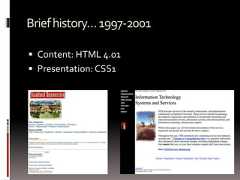
Briefhistory…1997-2001 Content: HTML 4.01 Presentation: CSS1
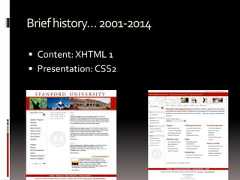
Briefhistory…2001-2014 Content: XHTML 1 Presentation: CSS2
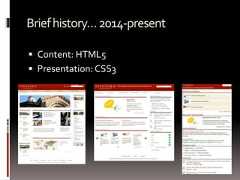
Briefhistory…2014-present Content: HTML5 Presentation: CSS3
VendorPrefixes Some CSS rules won’t work without the vendor prefix. Mozilla Browsers (Firefox)-moz Webkit Browsers (Safari, Chrome)-webkit Opera-o Internet Explorer-ms<!--[if IE]> <![endif]--> Not all CSS rules work with all browsers: http://www.caniuse.com/ http://www.css3.info/selectors-test/ http://quirksmode.org/css/contents.html
So, what’s the big dealabout CSS3?
Newselectors! element1~element2Selects an element that is a general next sibling of another element.Example:http://www.quirksmode.org/css/selector_sibling.html [attribute^=value]Represents an element with the attribute whose value begins with theprefix value. [attribute$=value]Represents an element with the attribute whose value ends with theprefix value. [attribute*=value]Represents an element with the attribute whose value contains theprefix value.Example:http://www.quirksmode.org/css/selector_attributeAdvanced.html
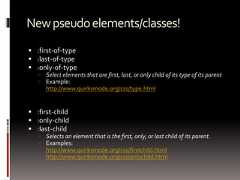
Newpseudoelements/classes! :first-of-type :last-of-type :only-of-type Select elements that are first, last, or only child of its type of its parent Example:http://www.quirksmode.org/css/type.html :first-child :only-child :last-child Selects an element that is the first, only, or last child of its parent. Examples:http://www.quirksmode.org/css/firstchild.htmlhttp://www.quirksmode.org/css/onlychild.html
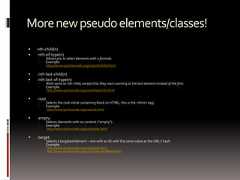
Morenewpseudoelements/classes! nth-child(n) :nth-of-type(n) Allows you to select elements with a formula. Example:http://www.quirksmode.org/css/nthchild.html :nth-last-child(n) :nth-last-of-type(n) Work same as nth-child, except that they start counting at the last element instead of the first. Example:http://www.quirksmode.org/css/nthlastchild.html :root Selects the root initial containing block (in HTML, this is the <html> tag) Example:http://www.quirksmode.org/css/root.html :empty Selects elements with no content (“empty”). Example:http://www.quirksmode.org/css/empty.html :target Selects a targeted element – one with an ID with the same value as the URL's hash. Example:http://www.quirksmode.org/css/target.htmlhttp://www.quirksmode.org/css/target.html#testHash
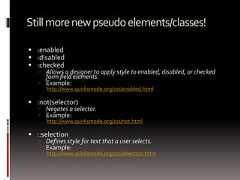
Stillmorenewpseudoelements/classes! :enabled :disabled :checked Allows a designer to apply style to enabled, disabled, or checkedform field elements. Example:http://www.quirksmode.org/css/enabled.html :not(selector) Negates a selector. Example:http://www.quirksmode.org/css/not.html ::selection Defines style for text that a user selects. Example:http://www.quirksmode.org/css/selection.html
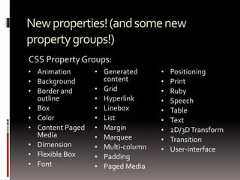
Newproperties!(andsomenewpropertygroups!)• Animation• Background• Border andoutline• Box• Color• Content PagedMedia• Dimension• Flexible Box• Font• Generatedcontent• Grid• Hyperlink• Linebox• List• Margin• Marquee• Multi-column• Padding• Paged Media• Positioning• Print• Ruby• Speech• Table• Text• 2D/3DTransform• Transition• User-interfaceCSS Property Groups:
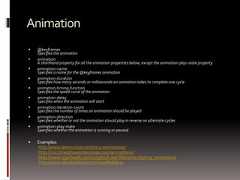
Animation @keyframesSpecifies the animation animationA shorthand property for all the animation properties below, except the animation-play-state property animation-nameSpecifies a name for the @keyframes animation animation-durationSpecifies how many seconds or milliseconds an animation takes to complete one cycle animation-timing-functionSpecifies the speed curve of the animation animation-delaySpecifies when the animation will start animation-iteration-countSpecifies the number of times an animation should be played animation-directionSpecifies whether or not the animation should play in reverse on alternate cycles animation-play-stateSpecifies whether the animation is running or paused Examples:http://www.leemunroe.com/css3-animations/http://css3.bradshawenterprises.com/animations/http://www.w3schools.com/css3/tryit.asp?filename=trycss3_animation1http://www.standardista.com/sxsw/#slide24
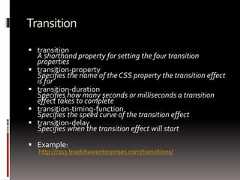
Transition transitionA shorthand property for setting the four transitionproperties transition-propertySpecifies the name of the CSS property the transition effectis for transition-durationSpecifies how many seconds or milliseconds a transitioneffect takes to complete transition-timing-functionSpecifies the speed curve of the transition effect transition-delaySpecifies when the transition effect will start Example:http://css3.bradshawenterprises.com/transitions/
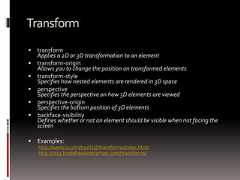
Transform transformApplies a 2D or 3D transformation to an element transform-originAllows you to change the position on transformed elements transform-styleSpecifies how nested elements are rendered in 3D space perspectiveSpecifies the perspective on how 3D elements are viewed perspective-originSpecifies the bottom position of 3D elements backface-visibilityDefines whether or not an element should be visible when not facing thescreen Examples:http://westciv.com/tools/3Dtransforms/index.htmlhttp://css3.bradshawenterprises.com/transforms/
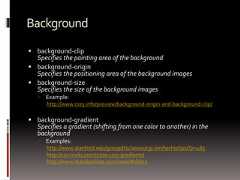
Background background-clipSpecifies the painting area of the background background-originSpecifies the positioning area of the background images background-sizeSpecifies the size of the background images Example:http://www.css3.info/preview/background-origin-and-background-clip/ background-gradientSpecifies a gradient (shifting from one color to another) in thebackground Examples:http://www.stanford.edu/group/ttsclasses/cgi-bin/techietips/?p=485http://css-tricks.com/5700-css3-gradients/http://www.standardista.com/sxsw/#slide3
Border border-bottom-left-radiusDefines the shape of the border of the bottom-left corner border-bottom-right-radiusDefines the shape of the border of the bottom-right corner border-imageA shorthand property for setting all the border-image-* properties border-image-outsetSpecifies the amount by which the border image area extends beyond the border box border-image-repeatSpecifies whether the image-border should be repeated, rounded or stretched border-image-sliceSpecifies the inward offsets of the image-border border-image-sourceSpecifies an image to be used as a border border-image-widthSpecifies the widths of the image-border border-radiusA shorthand property for setting all the four border-*-radius properties border-top-left-radiusDefines the shape of the border of the top-left corner border-top-right-radiusDefines the shape of the border of the top-right corner Examples:http://www.css3.info/preview/rounded-border/http://border-radius.com/
Box box-decoration-breakDefines a break in the box’s decoration Example: http://www.w3.org/TR/css3-background/#the-box-decoration-break box-shadowAttaches one or more drop-shadows to the box Examples:http://www.css3.info/preview/box-shadow/http://www.standardista.com/sxsw/#slide9 overflow-xSpecifies whether or not to clip the left/right edges of the content, if itoverflows the element's content area overflow-ySpecifies whether or not to clip the top/bottom edges of the content, if itoverflows the element's content area overflow-styleSpecifies the preferred scrolling method for elements that overflow Example: http://www.css3.info/overflow-xoverflow-y
FlexibleBox Specification is still under development…StayTuned!!! Example:http://www.html5rocks.com/en/tutorials/flexbox/quick/
Color RGBA(Red,Green,Blue,Alpha opacity)rgba(100%,0%,0%,0.8) produces 80% red. Examples:http://www.css3.info/preview/rgba/http://hex2rgba.devoth.com/ HSLA (Hue, Saturation, Lightness, Alpha opacity)hsla(0,100%, 50%,1.0) produces 100% red. Examples:http://hslpicker.com/http://www.css3.info/preview/hsl/ opacitySets the opacity level for an element from 0 to 1.0. Example:http://www.css3.info/preview/opacity/http://www.standardista.com/sxsw/#slide6
Font Free web fonts:http://www.google.com/webfontshttp://www.fontsquirrel.com @font-faceA rule that allows websites to download and use fonts other than the "web-safe"fonts Examples:http://css-tricks.com/snippets/css/using-font-face/http://www.css3.info/preview/web-fonts-with-font-face/ font-size-adjustPreserves the readability of text when font fallback occurs Example:http://www.w3.org/TR/css3-fonts/#font-size-adjust-prop font-stretchSelects a normal, condensed, or expanded face from a font family Example: Currently no browser supports font-stretch
Text hanging-punctuationSpecifies whether a punctuation character may be placed outside the line box Example: Currently no browser supports hanging-punctuation punctuation-trimSpecifies whether a punctuation character should be trimmed Example: Currently no browser supports punctuation-trim text-outlineSpecifies a text outline Example: Currently no browser supports text-outline text-wrapSpecifies line breaking rules for text Example: Currently no browser supports text-wrap text-align-lastDescribes how the last line of a block or a line right before a forced line break is aligned when text-align is "justify" Example:http://msdn.microsoft.com/en-us/library/ms531163(VS.85).aspx
Text(continued) text-justifySpecifies the justification method used when text-align is "justify" Example:http://msdn.microsoft.com/en-us/library/ms531172(v=VS.85).aspx text-shadowAdds shadow to text Examples:http://www.css3.info/preview/text-shadow/http://www.quirksmode.org/css/textshadow.htmlhttp://www.standardista.com/sxsw/#slide9 word-breakSpecifies line breaking rules for non-CJK (Chinese/Japanese/Korean) text Example:http://www.w3schools.com/cssref/tryit.asp?filename=trycss3_word-break word-wrapAllows long, unbreakable words to be broken and wrap to the next line Example:http://www.css3.info/preview/word-wrap/
Grid grid-columnsSpecifies the width of each column in a grid grid-rowsSpecifies the height of each column in a grid Examples:http://dev.w3.org/csswg/css3-grid-alignhttp://www.xanthir.com/blog/b4580
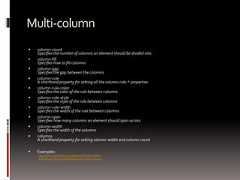
Multi-column column-countSpecifies the number of columns an element should be divided into column-fillSpecifies how to fill columns column-gapSpecifies the gap between the columns column-ruleA shorthand property for setting all the column-rule-* properties column-rule-colorSpecifies the color of the rule between columns column-rule-styleSpecifies the style of the rule between columns column-rule-widthSpecifies the width of the rule between columns column-spanSpecifies how many columns an element should span across column-widthSpecifies the width of the columns columnsA shorthand property for setting column-width and column-count Examples:http://www.quirksmode.org/css/multicolumn.htmlhttp://www.css3.info/preview/multi-column-layout/
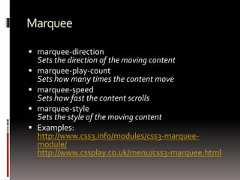
Marquee marquee-directionSets the direction of the moving content marquee-play-countSets how many times the content move marquee-speedSets how fast the content scrolls marquee-styleSets the style of the moving content Examples:http://www.css3.info/modules/css3-marquee-module/http://www.cssplay.co.uk/menu/css3-marquee.html
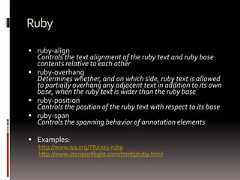
Ruby ruby-alignControls the text alignment of the ruby text and ruby basecontents relative to each other ruby-overhangDetermines whether, and on which side, ruby text is allowedto partially overhang any adjacent text in addition to its ownbase, when the ruby text is wider than the ruby base ruby-positionControls the position of the ruby text with respect to its base ruby-spanControls the spanning behavior of annotation elements Examples:http://www.w3.org/TR/css3-rubyhttp://www.storiesinflight.com/html5/ruby.html
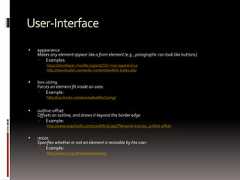
User-Interface appearanceMakes any element appear like a form element (e.g., paragraphs can look like buttons). Examples:https://developer.mozilla.org/en/CSS/-moz-appearancehttp://davidwalsh.name/dw-content/webkit-styles.php box-sizingForces an element fit inside an area. Example:http://css-tricks.com/examples/BoxSizing/ outline-offsetOffsets an outline, and draws it beyond the border edge Example:http://www.w3schools.com/cssref/tryit.asp?filename=trycss3_outline-offset resizeSpecifies whether or not an element is resizable by the user Example:http://www.css3.info/preview/resize/
User-Interface(continued) nav-indexSpecifies the tabbing order for an element nav-downSpecifies the position of the element when using the arrow-down navigation key nav-leftSpecifies the position of the element when using the arrow-left navigation key nav-rightSpecifies the position of the element when using the arrow-right navigation key nav-upSpecifies the position of the element when using the arrow-up navigation key Example: Currently no browser supports the nav* properties
ContentforPagedMedia(print) bookmark-labelSpecifies the label of the bookmark bookmark-levelSpecifies the level of the bookmark bookmark-targetSpecifies the target of the bookmark link Example:http://www.w3.org/TR/css3-gcpm/#bookmarks float-offsetPushes floated elements in the opposite direction of the where they have been floated with float Example:http://www.w3.org/TR/css3-gcpm/#the-float-offset-property image-resolutionSpecifies the resolution of an image Example:http://dev.w3.org/csswg/css3-images/#image-resolution marksAdds crop and/or cross marks to the document Example:http://www.quackit.com/css/properties/css_marks.cfm string-setNamed strings are created with the ‘string-set’ property which copies a string of text into the named string.Only text is copied; not style, structure, or replaced content Example:http://www.w3.org/TR/css3-gcpm/#string-set
ContentforPagedMedia(print)-continued hyphenate-afterSpecifies the minimum number of characters in a hyphenated word after thehyphenation character hyphenate-beforeSpecifies the minimum number of characters in a hyphenated word before thehyphenation character hyphenate-characterSpecifies a string that is shown when a hyphenate-break occurs hyphenate-linesIndicates the maximum number of successive hyphenated lines in an element hyphenate-resourceSpecifies a comma-separated list of external resources that can help the browserdetermine hyphenation points hyphensSets how to split words to improve the layout of paragraphs Example:http://meyerweb.com/eric/css/tests/css3/show.php?p=hyphens
MorePagedMediaProperties object-fitGives a hint for how to scale a replaced element if neither its widthnor its height property is auto object-positionDetermines the alignment of the object inside the box Examples:http://www.w3.org/TR/css3-images/#object-fithttp://www.w3.org/TR/css3-images/#object-position image-orientationSpecifies a rotation in the right or clockwise direction that a useragent applies to an image Example:http://dev.w3.org/csswg/css3-images/#image-orientation sizeSpecifies the size and orientation of the containing box for pagecontent Example:http://dev.w3.org/csswg/css3-page/#page-size-prop
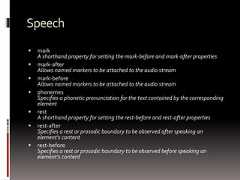
Speech markA shorthand property for setting the mark-before and mark-after properties mark-afterAllows named markers to be attached to the audio stream mark-beforeAllows named markers to be attached to the audio stream phonemesSpecifies a phonetic pronunciation for the text contained by the correspondingelement restA shorthand property for setting the rest-before and rest-after properties rest-afterSpecifies a rest or prosodic boundary to be observed after speaking anelement's content rest-beforeSpecifies a rest or prosodic boundary to be observed before speaking anelement's content
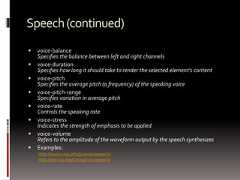
Speech(continued) voice-balanceSpecifies the balance between left and right channels voice-durationSpecifies how long it should take to render the selected element's content voice-pitchSpecifies the average pitch (a frequency) of the speaking voice voice-pitch-rangeSpecifies variation in average pitch voice-rateControls the speaking rate voice-stressIndicates the strength of emphasis to be applied voice-volumeRefers to the amplitude of the waveform output by the speech synthesizes Examples:http://www.css3.info/preview/speech/http://dev.w3.org/csswg/css3-speech/
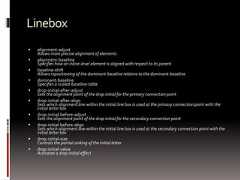
Linebox alignment-adjustAllows more precise alignment of elements alignment-baselineSpecifies how an inline-level element is aligned with respect to its parent baseline-shiftAllows repositioning of the dominant-baseline relative to the dominant-baseline dominant-baselineSpecifies a scaled-baseline-table drop-initial-after-adjustSets the alignment point of the drop initial for the primary connection point drop-initial-after-alignSets which alignment line within the initial line box is used at the primary connection point with theinitial letter box drop-initial-before-adjustSets the alignment point of the drop initial for the secondary connection point drop-initial-before-alignSets which alignment line within the initial line box is used at the secondary connection point with theinitial letter box drop-initial-sizeControls the partial sinking of the initial letter drop-initial-valueActivates a drop-initial effect
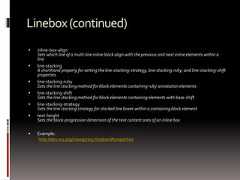
Linebox(continued) inline-box-alignSets which line of a multi-line inline block align with the previous and next inline elements within aline line-stackingA shorthand property for setting the line-stacking-strategy, line-stacking-ruby, and line-stacking-shiftproperties line-stacking-rubySets the line stacking method for block elements containing ruby annotation elements line-stacking-shiftSets the line stacking method for block elements containing elements with base-shift line-stacking-strategySets the line stacking strategy for stacked line boxes within a containing block element text-heightSets the block-progression dimension of the text content area of an inline box Example:http://dev.w3.org/csswg/css3-linebox/#properties
Hyperlink targetA shorthand property for setting the target-name, target-new, andtarget-position properties target-nameSpecifies where to open links (target destination) target-newSpecifies whether new destination links should open in a new windowor in a new tab of an existing window target-positionSpecifies where new destination links should be placed Examples:http://thinkvitamin.com/design/stay-on-target/http://virtuelvis.com/gallery/css3/target/interface.htmlhttp://www.uselesscode.org/blog/82/pure-css3-tab-widget
SomeCSS3Resources… http://www.stanford.edu/group/ttsclasses/css/ http://border-radius.com/ http://caniuse.com/ http://css-tricks.com/ http://css3.bradshawenterprises.com http://css3.info/ http://cssplay.co.uk/menu/css3-marquee.html http://davidwalsh.name/dw-content/webkit-styles.php http://dev.w3.org/csswg/ http://fontsquirrel.com/ http://google.com/webfonts http://hex2rgba.devoth.com/ http://hslpicker.com/ http://html5rocks.com/ http://leemunroe.com http://meyerweb.com/eric/css/ http://msdn.microsoft.com/ http://quackit.com/css http://quirksmode.org/css/contents.html http://standardista.com http://standardista.com/sxsw http://storiesinflight.com/html5/ruby.html http://stubbornella.org/content/category/general/geek/css/ http://thinkvitamin.com/design/stay-on-target/ http://uselesscode.org/blog/82/pure-css3-tab-widget http://virtuelvis.com/gallery/css3/target/interface.html http://w3.org/ http://w3schools.com http://westciv.com/tools/3Dtransforms http://xanthir.com/blog http://xanthir.com/blog/b4580 http://selectivizr.com

Recommended

PPTX
CSS Walktrough Internship Course
KEY
The Cascade, Grids, Headings, and Selectors from an OOCSS Perspective, Ajax ...
PPTX
Cascading Style Sheets - CSS
PDF
Front End Good Practices
PDF
Semantic markup - Creating Outline
PPTX
Css 3
PPTX
Css 3
PDF
CSS Grid Layout
PDF
CSS: a rapidly changing world
PDF
Introduction to CSS3
PDF
Intro to CSS3
PDF
PDF
CSS3 - is everything we used to do wrong?
ODP
HTML5, CSS, JavaScript Style guide and coding conventions
PDF
CSS: selectors and the box model
PDF
CSS3 and Selectors
PDF
Javascript coding-and-design-patterns
PDF
CSS3: Simply Responsive
PDF
CSS 開發加速指南-Sass & Compass
PDF
Getting Started with DOM
PDF
Preprocessor presentation
PPTX
Colors In CSS3
PDF
Basic-CSS-tutorial
PPTX
PPTX
Plataforma Académica Weboo Live
PPTX
Bab ii, 3,5,6,31
PDF
Garantia Locatícia
PPTX
Mir Pasternaka B.L.

More Related Content

PPTX
CSS Walktrough Internship Course
KEY
The Cascade, Grids, Headings, and Selectors from an OOCSS Perspective, Ajax ...
PPTX
Cascading Style Sheets - CSS
PDF
Front End Good Practices
PDF
Semantic markup - Creating Outline
PPTX
Css 3
PPTX
Css 3
CSS Walktrough Internship Course
The Cascade, Grids, Headings, and Selectors from an OOCSS Perspective, Ajax ...
Cascading Style Sheets - CSS
Front End Good Practices
Semantic markup - Creating Outline
Css 3
Css 3

What's hot

PDF
CSS Grid Layout
PDF
CSS: a rapidly changing world
PDF
Introduction to CSS3
PDF
Intro to CSS3
PDF
PDF
CSS3 - is everything we used to do wrong?
ODP
HTML5, CSS, JavaScript Style guide and coding conventions
PDF
CSS: selectors and the box model
PDF
CSS3 and Selectors
PDF
Javascript coding-and-design-patterns
PDF
CSS3: Simply Responsive
PDF
CSS 開發加速指南-Sass & Compass
PDF
Getting Started with DOM
PDF
Preprocessor presentation
PPTX
Colors In CSS3
PDF
Basic-CSS-tutorial
PPTX
CSS Grid Layout
CSS: a rapidly changing world
Introduction to CSS3
Intro to CSS3
CSS3 - is everything we used to do wrong?
HTML5, CSS, JavaScript Style guide and coding conventions
CSS: selectors and the box model
CSS3 and Selectors
Javascript coding-and-design-patterns
CSS3: Simply Responsive
CSS 開發加速指南-Sass & Compass
Getting Started with DOM
Preprocessor presentation
Colors In CSS3
Basic-CSS-tutorial

Viewers also liked

PPTX
Plataforma Académica Weboo Live
PPTX
Bab ii, 3,5,6,31
PDF
Garantia Locatícia
PPTX
Mir Pasternaka B.L.
PDF
Annual report 2012 2013
 
PPTX
FPF - Simulação Final - Navegação em SAP
PDF
Development Team Engagement + Development Process
DOCX
Act. 1
PDF
Darknet - Is it good for you?
PPT
WebSite Evaluating
DOC
Smc Zee 18july09
PDF
Big data-mining par Jobijoba
PPTX
Luonto ja Raamattu
PPSX
Чудеса современной робототехники. Засед В.В.
 
PDF
Smiles Canape
ODP
Algunos recursos para desarrollo Web
PDF
Friends design studio on Startup Village
PDF
Gazette numéro 1 - Jeudi 15 Otobre 2014
PDF
Sw 3 graded_assignment_10
PPT
Графический пакет
Plataforma Académica Weboo Live
Bab ii, 3,5,6,31
Garantia Locatícia
Mir Pasternaka B.L.
Annual report 2012 2013
 
FPF - Simulação Final - Navegação em SAP
Development Team Engagement + Development Process
Act. 1
Darknet - Is it good for you?
WebSite Evaluating
Smc Zee 18july09
Big data-mining par Jobijoba
Luonto ja Raamattu
Чудеса современной робототехники. Засед В.В.
 
Smiles Canape
Algunos recursos para desarrollo Web
Friends design studio on Startup Village
Gazette numéro 1 - Jeudi 15 Otobre 2014
Sw 3 graded_assignment_10
Графический пакет

Similar to Css3

PPTX
web Technolotogies notes lke CSS443.pptx
PDF
Girl Develop It Cincinnati: Intro to HTML/CSS Class 4
PPTX
Hardcore CSS
PDF
Professional Css
KEY
The web standards gentleman: a matter of (evolving) standards)
PPTX
CSS 3 Overview
PPTX
Introduction-to-CSS.pptx alll about css types
PDF
PDF
PPTX
css3.pptx
PPTX
Css3 shubelal
 
PPT
Basic Knowldege about CSS Prepared for VV softech solution (2).ppt
PPTX
Introduction to CSS and all properties.pptx
PDF
Evolution of CSS
PPT
3-CSS_essentials.ppt
PPT
3-CSS_essentials.ppt
PPT
CSS Essentials for Website Development.ppt
PPT
3-CSS_essentials_developers_begineers.ppt
PPT
3-CSS_essentials introduction slides.ppt
PPTX
Cordova training - Day 2 Introduction to CSS 3
web Technolotogies notes lke CSS443.pptx
Girl Develop It Cincinnati: Intro to HTML/CSS Class 4
Hardcore CSS
Professional Css
The web standards gentleman: a matter of (evolving) standards)
CSS 3 Overview
Introduction-to-CSS.pptx alll about css types
css3.pptx
Css3 shubelal
 
Basic Knowldege about CSS Prepared for VV softech solution (2).ppt
Introduction to CSS and all properties.pptx
Evolution of CSS
3-CSS_essentials.ppt
CSS Essentials for Website Development.ppt
3-CSS_essentials_developers_begineers.ppt
3-CSS_essentials introduction slides.ppt
Cordova training - Day 2 Introduction to CSS 3

More from Anjan Banda

PDF
Seo tutorial
PPTX
Intro to Javascript
PDF
Introduction to php
PPTX
Website Networking
DOC
crisis-in-textile-industry
PPTX
Genetic engineering
PPTX
Android os
PPT
Body area-networks
PPTX
Woods Of Pakistan
Seo tutorial
Intro to Javascript
Introduction to php
Website Networking
crisis-in-textile-industry
Genetic engineering
Android os
Body area-networks
Woods Of Pakistan

Recently uploaded

PDF
Chip Designer's Code - Linux Terminal Part 7.1 - Text Processing
PPTX
MicroAccelerometers & microfluidics.pptx
PPTX
Why Air Droppable Containers Are Critical for Modern Aerial Logistics
PPT
Introduction to Concord Decorator by Stolle.ppt
PPTX
Applications of cloud computing in education
PPTX
UNIT 2 _8051.pptx ,INSTRUCTION SET OF 8051,EXAMPLES OF ARITHMETIC,LOGICAL.BRA...
PDF
TechRush Hackathon 2026: A Platform for Innovation, Learning, and Real-World ...
PDF
JVM in the Age of AI: 2026 Edition - Deep Dive
PDF
PROPOSED 5 BEDROOM DUPLEX DEVELOPMENT DRAWINGS..pdf
PPTX
Tips for Designing Flex Circuits for Medical Applications
PDF
Fluid Mechanics, Heat Transfer, and Mass Transfer_ Chemical Engineering Pract...
PDF
Formality - Logic Equivalence Checking - Part 1
PPTX
15288-incose_system engineering_MBSE.pptx
PDF
comprehensive analysis of cross-chain bridges in the DeFi - Garima Singh
PDF
ERTMS-conference-WS8_Presentations_v0.pdf
PDF
(en/zhTW)All_Roads_Lead_to_IPC_DannyJiang
PPTX
Lubrication Neglect Causes More Downtime Than AI Ever Will Why Maintenance Fu...
PDF
Process Scheduling Scheduling Queue, Types of Sheduler
PPTX
Explore how AI-powered maintenance checklists transform asset reliability and...
PPTX
UNIT 2 - Electronics Device - EC25C01 - PN Junction Diodes
Chip Designer's Code - Linux Terminal Part 7.1 - Text Processing
MicroAccelerometers & microfluidics.pptx
Why Air Droppable Containers Are Critical for Modern Aerial Logistics
Introduction to Concord Decorator by Stolle.ppt
Applications of cloud computing in education
UNIT 2 _8051.pptx ,INSTRUCTION SET OF 8051,EXAMPLES OF ARITHMETIC,LOGICAL.BRA...
TechRush Hackathon 2026: A Platform for Innovation, Learning, and Real-World ...
JVM in the Age of AI: 2026 Edition - Deep Dive
PROPOSED 5 BEDROOM DUPLEX DEVELOPMENT DRAWINGS..pdf
Tips for Designing Flex Circuits for Medical Applications
Fluid Mechanics, Heat Transfer, and Mass Transfer_ Chemical Engineering Pract...
Formality - Logic Equivalence Checking - Part 1
15288-incose_system engineering_MBSE.pptx
comprehensive analysis of cross-chain bridges in the DeFi - Garima Singh
ERTMS-conference-WS8_Presentations_v0.pdf
(en/zhTW)All_Roads_Lead_to_IPC_DannyJiang
Lubrication Neglect Causes More Downtime Than AI Ever Will Why Maintenance Fu...
Process Scheduling Scheduling Queue, Types of Sheduler
Explore how AI-powered maintenance checklists transform asset reliability and...
UNIT 2 - Electronics Device - EC25C01 - PN Junction Diodes

Css3

  • 1.
    implementing the newfeaturesAIMSBBSYDPTRAINING
  • 2.
  • 3.
  • 4.
  • 5.
    VendorPrefixes Some CSSrules won’t work without the vendor prefix. Mozilla Browsers (Firefox)-moz Webkit Browsers (Safari, Chrome)-webkit Opera-o Internet Explorer-ms<!--[if IE]> <![endif]--> Not all CSS rules work with all browsers: http://www.caniuse.com/ http://www.css3.info/selectors-test/ http://quirksmode.org/css/contents.html
  • 6.
    So, what’s thebig dealabout CSS3?
  • 7.
    Newselectors! element1~element2Selects anelement that is a general next sibling of another element.Example:http://www.quirksmode.org/css/selector_sibling.html [attribute^=value]Represents an element with the attribute whose value begins with theprefix value. [attribute$=value]Represents an element with the attribute whose value ends with theprefix value. [attribute*=value]Represents an element with the attribute whose value contains theprefix value.Example:http://www.quirksmode.org/css/selector_attributeAdvanced.html
  • 8.
    Newpseudoelements/classes! :first-of-type :last-of-type:only-of-type Select elements that are first, last, or only child of its type of its parent Example:http://www.quirksmode.org/css/type.html :first-child :only-child :last-child Selects an element that is the first, only, or last child of its parent. Examples:http://www.quirksmode.org/css/firstchild.htmlhttp://www.quirksmode.org/css/onlychild.html
  • 9.
    Morenewpseudoelements/classes! nth-child(n) :nth-of-type(n)Allows you to select elements with a formula. Example:http://www.quirksmode.org/css/nthchild.html :nth-last-child(n) :nth-last-of-type(n) Work same as nth-child, except that they start counting at the last element instead of the first. Example:http://www.quirksmode.org/css/nthlastchild.html :root Selects the root initial containing block (in HTML, this is the <html> tag) Example:http://www.quirksmode.org/css/root.html :empty Selects elements with no content (“empty”). Example:http://www.quirksmode.org/css/empty.html :target Selects a targeted element – one with an ID with the same value as the URL's hash. Example:http://www.quirksmode.org/css/target.htmlhttp://www.quirksmode.org/css/target.html#testHash
  • 10.
    Stillmorenewpseudoelements/classes! :enabled :disabled:checked Allows a designer to apply style to enabled, disabled, or checkedform field elements. Example:http://www.quirksmode.org/css/enabled.html :not(selector) Negates a selector. Example:http://www.quirksmode.org/css/not.html ::selection Defines style for text that a user selects. Example:http://www.quirksmode.org/css/selection.html
  • 11.
    Newproperties!(andsomenewpropertygroups!)• Animation• Background•Border andoutline• Box• Color• Content PagedMedia• Dimension• Flexible Box• Font• Generatedcontent• Grid• Hyperlink• Linebox• List• Margin• Marquee• Multi-column• Padding• Paged Media• Positioning• Print• Ruby• Speech• Table• Text• 2D/3DTransform• Transition• User-interfaceCSS Property Groups:
  • 12.
    Animation @keyframesSpecifies theanimation animationA shorthand property for all the animation properties below, except the animation-play-state property animation-nameSpecifies a name for the @keyframes animation animation-durationSpecifies how many seconds or milliseconds an animation takes to complete one cycle animation-timing-functionSpecifies the speed curve of the animation animation-delaySpecifies when the animation will start animation-iteration-countSpecifies the number of times an animation should be played animation-directionSpecifies whether or not the animation should play in reverse on alternate cycles animation-play-stateSpecifies whether the animation is running or paused Examples:http://www.leemunroe.com/css3-animations/http://css3.bradshawenterprises.com/animations/http://www.w3schools.com/css3/tryit.asp?filename=trycss3_animation1http://www.standardista.com/sxsw/#slide24
  • 13.
    Transition transitionA shorthandproperty for setting the four transitionproperties transition-propertySpecifies the name of the CSS property the transition effectis for transition-durationSpecifies how many seconds or milliseconds a transitioneffect takes to complete transition-timing-functionSpecifies the speed curve of the transition effect transition-delaySpecifies when the transition effect will start Example:http://css3.bradshawenterprises.com/transitions/
  • 14.
    Transform transformApplies a2D or 3D transformation to an element transform-originAllows you to change the position on transformed elements transform-styleSpecifies how nested elements are rendered in 3D space perspectiveSpecifies the perspective on how 3D elements are viewed perspective-originSpecifies the bottom position of 3D elements backface-visibilityDefines whether or not an element should be visible when not facing thescreen Examples:http://westciv.com/tools/3Dtransforms/index.htmlhttp://css3.bradshawenterprises.com/transforms/
  • 15.
    Background background-clipSpecifies thepainting area of the background background-originSpecifies the positioning area of the background images background-sizeSpecifies the size of the background images Example:http://www.css3.info/preview/background-origin-and-background-clip/ background-gradientSpecifies a gradient (shifting from one color to another) in thebackground Examples:http://www.stanford.edu/group/ttsclasses/cgi-bin/techietips/?p=485http://css-tricks.com/5700-css3-gradients/http://www.standardista.com/sxsw/#slide3
  • 16.
    Border border-bottom-left-radiusDefines theshape of the border of the bottom-left corner border-bottom-right-radiusDefines the shape of the border of the bottom-right corner border-imageA shorthand property for setting all the border-image-* properties border-image-outsetSpecifies the amount by which the border image area extends beyond the border box border-image-repeatSpecifies whether the image-border should be repeated, rounded or stretched border-image-sliceSpecifies the inward offsets of the image-border border-image-sourceSpecifies an image to be used as a border border-image-widthSpecifies the widths of the image-border border-radiusA shorthand property for setting all the four border-*-radius properties border-top-left-radiusDefines the shape of the border of the top-left corner border-top-right-radiusDefines the shape of the border of the top-right corner Examples:http://www.css3.info/preview/rounded-border/http://border-radius.com/
  • 17.
    Box box-decoration-breakDefines abreak in the box’s decoration Example: http://www.w3.org/TR/css3-background/#the-box-decoration-break box-shadowAttaches one or more drop-shadows to the box Examples:http://www.css3.info/preview/box-shadow/http://www.standardista.com/sxsw/#slide9 overflow-xSpecifies whether or not to clip the left/right edges of the content, if itoverflows the element's content area overflow-ySpecifies whether or not to clip the top/bottom edges of the content, if itoverflows the element's content area overflow-styleSpecifies the preferred scrolling method for elements that overflow Example: http://www.css3.info/overflow-xoverflow-y
  • 18.
    FlexibleBox Specification isstill under development…StayTuned!!! Example:http://www.html5rocks.com/en/tutorials/flexbox/quick/
  • 19.
    Color RGBA(Red,Green,Blue,Alpha opacity)rgba(100%,0%,0%,0.8)produces 80% red. Examples:http://www.css3.info/preview/rgba/http://hex2rgba.devoth.com/ HSLA (Hue, Saturation, Lightness, Alpha opacity)hsla(0,100%, 50%,1.0) produces 100% red. Examples:http://hslpicker.com/http://www.css3.info/preview/hsl/ opacitySets the opacity level for an element from 0 to 1.0. Example:http://www.css3.info/preview/opacity/http://www.standardista.com/sxsw/#slide6
  • 20.
    Font Free webfonts:http://www.google.com/webfontshttp://www.fontsquirrel.com @font-faceA rule that allows websites to download and use fonts other than the "web-safe"fonts Examples:http://css-tricks.com/snippets/css/using-font-face/http://www.css3.info/preview/web-fonts-with-font-face/ font-size-adjustPreserves the readability of text when font fallback occurs Example:http://www.w3.org/TR/css3-fonts/#font-size-adjust-prop font-stretchSelects a normal, condensed, or expanded face from a font family Example: Currently no browser supports font-stretch
  • 21.
    Text hanging-punctuationSpecifies whethera punctuation character may be placed outside the line box Example: Currently no browser supports hanging-punctuation punctuation-trimSpecifies whether a punctuation character should be trimmed Example: Currently no browser supports punctuation-trim text-outlineSpecifies a text outline Example: Currently no browser supports text-outline text-wrapSpecifies line breaking rules for text Example: Currently no browser supports text-wrap text-align-lastDescribes how the last line of a block or a line right before a forced line break is aligned when text-align is "justify" Example:http://msdn.microsoft.com/en-us/library/ms531163(VS.85).aspx
  • 22.
    Text(continued) text-justifySpecifies thejustification method used when text-align is "justify" Example:http://msdn.microsoft.com/en-us/library/ms531172(v=VS.85).aspx text-shadowAdds shadow to text Examples:http://www.css3.info/preview/text-shadow/http://www.quirksmode.org/css/textshadow.htmlhttp://www.standardista.com/sxsw/#slide9 word-breakSpecifies line breaking rules for non-CJK (Chinese/Japanese/Korean) text Example:http://www.w3schools.com/cssref/tryit.asp?filename=trycss3_word-break word-wrapAllows long, unbreakable words to be broken and wrap to the next line Example:http://www.css3.info/preview/word-wrap/
  • 23.
    Grid grid-columnsSpecifies thewidth of each column in a grid grid-rowsSpecifies the height of each column in a grid Examples:http://dev.w3.org/csswg/css3-grid-alignhttp://www.xanthir.com/blog/b4580
  • 24.
    Multi-column column-countSpecifies thenumber of columns an element should be divided into column-fillSpecifies how to fill columns column-gapSpecifies the gap between the columns column-ruleA shorthand property for setting all the column-rule-* properties column-rule-colorSpecifies the color of the rule between columns column-rule-styleSpecifies the style of the rule between columns column-rule-widthSpecifies the width of the rule between columns column-spanSpecifies how many columns an element should span across column-widthSpecifies the width of the columns columnsA shorthand property for setting column-width and column-count Examples:http://www.quirksmode.org/css/multicolumn.htmlhttp://www.css3.info/preview/multi-column-layout/
  • 25.
    Marquee marquee-directionSets thedirection of the moving content marquee-play-countSets how many times the content move marquee-speedSets how fast the content scrolls marquee-styleSets the style of the moving content Examples:http://www.css3.info/modules/css3-marquee-module/http://www.cssplay.co.uk/menu/css3-marquee.html
  • 26.
    Ruby ruby-alignControls thetext alignment of the ruby text and ruby basecontents relative to each other ruby-overhangDetermines whether, and on which side, ruby text is allowedto partially overhang any adjacent text in addition to its ownbase, when the ruby text is wider than the ruby base ruby-positionControls the position of the ruby text with respect to its base ruby-spanControls the spanning behavior of annotation elements Examples:http://www.w3.org/TR/css3-rubyhttp://www.storiesinflight.com/html5/ruby.html
  • 27.
    User-Interface appearanceMakes anyelement appear like a form element (e.g., paragraphs can look like buttons). Examples:https://developer.mozilla.org/en/CSS/-moz-appearancehttp://davidwalsh.name/dw-content/webkit-styles.php box-sizingForces an element fit inside an area. Example:http://css-tricks.com/examples/BoxSizing/ outline-offsetOffsets an outline, and draws it beyond the border edge Example:http://www.w3schools.com/cssref/tryit.asp?filename=trycss3_outline-offset resizeSpecifies whether or not an element is resizable by the user Example:http://www.css3.info/preview/resize/
  • 28.
    User-Interface(continued) nav-indexSpecifies thetabbing order for an element nav-downSpecifies the position of the element when using the arrow-down navigation key nav-leftSpecifies the position of the element when using the arrow-left navigation key nav-rightSpecifies the position of the element when using the arrow-right navigation key nav-upSpecifies the position of the element when using the arrow-up navigation key Example: Currently no browser supports the nav* properties
  • 29.
    ContentforPagedMedia(print) bookmark-labelSpecifies thelabel of the bookmark bookmark-levelSpecifies the level of the bookmark bookmark-targetSpecifies the target of the bookmark link Example:http://www.w3.org/TR/css3-gcpm/#bookmarks float-offsetPushes floated elements in the opposite direction of the where they have been floated with float Example:http://www.w3.org/TR/css3-gcpm/#the-float-offset-property image-resolutionSpecifies the resolution of an image Example:http://dev.w3.org/csswg/css3-images/#image-resolution marksAdds crop and/or cross marks to the document Example:http://www.quackit.com/css/properties/css_marks.cfm string-setNamed strings are created with the ‘string-set’ property which copies a string of text into the named string.Only text is copied; not style, structure, or replaced content Example:http://www.w3.org/TR/css3-gcpm/#string-set
  • 30.
    ContentforPagedMedia(print)-continued hyphenate-afterSpecifies theminimum number of characters in a hyphenated word after thehyphenation character hyphenate-beforeSpecifies the minimum number of characters in a hyphenated word before thehyphenation character hyphenate-characterSpecifies a string that is shown when a hyphenate-break occurs hyphenate-linesIndicates the maximum number of successive hyphenated lines in an element hyphenate-resourceSpecifies a comma-separated list of external resources that can help the browserdetermine hyphenation points hyphensSets how to split words to improve the layout of paragraphs Example:http://meyerweb.com/eric/css/tests/css3/show.php?p=hyphens
  • 31.
    MorePagedMediaProperties object-fitGives ahint for how to scale a replaced element if neither its widthnor its height property is auto object-positionDetermines the alignment of the object inside the box Examples:http://www.w3.org/TR/css3-images/#object-fithttp://www.w3.org/TR/css3-images/#object-position image-orientationSpecifies a rotation in the right or clockwise direction that a useragent applies to an image Example:http://dev.w3.org/csswg/css3-images/#image-orientation sizeSpecifies the size and orientation of the containing box for pagecontent Example:http://dev.w3.org/csswg/css3-page/#page-size-prop
  • 32.
    Speech markA shorthandproperty for setting the mark-before and mark-after properties mark-afterAllows named markers to be attached to the audio stream mark-beforeAllows named markers to be attached to the audio stream phonemesSpecifies a phonetic pronunciation for the text contained by the correspondingelement restA shorthand property for setting the rest-before and rest-after properties rest-afterSpecifies a rest or prosodic boundary to be observed after speaking anelement's content rest-beforeSpecifies a rest or prosodic boundary to be observed before speaking anelement's content
  • 33.
    Speech(continued) voice-balanceSpecifies thebalance between left and right channels voice-durationSpecifies how long it should take to render the selected element's content voice-pitchSpecifies the average pitch (a frequency) of the speaking voice voice-pitch-rangeSpecifies variation in average pitch voice-rateControls the speaking rate voice-stressIndicates the strength of emphasis to be applied voice-volumeRefers to the amplitude of the waveform output by the speech synthesizes Examples:http://www.css3.info/preview/speech/http://dev.w3.org/csswg/css3-speech/
  • 34.
    Linebox alignment-adjustAllows moreprecise alignment of elements alignment-baselineSpecifies how an inline-level element is aligned with respect to its parent baseline-shiftAllows repositioning of the dominant-baseline relative to the dominant-baseline dominant-baselineSpecifies a scaled-baseline-table drop-initial-after-adjustSets the alignment point of the drop initial for the primary connection point drop-initial-after-alignSets which alignment line within the initial line box is used at the primary connection point with theinitial letter box drop-initial-before-adjustSets the alignment point of the drop initial for the secondary connection point drop-initial-before-alignSets which alignment line within the initial line box is used at the secondary connection point with theinitial letter box drop-initial-sizeControls the partial sinking of the initial letter drop-initial-valueActivates a drop-initial effect
  • 35.
    Linebox(continued) inline-box-alignSets whichline of a multi-line inline block align with the previous and next inline elements within aline line-stackingA shorthand property for setting the line-stacking-strategy, line-stacking-ruby, and line-stacking-shiftproperties line-stacking-rubySets the line stacking method for block elements containing ruby annotation elements line-stacking-shiftSets the line stacking method for block elements containing elements with base-shift line-stacking-strategySets the line stacking strategy for stacked line boxes within a containing block element text-heightSets the block-progression dimension of the text content area of an inline box Example:http://dev.w3.org/csswg/css3-linebox/#properties
  • 36.
    Hyperlink targetA shorthandproperty for setting the target-name, target-new, andtarget-position properties target-nameSpecifies where to open links (target destination) target-newSpecifies whether new destination links should open in a new windowor in a new tab of an existing window target-positionSpecifies where new destination links should be placed Examples:http://thinkvitamin.com/design/stay-on-target/http://virtuelvis.com/gallery/css3/target/interface.htmlhttp://www.uselesscode.org/blog/82/pure-css3-tab-widget
  • 37.
    SomeCSS3Resources… http://www.stanford.edu/group/ttsclasses/css/ http://border-radius.com/http://caniuse.com/ http://css-tricks.com/ http://css3.bradshawenterprises.com http://css3.info/ http://cssplay.co.uk/menu/css3-marquee.html http://davidwalsh.name/dw-content/webkit-styles.php http://dev.w3.org/csswg/ http://fontsquirrel.com/ http://google.com/webfonts http://hex2rgba.devoth.com/ http://hslpicker.com/ http://html5rocks.com/ http://leemunroe.com http://meyerweb.com/eric/css/ http://msdn.microsoft.com/ http://quackit.com/css http://quirksmode.org/css/contents.html http://standardista.com http://standardista.com/sxsw http://storiesinflight.com/html5/ruby.html http://stubbornella.org/content/category/general/geek/css/ http://thinkvitamin.com/design/stay-on-target/ http://uselesscode.org/blog/82/pure-css3-tab-widget http://virtuelvis.com/gallery/css3/target/interface.html http://w3.org/ http://w3schools.com http://westciv.com/tools/3Dtransforms http://xanthir.com/blog http://xanthir.com/blog/b4580 http://selectivizr.com

[8]ページ先頭

©2009-2026 Movatter.jp