GetBacklinks,Website traffic and more... inGoogle Sheets? Find out how.. →
Over169,668 already signed up for a free SEO Review Tools members account.
Not a member?Create a free account
Credits used:0

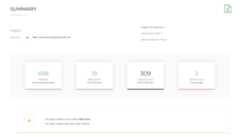
Use the internal link analyzer tool to analyze the links search engine spiders can detect on a specific page of your website. Search engines, spider links to index and determine the structure of a website and the relation between pages.The link analyzer tool checks:
TIP: now also available asAPI end-point →


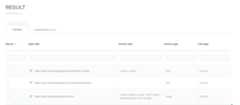
The internal link analyzer is able to recognize subdomains and treads them as internal links. If a link points to a subdomain this will be visible under link type “subdomain”. Watch the video from, Google’s web engineer, Matt Cuttsregarding the use of subdomains.


Oli Gardner featured the Internal Link Checker as part ofhis presentation: at INBOUND
“a machine learning algorithm will analyze your unpublished page before it’s even seen any traffic.”
Oli Gardner — Co-founder Unbounce
Updates:
- Advanced Search and Filter options
- Improved link classification when the input URL is a subdomain.
- Improved http and https support.
- CSV export option
You can now use the filter function to sort link types and search for specific URLs or link text using the input fields.
Here are some of the available filter operators:
- or to?*Update:
Service shows links like //example.com as internal, while it’s external links with protocol omitted
So you are saying if I have 1000 comment and meaning x2 which is 2000 comments only in the comment section, then it’s an issue because it is over 250.
So why are you including threaded comment or links with the # value on the same page.
I checked my website and got much more of this link because of the comments. Does google counts these as internal links – if not why include it.
This are links to help with navigation.
Also my comments also have links on the date.. I am considering removing this. this links are some do-follow but link just to same page.
Update:
‘Hi, glad I googled “check internal links anchors” and found this awesome tool, it’s just saved me a lot of time, I just wish it could crawl additional pages of the site! Thanks
This is an awesome tool that you’ve made available. It helped me a lot without paying some premium membership fees that one cannot afford.
I am using table of content plugin for my WordPress site so it creates lots of # links as heading of my site so it will be dangerous for my site to have links with # tag or not.
Kindly reply
Hi. I’m having problems running internal link checker on a few sites I’m interested in, and the following error is reported:
Unable to check URL, status code: 500 Internal Server Error
I have no problem checking a number of other sites, including my own.
hi
I would like to know if my site got this results out of your tool
Number of duplicate 35 – (47%) of Total links
Do I need to give attention to this ?
and one more thing can I get to know which are these duplicate links ?
Thank You
Hey Phenix,
The tool performs a duplicate link count check but it doesn’t return the specific duplicate URLs. The easiest way to find these URLs is to run the tool, export the results to Excel and use filters to search for duplicates.
Check out this video by Matt Cutts for more background information and the priority you should give to this issuehttps://www.youtube.com/watch?v=7XHAhn8HCzs
2 questions:
– When you refer to “duplicate links”, are you referring to the number of times a link is duplicated on a specific page of a site or on the entire site?
– I have many duplicate links (1476). At the same time, my site also functions as a blog with over a 100 pages of posts. Should I still be concerned with the duplicate links considering that I have a blog on my site and I will naturally duplicate several links?
Thanks for your time!
Hey Michael,
Success with your site!
I have set the preferred domain in Google Webmasters Tool, Still getting the issue of duplicate links How to rectify it.
Hi Jeewan,
I’ve checked your site and the internal links checker returns 11 duplicate links (24% of Total links). This isn’t an issue because it isn’t a very high percentage and the duplicate links found are hash (#) links.
You also mention Google Webmaster Tools but I can’t see a direct relation between the two tools in this case. Maybe you can specify your question a bit further.
I hope this answers you question.
Sir
1.Thank you for fast reply. My concern is that how these url has been created. I have not created it , does it has been created automatically
2. How Can delete it.
3. How can i make sure in future these type of url can not be created automatically.
Hi Jeewan,
As mentioned in the previous reaction. The duplicate link count isn’t a problem in you case. This tool doesn’t detect duplicate URLs but multiple links pointing to the same URL instead. And in your case it’s a hash (without a hash fragment) which isn’t an URL parameter search engine use for their index. More information about this subject, when using ajax:https://support.google.com/webmasters/answer/174992?hl=en
To find out if your site is generating multiple indexable URLs with the same content you can have a look at the duplicate content checker:http://www.seoreviewtools.com/duplicate-content-checker/
To find out how these URLs are generated, please post a question at a forum related to the CMS or theme you’re using…
Hi ER Brains,
No, duplicate links aren’t directly related to rankings. If you get a high percentage of duplicate internal links you should have a closer look and ask yourself these questions:
– Are these duplicate links necessary? (A small percentage is very common and doesn’t need any further investigation).
– Should I be linking to some other relevant internal pages, instead of linking multiple times to the same URL form the particular page?
All links on a page transfer value by linking to other internal and external pages. You should link to important relevant pages to optimize your internal link structure. A well designed structure can have a positive influence on rankings.
Are you aware of any actual language from Google saying they will penalize sites with 250+ internal links? My home page, atlatt.com, currently has a crapload: 522.
Hi Audrey,
Google has removed the max 100 links per page advice from their Guidelines. This tool displays a warning when 250+ links are returned for a single page, so you can check if all these links are truly necessary.
In many cases it’s advised to limit the number of links per page, and thereby only pass link value to related and important pages to generate a strong and effective internal link structure.
The 250 number is used as an indicator and Google won’t use these numbers to penalize a website.
HI
When I check one of my client websites in this tool, it shows 40 duplicate links.
Does this means these links point to the same URL or does this mean the anchor text is found multiple times?
I got many internal links for the websitehttp://www.time4education.com but why it is showing only 103 internal links only.
Hi Beulah,
Thanks for your reaction. The number ofinternal links returned by this tools (103) for your web page is correct. This is the total number of internal links found on this specific page.
Based on your comment I assume you’re referring toexternal links pointing to your page / domain. To retrieve this information use one of these tools:
Update:
Update:
Hi,
First of all, thanks for the amazing tool.
I analyzed my internal links for the https version of my website (http currently redirects to https at server level). For some reason all https links show as subdomain links and not internal links even though I analyzed the https version. One of the links was left to the http version and the tool treated it as an internal link. I think it should have been the opposite – http links as subdomains and https links as internals, since I am analyzing the https version.
I do not know whether this is a bug on your end or something’s wrong on my end. Feel free to send me an email and I will be happy to give more information.
Thanks,
Simon
Hey Simon,
Thanks for pointing out this issue. I solved the problem, so now the links are classified as internal links (as they should be.. ;-)
In addition I think the http version should count as internal even when your input is https and it would be nice to trigger a warning when this situation occurs.
(Added this latest feature to my to-do-list)
Cheers,
Registered Members
Avg. tool rating
Monthly visitors
Returning visitors