Best router for Spectrum in 2025: our top picks tested and reviewed


Table of Contents
- Products at a glance
- ASUS ROG Rapture GT6 – 1 Pack, White
- Netgear Orbi RBKE963B WiFi 6E Mesh Black
- TP-Link Archer AX12 (AX1500)
- ASUS ROG Rapture Wifi 6E Router (GT-AXE16000)
- Netgear Nighthawk RS700S WiFi 7 (BE19000)
- How we selected the best router for Spectrum
- Our top picks
- ASUS ROG Rapture GT6 – 1 Pack, White
- Netgear Orbi RBKE963B WiFi 6E Mesh Black
- TP-Link Archer AX12 (AX1500)
- ASUS ROG Rapture Wifi 6E Router (GT-AXE16000)
- Netgear Nighthawk RS700S WiFi 7 (BE19000)
- Considerations for the best router for Spectrum
- What is the fastest Internet speed on Spectrum?
- Is it better to use your own router with Spectrum?
- How can I make my Spectrum WiFi stronger?
WithSpectrum internet plansranging from 100Mbps all the way to Gigabit, there’s a variety of speeds to choose from, and with a load of performance you can experience. With that, you want toensure you’re not missing out on anything, including the router, which might not be suitable. You can instead provide your own option for expanded connectivity and reach.
Especially if you need alonger range, a wholemesh system, or just agaming router to unlock your optimum performance without hitches, so we’ve picked out the Spectrum-compatible routers that offer strong WiFi standards, gigabit and multi-gigabit ports, and additional features like parental controls andQoS that can improve your network experience.
We have assembled a collection of Spectrum-compatible routers to suit various needs. These include familiar brands such asAsus,Netgear, andTP-Link, and we’ve reviewed a variety of them for our best recommendations.
Products at a glance
- Best router for Spectrum overall
ASUS ROG Rapture GT6 – 1 Pack, White
- Standard:WiFi 6
- Frequency Bands:2.4GHz, 5GHz x2
- Max Speed:10Gbps
- LAN Ports:3x 1Gbps

- Best mesh router for Spectrum
Netgear Orbi RBKE963B WiFi 6E Mesh Black
- Standard:WiFi 6E
- Frequency Bands:2.4GHz, 2x 5GHz, 6GHz
- Max Speed:10.8Gbps
- LAN Ports:1x 2.5Gbps, 3x 1Gbps (Router & Satellites)
- Best budget router for Spectrum
TP-Link Archer AX12 (AX1500)
- Standard:Wi-Fi 6
- Frequency band:2.4GHz, 5GHz
- Max speed:1500Mbps
- LAN ports:3x 1Gbps
- Best gaming router for Spectrum
ASUS ROG Rapture Wifi 6E Router (GT-AXE16000)
- Standard:WiFi 6E
- Frequency bands:2.4 GHz, 5 GHz-1, 5 GHz-2, 6 GHz
- Max speed:16000 Mbps
- LAN ports:2x 10Gbps (WAN/LAN), 4x 1Gbps
- Best WiFi 7 router for Spectrum
Netgear Nighthawk RS700S WiFi 7 (BE19000)
- Standard:WiFi 7
- Frequency Bands:2.4GHz, 5GHz, 6GHz
- Max Speed:19Gbps
- LAN Ports:1x 10Gbps, 4x 1Gbps
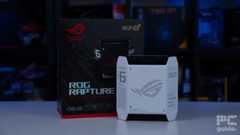

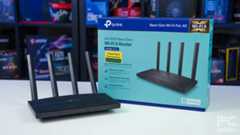
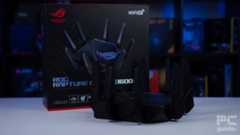

How we selected the best router for Spectrum
Routers are generally widely compatible with internet service providers; we’ve selected several alternative options, from high-end gaming routers to affordable mesh systems, that you can use with your internet package.
That being said, we also compared several routers from different brands based on speeds, wireless standards, coverage, security, and other factors, and selected the best. Our team went a step further andtested the routers hands-on to give you a better idea of their real-world performance. If you’re interested in learning more abouthow we select and review products, ourPC Guide Testing Lab has you covered.
Deals season is here folks, and with it comes a plethora of eye-catching price cuts on some of the industry's most popular tech. Below are some of the best deals you can find right now.
- AMD Ryzen 7 9800X3D Was $479/span> Now $454
- ASUS TUF RTX 5070 Ti Was $999 Now $849
- Samsung Odyssey OLED G6 Was $899 Now $649
- LG G5 65" OLED TV Was $2,996 Now $1,996
- Samsung Odyssey G9 (G95C) Was $1,299 Now $777
- Alienware Area-51 gaming laptop Was $3,499 Now $2,799
- Samsung 77-inch OLED S95F Was $4,297 Now $3,497
*Prices and savings subject to change. Click through to get the current prices.
Our top picks














- Standard:WiFi 6
- Frequency Bands:2.4GHz, 5GHz x2
- Max Speed:10Gbps
- LAN Ports:3x 1Gbps
- WAN: 1x 2.5Gbps
- CPU: 1.7GHz tri-core
- Memory: 256MB Flash, 512MB DDR4 RAM
- USB: 1x 3.2Gen A-type
- Dimensions: 172.3 x 78.1 x 176.75 mm
- Weight: 880g
- High-speed WiFi 6 router
- Great software support
- Anti-malware protection
- Compact design
- Can be expensive for casual users
- “Gamer” aesthetic may not appeal to everyone
If you are looking for the best router for your Spectrum internet, then you should check out the Asus ROG Rapture GT6.
During ourAsus ROG Rapture GT6 review, we saw that the router was easy to set up. The dedicated app is required to get the router up and running, though. The app also gives you a lot of control over your network – VPN, QoS,parental controls, and more.
This is a WiFi 6 router, which is sufficient for most users who don’t plan on upgrading to extremely high WiFi speeds. You get two bands, 5GHz and 2.4GHz, and you can switch between them on compatible devices. You should be able to get good speeds on Spectrum.
The app also gives you a lot more control over your network – VPN, QoS, parental controls, and more.
PC Guide
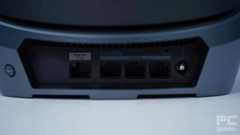
Coming to the ports, you get a main 2.5 Gbps WAN port for the internet connection. There are three available LAN ports, which are limited to a Gigabit, so it might feel limiting for some. Plus, you also get a USB 3.2 Type-A port for storage.
The 2.4 GHz band had a download speed of 59.4 Mbps, down to 0 Mbps at the farthest testing distance of 90ft. The 5 GHz band managed better speeds of 214 – 51.8 Mbps. As for upload speeds, the 2.4 GHz band had 40 – 0 Mbps, and the 5 GHz band managed 290 – 12.9 Mbps. So, while it may not be able to perform as well at long distances, it has enough speed to cater to various gaming and working sessions.
The 2.4 GHz has a latency of 14-32 ms, while the 5 GHz ranges from 7-17ms. However, it isn’t surprising to see the 5GHz frequency having better latency as it is less prone to electromagnetic interference and can deliver good speeds without interruption.
The Rapture GT6 does have more of a “gamer” aesthetic to it – but it shouldn’t stop you from using it as a regular WiFi router. Plus, as it is mesh-compatible, you’d be able to expand its reach in the future. Another perk here is that it doesn’t have external antennas – so it takes up less space.
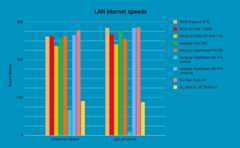
Router benchmark – LAN internet speeds, source PCGuide

Router benchmark – latency to router @ 2.4GHz, source PCGuide

Router benchmark – signal strength @ 5GHz, source PCGuide

Router benchmark – LAN read write speeds to SSD plugged into router, source PCGuide
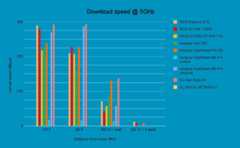
Router benchmark – download speed @ 5GHz, source PCGuide
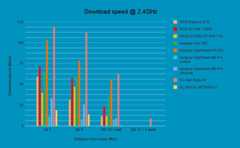
Router benchmark – download speed @ 2.4GHz, source PCGuide
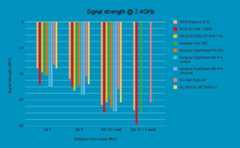
Router benchmark – signal strength @ 2.4GHz, source PCGuide
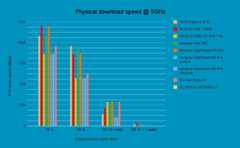
Router benchmark – physical download speed @ 5GHz, source PCGuide

Router benchmark – physical upload speed @ 2.4GHz, source PCGuide

Router benchmark – upload speed @ 2.4GHz, source PCGuide

Router benchmark – physical download speed @ 2.4GHz, source PCGuide
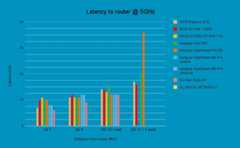
Router benchmark – latency to router @ 5GHz, source PCGuide

Router benchmark – physical upload speed @ 5GHz, source PCGuide









- Standard:WiFi 6E
- Frequency Bands:2.4GHz, 2x 5GHz, 6GHz
- Max Speed:10.8Gbps
- LAN Ports:1x 2.5Gbps, 3x 1Gbps (Router & Satellites)
- WAN: 1x 10Gbps (Router)
- CPU: Quad-Core 2.2GHz (Router & Satellites)
- Memory: 512MB NAND Flash and 1GB RAM (Router & Satellites)
- USB: None
- Dimensions: 279.4 x 190.5 x 76.2mm (11 x 7.5 x 3in)
- Weight: 1.36kg (3.0lbs)
- Suitable for large homes or offices
- Easy to set up with the app
- Good security features
- Lacks USB ports
- Most features are paid
If you have a large home or you’ve got a lot of area to cover, then you should consider getting the Netgear Orbi RBKE963 mesh router.
Inour review, we saw that the Netgear Orbi could reach the farthest corners of the office and still maintain a strong signal. You can read more about our hands-on experience in the review.
This is aWiFi 6E router, which is newer and more advanced than the WiFi 6. Three frequency bands are available – 6GHz, 2x 5GHz, and 2.5GHz. However, you’ll still be missing out on the latest Wi-Fi 7 technology.
To support such high speeds, you need powerful cores in the router. The mesh system comes with a Quad-core 2.2GHz CPU in the router as well as the satellites. Plus, they also feature 512MB NAND Flash and 1GB RAM for the memory to support the power and keep the speed up.
You also get the Netgear Armor, which adds an extra layer of security.
PC Guide
As with other routers, we checked the speed of this router at four different distances. The 2.4 GHz band managed download speeds of 65.3 to 35.5 Mbps and upload speeds of 67.9 to 6.2 Mbps. The 5GHz, unsurprisingly, has better performance, with download speeds ranging from 197 to 57 Mbps and upload speeds of 227 to 83.9 Mbps.
To set up the router, you will have to download the Netgear app. With the app, you will be able to gain better control of your network. You can change passwords, set up guest networks, and much more. However, a lot of the
From a security perspective, the Netgear offers 802.11i, 128-bit AES encryption with PSK, which safeguards your network. Plus, you also get the Netgear Armor, which adds an extra layer of security. However, note that this is a 30-day free trial, after which you will have to buy the service.







- Standard:Wi-Fi 6
- Frequency band:2.4GHz, 5GHz
- Max speed:1500Mbps
- LAN ports:3x 1Gbps
- WAN: 1x 1Gbps
- CPU: 1.8GHz quad-core
- Memory:
- USB: N/A
- Dimensions: 215x117x32mm (8.5×4.6×1.3in)
- Weight:
- Fairly inexpensive and a usable WiFi standard
- Lots of control and in-depth settings are available, including separating and choosing frequencies
- Quick and simple to set up with little waste inside
- No high-speed LAN ports for fast interconnectivity
- Light and lacking some range performance
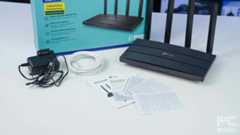
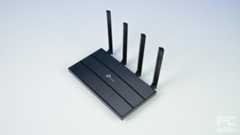
Not everyone has hundreds of dollars to spend on a new router. If you’re operating on a budget, we recommend the TP-Link Archer AX12 (AX1500).This is a solid router in the pocket-friendly category, and we’ve tested it in-house for our TP-Link Archer AX12 review. It has good performance with a simple design.
For starters, this is aWiFi 6 router, meaning you won’t be getting the 6GHz frequency that other routers offer, but you do get 2.4 and 5GHz bands, which should be more than enough for various tasks. It has a maximum speed of 1500 Mbps, three 1 Gbps LAN ports, and one 1 Gbps WAN port. This means it is capable of supporting high-speed internet connections and transmitting that via a wired or wireless connection.
The three LAN ports mean you can connect multiple devices to it and get fast internet speeds without interference. For example, you can connect your PC viaEthernet for work and a gaming console for when you’re done with work. I use this router as well, and I haven’t run into any issues with wired or wireless connections, as my PC is connected via Ethernet and the rest of the devices have WiFi.
The TP-Link Archer AX12 is a simple and easy router for most houses. By no means a gaming router or one with plenty of physical features, but it does provide a fast standard that will likely satisfy the needs of most households with WiFi 6.
PC Guide
We checked for its speed and range at 10ft, 30ft, 60ft with a wall in between, and 90ft with four walls between the router and the device. The two frequencies were only able to connect until the 60ft mark. The 2.4 GHz band download speed ranged from 22.1 to 4 Mbps, while the upload speed was 33.8 – 0.81 Mbps. As for the 5GHz band, the download speed was 63 Mbps, with the uploads ranging from 237 – 102 Mbps.
Overall, this is a solid router that gets the job done. While it may not have fancy features or the latest WiFi standard, its price is worth considering, and it still has decent features.

TP-Link Archer AX12 2.4GHz PHY down, Image by PC Guide

TP-Link Archer AX12 5GHz Latency, Image by PC Guide

TP-Link Archer AX12 2.4GHz PHY Upload speed, Image by PC Guide

TP-Link Archer AX12 2.4GHz download speed, Image by PC Guide
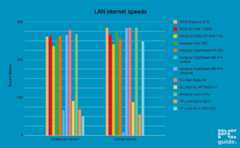
TP-Link Archer AX12 LAN speed, Image by PC Guide

TP-Link Archer AX12 5GHz signal strength, Image by PC Guide

TP-Link Archer AX12 2.4GHz signal strength, Image by PC Guide

TP-Link Archer AX12 2.4GHz Upload speed, Image by PC Guide

TP-Link Archer AX12 5GHz Upload Speed, Image by PC Guide

TP-Link Archer AX12 5GHz PHY down, Image by PC Guide
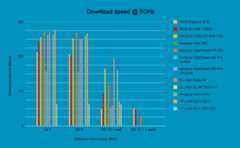
TP-Link Archer AX12 5GHz download, Image by PC Guide

TP-Link Archer AX12 2.4GHz latency, Image by PC Guide

TP-Link Archer AX12 5GHz PHY upload, Image by PC Guide











- Standard:WiFi 6E
- Frequency bands:2.4 GHz, 5 GHz-1, 5 GHz-2, 6 GHz
- Max speed:16000 Mbps
- LAN ports:2x 10Gbps (WAN/LAN), 4x 1Gbps
- WAN: 1x 2.5Gbps, 2x 10Gbps (WAN/LAN)
- CPU: 2.0GHz quad-core processor
- Memory: 256MB NAND flash and 2GB DDR4 RAM
- USB: 1x USB 3.2 Gen 1, 1x USB 2.0 Port
- Dimensions: 354 x 354 x 193mm
- Weight: 2425g
- Strong performance on ethernet and wireless
- Quad-band WiFi 6E for 6GHz adoption
- Easy to use app with many useful features
- Pricey for casual users
- The design might be flashy for some users
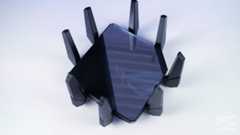
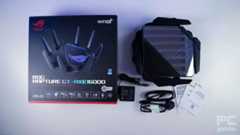
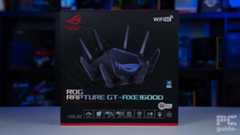
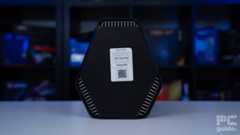
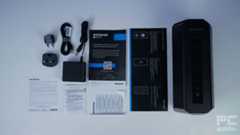
If you want a gaming router, the Asus ROG Rapture GT-AXE16000 is a good choice. This is a WiFi 6e router, which means you get one additional band than the WiFi 6 routers. Even though this is not as fast asWiFi 7, it should still get the job done. Neither 6E nor 7 is widely available yet, so you’re not missing out on anything.
Inour review, we found out that the WiFi router delivered good download and upload speeds over a wide network in our office. Plus, the latency for 2.5GHz was between 13 and 22 ms, which is quite low. For more information, you should check out our hands-on review.
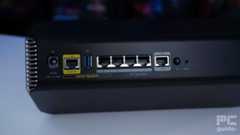
And so, with WiFi 6E, you get that 6GHz band that can deliver fast speeds on compatible devices. Plus, the two 5GHz bands and the 2.4GHz band expand the router’s bandwidth further. If you want to explore wired options, you will get 10Gbps LAN and WAN options. The router also offers 2 USB ports to expand connectivity options.
The app is quite intuitive, and you can adjust a lot of settings, including VPN, QoS, guest networks, and more.
PC Guide
During our testing, we also had a chance to look at the dedicated ASUS app, which you can use to set up the router. The app is quite intuitive, and you can adjust a lot of settings, including VPN, QoS, guest networks, and more.
The Asus ROG Rapture GT-AXE16000 has that “gamer” aesthetic. While that design is attractive to some, the mirrored finish on the top might attract fingerprints and dust – something to consider if you want something with minimal upkeep.





- Standard:WiFi 7
- Frequency Bands:2.4GHz, 5GHz, 6GHz
- Max Speed:19Gbps
- LAN Ports:1x 10Gbps, 4x 1Gbps
- WAN: 10Gbps
- CPU: Quad-core 2.6GHz
- Memory: 512MB NAND Flash and 2GB RAM
- USB: 1x USB 3.0 Type-A
- Dimensions: 281.7 x 124.0 x 142mm (11.1 x 4.9 x 5.6in)
- Weight: 1.635kg (3.61lb)
- Latest WiFi standard
- Future proof standards for WiFi, and 10Gbps WAN and LAN ports
- Dedicated app for settings
- WiFi 7 might be an overkill
- Expensive
- Paid Netgear features
If you want the latest tech and future-proof your Spectrum internet, then we think that the Netgear Nighthawk RS700S is a good choice.
This is aWiFi 7 router, which is the newest WiFi standard. This means you get faster speeds and much less interruption. You can split your network and choose among 2.4 GHz, 5 GHz, and 6 GHz bands. Or you can choose to let your devices pick the best speed. If you choose a wired connection, the router offers 10 Gig WAN and LAN ports, so your internet is not capped.
On the inside, the RS700S comes with a quad-core 2.6 GHz processor, 2GB of RAM, and 512MB of NAND Flash. This might sound like overkill for a router, but this is what keeps the router’s performance up under pressure.
The RS700S comes with a quad-core 2.6 GHz processor, 2GB of RAM, and 512MB of NAND Flash.
PC Guide
Inour review, we saw that the RS700S had the fastest file transfer speed. Plus, it delivered excellent speeds, and we got strong signals even at a long distance. However, as our office didn’t have a high-speed network, we were limited to WiFi 6. For a detailed overview, check out our review.
WiFi 7 (or even WiFi 6e, for that matter) is not widely used yet. Considering that this router doesn’t come cheap, it might be a significant investment for something that hasn’t become common yet.
Much like other Netgear routers on this list, this one also needs you to set up the app. The mobile app is quite handy, and you can set up parental controls, QoS, VPN, and a lot of other things with it. However, it also pushes a lot of reminders for their subscriptions.
Considerations for the best router for Spectrum
Selecting a router isn’t just about picking one of thebest wireless routers. Instead, there are a lot of boxes you need to tick first. To start with, you need to double-check whether a router is compatible with Spectrum or not. Once you confirm that, here are a few essential points that can help you pick the best router.
Wireless standards
As you will be using your router for quite a few years, you should get a router that has the latest wireless technology. At the moment, you can go for a WiFi 6, WiFi 6E, or Wifi 7 router, which are all new wireless standards.
Now, WiFi 6 is more commonly used, so most of the devices that you own will be able to take advantage of the high speed. However, if you have new devices that are compatible with WiFi 6E, you can consider getting WiFi 6E routers.
Coverage
The goal is to get a Spectrum router capable of covering the entire area and eliminating any dead zones. Most of the routers’ product descriptions mention the approximate area covered by the router, so you should get an idea.
For instance, some of thebest routers for large homes can cover a 6,000 sq. ft. area or more. On the other hand, a router covering 2500 to 3000 sq. ft. is more suitable for a small home. You may also be interested in checking out some of thebest mesh routers, as these are also great when it comes to range.

Number of devices supported
If you’re planning to use the router in your office where several people will be connecting to the same network, you’d want to go with a router that can handle multiple devices.
Some routers can only support up to 10 devices at the same time. However, you can also find routers that can connect with up to 50 or more devices simultaneously. Just make sure the router has a good processor and enough RAM so it can perform well under load.
Wired connectivity
If you have the 1 Gbps plan from Spectrum, then you’ll need to opt for a router that comes with at least one Gigabit port. However, if you have multiple devices that require an Ethernet connection, then you’ll need to pick the one with at least 4 Gigabit ports. You can also find multi-gig ports on some routers, but they are overkill for Spectrum.
Security
Most routers offer basic network security, parental controls, guest network setups, and other security features for free. However, some advanced features might be “premium,” and you can get those at an additional cost. Such features are mostly found in thebest secure routers.
What is the fastest Internet speed on Spectrum?
The fastest internet plan from Spectrum offers speeds of up to 1 Gbps. This is one of the reasons why you don’t need a router with a multi-gig port for it.
Is it better to use your own router with Spectrum?
As you have to pay an additional monthly fee for the official Spectrum router, and considering it is not that good, you’re better off using your own router. There are different brands in the market, such as Asus, Netgear, and TP-Link, that make some of the best Spectrum-compatible routers.

How can I make my Spectrum WiFi stronger?
If you’re using a Spectrum WiFi router, there are a few methods to try to improve your signal. Here are theSpectrum recommended solutions:
- Place your modem and WiFi router in a central location.
- Avoid signal blockers, such as baby monitors, wireless headphones, microwaves, etc.
- Place your router away from obstructions such as cabinets, windows, etc.
- Periodically reboot your modem and router.
If that doesn’t fix it, it might be better to upgrade your router to a different model. That way, you can get one that does better to get the signal out further, or a whole mesh system for covering a larger area.
About the Author
With a fascination for technology and games, Seb is a tech writer with a focus on hardware, news, and deals. He is also a tester and reviewer for the site. Contact him @[email protected]
Our team of experts use a combination of independent consumer research, in-depth testing where appropriate - which will be flagged as such, and market analysis when recommending products, software and services.Find out how we test here.

Related Articles

Three NVIDIA-powered gaming PCs that should be at the top of any tech-lover’s Christmas list
Last Updated Nov 28, 2025· byAaron Ritchie
Best routers for fiber internet 2025: our top picks for fast broadband
Last Updated Feb 23, 2023· bySebastian KozlowskiBest WiFi routers 2025: our top tested models including WiFi 6, 6E, 7, and portable picks
Last Updated Apr 6, 2023· byKevin PocockBest Wi-Fi router for large home in 2025 – our top picks
Last Updated Mar 22, 2023· bySean TraynorBest gaming routers in 2025 – Our top picks
Last Updated Apr 27, 2023· byAndrew Kirkcaldy
Netgear Nighthawk RS600 review: a high-quality and fast WiFi 7 router with a few flaws
Last Updated Nov 26, 2025· bySebastian Kozlowski
Acer Wave 7 review: strong mesh WiFi 7 router with some limitations in design
Last Updated Sep 29, 2025· bySebastian KozlowskiAcer Predator Connect X7 5G CPE review: future-proof WiFi 7 gaming connectivity
Last Updated Sep 29, 2025· bySebastian KozlowskiNetgear Nighthawk M3 review: a strong mobile hotspot router for a specific niche
Last Updated Sep 22, 2025· bySebastian Kozlowski