TA-Lib
Even ifbacktrader offers an already high number of built-in indicators anddeveloping an indicator is mostly a matter of defining the inputs, outputs andwriting the formula in a natural manner, some people want to useTA-LIB. Someof the reasons:
In order to satisfy each and every taste,TA-LIB integration is offered.
Requirements
The installation details are on theGitHub repository
Usingta-lib
As easy as using any of the indicators already built-in inbacktrader. Example of aSimple Moving Average. First thebacktraderone:
importbacktraderasbtclassMyStrategy(bt.Strategy):params=(('period',20),)def__init__(self):self.sma=bt.indicators.SMA(self.data,period=self.p.period)......
Now theta-lib example:
importbacktraderasbtclassMyStrategy(bt.Strategy):params=(('period',20),)def__init__(self):self.sma=bt.talib.SMA(self.data,timeperiod=self.p.period)......
Et voilá! Of course theparams for theta-lib indicators are defined by thelibrary itself and not bybacktrader. In this case theSMA inta-libtakes a parameter namedtimeperiod to defined the size of the operatingwindow.
For indicators that require more than one input, for example theStochastic:
importbacktraderasbtclassMyStrategy(bt.Strategy):params=(('period',20),)def__init__(self):self.stoc=bt.talib.STOCH(self.data.high,self.data.low,self.data.close,fastk_period=14,slowk_period=3,slowd_period=3)......
Notice howhigh,low andclose have been individually passed. Onecould always passopen instead oflow (or any other data series) andexperiment.
Theta-lib indicator documentation is automatically parsed and added to thebacktrader docs. You may also check theta-lib source code/docs. Oradittionally do:
print(bt.talib.SMA.__doc__)
Which in this case outputs:
SMA([input_arrays],[timeperiod=30])SimpleMovingAverage(OverlapStudies)Inputs:price:(anyndarray)Parameters:timeperiod:30Outputs:real
Which offers some information:
WhichInput is to be expected (DISREGARD the ``ndarray`` comment because backtrader manages the conversions in the background)
Whichparameters and which default values
Which outputlines the indicator actually offers
Moving Averages and MA_Type
To select a specificmoving average for indicators likebt.talib.STOCH,the standardta-libMA_Type is accesible withbacktrader.talib.MA_Type. For example:
importbacktraderasbtprint('SMA:',bt.talib.MA_Type.SMA)print('T3:',bt.talib.MA_Type.T3)
Plotting ta-lib indicators
Just as with regular usage, there is nothing special to do to plot theta-libindicators.
Note
Indicators which output aCANDLE (all those looking for acandlestick pattern) deliver a binary output: either 0 or 100. Inorder to avoid adding asubplot to the chart, there is anautomated plotting translation to plot them over thedata at thepoint in time in which the pattern was recognized.
Examples and comparisons
The following are plots comparing the outputs of someta-lib indicatorsagainst the equivalent built-in indicators inbacktrader. To consider:
Theta-lib indicators get aTA_ prefix on the plot. This is specifically done by the sample to help the user spot which is which
Moving Averages (if both deliver the same result) will be plottedON top of the other existingMoving Average. The two indicators cannot be seen separately and the test is a pass if that’s the case.
All samples include aCDLDOJI indicator as a reference
KAMA (Kaufman Moving Average)
This is the 1st example because it is the only (from all indicators which thesample directly compare) that has a difference:
The initial values of the the samples are not the same
At some point in time, the values converge and bothKAMA implementations have the same behavior.
After having analyzed theta-lib source code:
The implementation inta-lib makes a non-industry standard choice for the 1st values of theKAMA.
The choice can be seen in the source code quoting from the source code):The yesterday price is used here as the previous KAMA.
backtrader does the usual choice which is the same as for example the onefromStockcharts:
Hence the difference. Furthermore:
- Theta-lib
KAMA implementation doesn’t allow specifying thefast andslow periods for the adjustment of thescalable constant defined byKaufman.
Sample execution:
$ ./talibtest.py --plot --ind kama
Output
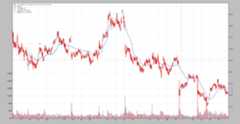
SMA
$ ./talibtest.py --plot --ind sma
Output
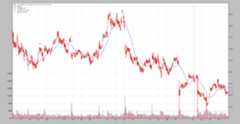
EMA
$ ./talibtest.py --plot --ind ema
Output
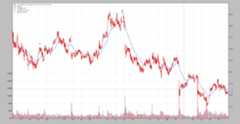
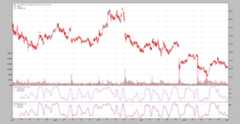
Stochastic
$ ./talibtest.py --plot --ind stoc
Output
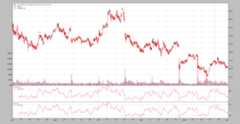
RSI
$ ./talibtest.py --plot --ind rsi
Output
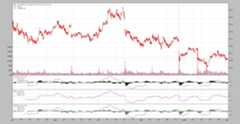
MACD
$ ./talibtest.py --plot --ind macd
Output
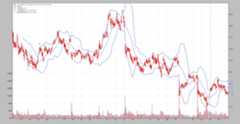
Bollinger Bands
$ ./talibtest.py --plot --ind bollinger
Output
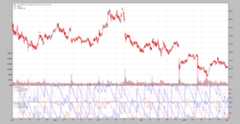
AROON
Note thatta-lib chooses to put thedown line first and the colours areinverted when compared with thebacktrader built-in indicator.
$ ./talibtest.py --plot --ind aroon
Output
Ultimate Oscillator
$ ./talibtest.py --plot --ind ultimate
Output
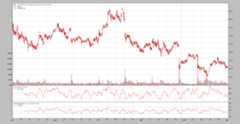
Trix
$ ./talibtest.py --plot --ind trix
Output
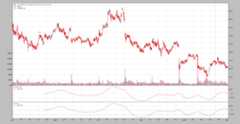
ADXR
Herebacktrader offers both theADX andADXR lines.
$ ./talibtest.py --plot --ind adxr
Output
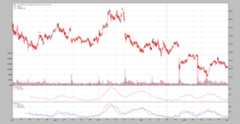
DEMA
$ ./talibtest.py --plot --ind dema
Output
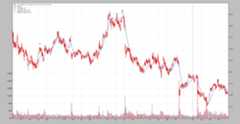
TEMA
$ ./talibtest.py --plot --ind tema
Output
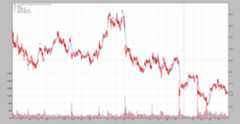
PPO
Herebacktrader offers not only theppo line, but a more traditionalmacd approach.
$ ./talibtest.py --plot --ind ppo
Output
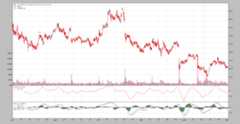
WilliamsR
$ ./talibtest.py --plot --ind williamsr
Output
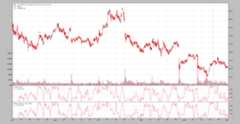
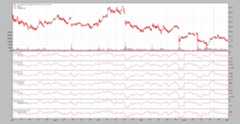
ROC
All indicators show have exactly the same shape, but how to trackmomentum orrate of change has several definitions
$ ./talibtest.py --plot --ind roc
Output
Sample Usage
$ ./talibtest.py --helpusage: talibtest.py [-h] [--data0 DATA0] [--fromdate FROMDATE] [--todate TODATE] [--ind {sma,ema,stoc,rsi,macd,bollinger,aroon,ultimate,trix,kama,adxr,dema,tema,ppo,williamsr,roc}] [--no-doji] [--use-next] [--plot [kwargs]]Sample for ta-liboptional arguments: -h, --help show this help message and exit --data0 DATA0 Data to be read in (default: ../../datas/yhoo-1996-2015.txt) --fromdate FROMDATE Starting date in YYYY-MM-DD format (default: 2005-01-01) --todate TODATE Ending date in YYYY-MM-DD format (default: 2006-12-31) --ind {sma,ema,stoc,rsi,macd,bollinger,aroon,ultimate,trix,kama,adxr,dema,tema,ppo,williamsr,roc} Which indicator pair to show together (default: sma) --no-doji Remove Doji CandleStick pattern checker (default: False) --use-next Use next (step by step) instead of once (batch) (default: False) --plot [kwargs], -p [kwargs] Plot the read data applying any kwargs passed For example (escape the quotes if needed): --plot style="candle" (to plot candles) (default: None)
Sample Code
from__future__import(absolute_import,division,print_function,unicode_literals)importargparseimportdatetimeimportbacktraderasbtclassTALibStrategy(bt.Strategy):params=(('ind','sma'),('doji',True),)INDS=['sma','ema','stoc','rsi','macd','bollinger','aroon','ultimate','trix','kama','adxr','dema','ppo','tema','roc','williamsr']def__init__(self):ifself.p.doji:bt.talib.CDLDOJI(self.data.open,self.data.high,self.data.low,self.data.close)ifself.p.ind=='sma':bt.talib.SMA(self.data.close,timeperiod=25,plotname='TA_SMA')bt.indicators.SMA(self.data,period=25)elifself.p.ind=='ema':bt.talib.EMA(timeperiod=25,plotname='TA_SMA')bt.indicators.EMA(period=25)elifself.p.ind=='stoc':bt.talib.STOCH(self.data.high,self.data.low,self.data.close,fastk_period=14,slowk_period=3,slowd_period=3,plotname='TA_STOCH')bt.indicators.Stochastic(self.data)elifself.p.ind=='macd':bt.talib.MACD(self.data,plotname='TA_MACD')bt.indicators.MACD(self.data)bt.indicators.MACDHisto(self.data)elifself.p.ind=='bollinger':bt.talib.BBANDS(self.data,timeperiod=25,plotname='TA_BBANDS')bt.indicators.BollingerBands(self.data,period=25)elifself.p.ind=='rsi':bt.talib.RSI(self.data,plotname='TA_RSI')bt.indicators.RSI(self.data)elifself.p.ind=='aroon':bt.talib.AROON(self.data.high,self.data.low,plotname='TA_AROON')bt.indicators.AroonIndicator(self.data)elifself.p.ind=='ultimate':bt.talib.ULTOSC(self.data.high,self.data.low,self.data.close,plotname='TA_ULTOSC')bt.indicators.UltimateOscillator(self.data)elifself.p.ind=='trix':bt.talib.TRIX(self.data,timeperiod=25,plotname='TA_TRIX')bt.indicators.Trix(self.data,period=25)elifself.p.ind=='adxr':bt.talib.ADXR(self.data.high,self.data.low,self.data.close,plotname='TA_ADXR')bt.indicators.ADXR(self.data)elifself.p.ind=='kama':bt.talib.KAMA(self.data,timeperiod=25,plotname='TA_KAMA')bt.indicators.KAMA(self.data,period=25)elifself.p.ind=='dema':bt.talib.DEMA(self.data,timeperiod=25,plotname='TA_DEMA')bt.indicators.DEMA(self.data,period=25)elifself.p.ind=='ppo':bt.talib.PPO(self.data,plotname='TA_PPO')bt.indicators.PPO(self.data,_movav=bt.indicators.SMA)elifself.p.ind=='tema':bt.talib.TEMA(self.data,timeperiod=25,plotname='TA_TEMA')bt.indicators.TEMA(self.data,period=25)elifself.p.ind=='roc':bt.talib.ROC(self.data,timeperiod=12,plotname='TA_ROC')bt.talib.ROCP(self.data,timeperiod=12,plotname='TA_ROCP')bt.talib.ROCR(self.data,timeperiod=12,plotname='TA_ROCR')bt.talib.ROCR100(self.data,timeperiod=12,plotname='TA_ROCR100')bt.indicators.ROC(self.data,period=12)bt.indicators.Momentum(self.data,period=12)bt.indicators.MomentumOscillator(self.data,period=12)elifself.p.ind=='williamsr':bt.talib.WILLR(self.data.high,self.data.low,self.data.close,plotname='TA_WILLR')bt.indicators.WilliamsR(self.data)defrunstrat(args=None):args=parse_args(args)cerebro=bt.Cerebro()dkwargs=dict()ifargs.fromdate:fromdate=datetime.datetime.strptime(args.fromdate,'%Y-%m-%d')dkwargs['fromdate']=fromdateifargs.todate:todate=datetime.datetime.strptime(args.todate,'%Y-%m-%d')dkwargs['todate']=todatedata0=bt.feeds.YahooFinanceCSVData(dataname=args.data0,**dkwargs)cerebro.adddata(data0)cerebro.addstrategy(TALibStrategy,ind=args.ind,doji=notargs.no_doji)cerebro.run(runcone=notargs.use_next,stdstats=False)ifargs.plot:pkwargs=dict(style='candle')ifargs.plotisnotTrue:# evals to True but is not Truenpkwargs=eval('dict('+args.plot+')')# args were passedpkwargs.update(npkwargs)cerebro.plot(**pkwargs)defparse_args(pargs=None):parser=argparse.ArgumentParser(formatter_class=argparse.ArgumentDefaultsHelpFormatter,description='Sample for sizer')parser.add_argument('--data0',required=False,default='../../datas/yhoo-1996-2015.txt',help='Data to be read in')parser.add_argument('--fromdate',required=False,default='2005-01-01',help='Starting date in YYYY-MM-DD format')parser.add_argument('--todate',required=False,default='2006-12-31',help='Ending date in YYYY-MM-DD format')parser.add_argument('--ind',required=False,action='store',default=TALibStrategy.INDS[0],choices=TALibStrategy.INDS,help=('Which indicator pair to show together'))parser.add_argument('--no-doji',required=False,action='store_true',help=('Remove Doji CandleStick pattern checker'))parser.add_argument('--use-next',required=False,action='store_true',help=('Use next (step by step) ''instead of once (batch)'))# Plot optionsparser.add_argument('--plot','-p',nargs='?',required=False,metavar='kwargs',const=True,help=('Plot the read data applying any kwargs passed\n''\n''For example (escape the quotes if needed):\n''\n'' --plot style="candle" (to plot candles)\n'))ifpargsisnotNone:returnparser.parse_args(pargs)returnparser.parse_args()if__name__=='__main__':runstrat()