Data - Replay
The time is gone and testing a strategy against a fully formed and closed bar isgood, but it could be better.
This is whereData Replay comes in to help. If:
- The strategy operates on data with a timeframe X (example: daily)
and
- Data for a smaller timeframe Y (example: 1 minute) is available
Data replay does exactly what the name implies:
- Replay a daily bar using the 1 minute data
This is of course not exactly how the market developed, but it is far betterthan looking at the daily fully formed and closed bar in isolation:
If the strategy operates in realtime during the formation of the daily bar,the approximation of the formation of the bar gives a chance to replicate theactual behavior of the strategy under real conditions
PuttingData Replay into action follows the regular usage patterns ofbacktrader
Note
Preloading is not supported when data is being replayed because each baris actually built in real-time. It will automatically disabled in anyCerebro instance.
Parameters which can be passed toreplaydata:
timeframe (default: bt.TimeFrame.Days)
Destination timeframe which to be useful has tobe equal or larger than the source
compression (default: 1)
Compress the selected value “n” to 1 bar
Extended parameters (do not touch if not really needed):
bar2edge (default: True)
replays using time boundaries as the target of the closed bar. Forexample with a “ticks -> 5 seconds” the resulting 5 seconds bars willbe aligned to xx:00, xx:05, xx:10 …
adjbartime (default: False)
Use the time at the boundary to adjust the time of the deliveredresampled bar instead of the last seen timestamp. If resampling to “5seconds” the time of the bar will be adjusted for example to hh 05even if the last seen timestamp was hh04.33
NOTE: Time will only be adjusted if “bar2edge” is True. It wouldn’t makesense to adjust the time if the bar has not been aligned to aboundary
rightedge (default: True)
Use the right edge of the time boundaries to set the time.
If False and compressing to 5 seconds the time of a resampled bar forseconds between hh00 and hh04 will be hh00 (the startingboundary
If True the used boundary for the time will be hh05 (the endingboundary)
For the sake of working with a example the standard 2006 daily data will bereplayed on a weekly basis. Which means:
There will finally be 52 bars, one for each week
Cerebro will callprenext andnext a total of 255 times, which is the original count of daily bars
The trick:
When a weekly bar is forming, the length (len(self)) of the strategy will remain unchanged.
With each new week the length will increase by one
Some examples below, but first the sauce of the test script in which the data isloaded and passed to cerebro withreplaydata … and thenrun.
# Load the Datadatapath=args.datanameor'../../datas/2006-day-001.txt'data=btfeeds.BacktraderCSVData(dataname=datapath)# Handy dictionary for the argument timeframe conversiontframes=dict(daily=bt.TimeFrame.Days,weekly=bt.TimeFrame.Weeks,monthly=bt.TimeFrame.Months)# First add the original data - smaller timeframecerebro.replaydata(data,timeframe=tframes[args.timeframe],compression=args.compression)
Example - Replay Daily to Weekly
The invocation of the script:
$ ./replay-example.py --timeframe weekly --compression 1
The chart cannot unfortunately show us the real thing happening in thebackground, so let’s have a look at the console output:
prenext len 1 - counter 1prenext len 1 - counter 2prenext len 1 - counter 3prenext len 1 - counter 4prenext len 1 - counter 5prenext len 2 - counter 6......prenext len 9 - counter 44prenext len 9 - counter 45---next len 10 - counter 46---next len 10 - counter 47---next len 10 - counter 48---next len 10 - counter 49---next len 10 - counter 50---next len 11 - counter 51---next len 11 - counter 52---next len 11 - counter 53......---next len 51 - counter 248---next len 51 - counter 249---next len 51 - counter 250---next len 51 - counter 251---next len 51 - counter 252---next len 52 - counter 253---next len 52 - counter 254---next len 52 - counter 255
As we see the internalself.counter variable is keeping track of each callto eitherprenext ornext. The former being called before the appliedSimple Moving Average produces a value. The latter called when the Simple MovingAverage is producing values.
The key:
- The length (len(self)) of the strategy changes every 5 bars (5 trading days in the week)
The strategy is effectively seeing:
How the weekly bar developed in 5 shots.
This, again, doesn’t replicate the actual tick-by-tick (and not even minute,hour) development of the market, but it is better than actually seeing abar.
The visual output is that of the weekly chart which is the final outcome thesystem is being tested again.

Example 2 - Daily to Daily with Compression
Of course “Replaying” can be applied to the same timeframe but with acompression.
The console:
$ ./replay-example.py --timeframe daily --compression 2prenext len 1 - counter 1prenext len 1 - counter 2prenext len 2 - counter 3prenext len 2 - counter 4prenext len 3 - counter 5prenext len 3 - counter 6prenext len 4 - counter 7......---next len 125 - counter 250---next len 126 - counter 251---next len 126 - counter 252---next len 127 - counter 253---next len 127 - counter 254---next len 128 - counter 255
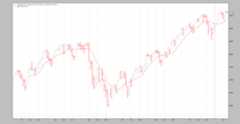
This time we got half the bars as expected because of the factor 2 requested compression.
The chart:
Conclusion
A reconstruction of the market development is possible. Usually a smallertimeframe set of data is available and can be used to discretely replay thetimeframe which the system operates on.
The test script.
from__future__import(absolute_import,division,print_function,unicode_literals)importargparseimportbacktraderasbtimportbacktrader.feedsasbtfeedsimportbacktrader.indicatorsasbtindclassSMAStrategy(bt.Strategy):params=(('period',10),('onlydaily',False),)def__init__(self):self.sma=btind.SMA(self.data,period=self.p.period)defstart(self):self.counter=0defprenext(self):self.counter+=1print('prenext len%d - counter%d'%(len(self),self.counter))defnext(self):self.counter+=1print('---next len%d - counter%d'%(len(self),self.counter))defrunstrat():args=parse_args()# Create a cerebro entitycerebro=bt.Cerebro(stdstats=False)cerebro.addstrategy(SMAStrategy,# args for the strategyperiod=args.period,)# Load the Datadatapath=args.datanameor'../../datas/2006-day-001.txt'data=btfeeds.BacktraderCSVData(dataname=datapath)# Handy dictionary for the argument timeframe conversiontframes=dict(daily=bt.TimeFrame.Days,weekly=bt.TimeFrame.Weeks,monthly=bt.TimeFrame.Months)# First add the original data - smaller timeframecerebro.replaydata(data,timeframe=tframes[args.timeframe],compression=args.compression)# Run over everythingcerebro.run()# Plot the resultcerebro.plot(style='bar')defparse_args():parser=argparse.ArgumentParser(description='Pandas test script')parser.add_argument('--dataname',default='',required=False,help='File Data to Load')parser.add_argument('--timeframe',default='weekly',required=False,choices=['daily','weekly','monhtly'],help='Timeframe to resample to')parser.add_argument('--compression',default=1,required=False,type=int,help='Compress n bars into 1')parser.add_argument('--period',default=10,required=False,type=int,help='Period to apply to indicator')returnparser.parse_args()if__name__=='__main__':runstrat()