I've recently started maintaining someone else's JavaScript code. I'm fixing bugs, adding features and also trying to tidy up the code and make it more consistent.
The previous developer used two ways of declaring functions and I can't work out if there is a reason behind it or not.
The two ways are:
var functionOne = function() { // Some code};And,
function functionTwo() { // Some code}What are the reasons for using these two different methods and what are the pros and cons of each? Is there anything that can be done with one method that can't be done with the other?

- Why is it a var and not a const?Pavel Fedotov– Pavel Fedotov2025-06-14 17:21:15 +00:00CommentedJun 14 at 17:21
42 Answers42
The difference is thatfunctionOne is afunction expression and so only defined when that line is reached, whereasfunctionTwo is afunction declaration and is defined as soon as its surrounding function or script is executed (due tohoisting).
For example, a function expression:
// TypeError: functionOne is not a functionfunctionOne();var functionOne = function() { console.log("Hello!");};And, a function declaration:
// Outputs: "Hello!"functionTwo();function functionTwo() { console.log("Hello!");}Historically, function declarations defined within blocks were handled inconsistently between browsers.Strict mode (introduced in ES5) resolved this by scoping function declarations to their enclosing block.
'use strict'; { // note this block! function functionThree() { console.log("Hello!"); }}functionThree(); // ReferenceError

6 Comments

let orconst to define a variable that was closed over by a function within it, and applying that rule consistently is probably better than applying it only when unavoidable.
var functionOne as well asfunction functionTwo get hoisted to some degree - it's just that functionOne is set to undefined (you could call it half-hoisting, variables always get hoisted only to that degree) whereas function functionTwo is fully hoisted in that it's defined and declared. Invoking something that's undefined will of course then throw a typeError.
var case, when one useslet functionFour = function () {...}. In this case declaration oflet functionFour is hoisted. But it does not get initialized, not even with anundefined value. So it produces a slightly different error:Uncaught ReferenceError: Cannot access 'functionFour' before initialization The same holds forconst.
First I want to correct Greg:function abc(){} is scoped too — the nameabc is defined in the scope where this definition is encountered. Example:
function xyz(){ function abc(){}; // abc is defined here...}// ...but not hereSecondly, it is possible to combine both styles:
var xyz = function abc(){};xyz is going to be defined as usual,abc is undefined in all browsers but Internet Explorer — do not rely on it being defined. But it will be defined inside its body:
var xyz = function abc(){ // xyz is visible here // abc is visible here}// xyz is visible here// abc is undefined hereIf you want to alias functions on all browsers, use this kind of declaration:
function abc(){};var xyz = abc;In this case, bothxyz andabc are aliases of the same object:
console.log(xyz === abc); // prints "true"One compelling reason to use the combined style is the "name" attribute of function objects (not supported by Internet Explorer). Basically when you define a function like
function abc(){};console.log(abc.name); // prints "abc"its name is automatically assigned. But when you define it like
var abc = function(){};console.log(abc.name); // prints ""its name is empty — we created an anonymous function and assigned it to some variable.
Another good reason to use the combined style is to use a short internal name to refer to itself, while providing a long non-conflicting name for external users:
// Assume really.long.external.scoped is {}really.long.external.scoped.name = function shortcut(n){ // Let it call itself recursively: shortcut(n - 1); // ... // Let it pass itself as a callback: someFunction(shortcut); // ...}In the example above we can do the same with an external name, but it'll be too unwieldy (and slower).
(Another way to refer to itself is to usearguments.callee, which is still relatively long, and not supported in the strict mode.)
Deep down, JavaScript treats both statements differently. This is a function declaration:
function abc(){}abc here is defined everywhere in the current scope:
// We can call it hereabc(); // Works// Yet, it is defined down there.function abc(){}// We can call it againabc(); // WorksAlso, it hoisted through areturn statement:
// We can call it hereabc(); // Worksreturn;function abc(){}This is a function expression:
var xyz = function(){};xyz here is defined from the point of assignment:
// We can't call it herexyz(); // UNDEFINED!!!// Now it is definedxyz = function(){}// We can call it herexyz(); // worksFunction declaration vs. function expression is the real reason why there is a difference demonstrated by Greg.
Fun fact:
var xyz = function abc(){};console.log(xyz.name); // Prints "abc"Personally, I prefer the "function expression" declaration because this way I can control the visibility. When I define the function like
var abc = function(){};I know that I defined the function locally. When I define the function like
abc = function(){};I know that I defined it globally providing that I didn't defineabc anywhere in the chain of scopes. This style of definition is resilient even when used insideeval(). While the definition
function abc(){};depends on the context and may leave you guessing where it is actually defined, especially in the case ofeval() — the answer is: It depends on the browser.


7 Comments


abc is not the function itself but rather that function's return value. It makes sense for abc.name to be empty, because abc returns an unnamed function. @ikirachen mentioned removing the() because that is what is invoking the function. Without that, it's just wrapped in superfluous parentheses.var will be function-scoped as usual, but that anonymous function is no longer accessible outside of the parentheses it's wrapped in. Thankfully these days we havelet, which uses the block scoping the average (sane) person would expect. It's best to pretendvar doesn't exist, in my opinion.Here's the rundown on the standard forms that create functions:(Originally written for another question, but adapted after being moved into the canonical question.)
Terms:
- ES5:ECMAScript 5th edition, 2009
- ES2015:ECMAScript 2015 (also known as "ES6")
The quick list:
Function Declaration
"Anonymous"
functionExpression(which despite the term, sometimes create functions with names)Named
functionExpressionAccessor Function Initializer (ES5+)
Arrow Function Expression (ES2015+)(which, like anonymous function expressions, don't involve an explicit name, and yet can create functions with names)
Method Declaration in Object Initializer (ES2015+)
Constructor and Method Declarations in
class(ES2015+)
Function Declaration
The first form is afunction declaration, which looks like this:
function x() { console.log('x');}A function declaration is adeclaration; it's not a statement or expression. As such, you don't follow it with a; (although doing so is harmless).
A function declaration is processed when execution enters the context in which it appears,before any step-by-step code is executed. The function it creates is given a proper name (x in the example above), and that name is put in the scope in which the declaration appears.
Because it's processed before any step-by-step code in the same context, you can do things like this:
x(); // Works even though it's above the declarationfunction x() { console.log('x');}Until ES2015, the spec didn't cover what a JavaScript engine should do if you put a function declaration inside a control structure liketry,if,switch,while, etc., like this:
if (someCondition) { function foo() { // <===== HERE THERE } // <===== BE DRAGONS}And since they're processedbefore step-by-step code is run, it's tricky to know what to do when they're in a control structure.
Although doing this wasn'tspecified until ES2015, it was anallowable extension to support function declarations in blocks. Unfortunately (and inevitably), different engines did different things.
As of ES2015, the specification says what to do. In fact, it gives three separate things to do:
- If in loose modenot on a web browser, the JavaScript engine is supposed to do one thing
- If in loose mode on a web browser, the JavaScript engine is supposed to do something else
- If instrict mode (browser or not), the JavaScript engine is supposed to do yet another thing
The rules for the loose modes are tricky, but instrict mode, function declarations in blocks are easy: They're local to the block (they haveblock scope, which is also new in ES2015), and they're hoisted to the top of the block. So:
"use strict";if (someCondition) { foo(); // Works just fine function foo() { }}console.log(typeof foo); // "undefined" (`foo` is not in scope here // because it's not in the same block)"Anonymous"function Expression
The second common form is called ananonymous function expression:
var y = function () { console.log('y');};Like all expressions, it's evaluated when it's reached in the step-by-step execution of the code.
In ES5, the function this creates has no name (it's anonymous). In ES2015, the function is assigned a name if possible by inferring it from context. In the example above, the name would bey. Something similar is done when the function is the value of a property initializer. (For details on when this happens and the rules, search forSetFunctionName in thethe specification — it appearsall over the place.)
Namedfunction Expression
The third form is anamed function expression ("NFE"):
var z = function w() { console.log('zw')};The function this creates has a proper name (w in this case). Like all expressions, this is evaluated when it's reached in the step-by-step execution of the code. The name of the function isnot added to the scope in which the expression appears; the nameis in scope within the function itself:
var z = function w() { console.log(typeof w); // "function"};console.log(typeof w); // "undefined"Note that NFEs have frequently been a source of bugs for JavaScript implementations. IE8 and earlier, for instance, handle NFEscompletely incorrectly, creating two different functions at two different times. Early versions of Safari had issues as well. The good news is that current versions of browsers (IE9 and up, current Safari) don't have those issues any more. (But as of this writing, sadly, IE8 remains in widespread use, and so using NFEs with code for the web in general is still problematic.)
Accessor Function Initializer (ES5+)
Sometimes functions can sneak in largely unnoticed; that's the case withaccessor functions. Here's an example:
var obj = { value: 0, get f() { return this.value; }, set f(v) { this.value = v; }};console.log(obj.f); // 0console.log(typeof obj.f); // "number"Note that when I used the function, I didn't use()! That's because it's anaccessor function for a property. We get and set the property in the normal way, but behind the scenes, the function is called.
You can also create accessor functions withObject.defineProperty,Object.defineProperties, and the lesser-known second argument toObject.create.
Arrow Function Expression (ES2015+)
ES2015 brings us thearrow function. Here's one example:
var a = [1, 2, 3];var b = a.map(n => n * 2);console.log(b.join(", ")); // 2, 4, 6See thatn => n * 2 thing hiding in themap() call? That's a function.
A couple of things about arrow functions:
They don't have their own
this. Instead, theyclose over thethisof the context where they're defined. (They also close overargumentsand, where relevant,super.) This means that thethiswithin them is the same as thethiswhere they're created, and cannot be changed.As you'll have noticed with the above, you don't use the keyword
function; instead, you use=>.
Then => n * 2 example above is one form of them. If you have multiple arguments to pass the function, you use parens:
var a = [1, 2, 3];var b = a.map((n, i) => n * i);console.log(b.join(", ")); // 0, 2, 6(Remember thatArray#map passes the entry as the first argument, and the index as the second.)
In both cases, the body of the function is just an expression; the function's return value will automatically be the result of that expression (you don't use an explicitreturn).
If you're doing more than just a single expression, use{} and an explicitreturn (if you need to return a value), as normal:
var a = [ {first: "Joe", last: "Bloggs"}, {first: "Albert", last: "Bloggs"}, {first: "Mary", last: "Albright"}];a = a.sort((a, b) => { var rv = a.last.localeCompare(b.last); if (rv === 0) { rv = a.first.localeCompare(b.first); } return rv;});console.log(JSON.stringify(a));The version without{ ... } is called an arrow function with anexpression body orconcise body. (Also: Aconcise arrow function.) The one with{ ... } defining the body is an arrow function with afunction body. (Also: Averbose arrow function.)
Method Declaration in Object Initializer (ES2015+)
ES2015 allows a shorter form of declaring a property that references a function called amethod definition; it looks like this:
var o = { foo() { }};the almost-equivalent in ES5 and earlier would be:
var o = { foo: function foo() { }};the difference (other than verbosity) is that a method can usesuper, but a function cannot. So for instance, if you had an object that defined (say)valueOf using method syntax, it could usesuper.valueOf() to get the valueObject.prototype.valueOf would have returned (before presumably doing something else with it), whereas the ES5 version would have to doObject.prototype.valueOf.call(this) instead.
That also means that the method has a reference to the object it was defined on, so if that object is temporary (for instance, you're passing it intoObject.assign as one of the source objects), method syntaxcould mean that the object is retained in memory when otherwise it could have been garbage collected (if the JavaScript engine doesn't detect that situation and handle it if none of the methods usessuper).
Constructor and Method Declarations inclass (ES2015+)
ES2015 brings usclass syntax, including declared constructors and methods:
class Person { constructor(firstName, lastName) { this.firstName = firstName; this.lastName = lastName; } getFullName() { return this.firstName + " " + this.lastName; }}There are two function declarations above: One for the constructor, which gets the namePerson, and one forgetFullName, which is a function assigned toPerson.prototype.

Comments
Speaking about the global context, both, thevar statement and aFunctionDeclaration at the end will create anon-deleteable property on the global object, but the value of bothcan be overwritten.
The subtle difference between the two ways is that when theVariable Instantiation process runs (before the actual code execution) all identifiers declared withvar will be initialized withundefined, and the ones used by theFunctionDeclaration's will be available since that moment, for example:
alert(typeof foo); // 'function', it's already available alert(typeof bar); // 'undefined' function foo () {} var bar = function () {}; alert(typeof bar); // 'function'The assignment of thebarFunctionExpression takes place until runtime.
A global property created by aFunctionDeclaration can be overwritten without any problems just like a variable value, e.g.:
function test () {} test = null;Another obvious difference between your two examples is that the first function doesn't have a name, but the second has it, which can be really useful when debugging (i.e. inspecting a call stack).
About your edited first example (foo = function() { alert('hello!'); };), it is an undeclared assignment, I would highly encourage you to always use thevar keyword.
With an assignment, without thevar statement, if the referenced identifier is not found in the scope chain, it will become adeleteable property of the global object.
Also, undeclared assignments throw aReferenceError on ECMAScript 5 underStrict Mode.
A must read:
Note: This answer has been merged fromanother question, in which the major doubt and misconception from the OP was that identifiers declared with aFunctionDeclaration, couldn't be overwritten which is not the case.


1 Comment

The two code snippets you've posted there will, for almost all purposes, behave the same way.
However, the difference in behaviour is that with the first variant (var functionOne = function() {}), that function can only be called after that point in the code.
With the second variant (function functionTwo()), the function is available to code that runs above where the function is declared.
This is because with the first variant, the function is assigned to the variablefoo at run time. In the second, the function is assigned to that identifier,foo, at parse time.
More technical information
JavaScript has three ways of defining functions.
- Your first snippet shows afunction expression. This involves using the"function" operator to create a function - the result of that operator can be stored in any variable or object property. The function expression is powerful that way. The function expression is often called an "anonymous function", because it does not have to have a name,
- Your second example is afunction declaration. This uses the"function" statement to create a function. The function is made available at parse time and can be called anywhere in that scope. You can still store it in a variable or object property later.
- The third way of defining a function is the"Function()" constructor, which is not shown in your original post. It's not recommended to use this as it works the same way as
eval(), which has its problems.


Comments
A better explanation toGreg's answer
functionTwo();function functionTwo() {}Why no error? We were always taught that expressions are executed from top to bottom(??)
Because:
Function declarations and variable declarations are always moved (
hoisted) invisibly to the top of their containing scope by the JavaScript interpreter. Function parameters and language-defined names are, obviously, already there.ben cherry
This means that code like this:
functionOne(); --------------- var functionOne; | is actually | functionOne();var functionOne = function(){ | interpreted |-->}; | like | functionOne = function(){ --------------- };Notice that the assignment portion of the declarations were not hoisted. Only the name is hoisted.
But in the case with function declarations, the entire function body will be hoisted as well:
functionTwo(); --------------- function functionTwo() { | is actually | };function functionTwo() { | interpreted |-->} | like | functionTwo(); ---------------
Comments
Other commenters have already covered the semantic difference of the two variants above. I wanted to note a stylistic difference: Only the "assignment" variation can set a property of another object.
I often build JavaScript modules with a pattern like this:
(function(){ var exports = {}; function privateUtil() { ... } exports.publicUtil = function() { ... }; return exports;})();With this pattern, your public functions will all use assignment, while your private functions use declaration.
(Note also that assignment should require a semicolon after the statement, while declaration prohibits it.)


Comments
An illustration of when to prefer the first method to the second one is when you need to avoid overriding a function's previous definitions.
With
if (condition){ function myfunction(){ // Some code }}, this definition ofmyfunction will override any previous definition, since it will be done at parse-time.
While
if (condition){ var myfunction = function (){ // Some code }}does the correct job of definingmyfunction only whencondition is met.


Comments
An important reason is to add one and only one variable as the "Root" of your namespace...
var MyNamespace = {}MyNamespace.foo= function() {}or
var MyNamespace = { foo: function() { }, ...}There are many techniques for namespacing. It's become more important with the plethora of JavaScript modules available.

Comments
Hoistingis the JavaScript interpreter’s action of moving all variable and function declarations to the top of the current scope.
However, only the actual declarations are hoisted. by leaving assignments where they are.
- variable's/Function's declared inside the page are global can access anywhere in that page.
- variable's/Functions declared inside the function are having local scope. means they are available/accessed inside the function body (scope), they are not available outside the function body.
Javascript is called loosely typed language. Which means Javascript variables can hold value of anyData-Type. Javascript automatically takes care of changing the variable-type based on the value/literal provided during runtime.
global_Page = 10; var global_Page; « undefined « Integer literal, Number Type. ------------------- global_Page = 10; « Number global_Page = 'Yash'; | Interpreted | global_Page = 'Yash'; « String « String literal, String Type. « AS « global_Page = true; « Boolean var global_Page = true; | | global_Page = function (){ « function « Boolean Type ------------------- var local_functionblock; « undefinedglobal_Page = function (){ local_functionblock = 777;« Number var local_functionblock = 777; }; // Assigning function as a data.};Function
function Identifier_opt ( FormalParameterList_opt ) { FunctionBody | sequence of statements « return; Default undefined « return 'some data';}- functions declared inside the page are hoisted to top of the page having global access.
- functions declared inside the function-block are hoisted to top of the block.
Default return value of function is 'undefined',Variable declaration default value also 'undefined'
Scope with respect to function-block global. Scope with respect to page undefined | not available.
Function Declaration
function globalAccess() { function globalAccess() { } ------------------- }globalAccess(); | | function globalAccess() { « Re-Defined / overridden.localAccess(); « Hoisted As « function localAccess() {function globalAccess() { | | } localAccess(); ------------------- localAccess(); « function accessed with in globalAccess() only. function localAccess() { } } globalAccess();} localAccess(); « ReferenceError as the function is not definedFunction Expression
10; « literal (10); « Expression (10).toString() -> '10'var a; a = 10; « Expression var a.toString() -> '10'(function invoke() { « Expression Function console.log('Self Invoking'); (function () {}); }) () -> 'Self Invoking'var f; f = function (){ « Expression var Function console.log('var Function'); f () -> 'var Function' };Function assigned to variable Example:
(function selfExecuting(){ console.log('IIFE - Immediately-Invoked Function Expression');}());var anonymous = function (){ console.log('anonymous function Expression');};var namedExpression = function for_InternalUSE(fact){ if(fact === 1){ return 1; } var localExpression = function(){ console.log('Local to the parent Function Scope'); }; globalExpression = function(){ console.log('creates a new global variable, then assigned this function.'); }; //return; //undefined. return fact * for_InternalUSE( fact - 1); };namedExpression();globalExpression();javascript interpreted as
var anonymous;var namedExpression;var globalExpression;anonymous = function (){ console.log('anonymous function Expression');};namedExpression = function for_InternalUSE(fact){ var localExpression; if(fact === 1){ return 1; } localExpression = function(){ console.log('Local to the parent Function Scope'); }; globalExpression = function(){ console.log('creates a new global variable, then assigned this function.'); }; return fact * for_InternalUSE( fact - 1); // DEFAULT UNDEFINED.};namedExpression(10);globalExpression();You can check function declaration, expression test over different browser's usingjsperf Test Runner
ES5 Constructor Function Classes: Function objects created using Function.prototype.bind
JavaScript treats functions as first-class objects, so being an object, you can assign properties to a function.
function Shape(id) { // Function Declaration this.id = id;}; // Adding a prototyped method to a function. Shape.prototype.getID = function () { return this.id; }; Shape.prototype.setID = function ( id ) { this.id = id; };var expFn = Shape; // Function Expressionvar funObj = new Shape( ); // Function ObjectfunObj.hasOwnProperty('prototype'); // falsefunObj.setID( 10 );console.log( funObj.getID() ); // 10ES6 introducedArrow function: An arrow function expression has a shorter syntax, they are best suited for non-method functions, and they cannot be used as constructors.
ArrowFunction : ArrowParameters => ConciseBody.const fn = (item) => { return item & 1 ? 'Odd' : 'Even'; };console.log( fn(2) ); // Evenconsole.log( fn(3) ); // Odd

Comments
𝗧𝗵𝗲𝗿𝗲 𝗮𝗿𝗲 𝗳𝗼𝘂𝗿 𝗻𝗼𝘁𝗲𝘄𝗼𝗿𝘁𝗵𝘆 𝗰𝗼𝗺𝗽𝗮𝗿𝗶𝘀𝗼𝗻𝘀 𝗯𝗲𝘁𝘄𝗲𝗲𝗻 𝘁𝗵𝗲 𝘁𝘄𝗼 𝗱𝗶𝗳𝗳𝗲𝗿𝗲𝗻𝘁 𝗱𝗲𝗰𝗹𝗮𝗿𝗮𝘁𝗶𝗼𝗻𝘀 𝗼𝗳 𝗳𝘂𝗻𝗰𝘁𝗶𝗼𝗻𝘀 𝗮𝘀 𝗹𝗶𝘀𝘁𝗲𝗱 𝗯𝗲𝗹𝗼𝘄.
- Availability (scope) of the function
The following works becausefunction add() is scoped to the nearest block:
try { console.log("Success: ", add(1, 1));} catch(e) { console.log("ERROR: " + e);}function add(a, b){ return a + b;}The following does not work because the variable is called before a function value is assigned to the variableadd.
try { console.log("Success: ", add(1, 1));} catch(e) { console.log("ERROR: " + e);}var add=function(a, b){ return a + b;}The above code is identical in functionality to the code below. Note that explicitly assigningadd = undefined is superfluous because simply doingvar add; is the exact same asvar add=undefined.
var add = undefined;try { console.log("Success: ", add(1, 1));} catch(e) { console.log("ERROR: " + e);}add = function(a, b){ return a + b;}The following does not work becausevar add= begins an expression and causes the followingfunction add() to be an expression instead of a block. Named functions are only visible to themselves and their surrounding block. Asfunction add() is an expression here, it has no surrounding block, so it is only visible to itself.
try { console.log("Success: ", add(1, 1));} catch(e) { console.log("ERROR: " + e);}var add=function add(a, b){ return a + b;}- (function).name
The name of a functionfunction thefuncname(){} isthefuncname when it is declared this way.
function foobar(a, b){}console.log(foobar.name);var a = function foobar(){};console.log(a.name);Otherwise, if a function is declared asfunction(){}, thefunction.name is the first variable used to store the function.
var a = function(){};var b = (function(){ return function(){} });console.log(a.name);console.log(b.name);If there are no variables set to the function, then the functions name is the empty string ("").
console.log((function(){}).name === "");Lastly, while the variable the function is assigned to initially sets the name, successive variables set to the function do not change the name.
var a = function(){};var b = a;var c = b;console.log(a.name);console.log(b.name);console.log(c.name);- Performance
In Google's V8 and Firefox's Spidermonkey there might be a few microsecond JIT compilation difference, but ultimately the result is the exact same. To prove this, let's examine the efficiency of JSPerf at micro-benchmarks by comparing the speed of two blank code snippets. TheJSPerf tests are found here. And, thejsben.ch tests are found here. As you can see, there is a noticeable difference when there should be none. If you are really a performance freak like me, then it might be more worth your while trying to reduce the number of variables and functions in the scope and especially eliminating polymorphism (such as using the same variable to store two different types).
- Variable Mutability
When you use thevar keyword to declare a variable, you can then reassign a different value to the variable like so.
(function(){ "use strict"; var foobar = function(){}; // initial value try { foobar = "Hello World!"; // new value console.log("[no error]"); } catch(error) { console.log("ERROR: " + error.message); } console.log(foobar, window.foobar);})();However, when we use the const-statement, the variable reference becomes immutable. This means that we cannot assign a new value to the variable. Please note, however, that this does not make the contents of the variable immutable: if you doconst arr = [], then you can still doarr[10] = "example". Only doing something likearr = "new value" orarr = [] would throw an error as seen below.
(function(){ "use strict"; const foobar = function(){}; // initial value try { foobar = "Hello World!"; // new value console.log("[no error]"); } catch(error) { console.log("ERROR: " + error.message); } console.log(foobar, window.foobar);})();Interestingly, if we declare the variable asfunction funcName(){}, then the immutability of the variable is the same as declaring it withvar.
(function(){ "use strict"; function foobar(){}; // initial value try { foobar = "Hello World!"; // new value console.log("[no error]"); } catch(error) { console.log("ERROR: " + error.message); } console.log(foobar, window.foobar);})();𝗪𝗵𝗮𝘁 𝗜𝘀 𝗧𝗵𝗲 "𝗡𝗲𝗮𝗿𝗲𝘀𝘁 𝗕𝗹𝗼𝗰𝗸"
The "nearest block" is the nearest "function," (including asynchronous functions, generator functions, and asynchronous generator functions). However, interestingly, afunction functionName() {} behaves like avar functionName = function() {} when in a non-closure block to items outside said closure. Observe.
- Normal
var add=function(){}
try { // typeof will simply return "undefined" if the variable does not exist if (typeof add !== "undefined") { add(1, 1); // just to prove it console.log("Not a block"); }else if(add===undefined){ // this throws an exception if add doesn't exist console.log('Behaves like var add=function(a,b){return a+b}'); }} catch(e) { console.log("Is a block");}var add=function(a, b){return a + b}- Normal
function add(){}
try { // typeof will simply return "undefined" if the variable does not exist if (typeof add !== "undefined") { add(1, 1); // just to prove it console.log("Not a block"); }else if(add===undefined){ // this throws an exception if add doesn't exist console.log('Behaves like var add=function(a,b){return a+b}') }} catch(e) { console.log("Is a block");}function add(a, b){ return a + b;}- Function
try { // typeof will simply return "undefined" if the variable does not exist if (typeof add !== "undefined") { add(1, 1); // just to prove it console.log("Not a block"); }else if(add===undefined){ // this throws an exception if add doesn't exist console.log('Behaves like var add=function(a,b){return a+b}') }} catch(e) { console.log("Is a block");}(function () { function add(a, b){ return a + b; }})();- Statement (such as
if,else,for,while,try/catch/finally,switch,do/while,with)
try { // typeof will simply return "undefined" if the variable does not exist if (typeof add !== "undefined") { add(1, 1); // just to prove it console.log("Not a block"); }else if(add===undefined){ // this throws an exception if add doesn't exist console.log('Behaves like var add=function(a,b){return a+b}') }} catch(e) { console.log("Is a block");}{ function add(a, b){ return a + b; }}- Arrow Function with
var add=function()
try { // typeof will simply return "undefined" if the variable does not exist if (typeof add !== "undefined") { add(1, 1); // just to prove it console.log("Not a block"); }else if(add===undefined){ // this throws an exception if add doesn't exist console.log('Behaves like var add=function(a,b){return a+b}') }} catch(e) { console.log("Is a block");}(() => { var add=function(a, b){ return a + b; }})();- Arrow Function With
function add()
try { // typeof will simply return "undefined" if the variable does not exist if (typeof add !== "undefined") { add(1, 1); // just to prove it console.log("Not a block"); }else if(add===undefined){ // this throws an exception if add doesn't exist console.log('Behaves like var add=function(a,b){return a+b}') }} catch(e) { console.log("Is a block");}(() => { function add(a, b){ return a + b; }})();
Comments
I'm adding my own answer just because everyone else has covered the hoisting part thoroughly.
I've wondered about which way is better for a long while now, and thanks tohttp://jsperf.com now I know :)
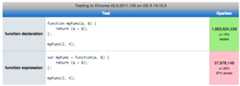
Function declarations are faster, and that's what really matters in web dev right? ;)

1 Comment

A function declaration and a function expression assigned to a variable behave the same once the binding is established.
There is a difference however athow andwhen the function object is actually associated with its variable. This difference is due to the mechanism calledvariable hoisting in JavaScript.
Basically, all function declarations and variable declarations are hoisted to the top of thefunction in which the declaration occurs (this is why we say that JavaScript hasfunction scope).
When a function declaration is hoisted, the function body "follows"so when the function body is evaluated, the variable will immediatelybe bound to a function object.
When a variable declaration is hoisted, the initialization doesnotfollow, but is "left behind". The variable is initialized to
undefinedat the start of the function body, and will beassigneda value at its original location in the code. (Actually, it will be assigned a value atevery location where a declaration of a variable with the same name occurs.)
The order of hoisting is also important: function declarations take precedence over variable declarations with the same name, and the last function declaration takes precedence over previous function declarations with the same name.
Some examples...
var foo = 1;function bar() { if (!foo) { var foo = 10 } return foo; }bar() // 10Variablefoo is hoisted to the top of the function, initialized toundefined, so that!foo istrue, sofoo is assigned10. Thefoo outside ofbar's scope plays no role and is untouched.
function f() { return a; function a() {return 1}; var a = 4; function a() {return 2}}f()() // 2function f() { return a; var a = 4; function a() {return 1}; function a() {return 2}}f()() // 2Function declarations take precedence over variable declarations, and the last function declaration "sticks".
function f() { var a = 4; function a() {return 1}; function a() {return 2}; return a; }f() // 4In this examplea is initialized with the function object resulting from evaluating the second function declaration, and then is assigned4.
var a = 1;function b() { a = 10; return; function a() {}}b();a // 1Here the function declaration is hoisted first, declaring and initializing variablea. Next, this variable is assigned10. In other words: the assignment does not assign to outer variablea.

Comments
The first example is a function declaration:
function abc(){}The second example is a function expression:
var abc = function() {};The main difference is how they are hoisted (lifted and declared). In the first example, the whole function declaration is hoisted. In the second example only the var 'abc' is hoisted, its value (the function) will be undefined, and the function itself remains at the position that it is declared.
To put it simply:
//this will workabc(param);function abc(){}//this would failabc(param);var abc = function() {}To study more about this topic I strongly recommend you thislink

Comments
In terms of code maintenance cost, named functions are more preferable:
- Independent from the place where they are declared (but still limited by scope).
- More resistant to mistakes like conditional initialization (you are still able to override if wanted to).
- The code becomes more readable by allocating local functions separately of scope functionality. Usually in the scope the functionality goes first, followed by declarations of local functions.
- In a debugger you will clearly see the function name on the call stack instead of an "anonymous/evaluated" function.
I suspect more PROS for named functions are follow. And what is listed as an advantage of named functions is a disadvantage for anonymous ones.
Historically, anonymous functions appeared from the inability of JavaScript as a language to list members with named functions:
{ member:function() { /* How do I make "this.member" a named function? */ }}
Comments
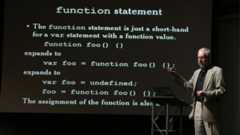
Greg's Answer is good enough, but I still would like to add something to it that I learned just now watchingDouglas Crockford's videos.
Function expression:
var foo = function foo() {};Function statement:
function foo() {};The function statement is just a shorthand forvar statement with afunction value.
So
function foo() {};expands to
var foo = function foo() {};Which expands further to:
var foo = undefined;foo = function foo() {};And they are both hoisted to the top of the code.

Comments
In computer science terms, we talk about anonymous functions and named functions. I think the most important difference is that an anonymous function is not bound to a name, hence the name anonymous function. In JavaScript it is a first class object dynamically declared at runtime.
For more information on anonymous functions and lambda calculus, Wikipedia is a good start:Anonymous Functions.


Comments
I use the variable approach in my code for a very specific reason, the theory of which has been covered in an abstract way above, but an example might help some people like me, with limited JavaScript expertise.
I have code that I need to run with 160 independently-designed brandings. Most of the code is in shared files, but branding-specific stuff is in a separate file, one for each branding.
Some brandings require specific functions, and some do not. Sometimes I have to add new functions to do new branding-specific things. I am happy to change the shared coded, but I don't want to have to change all 160 sets of branding files.
By using the variable syntax, I can declare the variable (a function pointer essentially) in the shared code and either assign a trivial stub function, or set to null.
The one or two brandings that need a specific implementation of the function can then define their version of the function and assign this to the variable if they want, and the rest do nothing. I can test for a null function before I execute it in the shared code.
From people's comments above, I gather it may be possible to redefine a static function too, but I think the variable solution is nice and clear.

Comments
@EugeneLazutkin gives an example where henames an assigned function to be able to useshortcut() as an internal reference to itself.John Resig gives another example -copying a recursive function assigned to another object in hisLearning Advanced Javascript tutorial. While assigning functions to properties isn't strictly the question here, I recommend actively trying the tutorial out - run the code by clicking the button in the upper right corner, and double click the code to edit to your liking.
Examples from the tutorial: recursive calls inyell():
Tests fail when the original ninja object is removed. (page 13)
function assert(predicate, message) { if(!predicate) { throw new Error(message); } }var ninja = { yell: function(n){return n > 0 ? ninja.yell(n-1) + "a" : "hiy"; }};assert( ninja.yell(4) == "hiyaaaa", "A single object isn't too bad, either." ); var samurai = { yell: ninja.yell };var ninja = null;try { samurai.yell(4);} catch(e){ assert( false, "Uh, this isn't good! Where'd ninja.yell go?" );}If you name the function that will be called recursively, the tests will pass. (page 14)
function assert(predicate, message) { if(!predicate) { throw new Error(message); } }var ninja = { yell: function yell(n){return n > 0 ? yell(n-1) + "a" : "hiy"; }};assert( ninja.yell(4) == "hiyaaaa", "Works as we would expect it to!" ); var samurai = { yell: ninja.yell };var ninja = {};assert( samurai.yell(4) == "hiyaaaa", "The method correctly calls itself." );console.log(samurai.yell(4));
Comments
Another difference that is not mentioned in the other answers is that if you use the anonymous function and use that as a constructor as in
var functionOne = function() { // Some code};var one = new functionOne();console.log(one.constructor.name);thenone.constructor.name will not be defined.Function.name is non-standard but is supported by Firefox, Chrome, other Webkit-derived browsers and IE 9+.
With
function functionTwo() { // Some code}two = new functionTwo();it is possible to retrieve the name of the constructor as a string withtwo.constructor.name.


Comments
The first one (function doSomething(x)) should be part of an object notation.
The second one (var doSomething = function(x){ alert(x);}) is simply creating an anonymous function and assigning it to a variable,doSomething. So doSomething() will call the function.
You may want to know what afunction declaration andfunction expression is.
A function declaration defines a named function variable without requiring variable assignment. Function declarations occur as standalone constructs and cannot be nested within non-function blocks.
function foo() { return 3;}ECMA 5 (13.0) defines the syntax as
function Identifier ( FormalParameterListopt ) { FunctionBody }
In above condition the function name is visible within its scope and the scope of its parent (otherwise it would be unreachable).
And in a function expression
A function expression defines a function as a part of a larger expression syntax (typically a variable assignment ). Functions defined via functions expressions can be named or anonymous. Function expressions should not start with “function”.
// Anonymous function expressionvar a = function() { return 3;}// Named function expressionvar a = function foo() { return 3;}// Self-invoking function expression(function foo() { alert("hello!");})();ECMA 5 (13.0) defines the syntax as
function Identifieropt ( FormalParameterListopt ) { FunctionBody }

Comments
I'm listing out the differences below:
A function declaration can be placed anywhere in the code. Even if it is invoked before the definition appears in code, it gets executed as function declaration is committed to memory or in a way it is hoisted up, before any other code in the page starts execution.
Take a look at the function below:
function outerFunction() { function foo() { return 1; } return foo(); function foo() { return 2; }}alert(outerFunction()); // Displays 2This is because, during execution, it looks like:-
function foo() { // The first function declaration is moved to top return 1;}function foo() { // The second function declaration is moved to top return 2;}function outerFunction() { return foo();}alert(outerFunction()); //So executing from top to bottom, //the last foo() returns 2 which gets displayedA function expression, if not defined before calling it, will result in an error. Also, here the function definition itself is not moved to the top or committed to memory like in the function declarations. But the variable to which we assign the function gets hoisted up andundefined gets assigned to it.
Same function using function expressions:
function outerFunction() { var foo = function() { return 1; } return foo(); var foo = function() { return 2; }}alert(outerFunction()); // Displays 1This is because during execution, it looks like:
function outerFunction() { var foo = undefined; var foo = undefined; foo = function() { return 1; }; return foo (); foo = function() { // This function expression is not reachable return 2; };}alert(outerFunction()); // Displays 1It is not safe to write function declarations in non-function blocks likeif because they won't be accessible.
if (test) { function x() { doSomething(); }}Named function expression like the one below, may not work in Internet Explorer browsers prior to version 9.
var today = function today() {return new Date()}

Comments
About performance:
New versions ofV8 introduced several under-the-hood optimizations and so didSpiderMonkey.
There is almost no difference now between expression and declaration.
Function expressionappears to be faster now.
Chrome 62.0.3202
FireFox 55
Chrome Canary 63.0.3225
Anonymousfunction expressionsappear to have better performance againstNamedfunction expression.
Firefox Chrome Canary
 Chrome
5 Comments


If you would use those functions to create objects, you would get:
var objectOne = new functionOne();console.log(objectOne.__proto__); // prints "Object {}" because constructor is an anonymous functionvar objectTwo = new functionTwo();console.log(objectTwo.__proto__); // prints "functionTwo {}" because constructor is a named function
Comments
Named Functions Vs. Anonymous Functions
The first function syntax isAnonymous Function Expression:
var functionOne = function() { // do something...};While, the second one isFunction Declaration:
function functionTwo () { // do something...}The main difference between both is the function name sinceAnonymous Functions have no name to call.Anonymous functions are quick and easy to declare, and many libraries and tools tend to encourage this idiomatic style of code. However, anonymous functions have somedrawbacks:
Readability: anonymous functions omit a name which could cause less readable code.
Debugging: anonymous functions have no name in stack traces, which can make debugging more difficult.
Self-Reference: what if the function needs to refer to itself, for recursion for example.
Naming Function Expression
Providing a name for your function expression quite effectively addresses all these drawbacks, and has no tangible downsides. The best practice is to always name your function expressions:
setTimeout(function timeHandler() { // <-- look, a name here! console.log("I've waited 1 second");}, 1000);Naming IIFEs (Immediate Invoked Function Expression)
(function IIFE(str) { // <-- look, always name IIFEs! console.log(str); // "Hello!"})('Hello!');For functions assigned to a variable, naming the function, in this case, is not very common and may cause confusion, in this case, the arrow function may be a better choice.

Comments
In JavaScript there are two ways to create functions:
Function declaration:
function fn(){ console.log("Hello");}fn();This is very basic, self-explanatory, used in many languages and standard across C family of languages. We declared a function defined it and executed it by calling it.
What you should be knowing is that functions are actually objects in JavaScript; internally we have created an object for above function and given it a name called fn or the reference to the object is stored in fn. Functions are objects in JavaScript; an instance of function is actually an object instance.
Function expression:
var fn=function(){ console.log("Hello");}fn();JavaScript has first-class functions, that is, create a function and assign it to a variable just like you create a string or number and assign it to a variable. Here, the fn variable is assigned to a function. The reason for this concept is functions are objects in JavaScript; fn is pointing to the object instance of the above function. We have initialized a function and assigned it to a variable. It's not executing the function and assigning the result.
Reference:JavaScript function declaration syntax: var fn = function() {} vs function fn() {}

Comments
In light of the "named functions show up in stack traces" argument, modern JavaScript engines are actually quite capable of representing anonymous functions.
As of this writing, V8, SpiderMonkey, Chakra and Nitro always refer to named functions by their names. They almost always refer to an anonymous function by its identifier if it has one.
SpiderMonkey can figure out the name of an anonymous function returned from another function. The rest can't.
If you really, really wanted your iterator and success callbacks to show up in the trace, you could name those too...
[].forEach(function iterator() {});But for the most part it's not worth stressing over.
Harness (Fiddle)
'use strict';var a = function () { throw new Error();}, b = function b() { throw new Error(); }, c = function d() { throw new Error(); }, e = { f: a, g: b, h: c, i: function () { throw new Error(); }, j: function j() { throw new Error(); }, k: function l() { throw new Error(); } }, m = (function () { return function () { throw new Error(); }; }()), n = (function () { return function n() { throw new Error(); }; }()), o = (function () { return function p() { throw new Error(); }; }());console.log([a, b, c].concat(Object.keys(e).reduce(function (values, key) { return values.concat(e[key]);}, [])).concat([m, n, o]).reduce(function (logs, func) { try { func(); } catch (error) { return logs.concat('func.name: ' + func.name + '\n' + 'Trace:\n' + error.stack); // Need to manually log the error object in Nitro. }}, []).join('\n\n'));V8
func.name: Trace:Error at a (http://localhost:8000/test.js:4:11) at http://localhost:8000/test.js:47:9 at Array.reduce (native) at http://localhost:8000/test.js:44:27func.name: bTrace:Error at b (http://localhost:8000/test.js:7:15) at http://localhost:8000/test.js:47:9 at Array.reduce (native) at http://localhost:8000/test.js:44:27func.name: dTrace:Error at d (http://localhost:8000/test.js:10:15) at http://localhost:8000/test.js:47:9 at Array.reduce (native) at http://localhost:8000/test.js:44:27func.name: Trace:Error at a (http://localhost:8000/test.js:4:11) at http://localhost:8000/test.js:47:9 at Array.reduce (native) at http://localhost:8000/test.js:44:27func.name: bTrace:Error at b (http://localhost:8000/test.js:7:15) at http://localhost:8000/test.js:47:9 at Array.reduce (native) at http://localhost:8000/test.js:44:27func.name: dTrace:Error at d (http://localhost:8000/test.js:10:15) at http://localhost:8000/test.js:47:9 at Array.reduce (native) at http://localhost:8000/test.js:44:27func.name: Trace:Error at e.i (http://localhost:8000/test.js:17:19) at http://localhost:8000/test.js:47:9 at Array.reduce (native) at http://localhost:8000/test.js:44:27func.name: jTrace:Error at j (http://localhost:8000/test.js:20:19) at http://localhost:8000/test.js:47:9 at Array.reduce (native) at http://localhost:8000/test.js:44:27func.name: lTrace:Error at l (http://localhost:8000/test.js:23:19) at http://localhost:8000/test.js:47:9 at Array.reduce (native) at http://localhost:8000/test.js:44:27func.name: Trace:Error at http://localhost:8000/test.js:28:19 at http://localhost:8000/test.js:47:9 at Array.reduce (native) at http://localhost:8000/test.js:44:27func.name: nTrace:Error at n (http://localhost:8000/test.js:33:19) at http://localhost:8000/test.js:47:9 at Array.reduce (native) at http://localhost:8000/test.js:44:27func.name: pTrace:Error at p (http://localhost:8000/test.js:38:19) at http://localhost:8000/test.js:47:9 at Array.reduce (native) at http://localhost:8000/test.js:44:27 test.js:42SpiderMonkey
func.name: Trace:a@http://localhost:8000/test.js:4:5@http://localhost:8000/test.js:47:9@http://localhost:8000/test.js:54:1func.name: bTrace:b@http://localhost:8000/test.js:7:9@http://localhost:8000/test.js:47:9@http://localhost:8000/test.js:54:1func.name: dTrace:d@http://localhost:8000/test.js:10:9@http://localhost:8000/test.js:47:9@http://localhost:8000/test.js:54:1func.name: Trace:a@http://localhost:8000/test.js:4:5@http://localhost:8000/test.js:47:9@http://localhost:8000/test.js:54:1func.name: bTrace:b@http://localhost:8000/test.js:7:9@http://localhost:8000/test.js:47:9@http://localhost:8000/test.js:54:1func.name: dTrace:d@http://localhost:8000/test.js:10:9@http://localhost:8000/test.js:47:9@http://localhost:8000/test.js:54:1func.name: Trace:e.i@http://localhost:8000/test.js:17:13@http://localhost:8000/test.js:47:9@http://localhost:8000/test.js:54:1func.name: jTrace:j@http://localhost:8000/test.js:20:13@http://localhost:8000/test.js:47:9@http://localhost:8000/test.js:54:1func.name: lTrace:l@http://localhost:8000/test.js:23:13@http://localhost:8000/test.js:47:9@http://localhost:8000/test.js:54:1func.name: Trace:m</<@http://localhost:8000/test.js:28:13@http://localhost:8000/test.js:47:9@http://localhost:8000/test.js:54:1func.name: nTrace:n@http://localhost:8000/test.js:33:13@http://localhost:8000/test.js:47:9@http://localhost:8000/test.js:54:1func.name: pTrace:p@http://localhost:8000/test.js:38:13@http://localhost:8000/test.js:47:9@http://localhost:8000/test.js:54:1Chakra
func.name: undefinedTrace:Error at a (http://localhost:8000/test.js:4:5) at Anonymous function (http://localhost:8000/test.js:47:9) at Global code (http://localhost:8000/test.js:42:1)func.name: undefinedTrace:Error at b (http://localhost:8000/test.js:7:9) at Anonymous function (http://localhost:8000/test.js:47:9) at Global code (http://localhost:8000/test.js:42:1)func.name: undefinedTrace:Error at d (http://localhost:8000/test.js:10:9) at Anonymous function (http://localhost:8000/test.js:47:9) at Global code (http://localhost:8000/test.js:42:1)func.name: undefinedTrace:Error at a (http://localhost:8000/test.js:4:5) at Anonymous function (http://localhost:8000/test.js:47:9) at Global code (http://localhost:8000/test.js:42:1)func.name: undefinedTrace:Error at b (http://localhost:8000/test.js:7:9) at Anonymous function (http://localhost:8000/test.js:47:9) at Global code (http://localhost:8000/test.js:42:1)func.name: undefinedTrace:Error at d (http://localhost:8000/test.js:10:9) at Anonymous function (http://localhost:8000/test.js:47:9) at Global code (http://localhost:8000/test.js:42:1)func.name: undefinedTrace:Error at e.i (http://localhost:8000/test.js:17:13) at Anonymous function (http://localhost:8000/test.js:47:9) at Global code (http://localhost:8000/test.js:42:1)func.name: undefinedTrace:Error at j (http://localhost:8000/test.js:20:13) at Anonymous function (http://localhost:8000/test.js:47:9) at Global code (http://localhost:8000/test.js:42:1)func.name: undefinedTrace:Error at l (http://localhost:8000/test.js:23:13) at Anonymous function (http://localhost:8000/test.js:47:9) at Global code (http://localhost:8000/test.js:42:1)func.name: undefinedTrace:Error at Anonymous function (http://localhost:8000/test.js:28:13) at Anonymous function (http://localhost:8000/test.js:47:9) at Global code (http://localhost:8000/test.js:42:1)func.name: undefinedTrace:Error at n (http://localhost:8000/test.js:33:13) at Anonymous function (http://localhost:8000/test.js:47:9) at Global code (http://localhost:8000/test.js:42:1)func.name: undefinedTrace:Error at p (http://localhost:8000/test.js:38:13) at Anonymous function (http://localhost:8000/test.js:47:9) at Global code (http://localhost:8000/test.js:42:1)Nitro
func.name: Trace:a@http://localhost:8000/test.js:4:22http://localhost:8000/test.js:47:13reduce@[native code]global code@http://localhost:8000/test.js:44:33func.name: bTrace:b@http://localhost:8000/test.js:7:26http://localhost:8000/test.js:47:13reduce@[native code]global code@http://localhost:8000/test.js:44:33func.name: dTrace:d@http://localhost:8000/test.js:10:26http://localhost:8000/test.js:47:13reduce@[native code]global code@http://localhost:8000/test.js:44:33func.name: Trace:a@http://localhost:8000/test.js:4:22http://localhost:8000/test.js:47:13reduce@[native code]global code@http://localhost:8000/test.js:44:33func.name: bTrace:b@http://localhost:8000/test.js:7:26http://localhost:8000/test.js:47:13reduce@[native code]global code@http://localhost:8000/test.js:44:33func.name: dTrace:d@http://localhost:8000/test.js:10:26http://localhost:8000/test.js:47:13reduce@[native code]global code@http://localhost:8000/test.js:44:33func.name: Trace:i@http://localhost:8000/test.js:17:30http://localhost:8000/test.js:47:13reduce@[native code]global code@http://localhost:8000/test.js:44:33func.name: jTrace:j@http://localhost:8000/test.js:20:30http://localhost:8000/test.js:47:13reduce@[native code]global code@http://localhost:8000/test.js:44:33func.name: lTrace:l@http://localhost:8000/test.js:23:30http://localhost:8000/test.js:47:13reduce@[native code]global code@http://localhost:8000/test.js:44:33func.name: Trace:http://localhost:8000/test.js:28:30http://localhost:8000/test.js:47:13reduce@[native code]global code@http://localhost:8000/test.js:44:33func.name: nTrace:n@http://localhost:8000/test.js:33:30http://localhost:8000/test.js:47:13reduce@[native code]global code@http://localhost:8000/test.js:44:33func.name: pTrace:p@http://localhost:8000/test.js:38:30http://localhost:8000/test.js:47:13reduce@[native code]global code@http://localhost:8000/test.js:44:33
Comments
Both are different ways of defining a function. The difference is how the browser interprets and loads them into an execution context.
The first case is of function expressions which loads only when the interpreter reaches that line of code. So if you do it like the following, you will get an error that thefunctionOne is not a function.
functionOne();var functionOne = function() { // Some code};The reason is that on the first line no value is assigned to functionOne, and hence it is undefined. We are trying to call it as a function, and hence we are getting an error.
On the second line we are assigning the reference of an anonymous function to functionOne.
The second case is of function declarations that loads before any code is executed. So if you do like the following you won't get any error as the declaration loads before code execution.
functionOne();function functionOne() { // Some code}
Comments
They are pretty similar with some small differences, first one is a variable which assigned to an anonymous function (Function Declaration) and second one is the normal way to create a function in JavaScript(Anonymous function Declaration), both has usage, cons and pros:
1. Function Expression
var functionOne = function() { // Some code};A Function Expression defines a function as a part of a larger expression syntax (typically a variable assignment ). Functions defined via Functions Expressions can be named or anonymous. Function Expressions must not start with “function” (hence the parentheses around the self invoking example below).
Assign a variable to a function, means no Hoisting, as we know functions in JavaScript can Hoist, means they can be called before they get declared, while variables need to be declared before getting access to them, so means in this case we can not access the function before where it's declared, also it could be a way that you write your functions, for the functions which return another function, this kind of declaration could make sense, also in ECMA6 & above you can assign this to an arrow function which can be used to call anonymous functions, also this way of declaring is a better way to create Constructor functions in JavaScript.
2. Function Declaration
function functionTwo() { // Some code}A Function Declaration defines a named function variable without requiring variable assignment. Function Declarations occur as standalone constructs and cannot be nested within non-function blocks. It’s helpful to think of them as siblings of Variable Declarations. Just as Variable Declarations must start with “var”, Function Declarations must begin with “function”.
This is the normal way of calling a function in JavaScript, this function can be called before you even declare it as in JavaScript all functions get Hoisted, but if you have 'use strict' this won't Hoist as expected, it's a good way to call all normal functions which are not big in lines and neither are a constructor function.
Also, if you need more info about how hoisting works in JavaScript, visit the link below:
Comments
This is just two possible ways of declaring functions, and in the second way, you can use the function before declaration.

Comments
Explore related questions
See similar questions with these tags.