I have an existing plot that was created with pandas like this:
df['myvar'].plot(kind='bar')The y axis is format as float and I want to change the y axis to percentages. All of the solutions I found use ax.xyz syntax andI can only place code below the line above that creates the plot (I cannot add ax=ax to the line above.)
How can I format the y axis as percentages without changing the line above?
Here is the solution I foundbut requires that I redefine the plot:
import matplotlib.pyplot as pltimport numpy as npimport matplotlib.ticker as mtickdata = [8,12,15,17,18,18.5]perc = np.linspace(0,100,len(data))fig = plt.figure(1, (7,4))ax = fig.add_subplot(1,1,1)ax.plot(perc, data)fmt = '%.0f%%' # Format you want the ticks, e.g. '40%'xticks = mtick.FormatStrFormatter(fmt)ax.xaxis.set_major_formatter(xticks)plt.show()Link to the above solution:Pyplot: using percentage on x axis


10 Answers10
This is a few months late, but I have createdPR#6251 with matplotlib to add a newPercentFormatter class. With this class you just need one line to reformat your axis (two if you count the import ofmatplotlib.ticker):
import ...import matplotlib.ticker as mtickax = df['myvar'].plot(kind='bar')ax.yaxis.set_major_formatter(mtick.PercentFormatter())PercentFormatter() accepts three arguments,xmax,decimals,symbol.xmax allows you to set the value that corresponds to 100% on the axis. This is nice if you have data from 0.0 to 1.0 and you want to display it from 0% to 100%. Just doPercentFormatter(1.0).
The other two parameters allow you to set the number of digits after the decimal point and the symbol. They default toNone and'%', respectively.decimals=None will automatically set the number of decimal points based on how much of the axes you are showing.
Update
PercentFormatter was introduced into Matplotlib proper in version 2.1.0.

17 Comments


plt.gca().yaxis.set_major_formatter(mtick.PercentFormatter()) to avoid saving aax plot first.
PercentFormatter(1.0) did the job. It seems the default isPercentFormatter(100), which is most unexpected.x1e6 changed1000000 into1000000x1e6... it changes the numbers. I would have never thought otherwise, and that is certainly the reason why the answer by erwanp works as expected without needing any further input parameters, as inPercentFormatter. It's possibly nice to have the further flexibility ofxmax, but the default is clearly wrong, it is not "no transformation". I must be missing something...pandas dataframe plot will return theax for you, And then you can start to manipulate the axes whatever you want.
import pandas as pdimport numpy as npdf = pd.DataFrame(np.random.randn(100,5))# you get ax from hereax = df.plot()type(ax) # matplotlib.axes._subplots.AxesSubplot# manipulatevals = ax.get_yticks()ax.set_yticklabels(['{:,.2%}'.format(x) for x in vals])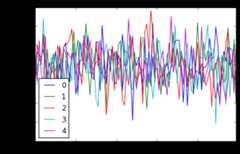


5 Comments


matplotlib.ticker function formatters!


Jianxun's solution did the job for me but broke the y value indicator at the bottom left of the window.
I ended up usingFuncFormatterinstead (and also stripped the uneccessary trailing zeroes as suggestedhere):
import pandas as pdimport numpy as npfrom matplotlib.ticker import FuncFormatterdf = pd.DataFrame(np.random.randn(100,5))ax = df.plot()ax.yaxis.set_major_formatter(FuncFormatter(lambda y, _: '{:.0%}'.format(y)))Generally speaking I'd recommend usingFuncFormatter for label formatting: it's reliable, and versatile.


3 Comments

ax.yaxis.set_major_formatter(FuncFormatter('{0:.0%}'.format)). AKA no need for the lambda, let format do the work.
'{0:.0%}'.format creates aformatting function. The0 before the colon tells the formatter to replace the curly-brackets and its contents with the first argument passed to the function. The part after the colon,.0%, tells the formatter how to render the value. The.0 specifies 0 decimal places and% specifies rendering as a percent.For those who are looking for the quick one-liner:
plt.gca().set_yticklabels([f'{x:.0%}' for x in plt.gca().get_yticks()])or, if you've saved yourmatplotlib.axes.Axes object into variableax:
ax.set_yticklabels([f'{x:.0f}%' for x in ax.get_yticks()])this assumes
- import:
from matplotlib import pyplot as plt - Python >=3.6 for f-String formatting. For older versions, replace
f'{x:.0%}'with'{:.0%}'.format(x)

2 Comments

I'm late to the game but I just realize this:ax can be replaced withplt.gca() for those who are not using axes and just subplots.
Echoing @Mad Physicist answer, using the packagePercentFormatter it would be:
import matplotlib.ticker as mtickplt.gca().yaxis.set_major_formatter(mtick.PercentFormatter(1))#if you already have ticks in the 0 to 1 range. Otherwise see their answer
Comments
I propose an alternative method usingseaborn
Working code:
import pandas as pdimport seaborn as snsdata=np.random.rand(10,2)*100df = pd.DataFrame(data, columns=['A', 'B'])ax= sns.lineplot(data=df, markers= True)ax.set(xlabel='xlabel', ylabel='ylabel', title='title')#changing ylables ticksy_value=['{:,.2f}'.format(x) + '%' for x in ax.get_yticks()]ax.set_yticklabels(y_value)

Comments
You can do this in one line without importing anything:plt.gca().yaxis.set_major_formatter(plt.FuncFormatter('{}%'.format))
If you want integer percentages, you can do:plt.gca().yaxis.set_major_formatter(plt.FuncFormatter('{:.0f}%'.format))
You can use eitherax.yaxis orplt.gca().yaxis.FuncFormatter is still part ofmatplotlib.ticker, but you can also doplt.FuncFormatter as a shortcut.


Comments
Based on the answer of @erwanp, you can use theformatted string literals of Python 3,
x = '2'percentage = f'{x}%' # 2%inside theFuncFormatter() and combined with alambda expression.
All wrapped:
ax.yaxis.set_major_formatter(FuncFormatter(lambda y, _: f'{y}%'))
Comments
Another one line solution if the yticks are between 0 and 1:
plt.yticks(plt.yticks()[0], ['{:,.0%}'.format(x) for x in plt.yticks()[0]])
Comments
add a line of code
ax.yaxis.set_major_formatter(ticker.PercentFormatter())

Comments
Explore related questions
See similar questions with these tags.