Note
Go to the endto download the full example code or to run this example in your browser via JupyterLite or Binder.
Introductory example - Plotting sin#
This is a general example demonstrating a Matplotlib plot output, embeddedreST, the use of math notation and cross-linking to other examples. It would beuseful to compare thesourcePythonfile with theoutput below.
Source files for gallery examples should start with a triple-quoted headerdocstring. Anything before the docstring is ignored by Sphinx-Gallery and willnot appear in the rendered output, nor will it be executed. This docstringrequires a reST header, which is used as the title of the example andto correctly build cross-referencing links.
Code and embedded reST text blocks follow the docstring. The first blockimmediately after the docstring is deemed a code block, by default, unless youspecify it to be a text block using a line of#’s or#%% (see below).All code blocks get executed by Sphinx-Gallery and any output, including plotswill be captured. Typically, code and text blocks are interspersed to providenarrative explanations of what the code is doing or interpretations of codeoutput.
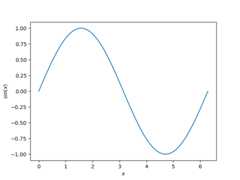
Mathematical expressions can be included as LaTeX, and will be rendered withMathJax. To include displayed math notation, use the directive..math::.To include inline math notation use the:math: role. For example, we areabout to plot the following function:
Here the function\(\sin\) is evaluated at each point the variable\(x\) is defined. When including LaTeX in a Python string, ensure that youescape the backslashes or use araw docstring. You donot need to do this in text blocks (see below).
# Code source: Óscar Nájera# License: BSD 3 clauseimportmatplotlib.pyplotaspltimportnumpyasnpx=np.linspace(0,2*np.pi,100)y=np.sin(x)plt.plot(x,y)plt.xlabel(r"$x$")plt.ylabel(r"$\sin(x)$")# To avoid matplotlib text outputplt.show()
To include embedded reST, use a line of >= 20#’s or#%% between yourreST and your code (seeEmbed reST in your example Python files). This separates your exampleinto distinct text and code blocks. You can continue writing code below theembedded reST text block:
print("This example shows a sin plot!")
This example shows a sin plot!
LaTeX syntax in the text blocks does not require backslashes to be escaped:
Cross referencing#
You can refer to an example from any part of the documentation,including from other examples. Sphinx-Gallery automatically creates referencelabels for each example. The label consists of the.py file name,prefixed withsphx_glr_ and the name of thefolder(s) the example is in. Below, the example we want tocross-reference is inauto_examples (thegallery_dirs; seeConfigure and use Sphinx-Gallery), then the subdirectoryno_output(since the example is within a sub-gallery). The file name of the example isplot_syntaxerror.py. We can thus cross-link to the example ‘SyntaxError’using::ref:`sphx_glr_auto_examples_no_output_plot_syntaxerror.py`.
See also
SeeSyntaxError foran example with an error.
Total running time of the script: (0 minutes 0.896 seconds)
Estimated memory usage: 227 MB

