- Introduction
- Incrementally adding elements
- Axes, scale placement and size
- Specifying the scale color breaks, tics and labels
- Adding grid lines
- Plotting scale only, or image only
- Plotting gridded categorical (factor) variables
- Factors: changing the density and width of scales, label width
- Relative size of the categorical scale
- Arranging multiple plots
- Challenges
Introduction
The developments below are in thegithubversion ofsp, and will become part of sp release 1.2-3 and higher.
Plotting spatial grids using theplot method was up till now not muchfun, and limited to either showing a grid, as in
library(sp)demo(meuse,ask=FALSE,echo=FALSE)plot(geometry(meuse.grid))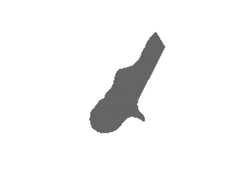
which only shows the cell geometry, or usingimage as in
image(meuse.grid["dist"])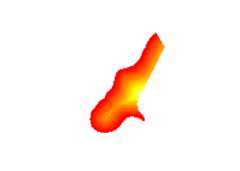
For more advanced plots, showing color scales, one needed to usespplot.ssplot is a powerful function, but may also be challengingto use, plots may be challenging to fine manipulate.
The are base plots coming fromplot can be improved by all the bellsand whistles of base plot, usingpar and by incrementally addingfeatures. The big missing thing though is a colour legend showing thez-values. Bothraster::plot andspatstat::plot provide colourscales, and it is about time to add this tosp’s plot methods forSpatialGridDataFrame andSpatialPixelsDataFrame objecs as well. Withthe help ofthis blogentry,this wasn’t too much work.
plot(meuse.grid["dist"], zlim = c(0,1))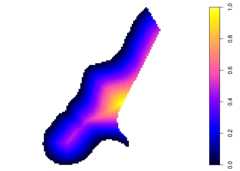
which shows a grid using a larger part of the plotting area, and a colorscale bar.zlim has been set here to ensure the scale goes to 1 (thedata go to 0.99).
The rest of this blog post shows the options now available to this plotmethod.
Incrementally adding elements
The new plot method useslayout to make two plotting areas, one forthe grid and one for the scale. Since the last element plotted is thegrid, we can add to it:
plot(meuse.grid["dist"], zlim = c(0,1))title("distance to river Meuse (normalized)")points(meuse, col = 'green')box()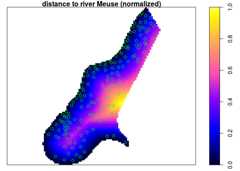
Axes, scale placement and size
Axes can be added by specifyingaxes = TRUE, the location of the scaleby specifyingaxis.pos, which follows the numbering of?axis. Notehow the size of the scale adapts to the axes:
plot(meuse.grid["dist"], zlim = c(0,1), axes = TRUE)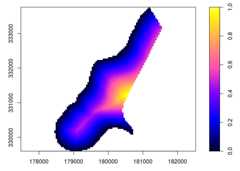
plot(meuse.grid["dist"], zlim = c(0,1), axes = TRUE, axis.pos = 1)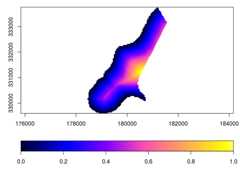
The scale size can be reduced by specifyingscale.shrink; itsthickness can be modified byscale.size:
plot(meuse.grid["dist"], zlim = c(0,1), axes = TRUE, scale.shrink = 1)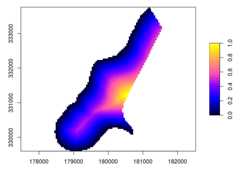
plot(meuse.grid["dist"], zlim = c(0,1), axes = TRUE, scale.size = lcm(2.4))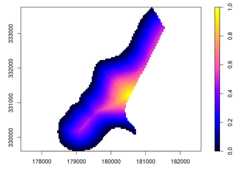
wherelcm(2) indicates 2 cm, meaning that it isn’t affected bychanging plot size. If a numeric values is given here, e.g. 1/6, thesize is relative to the area area occupied by the grid.
to increase the white space around the gridded area,xaxs = "r" can bepassed, which adds the usual 4% on each side.
Specifying the scale color breaks, tics and labels
Color breaks are specified bybreaks, specifyingbreaks requiresthat a color ramp of matching length is specified (one less than thenumber of breaks). Tics and tic labels are defined by parameterat.When specifyingbreaks,zlim becomes obsolete.
b = c(0, 0.25, 0.5, 0.6, 0.7, 0.8, 0.9, 1)col = rev(bpy.colors(length(b)-1))plot(meuse.grid["dist"], breaks = b, col = col, at = b)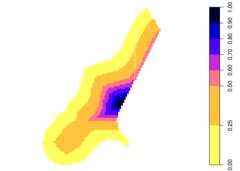
Adding grid lines
Grid lines can be added by specifying a grid cellborder color, as in
plot(meuse.grid["dist"], border = grey(0.6))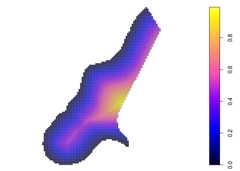
This also enlightens the difference betweenSpatialPixelsDataFrame (asplotted above), andSpatialGridDataFrame which has the complete set ofgrid cells in a rectangular area:
library(methods)plot(as(meuse.grid, "SpatialGridDataFrame")["dist"], border = grey(0.6))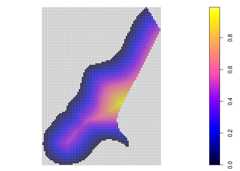
Plotting scale only, or image only
Sometimes, a user needs an image of the scale only, e.g. to glue it ontoa leaflet plot when it does not properly support legends. In thefollowing, the figure (device) width was set to 2 (inch), so that thescale still looks nice:
plot(meuse.grid["dist"], what = "scale", zlim = c(0,1))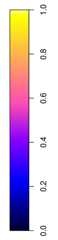
The other option is to only plot the grid, without scale:
plot(meuse.grid["dist"], what = "image")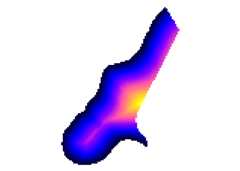
Plotting gridded categorical (factor) variables
Categorical (factor) variables need a different treatement, ascontinuous color change does not work for them, and neither docontinuous color scales. The default color scale used in this case isSet2 from theRColorBrewer package; see also thecolorbrewer and the commandRColorBrewer::display.brewer.all().
plot(meuse.grid["ffreq"])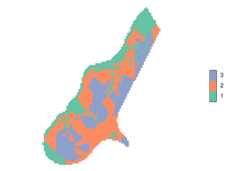
plot(meuse.grid["ffreq"], axis.pos = 1)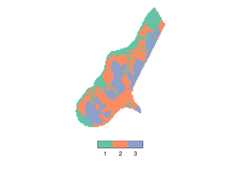
Factors: changing the density and width of scales, label width
The amount of space taken up by a colored field in a legend class can bemanipulated. Argumentscale.n determines how many fields would fill acomplete side (default 15), increasing it decreases the (here vertical)size of a color field:
plot(meuse.grid["ffreq"], scale.n = 25)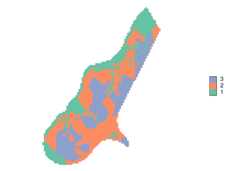
Argumentscale.frac determines which fraction of the scale area istaken by the coloured bar; in this case (axis.pos=4) it determines thewidth of the color area (default 0.3):
plot(meuse.grid["ffreq"], scale.frac = 0.5)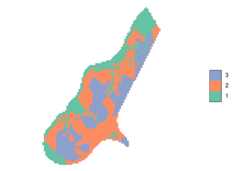
In the following example, wide labels need extra space; this is createdby
- increasing
scale.size, so there is more space for the scale +labels - decreasing
scale.fracso that the absolute size of the bar remainsthe same
levels(meuse.grid$ffreq) = c("frequent", "moderately frequent", "infrequent")plot(meuse.grid["ffreq"], scale.size = lcm(5.8), scale.frac = 0.15)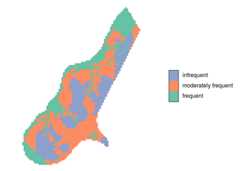
Relative size of the categorical scale
The relative size of a scale compared to the rest of the image,including its fonts, can be manipulated by changing the total size ofthe graph. In the following, the size is set to 12 x 12 (inch); the(automatic) resizing of the final image gives a seemingly smaller scale:
plot(meuse.grid["dist"])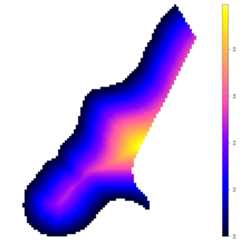
Arranging multiple plots
Multiple plots can be arranged on a single device usinglayout. Sinceplot already useslayout when arranging the image and the scale,simply putting two images with scales side by side is not simple –layouts cannot be nested. A solution is to create plots of only imageand scale (taking care ofzlim), and have them precede by anappropriatelayout statement. For a shared legend, e.g. by
layout(matrix(1:3, 1, 3), widths = c(4,4,1))plot(meuse.grid, what = "image", zlim = c(0,1))plot(meuse.grid["dist"], what = "image", zlim = c(0,1))plot(meuse.grid["dist"], what = "scale", zlim = c(0,1))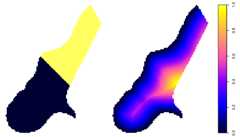
and for separate legends e.g. by
layout(matrix(1:4, 2, 2), heights = c(4,1))levels(meuse.grid$ffreq) = c("fr", "mo", "inf")plot(meuse.grid["ffreq"], what = "image")plot(meuse.grid["ffreq"], what = "scale", axis.pos = 1)plot(meuse.grid["dist"], what = "image", zlim = c(0,1))plot(meuse.grid["dist"], what = "scale", axis.pos = 1, zlim = c(0,1))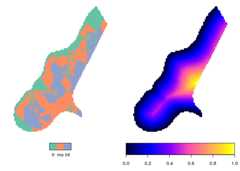
More powerful arrangment methods are obtained when using plottingmethods available in packagegrid, or higher-level plotting functionssuch asspplot orggplot2::ggplot.
Challenges
- integrate this with the plotting of other classes with attributes,in particular
SpatialPolygonsDataFrameandSpatialLinesDataFrame - get the text labels along vertical continuous scales horizontal,meaning don’t use
axisand more managment of space - unify the scaling of the scale bars for the two different scaletypes (continuous, categorical)
- deal with the multiple plot issue more elegantly