
staticbackend
packagemodule
This package is not in the latest version of its module.
Details
 Validgo.mod file
The Go module system was introduced in Go 1.11 and is the official dependency management solution for Go.
- Redistributable license
Redistributable licenses place minimal restrictions on how software can be used, modified, and redistributed.
- Tagged version
Modules with tagged versions give importers more predictable builds.
- Stable version
When a project reaches major version v1 it is considered stable.
- Learn more about best practices
Repository
Links
 Open Source Insights
 README

p.s. If you'd like to contribute to an active Go project, you've found a niceone in my biased opinion.
StaticBackend - simple backend for your apps
StaticBackend is a simple backend API that handlesuser management, database, file storage, forms, real-time experiences viachannel/topic-based communication, and server-side functions for web and mobileapplications.
You can think of it as a lightweight and stable backend API you may self-host.Less vendor lock-in, and your data stays in your control.
You may use its building blocks from one or a combination of:
- Client-side JavaScript
- Server-side client libraries (Node, Go, Python)
- Import a Go package directly in your Go programs
Table of content
- Import as Go package
- What can you build
- How it works / dev workflow
- Get started with the self-hosted version
- Documentation
- Librairies & CLI
- Examples
- Deploying in production
- Feedback & contributing
- help
Import as Go package
As of v1.4.1 StaticBackend offers an importable Go package removing the needto self-host the backend API separately while keeping all functionalities fromyour Go program.
Installing
$ go get github.com/staticbackendhq/core/backendExample usage
// using the cache & pub/subbackend.Cache.Set("key", "value")msg := model.Command{Type: "chan_out", Channel: "#lobby", Data: "hello world"}backend.Cache.Publish(msg)// use the generic Collection for strongly-typed CRUD and queryingtype Task struct {ID string `json:"id"`Title string `json:"title"`}// auth is the currently authenticated user performing the action.// base is the current tenant's database to execute action// "tasks" is the collection nametasks := backend.Collection[Task](auth, base, "tasks")newTask, err := tasks.Create(Task{Title: "testing"})// newTask.ID is filled with the unique ID of the created task in DBView afull example in the doc.
Documentation for thebackend Go package
Refer to theGo documentationto know about all functions and examples.
What can you build
I built StaticBackend with the mindset of someone tired of writing the same codeover and over on the backend. If your application needs one or all ofuser management, database, file storage, real-time interactions, it should bea good fit.
I'm personally using it to build SaaS:
Abandoned projects:
- En Pyjama - an online course platform for kids
- Vivid - Automatic video clips for podcasts
- Tangara - one page checkout for creators
It can be used from client-side and/or server-side.
How it works / dev workflow
The main idea is that StaticBackend is your backend API for your applications.It handles common web/mobile building blocks so you do not have tore-implement them.
Note that it can also be used from your backend code as well.
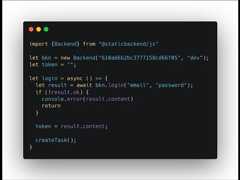
Once you have an instance running and your first app created, you may installthe JavaScript client-side library for example:
$> npm install @staticbackend/jsLet's create a user account and get a sessiontoken and create ataskdocument in thetasks collection:
import { Backend } from "@staticbackend/js";const bkn = new Backend("your_public-key", "dev");let token = "";login = async () => {const res = await bkn.register("email@test.com", "password");if (!res.ok) {console.error(res.content);return;}token = res.content;createTask();}createTask = async () => {const task = {desc: "Do something for XYZ",done: false};const res = bkn.create(token, "tasks", task);if (!res.ok) {console.error(res.content);return;}console.log(res.content);}The lastconsole.log prints
{"id": "123456-unique-id","accountId": "aaa-bbb-unique-account-id","desc": "Do something for XYZ","done": false}From there you build your application using thedatabase CRUD and query functions,thereal-time component,thestorage API, and much more.
StaticBackend provides commonly used building blocks for web applications.
You may use server-side libraries for Node, Python and Go or use an HTTP clientand use your preferred language.
Get started with the self-hosted version
Deploy buttons
Heroku: Deploy an instance to your Heroku account.

Render: Deploy an instance to your Render account

Docker or manual setup
Click on the image above to see a video showing how to get started with theself-hosted version.
Please refer to thisguide here.
We also have thisblog postthat includes the above video.
If you have Docker & Docker Compose ready, here's how you can have your serverup and running in dev mode in 30 seconds:
$> git clone git@github.com:staticbackendhq/core.git$> cd core$> cp .demo.env .env$> docker build . -t staticbackend:latest$> docker-compose -f docker-compose-demo.yml upTest your instance:
$> curl -v http://localhost:8099/db/testYou should get an error as follow:
< HTTP/1.1 401 Unauthorized< Content-Type: text/plain; charset=utf-8< Vary: Origin< Vary: Access-Control-Request-Method< Vary: Access-Control-Request-Headers< X-Content-Type-Options: nosniff< Date: Tue, 03 Aug 2021 11:40:15 GMT< Content-Length: 33< invalid StaticBackend public keyThis is normal, as you're trying to request protected API, but you're all set.
The next step is to visithttp://localhost:8099 andcreate your first app. Please note that in dev mode you'll have to look at yourdocker compose output terminal to see the content of the email after creatingyour app. This email contains all the keys and your super user accountinformation.
Documentation
We're trying to have the best experience possible reading our documentation.
Please help us improve if you have any feedback.
Documentation with example using our libraries or curl:
- Introduction and authentication
- User management
- Social logins (beta)
- Database
- Real-time communication
- File storage
- Server-side functions
- Send emails
- Caching
- Forms
- Root token
Librairies & CLI
Weprovide a CLI for localdevelopment if you want to get things started without any infrastructure andfor prototyping / testing.
You can use the CLI to manage your database, form submissions, and deployserver-side-functions. We have an alpha Web UI as well to manage your resources.
We have a page listing ourclient-side and server-side libraries.
Examples
If you'd like to see specific examples please let us know via theDiscussions tab.
Here's the examples we have created so far:
- To-do list example
- Realtime collaboration
- Live chat using server-side function & real-time component
- Jamstack Bostom talk
Deploying in production
We've not written anything yet regarding deploying, but once you have thecore` built into a binary and have access to either PostgreSQL or MongoDB, andRedis in production you should be able to deploy it like any other Go server.
We'll have documentation and an example soon for deploying to DigitalOcean.
Feedback & contributing
If you have any feedback (good or bad) we'd be more than happy to talk. Pleaseuse theDiscussions tab.
Same for contributing. The easiest is to get in touch first. We're workingto make it easier to contribute code. If you'd like to work on somethingprecise let us know.
Here are videos made specifically for people wanting to contribute:
Check thecontributing file for details.
Help
If you're looking to help the project, here are some ways:
- Use it and share your experiences.
- Sponsor the development via GitHub sponsors.
- Spread the words, a tweet, a blog post, any mention is helpful.
- Join theDiscord server.
 Documentation
Index
Constants
const (OAuthProviderTwitter = "twitter"OAuthProviderFacebook = "facebook"OAuthProviderGoogle = "google")
const (AppEnvDev = "dev"AppEnvProd = "prod")
Variables
This section is empty.
Functions
Types
typeConvertParam¶added inv1.3.0
typeExternalLogins¶added inv1.4.0
type ExternalLogins struct {// contains filtered or unexported fields}typeExternalUser¶added inv1.4.0
typeSearchData¶added inv1.5.0
 Source Files
 Directories
| Path | Synopsis |
|---|---|
Package backend allows a Go program to import a standard Go package instead of self-hosting the backend API in a separate web server. | Package backend allows a Go program to import a standard Go package instead of self-hosting the backend API in a separate web server. |
Package cache handles caching and pub/sub. | Package cache handles caching and pub/sub. |
Package middleware exposes middlewares and helpers functions related to context get/set of DatabaseConfig and Auth. | Package middleware exposes middlewares and helpers functions related to context get/set of DatabaseConfig and Auth. |