CN113741751A - Apparatus and method for manipulating a user interface based on fingerprint sensor input - Google Patents
Apparatus and method for manipulating a user interface based on fingerprint sensor inputDownload PDFInfo
- Publication number
- CN113741751A CN113741751ACN202111047788.8ACN202111047788ACN113741751ACN 113741751 ACN113741751 ACN 113741751ACN 202111047788 ACN202111047788 ACN 202111047788ACN 113741751 ACN113741751 ACN 113741751A
- Authority
- CN
- China
- Prior art keywords
- fingerprint
- input
- application
- detecting
- enrolled
- Prior art date
- Legal status (The legal status is an assumption and is not a legal conclusion. Google has not performed a legal analysis and makes no representation as to the accuracy of the status listed.)
- Pending
Links
Images



















































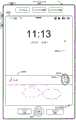
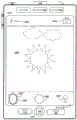
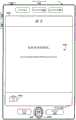
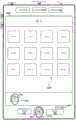










Classifications
- G—PHYSICS
- G06—COMPUTING OR CALCULATING; COUNTING
- G06F—ELECTRIC DIGITAL DATA PROCESSING
- G06F21/00—Security arrangements for protecting computers, components thereof, programs or data against unauthorised activity
- G06F21/30—Authentication, i.e. establishing the identity or authorisation of security principals
- G06F21/31—User authentication
- G—PHYSICS
- G06—COMPUTING OR CALCULATING; COUNTING
- G06F—ELECTRIC DIGITAL DATA PROCESSING
- G06F21/00—Security arrangements for protecting computers, components thereof, programs or data against unauthorised activity
- G06F21/30—Authentication, i.e. establishing the identity or authorisation of security principals
- G06F21/31—User authentication
- G06F21/32—User authentication using biometric data, e.g. fingerprints, iris scans or voiceprints
- G—PHYSICS
- G06—COMPUTING OR CALCULATING; COUNTING
- G06F—ELECTRIC DIGITAL DATA PROCESSING
- G06F21/00—Security arrangements for protecting computers, components thereof, programs or data against unauthorised activity
- G06F21/30—Authentication, i.e. establishing the identity or authorisation of security principals
- G06F21/31—User authentication
- G06F21/41—User authentication where a single sign-on provides access to a plurality of computers
- G—PHYSICS
- G06—COMPUTING OR CALCULATING; COUNTING
- G06F—ELECTRIC DIGITAL DATA PROCESSING
- G06F21/00—Security arrangements for protecting computers, components thereof, programs or data against unauthorised activity
- G06F21/30—Authentication, i.e. establishing the identity or authorisation of security principals
- G06F21/45—Structures or tools for the administration of authentication
- G06F21/46—Structures or tools for the administration of authentication by designing passwords or checking the strength of passwords
- G—PHYSICS
- G06—COMPUTING OR CALCULATING; COUNTING
- G06F—ELECTRIC DIGITAL DATA PROCESSING
- G06F3/00—Input arrangements for transferring data to be processed into a form capable of being handled by the computer; Output arrangements for transferring data from processing unit to output unit, e.g. interface arrangements
- G06F3/01—Input arrangements or combined input and output arrangements for interaction between user and computer
- G06F3/048—Interaction techniques based on graphical user interfaces [GUI]
- G06F3/0481—Interaction techniques based on graphical user interfaces [GUI] based on specific properties of the displayed interaction object or a metaphor-based environment, e.g. interaction with desktop elements like windows or icons, or assisted by a cursor's changing behaviour or appearance
- G—PHYSICS
- G06—COMPUTING OR CALCULATING; COUNTING
- G06F—ELECTRIC DIGITAL DATA PROCESSING
- G06F3/00—Input arrangements for transferring data to be processed into a form capable of being handled by the computer; Output arrangements for transferring data from processing unit to output unit, e.g. interface arrangements
- G06F3/01—Input arrangements or combined input and output arrangements for interaction between user and computer
- G06F3/048—Interaction techniques based on graphical user interfaces [GUI]
- G06F3/0487—Interaction techniques based on graphical user interfaces [GUI] using specific features provided by the input device, e.g. functions controlled by the rotation of a mouse with dual sensing arrangements, or of the nature of the input device, e.g. tap gestures based on pressure sensed by a digitiser
- G06F3/0488—Interaction techniques based on graphical user interfaces [GUI] using specific features provided by the input device, e.g. functions controlled by the rotation of a mouse with dual sensing arrangements, or of the nature of the input device, e.g. tap gestures based on pressure sensed by a digitiser using a touch-screen or digitiser, e.g. input of commands through traced gestures
- G06F3/04883—Interaction techniques based on graphical user interfaces [GUI] using specific features provided by the input device, e.g. functions controlled by the rotation of a mouse with dual sensing arrangements, or of the nature of the input device, e.g. tap gestures based on pressure sensed by a digitiser using a touch-screen or digitiser, e.g. input of commands through traced gestures for inputting data by handwriting, e.g. gesture or text
- G—PHYSICS
- G06—COMPUTING OR CALCULATING; COUNTING
- G06V—IMAGE OR VIDEO RECOGNITION OR UNDERSTANDING
- G06V40/00—Recognition of biometric, human-related or animal-related patterns in image or video data
- G06V40/10—Human or animal bodies, e.g. vehicle occupants or pedestrians; Body parts, e.g. hands
- G06V40/12—Fingerprints or palmprints
- G06V40/13—Sensors therefor
- G06V40/1312—Sensors therefor direct reading, e.g. contactless acquisition
- G—PHYSICS
- G06—COMPUTING OR CALCULATING; COUNTING
- G06V—IMAGE OR VIDEO RECOGNITION OR UNDERSTANDING
- G06V40/00—Recognition of biometric, human-related or animal-related patterns in image or video data
- G06V40/10—Human or animal bodies, e.g. vehicle occupants or pedestrians; Body parts, e.g. hands
- G06V40/12—Fingerprints or palmprints
- G06V40/1347—Preprocessing; Feature extraction
- G06V40/1353—Extracting features related to minutiae or pores
- H—ELECTRICITY
- H04—ELECTRIC COMMUNICATION TECHNIQUE
- H04L—TRANSMISSION OF DIGITAL INFORMATION, e.g. TELEGRAPHIC COMMUNICATION
- H04L63/00—Network architectures or network communication protocols for network security
- H04L63/08—Network architectures or network communication protocols for network security for authentication of entities
- H04L63/0815—Network architectures or network communication protocols for network security for authentication of entities providing single-sign-on or federations
- H—ELECTRICITY
- H04—ELECTRIC COMMUNICATION TECHNIQUE
- H04L—TRANSMISSION OF DIGITAL INFORMATION, e.g. TELEGRAPHIC COMMUNICATION
- H04L63/00—Network architectures or network communication protocols for network security
- H04L63/08—Network architectures or network communication protocols for network security for authentication of entities
- H04L63/083—Network architectures or network communication protocols for network security for authentication of entities using passwords
- H—ELECTRICITY
- H04—ELECTRIC COMMUNICATION TECHNIQUE
- H04L—TRANSMISSION OF DIGITAL INFORMATION, e.g. TELEGRAPHIC COMMUNICATION
- H04L63/00—Network architectures or network communication protocols for network security
- H04L63/08—Network architectures or network communication protocols for network security for authentication of entities
- H04L63/0861—Network architectures or network communication protocols for network security for authentication of entities using biometrical features, e.g. fingerprint, retina-scan
- H—ELECTRICITY
- H04—ELECTRIC COMMUNICATION TECHNIQUE
- H04L—TRANSMISSION OF DIGITAL INFORMATION, e.g. TELEGRAPHIC COMMUNICATION
- H04L63/00—Network architectures or network communication protocols for network security
- H04L63/10—Network architectures or network communication protocols for network security for controlling access to devices or network resources
- H04L63/105—Multiple levels of security
- H—ELECTRICITY
- H04—ELECTRIC COMMUNICATION TECHNIQUE
- H04L—TRANSMISSION OF DIGITAL INFORMATION, e.g. TELEGRAPHIC COMMUNICATION
- H04L9/00—Cryptographic mechanisms or cryptographic arrangements for secret or secure communications; Network security protocols
- H04L9/32—Cryptographic mechanisms or cryptographic arrangements for secret or secure communications; Network security protocols including means for verifying the identity or authority of a user of the system or for message authentication, e.g. authorization, entity authentication, data integrity or data verification, non-repudiation, key authentication or verification of credentials
- H04L9/3226—Cryptographic mechanisms or cryptographic arrangements for secret or secure communications; Network security protocols including means for verifying the identity or authority of a user of the system or for message authentication, e.g. authorization, entity authentication, data integrity or data verification, non-repudiation, key authentication or verification of credentials using a predetermined code, e.g. password, passphrase or PIN
- H04L9/3231—Biological data, e.g. fingerprint, voice or retina
- H—ELECTRICITY
- H04—ELECTRIC COMMUNICATION TECHNIQUE
- H04W—WIRELESS COMMUNICATION NETWORKS
- H04W12/00—Security arrangements; Authentication; Protecting privacy or anonymity
- H04W12/06—Authentication
- G—PHYSICS
- G06—COMPUTING OR CALCULATING; COUNTING
- G06F—ELECTRIC DIGITAL DATA PROCESSING
- G06F2221/00—Indexing scheme relating to security arrangements for protecting computers, components thereof, programs or data against unauthorised activity
- G06F2221/03—Indexing scheme relating to G06F21/50, monitoring users, programs or devices to maintain the integrity of platforms
- G06F2221/032—Protect output to user by software means
- G—PHYSICS
- G06—COMPUTING OR CALCULATING; COUNTING
- G06F—ELECTRIC DIGITAL DATA PROCESSING
- G06F2221/00—Indexing scheme relating to security arrangements for protecting computers, components thereof, programs or data against unauthorised activity
- G06F2221/21—Indexing scheme relating to G06F21/00 and subgroups addressing additional information or applications relating to security arrangements for protecting computers, components thereof, programs or data against unauthorised activity
- G06F2221/2113—Multi-level security, e.g. mandatory access control
- G—PHYSICS
- G06—COMPUTING OR CALCULATING; COUNTING
- G06F—ELECTRIC DIGITAL DATA PROCESSING
- G06F2221/00—Indexing scheme relating to security arrangements for protecting computers, components thereof, programs or data against unauthorised activity
- G06F2221/21—Indexing scheme relating to G06F21/00 and subgroups addressing additional information or applications relating to security arrangements for protecting computers, components thereof, programs or data against unauthorised activity
- G06F2221/2149—Restricted operating environment
- H—ELECTRICITY
- H04—ELECTRIC COMMUNICATION TECHNIQUE
- H04W—WIRELESS COMMUNICATION NETWORKS
- H04W12/00—Security arrangements; Authentication; Protecting privacy or anonymity
- H04W12/60—Context-dependent security
- H04W12/68—Gesture-dependent or behaviour-dependent
- H—ELECTRICITY
- H04—ELECTRIC COMMUNICATION TECHNIQUE
- H04W—WIRELESS COMMUNICATION NETWORKS
- H04W88/00—Devices specially adapted for wireless communication networks, e.g. terminals, base stations or access point devices
- H04W88/02—Terminal devices
Landscapes
- Engineering & Computer Science (AREA)
- Computer Security & Cryptography (AREA)
- Theoretical Computer Science (AREA)
- General Engineering & Computer Science (AREA)
- Computer Hardware Design (AREA)
- Physics & Mathematics (AREA)
- General Physics & Mathematics (AREA)
- Signal Processing (AREA)
- Computer Networks & Wireless Communication (AREA)
- Human Computer Interaction (AREA)
- Computing Systems (AREA)
- Software Systems (AREA)
- Biomedical Technology (AREA)
- General Health & Medical Sciences (AREA)
- Health & Medical Sciences (AREA)
- Multimedia (AREA)
- Life Sciences & Earth Sciences (AREA)
- Biodiversity & Conservation Biology (AREA)
- Computer Vision & Pattern Recognition (AREA)
- User Interface Of Digital Computer (AREA)
- Collating Specific Patterns (AREA)
- Telephone Function (AREA)
- Image Input (AREA)
- Measurement Of The Respiration, Hearing Ability, Form, And Blood Characteristics Of Living Organisms (AREA)
Abstract
Description
Related patent application
The present application is a divisional application of the invention patent application having an application date of 2014 9/9, application number 201810954931.3, entitled "apparatus and method for manipulating a user interface based on fingerprint sensor input".
This patent application claims priority from U.S. provisional patent application No. 61/875,669 filed on 9/2013 and U.S. non-provisional patent application No.14/480,183 filed on 9/8/2014, both of which are incorporated herein by reference in their entirety.
Technical Field
The present invention relates generally to electronic devices having fingerprint sensors, including but not limited to electronic devices having fingerprint sensors for detecting inputs for manipulating user interfaces.
Background
The use of touch sensitive surfaces as input devices for computers and other electronic computing devices has increased significantly in recent years. Exemplary touch sensitive surfaces include touch pads and touch screen displays. Such surfaces are widely used for manipulating user interface objects on a display. Additionally, some electronic devices include a fingerprint sensor for authenticating a user.
Exemplary manipulations include adjusting the position and/or size of one or more user interface objects or activating buttons or opening files/applications represented by user interface objects, as well as associating metadata with one or more user interface objects or otherwise manipulating a user interface. Exemplary user interface objects include digital images, videos, text, icons, control elements such as buttons and other graphics. In some cases, the user will need to perform such manipulations on user interface objects in: a file management program (e.g., a Finder from Apple Inc. (Cupertino, California)); image management applications (e.g., apex or iPhoto from Apple Inc. (Cupertino, California)), digital content (e.g., video and music) management applications (e.g., iTunes from Apple Inc. (Cupertino, California)), drawing applications, rendering applications (e.g., Keynote from Apple Inc., California)), word processing applications (e.g., Pages from Apple Inc., Cupertino, California)), web site creation applications (e.g., iDVD from Apple Inc., California), web disk editing applications (e.g., iDVD from Apple Inc.), or spreadsheet applications (e.g., iDVD from Apple Inc., California).
However, the methods for performing these manipulations are cumbersome and inefficient. Furthermore, these methods take longer than necessary, thereby wasting energy. This latter consideration is particularly important in battery-powered devices.
Disclosure of Invention
Accordingly, there is a need for electronic devices having faster, more efficient methods and interfaces for manipulating user interfaces. Such methods and interfaces optionally complement or replace conventional methods for manipulating user interfaces. Such methods and interfaces reduce the cognitive burden placed on the user and result in a more efficient human-machine interface. For battery-driven devices, such methods and interfaces may conserve power and increase the time interval between battery charges.
The above-described deficiencies and other problems associated with user interfaces for electronic devices having touch-sensitive surfaces may be reduced or eliminated with the disclosed devices. In some embodiments, the device is a desktop computer. In some embodiments, the device is portable (e.g., a laptop, tablet, or handheld device). In some embodiments, the device has a touch pad. In some embodiments, the device has a touch-sensitive display (also referred to as a "touchscreen" or "touchscreen display"). In some embodiments, the device has a fingerprint sensor. In some embodiments, the device has a Graphical User Interface (GUI), one or more processors, memory, and one or more modules, programs or sets of instructions stored in the memory for performing a plurality of functions. In some embodiments, the user interacts with the GUI primarily through finger contacts and gestures on the touch-sensitive surface and/or fingerprint sensor. In some embodiments, the functions optionally include image editing, drawing, presenting, word processing, website creating, disc editing, spreadsheet making, game playing, telephone answering, video conferencing, emailing, instant messaging, fitness support, digital photography, digital video filming, web browsing, digital music playing, and/or digital video playing. Executable instructions for performing these functions are optionally included in a non-transitory computer-readable storage medium or other computer program product configured for execution by one or more processors.
There is a need for an electronic device having faster, more efficient methods and interfaces for registering fingerprints with the device. Such methods and interfaces may complement or replace conventional methods for enrolling fingerprints with a device. Such methods and interfaces reduce the cognitive burden placed on the user and result in a more efficient human-machine interface. For battery-driven devices, such methods and interfaces may conserve power and increase the time interval between battery charges.
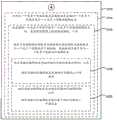
According to some embodiments, a method is performed at an electronic device having a display and a fingerprint sensor. The method comprises the following steps: displaying a fingerprint registration interface; detecting, on a fingerprint sensor, a plurality of independent and distinct static finger gestures performed with a respective finger; and collecting fingerprint information from a plurality of independent and distinct static finger gestures performed with respective fingers. After collecting the fingerprint information, the method includes determining whether the collected fingerprint information is sufficient to enroll a fingerprint of the respective finger with the device based on the collected fingerprint information for the respective finger. In accordance with a determination that fingerprint information that has been collected for a respective finger is sufficient to enroll a fingerprint of the respective finger, the method includes enrolling the fingerprint of the respective finger with the device. In accordance with a determination that the fingerprint information that has been collected for the respective finger is sufficient to enroll the fingerprint of the respective finger, the method includes displaying, in a fingerprint enrollment interface, a message prompting a user to perform one or more additional static finger gestures with the respective finger on the fingerprint sensor.
According to some embodiments, an electronic device comprises: a display unit configured to display a fingerprint enrollment interface; a fingerprint sensor unit; and a processing unit coupled to the display unit and the fingerprint sensor unit. The processing unit is configured to: detecting, on a fingerprint sensor unit, a plurality of independent and distinct static finger gestures performed with respective fingers; and collecting fingerprint information from a plurality of independent and distinct static finger gestures performed with respective fingers. After collecting the fingerprint information, the processing unit is further configured to determine, based on the collected fingerprint information for the respective finger, whether the collected fingerprint information is sufficient to enroll the fingerprint of the respective finger with the device. In accordance with a determination that the fingerprint information that has been collected for the respective finger is sufficient to enroll the fingerprint of the respective finger, the processing unit is configured to enroll the fingerprint of the respective finger with the device. In accordance with a determination that the fingerprint information that has been collected for the respective finger is sufficient to enroll the fingerprint of the respective finger, the processing unit is configured to enable display, in the fingerprint enrollment interface, of a message for prompting a user to perform one or more additional static finger gestures with the respective finger on the fingerprint sensor unit.
Accordingly, electronic devices having displays and fingerprint sensors have faster, more efficient methods and interfaces for enrolling fingerprints with the devices, thereby improving the effectiveness, efficiency, and user satisfaction of such devices. Such methods and interfaces may complement or replace conventional methods for enrolling fingerprints with a device.
Electronic devices need to have faster, more efficient methods and interfaces for performing fingerprint-based operations. Such methods and interfaces may complement or replace conventional methods for performing operations. Such methods and interfaces reduce the cognitive burden placed on the user and result in a more efficient human-machine interface. For battery-driven devices, such methods and interfaces may conserve power and increase the time interval between battery charges.
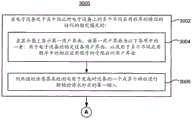
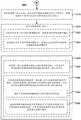
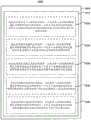
According to some embodiments, a method is performed at an electronic device having a fingerprint sensor. The method includes detecting a first input with a fingerprint sensor. The method also includes determining whether the first input includes a fingerprint in response to detecting the first input. The method also includes, in accordance with a determination that the first input includes a fingerprint: performing a first operation based on the presence of the fingerprint regardless of the identity of the fingerprint; and in accordance with a determination that the fingerprint in the first input matches the enrolled fingerprint, conditionally performing a second operation based on the enrolled fingerprint.
According to some embodiments, an electronic device includes a fingerprint sensor unit configured to detect a first input and a processing unit coupled to the fingerprint sensor unit. The processing unit is configured to, in response to detecting the first input: it is determined whether the first input includes a fingerprint. The processing unit is further configured to, in accordance with a determination that the first input comprises a fingerprint: the first operation is performed based on the presence of the fingerprint, regardless of the identity of the fingerprint. The processing unit is further configured to conditionally perform the second operation based on the enrolled fingerprint in accordance with a determination that the fingerprint in the first input matches the enrolled fingerprint.
Accordingly, electronic devices having fingerprint sensors have faster, more efficient methods and interfaces for performing fingerprint-based operations, thereby increasing the effectiveness, efficiency, and user satisfaction of such devices. Such methods and interfaces may complement or replace conventional methods for performing fingerprint-based operations.
There is a need for an electronic device having faster, more efficient methods and interfaces for populating credential fields and displaying editing credentials, such as passwords, credit card numbers, and the like. Such methods and interfaces may complement or replace conventional methods for populating a credential field and displaying an editing credential. Such methods and interfaces reduce the cognitive burden placed on the user and produce a more efficient human-machine interface. For battery-driven devices, such methods and interfaces may conserve power and increase the time interval between battery charges.
According to some embodiments, a method is performed at an electronic device having a display and a fingerprint sensor. The method comprises the following steps: storing a set of one or more credentials; displaying a form having fields corresponding to one or more credentials in a set of one or more credentials; receiving a request to automatically populate a form with one or more credentials of a set of one or more credentials, wherein the request includes a finger input on a fingerprint sensor; and in response to receiving the request to automatically populate the form: in accordance with a determination that the finger input includes a fingerprint associated with a user authorized to use a set of one or more credentials, populating a form with the one or more credentials; and in accordance with a determination that the finger input includes a fingerprint that is not associated with a user authorized to use the set of one or more credentials, forgo populating the form with the one or more credentials.
According to some embodiments, an electronic device includes a display unit configured to display a form having fields corresponding to one or more credentials of a set of one or more credentials; a credential storage unit configured to store a set of one or more credentials; a fingerprint sensor unit; and a processing unit coupled to the display unit, the credential storage unit, and the fingerprint sensor unit. The processing unit is configured to: receiving a request to automatically populate a form with one or more credentials of a set of one or more credentials, wherein the request includes a finger input on a fingerprint sensor; and in response to receiving the request to automatically populate the form: in accordance with a determination that the finger input includes a fingerprint associated with a user authorized to use a set of one or more credentials, populating a form with the one or more credentials; and in accordance with a determination that the finger input includes a fingerprint that is not associated with a user authorized to use the set of one or more credentials, forgo populating the form with the one or more credentials.
According to some embodiments, a method is performed at an electronic device having a display and a fingerprint sensor. The method comprises the following steps: storing a set of one or more credentials; receiving a request to display a set of one or more credentials; in response to receiving a request to display a set of one or more credentials, displaying an edited version of the set of one or more credentials; detecting a fingerprint on a fingerprint sensor while displaying an edited version of a set of one or more credentials; and in response to detecting the fingerprint and in accordance with a determination that the fingerprint is associated with a user authorized to display a set of one or more credentials, displaying a non-edited version of the set of one or more credentials.
According to some embodiments, an electronic device includes a display unit; a fingerprint sensor unit; and a processing unit coupled to the display unit, the credential storage unit, and the fingerprint sensor unit. The processing unit is configured to: receiving a request to display a set of one or more credentials; in response to receiving a request to display a set of one or more credentials, enabling display of an edited version of the set of one or more credentials; and while displaying the edited version of the set of one or more credentials, enable display of a non-edited version of the set of one or more credentials in response to detecting the fingerprint on the fingerprint sensor and in accordance with a determination that the fingerprint is associated with a user authorized to display the set of one or more credentials.
Accordingly, electronic devices having displays and fingerprint sensors have faster, more efficient methods and interfaces for automatically populating credential fields and displaying edited credentials, thereby increasing the effectiveness, efficiency, and user satisfaction of such devices. Such methods and interfaces may complement or replace conventional methods for populating a credential field and displaying an editing credential.
There is a need for electronic devices having more efficient and secure methods and interfaces for managing the automated use of saved credentials. Such methods and interfaces may complement or replace conventional methods for managing the automated use of saved credentials.
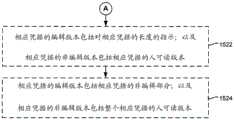
According to some embodiments, a method is performed at an electronic device having a display and a fingerprint sensor. The method comprises the following steps: storing, on the device, respective credentials of a user of the device; upon execution of the software application: (1) receiving a fingerprint at a fingerprint sensor of a device; and (2) in response to receiving the fingerprint and in accordance with a determination that the credential-usage criteria have been met, including determining that the received fingerprint matches at least one enrolled fingerprint in a set of enrolled fingerprints, automatically using the user's corresponding credential in the software application. The method further comprises the following steps: after automatically using the user's respective credentials in response to receiving the fingerprint, receiving a request to enroll an additional fingerprint with the device; adding an additional fingerprint to a set of enrolled fingerprints in response to a request to enroll the additional fingerprint with the device; and preventing the enrolled fingerprints from being used to authorize automatic use of the corresponding credentials in response to adding the additional fingerprint to the set of enrolled fingerprints.
According to some embodiments, an electronic device includes a storage unit configured to store on the device respective credentials of a user of the device; and a processing unit coupled to the memory unit. The processing unit is configured to: when executing the software application: (1) receiving a fingerprint at a fingerprint sensor of a device; and (2) in response to receiving the fingerprint and in accordance with a determination that the credential-usage criteria have been satisfied, including determining that the received fingerprint matches at least one enrolled fingerprint in a set of enrolled fingerprints, automatically using the user's corresponding credential in the software application. The processing unit is further configured to: after automatically using the user's respective credentials in response to receiving the fingerprint, receiving a request to enroll an additional fingerprint with the device; in response to a request to enroll an additional fingerprint with a device, adding the additional fingerprint to a set of enrolled fingerprints; and in response to adding the additional fingerprint to the set of enrolled fingerprints, preventing the enrolled fingerprints from being used to authorize automatic use of the corresponding credentials.
Accordingly, electronic devices with displays and fingerprint sensors have more efficient, secure methods and interfaces for managing automatic use of credentials, thereby increasing the effectiveness, efficiency, and user satisfaction of such devices. Such methods and interfaces may complement or replace conventional methods for managing automated use of credentials.
Electronic devices need to have faster, more efficient methods and interfaces for displaying editing information. Such methods and interfaces may complement or replace conventional methods for displaying information on a device. Such methods and interfaces reduce the cognitive burden placed on the user and result in a more efficient human-machine interface. For battery-driven devices, such methods and interfaces may conserve power and increase the time interval between battery charges.
According to some embodiments, a method is performed at an electronic device having a display and a fingerprint sensor. The method comprises the following steps: while displaying the edited version of the first information on the display, a finger input is detected on the fingerprint sensor. The method further comprises, in response to detecting a finger input on the fingerprint sensor: in accordance with a determination that the finger input includes a fingerprint matching a previously enrolled fingerprint authorized to display the first information, replacing display of an edited version of the first information with an unedited version of the first information; and in accordance with a determination that the finger input does not include a fingerprint matching a previously enrolled fingerprint authorized to display the first information, maintaining display of an edited version of the first information on the display.
According to some embodiments, an electronic device includes a display unit configured to display an edited version of first information on a display; a fingerprint sensor unit; and a processing unit coupled to the display unit and the fingerprint sensor unit. The processing unit is configured to detect a finger input on the fingerprint sensor while enabling display of the edited version of the first information on the display unit. The processing unit is further configured to, in response to detecting a finger input on the fingerprint sensor: in accordance with a determination that the finger input includes a fingerprint matching a previously enrolled fingerprint authorized to display the first information, replacing display of an edited version of the first information with an unedited version of the first information; and in accordance with a determination that the finger input does not include a fingerprint matching a previously enrolled fingerprint authorized to display the first information, maintaining display of an edited version of the first information on the display.
Accordingly, electronic devices having displays and fingerprint sensors have faster, more efficient methods and interfaces for displaying edit information, thereby increasing the effectiveness, efficiency, and user satisfaction of such devices. Such methods and interfaces may complement or replace conventional methods for displaying information on a device.
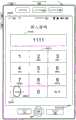
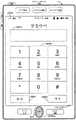
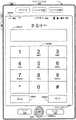
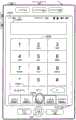
There is a need for faster, more efficient methods and interfaces for electronic devices for providing different unlock modes for such electronic devices. Such methods and interfaces may complement or replace conventional methods for providing different unlocking modes. Such methods and interfaces reduce the cognitive burden placed on the user and produce a more efficient human-machine interface. For battery-driven devices, such methods and interfaces may conserve power and increase the time interval between battery charges.
According to some embodiments, a method is performed at an electronic device having a fingerprint sensor and a display. When the device is in a locked mode of operation in which access to a respective feature set of the electronic device is locked, the method includes detecting, with the fingerprint sensor, a first input corresponding to a request to initiate unlocking of the device. In response to detecting the first input with the fingerprint sensor, the method further includes determining whether the first input satisfies one of an unlock criterion, a first unlock failure criterion, or a second unlock failure criterion. In accordance with a determination that the first input satisfies the unlock criteria, the method includes transitioning the device from a locked mode to an unlocked mode in which the respective feature set of the electronic device is unlocked. In accordance with a determination that the first input satisfies the first unlock failure criteria, the method includes maintaining the device in a locked mode and adjusting the unlock settings such that the device is enabled to be unlocked via an unlock operation of a first set of one or more unlock operations, and in accordance with a determination that the first input satisfies the second unlock failure criteria, maintaining the device in the locked mode and adjusting the unlock settings such that the device is enabled to be unlocked via an unlock operation of a second set of one or more unlock operations that is different from the first set of unlock operations.
According to some embodiments, an electronic device includes a display unit configured to display a graphical user interface; a fingerprint sensor unit; and a processing unit coupled to the display unit and the fingerprint sensor unit. When the device is in a locked mode of operation in which access to a respective feature set of the electronic device is locked, the fingerprint sensor unit detects a first input corresponding to a request to initiate unlocking of the device. In response to detecting the first input with the fingerprint sensor unit, the processing unit is configured to: determining whether the first input satisfies one of an unlock criterion, a first unlock failure criterion, or a second unlock failure criterion. The processing unit is further configured to: in accordance with a determination that the first input satisfies an unlock criterion, the device is transitioned from a locked mode to an unlocked mode in which a respective feature set of the electronic device is unlocked. The processing unit is further configured to: in accordance with a determination that the first input satisfies the first unlock failure criteria, the device is maintained in the locked mode and the unlock settings are adjusted such that the device is enabled to unlock via an unlock operation of the first set of one or more unlock operations. The processing unit is further configured to: in accordance with a determination that the first input meets the second unlock failure criteria, the device is maintained in the locked mode and the unlock settings are adjusted such that the device is enabled to unlock via an unlock operation of a second set of one or more unlock operations that is different from the first set of unlock operations.
Accordingly, electronic devices with displays and fingerprint sensors have faster, more efficient methods and interfaces for providing different unlocking modes, thereby increasing the effectiveness, efficiency, and user satisfaction of such devices. Such methods and interfaces may complement or replace conventional methods for providing different unlocking modes.
Electronic devices need to have more efficient and secure methods and interfaces for controlling access to device information and features and unlocking the device. Such methods and interfaces may complement or replace conventional methods for controlling access to device information and features and unlocking a device. Such methods and interfaces reduce the cognitive burden placed on the user and produce a more efficient human-machine interface. For battery-driven devices, such methods and interfaces may conserve power and increase the time interval between battery charges.
According to some embodiments, a method is performed at an electronic device having a display and a fingerprint sensor. The method comprises the following steps: displaying a first user interface on the display and detecting a first input while the device is in a locked mode in which access to a respective set of features of the electronic device is locked; in response to detecting the first input, displaying a second user interface on the display, wherein the second user interface is in a limited-access mode in which access to the second user interface is limited according to a limiting criterion; and while displaying the second user interface in the limited-access mode: detecting a first fingerprint on a fingerprint sensor; in accordance with a determination that the first fingerprint is one of a plurality of enrolled fingerprints that are enrolled with the device, displaying the second user interface in a full access mode in which access to the second user interface is not restricted in accordance with the restriction criteria and transitioning the device from a locked mode to an unlocked mode in which the corresponding set of features of the electronic device are unlocked; and in accordance with a determination that the first fingerprint is not one of the plurality of enrolled fingerprints, maintaining display of the second user interface in the limited-access mode and maintaining the device in the locked mode.
According to some embodiments, an electronic device includes a display unit, a fingerprint sensor unit, and a processing unit coupled to the display unit and the fingerprint sensor unit. The processing unit is configured to: enabling display of a first user interface on a display unit and detecting a first input while a device is in a locked mode in which access to a respective feature set of an electronic device is locked; in response to detecting the first input, enabling display of a second user interface on the display unit, wherein the second user interface is in a limited access mode in which access to the second user interface is limited according to a limiting criterion; and upon enabling display of the second user interface in the limited-access mode: detecting a first fingerprint on a fingerprint sensor unit; in accordance with a determination that the first fingerprint is one of a plurality of enrolled fingerprints that are enrolled with the device, enabling display of the second user interface in a full access mode in which access to the second user interface is not restricted in accordance with the restriction criteria and transitioning the device from a locked mode to an unlocked mode in which the corresponding feature set of the electronic device is unlocked; and in accordance with a determination that the first fingerprint is not one of the plurality of enrolled fingerprints, maintaining display of the second user interface in the limited-access mode and maintaining the device in the locked mode.
Accordingly, more efficient and secure methods and interfaces are provided for electronic devices having displays and fingerprint sensors for controlling access to device information and features and unlocking the devices, thereby improving the effectiveness, efficiency, and user satisfaction with such devices. Such methods and interfaces may complement or replace conventional methods for controlling access to device information and features and unlocking a device.
Electronic devices need to have efficient methods and interfaces for unlocking an application or device according to context. Such methods and interfaces may complement or replace conventional methods for unlocking. Such methods and interfaces reduce the cognitive burden placed on the user and produce a more efficient human-machine interface. For battery-driven devices, such methods and interfaces may conserve power and increase the time interval between battery charges.
According to some embodiments, a method is performed at an electronic device having a display and a fingerprint sensor. The method comprises the following steps: displaying, on the display, a first user interface when the electronic device is in a locked mode in which access to a plurality of different application features on the electronic device is blocked, the first user interface being one of: the method includes locking a device user interface for an electronic device, and restricted access user interfaces for respective ones of a plurality of different applications, and detecting, with a fingerprint sensor, a first input corresponding to a request to initiate unlocking of one or more features of the device. The method also includes, in response to detecting, with the fingerprint sensor, a first input corresponding to a request to initiate unlocking one or more features of the device: in accordance with a determination that the first user interface is a locked device user interface for the electronic device, transitioning the device from a locked mode to a multi-application unlocked mode in which features of a plurality of different applications are unlocked. The method also includes, in accordance with a determination that the first user interface is a limited access user interface for the respective application: transitioning the device from a locking mode to a single application unlocking mode in which one or more previously locked features of a corresponding application are unlocked; and continuing to prevent access to one or more previously locked features of other applications of the plurality of different applications.
According to some embodiments, an electronic device includes a display unit configured to display a first user interface; a fingerprint sensor unit; and a processing unit coupled to the display unit and the fingerprint sensor unit. The processing unit is configured to: when the electronic device is in a locked mode in which access to a plurality of different application features on the electronic device is blocked: enabling display of a first user interface on a display unit, the first user interface being one of: a locking device user interface for the electronic device and a limited access user interface for a respective application of a plurality of different applications; and detect, with the fingerprint sensor, a first input corresponding to a request to initiate unlocking of one or more features of the device. The processing unit is further configured to, in response to detecting, with the fingerprint sensor, a first input corresponding to a request to initiate unlocking one or more features of the device: in accordance with a determination that the first user interface is a locked device user interface for the electronic device, transitioning the device from a locked mode to a multi-application unlocked mode in which features of a plurality of different applications are unlocked. The processing unit is further configured to, in accordance with a determination that the first user interface is a limited-access user interface for the respective application: transitioning the device from a locked mode to a single-application unlocked mode in which one or more previously-locked features of a respective application are unlocked; and continuing to prevent access to one or more previously locked features of other applications in the plurality of different applications.
Accordingly, electronic devices having displays and fingerprint sensors have efficient methods and interfaces for unlocking applications or devices according to context, thereby increasing the effectiveness, efficiency, and user satisfaction with such devices. Such methods and interfaces may complement or replace conventional methods for unlocking.
In accordance with some embodiments, an electronic device includes a fingerprint sensor, a display, and/or a touch-sensitive surface, one or more processors, memory, and one or more programs; the one or more programs are stored in the memory and configured to be executed by the one or more processors, the one or more programs including instructions for performing the operations of any of the methods described above. According to some embodiments, a graphical user interface on an electronic device with a fingerprint sensor, a display, an optional touch-sensitive surface, a memory, and one or more processors to execute one or more programs stored in the memory includes one or more of the elements displayed in any of the methods described above that are updated in response to input, as described in any of the methods described above. According to some embodiments, a computer-readable storage medium has instructions stored therein, which when executed by an electronic device with a fingerprint sensor and optionally a display and/or a touch-sensitive surface, cause the device to perform the operations of any of the above-described methods. According to some embodiments, an electronic device comprises: a fingerprint sensor and optionally a display and/or a touch-sensitive surface; and means for performing the operations of any of the above methods. According to some embodiments, an information processing apparatus for use in an electronic device with a fingerprint sensor and optionally a display and/or a touch-sensitive surface comprises means for performing the operations of any of the methods described above.
Accordingly, electronic devices with displays and fingerprint sensors have faster, more efficient methods and interfaces for changing beamforming parameters based on fingerprint orientation, thereby improving the effectiveness, efficiency, and user satisfaction of such devices. Such methods and interfaces may complement or replace conventional methods for changing beamforming parameters.
Drawings
For a better understanding of the various described embodiments, reference should be made to the following detailed description taken in conjunction with the following drawings, wherein like reference numerals refer to corresponding parts throughout.
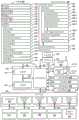
FIG. 1A is a block diagram illustrating a portable multifunction device with a touch-sensitive display and a fingerprint sensor in accordance with some embodiments.
FIG. 1B is a block diagram illustrating exemplary components for event processing according to some embodiments.
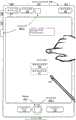
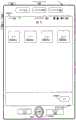
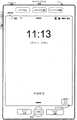
FIG. 2 illustrates a portable multifunction device with a touch screen and a fingerprint sensor in accordance with some embodiments.
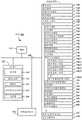
FIG. 3 is a block diagram of an exemplary multifunction device with a display and a plurality of sensors including a fingerprint sensor and an optional touch-sensitive surface in accordance with some embodiments.
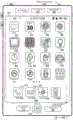
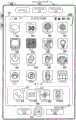
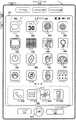
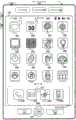
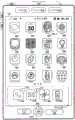
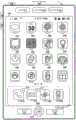
FIG. 4A illustrates an exemplary user interface for a menu for applications on a portable multifunction device in accordance with some embodiments.
FIG. 4B illustrates an exemplary user interface for a multifunction device with a fingerprint sensor and a touch-sensitive surface separate from a display in accordance with some embodiments.
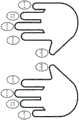
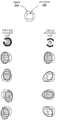
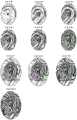
FIG. 4C illustrates a schematic diagram of two hands with associated fingerprints according to some embodiments.
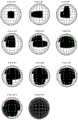
Figure 4D illustrates different rotation types of a fingerprint on a fingerprint sensor according to some embodiments.
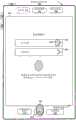
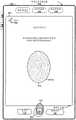
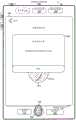
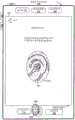
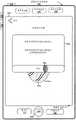
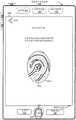
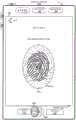
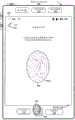
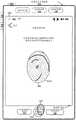
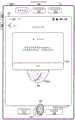
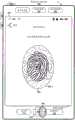
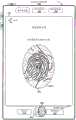
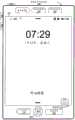
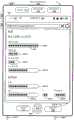
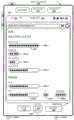
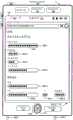
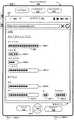
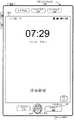
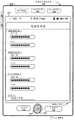
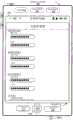
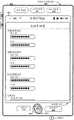
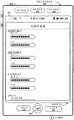
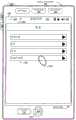
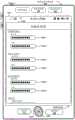
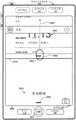
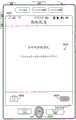
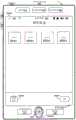
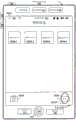
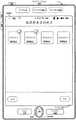
5A-5 EE illustrate exemplary user interfaces for enrolling a fingerprint with a device according to some embodiments.
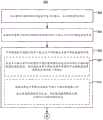
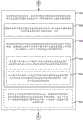
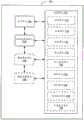
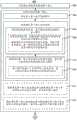
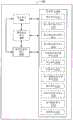
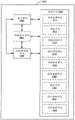
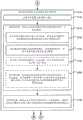
6A-6D are flow diagrams illustrating methods of enrolling a fingerprint with a device according to some embodiments.
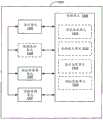
Fig. 7 is a functional block diagram of an electronic device according to some embodiments.
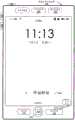
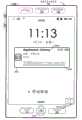
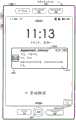
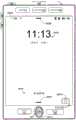
8A-8W illustrate exemplary user interfaces for performing fingerprint-based operations, according to some embodiments.
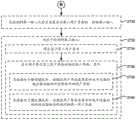
9A-9B are flow diagrams illustrating methods of performing fingerprint-based operations according to some embodiments.
FIG. 10 is a functional block diagram of an electronic device according to some embodiments.
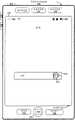
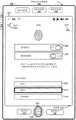
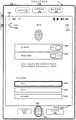
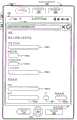
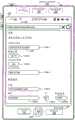
11A-11D illustrate exemplary user interfaces for populating a credential field with a credential and displaying a non-edited version of the credential in response to fingerprint-based user authentication, according to some embodiments.
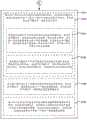
12A-12B are flow diagrams illustrating methods for authorizing auto-populating a credential field and authorizing display of a non-edited version of a credential using fingerprint-based user authentication, according to some embodiments.
FIG. 13 is a functional block diagram of an electronic device according to some embodiments.
14A-14C illustrate an exemplary user interface for displaying a non-edited version of a credential in response to fingerprint-based user authentication, according to some embodiments.
15A-15B are flow diagrams illustrating methods for authorizing display of a non-edited version of a credential using fingerprint-based user authentication, in accordance with some embodiments.
Fig. 16 is a functional block diagram of an electronic device according to some embodiments.
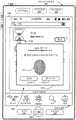
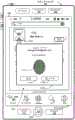
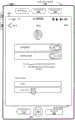
17A-17J illustrate exemplary user interfaces for managing automatic use of saved credentials by enrolling fingerprints according to some embodiments.
18A-18C are flow diagrams illustrating methods of managing automated use of saved credentials by enrolling fingerprints according to some embodiments.
FIG. 19 is a functional block diagram of an electronic device according to some embodiments.
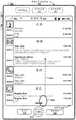
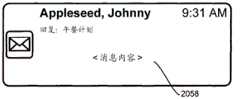
20A-20T illustrate exemplary user interfaces for displaying editing information, according to some embodiments.
21A-21C are flow diagrams illustrating methods of displaying editing information according to some embodiments.
FIG. 22 is a functional block diagram of an electronic device according to some embodiments.
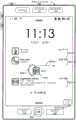
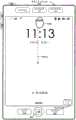
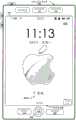
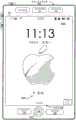
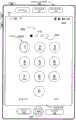
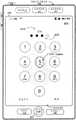
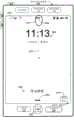
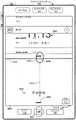
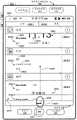
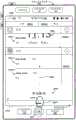
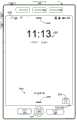
23A-23 FF illustrate exemplary user interfaces for providing different unlocking modes according to some embodiments.
24A-24D are flow diagrams illustrating methods of providing different unlock modes according to some embodiments.
FIG. 25 is a functional block diagram of an electronic device according to some embodiments.
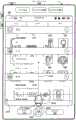
26A-26X illustrate exemplary user interfaces for controlling access to device information and features and unlocking a device, according to some embodiments.
27A-27D are flow diagrams illustrating methods of controlling access to device information and features and unlocking a device according to some embodiments.
FIG. 28 is a functional block diagram of an electronic device according to some embodiments.
29A-29Y illustrate exemplary user interfaces for unlocking an application or device according to context, according to some embodiments.
30A-30D are flow diagrams illustrating methods of unlocking an application or device according to context, according to some embodiments.
FIG. 31 is a functional block diagram of an electronic device according to some embodiments.
Detailed Description
Instead of or in addition to input on a touch-sensitive surface or other input device, the methods, devices, and GUIs described herein respond to input on a fingerprint sensor. In some implementations, a touch-sensitive surface having a spatial resolution high enough to detect fingerprint features formed by individual fingerprint ridges is used as the fingerprint sensor. When the fingerprint sensor is used without a separate touch sensitive surface, the fingerprint sensor can be used as a substitute for many functions of a touch sensitive surface having a much smaller form factor, because the fingerprint sensor can detect movement of a contact over the fingerprint sensor, even though the fingerprint has an area that is as large as or larger than the area of the fingerprint sensor. When a fingerprint sensor is used in addition to a separate touch surface, the fingerprint sensor may enhance the touch sensitive surface by: providing accurate detection of a twisting motion of a contact, identifying different fingerprints of a finger used to perform a gesture on a fingerprint sensor, and identifying a current user of the device. In addition, when a fingerprint sensor is used in addition to a standalone touch screen display, the fingerprint sensor can detect touch inputs that are made where it is advantageous to avoid having a finger obscure portions of the display (e.g., when viewing a map, video, or game). When the touch-sensitive surface is used as a fingerprint sensor, the touch surface optionally has spatial resolution settings that can be defined in order to automatically switch the touch-sensitive surface (or regions of the touch-sensitive surface) between the low-resolution mode and the high-resolution mode without user intervention. In many cases, the low resolution mode consumes less power than the high resolution mode. The advantage of operating the touch sensitive surface in a low resolution mode when fingerprint detection is not required and switching the touch sensitive surface or regions of the touch surface to a high resolution mode as required is that: this approach saves power while still providing high resolution fingerprint feature sensing as needed to improve the user experience with the device. In implementations where a touch-sensitive surface is used as the fingerprint sensor, the term "fingerprint sensor" is used to refer to the touch-sensitive surface or an area of the touch-sensitive surface that is currently in the high resolution mode.
The following describes a number of different methods for providing an intuitive user interface in which input from one or more fingerprint sensors is used to manipulate the user interface of an electronic device. One or more of these methods are used (optionally in combination with one another) to help provide a user interface that intuitively provides additional information and functionality to the user, thereby reducing the cognitive burden on the user and improving the human-machine interface. Such improvements in the human-machine interface enable a user to use the device more quickly and efficiently. For battery-driven devices, these improvements save power and increase the time interval between two charges of the battery. For ease of explanation, the following describes systems, methods, and user interfaces for including exemplary instances of some of these methods, as follows:
in the following, fig. 5A-5 EE show exemplary user interfaces for enrolling a fingerprint with a device. Fig. 6A-6D are flow charts illustrating a method of enrolling a fingerprint using a device. The user interface in fig. 5A-5 EE is used to illustrate the process in fig. 6A-6D.
In the following, FIGS. 8A-8W illustrate exemplary user interfaces for performing fingerprint-based operations. 9A-9B are flow diagrams illustrating a method of performing fingerprint-based operations. The user interfaces in fig. 8A-8W are used to illustrate the processes in fig. 9A-9B.
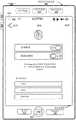
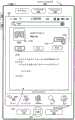
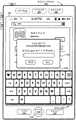
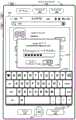
In the following, fig. 11A-11D and 14A-14C illustrate exemplary user interfaces for populating a credential field with a credential and displaying a non-edited version of the credential in response to fingerprint-based user authentication. 12A-12B and 15A-15B are flow diagrams illustrating methods for authorizing auto-populating of credential fields and/or authorizing display of non-editing credentials using fingerprint-based user authentication. The user interfaces in fig. 11A-11D and 14A-14C are used to illustrate the processes in fig. 12A-12B and 15A-15B.
In the following, fig. 17A-17J illustrate exemplary user interfaces for managing automatic use of save credentials on an electronic device (e.g.,device 100 or 300). 18A-18C are flow diagrams illustrating a method of managing automated use of saved credentials on an electronic device (e.g.,device 100 or 300). The user interfaces in fig. 17A-17J are used to illustrate the processes in fig. 18A-18C.
In the following, fig. 20A to 20T show exemplary user interfaces for displaying edit information. Fig. 21A to 21C are flowcharts showing a method of displaying edited information. The user interfaces in fig. 20A-20T are used to illustrate the processes in fig. 21A-21C.
In the following, FIGS. 23A-23 FF illustrate exemplary user interfaces for providing different unlock modes on an electronic device. 24A-24D are flow diagrams illustrating a method of providing different unlock modes on an electronic device. The user interfaces in fig. 23A-23 FF are used to illustrate the processes in fig. 24A-24D.
In the following, fig. 26A-26X illustrate exemplary user interfaces for controlling access to device information and features and unlocking the device. 27A-27D are flow diagrams illustrating a method of unlocking a device and accessing device features. The user interfaces in fig. 26A-26X are used to illustrate the processes in fig. 27A-27D.
In the following, FIGS. 29A-29Y illustrate exemplary user interfaces for unlocking an application or device according to context. 30A-30D are flow diagrams illustrating a method of unlocking an application or device according to context. The user interfaces in FIGS. 29A-29Y are used to illustrate the processes in FIGS. 30A-30D.
Exemplary device
Reference will now be made in detail to embodiments, examples of which are illustrated in the accompanying drawings. In the following detailed description, numerous specific details are set forth in order to provide a thorough understanding of various described embodiments. It will be apparent, however, to one skilled in the art that the various embodiments described may be practiced without these specific details. In other instances, well-known methods, procedures, components, circuits, and networks have not been described in detail as not to unnecessarily obscure aspects of the embodiments.
It will also be understood that, although the terms first, second, etc. may be used herein in some instances to describe various elements, these elements should not be limited by these terms. These terms are only used to separate one element from another. For example, a first contact may be termed a second contact, and similarly, a second contact may be termed a first contact, without departing from the scope of the various described embodiments. The first contact and the second contact are both contacts, but they are not the same contact.
The terminology used in the description of the various described embodiments herein is for the purpose of describing particular embodiments only and is not intended to be limiting. As used in the description of the various described embodiments and the appended claims, the singular forms "a," "an," and "the" are intended to include the plural forms as well, unless the context clearly indicates otherwise. It should also be understood that the term "and/or" as used herein refers to and encompasses any and all possible combinations of one or more of the associated listed items. It will be further understood that the terms "comprises," "comprising," "includes" and/or "including," when used in this specification, specify the presence of stated features, integers, steps, operations, elements, and/or components, but do not preclude the presence or addition of one or more other features, integers, steps, operations, elements, components, and/or groups thereof.
Depending on the context, the term "if" as used herein is optionally to be interpreted to mean "when … …" ("where" or "upon") or "in response to a determination" or "in response to a detection". Similarly, the phrase "if determined … …" or "if [ stated condition or event ] is detected" is optionally to be construed to mean "upon determination … …" or "in response to determination … …" or "upon detection of [ stated condition or event ] or" in response to detection of [ stated condition or event ] ", depending on the context.
Embodiments of electronic devices, user interfaces for such devices, and associated processes for using such devices are described herein. In some embodiments, the device is a portable communication device such as a mobile phone that also contains other functionality such as PDA and/or music player functionality. Exemplary embodiments of portable multifunction devices include, but are not limited to, those from Apple Inc iPod
iPod And
And an apparatus. Other portable electronic devices are optionally used, such as laptops or tablets with touch-sensitive surfaces (e.g., touch screen displays and/or touch pads). It should also be understood that in some embodiments, the device is not a portable communication device, but is a desktop computer with a touch-sensitive surface (e.g., a touch screen display and/or touchpad).


In the following discussion, an electronic device including a display and a touch-sensitive surface is described. However, it should be understood that the electronic device optionally includes one or more other physical user interface devices such as a physical keyboard, mouse, and/or joystick.
The device typically supports various applications, such as one or more of the following: a mapping application, a rendering application, a word processing application, a website creation application, a disc editing application, a spreadsheet application, a gaming application, a telephone application, a video conferencing application, an email application, an instant messaging application, a fitness support application, a photo management application, a digital camera application, a digital video camera application, a web browsing application, a digital music player application, and/or a digital video player application.
Various applications executing on the device optionally use at least one common physical user interface device such as a touch-sensitive surface. One or more functions of the touch-sensitive surface and corresponding information displayed on the device are optionally adjusted and/or varied from one application to the next and/or within a respective application. In this way, the general physical architecture of the device (such as a touch-sensitive surface) optionally supports various applications with a user interface that is intuitive and clear to the user.
Attention is now directed to embodiments of portable devices having touch sensitive displays. FIG. 1A is a block diagram illustrating aportable multifunction device 100 with a touch-sensitive display 112 in accordance with some embodiments. Touch-sensitive display 112 is sometimes referred to as a "touch screen" for convenience, and may sometimes be referred to as or be referred to as a touch-sensitive display system.Device 100 includes memory 102 (which optionally includes one or more computer-readable storage media), amemory controller 122, one or more processing units (CPUs) 120, aperipheral interface 118,RF circuitry 108,audio circuitry 110,speaker 111,microphone 113, input/output (I/O)subsystem 106, other input devices orcontrol devices 116, andexternal ports 124. Thedevice 100 optionally includes one or moreoptical sensors 164.Device 100 optionally includes one or more intensity sensors 165 for detecting the intensity of contacts on device 100 (e.g., a touch-sensitive surface such as touch-sensitive display system 112 of device 100).Device 100 optionally includes one or moretactile output generators 167 for generating tactile outputs on device 100 (e.g., generating tactile outputs on a touch-sensitive surface such as touch-sensitive display system 112 ofdevice 100 ortouch panel 355 of device 300). These components optionally communicate over one or more communication buses orsignal lines 103.
As used in this specification and claims, the term "intensity" of a contact on a touch-sensitive surface refers to the force or pressure (force per unit area) of a contact (e.g., a finger contact) on the touch-sensitive surface, or to a substitute (surrogate) for the force or pressure of a contact on the touch-sensitive surface. The intensity of the contact has a range of values that includes at least four different values and more typically hundreds of different values (e.g., at least 256). The intensity of the contact is optionally determined (or measured) using various methods and various sensors or combinations of sensors. For example, one or more force sensors below or adjacent to the touch-sensitive surface are optionally used to measure forces at different points on the touch-sensitive surface. In some implementations, force measurements from multiple force sensors are combined (e.g., a weighted average) to determine an estimated force of the contact. Similarly, the pressure sensitive tip of the stylus is optionally used to determine the pressure of the stylus on the touch sensitive surface. Alternatively, the size of the contact area detected on the touch-sensitive surface and/or changes thereto, the capacitance of the touch-sensitive surface proximate to the contact and/or changes thereto, and/or the resistance of the touch-sensitive surface proximate to the contact and/or changes thereto, are optionally used as a substitute for the force or pressure of the contact on the touch-sensitive surface. In some implementations, the surrogate measurement for contact force or pressure is used directly to determine whether an intensity threshold has been exceeded (e.g., the intensity threshold is described in units corresponding to the surrogate measurement). In some implementations, surrogate measurements for contact force or pressure are converted into an estimated force or pressure, and the estimated force or pressure is used to determine whether an intensity threshold has been exceeded (e.g., an intensity threshold is a pressure threshold measured in units of pressure).
As used in this specification and claims, the term "haptic output" refers to a physical displacement of a device relative to a previous position of the device, a physical displacement of a component of the device (e.g., a touch-sensitive surface) relative to another component of the device (e.g., a housing), or a displacement of a component relative to a center of mass of the device that is to be detected by a user with a sense of touch of the user. For example, where a device or component of a device is in contact with a touch-sensitive surface of a user (e.g., a finger, palm, or other portion of a user's hand), the tactile output generated by the physical displacement will be interpreted by the user as a tactile sensation corresponding to a perceived change in a physical characteristic of the device or component of the device. For example, movement of a touch-sensitive surface (e.g., a touch-sensitive display or trackpad) is optionally interpreted by a user as a "down click" or "up click" of a physical actuation button. In some cases, the user will feel a tactile sensation, such as a "press click" or "release click," even when the physical actuation button associated with the touch-sensitive surface that is physically pressed (e.g., displaced) by the user's movement is not moving. As another example, movement of the touch-sensitive surface is optionally interpreted or sensed by the user as "roughness" of the touch-sensitive surface, even when there is no change in the smoothness of the touch-sensitive surface. While such interpretation of touches by a user will be limited by the user's individualized sensory perception, sensory perception of many touches is common to most users. Thus, when a haptic output is described as corresponding to a particular sensory perception of a user (e.g., "click down," "click up," "roughness"), unless otherwise stated, the generated haptic output corresponds to a physical displacement of the device or a component thereof that would generate the described sensory perception of a typical (or ordinary) user.
It should be understood thatdevice 100 is only one example of a portable multifunction device, and thatdevice 100 optionally has more or fewer components than shown, optionally combines two or more components, or optionally has a different configuration or arrangement of these components. The various components shown in fig. 1A are implemented in hardware, software, or a combination of both hardware and software, including one or more signal processing circuits and/or application specific integrated circuits.
The memory 102 optionally includes high-speed random access memory, and also optionally includes non-volatile memory, such as one or more magnetic disk storage devices, flash memory devices, or other non-volatile solid-state memory devices. Access to the memory 102 by other components of thedevice 100, such as theCPU 120 and theperipheral interface 118, is optionally controlled by amemory controller 122.
In some embodiments, peripherals interface 118,CPU 120, andmemory controller 122 are optionally implemented on a single chip, such aschip 104. In some other embodiments, they are optionally implemented on separate chips.
RF (radio frequency)circuitry 108 receives and transmits RF signals, also referred to as electromagnetic signals. TheRF circuitry 108 converts electrical signals to/from electromagnetic signals and communicates with communication networks and other communication devices via electromagnetic signals.RF circuitry 108 optionally includes well-known circuitry for performing these functions, including but not limited to an antenna system, an RF transceiver, one or more amplifiers, a tuner, one or more oscillators, a digital signal processor, a codec chipset, a Subscriber Identity Module (SIM) card, memory, and so forth.RF circuitry 108 optionally communicates with networks, such as the internet, also known as the World Wide Web (WWW), intranets, and/or wireless networks, such as cellular telephone networks, wireless Local Area Networks (LANs), and/or Metropolitan Area Networks (MANs), as well as other devices via wireless communications. The wireless communication optionally uses any of a number of communication standards, protocols, and techniques, including, but not limited to, global system for mobile communications (GSM), Enhanced Data GSM Environment (EDGE), High Speed Downlink Packet Access (HSDPA), High Speed Uplink Packet Access (HSUPA), evolution, pure data (EV-DO), HSPA +, dual cell HSPA (DC-HSPDA), Long Term Evolution (LTE), Near Field Communication (NFC), wideband code division multiple access (W-CDMA), Code Division Multiple Access (CDMA), Time Division Multiple Access (TDMA), bluetooth, wireless fidelity (Wi-Fi) (e.g., IEEE 802.11a, IEEE 802.11b, IEEE 802.11g, and/or IEEE 802.11n), voice over internet protocol (VoiP), Wi-MAX, email protocols (e.g., Internet Message Access Protocol (IMAP), and/or Post Office Protocol (POP)), instant messaging (e.g., extensible messaging and presence protocol (XMPP), session initiation protocol with extensions for instant messaging and presence (SIMPLE), Instant Messaging and Presence Service (IMPS)), and/or Short Message Service (SMS), or any other suitable communication protocol, including communication protocols not yet developed at the filing date of this document.
The I/O subsystem 106 couples input/output peripheral devices on thedevice 100, such as thetouch screen 112 and otherinput control devices 116, to aperipheral interface 118. The I/O subsystem 106 optionally includes a display controller 156, anoptical sensor controller 158, anintensity sensor controller 159, ahaptic feedback controller 161, and one ormore input controllers 160 for other input devices or control devices. The one ormore input controllers 160 receive/transmit electrical signals from/to other input devices orcontrol devices 116. Otherinput control devices 116 optionally include physical buttons (e.g., push buttons, rocker buttons, etc.), dials, slide switches, joysticks, click wheels, and the like. In some alternative embodiments, one ormore input controllers 160 are optionally coupled to (or not coupled to) any of: a keyboard, an infrared port, a USB port, and a pointing device such as a mouse. The one or more buttons (e.g., 208 in fig. 2) optionally include an up/down button for volume control of thespeaker 111 and/ormicrophone 113. The one or more buttons optionally include a push button (e.g., 206 in fig. 2).
Touch-sensitive display 112 provides an input interface and an output interface between the device and a user. Display controller 156 receives electrical signals fromtouch screen 112 and/or transmits electrical signals totouch screen 112.Touch screen 112 displays visual output to a user. The visual output optionally includes graphics, text, icons, video, and any combination thereof (collectively "graphics"). In some embodiments, some or all of the visual outputs correspond to user interface objects.


Thetouch screen 112 optionally has a video resolution in excess of 100 dpi. In some embodiments, the touch screen has a video resolution of about 160 dpi. The user optionally makes contact withtouch screen 112 using any suitable object or appendage, such as a stylus, finger, or the like. In some embodiments, the user interface is designed to work primarily with finger-based contacts and gestures, which may not be as accurate as stylus-based input due to the large contact area of the finger on the touch screen. In some embodiments, the device translates the rough finger-based input into a precise pointer/cursor position or command for performing the action desired by the user.
In some embodiments,device 100 optionally includes a touch pad (not shown) for activating or deactivating particular functions in addition to the touch screen. In some embodiments, the touchpad is a touch-sensitive area of the device that, unlike a touch screen, does not display visual output. The touchpad is optionally a touch-sensitive surface separate from thetouch screen 112 or an extension of the touch-sensitive surface formed by the touch screen.
Thedevice 100 also includes apower system 162 for powering the various components. Thepower system 162 optionally includes a power management system, one or more power sources (e.g., batteries, Alternating Current (AC)), a recharging system, a power failure detection circuit, a power converter or inverter, a power status indicator (e.g., a Light Emitting Diode (LED)), and any other components associated with the generation, management, and distribution of power in the portable device.
Thedevice 100 optionally further includes one or moreoptical sensors 164. FIG. 1A shows an optical sensor coupled to anoptical sensor controller 158 in the I/O subsystem 106. Theoptical sensor 164 optionally includes a Charge Coupled Device (CCD) or a Complementary Metal Oxide Semiconductor (CMOS) phototransistor. Theoptical sensor 164 receives light from the environment projected through one or more lenses and converts the light into data representing an image. In conjunction with imaging module 143 (also referred to as a camera module),optical sensor 164 optionally captures still images or video. In some embodiments, an optical sensor is located on the back ofdevice 100 oppositetouch screen display 112 on the front of the device, enabling the touch screen display to be used as a viewfinder for still and/or video image capture. In some embodiments, another optical sensor is located on the front of the device so that the user optionally acquires an image of the user for the video conference while viewing other video conference participants on the touch screen display.
Thedevice 100 optionally further includes one ormore proximity sensors 166. Fig. 1A shows aproximity sensor 166 coupled to theperipheral interface 118. Alternatively, theproximity sensor 166 is coupled to theinput controller 160 in the I/O subsystem 106. In some embodiments, the proximity sensor turns off and disables thetouch screen 112 when the multifunction device is placed near the user's ear (e.g., when the user makes a phone call).
In some embodiments, thedevice 100 also includes (or is in communication with) one ormore fingerprint sensors 169. FIG. 1A shows afingerprint sensor 169 coupled to theperipheral interface 118. Alternatively, thefingerprint sensor 169 is optionally coupled to aninput controller 160 in the I/O subsystem 106. However, in one common embodiment, the fingerprint identification operation is performed using secure dedicated computing hardware (e.g., one or more processors, memory, and/or communication buses) with additional security features in order to enhance the security of the fingerprint information determined by the fingerprint sensor. As used herein, a fingerprint sensor is a sensor of fingerprint features (sometimes referred to as "minutiae") that are capable of distinguishing ridges and valleys of skin, such as those found on human fingers and toes. Fingerprint sensors can use any of a variety of techniques to distinguish fingerprint features, including but not limited to: optical fingerprint imaging, ultrasonic fingerprint imaging, active capacitance fingerprint imaging and passive capacitance fingerprint imaging. In some embodiments, in addition to distinguishing fingerprint features in a fingerprint, thefingerprint sensor 169 is also capable of tracking the movement of fingerprint features over time, thereby determining/characterizing the movement of the fingerprint over time on the fingerprint sensor. Although the fingerprint sensor (e.g., fingerprint sensor 169) is shown in fig. 1A as being separate from the touch-sensitive surface (e.g., touch-sensitive display system 112), it should be understood that in some implementations, the touch-sensitive surface (e.g., touch-sensitive display system 112) has a spatial resolution high enough to detect fingerprint features formed by individual fingerprint ridges, and that instead of or in addition to a separate fingerprint sensor (e.g., fingerprint sensor 169), the touch-sensitive surface is used as a fingerprint sensor. In some embodiments, thedevice 100 includes a set of one or more orientation sensors for determining the orientation of a finger or hand on or near the device (e.g., the orientation of the finger above the fingerprint sensor 169). Additionally, in some embodiments, the set of one or more orientation sensors is used to detect rotation of the contact that is interacting with the device in addition to or in place of the fingerprint sensor (e.g., in one or more of the methods described below, instead of using the fingerprint sensor to detect rotation of the fingerprint/contact, the set of one or more orientation sensors is used to detect rotation of the contact that includes the fingerprint, with or without detecting features of the fingerprint).
In some embodiments, the features of the fingerprint and the comparison between the detected features of the fingerprint and the stored features of the fingerprint are performed by secure dedicated computing hardware (e.g., one or more processors, memory, and/or a communication bus) separate from theprocessor 120 in order to improve the security of the fingerprint data generated, stored, and processed by thefingerprint sensor 169. In some embodiments, the features of the fingerprint and the comparison between the detected features of the fingerprint and the features of the enrolled fingerprint are performed by theprocessor 120 using thefingerprint analysis module 131.
In some embodiments, during the enrollment process, a device (e.g.,fingerprint analysis module 131 or standalone security module 146 in communication with one or more fingerprint sensors 169) collects biometric information about one or more fingers of the user (e.g., identifies the relative locations of a plurality of minutiae points in the user's fingerprint). After the enrollment process is completed, the biometric information is stored at the device (e.g., in secure fingerprint module 146) for later use in authenticating the detected fingerprint. In some embodiments, the biometric information stored at the device excludes an image of the fingerprint, and also excludes information from which an image of the fingerprint may be reconstructed, so that the image of the fingerprint is not adversely made available if the security of the device is compromised. In some embodiments, during the authentication process, the device (e.g.,fingerprint analysis module 131 or standalone security module 146 in communication with one or more fingerprint sensors 169) determines whether the finger input detected by the fingerprint sensor includes a fingerprint matching a previously enrolled fingerprint by: biometric information about a fingerprint detected on a fingerprint sensor is collected (e.g., the relative positions of a plurality of minutiae points in the fingerprint detected on the fingerprint sensor are identified), and biometric information corresponding to the detected fingerprint is compared to biometric information corresponding to one or more enrolled fingerprints. In some embodiments, comparing the biometric information corresponding to the detected fingerprint to the biometric information corresponding to the one or more enrolled fingerprints includes comparing the type and location of minutiae points in the biometric information corresponding to the detected fingerprint to the type and location of minutiae points in the biometric information corresponding to the enrolled fingerprints. Optionally, however, the determination of whether the finger input includes a fingerprint that matches a previously enrolled fingerprint enrolled with the device is made using any of several well-known fingerprint authentication techniques for determining whether the detected fingerprint matches an enrolled fingerprint.
In some embodiments, the software components stored in memory 102 include anoperating system 126, a communication module (or set of instructions), a contact/motion module (or set of instructions) 130, afingerprint analysis module 131, a graphics module (or set of instructions) 132, a text input module (or set of instructions) 134, a Global Positioning System (GPS) module (or set of instructions) 135, and an application program (or set of instructions) 136. Further, in some embodiments, memory 102 stores device/globalinternal state 157, as shown in fig. 1A and 3. Device/globalinternal state 157 includes one or more of: an active application state indicating which applications (if any) are currently active; a display state indicating what applications, views, or other information occupy various areas of thetouch screen display 112; sensor states including information obtained from the various sensors of the device and theinput control device 116; and location information regarding the device's location and/or attitude.
In some embodiments, credential information is stored assecure credential information 145. The security credential information optionally includes credentials for the user account (e.g., username and password, billing information, address information). In some embodiments, credential information for one or more different applications is stored in a secure central location on the device such that the different applications can access the credential information. In some embodiments, credential information associated with a particular application (e.g., a username and password or billing information that has been enrolled into the particular application) is stored with the particular application (e.g., a username and password for authorizing a purchase in a store application is stored with the store application to facilitate access by the store application). In some embodiments, other security information (e.g., a decryption key for decrypting encrypted content stored at the device) is stored with thesecure credential information 145 or at another secure location on the device.
An operating system 126 (e.g., Darwin, RTXC, LINUX, UNIX, OS X, WINDOWS, or an embedded operating system such as VxWorks) includes various software components and/or drivers for controlling and managing general system tasks (e.g., memory management, storage device control, power management, etc.) and facilitates communication between various hardware and software components.
Contact/run module 130 optionally detects contact with touch screen 112 (in conjunction with display controller 156) and other touch sensitive devices (e.g., a touchpad or a physical click wheel). Contact/motion module 130 includes various software components for performing various operations related to the detection of contact, such as determining whether contact has occurred (e.g., detecting a finger-down event), determining the intensity of contact (e.g., the force or pressure of the contact, or a substitute for the force or pressure of the contact), determining whether there is movement of the contact and tracking movement across the touch-sensitive surface (e.g., detecting one or more finger-dragging events), and determining whether contact has ceased (e.g., detecting a finger-up event or a break in contact). The contact/motion module 130 receives contact data from the touch-sensitive surface. Determining movement of the point of contact represented by the series of contact data optionally includes determining velocity (magnitude), velocity (magnitude and direction), and/or acceleration (change in magnitude and/or direction) of the point of contact. These operations are optionally applied to single point contacts (e.g., single finger contacts) or multiple point simultaneous contacts (e.g., "multi-touch"/multi-finger contacts). In some embodiments, the contact/motion module 130 and the display controller 156 detect contact on the touch panel.
In some embodiments, the contact/motion module 130 uses a set of one or more intensity thresholds to determine whether an operation has been performed by the user (e.g., determine whether the user has "clicked" on an icon). In some embodiments, at least a subset of the intensity thresholds are determined as a function of software parameters (e.g., the intensity thresholds are not determined by the activation thresholds of particular physical actuators and may be adjusted without changing the physical hardware of device 100). For example, without changing the trackpad or touch screen display hardware, the mouse "click" threshold of the trackpad or touch screen display may be set to any one of a large range of predefined thresholds. Additionally, in some implementations, a user of the device is provided with software settings for adjusting one or more intensity thresholds of a set of intensity thresholds (e.g., by adjusting individual intensity thresholds and/or by adjusting multiple intensity thresholds at once with a system-level click on an "intensity" parameter).
The contact/motion module 130 optionally detects gesture input by the user. Different gestures on the touch-sensitive surface have different contact patterns (e.g., different motions, timings, and/or intensities of detected contacts). Thus, the gesture is optionally detected by detecting a specific contact pattern. For example, detecting a single-finger tap gesture includes detecting a finger-down event, and then detecting a finger-up (lift-off) event at the same location (or substantially the same location) as the finger-down event (e.g., at an icon location). As another example, detecting a finger swipe gesture on a touch-sensitive surface includes detecting a finger-down event, then detecting one or more finger-dragging events, and then subsequently detecting a finger-up (lift-off) event.
In some embodiments,graphics module 132 stores data to be used to represent graphics. Each graphic is optionally assigned a corresponding code. Thegraphic module 132 receives one or more codes for specifying a graphic to be displayed from an application program or the like, and also receives coordinate data and other graphic attribute data together if necessary, and then generates screen image data to output to the display controller 156.
TheGPS module 135 determines the location of the device and provides this information for use in various applications (e.g., to thephone 138 for location-based dialing, to thecamera 143 as picture/video metadata, and to applications for providing location-based services, such as a weather desktop applet, a local yellow pages desktop applet, and a map/navigation desktop applet).
contacts module 137 (sometimes referred to as a contact list or contact list);
aphone module 138;
avideo conferencing module 139;
anemail client module 140;
an Instant Messaging (IM)module 141;
acamera module 143 for still and/or video images;
animage management module 144;
abrowser module 147;
acalendar module 148;
a desktopapplet creator module 150 for forming a user-created desktop applet 149-6;
asearch module 151;
a video andmusic player module 152, optionally consisting of a video player module and a music player module;
anotepad module 153;
amap module 154; and/or
Examples ofother applications 136 that are optionally stored in memory 102 include other word processing applications, other image editing applications, drawing applications, rendering applications, JAVA-enabled applications, encryption, digital rights management, voice recognition, and voice replication.
In conjunction withtouch screen 112, display controller 156,contact module 130,graphics module 132, andtext input module 134,contacts module 137 is optionally used to manage contact lists or contact lists (e.g., stored in memory 102 or in an applicationinternal state 192 ofcontacts module 137 in memory 370), including: adding one or more names to the address book; deleting one or more names from the address book; associating one or more telephone numbers, one or more email addresses, one or more physical addresses, or other information with a name; associating the image with a name; classifying and ordering names; a telephone number or email address is provided to initiate and/or facilitate communications overtelephone 138,video conference 139,email 140 orIM 141, among others.
In conjunction withRF circuitry 108,audio circuitry 110,speaker 111,microphone 113,touch screen 112, display controller 156,contact module 130,graphics module 132, andtext input module 134,phone module 138 is optionally used to enter a sequence of characters corresponding to a phone number, access one or more phone numbers inaddress book 137, modify an entered phone number, dial a corresponding phone number, conduct a conversation, and disconnect or hang up when the conversation is complete. As noted above, the wireless communication optionally uses any of a variety of communication standards, protocols, and technologies.
In conjunction withRF circuitry 108,audio circuitry 110,speaker 111,microphone 113,touch screen 112, display controller 156,optical sensor 164,optical sensor controller 158,contact module 130,graphics module 132,text input module 134,contact list 137, andtelephony module 138,video conference module 139 includes executable instructions for initiating, executing, and terminating video conferences between the user and one or more other participants according to user instructions.
In conjunction withRF circuitry 108,touch screen 112, display controller 156,contact module 130,graphics module 132, andtext input module 134,email client module 140 includes executable instructions for creating, sending, receiving, and managing emails in response to user instructions. In conjunction with theimage management module 144, theemail client module 140 makes it very easy to create and send emails with still images or video images captured by thecamera module 143.
In conjunction withRF circuitry 108,touch screen 112, display controller 156,contact module 130,graphics module 132, andtext input module 134,instant message module 141 includes executable instructions for entering a sequence of characters corresponding to an instant message, modifying previously entered characters, transmitting a corresponding instant message (e.g., using a Short Message Service (SMS) protocol or a Multimedia Messaging Service (MMS) protocol for phone-based instant messages or using XMPP, SIMPLE, or IMPS for internet-based instant messages), receiving an instant message, and viewing the received instant message. In some embodiments, the transmitted and/or received instant messages optionally include graphics, photos, audio files, video files, and/or MMS and/or other attachments supported in an Enhanced Messaging Service (EMS). As used herein, "instant message" refers to both telephony-based messages (e.g., messages sent using SMS or MMS) and internet-based messages (e.g., messages sent using XMPP, SIMPLE, or IMPS).
In conjunction withRF circuitry 108,touch screen 112, display controller 156,contact module 130,graphics module 132,text input module 134,GPS module 135,map module 154, and music player module 146,fitness support module 142 includes executable instructions for: creating fitness (e.g., with time, distance, and/or calorie burning goals); communicating with fitness sensors (sports equipment); receiving fitness sensor data; calibrating a sensor for monitoring fitness; selecting body-building music and playing; and displaying, storing and transmitting fitness data.
In conjunction withtouch screen 112, display controller 156, one or moreoptical sensors 164,optical sensor controller 158,contact module 130,graphics module 132, andimage management module 144,camera module 143 includes executable instructions for capturing still images or video (including video streams) and storing them in memory 102, modifying characteristics of the still images or video, or deleting the still images or video from memory 102.
In conjunction withtouch screen 112, display controller 156,contact module 130,graphics module 132,text input module 134, andcamera module 143,image management module 144 includes executable instructions for arranging, modifying (e.g., editing), or otherwise manipulating, labeling, deleting, presenting (e.g., in a digital slide or album), and storing still and/or video images.
In conjunction withRF circuitry 108,touch screen 112, display system controller 156,contact module 130,graphics module 132, andtext input module 134,browser module 147 includes executable instructions for browsing the internet (including searching, linking to, receiving, and displaying web pages or portions thereof, and attachments and other files linked to web pages) according to user instructions.
In conjunction with theRF circuitry 108, thetouch screen 112, the display system controller 156, thecontact module 130, thegraphics module 132, thetext input module 134, theemail client module 140, and thebrowser module 147, thecalendar module 148 includes executable instructions for creating, displaying, modifying, and storing a calendar and data associated with the calendar (e.g., calendar entries, to-do, etc.) according to user instructions.
In conjunction withRF circuitry 108,touch screen 112, display system controller 156,contact module 130,graphics module 132,text input module 134, andbrowser module 147, thedesktop applet module 149 is a mini-application (e.g., weather desktop applet 149-1, stock desktop applet 149-2, calculator desktop applet 149-3, alarm desktop applet 149-4, and dictionary desktop applet 149-5) or a mini-application created by a user (e.g., user created desktop applet 149-6) that is optionally downloaded and used by the user. In some embodiments, the desktop applet includes an HTML (HyperText markup language) file, a CSS (cascading Style sheet) file, and a JavaScript file. In some embodiments, the desktop applet includes an XML (extensible markup language) file and a JavaScript file (e.g., Yahoo! desktop applet).
In conjunction withRF circuitry 108,touch screen 112, display system controller 156,contact module 130,graphics module 132,text input module 134, andbrowser module 147, the desktopapplet creator module 150 is optionally used by a user to create a desktop applet (e.g., to turn a user-specified portion of a web page into a desktop applet).
In conjunction withtouch screen 112, display system controller 156,contact module 130,graphics module 132, andtext input module 134,search module 151 includes executable instructions for searching for text, music, sound, images, videos, and/or other files in memory 102 that match one or more search criteria (e.g., one or more user-specified search terms) in accordance with user instructions.
In conjunction withtouch screen 112, display system controller 156,contact module 130,graphics module 132,audio circuitry 110,speakers 111,RF circuitry 108, andbrowser module 147, video andmusic player module 152 includes executable instructions for allowing a user to download and playback recorded music and other sound files stored in one or more file formats, such as MP3 or AAC files, and executable instructions to display, render, or otherwise play back video (e.g., ontouch screen 112 or on an external display connected via external port 124). In some embodiments, thedevice 100 optionally includes the functionality of an MP3 player, such as an iPod (trademark of Apple inc.).
In conjunction withtouch screen 112, display controller 156,contact module 130,graphics module 132, andtext input module 134,notepad module 153 includes executable instructions for creating and managing notepads, backlogs, and the like according to user instructions.
In conjunction withRF circuitry 108,touch screen 112, display system controller 156,contact module 130,graphics module 132,text input module 134,GPS module 135, andbrowser module 147,map module 154 is optionally used to receive, display, modify, and store maps and data associated with maps (e.g., driving directions; data related to stores and other points of interest at or near a particular location; and other location-based data) according to user instructions.
In conjunction withtouch screen 112, display system controller 156,contact module 130,graphics module 132,audio circuit 110,speaker 111,RF circuit 108,text input module 134,email client module 140, andbrowser module 147,online video module 155 includes instructions that allow a user to access, browse, receive (e.g., by streaming and/or downloading), playback (e.g., on the touch screen or on an external display connected via external port 124), send emails with links to particular online videos, and otherwise manage online videos in one or more file formats, such as h.264. In some embodiments,instant message module 141, rather than emailclient module 140, is used to send a link to a particular online video.
Each of the modules and applications identified above corresponds to a set of executable instructions for performing one or more of the functions described above as well as the methods described in this patent application (e.g., the computer-implemented methods and other information processing methods described herein). These modules (i.e., sets of instructions) need not be implemented as separate software programs, procedures or modules, and thus various subsets of these modules are optionally combined or otherwise rearranged in various embodiments. In some embodiments, memory 102 optionally stores a subset of the modules and data structures described above. Further, memory 102 optionally stores additional modules and data structures not described above.
In some embodiments,device 100 is a device in which the operation of a predefined set of functions on the device is performed exclusively through a touch screen and/or a touchpad. The number of physical input control devices (such as push buttons, dials, etc.) on thedevice 100 is optionally reduced by using a touch screen and/or touchpad as the primary input control device for operation of thedevice 100.
The predefined set of functions performed exclusively by the touchscreen and/or touchpad optionally includes navigation between user interfaces. In some embodiments, the touchpad, when touched by a user, navigatesdevice 100 from any user interface displayed ondevice 100 to a main, home, or root menu. In such embodiments, a touchpad is used to implement a "menu button". In some other embodiments, the menu button is a physical push button or other physical input control device, rather than a touchpad.
FIG. 1B is a block diagram illustrating exemplary components for event processing according to some embodiments. In some embodiments, memory 102 (in FIG. 1A) or 370 (FIG. 3) includes event classifier 170 (e.g., in operating system 126) and corresponding application 136-1 (e.g., any of the aforementioned applications 137-13, 155, 380 and 390).
Event sorter 170 receives the event information and determines application 136-1 andapplication view 191 of application 136-1 to which the event information is to be delivered. The event sorter 170 includes anevent monitor 171 and anevent dispatcher module 174. In some embodiments, application 136-1 includes an applicationinternal state 192 that indicates one or more current application views that are displayed on touch-sensitive display 112 when the application is active or executing. In some embodiments, device/globalinternal state 157 is used by event classifier 170 to determine which application(s) are currently active, and applicationinternal state 192 is used by event classifier 170 to determine theapplication view 191 to which to deliver event information.
In some embodiments, the applicationinternal state 192 includes additional information, such as one or more of: resume information to be used when the application 136-1 resumes execution, user interface state information indicating information being displayed by the application 136-1 or information that is ready for display by the application 136-1, a state queue for enabling a user to return to a previous state or view of the application 136-1, and a repeat/undo queue of previous actions taken by the user.
In some embodiments, event monitor 171 sends requests toperipheral interface 118 at predetermined intervals. In response,peripheral interface 118 transmits the event information. In other embodiments,peripheral interface 118 transmits event information only when there is a significant event (e.g., receiving input above a predetermined noise threshold and/or receiving input for more than a predetermined duration).
In some embodiments, event classifier 170 further includes hitview determination module 172 and/or active eventrecognizer determination module 173.
When touch-sensitive display 112 displays more than one view, hitview determination module 172 provides a software process for determining where within one or more views a sub-event has occurred. The view consists of controls and other elements that the user can see on the display.
Another aspect of the user interface associated with an application is a set of views, sometimes referred to herein as application views or user interface windows, in which information is displayed and a touch-based gesture occurs. The application view (of the respective application) in which the touch is detected optionally corresponds to a programmatic level within a programmatic hierarchy or view hierarchy of applications. For example, the lowest level view in which a touch is detected is optionally referred to as a hit view, and the set of events considered to be correct inputs is optionally determined based at least in part on the hit view of the initial touch that initiated the touch-based gesture.
Hitview determination module 172 receives information related to sub-events of the touch-based gesture. When the application has multiple views organized in a hierarchy, hitview determination module 172 identifies the hit view as the lowest view in the hierarchy that should handle the sub-event. In most cases, the hit view is the lowest level view in which the initiating sub-event (i.e., the first sub-event in the sequence of sub-events that form an event or potential event) occurs. Once a hit view is identified by the hit view determination module, the hit view typically receives all sub-events related to the same touch or input source for which it was identified as the hit view.
The active eventrecognizer determination module 173 determines which view or views within the view hierarchy should receive a particular sequence of sub-events. In some embodiments, the active eventrecognizer determination module 173 determines that only the hit view should receive a particular sequence of sub-events. In other embodiments, the active eventrecognizer determination module 173 determines that all views that include the physical location of the sub-event are actively participating views, and thus determines that all actively participating views should receive a particular sequence of sub-events. In other embodiments, even if the touch sub-event is completely confined to the area associated with one particular view, the higher views in the hierarchy will remain as actively participating views.
Theevent dispatcher module 174 dispatches the event information to an event recognizer (e.g., event recognizer 180). In embodiments including active eventrecognizer determination module 173,event dispatcher module 174 delivers event information to event recognizers determined by active eventrecognizer determination module 173. In some embodiments, theevent dispatcher module 174 stores event information in an event queue, which is retrieved by the respectiveevent receiver module 182.
In some embodiments, theoperating system 126 includes an event classifier 170. Alternatively, the application 136-1 includes an event classifier 170. In other embodiments, the event classifier 170 is a stand-alone module or is part of another module stored in the memory 102, such as the contact/motion module 130.
In some embodiments, the application 136-1 includes a plurality ofevent handlers 190 and one or more application views 191, where each application view includes instructions for processing touch events occurring within a respective view of the application's user interface. Eachapplication view 191 of the application 136-1 includes one ormore event recognizers 180. Typically, therespective application view 191 includes a plurality ofevent recognizers 180. In other embodiments, one or more of theevent recognizers 180 are part of a separate module, such as a user interface toolkit (not shown) or a higher level object from which the application 136-1 inherits methods and other properties. In some embodiments, therespective event handlers 190 comprise one or more of:data updater 176,object updater 177,GUI updater 178, and/orevent data 179 received from event sorter 170.Event handler 190 optionally utilizes or callsdata updater 176,object updater 177 orGUI updater 178 to update applicationinternal state 192. Alternatively, one or more of the application views 191 include one or morerespective event handlers 190. Additionally, in some embodiments, one or more ofdata updater 176,object updater 177, andGUI updater 178 are included in arespective application view 191.
Thecorresponding event recognizer 180 receives event information (e.g., event data 179) from the event classifier 170 and identifies events from the event information. Theevent recognizer 180 includes anevent receiver 182 and anevent comparator 184. In some embodiments,event recognizer 180 further comprises at least a subset of:metadata 183 and event delivery instructions 188 (which optionally include sub-event delivery instructions).
Theevent receiver 182 receives event information from the event sorter 170. The event information includes information about a sub-event, such as a touch or touch movement, or a finger input or fingerprint movement. According to the sub-event, the event information further includes additional information, such as the location of the sub-event. When the sub-event relates to motion of a touch, the event information optionally also includes the velocity and direction of the sub-event. In some embodiments, the event comprises rotation of the device from one orientation to another (e.g., from a portrait orientation to a landscape orientation, or vice versa), and the event information comprises corresponding information about the current orientation of the device (also referred to as the device pose).
In some embodiments, event definition 187 includes definitions for events of respective user interface objects. In some embodiments,event comparator 184 performs a hit test to determine which user interface object is associated with a sub-event. For example, in an application view in which three user interface objects are displayed on touch-sensitive display 112, when a touch is detected on touch-sensitive display 112,event comparator 184 performs a hit test to determine which of the three user interface objects is associated with the touch (sub-event). If each displayed object is associated with acorresponding event handler 190, the event comparator uses the results of the hit test to determine whichevent handler 190 should be activated. For example,event comparator 184 selects the event handler associated with the sub-event and the object that triggered the hit test.
In some embodiments, the definition of the respective event 187 further includes a delay action that delays the delivery of the event information until after it has been determined whether the sequence of sub-events does or does not correspond to the event type of the event identifier.
When therespective event recognizer 180 determines that the sub-event string does not match any event in theevent definition 186, therespective event recognizer 180 enters an event not possible, event failed, or event ended state, after which subsequent sub-events of the touch-based gesture are ignored. In this case, other event recognizers (if any) that remain active for the hit view continue to track and process sub-events of the persistent touch-based gesture.
In some embodiments, therespective event recognizer 180 includesmetadata 183 with configurable attributes, tags, and/or lists that indicate how the event delivery system should perform sub-event delivery to actively participating event recognizers. In some embodiments,metadata 183 includes configurable attributes, flags, and/or lists that indicate how event recognizers interact with each other or how they can interact. In some embodiments,metadata 183 includes configurable attributes, flags, and/or lists that indicate whether sub-events are delivered to varying levels in the view or programmatic hierarchy.
In some embodiments, when one or more particular sub-events of an event are identified, therespective event identifier 180 activates anevent handler 190 associated with the event. In some embodiments, therespective event identifier 180 delivers event information associated with the event to theevent handler 190. Activating anevent handler 190 is different from sending (and deferring) sub-events to the corresponding hit view. In some embodiments, theevent recognizer 180 throws a marker associated with the recognized event, and theevent handler 190 associated with the marker retrieves the marker and performs a predefined process.
In some embodiments,event delivery instructions 188 include sub-event delivery instructions that deliver event information about sub-events without activating an event handler. Instead, the sub-event delivery instructions deliver event information to event handlers associated with the series of sub-events or to actively participating views. Event handlers associated with the series of sub-events or with actively participating views receive the event information and perform a predetermined process.
In some embodiments,data updater 176 creates and updates data used in application 136-1. For example,data updater 176 updates a phone number used incontacts module 137 or stores a video file used invideo player module 145. In some embodiments, objectupdater 177 creates and updates objects used in application 136-1. For example, objectupdater 176 creates a new user interface object or updates the location of a user interface object. TheGUI updater 178 updates the GUI. For example,GUI updater 178 prepares display information and sends the displayed information tographics module 132 for display on the touch-sensitive display.
In some embodiments, one ormore event handlers 190 include or have access todata updater 176,object updater 177, andGUI updater 178. In some embodiments,data updater 176,object updater 177, andGUI updater 178 are included in a single module of the respective application 136-1 orapplication view 191. In other embodiments, they are included in two or more software modules.
It should be understood that the above discussion of event processing with respect to user touches on a touch sensitive display also applies to other forms of user input utilizing an input device to operatemultifunction device 100, not all of which are initiated on a touch screen. For example, mouse movement and mouse button presses, optionally combined with single or multiple keyboard presses or holds; contact movements on the touchpad such as taps, drags, scrolls, etc.; inputting by a stylus; movement of the device; verbal instructions; a detected movement of the eye; a biometric input; and/or optionally as input corresponding to sub-events defining the event to be identified.
FIG. 2 illustrates aportable multifunction device 100 with atouch screen 112 in accordance with some embodiments. The touch screen optionally displays one or more graphics within the User Interface (UI) 200. In this embodiment, as well as other embodiments described below, a user can select one or more of these graphics by making gestures on the graphics, for example, with one or more fingers 202 (not drawn to scale in the figure) or with one or more styluses 203 (not drawn to scale in the figure). In some embodiments, the selection of one or more graphics occurs when the user breaks contact with the one or more graphics. In some embodiments, the gesture optionally includes one or more taps, one or more swipes (left to right, right to left, up, and/or down), and/or a rolling of a finger (right to left, left to right, up, and/or down) that has made contact withdevice 100. In some implementations, or in some cases, inadvertent contact with a graphic does not select the graphic. For example, when the gesture corresponding to the selection is a tap, a swipe gesture that swipes over the application icon optionally does not select the corresponding application.
In one embodiment,device 100 includestouch screen 112,menu buttons 204, pushbuttons 206 for powering the device on and off and locking the device, one or morevolume adjustment buttons 208, a Subscriber Identity Module (SIM)card slot 210, aheadset interface 212, and docking/chargingexternal port 124. Thepush button 206 is optionally used to: powering on/off the device by depressing and holding the button in a depressed state for a predefined time interval; locking the device by depressing the button and releasing the button before a predefined time interval has elapsed; and/or unlocking the device or initiating an unlocking process. In an alternative embodiment,device 100 also accepts verbal input throughmicrophone 113 for activating or deactivating certain functions.Device 100 also optionally includes one or more contact intensity sensors 165 for detecting the intensity of contacts ontouch screen 112, and/or one or moretactile output generators 167 for generating tactile outputs for a user ofdevice 100.
FIG. 3 is a block diagram of an exemplary multifunction device with a display and a touch-sensitive surface in accordance with some embodiments. The device 300 need not be portable. In some embodiments, the device 300 is a laptop computer, desktop computer, tablet computer, multimedia player device, navigation device, educational device (such as a child learning toy), gaming system, or control device (e.g., a home controller or an industrial controller). Device 300 typically includes one or more processing units (CPUs) 310, one or more network orother communication interfaces 360, memory 370, and one ormore communication buses 320 for interconnecting these components. Thecommunication bus 320 optionally includes circuitry (sometimes referred to as a chipset) that interconnects and controls communication between system components. Device 300 includes an input/output (I/O)interface 330 with adisplay 340, typically a touch screen display. I/O interface 330 also optionally includes a keyboard and/or mouse (or other pointing device) 350 andtouchpad 355, tactile output generator 357 (e.g., similar to one or moretactile output generators 167 described above with reference to fig. 1A) for generating tactile outputs on device 300, sensor 359 (e.g., optical sensor, acceleration sensor, proximity sensor, touch-sensitive sensor, and/or contact intensity sensor similar to one or more contact intensity sensors 165 described above with reference to fig. 1A, and/or fingerprint sensor similar to one ormore fingerprint sensors 169 described above with reference to fig. 1A). In addition, in implementations where the touch-sensitive surface (e.g., touch pad 355) has a spatial resolution high enough to detect fingerprint features formed by individual fingerprint ridges, the touch-sensitive surface (e.g., touch pad 355) is optionally used as a fingerprint sensor in place of or in addition to a separate fingerprint sensor (e.g., one of sensors 359). In some embodiments, the device 300 includes a set of one or more orientation sensors for determining the orientation of a finger or hand on or near the device (e.g., the orientation of the finger above the fingerprint sensor 169). Additionally, in some embodiments, the set of one or more orientation sensors is used to detect rotation of a contact that is interacting with the device in addition to or in place of the fingerprint sensor. For example, in one or more of the methods described below, instead of using a fingerprint sensor to detect rotation of a fingerprint/contact, the set of one or more orientation sensors is used to detect rotation of a contact that includes a fingerprint, with or without detecting features of the fingerprint.
Memory 370 includes high speed random access memory, such as DRAM, SRAM, DDR RAM or other random access solid state memory devices; and optionally includes non-volatile memory, such as one or more magnetic disk storage devices, optical disk storage devices, flash memory devices, or other non-volatile solid state storage devices. Memory 370 optionally includes one or more storage devices located remotely from one ormore CPUs 310. In some embodiments, memory 370 stores programs, modules, and data structures similar to those stored in memory 102 of portable multifunction device 100 (FIG. 1A), or a subset thereof. Further, memory 370 optionally stores additional programs, modules, and data structures not present in memory 102 of portablemulti-function device 100. For example, memory 370 of device 300 optionallystores drawing module 380,presentation module 382,word processing module 384,website creation module 386,disk editing module 388, and/orspreadsheet module 390, while memory 102 of portable multifunction device 100 (FIG. 1A) optionally does not store these modules.
Each of the above identified elements in fig. 3 is optionally stored in one or more of the previously mentioned memory devices. Each of the identified modules corresponds to a set of instructions for performing a function described above. The above identified modules or programs (i.e., sets of instructions) need not be implemented as separate software programs, procedures or modules, and thus various subsets of these modules are optionally combined or otherwise rearranged in various embodiments. In some embodiments, memory 370 optionally stores a subset of the modules and data structures described above. In addition, memory 370 optionally stores additional modules and data structures not described above.
Attention is now directed to embodiments of a user interface ("UI") optionally implemented onportable multifunction device 100.
FIG. 4A illustrates an exemplary user interface for an application menu on aportable multifunction device 100 in accordance with some embodiments. A similar user interface is optionally implemented on device 300. In some embodiments, theuser interface 400 includes the following elements, or a subset or superset thereof:
one or moresignal strength indicators 402 for one or more wireless communications (such as cellular signals and Wi-Fi signals);
a bluetooth indicator 405;
abattery status indicator 406;
an icon 416 for thephone module 138 labeled "phone", the icon 416 optionally including an indicator 414 of the number of missed calls or voice messages;
an icon 418 labeled "mail" for theemail client module 140, the icon 418 optionally including anindicator 410 of the number of unread emails;
an icon 420 labeled "browser" for thebrowser module 147; and
Anicon 422 labeled "iPod" for the video and music player module 152 (also known as iPod (trademark of Apple inc.) module 152); and
icons for other applications, such as:
anicon 434 labeled "stock market" for the stock market desktop applet 149-2;
anicon 444 labeled "notepad" fornotepad module 153; and
anicon 446 for setting applications or modules, theicon 446 providing access to settings of thedevice 100 and itsvarious applications 136.
It should be noted that the icon labels shown in fig. 4A are merely exemplary. For example,icon 422 for video andmusic player module 152 is labeled "music" or "music player". Other tabs are optionally used for various application icons. In some embodiments, the label for the respective application icon includes a name of the application corresponding to the respective application icon. In some embodiments, the label for a particular application icon is different from the name of the application corresponding to the particular application icon.
Fig. 4B illustrates an exemplary user interface on a device (e.g., device 300 in fig. 3) having a touch-sensitive surface 451 (e.g., tablet ortouchpad 355 in fig. 3), the touch-sensitive surface 451 being separate from a display 450 (e.g., touchscreen display 112) that integrates 359-1 (or stand-alone 359-2) fingerprint sensors (e.g., one or more ofsensors 359 that operate in a similar manner asfingerprint sensor 169 in fig. 1A). In addition, in implementations where the touch-sensitive surface 451 has a spatial resolution high enough to detect fingerprint features formed by individual fingerprint ridges, the touch-sensitive surface 451 is optionally used as a fingerprint sensor instead of or in addition to a different fingerprint sensor (e.g., integrated fingerprint sensor 359-1 or standalone fingerprint sensor 359-2). Device 300 also optionally includes one or more contact intensity sensors (e.g., one or more of sensors 359-3) for detecting the intensity of contacts on touch-sensitive surface 451, and/or one or moretactile output generators 357 for generating tactile outputs for a user of device 300.
Although some of the examples that follow will be given with reference to input on touch screen display 112 (where the touch-sensitive surface and the display are combined), in some embodiments, the device detects input on a touch-sensitive surface that is separate from the display, as shown in fig. 4B. In some embodiments, the touch-sensitive surface (e.g., 451 in fig. 4B) has a major axis (e.g., 452 in fig. 4B) that corresponds to a major axis (e.g., 453 in fig. 4B) on the display (e.g., 450). In accordance with these embodiments, the device detects contacts (e.g., 460 and 462 in fig. 4B) with the touch-sensitive surface 451 at locations that correspond to respective locations on the display (e.g., in fig. 4B, 460 corresponds to 468 and 462 corresponds to 470). Thus, when the touch-sensitive surface (e.g., 451 in FIG. 4B) is separated from the display (450 in FIG. 4B) of the multifunction device, user inputs (e.g.,contacts
Additionally, while the following examples are given primarily with reference to finger inputs (e.g., finger contact, single-finger tap gesture, finger swipe gesture), it should be understood that in some embodiments, one or more of the finger inputs are replaced by inputs from another input device (e.g., mouse-based inputs or stylus inputs). For example, the swipe gesture is optionally replaced by a mouse click (e.g., rather than a contact), followed by movement of the cursor along the path of the swipe (e.g., rather than movement of the contact). As another example, the flick gesture is optionally replaced by a mouse click (e.g., rather than detection of a contact followed by termination of detection of the contact) while the cursor is over the location of the flick gesture. Similarly, when multiple user inputs are detected simultaneously, it should be understood that multiple computer mice are optionally used simultaneously, or one mouse and multiple finger contacts are optionally used simultaneously.
As used herein, the term "focus selector" refers to an input element that indicates the current portion of the user interface with which the user is interacting. In some implementations that include a cursor or other location marker, the cursor acts as a "focus selector" such that when an input (e.g., a press input) is detected on a touch-sensitive surface (e.g.,touchpad 355 in fig. 3 or touch-sensitive surface 451 in fig. 4B) while the cursor is over a particular user interface element (e.g., a button, window, slider, or other user interface element), the particular user interface element adjusts according to the detected input. In some implementations that include a touch screen display (e.g., touch-sensitive display system 112 in fig. 1A ortouch screen 112 in fig. 4A) that enables direct interaction with user interface elements on the touch screen display, a detected contact on the touch screen acts as a "focus selector" such that when an input (e.g., a press input by the contact) is detected at a location of a particular user interface element (e.g., a button, window, slider, or other user interface element) on the touch screen display, the particular user interface element is adjusted in accordance with the detected input. In some implementations, the focus is moved from one area of the user interface to another area of the user interface without corresponding movement of a cursor or movement of a contact on the touch screen display (e.g., by moving the focus from one button to another using a tab key or a directional key); in these implementations, the focus selector moves according to movement of the focus between different regions of the user interface. Regardless of the particular form taken by the focus selector, the focus selector is typically a user interface element (or contact on a touch screen display) that is controlled by the user to communicate the user's intended interaction with the user interface (e.g., by indicating to the device the elements of the user interface with which the user desires to interact). For example, upon detecting a press input on a touch-sensitive surface (e.g., a touchpad or a touchscreen), the position of a focus selector (e.g., a cursor, contact, or selection box) over a respective button will indicate: the user expects to activate the corresponding button (as opposed to other user interface elements shown on the display of the device).
Fig. 4C shows a schematic of two hands with associated fingerprints LP ("left little finger" fingerprint), LR ("left ring finger" fingerprint), LM ("left middle finger" fingerprint), LI ("left index finger" fingerprint), LT ("left thumb" fingerprint), RT ("right thumb" fingerprint), RI ("right index finger" fingerprint), RM ("right middle finger" fingerprint), RR ("right ring finger" fingerprint), RP ("right little finger" fingerprint). These abbreviations will be used with reference to other figures that show examples of interaction with the fingerprint sensor. For some of the methods described herein, a user's fingerprint or fingerprints are registered by collecting information about the fingerprint that will enable the fingerprint to be identified. These enrolled or pre-enrolled fingerprints are also sometimes referred to as enrolled fingerprints. In many cases, as described below, a fingerprint detected on a fingerprint sensor is compared to a previously enrolled fingerprint (e.g., an enrolled fingerprint).
Fig. 4D illustrates two different types of rotation of a fingerprint on a fingerprint sensor (e.g., thefingerprint sensor 169 integrated into the button 204). On the left side of fig. 4D is an example of a "rotation" of a fingerprint around the fingerprint sensor, where the centroid of the fingerprint moves in a circular motion (e.g., circular motion) around the center of the fingerprint sensor. The right side of fig. 4D is an example of a fingerprint "twisting" on the fingerprint sensor, where the major axis of the fingerprint changes orientation relative to the fingerprint sensor. These terms (e.g., "rotate" and "twist") will be used to describe different types of rotations of a fingerprint on a fingerprint sensor with reference to other figures that show examples of interactions with the fingerprint sensor.
As shown in fig. 4D, in some embodiments, the fingerprint sensor is smaller than or approximately the same size as the average fingerprint. Thus, in some embodiments, instead of or in addition to detecting movement of an edge of a fingerprint (e.g., a fingerprint gesture), a fingerprint sensor detects movement of a fingerprint by detecting movement of a fingerprint feature of the fingerprint. In other words, in some implementations, the fingerprint sensor detects movement of the fingerprint not by detecting movement of the outline of the fingerprint (e.g., "contact") above the fingerprint sensor, but by detecting movement of the ridges of the fingerprint (or particular minutiae in the ridges). Regardless of whether the fingerprint sensor is larger or smaller than the fingerprint, detecting movement of the fingerprint based on movement of fingerprint features enables more detailed tracking of movement of the fingerprint, instead of or in addition to movement based on edges or contours of the fingerprint (e.g., fingerprint gestures), and provides the ability to track fingerprint movement even when the fingerprint covers all or most of the fingerprint sensor.
User interface and associated process
Enrolling a fingerprint with a device
Many electronic devices provide a method of unlocking the device. For example, the user is required to enter a password or Personal Identification Number (PIN) to perform a swipe gesture in a predefined pattern, or swipe an affordance to unlock the device to access private user information and applications. However, with the continued penetration of e-commerce and mobile purchases, greater security is required to unlock the device. The following apparatus improves upon the prior art by: after collecting fingerprint information from a plurality of independent and distinct static finger gestures, the fingerprint of the respective finger is registered with the device. When the detected fingerprint matches the enrolled fingerprint, the device proceeds to perform a limited operation (e.g., unlock or move purchase of the device).
The device displays a fingerprint enrollment interface and detects a plurality of independent and distinct static finger gestures performed with respective fingers on a fingerprint sensor. The device collects fingerprint information from a plurality of independent and distinct static finger gestures performed with respective fingers. After collecting the fingerprint information, the device determines whether the collected fingerprint information is sufficient to enroll the fingerprint of the respective finger with the device based on the fingerprint information collected for the respective finger. In accordance with a determination that the fingerprint information that has been collected for the respective finger is sufficient to enroll the fingerprint of the respective finger, the device enrolls the fingerprint of the respective finger with the device. In accordance with a determination that the fingerprint information that has been collected for the respective finger is insufficient to enroll the fingerprint of the respective finger, the device displays, in a fingerprint enrollment interface, a message prompting a user to perform one or more additional static finger gestures with the respective finger on the fingerprint sensor.
In some embodiments, the device is an electronic device with a separate display (e.g., display 450) and a separate touch-sensitive surface (e.g., touch-sensitive surface 451). In some embodiments, the device is aportable multifunction device 100, the display is atouch screen 112, and the touch-sensitive surface includestactile output generators 167 on the display (fig. 1A). The devices described below with reference to fig. 5A-5 EE and 6A-6D include one ormore fingerprint sensors 169. In some embodiments, the one or more fingerprint sensors include one or more integrated fingerprint sensors 359-1 (FIG. 4B) integrated into a touch-sensitive surface (e.g., the standalone touch-sensitive surface 451 or the touch-sensitive display system 112). In some embodiments, the one or more fingerprint sensors include a standalone fingerprint sensor 359-2 (FIG. 4B) that is separate from the touch-sensitive surface (e.g., standalone touch-sensitive surface 451 or touch-sensitive display system 112). Thefingerprint sensor 169 described below is optionally an integrated fingerprint sensor 359-1 or a standalone fingerprint sensor 359-2, depending on the configuration of the hardware or software of the device including thefingerprint sensor 169, unless otherwise specified. For ease of explanation, the embodiments described with reference to fig. 5A-5 EE and 6A-6D will be discussed with reference to a device having atouch screen 112 and a separate fingerprint sensor 359-2, however, similar operations are optionally performed on the device having an integrated fingerprint sensor 359-1 in response to detecting the input described in fig. 5A-5 EE on the integrated fingerprint sensor 359-1 while the user interface shown in fig. 5A-5 EE is displayed on thedisplay 450. Further, while the user interface shown in FIGS. 5A-5 EE is displayed on thedisplay 450, in response to detecting the contact shown in FIGS. 5A-5 EE on the fingerprint sensor 169 (e.g., integrated fingerprint sensor 359-1 or standalone fingerprint sensor 359-2) and/or standalone touch-sensitive surface 451, a similar operation is optionally performed on a device having thedisplay 450 and standalone touch-sensitive surface 451, rather than thetouch screen 112; in such embodiments, the contacts shown in fig. 5A-5 EE optionally represent both a focus selector corresponding to a location ondisplay 450 and a contact corresponding to a location of a contact or gesture performed on a separate touch-sensitive surface (e.g., touch-sensitive surface 451), where the focus selector is optionally: the respective contact, the representative point corresponding to the contact (e.g., the centroid of the respective contact or the point associated with the respective contact), or the centroid of two or more contacts detected ontouch screen 112, and optionally replaced by a displayed cursor.
Fig. 5A-5M illustrate a portion of a device setup process in which a first fingerprint is registered with theportable multifunction device 100.
Fig. 5A shows a portable multifunction device 100 (sometimes referred to herein as device 100) for displaying auser interface 400 on atouch screen 112. In fig. 5A, theuser interface 400 includes a "set touch ID" interface for prompting the user to register a fingerprint to serve as a touch ID of the user. An enrolled fingerprint (e.g., a touch ID) may be used in place of a password or Personal Identification Number (PIN) to unlock the device and optionally purchase goods or services. In fig. 5A, a "set touch ID" interface is displayed during the device setting process. The device setup process occurs, for example, when the user first powers up the device. For example, the device setup process includes at least an optional fingerprint enrollment process (e.g., as shown in fig. 5B-5K and fig. 5N-5T) and a password setup process (e.g., as shown in fig. 5M). The "set touch ID" interface includes an "immediate set"box 502, a "set later"box 504, which when activated, causes thedevice 100 to begin the fingerprint enrollment process; this "set later" box, when activated, causesdevice 100 to skip the fingerprint enrollment process and display a password setup interface (e.g., as shown in fig. 5M). For example, the "immediate settings"box 502 is activated when contact (e.g., a touch input or tap gesture) is detected at a location inside or above the "immediate settings"box 502 or a fingerprint is detected on thefingerprint sensor 169. For example, the "later settings"box 504 is activated when a touch input is detected at a location inside or above the "later settings"box 504. FIG. 5A also showsdevice 100 detecting a contact 506 (e.g., a tap gesture) ontouch screen 112 at a location corresponding to "set immediately"box 502. Alternatively, FIG. 5A showsdevice 100 detecting a fingerprint 508 (e.g., corresponding to the user's right index finger) onfingerprint sensor 169 as part of a first finger gesture (e.g., a first touch and hover gesture) and collecting fingerprint information from the first finger gesture.
FIG. 5B showsdevice 100 displaying a first fingerprint enrollment interface for the fingerprint enrollment process ontouch screen 112 in response to detectingcontact 506 in FIG. 5A. In some embodiments, the fingerprint enrollment process includes at least a first fingerprint enrollment interface (e.g., as illustrated in fig. 5B-5G and 5O-5Q) and a second fingerprint enrollment interface (e.g., as illustrated in fig. 5H-5J and 5R-5S). In fig. 5B, the first fingerprint enrollment interface includes instructions for prompting the user to perform a plurality of separate and distinct static finger gestures with a respective finger on thefingerprint sensor 169 to enroll the fingerprint of the respective finger. In fig. 5B, the first fingerprint enrollment interface further includes aprogress indicator 510 in a first state 510-a. For example, in the first state 510-a, theprogress indicator 510 resembles an artificial fingerprint having narrow ridges. The first state 510-a indicates that no fingerprint information has been collected. FIG. 5B also shows a "back"affordance 509 that, when activated, causesdevice 100 to redisplay the "set touch ID" interface of FIG. 5A. Fig. 5B also shows thatdevice 100 detects a fingerprint 512 (e.g., corresponding to the user's right hand index finger) onfingerprint sensor 169 as part of a first finger gesture (e.g., a first touch and hover gesture) and collects fingerprint information from the first finger gesture.
Fig. 5C showsdevice 100 changing the appearance ofprogress indicator 510 in response to detecting the first finger gesture. For example, the first finger gesture corresponds tofingerprint 508 in fig. 5A orfingerprint 512 in fig. 5B. In FIG. 5C, thedevice 100 displays theprogress indicator 510 in a second state 510-b. In fig. 5C, at least a portion of the spine of theprogress indicator 510 in the second state 510-B is thickened (or darkened) compared to the first state 510-a in fig. 5B. The second state 510-b of theprogress indicator 510 indicates that some fingerprint information has been collected, but that one or more additional finger gestures are required to register a first fingerprint (e.g., a fingerprint corresponding to the user's right index finger). FIG. 5C also shows thatdevice 100 detects a fingerprint 514 (e.g., corresponding to the user's right index finger) as part of a second finger gesture (e.g., a second touch and hover gesture) onfingerprint sensor 169 and collects fingerprint information from the second finger gesture.
FIG. 5D showsdevice 100 displaying a message ontouch screen 112 prompting the user to perform a subsequent finger gesture in a different manner than the second finger gesture detected in FIG. 5C. In FIG. 5D,device 100 displays amessage 516 in a first registration interface (includingprogress indicator 510 in second state 510-b) ontouch screen 112 in response to detecting the second finger gesture in FIG. 5C. In fig. 5D,message 516 includes instructions for instructing the user to move the respective finger more between each finger gesture in order to collect fingerprint information corresponding to different areas of the fingerprint of the respective finger. In some embodiments, upon detection of contact at a location corresponding to the "ok" affordance in themessage 516 or upon detection of a subsequent finger gesture on thefingerprint sensor 169, themessage 516 is eliminated and the fingerprint enrollment process is resumed. FIG. 5D also shows thatdevice 100 detects a fingerprint 518 (e.g., corresponding to the user's right index finger) as part of a third finger gesture (e.g., a third touch and hover gesture) onfingerprint sensor 169 and collects fingerprint information from the third finger gesture.
FIG. 5E showsdevice 100 changing the appearance ofprogress indicator 510 in response to detecting the third finger gesture in FIG. 5D. In FIG. 5E,device 100displays progress indicator 510 in a third state 510-c. In FIG. 5E, theprogress indicator 510 in the third state 510-c has a greater amount of ridge thickening than the second state 510-B in FIG. 5B. A third state 510-c of theprogress indicator 510 indicates that more fingerprint information has been collected, but that one or more additional finger gestures are required to register a first fingerprint (e.g., a fingerprint corresponding to the user's right index finger). FIG. 5E also shows thatdevice 100 detects a fingerprint 520 (e.g., corresponding to the user's right index finger) onfingerprint sensor 169 as part of a fourth finger gesture (e.g., a fourth touch and hover gesture), and collects fingerprint information from the fourth finger gesture.
FIG. 5F showsdevice 100 displaying a message ontouch screen 112 prompting the user to perform a subsequent finger gesture in a different manner than the fourth finger gesture detected in FIG. 5E. In FIG. 5F,device 100 displays amessage 522 over the first registration interface (includingprogress indicator 510 in third state 510-c) ontouch screen 112 in response to detecting the fourth finger gesture in FIG. 5E. In fig. 5F, themessage 522 includes instructions to instruct the user to hold his finger on thefingerprint sensor 169 for a longer time in order to collect fingerprint information. In some embodiments, themessage 522 includes instructions to indicate that the user will feel a vibration that signals to the user when he can lift his finger from thefingerprint sensor 169. In some embodiments, upon detection of contact at a location corresponding to the "ok" affordance in themessage 522 or upon detection of a subsequent finger gesture on thefingerprint sensor 169, themessage 522 is eliminated and the fingerprint enrollment process is resumed. FIG. 5F also shows thatdevice 100 detectscontact 524 at a location ontouch screen 112 that corresponds to the "OK" affordance inmessage 522.
Figure 5G shows thedevice 100 displaying the first fingerprint enrollment interface with theprogress indicator 510 in the third state 510-c in response to detecting thecontact 524 in figure 5F. Fig. 5G also shows thatdevice 100 detects a fingerprint 526 (e.g., corresponding to the user's right index finger) as part of a fifth finger gesture (e.g., a fifth touch and hover gesture) onfingerprint sensor 169 and collects fingerprint information from the fifth finger gesture.
Fig. 5H showsdevice 100 displaying a second fingerprint enrollment interface for the fingerprint enrollment process ontouch screen 112 and changing the appearance ofprogress indicator 510 in response to detecting the fifth finger gesture in fig. 5G. In fig. 5H, the second fingerprint enrollment interface includes instructions for prompting the user to perform one or more additional independent and distinct static finger gestures with a respective finger (e.g., the user's right index finger) on thefingerprint sensor 169 in order to gather fingerprint information for a fingerprint region of the respective finger (e.g., an edge) missing from the previously gathered fingerprint information in order to complete enrollment of the first fingerprint (e.g., corresponding to the user's right index finger). In FIG. 5H, thedevice 100 displays aprogress indicator 510 in a fourth state 510-d. In FIG. 5H, theprogress indicator 510 is expanded in a fourth state 510-d to show a larger perimeter ellipse of a narrow ridge around the inner region of the thickened ridge. In fig. 5H, the inner area of theprogress indicator 510 corresponds to theunexpanded progress indicator 510 included in the first registration interface, which is shown in fig. 5B to 5G. In this example, a greater number of ridges of the inner area of theprogress indicator 510 are thickened in the fourth state 510-d as compared to the third state 510-c in FIG. 5G. The fourth state 510-d of theprogress indicator 510 indicates that more fingerprint information has been collected, but that one or more additional finger gestures are required to register the first fingerprint (e.g., the fingerprint corresponding to the user's right index finger). Fig. 5H also shows that thedevice 100 detects a fingerprint 528 (e.g., corresponding to the user's right index finger) as part of a sixth finger gesture (e.g., a sixth touch and hover gesture) on thefingerprint sensor 169 and collects fingerprint information from the sixth finger gesture.
FIG. 5I showsdevice 100 changing the appearance ofprogress indicator 510 in response to detecting the sixth finger gesture in FIG. 5H. In FIG. 5H, thedevice 100 displays aprogress indicator 510 in a fifth state 510-e. In FIG. 5I, a portion of the ridge in the outer perimeter of theprogress indicator 510 is bolded in the fifth state 510-e as compared to the fourth state 510-d in FIG. 5H. The fifth state 510-e of theprogress indicator 510 indicates that more fingerprint information has been collected, but that one or more additional finger gestures are required to register a first fingerprint (e.g., a fingerprint corresponding to the user's right index finger). FIG. 5I also shows thatdevice 100 detects a fingerprint 530 (e.g., corresponding to the user's right index finger) as part of a seventh finger gesture (e.g., a seventh touch and dwell gesture) onfingerprint sensor 169 and collects fingerprint information from the seventh finger gesture.
FIG. 5J illustratesdevice 100 changing the appearance ofprogress indicator 510 in response to detecting the seventh finger gesture in FIG. 5I. In FIG. 5J, thedevice 100 displays aprogress indicator 510 in a sixth state 510-f. In fig. 5J, all ridges in the outer periphery of theprogress indicator 510 are thickened in the sixth state 510-f. In this example, the sixth state 510-f of theprogress indicator 510 indicates that no additional finger gesture is required to enroll the first fingerprint (e.g., the fingerprint corresponding to the user's right index finger).
Fig. 5K illustrates theapparatus 100 displaying a third fingerprint registration interface on thetouch screen 112 after changing the appearance of theprogress indicator 510 in fig. 5J. In FIG. 5K, the third fingerprint enrollment interface indicates that the first fingerprint (e.g., the fingerprint corresponding to the user's right index finger) has been successfully enrolled withdevice 100. In fig. 5K, the third fingerprint enrollment interface includes a "continue"box 534, which when activated, causes thedevice 100 to display an interface for the next step in the device setup process. FIG. 5K also showsdevice 100 detecting contact 536 (e.g., a tap gesture) at a location ontouch screen 112 corresponding to "continue"box 534.
FIG. 5L showsdevice 100 displaying a "set touch ID for purchase" interface ontouch screen 112 in response to detectingcontact 536 in FIG. 5K. The "set touch ID for purchase" interface prompts the user to associate the fingerprint registered in fig. 5B-5K with a purchase credential (e.g., store login ID and password, credit card information, billing address, etc.). The "set touch ID for purchase" interface includes an "immediate set"box 538, a later set "box 540 that, when activated, causesdevice 100 to begin a setup process for associating a purchase credential with a previously registered fingerprint; this "set later" box, when activated, causesdevice 100 to skip the purchase setup process and display the password setup interface. For example, the "set immediately"box 538 is activated when a touch input is detected at a location inside or above the "set later"box 538, and the "set later"box 540 is activated when a touch input is detected at a location inside or above the "set later"box 540. Fig. 5L also showsdevice 100 detecting contact 542 (e.g., a tap gesture) at a location ontouch screen 112 corresponding to "set later"box 540.
Fig. 5M illustratesdevice 100 displaying a password setup interface ontouch screen 112 in response to detectinggesture 542 in fig. 5L. In fig. 5M, the password setting interface includes a plurality of soft keys so that the user can set a master password or PIN for the device.
Fig. 5N-5T illustrate registering a second fingerprint from the setup interface using theportable multifunction device 100.
Fig. 5N showsdevice 100 displaying a fingerprint setup interface ontouch screen 112. In FIG. 5N, the fingerprint settings interface includes a "back"affordance 544, an "edit"affordance 546 that, when activated, causes thedevice 100 to redisplay a previously set interface that is different from the fingerprint settings interface; the "edit" affordance, when activated, causes thedevice 100 to change the appearance of the fingerprint settings interface and enables the user to delete or edit the name of an enrolled fingerprint. In fig. 5N, the fingerprint setting interface further includes atoggle switch 548, atoggle switch 550, thetoggle switch 548 being configured to turn on/off a password unlock function that allows a user to unlock the device with a registered fingerprint instead of a password; theswitch 550 is configured to turn on/off the ability to purchase goods and services using the enrolled fingerprints. In fig. 5N, the password unlock function is turned on and the ability to purchase goods and services using the enrolled fingerprint is turned off.
In fig. 5N, the fingerprint setting interface further includes a list of enrolled fingerprints. In fig. 5N, the list of enrolled fingerprints includes a "fingerprint 1"box 552, an "add fingerprint"box 554 that, when activated, enables thedevice 100 to change the appearance of the "fingerprint 1"box 552 and enables the user to edit the name of the enrolled fingerprint; this "add fingerprint" box, when activated, causesdevice 100 to begin the fingerprint enrollment process. For example, the enrolled "fingerprint 1" corresponds to the first fingerprint enrolled during the enrollment process shown in fig. 5B-5K (e.g., the fingerprint corresponding to the user's right index finger). Fig. 5N also showsdevice 100 detecting contact 556 (e.g., a tap gesture) at a location ontouch screen 112 corresponding to "add fingerprint"box 554.
Fig. 5O showsdevice 100 displaying a first fingerprint enrollment interface for the fingerprint enrollment process ontouch screen 112 in response to detectingcontact 556 in fig. 5N. In fig. 5O, the first fingerprint enrollment interface includes instructions for prompting the user to perform a plurality of separate and distinct static finger gestures with a respective finger on thefingerprint sensor 169 to enroll the fingerprint of the respective finger. In FIG. 5O, the first fingerprint enrollment interface further includes aprogress indicator 558 in a first state 558-a. For example, in the first state 558-a, theprogress indicator 558 resembles an artificial fingerprint having narrow ridges. The first state 558-a indicates that no fingerprint information has been collected. FIG. 5O also shows a "Return"affordance 557 that, when activated, causesdevice 100 to redisplay the fingerprint settings interface of FIG. 5N. Fig. 5O also shows thatdevice 100 detects a fingerprint 560 (e.g., corresponding to the user's left index finger) as part of a first finger gesture (e.g., a first touch and hover gesture) onfingerprint sensor 169 and collects fingerprint information from the first finger gesture.
FIG. 5P showsdevice 100 changing the appearance ofprogress indicator 558 in response to detecting the first finger gesture in FIG. 5O. In FIG. 5P, thedevice 100 displays theprogress indicator 558 in the second state 558-b. In FIG. 5P, at least a portion of the ridge of theprogress indicator 558 is thickened (or darkened) in the second state 558-b as compared to the first state 558-a in FIG. 5O. A second state 558-b of theprogress indicator 558 indicates that some fingerprint information has been collected, but that one or more additional finger gestures are required to register a second fingerprint (e.g., a fingerprint corresponding to the user's left index finger). Fig. 5P also shows thatdevice 100 detects a fingerprint 562 (e.g., corresponding to the user's left index finger) as part of a second finger gesture (e.g., a second touch and hover gesture) onfingerprint sensor 169 and collects fingerprint information from the second finger gesture.
FIG. 5Q showsdevice 100 displaying a message ontouch screen 112 prompting the user to perform a subsequent finger gesture in a different manner than the second finger gesture detected in FIG. 5P. In FIG. 5Q,device 100 displays amessage 564 over the first registration interface (includingprogress indicator 558 in second state 558-b) ontouch screen 112 in response to detecting the second finger gesture in FIG. 5P. In fig. 5Q, themessage 564 includes instructions to instruct the user to stop their finger on the fingerprint sensor 169 (e.g., integrated in the home button 204) until a vibration is felt, without clicking/pressing thehome button 204 in order to gather fingerprint information. In some embodiments, upon detection of contact at a location corresponding to the "OK" affordance inmessage 564, or upon detection of a subsequent finger gesture onfingerprint sensor 169,message 564 is eliminated and the fingerprint enrollment process resumes. Fig. 5Q also shows that thedevice 100 detects a fingerprint 566 (e.g., corresponding to the user's left index finger) as part of a third finger gesture (e.g., a third touch and hover gesture) on thefingerprint sensor 169 and collects fingerprint information from the third finger gesture.
Fig. 5R showsdevice 100 displaying a second fingerprint enrollment interface for the fingerprint enrollment process ontouch screen 112 and changing the appearance ofprogress indicator 558 in response to detecting the third finger gesture in fig. 5Q. In fig. 5R, the second fingerprint enrollment interface includes instructions for prompting the user to perform one or more additional independent and distinct static finger gestures with a respective finger (e.g., the user's left index finger) on thefingerprint sensor 169 in order to collect fingerprint information on a fingerprint region of the respective finger (e.g., an edge) missing from previously collected fingerprint information in order to complete enrollment of a second fingerprint (e.g., corresponding to the user's left index finger). In FIG. 5R, thedevice 100 displays aprogress indicator 558 in a third state 558-c. For example, in the third state 558-c, theprogress indicator 510 is expanded to show a larger perimeter ellipse of a narrow ridge around the inner region of the thickened ridge. In fig. 5R, the inner area of theprogress indicator 558 corresponds to theunexpanded progress indicator 558 included in the first registration interface shown in fig. 5O-5Q. In this example, a greater amount of the ridge of the interior area of the progress indicator 558-c in the third state 558-c is thickened as compared to the second state 510-b in FIG. 5P. A third state 558-c of theprogress indicator 558 indicates that more fingerprint information has been collected, but that one or more additional finger gestures are required to register a second fingerprint (e.g., a fingerprint corresponding to the user's left index finger). FIG. 5R also shows that thedevice 100 detects a fingerprint 568 (e.g., corresponding to the user's left index finger) as part of a fourth finger gesture (e.g., a fourth touch and hover gesture) on thefingerprint sensor 169 and collects fingerprint information from the fourth finger gesture.
FIG. 5S showsdevice 100 changing the appearance ofprogress indicator 558 in response to detecting the fourth finger gesture in FIG. 5R. In FIG. 5S, thedevice 100 displays aprogress indicator 558 in the fourth state 510-d. In FIG. 5S, a portion of the ridge in the outer perimeter of theprogress indicator 558 is thickened in the fourth state 510-d as compared to the third state 510-c in FIG. 5R. The fourth state 510-d of theprogress indicator 558 indicates that more fingerprint information has been collected, but that one or more additional finger gestures are required to register a second fingerprint (e.g., a fingerprint corresponding to the user's left index finger). In other words, the fourth state 510-d of theprogress indicator 558 is not full and does not indicate completion, indicating that one or more additional finger gestures are required to enroll the second fingerprint. Fig. 5S also shows that thedevice 100 detects a fingerprint 569 (e.g., corresponding to the user' S left index finger) on thefingerprint sensor 169 as part of a fifth finger gesture (e.g., a fifth touch and hover gesture), and collects fingerprint information from the fifth finger gesture.
FIG. 5T illustratesdevice 100 displaying a third fingerprint enrollment interface ontouch screen 112 in response to detecting the fifth finger gesture in FIG. 5S. In fig. 5T, the third fingerprint enrollment interface indicates that the second fingerprint (e.g., the fingerprint corresponding to the user's left index finger) has been successfully enrolled withdevice 100. In fig. 5T, the third fingerprint enrollment interface includes a "continue"box 570 that, when activated, causes thedevice 100 to redisplay the fingerprint settings interface. FIG. 5T also showsdevice 100 detecting a contact 572 (e.g., a tap gesture) at a location ontouch screen 112 that corresponds to "continue"box 570.
Fig. 5U-5W show highlighting an enrolled fingerprint in the fingerprint setting interface when an enrolled fingerprint is detected.
Fig. 5U illustratesdevice 100 displaying a fingerprint settings interface ontouch screen 112 in response to detectingcontact 570 in fig. 5T. In fig. 5U, the list of enrolled fingerprints includes a "fingerprint 1"box 552, a "fingerprint 2"box 574, and an "add fingerprint"box 554 that, when activated, enables thedevice 100 to change the appearance of the "fingerprint 1"box 552 and enable the user to edit the name of the enrolled fingerprint; this "fingerprint 2" box, when activated, causesdevice 100 to change the appearance of "fingerprint 2"box 574 and enables the user to edit the name of the enrolled fingerprint; this "add fingerprint" box, when activated, causes theapparatus 100 to start a fingerprint enrollment process for enrolling additional fingerprints. For example, the enrolled "fingerprint 1" corresponds to a first fingerprint enrolled during the enrollment process shown in fig. 5B-5K (e.g., a fingerprint corresponding to the user's right index finger), and the enrolled "fingerprint 2" corresponds to a second fingerprint enrolled during the enrollment process shown in fig. 5N-5T (e.g., a fingerprint corresponding to the user's left index finger).
FIG. 5U also shows that thedevice 100 detects a fingerprint 576 (e.g., corresponding to the user's left index finger) on thefingerprint sensor 169. In response to detecting thefingerprint 576, thedevice 100 highlights an enrolled fingerprint that corresponds to the detected fingerprint (if any) in a list of enrolled fingerprints. For example, in fig. 5U, thedevice 100 increases the thickness of the boundary of the "fingerprint 2"box 574 to indicate to the user that the detectedfingerprint 576 corresponds to the registered "fingerprint 2".
Fig. 5V illustrates thedevice 100 detecting a fingerprint 578 (e.g., corresponding to the user's right index finger) on thefingerprint sensor 169. In response to detecting thefingerprint 578, thedevice 100 highlights an enrolled fingerprint that corresponds to the detected fingerprint (if any) in a list of enrolled fingerprints. For example, in fig. 5V,device 100 increases the thickness of the boundary of "fingerprint 1"box 552 to indicate to the user that the detectedfingerprint 578 corresponds to enrolled "fingerprint 1".
Fig. 5W illustratesdevice 100 detecting a fingerprint 580 (e.g., corresponding to a user's left thumb). In response to detectingfingerprint 580,device 100 does not highlight any enrolled fingerprints in the list of enrolled fingerprints if it is determined that detectedfingerprint 580 does not correspond to any enrolled fingerprints. For example, in fig. 5W,device 100 maintains a display of a fingerprint settings interface to indicate to the user that detectedfingerprint 580 does not correspond to any enrolled fingerprints.
Fig. 5X-5 AA illustrate performing restricted operations upon detection of an enrolled fingerprint.
Fig. 5X showsdevice 100 displaying a lock screen ontouch screen 112. For example, in fig. 5X,device 100 is in a locked mode or a limited access mode. FIG. 5X also shows thatdevice 100 detects a fingerprint 582 (e.g., corresponding to the user's right index finger) onfingerprint sensor 169.
FIG. 5Y showsdevice 100 displaying a home screen ontouch screen 112 in response to detectingfingerprint 582 of FIG. 5X and in accordance with a determination thatfingerprint 582 corresponds to an enrolled fingerprint. For example, thefingerprint 582 registered as the first fingerprint in fig. 5B-5K corresponds to the user's right index finger. For example, in fig. 5Y,device 100 is in an unlocked mode or an unrestricted access mode.
Fig. 5Z showsdevice 100 displaying a lock screen ontouch screen 112. For example, in fig. 5Z,device 100 is in a locked mode or a limited access mode. Fig. 5Z also shows that thedevice 100 detects afingerprint 584 on the fingerprint sensor 169 (e.g., corresponding to the thumb of the user's right hand).
FIG. 5AA illustratesdevice 100 maintaining a display of the lock screen ontouch screen 112 in response to detectingfingerprint 584 in FIG. 5Z and in accordance with a determination thatfingerprint 584 does not correspond to an enrolled fingerprint. For example, in fig. 5AA,device 100 is in a locked mode or a limited access mode.
5 BB-5 EE illustrate changing the appearance of the progress indicator in response to a series of independent and distinct static finger gestures.
FIG. 5BB shows the appearance of the progress indicator after multiple independent and different static finger gestures (e.g., a touch gesture and a hover gesture). In fig. 5BB, the progress indicator resembles an artificial fingerprint having a plurality of ridges. In fig. 5BB, the ridge of the progress indicator is thickened (or darkened) when fingerprint information is collected from finger gestures. In some embodiments, the ridge of the progress indicator is thickened according to a predefined pattern. For example, in fig. 5BB, the appearance of the progress indicator afterfinger gesture 5 is the same as the appearance of the progress indicator afterfinger gesture 4, since no fingerprint information was collected duringfinger gesture 5. In this example, no fingerprint information is collected duringfinger gesture 5 because the user did not dwell their finger on the fingerprint sensor long enough (e.g.,message 522 in FIG. 5F), the user clicked the home button (e.g.,message 564 in FIG. 5Q), or the user failed to move their finger between finger gestures (e.g.,message 516 in FIG. 5D). In fig. 5BB, the progress indicator expands afterfinger gesture 7 to indicate that additional fingerprint information needs to be collected for the fingerprint edge to enroll the fingerprint.
FIG. 5CC shows the appearance of the progress indicator after multiple independent and different static finger gestures (e.g., a touch gesture and a hover gesture). In fig. 5CC, the progress indicator includes a plurality of concentric circles (e.g., similar to bulls eyes). In fig. 5CC, the circle (or ring) of the progress indicator is filled in starting from the innermost circle when fingerprint information is collected from a finger gesture. For example, in fig. 5CC, the appearance of the progress indicator afterfinger gesture 5 is the same as the appearance of the progress indicator afterfinger gesture 4, since no fingerprint information was collected duringfinger gesture 5. In this example, no fingerprint information is collected duringfinger gesture 5 because the user did not dwell their finger on the fingerprint sensor long enough (e.g.,message 522 in FIG. 5F), the user clicked the home button (e.g.,message 564 in FIG. 5Q), or the user failed to move their finger between finger gestures (e.g.,message 516 in FIG. 5D). In fig. 5CC, the progress indicator expands after thefinger gesture 7 to indicate that additional fingerprint information needs to be collected to register the fingerprint.
FIG. 5DD illustrates the appearance of a progress indicator after multiple independent and different static finger gestures (e.g., a touch gesture and a hover gesture). In fig. 5DD, the progress indicator includes a plurality of progress indicator portions (e.g., hexagonal geometry in a honeycomb layout). In fig. 5DD, the progress indicator portion (e.g., a hexagon) of the progress indicator is populated relative to the location of fingerprint information collected from a previous finger gesture. For example, in FIG. 5DD, afterfinger gesture 1 is performed, the progress indicator portion in the bottom left area of the progress indicator is populated to indicate that fingerprint information for the bottom left area of the fingerprint was collected fromfinger gesture 1. In fig. 5DD, the progress indicator is extended after thefinger gesture 6 to indicate that additional fingerprint information needs to be collected for the fingerprint edge to enroll the fingerprint. For example, in fig. 5DD, the appearance of the progress indicator afterfinger gesture 10 is the same as the appearance of the progress indicator afterfinger gesture 9, since no fingerprint information was collected duringfinger gesture 10. In this example, no fingerprint information is collected duringfinger gesture 10 because the user did not dwell their finger on the fingerprint sensor long enough (e.g.,message 522 in FIG. 5F), the user clicked the home button (e.g.,message 564 in FIG. 5Q), or the user failed to move their finger between finger gestures (e.g.,message 516 in FIG. 5D).
FIG. 5EE shows the appearance of the progress indicator after multiple independent and different static finger gestures (e.g., a touch gesture and a hover gesture). In fig. 5EE, the progress indicator (e.g., a partially displayed sphere) includes a plurality of progress indicator portions (e.g., framed areas on the partially displayed sphere). In fig. 5EE, the progress indicator portion (e.g., boxed area) of the progress indicator is populated relative to the location of fingerprint information collected from a previous finger gesture. For example, in fig. 5EE, after performingfinger gesture 1, the progress indicator portion near the equatorial origin of the progress indicator is filled in to indicate that fingerprint information for the middle of the fingerprint was collected fromfinger gesture 1. For example, in fig. 5EE, the appearance of the progress indicator afterfinger gesture 9 is the same as the appearance of the progress indicator afterfinger gesture 8, since no fingerprint information was collected duringfinger gesture 9. In this example, no fingerprint information is collected duringfinger gesture 9 because the user did not stay with their finger on the fingerprint sensor long enough (e.g.,message 522 in FIG. 5F), the user clicked the home button (e.g.,message 564 in FIG. 5Q), or the user failed to move their finger between finger gestures (e.g.,message 516 in FIG. 5D).
6A-6D are flow diagrams illustrating amethod 600 of enrolling a fingerprint with a device according to some embodiments.Method 600 is performed at an electronic device (e.g., device 300 in FIG. 3 or portablemultifunction device 100 in FIG. 1A) having a display and a fingerprint sensor. In some embodiments, the display is a touch screen display and the fingerprint sensor is on the display. In some embodiments, the display is separate from the fingerprint sensor. Some operations inmethod 600 are optionally combined, and/or the order of some operations is optionally changed.
As described below, themethod 600 provides an intuitive way to enroll a fingerprint with a device. The method reduces the cognitive burden on the user when registering a fingerprint with the device, thereby creating a more efficient human-machine interface. For battery-powered electronic devices, users are enabled to register fingerprints with the devices faster and more efficiently, thereby saving power and increasing the time interval between battery charges.
The device displays (602) a fingerprint enrollment interface. In some embodiments, the fingerprint enrollment interface is displayed as part of the device setup process. For example, fig. 5A to 5M show a device setting process including the fingerprint registration process in fig. 5B to 5K, the purchase setting process in fig. 5L, and the password setting process in fig. 5M. In fig. 5B-5K, the fingerprint enrollment process includes a first enrollment interface with an unexpanded progress indicator in fig. 5B-5G, a second enrollment with an expanded progress indicator in fig. 5H-5J, and a third enrollment interface with text in fig. 5K indicating that the fingerprint enrollment process was successful. In some embodiments, during the device setup process, a fingerprint enrollment interface is displayed before a password setup interface is displayed. For example, in response to detectingcontact 506 at a location corresponding to "immediate settings"block 502 in fig. 5A, the fingerprint enrollment process shown in fig. 5B-5K occurs prior to display of the password settings interface in fig. 5M.
In some embodiments, if the fingerprint enrollment interface is eliminated and a fingerprint is not enrolled, a password setup interface is displayed. For example, in response to detecting contact at a location corresponding to the "set later"block 504 in fig. 5A, the device displays the password setting interface in fig. 5M.
In some embodiments, the fingerprint enrollment interface is displayed as part of the device settings user interface. For example, fig. 5O-5T illustrate a fingerprint enrollment process initiated in response to detectingcontact 556 at a location corresponding to the "add fingerprint"box 554 in the fingerprint settings interface of fig. 5N. In fig. 5O-5T, the fingerprint enrollment process includes a first enrollment interface with an unexpanded progress indicator in fig. 5O-5Q, a second enrollment with an expanded progress indicator in fig. 5R-5S, and a third enrollment interface with text indicating that the fingerprint enrollment process was successful in fig. 5T.
The device detects (604) a plurality of independent and distinct static finger gestures performed with respective fingers on a fingerprint sensor. For example, a plurality of independent and distinct static finger gestures are such gestures: wherein the respective finger does not move laterally across the fingerprint sensor, such as a tap gesture and a hold gesture on the fingerprint sensor. Thus, in some embodiments, the plurality of finger gestures are not swipe gestures over the fingerprint sensor. For example, thedevice 100 detects seven separate and distinct finger gestures (e.g., a touch gesture and a hover gesture) on thefingerprint sensor 169 during the fingerprint enrollment process shown in fig. 5B-5K. As another example, theapparatus 100 detects five separate and distinct finger gestures (e.g., a touch gesture and a dwell gesture) on thefingerprint sensor 169 during the fingerprint enrollment process shown in fig. 5N-5T.
The device collects (606) fingerprint information from a plurality of independent and distinct static finger gestures performed with respective fingers. For example, thedevice 100 collects (or attempts to collect) fingerprint information from the fingerprint detected on thefingerprint sensor 169 as part of each of seven separate and distinct finger gestures (e.g., touch and hover gestures) during the fingerprint enrollment process shown in fig. 5B-5K. As another example, theapparatus 100 collects (or attempts to collect) fingerprint information from a fingerprint detected on thefingerprint sensor 169 as part of each of seven separate and distinct finger gestures (e.g., touch and hover gestures) during the fingerprint enrollment process shown in fig. 5N-5T.
In some embodiments, fingerprint information is collected (608) from a plurality of separate and distinct static finger gestures for a fingerprint area of a respective finger that is at least twice as large as an area that can be captured by a fingerprint sensor during a single static finger gesture. For example, an entire fingerprint cannot be captured based on a single static finger gesture because the fingerprint sensor is significantly smaller than the relevant area of the fingerprint. In some embodiments, fingerprint information collected from multiple independent and different static finger gestures corresponds to more than 100mm of a respective finger2While the fingerprint sensor has a smaller sensor area, such as 50mm2Or 25mm2Or smaller.
In some embodiments, while the respective finger is on the fingerprint sensor during the respective static gesture, the device: collecting (610) fingerprint information; after collecting the fingerprint information, haptic feedback is provided at the device indicating that the fingerprint information has been collected. For example, the device vibrates slightly to indicate to the user that fingerprint information has been collected for the current static finger gesture, and the next finger gesture may be performed. In some embodiments, the device takes a corresponding amount of time to collect fingerprint information and provides tactile feedback after the finger has been on the fingerprint sensor for at least a corresponding amount of time. For example,message 522 in FIG. 5F indicates thatdevice 100 cannot collect fingerprint information from the fourth finger gesture detected in FIG. 5E because the user did not dwell their finger onfingerprint sensor 169 for a sufficient period of time to collect fingerprint information. In some embodiments, themessage 522 includes instructions to instruct the user to stop their finger on thefingerprint sensor 169 integrated in thehome button 204 until the user feels a slight vibration indicating that a fingerprint has been collected, and the user can lift their finger from thefingerprint sensor 169. In some implementations, the respective amount of time to collect fingerprint information from each finger gesture is less than 1 second. In some implementations, the respective amount of time to collect fingerprint information from each finger gesture is less than 1 second and greater than 0.1 seconds. In some implementations, the respective amount of time to collect fingerprint information from each finger gesture is at least 0.25 seconds and no greater than 0.75 seconds.
In some embodiments, the fingerprint enrollment interface includes (612) a progress indicator, and in response to detecting a respective static finger gesture performed with a respective finger on the fingerprint sensor, the device changes an appearance of the progress indicator to indicate that additional fingerprint information is collected from the respective static finger gesture. In fig. 5B-5K, the fingerprint enrollment process includes a first enrollment interface with an unexpanded progress indicator in fig. 5B-5G and a second enrollment with an expanded progress indicator in fig. 5H-5J. In this example, the appearance of the progress indicator is changed (e.g., thickened ridges) as fingerprint information is collected from multiple independent and different finger gestures (e.g., a touching finger gesture and a resting finger gesture).
In some embodiments, the fingerprint enrollment interface further includes a message to prompt the user to stop their finger on the fingerprint sensor in a representative manner, and the progress indicator is an artificial/original fingerprint. For example, the first enrollment interface in fig. 5B-5G includes instructions for instructing the user to perform a plurality of finger gestures (e.g., touch gestures and hover gestures) on thefingerprint sensor 169 integrated in thehome button 204. For example, in fig. 5B-5J, theprogress indicator 510 is similar to an artificial fingerprint.
In some embodiments, the change in the appearance of the progress indicator shows the amount of collected fingerprint information relative to the amount of fingerprint information necessary to enroll a fingerprint. 5 BB-5 EE illustrate changes in the appearance of different progress indicators after multiple independent and different finger gestures (e.g., a touch gesture and a hover gesture). Each progress indicator in fig. 5BB to 5EE shows the amount of collected fingerprint information compared to the amount of fingerprint information necessary for registering a fingerprint. For example, in fig. 5BB, a thick ridge indicates an amount of fingerprint information that has been collected, and a narrow ridge indicates an amount of fingerprint information that has not been collected. For example, in fig. 5CC, filled (or shaded) circles/rings indicate fingerprint information that has been collected, and all circles/rings indicate the total amount of fingerprint information necessary to enroll a fingerprint. For example, in fig. 5DD, the filled (or shaded) hexagons indicate fingerprint information that has been collected, and all the hexagons indicate the total amount of fingerprint information necessary to enroll a fingerprint. For example, in fig. 5EE, the filled (or shaded) boxed area of the partially displayed sphere indicates fingerprint information that has been collected, and the entire boxed area of the partially displayed sphere indicates the total amount of fingerprint information necessary to enroll a fingerprint.
In some embodiments, as additional fingerprint information is collected, portions of the progress indicator are filled in a predefined sequence regardless of which fingerprint portion is detected. For example, in fig. 5B-5J, the ridges ofprogress indicator 510 are thickened according to a predefined pattern, regardless of which fingerprint portion is detected. In some embodiments, the portion of the progress indicator is populated based on the fingerprint portion for which fingerprint information has been collected. For example, in fig. 5DD, the progress indicator includes a plurality of progress indicator portions (e.g., hexagonal geometry in a honeycomb layout). In fig. 5DD, the progress indicator portion (e.g., hexagon) of the progress indicator is populated relative to the location of fingerprint information collected from a previous finger gesture. In fig. 5EE, the progress indicator (e.g., a partially displayed sphere) includes a plurality of progress indicator portions (e.g., framed areas on the partially displayed sphere). In fig. 5EE, the progress indicator portion (e.g., the boxed area) of the progress indicator is populated relative to the location of fingerprint information collected from a previous finger gesture.
In some embodiments, the progress indicator includes (614) a portion of a surface of a three-dimensional object (e.g., a sphere or other ellipsoid). In fig. 5EE, the progress indicator resembles a sphere, wherein a portion of the surface of the sphere is shown.
In some embodiments, the progress indicator (616) is in the shape of a fingerprint (e.g., an original fingerprint or an artificial fingerprint) and includes lines representing fingerprint ridges, and altering the appearance of the progress indicator includes coloring a portion of the plurality of ridges. For example, in FIG. 5BB, the progress indicator resembles an artificial fingerprint having a plurality of ridges. In this example, the ridge of the progress indicator is bolded or colored as fingerprint information is collected from multiple finger gestures.
In some embodiments, the progress indicator includes (618) a plurality of concentric circles, and changing the appearance of the progress indicator includes filling one of the plurality of concentric circles with a predefined filler (e.g., a predefined color and/or pattern). In fig. 5CC, the progress indicator includes a plurality of concentric circles (e.g., like bulls eyes). In some embodiments, concentric circles are filled in a predefined filling pattern from the innermost circle to the outermost circle. In fig. 5CC, the circle (or ring) of the progress indicator is filled in starting from the innermost circle when fingerprint information is collected from a finger gesture. In some embodiments, the concentric circles are filled in a predefined filling pattern from the outermost circle to the innermost circle.
In some embodiments, the progress indicator includes (620) a plurality of progress indicator portions corresponding to the fingerprint portions of the respective fingerprints, and upon collecting fingerprint information from the respective fingerprint portions, the device changes an appearance of the corresponding progress indicator portions to indicate that fingerprint information has been collected from the respective fingerprint portions. In some embodiments, the progress indicator portion is a representation of a fingerprint ridge. For example, after each finger gesture, a user fingerprint area corresponding to fingerprint information collected from a previous finger gesture is presented in the progress indicator. In this example, the progress indicator is similar to a representative image of the user's fingerprint (e.g., a patchwork of images or a scan of the user's fingerprint) constructed from multiple finger gestures. In this example, the device is used to enroll the user's fingerprint once a complete representative image of the user's fingerprint is presented. In some embodiments, a representative image of a user's fingerprint is deleted from the device at the time the fingerprint is enrolled. In some embodiments, the progress indicator portion is a geometric shape (e.g., a hexagon in a honeycomb layout). In fig. 5DD, the progress indicator resembles a honeycomb layout having a plurality of progress indicator portions, where each progress indicator portion is of hexagonal geometry. In fig. 5DD, the hexagon of the progress indicator is populated with respect to the location of fingerprint information collected from a previous finger gesture. In fig. 5EE, the progress indicator resembles a partially displayed sphere having a plurality of progress indicator portions, where each progress indicator portion is a framed area on the partially displayed sphere. In fig. 5EE, the boxed area of the progress indicator is populated relative to the location of fingerprint information collected from a previous finger gesture.
After collecting the fingerprint information, the device determines (622) whether the collected fingerprint information is sufficient to enroll a fingerprint of the respective finger with the device based on the collected fingerprint information for the respective finger. In some embodiments, the maximum number of images captured from each finger gesture can be combined to produce the necessary fingerprint information. For example, in some implementations, up to 15 images from each of the 15 finger gestures may be combined to generate the necessary fingerprint information.
In some embodiments, the collected fingerprint information is sufficient to enroll the fingerprint of the respective finger when the collected fingerprint information meets a predefined criterion. In some embodiments, the predefined criteria includes a threshold amount of fingerprint information (e.g., a threshold amount of surface area). In some embodiments, the threshold amount of fingerprint information is a predefined minimum amount of non-overlapping fingerprint regions. For example, 15 images collected from each of 15 finger gestures are combined to produce a fingerprint of at least 200mm2Of 200mm, in which2Is the predefined minimum amount of area necessary for enrolling a fingerprint. In some embodiments, the threshold amount of fingerprint information is a multiple of the fingerprint sensor surface area. For example, 25mm in a fingerprint sensor2A sufficient amount of fingerprint information is the amount of non-overlapping fingerprint areas (e.g. 200 mm) of 8 times the surface area of the fingerprint sensor2). In some embodiments, the predefined criteria include images of a predetermined quality collected from a plurality of finger gestures. For example, if a user's fingerprint from a respective finger gesture is too dirty, too blurry, or otherwise fails to meet some other predetermined criteria, the image quality collected from that finger gesture will not meet the quality criteria. In some embodiments, the predefined criteria require that there be a predefined degree of continuity between images collected from multiple finger gestures. In some embodiments, the predefined criteria require that the fingerprint information collected is from the same finger.
In accordance with a determination that the fingerprint information that has been collected for the respective finger is sufficient to enroll the fingerprint of the respective finger, the device enrolls (624) the fingerprint of the respective finger with the device. For example, in FIG. 5K, thedevice 100 determines that a first fingerprint (e.g., a fingerprint corresponding to the user's right index finger) has been successfully registered with thedevice 100 after detecting the seventh finger gesture in FIG. 5I. For example, in FIG. 5T, thedevice 100 determines that a second finger (e.g., a fingerprint corresponding to the user' S left index finger) has been successfully registered with thedevice 100 after detecting the fifth finger gesture in FIG. 5S.
In accordance with a determination that fingerprint information that has been collected for the respective finger is insufficient to enroll the fingerprint of the respective finger, the device displays (626) a message in the fingerprint enrollment interface prompting a user to perform one or more additional static finger gestures with the respective finger on the fingerprint sensor. For example, in fig. 5C-5I,device 100 determines that the fingerprint information collected for the respective finger is insufficient to enroll the fingerprint of the respective finger. For example, in fig. 5C-5G,device 100 displays instructions in a first fingerprint enrollment interface instructing the user to perform one or more additional finger gestures onfingerprint sensor 169 integrated inhome button 204, and in fig. 5H-5I, for example,device 100 displays instructions in a second fingerprint enrollment interface instructing the user to adjust its grip when performing one or more additional finger gestures onfingerprint sensor 169 integrated inhome button 204 in order to capture an edge of a fingerprint.
In some embodiments, the message prompting the user to perform one or more additional finger gestures includes (628) instructions for performing a subsequent finger gesture different from the respective finger gesture. In some embodiments,device 100 displays one of a plurality of predefined messages or alert notifications to encourage the user to perform subsequent finger gestures in a manner that properly collects fingerprint information.
In some embodiments, the displayed message (628) includes displayed instructions to move the finger more between each finger gesture on the fingerprint sensor to collect information from the fingerprint with fewer finger gestures (e.g., "move finger. move your finger slightly between scans".) for example,message 516 in FIG. 5D indicates thatdevice 100 cannot collect fingerprint information from the second finger gesture detected in FIG. 5C because the user did not move his finger slightly relative to the location of the first finger gesture. In some embodiments, upon displaying instructions to move the user's finger more between each finger gesture on the fingerprint sensor,device 100 provides negative tactile feedback (e.g., two consecutive vibrations) to gain the user's attention and to inform the user thatdevice 100 cannot collect fingerprint information from previous finger gestures.
In some embodiments, the message includes a displayed instruction to dwell the finger on the fingerprint sensor for a longer period of time (e.g., "please hold your finger on the sensor"). For example,message 522 in FIG. 5F indicates that thedevice 100 cannot collect fingerprint information from the fourth finger gesture detected in FIG. 5E because the user has not left their finger on thefingerprint sensor 169 for a sufficient period of time to collect fingerprint information. In some embodiments, upon displaying a message including the displayed instructions to leave the user's finger resting on thefingerprint sensor 169 for a longer period of time, thedevice 100 provides negative tactile feedback (e.g., two consecutive vibrations) to gain the user's attention and inform the user that thedevice 100 is unable to gather fingerprint information from previous finger gestures.
In some embodiments, the message includes a displayed instruction to exert less pressure on the fingerprint sensor (e.g., "ok. click. stay your finger on the home button until you feel the vibration, but not click it"), e.g.,message 564 in fig. 5Q indicates thatdevice 100 cannot collect fingerprint information from the second finger gesture detected in fig. 5P because the user clicked thehome button 204, rather than staying her finger on thefingerprint sensor 169 integrated in thehome button 204. In some embodiments, thedevice 100 provides negative tactile feedback (e.g., two consecutive vibrations) while displaying instructions to exert less pressure on thefingerprint sensor 169 to capture the user's attention and notify the user that the user needs to stop their finger on thefingerprint sensor 169 without clicking or pressing thehome button 204.
In some embodiments, where the fingerprint enrollment process is dependent on alignment, the message includes displayed instructions indicating proper alignment for aligning the finger on thefingerprint sensor 169 with the proper finger. In some such embodiments, thedevice 100 provides negative tactile feedback (e.g., two consecutive vibrations) when an instruction is displayed to properly align a finger on thefingerprint sensor 169. However, in some other embodiments, the registration process is alignment independent.
In some embodiments, the message prompting the user to perform one or more additional finger gestures includes (630) an indication of one or more portions or locations of the respective fingerprint where the fingerprint information is insufficient or has not been collected (e.g., the message indicates a lack of edges of the fingerprint in the collected fingerprint information). In some embodiments, the message includes displayed instructions to change a portion of the fingerprint in contact with the fingerprint sensor so that the device can capture a particular portion of the fingerprint (e.g., instructions to place a finger edge on the fingerprint sensor), so that the device can capture a greater amount of fingerprint information (e.g., instructions to move the finger more between finger gestures). For example, in fig. 5H-5I and 5R-5S,device 100 displays instructions in the second fingerprint enrollment interface to instruct the user to adjust its grip when performing one or more additional finger gestures onfingerprint sensor 169 integrated inhome button 204 in order to capture the edges of the fingerprint. In some embodiments, the message includes displayed instructions for changing a portion of the fingerprint in contact with the fingerprint sensor so that the device is better able to combine information from multiple static finger gestures (e.g., instructions for moving the finger less between finger gestures).
In some embodiments, after changing the appearance of the plurality of progress-indicator portions (e.g., by coloring with respective colors in the plurality of progress-indicator portions) and in accordance with a determination that fingerprint information that has been collected for the respective finger is sufficient to enroll the fingerprint of the respective finger, the device changes (632) the appearance of one or more unchanged progress-indicator portions to match the appearance of the plurality of progress-indicator portions (e.g., by coloring with respective colors in the overall fingerprint shape in the progress-indicator). For example, in fig. 5J,device 100 darkens or thickens all ridges of progress indicator 510 (as compared to fig. 5I) in accordance with a determination that the fingerprint information collected after detecting the seventh finger gesture in fig. 5I is sufficient to enroll a fingerprint. For example, in fig. 5CC,device 100 floods the fill progress indicator after detecting finger gesture 12 in accordance with a determination that fingerprint information collected after detecting finger gesture 12 is sufficient to enroll a fingerprint.
In some embodiments, after registering the fingerprint of the respective finger with the device, the device receives (634) a request to perform a restricted operation (e.g., unlock the device, purchase content or applications for the device, or display private information on the device), and the device detects the fingerprint on the fingerprint sensor. For example, in fig. 5X, after registering the first fingerprint (e.g., corresponding to the user's right index finger) in fig. 5B-5K and the second fingerprint (e.g., corresponding to the user's left index finger) in fig. 5N-5T, thedevice 100 receives a request for performing a restricted operation (e.g., unlocking the device 100) while the lock screen is displayed on thetouch screen 112. In this example, the request to perform the restricted operation includes a fingerprint 582 (e.g., corresponding to the user's right index finger) on thefingerprint sensor 169. For example, in fig. 5Z, after registering the first fingerprint (e.g., corresponding to the user's right index finger) in fig. 5B-5K and the second fingerprint (e.g., corresponding to the user's left index finger) in fig. 5N-5T, thedevice 100 receives a request for performing a restricted operation (e.g., unlocking the device 100) while the lock screen is displayed on thetouch screen 112. In this example, the request includes afingerprint 584 on the fingerprint sensor 169 (e.g., corresponding to the user's right thumb).
In some embodiments, in response to receiving (636) a request to perform a restricted operation and in accordance with a determination to enroll a fingerprint with a device, the device performs (638) the restricted operation. For example, in fig. 5Y, in response to receiving the request for unlockingdevice 100 in fig. 5X and in accordance with a determination thatfingerprint 582 is a enrolled fingerprint,device 100 unlocks (e.g., restricted operation) and displays a home screen of a particular plurality of application icons ontouch screen 112.
In some embodiments, in response to receiving (636) a request to perform a limited operation and in accordance with a determination that a fingerprint is not enrolled with the device, the device forgoes (640) performing the limited operation. For example, in fig. 5AA, in response to receiving the request for unlockingdevice 100 in fig. 5Z and in accordance with a determination thatfinger 584 is not a registered finger,device 100 maintains a display of the lock screen ontouch screen 112 and releases the unlocking (e.g., restricted operation).
In some embodiments, after enrolling the fingerprint of the respective finger with the device, the device: displaying (642) a fingerprint settings interface having a plurality of entries (e.g., a plurality of entries in a list) corresponding to respective enrolled fingerprints, wherein the plurality of entries includes a respective entry corresponding to a fingerprint of a respective finger and one or more other entries corresponding to other enrolled fingerprints of other fingers than the respective finger; detecting a second finger gesture on the fingerprint sensor corresponding to a fingerprint of the respective finger; and in response to detecting the second finger gesture, highlighting the respective entry corresponding to the fingerprint of the respective finger (e.g., displaying a border around the entry, increasing the line thickness of the entry, changing the text or fill color of the entry, etc.). For example, in fig. 5U-5W, theapparatus 100 displays a fingerprint setting interface having a table of registered fingerprint columns on thetouch screen 112. In this example, the list of enrolled fingerprints includes a "fingerprint 1" box 552 (e.g., corresponding to the user's right index finger) associated with the first fingerprint enrolled in fig. 5N-5T and a "fingerprint 2" box 574 (e.g., corresponding to the user's left index finger) associated with the second fingerprint enrolled in fig. 5B-5K. For example, in fig. 5U, in response to detecting a fingerprint 576 (e.g., corresponding to the user's left index finger) on thefingerprint sensor 169, thedevice 100 increases the line thickness of the "fingerprint 2" box 574 (or otherwise highlights) to indicate that the detectedfingerprint 576 corresponds to the enrolled "fingerprint 2". For example, in fig. 5V, in response to detecting a fingerprint 578 (e.g., corresponding to the user's right index finger) on thefingerprint sensor 169, thedevice 100 increases the line thickness of the "fingerprint 1" box 552 (or otherwise highlights) to indicate that the detectedfingerprint 578 corresponds to an enrolled "fingerprint 1". For example, in fig. 5W, in response to detecting a fingerprint 580 (e.g., corresponding to a user's left thumb) on thefingerprint sensor 169, thedevice 100 maintains a display of a fingerprint settings interface to indicate that the detectedfingerprint 580 does not correspond to any enrolled fingerprints.
In some embodiments, a given fingerprint may be renamed (e.g., by placing a new name for an entry in an edit mode at the fingerprint setting interface) and/or deleted (e.g., by swiping over an entry and selecting a deletion affordance displayed in response to detecting the swipe over the entry). For example, in FIG. 5N,device 100 displays a fingerprint setting interface with an "edit"affordance 546 ontouch screen 112. Upon activation of the "edit"affordance 546,device 100 is caused to change the appearance of the fingerprint settings interface (e.g., display a delete affordance adjacent to each enrolled fingerprint) anddevice 100 is caused to enter an edit mode, thereby enabling a user to delete or edit the names of enrolled fingerprints. In some embodiments, a limited number of fingerprints (e.g., 3, 5, 10, or other reasonable number) are allowed to be enrolled at one time in order to limit the time it takes to determine whether a fingerprint detected on the fingerprint sensor matches an enrolled fingerprint. For example, in some implementations, the number of enrolled fingerprints is limited so that the determination of whether a fingerprint detected on the fingerprint sensor matches an enrolled fingerprint can be completed in 0.5 seconds.
It should be understood that the particular order of operations described in fig. 6A-6D is merely exemplary and is not intended to indicate that the order is the only order in which operations may be performed. One of ordinary skill in the art will recognize a variety of ways to reorder the operations described herein. Additionally, it should be noted that details of other processes described herein with respect to other methods described herein (e.g., those listed in paragraph [0080 ]) also apply in a similar manner to themethod 600 described above with reference to fig. 6A-6D. For example, the fingerprints and gestures described above with reference tomethod 600 optionally have one or more of the characteristics of fingerprints and gestures described with reference to other methods described herein (e.g., those listed in paragraph [0080 ]). For the sake of brevity, these details are not repeated here.
According to some embodiments, fig. 7 illustrates a functional block diagram of anelectronic device 700 configured according to the principles of various described embodiments. The functional blocks of the device are optionally implemented by hardware, software, or a combination of hardware and software that perform the principles of the various described embodiments. Those skilled in the art will appreciate that the functional blocks described in fig. 7 are optionally combined or separated into sub-blocks in order to implement the principles of the various described embodiments. Thus, the description herein optionally supports any possible combination or separation or further definition of the functional blocks described herein.
As shown in fig. 7, theelectronic device 700 includes a display unit 702 configured to display a fingerprint enrollment interface and a fingerprint sensor unit 704. In some embodiments,electronic device 700 optionally includes a touch-sensitive surface unit 706 configured to receive one or more touch inputs and a haptic feedback unit configured to provide tactile feedback. Theelectronic device 700 further comprises a processing unit 710 coupled to the display unit 702 and the fingerprint sensor unit 704 and optionally to the touch-sensitive surface unit 706 and thetactile feedback unit 708. In some embodiments, the processing unit 710 includes a detection unit 712, a collection unit 714, a determination unit 716, a registration unit 718, a display enabling unit 720, a receiving unit 722, an execution unit 724, a highlighting unit 726, and anappearance changing unit 728.
The processing unit 710 is configured to: detecting a plurality of independent and distinct static finger gestures performed with respective fingers on the fingerprint sensor unit 704 (e.g., with the detection unit 712); and collecting fingerprint information from a plurality of independent and distinct static finger gestures performed with respective fingers (e.g., with collection unit 714). After collecting the fingerprint information, the processing unit 710 is configured to determine, based on the collected fingerprint information for the respective finger, whether the collected fingerprint information is sufficient to enroll the fingerprint of the respective finger with the device (e.g., with the determining unit 716). In accordance with a determination that the fingerprint information that has been collected for the respective finger is sufficient to enroll the fingerprint of the respective finger, the processing unit 710 is configured to enroll the fingerprint of the respective finger with the electronic device 700 (e.g., with the enrolment unit 718). In accordance with a determination that the fingerprint information that has been collected for the respective finger is insufficient to enroll the fingerprint of the respective finger, the processing unit 710 is configured to enable display of a message in the fingerprint enrollment interface (e.g., with the display enabling unit 720) prompting the user to perform one or more additional static finger gestures with the respective finger on the fingerprint sensor unit 704.
In some embodiments, fingerprint information from multiple independent and different static finger gestures is collected for an area of the fingerprint of the respective finger that is at least twice as large as the area that can be captured by the fingerprint sensor unit 704.
In some embodiments, the processing unit 710 is configured to receive (e.g., with the receiving unit 722) a request (e.g., with the detecting unit 712) to perform a restricted operation and detect a fingerprint on the fingerprint sensor 704. In response to receiving the request to perform the restricted operation, processing unit 710 is configured to: in accordance with a determination that a fingerprint is registered with the device, performing a restricted operation (e.g., with the execution unit 724); and in accordance with a determination that the fingerprint is not enrolled with the device, forgoing performing the restricted operation.
In some embodiments, the message prompting the user to perform one or more additional finger gestures includes displayed instructions for performing subsequent finger gestures differently than the respective finger gesture.
In some embodiments, the message prompting the user to perform one or more additional finger gestures includes an indication of one or more portions or locations of the respective fingerprint for which fingerprint information is insufficient or has not been collected.
In some embodiments, the processing unit 710 is configured to collect fingerprint information (e.g., with the collection unit 714) while a respective finger is located on the fingerprint sensor unit 704 during a respective static gesture. Theelectronic device 700 includes ahaptic feedback unit 708, thehaptic feedback unit 708 configured to provide haptic feedback at theelectronic device 700 after fingerprint information has been collected to indicate that fingerprint information has been collected.
In some embodiments, after enrolling the fingerprint of the respective finger with theelectronic device 700, the processing unit 710 is configured to: enabling display (e.g., with display enabling unit 720) of a fingerprint settings interface having a plurality of entries corresponding to respective enrolled fingerprints, wherein the plurality of entries includes a respective entry corresponding to the fingerprint of a respective finger and one or more other entries corresponding to other enrolled fingerprints of other fingers than the respective finger; detect a second finger gesture on the fingerprint sensor unit 704 (e.g., with the detection unit 712) that corresponds to a fingerprint of a corresponding finger; and in response to detecting the second finger gesture, highlighting the respective entry corresponding to the fingerprint of the respective finger (e.g., with highlighting unit 726).
In some embodiments, the fingerprint enrollment interface includes a progress indicator, and in response to detection on the fingerprint sensor unit 704, the processing unit 710 is configured to change the appearance of the progress indicator (e.g., with the appearance changing unit 728) to indicate that additional fingerprint information is collected from the respective static finger gesture.
In some embodiments, the progress indicator comprises a portion of a surface of the three-dimensional object.
In some embodiments, the progress indicator is in the shape of a fingerprint and includes lines representing fingerprint ridges, and altering the appearance of the progress indicator (e.g., with the appearance altering unit 728) includes coloring a portion of the plurality of ridges.
In some embodiments, the progress indicator includes a plurality of concentric circles, and changing the appearance of the progress indicator includes filling one of the plurality of concentric circles with a predefined filler (e.g., with the appearance changing unit 728).
In some embodiments, the progress indicators include a plurality of progress indicator portions corresponding to the fingerprint portions of the respective fingerprints, and when fingerprint information is collected from the respective fingerprint portions, the processing unit 710 is configured to change the appearance of the corresponding progress indicator portions (e.g., with the appearance changing unit 728) to indicate that fingerprint information has been collected from the respective fingerprint portions.
In some embodiments, the processing unit 710 is configured to, after changing the appearance of the plurality of progress-indicator portions and in accordance with a determination that the fingerprint information that has been collected for the respective finger is sufficient to enroll the fingerprint of the respective finger, change the appearance of one or more unchanged progress-indicator portions (e.g., with the appearance changing unit 728) to match the (changed) appearance of the plurality of progress-indicator portions.
The operations in the above-described information processing method are optionally implemented by running one or more functional modules in an information processing apparatus, such as a general-purpose processor (e.g., as described above with reference to fig. 1A and 3) or an application-specific chip.
The operations described above with reference to fig. 6A-6D are optionally implemented by components depicted in fig. 1A-1B or fig. 7. For example,detection operation 602,collection operation 606,determination operation 622, andregistration operation 624 are optionally implemented by event sorter 170,event recognizer 180, andevent handler 190. Event monitor 171 in event sorter 170 detects a contact on touch-sensitive display 112 andevent dispatcher module 174 delivers the event information to application 136-1. Therespective event recognizer 180 of application 136-1 compares the event information to therespective event definition 186 and determines whether a first contact at a first location on the touch-sensitive surface corresponds to a predefined event or sub-event, such as a selection of an object on a user interface. When a respective predefined event or sub-event is detected, theevent recognizer 180 activates anevent handler 190 associated with the detection of the event or sub-event.Event handler 190 optionally utilizes or calls data updater 176 or objectupdater 177 to update applicationinternal state 192. In some embodiments,event handler 190 accesses arespective GUI updater 178 to update the content displayed by the application. Similarly, one of ordinary skill in the art will clearly recognize how other processes may be implemented based on the components depicted in FIGS. 1A-1B.
Performing operations based on fingerprints
Many electronic devices are configured to perform various operations. Existing methods for performing operations typically require that the respective operations be performed in response to respective inputs. For example, with existing methods, a user typically provides input to perform a single operation. When a user wishes to perform different operations, the user needs to navigate through menus or provide different inputs to perform the different operations. Further, certain security operations involve private information (e.g., credit card information, passwords, etc.) or restricted features. Such security operations typically require authentication of the user (e.g., using a password). Therefore, it is troublesome and inefficient to perform a plurality of operations including the safety operation. In the embodiments described below, an improved method for performing operations is achieved by performing multiple operations in response to a single input. A non-secure operation (e.g., resetting a display dim timer) is performed in response to a fingerprint input regardless of the identity of the fingerprint (e.g., regardless of whether the fingerprint belongs to an authorized user), while a secure operation (e.g., displaying private information) is performed in response to a fingerprint input when the fingerprint input includes a fingerprint that matches a pre-registered (e.g., enrolled) fingerprint. This approach simplifies performing multiple operations in response to a fingerprint input, thereby eliminating the need for additional separate steps to perform the multiple operations.
In some embodiments, the device is an electronic device with a separate display (e.g., display 450) and a separate touch-sensitive surface (e.g., touch-sensitive surface 451). In some embodiments, the device is aportable multifunction device 100, the display is atouch screen 112, and the touch-sensitive surface includestactile output generators 167 on the display (fig. 1A). The devices described below with reference to fig. 8A-8W and 9A-9B include one ormore fingerprint sensors 169. In some embodiments, the one or more fingerprint sensors include one or more integrated fingerprint sensors 359-1 (FIG. 4B) integrated into a touch-sensitive surface (e.g., the standalone touch-sensitive surface 451 or the touch-sensitive display system 112). In some embodiments, the one or more fingerprint sensors include a standalone fingerprint sensor 359-2 (FIG. 4B) that is separate from the touch-sensitive surface (e.g., standalone touch-sensitive surface 451 or touch-sensitive display system 112). Thefingerprint sensor 169 described below is optionally an integrated fingerprint sensor 359-1 or a standalone fingerprint sensor 359-2, depending on the configuration of the hardware or software of the device including thefingerprint sensor 169, unless otherwise specified. For ease of explanation, the embodiments described with reference to fig. 8A-8W and 9A-9B will be discussed with reference to display 450, independent touch-sensitive surface 451, and independent fingerprint sensor 359-2, however similar operations are optionally performed on a device having integrated fingerprint sensor 359-1 in response to detecting the input described in fig. 8A-8B on integrated fingerprint sensor 359-1 while the user interface shown in fig. 8A-8W is displayed ondisplay 450. In addition, similar operations are optionally performed on a device having atouch screen 112 in response to detecting the contact described in FIGS. 8A-8W on the fingerprint sensor 169 (e.g., integrated fingerprint sensor 359-1 or standalone fingerprint sensor 359-2) while the user interface shown in FIGS. 8A-8W is displayed on thetouch screen 112.
8A-8W illustrate exemplary user interfaces for performing fingerprint-based operations, according to some embodiments.
FIG. 8A illustrates an exemplary user interface for purchasing a web page. The exemplary user interface includes a plurality of input fields (e.g., 802-1 through 802-8) and representations of information in the respective input fields (e.g., 804). The representation of the information in the respective input field is different from the information in the respective input field. These representations are sometimes referred to as edit representations, and the information in these input fields is sometimes referred to as edit information. For example, as shown, the editorial representation of the information in the respective input field indicates that the respective input field contains information, but does not display the information in the respective input field. Although the editing information in the respective input fields is represented in fig. 8A with solid dots (e.g., a single solid dot represents a respective character in the respective input field), any other character, shape, or visual representation that does not directly convey information in the respective input fields may be used to represent the editing information in the respective input fields. In some implementations, one or more input fields in the respective user interfaces contain non-editing information, and the input fields show the information in those input fields, while other input fields contain editing information represented by the editing representation.
Fig. 8A also shows a display dim timer 896-1 and a credential authorization timer 898-1. The display dim timer 896-1 and credential authorization timer 898-1 in fig. 8A indicate that the display dim timer 896-1 and credential authorization timer 898-1 are in respective reset states. In some embodiments, display dim timer 896-1 is a timer used to determine when to dim the display ofdevice 100. In some embodiments, credential authorization timer 898-1 is a timer used to determine when a user offingerprint authentication device 100 is no longer authorized to enroll. Although display dim timer 896-1 and credential authorization timer 898-1 are shown in FIG. 8A to describe certain operations ofdevice 100, display dim timer 896-1 and credential authorization timer 898-1 are not necessarily shown ontouch screen 112. In some embodiments, display dim timer 896-1 is shown ontouch screen 112. In other embodiments, display dim timer 896-1 is not shown ontouch screen 112. In some embodiments, credential authorization timer 898-1 is shown ontouch screen 112. In other embodiments, credential authorization timer 898-1 is not shown ontouch screen 112.
Fig. 8B shows a display dim timer 896-2 and a credential authorization timer 898-2 indicating that time has elapsed. As shown in FIG. 8B, in some embodiments, the display dim timer 896-1 expires faster than the authorized timer 898-1. For example, in some embodiments, the display dim timer 896-1 expires within one minute, while the credential authorization timer 898-1 expires within 24 hours or 48 hours. In some implementations, the expiration period of the dim timer may be selectable by a user, for example, to be any one of a set of predefined dim timer expiration periods, such as 1 minute, 2 minutes, 5 minutes, and 10 minutes. In some implementations, the credential authorization timer has a default expiration length (e.g., 48 hours) that may be overwritten by the user or by enterprise policies that include the overridden default setting(s). If overwritten, the grant timer expiration period is set to a shorter time (e.g., 24 hours, 12 hours, 6 hours, 4 hours, or 2 hours) than the default expiration period.
Fig. 8C shows that more time has elapsed and that the display dim timer 896-3 has expired. In response to determining that the display dim timer has expired,touch screen 112 is automatically dimmed (e.g., to reduce the brightness of touch screen 112).
FIG. 8C also shows that while thetouch screen 112 is dimmed, an input 812 (e.g., finger contact or contact with an object) is detected on thefingerprint sensor 169. In some embodiments, in accordance with a determination thatinput 812 does not include a fingerprint (e.g., a contact made with an object such as a pen),input 812 is ignored (e.g., no operation is performed in response to input 812). In some embodiments, in accordance with a determination thatinput 812 includes a fingerprint, one or more operations are performed.
8D-8F illustrate respective three sets of operations that may be performed in response toinput 812 in accordance with a determination thatinput 812 includes a fingerprint, in accordance with some embodiments.
FIG. 8D illustrates an exemplary set of operations performed in response to input 812 (FIG. 8C) including a fingerprint, in accordance with some embodiments. In FIG. 8D, display dim timer 896-4 is reset andtouch screen 112 stops dimming (e.g., the brightness oftouch screen 112 increases to the brightness oftouch screen 112 before dimming). In fig. 8D, credential authorization timer 898-4 is not reset. Also in FIG. 8D, representations (e.g., 804) of the information in the respective input fields (e.g., 802-1 through 802-8) are maintained ontouch screen 112.
Fig. 8E illustrates an alternative set of operations performed in response to input 812 (fig. 8C) including a fingerprint, in accordance with some embodiments. In FIG. 8E, the display dim timer 896-5 is reset and thetouch screen 112 stops changing dims. Further, the representation (sometimes referred to as an edited representation) of the information (e.g., 804 in FIG. 8C) in the corresponding input field (e.g., 802-1 to 802-8) is replaced with information (sometimes referred to as non-edited information) in the corresponding input field. For example, in fig. 8E, the representation of the information in the corresponding input field is replaced with payment information (e.g., credit card number, expiration date, security code, name on card, billing address, etc.). In fig. 8F, credential authorization timer 898-5 is not reset.
Fig. 8F illustrates another alternative set of operations performed in response to input 812 (fig. 8C) including a fingerprint, in accordance with some embodiments. In FIG. 8F, the display dim timer 896-6 is reset and thetouch screen 112 stops getting darker. Further, the representation (sometimes referred to as an edited representation) of the information (e.g., 804 in FIG. 8C) in the corresponding input field (e.g., 802-1 to 802-8) is replaced with information (sometimes referred to as non-edited information) in the corresponding input field. In addition, the credential authorization timer 898-6 is reset.
In some embodiments, a corresponding set of operations shown in FIGS. 8E-8F are performed in accordance with a determination that the fingerprint ininput 812 matches the enrolled fingerprint. However, in some embodiments, the operations shown in FIG. 8D are performed regardless of whether the fingerprint ininput 812 matches the enrolled fingerprint (e.g., in some embodiments, the operations shown in FIG. 8D are performed even if the fingerprint ininput 812 does not match the enrolled fingerprint).
8G-8H illustrate operations performed whentouch screen 112 is not dimmed according to some embodiments.
FIG. 8G illustrates a user interface similar to that shown in FIG. 8B. In fig. 8G, the display dim timer 896-7 and the credential authorization timer 898-7 have not expired. Fig. 8G also shows that aninput 814 is detected on thefingerprint sensor 169. In some embodiments, in accordance with a determination thatinput 814 does not include a fingerprint (e.g., a contact made with an object such as a pen),input 814 is ignored (e.g., no operation is performed in response to input 814). In some embodiments, in accordance with a determination thatinput 814 includes a fingerprint, one or more operations are performed.
FIG. 8H illustrates resetting of the display dim timer 896-8 in response to theinput 814 including a fingerprint. In fig. 8H, credential authorization timer 898-4 is not reset. Also in FIG. 8H, representations (e.g., 804) of the information in the respective input fields (e.g., 802-1 through 802-8) are maintained on thetouch screen 112.
Fig. 8I-8K illustrate operations performed before credential adjustment timer 898 expires according to some embodiments.
Fig. 8I shows a lock screen displayed on thetouch screen 112. In fig. 8I, credential adjustment timer 898-9 has not expired. For simplicity, the display dim timer (e.g., 896-8 in FIG. 8G) is not shown in FIG. 8I. However, those of ordinary skill in the art will appreciate that in some specific implementations, the operations associated with the display dim timer 896 may be performed from the lock screen. For example, in some embodiments,device 100 automatically dims touch-screen 112 while the lock screen is displayed on touch-screen 112 in accordance with a determination that display dim timer 896 has expired while touch-screen 112 displays the lock screen. In some embodiments, the display dim timer 896 is reset based on a determination that an input comprising a fingerprint is detected on thefingerprint sensor 169.
In fig. 8I, aninput 816 is detected on thefingerprint sensor 169. In some embodiments, in accordance with a determination thatinput 816 does not include a fingerprint (e.g., a contact made with an object such as a pen),input 816 is ignored (e.g., no operation is performed in response to input 816). In some embodiments, in accordance with a determination thatinput 816 includes a fingerprint, one or more operations are performed.
Fig. 8J illustrates an exemplary user interface displayed in response to determining that a fingerprint ininput 816 does not match an enrolled fingerprint. Fig. 8J also shows that aninput 818 different from theinput 816 is detected on thefingerprint sensor 169. In some embodiments, in accordance with a determination thatinput 818 does not include a fingerprint (e.g., a contact made with an object such as a pen),input 818 is ignored (e.g., no operation is performed in response to input 818). In some embodiments, in accordance with a determination thatinput 818 includes a fingerprint, one or more operations are performed.
Figure 8K illustrates unlocking ofdevice 100 in some embodiments based on a determination that the fingerprint ininput 818 matches the enrolled fingerprint. In some embodiments, unlockingdevice 100 includes displaying a home screen.
Fig. 8L-8M illustrate operations performed upon expiration of the credential authorization timer 898.
Fig. 8L illustrates a lock screen displayed on thetouch screen 112. In fig. 8L, credential adjustment timer 898-9 expires. Fig. 8L also shows that aninput 820 is detected on thefingerprint sensor 169. In some embodiments, in accordance with a determination thatinput 820 does not include a fingerprint (e.g., a contact made with an object such as a pen),input 820 is ignored (e.g., no operation is performed in response to input 820). In some embodiments, one or more operations are performed in accordance with a determination thatinput 820 includes a fingerprint.
FIG. 8M illustrates displaying a password screen (shown in FIG. 8M) ontouch screen 112 in response to input 820 (FIG. 8L) according to some embodiments. In some embodiments, upon determining that input 820 (fig. 8L) has been received at the expiration of credential authorization timer 898, a password screen is displayed even if a fingerprint in input 820 (fig. 8L) matches an enrolled fingerprint.
In some embodiments, upon determining that an input including a fingerprint has been received upon expiration of the credential authorization timer 898, a password screen is displayed regardless of whether the fingerprint in the input matches an enrolled fingerprint.
8N-8O illustrate example operations for providing access to restricted features in accordance with some embodiments.
Fig. 8N illustrates a user interface that includes one or more selectable user interface objects (e.g., buttons labeled "network settings," "bluetooth," and "voice"). In contrast to fig. 8O, one or more selectable user interface objects (e.g., the button labeled "credential manager" 806 in fig. 8O) are not displayed ontouch screen 112. Fig. 8N also shows that aninput 822 is detected on thefingerprint sensor 169. In some embodiments, in accordance with a determination thatinput 822 does not include a fingerprint (e.g., a contact made with an object such as a pen),input 822 is ignored (e.g., no operation is performed in response to input 822). In some embodiments, in accordance with a determination thatinput 822 comprises a fingerprint, one or more operations are performed.
FIG. 8O illustrates displaying selectableuser interface object 806 ontouch screen 112 in accordance with a determination that the fingerprint ininput 822 matches the enrolled fingerprint. FIG. 8O also shows thattouch input 824 is detected ontouch screen 112 at a location corresponding to selectableuser interface object 806.
Fig. 8P illustrates an exemplary user interface (e.g., credential manager user interface) displayed in response to detecting touch input 824 (fig. 8O) at a location corresponding to selectableuser interface object 806. The exemplary user interface in FIG. 8P includes a plurality of fields and representations of information in the respective fields.
Fig. 8P also illustrates an unauthorized attempt counter 894-1 for counting the number of unauthorized attempts to perform one or more predefined security operations (e.g., display private information or provide access to restricted features).
Although fig. 8P-8V show unauthorized attempt counter 894-1 to describe certain operations ofdevice 100, unauthorized attempt counter 894-1 may not necessarily be displayed ontouch screen 112. In some embodiments, unauthorized attempt counter 894-1 is shown ontouch screen 112. In other embodiments, unauthorized attempt counter 894-1 is not shown ontouch screen 112.
Fig. 8P shows that aninput 826 is detected on thefingerprint sensor 169. In some embodiments, in accordance with a determination thatinput 826 does not include a fingerprint (e.g., a contact made with an object such as a pen),input 826 is ignored (e.g., no operation is performed in response to input 826). In some embodiments, in accordance with a determination thatinput 826 comprises a fingerprint, one or more operations are performed. In some embodiments, no action is performed in accordance with a determination that the fingerprint ininput 826 does not match the enrolled fingerprint.
Fig. 8Q illustrates that, in some embodiments, the number of unauthorized attempts to perform one or more predefined security operations in unauthorized attempt counter 894-1 increases (e.g., increases from zero to one) based on a determination that the fingerprint ininput 826 does not match the enrolled fingerprint. In some embodiments, as shown in FIG. 8Q, a representation (sometimes referred to as an edited representation) of the information in the corresponding field is retained ontouch screen 112. Fig. 8Q shows that theinput 826 is no longer detected on the fingerprint sensor 169 (fig. 8P). In some embodiments, the number of unauthorized attempts of one or more predefined security operations performed in unauthorized attempt counter 894-1 is increased in response to detecting that input 826 (fig. 8P) is lifted fromfingerprint sensor 169 and in accordance with a determination that the fingerprint in input 826 (fig. 8P) does not match the enrolled fingerprint.
Fig. 8R shows that aninput 828 is detected on thefingerprint sensor 169. In some embodiments, in accordance with a determination that theinput 828 does not include a fingerprint (e.g., a touch with an object such as a pen), theinput 828 is ignored (e.g., no operation is performed in response to the input 828). In some embodiments, in accordance with a determination thatinput 828 comprises a fingerprint, one or more operations are performed. In some embodiments, no action is performed in accordance with a determination that the fingerprint ininput 828 does not match the enrolled fingerprint.
Fig. 8S illustrates that, in some embodiments, the number of unauthorized attempts of one or more predefined security operations performed in unauthorized attempt counter 894-3 increases (e.g., from one to two) based on a determination that the fingerprint ininput 828 does not match the enrolled fingerprint. In some embodiments, as shown in FIG. 8S, a representation of the information in the corresponding field is retained ontouch screen 112. In fig. 8S-8U, it will be assumed that the number of unauthorized attempts in the unauthorized attempt counter 894-3 meets (e.g., matches or exceeds) a predefined number of unauthorized attempts (e.g., two, three, four, or five).
Fig. 8S also shows that nomore input 828 is detected on the fingerprint sensor 169 (fig. 8R). In some embodiments, the number of unauthorized attempts of one or more predefined security operations performed in the unauthorized attempt counter 894-3 is increased in response to detecting that the input 828 (FIG. 8R) is lifted from thefingerprint sensor 169 and in accordance with a determination that the fingerprint in the input 828 (FIG. 8R) does not match the enrolled fingerprint.
Fig. 8T shows that aninput 830 is detected on thefingerprint sensor 169. In some embodiments, in accordance with a determination thatinput 830 does not include a fingerprint (e.g., a contact made with an object such as a pen),input 830 is ignored (e.g., no operation is performed in response to input 830). In some embodiments, in accordance with a determination thatinput 830 includes a fingerprint, one or more operations are performed. In some embodiments, no action is performed in accordance with a determination that the fingerprint ininput 830 does not match the enrolled fingerprint.
Fig. 8U illustrates that even if the fingerprint ininput 830 matches the enrolled fingerprint, a representation (sometimes referred to as an edited representation) of the information in the corresponding field is retained on touch screen 112 (e.g., the information in the corresponding field is not displayed). In some embodiments, as shown in fig. 8U, once the number of unauthorized attempts in the unauthorized attempt counter 894-3 meets a predefined number of unauthorized attempts (e.g., two times), the number of unauthorized attempts in the unauthorized attempt counter 894-3 is not incremented. In some embodiments, the number of unauthorized attempts in the unauthorized attempt counter 894-3 is increased for fingerprints in the corresponding input that do not match the enrolled fingerprint, regardless of whether the number of unauthorized attempts in the unauthorized attempt counter 894-3 satisfies the predefined number of unauthorized attempts.
In some embodiments, once the number of unauthorized attempts in the unauthorized attempt counter 894-3 meets the predefined number of unauthorized attempts, the unauthorized attempt counter 894-3 is reset by providing the correct password on the password screen (e.g., fig. 8M).
Fig. 8V-8W illustrate operations performed when the number of unauthorized attempts in the unauthorized attempt counter 894-3 does not satisfy the predefined number of unauthorized attempts.
Fig. 8V shows that aninput 832 is detected on thefingerprint sensor 169. In some embodiments, in accordance with a determination thatinput 832 does not include a fingerprint (e.g., a contact made with an object such as a pen),input 832 is ignored (e.g., no operation is performed in response to input 832). In some embodiments, in accordance with a determination thatinput 832 includes a fingerprint, one or more operations are performed. In some embodiments, no action is performed in accordance with a determination that the fingerprint ininput 832 does not match the enrolled fingerprint.
Fig. 8W illustrates a representation (sometimes referred to as an edited representation) of information in a corresponding field being replaced with information in the corresponding field (sometimes referred to as non-edited information or unedited information) in accordance with a determination that a fingerprint ininput 832 matches an enrolled fingerprint. For example, as shown in FIG. 8W, the representation of the information in the corresponding field is replaced with one or more sets of usernames and passwords (sometimes referred to as non-edited or unedited usernames and passwords). In some embodiments, the unauthorized attempt counter 894-4 (FIG. 8V) is reset in accordance with a determination that the fingerprint in theinput 832 matches the enrolled fingerprint when the number of unauthorized attempts in the unauthorized attempt counter 894-4 (FIG. 8V) does not satisfy the predefined number of unauthorized attempts.
9A-9B are flow diagrams illustrating amethod 900 of performing fingerprint-based operations according to some embodiments.Method 900 is performed at an electronic device (e.g., device 300 in fig. 3 or portablemultifunction device 100 in fig. 1A) having a display and a touch-sensitive surface. In some embodiments, the display is a touch screen display and the touch sensitive surface is on the display. In some embodiments, the display is separate from the touch-sensitive surface. Some operations inmethod 900 are optionally combined, and/or the order of some operations is optionally changed.
As described below, themethod 900 provides an intuitive way to perform operations based on fingerprints. The method reduces the cognitive burden on the user when performing fingerprint-based operations, thereby creating a more efficient human-machine interface. For battery-driven electronic devices, a user is enabled to perform fingerprint-based operations faster and more efficiently, thereby conserving power and increasing the time interval between battery charges.
The device detects (902) a first input with a fingerprint sensor. For example, as shown in FIG. 8C, aninput 812 is detected on thefingerprint sensor 169.
In response to detecting the first input, the device determines (904) whether the first input includes a fingerprint.
In accordance with a determination that the first input includes a fingerprint, the device performs (906) a first operation based on the presence of the fingerprint, regardless of the identity of the fingerprint. In some embodiments, the first operation includes resetting a display dim timer. For example, as shown in FIG. 8E, the display dim timer 896-5 is reset in accordance with a determination that the first input includes a fingerprint. In general, resetting the display dim timer has the following effects: because the dim timer has not expired (is not in an expired state), the display brightness is not automatically dimmed. Typically, the display will not automatically dim so long as the fingerprint continues to be detected on the fingerprint sensor.
In some embodiments, the device includes (908) a display. The device also includes a display dim timer (e.g., 896-1 in fig. 8A) that starts from a dim timer start value (e.g., zero seconds). The device automatically dims the display based on determining that the display dim timer has expired (e.g., the display dim timer reaches a predefined expiration value, such as 60 seconds, 120 seconds, etc.). In some embodiments, the display dim timer stores the time elapsed since resetting the display dim timer. For example, the display dim timer stores one second when one second has elapsed since resetting the display dim timer. The display dim timer stores two seconds after two seconds have elapsed from resetting the display dim timer. In some embodiments, the first operation includes resetting the display dim timer to a dim timer start value. In another example, the dim timer is a decrement timer, the dim timer expiration value is zero seconds, and the dim start value is a value such as 60 seconds, 120 seconds, 300 seconds, or the like. In this example, the display will not dim as long as the dim timer has a non-zero value.
In some embodiments, the device collects information about a fingerprint in contact with the fingerprint sensor at predetermined intervals that are shorter than the amount of time it takes for the dim timer to expire, such that while the fingerprint is maintained on the fingerprint sensor, the device will repeatedly detect the fingerprint and reset the dim timer, and as a result, in this case, will not automatically dim the brightness of the display as long as the fingerprint continues to be detected on the fingerprint sensor.
In accordance with a determination that the fingerprint in the first input matches an enrolled fingerprint, the device conditionally performs (910) a second operation based on the enrolled fingerprint. For example, as shown in FIG. 8E, the device displays private information (e.g., credit card information) based on determining that the fingerprint in input 812 (FIG. 8C) matches the enrolled fingerprint. In some embodiments, conditionally performing the second operation includes performing the second operation in accordance with the determination not to block the second operation. In some embodiments, conditionally performing the second operation includes aborting the second operation in accordance with the determination to prevent the second operation. In some implementations, the second operation is blocked in accordance with a determination that the credential authorization timer 898 has expired.
In some embodiments, the second operation includes (912) one or more of: displaying private information (e.g., displaying credit card information as shown in fig. 8E) and providing access to restricted features (e.g., displaying a selectableuser interface object 806, as shown in fig. 8O, upon selection of which a user interface with restricted features, such as a credential manager feature, is initially displayed).
In some embodiments, in response to detecting the first input in accordance with a determination that the first input includes a fingerprint and in accordance with a determination that the fingerprint in the first input does not match the enrolled fingerprint, the device forgoes (914) performing the second operation. For example, as shown in fig. 8G-8H, in response to detecting input 814 (fig. 8G) and in accordance with a determination thatinput 814 includes a fingerprint and in accordance with a determination that the fingerprint ininput 814 does not match the enrolled fingerprint, the device foregoes performing the second operation (e.g., does not display private information such as credit card information in fig. 8H).
In some embodiments, in response to detecting the first input in accordance with a determination that the first input includes a fingerprint and in accordance with a determination that the fingerprint in the first input does not match the enrolled fingerprint, the device performs (916) the first operation without performing the second operation. For example, as shown in fig. 8G-8H, in response to detecting input 814 (fig. 8G) and in accordance with a determination thatinput 814 includes a fingerprint and in accordance with a determination that the fingerprint ininput 814 does not match the enrolled fingerprint, the device performs a first operation (e.g., resets display dim timer 896-8 in fig. 8H) without performing a second operation (e.g., does not display privacy information such as credit card information in fig. 8H).
In some embodiments, both the first operation and the second operation are performed in accordance with a determination that the first input includes a fingerprint matching the enrolled fingerprint (918). For example, as shown in fig. 8C and 8E, in accordance with a determination that input 812 (fig. 8C) includes a fingerprint matching an enrolled fingerprint, both a first operation (e.g., resetting a display dim timer 896-5) and a second operation (e.g., displaying private information, such as credit card information, as shown in fig. 8E) are performed.
In some embodiments, in accordance with a determination that the first input includes a fingerprint matching the enrolled fingerprint, the device also performs (920) a third operation that is different from the second operation based on the enrolled fingerprint. For example, as shown in fig. 8C and 8F, in accordance with a determination that input 812 (fig. 8C) includes a fingerprint matching the enrolled fingerprint, the device performs a third operation (e.g., resets credential authorization timer 898-6 in fig. 8F).
In some embodiments, the device includes (922) a credential authorization timer (e.g., a timer that measures an amount of time that the authorization registration fingerprint uses a credential such as a password, or a purchase credential such as a credit card number or a password for a store account associated to a credit card number or other payment source) that begins with an authorization timer starting value (e.g., zero). In some embodiments, the credential authorization timer stores the elapsed time since resetting the credential authorization timer. For example, a credential authorization timer stores one hour when one hour has elapsed since resetting the credential authorization timer. The credential authorization timer stores two hours when two hours have elapsed since resetting the credential authorization timer.
In some embodiments, the device prevents unlocking of the device with the fingerprint (with a fingerprint matching the enrolled fingerprint) after expiration of the credential authorization timer (e.g., reaching a predefined expiration value, such as 12 hours, 24 hours, or 48 hours). In another example, the credential authorization timer is a decrementing timer, the credential authorization timer expiration value is zero seconds, and the credential authorization timer start value is (or corresponds to) an authorization timer expiration length, such as any of the authorization timer expiration lengths listed elsewhere herein. In this example, the device does not prevent unlocking the device (with a fingerprint matching the enrolled fingerprint) as long as the credential authorization timer has a non-zero value.
In some embodiments, preventing unlocking the device with the fingerprint includes disabling unlocking the device with the fingerprint. For example, as shown in fig. 8L-8M, upon determining that the credential authorization timer 898-12 (fig. 8L) has expired, the device prevents unlocking of the device even when the fingerprint in theinput 820 matches the enrolled fingerprint. In some embodiments, in response toinput 820, the device displays a password screen (fig. 8M) instead of unlocking the device. In contrast, in some embodiments, as illustrated in fig. 8J-8K, upon determining that credential authorization timer 898-10 (fig. 8J) has not expired, the device unlocks (e.g., ceases to display the unlock screen illustrated in fig. 8J and displays the home screen illustrated in fig. 8K) in response to the fingerprint ininput 818 matching the enrolled fingerprint.
In some embodiments, the third operation comprises resetting the credential grant timer to a grant timer start value. For example, as shown in fig. 8C and 8F, in accordance with a determination that input 812 (fig. 8C) includes a fingerprint matching the registered fingerprint, the device performs a third operation (e.g., resets credential authorization timer 898-5 in fig. 8F).
In some embodiments, the first input includes (924) a respective fingerprint on the fingerprint sensor. The device detects that the respective fingerprint is lifted from the fingerprint sensor. In response to detecting lifting of the fingerprint from the fingerprint sensor and in accordance with a determination that the respective fingerprint does not match the enrolled fingerprint, the device increments a count of unauthorized attempts (e.g., unauthorized attempts to unlock the device) to perform a second operation. For example, as shown in fig. 8P and 8Q, in response to detecting that the input 826 (fig. 8P) is lifted from the fingerprint sensor 169 (fig. 8Q) and in accordance with a determination that the fingerprint in theinput 826 does not match the enrolled fingerprint, the device increases a count of unauthorized attempts to perform the second operation (e.g., a count in the unauthorized attempt counter 894-2) from zero to one. In some embodiments, the count of unauthorized attempts is incremented only when a different fingerprint gesture is detected that includes a touch down and a fingerprint being lifted from the fingerprint sensor. As a result, the long continuous fingerprint gesture is counted only as a single attempt to perform the second operation.
In some embodiments, after incrementing the count of unauthorized attempts to perform the second operation, the device determines (926) whether fingerprint disabling criteria are met. The fingerprint disabling criteria include a criterion that is met when a count of unauthorized attempts to perform the second operation meets a predefined number of unauthorized attempts to perform the second operation. In some embodiments, the count of unauthorized attempts to perform the second operation is deemed to satisfy the predefined number of unauthorized attempts to perform the second operation when the count of unauthorized attempts to perform the second operation matches the predefined number of unauthorized attempts to perform the second operation. For example, when the predefined number of unauthorized attempts to perform the second operation is set to two and the count of unauthorized attempts to perform the second operation in the unauthorized attempt counter 894-3 (fig. 8T) is two, the count of unauthorized attempts satisfies the predefined number of unauthorized attempts to perform the second operation. In some embodiments, the count of unauthorized attempts to perform the second operation is deemed to satisfy the predefined number of unauthorized attempts to perform the second operation when the count of unauthorized attempts to perform the second operation exceeds the predefined number of unauthorized attempts to perform the second operation.
In some embodiments, in accordance with a determination that the fingerprint disabling criteria are met, the device prevents performing the second operation based on the fingerprint (e.g., by disabling the fingerprint sensor or by ignoring fingerprints detected by the fingerprint sensor that match a previously enrolled fingerprint). For example, as shown in fig. 8T-8U, in accordance with a determination that the fingerprint disabling criteria are met (e.g., the count of unauthorized attempts to perform the second operation meets a predefined number of unauthorized attempts to perform the second operation), the device prevents the second operation (e.g., display of private information, such as a username and password) from being performed in response to the fingerprint ininput 830 matching the enrolled fingerprint (e.g., maintaining a representation of the private information on touch-screen 112 in fig. 8U and not displaying the private information on touch-screen 112 in fig. 8U).
In some embodiments, the first operation is performed (928) upon detecting the presence of a fingerprint on the fingerprint sensor, and the second operation is performed in response to detecting a fingerprint matching a previously enrolled fingerprint being lifted from the fingerprint sensor. For example, in some embodiments, upon detecting an input 812 (FIG. 8C) that includes a fingerprint on the fingerprint sensor 169 (FIG. 8C), a first operation is performed (e.g., resetting the display dim timer 896-3 in FIG. 8C). In contrast, in some embodiments, the second operation (e.g., displaying private information such as credit card information) is performed only after detecting the lift-off input 812 (fig. 8C) from the fingerprint sensor 169 (fig. 8E).
It should be understood that the particular order of operations described in fig. 9A-9B is merely exemplary and is not intended to indicate that the order is the only order in which operations may be performed. One of ordinary skill in the art will recognize a variety of ways to reorder the operations described herein. For example, in some embodiments, the device utilizes a fingerprint sensor to detect the first input. In response to detecting the first input, the device determines whether the first input includes a fingerprint; and in accordance with a determination that the first input includes a fingerprint, performing a first operation based on a presence of the fingerprint regardless of an identity of the fingerprint; and in accordance with a determination that the fingerprint in the first input matches the enrolled fingerprint, performing a second operation based on the enrolled fingerprint.
Additionally, it should be noted that details of other processes described herein with respect to other methods described herein (e.g., those listed in paragraph [0080 ]) also apply in a similar manner to themethod 900 described above with reference to fig. 9A-9B. For example, the fingerprints and gestures described above with reference tomethod 900 optionally have one or more of the characteristics of fingerprints and gestures described with reference to other methods described herein (e.g., those listed in paragraph [0080 ]). For the sake of brevity, these details are not repeated here.
Fig. 10 illustrates a functional block diagram of anelectronic device 1000 configured in accordance with various described embodiment principles, according to some embodiments. The functional blocks of the device are optionally implemented by hardware, software, or a combination of hardware and software that perform the principles of the various described embodiments. Those skilled in the art will understand that the functional blocks described in fig. 10 are optionally combined or separated into sub-blocks in order to implement the principles of the various described embodiments. Thus, the description herein optionally supports any possible combination or separation or further definition of the functional blocks described herein.
As shown in fig. 10, theelectronic device 1000 comprises a fingerprint sensor unit 1006 configured to detect a first input; and a processing unit 1008 coupled to the fingerprint sensor unit 1006. In some embodiments, theelectronic device 1000 includes adisplay unit 1002 coupled to the processing unit 1008 and configured to display a graphical user interface. In some embodiments, thedisplay unit 1002 is coupled to the fingerprint sensor unit 1006. In some embodiments,electronic device 1000 includes a touch-sensitive surface unit 1004 coupled to processing unit 1008 and configured to receive touch inputs. In some embodiments, processing unit 1008 includes a determination unit 1010, a first operation execution unit 1012, a second operation execution unit 1014, a third operation execution unit 1016, a credential authorization timer unit 1018, a blocking unit 1020, a reset unit 1022, a display dimming timer unit 1024, a dimming unit 1026, a privacyinformation display unit 1028, anaccess provision unit 1030, and an increment unit 1032.
The processing unit 1008 is configured to determine whether the first input includes a fingerprint (e.g., with the determining unit 1010) in response to detecting the first input. The processing unit 1008 is further configured to, in accordance with a determination that the first input includes a fingerprint, perform a first operation based on the presence of the fingerprint (e.g., with the first operation performing unit 1012), regardless of the identity of the fingerprint. The processing unit 1008 is further configured to conditionally perform a second operation based on the enrolled fingerprint (e.g., with the second operation execution unit 1014) in accordance with a determination that the fingerprint in the first input matches the enrolled fingerprint (e.g., with the determination unit 1010).
In some embodiments, the processing unit 1008 is configured to refrain from performing the second operation (e.g., with the preventing unit 1020) in response to detecting the first input in accordance with a determination that the first input includes a fingerprint and in accordance with a determination that the fingerprint in the first input does not match the enrolled fingerprint.
In some embodiments, the processing unit 1008 is configured to perform the first operation (e.g., with the first operation performing unit 1012) without performing the second operation in response to detecting the first input in accordance with a determination that the first input includes a fingerprint and in accordance with a determination that the fingerprint in the first input does not match the enrolled fingerprint (e.g., with the determining unit 1010).
In some embodiments, both the first operation and the second operation are performed (e.g., with the first operation performing unit 1012 and the second operation performing unit 1014) in accordance with a determination (e.g., with the determining unit 1010) that the first input includes a fingerprint matching the enrolled fingerprint.
In some embodiments, the processing unit 1008 is configured to perform a third operation different from the second operation based on the enrolled fingerprint (e.g., with the third operation performing unit 1016) in accordance with a determination that the first input includes a fingerprint matching the enrolled fingerprint.
In some embodiments, the device includes a credential authorization timer unit 1018 that starts from an authorization timer start value. The processing unit 1008 is configured to prevent unlocking the device with the fingerprint (e.g., with the preventing unit 1020) after the credential authorization timer unit 1018 expires. A third operation includes resetting credential authorization timer unit 1018 to an authorization timer starting value (e.g., with reset unit 1022).
In some embodiments, the device includes adisplay unit 1002 coupled to the processing unit 1008. The device includes a display dim timer unit 1024 starting from a dim timer start value. Processing unit 1008 is configured to automatically enable dimming of display unit 1002 (e.g., with dimming unit 1026) in accordance with a determination that display dim timer unit 1024 has expired (e.g., with determination unit 1010). The first operation includes resetting the display dim timer unit 1024 to the dim timer start value (e.g., with the reset unit 1022).
In some embodiments, the second operation comprises one or more of: displaying private information (e.g., with the private information display unit 1028), and providing access to restricted features (e.g., with the access providing unit 1030).
In some embodiments, the first input comprises a respective fingerprint on the fingerprint sensor unit 1006. The fingerprint sensor unit 1006 is configured to detect that the respective fingerprint is lifted from the fingerprint sensor unit 1006, and the processing unit 1008 is configured to increment (e.g. with the incrementing unit 1032) the count of unauthorized attempts to perform the second operation in response to detecting that the fingerprint is lifted from the fingerprint sensor unit 1006 and in accordance with a determination that the respective fingerprint does not match the enrolled fingerprint (e.g. with the determining unit 1010).
In some embodiments, the processing unit 1008 is configured to determine whether the fingerprint disabling criteria are met (e.g., with the determining unit 1010) after incrementing the count of unauthorized attempts to perform the second operation. The fingerprint disabling criteria include a criterion that is met when a count of unauthorized attempts to perform the second operation meets a predefined number of unauthorized attempts to perform the second operation. In accordance with a determination that the fingerprint disabling criteria have been met (e.g., with the determining unit 1010), the processing unit 1008 is configured to prevent performance of the second operation based on the fingerprint (e.g., with the preventing unit 1020 and/or the second operation performing unit 1014).
In some embodiments, a first operation is performed upon detecting the presence of a fingerprint on the fingerprint sensor unit 1006 (e.g., with the first operation performing unit 1012); a second operation is performed (e.g., using the second operation performing unit 1014) in response to detecting that a fingerprint matching a previously enrolled fingerprint is lifted from the fingerprint sensor unit 1006.
The operations in the above-described information processing method are optionally implemented by running one or more functional modules in an information processing apparatus, such as a general-purpose processor (e.g., as described above with reference to fig. 1A and 3) or an application-specific chip.
The operations described above with reference to fig. 9A-9B are optionally implemented by components depicted in fig. 1A-1B or fig. 10. For example,detection operation 902, firstoperation performing operation 906, and secondoperation performing operation 910 are optionally implemented by event sorter 170,event recognizer 180, andevent handler 190. Event monitor 171 in event sorter 170 detects a contact on touch-sensitive display 112 andevent dispatcher module 174 delivers the event information to application 136-1.Respective event recognizer 180 of application 136-1 compares the event information torespective event definitions 186 and determines whether the first contact at the first location on the touch-sensitive surface corresponds to a predefined event or sub-event, such as a selection of an object on a user interface. When a respective predefined event or sub-event is detected, theevent recognizer 180 activates anevent handler 190 associated with the detection of the event or sub-event. Theevent handler 190 optionally utilizes or calls the data updater 176 or theobject updater 177 to update the applicationinternal state 192. In some embodiments,event handler 190 accesses arespective GUI updater 178 to update the content displayed by the application. Similarly, one of ordinary skill in the art will clearly recognize how other processes may be implemented based on the components depicted in fig. 1A-1B.
Automatically populating credential fields and displaying edited credentials
Many uses of modern electronic devices require a user to provide credentials in order to access particular information and/or services. For example, an e-commerce website or application often requires a user to enter a credit card number, billing address, and shipping address in order to make a purchase. As another example, users are often required to enter a user ID and/or password before allowing access to security services or other security information (e.g., an email website or application, a social network, etc.). Because users are thus frequently required to provide credentials when using electronic devices, credentials may be stored in the memory of such devices so that they may be inserted into the credential field without manual input by the user. However, there are some security and privacy risks. For example, an unauthorized user may be able to pick up a device that does not belong to them and make a purchase using stored credit card information, or gain access to personal and/or sensitive data, applications, websites, etc.
Further, to protect the privacy and/or security of the credential, it may be displayed in an edited form so that it cannot be read or copied. However, this makes it difficult for a user to view credentials to confirm that they were properly entered, or to view and/or edit stored credentials that are typically displayed only in an edited form (as may be the case, for example, in a credential manager interface by which a user may enter, edit, and otherwise manage credentials stored on a device).
In the embodiments described below, fingerprint recognition is used to provide authorization to access credentials, and more particularly, to provide authorization to populate credential fields and/or to display non-edited versions of credentials to a user. For example, if a user navigates to a form having credential fields (e.g., for credit card numbers, billing addresses, etc.), the user may provide a fingerprint input by placing a finger on the fingerprint sensor. If the fingerprint detected on the fingerprint sensor matches a previously registered user fingerprint (and optionally if other conditions are met), the credential field will be automatically populated with the stored credentials associated with the user. This approach avoids manual entry of credentials, which is time consuming and may be prone to text entry errors. As another example, editing credentials are displayed (e.g., in a web page or credential manager interface), and a user may provide fingerprint input to cause the credentials to be displayed in a non-edited (i.e., human-readable) form. Thus, credentials may be accessed for quick and intuitive viewing and/or entry into the credential field while also preventing unauthorized access to such credentials.
In some embodiments, the device is an electronic device with a separate display (e.g., display 450) and a separate touch-sensitive surface (e.g., touch-sensitive surface 451). In some embodiments, the device is aportable multifunction device 100, the display is atouch screen 112, and the touch-sensitive surface includestactile output generators 167 on the display (fig. 1A). The devices described below with reference to fig. 11A-11D, 14A-14C, 12A-12B, and 15A-15B include one ormore fingerprint sensors 169. In some embodiments, the one or more fingerprint sensors include one or more integrated fingerprint sensors 359-1 (FIG. 4B) integrated into a touch-sensitive surface (e.g., standalone touch-sensitive surface 451 or touch-sensitive display system 112). In some embodiments, the one or more fingerprint sensors include a standalone fingerprint sensor 359-2 (FIG. 4B) that is separate from the touch-sensitive surface (e.g., standalone touch-sensitive surface 451 or touch-sensitive display system 112). Thefingerprint sensor 169 described below is optionally an integrated fingerprint sensor 359-1 or a stand-alone fingerprint sensor 359-2, depending on the configuration of the hardware or software of the device including thefingerprint sensor 169, unless otherwise specified. For ease of explanation, the embodiments described with reference to fig. 11A-11D, 14A-14C, 12A-12B, and 15A-15B will be discussed with reference to a device having atouch screen 112 and a separate fingerprint sensor 359-2, however similar operations are optionally performed on the device having an integrated fingerprint sensor 359-1 in response to detecting the inputs described in fig. 11A-11D and 14A-14C on the integrated fingerprint sensor 359-1 while displaying the user interface shown in fig. 11A-11D and 14A-14C on thedisplay 450. Further, while the user interfaces shown in FIGS. 11A-11D and 14A-14C are displayed on thedisplay 450, similar operations are optionally performed on a device having thedisplay 450 and the standalone touch-sensitive surface 451 instead of thetouch screen 112 in response to detecting the contacts shown in FIGS. 11A-11D and 14A-14C on the fingerprint sensor 169 (e.g., the integrated fingerprint sensor 359-1 or the standalone fingerprint sensor 359-2) and/or the standalone touch-sensitive surface 451; in such embodiments, the contacts shown in fig. 11A-11D and 14A-14C optionally represent both a focus selector corresponding to a location ondisplay 450 and a contact corresponding to a location of a contact or gesture performed on a separate touch-sensitive surface (e.g., touch-sensitive surface 451), where the focus selector is optionally: the respective contact, the representative point corresponding to the contact (e.g., the centroid of the respective contact or the point associated with the respective contact), or the centroids of two or more contacts detected ontouch screen 112, and optionally replaced by a displayed cursor.
Fig. 11A shows an exemplary user interface displayed on the display of portablemultifunction device 100, where the user interface displays aform 1101 having fields 1102(1102-1, … …, 1102-8) corresponding to a plurality of credentials. The fields 1102 shown in FIG. 11A correspond to the types of fields sometimes present in a "checkout" form of an e-commerce website or application, including credit card information fields (e.g., credit card number field 1102-1, expiration date field 1102-2, etc.) and billing address information fields (e.g., street field 1102-5, city field 1102-6, etc.). The fields 1102 displayed in the table 1101 are merely exemplary, and more or fewer fields may be displayed in various embodiments. Moreover, other fields including other types of fields not shown in FIG. 11A may be included instead of or in addition to those shown.
As shown in fig. 11A, thedevice 100 detects a finger input 1110 on thefingerprint sensor 169 while displaying the table 1101. In some embodiments, the finger input 1110 corresponds to a request to automatically populate fields in theform 1101. For example, in some embodiments, whendevice 100 displays a form with a credential field, detecting an authorized fingerprint onfingerprint sensor 169 will causedevice 100 to populate the field with the stored credential. On the other hand, as described below, if an unauthorized fingerprint is detected on thefingerprint sensor 169, the field will not be populated with stored credentials.
Fig. 11B shows theform 1101 after the field 1102 has been populated with credentials (e.g., after determining that the fingerprint 1110 is associated with a user authorized to use credentials). As shown in fig. 11B, the credentials are displayed in an edited form so that they cannot be read by the user of the device. In this example, the edit credential is represented as a sequence of dots. However, one of ordinary skill in the art will recognize that other editing techniques may also be implemented in various embodiments (e.g., any removal, replacement, or masking of characters so that the user of the device cannot read the credentials).
In some embodiments, the credentials automatically populated into the credential fields are edited by default. In some embodiments, one or more of the autoinsertion credentials are displayed in non-edited form or partially edited form (i.e., including an edited portion and a non-edited portion) rather than the edited form shown in fig. 11B. For example, in some embodiments, the last four bits ofcredit card credential 1104 are displayed in human readable form (not shown). In some embodiments, other credentials such as billing addresses, names on credit cards, etc. are displayed in partially edited form or in non-edited form. In some embodiments that display multiple credential fields, any combination of editing, partially editing, and non-editing credentials may be displayed. For example, in some embodiments, the credit card number credentials are displayed in a partially edited form, the expiration date and credit card security code are displayed in an edited form, and the billing address is displayed in a non-edited form. In some embodiments, displaying a credential in an edited form, a partially edited form, or a non-edited form is based on a sensitivity and/or security level associated with the credential. For example, credit card numbers, bank account numbers, and the like may be associated with a higher sensitivity and/or security level than a user name and mailing address.
As described above, fig. 11B showsform 1101 after determining that fingerprint 1110 is associated with a user authorized to use a credential and afterdevice 100 has populatedform 1101 with a credential (e.g., field 1102 has been populated with a credential). On the other hand, if it is determined that fingerprint 1110 is not associated with a user authorized to use the credential, the device foregoes populating form 1101 (not shown) with the credential. In some embodiments, if a finger input (e.g., finger input 1110) is detected but the fingerprints do not match those of the authorized user,device 100 issues a prompt indicating a request to deny the auto-populate credential field.
In some embodiments, once theform 1101 has been populated, additional finger input may be used to cause the credential to be displayed in a non-edited form; as described with respect to fig. 11C-11D. In this manner, the user is able to view the credentials to ensure that they are correct and/or correspond to the particular credentials that the user wishes to use. In some implementations, additional finger input is accomplished by the user lifting their finger from thefingerprint sensor 169 to end the initial fingerprint 1110 and replacing their finger on thefingerprint sensor 169. Upon authenticating the second fingerprint, for example, upon matching an enrolled fingerprint of a user authorized to display one or more credentials, the one or more credentials of the user that were previously displayed in an edited form are displayed in a non-edited form. Thefinger input 1112 shown in fig. 11C is an example of the aforementioned second fingerprint.
As shown in fig. 11C,device 100 detectsfinger input 1112 onfingerprint sensor 169 while displaying table 1101 with editing credentials displayed in credential field 1102.
In response to thefinger input 1112 and in accordance with a determination that the fingerprint corresponding to thefinger input 1112 is associated with a user authorized to display one or more credentials, a non-edited version of the one or more credentials is displayed in a field 1102 of theform 1101, as shown in fig. 11D. For example, fig. 11D shows all credentials in table 1101 in clear text.
In the process shown and described with respect to fig. 11A-11D, a first finger input (e.g., finger input 1110) causes the form to be populated with an edited credential and a second finger input (e.g., finger input 1112) causes a non-edited version of the credential to be displayed in place of the edited version. In some embodiments, successive finger inputs cause an increase in the number of one or more credentials to be displayed in non-edited form. For example, after receiving the first finger input (and after determining that the input fingerprint is associated with an authorized user), a credential field in the form is populated with the edit credential. After receiving a second finger input from an authorized user, the subset of the edit credential is replaced with a non-edited version of the credential while other portions of the edit credential remain unchanged (e.g., remain in an edited form). Alternatively, all or some of the edited credentials are replaced with a partially edited version of the credentials after the second finger input. Finally, after the third finger input, all credentials are displayed in non-edited form. Thus, each successive finger input by the authorized user causes the edit credential to be replaced with a less edited (i.e., more readable) version. In this manner, users may easily zoom to the extent that their sensitive information is displayed in clear text, while also allowing them to view automatically populated credentials to ensure their correct and/or desired credentials.
In some embodiments, the aforementioned sequential inputs must be received and/or detected without an intermediate input (e.g., finger input, touch event, etc.). In some embodiments, successive inputs need not be received and/or detected without intermediate inputs.
In some embodiments, the order in which the credentials are displayed in non-edited form in response to the sequence of finger inputs is dependent on the relative security level of the credentials. For example, in some embodiments, a non-edited version of the shipping address is displayed in response to an earlier finger input in the sequence of finger inputs (e.g., because it is associated with a lower security level and/or privacy level) and a non-edited version of the credit card number is displayed in response to a later finger input in the sequence of finger inputs (e.g., because it is associated with a higher security level and/or privacy level).
12A-12B are flow diagrams illustrating amethod 1200 of populating a credential field with a credential according to some embodiments.Method 1200 is performed at an electronic device (e.g., device 300 in FIG. 3 or portablemultifunction device 100 in FIG. 1A) having a display and a touch-sensitive surface. In some embodiments, the display is a touch screen display and the touch sensitive surface is on the display. In some embodiments, the display is separate from the touch-sensitive surface. Some operations inmethod 1200 are optionally combined, and/or the order of some operations is optionally changed.
As described below, themethod 1200 provides an intuitive way to enter a credential into a credential field displayed in a form and display a non-edited version of the credential after the initial display of the edited version. The method reduces the cognitive burden of the user when the user utilizes the credential fields to be filled for presentation, thereby creating a more effective human-machine interface. For battery-driven electronic devices, a user is enabled to more quickly and efficiently populate a credential field and enable display of a non-edited version of the credential, thereby conserving power and increasing the time interval between battery charges.
The device stores a set of one or more credentials (1202). In some embodiments, the credential is a secure credential associated with a user of the device. In some embodiments, the set of one or more credentials is stored in a memory of the device (e.g., memory 102 in fig. 1A). In some embodiments, the data is stored in a secure area of the memory 102 and/or encrypted to prevent unauthorized access thereto.
In some embodiments, the set of one or more credentials includes one or more of: a user ID, password, credit card number, bank account number, address, phone number, and/or proof of purchase (1204). In some implementations, the set of credentials includes a subset of the plurality of credentials, each subset corresponding to or associated with a different application, payment method, user, shipping address, online resource, set of online resources, and/or the like. In one example, the set of credentials includes: user ID and password for a first particular online resource (e.g., an email website); user ID, password, shipping address, billing address, and telephone number for the second particular online resource; user ID, credit card number, shipping address, billing address, and telephone number for the purchase.
The device displays a form having fields corresponding to one or more credentials of the set of one or more credentials (1206). In some embodiments, the form is a web page such as an account closing page of an e-commerce website, a landing page of a secure web page (e.g., social network, email provider, etc.), and so forth. In some embodiments, the form is associated with a user interface of an application, such as a login screen of the application (or operating system). Anexemplary form 1101 shown in fig. 11A-11D illustrates an example of a "checkout" page of an e-commerce website and includes credential fields (e.g., credit card information field, billing address information field, etc.) for a typical "checkout" or purchase authorization page.
The device receives a request to automatically populate a form with one or more credentials of the set of one or more credentials, wherein the request includes a finger input on a fingerprint sensor (1208). For example, in displaying a form having credential fields, the user requests to automatically populate the form with the appropriate credentials by placing a finger on thefingerprint sensor 169, as shown in fig. 11A. In some embodiments, the request to automatically populate the form corresponds to a request to populate all displayed fields of the form (or all fields for which credentials have been stored) with credentials. In some embodiments, the request to automatically populate the form corresponds to a request to populate all fields of the form with credentials, regardless of whether all fields are displayed when the request is received (e.g., non-displayed fields in the form, such as those fields that are "off-screen," are also populated in response to the request).
In some embodiments, when the device detects that a form with the appropriate credential fields is or is to be displayed, the device prompts the user to provide input to request auto-fill ("auto-fill") the form, such as by presenting the text "scan your fingerprint to auto-fill the form".
In response to receiving the request to automatically populate the form: in accordance with a determination that the finger input includes a fingerprint associated with a user authorized to use the set of one or more credentials, the device populates a form with the one or more credentials; and in accordance with a determination that the finger input includes a fingerprint that is not associated with a user authorized to use the set of one or more credentials, the device forgoes populating the form with the one or more credentials (1210).
In some embodiments, determining that the fingerprint is associated with a user authorized to use a set of one or more credentials includes determining that the fingerprint matches at least one enrolled fingerprint in the set of one or more enrolled fingerprints (1212). For example, if the fingerprint corresponding to the finger input 1110 (fig. 11A) matches the enrolled fingerprint, the device populates the form (i.e., the fields of the form) with the stored credentials, as shown in fig. 11B. On the other hand, if the fingerprint corresponding to the finger input 1110 does not match the enrolled fingerprint, the device will not populate the form. In some embodiments, the device will provide an indication that the fingerprint does not match the enrolled fingerprint, such as an audible alert or a visible alert. For example, the device will display a prompt with the text "deny auto-fill authorization — please retry".
In some implementations, one or more enrollment fingerprints are associated with users authorized to use the set of one or more credentials while one or more other enrollment fingerprints are not associated with users authorized to use the set of one or more credentials. In such implementations, determining that the fingerprint is associated with a user authorized to use the set of one or more credentials includes determining that the fingerprint matches at least one enrolled fingerprint associated with a user authorized to use the set of one or more credentials.
In some implementations, different enrolled fingerprints are associated with different sets of credentials stored in the device or different sub-groups of the set of credentials. In one example, in the set of one or more credentials, one or more enrollment fingerprints are associated with users authorized to use all credentials or a first subset of less than all credentials, while one or more other enrollment fingerprints are associated with another user authorized to use only a second subset of credentials less than all credentials and different from the first subset of credentials. Other instances of associating different enrolled fingerprints with different groups or sub-groups of credentials are also possible. In some such implementations, determining that the fingerprint in the finger input is associated with a user authorized to use the set of one or more credentials includes determining that the fingerprint matches at least one enrolled fingerprint in the set of one or more enrolled fingerprints, and if so, determining whether the fingerprint authorizes use of one or more respective credentials in the set of one or more credentials.
In some embodiments, determining that the fingerprint is associated with a user authorized to use the set of one or more credentials and/or determining that the fingerprint matches at least one enrolled fingerprint in a set of one or more enrolled fingerprints is performed by the device (e.g., withfingerprint analysis module 131 of device 100). In some embodiments, the determination is performed by one or more additional devices instead of, or in addition to, the device.
In some embodiments, the device performs one or more actions if a predetermined number of consecutive requests for automatically populating the form are rejected (e.g., 2, 3, 4, 5, or more rejects). For example, to protect sensitive information from unauthorized access and/or use, the device disables the auto-fill function (e.g., disables a predetermined time or until the user enters a valid override password), or deletes stored credentials from memory.
Referring to fig. 12B, in some embodiments, populating the form with one or more credentials includes displaying an edited version of the one or more credentials in one or more fields of the form (1214). In some embodiments, the respective credential is edited (e.g., by removing, replacing, or blurring the characters, or obscuring all or part of the characters in the respective credential) while rendering at least a portion of the respective credential in a manner unreadable by a user of the device. For example, the credential in fig. 11B (e.g., credit card credential 1104) is shown as a series of dots.
In some embodiments, upon displaying an edited version of one or more credentials in one or more fields of a form, the device detects a respective fingerprint on a fingerprint sensor; and in response to detecting the respective fingerprint and in accordance with a determination that the respective fingerprint is associated with a user authorized to display the one or more credentials, displaying a non-edited version of the one or more credentials in the fields of the form (1216). For example, fig. 11D shows the device displaying a non-edited version of the credential in response to finger input 1112 (shown in fig. 11C) corresponding to the fingerprint of the authorized user.
In some embodiments, the same fingerprint authorized to use the set of credentials is also authorized to display the set of one or more credentials. In some embodiments, one or more fingerprints of documents authorized for use are not authorized to display the documents.
As shown in fig. 11A-11D, the device initially displays the credential in an edited form and, if certain conditions are met, subsequently displays a non-edited version of the credential. In some embodiments, the non-edited version of the respective credential includes an indication of a length of the respective credential; and the non-edited version of the respective credential comprises a human-readable version of the respective credential (1218). Editing credentials may indicate the length of the underlying credential in several ways. For example, in some embodiments, the edited version of the respective credential includes a symbol (e.g., a dot, an asterisk, a letter, etc.) for each character in the respective credential.Credential 1104 in fig. 11B-11D shows an example of this situation, where a dot is displayed for each digit in the credit card number. In some embodiments, the edited version of the respective credential includes a symbol or graphic (e.g., a black bar, a horizontal line, etc.) having a length proportional to the length of the respective credential. In some embodiments, the human-readable version of the respective credential is a plaintext version of the credential (i.e., the actual text, symbols, numbers, characters, etc. of the credential).
In some embodiments or in some cases, the edited version of the respective credential includes a non-edited portion of the respective credential; and the non-edited version of the respective credential includes a human-readable version of the entire respective credential (1220). In some embodiments, the specific portion of the editing credential that is unedited depends on the credential. For example, for a credit card number, the last four digits are shown in the clear text in the edited version. For address credentials, the house number (and/or city or state) is displayed in clear text in the edited version, and the rest of the address (e.g., street name and zip code) is edited. In various embodiments, other portions of these credentials are displayed in non-edited form.
Devices are sometimes used by multiple different users, each with a different set of credentials they like to use. For example, each user may have a unique username and password for an email account, a unique credit card number, a unique login credential for a social networking service, and the like. Further, in some embodiments, the device may register fingerprints for multiple users, such that the device may identify the requesting user by comparing the received fingerprint to the registered fingerprints of the multiple users. Thus, in some embodiments, in response to receiving a request to automatically populate a form, the device identifies which user has made the request (e.g., by comparing the fingerprint of finger input 1110 to the enrolled fingerprint) and automatically populates the form with credentials corresponding to the identified user. Thus, personalized auto-population based on fingerprint recognition is provided for multiple different users of a single device.
Similarly, a user of a device may have multiple different instances of a particular type of credential. For example, a user may have multiple email accounts each with their own unique email address and password. The user may also have multiple credit cards that are each associated with unique credit card information. Further, a user may have multiple different mailing addresses (e.g., home address and unit address). In some embodiments, the respective sets of one or more credentials of the user are associated with different respective fingerprints of the user. For example, credentials of a first credit card and billing address are associated with a fingerprint of a user's Right Thumb (RT), and a second credit card and billing address are associated with a fingerprint of a right index finger (RI). As another example, credentials for a credit card are associated with a fingerprint of the user's Right Thumb (RT), and credentials for a social network service are associated with a fingerprint of the right index finger (RI). Thus, in some embodiments, the device selects a set of one or more credentials (from a plurality of sets) that correspond to a particular fingerprint detected by the fingerprint sensor and automatically populates the form with the selected set of one or more credentials. Other associations between the finger and the credential set are possible in addition to those described above. For example, any credential or set of credentials described herein may be associated with any unique fingerprint, whether it be a different finger of the same user or a finger of a different user.
It should be understood that the particular order of operations described in fig. 12A-12B is merely exemplary and is not intended to indicate that the order is the only order in which operations may be performed. One of ordinary skill in the art will recognize a variety of ways to reorder the operations described herein. Additionally, it should be noted that details of other processes described herein with respect to other methods described herein (e.g., those listed in paragraph [0080 ]) also apply in a similar manner to themethod 1200 described above with reference to fig. 12A-12B. For example, the fingerprints, contacts, and user interface objects described above with reference tomethod 1200 optionally have one or more of the characteristics of the fingerprints, contacts, and user interface objects described with reference to other methods described herein (e.g., those methods listed in paragraph [0080 ]). For the sake of brevity, these details are not repeated here.
Fig. 13 illustrates a functional block diagram of anelectronic device 1300 configured in accordance with the principles of various described embodiments, according to some embodiments. The functional blocks of the device are optionally implemented by hardware, software, or a combination of hardware and software that perform the principles of the various described embodiments. Those skilled in the art will appreciate that the functional blocks described in fig. 13 are optionally combined or separated into sub-blocks in order to implement the principles of the various described embodiments. Thus, the description herein optionally supports any possible combination or separation or further definition of the functional blocks described herein.
As shown in fig. 13,electronic device 1300 includes adisplay unit 1302 configured to display a form having fields corresponding to one or more credentials of the set of one or more credentials; an optional touch-sensitive surface unit 1304 configured to receive contacts; a fingerprint sensor unit 1306; a credential storage unit 1307 configured to store a set of one or more credentials; and a processing unit 1308 coupled to thedisplay unit 1302, optional touch-sensitive surface unit 1304, credential storage unit 1307, and fingerprint sensor unit 1306. In some embodiments, the processing unit 1308 includes a request receiving unit 1310, a table populating unit 1312, adisplay enabling unit 1314, and a fingerprint matching unit 1316.
The processing unit 1308 is configured to: receiving a request (e.g., with request receiving unit 1310) for automatically populating a form with one or more credentials of a set of one or more credentials, wherein the request includes a finger input on a fingerprint sensor (e.g., fingerprint sensor unit 1306); and in response to receiving the request to automatically populate the form: in accordance with a determination that the finger input includes a fingerprint associated with a user authorized to use a set of one or more credentials, populating a table with the one or more credentials; (e.g., with table fill unit 1312); and in accordance with a determination that the finger input includes a fingerprint that is not associated with a user authorized to use the set of one or more credentials, forgo populating the form with the one or more credentials (e.g., with form population unit 1312).
In some embodiments, the set of one or more credentials includes one or more of: user ID, password, credit card number, bank account number, address, phone number, and proof of purchase.
In some embodiments, populating the form with one or more credentials includes enabling display of an edited version of the one or more credentials in one or more fields of the form (e.g., with display enabled unit 1314).
In some embodiments, the fingerprint sensor unit 1306 is configured to detect a respective fingerprint on the fingerprint sensor when an edited version of one or more credentials is displayed in one or more fields of the form; and processing unit 1308 is further configured to, in response to detecting the respective fingerprint and in accordance with a determination that the respective fingerprint is associated with a user authorized to display the one or more credentials (e.g., with fingerprint matching unit 1316), enable display of a non-edited version of the one or more credentials in the fields of the form (e.g., with display enabling unit 1314).
In some embodiments, the edited version of the respective credential includes an indication of a length of the respective credential; and the non-edited version of the respective credential comprises a human-readable version of the respective credential.
In some embodiments, the edited version of the respective credential includes a non-edited portion of the respective credential; and the non-edited version of the respective credential comprises a human-readable version of the entire respective credential.
In some embodiments, determining that the fingerprint is associated with a user authorized to use a set of one or more credentials includes determining that the fingerprint matches at least one enrolled fingerprint in a set of one or more enrolled fingerprints. In some embodiments, theapparatus 1300 determines that the fingerprint matches at least one enrolled fingerprint in a set of one or more enrolled fingerprints (e.g., using the fingerprint matching unit 1316).
Fig. 14A illustrates an exemplary user interface displayed on the display of portablemultifunction device 100. The user interface displays aselection page 1402, theselection page 1402 including one or more selectable user interface objects having acredential manager icon 1404.Page selection 1402 illustrates one possible example of an interface in which a user may request display of stored credentials (e.g., by requesting activation and/or display of a credential manager interface).
As shown in fig. 14A,device 100 receives a request to display the set of one or more credentials (e.g.,contact 1406 for indicating user selection of credential manager icon 1404).
FIG. 14B illustrates an exemplarysettings manager interface 1403 displayed in response tocontact 1406.Setup manager interface 1403 includes fields 1408(1408-1, … …, 1408-6) corresponding to one or more credentials. According to some embodiments, field 1408 corresponds to an instance of a credential stored bydevice 100. For example, the fields 1408 include a user name field 1408-1 and a password field 1408-2 associated with an email account, a user ID field 1408-3 and a password field 1408-4 associated with an account for purchasing a website/application, and a user ID field 1408-5 and a password field 1408-6 associated with a social networking account. Other credential fields are possible, including credit card information fields, and the like.
As shown in fig. 14B,device 100 detectsfinger input 1406 onfingerprint sensor 169 while displaying an edited credential in credential field 1408 ofsettings manager interface 1403. Thedevice 100 detects that thefinger input 1406 comprises a fingerprint and responds to detecting the fingerprint and if the fingerprint is associated with a fingerprint
15A-15B are flow diagrams illustrating amethod 1500 of displaying editing credentials according to some embodiments.Method 1500 is performed at an electronic device (e.g., device 300 in fig. 3 or portablemultifunction device 100 in fig. 1A) having a display and a touch-sensitive surface. In some embodiments, the display is a touch screen display and the touch sensitive surface is on the display. In some embodiments, the display is separate from the touch-sensitive surface. Some operations inmethod 1500 are optionally combined, and/or the order of some operations is optionally changed.
As described below, themethod 1500 provides an intuitive way for displaying editing credentials. This approach reduces the cognitive burden on the user when attempting to review or edit credentials displayed in an edited form, thereby creating a more efficient human-machine interface. For battery-driven electronic devices, enabling a user to display edited credentials faster and more efficiently conserves power and increases the time interval between battery charges.
The device stores a set of one or more credentials (1502). As described above, in some embodiments, the credential is a secure credential associated with a user of the device and is stored in a memory of the device (e.g., memory 102 of fig. 1A). In some embodiments, the credentials are stored in a secure region of memory and/or encrypted to prevent unauthorized access to the credentials.
In some embodiments, the set of one or more credentials includes credentials corresponding to multiple different accounts of a user of the device (1504). For example, a user may store credentials for multiple different accounts on a device, such as one or more email accounts, one or more payment accounts (e.g., credit cards, bank accounts, online payment accounts, etc.), purchase credentials (e.g., usernames and passwords for e-commerce websites and/or applications), credentials for social network accounts, and so forth. Fig. 14B illustrates an example of credentials corresponding to multiple different accounts of a user of a device.
In some embodiments, the set of one or more credentials includes passwords for a plurality of different accounts of the user of the device (1506). For example, as shown in fig. 14B, the set of one or more credentials includes a password for a web mail account (e.g., credential field 1408-2), a password for a purchase site (e.g., credential field 1408-4), and a password for a social network account (e.g., credential field 1408-6).
In some embodiments, the set of one or more credentials includes payment authorization information for a plurality of different payment accounts for a user of the device (1508). The payment authorization information includes, for example, credit card information (e.g., credit card number, expiration date, security code, billing address, etc.), online payment account information (e.g., account number, user identifier, password, etc.), bank account information (e.g., bank account number, routing number, user identifier, password, etc.), and the like.
In some embodiments, the set of one or more credentials includes one or more of: a user ID, password, credit card number, bank account number, address, phone number, and/or proof of purchase (1510). Examples of these credentials are described above and illustrated in fig. 11A-11D and 14B-14C.
The device receives a request to display the set of one or more credentials (1512). In some embodiments, the request includes a user selection of a selectable user interface object (e.g., an icon). For example, fig. 14A shows acontact 1406 for indicating a user selection of acredential manager icon 1404. In response to receiving the request (e.g., contact 1406) to display the set of one or more credentials, the device displays an edited version of the set of one or more credentials (1514). In some embodiments, the edited version of the set of one or more credentials is displayed in a "credential manager" interface, as shown in fig. 14B.
In some embodiments, an edited version of a credential (e.g., displayed nearby or otherwise associated) is identified with non-edited human-readable text (i.e., a tag) indicating the credential type. Non-limiting examples of credential tags include a username; a user identifier; an email address; a password; a credit card number; expiration date, etc. In some embodiments, the edited version of the credential is identified with non-edited human-readable text (i.e., a tag) that indicates which account the particular editing credential is associated with. For example, fig. 14B shows web mail credentials displayed in association with text indicating an account ("web mail account") and text indicating each credential type ("username" and "password").
While displaying the edited version of the set of one or more credentials, the device detects a fingerprint on a fingerprint sensor (1516). For example, fig. 14B shows a finger input 1406 (including a fingerprint) on thefingerprint sensor 169 while an edited version of a credential is displayed in thecredential manager 1403.
In response to detecting the fingerprint and in accordance with a determination that the fingerprint is associated with a user authorized to display the set of one or more credentials, the device displays a non-edited version of the set of one or more credentials (1518). Fig. 14C showsdevice 100 displaying the clear text version of the credential edited in fig. 14B in response to detecting the fingerprint (e.g., finger input 1406) and determining that the fingerprint is associated with the authorized user. In some embodiments, determining that the fingerprint is associated with a user authorized to display the set of one or more credentials includes determining that the fingerprint matches at least one enrolled fingerprint in the set of one or more enrolled fingerprints (1520).
In some embodiments, determining that the fingerprint is associated with a user authorized to display the set of one or more credentials and/or determining that the fingerprint matches at least one enrolled fingerprint in a set of one or more enrolled fingerprints is performed by the device (e.g., withfingerprint analysis module 131 of device 100). In some embodiments, the determination is performed by one or more additional devices instead of, or in addition to, the device.
Referring to fig. 15B, in some embodiments, the edited version of the respective credential includes an indication of the length of the respective credential; and the non-edited version of the respective credential comprises a human-readable version of the respective credential (1522). For example, in some implementations, the edited version of the respective credential includes a symbol (e.g., a dot, an asterisk, a letter, etc.) for each character in the respective credential.Credential 1104 in fig. 11B-11D shows an example of this situation, where a dot is displayed for each digit in the credit card number. In some embodiments, the edited version of the respective credential includes a symbol or graphic (e.g., black bar, horizontal line, etc.) having a length proportional to the length of the respective credential. In some embodiments, the human-readable version of the respective credential is a plaintext version of the credential (i.e., the actual text, symbols, numbers, characters, etc. of the credential).
In some embodiments, the edited version of the respective credential includes a non-edited portion of the respective credential; and the non-edited version of the respective credential includes a human-readable version of the entire respective credential (1524). In some embodiments, the specific portion of the editing credential that is unedited depends on the credential. For example, for a credit card number, the last four digits are shown in the clear text in the edited version. For address credentials, the house number (and/or city or state) is displayed in clear text in the compiled version, and the rest of the address (e.g., street name and zip code) is compiled. In various embodiments, other portions of these credentials are displayed in non-edited form.
It should be understood that the particular order of operations described in fig. 15A-15B is merely exemplary and is not intended to indicate that the order is the only order in which operations may be performed. One of ordinary skill in the art will recognize a variety of ways to reorder the operations described herein. Additionally, it should be noted that details of other processes described herein with respect to other methods described herein (e.g., those listed in paragraph [0080 ]) also apply in a similar manner to themethod 1500 described above with reference to fig. 15A-15B. For example, the fingerprints, contacts, and user interface objects described above with reference tomethod 1500 optionally have one or more of the characteristics of the fingerprints, contacts, and user interface objects described with reference to other methods described herein (e.g., those methods listed in paragraph [0080 ]). For the sake of brevity, these details are not repeated here.
According to some embodiments, fig. 16 illustrates a functional block diagram of anelectronic device 1600 configured according to various described embodiment principles. The functional blocks of the device are optionally implemented by hardware, software, or a combination of hardware and software that perform the principles of the various described embodiments. Those skilled in the art will understand that the functional blocks described in fig. 16 are optionally combined or separated into sub-blocks in order to implement the principles of the various described embodiments. Thus, the description herein optionally supports any possible combination or separation or further definition of the functional blocks described herein.
As shown in fig. 16, theelectronic device 1600 includes adisplay unit 1602; an optional touch-sensitive surface unit 1604 configured to receive contacts; a fingerprint sensor unit 1606; a credential storage unit 1607 configured to store a set of one or more credentials; and a processing unit 1608 coupled todisplay unit 1602, optional touch-sensitive surface unit 1604, credential storage unit 1607, and fingerprint sensor unit 1606. In some embodiments, the processing unit 1608 includes arequest receiving unit 1610, a display enabling unit 1612, and afingerprint matching unit 1614.
The processing unit 1608 is configured to: receiving a request (e.g., with request receiving unit 1610) to display the set of one or more credentials; in response to receiving the request to display the set of one or more credentials, enabling display of an edited version of the set of one or more credentials (e.g., with display enabling unit 1612); and in response to detecting the fingerprint on the fingerprint sensor while displaying the edited version of the set of one or more credentials and in accordance with a determination that the fingerprint is associated with a user authorized to display the set of one or more credentials (e.g., with fingerprint matching unit 1614), enable display of the non-edited version of the set of one or more credentials (e.g., with display enabling unit 1612).
In some embodiments, the set of one or more credentials includes credentials corresponding to multiple different accounts of a user of the device.
In some embodiments, the set of one or more credentials includes passwords for a plurality of different accounts of the user of the device.
In some embodiments, the set of one or more credentials includes payment authorization information for a plurality of different payment accounts of a user of the device.
In some embodiments, the set of one or more credentials includes one or more of: user ID, password, credit card number, bank account number, address, phone number, and proof of purchase.
In some embodiments, the edited version of the respective credential includes an indication of a length of the respective credential; and the non-edited version of the respective credential comprises a human-readable version of the respective credential.
In some embodiments, the edited version of the respective credential includes a non-edited portion of the respective credential; and the non-edited version of the respective credential comprises a human-readable version of the entire respective credential.
In some embodiments, determining that the fingerprint is associated with a user authorized to display the set of one or more credentials comprises determining that the fingerprint matches at least one enrolled fingerprint in a set of one or more enrolled fingerprints. In some embodiments, thedevice 1600 determines that the fingerprint matches at least one enrolled fingerprint in a set of one or more enrolled fingerprints (e.g., using the fingerprint matching unit 1614).
The operations in the above-described information processing method are optionally implemented by running one or more functional modules in an information processing apparatus, such as a general-purpose processor (e.g., as described above with reference to fig. 1A and 3) or an application-specific chip.
The operations described above with reference to fig. 12A-12B and 15A-15B are optionally implemented by components depicted in fig. 1A-1B or fig. 13 or fig. 16. For example,display operation 1206, request receiveoperation 1208, and form fill operation 1210 (fig. 12A), as well as request receiveoperation 1512,credential display operation 1514,fingerprint detection operation 1516, and credential display operation 1518 (fig. 15A), are optionally implemented by event sorter 170,event recognizer 180, andevent handler 190. Event monitor 171 in event sorter 170 detects a contact on touch-sensitive display 112 andevent dispatcher module 174 delivers the event information to application 136-1.Respective event recognizer 180 of application 136-1 compares the event information torespective event definitions 186 and determines whether the first contact at the first location on the touch-sensitive surface corresponds to a predefined event or sub-event, such as a selection of an object on the user interface. When a respective predefined event or sub-event is detected, theevent recognizer 180 activates anevent handler 190 associated with the detection of the event or sub-event.Event handler 190 optionally utilizes or calls data updater 176 or objectupdater 177 to update applicationinternal state 192. In some embodiments,event handler 190 accesses arespective GUI updater 178 to update the content displayed by the application. Similarly, one of ordinary skill in the art will clearly recognize how other processes may be implemented based on the components depicted in FIGS. 1A-1B.
Managing use of saved credentials
Services provided by many electronic devices require specific credentials used by the device or service provider to determine the user's eligibility to receive the service. Such credentials often include information that is not readily accessible by others than the particular user or users associated with the credential. Examples of credentials include passwords, registered username-password combinations, stored answers to security questions, credit card information, social security numbers, and the like. While requiring the user to enter the correct credentials each time the user wishes to access a particular service may facilitate security, such requirements are also cumbersome and time consuming. As described herein, automatically saving credentials previously provided on the device for accessing a function or service and then allowing the user to re-access the function or service by enrolling a fingerprint helps to simplify the user's access to the function or service without significantly impacting the desired level of access security. Further, as described herein, in some embodiments, a device may have multiple enrolled fingerprints at any given time, and a user may enroll one or more additional fingerprints while the device is in an unlocked state. It is therefore important to have a method of securely managing the automatic use of saved credentials when one or more additional fingerprints are registered after the last use of the credentials.
As described herein, in some embodiments, the device automatically saves each credential manually entered by the user after successfully completing the fingerprint enrollment process and enrolling one or more fingerprints. When any saved credentials are subsequently needed on the device (e.g., a software application or an online service provider), the device automatically prompts the user to provide a enrollment fingerprint, rather than requesting the user to manually enter the required credentials. Upon the user providing a valid fingerprint, the device automatically retrieves and uses the saved appropriate credentials on behalf of the user. Where one or more additional fingerprints are subsequently enrolled (or, in some embodiments, where an attempt is made to add additional fingerprints), automatic use of previously saved credentials is automatically disabled (e.g., by discarding the previously saved credentials or changing predefined use settings). Thus, when credentials are subsequently required on the device, the device prompts the user to manually enter credentials, rather than accepting any fingerprint input. After the user provides the correct credentials, the device saves the credentials and re-enables automatic use of the saved credentials by enrolling fingerprints. Such automatic management of the saved credentials improves access security on the device. For example, if the second user adds (or, in some embodiments, attempts to add) his fingerprint to the set of enrolled fingerprints, the previously saved credentials cannot be authorized to be used using the enrolled fingerprints until the credentials are re-entered.
In some embodiments, the device is an electronic device with a separate display (e.g., display 450) and a separate touch-sensitive surface (e.g., touch-sensitive surface 451). In some embodiments, the device is aportable multifunction device 100, the display is atouch screen 112, and the touch-sensitive surface includestactile output generators 167 on the display (fig. 1A). The devices described below with reference to fig. 17A-17J and 18A-18C include one ormore fingerprint sensors 169. In some embodiments, the one or more fingerprint sensors include one or more integrated fingerprint sensors 359-1 (FIG. 4B) integrated into a touch-sensitive surface (e.g., standalone touch-sensitive surface 451 or touch-sensitive display system 112). In some embodiments, the one or more fingerprint sensors include a standalone fingerprint sensor 359-2 (FIG. 4B) that is separate from the touch-sensitive surface (e.g., standalone touch-sensitive surface 451 or touch-sensitive display system 112). Thefingerprint sensor 169 described below is optionally an integrated fingerprint sensor 359-1 or a standalone fingerprint sensor 359-2, depending on the configuration of the hardware or software of the device including thefingerprint sensor 169, unless otherwise specified. For ease of explanation, the embodiments described with reference to fig. 17A-17J and 18A-18C will be discussed with reference to having atouch screen 112 and a separate fingerprint sensor 359-2, however similar operations are optionally performed on a device having an integrated fingerprint sensor 359-1 in response to detecting the input described in fig. 17A-17J on the integrated fingerprint sensor 359-1 while the user interface shown in fig. 17A-17J is displayed on thedisplay 450. Further, while the user interface shown in FIGS. 17A-17J is displayed on thedisplay 450, in response to detecting the contact shown in FIGS. 17A-17J on the fingerprint sensor 169 (e.g., integrated fingerprint sensor 359-1 or standalone fingerprint sensor 359-2) and/or the standalone touch-sensitive surface 451, optionally, a similar operation is performed on a device having thedisplay 450 and the standalone touch-sensitive surface 451, rather than thetouch screen 112; in such embodiments, the contacts shown in fig. 17A-17J optionally represent both a focus selector corresponding to a location ondisplay 450 and a contact corresponding to a location of a contact or gesture performed on a separate touch-sensitive surface (e.g., touch-sensitive surface 451), where the focus selector is optionally: the respective contact, the representative point corresponding to the contact (e.g., the centroid of the respective contact or the point associated with the respective contact), or the centroid of two or more contacts detected ontouch screen 112, and optionally replaced by a displayed cursor.
17A-17J illustrate exemplary processes that occur on an electronic device (e.g., device 100) and demonstrate how automatic use of saved credentials by enrolling fingerprints is managed (e.g., allowed and blocked), according to some embodiments. Fig. 17A-17D illustrate automatic retrieval and use of saved credentials with a previously enrolled fingerprint. Fig. 5E-5H illustrate subsequent enrollment of additional fingerprints and the resulting disabling of the saved credentials. Fig. 5H-5J illustrate a user manually entering credentials, and automatically saving and re-enabling the credentials, wherein the re-enabled credentials are made available for subsequent retrieval and use by enrolling a fingerprint.
The exemplary scenarios shown in fig. 17A-17 occur after a user of an electronic device (e.g., device 100) has registered a set of one or more fingerprints (e.g., via the process described in method 600) and enabled automatic use of saved credentials via the enrolled fingerprints (e.g., via the fingerprint use settings described in method 600). Further, during the first instance that a particular credential (e.g., a password of a registered online purchase account) is required on the device after the registration of the set of fingerprints, the user is prompted to manually enter the credential. In response to receiving manual input of credentials, the device uses the credentials to provide access to functions or services (e.g., purchases at an online store), and automatically saves a copy of the credentials for future use with the set of enrolled fingerprints.
Before the exemplary scenario shown in fig. 17A begins, a copy of the credentials (e.g., the password for the online purchase account) has been saved ondevice 100, and after the previous purchase session terminated (e.g., by a timeout or formal exit), the user returns to the same online store again.
As shown in FIG. 17A, a user has identified an item (e.g., software application 1702) for purchase in an online store (e.g., application store) and is presented with auser interface 1704 to display a detailed description of the item. Theuser interface 1704 includes auser interface element 1706 for purchasing items using the registered online purchase account. In some embodiments, the online store already stores the necessary payment information associated with the registered purchase account (e.g., shipping address, billing address, credit card information, store credit, etc.) and will apply the stored payment information when a password associated with the registered purchase account is received from the user at the time of purchase.
As shown in FIGS. 17A-17B, upon a user selecting (e.g., using touch input 1708)user interface element 1706 to make a purchase ofsoftware application 1702, thedevice 100 determines (e.g., via a notification received from an online store) that the online store requires a particular registered account password for completing the purchase. Thedevice 100 further determines that the registered account password has been previously entered and stored on the device. In accordance with such a determination, thedevice 100 presents a prompt (e.g., pop-up window 1710) for instructing the user to provide an enrolled fingerprint for purchase using the saved password. In some embodiments,device 100 activatesfingerprint sensor 169, which is separate fromtouch screen 112, to detect and capture any fingerprint input provided onhome button 204. In some embodiments, the device selectively activates ahigh resolution area 1712 on thetouch screen 112 within the pop-upwindow 1710 to act as a fingerprint sensor. In some embodiments, the device displays an animation (e.g., a lighted fingerprint graphic) to visually indicate to the user the activatedhigh resolution region 1712.
In some embodiments, as shown in FIG. 17B, the pop-upwindow 1710 further displays auser interface element 1714 for canceling the current operation and returning to theuser interface 1704 shown in FIG. 17A. In some embodiments, as shown in fig. 17B, the pop-upwindow 1710 also displays auser interface element 1716 for manually entering the desired account password using the keypad. Although not shown in this exemplary interaction scenario, those of ordinary skill in the art will appreciate that if the user selectsuser interface element 1716 instead of providing an enrollment fingerprint, the device will present an alternative user interface for allowing the user to enter the desired password or switch to a different online purchase account.
As shown in FIG. 17C, the user has provided a fingerprint input 1718 via thefingerprint sensor 169 on thehome button 204. Thedevice 100 captures a fingerprint input 1718 and determines that the received fingerprint matches one of the set of fingerprints currently registered on thedevice 100. Thedevice 100 also determines that the required account password is currently stored on thedevice 100 and is not currently disabled (e.g., an exemplary scenario illustrating disabling of the saved password is shown later in fig. 17E-17H). Upon such determination, the device retrieves the saved account password and provides the saved account password to the online store on behalf of the user. In some embodiments, the user is presented with an animation of the automatic population of the saved account password into the password interface of the online store. In some embodiments, as shown in FIG. 17D, the saved password is provided to the online store in the background, and after the saved password has been accepted by the online store, the user is presented with auser interface 1720 indicating that the transaction was successful. In this example, the purchase of the selected item has been confirmed and the download of the purchased application begins.
Fig. 17A-17D illustrate how a saved credential (e.g., account password) may be used on behalf of a user via an enrollment fingerprint provided by the user. 17E-17H illustrate how use of a saved credential may be disabled after an additional fingerprint is registered after saving the credential. Disabling automatic use of the saved credentials after enrolling one or more additional fingerprints provides (implicitly or explicitly) an alert to the user that the additional fingerprints have been enrolled. If the user does not dislike enrolling additional fingerprints, the user may manually provide the desired credentials to re-enable automatic use of the credentials by any of the set of fingerprints currently enrolled ondevice 100.
As shown in fig. 17E-17F, a new fingerprint is successfully registered ondevice 100 after the user exits the purchase interface of the online store and while the account password for the online store retains the saved credentials ondevice 100. A detailed description of an exemplary process for enrolling an additional fingerprint is described with reference tomethod 600. As a result of enrolling a new fingerprint, thedevice 100 determines that at least one fingerprint (e.g., a new fingerprint) of the set of fingerprints currently enrolled on thedevice 100 was enrolled after the last use of the saved account password. Based on the determination, thedevice 100 disables automatic use of the saved account password.
In other words, in some embodiments, even if the user were to provide the same fingerprint of their previous saved account password for application to the online store, this fingerprint will no longer achieve the same result because automatic use of the saved account password has been disabled. In some embodiments, automatic use of the saved account password (or other credential) is not disabled for a previously enrolled fingerprint, but is disabled for a newly enrolled fingerprint until the user manually enters the account password to associate/connect the account password with the newly enrolled fingerprint.
As shown in fig. 17G-17H, instead of prompting the user to provide an enrolled fingerprint, thedevice 100 provides a prompt for the user to manually enter the required password when the user returns to the same online store at a later time and wishes to make another purchase using the same online purchase account.
As shown in fig. 17G, the user has identified an item (e.g., interactive book 1724) for purchase in the same online store and presented with auser interface 1726, displaying a detailed description of the item. Theuser interface 1726 includes auser interface element 1728 for purchasing items using a registered online purchase account. Upon the user selecting (e.g., using touch input 1730) theuser interface element 1728 to make a purchase of theinteractive book 1724, thedevice 100 again determines (e.g., via a notification received from the online store) that the online store requires a particular registered account password for completing the purchase. Thedevice 100 further determines that automatic use of a previously saved account password has been disabled on the device (e.g., due to the additional fingerprint being registered as shown in fig. 17E-17F). In some embodiments, the previously saved account password has been deleted from thedevice 100 by disabling, and thedevice 100 simply determines that no saved account password is available at that time. In accordance with either of these determinations, as shown in fig. 17H, thedevice 100 presents a prompt (e.g., a pop-up window 1730) to the user to manually enter the desired account password to make the purchase.
Fig. 17I shows that the user provided the desired password in pop-up window 1730 (e.g., usingsoft keyboard 1732 provided with pop-up window 1730). Thedevice 100 transmits the received password to the online store in the usual manner (e.g., in encrypted form). When the online store verifies and accepts the password entered by the user, thedevice 100 presents auser interface 1738 indicating that the purchase has been confirmed and that the download of the purchased interactive book has been started, as shown in fig. 17J.
At this time, once the online store accepts the manually entered password, thedevice 100 automatically saves the account password and once again enables automatic retrieval and use of the saved account password by the enrolled fingerprint (e.g., any one of the set of currently enrolled fingerprints) in the next transaction requiring the account password. For example, the next purchase transaction may be conducted in a manner similar to that shown in FIGS. 17A-17D.
18A-18C are flow diagrams illustrating amethod 1800 of managing automated use of saved credentials by enrolling fingerprints according to some embodiments.Method 1800 is performed on an electronic device (e.g., device 300 of FIG. 3 or portablemultifunction device 100 of FIG. 1A) having a display, a fingerprint sensor, and optionally a touch-sensitive surface. In some embodiments, the display is a touch screen display and the touch sensitive surface is on the display. In some embodiments, the display is separate from the touch-sensitive surface. In some embodiments, the fingerprint sensor is integrated with a touch-sensitive surface (e.g., a touch screen or a touch-sensitive surface separate from the display). In some embodiments, the fingerprint sensor is separate from the touch-sensitive surface. Some operations inmethod 1800 are optionally combined, and/or the order of some operations is optionally changed.
As described below, thismethod 1800 provides an efficient and intuitive way of providing automatic use of saved credentials by enrolling fingerprints while also providing security in view of a potentially unauthorized enrollment of new fingerprints. The method improves the security of using the saved credentials while allowing multiple fingerprints to be registered simultaneously on the device.
As shown in fig. 18A, at an electronic device having a memory, a fingerprint sensor, and one or more processors: the electronic device stores (1802) on the device a respective credential of a user of the device.
In some embodiments, the respective credential includes (1804) a credential selected from the group consisting of: user ID, password, credit card number, bank account number, address, phone number, and proof of purchase. For example, in some embodiments, as shown in fig. 17A-17G, the respective credential is an account password for a registered purchase account at an online store (e.g., an application store or an e-commerce store). The online store uses the account password to identify and/or authenticate the purchaser and/or retrieve previously stored customer information associated with the purchaser. In some embodiments, the respective credential is a user ID associated with the device, a user ID associated with an email account, or a user ID associated with an online service account (e.g., an online gaming account, a document storage account, etc.). In some embodiments, the corresponding credentials include a set of user information that is frequently used during online purchases, including credit card numbers, shipping addresses, billing addresses, credit card expiration dates, phone numbers, and/or credit card security codes, among others. In some embodiments, the respective credential includes private authentication information for verifying the identity of the user. In some embodiments, the respective credentials also include other user data (e.g., address, date of birth, age, preferences, etc.) associated with the authentication information.
In some embodiments, the respective credential is associated with the respective context for which it applies (e.g., purchase using a purchase application, unlock the lock screen, complete a credit card transaction on an e-commerce website, etc.). In some embodiments, the device stores respective credentials associated with respective contexts it is adapted to apply such that the device is able to retrieve and use the correct credentials under a given context. In some embodiments, the device stores the corresponding credentials in a secure form, such as an encrypted form.
In some embodiments, the device automatically stores the respective credentials entered by the user upon successful use of the respective credentials in context (e.g., using an account password for an registered online purchase account to complete a purchase transaction at an online store). In some embodiments, the device stores the respective credentials through a user-initiated respective credential setup process.
In some embodiments, the context in which the respective credential is used is associated with a software application executing on the electronic device (e.g., a purchasing application, a browser application presenting an online purchasing portal, a device operating system, a security application, an email application, a banking application, etc.).
Upon execution of the software application (1806) (e.g., upon execution of the software application with fingerprint authorization on the device that currently enables automatic use of the respective credentials): the device receives (1808) a fingerprint at a fingerprint sensor of the device. In response to receiving the fingerprint and in accordance with a determination that the credential-usage criteria have been met, including determining that the received fingerprint matches at least one enrolled fingerprint in a set of enrolled fingerprints, the device automatically uses (1810) the user's corresponding credential in the software application (e.g., without the user entering additional authorization information other than the fingerprint). For example, in some embodiments, a user requests that a particular operation be performed that is protected by credentials (e.g., logged into a secure user interface of an application or making a purchase), and the application is automatically provisioned with credentials for performing the particular requested operation.
For example, as shown in fig. 17A-17D, in some embodiments, upon executing a software application of an online store, the device determines that a corresponding credential (e.g., account password) associated with the user is requested by the software application. The device determines whether the desired credential is currently stored on the device and, if so, whether automatic use of the stored credential by at least one enrolled fingerprint of a set of enrolled fingerprints is currently enabled. As described with reference tomethod 600, automatic use of saved credentials by enrollment fingerprints may be enabled by a user using predefined fingerprint usage settings. If automatic use of the saved credential by the enrollment fingerprint is enabled and the appropriate credential (e.g., account password) has been stored on the device, the device prompts (e.g., using pop-upwindow 1710 in fig. 17B) the user to provide the enrollment fingerprint input instead of providing the desired credential itself. In some embodiments, the device temporarily activates a fingerprint sensor (e.g.,fingerprint sensor
In some embodiments, the device presents a pop-up window for prompting the user to provide a fingerprint input at the fingerprint sensor (i.e., automatically use the saved credentials) or to manually enter credentials that the user wishes to use for the current security operation. For example, in some embodiments, activation of the fingerprint sensor is performed concurrently with presentation of a soft keyboard having a text entry field for the user to directly enter the desired credentials. Providing both of these options to the user allows the user to easily enter credentials in addition to those saved on the device.
In some embodiments, determining that the credential-usage criteria have been met includes (1812) determining that usage of the corresponding credential is not disabled. For example, in some embodiments, automatic use of a respective credential is optionally disabled when the total number of unsuccessful attempts to enter an enrolled fingerprint exceeds a predetermined threshold number of times. In some embodiments, automatic use of the respective credential is optionally disabled when additional credentials are registered after the last use of the respective credential. In some embodiments, the apparatus also maintains an accumulation counter for mismatched fingerprint inputs that have been provided so far. In some embodiments, if the number of mismatched fingerprints exceeds a predetermined threshold number, the device disables automatic use of the saved credentials by the fingerprints. For example, if the user provides more than a threshold number of non-matching fingerprints in response to a prompt to enroll a fingerprint (e.g., pop-upwindow 1710 in fig. 17C), automatic use of the saved credential (e.g., account password) will be disabled. In response, the device will present a different prompt for the user to manually enter the desired credentials.
In some embodiments, determining that the received fingerprint matches at least one enrolled fingerprint in a set of enrolled fingerprints further comprises determining that the received fingerprint matches any of all fingerprints currently enrolled on the device. In some embodiments, determining that the received fingerprint matches at least one enrolled fingerprint in a set of enrolled fingerprints further comprises determining that the received fingerprint matches one of a subset of all fingerprints currently enrolled on the device, wherein the subset of enrolled fingerprints is one or more fingerprints specifically associated with the software application and/or the corresponding credential.
In some embodiments, automatically using the respective credential in the software application includes automatically populating one or more text entry fields provided in the software application with the respective credential. In some embodiments, automatically using the respective credential in the software application includes automatically transmitting the respective credential in clear text or encrypted form to the software application or to a remote server through the software application. For example, as shown in fig. 17C-17D, the device provides the saved credentials (e.g., the saved account password) to the online store through an application store application to complete a purchase transaction at the online store.
After automatically using the user's respective credentials in response to receiving the fingerprint, the device receives (1814) a request to enroll an additional fingerprint with the device. In response to a request to enroll an additional fingerprint with a device, the device adds (1816) the additional fingerprint to the set of enrolled fingerprints. For example, as shown in fig. 17D-17F, after the user completes a purchase transaction using the enrolled fingerprints without manually entering the required account password, the user requests that a new fingerprint be enrolled on thedevice 100 and an additional fingerprint (e.g.,finger 2 in fig. 17F) be enrolled with the set of fingerprints currently enrolled on the device.
In some embodiments, in response to adding an additional fingerprint to the set of enrolled fingerprints, the device prevents (1818) the enrolled fingerprints from being used to authorize automatic use of the corresponding credentials. In some other embodiments, to enhance security, the device prevents an enrolled fingerprint from being used to authorize automatic use of a corresponding credential, regardless of whether an additional fingerprint is actually enrolled, in response to detecting a request to enroll the additional fingerprint with the device. Thus, in some other embodiments, merely requesting enrollment of the additional fingerprint (e.g., activating "add finger" in fig. 17E) causes the device to prevent the enrollment fingerprint from being used to authorize automatic use of the respective credential (e.g., at least until the respective credential is subsequently manually entered). Disabling automatic use of the saved credentials after attempting to register the additional fingerprint provides an alert to the user (either implicitly or explicitly) that the attempted registration was made.
In some embodiments, the device stores (1820) predefined fingerprint-usage settings on the device that enable the device to automatically use the user's respective credentials in the software application upon receiving a fingerprint that matches at least one enrolled fingerprint in the set of enrolled fingerprints. For example, an exemplary embodiment of a predefined fingerprint usage setting for enabling automatic usage of saved credentials is described with reference tomethod 600.
In some embodiments, preventing the enrolled fingerprint from being used to authorize automatic use of the corresponding credential includes (1822) deleting or changing a value of a predefined fingerprint use setting. In some embodiments, deleting or changing the value of the predefined fingerprint usage setting includes deleting a previous authorization from the user, enabling automatic use of saved credentials by enrolling a fingerprint, or changing the fingerprint usage setting (e.g., touch ID purchase setting 550 in fig. 5U) from enabled to disabled.
In some embodiments, preventing the enrolled fingerprint from being used to authorize automatic use of the respective credential includes (1824) deleting a predefined set of confidentiality values that includes the respective credential. For example, in some embodiments, the device deletes all saved credentials currently stored on the device so that none of the saved credentials can be automatically used by enrolling fingerprints. In such embodiments, where the user manually enters credentials in context, the device will automatically save the manually entered credentials and re-enable automatic use of the credentials through the enrollment fingerprint. In some embodiments, if the device supports a different set of enrolled fingerprints to use a different set of saved credentials, the device deletes all saved credentials associated with the corresponding set of enrolled fingerprints to which the additional fingerprint was added.
In some embodiments, preventing the enrolled fingerprint from being used to authorize automatic use of the respective credential includes (1826) deleting the respective credential (e.g., deleting the Apple ID password in the examples shown in fig. 5A-5J). In some embodiments, the device deletes the corresponding credential along with deleting one or more other saved credentials on the device that have the same security level.
In some embodiments, the device tracks the number of unsuccessful attempts to provide an enrolled fingerprint to unlock the device. In some embodiments, if the device has registered too many failed attempts to unlock the device using the enrolled fingerprint, the device continues to maintain the lock on the device and also disables automatic use of the saved credentials by the enrolled fingerprint. In such embodiments, even if the device is subsequently unlocked (e.g., by using an unlock password), the user is required to re-enable automatic use of the saved credentials by manually entering the saved credentials and/or reconfiguring the predefined fingerprint use settings. In some embodiments, the device receives (1828) a series of N unsuccessful attempts to unlock the device authorized by the fingerprint, where N is an integer greater than a predetermined threshold number (e.g., 1, 2, 3, 4, 5, or any reasonable number of unsuccessful attempts). In response to receiving a series of N unsuccessful attempts to unlock the device by fingerprint authorization, the device prevents (1830) the enrolled fingerprint from being used to authorize automatic use of the corresponding credential.
In some embodiments, the device provides a way to re-authorize or re-enable automatic use of saved credentials by enrolling fingerprints after automatic use is prevented or disabled (e.g., by any of the methods described above). In some embodiments, after preventing the enrolled fingerprint from being used to authorize automatic use of the corresponding credential (1832): the device receives (1834) a request to use the corresponding credential in the software application (e.g., as shown in fig. 17G, the device receives a request from an application store application to complete a purchase transaction using an account password). In the event that automatic use of the saved credentials has been disabled, the device requests (1836) the corresponding credentials from the user (e.g., by presenting pop-upwindow 1730 andsoft keyboard 1732, as shown in fig. 17H). The device receives (1838) a corresponding credential (e.g., account password) from the user (e.g., through the text entry field shown in pop-upwindow 1730 in fig. 17I). In some embodiments, in response to receiving the respective credential from the user (1740): the device uses (1742) the respective credential in the software application (e.g., as shown in fig. 17I-17J); and enabling (1744) the enrolled fingerprint to be used to authorize automatic use of the corresponding credential. For example, in some embodiments, once automatic use of the respective credential is re-enabled, if the user returns to the same software application (e.g., an application store application) and attempts to activate the same security operation (e.g., make another purchase), the operation may proceed in a manner similar to that shown in fig. 17A-17D (i.e., the user may provide a registered fingerprint in place of the credential to complete the purchase).
It should be understood that the particular order of the operations in fig. 18A-18C is merely exemplary and is not intended to indicate that the order is the only order in which the operations may be performed. One of ordinary skill in the art will recognize a variety of ways to reorder the operations described herein. Additionally, it should be noted that the details of other processes described herein with respect to other methods described herein (e.g., those listed in paragraph [0080 ]) also apply in a similar manner to themethod 1800 described above with reference to fig. 18A-18C. For example, the finger input (e.g., including a fingerprint), request, operation, credential, and request described above with reference tomethod 1800 optionally have one or more of the characteristics of the finger input (e.g., including a fingerprint), request, operation, credential, and request described herein with reference to other methods described herein (e.g., those methods listed in paragraph [0080 ]). For the sake of brevity, these details are not repeated here.
Fig. 19 illustrates a functional block diagram of anelectronic device 1900 configured according to the principles of various described embodiments, in accordance with some embodiments. The functional blocks of the device are optionally implemented by hardware, software, or a combination of hardware and software that perform the principles of the various described embodiments. Those skilled in the art will appreciate that the functional blocks described in fig. 19 are optionally combined or separated into sub-blocks in order to implement the principles of the various described embodiments. Thus, the description herein optionally supports any possible combination or separation or further definition of the functional blocks described herein.
As shown in fig. 19, theelectronic device 1900 includes a display unit 1902 configured to display a graphical user interface, a touch-sensitive surface unit 1904 configured to receive contacts, a fingerprint sensor unit 1906 configured to receive fingerprint inputs; and a processing unit 1908 coupled to the display unit 1902, the touch-sensitive surface unit 1904, and the fingerprint sensor unit 1906. In some embodiments, processing unit 1908 includes credential storage unit 1910,determination unit 1912,credential use unit 1914,fingerprint enrollment unit 1916,usage authorization unit 1918,setup storage unit 1920,lock unit 1922,request reception unit 1924, andcredential reception unit 1926.
In some embodiments, credential storage unit 1910 is configured to store on a device respective credentials for a user of the device. When executing a software application on a device: the fingerprint sensor unit 1906 is configured to receive a fingerprint at a fingerprint sensor of the device. Thedetermination unit 1912 is configured to: upon execution of a software application on a device, determining that credential-usage criteria have been met includes determining that a received fingerprint matches at least one enrolled fingerprint in a set of enrolled fingerprints.Credential usage unit 1914 is configured to: upon execution of the software application on the device, the user's corresponding credentials are automatically used in the software application in response to the fingerprint sensor unit 1906 receiving the fingerprint and determining from thedetermination unit 1912 that the credential-usage criteria have been met, including determining that the received fingerprint matches at least one enrolled fingerprint of a set of enrolled fingerprints.Fingerprint enrollment unit 1916 is configured to: aftercredential use unit 1914 automatically uses the respective credential in response to receipt of the fingerprint by fingerprint sensor unit 1906, a request to register an additional fingerprint with the device is received.Fingerprint enrollment unit 1916 is further configured to: in response to a request for enrolling an additional fingerprint with the device, the additional fingerprint is added to the set of enrolled fingerprints. The usage authorization unit 1718 is configured to: in response to thefingerprint enrollment unit 1916 adding an additional fingerprint to the set of enrolled fingerprints, the enrolled fingerprints are prevented from being used to authorize automatic use of the corresponding credentials.
In some embodiments, determining that the credential usage criteria have been met includes determining that usage of the respective credential is not enabled.
In some embodiments, the respective credential comprises a credential selected from the group consisting of: user ID, password, credit card number, bank account number, address, phone number, and proof of purchase.
In some embodiments, thesettings storage unit 1920 is configured to store predefined fingerprint usage settings on the device, such that the device is able to automatically use the user's respective credentials in a software application upon receiving a fingerprint matching at least one enrolled fingerprint of a set of enrolled fingerprints.
In some embodiments,usage authorization unit 1918 is configured to prevent enrolled fingerprints from being used to authorize automatic usage of the corresponding credential by deleting or changing the value of the predefined fingerprint usage setting.
In some embodiments,usage authorization unit 1918 is configured to prevent the enrolled fingerprint from being used to authorize automatic usage of the respective credential by deleting a predefined set of confidentiality values that includes the respective credential.
In some embodiments,usage authorization unit 1918 is configured to prevent the enrolled fingerprint from being used to authorize automatic usage of the respective credential by deleting the respective credential.
In some embodiments, thelocking unit 1922 is configured to: receiving a series of N unsuccessful attempts to unlock the device by fingerprint authorization, wherein N is a predefined integer; and in response to receiving a series of N unsuccessful attempts to unlock the device by fingerprint authorization, preventing the enrolled fingerprint from being used to authorize automatic use of the corresponding credential.
In some embodiments, therequest receiving unit 1924 is configured to receive a request for using a respective credential in a software application after preventing the enrolled fingerprint from being used to authorize automatic use of the respective credential.Credential receiving unit 1926 is configured to request a respective credential from a user (e.g., afterrequest receiving unit 1924 receives the request and the enrollment fingerprint is blocked from authorizing automatic use of the respective credential). In some embodiments,credential usage unit 1914 is further configured to: in response to the credential receiving unit receiving the respective credential from the user, the respective credential is used in the software application. Further, in some embodiments, theusage authorization unit 1918 is further configured to: responsive to receipt of the respective credential from the user by the credential receiving unit, the enrolled fingerprint is enabled to be used to authorize automatic use of the respective credential.
The operations in the above-described information processing method are optionally implemented by running one or more functional modules in an information processing apparatus, such as a general-purpose processor (e.g., as described above with reference to fig. 1A and 3) or an application-specific chip.
The operations described above with reference to fig. 18A-18C are optionally implemented by components depicted in fig. 1A-1B or fig. 19. For example,store operation 1802, receiveoperation 1808,use operation 1810, addoperation 1816, andblock operation 1818 are optionally implemented by event sorter 170,event recognizer 180, andevent handler 190. Event monitor 171 in event sorter 170 detects a contact on touch-sensitive display 112 andevent dispatcher module 174 delivers the event information to application 136-1.Respective event recognizer 180 of application 136-1 compares the event information torespective event definitions 186 and determines whether the first contact at the first location on the touch-sensitive surface corresponds to a predefined event or sub-event, such as a selection of an object on the user interface. When a respective predefined event or sub-event is detected, theevent recognizer 180 activates anevent handler 190 associated with the detection of the event or sub-event.Event handler 190 optionally utilizes or calls data updater 176 or objectupdater 177 to update the applicationinternal state 192. In some embodiments,event handler 190 accesses arespective GUI updater 178 to update the content displayed by the application. Similarly, one of ordinary skill in the art will clearly recognize how other processes may be implemented based on the components depicted in FIGS. 1A-1B.
Displaying editing information
Many electronic devices have graphical user interfaces that contain private information (e.g., information that the user of the device does not wish others to view). Editing the private information to prevent others from viewing the private information; however, editing the private information also prevents the user of the device from viewing the private information. Some methods require the user to perform a complex sequence of steps (e.g., navigating to a settings menu and/or entering a password or password) to display editing information (e.g., by unlocking the device or changing editing settings). This makes it difficult and time consuming for a user to quickly view the unedited version of the information. It would therefore be advantageous to provide a way for a user to quickly and intuitively remove edits from information displayed by a device such that private information is hidden from others but still easily accessible to the user of the device. In some embodiments described below, an improved method for displaying edit information is achieved by using a fingerprint sensor to determine whether to display the edit information. In particular, when a device displays information having an edited portion, the device determines whether to display an unedited version of the edited portion of the information based on whether the device detects a fingerprint on a fingerprint sensor of the device that matches a previously enrolled fingerprint. This approach simplifies the process of displaying the editing information by enabling the user to display the editing information by simply placing a finger on the fingerprint sensor of the device, thereby eliminating the need for an additional separate step to display the editing information.
In some embodiments, the device is an electronic device with a separate display (e.g., display 450) and a separate touch-sensitive surface (e.g., touch-sensitive surface 451). In some embodiments, the device is aportable multifunction device 100, the display is atouch screen 112, and the touch-sensitive surface includestactile output generators 167 on the display (fig. 1A). The devices described below with reference to fig. 20A-20T and 21A-21C include one ormore fingerprint sensors 169. In some embodiments, the one or more fingerprint sensors include one or more integrated fingerprint sensors 359-1 (FIG. 4B) integrated into a touch-sensitive surface (e.g., standalone touch-sensitive surface 451 or touch-sensitive display system 112). In some embodiments, the one or more fingerprint sensors include a standalone fingerprint sensor 359-2 (FIG. 4B) that is separate from the touch-sensitive surface (e.g., standalone touch-sensitive surface 451 or touch-sensitive display system 112). Thefingerprint sensor 169 described below is optionally an integrated fingerprint sensor 359-1 or a standalone fingerprint sensor 359-2, depending on the configuration of the hardware or software of the device including thefingerprint sensor 169, unless otherwise specified. For ease of explanation, the embodiments described with reference to fig. 20A-20T and 21A-21C will be discussed with reference to a device having atouch screen 112 and a separate fingerprint sensor 359-2, however similar operations are optionally performed on the device having an integrated fingerprint sensor 359-1 in response to detecting the input described in fig. 20A-20T on the integrated fingerprint sensor 359-1 while displaying the user interface shown in fig. 20A-20T on thedisplay 450. Further, while the user interface shown in FIGS. 20A-20T is displayed on thedisplay 450, in response to detecting the contact shown in FIGS. 20A-20T on the fingerprint sensor 169 (e.g., integrated fingerprint sensor 359-1 or standalone fingerprint sensor 359-2) and/or the standalone touch-sensitive surface 451, a similar operation is optionally performed on a device having thedisplay 450 and the standalone touch-sensitive surface 451, rather than thetouch screen 112; in such embodiments, the contacts shown in fig. 20A-20T optionally represent both a focus selector corresponding to a location ondisplay 450 and a contact corresponding to a location of a contact or gesture performed on a separate touch-sensitive surface (e.g., touch-sensitive surface 451), where the focus selector is optionally: the respective contact, the representative point corresponding to the contact (e.g., the centroid of the respective contact or the point associated with the respective contact), or the centroids of two or more contacts detected ontouch screen 112, and optionally replaced by a displayed cursor.
FIG. 20A illustrates a locking device user interface displayed ontouch screen 112 ofdevice 100 when the device is in a locked mode of operation. In some embodiments, the locking device user interface is displayed while locking one or more functions of device 100 (e.g., restricting access to personal data and applications as compared to when the device is in an unlocked mode of operation). In some embodiments, when the device detects a swipe gesture that includes a movement of contact from left to right on thetouch screen 112, the device is unlocked or an unlock sequence is initiated (e.g., the user is prompted to enter a password, as shown in fig. 20G). In some embodiments, the device is unlocked when a swipe gesture is detected over the unlock image 2001 (e.g., "> slide unlock" in fig. 20A).
In fig. 20B, while the device is in the lock operation mode, the device receives an email and generates anotification 2002 including an editedportion 2004 corresponding to a section of the email content and anunedited portion 2006 including the sender, title, and time of the email.
In fig. 20C, the device detects a finger gesture on thefingerprint sensor 169 that includes a finger contact 2008. The finger contact 2008 includes a fingerprint matching a previously enrolled fingerprint, and in response to detecting the finger contact 2008, the device displays anunedited version 2010 of the email content. In this example, the device continues to display theunedited portion 2006 of thenotification 2002 while displaying theunedited version 2010 of the content.
FIG. 20D illustrates a locked device user interface displayed on touch-screen 112 ofdevice 100 when the device is in a locked mode of operation after the device has generated multiple notifications of different communications or events received, including compact version 2012-4 ofemail notification 2002, calendar notification 2012-1, phone call notification 2012-2, and email notification 2012-3 shown in FIGS. 20B-20C. In FIG. 20D, the contents of email notifications 2012-3 and 2012-4 are edited and the name of the caller in phone call notification 2012-2 is edited, while any information in calendar notification 2012-1 is not edited. In some embodiments, the name or location of the calendar notification is edited. In some embodiments, no information in the phone call notification 2012-2 is edited. In some embodiments, one or more of these notifications 2012 in fig. 20D include only edit information.
In fig. 20E-20F, the device detects acontact 2020 on thetouch screen 112 and detects movements 2022-a and 2022-b of thecontact 2020 on thetouch screen 112. In response to detectingcontact 2020 at or near the location oficon 2024 corresponding to email notification 2012-3, the device stops displaying descriptive information about email notification 2012-3 (e.g., edit information or unedited information corresponding to the notification) and, in turn, displays instructions for accessing the email corresponding to the notification (e.g., "slide unlock" 2026). In response to detecting movement ofcontact 2020, the device movesicon 2024 on the display (e.g., to provide visual confirmation that the notification corresponding toicon 2024 has been selected and/or to indicate progress with unlocking the device and displaying the email corresponding to email notification 2012-3). In some embodiments, the device responds to an attempt to unlock the device to access additional information related to the respective notification (e.g., a swipe gesture at a location corresponding to the respective notification, as shown in fig. 20E-20F) by requesting additional authentication from the user (e.g., as shown in fig. 20G) while editing at least a portion of the respective notification. In some embodiments, the device responds to an attempt to unlock the device to access additional information related to the respective notification (e.g., corresponding to a swipe gesture at the location of the respective notification, as shown in fig. 20J-20K) by displaying the additional information related to the respective notification (e.g., as shown in fig. 20L) when the respective notification is not edited.
In fig. 20G, the device displays an unlock user interface for unlocking the device. In fig. 20G, the device will unlock the device in response to detecting a password entered for the device or in response to detecting a fingerprint on thefingerprint sensor 169 that matches a previously enrolled fingerprint. For example, if the correct password is entered in password entry user interface 2028 (e.g., by detecting a tap gesture on a number corresponding to entry of the correct password) and/or a fingerprint matching a previously enrolled fingerprint is detected onfingerprint sensor 169, the device will display a copy of the email corresponding to activated notification 2012-3 in fig. 20D in an email application (e.g., as shown in fig. 20L).
In fig. 20H, upon display of a plurality of notifications 2012 that include both edited information and unedited information (e.g., as shown in fig. 20D), the device displays an unedited version of the previously edited notification in response to detecting afinger contact 2030 on thefingerprint sensor 169 that includes a fingerprint matching the previously enrolled fingerprint. In this example, the device continues to display the unedited portion of notification 2012 while displaying the unedited portions of the plurality of notifications that previously included the edited portion (e.g., notifications 2012-2, 2012-3, and 2012-4 that previously included the edited portion in fig. 20D and did not include the edited portion in fig. 20H after detecting the finger contact 2030). In some embodiments, in response to detecting the lifting of thefinger contact 2030, the edited version of the notification is redisplayed (e.g., returning to the user interface shown in fig. 20D). In some embodiments, the device is unlocked in response to detecting the lifting of the finger contact 2030 (e.g., as shown in fig. 20I). In some embodiments, after detecting the lifting of thefinger contact 2030, the unedited version of the notification continues to be displayed for a predefined period of time (e.g., 5 seconds, 10 seconds, 15 seconds, 30 seconds, 60 seconds, or some other reasonable time) or until a predetermined criterion has been met (e.g., the display of the device has been turned off due to a screen dim timer or due to a screen dim input from the user, such as activating a sleep/power button of the device), as shown in fig. 20J, where the unedited versions of notifications 2012-2 and 2012-4 are displayed even when the device is not currently detecting a fingerprint on thefingerprint sensor 169.
In fig. 20I, in response to detecting a finger contact 2030 (fig. 20H) from thefingerprint sensor 169, the device transitions from operating in the locked mode to operating in the unlocked mode and displays an application launch interface for launching a plurality of different applications (e.g., in response to detecting a tap gesture on a respective one of the icons displayed on thetouch screen 112 in fig. 20I, the device will open the application corresponding to the respective icon, as described in more detail above with reference to fig. 4A). In some embodiments, instead of displaying an application launch user interface (e.g., if a mail application was opened the last time the device was locked, a mail application user interface such as the interface shown in FIG. 20L is displayed on the display) when the device is unlocked, the most recently opened application is displayed (e.g., the application opened when the device was locked).
In fig. 20J-20K, while displaying the unedited version of the notification 2012 (e.g., as shown in fig. 20H), the device detectscontact 2032 on the touch-screen 112 and movements 2034-a and 2034-b of thecontact 2032 on the touch-screen 112. In response to detectingcontact 2032 at or near the location oficon 2024 corresponding to email notification 2012-3, the device stops displaying descriptive information about email notification 2012-3 (e.g., edited information or unedited information corresponding to the notification) and, in turn, displays instructions for accessing the email corresponding to the notification (e.g., "slide unlock" 2026). In response to detecting movement of thecontact 2032, the device moves theicon 2024 on the display (e.g., to provide visual confirmation that the notification corresponding to theicon 2024 has been selected and/or to indicate progress with unlocking the device and displaying the email corresponding to the email notification 2012-3).
In FIG. 20L, the device displays the email received at the device corresponding to notification 2012-3 in FIG. 20D and FIG. 20H. As shown in FIG. 20L, the full version of the email includes additional content that is not included in the snippet shown in the notification corresponding to the email piece. The email interface in fig. 20L also includes a plurality of controls 2036 that enable the user to perform or initiate the performance of different operations, such as: navigate to different emails (e.g., display an inbox view including representations of multiple emails by tapping on control 2036-1, navigate to a previous email in the current folder by tapping on control 2036-3, or tap on control 2036-2 to navigate to the next email in the current folder), mark/star the displayed email (e.g., by tapping on control 2036-4), submit the displayed email in the folder (e.g., by tapping on control 2036-5), delete/archive the displayed email (e.g., by tapping on control 2036-6), reply/forward the displayed email (e.g., by tapping on control 2036-7), and draft new emails (e.g., by tapping on control 2036-8).
In FIGS. 20M-20O, the device detectscontact 2040 on thetouch screen 112 and movements 2042-a and 2042-b on thetouch screen 112. In response to detecting thatcontact 2040 moves downward from the upper edge of touch-screen 112, the device gradually displays thatnotification interface 2044 glides downward from touch-screen 112, e.g., in accordance withmovement 2042 ofcontact 2040. As shown in fig. 20P,notification interface 2044 includes: a plurality of notifications including edit information and unedited information, and a plurality of notifications including only unedited information.
In FIG. 20P, calendar notifications 2046-1 and 2046-2 have not been edited; email notifications 2046-3 and 2046-4 include unedited senders, subject and time, and edited content; the telephone message notifications 2046-5 and 2046-6 include edited calling parties and unedited times; and the message notifications 2046-7 and 2046-8 include the unedited sender and time and the edited content. In FIG. 20P, while displaying an edited version of some notifications (e.g., as shown in FIG. 20P), in response to detecting the swipe-up gesture includes detectingcontact 2048 near the lower edge of touch-screen 112 and anupward movement 2050 ofcontact 2048 on touch-screen 112, the device returns to displaying a locking device user interface such as the user interface shown in FIG. 20M.
In fig. 20Q, in response to detecting afinger contact 2052 on thefingerprint sensor 169 that includes a fingerprint matching a previously enrolled fingerprint, the device displays an unedited version of a plurality of previously edited notifications 2046, wherein the plurality of notifications includes edited information and unedited information (e.g., as shown in fig. 20P). In this example, the device continues to display the unedited portion of notification 2046 while displaying the unedited portion of the plurality of notifications that previously included the edited portion (e.g., the unedited portion of notifications 2046-3, 2046-4, 2046-5, 2046-6, 2046-7, and 2046-8 that previously included the edited portion of FIG. 20P and did not include the edited portion of FIG. 20Q after detecting the finger contact 2052). In some embodiments, in response to detecting the lifting of thefinger contact 2052, the edited version of the notification is redisplayed (e.g., returning to the user interface shown in fig. 20P). In some embodiments, the device is unlocked in response to detecting lifting of the finger contact 2052 (e.g., as shown in fig. 20I). In some embodiments, after detecting thefinger contact 2030 is lifted, the unedited version of the notification continues to be displayed for a predefined period of time (e.g., 5 seconds, 10 seconds, 15 seconds, 30 seconds, 60 seconds, or some other reasonable period of time) or until a predetermined criterion is met (e.g., the display of the device has been turned off due to a screen dim timer or due to a screen dim input from the user, such as activating a sleep/power button of the device). In fig. 20Q, while displaying the unedited version of the notification, in response to detecting the upward swipe gesture includes detecting acontact 2054 near a lower edge of thetouch screen 112 and anupward movement 2056 on thetouch screen 112, as shown in fig. 20Q, the device displays an unlock device user interface (e.g., an application launch user interface such as the application launch user interface shown in fig. 20I or a user interface for a recently opened application such as the email user interface shown in fig. 20L).
20R-20T illustrate alternative ways of editing notifications. In fig. 20R, the content segment is replaced with an edit text string 2058 (e.g., < message content >) indicating that the e-mail content segment has been edited. In fig. 20S, the pieces of e-mail content have been edited by obscuring the content pieces of the e-mail by placingblack squares 2060 over the words. In fig. 20T, apredefined editing object 2062 has been placed over the content segment to indicate that the content segment of the email has been edited. Although the edits shown in fig. 20A-20Q include blurring the edited text, any suitable method of rendering the edited content unreadable may be used, including those methods shown in fig. 20R-20T that may be used instead of or in addition to the blurring shown in fig. 20A-20Q.
21A-21C are flow diagrams illustrating amethod 2100 of displaying editing information according to some embodiments.Method 2100 is performed at an electronic device (e.g., device 300 in fig. 3 or portablemultifunction device 100 in fig. 1A) having a display and a touch-sensitive surface. In some embodiments, the display is a touch screen display and the touch sensitive surface is on the display. In some embodiments, the display is separate from the touch-sensitive surface. Some operations inmethod 2100 are optionally combined, and/or the order of some operations is optionally changed.
In some embodiments, the device displays (2102) a locking device user interface. In some embodiments, the device receives (2104) a request to display information (e.g., detects activation of a button corresponding to a request to open a display of the device, or detects a request to display a notification user interface as shown in fig. 20M-20P). In some embodiments, the device detects (2106) the occurrence of a predefined event (e.g., the device receives a new communication and generates a notification of the new communication, as described above with reference to fig. 20A-20B).
The device displays (2108) an edited version of the first information (e.g., thenotification 2002 in FIG. 20B, the notifications 2012-2, 2012-3, 2012-4 in FIG. 20D, or the notifications 2046-3, 2046-4, 2046-5, 2046-6, 2046-7, 2046-8 in FIG. 20P) on the display. In some embodiments, an edited version of the first information is displayed in response to receiving a request to display information and/or in response to detecting the occurrence of a predefined event.
In some embodiments, the first editing information includes (2110) a plurality of different information items (e.g., the notifications 2012-2, 2012-3, 2012-4 in fig. 20D or the notifications 2046-3, 2046-4, 2046-5, 2046-6, 2046-7, 2046-8 in fig. 20P), and each of the plurality of information items includes an edited portion and an unedited portion (e.g., in 20D, the time and description of the phone call notification 2012-2 is not edited, while the name of the caller is edited, and the subject, sender, and time of the email notifications 2012-3 and 2012-4 are not edited, while the content of the email is edited). In some embodiments, an information item is a set of related information (e.g., information related to a single event or communication). For example, the information items for the electronic message include two or more of: the name of the sender, the subject line, the time the message was received, and the message content. As another example, the information items for the calendar event include two or more of an event name, a list of participants, an event location, a time, and an event description. As another example, the information items for the phone call include two or more of a caller name, a phone number from which the phone call was received, and a call time.
In some embodiments, the first information includes (2112) a notification that includes identification information (e.g., the sender and time of the message) and content (e.g., a subject line and/or snippet or body portion of the message), the identification information not being edited and the content being edited (e.g., as shown withnotification 2002 in fig. 20B and notifications 2012-3 and 2014 in fig. 20D). In some embodiments, the first information includes (2114) one or more notifications of communications received by the device (e.g., notifications of lost messages, e-mails, phone calls, etc.). For example, in FIG. 20D, the first information includes phone call notification 2012-2 and email notifications 2012-3 and 2012-4. In some embodiments, the first information includes (2116) one or more notifications of social networking updates. (e.g., friends of the user of the device or notifications of user-generated messages and events of interest to the user).
In some embodiments, the edited version of the first information includes (2118) (e.g., by obscuring words as shown in fig. 20B, 20D, and 20P, by blacking out words or otherwise obscuring text as shown in fig. 20S) a copy of the first information that has been rendered unreadable. In some embodiments, the edited version of the first information includes (2120) a predefined edited object displayed in place of text in the first information (e.g., a string expressed as < message content > as shown in fig. 20R, or < edited content > or a predefined shape as shown in fig. 20T).
In some embodiments, the edited version of the first information (e.g., as shown in fig. 20B and 20D) is displayed (2122) on a locked device user interface (e.g., a locked screen) of the device. In some embodiments, the first information includes (2124) a plurality of different information items being edited (e.g., a plurality of notifications for different messages or events occurring on the device). In some embodiments, each of the plurality of information items in the first information includes an edited portion (e.g., content) and an unedited portion (e.g., identifier). For example, in FIG. 20D, the notifications 2012-2, 2012-3, and 2012-4 each include an edited portion and an unedited portion, and in FIG. 20P, the notifications 2046-3, 2046-4, 2046-5, 2046-6, 2046-7, 2046-8 each include an edited portion and an unedited portion. In some embodiments, while displaying the edited version of the first information, the device displays (2128) the unedited portion of the second information (e.g., in FIG. 20D, notification 2012-1 is unedited, and in FIG. 20P, notifications 2046-1 and 2046-2 are unedited). In some embodiments, the device displays a plurality of notifications including one or more edit notifications and one or more unedited notifications (e.g., a notification of an email message is edited while a notification from a game is not edited). Providing multiple notifications each including an edited portion and an unedited portion provides the user with the ability to: at least some information about a plurality of different events or communications is quickly reviewed and a determination is made as to whether it is necessary to review an unedited version of the notification and/or unlock the device to display additional information corresponding to the notification. Thus, providing multiple notifications with both edited content and unedited content maintains the convenience of the user using the device while improving the security of the private information (e.g., the content of an email message, the content of a text message, and/or the identity of the calling party).
While displaying the edited version of the first information on the display, the device detects (2130) a finger input (e.g., finger contact 2008 in fig. 20C,finger contact 2030 in fig. 20H, orfinger contact 2052 in fig. 20Q) on a fingerprint sensor (e.g.,fingerprint sensor 169 in fig. 20A-20T).
In response to (2132) detecting a finger input on the fingerprint sensor, in accordance with a determination that the finger input includes a fingerprint that matches a previously enrolled fingerprint authorized to display the first information, the device replaces (2134) display of an edited version of the first information with the unedited version of the first information (e.g., as shown in fig. 20B-20C, 20D and 20H, and 20P-20Q, the device removes edits from the one or more notifications in response to detecting an enrolled fingerprint on the fingerprint sensor 169).
In some embodiments, when the first editing information includes a plurality of different information items and each of the plurality of information items includes an edited portion and an unedited portion, replacing display of the edited version of the first information with the unedited version of the first information includes (2136) replacing display of the edited portions of the plurality of information items with corresponding unedited content while maintaining display of the unedited portions of the plurality of information items. For example, in FIG. 20D, notifications 2012-2, 2012-3, and 2012-4 each include an edited portion and an unedited portion, and in FIG. 20H, after detectingfinger contact 2030 on thefingerprint sensor 169, the edited portions of these notifications are replaced with unedited portions while continuing to display the previously unedited portions. Similarly, in FIG. 20P, the notifications 2046-3, 2046-4, 2046-5, 2046-6, 2046-7, 2046-8 each include an edited portion, and in FIG. 20Q, after afinger contact 2052 is detected on thefingerprint sensor 169, the edited portions of these notifications are replaced with unedited portions while continuing to display the previously unedited portions.
In response to detecting the finger input on the fingerprint sensor, the device maintains (2138) display of an edited version of the first information on the display in accordance with a determination that the finger input does not include a fingerprint matching a previously enrolled fingerprint authorized to display the first information. For example, if finger contact 2008 (fig. 20C) does not include a fingerprint matching a previously enrolled fingerprint, the device will continue to display the user interface shown in fig. 20B (instead of the user interface shown in fig. 20C) or display a fingerprint matching error user interface for indicating to the user that a mismatched fingerprint was detected. As another example, if the finger contact 2030 (fig. 20H) does not include a fingerprint matching a previously enrolled fingerprint, the device will continue to display the user interface shown in fig. 20D (instead of the user interface shown in fig. 20H) or display a fingerprint matching error user interface indicating to the user that a mismatched fingerprint is detected. As another example, if the finger contact 2052 (fig. 20Q) does not include a fingerprint matching a previously enrolled fingerprint, the device will continue to display the user interface shown in fig. 20P (instead of the user interface shown in fig. 20Q) or display a fingerprint matching error user interface indicating to the user that a mismatched fingerprint was detected. Maintaining the display of the edited version of the information upon detection of an unregistered fingerprint on the fingerprint sensor prevents unauthorized users from viewing the edited private information.
In some embodiments, after displaying the unedited version of the first information, the device continues (2140) detecting the fingerprint on the fingerprint sensor. In some embodiments, the device maintains (2142) a display of an unedited version of the first information on the display while continuing to detect the fingerprint on the fingerprint sensor. In some embodiments, while maintaining the display of the unedited version of the first information, the device stops (2144) detecting the fingerprint on the fingerprint sensor (e.g., detecting lifting of the fingerprint from the fingerprint sensor). In some embodiments, the device redisplays (2146) the edited version of the first information in response to ceasing to detect the fingerprint on the fingerprint sensor. For example, in fig. 20C, if the device detects contact 2008 lift-off, the device will redisplay the user interface shown in fig. 20B. As another example, in fig. 20H, if the device detects that thecontact 2030 is lifted, the device may redisplay the user interface shown in fig. 20D. As another example, in fig. 20Q, if the device detects that thecontact 2052 is lifted, the device may redisplay the user interface shown in fig. 20P.
In some embodiments, prior to detecting the first input, the device displays (2102) a locking device user interface (e.g., a user interface corresponding to a locking mode of operation of the device shown in fig. 20D) on the display. In some embodiments, after displaying the unedited version of the first information, the device continues (2140) detecting the fingerprint on the fingerprint sensor (e.g., as shown in fig. 20H). In some embodiments, the device maintains (2142) a display of an unedited version of the first information on the display (e.g., as shown in fig. 20H) while continuing to detect the fingerprint on the fingerprint sensor. In some embodiments, while maintaining the display of the unedited version of the first information, the device stops (2144) detecting a fingerprint on the fingerprint sensor (e.g., detecting that the fingerprint is lifted from the fingerprint sensor, as shown in fig. 20I). In some embodiments, in response to ceasing to detect the fingerprint on the fingerprint sensor, the device ceases (2148) to display the first information; and displaying an unlock device user interface on the display (e.g., displaying a user interface corresponding to a device unlock mode of operation, such as the application launch user interface shown in fig. 20I, or the user interface of the last used application, such as the mail application user interface shown in fig. 20L). Thus, in some embodiments, in response to detecting the finger-down portion of the first input, the device displays the edited content (e.g., by replacing the edited version of the content with an unedited version of the content), and in response to detecting the finger-up portion of the first input, the device displays an unlock device user interface. Displaying edit information in response to detecting a finger-down portion of the finger input and displaying an unlock device user interface in response to a finger-up portion of the finger input provides a quick way for a user to view edit content and then transition to an unlock device user interface.
In some embodiments, if the time between the finger-down portion of the finger input (e.g., the time at which the finger was detected on the fingerprint sensor) and the finger-up portion of the finger input (e.g., the time at which the finger stopped being detected on the fingerprint sensor) is greater than a first time threshold (e.g., 0.05 seconds, 0.1 seconds, 0.2 seconds, 0.5 seconds, 1 second, or some other reasonable time threshold), displaying an unlock device user interface in response to detecting the lift-up of the finger contact; and if the time between the finger-down portion of the finger input and the finger-up portion of the finger input is less than a first time threshold (e.g., the user may cancel the device unlock operation by removing the finger contact on the fingerprint sensor before a first time threshold amount of time has elapsed), continuing to display the lock device user interface in response to detecting the lift-up of the finger contact.
In some embodiments, if the time between the finger-down portion of the finger input (e.g., the time at which the finger was detected on the fingerprint sensor) and the finger-up portion of the finger input (e.g., the time at which the finger stopped being detected on the fingerprint sensor) is less than a second time threshold (e.g., 0.05 seconds, 0.1 seconds, 0.2 seconds, 0.5 seconds, 1 second, or some other reasonable time threshold), displaying an unlock device user interface in response to detecting the lift-up of the finger contact; and if the time between the finger-down portion of the finger input and the finger-up portion of the finger input is greater than a second time threshold (e.g., the user may cancel the device unlock operation by maintaining the finger contact on the fingerprint sensor for an amount of time that exceeds the second time threshold), continuing to display the lock device user interface in response to detecting the lifting of the finger contact.
In some embodiments, prior to displaying the edited version of the first information, the device receives (2104) a request for displaying the first information. For example, the device detects a swipe gesture in a first direction (e.g., downward) starting at or near a first (e.g., top) edge of the display (e.g., as shown in fig. 20M-20O, wherecontact 2040 is detected near the top edge oftouchscreen 112 and moves 2042 downward), or detects a predefined input (e.g., activating a button on the device that corresponds to a request to wake up the device from a low power mode, a request to open the display of the device, and/or a request to display a locked device user interface). In some embodiments, in response to receiving the request to display the first information, the device displays (2108) an edited version of the first information on the display. For example, in FIG. 20P, in response to detecting the swipe gesture in the first direction, the device displays anotification user interface 2044 having a plurality of notifications 2046-3, 2046-4, 2046-5, 2046-6, 2046-7, 2046-8, each of which includes an edit portion. In some embodiments, after displaying the first information, the device detects a swipe gesture (e.g.,movement 2050 ofcontact 2048 in fig. 20P ormovement 2056 ofcontact 2054 in fig. 20Q) in a second direction (e.g., upward) that is different from the first direction and that begins at or near a different (e.g., bottom) edge of the display. In response to detecting the swipe gesture in the second direction, the device stops displaying the edited version of the first information on the display. In some embodiments, whether the first information (e.g., the notification in the notification user interface 2044) is edited depends on whether the device is in the locked or unlocked mode of operation (e.g., when the device is in the locked mode of operation, the device displays an edited version of the first information, such as the edit notifications 2046-3, 2046-4, 2046-5, 2046-6, 2046-7, 2046-8 shown in FIG. 20P, in response to detecting a request to display the first information, and when the device is in the unlocked mode of operation, the device displays an unedited version of the first information, such as the unedited notifications 2046-3, 2046-4, 2046-5, 2046-6, 2046-7, 2046-8 shown in FIG. 20Q).
In some embodiments, prior to displaying the edited version of the first information, the device detects (2106) the occurrence of the predefined event and in response to detecting the occurrence of the predefined event, the device displays (2108) the edited version of the first information on the display (e.g., in response to receiving a communication such as an email or a phone call, detecting that a reminder time for a calendar appointment has been reached, or receiving a notification from a third-party application, the device displays a pop-up notification corresponding to the event). For example, in FIG. 20B, the device receives an email from Johnny applied, generating a notification that includes information from the email, and displays an edited version of thenotification 2002 on the touch-screen 112. In some embodiments, whether the first information is edited depends on whether the device is in a locked or unlocked mode of operation (e.g., when the device is in the locked mode of operation, the device displays an edited version of the first information shown in fig. 20B in response to detecting the occurrence of the predefined event, and when the device is in the unlocked mode of operation, the device displays an unedited version of the first information in response to detecting the occurrence of the predefined event). In some embodiments, on first receipt, an edited version of the first information is displayed in a predefined location on the display (e.g., in the center of the display) prior to display in a list of notifications with one or more other notifications (e.g., one or more unedited notifications and/or one or more edited notifications). For example, in FIG. 20B, after receipt, anotification 2002 from Johnny applied for email is initially displayed in the center of thetouch screen 112 in FIG. 20B, followed by a notification 2012-4 from Johnny applied for the same electronic mailpiece in FIG. 20D in a list of other notifications generated by the device (e.g., notifications corresponding to communications received or events occurring after the device was last unlocked) on thetouch screen 112.
It should be understood that the particular order of operations described in fig. 21A-21C is merely exemplary and is not intended to indicate that the order is the only order in which operations may be performed. One of ordinary skill in the art will recognize a variety of ways to reorder the operations described herein. Additionally, it should be noted that details of other processes described herein with respect to other methods described herein (e.g., those listed in paragraph [0080 ]) also apply in a similar manner to themethod 2100 described above with reference to fig. 21A-21C. For example, the fingerprints, contacts, gestures, edits, and animations described above with reference tomethod 2100 optionally have one or more of the characteristics of fingerprints, contacts, gestures, edits, and animations described herein with reference to other methods described herein (e.g., those methods listed in paragraph [0080 ]). For the sake of brevity, these details are not repeated here.
Fig. 22 illustrates a functional block diagram of anelectronic device 2200 configured according to the principles of various described embodiments, in accordance with some embodiments. The functional blocks of the device are optionally implemented by hardware, software, or a combination of hardware and software that perform the principles of the various described embodiments. Those skilled in the art will appreciate that the functional blocks described in fig. 22 are optionally combined or separated into sub-blocks in order to implement the principles of various described embodiments. Thus, the description herein optionally supports any possible combination or separation or further definition of the functional blocks described herein.
As shown in fig. 22, theelectronic device 2200 includes: adisplay unit 2202 configured to display an edited version of the first information; an optional touch-sensitive surface unit 2204; afingerprint sensor unit 2206; and a processing unit 2208 coupled to thedisplay unit 2202, the optional touch-sensitive surface unit 2204, and thefingerprint sensor unit 2206. In some embodiments, the processing unit 2208 includes a display enabling unit 2210, a detecting unit 2212, a replacing unit 2214, a holding unit 2216, a stopping unit 2218 and a receiving unit 2220.
The processing unit 2208 is configured to detect finger input (e.g., with the detection unit 2212) on the fingerprint sensor when display of the edited version of the first information on thedisplay unit 2202 is enabled (e.g., with the display enabling unit 2210). The processing unit 2208 is configured to, in response to detecting a finger input on the fingerprint sensor: in accordance with a determination that the finger input includes a fingerprint that matches a previously enrolled fingerprint authorized to display the first information, replacing display of the edited version of the first information with the unedited version of the first information (e.g., with the replacement unit 2214); and in accordance with a determination that the fingerprint input does not include a fingerprint matching a previously enrolled fingerprint authorized to display the first information, maintaining display of an edited version of the first information on the display unit 2202 (e.g., with the holding unit 2216).
In some embodiments, the first editing information includes a plurality of different information items, and each of the plurality of information items includes an edited portion and an unedited portion.
In some embodiments, replacing the display of the edited version of the first information with the unedited version of the first information includes replacing the display of the edited portions of the plurality of information items with corresponding unedited content while maintaining the display of the unedited portions of the plurality of information items.
In some embodiments, the first information comprises a notification, the notification comprising the identification information and the content, the identification information not being edited and the content being edited.
In some embodiments, the first information comprises one or more notifications of communications received by the device.
In some embodiments, the first information comprises one or more notifications of social networking updates.
In some embodiments, the edited version of the first information includes a copy of the first information that has been rendered unreadable.
In some embodiments, the edited version of the first information includes predefined editing objects that are displayed in place of text in the first information.
In some embodiments, the edited version of the first information is displayed on a locking device user interface of the device.
In some embodiments, the first information comprises a plurality of different information items that are edited.
In some embodiments, the processing unit 2208 is configured to enable display of the edited version of the first information while enabling display of the unedited version of the second information (e.g., with the display enabling unit 2210).
In some embodiments, the processing unit 2208 is configured to: continuing to detect the fingerprint on the fingerprint sensor after enabling display of the unedited version of the first information (e.g., with detection unit 2212); while continuing to detect the fingerprint on the fingerprint sensor, the display of the unedited version of the first information on thedisplay unit 2202 is maintained (e.g., with the holding unit 2216); while maintaining the display of the unedited version of the first information, stopping detecting the fingerprint on the fingerprint sensor (e.g., with detection unit 2212); and in response to ceasing to detect the fingerprint on the fingerprint sensor, enable re-display of the edited version of the first information (e.g., with display enabling unit 2210).
In some embodiments, the processing unit 2208 is configured to: prior to detecting the first input, enabling display of a locking device user interface on display unit 2202 (e.g., with display enabling unit 2210); continuing to detect the fingerprint on the fingerprint sensor after displaying the unedited version of the first information (e.g., with detection unit 2212); while continuing to detect the fingerprint on the fingerprint sensor, the display of the unedited version of the first information on thedisplay unit 2202 is maintained (e.g., with the holding unit 2216); while maintaining the display of the unedited version of the first information, stopping detecting the fingerprint on the fingerprint sensor (e.g., with detection unit 2212); and in response to ceasing to detect the fingerprint on the fingerprint sensor, ceasing to display the first information (e.g., with the stop unit 2218); and enable display of an unlock device user interface on display unit 2202 (e.g., with display enable unit 2210).
In some embodiments, the processing unit 2208 is configured to: receiving a request to display the first information (e.g., with the receiving unit 2220) prior to displaying the edited version of the first information; and in response to receiving the request to display the first information, enable display of an edited version of the first information on display unit 2202 (e.g., with display enable unit 2210).
In some embodiments, the processing unit 2208 is configured to: detecting an occurrence of a predefined event (e.g., with detection unit 2212) prior to displaying the edited version of the first information; and in response to detecting the occurrence of the predefined event, enable display of the edited version of the first information on display unit 2202 (e.g., with display enable unit 2210).
The operations in the above-described information processing method are optionally implemented by running one or more functional modules in an information processing apparatus, such as a general-purpose processor (e.g., as described above with reference to fig. 1A and 3) or an application-specific chip.
The operations described above with reference to fig. 21A-21C are optionally implemented by components depicted in fig. 1A-1B or fig. 22. For example, thedisplay operations operation 2104, the detectoperations operation 2134, and thehold operation 2138 are optionally implemented by an event classifier 170, anevent recognizer 180, and anevent handler 190. Event monitor 171 in event sorter 170 detects a contact on touch-sensitive display 112 andevent dispatcher module 174 delivers the event information to application 136-1. Arespective event recognizer 180 of application 136-1 compares the event information to arespective event definition 186 and determines whether a first contact at a first location on the touch-sensitive surface corresponds to a predefined event or sub-event, such as a selection of an object on a user interface. When a respective predefined event or sub-event is detected, theevent recognizer 180 activates anevent handler 190 associated with the detection of the event or sub-event.Event handler 190 optionally utilizes or calls data updater 176 or objectupdater 177 to update applicationinternal state 192. In some embodiments,event handler 190 accesses arespective GUI updater 178 to update the content displayed by the application. Similarly, one of ordinary skill in the art will clearly recognize how other processes may be implemented based on the components depicted in fig. 1A-1B.
Providing different unlocking modes
Many electronic devices have a locked mode with a different set of enabled features than an unlocked mode on the corresponding device. Because many users wish to maintain the privacy of the content of their electronic devices, the locked mode enables a level of security against unauthorized access to the electronic devices. A user may wish to have more than one way to unlock an electronic device that is in a locked state. A device described below improves upon existing approaches by providing different unlock modes for unlocking the device while the device is in a locked mode of operation, including one or more unlock modes associated with a fingerprint sensor.
When the device is in a locked mode of operation in which access to a respective set of features of the electronic device is locked, the device utilizes the fingerprint sensor to detect a first input corresponding to a request to initiate unlocking of the device. In response to detecting the first input with the fingerprint sensor, the device determines whether the first input satisfies one of an unlock criterion, a first unlock failure criterion, or a second unlock failure criterion. In accordance with a determination that the first input satisfies the unlock criteria, the device transitions the device from a locked mode to an unlocked mode in which a respective feature set of the electronic device is unlocked. In accordance with a determination that the first input satisfies the first unlock failure criteria, the device maintains the device in the locked mode and adjusts the unlock settings such that the device is enabled to unlock via an unlock operation of the first set of one or more unlock operations. Finally, in accordance with a determination that the first input satisfies the second unlock failure criteria, the device maintains the device in the locked mode and adjusts the unlock settings such that the device is enabled to unlock via an unlock operation of a second set of one or more unlock operations that is different from the first set of unlock operations.
In some embodiments, the device is an electronic device with a separate display (e.g., display 450) and a separate touch-sensitive surface (e.g., touch-sensitive surface 451). In some embodiments, the device is aportable multifunction device 100, the display is atouch screen 112, and the touch-sensitive surface includestactile output generators 167 on the display (fig. 1A). The device described below with reference to fig. 23A-23 FF and 24A-24D includes one ormore fingerprint sensors 169. In some embodiments, the one or more fingerprint sensors include one or more integrated fingerprint sensors 359-1 (FIG. 4B) integrated into a touch-sensitive surface (e.g., standalone touch-sensitive surface 451 or touch-sensitive display system 112). In some embodiments, the one or more fingerprint sensors include a standalone fingerprint sensor 359-2 (FIG. 4B) that is separate from the touch-sensitive surface (e.g., standalone touch-sensitive surface 451 or touch-sensitive display system 112). Thefingerprint sensor 169 described below is optionally an integrated fingerprint sensor 359-1 or a standalone fingerprint sensor 359-2, depending on the configuration of the hardware or software of the device including thefingerprint sensor 169, unless otherwise specified. For ease of explanation, the embodiments described with reference to fig. 23A-23 FF and 24A-24D will be discussed with reference to a device having atouch screen 112 and a standalone fingerprint sensor 359-2, however similar operations are optionally performed on the device having an integrated fingerprint sensor 359-1 in response to detecting the input described in fig. 23A-23 FF on the integrated fingerprint sensor 359-1 while displaying the user interface shown in fig. 23A-23 FF on thedisplay 450. Further, while the user interface shown in FIGS. 23A-23 FF is displayed on thedisplay 450, in response to detecting the contact shown in FIGS. 23A-23 FF on the fingerprint sensor 169 (e.g., integrated fingerprint sensor 359-1 or standalone fingerprint sensor 359-2) and/or the standalone touch-sensitive surface 451, a similar operation is optionally performed on a device having thedisplay 450 and the standalone touch-sensitive surface 451, rather than thetouch screen 112; in such embodiments, the contacts shown in fig. 23A-23 FF optionally represent both a focus selector corresponding to a location on thedisplay 450 and a contact corresponding to a location of a contact or gesture performed on a separate touch-sensitive surface (e.g., touch-sensitive surface 451), where the focus selector is optionally: the respective contact, the representative point corresponding to the contact (e.g., the centroid of the respective contact or a point associated with the respective contact), or the centroid of two or more contacts detected ontouch screen 112, and optionally replaced by a displayed cursor.
Fig. 23A-23 FF illustrate aportable multifunction device 100 that provides different unlocking modes and responds to various successful and unsuccessful unlocking operations. While in the locked mode, theportable multifunction device 100 provides different operations associated with the unlocked mode, represented by the various user interfaces in fig. 23A-23 FF.
Fig. 23A-23C show theportable multifunction device 100 successfully unlocked. Fig. 23A illustrates an exemplary unlock initiatinguser interface 2302 displayed ontouch screen 112 of a device (e.g., device 100). In some embodiments, unlockinitiation user interface 2302 is a user interface of an operating system running ondevice 100. In some embodiments, in response todevice 100 detecting a user input such as a click onmenu button 204,device 100 displays unlockinitiation user interface 2302. The example unlockinitiation user interface 2302 displays a firstvisual cue 2304 for one unlock mode. In some embodiments, unlockinitiation user interface 2302 displays more than one visual cue, where each visual cue corresponds to a different unlock mode. In some embodiments,device 100 is able to provide more than one unlock mode, as in unlockinitiation user interface 2302, even when only one visual cue is displayed for one unlock mode. In some embodiments, the firstvisual cue 2304 is text, graphics, or any combination thereof. In fig. 23A, a firstvisual cue 2304 is displayed to indicate that the user made a left-to-right swipe gesture on thetouch screen 112 to unlock thedevice 100.
FIG. 23B shows the fingerprint 2306-1 detected by thefingerprint sensor 169. In this example, the detected fingerprint 2306-1 matches the enrolled fingerprint of thedevice 100. In some embodiments where thedevice 100 has more than onefingerprint sensor 169, the fingerprint 2306-1 is detected by any one of the device's fingerprint sensors.
Fig. 23C illustrates an unlockmode user interface 2308. In some embodiments, whiledevice 100 is in the locked mode, in response to detecting user input meeting one or more unlocking criteria, an unlockedmode user interface 2308 is displayed bydevice 100. In some embodiments, the unlockmode user interface 2308 is displayed in response to thedevice 100 detecting a fingerprint 2306-1 that matches the enrolled fingerprint of thedevice 100, as shown in fig. 23B. In some embodiments,device 100 does not enable security measures to lock the phone, or disables one or more security measures to lock the phone for a predetermined amount of time after a successful attempt to unlock the phone. In such embodiments, the unlockmode user interface 2308 is displayed by thedevice 100 without user input in compliance with one or more unlock criteria.
Fig. 23D-23K illustrate successful unlocking ofdevice 100 by repeated attempts. Fig. 23D shows the same unlockinitiation user interface 2302 and firstvisual cue 2304 as shown in fig. 23B. However, in the exemplary FIG. 23D, the fingerprint 2310-1 detected by thefingerprint sensor 169 does not match any enrolled fingerprints of thedevice 100.
Throughout this document, the term "any enrolled fingerprint ofdevice 100" denotes any enrolled fingerprint ofdevice 100 that may be used to unlockdevice 100. In some implementations, all of the enrolled fingerprints ofdevice 100 can be used to unlockdevice 100. However, in some other implementations or in some cases, one or more of the enrolled fingerprints ofdevice 100 are configured such that they cannot be used to unlockdevice 100. For ease of discussion, such enrolled fingerprints are said to be "fingerprints that are not authorized to unlockdevice 100," while enrolled fingerprints that can be used to unlock the device are said to be "fingerprints that are authorized to unlockdevice 100.
FIG. 23E illustrates an exemplary response of thedevice 100 to detecting a fingerprint 2310-1 that does not match any of the enrolled fingerprints of thedevice 100. In FIG. 23E, a firstvisual cue 2304 is displayed to pan from side to side a predetermined amount and/or at a predetermined speed for a predetermined amount of time. In some embodiments,device 100 uses another technique to alert the user that the detected fingerprint is not recognized as an enrolled fingerprint, such as playing an audio message, displaying a different visual cue, or any combination of audio and visual feedback.
FIG. 23F illustrates an exemplary response of thedevice 100 to detecting one or more fingerprints 2310-1 that do not match any of the enrolled fingerprints of thedevice 100. Fig. 23F shows the device displaying a secondvisual cue 2312 on the unlockinitiation user interface 2302, in this example, indicating that the user is attempting to unlock the device again through fingerprint detection, and displaying an arrow pointing to the right to indicate that the user can alternatively make a left-to-right swipe gesture on thetouch screen 112 to unlock thedevice 100. In some embodiments, secondvisual cue 2312 is the same as firstvisual cue 2304. In some embodiments,device 100 maintains a counter of failed attempts to unlock the device by a particular type of unlocking operation or by any type of unlocking operation. In some embodiments, the secondvisual cue 2312 indicates how many failed attempts by password entry have been detected by thedevice 100, how many failed attempts by fingerprint sensing, or how many failed attempts by any type of unlocking operation. In some embodiments, the secondvisual cue 2312 indicates how many times the device may be allowed to attempt to unlock by a particular means or by any means before the device blocks any further attempts for an undefined or predefined length of time. In some embodiments, the secondvisual cue 2312 indicates information associated with the last failed attempt to unlock thedevice 100, such as a timestamp.
23G-23H illustrate exemplary responses of thedevice 100 to detecting fingerprints 2310-2 that do not match any of the enrolled fingerprints of thedevice 100 after displaying the secondvisual cue 2312. In FIG. 23G, a secondvisual cue 2312 is displayed to pan (or equivalently be panned) from side to side by a predetermined amount and/or at a predetermined speed for a predetermined amount of time. In some embodiments,device 100 alerts the user that the detected fingerprint is not identified as an enrolled fingerprint using another technique, such as playing an audio message, displaying a different visual cue, or any combination of audio and visual feedback. In some embodiments, thedevice 100 displays another visual cue different from the first and secondvisual cues device 100 by fingerprint detection. In some embodiments, after displaying the secondvisual cue 2312 to pan, the device displays an unlockinitiation user interface 2302 having a stationary secondvisual cue 2312, as shown in fig. 23H.
FIG. 23I illustrates a third attempt to unlock thedevice 100 in the sequence of unlocking attempts shown in FIGS. 23D-23J when the device detects a fingerprint 2310-3. In this example, the fingerprints 2310-3 do not match any enrolled fingerprints of thedevice 100.
Fig. 23J-23K illustrate exemplary responses ofdevice 100 to detection of a first predetermined number of unsuccessful attempts to unlockdevice 100. In some embodiments, the first predefined number of unsuccessful attempts (e.g., three attempts) corresponds to only unsuccessful attempts to unlock the device with the unidentified fingerprint. For example, FIGS. 23J-23K illustrate the response of thedevice 100 to detecting the third attempt at unlocking thedevice 100 with theunidentified fingerprint 2312 as shown in FIG. 23I. Fig. 23J illustrates a transitional display ontouch screen 112 in whichdevice 100 is switching from displaying unlockinitiation user interface 2302 to displaying passwordentry user interface 2314 as shown in fig. 23K. In some embodiments,device 100 transitions from unlockinitiation user interface 2302 to passwordentry user interface 2314 through a lateral sliding motion, as shown in fig. 23J and 23K. In some embodiments, other user interface objects displayed on the unlockinitiation user interface 2302, such as the overlappingicon 2315 and the secondvisual cue 2312 or the firstvisual cue 2304, are also progressively removed from display on thetouch screen 112 as thedevice 100 transitions from the unlockinitiation user interface 2302 to the passwordentry user interface 2314. Fig. 23K illustrates an exemplary passwordentry user interface 2314 to whichdevice 100 transitions in response to detecting a first predefined number of unsuccessful attempts to unlockdevice 100. In some embodiments, the passwordentry user interface 2314 includes a thirdvisual cue 2316 and aprogress indicator 2318. In fig. 23K, the example thirdvisual cue 2316 includes the same text as the example secondvisual cue 2312, however, in some embodiments, the thirdvisual cue 2316 includes different text than in any other visual cue. In some embodiments, the thirdvisual cue 2316 is text, graphics, or any combination thereof.
Fig. 23L-23P illustrate exemplary responses thatdevice 100 makes to a user entering a correct sequence of numbers (e.g., a password) to unlock the device afterdevice 100 detects a first predefined number of unsuccessful attempts to unlock the device (e.g., by repeatedly detecting fingerprints that do not match any of the enrolled fingerprints of device 100). In FIG. 23L,device 100 detects finger input 2320-1 ontouch screen 112 corresponding to the entry of the number "1" on the keypad displayed on passwordentry user interface 2314.Progress indicator 2318 changes to a first shape that shows a set of geometric shapes (e.g., circles) from an "unfilled" appearance to a "filled" appearance. In fig. 23L,progress indicator 2318 has 4 circles indicating that the one or more passcodes used to unlock the device include a 4 digit number. In some embodiments,progress indicator 2318 has more than 4 geometries to correspond to more than 4 digits in a valid combination for unlockingdevice 100 or less than 4 geometries to correspond to less than 4 digits in a valid combination for unlockingdevice 100. In FIG. 23M, another finger input 2320-2 is detected by thedevice 100, and theprogress indicator 2318 is being updated accordingly to indicate that two finger inputs have been detected. In FIG. 23N, thedevice 100 detects another finger input 2320-3, and theprogress indicator 2318 is being updated accordingly to indicate that three finger inputs have been detected. In FIG. 23O, thedevice 100 detects another finger input 2320-4 and theprogress indicator 2318 is being updated accordingly to indicate that four finger inputs have been detected. Fig. 23P illustrates an unlockmode user interface 2308 displayed in response todevice 100 detecting a valid password entered in fig. 23L-23O.
Fig. 23Q illustrates an exemplary response bydevice 100 to a user entering an incorrect sequence of numbers (e.g., an incorrect password) to unlock the device afterdevice 100 has detected a first predefined number of unsuccessful attempts to unlock the device (e.g., by repeatedly detecting fingerprints that do not match any enrolled fingerprints that are authorized to unlock the device). If it is determined that the password input in fig. 23L-23O is not valid for unlocking thedevice 100, for example, fig. 23Q is displayed after fig. 23L-23O. In fig. 23Q,progress indicator 2318 is shown as being shaken from side to side by a predetermined amount and/or at a predetermined speed for a predetermined amount of time. In some embodiments,device 100 uses another technique to alert the user that the entered password is not recognized as a password that is authorized to unlockdevice 100, such as playing an audio message, displaying a different visual cue, or any combination of audio and visual feedback. In some embodiments, thedevice 100 displays the thirdvisual cue 2316 as being shaken from side to side, at a predetermined amount and/or at a predetermined speed, for a predetermined amount of time. In fig. 23Q, the geometry ofprogress indicator 2318 changes from filled to unfilled as shown in fig. 23O.
Fig. 23R-23T illustrate further exemplary unsuccessful attempts to unlock thedevice 100 in the sequence of unlocking attempts illustrated in fig. 23D-23J. In FIG. 23R, the detected fingerprints 2310-4 do not match any enrolled fingerprints of thedevice 100. In fig. 23S, theprogress indicator 2318 is displayed to be shaken from side to side by a predetermined amount and/or at a predetermined speed for a predetermined amount of time. In some embodiments,device 100 uses another technique to alert the user that the detected fingerprint is not identified as an enrolled fingerprint that is authorized to unlockdevice 100, such as playing an audio message, displaying a different visual cue, or any combination of audio and visual feedback. In some embodiments,progress indicator 2318 remains stationary and displays a thirdvisual cue 2316 in a different manner to indicate that a fingerprint is detected that does not match any enrolled fingerprints authorized to unlockdevice 100. For example, the thirdvisual cue 2316 is displayed as being panned from side to side for a predetermined amount of time, a predetermined amount, and/or at a predetermined speed. Fig. 23T illustrates an exemplary fourthvisual cue 2322 displayed on passwordentry user interface 2314 in response to detecting an unsuccessful attempt to unlockdevice 100 at a second predefined threshold. In some embodiments, the fourthvisual cue 2322 is displayed to indicate that thedevice 100 has disabled the ability to unlock the device through fingerprint detection. In some embodiments, the unsuccessful unlocking attempt of the second predefined threshold corresponds only to an attempt by fingerprint detection.
Fig. 23U illustrates an exemplary unlockinitiation user interface 2302. In some embodiments, the unlockinitiation user interface 2302 is displayed while the display of the device is in a low power mode (e.g., display off and/or display backlight off) in response to detecting a predefined user action such as pressing themenu button 204. In some embodiments, the unlockinitiation user interface 2302 is displayed by thedevice 100 while the device is in the locked mode and an idle condition is detected (e.g., no user input for a predefined period of time), or after a predefined period of time has elapsed.
FIG. 23V illustrates an exemplary response by thedevice 100 to detecting the fingerprints 2310-5 when the unlock initiation user interface 2302 (FIG. 23U) is displayed, where the fingerprints 2310-5 do not match any enrolled fingerprints of thedevice 100 that are authorized to unlock thedevice 100. In this example, before the fingerprints 2310-5 are detected in the unlockinitiation user interface 2302, thedevice 100 has previously detected at least one fingerprint 2310 that also does not match any enrolled fingerprints of thedevice 100 that are authorized to unlock thedevice 100, as shown in fig. 23U. FIG. 23V illustrates an exemplary response by thedevice 100 to detecting the fingerprints 2310-5 in FIG. 23U (not matching any enrolled fingerprints of thedevice 100 that are authorized to unlock the device 100). In fig. 23V,device 100 displays passwordentry user interface 2314 along with fifthvisual cue 2324, which fifthvisual cue 2324 alerts the user that they cannot recognize the detected fingerprint. In some embodiments, fifthvisual cue 2324 alerts the user of at least one previous unsuccessful attempt to unlockdevice 100 by fingerprint detection, and in some embodiments, fifthvisual cue 2324 includes information regarding one or more previous unsuccessful attempts to unlockdevice 100.
23W and 23X illustrate thedevice 100 transitioning from display of the unlockinitiation user interface 2302 to the passwordentry user interface 2314 in response to detecting the device unlock finger gesture 2326 on thetouch screen 112. In this example, the device unlock finger gesture 2326 is a left-to-right lateral movement on the unlockinitiation user interface 2302, such as from location 2326-1 to location 2326-2. In some embodiments, the direction of the device unlock finger gesture 2326 is from right to left. The example finger gesture 2326 corresponds to an instruction displayed by the firstvisual cue 2304. FIG. 23X illustrates a transition to the passwordentry user interface 2314, as shown in FIG. 23Y.
FIG. 23Y illustrates an exemplary passwordentry user interface 2314 displayed bydevice 100 in response to detecting the device unlock finger gesture 2326 of FIG. 23W. Fig. 23W illustrates a sixth visual cue 2328 (e.g., "enter password") andprogress indicator 2318. In some embodiments, sixthvisual cue 2328 indicates to the user that the device may be unlocked by entering a password. In some implementations, the sixthvisual cue 2328 indicates an additional method for unlocking the device, such as fingerprint detection, another technique, or a combination of techniques. In FIG. 23Y, a fingerprint 2306-2 is detected on thefingerprint sensor 169. In this example, fingerprint 2306-2 matches a registered fingerprint authorized to unlockdevice 100.
23Z-23 DD illustrate exemplary responses that thedevice 100 makes to detecting a fingerprint 2306-2 on thefingerprint sensor 169 while displaying the passwordentry user interface 2314. In fig. 23Z-23 CC,progress indicator 2318 is progressively modified by filling the geometry one at a time inprogress indicator 2318. In some embodiments,progress indicator 2318 is gradually modified whendevice 100 determines whether detected fingerprint 2306-2 matches an enrolled fingerprint authorized to unlockdevice 100. In some embodiments, upon determining that the fingerprint 2306-2 received while the passwordentry user interface 2314 is displayed matches an enrolled fingerprint authorized to unlock thedevice 100, theprogress indicator 2318 is modified immediately to show that all geometric shapes are populated. Fig. 23DD illustrates an unlockmode user interface 2308 that is displayed afterdevice 100 displays the user interfaces shown in fig. 23Y-23 CC anddevice 100 has determined that the detected fingerprint matches an enrolled fingerprint that is authorized to unlockdevice 100.
23 EE-23 FF illustrate exemplary responses that thedevice 100 makes to the detection of fingerprints 2310-6 by thefingerprint sensor 169 while displaying the passwordentry user interface 2314. For example, FIG. 23EE follows FIGS. 23W-23X, afterdevice 100 detects finger gesture 2326 ontouch screen 112. FIG. 23FF illustrates an exemplary response by thedevice 100 to detecting fingerprints 2310-6 (shown in FIG. 23 EE) that do not match any enrolled fingerprint authorized to unlock thedevice 100. In fig. 23FF, a visual cue such as a thirdvisual cue 2316 is displayed (e.g., "retry"), andprogress indicator 2318 is displayed being shaken from side to side for a predetermined amount of time, a predetermined amount, and/or at a predetermined speed.
24A-24D are flow diagrams illustrating amethod 2400 of providing different unlocking modes, according to some embodiments.Method 2400 is performed at an electronic device (e.g., device 300 in fig. 3 or portablemultifunction device 100 in fig. 1A) having a display and a fingerprint sensor. In some embodiments, the display is a touch screen display and the touch sensitive surface is on the display. In some embodiments, the display is separate from the touch-sensitive surface. Some operations inmethod 2400 are optionally combined, and/or the order of some operations is optionally changed.
As described below,method 2400 provides an intuitive way to provide different unlocking modes. The method can reduce the cognitive burden of the user when different unlocking modes are provided, thereby creating a more effective human-computer interface. For battery-powered electronic devices, enabling a user to unlock the electronic device faster and more efficiently may conserve power and increase the time interval between battery charges.
While the device is in a locked mode of operation in which access to a respective set of features of the electronic device is locked, the device detects (2406) a first input corresponding to a request to initiate unlocking of the device using a fingerprint sensor. In some embodiments, prior to detecting the first input, the device displays (2402) an unlock initiation user interface (e.g., a sliding unlock user interface, shown in fig. 23U) that does not include a password entry user interface, wherein when the unlock initiation user interface is displayed, unlocking of the device using the fingerprint is enabled, but unlocking using the password is not enabled. For example, in a slide unlock user interface, a password entry user interface is not displayed, and thus a password cannot be entered to unlock the device. In some embodiments, prior to detecting the first input, the device enables (2404) unlocking the device using the fingerprint and not unlocking the device using the passcode while a display of the device is in a low power mode (e.g., the display is off and/or a display backlight is off). For example, if the display is off and the display backlight is off, the password entry user interface is not displayed and thus a password cannot be entered to unlock the device.
The device performs several operations in response to detecting (2408) a first input with a fingerprint sensor inmethod 2400. In response to detecting (2408) a first input with the fingerprint sensor, the device determines (2410) whether the first input meets one of an unlock criterion, a first unlock failure criterion, or a second unlock failure criterion. In accordance with a determination that the first input satisfies the unlock criteria, the device transitions (2412) the device from a locked mode to an unlocked mode in which a respective feature set of the electronic device is unlocked. In some embodiments, the unlocking criteria include (2414) a criterion that is met when the first input includes a fingerprint detected with a fingerprint sensor that matches a fingerprint registered with the device. For example, if the first input corresponds to an enrolled fingerprint that is authorized to unlock the device, the device transitions from the locked mode to the unlocked mode, as shown in fig. 23B and 23C.
In some embodiments, in accordance with a determination that the first input does not satisfy the unlocking criteria, the device displays (2416) a password entry user interface. For example, if the first input is a fingerprint 2310-3 in fig. 23I that is determined by the device to not match any enrolled fingerprint that is authorized to unlock thedevice 100, the device displays the exemplary passwordentry user interface 2314 in fig. 23K. In some embodiments, in accordance with a determination that the first input satisfies the first unlock failure criteria, the device displays (2418) a first unlock interface that includes a password entry user interface and a visual indication that enables the device to unlock using a fingerprint.
In some embodiments, in accordance with a determination that the first input meets the second unlock failure criteria, the device displays (2420) a second unlock interface that includes a password entry user interface and a visual indication that the device has been rendered incapable of unlocking using a fingerprint. For example, fig. 23T illustrates an exemplary second unlocking interface that includes a passwordentry user interface 2314 and a visual indication (e.g., a fourth visual cue 2322) that the device has been rendered incapable of unlocking using a fingerprint.
In some cases, while the device displays (2422) the password entry user interface, the device receives a password entered via the password entry user interface. For example, fig. 23K-23O illustrate thedevice 100 receiving a password entered via the passwordentry user interface 2314. In response to receiving the password and in accordance with a determination that the password matches a current password for the device, the device transitions the device from a locked mode of operation to an unlocked mode of operation (e.g., fig. 23P). In accordance with a determination that the password does not match the current password for the device, the device maintains the device in a locked mode (e.g., fig. 23Q).
In some embodiments, in response to receiving the password, the device determines (2424) whether password timeout criteria are met, the password timeout criteria including criteria met when at least a first number of unsuccessful password unlock attempts are made (e.g., between one and four unsuccessful password unlock attempts). Alternatively, the password timeout criteria include criteria that are met when at least a first number of unsuccessful password unlock attempts have been made within a predefined time period. In accordance with a determination that the password timeout criteria have been met, the device causes the device to be unlocked using the password for a timeout period. For example, the device stops displaying the password entry user interface, stops accepting input for the password entry user interface, and/or disables unlocking via the password entry user interface even if the current password is entered in the password entry user interface.
In some embodiments, in response to receiving the password, the device determines (2426) whether data exclusion criteria are met, the data exclusion criteria including criteria met when at least a second unsuccessful password unlock attempt is made (e.g., between 5 and 20 unsuccessful password unlock attempts). Alternatively, the data exclusion criteria include criteria that are met when at least a second unsuccessful cryptographic unlocking attempt has been made within a predefined time period. In accordance with a determination that the data exclusion criteria have been met, the device renders private data stored on the device as unavailable. For example, the device deletes, encrypts, or otherwise removes the ability to access private data, such as user communications, contact information, financial information, account information, and optionally other data on the device. In some embodiments, upon satisfaction of the data exclusion criteria, the device performs a device disable operation that renders the device as unavailable.
In some embodiments, the password entry user interface includes (2428) a progress indicator that provides a visual indication of progress with respect to entering a password when entering characters via the password entry user interface. For example, the progress indicators are a series of circles or other geometric shapes (e.g., as shown in fig. 23K-23O) that each correspond to a character in the password that is filled in or highlighted when the character is entered in the password entry user interface.
In some embodiments, while displaying the password entry user interface on the display, the device detects (2430) a fingerprint on a fingerprint sensor and, in response to detecting the fingerprint on the fingerprint sensor, displays an animation in the progress indicator indicating progress with respect to unlocking the device. For example, even if the user does not enter individual characters in the password with the keyboard at that time, an animation (shown in fig. 23Y to 23CC, for example) indicating progress being performed with respect to unlocking the device is provided in response to detecting the fingerprint.
In some embodiments, the device receives (2432) an unlock request to unlock the device, the unlock request including authentication information. For example, the device receives a password entered via a password entry user interface or a fingerprint detected on a fingerprint sensor. Upon receiving the authentication information, the device displays an animation of the progress indicator changing from a first state (e.g., the progress indicator includes a series of open circles or other geometric objects as shown in FIG. 23Y) to a second state (e.g., the progress indicator includes a series of solid circles or other geometric objects as shown in FIG. 23 CC). In response to receiving the unlock request, the device determines whether the authentication information is sufficient to unlock the device. Upon determining that the authentication information is sufficient to unlock the device (e.g., a password matching a previously established password, or a fingerprint matching a previously enrolled fingerprint authorized to unlock the device), the device transitions the device from the locked mode of operation to the unlocked mode of operation, and upon determining that the authentication information is insufficient to unlock the device (e.g., does not match a password of a previously established password, or does not match a fingerprint of a previously enrolled fingerprint authorized to unlock the device), the device maintains the device in the locked mode of operation and displays an authentication rejection animation (e.g., shakes the progress indicator from side to side) in which the progress indicator changes (e.g., reverses or resets) from the second state to the first state. In some embodiments, the same authentication rejection animation is displayed regardless of whether the authentication information is a password or a fingerprint.
Themethod 2400 further includes: in accordance with a determination that the first input satisfies the first unlock failure criteria, the device maintains (2434) the device in a locked mode and adjusts an unlock setting of the device such that the device is enabled to unlock via an unlock operation of a first set of one or more unlock operations. For example, the device enables password entry by displaying a password interface in addition to still allowing unlocking using the fingerprint sensor in the first set of unlocking operations. In some embodiments, the first set of unlocking operations includes (2436) an unlocking operation to unlock the device using a fingerprint and another unlocking operation to unlock the device using a password. In some embodiments, the device is enabled to unlock using a fingerprint when the device is configured to transition from a locked mode of operation to an unlocked mode of operation in response to detecting a fingerprint on the fingerprint sensor that matches a previously registered fingerprint (e.g., an enrolled fingerprint authorized to unlock the device). In some embodiments, the device is enabled to unlock using a passcode when the device is configured to transition from a locked mode of operation to an unlocked mode of operation in response to detecting entry of the passcode matching a previously established passcode.
In accordance with a determination that the first input meets the second unlock failure criteria, the device holds (2438) the device in the locked mode and adjusts the unlock settings such that the device is enabled to unlock via an unlock operation of a second set of one or more unlock operations that is different from the first set of unlock operations. For example, in a second set of unlocking operations, the device enables password entry but disables fingerprint authentication. In some embodiments, the second set of unlocking operations includes (2440) an unlocking operation that unlocks the device using the password and excludes an unlocking operation that unlocks the device using the fingerprint. For example, fig. 23T shows a user interface corresponding to a second set of unlocking operations that includes an unlocking operation that unlocks a device using a password and excludes an unlocking operation that unlocks a device using a fingerprint.
In some embodiments, the first input comprises a fingerprint input on a fingerprint sensor. The first unlocking defeat criteria include (2442) criteria that are met when the device has detected at least a first threshold number of unsuccessful attempts to unlock the device with the one or more unidentified fingerprints (e.g., detected fingerprints that are found not to match any enrolled fingerprints), and the second unlocking failure criteria include criteria that are met when the device has detected at least a second threshold number of unsuccessful attempts to unlock the device with the one or more unidentified fingerprints, wherein the second threshold number is greater than the first threshold number. For example, the second unlock failure criteria is met when the device detects five unsuccessful fingerprint authorization attempts. In some embodiments, the device maintains a counter of the number of unsuccessful attempts to unlock the device, wherein such records are reset only after unsuccessful unlocking of the device. In some embodiments, the device maintains a counter of the number of unsuccessful attempts to unlock the device by fingerprint detection, wherein such records are reset only after unsuccessful unlocking of the device.
In some embodiments, the first unlock failure criteria includes (2444) a criterion that is met when the device has detected less than a second number of unsuccessful attempts to unlock the device with the one or more unidentified fingerprints. For example, the first unlock failure criterion is satisfied when the device detects one to four unsuccessful fingerprint authorization attempts.
It should be understood that the particular order of operations described in fig. 24A-24D is merely exemplary and is not intended to indicate that the order is the only order in which operations may be performed. One of ordinary skill in the art will recognize a variety of ways to reorder the operations described herein. Additionally, it should be noted that details of other processes described herein with respect to other methods described herein (e.g., those listed in paragraph [0080 ]) also apply in a similar manner to themethod 2400 described above with reference to fig. 24A-24D. For example, the fingerprints, contacts, gestures, and user interface objects described above with reference tomethod 2400 optionally have one or more of the characteristics of the fingerprints, contacts, gestures, and user interface objects described herein with reference to other methods described herein (e.g., those methods listed in paragraph [0080 ]). For the sake of brevity, these details are not repeated here.
Fig. 25 illustrates a functional block diagram of anelectronic device 2500 configured in accordance with various described embodiment principles, according to some embodiments. The functional blocks of the device are optionally implemented by hardware, software, or a combination of hardware and software that perform the principles of the various described embodiments. Those skilled in the art will understand that the functional blocks described in fig. 25 are optionally combined or separated into sub-blocks in order to implement the principles of the various described embodiments. Thus, the description herein optionally supports any possible combination or separation or further definition of the functional blocks described herein.
As shown in fig. 25, theelectronic device 2500 includes adisplay unit 2502 configured to display a graphical user interface; afingerprint sensor unit 2506; and a processing unit 2508 coupled to thedisplay unit 2502 and thefingerprint sensor unit 2506. In some embodiments, theelectronic device 2500 includes a touch-sensitive surface unit 2504 configured to receive contacts and coupled to the processing unit 2508, thefingerprint sensor unit 2506, and thedisplay unit 2502. In some embodiments, the processing unit 2508 includes a determination unit 2510, a transition unit 2512, a holding unit 2514, an adjustment unit 2516, an enabling unit 2518, a receiving unit 2520, a disabling unit 2522, a rendering unit 2524, and a detection unit 2526.
When the device is in a locked mode of operation in which access to a respective set of features of the electronic device is locked, the fingerprint sensor unit 2508 detects a first input corresponding to a request to initiate unlocking of the device. In response to detecting the first input with thefingerprint sensor unit 2506, the processing unit 2508 is configured to: it is determined whether the first input satisfies one of an unlock criterion, a first unlock failure criterion, or a second unlock failure criterion (e.g., utilizing the determination unit 2510). The processing unit 2508 is further configured to: in accordance with a determination that the first input satisfies the unlock criteria, the device is transitioned from the locked mode to an unlocked mode in which the respective feature set of the electronic device is unlocked (e.g., with the transition unit 2512). The processing unit 2508 is further configured to: in accordance with a determination that the first input satisfies the first unlock-defeat criterion, the device is held in the locked mode (e.g., with the holding unit 2514) and the unlock settings are adjusted (e.g., with the adjusting unit 2516) such that the device is enabled to be unlocked via an unlocking operation of the first set of one or more unlocking operations. The processing unit 2508 is further configured to: in accordance with a determination that the first input satisfies the second unlock failure criteria, the device is held in the locked mode (e.g., with the holding unit 2514) and the unlock settings are adjusted (e.g., with the adjusting unit 2516) such that the device is capable of unlocking via an unlocking operation in a second set of one or more unlocking operations that is different from the first set of unlocking operations.
In some embodiments, the first input comprises a fingerprint input onfingerprint sensor unit 2506, the first unlock failure criteria comprises a criterion that is met when the device has detected at least a first threshold number of unsuccessful attempts to unlock the device with the one or more unidentified fingerprints, and the second unlock failure criteria comprises a criterion that is met when the device has detected at least a second threshold number of unsuccessful attempts to unlock the device with the one or more unidentified fingerprints, wherein the second threshold number is greater than the first threshold number.
In some embodiments, prior to detecting the first input, the device utilizes thedisplay unit 2502 to display an unlock initiation user interface that does not include a password entry user interface. Further, when an unlock initiating user interface is displayed, the device is enabled to unlock using a fingerprint, but not using a password.
In some embodiments, the processing unit 2508 is further configured to enable the device to be unlocked using a fingerprint while a display of the device is in a low power mode without enabling the device to be unlocked using a password (e.g., with the enabling unit 2518) prior to detecting the first input.
In some embodiments, in response to detecting the first input and in accordance with a determination that the first input does not satisfy the unlocking criteria, the device displays a password input user interface with thedisplay unit 2502.
In some embodiments, in accordance with a determination that the first input satisfies the first unlock failure criteria, the device utilizes thedisplay unit 2502 to display a first unlock interface that includes a password input user interface and a visual indication that enables the device to unlock using a fingerprint. In some embodiments, in accordance with a determination that the first input meets the second unlock failure criteria, the device utilizes thedisplay unit 2502 to display a second unlock interface that includes a password entry user interface and a visual indication that the device has been made incapable of unlocking using a fingerprint.
In some embodiments, prior to detecting the first input, the device utilizes thedisplay unit 2502 to display an unlock initiation user interface that does not include a password entry user interface. Further, the device is enabled to unlock using a fingerprint but not a password when an unlock initiating user interface is displayed.
In some embodiments, the processing unit 2508 is further configured to enable the device to be unlocked using a fingerprint while a display of the device is in a low power mode without enabling the device to be unlocked using a password (e.g., with the enabling unit 2518) prior to detecting the first input.
In some embodiments, in response to detecting the first input and in accordance with a determination that the first input does not satisfy the unlocking criteria, the device displays a password input user interface with thedisplay unit 2502.
In some embodiments, in accordance with a determination that the first input satisfies the first unlock failure criteria, the device utilizes thedisplay unit 2502 to display a first unlock interface that includes a password input user interface and a visual indication that enables the device to unlock using a fingerprint.
In some embodiments, when the device displays a password entry user interface with thedisplay unit 2502, the processing unit 2508 is further configured to: receiving a password input via a password input user interface (e.g., with the receiving unit 2520); transitioning the device from the locked mode of operation to the unlocked mode of operation in response to receiving the passcode and in accordance with determining that the passcode matches a current passcode of the device (e.g., with transition unit 2512); and in response to receiving the password and in accordance with a determination that the password does not match the current password of the device, maintaining the device in the locked mode (e.g., with the maintaining unit 2514).
In some embodiments, the processing unit 2508 is further configured to: in response to receiving the password, a determination is made as to whether password timeout criteria are met (e.g., with determining unit 2510), the password timeout criteria including criteria that are met when at least a first number of unsuccessful password unlocking attempts have been made, and in accordance with the determination that the password timeout criteria have been met, the device is made incapable of being unlocked using the password for a timeout period (e.g., with disabling unit 2522).
In some embodiments, the processing unit 2508 is further configured to: in response to receiving the password, determining whether data exclusion criteria are met (e.g., with determining unit 2510), the data exclusion criteria including criteria met when at least a second number of unsuccessful password unlocking attempts have been made, and in response to receiving the password, rendering the private data stored on the device as unavailable (e.g., with rendering unit 2524) in accordance with the determination that the data exclusion criteria have been met.
In some embodiments, while displaying a password input user interface on the display, the apparatus detects a fingerprint on thefingerprint sensor unit 2506 using thefingerprint sensor unit 2506, and displays an animation for indicating progress regarding unlocking of the apparatus (e.g., progress regarding filling of a password) in the progress indicator using thedisplay unit 2502 in response to detecting a fingerprint on thefingerprint sensor unit 2506.
In some embodiments, the processing unit 2508 is further configured to: an unlock request to unlock the device is received (e.g., with the receiving unit 2520) including the authentication information. In such embodiments, thedisplay unit 2502 displays an animation in which the progress indicator changes from the first state to the second state while receiving the authentication information. The processing unit 2508 is further configured to, in response to receiving the unlock request, determine whether the authentication information is sufficient to unlock the device (e.g., with the determining unit 2510), transition the device from the locked mode of operation to the unlocked mode of operation (e.g., with the transitioning unit 2512) in accordance with the determination that the authentication information is sufficient to unlock the device; and when thedisplay unit 2502 displays an authentication-rejection animation in which the progress indicator changes from the second state to the first state, the device is kept in the locked operation mode (for example, with the holding unit 2514) according to a determination that the authentication information is insufficient to unlock the device.
The operations in the above-described information processing method are optionally implemented by one or more functional modules in an information processing apparatus, such as a general-purpose processor (e.g., as described above with reference to fig. 1A and 3) or an application-specific chip.
The operations described above with reference to fig. 24A-24D are optionally implemented by components depicted in fig. 1A-1B or fig. 25. For example, the detectingoperation 2406, determiningoperation 2410, and enablingoperation 2404 are optionally implemented by the event classifier 170, theevent recognizer 180, and theevent handler 190. Event monitor 171 in event sorter 170 detects a contact on touch-sensitive display 112 andevent dispatcher module 174 delivers the event information to application 136-1. Arespective event recognizer 180 of application 136-1 compares the event information torespective event definitions 186 and determines whether a first contact at a first location on the touch-sensitive surface corresponds to a predefined event or sub-event, such as a selection of an object on a user interface. When a respective predefined event or sub-event is detected, theevent recognizer 180 activates anevent handler 190 associated with the detection of the event or sub-event.Event handler 190 optionally utilizes or calls data updater 176 or objectupdater 177 to update the applicationinternal state 192. In some embodiments,event handler 190 accesses arespective GUI updater 178 to update the content displayed by the application. Similarly, one of ordinary skill in the art will clearly recognize how other processes may be implemented based on the components depicted in fig. 1A-1B.
Controlling access to device information and features and unlocking a device
Many electronic devices have graphical user interfaces that are displayed when the device is locked. For example, a notification and settings user interface may be displayed when the device is locked. However, displaying notifications or settings while locking a device may affect device and/or user data because an unauthorized user with the device may read the notifications or change device settings despite the unauthorized user. However, inhibiting the display of all notifications and controlling the settings while the device is locked inconveniences the authorized user of the device.
The following method describes an improved way of controlling access to device information and features and unlocking the device. When a device having a fingerprint sensor is locked, a user interface, such as a user interface for viewing notifications, changing settings, or viewing photographs, is presented in a limited access mode. In the limited access mode, the notification, settings, or photo viewing user interface provides less than full access to device information and features. For example, notifications are partially or fully edited, modifiable device settings are restricted, or previously stored digital photos are not viewable. When viewing the user interface in the limited access mode, the user attempts to authenticate it with a fingerprint on a fingerprint sensor of the device. If the authentication is successful, the user interface changes to full access mode and the device is unlocked. Upon release of full access to the user interface, the device remains unlocked. If the authentication is not successful, the user interface remains in the limited access mode and the device remains locked. The device remains locked while the restricted access user interface is released. This approach improves security by controlling access to device information and controls prior to fingerprint authentication, yet seamlessly provides immediate access to more device information and features and unlocks the device upon successful fingerprint authentication.
In some embodiments, the device is an electronic device with a separate display (e.g., display 450) and a separate touch-sensitive surface (e.g., touch-sensitive surface 451). In some embodiments, the device is aportable multifunction device 100, the display is atouch screen 112, and the touch-sensitive surface includestactile output generators 167 on the display (fig. 1A). The devices described below with reference to fig. 26A-26X and 27A-27D include one ormore fingerprint sensors 169. In some embodiments, the one or more fingerprint sensors include one or more integrated fingerprint sensors 359-1 (FIG. 4B) integrated into a touch-sensitive surface (e.g., standalone touch-sensitive surface 451 or touch-sensitive display system 112). In some embodiments, the one or more fingerprint sensors include a standalone fingerprint sensor 359-2 (FIG. 4B) that is separate from the touch-sensitive surface (e.g., standalone touch-sensitive surface 451 or touch-sensitive display system 112). Thefingerprint sensor 169 described below is optionally an integrated fingerprint sensor 359-1 or a standalone fingerprint sensor 359-2, depending on the configuration of the hardware or software of the device including thefingerprint sensor 169, unless otherwise specified. For ease of explanation, the embodiments described with reference to fig. 26A-26X and 27A-27D will be discussed with reference to a device having atouch screen 112 and a separate fingerprint sensor 359-2, however similar operations are optionally performed on the device having an integrated fingerprint sensor 359-1 in response to detecting the input described in fig. 26A-26X on the integrated fingerprint sensor 359-1 while displaying the user interface shown in fig. 26A-26X on thedisplay 450. Further, while the user interface shown in FIGS. 26A-26X is displayed on thedisplay 450, in response to detecting the contact shown in FIGS. 26A-26X on the fingerprint sensor 169 (e.g., integrated fingerprint sensor 359-1 or standalone fingerprint sensor 359-2) and/or the standalone touch-sensitive surface 451, optionally, a similar operation is performed on a device having thedisplay 450 and the standalone touch-sensitive surface 451, rather than thetouch screen 112; in such embodiments, the contacts shown in fig. 26A-26X optionally represent both a focus selector corresponding to a location ondisplay 450 and a contact corresponding to a location of a contact or gesture performed on a separate touch-sensitive surface (e.g., touch-sensitive surface 451), where the focus selector is optionally: the respective contact, the representative point corresponding to the contact (e.g., the centroid of the respective contact or the point associated with the respective contact), or the centroids of two or more contacts detected ontouch screen 112, and optionally replaced by a displayed cursor.
FIG. 26A shows alock device interface 2600 displayed on a display of the device (e.g., ontouch screen 112 of device 100). Lockingdevice interface 2600 is a user interface that indicates to a user ofdevice 100 thatdevice 100 is in a locked mode (i.e.,device 100 is locked) and thus locks access to one or more features ofdevice 100. For example, theuser interface 400 may not be accessible while thedevice 100 is locked (and thus the user may not be able to launch at least some applications on the device 100). In some embodiments, lockingdevice interface 2600 provides limited information to the user. For example, lockingdevice interface 2600 includes a current date andtime 2602 and instructions or prompts 2604 on how to unlockdevice 100.
Lockingdevice interface 2600 also includes one or more user interface objects for displaying a corresponding user interface or launching a particular application. For example, lockingdevice interface 2600 includeshandles icon 2610.Handle 2606 is adjacent the top edge oftouch screen touch screen 112. The user performs a gesture (e.g., a swipe gesture) starting fromhandle 2606 to activate display of a notification interface (e.g.,notification interface 2616 in fig. 26C). The user performs a gesture (e.g., a swipe gesture) starting fromhandle 2608 to activate display of a setting management interface (e.g., settingmanagement interface 2650 in fig. 26N). The user performs a gesture (e.g., a swipe gesture) onicon 2610 to activate the display of a camera interface (e.g.,camera interface 2678 in fig. 26U).
FIG. 26A illustrates a gesture detected ontouch screen 112 whendevice 100 is in a locked mode. The gesture (e.g., swipe gesture) includes acontact 2612 detected on thehandle 2606, and thecontact 2612 moves indirection 2614 when detected on thehandle 2606. In response to detecting the gesture, thedevice 100 displays anotification interface 2616 on thetouch screen 112, as shown in fig. 26C, and thedevice 100 remains in the locked mode.
In some embodiments, transitioning from displayinglocking device interface 2600 to displayingnotification interface 2616 includes an animation ofnotification interface 2616 sliding onto touch-screen 112 in accordance with movement ofcontact 2612, as shown in fig. 26A-26C;contact 2612swipes notification interface 2616 onto touch-screen 112.
In this animation,notification interface 2616 slides overlock screen interface 2600. In some embodiments,notification interface 2616 is translucent and lockingdevice interface 2600 is partially visible (e.g., visible but blurred or dimmed) belownotification interface 2616, as shown in fig. 26C. For example, the current date andtime 2602 and theunlock instructions 2604 are visible but dimmed below thenotification interface 2616. In some other embodiments,notification interface 2616 is opaque andlocking device interface 2600 is not visible belownotification interface 2616.
In some embodiments, thenotification interface 2616 also includes two or more view filters 2638. The respective view filters 2638 correspond to a respective set of criteria for filtering the notifications 2620 displayed in thenotification interface 2616; the notifications 2620 that meet the criteria are displayed and the notifications 2620 that do not meet the criteria are hidden. For example, in FIG. 5C, the view filter "all" 2638-1 is active; all notifications 2620 that still exist are displayed (except for notifications that are hidden according to restrictions on accessing thenotification interface 2616, as described below). The inactive view filter 2638 is activated by a gesture (e.g., a tap gesture) performed on the view filter. For example, in response to detecting a tap gesture performed on view filter "missing" 2638-2,device 100 displays in notification interface 2616 a notification 2620 that the address was not set for a predetermined period of time (e.g., the first 24 hours) and omits the display of notifications 2620 that do not meet the criteria for not setting the address for this period of time.
Becausedevice 100 is locked when a gesture withcontact 2612 is detected,notification interface 2616 is displayed in the limited access mode. Whennotification interface 2616 is in the limited access mode, access tonotification interface 2616 is limited. In some embodiments, the restrictions on access to thenotification interface 2616 include one or more of: editing information in one or more notifications 2620, omitting from display (or hiding from display) one or more sections 2618 that would otherwise have notifications still present, and omitting from display one or more view filters 2638. For example, fig. 26C shows an edit notification 2620 in thenotification interface 2616. As an alternative example. Fig. 26D shows the omission of the edit notification 2620 and section 2618-2 in thenotification interface 2616. Also, both fig. 26C and 26D show the view filter "today" 2638-3 (fig. 26H) hidden.
In some embodiments, the editing of the notification 2620 includes replacing all or some portions of the notification with generic placeholder text. For example, in FIG. 5C, notification 2620-1 is a notification for a message received by a messaging application ondevice 100. Notification 2620-1 includes aportion 2622 to identify the sender of the message, aportion 2624 for the timestamp of the message (e.g., the date/time the message was sent or received), and aportion 2626 for all or some of the message content (e.g., the clip). Upon notification 2620-1 is not edited,portions portions Section 2622 shows the actual sender name, butsection 2624 shows the generic text "time" instead of the actual timestamp, andsection 2626 shows the generic text "message" instead of a snippet of the actual message.
As another example, notification 2620-2 in FIG. 26C is a notification for a calendar event invitation received by a calendar application ondevice 100. The notification 2620-2 includes aportion 2628 for the name or description of the event, aportion 2630 for the invitation source (e.g., inviter), and aportion 2632 for the time of the event. In fig. 26C, the actual content ofportions
In some other embodiments, editing of notification 2620 includes visually obscuring all or some portions of notification 2620 as opposed to replacing all or some portions of notification 2620 with corresponding generic text. Visual blur includes, for example, blackening (e.g., with a sensor bar), blurring, or pixelation (e.g., as described above in connection with method 2100).
In some embodiments, restrictions on accessing thenotification interface 2616 also include disabling a user from opening or otherwise accessing underlying content or applications corresponding to the notification. For example, whennotification interface 2616 is displayed in full access mode, the user may perform a gesture (e.g., a tap gesture) on notification 2620-1 to open a messaging application and view a full message corresponding to notification 2620-1, a gesture on notification 2620-2 to open a calendar application and view a full event invitation corresponding to notification 2620-2, and a gesture on notification 2620-3 or 2620-4 to open an email application and view a corresponding full message corresponding to notification 2620-3 or 2620-4, respectively. Conversely, when thenotification interface 2616 is displayed in the limited access mode, these full access features are disabled; the gesture detected on notification 2620 does not activate access to the full content or launch the corresponding application.
Whennotification interface 2616 is displayed in the limited access mode, a gesture may be performed by the user to dismissnotification interface 2616. For example, fig. 26C and 26D each show a gesture detected on thetouch screen 112. The gesture (e.g., swipe gesture) includes acontact 2634 detected onhandle 2606, and contact 2634 moves indirection 2636 when detected onhandle 2606. In response to detecting the gesture,device 100 displays alock device interface 2600 ontouch screen 112, as shown in fig. 26F. Because the user was not successfully authenticated sincedevice 100 entered the locked mode,device 100 remains in the locked mode (thereby displaying lockeddevice interface 2600 on touch screen 112).
In some embodiments, transitioning from displayingnotification interface 2616 to displayinglocking device interface 2600 includesnotification interface 2616 sliding away fromtouch screen 112 after movement ofcontact 2634, displaying an animation oflocking device interface 2600, as shown in fig. 26D-26F;contact 2634 will notifyinterface 2616 to swipe away from touch-screen 112.
Continuing in FIG. 26G, which includes the user interface shown in FIG. 26C, afingerprint 2640 is detected on thefingerprint sensor 169. Thedevice 100 determines whether thefingerprint 2640 is one of one or more fingerprints registered with thedevice 100. If thedevice 100 determines that thefingerprint 2640 is not one of the enrolled fingerprints (e.g., the user applying thefingerprint 2640 has not been authenticated), thedevice 100 maintains display of thenotification interface 2616 in the limited access mode and thedevice 100 maintains itself in the locked mode.
If thedevice 100 determines that thefingerprint 2640 is one of the enrolled fingerprints (e.g., the user applying thefingerprint 2640 is successfully authenticated), thedevice 100 displays thenotification interface 2616 in the full access mode and thedevice 100 transitions itself from the locked mode to the unlocked mode, as shown in FIG. 26H. Displayingnotification interface 2616 in full access mode includes one or more of: when thenotification interface 2616 is displayed in the limited access mode, the edited notification 2620 is de-edited, any sections 2618 that are omitted from display when thenotification interface 2616 is displayed in the limited access mode are displayed, and a view filter 2638 that is omitted from display (and thus not accessible) when thenotification interface 2616 is displayed in the limited access mode is displayed (and made accessible). Thus, for example, as shown in fig. 26H, notification 2620 is not edited; the portion in the corresponding notification 2620 shows the actual content. Also, a section 2618-2 is displayed (as compared to thedevice 100 shown in fig. 26D). In addition, the display view filter "today" 2638-3; upon activation of the view filter "today" 2638-3, the notification 2620 displayed in thenotification interface 2616 is a notification for the current day (e.g., a message or mail received on the current day, a calendar event for the current day).
As described above, if thefingerprint 2640 is one of the enrolled fingerprints, thedevice 100 transitions itself from the locked mode to the unlocked mode. The transition includes transitioning fromlocking device interface 2600 touser interface 400, which occurs belownotification interface 2616 becausenotification interface 2616 is superimposed overlocking device interface 2600 anduser interface 400. In some embodiments, such a transition is not visible to the user (e.g., becausenotification interface 2616 is opaque). In some embodiments,notification interface 2616 is translucent so the transition is visible to the user (e.g., as a animation), but is blurred or dimmed. As shown in fig. 26G-26H, upon transitioning to the unlocked mode, user interface elements in lockingdevice interface 2600, such as date/time 2602 andinstructions 2604, are no longer displayed belownotification interface 2616, but rather application icons inuser interface 400 are displayed belownotification interface 2616.
Fig. 261 shows anotification interface 2616 displayed in the full access mode, anddevice 100 is in the unlocked mode. When thenotification interface 2616 is displayed in the full access mode and thedevice 100 is in the unlocked mode, a gesture is detected on thetouch screen 112. The gesture (e.g., swipe gesture) includes acontact 2642 detected onhandle 2606, andcontact 2642 moves indirection 2644 when detected onhandle 2606. In response to detecting the gesture,device 100 dismissesnotification interface 2616 from touch-screen 112, as shown in fig. 26J.Display user interface 400 ontouch screen 112 becausedevice 100 remains in the unlocked mode after dismissingnotification interface 2616; the user has access to applications that were previously inaccessible because theuser interface 400 was not accessible.
Fig. 26K summarizes the transition of the device 100 (from devices 100-a to 100-d) from the locked mode to the unlocked mode when thenotification interface 2616 is displayed, as shown in fig. 26A-26J. Device 100-a is in the locked mode and displays lockeddevice interface 2600 and does not displaynotification interface 2616. Upon activation of the display ofnotification interface 2616, as shown for device 100-b, lockingdevice interface 2600 is partially visible undersemi-transparent notification interface 2616 displayed in the limited access mode. Upon detecting the enrolled fingerprint, thedevice 100 transitions from the locked mode to the unlocked mode and displays a notification interface 2616 (device 100-b to device 100-c) in the full access mode; lockingdevice interface 2600 transitions touser interface 400. Upon dismissing thenotification interface 2616 displayed in the full access mode, theuser interface 400 is displayed on the display of the device 100-d.
FIG. 26L shows alock device interface 2600 displayed ontouch screen 112 ofdevice 100; thedevice 100 is in a locked mode. FIG. 26L also shows a gesture detected ontouch screen 112. The gesture (e.g., swipe gesture) includes acontact 2646 detected on thehandle 2608, and thecontact 2646 moves in adirection 2648 when detected on thehandle 2608. In response to detecting the gesture,device 100 displays asettings management interface 2650 ontouch screen 112, as shown in fig. 26N, anddevice 100 remains in the locked mode.
In some embodiments, transitioning from displaying thelocking device interface 2600 to displaying thesettings management interface 2650 includes an animation of thesettings management interface 2650 sliding onto thetouch screen 112 in accordance with movement of thecontact 2646, as shown in fig. 26L-26N;contact 2646 swipes thesettings management interface 2650 onto thetouchscreen 112.
In this animation, thesettings management interface 2650 slides over thelock screen interface 2600. In some embodiments,notification interface 2616 is opaque and any portion of lockingdevice interface 2600 that is covered bysettings management interface 2650 is not visible belowsettings management interface 2650 and the portion of lockingdevice interface 2600 that is not covered bysettings management interface 2650 is displayed as transparent or as obscured or dimmed, for example as shown in fig. 26N. In some other embodiments, thesettings management interface 2650 is translucent and thelocking device interface 2600 is visible but obscured or dimmed below the settings management interface 2650 (e.g., as shown in thenotification interface 2616 of fig. 26C).
Thesettings management interface 2650 is a user interface associated with one or more device settings on thedevice 100. Thesettings management interface 2650 includes user interface objects 2652 for changing corresponding settings. For example, thesettings management interface 2650 includes a flight mode icon 2652-1 for turning on/off flight mode (when flight mode is on, thedevice 100 cannot emit wireless signals), a Wi-Fi icon 2652-2 for turning Wi-Fi on or off, a bluetooth icon 2652-3 for turning bluetooth on or off, a do-not-disturb icon 2652-4 for turning on or off the do-not-disturb mode (when thedevice 100 is in the do-not-disturb mode, suppressing audible alerts for notifications 2620 but optionally still displaying the notifications themselves on the touch screen 112), and an orientation lock icon 2652-5 for turning on or off the orientation lock. The respective icon 2652 indicates a current state of the respective corresponding setting and switches the respective corresponding setting in response to activation of the respective icon 2652 (e.g., by a tap gesture thereon). Thesettings management interface 2650 also optionally includes abrightness control 2654 for controlling the brightness level of thetouch screen 112.
In some embodiments, thesettings management interface 2650 also includes amusic playback control 2656 for controlling music playback, anicon 2658 for initiating a process of wirelessly sharing files with another device, anicon 2660 for initiating a process of wirelessly streaming media content to another device, and one or more icons 2662 for launching predetermined applications or activating predetermined functions. For example, thesettings management interface 2650 includes an icon 2662-1 for launching a flash application or activating a flash function, an icon 2662-2 for launching a clock/timer application, an icon 2662-3 for launching a calculator application, and an icon 2662-4 for launching a camera application (e.g., camera module 143).
Becausedevice 100 is locked while performing the gesture withcontact 2646,settings management interface 2650 is displayed in the limited access mode. While thesettings management interface 2650 is in the limited access mode, one or more icons, controls, etc. for changing settings, launching applications, or activating functions are disabled (e.g., icon 2652;brightness control 2654;music control 2656; any oficons tap gesture 2664 on icon 2652-1 does not cause a switch and therefore does not affect flight mode. In some embodiments, the disabling of the icon 2652 is indicated visually by graying out or shading the icon (e.g., as with icon 2652-1 in fig. 26N).
When thesettings management interface 2650 is displayed in the limited access mode, a gesture may be performed by the user to dismiss thesettings management interface 2650, similar to the dismissal of thenotification interface 2616 shown in fig. 26C-26F. For example, while thesettings management interface 2650 is displayed in the limited-access mode, a gesture on thehandle 2608 that is opposite the gesture with the contact 2646 (e.g., a swipe gesture) is detected (not shown) on thetouch screen 112; a gesture is detected onhandle 2608 and the corresponding contact moves in a directionopposite direction 2648. In response to detecting the gesture,device 100 displays a lockeddevice interface 2600 ontouch screen 112, as shown in fig. 26L. Because the user was not successfully authenticated sincedevice 100 entered the locked mode,device 100 remains in the locked mode (thereby displaying lockeddevice interface 2600 on touch screen 112).
In some embodiments, transitioning from displayingsettings management interface 2650 to displayinglocking device interface 2600 includes settingmanagement interface 2650 to dismiss gesture after movement of contact slides away fromtouch screen 112 to display an animation (not shown) oflocking device interface 2600, similar to the animation shown for dismissing ofnotification interface 2616 as shown in fig. 26D-26F; dismissing the gesture swipes thesettings management interface 2650 away from thetouch screen 112.
Returning to FIG. 26N, afingerprint 2666 is detected on thefingerprint sensor 169. Thedevice 100 determines whether thefingerprint 2666 is one of one or more fingerprints registered with thedevice 100. If thedevice 100 determines that thefingerprint 2666 is not one of the enrolled fingerprints, thedevice 100 remains in the limited access mode displaying thesettings management interface 2650 and thedevice 100 maintains itself in the locked mode.
If thedevice 100 determines that thefingerprint 2666 is one of the enrolled fingerprints, thedevice 100 displays thesettings management interface 2650 in the full access mode and thedevice 100 transitions itself from the locked mode to the unlocked mode as shown in FIG. 26O. Displaying thesettings management interface 2650 in the full access mode includes enabling any icons, controls, etc. (e.g., any of icons 2652, brightness controls 2654, music controls 2656,icons settings management interface 2650 is displayed in the limited access mode. For example, in FIG. 260, icon 2652-1 is enabled; icon 2652-1 is no longer grayed out. Atap gesture 2668 on icon 2652-1 switches flight modes, as shown in FIG. 26P; in fig. 26P, icon 2652-1 changes contrast (as compared to icon 2652-1 in fig. 26O) indicating that the flight mode setting has been switched from the setting in fig. 26O.
As described above, if thefingerprint 2666 is one of the enrolled fingerprints, thedevice 100 transitions itself from the locked mode to the unlocked mode. The transition optionally includes transitioning from lockingdevice interface 2600 touser interface 400, which occurs below asettings management interface 2650 that is superimposed overlocking device interface 2600 anduser interface 400. In some embodiments, such transitions are not visible to the user. In some embodiments, such transitions are visible to the user, such as an animation of thelocking device interface 2600 transitioning to theuser interface 400;settings management interface 2650 is translucent and/or at most partially overlays lockingdevice interface 2600/user interface 400, so animations andinterfaces settings management interface 2650. As shown in fig. 26N-26O, upon transitioning to the unlocked mode, the user interface elements in the lockeddevice interface 2600, such as the date/time 2602, are no longer displayed and the application icons in theuser interface 400 are displayed. In some embodiments,user interface 400 is a user interface displayed just prior to the device entering the locked mode, which may be a different interface than the interface displaying the application icons. In other words, the interfaces displaying the application icons in fig. 26H to 26K and fig. 26O to 26R are merely examples of the unlock-mode user interface.
Fig. 26Q shows thesettings management interface 2650 displayed in the full access mode, and thedevice 100 is in the unlocked mode. While thesettings management interface 2650 is displayed in the full access mode and thedevice 100 is in the unlocked mode, a gesture is detected on thetouch screen 112. The gesture (e.g., swipe gesture) includes acontact 2670 detected onhandle 2608, andcontact 2670 moves indirection 2672 when detected onhandle 2608. In response to detecting the gesture, thedevice 100 dismisses thesetting management interface 2650 from thetouch screen 112, as shown in fig. 26R. Theuser interface 400 is displayed on thetouch screen 112 because thedevice 100 remains in the unlocked mode after theset management interface 2650 is released; the user is able to access applications that were previously inaccessible because of the inability to access theuser interface 400.
FIG. 26S shows thelock device interface 2600 being displayed on thetouch screen 112 of thedevice 100; thedevice 100 is in a locked mode. Fig. 26S also shows a gesture detected on thetouch screen 112. The gesture (e.g., swipe gesture) includes acontact 2674 detected onicon 2610, andcontact 2674 moves indirection 2676 when detected onicon 2610. In response to detecting the gesture, thedevice 100 displays acamera interface 2678 on thetouch screen 112, as shown in fig. 26U, and thedevice 100 remains in the locked mode.
In some embodiments, transitioning from displaying thelocking device interface 2600 to displaying thecamera interface 2678 includes an animation of thecamera interface 2678 sliding onto thetouch screen 112 in accordance with movement of thecontact 2674, as shown in fig. 26S-26U; thecontact 2674 swipes thecamera interface 2678 onto thetouch screen 112.
In this animation, thecamera interface 2678 slides over thelock screen interface 2600. In some embodiments,camera interface 2678 is opaque andlocking device interface 2600 is not visible belowcamera interface 2678, e.g., as shown in fig. 26U.
In some embodiments, transitioning from displaying thelocking device interface 2600 to displaying thecamera interface 2678 includes thelocking device interface 2600 sliding away from thetouch screen 112 in accordance with movement of thecontact 2674 to display an animation of thecamera interface 2678.
Because thedevice 100 is locked while performing the gesture with thecontact 2674, thecamera interface 2678 is displayed in the limited access mode. When thecamera interface 2678 is in the limited access mode, in response to detecting thegesture 2692 on thecamera film icon 2690, thedevice 100 replaces the display of thecamera film interface 2678 in the limited access mode with the display of thecamera film interface 2693 in the limited access mode. While thecamera film interface 2693 is displayed in the limited access mode, display of images captured or otherwise stored on thedevice 100 is limited. In some embodiments, the restriction includes thedevice 100 preventing the user from viewing images captured on or stored on thedevice 100 before the device enters the locked mode until the user successfully authenticates; thedevice 100 suppresses the display of images captured or stored in the camera film prior to thedevice 100 entering the locked mode in thecamera film interface 2693. Thus, for example, in fig. 26V, analert message 2695 is displayed prompting the user not to display all photos when thecamera film interface 2693 is displayed in the limited access mode, and the user should unlock the device 100 (e.g., authenticate himself) in order to view the hidden photos.
Either thecamera interface 2678 or thecamera film interface 2693 may be deactivated by pressing thebutton 204 on thedevice 100 while in the limited access mode. In response to detecting that thebutton 204 on thedevice 100 is pressed while thecamera interface 2678 or thecamera roll interface 2693 is displayed in the limited access mode, thedevice 100 displays alock device interface 2600 on thetouch screen 112, as shown in fig. 26S, or alternatively, a password input interface (not shown) unless the finger performing the button press has the registered fingerprint detected by thefingerprint sensor 169 during pressing of the button. Because the user was not successfully authenticated sincedevice 100 entered the locked mode,device 100 remains in the locked mode (thereby displaying lockeddevice interface 2600 or a password entry interface on touch screen 112). If the finger performing the press has an enrolled fingerprint detected by thefingerprint sensor 169 during the button press, the user is authenticated and thedevice 100 displays theuser interface 400 instead of thelock device interface 2600.
Returning to thedevice 100 shown in FIG. 26V, afingerprint 2696 is detected on thefingerprint sensor 169.Device 100 determines whetherfingerprint 2696 is one of one or more fingerprints registered withdevice 100. If thedevice 100 determines that thefingerprint 2696 is not one of the enrolled fingerprints, thedevice 100 remains in the limited access mode displaying thecamera film interface 2693 and thedevice 100 maintains itself in the locked mode. Similarly, if a fingerprint is detected on thefingerprint sensor 169 when thecamera interface 2678 is detected, theapparatus 100 determines whether the fingerprint is one of the enrolled fingerprints. If the fingerprint is not one of the enrolled fingerprints, thedevice 100 remains in the limited access mode displaying thecamera interface 2678 and thedevice 100 remains itself in the locked mode.
If thedevice 100 determines that thefingerprint 2696 is one of the enrolled fingerprints, thedevice 100 displays thecamera film interface 2693 in the full access mode and thedevice 100 transitions itself from the locked mode to the unlocked mode, as shown in FIG. 26W. Displaying thecamera film interface 2693 in the full access mode includes displayingimages 2697 that are not displayed when thecamera film interface 2693 is displayed in the limited access mode.
In response to activating thecamera icon 2694 while thecamera film interface 2693 is displayed in the full access mode (e.g., by atap gesture 2698 on the camera icon 2694), thedevice 100 displays thecamera interface 2678 in the full access mode and thedevice 100 continues in the unlocked mode; switching to thecamera interface 2678 while thecamera film interface 2693 is displayed in the full access mode places thecamera interface 2678 in the full access mode.
When thecamera interface 2678 orcamera film interface 2693 is displayed in the full access mode (thedevice 100 is in the unlocked mode), either can be released by pressing thebutton 204 on thedevice 100. In response to detecting thedepression 2699 of thebutton 204 on thedevice 100 while thecamera interface 2678 orcamera film interface 2693 is displayed in the full access mode (e.g., thecamera film interface 2693 is displayed in the full access mode as shown in fig. 26W), thedevice 100 displays theuser interface 400 on thetouch screen 112 as shown in fig. 26X because thedevice 100 remains in the unlocked mode.
27A-27D are flow diagrams illustrating amethod 2700 of controlling access to device information and features and unlocking a device, according to some embodiments.Method 2700 is performed at an electronic device (e.g., device 300 in FIG. 3 or portablemultifunction device 100 in FIG. 1A) having a display and a touch-sensitive surface. In some embodiments, the display is a touch screen display and the touch sensitive surface is on the display. In some embodiments, the display is separate from the touch-sensitive surface. Some operations inmethod 2700 are optionally combined, and/or the order of some operations is optionally changed.
As described below,method 2700 provides an intuitive and secure way to control access to device information and features and unlock a device. The method reduces the cognitive burden on the user when controlling access to device information and features and unlocking the device, thereby creating a more efficient human machine interface.
While the device is in a lock mode (2702) in which access to a respective feature set of the electronic device is locked, the device displays (2704) a first user interface on the display and detects (2706) a first input (e.g., a first gesture in the first user interface, such as a swipe down gesture starting from a top area of the display or at or near an edge of the display). For example, in fig. 26A and 26L, whendevice 100 is in the locked mode, a lockeddevice interface 2600 is displayed. Swipe gestures withcontacts handles touch screen 112.
As another example, in fig. 26U, thecamera interface 2678 is displayed when thedevice 100 is in the locked mode. On thetouch screen 112, atap gesture 2692 is detected on thecamera film icon 2692.
In response to detecting the first input, the device displays (2708) a second user interface on the display, where the second user interface is in a limited access mode in which access to the second user interface is limited in accordance with a limiting criterion (e.g., at least a portion of one or more notifications are edited, a complete message corresponding to a notification cannot be accessed without unlocking the device, and/or one or more displayed controls cannot be changed). For example, in response to detecting the gesture withcontact 2612,device 100 displays notification interface 2616 (fig. 26C or fig. 26D) in the limited access mode; notification 2620 is edited. As another example, in response to detecting the gesture withcontact 2646,device 100 displayssettings management interface 2650 in the limited access mode (fig. 26N); the flight mode icon 2652-1 is disabled. As another example, in response to detecting thegesture 2692, thedevice 100 displays a camera film interface 2693 (fig. 26V) in the limited access mode; the hiddenphoto 2697 is not displayed.
In some embodiments, the second user interface is a user interface selected according to the first input (2710). In response to detecting the first input: in accordance with a determination that the first input begins from a first edge of the device, the second user interface is a notification interface; and in accordance with a determination that the second input begins from a second edge on the device that is different (e.g., opposite) from the first edge of the device, the second interface is a settings management interface (2712). For example, in response to detecting a gesture withcontact 2612 beginning on handle 2606 (e.g., from a top edge of touch-screen 112), notification interface 2616 (fig. 26A-26D) is displayed in the limited access mode. Conversely, in response to detecting a gesture withcontact 2646 beginning on the handle 2608 (e.g., from a bottom edge of the touch screen 112), thesettings management interface 2650 is displayed in the limited access mode (fig. 26L-26N).
While displaying the second user interface in the limited access mode (2714), the device detects (2716) a first fingerprint on the fingerprint sensor. For example, a fingerprint 2640 (FIG. 26G), 2666 (FIG. 26N) or 2696 (FIG. 26V) is detected on thefingerprint sensor 169.
In accordance with a determination that the first fingerprint is one of a plurality of enrolled fingerprints enrolled with the device (2718), the device displays (2720) the second user interface in a full access mode in which access to the second user interface is not restricted in accordance with the restriction criteria (e.g., one or more notifications are not edited) and transitions (2722) the device from a locked mode to an unlocked mode in which the corresponding feature set of the electronic device is unlocked. In some embodiments, the subject line and preview of the notification are displayed in unedited mode. For example, upon determining that the fingerprint 2640 (fig. 26G) is one of the enrolled fingerprints, display thenotification interface 2616 and unlock thedevice 100 in the full access mode (fig. 26H); notification 2620 is displayed as not being edited. As another example, upon determining that the fingerprint 2666 (fig. 26N) is one of the enrolled fingerprints, thesetting management interface 2650 is displayed and thedevice 100 is unlocked in the full access mode (fig. 26O); the flight mode icon 2652-1 is disabled. As another example, upon determining that the fingerprint 2696 (fig. 26V) is one of the enrolled fingerprints, thecamera film interface 2693 is displayed and thedevice 100 is unlocked in the full access mode (fig. 26W);photograph 2697 is displayed.
In some embodiments, the second user interface is semi-transparent and the second user interface is displayed over the first user interface (2724). In accordance with a determination that the first fingerprint is one of a plurality of enrolled fingerprints that are enrolled with the device, the device displays (2726) a animation of the first user interface for a locked mode of the device transitioning to a user interface for an unlocked mode of the device below the translucent second user interface. For example, the first user interface is a lock screen for the device when the device is in the locked mode, and immediately before the device enters the locked mode, the first user interface transitions to a home screen, a screen with an application icon for launching an application, or a last screen displayed by the device in the unlocked mode. Such animated transitions are typically blurred, as such transitions occur below the translucent second user interface. This animated transition signals to the user that the device has been unlocked while maintaining the display of the second user interface. For example, as shown in fig. 26C,notification interface 2616 is translucent and displayed overlocking device interface 2600. Upon determining that the fingerprint 2640 (FIG. 26G) is one of the enrolled fingerprints, an animated transition of thelocking device interface 2600 to theuser interface 400 is displayed below thenotification interface 2616, as shown in FIGS. 26G-26H.
In accordance with a determination that the first fingerprint is not one of the plurality of enrolled fingerprints, the device maintains (2728) displaying the second user interface in the limited-access mode and maintains the device in the locked mode. For example, upon determining that the fingerprint 2640 (fig. 26G) is not one of the enrolled fingerprints, thedevice 100 maintains thenotification interface 2616 in the limited access mode and itself in the locked mode; notification 2620 remains edited. As another example, upon determining that the fingerprint 2666 (fig. 26N) is not one of the enrolled fingerprints, thedevice 100 maintains thesettings management interface 2650 in the limited-access mode and itself in the locked mode; the flight mode icon 2652-1 remains disabled. As another example, upon determining that the fingerprint 2696 (fig. 26V) is not one of the enrolled fingerprints, thedevice 100 maintains the camera film interface 2693 (and camera interface 2678) in the limited access mode and maintains itself in the locked mode;photo 2697 remains hidden from display.
In some embodiments, after detecting the first input and while displaying the second user interface, the device detects (2730) the second input. In response to detecting the second input (2732), the device stops (2734) displaying the second user interface and displays (2736) a corresponding user interface for replacing the second user interface. When the device is in the unlocked mode (e.g., in accordance with a determination that the first fingerprint is one of a plurality of enrolled fingerprints enrolled with the device), the respective user interface is (2738) a user interface having unrestricted access to a respective set of features of the electronic device (e.g., an application launch user interface for launching a plurality of different applications or a most recently used application). When the device is in a locked mode (e.g., in accordance with a determination that the first fingerprint is not one of the plurality of enrolled fingerprints), the respective user interface is (2740) the first user interface having limited access to the respective feature set of the electronic device. While thedevice 100 is displaying thenotification interface 2616 or thesetting management interface 2650, thedevice 100 detects a corresponding input to release the corresponding interface.Device 100displays user interface 400 whiledevice 100 is in the unlocked mode and the corresponding interface is dismissed.Device 100 displays lockeddevice interface 2600 whendevice 100 is in the locked mode and the corresponding interface is unlocked.
For example, in response to detecting the gesture with contact 2634 (fig. 26C or fig. 26D) to disengagenotification interface 2616,device 100 remains in the locked mode and displays lockeddevice interface 100. However, in response to detecting the gesture withcontact 2642 to dismiss notification interface 2616 (fig. 26I),device 100 remains in the unlocked mode and displays user interface 400 (fig. 26J).
As another example, in response to thesetting management interface 2650 being displayed in the limited access mode and the gesture to disengage thesetting management interface 2650 being detected while thedevice 100 is in the locked mode, thedevice 100 remains in the locked mode and displays the lockeddevice interface 2600. However, in response to detecting the gesture withcontact 2670 to unseat the settings management interface 2650 (fig. 26Q), thedevice 100 remains in the unlocked mode and displays the user interface 400 (fig. 26R).
In some embodiments, the second user interface is (2742) a notification interface associated with the plurality of notifications; in the limited-access mode, the respective information contained in the one or more notifications is not accessible; and in the full access mode the corresponding information can be accessed. As shown in fig. 26C and 26H, thenotification interface 2616 is displayed with notifications 2620. Whennotification 2616 is displayed in the limited access mode, as shown in fig. 26C, the actual message or email content (e.g., a segment of the message or email) is not accessible and is replaced with the general text in notification 2620. However, when thenotification interface 2616 is displayed in full access mode, as shown in fig. 26H, the actual message or email content is included in the notification 2620.
In some embodiments, the corresponding information that is not accessible in the limited access mode includes edit information (2744). In the limited access mode, the representation of the respective notification includes a first portion (e.g., sender identifier) and a second portion (e.g., a topic or piece of content), where the first portion is unedited and the second portion is edited. In the full access mode, the representation of the respective notification includes a first portion and a second portion, wherein the first portion and the second portion are not edited. For example, notification 2620-1 in FIG. 26C is an edit notification; portion 2622 (sender) is not edited, but portion 2624 (message timestamp) and portion 2626 (message fragment) are edited by replacing with universal placeholder text.
In some embodiments, if the notification does not include or relate to personal or private information, the notification is not edited even in the limited access mode. For example, no editing of sports update notifications or news update notifications is required.
In some embodiments, the corresponding information that is not accessible in the limited access mode includes information from a predetermined section of the notification interface (2746). In the limited access mode, the notification interface omits the predetermined section, and in the full access mode, the notification interface includes the predetermined section. For example, in fig. 26D, when thenotification interface 2616 is in the limited access mode, the section 2618-2 for calendar notifications is omitted. In FIG. 26H, when thenotification interface 2616 is in the full access mode, a section 2618-2 for calendar notifications is displayed.
In some embodiments, the second user interface is (2748) a settings management interface associated with a plurality of device settings. In the limited access mode, the device prevents at least one respective setting from being changed (e.g., fixes the respective setting at a previously selected value, such as "on" or "off," and the device will not respond to user input by changing the setting unless/until transitioning the second user interface to the full access mode). In the full access mode, the respective settings are enabled to be changed (e.g., enabling the settings to be changed in response to an input from a user, such as tapping or sliding a settings slider on a settings toggle switch). For example, thesettings management interface 2650 is an interface associated with a plurality of settings (flight mode on/off, Wi/Fi on/off, etc.). While thesetup management interface 2650 is in the limited access mode, the flight mode icon 2652-1 is disabled (fig. 26N); despite the presence of thetap gesture 2664 on the flight mode icon 2652-1, the current flight mode settings do not change. However, when thesetup management interface 2650 is in full access mode, the flight mode icon 2652-1 is enabled; atap gesture 2668 on the flight mode icon 2652-1 changes the flight mode settings (FIG. 26O).
In some embodiments, the second user interface is (2750) a camera playback interface for viewing images taken by a camera of the device. In the limited access mode, the device prevents one or more previously captured images from being viewed in the camera playback interface (e.g., the device prevents a user from viewing images captured in and placed in a virtual "camera roll" until the user is successfully authenticated) before the device enters the locked operational mode. However, in the full access mode, one or more previously captured images are enabled to be viewed in the camera playback interface (e.g., after the user has successfully authenticated, the virtual "camera roll" is unlocked and the user is provided access to the images in the virtual "camera roll"). For example, fig. 26V-26W illustrate acamera film interface 2693 displayed on thetouch screen 112 for viewing photographs captured on or otherwise stored on thedevice 100. When thecamera film interface 2693 is in the full access mode (fig. 26W), aphotograph 2697 is displayed. When thecamera film interface 2693 is in the limited access mode (fig. 26V), thephotograph 2697 is not displayed.
It should be understood that the particular order of operations described in fig. 27A-27D is merely exemplary and is not intended to indicate that the order is the only order in which operations may be performed. One of ordinary skill in the art will recognize a variety of ways to reorder the operations described herein. Additionally, it should be noted that details of other processes described herein with respect to other methods described herein (e.g., those listed in paragraph [0080 ]) also apply in a similar manner to themethod 2700 described above with reference to fig. 27A-27D. For example, the inputs, user interface objects or elements, and animations described above with reference tomethod 2700 optionally have one or more of the characteristics of the inputs, user interface objects or elements, and animations described with reference to other methods described herein (e.g., those methods listed in paragraph [0080 ]). For the sake of brevity, these details are not repeated here.
Fig. 28 illustrates a functional block diagram of anelectronic device 2800 configured according to the principles of various described embodiments, according to some embodiments. The functional blocks of the device are optionally implemented by hardware, software, or a combination of hardware and software that perform the principles of the various described embodiments. Those skilled in the art will appreciate that the functional blocks described in fig. 28 are optionally combined or separated into sub-blocks in order to implement the principles of the various described embodiments. Thus, the description herein optionally supports any possible combination or separation or further definition of the functional blocks described herein.
As shown in fig. 28, theelectronic device 2800 includes a display unit 2802; an optional touch-sensitive surface unit 2804; afingerprint sensor unit 2806; and a processing unit 2808 coupled to the display unit 2802, optional touchsensitive surface unit 2804, andfingerprint sensor unit 2806. In some embodiments, the processing unit 2808 includes a display enabling unit 2810, a detection unit 2812, a transition unit 2814, a holding unit 2816, and a stopping unit 2818.
The processing unit 2808 is configured to: while the device is in a locked mode in which access to a respective set of features of the electronic device is locked, enabling display of a first user interface on the display unit 2802 (e.g., with the display enabling unit 2810) and detecting a first input (e.g., with the detection unit 2812); in response to detecting the first input, enable display of a second user interface on the display unit 2802 (e.g., with the display enabling unit 2810), wherein the second user interface is in a limited access mode in which access to the second user interface is limited according to a limiting criterion; and while enabling display of the second user interface in the limited-access mode: detecting a first fingerprint on the fingerprint sensor unit 2806 (e.g., with the detection unit 2812); in accordance with a determination that the first fingerprint is one of a plurality of enrolled fingerprints that are enrolled with the device, enable display of the second user interface in a full access mode in which access to the second user interface is not restricted in accordance with the restriction criteria (e.g., with display enabling unit 2810) and transition the device from a locked mode to an unlocked mode in which the corresponding feature set of the electronic device is unlocked (e.g., with transition unit 2814); and in accordance with a determination that the first fingerprint is not one of the plurality of enrolled fingerprints, maintaining display of the second user interface in the limited-access mode and maintaining the device in the locked mode (e.g., with the maintaining unit 2816).
In some embodiments, the second user interface is a notification interface associated with a plurality of notifications; in the restricted access mode, the corresponding information contained in the one or more notifications is not accessible; and in the full access mode the corresponding information can be accessed.
In some embodiments, the respective information that is not accessible in the limited access mode comprises editing information, in the limited access mode the representation of the respective information comprises a first portion and a second portion, wherein the first portion is not edited and the second portion is edited, and in the full access mode the representation of the respective information comprises a first portion and a second portion, wherein the first portion and the second portion are not edited.
In some embodiments, the respective information that is not accessible in the limited access mode includes information from a predetermined section of the notification interface, in the limited access mode the notification interface omits the predetermined section, and in the full access mode the notification interface includes the predetermined section.
In some embodiments, the second user interface is a settings management interface associated with a plurality of device settings; in the limited access mode, the device prevents at least one respective setting from being changed, and in the full access mode, enables the respective setting to be changed.
In some embodiments, the second user interface is a camera playback interface for viewing images taken by a camera of the device, in the limited access mode the device prevents one or more previously captured images from being viewed in the camera playback interface, and in the full access mode the one or more previously captured images are enabled to be viewed in the camera playback interface.
In some embodiments, the processing unit 2808 is configured to: after detecting the first input and while enabling display of the second user interface, detecting a second input (e.g., with detection unit 2812); and in response to detecting the second input: ceasing to display the second user interface (e.g., with the ceasing unit 2818), and enabling display of the respective user interface for replacement of the second user interface (e.g., with the display enabling unit 2810), wherein: the respective user interface is a user interface with unrestricted access to a respective feature set of the electronic device when the device is in the unlocked mode, and the respective user interface is a first user interface with restricted access to the respective feature set of the electronic device when the device is in the locked mode.
In some embodiments, the second user interface is a user interface selected according to the first input, and in response to detecting the first input: in accordance with a determination that the first input begins from a first edge of the device, the second user interface is a notification interface; and in accordance with a determination that the second input is from a second edge of the device that is different from the first edge of the device, the second interface is a settings management interface.
In some embodiments, the second user interface is translucent and displayed over the first user interface, and the processing unit 2808 is configured to: in accordance with a determination that the first fingerprint is one of a plurality of enrolled fingerprints that were enrolled with the device, display of an animation of the first user interface transitioning from the locked mode to the unlocked mode for the device is enabled below the translucent second user interface (e.g., with display enabling unit 2810).
The operations in the above-described information processing method are optionally implemented by running one or more functional modules in an information processing apparatus, such as a general-purpose processor (e.g., as described above with reference to fig. 1A and 3) or an application-specific chip.
The operations described above with reference to fig. 27A-27D are optionally implemented by components depicted in fig. 1A-1B or fig. 28. For example,detection operations display operations transition operation 2722, and holdoperation 2728 are optionally implemented by event classifier 170,event recognizer 180, andevent handler 190. Event monitor 171 in event sorter 170 detects a contact on touch-sensitive display 112 andevent dispatcher module 174 delivers the event information to application 136-1.Respective event recognizer 180 of application 136-1 compares the event information torespective event definitions 186 and determines whether the first contact at the first location on the touch-sensitive surface corresponds to a predefined event or sub-event, such as a selection of an object on the user interface. When a respective predefined event or sub-event is detected, theevent recognizer 180 activates anevent handler 190 associated with the detection of the event or sub-event.Event handler 190 optionally utilizes or calls data updater 176 or objectupdater 177 to update the applicationinternal state 192. In some embodiments,event handler 190 accesses arespective GUI updater 178 to update the content displayed by the application. Similarly, one of ordinary skill in the art will clearly recognize how other processes may be implemented based on the components depicted in FIGS. 1A-1B.
Unlocking an application or device according to context
Many electronic devices have a locked mode in which access to most applications on the device is prevented. When in the locked mode, such devices may still allow limited access to specific applications even if most applications on the device are locked.
In some cases, in response to an unlock request, it may be more efficient to unlock the entire device so that the user can navigate to any application on the device. In other environments, in response to an unlock request, it may be more efficient to unlock only certain applications that are operating in a limited access mode, rather than all applications on the device, enabling the user to access more features of the particular application. Thus, depending on the context, it may be more efficient to unlock an application, rather than the entire device.
Depending on the context of use, the methods described herein provide a way to unlock an application or device in response to detecting an authorized fingerprint on a fingerprint sensor.
In the event that an authorized fingerprint is detected while the lock screen for the entire device is being displayed, the device transitions to an unlocked mode in which most, if not all, of the applications on the device are accessible. In this unlocked mode, the display is optionally changed to a home screen, a screen with an application icon for launching an application, or the last screen displayed by the device in the unlocked mode immediately before the device will enter the locked mode.
On the other hand, in the event that an authorization fingerprint is detected while the user interface is being displayed for a particular application in the limited access mode, the device transitions from the locked mode to a single-application unlocked mode in which the previously locked features of the particular application are unlocked while other applications on the device remain locked.
For example, the device may allow access to a camera application without user authentication to enable the user to take a picture immediately. The unlocked camera application can also display photos previously stored on the camera, send photos to other devices, and the like, in response to the user's fingerprint authentication.
As another example, without user authentication, the device may allow a personal digital assistant (e.g., Siri personal digital assistant from Apple Inc. (California Cupertino)) to answer questions that do not require access to private information for a particular user. In response to a user's fingerprint authentication, the personal digital assistant may also be able to answer questions that require access to private information for a particular user.
In some embodiments, the device is an electronic device with a separate display (e.g., display 450) and a separate touch-sensitive surface (e.g., touch-sensitive surface 451). In some embodiments, the device is aportable multifunction device 100, the display is atouch screen 112, and the touch-sensitive surface includestactile output generators 167 on the display (fig. 1A). The apparatus described below with reference to fig. 29A-29Y and fig. 30A-30D includes one ormore fingerprint sensors 169. In some embodiments, the one or more fingerprint sensors include one or more integrated fingerprint sensors 359-1 (FIG. 4B) integrated into a touch-sensitive surface (e.g., standalone touch-sensitive surface 451 or touch-sensitive display system 112). In some embodiments, the one or more fingerprint sensors include a standalone fingerprint sensor 359-2 (FIG. 4B) that is separate from the touch-sensitive surface (e.g., standalone touch-sensitive surface 451 or touch-sensitive display system 112). Thefingerprint sensor 169 described below is optionally an integrated fingerprint sensor 359-1 or a standalone fingerprint sensor 359-2, depending on the configuration of the hardware or software of the device including thefingerprint sensor 169, unless otherwise specified. For ease of explanation, the embodiments described with reference to fig. 29A-29Y and 30A-30D will be discussed with reference to a device having atouch screen 112 and a separate fingerprint sensor 359-2, however similar operations are optionally performed on the device having an integrated fingerprint sensor 359-1 in response to detecting the input described in fig. 29A-29Y on the integrated fingerprint sensor 359-1 while the user interface shown in fig. 29A-29Y is displayed on thedisplay 450. Further, while the user interfaces shown in FIGS. 29A-29Y are displayed on thedisplay 450, in response to detecting the contacts shown in FIGS. 29A-29Y on the fingerprint sensor 169 (e.g., integrated fingerprint sensor 359-1 or standalone fingerprint sensor 359-2) and/or the standalone touch-sensitive surface 451, optionally, similar operations are performed on a device having thedisplay 450 and the standalone touch-sensitive surface 451, rather than thetouch screen 112; in such embodiments, the contacts shown in fig. 29A-29Y optionally represent both a focus selector corresponding to a location ondisplay 450 and a contact corresponding to a location of a contact or gesture performed on a separate touch-sensitive surface (e.g., touch-sensitive surface 451), where the focus selector is optionally: the respective contact, the representative point corresponding to the contact (e.g., the centroid of the respective contact or the point associated with the respective contact), or the centroids of two or more contacts detected ontouch screen 112, and optionally replaced by a displayed cursor.
Fig. 29A shows alocking device interface 29000 displayed on a display of the device (e.g., on thetouch screen 112 of the device 100). Lockingdevice interface 29000 is a user interface that indicates to a user ofdevice 100 thatdevice 100 is in a locked mode (i.e.,device 100 is locked) and thus prevents access to features of multiple applications ondevice 100. For example, the user interface 400 (FIG. 29B) is inaccessible while thedevice 100 is locked. Thus, the user cannot launch certain multiple applications on thedevice 100. In some embodiments, lockingdevice interface 29000 provides limited information to the user. For example, the lockeddevice interface 29000 includes a current date andtime 29002 and instructions or prompts 29004 as to how to unlock thedevice 100.
Lockingdevice interface 29000 also includes one or more user interface objects for displaying a corresponding user interface or launching a particular application. For example, lockingdevice interface 29000 includeshandles icon 29010. The user performs a gesture (e.g., a swipe gesture) starting fromhandle 29006 to activate the display of the notification interface. The user performs a gesture (e.g., a swipe gesture) starting fromhandle 29008 to activate the display of the setting management interface. The user performs a gesture (e.g., a swipe gesture) onicon 29010 to activate display of the camera interface.
FIG. 29A shows afingerprint 29012 detected on thefingerprint sensor 169. In response to detecting thefingerprint 29012 on thefingerprint sensor 169, thedevice 100 determines whether thefingerprint 29012 is one of one or more fingerprints registered with thedevice 100. If thefingerprint 29012 is not one of the enrolled fingerprints, thedevice 100 remains in the locked mode and remains displaying the lockeddevice interface 29000 or displaying a password entry interface (not shown).
If thefingerprint 29012 is one of the enrolled fingerprints, thedevice 100 transitions to a multi-application unlock mode in which features of multiple applications are unlocked and theuser interface 400 is displayed, as shown in FIG. 29B. With theuser interface 400 displayed and thedevice 100 in the multi-application unlocked mode, the user may launch and use any of the multiple applications on thedevice 100 with full access. For example, fig. 29B shows a gesture 29014 (e.g., a tap gesture) detected on the "photo"icon 428. In response to detecting thegesture 29014, thedevice 100 launches a content presentation application (e.g., a photo viewer application) with full access and displays a correspondingphoto viewer interface 29016, as shown in fig. 29C. In some embodiments, thephoto viewer interface 29016 corresponds to a camera application and/or an alternative content presentation application.
In thephoto viewer interface 29016, photos 29018 stored on thedevice 100 are displayed, including photos previously captured in past sessions by a camera application on thedevice 100 and/or photos received by thedevice 100. In some embodiments, thephoto viewer interface 29016 includes ashare icon 29020 for initiating a process for sharing any photo 29018 by message, email, social network upload, or any other suitable method. Sharedicon 29020 is enabled whendevice 100 is in the multi-application unlocked mode.
While displaying the photo viewer interface 29016 (i.e., the photo viewer application is open), thedevice 100 detects abutton press 29022 on thebutton 204. Thebutton press 29022 includes a button press (activation) of thebutton 204 and a button pop (deactivation) of thebutton 204. In response to detecting thebutton press 29022, thephoto viewer interface 29016 stops being displayed (e.g., the photo viewer application is released to the background) and theuser interface 400 is displayed and thedevice 100 remains in the multi-application unlocked mode, as shown in fig. 29D.
Fig. 29F showsdevice 100 in the locked mode with lockeddevice interface 29000 displayed ontouch screen 112. A gesture is detected on thetouch screen 112. The gesture (e.g., swipe gesture) includes acontact 29024 detected onicon 29010, and the contact moves indirection 29026 when detected onicon 29010. In response to detecting the gesture, thedevice 100 displays thecamera interface 29028 in the limited access mode on thetouch screen 112, as shown in fig. 29F, and thedevice 100 remains in the locked mode.
Thecamera film interface 29044 also includes adisabled share icon 29020 and acamera icon 29048. In some embodiments, when disabled,share icon 29020 grays out or shadows. Thedevice 100 stops displaying thecamera film interface 29044 and displays thecamera interface 29028 in response to detecting a gesture (e.g., a tap gesture) on thenon-disabled camera icon 29048.
In fig. 29G, afingerprint 29050 is detected on thefingerprint sensor 169. Ifdevice 100 determines thatfingerprint 29050 is one of the enrolled fingerprints,device 100 transitions to a single application unlock mode relative to the application corresponding tocamera film interface 29044 and unlocks features ofcamera film interface 29044, including displaying photos captured ondevice 100 in a previous session of the camera application. As shown in fig. 29H, a photograph 29018 is displayed in the unlockedcamera film interface 29044. Also, sharedicon 29020 is enabled in single application unlock mode, as shown in fig. 29H. If thefingerprint 29050 is not one of the enrolled fingerprints, the characteristics of thecamera film interface 29044 remain limited.
In some embodiments, transitioning thedevice 100 to a single application unlock mode with respect to thecamera film interface 29044 includes thedevice 100 unlocking only the camera application corresponding to thecamera film interface 29044 and having the features of that application unlocked and accessible, while keeping other applications on thedevice 100 locked and not characterized as accessible.
In some other embodiments, transitioning thedevice 100 to a single application unlock mode relative to thecamera film interface 29044 includes transitioning thedevice 100 into an unlock mode relative to multiple applications (i.e., unlocking features of multiple applications including a camera application corresponding to the camera film interface 29044), but thedevice 100 is further configured to transition back to a lock mode (i.e., features of multiple applications are locked and inaccessible) once the camera application is closed. Thus, in these embodiments, even if multiple applications are unlocked, only the camera and camera film are accessible, effectively making this a single application unlock mode.
Returning to fig. 29H, thedevice 100 detects abutton press 29052 on thebutton 204 when the features of thecamera film interface 29044 are unlocked. Thebutton press 29052 includes a button press (activation) of thebutton 204 and a button pop (deactivation) of thebutton 204. In response to detecting thebutton press 29052, display of thecamera film interface 29044 is stopped (e.g., the camera application or content presentation application is closed) and thelock device interface 29000 is displayed and thedevice 100 returns to the locked mode, as shown in fig. 29I.
Fig. 29J illustrates another example of transitioning thedevice 100 to a single application unlock mode relative to thecamera film interface 29044. In fig. 29J, thecamera film interface 29044 is in a limited access mode (i.e., its features are limited), thedevice 100 is in a locked mode, and the photos 29054 captured in the current session of the camera application are displayed in thecamera film interface 29044. In fig. 29J, other photos stored on thedevice 100 than the photo 29054 captured in the current session of the camera application are not displayed. Also, sharingicon 29020 is disabled; a gesture (e.g., flick gesture) 29055 on theshare icon 29020 has no effect.
Afingerprint 29056 is detected on the fingerprint sensor 169 (fig. 29J). Ifdevice 100 determines thatfingerprint 29056 is one of the enrolled fingerprints,device 100 transitions to a single application unlock mode and unlocks features ofcamera film interface 29044, including enabling sharedicon 29020. As shown in fig. 29K-29L, in response to detecting a gesture (e.g., tap gesture) 29058 on theshare icon 29020, thedevice 100 initiates a process for sharing one or more photos (e.g., photos 29054) displayed in thecamera film interface 29044. (for simplicity, this example assumes captured photos 29054-1 through 29054-4 are all photos stored on the device.) the sharing process includes, for example, displaying a photo selection interface 29060 (FIG. 29L) in which the user selects photos to share, and displaying an interface (not shown) for the user to select a sharing method (e.g., email, message, social network, microblog). If thefingerprint 29056 is not one of the enrolled fingerprints, the features of the camera-film interface 29044 remain limited.
Before the sharing process is completed, the user may close the corresponding content presentation application or camera application, thereby cancelling the sharing process. For example, in fig. 29L, while thephoto selection interface 29060 is displayed, thedevice 100 detects abutton press 29066 on thebutton 204. Thebutton press 29066 includes a button press (activation) of thebutton 204 and a button pop (deactivation) of thebutton 204. In response to detecting thebutton press 29066, thephoto selection interface 29060 ceases to be displayed (e.g., the camera application or content presentation application is closed) and thelock device interface 29000 is displayed and thedevice 100 is in a locked mode, as shown in fig. 29M.
Fig. 29N illustratespassword entry interface 29068 displayed ontouch screen 112 whendevice 100 is in the locked mode. In some embodiments, such as when lockingdevice interface 29000 is displayed,password input interface 29068 is displayed in response to detecting a horizontal swipe gesture nearunlock instruction 29004.Password input interface 29068 includes apassword field 29070 and akeypad 29072. Thekeypad 29072 includes an "emergency call"key 29073. In response to detecting a gesture (e.g., tap gesture, virtual key press gesture) 29074 on the "emergency call"key 29073, thedevice 100 displays anemergency call interface 29076, and thedevice 100 remains in the locked mode, as shown in fig. 29O.
When theemergency call interface 29076 is displayed, afingerprint 29086 is detected on thefingerprint sensor 169. As shown in fig. 29O-29P, afingerprint 29086 includes a fingerprint drop 29086-a and a fingerprint lift 29086-b. If thedevice 100 determines that thefingerprint 29086 is one of the enrolled fingerprints, then in response to detecting the fingerprint lift 29086-b, thedevice 100 transitions to a single application unlock mode relative to the phone application and unlocks the features of the phone application. As the features of the phone application are unlocked, theemergency call interface 29076 ceases to be displayed and instead an interface for full access to the phone application (e.g.,keypad interface 29088 with phone icon 29096) is displayed, as shown in fig. 29Q. If thefingerprint 29086 is not one of the enrolled fingerprints, the feature of the phone application remains locked and theemergency call interface 29076 remains displayed.
Fig. 29Q showsdevice 100 displayingkeypad interface 29088 after unlocking a feature of the phone application. Thekeypad interface 29088 includes, for example, aphone number field 29078, akeypad 29090, and icons 29096 for accessing features of a phone application. Thekeypad 29090 includes ateleconference key 29092 that does not appear in thekeypad 29080 in theemergency call interface 29076. Icons 29096 include, for example, favorites icon 29096-1, call history icon 29096-2, contacts icon 29096-3, keypad icon 29096-4, and voicemail icon 29096-5. In response to detecting a gesture (e.g., a tap gesture) 29098 on contact icon 29096-3,device 100 stops displayingkeypad interface 29088 anddisplays contact interface 29100, as shown in fig. 29R.Contact interface 29100 is now accessible because the features of the communication interface are unlocked.Contact interface 29100 includes, for example, alist 29102 of contacts that the user can view and edit.
With continued reference to fig. 29R, while the contacts interface 29100 is displayed, thedevice 100 detects abutton press 29104 on thebutton 204. Thebutton press 29104 includes a button press (activation) of thebutton 204 and a button pop (deactivation) of thebutton 204. In response to detecting thebutton press 29104, thecontact interface 29100 is stopped from being displayed (i.e., the phone application is closed) and the lockeddevice interface 29000 is displayed and thedevice 100 is in a locked mode, as shown in fig. 29S.
FIG. 29T showsdevice 100 in a locked mode with lockeddevice interface 29000 displayed ontouch screen 112. Abutton press 29106 is detected on thebutton 204, and a fingerprint corresponding to thebutton press 29106 is detected on thefingerprint sensor 169 integrated with thebutton 204. The button presses include a button down 29106-a and a button up 29106-b (fig. 29V). During button press 29106-a,fingerprint sensor 169 detects the fingerprint corresponding tobutton press 29106 and determines whether the fingerprint is one of the enrolled fingerprints. Also, in response to the button press 29106-a continuing for more than a predetermined amount of time (e.g., 2 seconds), thepersonal assistant interface 29108 is displayed in the limited access mode, as shown in fig. 29U; some features of the corresponding personal assistant application are locked.
After thepersonal assistant interface 29108 is displayed, the button pop up 29106-b is detected. In response to detecting the button pop 29106-b, if thedevice 100 determines that the fingerprint corresponding to thebutton press 29106 is one of the enrolled fingerprints, thedevice 100 transitions to a single application unlock mode relative to the personal assistant application and unlocks the features of the personal assistant application; and ifdevice 100 determines that the fingerprint corresponding tobutton press 29106 is not one of the enrolled fingerprints, some features of the personal assistant application remain locked.
While thepersonal assistant interface 29108 is displayed and after popping 29106-b on the button, the personal assistant application waits for a command or request from the user and the user speaks the command or request to thedevice 100 as shown in fig. 29V. Commands/requests 29110 from the user and responses 29112 from the personal assistant application are displayed in thepersonal assistant interface 29108 for viewing by the user.
If some features in the personal assistant application remain locked in response to the button pop-up 29106-b, the personal assistant interface does not fulfill the command or request relating to personal or private information (e.g., play voicemail, compose message, place a phone call) (because these features of the personal assistant application program are locked). For example, in FIG. 29W, in response to command 29110-1 "Play My voicemail", response 29112-1 from the personal assistant application is "sorry, I cannot do so". In some embodiments, the personal assistant interface responds to the command or request if the command or request does not relate to personal or private information (e.g., a command to display a sports score).
If the features of the personal assistant application are unlocked in response to the button pop-up 29106-b, the personal assistant application fulfills the commands or requests related to personal or private information (e.g., play voice mail, compose a message, place a phone call) and the commands/requests not related to personal or private information. For example, in FIG. 29X, in response to command 29110-2 "Play My voicemail," the response 29112-2 from the personal assistant application query is "you have two voicemails. … … "is played and the voicemail is played back by thedevice 100.
The personal assistant application can be closed by pressingbutton 204. For example, in response to detecting a button press 29114 (fig. 29W) or button press 29116 (fig. 29X), thepersonal assistant interface 29108 is stopped from being displayed, and alocking device interface 29000 is displayed, as shown in fig. 29Y. In fig. 29W and 29X,device 100 is not fully unlocked (in fig. 29W, features of multiple applications are still locked; in fig. 29X,device 100 is in a single application unlock mode relative to the personal assistant application), thereby displayinglock screen interface 29000.
30A-30D are flow diagrams illustrating amethod 3000 of unlocking an application or device depending on context, according to some embodiments.Method 3000 is performed at an electronic device (e.g., device 300 in fig. 3 or portablemultifunction device 100 in fig. 1A) having a display and a touch-sensitive surface. In some embodiments, the display is a touch screen display and the touch sensitive surface is on the display. In some embodiments, the display is separate from the touch-sensitive surface. Some operations inmethod 3000 are optionally combined, and/or the order of some operations is optionally changed.
When the electronic device is in (3002) a locked mode in which access to a plurality of different application features on the electronic device is prevented, the device displays (3004) a first user interface on the display. The first user interface is one of: a locking device user interface for an electronic device, and a limited access user interface for a respective application of a plurality of different applications. In some embodiments, the features of the application on the electronic device include features of a first application and features of a second application. In some embodiments, the features of the respective application include one or more of: capabilities for accessing and interacting with content associated with the application (e.g., viewing photos in a camera film of a camera application, viewing contacts in an address book application, viewing messages in a messaging application), capabilities for instructing the application to perform application-specific operations on the device (e.g., taking a picture in a camera application, downloading content in a web browser or application store application, playing media in a media player application, sending and receiving messages in a messaging application). For example,device 100 displays a locking device interface 29000 (fig. 29A). Alternatively, the device displays a limited access user interface for applications, such as a camera film roll interface 29044 (fig. 29G or 29J), an emergency call interface 29076 (fig. 29O-29P), or a personal assistant interface 29108 (fig. 29U). While these interfaces are displayed, thefingerprint 169 is utilized to detect an input (fingerprints 29012 in FIG. 29A, 29050 in FIG. 29G, 29056 in FIG. 29J, 29086 in FIGS. 29O-29P, and a fingerprint corresponding tobutton press 29106 in FIG. 29U, respectively) for initiating unlocking a feature of the device.
The device utilizes a fingerprint sensor to detect (3006) a first input (e.g.,fingerprint 29012 in fig. 29A,fingerprint 29050 in fig. 29G,fingerprint 29056 in fig. 29J,fingerprint 29086 in fig. 29O-29P, or fingerprint corresponding tobutton press 29106 in fig. 29U, respectively) corresponding to a request to initiate unlocking one or more features of the device (and satisfy an unlocking criterion). For example, the first input comprises a fingerprint matching an enrolled fingerprint previously enrolled with the device. In some embodiments, when a device detects an input that includes a fingerprint that does not match an enrolled fingerprint previously enrolled with the device, the device ignores the input (e.g., holds the device in a locked mode of operation) and/or displays an alternative method of authorizing unlocking of the device, such as a password entry user interface.
In response to detecting a first input (3008) corresponding to a request to initiate unlocking of one or more features of a device with a fingerprint sensor, in accordance with a determination that the first user interface is a locked device user interface for an electronic device, the device transitions (3010) the device from a locked mode to a multi-application unlocked mode in which features of a plurality of different applications are unlocked. For example, in fig. 29A-29B, while the displayed interface is alock device interface 29000, in response to detecting afingerprint 29012 as an enrolled fingerprint, thedevice 100 transitions to a multi-application unlock mode and displays theuser interface 400; thedevice 100 is fully unlocked.
However, in response to detecting a first input (3008) corresponding to a request to initiate unlocking of one or more features of the device using the fingerprint sensor, in accordance with a determination that the first user interface is a limited-access user interface for the respective application, the device (3012) transitions the device from a locked mode to a single-application unlocked mode in which one or more previously-locked features of the respective application are unlocked and access to one or more previously-locked features of other applications in the plurality of different applications continues to be blocked (e.g., features of other applications other than the respective application that are locked while the device is in the locked mode).
For example, in fig. 29G, thedevice 100 displays thecamera film interface 29044 in the limited access mode and, in response to detecting thefingerprint 29050 as an enrolled fingerprint, unlocks features of thecamera film interface 29044 but prevents access to features of other applications (fig. 29H).
As another example, in fig. 29J, thedevice 100 displays the camerafilm roll interface 29044 in a limited access mode and, in response to detecting thefingerprint 29056 as an enrolled fingerprint, unlocks the features of the camerafilm roll interface 29044 but prevents access to the features of other applications (fig. 29K).
As another example, in fig. 29O-29P,device 100 displaysemergency call interface 29076 of a phone application in a limited access mode and, in response to detectingfingerprint 29050 as the enrolled fingerprint, unlocks features of the phone application (e.g., displayskeypad interface 29088 in fig. 29Q) but prevents access to features of other applications.
As another example, in fig. 29U,device 100 displayspersonal assistant interface 29108 of a personal assistant application in a limited access mode and, in response to detecting a fingerprint corresponding tobutton press 29106 as the enrolled fingerprint, unlocks the features of the personal assistant application (e.g., accesses the unlocked private information such that commands 29110-2 in fig. 29X relating to the personal information or the private information are fulfilled), but prevents access to the features of the other application.
In some embodiments, transitioning the device from the locked mode to the single application unlocked mode and continuing to block access to previously locked features of other applications includes (3014): one or more previously locked features of the respective application are unlocked without unlocking one or more previously locked features of other applications in the plurality of different applications (e.g., without unlocking all features of the plurality of different applications). For example, only the features of the respective application are unlocked, and the features of other applications in the plurality of different applications are not unlocked. For example, in fig. 29G-29H or 29J-29K, the features of the content presentation application or camera application are unlocked, but the features of other applications on thedevice 100 are still locked. In fig. 29O-29Q, the features of the phone application are unlocked, but the features of other applications ondevice 100 are still locked. In fig. 29T-29V and 29X, the features of the personal assistant application are unlocked, but the features of other applications ondevice 100 are still locked.
In some embodiments, transitioning the device from the locked mode to the single application unlocked mode and continuing to block access to previously locked features of other applications includes (3016): transitioning the device from a locked mode to an unlocked mode, in which unlocked features of a plurality of different applications are accessed, and configuring the device to transition from the unlocked mode to the locked mode upon detecting a request to close the respective application (e.g., when the device is in a single application unlocked mode, the entire device is in the unlocked mode, whereas if/when the user requests to exit the respective application, the device transitions back to the locked mode such that the user is restricted from performing an unlocking operation within the respective application). Thus, in fig. 29G-29H or 29J-29K, alternatively, thedevice 100 is unlocked in response to thefingerprints device 100 is locked again when the content presentation application or camera application is closed. In fig. 29O-29Q, alternatively,device 100 is unlocked in response tofingerprint 29086 anddevice 100 is locked again when the phone application is closed. In fig. 29T-29V and 29X, alternatively,device 100 is unlocked in response to a fingerprint corresponding tobutton press 29106, anddevice 100 is locked again when the personal assistant application is closed.
In some embodiments, after detecting the first input, the device detects (3018) a second input comprising a request to close the respective application while displaying the user interface for the respective application. In response to detecting the second input (3020), the device returns (3022) the device to the locked mode of operation while the device is in the single application unlock mode; and when the device is in the multi-application unlocked mode, the device closes (3024) the respective application and maintains the device in the unlocked mode of operation. For example, while thephoto viewer interface 29016 is displayed in the multi-application unlock mode, in response to detecting thebutton press 29022, the corresponding content presentation application is closed and thedevice 100 remains unlocked (fig. 29C-29D). On the other hand, when thecamera film interface 29044 is displayed in the single-application unlock mode, in response to detectingbutton press 29052, the corresponding content presentation application or camera application is closed, and thedevice 100 returns to the locked mode (fig. 29H-29I). As another example, while thephoto selection interface 29060 is displayed in the single application unlock mode, in response to detectingbutton press 29066, the corresponding content presentation application or camera application is closed and thedevice 100 returns to the locked mode (fig. 29L-29M). As another example, while the contacts interface 29100 is displayed in the single application unlock mode, in response to detecting thebutton press 29104, the corresponding phone application is closed and thedevice 100 returns to the locked mode (fig. 29R-29S). As another example, while thepersonal assistant interface 29108 is displayed in the single application unlock mode, in response to detecting abutton press device 100 returns to the locked mode (fig. 29W-29Y).
In some embodiments, detecting the first input includes detecting lifting of the fingerprint from the fingerprint sensor, and performing a response to the first input in response to detecting lifting of the fingerprint from the fingerprint sensor (3026). For example, in FIGS. 29O-29Q, a transition to a single application unlock mode relative to a phone application is performed in response to a fingerprint lift 29086-b.
In some embodiments, the fingerprint sensor is (3028) integrated into the button; detecting the first input includes detecting activation of the button (e.g., detecting a button press signal), detecting a fingerprint on the fingerprint sensor, and detecting deactivation of the button (e.g., detecting a button pop-up signal) (e.g., while continuing to detect the fingerprint on the fingerprint sensor); and responsive to detecting deactivation of the button to perform a response to the first input (e.g., responsive to detecting a button pop signal to perform a response to the first input). For example, fig. 29T-29V show thefingerprint sensor 169 integrated into thebutton 204. In fig. 29T-29V, the input is abutton press 29106, which includes a button press 29106-a for activating thebutton 204, a detection of a fingerprint corresponding to thebutton press 29106, and a button pop 29106-b for deactivating the button. The transition to the single application unlock mode is performed (or not performed) in response to detecting the button pop 29106-b.
In some embodiments, the respective application is opened (3030) in response to detecting activation of the button (e.g., the device opens the personal digital assistant application in response to detecting a button-down event or in response to detecting a button-down event and then continuing to detect button-down beyond a predetermined time threshold, such as 0.2 seconds, 0.5 seconds, 1 second, 2 seconds, or some other reasonable time threshold). For example, thedevice 100 opens the personal assistant application (e.g., displays the personal assistant interface 29108) in response to detecting the button press 29106-a for at least a predetermined amount of time (fig. 29T-fig. 29U).
In some embodiments, in conjunction with detecting activation of the button (e.g., immediately before, during, and/or immediately after detecting activation of the button), the device acquires (3032) fingerprint information regarding a fingerprint of a finger positioned on the fingerprint sensor and determines whether the fingerprint information matches an enrolled fingerprint previously enrolled with the device. For example, in fig. 29T, during button press 29106-a,device 100 acquires information for a fingerprint corresponding tobutton press 29106 and determines whether the fingerprint is an enrolled fingerprint.
In some embodiments, the respective application is (3034) a personal assistant application (e.g., a voice-controlled personal assistant application launched with a long press of a button in which the fingerprint sensor is integrated), and the one or more previously locked features of the respective application unlocked in the single application unlocked mode include features that require the personal assistant application to access data stored on the device for a particular user (e.g., when the device is in the locked mode, the personal assistant application may perform particular functions that do not require access to private information for the particular user, such as performing a web search or providing directions, but are prevented/disabled from performing other functions that require access to private information for the particular user, such as reading messages, accessing an address book, and/or accessing calendar information). For example, in fig. 29T-29X, the application is a personal assistant application and the feature that is unlocked in response to determining that the fingerprint corresponding tobutton press 29106 is an enrolled fingerprint is that the personal assistant application has access to personal or private information (so that requests and commands, such as playing a voicemail, can be fulfilled).
In some embodiments, the respective application is a (3036) camera application, and the one or more previously locked features of the respective application that are unlocked in the single-application unlock mode include features that enable the device to display images previously captured by a camera of the device (e.g., photos in a "photo film" of the device camera). For example, in fig. 29G-29H, the application is a camera application and the feature that is unlocked in response to determining that thefingerprint 29050 is an enrolled fingerprint is to display a previously captured or stored photograph 29018 in thecamera film interface 29044.
In some embodiments, the respective application is (3038) a content presentation application (e.g., a camera application having media viewing features such as a photo film displaying photos previously captured by the camera), and the one or more previously locked features of the respective application that are unlocked in the single application unlock mode include features that enable the device to share content associated with the content presentation application (e.g., share photos in the photo film of the camera through email, MMS messages, or messages on a social network service). For example, in fig. 29J-29K, the application is a content presentation application (or camera application) and the feature that is unlocked in response to determining thatfingerprint 29056 is a registered fingerprint is to enablesharing icon 29020 incamera roll interface 29044.
In some embodiments, the respective application is (3040) a communication application (e.g., a telephone application), and the one or more previously-locked features of the respective application that are unlocked in the single-application-unlock mode include features that enable a user of the device to communicate (e.g., call a non-emergency telephone number) with any contact specified by the user. For example, in fig. 29O-29Q, the application is a telephone application and the feature that is unlocked in response to determining that thefingerprint 29086 is an enrolled fingerprint is anaccessible keypad interface 29088 from which the user may call any telephone number.
In some embodiments, the respective application is (3042) a communication application (e.g., a telephone application), and the one or more previously locked features of the respective application that are unlocked in the single-application unlocked mode include features that enable the device to access a user-specific directory of communication information (e.g., access to the user's address book is disabled when the device is locked). For example, in fig. 29O-29R, the application is a phone application and the feature that is unlocked in response to determining that thefingerprint 29086 is an enrolled fingerprint is theaccessible contacts interface 29100.
It should be understood that the particular order of operations described in fig. 30A-30D is merely exemplary and is not intended to indicate that the order is the only order in which operations may be performed. One of ordinary skill in the art will recognize a variety of ways to reorder the operations described herein. Additionally, it should be noted that the details of other processes described herein with respect to other methods described herein (e.g., those listed in paragraph [0080 ]) also apply in a similar manner to themethod 3000 described above with reference to fig. 30A-30D. For example, the fingerprints, gestures, and user interface objects described above with reference tomethod 3000 optionally have one or more of the characteristics of the fingerprints, gestures, and user interface objects described herein with reference to other methods described herein (e.g., those methods listed in paragraph [0080 ]). For the sake of brevity, these details are not repeated here.
According to some embodiments, fig. 31 illustrates a functional block diagram of anelectronic device 3100 configured in accordance with principles of various described embodiments. The functional blocks of the device are optionally implemented by hardware, software, or a combination of hardware and software that perform the principles of the various described embodiments. Those skilled in the art will appreciate that the functional blocks described in fig. 31 are optionally combined or separated into sub-blocks in order to implement the principles of the various described embodiments. Thus, the description herein optionally supports any possible combination or separation or further definition of the functional blocks described herein.
As shown in fig. 31, theelectronic device 3100 includes: a display unit 3102 configured to display a first user interface; an optional touch-sensitive surface unit 3104 configured to receive contacts; afingerprint sensor unit 3106; and a processing unit 3108 coupled to the display unit 3102, optional touch-sensitive surface unit 3104, andfingerprint sensor unit 3106. In some embodiments, processing unit 3108 includes display enabling unit 3110, detecting unit 3112, transition unit 3114, access preventing unit 3116, returning unit 3118, closing unit 3120, obtaining unit 3122, and determining unit 3124.
The processing unit 3108 is configured to: while the electronic device is in a locked mode in which access to a plurality of different application features on the electronic device is prevented: enable display of a first user interface on display unit 3102 (e.g., with display enabling unit 3110), the first user interface being one of: a locking device user interface for the electronic device and a limited access user interface for a respective application of a plurality of different applications; and detect (e.g., with detection unit 3112) a first input corresponding to a request to initiate unlocking of one or more features of the device with the fingerprint sensor. The processing unit 3108 is further configured to, in response to detecting, with the fingerprint sensor, a corresponding first input to initiate a request to unlock one or more features of the device: in accordance with a determination that the first user interface is a locked device user interface for the electronic device, the device is transitioned from a locked mode to a multi-application unlocked mode (e.g., with transition unit 3114) in which features of a plurality of different applications are unlocked. The processing unit 3108 is further configured to, in accordance with a determination that the first user interface is a limited-access user interface for the respective application: transitioning the device from a locked mode to a single-application unlocked mode (e.g., with transition element 3114) in which one or more previously-locked features of the respective application are unlocked; and continues to block access to one or more previously locked features of other applications in the plurality of different applications (e.g., using access blocking unit 3116).
In some embodiments, transitioning the device from the locked mode to the single application unlocked mode and continuing to prevent access to previously locked features of other applications includes unlocking one or more previously locked features of the respective application without unlocking one or more previously locked features of other applications in the plurality of different applications.
In some embodiments, transitioning the device from the locked mode to the single application unlocked mode and continuing to prevent access to previously locked features of other applications comprises: transitioning the device from a locked mode to an unlocked mode in which unlocked features of a plurality of different applications are accessed; and configuring the device to transition from the unlocked mode to the locked mode upon detecting a request to close the respective application.
In some embodiments, the processing unit 3108 is configured to: after detecting the first input, while enabling display of the user interface for the respective application, detecting a second input comprising a request to close the respective application (e.g., with detection unit 3112); and in response to detecting the second input: returning the device to the locked mode of operation while the device is in the single application unlock mode (e.g., with return unit 3118); and when the device is in the multi-application unlock mode, the corresponding application is closed (e.g., with the closing unit 3120) and the device is maintained in the unlock mode of operation.
In some embodiments, detecting the first input includes detecting lifting of the fingerprint from the fingerprint sensor, and responsive to detecting lifting of the fingerprint from the fingerprint sensor performing the response to the first input.
In some embodiments, the fingerprint sensor is integrated into the button; detecting the first input includes detecting activation of a button, detecting a fingerprint on a fingerprint sensor, and detecting deactivation of the button; the response to the first input is performed in response to detecting deactivation of the button.
In some embodiments, the respective application is opened in response to detecting activation of the button.
In some embodiments, the processing device 3108 is configured to, in conjunction with detecting activation of the button, fingerprint information about a fingerprint of a finger positioned on the fingerprint sensor (e.g., with the acquisition unit 3122), and determine whether the fingerprint information matches an enrolled fingerprint previously enrolled with the device (e.g., with the determination unit 3124).
In some embodiments, the respective application is a personal assistant application, and the one or more previously locked features of the respective application that are unlocked in the single application unlock mode include features that require the personal assistant application to access data stored on the device that is specific to the particular user.
In some embodiments, the respective application is a camera application, and the one or more previously locked features of the respective application that are unlocked in the single application unlock mode include features that enable the device to display images previously captured by a camera of the device.
In some embodiments, the respective application is a content presentation application, and the one or more previously locked features of the respective application that are unlocked in the single application unlock mode include features that enable the device to share content associated with the content presentation application.
In some embodiments, the respective application is a communication application, and the one or more previously locked features of the respective application that are unlocked in the single application unlock mode include features that enable a user of the device to communicate with any contact specified by the user.
In some embodiments, the respective application is a communication application, and the one or more previously locked features of the respective application that are unlocked in the single application unlock mode include a user-specific directory feature that enables the device to access communication information.
The operations in the above-described information processing method are optionally implemented by running one or more functional modules in an information processing apparatus, such as a general-purpose processor (e.g., as described above with reference to fig. 1A and 3) or an application-specific chip.
The operations described above with reference to fig. 30A-30D are optionally implemented by components depicted in fig. 1A-1B or fig. 31. For example,display operations 3004,detection operations 3006,transition operations 3010, and transition andaccess prevention operations 3012 are optionally implemented by event sorter 170,event recognizer 180, andevent handler 190. Event monitor 171 in event sorter 170 detects a contact on touch-sensitive display 112 andevent dispatcher module 174 delivers the event information to application 136-1.Respective event recognizer 180 of application 136-1 compares the event information torespective event definitions 186 and determines whether the first contact at the first location on the touch-sensitive surface corresponds to a predefined event or sub-event, such as a selection of an object on a user interface. When a respective predefined event or sub-event is detected, theevent recognizer 180 activates anevent handler 190 associated with the detection of the event or sub-event.Event handler 190 optionally utilizes or calls data updater 176 or objectupdater 177 to update applicationinternal state 192. In some embodiments,event handler 190 accesses arespective GUI updater 178 to update the content displayed by the application. Similarly, one of ordinary skill in the art will clearly recognize how other processes may be implemented based on the components depicted in fig. 1A-1B.
The foregoing description, for purpose of explanation, has been described with reference to specific embodiments. However, the illustrative discussions above are not intended to be exhaustive or to limit the invention to the precise forms disclosed. Many modifications and variations are possible in light of the above teaching. The embodiments were chosen and described in order to best explain the principles of the invention and its practical applications, to thereby enable others skilled in the art to best utilize the invention and various embodiments with various modifications as are suited to the particular use contemplated.
As described above, one aspect of the present technology is to collect and use data available from various sources to improve the delivery of invited content, or other content, that may be of interest to a user. The present disclosure contemplates that in some cases, such collected data may include personal information data that uniquely identifies or may be used to contact or locate a particular individual. Such personal information data may include demographic data, location-based data, telephone numbers, email addresses, home addresses, or any other identifying information.
The present disclosure recognizes that the use of such personal information data in the present technology may be useful to benefit a user. For example, the personal information data may be used to deliver target content that is more interesting to the user. Thus, using such personal information data enables computational control over delivered content. In addition, other uses of the personal information data that benefit the user are also contemplated by the present disclosure.
The present disclosure also contemplates that entities responsible for collecting, analyzing, disclosing, transmitting, storing, or otherwise using such personal information data will adhere to established privacy policies and/or privacy practices. In particular, such entities should implement and consistently use privacy policies and practices that are generally considered to meet or exceed industry or government requirements for maintaining personal information data privacy and security. For example, personal information from a user should be collected for legitimate and legitimate uses of an entity and not shared and sold outside of these legitimate uses. In addition, such collection should only be done after receiving the user's informed consent. In addition, such entities should take any required steps for securing and securing access to such personal information data, and to ensure that others who have access to the personal information data adhere to their privacy policies and procedures. Additionally, such entities may subject themselves to evaluation by third parties to prove their adherence to widely accepted privacy policies and practices.
Regardless of the foregoing, the present disclosure also contemplates embodiments in which a user selectively prevents use or access to personal information data. That is, the present disclosure contemplates that hardware and/or software elements may be provided to prevent or block access to such personal information data. For example, in the case of an ad delivery service, the techniques of the present invention may be configured to allow a user to opt-in to "join" or "opt-out" of the collection of personal information data during registration with the service. In another example, the user may choose not to provide location information to the targeted content delivery service. In another example, the user may choose not to provide accurate location information, but to allow transmission of location area information.
Thus, while the present disclosure broadly covers the use of personal information data to implement one or more of the various disclosed embodiments, the present disclosure also contemplates that various embodiments may be implemented without access to such personal information data. That is, various embodiments of the present technology are not rendered as inoperable due to the lack of all or a portion of such personal information data. For example, content may be selected and delivered to a user by inferring preferences based on non-personal information data or an absolute minimum amount of personal information, such as content requested by a device associated with the user, other non-personal information available to a content delivery service, or publicly available information.
Claims (102)
1. A method, comprising:
at an electronic device having a fingerprint sensor:
detecting a first input with the fingerprint sensor; and the number of the first and second groups,
in response to detecting the first input:
determining whether the first input comprises a fingerprint; and the number of the first and second groups,
in accordance with a determination that the first input comprises a fingerprint:
performing a first operation based on a presence of the fingerprint regardless of an identity of the fingerprint; and the number of the first and second groups,
in accordance with a determination that the fingerprint in the first input matches an enrolled fingerprint, conditionally performing a second operation based on the enrolled fingerprint.
2. The method of claim 1, comprising, in response to detecting the first input, in accordance with a determination that the first input includes the fingerprint and in accordance with a determination that the fingerprint in the first input does not match an enrolled fingerprint, forgoing performing the second operation.
3. The method of claim 1, comprising, in response to detecting the first input in accordance with a determination that the first input includes the fingerprint and in accordance with a determination that the fingerprint in the first input does not match an enrolled fingerprint, performing the first operation without performing the second operation.
4. The method of claim 1, wherein both the first operation and the second operation are performed in accordance with a determination that the first input comprises a fingerprint matching an enrolled fingerprint.
5. The method of claim 1, comprising, in accordance with a determination that the first input comprises a fingerprint matching an enrolled fingerprint, performing a third operation, different from the second operation, based on the enrolled fingerprint.
6. The method of claim 5, wherein:
the device includes a credential authorization timer that starts from an authorization timer starting value;
the method includes preventing unlocking of the device with a fingerprint after expiration of the credential authorization timer; and
The third operation comprises resetting the credential authorization timer to the authorization timer starting value.
7. The method of claim 1, wherein:
the device includes a display;
the apparatus includes a display dim timer starting from a dim timer start value;
the method includes, in accordance with a determination that the display dimming timer has expired, automatically dimming the display; and
the first operation includes resetting the display dim timer to the dim timer start value.
8. The method of claim 1, wherein the second operation comprises one or more of: display private information and provide access to restricted features.
9. The method of claim 1, wherein the first input comprises a respective fingerprint on the fingerprint sensor, and the method comprises:
detecting that the respective fingerprint is lifted from the fingerprint sensor; and the number of the first and second groups,
in response to detecting the fingerprint is lifted from the fingerprint sensor and in accordance with a determination that the respective fingerprint does not match an enrolled fingerprint, incrementing a count of unauthorized attempts to perform the second operation.
10. The method of claim 9, comprising, after incrementing the count of unauthorized attempts to perform the second operation:
determining whether fingerprint disabling criteria have been met, the fingerprint disabling criteria including a criterion that is met when the count of unauthorized attempts to perform the second operation meets a predefined number of unauthorized attempts to perform the second operation; and the number of the first and second groups,
in accordance with a determination that fingerprint disabling criteria have been met, preventing performance of the second operation based on the fingerprint.
11. The method of claim 1, wherein:
performing the first operation upon detecting the presence of a fingerprint on the fingerprint sensor; and
the second operation is performed in response to detecting that a fingerprint matching a previously enrolled fingerprint is lifted from the fingerprint sensor.
12. An electronic device, comprising:
a fingerprint sensor; and
apparatus for performing the method of any one of claims 1-11.
13. A computer readable storage medium storing one or more programs configured for execution by one or more processors of an electronic device with a fingerprint sensor, the one or more programs comprising instructions for:
Detecting a first input with the fingerprint sensor; and the number of the first and second groups,
in response to detecting the first input:
determining whether the first input comprises a fingerprint; and the number of the first and second groups,
in accordance with a determination that the first input comprises a fingerprint:
performing a first operation based on a presence of the fingerprint regardless of an identity of the fingerprint; and the number of the first and second groups,
in accordance with a determination that the fingerprint in the first input matches an enrolled fingerprint, conditionally performing a second operation based on the enrolled fingerprint.
14. The computer-readable storage medium of claim 13, comprising, in response to detecting the first input, in accordance with a determination that the first input includes the fingerprint and in accordance with a determination that the fingerprint in the first input does not match an enrolled fingerprint, forgoing performing the second operation.
15. The computer-readable storage medium of claim 13, comprising, in response to detecting the first input, in accordance with a determination that the first input includes the fingerprint and in accordance with a determination that the fingerprint in the first input does not match an enrolled fingerprint, performing the first operation without performing the second operation.
16. The computer-readable storage medium of claim 13, wherein both the first operation and the second operation are performed in accordance with a determination that the first input comprises a fingerprint matching an enrolled fingerprint.
17. The computer-readable storage medium of claim 13, comprising, in accordance with a determination that the first input includes a fingerprint matching an enrolled fingerprint, performing a third operation that is different from the second operation based on the enrolled fingerprint.
18. The computer-readable storage medium of claim 17, wherein:
the device includes a credential authorization timer that starts from an authorization timer starting value;
the one or more programs further include instructions for preventing unlocking the device with a fingerprint after expiration of the credential authorization timer; and
the third operation comprises resetting the credential authorization timer to the authorization timer starting value.
19. The computer-readable storage medium of any one of claims 13-18, wherein:
the device includes a display;
the apparatus includes a display dim timer starting from a dim timer start value;
the one or more programs further include instructions for automatically dimming the display in accordance with a determination that the display dimming timer has expired; and
the first operation includes resetting the display dim timer to the dim timer start value.
20. The computer-readable storage medium of any of claims 13-18, wherein the second operation comprises one or more of: display private information and provide access to restricted features.
21. The computer readable storage medium of any of claims 13-18, wherein the first input comprises a respective fingerprint on the fingerprint sensor, and the one or more programs further comprise instructions for:
detecting that the respective fingerprint is lifted from the fingerprint sensor; and the number of the first and second groups,
in response to detecting the fingerprint is lifted from the fingerprint sensor and in accordance with a determination that the respective fingerprint does not match an enrolled fingerprint, incrementing a count of unauthorized attempts to perform the second operation.
22. The computer-readable storage medium of claim 21, comprising, after incrementing the count of unauthorized attempts to perform the second operation:
determining whether fingerprint disabling criteria have been met, the fingerprint disabling criteria including a criterion that is met when the count of unauthorized attempts to perform the second operation meets a predefined number of unauthorized attempts to perform the second operation; and the number of the first and second groups,
In accordance with a determination that fingerprint disabling criteria have been met, preventing performance of the second operation based on the fingerprint.
23. The computer-readable storage medium of any one of claims 13-18, wherein:
performing the first operation upon detecting the presence of a fingerprint on the fingerprint sensor; and
the second operation is performed in response to detecting that a fingerprint matching a previously enrolled fingerprint is lifted from the fingerprint sensor.
24. An electronic device, comprising:
a fingerprint sensor;
one or more processors; and
memory storing one or more programs configured for execution by the one or more processors, the one or more programs including instructions for:
detecting a first input with the fingerprint sensor; and the number of the first and second groups,
in response to detecting the first input:
determining whether the first input comprises a fingerprint; and the number of the first and second groups,
in accordance with a determination that the first input comprises a fingerprint:
performing a first operation based on a presence of the fingerprint regardless of an identity of the fingerprint; and the number of the first and second groups,
in accordance with a determination that the fingerprint in the first input matches an enrolled fingerprint, conditionally performing a second operation based on the enrolled fingerprint.
25. The electronic device of claim 24, comprising, in response to detecting the first input, in accordance with a determination that the first input includes the fingerprint and in accordance with a determination that the fingerprint in the first input does not match an enrolled fingerprint, forgoing performing the second operation.
26. The electronic device of claim 24, comprising, in response to detecting the first input, in accordance with a determination that the first input includes the fingerprint and in accordance with a determination that the fingerprint in the first input does not match an enrolled fingerprint, performing the first operation without performing the second operation.
27. The electronic device of claim 24, wherein both the first operation and the second operation are performed in accordance with a determination that the first input comprises a fingerprint matching an enrolled fingerprint.
28. The electronic device of claim 24, comprising, in accordance with a determination that the first input includes a fingerprint matching an enrolled fingerprint, performing a third operation that is different from the second operation based on the enrolled fingerprint.
29. The electronic device of claim 28, wherein:
the device includes a credential authorization timer that starts from an authorization timer starting value;
The one or more programs further include instructions for preventing unlocking the device with a fingerprint after expiration of the credential authorization timer; and
the third operation comprises resetting the credential authorization timer to the authorization timer starting value.
30. The electronic device of any of claims 24-29, wherein:
the device includes a display;
the apparatus includes a display dim timer starting from a dim timer start value;
the one or more programs further include instructions for automatically dimming the display in accordance with a determination that the display dimming timer has expired; and
the first operation includes resetting the display dim timer to the dim timer start value.
31. The electronic device of any of claims 24-29, wherein the second operation comprises one or more of: display private information and provide access to restricted features.
32. The electronic device of any of claims 24-29, wherein the first input comprises a respective fingerprint on the fingerprint sensor, and the one or more programs further comprise instructions to:
Detecting that the respective fingerprint is lifted from the fingerprint sensor; and the number of the first and second groups,
in response to detecting the fingerprint is lifted from the fingerprint sensor and in accordance with a determination that the respective fingerprint does not match an enrolled fingerprint, incrementing a count of unauthorized attempts to perform the second operation.
33. The electronic device of claim 32, comprising, after incrementing the count of unauthorized attempts to perform the second operation:
determining whether fingerprint disabling criteria have been met, the fingerprint disabling criteria including a criterion that is met when the count of unauthorized attempts to perform the second operation meets a predefined number of unauthorized attempts to perform the second operation; and the number of the first and second groups,
in accordance with a determination that fingerprint disabling criteria have been met, preventing performance of the second operation based on the fingerprint.
34. The electronic device of any of claims 24-29, wherein:
performing the first operation upon detecting the presence of a fingerprint on the fingerprint sensor; and
the second operation is performed in response to detecting that a fingerprint matching a previously enrolled fingerprint is lifted from the fingerprint sensor.
35. A method, comprising:
At an electronic device with one or more processors, memory, and a fingerprint sensor:
storing, on the device, respective credentials of a user of the device;
upon execution of the software application:
receiving a fingerprint at the fingerprint sensor of the device; and
in response to receiving the fingerprint and in accordance with a determination that credential-usage criteria have been met, including determining that the received fingerprint matches at least one enrolled fingerprint in a set of enrolled fingerprints, automatically using the respective credential of the user in the software application;
after automatically using the respective credential of the user in response to receiving the fingerprint, receiving a request to enroll an additional fingerprint with the device;
in response to the request to enroll the additional fingerprint with the device, adding the additional fingerprint to the set of enrolled fingerprints; and
preventing an enrolled fingerprint from being used to authorize automatic use of the corresponding credential in response to adding the additional fingerprint to the set of enrolled fingerprints.
36. The method of claim 35, wherein determining that credential usage criteria have been met comprises determining that usage of the respective credential has not been disabled.
37. The method of claim 35, wherein the respective credential comprises a credential selected from the group consisting of: user ID, password, credit card number, bank account number, address, phone number, and proof of purchase.
38. The method of claim 35, comprising storing predefined fingerprint usage settings on the device such that the device is capable of automatically using the respective credential of the user in the software application upon receiving a fingerprint matching at least one enrolled fingerprint in a set of enrolled fingerprints.
39. The method of claim 35, wherein preventing an enrolled fingerprint from being used to authorize automatic use of the respective credential comprises deleting or changing a value of the predefined fingerprint use setting.
40. The method of claim 35, wherein preventing an enrolled fingerprint from being used to authorize automatic use of the respective credential comprises deleting a predefined set of confidentiality values that includes the respective credential.
41. The method of claim 35, wherein preventing an enrolled fingerprint from being used to authorize automatic use of the respective credential comprises deleting the respective credential.
42. The method of claim 35, comprising:
Receiving a sequence of N unsuccessful attempts to unlock the device via fingerprint authorization, wherein N is a predefined integer; and
in response to receiving the sequence of N unsuccessful attempts to unlock the device via fingerprint authorization, preventing an enrolled fingerprint from being used to authorize automatic use of the respective credential.
43. The method of claim 35, comprising, after preventing the enrolled fingerprint from being used to authorize automatic use of the respective credential:
receiving a request for use of the respective credential in the software application;
requesting the respective credential from the user;
receiving the respective credential from the user; and
in response to receiving the respective credential from the user:
using the respective credential in the software application; and
enabling the enrolled fingerprint to be used to authorize automatic use of the corresponding credential.
44. An electronic device, comprising:
a display;
a fingerprint sensor; and
means for performing the method of any of claims 35-43.
45. A computer readable storage medium storing one or more programs configured for execution by one or more processors of an electronic device with a fingerprint sensor, the one or more programs comprising instructions for:
Storing, on the device, respective credentials of a user of the device;
upon execution of the software application:
receiving a fingerprint at the fingerprint sensor of the device; and
in response to receiving the fingerprint and in accordance with a determination that credential-usage criteria have been met, including determining that the received fingerprint matches at least one enrolled fingerprint in a set of enrolled fingerprints, automatically using the respective credential of the user in the software application;
after automatically using the respective credential of the user in response to receiving the fingerprint, receiving a request to enroll an additional fingerprint with the device;
in response to the request to enroll the additional fingerprint with the device, adding the additional fingerprint to the set of enrolled fingerprints; and
preventing an enrolled fingerprint from being used to authorize automatic use of the corresponding credential in response to adding the additional fingerprint to the set of enrolled fingerprints.
46. The method of claim 45, wherein determining that credential usage criteria have been met comprises determining that usage of the respective credential has not been disabled.
47. The method of claim 45, wherein the respective credential comprises a credential selected from the group consisting of: user ID, password, credit card number, bank account number, address, phone number, and proof of purchase.
48. The method of claim 45, comprising storing predefined fingerprint usage settings on the device such that the device is capable of automatically using the respective credential of the user in the software application upon receiving a fingerprint that matches at least one enrolled fingerprint in a set of enrolled fingerprints.
49. The method of any of claims 45-48, wherein preventing an enrolled fingerprint from being used to authorize automatic use of the respective credential includes deleting or changing a value of the predefined fingerprint usage setting.
50. The method of any of claims 45-48, wherein preventing an enrolled fingerprint from being used to authorize automatic use of the respective credential comprises deleting a predefined set of confidentiality values that includes the respective credential.
51. The method of any of claims 45-48, wherein preventing an enrolled fingerprint from being used to authorize automatic use of the respective credential comprises deleting the respective credential.
52. The method of any one of claims 45-48, comprising:
receiving a sequence of N unsuccessful attempts to unlock the device via fingerprint authorization, wherein N is a predefined integer; and
In response to receiving the sequence of N unsuccessful attempts to unlock the device via fingerprint authorization, preventing an enrolled fingerprint from being used to authorize automatic use of the respective credential.
53. The method of any of claims 45-48, comprising, after preventing the enrolled fingerprint from being used to authorize automatic use of the respective credential:
receiving a request for use of the respective credential in the software application;
requesting the respective credential from the user;
receiving the respective credential from the user; and
in response to receiving the respective credential from the user:
using the respective credential in the software application; and
enabling the enrolled fingerprint to be used to authorize automatic use of the corresponding credential.
54. An electronic device, comprising:
a fingerprint sensor;
one or more processors; and
memory storing one or more programs configured for execution by the one or more processors, the one or more programs including instructions for:
storing, on the device, respective credentials of a user of the device;
Upon execution of the software application:
receiving a fingerprint at the fingerprint sensor of the device; and
in response to receiving the fingerprint and in accordance with a determination that credential-usage criteria have been met, including determining that the received fingerprint matches at least one enrolled fingerprint in a set of enrolled fingerprints, automatically using the respective credential of the user in the software application;
after automatically using the respective credential of the user in response to receiving the fingerprint, receiving a request to enroll an additional fingerprint with the device;
in response to the request to enroll the additional fingerprint with the device, adding the additional fingerprint to the set of enrolled fingerprints; and
preventing an enrolled fingerprint from being used to authorize automatic use of the corresponding credential in response to adding the additional fingerprint to the set of enrolled fingerprints.
55. The electronic device of claim 54, wherein determining that credential usage criteria have been met comprises determining that usage of the respective credential has not been disabled.
56. The electronic device of claim 54, wherein the respective credential comprises a credential selected from the group consisting of: user ID, password, credit card number, bank account number, address, phone number, and proof of purchase.
57. The electronic device of claim 54, comprising storing predefined fingerprint usage settings on the device such that the device is capable of automatically using the respective credential of the user in the software application upon receiving a fingerprint that matches at least one enrolled fingerprint in a set of enrolled fingerprints.
58. The electronic device of any of claims 54-57, wherein preventing an enrolled fingerprint from being used to authorize automatic use of the respective credential includes deleting or changing a value of the predefined fingerprint usage setting.
59. The electronic device of any of claims 54-57, wherein preventing an enrolled fingerprint from being used to authorize automatic use of the respective credential includes deleting a predefined set of confidentiality values that includes the respective credential.
60. The electronic device of any of claims 54-57, wherein preventing an enrolled fingerprint from being used to authorize automatic use of the respective credential includes deleting the respective credential.
61. The electronic device of any of claims 54-57, comprising:
receiving a sequence of N unsuccessful attempts to unlock the device via fingerprint authorization, wherein N is a predefined integer; and
In response to receiving the sequence of N unsuccessful attempts to unlock the device via fingerprint authorization, preventing an enrolled fingerprint from being used to authorize automatic use of the respective credential.
62. The electronic device of any of claims 54-57, comprising, after preventing the enrolled fingerprint from being used to authorize automatic use of the respective credential:
receiving a request for use of the respective credential in the software application;
requesting the respective credential from the user;
receiving the respective credential from the user; and
in response to receiving the respective credential from the user:
using the respective credential in the software application; and
enabling the enrolled fingerprint to be used to authorize automatic use of the corresponding credential.
63. A method, comprising:
at an electronic device having a fingerprint sensor and a display:
while the electronic device is in a locked mode in which access to features of a plurality of different applications on the electronic device is blocked:
displaying a first user interface on the display, the first user interface being one of:
a locking device user interface for said electronic device, an
A limited access user interface for a respective application of the plurality of different applications; and
detecting, with the fingerprint sensor, a first input corresponding to a request to initiate unlocking one or more features of the device; and the number of the first and second groups,
in response to detecting, with the fingerprint sensor, the first input corresponding to the request to initiate unlocking of one or more features of the device:
in accordance with a determination that the first user interface is the locked device user interface for the electronic device, transitioning the device from the locked mode to a multi-application unlocked mode in which the features of the plurality of different applications are unlocked; and
in accordance with a determination that the first user interface is the limited-access user interface for the respective application:
transitioning the device from the locked mode to a single-application unlocked mode in which one or more previously-locked features of the respective application are unlocked; and
continuing to prevent access to one or more previously locked features of other applications of the plurality of different applications.
64. The method of claim 63, wherein transitioning the device from the locked mode to the single-application unlocked mode and continuing to block access to previously locked features of other applications comprises unlocking the one or more previously locked features of the respective application without unlocking the one or more previously locked features of the other applications in the plurality of different applications.
65. The method of claim 63, wherein transitioning the device from the locked mode to the single-application unlocked mode and continuing to block access to previously locked features of other applications comprises:
transitioning the device from the locked mode to an unlocked mode in which the features of the plurality of different applications that are unlocked are accessed; and
configuring the device to transition from the unlocked mode to the locked mode upon detecting a request to close the respective application.
66. The method of claim 63, comprising:
after detecting the first input, while displaying a user interface for the respective application, detecting a second input comprising a request to close the respective application; and
In response to detecting the second input:
returning the device to the locked mode of operation while the device is in the single application unlocked mode; and
while the device is in the multi-application unlocked mode, closing the respective application and maintaining the device in the unlocked mode of operation.
67. The method of claim 63, wherein:
detecting the first input comprises detecting lifting of a fingerprint from the fingerprint sensor; and
performing a response to the first input in response to detecting the fingerprint lifted from the fingerprint sensor.
68. The method of claim 63, wherein:
the fingerprint sensor is integrated into a button;
detecting the first input comprises detecting activation of the button, detecting a fingerprint on the fingerprint sensor, and detecting deactivation of the button; and
performing the response to the first input in response to detecting deactivation of the button.
69. The method of claim 63, wherein the respective application is opened in response to detecting activation of the button.
70. The method of claim 63, comprising, in conjunction with detecting activation of the button, acquiring fingerprint information about a fingerprint of a finger located on the fingerprint sensor, and determining whether the fingerprint information matches an enrolled fingerprint previously enrolled with the device.
71. The method of claim 63, wherein:
the respective application is a personal assistant application; and
the one or more previously locked features of the respective application unlocked in the single application unlock mode include features that require the personal assistant application to access data stored on the device for a particular user.
72. The method of claim 63, wherein:
the respective application is a camera application; and
the one or more previously locked features of the respective application unlocked in the single application unlocked mode include features that enable the device to display images previously captured by a camera of the device.
73. The method of claim 63, wherein:
the respective application is a content presentation application; and
the one or more previously locked features of the respective application unlocked in the single application unlocked mode include features that enable the device to share content associated with the content presentation application.
74. The method of claim 63, wherein:
The respective application is a communication application; and
the one or more previously locked features of the respective application unlocked in the single-application unlocked mode include a feature that enables a user of the device to communicate with any contact designated by the user.
75. The method of claim 63, wherein:
the respective application is a communication application; and
the one or more previously locked features of the respective application unlocked in the single application unlocked mode include a user-specific directory feature that enables the device to access communication information.
76. An electronic device, comprising:
a display;
a fingerprint sensor; and
means for performing the method of any one of claims 1-3.
77. A computer readable storage medium storing one or more programs configured for execution by one or more processors of an electronic device with a fingerprint sensor, the one or more programs comprising instructions for:
while the electronic device is in a locked mode in which access to features of a plurality of different applications on the electronic device is blocked:
Displaying a first user interface on the display, the first user interface being one of:
a locking device user interface for said electronic device, an
A limited access user interface for a respective application of the plurality of different applications; and
detecting, with the fingerprint sensor, a first input corresponding to a request to initiate unlocking one or more features of the device; and the number of the first and second groups,
in response to detecting, with the fingerprint sensor, the first input corresponding to the request to initiate unlocking of one or more features of the device:
in accordance with a determination that the first user interface is the locked device user interface for the electronic device, transitioning the device from the locked mode to a multi-application unlocked mode in which the features of the plurality of different applications are unlocked; and
in accordance with a determination that the first user interface is the limited-access user interface for the respective application:
transitioning the device from the locked mode to a single-application unlocked mode in which one or more previously-locked features of the respective application are unlocked; and
Continuing to prevent access to one or more previously locked features of other applications of the plurality of different applications.
78. The computer-readable storage medium of claim 77, wherein transitioning the device from the locked mode to the single-application unlocked mode and continuing to prevent access to previously locked features of other applications comprises unlocking the one or more previously locked features of the respective application without unlocking the one or more previously locked features of the other applications in the plurality of different applications.
79. The computer-readable storage medium of claim 77, wherein transitioning the device from the locked mode to the single-application unlocked mode and continuing to prevent access to previously locked features of other applications comprises:
transitioning the device from the locked mode to an unlocked mode in which the features of the plurality of different applications that are unlocked are accessed; and
configuring the device to transition from the unlocked mode to the locked mode upon detecting a request to close the respective application.
80. The computer readable storage medium of claim 77, comprising:
after detecting the first input, while displaying a user interface for the respective application, detecting a second input comprising a request to close the respective application; and
in response to detecting the second input:
returning the device to the locked mode of operation while the device is in the single application unlocked mode; and
while the device is in the multi-application unlocked mode, closing the respective application and maintaining the device in the unlocked mode of operation.
81. The computer readable storage medium of claim 77, wherein:
detecting the first input comprises detecting lifting of a fingerprint from the fingerprint sensor; and
performing a response to the first input in response to detecting the fingerprint lifted from the fingerprint sensor.
82. The computer readable storage medium of claim 77, wherein:
the fingerprint sensor is integrated into a button;
detecting the first input comprises detecting activation of the button, detecting a fingerprint on the fingerprint sensor, and detecting deactivation of the button; and
Performing the response to the first input in response to detecting deactivation of the button.
83. The computer-readable storage medium of claim 82, wherein the respective application is opened in response to detecting activation of the button.
84. The computer-readable storage medium of claim 82, comprising acquiring fingerprint information about a fingerprint of a finger positioned on the fingerprint sensor in conjunction with detecting activation of the button, and determining whether the fingerprint information matches an enrolled fingerprint previously enrolled with the device.
85. The computer readable storage medium of any one of claims 77-84, wherein:
the respective application is a personal assistant application; and
the one or more previously locked features of the respective application unlocked in the single application unlock mode include features that require the personal assistant application to access data stored on the device for a particular user.
86. The computer readable storage medium of any one of claims 77-84, wherein:
the respective application is a camera application; and
The one or more previously locked features of the respective application unlocked in the single application unlocked mode include features that enable the device to display images previously captured by a camera of the device.
87. The computer readable storage medium of any one of claims 77-84, wherein:
the respective application is a content presentation application; and
the one or more previously locked features of the respective application unlocked in the single application unlocked mode include features that enable the device to share content associated with the content presentation application.
88. The computer readable storage medium of any one of claims 77-84, wherein:
the respective application is a communication application; and
the one or more previously locked features of the respective application unlocked in the single-application unlocked mode include a feature that enables a user of the device to communicate with any contact designated by the user.
89. The computer readable storage medium of any one of claims 77-84, wherein:
The respective application is a communication application; and
the one or more previously locked features of the respective application unlocked in the single application unlocked mode include a user-specific directory feature that enables the device to access communication information.
90. An electronic device, comprising:
a display;
a fingerprint sensor;
one or more processors; and
memory storing one or more programs configured for execution by the one or more processors, the one or more programs including instructions for:
while the electronic device is in a locked mode in which access to features of a plurality of different applications on the electronic device is blocked:
displaying a first user interface on the display, the first user interface being one of:
a locking device user interface for said electronic device, an
A limited access user interface for a respective application of the plurality of different applications; and
detecting, with the fingerprint sensor, a first input corresponding to a request to initiate unlocking one or more features of the device; and the number of the first and second groups,
In response to detecting, with the fingerprint sensor, the first input corresponding to the request to initiate unlocking of one or more features of the device:
in accordance with a determination that the first user interface is the locked device user interface for the electronic device, transitioning the device from the locked mode to a multi-application unlocked mode in which the features of the plurality of different applications are unlocked; and
in accordance with a determination that the first user interface is the limited-access user interface for the respective application:
transitioning the device from the locked mode to a single-application unlocked mode in which one or more previously-locked features of the respective application are unlocked; and
continuing to prevent access to one or more previously locked features of other applications of the plurality of different applications.
91. The electronic device of claim 90, wherein transitioning the device from the locked mode to the single-application unlocked mode and continuing to prevent access to previously locked features of other applications comprises unlocking the one or more previously locked features of the respective application without unlocking the one or more previously locked features of the other applications in the plurality of different applications.
92. The electronic device of claim 90, wherein transitioning the device from the locked mode to the single-application unlocked mode and continuing to block access to previously locked features of other applications comprises:
transitioning the device from the locked mode to an unlocked mode in which the features of the plurality of different applications that are unlocked are accessed; and
configuring the device to transition from the unlocked mode to the locked mode upon detecting a request to close the respective application.
93. The electronic device of claim 90, comprising:
after detecting the first input, while displaying a user interface for the respective application, detecting a second input comprising a request to close the respective application; and
in response to detecting the second input:
returning the device to the locked mode of operation while the device is in the single application unlocked mode; and
while the device is in the multi-application unlocked mode, closing the respective application and maintaining the device in the unlocked mode of operation.
94. The electronic device of claim 90, wherein:
detecting the first input comprises detecting lifting of a fingerprint from the fingerprint sensor; and
performing a response to the first input in response to detecting the fingerprint lifted from the fingerprint sensor.
95. The electronic device of claim 90, wherein:
the fingerprint sensor is integrated into a button;
detecting the first input comprises detecting activation of the button, detecting a fingerprint on the fingerprint sensor, and detecting deactivation of the button; and
performing the response to the first input in response to detecting deactivation of the button.
96. The electronic device of claim 95, wherein the respective application is opened in response to detecting activation of the button.
97. The electronic device of claim 95, comprising, in conjunction with detecting activation of the button, acquiring fingerprint information about a fingerprint of a finger positioned on the fingerprint sensor, and determining whether the fingerprint information matches an enrolled fingerprint previously enrolled with the device.
98. The electronic device of any of claims 90-97, wherein:
The respective application is a personal assistant application; and
the one or more previously locked features of the respective application unlocked in the single application unlock mode include features that require the personal assistant application to access data stored on the device for a particular user.
99. The electronic device of any of claims 90-97, wherein:
the respective application is a camera application; and
the one or more previously locked features of the respective application unlocked in the single application unlocked mode include features that enable the device to display images previously captured by a camera of the device.
100. The electronic device of any of claims 90-97, wherein:
the respective application is a content presentation application; and
the one or more previously locked features of the respective application unlocked in the single application unlocked mode include features that enable the device to share content associated with the content presentation application.
101. The electronic device of any of claims 90-97, wherein:
The respective application is a communication application; and
the one or more previously locked features of the respective application unlocked in the single-application unlocked mode include a feature that enables a user of the device to communicate with any contact designated by the user.
102. The electronic device of any of claims 90-97, wherein:
the respective application is a communication application; and
the one or more previously locked features of the respective application unlocked in the single application unlocked mode include a user-specific directory feature that enables the device to access communication information.
Applications Claiming Priority (5)
| Application Number | Priority Date | Filing Date | Title |
|---|---|---|---|
| US201361875669P | 2013-09-09 | 2013-09-09 | |
| US61/875,669 | 2013-09-09 | ||
| US14/480,183US9898642B2 (en) | 2013-09-09 | 2014-09-08 | Device, method, and graphical user interface for manipulating user interfaces based on fingerprint sensor inputs |
| US14/480,183 | 2014-09-08 | ||
| CN201480058054.1ACN105659522B (en) | 2013-09-09 | 2014-09-09 | Method and electronic device for manipulating graphical user interface |
Related Parent Applications (1)
| Application Number | Title | Priority Date | Filing Date |
|---|---|---|---|
| CN201480058054.1ADivisionCN105659522B (en) | 2013-09-09 | 2014-09-09 | Method and electronic device for manipulating graphical user interface |
Publications (1)
| Publication Number | Publication Date |
|---|---|
| CN113741751Atrue CN113741751A (en) | 2021-12-03 |
Family
ID=52626827
Family Applications (7)
| Application Number | Title | Priority Date | Filing Date |
|---|---|---|---|
| CN201610459968.XAPendingCN106095247A (en) | 2013-09-09 | 2014-09-09 | For handling the equipment of user interface, method and graphic user interface based on fingerprint sensor input |
| CN202111047788.8APendingCN113741751A (en) | 2013-09-09 | 2014-09-09 | Apparatus and method for manipulating a user interface based on fingerprint sensor input |
| CN201910899698.8AActiveCN110633034B (en) | 2013-09-09 | 2014-09-09 | Method for manipulating graphical user interface and electronic device |
| CN201480058054.1AActiveCN105659522B (en) | 2013-09-09 | 2014-09-09 | Method and electronic device for manipulating graphical user interface |
| CN201810955077.2AActiveCN109117044B (en) | 2013-09-09 | 2014-09-09 | Apparatus and method for manipulating a user interface based on fingerprint sensor input |
| CN201810954931.3AActiveCN109101155B (en) | 2013-09-09 | 2014-09-09 | Apparatus and method for manipulating a user interface based on fingerprint sensor input |
| CN201910901500.5AActiveCN110580121B (en) | 2013-09-09 | 2014-09-09 | Method for manipulating a graphical user interface, and electronic device |
Family Applications Before (1)
| Application Number | Title | Priority Date | Filing Date |
|---|---|---|---|
| CN201610459968.XAPendingCN106095247A (en) | 2013-09-09 | 2014-09-09 | For handling the equipment of user interface, method and graphic user interface based on fingerprint sensor input |
Family Applications After (5)
| Application Number | Title | Priority Date | Filing Date |
|---|---|---|---|
| CN201910899698.8AActiveCN110633034B (en) | 2013-09-09 | 2014-09-09 | Method for manipulating graphical user interface and electronic device |
| CN201480058054.1AActiveCN105659522B (en) | 2013-09-09 | 2014-09-09 | Method and electronic device for manipulating graphical user interface |
| CN201810955077.2AActiveCN109117044B (en) | 2013-09-09 | 2014-09-09 | Apparatus and method for manipulating a user interface based on fingerprint sensor input |
| CN201810954931.3AActiveCN109101155B (en) | 2013-09-09 | 2014-09-09 | Apparatus and method for manipulating a user interface based on fingerprint sensor input |
| CN201910901500.5AActiveCN110580121B (en) | 2013-09-09 | 2014-09-09 | Method for manipulating a graphical user interface, and electronic device |
Country Status (10)
| Country | Link |
|---|---|
| US (11) | US9898642B2 (en) |
| EP (6) | EP3101868A1 (en) |
| JP (10) | JP6356249B2 (en) |
| KR (10) | KR102393920B1 (en) |
| CN (7) | CN106095247A (en) |
| AU (7) | AU2014334869B2 (en) |
| DE (1) | DE112014004134T5 (en) |
| ES (1) | ES2705581T3 (en) |
| TW (5) | TWI614667B (en) |
| WO (1) | WO2015057320A1 (en) |
Families Citing this family (641)
| Publication number | Priority date | Publication date | Assignee | Title |
|---|---|---|---|---|
| US7469381B2 (en) | 2007-01-07 | 2008-12-23 | Apple Inc. | List scrolling and document translation, scaling, and rotation on a touch-screen display |
| AU2002243279A1 (en) | 2000-11-01 | 2002-06-18 | Flexiworld Technologies, Inc. | Controller and manager for device-to-device pervasive digital output |
| US10860290B2 (en) | 2000-11-01 | 2020-12-08 | Flexiworld Technologies, Inc. | Mobile information apparatuses that include a digital camera, a touch sensitive screen interface, support for voice activated commands, and a wireless communication chip or chipset supporting IEEE 802.11 |
| US11204729B2 (en) | 2000-11-01 | 2021-12-21 | Flexiworld Technologies, Inc. | Internet based digital content services for pervasively providing protected digital content to smart devices based on having subscribed to the digital content service |
| US10915296B2 (en) | 2000-11-01 | 2021-02-09 | Flexiworld Technologies, Inc. | Information apparatus that includes a touch sensitive screen interface for managing or replying to e-mails |
| AU2002239325A1 (en) | 2000-11-20 | 2002-05-27 | Flexiworld Technologies, Inc. | Systems and methods for mobile and pervasive output |
| US20020099884A1 (en) | 2001-01-19 | 2002-07-25 | Chang William Ho | Output controller systems and method for universal data output |
| US8677377B2 (en) | 2005-09-08 | 2014-03-18 | Apple Inc. | Method and apparatus for building an intelligent automated assistant |
| US9318108B2 (en) | 2010-01-18 | 2016-04-19 | Apple Inc. | Intelligent automated assistant |
| US8977255B2 (en) | 2007-04-03 | 2015-03-10 | Apple Inc. | Method and system for operating a multi-function portable electronic device using voice-activation |
| KR20200090943A (en) | 2007-09-24 | 2020-07-29 | 애플 인크. | Embedded authentication systems in an electronic device |
| US8600120B2 (en) | 2008-01-03 | 2013-12-03 | Apple Inc. | Personal computing device control using face detection and recognition |
| CN102100121B (en)* | 2008-07-20 | 2016-08-03 | 三星电子株式会社 | Method and system for managing multiple applications in short-range communication |
| US8676904B2 (en) | 2008-10-02 | 2014-03-18 | Apple Inc. | Electronic devices with voice command and contextual data processing capabilities |
| US20120309363A1 (en) | 2011-06-03 | 2012-12-06 | Apple Inc. | Triggering notifications associated with tasks items that represent tasks to perform |
| US10276170B2 (en) | 2010-01-18 | 2019-04-30 | Apple Inc. | Intelligent automated assistant |
| US8682667B2 (en) | 2010-02-25 | 2014-03-25 | Apple Inc. | User profiling for selecting user specific voice input processing information |
| US11223619B2 (en) | 2010-11-29 | 2022-01-11 | Biocatch Ltd. | Device, system, and method of user authentication based on user-specific characteristics of task performance |
| US10298614B2 (en)* | 2010-11-29 | 2019-05-21 | Biocatch Ltd. | System, device, and method of generating and managing behavioral biometric cookies |
| US10685355B2 (en) | 2016-12-04 | 2020-06-16 | Biocatch Ltd. | Method, device, and system of detecting mule accounts and accounts used for money laundering |
| US10728761B2 (en) | 2010-11-29 | 2020-07-28 | Biocatch Ltd. | Method, device, and system of detecting a lie of a user who inputs data |
| US10621585B2 (en) | 2010-11-29 | 2020-04-14 | Biocatch Ltd. | Contextual mapping of web-pages, and generation of fraud-relatedness score-values |
| US20190158535A1 (en)* | 2017-11-21 | 2019-05-23 | Biocatch Ltd. | Device, System, and Method of Detecting Vishing Attacks |
| US10474815B2 (en) | 2010-11-29 | 2019-11-12 | Biocatch Ltd. | System, device, and method of detecting malicious automatic script and code injection |
| US10917431B2 (en)* | 2010-11-29 | 2021-02-09 | Biocatch Ltd. | System, method, and device of authenticating a user based on selfie image or selfie video |
| US10069837B2 (en)* | 2015-07-09 | 2018-09-04 | Biocatch Ltd. | Detection of proxy server |
| US10404729B2 (en) | 2010-11-29 | 2019-09-03 | Biocatch Ltd. | Device, method, and system of generating fraud-alerts for cyber-attacks |
| US10949514B2 (en) | 2010-11-29 | 2021-03-16 | Biocatch Ltd. | Device, system, and method of differentiating among users based on detection of hardware components |
| US10262324B2 (en) | 2010-11-29 | 2019-04-16 | Biocatch Ltd. | System, device, and method of differentiating among users based on user-specific page navigation sequence |
| US11210674B2 (en) | 2010-11-29 | 2021-12-28 | Biocatch Ltd. | Method, device, and system of detecting mule accounts and accounts used for money laundering |
| US12101354B2 (en)* | 2010-11-29 | 2024-09-24 | Biocatch Ltd. | Device, system, and method of detecting vishing attacks |
| US10970394B2 (en) | 2017-11-21 | 2021-04-06 | Biocatch Ltd. | System, device, and method of detecting vishing attacks |
| US10949757B2 (en) | 2010-11-29 | 2021-03-16 | Biocatch Ltd. | System, device, and method of detecting user identity based on motor-control loop model |
| US10897482B2 (en) | 2010-11-29 | 2021-01-19 | Biocatch Ltd. | Method, device, and system of back-coloring, forward-coloring, and fraud detection |
| US11269977B2 (en) | 2010-11-29 | 2022-03-08 | Biocatch Ltd. | System, apparatus, and method of collecting and processing data in electronic devices |
| US10776476B2 (en) | 2010-11-29 | 2020-09-15 | Biocatch Ltd. | System, device, and method of visual login |
| US10834590B2 (en) | 2010-11-29 | 2020-11-10 | Biocatch Ltd. | Method, device, and system of differentiating between a cyber-attacker and a legitimate user |
| US10586036B2 (en) | 2010-11-29 | 2020-03-10 | Biocatch Ltd. | System, device, and method of recovery and resetting of user authentication factor |
| US10747305B2 (en) | 2010-11-29 | 2020-08-18 | Biocatch Ltd. | Method, system, and device of authenticating identity of a user of an electronic device |
| KR101842906B1 (en)* | 2011-02-10 | 2018-05-15 | 삼성전자주식회사 | Apparatus having a plurality of touch screens and screen changing method thereof |
| US8494967B2 (en)* | 2011-03-11 | 2013-07-23 | Bytemark, Inc. | Method and system for distributing electronic tickets with visual display |
| US8638385B2 (en) | 2011-06-05 | 2014-01-28 | Apple Inc. | Device, method, and graphical user interface for accessing an application in a locked device |
| US9202297B1 (en)* | 2011-07-12 | 2015-12-01 | Domo, Inc. | Dynamic expansion of data visualizations |
| US9792017B1 (en) | 2011-07-12 | 2017-10-17 | Domo, Inc. | Automatic creation of drill paths |
| US8769624B2 (en) | 2011-09-29 | 2014-07-01 | Apple Inc. | Access control utilizing indirect authentication |
| US9002322B2 (en) | 2011-09-29 | 2015-04-07 | Apple Inc. | Authentication with secondary approver |
| US20130305354A1 (en)* | 2011-12-23 | 2013-11-14 | Microsoft Corporation | Restricted execution modes |
| US9363250B2 (en) | 2011-12-23 | 2016-06-07 | Microsoft Technology Licensing, Llc | Hub coordination service |
| US8874162B2 (en) | 2011-12-23 | 2014-10-28 | Microsoft Corporation | Mobile device safe driving |
| US10417037B2 (en) | 2012-05-15 | 2019-09-17 | Apple Inc. | Systems and methods for integrating third party services with a digital assistant |
| CN111310619B (en) | 2012-05-18 | 2021-06-04 | 苹果公司 | Device, method and graphical user interface for manipulating a user interface |
| US9965607B2 (en) | 2012-06-29 | 2018-05-08 | Apple Inc. | Expedited biometric validation |
| CN102970343B (en)* | 2012-10-31 | 2015-04-08 | 小米科技有限责任公司 | Method and device for displaying push information |
| DE212014000045U1 (en) | 2013-02-07 | 2015-09-24 | Apple Inc. | Voice trigger for a digital assistant |
| US20140248590A1 (en)* | 2013-03-01 | 2014-09-04 | Learning Circle Kids LLC | Keyboard for entering text and learning to read, write and spell in a first language and to learn a new language |
| US10652394B2 (en) | 2013-03-14 | 2020-05-12 | Apple Inc. | System and method for processing voicemail |
| US10748529B1 (en) | 2013-03-15 | 2020-08-18 | Apple Inc. | Voice activated device for use with a voice-based digital assistant |
| EP2979477B1 (en)* | 2013-03-29 | 2020-07-08 | Orange | Method to unlock a screen using a touch input |
| US10176167B2 (en) | 2013-06-09 | 2019-01-08 | Apple Inc. | System and method for inferring user intent from speech inputs |
| DE112014002747T5 (en) | 2013-06-09 | 2016-03-03 | Apple Inc. | Apparatus, method and graphical user interface for enabling conversation persistence over two or more instances of a digital assistant |
| USD738889S1 (en)* | 2013-06-09 | 2015-09-15 | Apple Inc. | Display screen or portion thereof with animated graphical user interface |
| US10268983B2 (en) | 2013-06-26 | 2019-04-23 | Amazon Technologies, Inc. | Detecting item interaction and movement |
| US10176513B1 (en)* | 2013-06-26 | 2019-01-08 | Amazon Technologies, Inc. | Using gestures and expressions to assist users |
| US10176456B2 (en) | 2013-06-26 | 2019-01-08 | Amazon Technologies, Inc. | Transitioning items from a materials handling facility |
| US10402060B2 (en) | 2013-06-28 | 2019-09-03 | Orange | System and method for gesture disambiguation |
| DE112014003653B4 (en) | 2013-08-06 | 2024-04-18 | Apple Inc. | Automatically activate intelligent responses based on activities from remote devices |
| US9714081B1 (en)* | 2013-08-29 | 2017-07-25 | Rockwell Collins, Inc. | System and method for avionics integrity and protection |
| US10545657B2 (en) | 2013-09-03 | 2020-01-28 | Apple Inc. | User interface for manipulating user interface objects |
| US10503388B2 (en) | 2013-09-03 | 2019-12-10 | Apple Inc. | Crown input for a wearable electronic device |
| US11068128B2 (en) | 2013-09-03 | 2021-07-20 | Apple Inc. | User interface object manipulations in a user interface |
| US12287962B2 (en) | 2013-09-03 | 2025-04-29 | Apple Inc. | User interface for manipulating user interface objects |
| CN110795005A (en) | 2013-09-03 | 2020-02-14 | 苹果公司 | User interface for manipulating user interface objects using magnetic properties |
| US9928355B2 (en) | 2013-09-09 | 2018-03-27 | Apple Inc. | Background enrollment and authentication of a user |
| US20150071508A1 (en)* | 2013-09-09 | 2015-03-12 | Apple Inc. | Background Enrollment and Authentication of a User |
| US9898642B2 (en) | 2013-09-09 | 2018-02-20 | Apple Inc. | Device, method, and graphical user interface for manipulating user interfaces based on fingerprint sensor inputs |
| USD746831S1 (en) | 2013-09-10 | 2016-01-05 | Apple Inc. | Display screen or portion thereof with graphical user interface |
| USD741889S1 (en)* | 2013-09-10 | 2015-10-27 | Apple Inc. | Display screen or portion thereof with animated graphical user interface |
| KR20150031010A (en)* | 2013-09-13 | 2015-03-23 | 삼성전자주식회사 | Apparatus and method for providing lock screen |
| US20150237161A1 (en)* | 2013-10-06 | 2015-08-20 | Shocase, Inc. | System and method to provide pre-populated personal profile on a social network |
| KR102158211B1 (en)* | 2013-10-18 | 2020-09-22 | 엘지전자 주식회사 | The mobile terminal and the control method thereof |
| USD862502S1 (en)* | 2013-10-30 | 2019-10-08 | Learning Circle Kids LLC | Touch screen display with hexagonal keys |
| WO2015062091A1 (en) | 2013-11-01 | 2015-05-07 | 华为技术有限公司 | Method for presenting terminal device and terminal device |
| KR20150051640A (en)* | 2013-11-05 | 2015-05-13 | 삼성전자주식회사 | Method and apparatus for checking status of message in a electronic device |
| US9405759B2 (en)* | 2013-11-20 | 2016-08-02 | Lenovo (Beijing) Co., Ltd. | Information processing method and electronic device |
| US10296160B2 (en) | 2013-12-06 | 2019-05-21 | Apple Inc. | Method for extracting salient dialog usage from live data |
| US9705676B2 (en)* | 2013-12-12 | 2017-07-11 | International Business Machines Corporation | Continuous monitoring of fingerprint signature on a mobile touchscreen for identity management |
| US10218660B2 (en)* | 2013-12-17 | 2019-02-26 | Google Llc | Detecting user gestures for dismissing electronic notifications |
| USD775183S1 (en)* | 2014-01-03 | 2016-12-27 | Yahoo! Inc. | Display screen with transitional graphical user interface for a content digest |
| US20150193740A1 (en)* | 2014-01-05 | 2015-07-09 | Goldmark Technologies Ltd. | System and method for displaying a mail message with a meeting invitation |
| KR102220447B1 (en)* | 2014-01-15 | 2021-02-25 | 삼성전자주식회사 | Method for processing inputting data and an electronic device thereof |
| KR102171082B1 (en)* | 2014-02-06 | 2020-10-28 | 삼성전자주식회사 | Method for processing fingerprint and an electronic device thereof |
| KR102177150B1 (en)* | 2014-02-19 | 2020-11-10 | 삼성전자 주식회사 | Apparatus and method for recognizing a fingerprint |
| WO2015134069A1 (en)* | 2014-03-04 | 2015-09-11 | Pop Pop Llc | An integrated message veiling system |
| US10713466B2 (en) | 2014-03-07 | 2020-07-14 | Egis Technology Inc. | Fingerprint recognition method and electronic device using the same |
| USD751599S1 (en)* | 2014-03-17 | 2016-03-15 | Google Inc. | Portion of a display panel with an animated computer icon |
| USD738910S1 (en)* | 2014-03-19 | 2015-09-15 | Wargaming.Net Llp | Display screen with animated graphical user interface |
| US10657411B1 (en) | 2014-03-25 | 2020-05-19 | Amazon Technologies, Inc. | Item identification |
| US10713614B1 (en) | 2014-03-25 | 2020-07-14 | Amazon Technologies, Inc. | Weight and vision based item tracking |
| US9361476B2 (en)* | 2014-05-16 | 2016-06-07 | Safe Text Ltd. | Messaging systems and methods |
| US10043185B2 (en) | 2014-05-29 | 2018-08-07 | Apple Inc. | User interface for payments |
| US9715875B2 (en) | 2014-05-30 | 2017-07-25 | Apple Inc. | Reducing the need for manual start/end-pointing and trigger phrases |
| CN110797019B (en) | 2014-05-30 | 2023-08-29 | 苹果公司 | Multi-command single speech input method |
| US9430463B2 (en) | 2014-05-30 | 2016-08-30 | Apple Inc. | Exemplar-based natural language processing |
| US10789642B2 (en) | 2014-05-30 | 2020-09-29 | Apple Inc. | Family accounts for an online content storage sharing service |
| US10170123B2 (en) | 2014-05-30 | 2019-01-01 | Apple Inc. | Intelligent assistant for home automation |
| US9633004B2 (en) | 2014-05-30 | 2017-04-25 | Apple Inc. | Better resolution when referencing to concepts |
| US9986075B2 (en)* | 2014-06-04 | 2018-05-29 | Qualcomm Incorporated | Mobile device including a substantially centrally located earpiece |
| TWI516986B (en)* | 2014-06-18 | 2016-01-11 | 拓連科技股份有限公司 | Function control methods and systems for wearable electronic devices, and related computer program products |
| EP3147747A1 (en) | 2014-06-27 | 2017-03-29 | Apple Inc. | Manipulation of calendar application in device with touch screen |
| US9436818B1 (en)* | 2014-06-30 | 2016-09-06 | II Macio P. Tooley | System and method for credential management and identity verification |
| US9338493B2 (en) | 2014-06-30 | 2016-05-10 | Apple Inc. | Intelligent automated assistant for TV user interactions |
| US9852264B1 (en)* | 2014-07-21 | 2017-12-26 | Padmanabaiah Srirama | Authentic and verifiable electronic wellness record |
| US20160042172A1 (en)* | 2014-08-06 | 2016-02-11 | Samsung Electronics Co., Ltd. | Method and apparatus for unlocking devices |
| US10614204B2 (en) | 2014-08-28 | 2020-04-07 | Facetec, Inc. | Facial recognition authentication system including path parameters |
| US10698995B2 (en) | 2014-08-28 | 2020-06-30 | Facetec, Inc. | Method to verify identity using a previously collected biometric image/data |
| US10915618B2 (en) | 2014-08-28 | 2021-02-09 | Facetec, Inc. | Method to add remotely collected biometric images / templates to a database record of personal information |
| CA2902093C (en) | 2014-08-28 | 2023-03-07 | Kevin Alan Tussy | Facial recognition authentication system including path parameters |
| US10803160B2 (en) | 2014-08-28 | 2020-10-13 | Facetec, Inc. | Method to verify and identify blockchain with user question data |
| US11256792B2 (en) | 2014-08-28 | 2022-02-22 | Facetec, Inc. | Method and apparatus for creation and use of digital identification |
| US12130900B2 (en) | 2014-08-28 | 2024-10-29 | Facetec, Inc. | Method and apparatus to dynamically control facial illumination |
| TWI582641B (en) | 2014-09-02 | 2017-05-11 | 蘋果公司 | Button functionality |
| TWI676127B (en) | 2014-09-02 | 2019-11-01 | 美商蘋果公司 | Method, system, electronic device and computer-readable storage medium regarding electronic mail user interface |
| US20160062571A1 (en) | 2014-09-02 | 2016-03-03 | Apple Inc. | Reduced size user interface |
| CN106797493A (en) | 2014-09-02 | 2017-05-31 | 苹果公司 | Music user interface |
| USD753697S1 (en) | 2014-09-02 | 2016-04-12 | Apple Inc. | Display screen or portion thereof with graphical user interface |
| US9734379B2 (en)* | 2014-09-03 | 2017-08-15 | Fingerprint Cards Ab | Guided fingerprint enrollment |
| USD755839S1 (en)* | 2014-09-09 | 2016-05-10 | Apple Inc. | Display screen or portion thereof with graphical user interface |
| KR20160030682A (en)* | 2014-09-11 | 2016-03-21 | 삼성전자주식회사 | Method for executing a function and Electronic device using the same |
| US20160092086A1 (en)* | 2014-09-29 | 2016-03-31 | Htc Corporation | Handheld electronic device and setting menu access method of the same |
| CN104281841A (en)* | 2014-09-30 | 2015-01-14 | 深圳市汇顶科技股份有限公司 | Fingerprint identification system and fingerprint processing method and device thereof |
| US10127911B2 (en) | 2014-09-30 | 2018-11-13 | Apple Inc. | Speaker identification and unsupervised speaker adaptation techniques |
| US9668121B2 (en) | 2014-09-30 | 2017-05-30 | Apple Inc. | Social reminders |
| US20160092052A1 (en)* | 2014-09-30 | 2016-03-31 | Theater Ears, LLC | Syncronizing audio playback in coordination with external video playback with auto-dimming |
| USD772928S1 (en)* | 2014-10-06 | 2016-11-29 | Vixlet LLC | Display screen with computer icons |
| USD775198S1 (en)* | 2014-10-06 | 2016-12-27 | Vixlet LLC | Display screen with icons |
| USD774085S1 (en)* | 2014-10-06 | 2016-12-13 | Vixlet LLC | Computer display with icons |
| USD772288S1 (en)* | 2014-10-06 | 2016-11-22 | Vixlet LLC | Display screen with computer icons |
| USD774086S1 (en)* | 2014-10-06 | 2016-12-13 | Vixlet LLC | Display screen with computer icon |
| USD772929S1 (en)* | 2014-10-06 | 2016-11-29 | Vixlet LLC | Display screen with icons |
| US9400914B2 (en)* | 2014-10-24 | 2016-07-26 | Egis Technology Inc. | Method and electronic device for generating fingerprint enrollment data |
| USD779505S1 (en) | 2014-11-14 | 2017-02-21 | Dexcom, Inc. | Display screen or portion thereof with graphical user interface for analyte data presentation |
| USD779504S1 (en) | 2014-11-14 | 2017-02-21 | Dexcom, Inc. | Display screen or portion thereof with graphical user interface for presentation of analyte data |
| JP6055459B2 (en)* | 2014-12-17 | 2016-12-27 | 京セラドキュメントソリューションズ株式会社 | Touch panel device and image processing device |
| US9544419B2 (en)* | 2014-12-24 | 2017-01-10 | Intel Corporation | Methods and systems for configuring a mobile device based on an orientation-based usage context |
| JP6394385B2 (en)* | 2014-12-26 | 2018-09-26 | 富士通株式会社 | Login processing apparatus, login processing method, and login processing program |
| US10198594B2 (en) | 2014-12-30 | 2019-02-05 | Xiaomi Inc. | Method and device for displaying notification information |
| USD763872S1 (en)* | 2015-01-07 | 2016-08-16 | Facetec, Inc. | Display screen or portion thereof with graphical user interface |
| CN104536766B (en)* | 2015-01-09 | 2018-01-26 | 京东方科技集团股份有限公司 | Method for controlling electronic equipment and electronic equipment |
| US9996728B2 (en)* | 2015-01-23 | 2018-06-12 | Samsung Electronics Co., Ltd. | System and method for partial fingerprint enrollment and matching using small size fingerprint sensors |
| JP6081506B2 (en)* | 2015-01-27 | 2017-02-15 | 京セラドキュメントソリューションズ株式会社 | Authentication device |
| US10613637B2 (en) | 2015-01-28 | 2020-04-07 | Medtronic, Inc. | Systems and methods for mitigating gesture input error |
| US11347316B2 (en) | 2015-01-28 | 2022-05-31 | Medtronic, Inc. | Systems and methods for mitigating gesture input error |
| US20160224973A1 (en)* | 2015-02-01 | 2016-08-04 | Apple Inc. | User interface for payments |
| US9361507B1 (en)* | 2015-02-06 | 2016-06-07 | Hoyos Labs Ip Ltd. | Systems and methods for performing fingerprint based user authentication using imagery captured using mobile devices |
| US11263432B2 (en) | 2015-02-06 | 2022-03-01 | Veridium Ip Limited | Systems and methods for performing fingerprint based user authentication using imagery captured using mobile devices |
| US9424458B1 (en) | 2015-02-06 | 2016-08-23 | Hoyos Labs Ip Ltd. | Systems and methods for performing fingerprint based user authentication using imagery captured using mobile devices |
| USD763875S1 (en)* | 2015-02-27 | 2016-08-16 | Samsung Electronics Co., Ltd. | Display screen or portion thereof with graphical user interface |
| JP2018508865A (en)* | 2015-02-27 | 2018-03-29 | エントイット ソフトウェア エルエルシーEntit Software Llc | Application event tracking |
| US9374521B1 (en)* | 2015-02-27 | 2016-06-21 | Google Inc. | Systems and methods for capturing images from a lock screen |
| US10365807B2 (en) | 2015-03-02 | 2019-07-30 | Apple Inc. | Control of system zoom magnification using a rotatable input mechanism |
| US10152299B2 (en) | 2015-03-06 | 2018-12-11 | Apple Inc. | Reducing response latency of intelligent automated assistants |
| US9721566B2 (en) | 2015-03-08 | 2017-08-01 | Apple Inc. | Competing devices responding to voice triggers |
| US9886953B2 (en) | 2015-03-08 | 2018-02-06 | Apple Inc. | Virtual assistant activation |
| USD771670S1 (en)* | 2015-03-09 | 2016-11-15 | Apple Inc. | Display screen or portion thereof with animated graphical user interface |
| CA2978726A1 (en)* | 2015-03-10 | 2016-09-15 | Marcio Marc Abreu | System and apparatus for biometric identification of a unique user and authorization of the unique user |
| US20160277707A1 (en)* | 2015-03-20 | 2016-09-22 | Optim Corporation | Message transmission system, message transmission method, and program for wearable terminal |
| CN104794382A (en)* | 2015-03-31 | 2015-07-22 | 小米科技有限责任公司 | Application starting method and device |
| EP3252637B1 (en)* | 2015-03-31 | 2022-05-11 | Huawei Technologies Co., Ltd. | Mobile terminal privacy protection method, protection apparatus, and mobile terminal |
| US9774453B2 (en)* | 2015-04-01 | 2017-09-26 | Northrop Grumman Systems Corporation | System and method for providing an automated biometric enrollment workflow |
| GB2553998B (en)* | 2015-04-03 | 2018-12-19 | Haloband Llc | System and method for improving touchscreen operability |
| EP3089064A1 (en)* | 2015-04-08 | 2016-11-02 | LG Electronics Inc. | Mobile terminal and method for controlling the same |
| KR102396514B1 (en)* | 2015-04-29 | 2022-05-11 | 삼성전자주식회사 | Fingerprint information processing method and electronic device supporting the same |
| EP3091422B1 (en)* | 2015-05-08 | 2020-06-24 | Nokia Technologies Oy | Method, apparatus and computer program product for entering operational states based on an input type |
| US10460227B2 (en) | 2015-05-15 | 2019-10-29 | Apple Inc. | Virtual assistant in a communication session |
| KR20160136013A (en)* | 2015-05-19 | 2016-11-29 | 엘지전자 주식회사 | Mobile terminal and method for controlling the same |
| CN106293308B (en)* | 2015-05-21 | 2020-06-02 | 腾讯科技(深圳)有限公司 | Screen unlocking method and device |
| US10083688B2 (en) | 2015-05-27 | 2018-09-25 | Apple Inc. | Device voice control for selecting a displayed affordance |
| US10200824B2 (en) | 2015-05-27 | 2019-02-05 | Apple Inc. | Systems and methods for proactively identifying and surfacing relevant content on a touch-sensitive device |
| CN104966007A (en)* | 2015-05-28 | 2015-10-07 | 深圳市万普拉斯科技有限公司 | Multi-user login method and apparatus |
| US10453325B2 (en) | 2015-06-01 | 2019-10-22 | Apple Inc. | Creation of reminders using activity state of an application |
| KR20160141566A (en)* | 2015-06-01 | 2016-12-09 | 엘지전자 주식회사 | Mobile terminal and control method for the mobile terminal |
| US9603123B1 (en)* | 2015-06-04 | 2017-03-21 | Apple Inc. | Sending smart alerts on a device at opportune moments using sensors |
| US10755032B2 (en) | 2015-06-05 | 2020-08-25 | Apple Inc. | Indexing web pages with deep links |
| US20160358133A1 (en) | 2015-06-05 | 2016-12-08 | Apple Inc. | User interface for loyalty accounts and private label accounts for a wearable device |
| US9940637B2 (en) | 2015-06-05 | 2018-04-10 | Apple Inc. | User interface for loyalty accounts and private label accounts |
| US10592572B2 (en)* | 2015-06-05 | 2020-03-17 | Apple Inc. | Application view index and search |
| US10621189B2 (en) | 2015-06-05 | 2020-04-14 | Apple Inc. | In-application history search |
| US9578173B2 (en) | 2015-06-05 | 2017-02-21 | Apple Inc. | Virtual assistant aided communication with 3rd party service in a communication session |
| US10079815B2 (en)* | 2015-06-07 | 2018-09-18 | Apple Inc. | Credential entry and management |
| US20160364600A1 (en)* | 2015-06-10 | 2016-12-15 | Microsoft Technology Licensing, Llc | Biometric Gestures |
| GB2539705B (en) | 2015-06-25 | 2017-10-25 | Aimbrain Solutions Ltd | Conditional behavioural biometrics |
| JP6140773B2 (en)* | 2015-06-26 | 2017-05-31 | 京セラ株式会社 | Electronic device and method of operating electronic device |
| JP6649709B2 (en)* | 2015-06-29 | 2020-02-19 | 任天堂株式会社 | Information processing system, information processing system control method, and information processing system control program |
| US20160378747A1 (en) | 2015-06-29 | 2016-12-29 | Apple Inc. | Virtual assistant for media playback |
| US10387704B2 (en)* | 2015-06-29 | 2019-08-20 | Qualcomm Incorporated | Method and apparatus for enabling the touchscreen display of a mobile device |
| US20190095074A1 (en)* | 2015-06-29 | 2019-03-28 | Orange | Method for controlling the execution of a program configurable into a disabled state and enabled state |
| ES2756450T3 (en)* | 2015-06-30 | 2020-04-27 | Huawei Tech Co Ltd | Method and terminal to unlock the screen by fingerprint |
| KR20170003193A (en)* | 2015-06-30 | 2017-01-09 | 엘지전자 주식회사 | Mobile terminal and method for controlling the same |
| US10678896B2 (en) | 2015-06-30 | 2020-06-09 | Samsung Electronics Co., Ltd. | Methods and apparatuses for updating user authentication data |
| WO2017019211A1 (en)* | 2015-07-28 | 2017-02-02 | Tooley Ii Macio P | System and method for credential management and identity verification |
| CN105554749B (en)* | 2015-07-29 | 2019-03-08 | 宇龙计算机通信科技(深圳)有限公司 | A method for responding to a communication connection request and a user terminal |
| KR101696602B1 (en)* | 2015-08-11 | 2017-01-23 | 주식회사 슈프리마 | Biometric authentication using gesture |
| USD786932S1 (en)* | 2015-08-12 | 2017-05-16 | Samsung Electronics Co., Ltd. | Display screen or portion thereof with animated graphical user interface |
| CN115131834A (en)* | 2015-08-13 | 2022-09-30 | 小米科技有限责任公司 | Mobile device and its screen module, fingerprint collection method, device and electronic device |
| US10671428B2 (en) | 2015-09-08 | 2020-06-02 | Apple Inc. | Distributed personal assistant |
| US10747498B2 (en) | 2015-09-08 | 2020-08-18 | Apple Inc. | Zero latency digital assistant |
| US10740384B2 (en) | 2015-09-08 | 2020-08-11 | Apple Inc. | Intelligent automated assistant for media search and playback |
| US10331312B2 (en) | 2015-09-08 | 2019-06-25 | Apple Inc. | Intelligent automated assistant in a media environment |
| USD788161S1 (en) | 2015-09-08 | 2017-05-30 | Apple Inc. | Display screen or portion thereof with graphical user interface |
| DE102015115381A1 (en)* | 2015-09-11 | 2017-03-16 | JENETRIC GmbH | Device and method for the optical recording of impressions of perfused skin areas |
| US9977887B2 (en)* | 2015-09-17 | 2018-05-22 | Sony Mobile Communications Inc. | Electronic device and method for validation of a trusted user |
| TWI579774B (en)* | 2015-09-17 | 2017-04-21 | Fingerprint Sensing Integral Circuit and Its Disturbing Encryption Method | |
| US9866555B2 (en)* | 2015-09-17 | 2018-01-09 | Intel Corporation | Maintaining user authentications with common trusted devices |
| US9729740B2 (en)* | 2015-09-21 | 2017-08-08 | Toshiba Tec Kabushiki Kaisha | Image display device |
| CN105205469A (en)* | 2015-09-25 | 2015-12-30 | 业成光电(深圳)有限公司 | Fingerprint recognition device and manufacturing method thereof |
| US9939908B2 (en)* | 2015-09-28 | 2018-04-10 | Paypal, Inc. | Multi-device authentication |
| US11036962B2 (en)* | 2015-09-30 | 2021-06-15 | Htc Corporation | Fingerprint enrollment method, electronic apparatus and computer-readable storage medium thereof |
| US11587559B2 (en) | 2015-09-30 | 2023-02-21 | Apple Inc. | Intelligent device identification |
| USD823892S1 (en)* | 2015-09-30 | 2018-07-24 | Htc Corporation | Portion of a display screen with an animated icon |
| CN106570442B (en)* | 2015-10-09 | 2021-05-14 | 小米科技有限责任公司 | Fingerprint identification method and device |
| US10331873B1 (en)* | 2015-10-09 | 2019-06-25 | United Services Automobile Association (“USAA”) | Graphical event-based password system |
| US9710689B2 (en) | 2015-10-30 | 2017-07-18 | Essential Products, Inc. | Fingerprint sensors for mobile devices |
| US10691473B2 (en) | 2015-11-06 | 2020-06-23 | Apple Inc. | Intelligent automated assistant in a messaging environment |
| US10956666B2 (en) | 2015-11-09 | 2021-03-23 | Apple Inc. | Unconventional virtual assistant interactions |
| CN105426835B (en)* | 2015-11-13 | 2019-03-05 | Oppo广东移动通信有限公司 | Fingerprint register method, device and mobile terminal |
| CN105469106B (en)* | 2015-11-13 | 2018-06-05 | 广东欧珀移动通信有限公司 | fingerprint identification method, device and terminal device |
| CN106709405B (en)* | 2015-11-16 | 2021-01-01 | 小米科技有限责任公司 | Mobile equipment, screen module of mobile equipment, fingerprint acquisition method and device and electronic equipment |
| JP2017097295A (en)* | 2015-11-27 | 2017-06-01 | 株式会社東芝 | Display device |
| CN106843709B (en) | 2015-12-04 | 2020-04-14 | 阿里巴巴集团控股有限公司 | Method and device for displaying display object according to real-time information |
| SE1551620A1 (en)* | 2015-12-10 | 2017-06-11 | Fingerprint Cards Ab | Method and system for estimating finger movement with selection of navigation subareas |
| TWI545506B (en)* | 2015-12-11 | 2016-08-11 | 南開鎖業有限公司 | Fingerprint recognition system of portable electronic device |
| US10484372B1 (en) | 2015-12-14 | 2019-11-19 | Amazon Technologies, Inc. | Automatic replacement of passwords with secure claims |
| CN107209620B (en)* | 2015-12-15 | 2020-03-20 | 华为技术有限公司 | Electronic equipment and fingerprint identification method |
| US10223066B2 (en) | 2015-12-23 | 2019-03-05 | Apple Inc. | Proactive assistance based on dialog communication between devices |
| GB2545738B (en)* | 2015-12-24 | 2021-07-21 | Zwipe As | Biometric smartcard with multiple modes of operation |
| US10778435B1 (en)* | 2015-12-30 | 2020-09-15 | Jpmorgan Chase Bank, N.A. | Systems and methods for enhanced mobile device authentication |
| US10102360B2 (en)* | 2016-01-05 | 2018-10-16 | Ca, Inc. | User authentication based on time variant fingerprint sequences |
| CN109241714A (en)* | 2016-01-06 | 2019-01-18 | 阿里巴巴集团控股有限公司 | A kind of information image display methods and device |
| USD778941S1 (en)* | 2016-01-08 | 2017-02-14 | Apple Inc. | Display screen or portion thereof with graphical user interface |
| US10592717B2 (en)* | 2016-01-29 | 2020-03-17 | Synaptics Incorporated | Biometric imaging with hover detection |
| US10282579B2 (en)* | 2016-01-29 | 2019-05-07 | Synaptics Incorporated | Initiating fingerprint capture with a touch screen |
| WO2017133213A1 (en) | 2016-02-01 | 2017-08-10 | 北京小米移动软件有限公司 | Fingerprint identification method and device |
| CN107025421B (en)* | 2016-02-01 | 2020-10-13 | 北京小米移动软件有限公司 | Fingerprint identification method and device |
| CN105760838A (en)* | 2016-02-18 | 2016-07-13 | 广东欧珀移动通信有限公司 | Fingerprint identification method, fingerprint identification device and electronic device |
| EP3208733B1 (en)* | 2016-02-19 | 2020-07-01 | Sony Corporation | Terminal device, method, and program |
| GB2547905B (en) | 2016-03-02 | 2021-09-22 | Zwipe As | Fingerprint authorisable device |
| US10530762B2 (en)* | 2016-03-09 | 2020-01-07 | Google Llc | Electing whether to unify passcodes |
| WO2017159619A1 (en) | 2016-03-14 | 2017-09-21 | 株式会社リコー | Service provision system, service delivery/receipt system, service provision method, and program |
| CN107831992B (en)* | 2016-03-14 | 2021-01-29 | Oppo广东移动通信有限公司 | Unlocking control method and related product |
| CN105843489A (en)* | 2016-03-21 | 2016-08-10 | 上海斐讯数据通信技术有限公司 | Control method of notification bar options and mobile terminal |
| JP6620883B2 (en) | 2016-03-29 | 2019-12-18 | 株式会社リコー | Service providing system, service delivery system, service providing method, and program |
| EP3438860B1 (en)* | 2016-03-29 | 2020-06-03 | Ricoh Company, Ltd. | Service provision system, service exchange system, service provision method, and program |
| JP6620884B2 (en) | 2016-03-29 | 2019-12-18 | 株式会社リコー | Service providing system, service delivery system, service providing method, and program |
| TWI622893B (en)* | 2016-04-11 | 2018-05-01 | 宏碁股份有限公司 | Electronic device, controlling method and manufacturing method thereof |
| CN105868608B (en)* | 2016-04-12 | 2018-01-23 | 广东欧珀移动通信有限公司 | The method and terminal of a kind of unlocked by fingerprint |
| US9894063B2 (en)* | 2016-04-17 | 2018-02-13 | International Business Machines Corporation | Anonymizing biometric data for use in a security system |
| USD1074689S1 (en) | 2016-04-26 | 2025-05-13 | Facetec, Inc. | Display screen or portion thereof with animated graphical user interface |
| USD987653S1 (en) | 2016-04-26 | 2023-05-30 | Facetec, Inc. | Display screen or portion thereof with graphical user interface |
| CN107402655A (en)* | 2016-05-19 | 2017-11-28 | 北京小米移动软件有限公司 | Gesture operation response method and device |
| DK179186B1 (en) | 2016-05-19 | 2018-01-15 | Apple Inc | REMOTE AUTHORIZATION TO CONTINUE WITH AN ACTION |
| US11227589B2 (en) | 2016-06-06 | 2022-01-18 | Apple Inc. | Intelligent list reading |
| US12223282B2 (en) | 2016-06-09 | 2025-02-11 | Apple Inc. | Intelligent automated assistant in a home environment |
| US10586535B2 (en) | 2016-06-10 | 2020-03-10 | Apple Inc. | Intelligent digital assistant in a multi-tasking environment |
| DK201670540A1 (en) | 2016-06-11 | 2018-01-08 | Apple Inc | Application integration with a digital assistant |
| DK179415B1 (en) | 2016-06-11 | 2018-06-14 | Apple Inc | Intelligent device arbitration and control |
| USD804502S1 (en) | 2016-06-11 | 2017-12-05 | Apple Inc. | Display screen or portion thereof with graphical user interface |
| US10621581B2 (en) | 2016-06-11 | 2020-04-14 | Apple Inc. | User interface for transactions |
| CN114693289A (en) | 2016-06-11 | 2022-07-01 | 苹果公司 | User interface for trading |
| US12197817B2 (en) | 2016-06-11 | 2025-01-14 | Apple Inc. | Intelligent device arbitration and control |
| DK201670616A1 (en)* | 2016-06-12 | 2018-01-22 | Apple Inc | Devices and Methods for Accessing Prevalent Device Functions |
| DK179594B1 (en) | 2016-06-12 | 2019-02-25 | Apple Inc. | USER INTERFACE FOR MANAGING CONTROLLABLE EXTERNAL DEVICES |
| WO2017218192A1 (en)* | 2016-06-12 | 2017-12-21 | Apple Inc. | User interface for managing controllable external devices |
| EP3751405A1 (en)* | 2016-06-12 | 2020-12-16 | Apple Inc. | User interface for managing controllable external devices |
| DK201670622A1 (en) | 2016-06-12 | 2018-02-12 | Apple Inc | User interfaces for transactions |
| JP2017224251A (en)* | 2016-06-17 | 2017-12-21 | シャープ株式会社 | Terminal device and control program |
| US10169695B2 (en)* | 2016-06-24 | 2019-01-01 | Visa International Service Association | Removable marking element with access credentials |
| KR102019710B1 (en)* | 2016-06-27 | 2019-09-09 | 베이징 시아오미 모바일 소프트웨어 컴퍼니 리미티드 | Fingerprint authentication methods, devices, programs and recording media |
| US10027657B1 (en)* | 2016-07-06 | 2018-07-17 | Wells Fargo Bank, N.A. | Authentication/authorization without a password |
| HK1218219A2 (en)* | 2016-07-08 | 2017-02-03 | 志和投资国际有限公司 | Anti-lost method for umbrella and an umbrella |
| GB2552032B (en) | 2016-07-08 | 2019-05-22 | Aimbrain Solutions Ltd | Step-up authentication |
| KR102534714B1 (en)* | 2016-07-25 | 2023-05-22 | 삼성전자주식회사 | Method for providing user interface related to note and electronic device for the same |
| USD841674S1 (en)* | 2016-07-29 | 2019-02-26 | Samsung Electronics Co., Ltd. | Display screen or portion thereof with graphical user interface |
| AU2017100879B4 (en)* | 2016-07-29 | 2017-09-28 | Apple Inc. | Systems, devices, and methods for dynamically providing user interface controls at touch-sensitive secondary display |
| US10756881B2 (en) | 2016-08-01 | 2020-08-25 | Nxp B.V. | Method and system for operating a communications device that communicates via inductive coupling |
| CN106293422A (en)* | 2016-08-05 | 2017-01-04 | 珠海格力电器股份有限公司 | Mobile terminal and key control method thereof |
| CN106293751B (en)* | 2016-08-15 | 2021-02-05 | 华为技术有限公司 | Method for displaying information on terminal equipment and terminal equipment |
| WO2018038536A1 (en)* | 2016-08-25 | 2018-03-01 | Jung Jaelark | Data processing terminals and related methods in lock, intermediate, and unlock modes |
| CN106372530A (en)* | 2016-08-29 | 2017-02-01 | 广东欧珀移动通信有限公司 | A method and device for viewing private data |
| JP6734152B2 (en)* | 2016-08-29 | 2020-08-05 | 京セラ株式会社 | Electronic device, control device, control program, and operating method of electronic device |
| US9870033B1 (en)* | 2016-08-30 | 2018-01-16 | Apple Inc. | Sensor assemblies for electronic devices |
| US20180063128A1 (en)* | 2016-08-31 | 2018-03-01 | Motorola Solutions, Inc | Method for automatically deleting a user password upon successful use of a multi-factor authentication modality |
| USD839306S1 (en)* | 2016-08-31 | 2019-01-29 | Sony Mobile Communications Inc. | Display panel or screen with graphical user interface |
| US10311220B2 (en)* | 2016-09-02 | 2019-06-04 | Qualcomm Incorporated | Accessing a user equipment using a biometric sensor concurrently with an authentication pattern |
| DK179411B1 (en)* | 2016-09-06 | 2018-06-06 | Apple Inc | Devices and methods for processing and rendering touch inputs unambiguous using intensity thresholds based on a prior input intensity |
| US9842330B1 (en) | 2016-09-06 | 2017-12-12 | Apple Inc. | User interfaces for stored-value accounts |
| US10430571B2 (en)* | 2016-09-06 | 2019-10-01 | Blackberry Limited | Trusted UI authenticated by biometric sensor |
| US10474753B2 (en) | 2016-09-07 | 2019-11-12 | Apple Inc. | Language identification using recurrent neural networks |
| US9940498B2 (en)* | 2016-09-09 | 2018-04-10 | Motorola Mobility Llc | Low power application access using fingerprint sensor authentication |
| CN106373267B (en)* | 2016-09-12 | 2019-03-12 | 中国联合网络通信集团有限公司 | Card-swiping system and method based on identity authentication |
| US10466891B2 (en) | 2016-09-12 | 2019-11-05 | Apple Inc. | Special lock mode user interface |
| CN109791599B (en)* | 2016-09-17 | 2023-11-14 | 深圳市汇顶科技股份有限公司 | Under-screen optical sensor module for on-screen fingerprint sensing |
| KR102020638B1 (en)* | 2016-09-20 | 2019-11-04 | 삼성전자주식회사 | Apparatus and Method for Receiving Fingerprint Information through Guide |
| US10852936B2 (en)* | 2016-09-23 | 2020-12-01 | Apple Inc. | Devices, methods, and graphical user interfaces for a unified annotation layer for annotating content displayed on a device |
| US11175821B2 (en)* | 2016-09-23 | 2021-11-16 | Huawei Technologies Co., Ltd. | Pressure touch method and terminal |
| DK179978B1 (en) | 2016-09-23 | 2019-11-27 | Apple Inc. | Image data for enhanced user interactions |
| US10521107B2 (en) | 2016-09-24 | 2019-12-31 | Apple Inc. | Devices, methods, and graphical user interfaces for selecting and interacting with different device modes |
| US10210706B2 (en) | 2016-09-25 | 2019-02-19 | Aristocrat Technologies Australia Pty Limited | Electronic gaming system with dynamic return to player and method of use |
| CA2970088C (en) | 2016-09-30 | 2022-02-08 | The Toronto-Dominion Bank | Device lock bypass on selectable alert |
| US10198122B2 (en)* | 2016-09-30 | 2019-02-05 | Biocatch Ltd. | System, device, and method of estimating force applied to a touch surface |
| WO2018067160A1 (en)* | 2016-10-06 | 2018-04-12 | Hewlett-Packard Development Company, L. P. | Unlocking electronic devices using touch-based sensors |
| JP6982069B2 (en)* | 2016-10-08 | 2021-12-17 | 華為技術有限公司Huawei Technologies Co., Ltd. | Fingerprint collection method and terminal |
| CN106485112A (en)* | 2016-10-18 | 2017-03-08 | 维沃移动通信有限公司 | A kind of method for opening application program and mobile terminal |
| US11494470B2 (en) | 2016-10-24 | 2022-11-08 | Sony Corporation | Information processing apparatus and information processing method |
| US10496808B2 (en)* | 2016-10-25 | 2019-12-03 | Apple Inc. | User interface for managing access to credentials for use in an operation |
| USD804508S1 (en) | 2016-10-26 | 2017-12-05 | Apple Inc. | Display screen or portion thereof with graphical user interface |
| US10579784B2 (en) | 2016-11-02 | 2020-03-03 | Biocatch Ltd. | System, device, and method of secure utilization of fingerprints for user authentication |
| JP6804939B2 (en)* | 2016-11-02 | 2020-12-23 | ソニーモバイルコミュニケーションズ株式会社 | Information processing device and information processing method |
| CN106534679B (en)* | 2016-11-04 | 2019-12-13 | 上海传英信息技术有限公司 | Camera switching method and mobile terminal |
| KR102170725B1 (en) | 2016-11-07 | 2020-10-27 | 삼성전자주식회사 | Fingerprint enrollment method and apparatus |
| CN108431827B (en) | 2016-11-15 | 2019-06-28 | 指纹卡有限公司 | Method and electronic device for fingerprint registration |
| US10599823B2 (en)* | 2016-11-18 | 2020-03-24 | Invensense, Inc. | Systems and methods for coordinating applications with a user interface |
| US10346223B1 (en)* | 2016-11-23 | 2019-07-09 | Google Llc | Selective obfuscation of notifications |
| CN106778163B (en)* | 2016-11-30 | 2019-11-15 | 努比亚技术有限公司 | Fingerprint authentication method and mobile terminal |
| KR102136553B1 (en) | 2016-11-30 | 2020-07-22 | 주식회사 엘지화학 | Method for controlling a disgital device |
| CN106709306A (en) | 2016-12-01 | 2017-05-24 | 北京小米移动软件有限公司 | Message reading method and apparatus |
| US10848483B2 (en)* | 2016-12-08 | 2020-11-24 | Ricoh Company, Ltd. | Shared terminal, communication system, and display control method, and recording medium |
| US10754962B2 (en)* | 2016-12-15 | 2020-08-25 | Blackberry Limited | System for secure context-aware password management |
| WO2018112803A1 (en)* | 2016-12-21 | 2018-06-28 | 华为技术有限公司 | Touch screen-based gesture recognition method and device |
| KR102614046B1 (en)* | 2016-12-26 | 2023-12-15 | 삼성전자주식회사 | Method for obtaining bio data and an electronic device thereof |
| US10764281B1 (en)* | 2017-01-09 | 2020-09-01 | United Services Automobile Association (Usaa) | Systems and methods for authenticating a user using an image capture device |
| US11204787B2 (en) | 2017-01-09 | 2021-12-21 | Apple Inc. | Application integration with a digital assistant |
| CN106843660B (en)* | 2017-01-18 | 2020-11-10 | 宇龙计算机通信科技(深圳)有限公司 | Data processing method and equipment thereof |
| JP2017069990A (en)* | 2017-01-20 | 2017-04-06 | 京セラ株式会社 | Electronics |
| US11068892B2 (en) | 2017-01-25 | 2021-07-20 | Samsung Electronics Co., Ltd. | System and method for secure personal information retrieval |
| KR102703420B1 (en)* | 2017-01-26 | 2024-09-09 | 삼성디스플레이 주식회사 | Security device and security system including the same |
| JP6583694B2 (en)* | 2017-01-30 | 2019-10-02 | 京セラドキュメントソリューションズ株式会社 | Electronic equipment and lock management program |
| KR102070407B1 (en)* | 2017-01-31 | 2020-01-28 | 삼성전자주식회사 | Electronic device and a method for controlling a biometric sensor associated with a display using the same |
| WO2018144014A1 (en)* | 2017-02-03 | 2018-08-09 | Hewlett-Packard Development Company, L.P. | Biometrics to launch a camera application |
| JP2018128829A (en)* | 2017-02-08 | 2018-08-16 | 富士ゼロックス株式会社 | Information processing apparatus and information processing program |
| KR20180094323A (en)* | 2017-02-15 | 2018-08-23 | 삼성전자주식회사 | Method for performing interaction and electronic device using the same |
| US20180241870A1 (en)* | 2017-02-17 | 2018-08-23 | Samsung Electronics Co., Ltd. | Method and electronic device for managing information of application |
| KR102711594B1 (en) | 2017-02-17 | 2024-09-30 | 엘지전자 주식회사 | Mobile terminal and method for controlling the same |
| CN107045604A (en)* | 2017-02-22 | 2017-08-15 | 北京小米移动软件有限公司 | Information processing method and device |
| KR102721387B1 (en)* | 2017-02-27 | 2024-10-25 | 삼성전자주식회사 | Electronic device for authenticating based on biometric data and operating method thereof |
| WO2018159971A1 (en)* | 2017-02-28 | 2018-09-07 | Samsung Electronics Co., Ltd. | Operating method of electronic device for function execution based on voice command in locked state and electronic device supporting the same |
| US10615239B2 (en)* | 2017-03-07 | 2020-04-07 | Guangdong Oppo Mobile Telecommunications Corp., Ltd. | Integration of display screen and optical fingerprint sensor |
| CN106897164B (en)* | 2017-03-08 | 2020-08-14 | Oppo广东移动通信有限公司 | Fingerprint input control method and device |
| CN107087053B (en)* | 2017-03-15 | 2019-09-17 | Oppo广东移动通信有限公司 | A kind of screen backlight control method and mobile terminal |
| JP6809314B2 (en)* | 2017-03-15 | 2021-01-06 | オムロン株式会社 | Character input device, character input method, character input program |
| CN106991004B (en)* | 2017-03-17 | 2021-11-30 | 北京小米移动软件有限公司 | Freezing triggering method and device |
| CN107423170B (en)* | 2017-03-17 | 2020-09-22 | Oppo广东移动通信有限公司 | A fingerprint unlocking time testing method and mobile terminal |
| TWI623865B (en)* | 2017-03-24 | 2018-05-11 | Software-defined input operation sensing system | |
| WO2018176200A1 (en)* | 2017-03-27 | 2018-10-04 | 深圳市汇顶科技股份有限公司 | Method and electronic device for prompting for fingerprint operation |
| USD905754S1 (en)* | 2017-03-27 | 2020-12-22 | Samsung Electronics Co., Ltd. | Display screen or portion thereof with icon |
| CN108664177B (en)* | 2017-03-29 | 2021-11-12 | 上海耕岩智能科技有限公司 | Method and device for opening application based on fingerprint identification |
| US10013081B1 (en)* | 2017-04-04 | 2018-07-03 | Google Llc | Electronic circuit and method to account for strain gauge variation |
| KR102316278B1 (en)* | 2017-04-07 | 2021-10-22 | 삼성전자 주식회사 | Electronic device and method for controlling fingerprint information |
| US10635255B2 (en) | 2017-04-18 | 2020-04-28 | Google Llc | Electronic device response to force-sensitive interface |
| CN110892404B (en)* | 2017-04-21 | 2023-09-15 | 松永力 | Applications and business systems and insurance target service support systems that utilize them |
| USD824926S1 (en)* | 2017-04-27 | 2018-08-07 | United Services Automobile Association (Usaa) | Display screen or portion thereof with an animated graphical user interface |
| EP4220585A3 (en)* | 2017-05-02 | 2023-08-23 | Huawei Technologies Co., Ltd. | Notification processing method and electronic device |
| US10404872B2 (en)* | 2017-05-08 | 2019-09-03 | Xerox Corporation | Multi-function device with selective redaction |
| DK201770383A1 (en) | 2017-05-09 | 2018-12-14 | Apple Inc. | User interface for correcting recognition errors |
| US10726832B2 (en) | 2017-05-11 | 2020-07-28 | Apple Inc. | Maintaining privacy of personal information |
| DK180048B1 (en) | 2017-05-11 | 2020-02-04 | Apple Inc. | MAINTAINING THE DATA PROTECTION OF PERSONAL INFORMATION |
| US10395654B2 (en) | 2017-05-11 | 2019-08-27 | Apple Inc. | Text normalization based on a data-driven learning network |
| DK179745B1 (en) | 2017-05-12 | 2019-05-01 | Apple Inc. | SYNCHRONIZATION AND TASK DELEGATION OF A DIGITAL ASSISTANT |
| DK179496B1 (en) | 2017-05-12 | 2019-01-15 | Apple Inc. | USER-SPECIFIC Acoustic Models |
| US11301477B2 (en) | 2017-05-12 | 2022-04-12 | Apple Inc. | Feedback analysis of a digital assistant |
| DK201770427A1 (en) | 2017-05-12 | 2018-12-20 | Apple Inc. | Low-latency intelligent automated assistant |
| DK201770411A1 (en) | 2017-05-15 | 2018-12-20 | Apple Inc. | MULTI-MODAL INTERFACES |
| US10303715B2 (en) | 2017-05-16 | 2019-05-28 | Apple Inc. | Intelligent automated assistant for media exploration |
| KR20220138007A (en)* | 2017-05-16 | 2022-10-12 | 애플 인크. | Devices, methods, and graphical user interfaces for navigating between user interfaces and interacting with control objects |
| US20180336892A1 (en) | 2017-05-16 | 2018-11-22 | Apple Inc. | Detecting a trigger of a digital assistant |
| US11036387B2 (en) | 2017-05-16 | 2021-06-15 | Apple Inc. | Devices, methods, and graphical user interfaces for navigating between user interfaces and interacting with control objects |
| DK179549B1 (en) | 2017-05-16 | 2019-02-12 | Apple Inc. | Far-field extension for digital assistant services |
| US11221744B2 (en) | 2017-05-16 | 2022-01-11 | Apple Inc. | User interfaces for peer-to-peer transfers |
| CN110999228B (en) | 2017-05-16 | 2025-04-18 | 苹果公司 | User interface for peer-to-peer transfers |
| US10365814B2 (en)* | 2017-05-16 | 2019-07-30 | Apple Inc. | Devices, methods, and graphical user interfaces for providing a home button replacement |
| EP3586481B1 (en)* | 2017-05-16 | 2024-01-03 | Apple Inc. | User interfaces for peer-to-peer transfers |
| US10311144B2 (en) | 2017-05-16 | 2019-06-04 | Apple Inc. | Emoji word sense disambiguation |
| KR20180128178A (en)* | 2017-05-23 | 2018-12-03 | 삼성전자주식회사 | Method for displaying contents and electronic device thereof |
| CN107153448B (en)* | 2017-05-27 | 2021-01-01 | 北京小米移动软件有限公司 | Display module and control method thereof, electronic device and computer-readable storage medium |
| US10824709B2 (en)* | 2017-06-04 | 2020-11-03 | Apple Inc. | Autofill for application login credentials |
| US11354390B2 (en)* | 2017-06-04 | 2022-06-07 | Apple Inc. | Biometric authentication with user input |
| US10970385B2 (en) | 2017-06-04 | 2021-04-06 | Apple Inc. | Multiple device credential sharing |
| USD846587S1 (en) | 2017-06-04 | 2019-04-23 | Apple Inc. | Display screen or portion thereof with animated graphical user interface |
| WO2018226263A1 (en) | 2017-06-04 | 2018-12-13 | Apple Inc. | Authentication techniques in response to attempts to access sensitive information |
| WO2018223270A1 (en)* | 2017-06-05 | 2018-12-13 | 华为技术有限公司 | Display processing method and apparatus |
| WO2018226232A1 (en)* | 2017-06-08 | 2018-12-13 | Rovi Guides, Inc. | Systems and methods for monitoring content distribution |
| CN108781234B (en)* | 2017-06-09 | 2021-07-20 | 华为技术有限公司 | Function control method and terminal |
| KR102364678B1 (en)* | 2017-06-20 | 2022-02-18 | 엘지전자 주식회사 | Mobile terminal |
| US10296772B2 (en)* | 2017-06-22 | 2019-05-21 | Synaptics Incorporated | Biometric enrollment using a display |
| US11288488B2 (en)* | 2017-07-07 | 2022-03-29 | Fingerprint Cards Anacatum Ip Ab | Method of a fingerprint sensing system of enabling authentication of a user based on fingerprint data |
| KR102406099B1 (en) | 2017-07-13 | 2022-06-10 | 삼성전자주식회사 | Electronic device and method for displaying information thereof |
| CN110140342B (en)* | 2017-07-14 | 2021-04-20 | 华为技术有限公司 | Lock screen interface processing method and terminal |
| US10776469B2 (en)* | 2017-07-18 | 2020-09-15 | Samsung Electronics Co., Ltd. | Method for generating 3D biometric model of body part of user and electronic device thereof |
| US10397262B2 (en) | 2017-07-20 | 2019-08-27 | Biocatch Ltd. | Device, system, and method of detecting overlay malware |
| US11340872B1 (en) | 2017-07-21 | 2022-05-24 | State Farm Mutual Automobile Insurance Company | Method and system for generating dynamic user experience applications |
| SG10201706070TA (en)* | 2017-07-25 | 2019-02-27 | Mastercard International Inc | Offline Payment Using Virtual Card Account Number |
| CN107395889B (en)* | 2017-07-28 | 2020-01-21 | Oppo广东移动通信有限公司 | Method and device for reducing power consumption of mobile terminal, storage medium and mobile terminal |
| CN107360276A (en)* | 2017-07-28 | 2017-11-17 | 惠州Tcl移动通信有限公司 | A kind of verification method based on double fingerprint recognitions, mobile terminal and storage device |
| JP2018014111A (en)* | 2017-08-03 | 2018-01-25 | 京セラ株式会社 | Electronic apparatus |
| USD852830S1 (en) | 2017-08-25 | 2019-07-02 | Aristocrat Technologies Australia Pty Limited | Gaming machine display screen with animated graphical user interface for a meter and indicator |
| CN107517317A (en)* | 2017-08-28 | 2017-12-26 | 惠州Tcl移动通信有限公司 | Utilize method, storage medium and the mobile terminal of fingerprint recognition response incoming call |
| USD850464S1 (en) | 2017-08-31 | 2019-06-04 | Aristocrat Technologies Australia Pty Limited | Display screen or portion thereof with transitional graphical user interface |
| US10567092B2 (en) | 2017-09-01 | 2020-02-18 | Nxp B.V. | System to calibrate phase using system information |
| US10983602B2 (en)* | 2017-09-05 | 2021-04-20 | Microsoft Technology Licensing, Llc | Identifying an input device |
| KR102389562B1 (en)* | 2017-09-08 | 2022-04-22 | 삼성전자주식회사 | Method for processing fingerprint information |
| USD868086S1 (en)* | 2017-09-09 | 2019-11-26 | Apple Inc. | Wearable device with animated graphical user interface |
| KR102185854B1 (en) | 2017-09-09 | 2020-12-02 | 애플 인크. | Implementation of biometric authentication |
| KR102103866B1 (en)* | 2017-09-09 | 2020-04-24 | 애플 인크. | Implementation of biometric authentication |
| CN117077102A (en) | 2017-09-09 | 2023-11-17 | 苹果公司 | Implementation of biometric authentication |
| CN112749377A (en)* | 2017-09-09 | 2021-05-04 | 苹果公司 | Registration status cue movement based on one or more portions of biometric features |
| USD851111S1 (en) | 2017-09-09 | 2019-06-11 | Apple Inc. | Electronic device with graphical user interface |
| US20220342972A1 (en)* | 2017-09-11 | 2022-10-27 | Apple Inc. | Implementation of biometric authentication |
| JP6940353B2 (en)* | 2017-09-27 | 2021-09-29 | 京セラ株式会社 | Electronics |
| USD910046S1 (en)* | 2017-09-29 | 2021-02-09 | Apple Inc. | Electronic device with graphical user interface |
| US11079995B1 (en)* | 2017-09-30 | 2021-08-03 | Apple Inc. | User interfaces for devices with multiple displays |
| US10755068B2 (en) | 2017-10-16 | 2020-08-25 | Egis Technology Inc. | Fingerprint registration method and electronic device using the same |
| US10713463B2 (en) | 2017-10-16 | 2020-07-14 | Egis Technology Inc. | Display method of user interface and electronic apparatus thereof |
| CN109669651B (en)* | 2017-10-16 | 2021-02-02 | 神盾股份有限公司 | Display method of user interface and electronic device |
| SE1751288A1 (en) | 2017-10-17 | 2019-04-18 | Fingerprint Cards Ab | Method of controlling an electronic device |
| EP3701440A1 (en)* | 2017-10-25 | 2020-09-02 | Telefonaktiebolaget LM Ericsson (PUBL) | Operation of an electronic device during maintenance |
| US10719598B2 (en)* | 2017-10-27 | 2020-07-21 | Xerox Corporation | Systems and methods for providing enhanced security by facilitating pin and pattern based secure codes |
| CN107765835A (en)* | 2017-11-07 | 2018-03-06 | 广东欧珀移动通信有限公司 | Method, device and terminal for lighting screen |
| CN107862194B (en)* | 2017-11-22 | 2019-10-18 | 维沃移动通信有限公司 | A security verification method, device and mobile terminal |
| CN111406427B (en)* | 2017-12-06 | 2023-11-14 | 指纹卡安娜卡敦知识产权有限公司 | Method for switching device controllers included in electronic device and electronic device |
| US10902148B2 (en)* | 2017-12-07 | 2021-01-26 | Verizon Media Inc. | Securing digital content using separately authenticated hidden folders |
| CN108153471A (en)* | 2017-12-26 | 2018-06-12 | 努比亚技术有限公司 | A kind of edit methods, terminal and computer readable storage medium |
| CN108305358A (en)* | 2018-01-03 | 2018-07-20 | 广州征安电子科技有限公司 | A kind of novel finger print control smart lock and its control method |
| USD958164S1 (en)* | 2018-01-08 | 2022-07-19 | Samsung Electronics Co., Ltd. | Display screen or portion thereof with transitional graphical user interface |
| CN110020518A (en)* | 2018-01-10 | 2019-07-16 | 敦泰电子有限公司 | A kind of terminal control method based on fingerprint recognition key, device and terminal |
| CN110035171B (en)* | 2018-01-12 | 2022-06-07 | 荷兰移动驱动器公司 | Electronic device and operation assistance method |
| US11354393B2 (en)* | 2018-02-01 | 2022-06-07 | Pelstar, Llc | Systems and methods for controlling units for a scale |
| KR20190095005A (en)* | 2018-02-06 | 2019-08-14 | 주식회사 하이딥 | Fingerprint sensing mehotd based on touch pressure in black screen mode of touch input apparatus and touch input appraratus for the same |
| US10592604B2 (en) | 2018-03-12 | 2020-03-17 | Apple Inc. | Inverse text normalization for automatic speech recognition |
| CN108475311A (en)* | 2018-03-20 | 2018-08-31 | 深圳市汇顶科技股份有限公司 | Starting processing method, device and the terminal device of terminal device |
| JP7192850B2 (en)* | 2018-03-22 | 2022-12-20 | 日本電気株式会社 | Information Acquisition System, Information Acquisition Device, Server, Information Terminal, and Information Acquisition Method |
| US10818288B2 (en) | 2018-03-26 | 2020-10-27 | Apple Inc. | Natural assistant interaction |
| JP7037177B2 (en)* | 2018-03-29 | 2022-03-16 | 株式会社コナミデジタルエンタテインメント | Programs and information processing equipment |
| CN111758095A (en)* | 2018-04-26 | 2020-10-09 | 华为技术有限公司 | Method and terminal for quickly opening application or application function |
| US20190332845A1 (en)* | 2018-04-26 | 2019-10-31 | Compal Electronics, Inc. | Electronic device with fingerprint verification function and operation method thereof |
| US10928918B2 (en) | 2018-05-07 | 2021-02-23 | Apple Inc. | Raise to speak |
| DK180118B1 (en) | 2018-05-07 | 2020-05-15 | Apple Inc. | DEVICES AND METHODS FOR ADJUSTING THE PROVISION OF NOTIFICATIONS |
| DK201870334A1 (en) | 2018-05-07 | 2019-12-05 | Apple Inc. | Devices, methods, and graphical user interfaces for proactive management of notifications |
| CN114845122B (en) | 2018-05-07 | 2024-04-30 | 苹果公司 | User interface for viewing live video feeds and recording video |
| US11145294B2 (en) | 2018-05-07 | 2021-10-12 | Apple Inc. | Intelligent automated assistant for delivering content from user experiences |
| CN110471582B (en)* | 2018-05-08 | 2021-10-29 | 苹果公司 | User interface for controlling or presenting device usage on an electronic device |
| CN108647058A (en)* | 2018-05-15 | 2018-10-12 | 维沃移动通信有限公司 | A method for starting an application program and a mobile terminal |
| CN110516520A (en)* | 2018-05-22 | 2019-11-29 | 义隆电子股份有限公司 | Fingerprint registration method and electronic device thereof |
| US11068953B2 (en)* | 2018-05-23 | 2021-07-20 | International Business Machines Corporation | Fingerprint based address entry |
| CN108920042B (en)* | 2018-05-25 | 2020-08-18 | 腾讯科技(深圳)有限公司 | Form display method, system, storage medium and equipment |
| CN108762564B (en)* | 2018-05-30 | 2022-01-11 | 维沃移动通信有限公司 | Operation control method and terminal equipment |
| WO2019229698A1 (en) | 2018-05-31 | 2019-12-05 | Purple Tambourine Limited | Interacting with a virtual environment using a pointing controller |
| US10892996B2 (en) | 2018-06-01 | 2021-01-12 | Apple Inc. | Variable latency device coordination |
| DK180639B1 (en) | 2018-06-01 | 2021-11-04 | Apple Inc | DISABILITY OF ATTENTION-ATTENTIVE VIRTUAL ASSISTANT |
| DK179822B1 (en) | 2018-06-01 | 2019-07-12 | Apple Inc. | Voice interaction at a primary device to access call functionality of a companion device |
| DK201870355A1 (en) | 2018-06-01 | 2019-12-16 | Apple Inc. | Virtual assistant operation in multi-device environments |
| WO2019227488A1 (en) | 2018-06-01 | 2019-12-05 | 华为技术有限公司 | Method for viewing information content, and terminal |
| US10504518B1 (en) | 2018-06-03 | 2019-12-10 | Apple Inc. | Accelerated task performance |
| US11893228B2 (en)* | 2018-06-03 | 2024-02-06 | Apple Inc. | Devices and methods for interacting with an application switching user interface |
| DK180316B1 (en) | 2018-06-03 | 2020-11-06 | Apple Inc | Devices and methods for interacting with an application switching user interface |
| US11170085B2 (en) | 2018-06-03 | 2021-11-09 | Apple Inc. | Implementation of biometric authentication |
| US11100498B2 (en) | 2018-06-03 | 2021-08-24 | Apple Inc. | User interfaces for transfer accounts |
| WO2019236428A1 (en) | 2018-06-03 | 2019-12-12 | Apple Inc. | User interfaces for transfer accounts |
| USD880495S1 (en) | 2018-06-03 | 2020-04-07 | Apple Inc. | Electronic device with graphical user interface |
| US11171951B2 (en)* | 2018-06-07 | 2021-11-09 | Paypal, Inc. | Device interface output based on biometric input orientation and captured proximate data |
| US11200782B2 (en) | 2018-06-12 | 2021-12-14 | Aristocrat Technologies Australia Pty Limited | Gaming device with incrementable multiplier meter and transitional indicator |
| TWI678637B (en)* | 2018-06-13 | 2019-12-01 | 宏碁股份有限公司 | Fingerprint identification systems |
| US12093413B2 (en)* | 2018-06-13 | 2024-09-17 | Malikie Innovations Limited | Electronic device and method of providing information for display |
| US10902153B2 (en)* | 2018-06-29 | 2021-01-26 | International Business Machines Corporation | Operating a mobile device in a limited access mode |
| KR102564019B1 (en)* | 2018-07-03 | 2023-08-07 | 현대자동차주식회사 | Ring type remote controller and method for operating thereof |
| US11422765B2 (en) | 2018-07-10 | 2022-08-23 | Apple Inc. | Cross device interactions |
| JP7244231B2 (en)* | 2018-07-27 | 2023-03-22 | 京セラ株式会社 | ELECTRONIC DEVICE, CONTROL PROGRAM AND DISPLAY CONTROL METHOD |
| US11847650B2 (en)* | 2018-08-03 | 2023-12-19 | International Business Machines Corporation | Methods and systems for managing personal device security |
| JP7154061B2 (en)* | 2018-08-07 | 2022-10-17 | 株式会社東海理化電機製作所 | biometric authentication device |
| TWI672630B (en)* | 2018-08-08 | 2019-09-21 | 宏碁股份有限公司 | Electronic device and control method of audio recording |
| JP7197312B2 (en)* | 2018-09-04 | 2022-12-27 | 株式会社東海理化電機製作所 | Authentication device, authentication method and authentication system |
| CN110443193A (en) | 2018-09-05 | 2019-11-12 | 神盾股份有限公司 | To generate the fingerprint register method and electronic device of log-on data |
| US10712824B2 (en)* | 2018-09-11 | 2020-07-14 | Apple Inc. | Content-based tactile outputs |
| US11435830B2 (en) | 2018-09-11 | 2022-09-06 | Apple Inc. | Content-based tactile outputs |
| CN110096157B (en)* | 2018-09-11 | 2021-05-11 | 苹果公司 | Content-based haptic output |
| US11010561B2 (en) | 2018-09-27 | 2021-05-18 | Apple Inc. | Sentiment prediction from textual data |
| US10860096B2 (en) | 2018-09-28 | 2020-12-08 | Apple Inc. | Device control using gaze information |
| US10839159B2 (en) | 2018-09-28 | 2020-11-17 | Apple Inc. | Named entity normalization in a spoken dialog system |
| US11100349B2 (en) | 2018-09-28 | 2021-08-24 | Apple Inc. | Audio assisted enrollment |
| US11462215B2 (en) | 2018-09-28 | 2022-10-04 | Apple Inc. | Multi-modal inputs for voice commands |
| US11170166B2 (en) | 2018-09-28 | 2021-11-09 | Apple Inc. | Neural typographical error modeling via generative adversarial networks |
| CN109614160B (en)* | 2018-09-30 | 2021-12-03 | 创新先进技术有限公司 | Prompting method and device and electronic equipment |
| CN111093011B (en)* | 2018-10-24 | 2021-07-16 | 广州印芯半导体技术有限公司 | Optical sensor with encryption function and image data encryption method |
| US11030349B2 (en)* | 2018-10-26 | 2021-06-08 | International Business Machines Corporation | Secure data display |
| US11475898B2 (en) | 2018-10-26 | 2022-10-18 | Apple Inc. | Low-latency multi-speaker speech recognition |
| CN111124236B (en) | 2018-10-30 | 2023-04-28 | 斑马智行网络(香港)有限公司 | Data processing method, device and machine-readable medium |
| US11450069B2 (en) | 2018-11-09 | 2022-09-20 | Citrix Systems, Inc. | Systems and methods for a SaaS lens to view obfuscated content |
| CN109815661A (en)* | 2018-11-21 | 2019-05-28 | 惠州Tcl移动通信有限公司 | Desktop display method, intelligent terminal and the device with store function |
| EP3661222A1 (en)* | 2018-11-27 | 2020-06-03 | TP Vision Holding B.V. | Television system and method for controlling the television system |
| EP3882793B1 (en)* | 2018-11-30 | 2025-07-23 | Huawei Technologies Co., Ltd. | Electronic device control method and electronic device |
| CN109656437B (en)* | 2018-11-30 | 2021-01-26 | 维沃移动通信有限公司 | Information display method and terminal equipment |
| US11579750B2 (en)* | 2018-12-14 | 2023-02-14 | Perksy, Inc. | Methods, systems, and apparatus, for receiving persistent responses to online surveys |
| CN109740520B (en)* | 2018-12-29 | 2020-12-22 | Oppo广东移动通信有限公司 | Fingerprint identification method and related equipment |
| USD941829S1 (en) | 2018-12-31 | 2022-01-25 | Perksy, Inc. | Display screen with graphical user interface |
| US11638059B2 (en) | 2019-01-04 | 2023-04-25 | Apple Inc. | Content playback on multiple devices |
| US11023033B2 (en) | 2019-01-09 | 2021-06-01 | International Business Machines Corporation | Adapting a display of interface elements on a touch-based device to improve visibility |
| USD925596S1 (en)* | 2019-01-16 | 2021-07-20 | Beijing Xiaomi Mobile Software Co., Ltd. | Display screen or portion thereof with animated graphical user interface |
| CN111488761B (en)* | 2019-01-25 | 2024-04-26 | 北京小米移动软件有限公司 | Fingerprint identification method, device, electronic device and computer-readable storage medium |
| CN109800731B (en)* | 2019-01-30 | 2021-04-09 | Oppo广东移动通信有限公司 | Fingerprint entry method and related device |
| CN109862187B (en)* | 2019-01-31 | 2021-03-16 | Oppo广东移动通信有限公司 | Message processing method, device, terminal and storage medium |
| AU2020226861B2 (en) | 2019-02-18 | 2025-07-24 | Arkh Litho Holdings, LLC | Interacting with a smart device using a pointing controller |
| US11275820B2 (en) | 2019-03-08 | 2022-03-15 | Master Lock Company Llc | Locking device biometric access |
| CN111695382B (en) | 2019-03-14 | 2024-02-13 | 北京小米移动软件有限公司 | Fingerprint collection area determination method and fingerprint collection area determination device |
| US11348573B2 (en) | 2019-03-18 | 2022-05-31 | Apple Inc. | Multimodality in digital assistant systems |
| US11328352B2 (en) | 2019-03-24 | 2022-05-10 | Apple Inc. | User interfaces for managing an account |
| KR102734793B1 (en)* | 2019-04-03 | 2024-11-27 | 삼성전자주식회사 | Electronic device for displaying message and operating method thereof |
| US10943150B2 (en) | 2019-04-12 | 2021-03-09 | Datalogic Ip Tech S.R.L. | Smart trigger |
| KR102646536B1 (en)* | 2019-04-25 | 2024-03-13 | 삼성전자주식회사 | Electronic device and method for performing biometrics function and intelligent agent function using user input in the electronic device |
| JP7309435B2 (en)* | 2019-04-26 | 2023-07-18 | キヤノン株式会社 | Electronic device, electronic device control method, program, recording medium |
| US11307752B2 (en) | 2019-05-06 | 2022-04-19 | Apple Inc. | User configurable task triggers |
| DK201970509A1 (en) | 2019-05-06 | 2021-01-15 | Apple Inc | Spoken notifications |
| US11423908B2 (en) | 2019-05-06 | 2022-08-23 | Apple Inc. | Interpreting spoken requests |
| US11475884B2 (en) | 2019-05-06 | 2022-10-18 | Apple Inc. | Reducing digital assistant latency when a language is incorrectly determined |
| US10852915B1 (en) | 2019-05-06 | 2020-12-01 | Apple Inc. | User interfaces for sharing content with other electronic devices |
| US11140099B2 (en) | 2019-05-21 | 2021-10-05 | Apple Inc. | Providing message response suggestions |
| US11010044B2 (en)* | 2019-05-28 | 2021-05-18 | Shopify Inc. | Swipe-based PIN entry |
| US11363071B2 (en) | 2019-05-31 | 2022-06-14 | Apple Inc. | User interfaces for managing a local network |
| US11496600B2 (en) | 2019-05-31 | 2022-11-08 | Apple Inc. | Remote execution of machine-learned models |
| US11289073B2 (en) | 2019-05-31 | 2022-03-29 | Apple Inc. | Device text to speech |
| DK180129B1 (en) | 2019-05-31 | 2020-06-02 | Apple Inc. | USER ACTIVITY SHORTCUT SUGGESTIONS |
| US10904029B2 (en) | 2019-05-31 | 2021-01-26 | Apple Inc. | User interfaces for managing controllable external devices |
| USD913315S1 (en) | 2019-05-31 | 2021-03-16 | Apple Inc. | Electronic device with graphical user interface |
| DK201970511A1 (en) | 2019-05-31 | 2021-02-15 | Apple Inc | Voice identification in digital assistant systems |
| US10698701B1 (en) | 2019-06-01 | 2020-06-30 | Apple Inc. | User interface for accessing an account |
| US11227599B2 (en) | 2019-06-01 | 2022-01-18 | Apple Inc. | Methods and user interfaces for voice-based control of electronic devices |
| WO2020247281A1 (en) | 2019-06-01 | 2020-12-10 | Apple Inc. | User interfaces for managing contacts on another electronic device |
| US10996761B2 (en) | 2019-06-01 | 2021-05-04 | Apple Inc. | User interfaces for non-visual output of time |
| US11360641B2 (en) | 2019-06-01 | 2022-06-14 | Apple Inc. | Increasing the relevance of new available information |
| CN110321449B (en)* | 2019-06-28 | 2021-07-27 | 维沃移动通信有限公司 | A picture display method and terminal |
| US12223022B2 (en) | 2019-06-28 | 2025-02-11 | Telefonaktiebolaget Lm Ericsson (Publ) | Control of user profiles based on biometrical user authentication in an electronic user device |
| TWI699687B (en)* | 2019-07-03 | 2020-07-21 | 大陸商北京歐錸德微電子技術有限公司 | Mobile device and sleep wake-up method |
| JP1654588S (en)* | 2019-07-05 | 2020-03-09 | ||
| US11604891B2 (en)* | 2019-07-17 | 2023-03-14 | Motorola Mobility Llc | Displaying sensitive content based on whether others are around user |
| JP7596064B2 (en)* | 2019-07-24 | 2024-12-09 | キヤノン株式会社 | Electronics |
| WO2021035582A1 (en)* | 2019-08-28 | 2021-03-04 | 华为技术有限公司 | Method for processing data during password input, data processing apparatus, and electronic device |
| USD924912S1 (en) | 2019-09-09 | 2021-07-13 | Apple Inc. | Display screen or portion thereof with graphical user interface |
| CN112487845B (en)* | 2019-09-11 | 2024-08-13 | 华为技术有限公司 | A fingerprint prompt pattern display method, under-screen fingerprint unlocking method and device |
| WO2021054151A1 (en)* | 2019-09-18 | 2021-03-25 | ソニー株式会社 | Fingerprint authentication device, fingerprint authentication method and program |
| WO2021061275A1 (en) | 2019-09-24 | 2021-04-01 | Arkh, Llc | Smart ring |
| US11488406B2 (en) | 2019-09-25 | 2022-11-01 | Apple Inc. | Text detection using global geometry estimators |
| TWI779310B (en)* | 2019-09-26 | 2022-10-01 | 華碩電腦股份有限公司 | Control method of electronic device |
| US11941629B2 (en)* | 2019-09-27 | 2024-03-26 | Amazon Technologies, Inc. | Electronic device for automated user identification |
| USD962989S1 (en)* | 2019-10-15 | 2022-09-06 | Beijing Xiaomi Mobile Software Co., Ltd. | Mobile phone with graphical user interface |
| US11256894B2 (en)* | 2019-12-04 | 2022-02-22 | Qualcomm Incorporated | Multi-stage biometric authentication |
| US11575670B2 (en)* | 2019-12-09 | 2023-02-07 | Accenture Global Solutions Limited | Adaptive user authentication |
| US11544415B2 (en) | 2019-12-17 | 2023-01-03 | Citrix Systems, Inc. | Context-aware obfuscation and unobfuscation of sensitive content |
| US11539709B2 (en) | 2019-12-23 | 2022-12-27 | Citrix Systems, Inc. | Restricted access to sensitive content |
| WO2021132736A1 (en)* | 2019-12-23 | 2021-07-01 | 엘지전자 주식회사 | Electronic device for checking authentication information and control method therefor |
| CN111049510B (en)* | 2019-12-25 | 2023-10-27 | 维沃移动通信有限公司 | Touch key, control method and electronic equipment |
| US11582266B2 (en) | 2020-02-03 | 2023-02-14 | Citrix Systems, Inc. | Method and system for protecting privacy of users in session recordings |
| USD1034685S1 (en) | 2020-02-24 | 2024-07-09 | Aristocrat Technologies, Inc. | Display screen or portion thereof with a transitional graphical user interface |
| US11138825B2 (en) | 2020-02-24 | 2021-10-05 | Aristocrat Technologies, Inc. | Systems and methods for electronic gaming with trigger conditions |
| KR20210110471A (en)* | 2020-02-28 | 2021-09-08 | 삼성전자주식회사 | Electronic device and operating method for performing an operation based on a handwritten input |
| US12416967B2 (en) | 2020-03-16 | 2025-09-16 | Arkh, Inc. | Spatially aware computing hub and environment |
| US11755111B2 (en) | 2020-03-16 | 2023-09-12 | Arkh, Inc. | Spatially aware computing hub and environment |
| CN113641237B (en)* | 2020-04-23 | 2025-07-08 | 摩托罗拉移动有限责任公司 | Method and system for feature operation mode control in electronic devices |
| KR20210132390A (en)* | 2020-04-27 | 2021-11-04 | 삼성전자주식회사 | Electronic device comprising a biometric authentication device and method of operation thereof |
| US20210333921A1 (en)* | 2020-04-28 | 2021-10-28 | Novatek Microelectronics Corp. | Display device, multi-fingerprint detection device and operation method thereof |
| US11823487B2 (en) | 2020-04-30 | 2023-11-21 | Fingerprint Cards Anacatum Ip Ab | Method and system for enrolling a fingerprint |
| US11183193B1 (en) | 2020-05-11 | 2021-11-23 | Apple Inc. | Digital assistant hardware abstraction |
| US12301635B2 (en) | 2020-05-11 | 2025-05-13 | Apple Inc. | Digital assistant hardware abstraction |
| US11513667B2 (en) | 2020-05-11 | 2022-11-29 | Apple Inc. | User interface for audio message |
| US11061543B1 (en) | 2020-05-11 | 2021-07-13 | Apple Inc. | Providing relevant data items based on context |
| US11755276B2 (en) | 2020-05-12 | 2023-09-12 | Apple Inc. | Reducing description length based on confidence |
| WO2021237383A1 (en)* | 2020-05-23 | 2021-12-02 | Citrix Systems, Inc. | Sensitive information obfuscation during screen share |
| US12118562B2 (en) | 2020-05-29 | 2024-10-15 | Apple Inc. | Configuring an account for a second user identity |
| US12149516B2 (en)* | 2020-06-02 | 2024-11-19 | Flex Integration, LLC | System and methods for tokenized hierarchical secured asset distribution |
| CN111831986B (en)* | 2020-06-05 | 2024-05-28 | 阿波罗智联(北京)科技有限公司 | Unlocking method and device based on gesture password |
| US11816194B2 (en) | 2020-06-21 | 2023-11-14 | Apple Inc. | User interfaces for managing secure operations |
| US11601419B2 (en) | 2020-06-21 | 2023-03-07 | Apple Inc. | User interfaces for accessing an account |
| US11495099B2 (en)* | 2020-06-24 | 2022-11-08 | Motorola Mobility Llc | Methods and systems for providing status indicators with an electronic device |
| US11270102B2 (en) | 2020-06-29 | 2022-03-08 | Amazon Technologies, Inc. | Electronic device for automated user identification |
| US11490204B2 (en) | 2020-07-20 | 2022-11-01 | Apple Inc. | Multi-device audio adjustment coordination |
| US11438683B2 (en) | 2020-07-21 | 2022-09-06 | Apple Inc. | User identification using headphones |
| CN114077727B (en)* | 2020-08-06 | 2024-12-31 | 北京小米移动软件有限公司 | Fingerprint identification method, terminal device and storage medium |
| WO2022041163A1 (en) | 2020-08-29 | 2022-03-03 | Citrix Systems, Inc. | Identity leak prevention |
| EP4195628A4 (en) | 2020-08-31 | 2023-10-11 | Huawei Technologies Co., Ltd. | Electronic device, and response operating method of electronic device |
| CN112100596A (en)* | 2020-09-04 | 2020-12-18 | Tcl通讯(宁波)有限公司 | Fingerprint encryption starting method, system, storage medium and mobile terminal |
| US11409410B2 (en) | 2020-09-14 | 2022-08-09 | Apple Inc. | User input interfaces |
| CN116171440A (en)* | 2020-09-22 | 2023-05-26 | 谷歌有限责任公司 | Guiding fingerprint sensing via user feedback |
| USD1009861S1 (en) | 2020-09-25 | 2024-01-02 | Arkh, Inc. | Smart ring |
| CN112422652B (en)* | 2020-11-06 | 2023-04-07 | 重庆电子工程职业学院 | Anti-loss system and method for special crowd |
| US11620367B2 (en) | 2020-11-06 | 2023-04-04 | International Business Machines Corporation | Key specific fingerprint based access control |
| US12236537B2 (en) | 2020-12-18 | 2025-02-25 | Arkh, Inc. | Spatially aware environment relocalization |
| US12118677B2 (en) | 2020-12-22 | 2024-10-15 | Arkh, Inc. | Spatially aware environment interaction |
| US20220198022A1 (en)* | 2020-12-23 | 2022-06-23 | Intel Corporation | Secure device power-up apparatus and method |
| EP4264460A1 (en) | 2021-01-25 | 2023-10-25 | Apple Inc. | Implementation of biometric authentication |
| US11194471B1 (en) | 2021-01-28 | 2021-12-07 | Honda Motor Co., Ltd. | Apparatus and method for display control based on touch interface |
| US11983702B2 (en) | 2021-02-01 | 2024-05-14 | Apple Inc. | Displaying a representation of a card with a layered structure |
| US12111962B2 (en) | 2021-02-19 | 2024-10-08 | Apple Inc. | User interfaces and device settings based on user identification |
| US12210603B2 (en) | 2021-03-04 | 2025-01-28 | Apple Inc. | User interface for enrolling a biometric feature |
| JP7638734B2 (en)* | 2021-03-08 | 2025-03-04 | キヤノン株式会社 | Electronic device and control method and program thereof |
| US12216754B2 (en) | 2021-05-10 | 2025-02-04 | Apple Inc. | User interfaces for authenticating to perform secure operations |
| US12307079B2 (en) | 2021-05-12 | 2025-05-20 | Apple Inc. | Devices, methods, and graphical user interfaces for adjusting the provision of notifications |
| CN120179136A (en) | 2021-05-12 | 2025-06-20 | 荣耀终端股份有限公司 | Display method and electronic device |
| US11921992B2 (en) | 2021-05-14 | 2024-03-05 | Apple Inc. | User interfaces related to time |
| US20220365667A1 (en) | 2021-05-15 | 2022-11-17 | Apple Inc. | User interfaces for managing accessories |
| USD1007521S1 (en) | 2021-06-04 | 2023-12-12 | Apple Inc. | Display screen or portion thereof with graphical user interface |
| USD978894S1 (en)* | 2021-06-05 | 2023-02-21 | Apple Inc. | Display screen or portion thereof with animated graphical user interface |
| US12189756B2 (en) | 2021-06-06 | 2025-01-07 | Apple Inc. | User interfaces for managing passwords |
| USD1016081S1 (en)* | 2021-06-30 | 2024-02-27 | Hint, Inc. | Display screen with a graphical user interface |
| USD1013705S1 (en)* | 2021-07-20 | 2024-02-06 | Splunk Inc. | Display screen or portion thereof having a graphical user interface with a time slider for a map |
| US11606353B2 (en) | 2021-07-22 | 2023-03-14 | Biocatch Ltd. | System, device, and method of generating and utilizing one-time passwords |
| USD1025092S1 (en)* | 2021-08-12 | 2024-04-30 | Lg Display Co., Ltd. | Display panel with graphical user interface |
| CN114998944B (en)* | 2021-09-02 | 2025-09-23 | 神盾股份有限公司 | Method, electronic device and computer-readable storage medium for fingerprint registration |
| USD1029038S1 (en)* | 2021-09-02 | 2024-05-28 | Jörg Burmester | Display screen with graphical user interface |
| US20240385745A1 (en)* | 2021-09-15 | 2024-11-21 | Carnegie Mellon University | Multidirectional Gesturing For On-Display Item Identification and/or Further Action Control |
| US11784956B2 (en) | 2021-09-20 | 2023-10-10 | Apple Inc. | Requests to add assets to an asset account |
| US12277205B2 (en) | 2021-09-20 | 2025-04-15 | Apple Inc. | User interfaces for digital identification |
| US20230093468A1 (en)* | 2021-09-20 | 2023-03-23 | International Business Machines Corporation | Cognitive image searching based on personalized image components of a composite image |
| LU500755B1 (en)* | 2021-10-19 | 2023-04-20 | Microsoft Technology Licensing Llc | Confining lateral traversal within a computer network |
| US11789569B2 (en) | 2021-11-09 | 2023-10-17 | Apple Inc. | Physical control device for touchscreens |
| TWI816397B (en) | 2021-12-30 | 2023-09-21 | 仟融科技股份有限公司 | Skin texture control system, skin texture control method, skin texture sampling device, and computer-readable medium |
| US12118548B2 (en) | 2022-01-25 | 2024-10-15 | Apple Inc. | Managing information on a computer system |
| US20250150438A1 (en)* | 2022-01-28 | 2025-05-08 | Securereview, Inc. | Systems and methods for monitoring the security of a computer session |
| US12405706B2 (en) | 2022-05-10 | 2025-09-02 | Apple Inc. | Devices, methods, and graphical user interfaces for providing focus modes |
| US12379827B2 (en) | 2022-06-03 | 2025-08-05 | Apple Inc. | User interfaces for managing accessories |
| WO2023239620A1 (en)* | 2022-06-05 | 2023-12-14 | Apple Inc. | Sticker creation for messaging |
| USD1034660S1 (en) | 2022-06-28 | 2024-07-09 | SimpliSafe, Inc. | Display screen with animated graphical user interface |
| USD1034659S1 (en) | 2022-06-28 | 2024-07-09 | SimpliSafe, Inc. | Display screen with graphical user interface |
| USD1034658S1 (en)* | 2022-06-28 | 2024-07-09 | SimpliSafe, Inc. | Display screen with animated graphical user interface |
| EP4459449A4 (en) | 2022-07-15 | 2025-06-18 | Samsung Electronics Co., Ltd | Electronic device for guiding user touch input, and control method thereof |
| JP2024014590A (en)* | 2022-07-22 | 2024-02-01 | キヤノン株式会社 | Information processing device, control method for information processing device, and program |
| US20240037199A1 (en)* | 2022-08-01 | 2024-02-01 | Qualcomm Incorporated | Controlling a device operational mode according to an authentication mode |
| KR102812033B1 (en) | 2022-10-18 | 2025-05-22 | 재단법인대구경북과학기술원 | Apparatus and method for reproducing tactile |
| US20240152920A1 (en)* | 2022-11-08 | 2024-05-09 | American Express Travel Related Services Company, Inc. | Systems and methods for payment using biometric information |
| USD1081687S1 (en)* | 2023-02-23 | 2025-07-01 | Samsung Display Co., Ltd. | Display panel with graphical user interface |
| US12189940B2 (en)* | 2023-03-27 | 2025-01-07 | Motorola Mobility Llc | Fingerprint encoded gesture initiation of device actions |
| TWI883420B (en)* | 2023-04-07 | 2025-05-11 | 宏正自動科技股份有限公司 | Terminal device and password verification method |
| CN116844196B (en)* | 2023-08-31 | 2024-02-27 | 荣耀终端有限公司 | Dynamic effect picture display method and electronic equipment |
| US20250130646A1 (en)* | 2023-10-19 | 2025-04-24 | Meta Platforms Technologies, Llc | Systems and methods for guiding users to perform detectable biopotential-based gestures tied to specific motor units, and actionable feedback associated therewith |
| CN117612217A (en) | 2023-11-24 | 2024-02-27 | 三星(中国)半导体有限公司 | Fingerprint input method and fingerprint input device |
| US12147559B1 (en)* | 2023-12-29 | 2024-11-19 | Fmr Llc | Secure geolocation-based data access control in a distributed computing environment |
Citations (12)
| Publication number | Priority date | Publication date | Assignee | Title |
|---|---|---|---|---|
| US5828773A (en)* | 1996-01-26 | 1998-10-27 | Harris Corporation | Fingerprint sensing method with finger position indication |
| WO2000068873A1 (en)* | 1999-05-11 | 2000-11-16 | Authentec, Inc. | Method and apparatus for creating a composite fingerprint image |
| WO2001024103A1 (en)* | 1999-09-30 | 2001-04-05 | Catalano John F | System and method for capturing, enrolling and verifying a fingerprint |
| US6260300B1 (en)* | 1999-04-21 | 2001-07-17 | Smith & Wesson Corp. | Biometrically activated lock and enablement system |
| US20020191816A1 (en)* | 2001-06-14 | 2002-12-19 | Michael Maritzen | System and method of selecting consumer profile and account information via biometric identifiers |
| US20050169503A1 (en)* | 2004-01-29 | 2005-08-04 | Howell Mark J. | System for and method of finger initiated actions |
| US20080218535A1 (en)* | 2007-01-07 | 2008-09-11 | Scott Forstall | Portable Electronic Device with Auto-Dim Timers |
| JP2010112002A (en)* | 2008-11-04 | 2010-05-20 | Mitsubishi Electric Corp | Authentication device and security system |
| US20120009896A1 (en)* | 2010-07-09 | 2012-01-12 | Microsoft Corporation | Above-lock camera access |
| US20120050152A1 (en)* | 2010-08-30 | 2012-03-01 | Nokia Corporation | Method, apparatus and computer program product for adaptive presentation of information on a display |
| CN102681777A (en)* | 2012-04-23 | 2012-09-19 | 华为终端有限公司 | Method for lighting up screen and mobile terminal |
| US20140208417A1 (en)* | 2013-01-23 | 2014-07-24 | Dell Products L.P. | Systems and methods for continuous biometric authentication and presence detection of user of an information handling system |
Family Cites Families (1407)
| Publication number | Priority date | Publication date | Assignee | Title |
|---|---|---|---|---|
| US4353056A (en) | 1980-06-05 | 1982-10-05 | Siemens Corporation | Capacitive fingerprint sensor |
| US4805222A (en) | 1985-12-23 | 1989-02-14 | International Bioaccess Systems Corporation | Method and apparatus for verifying an individual's identity |
| JPS6463427A (en) | 1987-09-02 | 1989-03-09 | Daihatsu Motor Co Ltd | Controller of automatic starting clutch |
| US5265007A (en) | 1988-06-07 | 1993-11-23 | Huntington Bancshares Incorporated | Central check clearing system |
| GB2244164A (en) | 1990-05-18 | 1991-11-20 | Philips Electronic Associated | Fingerprint sensing |
| JPH04158434A (en) | 1990-10-23 | 1992-06-01 | Toshiba Corp | Pointing device for display device |
| US5229764A (en) | 1991-06-20 | 1993-07-20 | Matchett Noel D | Continuous biometric authentication matrix |
| US5237159A (en) | 1991-07-17 | 1993-08-17 | J. D. Carreker And Associates | Electronic check presentment system |
| US5691524A (en) | 1991-07-17 | 1997-11-25 | J.D. Carreker And Associates, Inc. | Electronic check presentment system having a non-ECP exceptions notification system incorporated therein |
| US5783808A (en) | 1996-01-11 | 1998-07-21 | J. D. Carreker And Associates, Inc. | Electronic check presentment system having transaction level reconciliation capability |
| EP0593386A3 (en) | 1992-10-16 | 1996-07-31 | Ibm | Method and apparatus for accessing touch screen desktop objects via fingerprint recognition |
| US5484988A (en) | 1992-11-13 | 1996-01-16 | Resource Technology Services, Inc. | Checkwriting point of sale system |
| JPH06284182A (en) | 1993-03-30 | 1994-10-07 | Fujitsu Ltd | Mobile phone |
| JP2813728B2 (en) | 1993-11-01 | 1998-10-22 | インターナショナル・ビジネス・マシーンズ・コーポレイション | Personal communication device with zoom / pan function |
| JP3393691B2 (en) | 1993-11-25 | 2003-04-07 | 浜松ホトニクス株式会社 | Collation device |
| JP3336715B2 (en) | 1994-02-04 | 2002-10-21 | 株式会社日立製作所 | Operation guidance control method |
| US6714665B1 (en) | 1994-09-02 | 2004-03-30 | Sarnoff Corporation | Fully automated iris recognition system utilizing wide and narrow fields of view |
| US5659626A (en) | 1994-10-20 | 1997-08-19 | Calspan Corporation | Fingerprint identification system |
| US6269348B1 (en) | 1994-11-28 | 2001-07-31 | Veristar Corporation | Tokenless biometric electronic debit and credit transactions |
| US6950810B2 (en) | 1994-11-28 | 2005-09-27 | Indivos Corporation | Tokenless biometric electronic financial transactions via a third party identicator |
| US6230148B1 (en) | 1994-11-28 | 2001-05-08 | Veristar Corporation | Tokenless biometric electric check transaction |
| US5717868A (en) | 1995-03-07 | 1998-02-10 | Huntington Bancshares Inc. | Electronic payment interchange concentrator |
| FR2733379B1 (en) | 1995-04-20 | 1997-06-20 | Gemplus Card Int | PROCESS FOR GENERATING ELECTRONIC SIGNATURES, ESPECIALLY FOR SMART CARDS |
| US5838306A (en) | 1995-05-05 | 1998-11-17 | Dell U.S.A., L.P. | Mouse with security feature |
| JP3316725B2 (en) | 1995-07-06 | 2002-08-19 | 三菱電機株式会社 | Face image pickup device |
| JPH0981309A (en) | 1995-09-13 | 1997-03-28 | Toshiba Corp | Input device |
| US5821933A (en) | 1995-09-14 | 1998-10-13 | International Business Machines Corporation | Visual access to restricted functions represented on a graphical user interface |
| CN1163669A (en)* | 1995-10-05 | 1997-10-29 | 富士通电装株式会社 | Fingerprint registration method and fingerprint collation apparatus |
| JPH09146708A (en) | 1995-11-09 | 1997-06-06 | Internatl Business Mach Corp <Ibm> | Driving method for touch panel and touch input method |
| US5767457A (en) | 1995-11-13 | 1998-06-16 | Cirque Corporation | Apparatus and method for audible feedback from input device |
| US6750877B2 (en) | 1995-12-13 | 2004-06-15 | Immersion Corporation | Controlling haptic feedback for enhancing navigation in a graphical environment |
| US5857028A (en) | 1996-01-11 | 1999-01-05 | Frieling; Edward | Computer access control by finger anatomy and comprehension testing |
| US5963679A (en) | 1996-01-26 | 1999-10-05 | Harris Corporation | Electric field fingerprint sensor apparatus and related methods |
| JP3470327B2 (en) | 1996-02-20 | 2003-11-25 | 横河電機株式会社 | Security device |
| JPH09269930A (en) | 1996-04-03 | 1997-10-14 | Hitachi Ltd | Quarantine method and device for network system |
| GB2312040A (en) | 1996-04-13 | 1997-10-15 | Xerox Corp | A computer mouse |
| US6016484A (en) | 1996-04-26 | 2000-01-18 | Verifone, Inc. | System, method and article of manufacture for network electronic payment instrument and certification of payment and credit collection utilizing a payment |
| US5748766A (en) | 1996-04-30 | 1998-05-05 | Identix Incorporated | Method and device for reducing smear in a rolled fingerprint image |
| DE19620346A1 (en) | 1996-05-21 | 1997-11-27 | Bosch Gmbh Robert | Graphical password log-in procedure for user of data terminal in computer system |
| FR2749955B1 (en) | 1996-06-14 | 1998-09-11 | Thomson Csf | FINGERPRINT READING SYSTEM |
| US5856824A (en) | 1996-06-25 | 1999-01-05 | International Business Machines Corp. | Reshapable pointing device for touchscreens |
| US5933134A (en) | 1996-06-25 | 1999-08-03 | International Business Machines Corporation | Touch screen virtual pointing device which goes into a translucent hibernation state when not in use |
| JP3711633B2 (en) | 1996-06-27 | 2005-11-02 | カシオ計算機株式会社 | Touch panel control device |
| JPH1069346A (en) | 1996-08-28 | 1998-03-10 | Alps Electric Co Ltd | Coordinate input device and its control method |
| US5726034A (en) | 1996-09-06 | 1998-03-10 | Protein Technologies International, Inc. | Aglucone isoflavone enriched vegetable protein extract and protein material, and high genistein and daidzein content materials and process for producing the same |
| US6219793B1 (en) | 1996-09-11 | 2001-04-17 | Hush, Inc. | Method of using fingerprints to authenticate wireless communications |
| US6343936B1 (en)* | 1996-09-16 | 2002-02-05 | The Research Foundation Of State University Of New York | System and method for performing a three-dimensional virtual examination, navigation and visualization |
| US6175922B1 (en) | 1996-12-04 | 2001-01-16 | Esign, Inc. | Electronic transaction systems and methods therefor |
| US6498861B1 (en) | 1996-12-04 | 2002-12-24 | Activcard Ireland Limited | Biometric security encryption system |
| US6111517A (en) | 1996-12-30 | 2000-08-29 | Visionics Corporation | Continuous video monitoring using face recognition for access control |
| US6164528A (en) | 1996-12-31 | 2000-12-26 | Chequemark Patent, Inc. | Check writing point of sale system |
| US5952998A (en) | 1997-01-15 | 1999-09-14 | Compaq Computer Corporation | Transparent touchpad with flat panel display for personal computers |
| JP3469031B2 (en) | 1997-02-18 | 2003-11-25 | 株式会社東芝 | Face image registration apparatus and method |
| JPH10247936A (en) | 1997-03-04 | 1998-09-14 | Matsushita Electric Ind Co Ltd | Email sending and receiving system |
| JPH10255112A (en) | 1997-03-12 | 1998-09-25 | Oki Electric Ind Co Ltd | Automatic teller machine monitoring method and system therefor |
| JPH10269358A (en) | 1997-03-25 | 1998-10-09 | Sony Corp | Object recognition device |
| US6193153B1 (en) | 1997-04-16 | 2001-02-27 | Francis Lambert | Method and apparatus for non-intrusive biometric capture |
| US6193152B1 (en) | 1997-05-09 | 2001-02-27 | Receiptcity.Com, Inc. | Modular signature and data-capture system and point of transaction payment and reward system |
| CA2208179A1 (en) | 1997-06-18 | 1998-12-18 | Roland S. Walch | Pointing device with optical fingerprint recognition and tracking capability |
| KR19990009965A (en) | 1997-07-14 | 1999-02-05 | 정명식 | User authentication method using typing pattern |
| JPH1139385A (en) | 1997-07-23 | 1999-02-12 | Oki Electric Ind Co Ltd | Method for calculating carriage sum and medium recording calculation program of carriage sum |
| US6064429A (en) | 1997-08-18 | 2000-05-16 | Mcdonnell Douglas Corporation | Foreign object video detection and alert system and method |
| US5960411A (en) | 1997-09-12 | 1999-09-28 | Amazon.Com, Inc. | Method and system for placing a purchase order via a communications network |
| US6037882A (en) | 1997-09-30 | 2000-03-14 | Levy; David H. | Method and apparatus for inputting data to an electronic system |
| US5974150A (en) | 1997-09-30 | 1999-10-26 | Tracer Detection Technology Corp. | System and method for authentication of goods |
| US20020097145A1 (en) | 1997-11-06 | 2002-07-25 | David M. Tumey | Integrated vehicle security system utilizing facial image verification |
| GB9725571D0 (en) | 1997-12-04 | 1998-02-04 | Philips Electronics Nv | Electronic apparatus comprising fingerprint sensing devices |
| JPH11175478A (en) | 1997-12-10 | 1999-07-02 | Nec Corp | System for authenticating the person himself |
| JPH11185016A (en) | 1997-12-24 | 1999-07-09 | Sharp Corp | Information processing device |
| US6408087B1 (en) | 1998-01-13 | 2002-06-18 | Stmicroelectronics, Inc. | Capacitive semiconductor user input device |
| KR100595922B1 (en) | 1998-01-26 | 2006-07-05 | 웨인 웨스터만 | Method and apparatus for integrating manual input |
| JP3574559B2 (en) | 1998-01-27 | 2004-10-06 | 株式会社エヌ・ティ・ティ・データ | Electronic ticket system, collection terminal, service providing terminal, user terminal, electronic ticket collection method and recording medium |
| JPH11242745A (en) | 1998-02-25 | 1999-09-07 | Victor Co Of Japan Ltd | Method for measuring and processing facial image |
| FI980427L (en) | 1998-02-25 | 1999-08-26 | Ericsson Telefon Ab L M | Method, arrangement and device for authentication |
| US6104922A (en) | 1998-03-02 | 2000-08-15 | Motorola, Inc. | User authentication in a communication system utilizing biometric information |
| US6181328B1 (en) | 1998-03-02 | 2001-01-30 | International Business Machines Corporation | Method and system for calibrating touch screen sensitivities according to particular physical characteristics associated with a user |
| US6173402B1 (en) | 1998-03-04 | 2001-01-09 | International Business Machines Corporation | Technique for localizing keyphrase-based data encryption and decryption |
| US6141436A (en) | 1998-03-25 | 2000-10-31 | Motorola, Inc. | Portable communication device having a fingerprint identification system |
| US6192380B1 (en) | 1998-03-31 | 2001-02-20 | Intel Corporation | Automatic web based form fill-in |
| US6618806B1 (en) | 1998-04-01 | 2003-09-09 | Saflink Corporation | System and method for authenticating users in a computer network |
| US6189785B1 (en) | 1998-04-14 | 2001-02-20 | International Check Services | Demand deposit account data processing system |
| US20010044906A1 (en) | 1998-04-21 | 2001-11-22 | Dimitri Kanevsky | Random visual patterns used to obtain secured access |
| US6484260B1 (en) | 1998-04-24 | 2002-11-19 | Identix, Inc. | Personal identification system |
| US6421453B1 (en) | 1998-05-15 | 2002-07-16 | International Business Machines Corporation | Apparatus and methods for user recognition employing behavioral passwords |
| US6400836B2 (en) | 1998-05-15 | 2002-06-04 | International Business Machines Corporation | Combined fingerprint acquisition and control device |
| US7349557B2 (en) | 1998-06-19 | 2008-03-25 | Solidus Networks, Inc. | Electronic transaction verification system |
| US6573883B1 (en) | 1998-06-24 | 2003-06-03 | Hewlett Packard Development Company, L.P. | Method and apparatus for controlling a computing device with gestures |
| US6151208A (en) | 1998-06-24 | 2000-11-21 | Digital Equipment Corporation | Wearable computing device mounted on superior dorsal aspect of a hand |
| JPH1173530A (en) | 1998-07-15 | 1999-03-16 | Yokogawa Electric Corp | Wireless fee payment system |
| US7130454B1 (en) | 1998-07-20 | 2006-10-31 | Viisage Technology, Inc. | Real-time facial recognition and verification system |
| US6328207B1 (en) | 1998-08-11 | 2001-12-11 | Electronic Data Systems Corporation | Method and apparatus for automated cashing of checks |
| JP2000090052A (en) | 1998-09-10 | 2000-03-31 | Toshiba Corp | Computer equipment |
| US6292173B1 (en) | 1998-09-11 | 2001-09-18 | Stmicroelectronics S.R.L. | Touchpad computer input system and method |
| US6950539B2 (en) | 1998-09-16 | 2005-09-27 | Digital Persona | Configurable multi-function touchpad device |
| US6256022B1 (en) | 1998-11-06 | 2001-07-03 | Stmicroelectronics S.R.L. | Low-cost semiconductor user input device |
| US6374145B1 (en) | 1998-12-14 | 2002-04-16 | Mark Lignoul | Proximity sensor for screen saver and password delay |
| JP2000339097A (en) | 1998-12-16 | 2000-12-08 | Sony Corp | Information processor, its controlling method and recording medium |
| US6560612B1 (en) | 1998-12-16 | 2003-05-06 | Sony Corporation | Information processing apparatus, controlling method and program medium |
| US6317835B1 (en) | 1998-12-23 | 2001-11-13 | Radiant Systems, Inc. | Method and system for entry of encrypted and non-encrypted information on a touch screen |
| US20020059295A1 (en) | 1999-01-29 | 2002-05-16 | Harold Aaron Ludtke | Method and system for distributed queues in a multimedia network |
| US6028950A (en) | 1999-02-10 | 2000-02-22 | The National Registry, Inc. | Fingerprint controlled set-top box |
| JP3921865B2 (en) | 1999-03-11 | 2007-05-30 | カシオ計算機株式会社 | Data processing system and program recording medium thereof |
| JP2000276446A (en) | 1999-03-24 | 2000-10-06 | Toshiba Corp | Personal identification device and method |
| JP4306006B2 (en) | 1999-03-30 | 2009-07-29 | コニカミノルタセンシング株式会社 | Three-dimensional data input method and apparatus |
| US7046838B1 (en) | 1999-03-30 | 2006-05-16 | Minolta Co., Ltd. | Three-dimensional data input method and apparatus |
| JP3663075B2 (en) | 1999-04-05 | 2005-06-22 | シャープ株式会社 | Information processing device |
| US7039221B1 (en) | 1999-04-09 | 2006-05-02 | Tumey David M | Facial image verification utilizing smart-card with integrated video camera |
| US6337919B1 (en) | 1999-04-28 | 2002-01-08 | Intel Corporation | Fingerprint detecting mouse |
| JP5116920B2 (en) | 1999-04-30 | 2013-01-09 | ペイパル, インコーポレイテッド | System and method for electronically exchanging value between distributed users |
| JP2000315118A (en) | 1999-05-06 | 2000-11-14 | Canon Inc | Information processing apparatus, information processing apparatus control method, and storage medium storing information processing apparatus control program |
| US6282304B1 (en) | 1999-05-14 | 2001-08-28 | Biolink Technologies International, Inc. | Biometric system for biometric input, comparison, authentication and access control and method therefor |
| US6282655B1 (en) | 1999-05-24 | 2001-08-28 | Paul Given | Keyboard motion detector |
| US6560711B1 (en) | 1999-05-24 | 2003-05-06 | Paul Given | Activity sensing interface between a computer and an input peripheral |
| US6737591B1 (en)* | 1999-05-25 | 2004-05-18 | Silverbrook Research Pty Ltd | Orientation sensing device |
| AU781021B2 (en) | 1999-06-18 | 2005-04-28 | Echarge Corporation | Method and apparatus for ordering goods, services and content over an internetwork using a virtual payment account |
| US7716080B2 (en) | 1999-06-23 | 2010-05-11 | Signature Systems, Llc | Method and system for using multi-function cards for storing, managing and aggregating reward points |
| JP2001014051A (en) | 1999-06-25 | 2001-01-19 | Matsushita Electric Ind Co Ltd | User authentication device |
| US6639584B1 (en) | 1999-07-06 | 2003-10-28 | Chuang Li | Methods and apparatus for controlling a portable electronic device using a touchpad |
| US20030181201A1 (en) | 1999-07-09 | 2003-09-25 | Daniel S. Bomze | Mobile communication device for electronic commerce |
| US6609198B1 (en) | 1999-08-05 | 2003-08-19 | Sun Microsystems, Inc. | Log-on service providing credential level change without loss of session continuity |
| KR100348521B1 (en) | 1999-08-26 | 2002-08-14 | 김운용 | An entrance control method by a living body recognition and apparatus of it |
| JP2001092554A (en) | 1999-09-21 | 2001-04-06 | Seiko Instruments Inc | Information processor |
| JP2001092783A (en) | 1999-09-27 | 2001-04-06 | Hitachi Software Eng Co Ltd | Method and system for personal authentication, and recording medium |
| JP4518217B2 (en) | 1999-09-30 | 2010-08-04 | ソニー株式会社 | COMMUNICATION DEVICE, COMMUNICATION SYSTEM, AND COMMUNICATION METHOD |
| US7030860B1 (en) | 1999-10-08 | 2006-04-18 | Synaptics Incorporated | Flexible transparent touch sensing system for electronic devices |
| US20040169722A1 (en) | 1999-10-16 | 2004-09-02 | Pena Martin Rangel | Method and system for computer-aided telecommunication and financial transactions |
| KR20120006569A (en) | 1999-10-27 | 2012-01-18 | 피루쯔 가사비안 | Integrated keypad system |
| KR200184982Y1 (en) | 1999-11-08 | 2000-06-15 | 삼성전자주식회사 | Fingerprint recognition having a display apparatus |
| JP3738629B2 (en) | 1999-11-25 | 2006-01-25 | 三菱電機株式会社 | Portable electronic devices |
| WO2001041419A1 (en) | 1999-11-30 | 2001-06-07 | Citibank, N.A. | System and method for performing an electronic transaction using a transaction proxy with an electronic wallet |
| US20040252867A1 (en) | 2000-01-05 | 2004-12-16 | Je-Hsiung Lan | Biometric sensor |
| US6398646B1 (en) | 2000-01-06 | 2002-06-04 | Melange Computer Services, Inc. | Method and system for storing preselected numbers for use in games of bingo |
| US7609862B2 (en) | 2000-01-24 | 2009-10-27 | Pen-One Inc. | Method for identity verification |
| US6721738B2 (en) | 2000-02-01 | 2004-04-13 | Gaveo Technology, Llc. | Motion password control system |
| WO2001057757A1 (en) | 2000-02-01 | 2001-08-09 | Minushkin Jeffrey S | System and method for electronically facilitating impulse transactions |
| KR100325381B1 (en) | 2000-02-11 | 2002-03-06 | 안준영 | A method of implementing touch pad using fingerprint reader and a touch pad apparatus for functioning as fingerprint scan |
| GB0004287D0 (en) | 2000-02-23 | 2000-04-12 | Leeper Kim | System and method for authenticating electronic documents |
| KR20000030544A (en) | 2000-03-02 | 2000-06-05 | 김종완 | Internet Puzzle of Advertisement |
| CN1263324A (en) | 2000-03-20 | 2000-08-16 | 后健慈 | Fingerprint identification keyboard device and identification method thereof |
| DE60119418T2 (en) | 2000-03-22 | 2007-05-24 | Kabushiki Kaisha Toshiba, Kawasaki | Face-capturing recognition device and passport verification device |
| US20010039497A1 (en) | 2000-03-30 | 2001-11-08 | Hubbard Edward A. | System and method for monitizing network connected user bases utilizing distributed processing systems |
| US7086085B1 (en) | 2000-04-11 | 2006-08-01 | Bruce E Brown | Variable trust levels for authentication |
| AU2001249968A1 (en) | 2000-04-18 | 2001-10-30 | Bioconx, Inc. | System for logging into multiple network systems |
| US20010047365A1 (en) | 2000-04-19 | 2001-11-29 | Hiawatha Island Software Co, Inc. | System and method of packaging and unpackaging files into a markup language record for network search and archive services |
| KR100348454B1 (en) | 2000-04-25 | 2002-08-09 | 조항범 | Electronic guitar and it's manufacturing method |
| JP3632919B2 (en) | 2000-04-26 | 2005-03-30 | 株式会社コムアップ | Method for managing transactions and settlements using an inter-computer communication network |
| US20020046064A1 (en) | 2000-05-19 | 2002-04-18 | Hector Maury | Method and system for furnishing an on-line quote for an insurance product |
| JP2001331758A (en) | 2000-05-22 | 2001-11-30 | Sumisho Computer Systems Corp | Authentication workflow system, authentication server device, authentication method for approval, recording medium |
| JP4914533B2 (en) | 2000-06-05 | 2012-04-11 | 株式会社三井住友銀行 | Information processing apparatus and information processing method |
| SE517484C2 (en) | 2000-06-30 | 2002-06-11 | Nokia Corp | Parental control of devices that deliver media content |
| US6720860B1 (en) | 2000-06-30 | 2004-04-13 | International Business Machines Corporation | Password protection using spatial and temporal variation in a high-resolution touch sensitive display |
| EP1170924A3 (en) | 2000-07-03 | 2003-12-17 | Hitachi, Ltd. | Data display method and system |
| CA2412184C (en) | 2000-07-10 | 2015-04-07 | Paypal, Inc. | System and method for verifying a financial instrument |
| US7359880B2 (en) | 2000-07-11 | 2008-04-15 | Abel Luther C | System and method for consumer control over card-based transactions |
| AU2001271039A1 (en) | 2000-07-24 | 2002-02-05 | Kabushiki Kaisha Dds | Fingerprint collation apparatus, fingerprint collation method, and fingerprint collation program |
| US20040053654A1 (en) | 2000-07-25 | 2004-03-18 | Hitoshi Kokumai | Secret information record medium, secret information protection method, secret information protective storing method, and system for reporting emergency such as theft or confinement when secret information is accessed |
| JP2002049570A (en) | 2000-08-02 | 2002-02-15 | Ntt Data Corp | Client-server system, server device, data relaying method, and recording medium recorded with program thereof |
| JP4469476B2 (en) | 2000-08-09 | 2010-05-26 | パナソニック株式会社 | Eye position detection method and eye position detection apparatus |
| US7450969B1 (en) | 2000-08-28 | 2008-11-11 | Wideray, Inc. | Two radio interface for mobile communication device for electronic commerce |
| KR20020022295A (en) | 2000-09-19 | 2002-03-27 | 장기화 | Device And Method For Face Recognition Using 3 Dimensional Shape Information |
| JP2002099854A (en) | 2000-09-21 | 2002-04-05 | Sanyo Electric Co Ltd | Card settlement member store terminal, card settlement service system and card effectiveness judging method in card settlement |
| EP1328420A4 (en) | 2000-09-21 | 2009-03-04 | American Calcar Inc | TECHNIQUE FOR OPERATING A VEHICLE EFFECTIVELY AND SECURELY |
| GB0023681D0 (en) | 2000-09-27 | 2000-11-08 | Canon Kk | Image processing apparatus |
| US7337144B1 (en) | 2000-09-28 | 2008-02-26 | Microsoft Corporation | Method and system for restricting the usage of payment accounts |
| US7688306B2 (en) | 2000-10-02 | 2010-03-30 | Apple Inc. | Methods and apparatuses for operating a portable device based on an accelerometer |
| US7218226B2 (en) | 2004-03-01 | 2007-05-15 | Apple Inc. | Acceleration-based theft detection system for portable electronic devices |
| KR20020038162A (en) | 2000-11-16 | 2002-05-23 | 구자홍 | Iris recognition method for iris recognition system using both of the eyes |
| JP4264564B2 (en) | 2000-11-16 | 2009-05-20 | ソニー株式会社 | Data receiving apparatus, reception status display method, and data transmission method |
| JP2002159052A (en) | 2000-11-17 | 2002-05-31 | Nec Kofu Ltd | Mobile terminal with finger print authentication function |
| JP4590717B2 (en) | 2000-11-17 | 2010-12-01 | ソニー株式会社 | Face identification device and face identification method |
| US7346778B1 (en) | 2000-11-29 | 2008-03-18 | Palmsource, Inc. | Security method and apparatus for controlling the data exchange on handheld computers |
| US20040143553A1 (en) | 2000-12-01 | 2004-07-22 | Torget John W. | System and method for remotely generating instruments |
| JP2002183093A (en) | 2000-12-12 | 2002-06-28 | Canon Inc | Control device, control method of control device, and storage medium |
| US7921297B2 (en) | 2001-01-10 | 2011-04-05 | Luis Melisendro Ortiz | Random biometric authentication utilizing unique biometric signatures |
| US20020091937A1 (en) | 2001-01-10 | 2002-07-11 | Ortiz Luis M. | Random biometric authentication methods and systems |
| JP2002207525A (en) | 2001-01-10 | 2002-07-26 | Matsushita Electric Ind Co Ltd | Personal digital assistant with fingerprint sensor |
| US20020095588A1 (en) | 2001-01-12 | 2002-07-18 | Satoshi Shigematsu | Authentication token and authentication system |
| KR20010074059A (en) | 2001-01-20 | 2001-08-04 | 정인수 | Personal Verification Method and Apparatus Based on Facial Images for Mobile Systems |
| US7124300B1 (en) | 2001-01-24 | 2006-10-17 | Palm, Inc. | Handheld computer system configured to authenticate a user and power-up in response to a single action by the user |
| US6677932B1 (en) | 2001-01-28 | 2004-01-13 | Finger Works, Inc. | System and method for recognizing touch typing under limited tactile feedback conditions |
| JP2002229955A (en) | 2001-02-02 | 2002-08-16 | Matsushita Electric Ind Co Ltd | Information terminal device and authentication system |
| US8949902B1 (en) | 2001-02-06 | 2015-02-03 | Rovi Guides, Inc. | Systems and methods for providing audio-based guidance |
| US6570557B1 (en) | 2001-02-10 | 2003-05-27 | Finger Works, Inc. | Multi-touch system and method for emulating modifier keys via fingertip chords |
| US20020122026A1 (en) | 2001-03-01 | 2002-09-05 | Bergstrom Dean Warren | Fingerprint sensor and position controller |
| US7194618B1 (en) | 2001-03-05 | 2007-03-20 | Suominen Edwin A | Encryption and authentication systems and methods |
| TWI282941B (en) | 2001-03-15 | 2007-06-21 | Toshiba Corp | Entrance management apparatus and entrance management method by using face features identification |
| US6603462B2 (en) | 2001-03-21 | 2003-08-05 | Multidigit, Inc. | System and method for selecting functions based on a finger feature such as a fingerprint |
| US6920236B2 (en) | 2001-03-26 | 2005-07-19 | Mikos, Ltd. | Dual band biometric identification system |
| JP2002288137A (en) | 2001-03-27 | 2002-10-04 | Toshiba Corp | Personal authentication method for electronic devices |
| US20020141586A1 (en) | 2001-03-29 | 2002-10-03 | Aladdin Knowledge Systems Ltd. | Authentication employing the bluetooth communication protocol |
| JP4196973B2 (en) | 2001-04-17 | 2008-12-17 | パナソニック株式会社 | Personal authentication apparatus and method |
| US7079652B1 (en) | 2001-05-01 | 2006-07-18 | Harris Scott C | Login renewal based on device surroundings |
| US20040085300A1 (en) | 2001-05-02 | 2004-05-06 | Alec Matusis | Device and method for selecting functions based on intrinsic finger features |
| KR20010074258A (en) | 2001-05-03 | 2001-08-04 | 박경용 | Mobile Electronic Commerce System Using Mobile Communication Electronic Discount Coupon |
| EP1257111A1 (en) | 2001-05-08 | 2002-11-13 | Siemens Schweiz AG | Mobile terminal with an input device on its back side |
| KR20020087665A (en) | 2001-05-15 | 2002-11-23 | 엘지전자 주식회사 | Method for conducting in a PDA |
| US7730401B2 (en) | 2001-05-16 | 2010-06-01 | Synaptics Incorporated | Touch screen with user interface enhancement |
| US20050024341A1 (en) | 2001-05-16 | 2005-02-03 | Synaptics, Inc. | Touch screen with user interface enhancement |
| JP2002358162A (en) | 2001-06-01 | 2002-12-13 | Sony Corp | Picture display device |
| US20020190960A1 (en) | 2001-06-15 | 2002-12-19 | Shyh-Ren Kuo | Method for controlling computer cursor based on identification of user fingerprint |
| US6709333B1 (en) | 2001-06-20 | 2004-03-23 | Sierra Design Group | Player identification using biometric data in a gaming environment |
| JP2003016398A (en) | 2001-06-27 | 2003-01-17 | Sony Corp | Portable terminal |
| TWI246028B (en) | 2001-06-28 | 2005-12-21 | Trek 2000 Int Ltd | A portable device having biometrics-based authentication capabilities |
| US20030141959A1 (en) | 2001-06-29 | 2003-07-31 | Keogh Colin Robert | Fingerprint biometric lock |
| US20030115490A1 (en) | 2001-07-12 | 2003-06-19 | Russo Anthony P. | Secure network and networked devices using biometrics |
| US6930718B2 (en) | 2001-07-17 | 2005-08-16 | Eastman Kodak Company | Revised recapture camera and method |
| SE519929C2 (en) | 2001-07-26 | 2003-04-29 | Ericsson Telefon Ab L M | Procedure, system and terminal for changing or updating during ongoing calls eg. avatars on other users' terminals in a mobile telecommunications system |
| WO2003010641A1 (en) | 2001-07-27 | 2003-02-06 | Martyn Sergeevich Nunuparov | Method and device for entering a computer database password |
| WO2003013586A1 (en) | 2001-08-03 | 2003-02-20 | Matsushita Electric Industrial Co., Ltd. | Access control system |
| US7099845B2 (en) | 2001-08-16 | 2006-08-29 | Ncr Corporation | Electronic check presentment with image interchange system and method of operating an electronic check presentment with image interchange system |
| US20030038754A1 (en) | 2001-08-22 | 2003-02-27 | Mikael Goldstein | Method and apparatus for gaze responsive text presentation in RSVP display |
| US8050997B1 (en) | 2001-08-23 | 2011-11-01 | Paypal Inc. | Instant availability of electronically transferred funds |
| JP2003067343A (en) | 2001-08-23 | 2003-03-07 | Toshiba Tec Corp | Business terminal device |
| JP3974375B2 (en) | 2001-10-31 | 2007-09-12 | 株式会社東芝 | Person recognition device, person recognition method, and traffic control device |
| US20030188183A1 (en) | 2001-08-27 | 2003-10-02 | Lee Lane W. | Unlocking method and system for data on media |
| US20030046557A1 (en) | 2001-09-06 | 2003-03-06 | Miller Keith F. | Multipurpose networked data communications system and distributed user control interface therefor |
| EP1293874A3 (en) | 2001-09-06 | 2006-08-02 | Nippon Telegraph and Telephone Corporation | Authentication method, authentication system, and authentication token |
| US7027619B2 (en) | 2001-09-13 | 2006-04-11 | Honeywell International Inc. | Near-infrared method and system for use in face detection |
| US7099850B1 (en) | 2001-09-21 | 2006-08-29 | Jpmorgan Chase Bank, N.A. | Methods for providing cardless payment |
| US20040030934A1 (en) | 2001-10-19 | 2004-02-12 | Fumio Mizoguchi | User selectable authentication interface and universal password oracle |
| JP2003143290A (en) | 2001-10-30 | 2003-05-16 | Sanyo Electric Co Ltd | Portable telephone set |
| US20040248548A1 (en) | 2001-10-31 | 2004-12-09 | Takanori Niwa | Portable terminal and pos terminal |
| DE10153591A1 (en) | 2001-11-02 | 2003-05-22 | Rene Baltus | Recognizing person by detecting and comparing joystick operating dynamics involves |
| JP2003150550A (en) | 2001-11-14 | 2003-05-23 | Toshiba Corp | Information processing system |
| US7415502B2 (en) | 2001-11-16 | 2008-08-19 | Sbc Technology Resources, Inc. | Method and system for intelligent routing based on presence detection |
| US8504652B2 (en) | 2006-04-10 | 2013-08-06 | Portulim Foundation Llc | Method and system for selectively supplying media content to a user and media storage device for use therein |
| US8266212B2 (en) | 2001-11-23 | 2012-09-11 | Igt | Game talk service bus |
| US20030099379A1 (en) | 2001-11-26 | 2003-05-29 | Monk Bruce C. | Validation and verification apparatus and method |
| KR100456619B1 (en) | 2001-12-05 | 2004-11-10 | 한국전자통신연구원 | A system for registering and authenticating human face using support vector machines and method thereof |
| US6644546B2 (en) | 2002-01-02 | 2003-11-11 | International Business Machines Corporation | System and method for electronic check conversion at a point-of-sale terminal |
| US7394346B2 (en) | 2002-01-15 | 2008-07-01 | International Business Machines Corporation | Free-space gesture recognition for transaction security and command processing |
| US6970855B2 (en) | 2002-01-29 | 2005-11-29 | Pitney Bowes Inc. | Method and system for enterprise-level unassisted customer shipping |
| US7095442B2 (en) | 2002-01-31 | 2006-08-22 | Hewlett-Packard Development Company, L.P. | Method and apparatus for capturing an image |
| US6850255B2 (en)* | 2002-02-28 | 2005-02-01 | James Edward Muschetto | Method and apparatus for accessing information, computer programs and electronic communications across multiple computing devices using a graphical user interface |
| EP1481561A1 (en) | 2002-03-04 | 2004-12-01 | Nokia Corporation | Method for intermediate unlocking of a keypad on a mobile electronic device |
| JP2003298689A (en) | 2002-04-02 | 2003-10-17 | Canon Inc | mobile phone |
| EA006395B1 (en) | 2002-04-03 | 2005-12-29 | Суивел Секьюа Лимитед | System and method for secure credit and debit card transactions |
| JP4022861B2 (en) | 2002-04-10 | 2007-12-19 | 日本電気株式会社 | Fingerprint authentication system, fingerprint authentication method, and fingerprint authentication program |
| JP2003036401A (en) | 2002-04-15 | 2003-02-07 | Tatsumi Uchigiri | Computer of auction site, delivery system, and method for transmitting auction article delivery information |
| US7707120B2 (en) | 2002-04-17 | 2010-04-27 | Visa International Service Association | Mobile account authentication service |
| US6980081B2 (en) | 2002-05-10 | 2005-12-27 | Hewlett-Packard Development Company, L.P. | System and method for user authentication |
| JP2003346059A (en) | 2002-05-24 | 2003-12-05 | Nec Engineering Ltd | On-line shopping system |
| US7356516B2 (en) | 2002-06-13 | 2008-04-08 | Visa U.S.A. Inc. | Method and system for facilitating electronic dispute resolution |
| CN1663174A (en) | 2002-06-17 | 2005-08-31 | 皇家飞利浦电子股份有限公司 | Method for authentication between devices |
| US20030236746A1 (en) | 2002-06-19 | 2003-12-25 | Turner Michael B. | Check and cash dispensing machine and method |
| FI20021655L (en) | 2002-06-19 | 2003-12-20 | Nokia Corp | Method for unlocking and portable electronic device |
| JP2004086866A (en) | 2002-06-25 | 2004-03-18 | Chuo Spring Co Ltd | Fingerprint collation method and fingerprint image registration method |
| US7543156B2 (en) | 2002-06-25 | 2009-06-02 | Resilent, Llc | Transaction authentication card |
| KR20040000954A (en)* | 2002-06-26 | 2004-01-07 | 삼성전자주식회사 | Method for nevigation key using sensor of fingerprint identification in mobile phone |
| US7243239B2 (en) | 2002-06-28 | 2007-07-10 | Microsoft Corporation | Click passwords |
| KR20040005505A (en) | 2002-07-10 | 2004-01-16 | 삼성전자주식회사 | Computer system and method for controlling booting thereof |
| WO2004010365A2 (en) | 2002-07-19 | 2004-01-29 | Dicut Inc. | Face recognition system and method therefor |
| US20040104268A1 (en) | 2002-07-30 | 2004-06-03 | Bailey Kenneth Stephen | Plug in credit card reader module for wireless cellular phone verifications |
| US7606560B2 (en) | 2002-08-08 | 2009-10-20 | Fujitsu Limited | Authentication services using mobile device |
| US7822688B2 (en) | 2002-08-08 | 2010-10-26 | Fujitsu Limited | Wireless wallet |
| US7134080B2 (en) | 2002-08-23 | 2006-11-07 | International Business Machines Corporation | Method and system for a user-following interface |
| MY161401A (en) | 2002-09-10 | 2017-04-14 | Ivi Smart Tech Inc | Secure biometric verification of identity |
| US20040059590A1 (en) | 2002-09-13 | 2004-03-25 | Dwayne Mercredi | Credential promotion |
| FI20021682L (en) | 2002-09-20 | 2004-03-21 | Nokia Corp | Method for unlocking a device and an electronic device |
| HK1062117A2 (en) | 2002-09-25 | 2004-09-17 | The Hong Kong Polytechnic University | Method of palm print identification using geometry, line and/or texture features |
| US20040229560A1 (en) | 2002-10-10 | 2004-11-18 | Maloney William C. | Methods of tracking and verifying human assets |
| US20040073432A1 (en) | 2002-10-15 | 2004-04-15 | Stone Christopher J. | Webpad for the disabled |
| US7194105B2 (en) | 2002-10-16 | 2007-03-20 | Hersch Roger D | Authentication of documents and articles by moiré patterns |
| US7548746B2 (en) | 2002-11-01 | 2009-06-16 | At&T Mobility Ii Llc | General purpose automated activation and provisioning technologies |
| US7278019B2 (en) | 2002-11-04 | 2007-10-02 | Hewlett-Packard Development Company, L.P. | Method of hindering the propagation of a computer virus |
| US7676748B1 (en) | 2002-11-04 | 2010-03-09 | Sun Microsystems, Inc. | System graphics for security shield |
| US20040091136A1 (en) | 2002-11-13 | 2004-05-13 | Dombrowski James Douglas | Real-time biometric data extraction and comparison for self identification |
| JP2004178584A (en) | 2002-11-26 | 2004-06-24 | Asulab Sa | Input method of security code by touch screen for accessing function, device or specific place, and device for executing the method |
| KR100477150B1 (en) | 2002-12-06 | 2005-03-17 | 에스케이 텔레콤주식회사 | Release Management System and Method for Locking Function of Mobile Communication Terminal with Electronic Wallet |
| JP2004194069A (en) | 2002-12-12 | 2004-07-08 | Matsushita Electric Ind Co Ltd | Display control program, guidance control program, portable terminal device, and terminal device |
| US20040122685A1 (en) | 2002-12-20 | 2004-06-24 | Daryl Bunce | Verification system for facilitating transactions via communication networks, and associated method |
| US7116805B2 (en) | 2003-01-07 | 2006-10-03 | Avagotechnologies Ecbu Ip (Singapore) Pte. Ltd. | Fingerprint verification device |
| US7542945B2 (en) | 2003-01-15 | 2009-06-02 | Sanmina-Sci Corporation | Authentication device, system and methods |
| CN101064005A (en) | 2003-02-13 | 2007-10-31 | 日本电气株式会社 | Unauthorized person detection device and unauthorized person detection method |
| JP4293516B2 (en) | 2003-02-20 | 2009-07-08 | 株式会社三菱東京Ufj銀行 | Account transfer application reception system, method and program |
| US20040172562A1 (en) | 2003-03-01 | 2004-09-02 | Vladimir Berger | System and method for identity recognition of an individual for enabling an access to a secured system |
| US20070113181A1 (en) | 2003-03-03 | 2007-05-17 | Blattner Patrick D | Using avatars to communicate real-time information |
| US20070168863A1 (en) | 2003-03-03 | 2007-07-19 | Aol Llc | Interacting avatars in an instant messaging communication session |
| JP2006520053A (en) | 2003-03-03 | 2006-08-31 | アメリカ オンライン インコーポレイテッド | How to use an avatar to communicate |
| JP4296008B2 (en) | 2003-03-04 | 2009-07-15 | 日本信号株式会社 | Personal authentication system |
| US7373657B2 (en) | 2003-03-10 | 2008-05-13 | Avaya Technology Corp. | Method and apparatus for controlling data and software access |
| JP2004297518A (en) | 2003-03-27 | 2004-10-21 | Matsushita Electric Ind Co Ltd | Authentication target image pickup apparatus and method |
| US7369759B2 (en) | 2003-03-27 | 2008-05-06 | Matsushita Electric Industrial Co., Ltd. | Eye image pickup apparatus, iris authentication apparatus and portable terminal device having iris authentication function |
| US20040196400A1 (en) | 2003-04-07 | 2004-10-07 | Stavely Donald J. | Digital camera user interface using hand gestures |
| JP2004310443A (en) | 2003-04-07 | 2004-11-04 | Okamura Printing Industries Co Ltd | Electronic commerce method |
| JP2004313459A (en) | 2003-04-16 | 2004-11-11 | Seiko Epson Corp | Fingerprint matching device, electronic device, and fingerprint matching method |
| US20040250138A1 (en) | 2003-04-18 | 2004-12-09 | Jonathan Schneider | Graphical event-based password system |
| US7644019B2 (en) | 2003-04-21 | 2010-01-05 | Buysafe, Inc. | Safe transaction guaranty |
| JP2004334788A (en) | 2003-05-12 | 2004-11-25 | Minoru Ikeda | Personal identification system, authentication device, personal identification method, program, and recording medium |
| AU2003902422A0 (en) | 2003-05-19 | 2003-06-05 | Intellirad Solutions Pty. Ltd | Access security system |
| KR20070026810A (en) | 2003-05-21 | 2007-03-08 | 가부시키가이샤 히다치 하이테크놀로지즈 | Portable terminal device with fingerprint sensor |
| JP4341298B2 (en) | 2003-05-23 | 2009-10-07 | ソニー株式会社 | Information processing apparatus and method, and program |
| JP2004348600A (en) | 2003-05-23 | 2004-12-09 | Sony Corp | Information processor and method, and program |
| JP2004355088A (en) | 2003-05-27 | 2004-12-16 | Nec Soft Ltd | Personal identification system, method, and program |
| JP2004356816A (en) | 2003-05-28 | 2004-12-16 | Hitachi Ltd | Communication system, communication terminal, and operation program of communication terminal |
| JP4680918B2 (en) | 2003-05-30 | 2011-05-11 | プリヴァリス・インコーポレーテッド | System and method for assignment and use of media content subscription service privileges |
| JP2005004490A (en) | 2003-06-12 | 2005-01-06 | Murata Mach Ltd | Document processor and its program |
| WO2004111940A1 (en) | 2003-06-16 | 2004-12-23 | Yokohama Tlo Co., Ltd. | Personal identification device and system having personal identification device |
| FI20030920A0 (en) | 2003-06-19 | 2003-06-19 | Nokia Corp | A method and system for generating a graphical password and a terminal |
| US7088220B2 (en) | 2003-06-20 | 2006-08-08 | Motorola, Inc. | Method and apparatus using biometric sensors for controlling access to a wireless communication device |
| US8553949B2 (en) | 2004-01-22 | 2013-10-08 | DigitalOptics Corporation Europe Limited | Classification and organization of consumer digital images using workflow, and face detection and recognition |
| WO2005003907A2 (en) | 2003-06-26 | 2005-01-13 | Ebay Inc. | Method and apparatus to authenticate and authorize user access to a system |
| US7057607B2 (en) | 2003-06-30 | 2006-06-06 | Motorola, Inc. | Application-independent text entry for touch-sensitive display |
| US8043152B2 (en) | 2003-07-03 | 2011-10-25 | Igt | Methods and system for providing paper-based outcomes |
| KR100538579B1 (en) | 2003-07-14 | 2005-12-22 | 이지케어텍(주) | Method For Management Of Medical Affairs Form In On-line |
| KR100991172B1 (en) | 2003-07-14 | 2010-11-02 | 소니 주식회사 | Information recording device and information recording method |
| KR100613697B1 (en) | 2003-07-18 | 2006-08-21 | 학교법인연세대학교 | Fingerprint image acquisition method according to sliding / rolling of finger |
| US7779345B2 (en)* | 2003-07-30 | 2010-08-17 | Aol Inc. | Reverse mapping method and apparatus for form filling |
| AU2003257366A1 (en) | 2003-08-08 | 2005-02-25 | Paycool, International, Ltd. | Methods for facilitating validation of financial transactions made through a wireless communication network |
| WO2005020190A2 (en) | 2003-08-11 | 2005-03-03 | Virtualblue, Llc | Rectractable flexible digital display apparatus |
| US7546470B2 (en) | 2003-08-13 | 2009-06-09 | International Business Machines Corporation | Selective computer component activation apparatus method and system |
| US20050044387A1 (en) | 2003-08-18 | 2005-02-24 | Ozolins Helmars E. | Portable access device |
| US20050143174A1 (en) | 2003-08-19 | 2005-06-30 | Goldman Daniel P. | Systems and methods for data mining via an on-line, interactive game |
| US20040230843A1 (en) | 2003-08-20 | 2004-11-18 | Wayne Jansen | System and method for authenticating users using image selection |
| JP4633347B2 (en) | 2003-08-27 | 2011-02-16 | ソニー株式会社 | Electronics |
| AU2003259396A1 (en) | 2003-08-29 | 2005-03-16 | Nokia Corporation | Method and device for customized picture-based user identification and authentication |
| JP4086740B2 (en) | 2003-09-09 | 2008-05-14 | 日本電気株式会社 | Terminal user monitoring system |
| GB2406424A (en) | 2003-09-23 | 2005-03-30 | Ncr Int Inc | Biometric system provides feedback if the biometric capture was not complete |
| JP4495545B2 (en) | 2003-09-25 | 2010-07-07 | パナソニック株式会社 | Unauthorized use prevention apparatus and method |
| EP1521161A3 (en) | 2003-09-25 | 2006-03-15 | Matsushita Electric Industrial Co., Ltd. | An apparatus and a method for preventing unauthorized use and a device with a function of preventing unauthorized use |
| US7756726B2 (en) | 2003-09-25 | 2010-07-13 | International Business Machines Corporation | Secured medical sign-in |
| WO2005031544A2 (en) | 2003-09-26 | 2005-04-07 | Disney Enterprises, Inc. | Cell phone parental control |
| JP2005115480A (en) | 2003-10-03 | 2005-04-28 | Toshiba Social Automation Systems Co Ltd | Authentication system and computer readable storage medium |
| US7280677B2 (en) | 2003-10-10 | 2007-10-09 | Authentec, Inc. | Electronic device including fingerprint sensor and display having selectable menu items and associated methods |
| US7231231B2 (en) | 2003-10-14 | 2007-06-12 | Nokia Corporation | Method and apparatus for locking a mobile telephone touch screen |
| US7577659B2 (en) | 2003-10-24 | 2009-08-18 | Microsoft Corporation | Interoperable credential gathering and access modularity |
| US7532196B2 (en) | 2003-10-30 | 2009-05-12 | Microsoft Corporation | Distributed sensing techniques for mobile devices |
| US7492472B2 (en) | 2003-10-30 | 2009-02-17 | Xerox Corporation | Multimedia communications/collaboration hub |
| US7415720B2 (en) | 2003-10-31 | 2008-08-19 | Samsung Electronics Co., Ltd. | User authentication system and method for controlling the same |
| JP4448000B2 (en) | 2003-11-05 | 2010-04-07 | キヤノン株式会社 | Information transmission apparatus, information transmission destination designation method, storage medium, and program |
| JP4387764B2 (en) | 2003-11-10 | 2009-12-24 | 富士通株式会社 | Authentication device and authentication system |
| US20050108104A1 (en) | 2003-11-14 | 2005-05-19 | Katherine Woo | Integrating third party shopping cart applications with an online payment service |
| US7597250B2 (en) | 2003-11-17 | 2009-10-06 | Dpd Patent Trust Ltd. | RFID reader with multiple interfaces |
| JP3924558B2 (en) | 2003-11-17 | 2007-06-06 | 富士通株式会社 | Biological information collection device |
| KR101114553B1 (en) | 2003-11-18 | 2012-03-13 | 소니 주식회사 | Input device, input method, and electronic device |
| KR100580630B1 (en) | 2003-11-19 | 2006-05-16 | 삼성전자주식회사 | Person identification device and method using infrared ray |
| US20050110801A1 (en) | 2003-11-20 | 2005-05-26 | I-Jong Lin | Methods and systems for processing displayed images |
| TW200517975A (en) | 2003-11-20 | 2005-06-01 | Lightuning Tech Inc | Sweep-type fingerprint sensor device capable of guiding a finger in a fixed sweeping direction |
| US20050114686A1 (en) | 2003-11-21 | 2005-05-26 | International Business Machines Corporation | System and method for multiple users to securely access encrypted data on computer system |
| JP4131229B2 (en) | 2003-11-25 | 2008-08-13 | 日本電気株式会社 | Folding mobile phone and method for unlocking folding mobile phone |
| JP3945474B2 (en) | 2003-11-28 | 2007-07-18 | 松下電器産業株式会社 | Eye image input device, authentication device, and image processing method |
| US8078481B2 (en) | 2003-12-05 | 2011-12-13 | John Steinbarth | Benefits administration system and methods of use and doing business |
| CN1627317A (en) | 2003-12-12 | 2005-06-15 | 北京阳光奥森科技有限公司 | Method for obtaining image of human faces by using active light source |
| US7835971B2 (en) | 2003-12-12 | 2010-11-16 | Michael Stockton | Method and system configured for facilitating management of international trade receivables transactions |
| KR100554129B1 (en) | 2003-12-19 | 2006-02-20 | 노틸러스효성 주식회사 | Personal authentication device using heat information of human body and its method |
| WO2005064447A2 (en) | 2003-12-23 | 2005-07-14 | Authentec, Inc. | Electronic device with finger sensor for character entry and associated methods |
| WO2005069212A1 (en) | 2004-01-13 | 2005-07-28 | Fujitsu Limited | Authenticator using organism information |
| JP2005202578A (en) | 2004-01-14 | 2005-07-28 | Toshiba Corp | Communication device and communication method |
| US20090106558A1 (en)* | 2004-02-05 | 2009-04-23 | David Delgrosso | System and Method for Adding Biometric Functionality to an Application and Controlling and Managing Passwords |
| TWI231689B (en) | 2004-02-27 | 2005-04-21 | Htc Corp | Handheld electronic device |
| KR100652624B1 (en) | 2004-03-02 | 2006-12-06 | 엘지전자 주식회사 | How to display standby screen of mobile communication terminal |
| US20050204173A1 (en)* | 2004-03-10 | 2005-09-15 | Giga-Byte Technology Co., Ltd. | Method for automatically filling in user data using fingerprint identification |
| US20050206501A1 (en) | 2004-03-16 | 2005-09-22 | Michael Farhat | Labor management system and method using a biometric sensing device |
| US7693308B2 (en) | 2004-03-24 | 2010-04-06 | Fujifilm Corporation | Authentication system, authentication method, machine readable medium storing thereon authentication program, certificate photograph taking apparatus, and certificate photograph taking method |
| US7542592B2 (en) | 2004-03-29 | 2009-06-02 | Siemesn Corporate Research, Inc. | Systems and methods for face detection and recognition using infrared imaging |
| US7378939B2 (en) | 2004-03-30 | 2008-05-27 | Sengupta Uttam K | Method and apparatus for providing proximity based authentication, security, and notification in a wireless system |
| JP3930489B2 (en) | 2004-03-31 | 2007-06-13 | 株式会社コナミデジタルエンタテインメント | Chat system, communication apparatus, control method thereof, and program |
| JP2005292542A (en) | 2004-04-01 | 2005-10-20 | Matsushita Electric Ind Co Ltd | Eye image pickup device and portable terminal device |
| JP2005301539A (en) | 2004-04-09 | 2005-10-27 | Oki Electric Ind Co Ltd | Individual identification system using face authentication |
| US20140019352A1 (en) | 2011-02-22 | 2014-01-16 | Visa International Service Association | Multi-purpose virtual card transaction apparatuses, methods and systems |
| US11475436B2 (en) | 2010-01-08 | 2022-10-18 | Blackhawk Network, Inc. | System and method for providing a security code |
| JP4059224B2 (en) | 2004-04-13 | 2008-03-12 | 株式会社デンソー | Driver appearance recognition system |
| US8077935B2 (en) | 2004-04-23 | 2011-12-13 | Validity Sensors, Inc. | Methods and apparatus for acquiring a swiped fingerprint image |
| US20050250538A1 (en) | 2004-05-07 | 2005-11-10 | July Systems, Inc. | Method and system for making card-based payments using mobile devices |
| JP2005324450A (en) | 2004-05-14 | 2005-11-24 | Canon Inc | Image forming apparatus, information processing apparatus, job display control method, storage medium storing computer-readable program, and program |
| JP4321350B2 (en) | 2004-05-14 | 2009-08-26 | パナソニック株式会社 | Parameter estimation method, parameter estimation device, and verification method |
| US20050278778A1 (en)* | 2004-05-28 | 2005-12-15 | D Agostino Anthony | Method and apparatus for credential management on a portable device |
| JP2005339425A (en) | 2004-05-31 | 2005-12-08 | Sanyo Electric Co Ltd | Personal identification device |
| US8684839B2 (en) | 2004-06-18 | 2014-04-01 | Igt | Control of wager-based game using gesture recognition |
| US20060075228A1 (en) | 2004-06-22 | 2006-04-06 | Black Alistair D | Method and apparatus for recognition and real time protection from view of sensitive terms in documents |
| US20060021003A1 (en) | 2004-06-23 | 2006-01-26 | Janus Software, Inc | Biometric authentication system |
| DE102004031130A1 (en)* | 2004-06-28 | 2006-01-19 | Yxlon International Security Gmbh | Method for checking a piece of luggage by means of an X-ray diffraction method |
| JP4592341B2 (en) | 2004-06-29 | 2010-12-01 | セコム株式会社 | Biometric authentication device |
| TWI267789B (en) | 2004-06-30 | 2006-12-01 | Au Optronics Corp | Transparent touch panel for recognizing fingerprint |
| JP2006018613A (en) | 2004-07-02 | 2006-01-19 | Oki Electric Ind Co Ltd | Automatic transaction device |
| JP2007310424A (en) | 2004-07-07 | 2007-11-29 | Nec Corp | 3d coordinate input system, apparatus, method, and program |
| JP4281638B2 (en) | 2004-07-13 | 2009-06-17 | ソニー株式会社 | Information processing system, information processing apparatus, information processing method, and information recording medium |
| US7324976B2 (en) | 2004-07-19 | 2008-01-29 | Amazon Technologies, Inc. | Automatic authorization of programmatic transactions |
| US8381135B2 (en) | 2004-07-30 | 2013-02-19 | Apple Inc. | Proximity detector in handheld device |
| US7653883B2 (en) | 2004-07-30 | 2010-01-26 | Apple Inc. | Proximity detector in handheld device |
| US8190907B2 (en) | 2004-08-11 | 2012-05-29 | Sony Computer Entertainment Inc. | Process and apparatus for automatically identifying user of consumer electronics |
| US7328850B2 (en) | 2004-08-12 | 2008-02-12 | Codecard, Inc. | Financial and similar identification cards and methods relating thereto |
| KR100601963B1 (en) | 2004-08-23 | 2006-07-14 | 삼성전자주식회사 | Authentication apparatus and method using gaze |
| JP2006059280A (en)* | 2004-08-24 | 2006-03-02 | Mitsubishi Electric Corp | Electronics |
| JP4699139B2 (en) | 2004-09-14 | 2011-06-08 | 富士フイルム株式会社 | Security system |
| JP2006085559A (en) | 2004-09-17 | 2006-03-30 | Canon Inc | Personal authentication apparatus, personal authentication method, and storage medium |
| JP2006093912A (en) | 2004-09-22 | 2006-04-06 | Casio Hitachi Mobile Communications Co Ltd | Mobile phone device and program |
| US20060075250A1 (en) | 2004-09-24 | 2006-04-06 | Chung-Wen Liao | Touch panel lock and unlock function and hand-held device |
| JP4351982B2 (en) | 2004-10-07 | 2009-10-28 | 株式会社東芝 | Personal authentication method, apparatus and program |
| JP2006107366A (en) | 2004-10-08 | 2006-04-20 | Fujitsu Ltd | Biometric information input device, biometric authentication device, biometric information processing method, biometric information processing program, and computer-readable recording medium recording the program |
| ES2304583T3 (en) | 2004-10-11 | 2008-10-16 | Swisscom Mobile Ag | METHOD OF IDENTIFICATION AND / OR AUTHENTICATION THROUGH DIGITAL FOOTPRINTS. |
| JP4442385B2 (en) | 2004-10-13 | 2010-03-31 | 株式会社カシオ日立モバイルコミュニケーションズ | Portable terminal device and program |
| US20060104224A1 (en) | 2004-10-13 | 2006-05-18 | Gurminder Singh | Wireless access point with fingerprint authentication |
| US20100205091A1 (en) | 2004-10-22 | 2010-08-12 | Zevez Payments, Inc. | Automated payment transaction system |
| US20060093192A1 (en) | 2004-11-03 | 2006-05-04 | Bechtel J S | Finger guide device |
| KR100682898B1 (en) | 2004-11-09 | 2007-02-15 | 삼성전자주식회사 | Imaging device using infrared and its image identification method |
| US7602942B2 (en) | 2004-11-12 | 2009-10-13 | Honeywell International Inc. | Infrared and visible fusion face recognition system |
| US7469060B2 (en) | 2004-11-12 | 2008-12-23 | Honeywell International Inc. | Infrared face detection and recognition system |
| EP3432181B1 (en) | 2004-11-12 | 2019-10-02 | Koninklijke Philips N.V. | Distinctive user identification and authentication for multiple user access to display devices |
| US20060107067A1 (en) | 2004-11-15 | 2006-05-18 | Max Safal | Identification card with bio-sensor and user authentication method |
| US7138905B2 (en) | 2004-11-18 | 2006-11-21 | Honeywell International Inc. | Controlled environment thermal image detection system and methods regarding same |
| US20060115130A1 (en) | 2004-11-29 | 2006-06-01 | Douglas Kozlay | Eyewear with biometrics to protect displayed data |
| IL165586A0 (en) | 2004-12-06 | 2006-01-15 | Daphna Palti Wasserman | Multivariate dynamic biometrics system |
| US8224753B2 (en) | 2004-12-07 | 2012-07-17 | Farsheed Atef | System and method for identity verification and management |
| JP2006163960A (en) | 2004-12-09 | 2006-06-22 | Sharp Corp | Mobile communication terminal with settlement function, billing settlement system, and authentication method in billing settlement |
| JP2006172180A (en) | 2004-12-16 | 2006-06-29 | Konica Minolta Business Technologies Inc | Authentication device and image forming device |
| JP4079937B2 (en) | 2004-12-17 | 2008-04-23 | シャープ株式会社 | Image processing device |
| US20060136734A1 (en) | 2004-12-21 | 2006-06-22 | Eastman Kodak Company | Identification display device |
| DE102004061861B4 (en)* | 2004-12-22 | 2008-06-19 | Brueninghaus Hydromatik Gmbh | Pressure cut valve unit and hydraulic circuit provided therewith |
| JP4095639B2 (en) | 2004-12-22 | 2008-06-04 | キヤノン株式会社 | Image processing apparatus and image processing apparatus control method |
| JP2006189999A (en) | 2005-01-04 | 2006-07-20 | Fujitsu Ltd | Security management method, program, and information device |
| JP2006191245A (en) | 2005-01-05 | 2006-07-20 | Nec Corp | Dial lock function authentication unit and its method, and portable terminal employing it |
| KR100729280B1 (en) | 2005-01-08 | 2007-06-15 | 아이리텍 잉크 | Iris Identification System and Method using Mobile Device with Stereo Camera |
| US8438400B2 (en) | 2005-01-11 | 2013-05-07 | Indigo Identityware, Inc. | Multiple user desktop graphical identification and authentication |
| JP2006197071A (en) | 2005-01-12 | 2006-07-27 | Konica Minolta Photo Imaging Inc | Wireless communication system control method, wireless communication system, wireless terminal device, image data communication system, and program |
| US20060208064A1 (en) | 2005-01-18 | 2006-09-21 | Isaac Mendelovich | Method for managing consumer accounts and transactions |
| US8700729B2 (en) | 2005-01-21 | 2014-04-15 | Robin Dua | Method and apparatus for managing credentials through a wireless network |
| US7197324B2 (en) | 2005-01-31 | 2007-03-27 | Sweeney Robert J | Permission based text messaging |
| JP2006215705A (en) | 2005-02-02 | 2006-08-17 | Sony Ericsson Mobilecommunications Japan Inc | Information communication apparatus, information communication system, information recording device, and information reproducing device |
| JP2006212185A (en) | 2005-02-03 | 2006-08-17 | Matsushita Electric Ind Co Ltd | Biometric device, authentication device, and biometric method |
| US20060179404A1 (en) | 2005-02-08 | 2006-08-10 | Microsoft Corporation | Method for a browser auto form fill |
| EP1693801A3 (en) | 2005-02-16 | 2006-11-29 | David Schaufele | Biometric-based systems and methods for identity verification |
| WO2006088042A1 (en) | 2005-02-16 | 2006-08-24 | Matsushita Electric Industrial Co., Ltd. | Biometric discrimination device, authentication device, and biometric discrimination method |
| US20060192775A1 (en) | 2005-02-25 | 2006-08-31 | Microsoft Corporation | Using detected visual cues to change computer system operating states |
| US8145912B2 (en) | 2005-03-01 | 2012-03-27 | Qualcomm Incorporated | System and method for using a visual password scheme |
| BRPI0520028B1 (en) | 2005-03-07 | 2018-12-11 | Nokia Corp | method for controlling a mobile terminal device, mobile terminal device capable of performing wireless data transactions, and wireless data transaction system |
| JP4702598B2 (en) | 2005-03-15 | 2011-06-15 | オムロン株式会社 | Monitoring system, monitoring apparatus and method, recording medium, and program |
| JP4696608B2 (en) | 2005-03-15 | 2011-06-08 | オムロン株式会社 | Subject authentication device, mobile phone, and subject authentication program |
| JP4734980B2 (en) | 2005-03-15 | 2011-07-27 | オムロン株式会社 | Face authentication device and control method therefor, electronic device equipped with face authentication device, face authentication device control program, and recording medium recording the program |
| JP2006259930A (en) | 2005-03-15 | 2006-09-28 | Omron Corp | Display device and its control method, electronic device equipped with display device, display device control program, and recording medium recording program |
| US20120089835A1 (en)* | 2005-03-16 | 2012-04-12 | Dt Labs, Llc | System and Method for Automatic Authentication of an Item |
| JP4739787B2 (en) | 2005-03-28 | 2011-08-03 | 富士通株式会社 | Electronics |
| JP2006277670A (en) | 2005-03-30 | 2006-10-12 | Nec Corp | Settlement means selection method, settlement means selection system, and computer program |
| US7725511B2 (en) | 2005-03-31 | 2010-05-25 | Intel Corporation | Bio-metric input mechanism |
| JP2006303701A (en) | 2005-04-18 | 2006-11-02 | Fujitsu Ltd | Electronic device, operation inhibition control method thereof, and operation inhibition control program |
| MX2007012648A (en) | 2005-04-19 | 2007-12-13 | Microsoft Corp | Network commercial transactions. |
| US7810143B2 (en) | 2005-04-22 | 2010-10-05 | Microsoft Corporation | Credential interface |
| US7590269B2 (en) | 2005-04-22 | 2009-09-15 | Microsoft Corporation | Integrated control for navigation, authentication, power on and rotation |
| JP2006308375A (en) | 2005-04-27 | 2006-11-09 | Matsushita Electric Ind Co Ltd | Infrared eye position detector |
| US7327860B2 (en) | 2005-05-04 | 2008-02-05 | West Virginia University | Conjunctival scans for personal identification |
| US7793851B2 (en) | 2005-05-09 | 2010-09-14 | Dynamics Inc. | Dynamic credit card with magnetic stripe and embedded encoder and methods for using the same to provide a copy-proof credit card |
| US7929946B2 (en) | 2005-05-24 | 2011-04-19 | Rathus Spencer A | Remote subscriber identification (RSID) system and method |
| EP1892611A4 (en) | 2005-05-27 | 2013-03-06 | Sharp Kk | Display device |
| JP4967259B2 (en) | 2005-06-14 | 2012-07-04 | 船井電機株式会社 | Control device and controlled device |
| US20060288226A1 (en) | 2005-06-15 | 2006-12-21 | Stelor Productions, Llc. | System and method for establishing and authorizing a security code |
| US7668538B2 (en) | 2005-06-15 | 2010-02-23 | Music Choice | Systems and methods for facilitating the acquisition of content |
| US8370639B2 (en) | 2005-06-16 | 2013-02-05 | Sensible Vision, Inc. | System and method for providing secure access to an electronic device using continuous facial biometrics |
| US8452654B1 (en) | 2005-06-16 | 2013-05-28 | Rbs Nb | System and method for issuing rewards to card holders |
| KR100713494B1 (en) | 2005-06-20 | 2007-04-30 | 삼성전자주식회사 | User authentication method using camera and mobile communication terminal for same |
| NO324406B1 (en) | 2005-06-20 | 2007-10-08 | Telenor Asa | SIM RFID reader with WLAN access |
| US20060294465A1 (en) | 2005-06-22 | 2006-12-28 | Comverse, Inc. | Method and system for creating and distributing mobile avatars |
| US7831520B2 (en) | 2005-06-28 | 2010-11-09 | Ebay Inc. | Mobile device communication system |
| JP2007011420A (en) | 2005-06-28 | 2007-01-18 | Konami Co Ltd | Authentication device and game device provided therewith |
| JP2007011667A (en) | 2005-06-30 | 2007-01-18 | Matsushita Electric Ind Co Ltd | Iris authentication device and iris authentication method |
| KR100743564B1 (en)* | 2005-07-04 | 2007-07-27 | (주)솔메이즈 | Identity verification system and method |
| US20070009139A1 (en) | 2005-07-11 | 2007-01-11 | Agere Systems Inc. | Facial recognition device for a handheld electronic device and a method of using the same |
| US9160658B1 (en) | 2005-07-12 | 2015-10-13 | Brixham Solutions Ltd. | Proxies for pseudo-wire allocation and distribution |
| US20070016958A1 (en) | 2005-07-12 | 2007-01-18 | International Business Machines Corporation | Allowing any computer users access to use only a selection of the available applications |
| JP2007052770A (en) | 2005-07-21 | 2007-03-01 | Omron Corp | Monitoring apparatus |
| JP4663441B2 (en) | 2005-07-26 | 2011-04-06 | 株式会社エヌ・ティ・ティ・ドコモ | Mobile terminal device and electronic payment system |
| US7424218B2 (en) | 2005-07-28 | 2008-09-09 | Microsoft Corporation | Real-time preview for panoramic images |
| US7438414B2 (en) | 2005-07-28 | 2008-10-21 | Outland Research, Llc | Gaze discriminating electronic control apparatus, system, method and computer program product |
| JP2007036928A (en) | 2005-07-29 | 2007-02-08 | Sharp Corp | Portable information terminal device |
| CN1908981A (en) | 2005-08-01 | 2007-02-07 | 富士通株式会社 | Wireless computer wallet for physical point of sale (pos) transactions |
| EP1910973A1 (en) | 2005-08-05 | 2008-04-16 | Heidelberg Engineering GmbH | Method and system for biometric identification or verification |
| JP4829599B2 (en) | 2005-08-12 | 2011-12-07 | 森 直樹 | Extension method of staircase type apartment house and building extended by this method |
| JP4646734B2 (en) | 2005-08-17 | 2011-03-09 | シャープ株式会社 | Portable information terminal device |
| EP1760619A1 (en) | 2005-08-19 | 2007-03-07 | STMicroelectronics Ltd. | System for restricting data access |
| JP2007058397A (en) | 2005-08-23 | 2007-03-08 | Konica Minolta Holdings Inc | Authentication system, registration system, and medium for certificate |
| US20070061126A1 (en) | 2005-09-01 | 2007-03-15 | Anthony Russo | System for and method of emulating electronic input devices |
| WO2007029710A1 (en) | 2005-09-07 | 2007-03-15 | Matsushita Electric Industrial Co., Ltd. | Mobile processor apparatus |
| CN100437671C (en) | 2005-09-09 | 2008-11-26 | 中国工商银行股份有限公司 | Long-distance authorizing system and method |
| EP1924944A4 (en) | 2005-09-12 | 2012-11-07 | Sand Box Technologies Inc | System and method for controlling distribution of electronic information |
| US8090945B2 (en) | 2005-09-16 | 2012-01-03 | Tara Chand Singhal | Systems and methods for multi-factor remote user authentication |
| US7633076B2 (en) | 2005-09-30 | 2009-12-15 | Apple Inc. | Automated response to and sensing of user activity in portable devices |
| JP2007102278A (en) | 2005-09-30 | 2007-04-19 | Oki Electric Ind Co Ltd | Automatic transaction device |
| US20070081081A1 (en) | 2005-10-07 | 2007-04-12 | Cheng Brett A | Automated multi-frame image capture for panorama stitching using motion sensor |
| US7484173B2 (en) | 2005-10-18 | 2009-01-27 | International Business Machines Corporation | Alternative key pad layout for enhanced security |
| JP2007116318A (en) | 2005-10-19 | 2007-05-10 | Nec Corp | Mobile terminal, authentication apparatus, individual authentication method, and program |
| JP2007116602A (en) | 2005-10-24 | 2007-05-10 | Sharp Corp | Electronics |
| KR100663437B1 (en) | 2005-11-01 | 2007-01-02 | 삼성전자주식회사 | Remote input method using fingerprint sensor |
| JP4332803B2 (en) | 2005-11-02 | 2009-09-16 | コニカミノルタビジネステクノロジーズ株式会社 | Information processing device |
| KR100725057B1 (en) | 2005-11-03 | 2007-06-08 | 삼성전자주식회사 | Video call device and method in portable wireless terminal |
| JP2007128288A (en) | 2005-11-04 | 2007-05-24 | Fuji Xerox Co Ltd | Information display system |
| JP2007135149A (en) | 2005-11-14 | 2007-05-31 | Nec Corp | Mobile portable terminal |
| US7868874B2 (en) | 2005-11-15 | 2011-01-11 | Synaptics Incorporated | Methods and systems for detecting a position-based attribute of an object using digital codes |
| JP2007140696A (en) | 2005-11-15 | 2007-06-07 | Nec Corp | Communication system and equipment and program |
| US8362923B2 (en)* | 2005-11-18 | 2013-01-29 | Emergency Traffic Systems Inc. | Traffic signal devices and methods of using the same |
| JP4765575B2 (en) | 2005-11-18 | 2011-09-07 | 富士通株式会社 | Personal authentication method, personal authentication program, and personal authentication device |
| GB0523995D0 (en) | 2005-11-25 | 2006-01-04 | Ibm | Method,system and computer program product for access control |
| JP2007148801A (en) | 2005-11-28 | 2007-06-14 | Yamatake Corp | Fingerprint verification device |
| SG133415A1 (en) | 2005-12-12 | 2007-07-30 | Syed Mahtab Uddin Mahmood | Antiphishing login techniques |
| US20070131759A1 (en) | 2005-12-14 | 2007-06-14 | Cox Mark A | Smartcard and magnetic stripe emulator with biometric authentication |
| JP4826277B2 (en) | 2006-02-21 | 2011-11-30 | コニカミノルタビジネステクノロジーズ株式会社 | User authentication method, system having user authentication function, apparatus having user authentication function, and computer software |
| US20070143628A1 (en) | 2005-12-20 | 2007-06-21 | Konica Minolta Business Technologies, Inc. | User authentication method, system provided with user authentication function, and, apparatus and computer software provided with user authentication function |
| EP1966739B1 (en) | 2005-12-21 | 2012-06-06 | Koninklijke Philips Electronics N.V. | Biometric information detection using sweep-type imager |
| US20070150918A1 (en) | 2005-12-22 | 2007-06-28 | Sony Ericsson Mobile Communications Ab | Methods, devices, and computer program products for providing parental control over access to media content using a mobile terminal |
| JP4881615B2 (en) | 2005-12-23 | 2012-02-22 | パナソニック株式会社 | Identification management system for authentication of electronic devices |
| US7657849B2 (en) | 2005-12-23 | 2010-02-02 | Apple Inc. | Unlocking a device by performing gestures on an unlock image |
| JP4252994B2 (en) | 2005-12-26 | 2009-04-08 | 株式会社日立製作所 | Mobile phone |
| US20070156521A1 (en) | 2005-12-29 | 2007-07-05 | United Video Properties, Inc. | Systems and methods for commerce in media program related merchandise |
| US8018440B2 (en) | 2005-12-30 | 2011-09-13 | Microsoft Corporation | Unintentional touch rejection |
| US8352323B2 (en) | 2007-11-30 | 2013-01-08 | Blaze Mobile, Inc. | Conducting an online payment transaction using an NFC enabled mobile communication device |
| US7860536B2 (en) | 2006-01-05 | 2010-12-28 | Apple Inc. | Telephone interface for a portable communication device |
| JP4651681B2 (en) | 2006-01-10 | 2011-03-16 | 富士通株式会社 | Terminal device and computer program |
| CN100481001C (en)* | 2006-01-17 | 2009-04-22 | 大唐移动通信设备有限公司 | Interface automatic forming method and interface automatic forming system |
| WO2007089503A2 (en) | 2006-01-26 | 2007-08-09 | Imprivata, Inc. | Systems and methods for multi-factor authentication |
| JP2007199984A (en) | 2006-01-26 | 2007-08-09 | Toshiba Corp | Communication terminal device |
| US8858332B2 (en) | 2006-01-27 | 2014-10-14 | Wms Gaming Inc. | Handheld device for wagering games |
| US8839065B2 (en) | 2011-07-29 | 2014-09-16 | Blackfire Research Corporation | Packet loss anticipation and pre emptive retransmission for low latency media applications |
| US20070180062A1 (en) | 2006-01-31 | 2007-08-02 | Viewcast.Com, Inc. D/B/A Viewcast Corporation | Portable media encoder with remote setup management interface |
| EP1816821B1 (en) | 2006-02-01 | 2011-05-18 | Research In Motion Limited | System and method for validating a user of an account using a wireless device |
| US8078990B2 (en) | 2006-02-01 | 2011-12-13 | Research In Motion Limited | Secure device sharing |
| MX2008009745A (en) | 2006-02-03 | 2008-10-17 | Mideye Ab | A system, an arrangement and a method for end user authentication. |
| KR100705598B1 (en) | 2006-02-10 | 2007-04-09 | 삼성전자주식회사 | User Information Access Control Device of Video Phone Using Face Recognition |
| KR20070081773A (en) | 2006-02-13 | 2007-08-17 | 스마트 와이어레스 가부시키가이샤 | Infrared face authentication device, portable terminal and security device having same |
| US20070208743A1 (en) | 2006-02-14 | 2007-09-06 | Narayan Sainaney | System and Method For Searching Rights Enabled Documents |
| US20070192168A1 (en) | 2006-02-15 | 2007-08-16 | Leviathan Entertainment, Llc | Map and Inventory-Based On-Line Purchases |
| JP2007220004A (en) | 2006-02-20 | 2007-08-30 | Funai Electric Co Ltd | Television and authentication device |
| US7353991B2 (en) | 2006-02-21 | 2008-04-08 | David Benjamin Esplin | System and method for managing wireless point-of-sale transactions |
| US9830634B2 (en) | 2006-02-23 | 2017-11-28 | International Business Machines Corporation | Performing secure financial transactions in an instant messaging environment |
| US20070204037A1 (en) | 2006-02-27 | 2007-08-30 | Microsoft Corporation | Multiuser Web Service Sign-In |
| US9250703B2 (en) | 2006-03-06 | 2016-02-02 | Sony Computer Entertainment Inc. | Interface with gaze detection and voice input |
| US7630522B2 (en) | 2006-03-08 | 2009-12-08 | Microsoft Corporation | Biometric measurement using interactive display systems |
| JP4853063B2 (en) | 2006-03-15 | 2012-01-11 | オムロン株式会社 | User device, communication device, authentication system, authentication method, authentication program, and recording medium |
| US9953097B2 (en) | 2006-03-16 | 2018-04-24 | Ebay Inc. | System and method for managing network traffic routing |
| US20090063851A1 (en) | 2006-03-20 | 2009-03-05 | Nijdam Mark J | Establishing communications |
| CA2647194C (en) | 2006-03-20 | 2016-08-16 | Gerald R. Black | Mobile communication device |
| US20070226778A1 (en) | 2006-03-22 | 2007-09-27 | Jorg Pietruszka | Bluetooth theft protection |
| US20070244811A1 (en) | 2006-03-30 | 2007-10-18 | Obopay Inc. | Mobile Client Application for Mobile Payments |
| CN101454794A (en) | 2006-03-30 | 2009-06-10 | 奥博佩公司 | Mobile person-to-person payment system |
| US9195428B2 (en) | 2006-04-05 | 2015-11-24 | Nvidia Corporation | Method and system for displaying data from auxiliary display subsystem of a notebook on a main display of the notebook |
| US7818264B2 (en) | 2006-06-19 | 2010-10-19 | Visa U.S.A. Inc. | Track data encryption |
| US9395905B2 (en) | 2006-04-05 | 2016-07-19 | Synaptics Incorporated | Graphical scroll wheel |
| KR100847532B1 (en) | 2006-04-06 | 2008-07-21 | 재단법인서울대학교산학협력재단 | User terminal and authentication device used for user authentication using user behavior pattern information |
| WO2007116521A1 (en) | 2006-04-10 | 2007-10-18 | Panasonic Corporation | Portable terminal and credit card selection method using the same |
| US20070249288A1 (en) | 2006-04-14 | 2007-10-25 | Kamran Moallemi | Distance-based security |
| US20090258667A1 (en) | 2006-04-14 | 2009-10-15 | Nec Corporation | Function unlocking system, function unlocking method, and function unlocking program |
| AU2007240955A1 (en) | 2006-04-17 | 2007-11-01 | Veritec, Inc. | Methods and systems for secure transactions with electronic devices |
| US8396711B2 (en) | 2006-05-01 | 2013-03-12 | Microsoft Corporation | Voice authentication system and method |
| CN101438545B (en) | 2006-05-05 | 2013-04-17 | Nxp股份有限公司 | Method and device for authenticating equipment in wireless network |
| US20070260547A1 (en) | 2006-05-05 | 2007-11-08 | On Q Technologies Pty Ltd. | System and Method for Purchasing Digital Content |
| JP4177858B2 (en) | 2006-05-18 | 2008-11-05 | 株式会社カシオ日立モバイルコミュニケーションズ | Portable terminal device with fingerprint authentication function and program |
| US20070277224A1 (en) | 2006-05-24 | 2007-11-29 | Osborn Steven L | Methods and Systems for Graphical Image Authentication |
| WO2007139070A1 (en) | 2006-05-29 | 2007-12-06 | Panasonic Corporation | Light source estimation device, light source estimation system, light source estimation method, device having increased image resolution, and method for increasing image resolution |
| US20110300829A1 (en) | 2006-06-09 | 2011-12-08 | Nokia Corporation | Fingerprint activated quick function selection |
| JP4185533B2 (en) | 2006-06-15 | 2008-11-26 | 株式会社カシオ日立モバイルコミュニケーションズ | Portable terminal device with authentication function and program |
| JP4903501B2 (en) | 2006-06-15 | 2012-03-28 | Necカシオモバイルコミュニケーションズ株式会社 | Portable terminal device with authentication function and program |
| CN101473344A (en) | 2006-06-19 | 2009-07-01 | 维萨美国股份有限公司 | Consumer authentication system and method |
| JP2008005180A (en)* | 2006-06-22 | 2008-01-10 | Murata Mach Ltd | Communication device |
| KR100856203B1 (en) | 2006-06-27 | 2008-09-03 | 삼성전자주식회사 | User input device and method using fingerprint recognition sensor |
| JP2008009529A (en) | 2006-06-27 | 2008-01-17 | Ad Step:Kk | Ticket machine |
| JP4807167B2 (en) | 2006-07-06 | 2011-11-02 | オムロン株式会社 | Impersonation detection device |
| JP4752660B2 (en) | 2006-07-28 | 2011-08-17 | 沖電気工業株式会社 | Personal authentication method and personal authentication device |
| JP2008046692A (en) | 2006-08-10 | 2008-02-28 | Fujitsu Ten Ltd | Input device |
| KR101305497B1 (en) | 2006-08-14 | 2013-09-05 | 삼성전자주식회사 | Client Computer, Remote Control System And Remote Control Method |
| US7525424B2 (en) | 2006-08-15 | 2009-04-28 | Patented Technology Incorporated | Illuminated trail marker apparatus |
| US8095634B2 (en) | 2006-08-15 | 2012-01-10 | Hewlett-Packard Development Company, L.P. | Device management system for mobile devices that supports multiple-point transport |
| US7886962B2 (en) | 2006-08-17 | 2011-02-15 | Verizon Patent And Licensing Inc. | Multi-function transaction device |
| JP5205380B2 (en)* | 2006-08-22 | 2013-06-05 | インターデイジタル テクノロジー コーポレーション | Method and apparatus for providing trusted single sign-on access to applications and Internet-based services |
| US7849321B2 (en) | 2006-08-23 | 2010-12-07 | Authernative, Inc. | Authentication method of random partial digitized path recognition with a challenge built into the path |
| US20080052181A1 (en) | 2006-08-23 | 2008-02-28 | Taram Devitt-Carolan | Integrated system for providing user services |
| US7978091B2 (en) | 2006-08-24 | 2011-07-12 | Navisense | Method and device for a touchless interface |
| CN100591011C (en) | 2006-08-31 | 2010-02-17 | 华为技术有限公司 | An authentication method and system |
| US8395658B2 (en) | 2006-09-07 | 2013-03-12 | Sony Computer Entertainment Inc. | Touch screen-like user interface that does not require actual touching |
| JP4963388B2 (en) | 2006-09-12 | 2012-06-27 | 日立オムロンターミナルソリューションズ株式会社 | Biometric authentication device and operation guidance notification method |
| JP4786483B2 (en) | 2006-09-14 | 2011-10-05 | 富士通株式会社 | Biometric guidance control method for biometric authentication device and biometric authentication device |
| US20080069412A1 (en) | 2006-09-15 | 2008-03-20 | Champagne Katrina S | Contoured biometric sensor |
| US8452978B2 (en) | 2006-09-15 | 2013-05-28 | Identity Metrics, LLC | System and method for user authentication and dynamic usability of touch-screen devices |
| JP2008075424A (en) | 2006-09-25 | 2008-04-03 | Miwa Lock Co Ltd | Fingerprint lock system |
| US20130212655A1 (en) | 2006-10-02 | 2013-08-15 | Hector T. Hoyos | Efficient prevention fraud |
| US20080084539A1 (en) | 2006-10-06 | 2008-04-10 | Daniel Tyler J | Human-machine interface device and method |
| GB0621189D0 (en) | 2006-10-25 | 2006-12-06 | Payfont Ltd | Secure authentication and payment system |
| US20080114980A1 (en) | 2006-11-13 | 2008-05-15 | Thangapandi Sridhar | System, method and apparatus for using standard and extended storage devices in two-factor authentication |
| US20080114678A1 (en) | 2006-11-15 | 2008-05-15 | David Lawrence Bennett | Method and apparatus for remote authorization |
| US8280118B2 (en) | 2006-11-21 | 2012-10-02 | Hitachi, Ltd. | Biometrics authentication device and portable terminal |
| US20080120707A1 (en) | 2006-11-22 | 2008-05-22 | Alexander Ramia | Systems and methods for authenticating a device by a centralized data server |
| JP4946383B2 (en) | 2006-11-22 | 2012-06-06 | 富士通株式会社 | Information processing apparatus, abnormality detection method for information processing apparatus, and control program |
| EP2095343A1 (en) | 2006-11-22 | 2009-09-02 | Mark A. Cox | Point0f sale transaction device with magnetic stripe emulator and biometric authentication |
| US20080141378A1 (en) | 2006-12-12 | 2008-06-12 | Mclean Ivan Hugh | Method and apparatus for creating licenses in a mobile digital rights management network |
| US8006002B2 (en) | 2006-12-12 | 2011-08-23 | Apple Inc. | Methods and systems for automatic configuration of peripherals |
| US8970503B2 (en) | 2007-01-05 | 2015-03-03 | Apple Inc. | Gestures for devices having one or more touch sensitive surfaces |
| KR20080064395A (en) | 2007-01-05 | 2008-07-09 | 삼성전자주식회사 | Information retrieval method of mobile communication terminal using card payment information |
| US7957762B2 (en) | 2007-01-07 | 2011-06-07 | Apple Inc. | Using ambient light sensor to augment proximity sensor output |
| US9069745B2 (en)* | 2007-01-16 | 2015-06-30 | Ebay, Inc. | Electronic form automation |
| CN107423964A (en) | 2007-01-17 | 2017-12-01 | 阿里巴巴集团控股有限公司 | A kind of online payment method, apparatus and system |
| US8607359B2 (en) | 2007-01-22 | 2013-12-10 | Dell Products L.P. | Removable hard disk with front panel input |
| CN101232631B (en) | 2007-01-23 | 2011-08-31 | 阿里巴巴集团控股有限公司 | System and method for communication terminal to perform safety authentication through short messages |
| US8705720B2 (en) | 2007-02-08 | 2014-04-22 | Avaya Inc. | System, method and apparatus for clientless two factor authentication in VoIP networks |
| US8793184B2 (en) | 2007-02-12 | 2014-07-29 | Visa U.S.A. Inc. | Mobile payment services |
| CN101035335A (en) | 2007-02-13 | 2007-09-12 | 中电通信科技有限责任公司 | Mobile phone privacy protection method |
| US20080208762A1 (en) | 2007-02-22 | 2008-08-28 | First Data Corporation | Payments using a mobile commerce device |
| US8362873B2 (en) | 2007-03-01 | 2013-01-29 | Deadman Technologies, Llc | Control of equipment using remote display |
| KR100880073B1 (en) | 2007-03-15 | 2009-01-23 | 미쓰비시덴키 가부시키가이샤 | Face authentication device and face authentication method |
| AR067297A1 (en) | 2007-03-28 | 2009-10-07 | Avery Dennison Corp | TAPE TYPE USER INTERFACE FOR AN APPLICATION PROGRAM |
| JP4857164B2 (en) | 2007-03-30 | 2012-01-18 | 日立オムロンターミナルソリューションズ株式会社 | Biological information reader and biological information reading system |
| US8111879B2 (en) | 2007-04-05 | 2012-02-07 | Honeywell International Inc. | Face and iris imaging system and method |
| US7941834B2 (en) | 2007-04-05 | 2011-05-10 | Microsoft Corporation | Secure web-based user authentication |
| CN101299694B (en) | 2007-04-30 | 2012-04-25 | 华为技术有限公司 | Method and system for visitor management in home network, and home gateway |
| US8606512B1 (en) | 2007-05-10 | 2013-12-10 | Allstate Insurance Company | Route risk mitigation |
| US8471689B2 (en) | 2007-05-11 | 2013-06-25 | Philippe Stanislas Zaborowski | Touch-sensitive motion device |
| US7835988B2 (en) | 2007-06-05 | 2010-11-16 | Mastercard International, Inc. | Methods and apparatus for preventing fraud in payment processing transactions |
| US8004493B2 (en) | 2007-06-08 | 2011-08-23 | Apple Inc. | Methods and systems for providing sensory information to devices and peripherals |
| MY164522A (en) | 2007-06-12 | 2017-12-29 | Dsg Technology Holdings Ltd | Absorbent article with a slot absorbent core |
| US8681104B2 (en) | 2007-06-13 | 2014-03-25 | Apple Inc. | Pinch-throw and translation gestures |
| US9933937B2 (en) | 2007-06-20 | 2018-04-03 | Apple Inc. | Portable multifunction device, method, and graphical user interface for playing online videos |
| US8733632B2 (en) | 2007-06-22 | 2014-05-27 | Visa U.S.A. Inc. | Mobile subscriber device for financial transaction tokens |
| US8027518B2 (en) | 2007-06-25 | 2011-09-27 | Microsoft Corporation | Automatic configuration of devices based on biometric data |
| US7835999B2 (en) | 2007-06-27 | 2010-11-16 | Microsoft Corporation | Recognizing input gestures using a multi-touch input device, calculated graphs, and a neural network with link weights |
| US8127254B2 (en) | 2007-06-29 | 2012-02-28 | Nokia Corporation | Unlocking a touch screen device |
| JP5110983B2 (en) | 2007-06-29 | 2012-12-26 | 日立オムロンターミナルソリューションズ株式会社 | Biometric authentication processing system |
| JP5023389B2 (en) | 2007-07-04 | 2012-09-12 | Necカシオモバイルコミュニケーションズ株式会社 | Portable terminal device and program |
| US7930249B2 (en) | 2007-07-11 | 2011-04-19 | Qualcomm Incorporated | Mobile wireless financial instrument for automatically selecting a payment instrument |
| US8316410B2 (en) | 2007-07-23 | 2012-11-20 | At&T Intellectual Property I, Lp | Apparatus and method for communicating media between communication devices |
| JP5340567B2 (en) | 2007-07-24 | 2013-11-13 | 株式会社エヌ・ティ・ティ・ドコモ | Communication terminal, information management apparatus, and program |
| KR101369676B1 (en) | 2007-07-25 | 2014-03-04 | 엘지전자 주식회사 | Auxiliary IO apparatus of portable computer and Operatimg method of application using of auxiliary IO apparatus |
| US20090037742A1 (en) | 2007-07-31 | 2009-02-05 | International Business Machines Corporation | Biometric authentication device, system and method of biometric authentication |
| JP2009042802A (en) | 2007-08-06 | 2009-02-26 | Hitachi Software Eng Co Ltd | Authentication system |
| US20090055484A1 (en) | 2007-08-20 | 2009-02-26 | Thanh Vuong | System and method for representation of electronic mail users using avatars |
| JP5104124B2 (en) | 2007-08-22 | 2012-12-19 | 日本電気株式会社 | Mobile terminal and method of restricting use thereof |
| US11126321B2 (en) | 2007-09-04 | 2021-09-21 | Apple Inc. | Application menu user interface |
| US9477395B2 (en) | 2007-09-04 | 2016-10-25 | Apple Inc. | Audio file interface |
| US8887268B2 (en) | 2007-09-05 | 2014-11-11 | Panasonic Intellectual Property Corporation Of America | Electronic device, password control method, and program |
| US20090067685A1 (en) | 2007-09-07 | 2009-03-12 | Authentec, Inc. | Finger sensing apparatus using template watermarking and associated methods |
| US20090074255A1 (en) | 2007-09-18 | 2009-03-19 | Motorola, Inc. | Apparatus and method for capturing skin texture biometric in electronic devices |
| KR20200090943A (en) | 2007-09-24 | 2020-07-29 | 애플 인크. | Embedded authentication systems in an electronic device |
| US8159551B2 (en) | 2007-09-26 | 2012-04-17 | Sony Ericsson Mobile Communications Ab | Portable electronic equipment with automatic control to keep display turned on and method |
| JP2009087156A (en) | 2007-10-01 | 2009-04-23 | Ntt Docomo Inc | Information providing apparatus, portable terminal, information providing method and program |
| US8893284B2 (en) | 2007-10-03 | 2014-11-18 | Motorola Mobility Llc | Method and system for providing extended authentication |
| TW200935929A (en)* | 2007-10-04 | 2009-08-16 | Lucent Technologies Inc | Network enforced access control for femtocells |
| US8090160B2 (en) | 2007-10-12 | 2012-01-03 | The University Of Houston System | Automated method for human face modeling and relighting with application to face recognition |
| JP5267966B2 (en) | 2007-10-19 | 2013-08-21 | Necカシオモバイルコミュニケーションズ株式会社 | Portable terminal device and portable terminal processing program |
| US8154608B2 (en) | 2007-11-13 | 2012-04-10 | Olympus Corporation | Digital camera security |
| TW200929974A (en) | 2007-11-19 | 2009-07-01 | Ibm | System and method for performing electronic transactions |
| US7689508B2 (en) | 2007-11-20 | 2010-03-30 | Wells Fargo Bank N.A. | Mobile device credit account |
| EP2065783B1 (en) | 2007-11-30 | 2010-01-13 | Telefonaktiebolaget LM Ericsson (publ) | A portable electronic apparatus having more than one display area, and a method of controlling a user interface thereof |
| JP4998887B2 (en) | 2007-11-30 | 2012-08-15 | Necカシオモバイルコミュニケーションズ株式会社 | Terminal device and program |
| WO2009073579A2 (en) | 2007-12-03 | 2009-06-11 | Choi Yu Yung | System and method for streamlined registration of electronic products over a communication network and for verification and management of information related thereto |
| US8299889B2 (en)* | 2007-12-07 | 2012-10-30 | Cisco Technology, Inc. | Home entertainment system providing presence and mobility via remote control authentication |
| US7913167B2 (en) | 2007-12-19 | 2011-03-22 | Microsoft Corporation | Selective document redaction |
| US20090159682A1 (en) | 2007-12-24 | 2009-06-25 | Dynamics Inc. | Cards and devices with multi-function magnetic emulators and methods for using same |
| TWI359381B (en) | 2007-12-25 | 2012-03-01 | Htc Corp | Method for unlocking a locked computing device and |
| US8600120B2 (en) | 2008-01-03 | 2013-12-03 | Apple Inc. | Personal computing device control using face detection and recognition |
| US7802720B2 (en) | 2008-01-04 | 2010-09-28 | Intuit Inc. | Method and system for performing a card-present transaction using image capture on a portable device |
| US20090176565A1 (en) | 2008-01-07 | 2009-07-09 | Bally Gaming, Inc. | Gaming devices for biometrically identifying a player |
| KR100817767B1 (en) | 2008-01-14 | 2008-03-31 | 알서포트 주식회사 | Authentication method using icon password |
| WO2009091029A1 (en) | 2008-01-16 | 2009-07-23 | Asahi Kasei Kabushiki Kaisha | Face posture estimating device, face posture estimating method, and face posture estimating program |
| CN101227359A (en)* | 2008-01-25 | 2008-07-23 | 华为技术有限公司 | Method, access point device and system for controlling user access |
| US8424079B2 (en) | 2008-01-25 | 2013-04-16 | Research In Motion Limited | Method, system and mobile device employing enhanced user authentication |
| JP2009187146A (en) | 2008-02-04 | 2009-08-20 | Fuji Xerox Co Ltd | Information processing system and information processing program |
| US9947002B2 (en) | 2008-02-15 | 2018-04-17 | First Data Corporation | Secure authorization of contactless transaction |
| CN102016877B (en) | 2008-02-27 | 2014-12-10 | 索尼计算机娱乐美国有限责任公司 | Method for capturing depth data of a scene and applying computer actions |
| JP2009211166A (en) | 2008-02-29 | 2009-09-17 | Toshiba Corp | Authentication device, authentication method and authentication program |
| US20090224874A1 (en) | 2008-03-05 | 2009-09-10 | International Business Machines Corporation | Apparatus, system, and method for providing authentication and activation functions to a computing device |
| US8595757B2 (en) | 2008-03-05 | 2013-11-26 | At&T Intellectual Property I, L.P. | System and method of sharing media content |
| US8904479B1 (en) | 2008-03-28 | 2014-12-02 | Google Inc. | Pattern-based mobile device unlocking |
| JP5065965B2 (en) | 2008-03-31 | 2012-11-07 | 富士通株式会社 | Biological guidance control method for non-contact type biometric authentication device and non-contact type biometric authentication device |
| JP5261009B2 (en) | 2008-04-16 | 2013-08-14 | パナソニック株式会社 | Face image registration device |
| US8295498B2 (en) | 2008-04-16 | 2012-10-23 | Telefonaktiebolaget Lm Ericsson (Publ) | Apparatus and method for producing 3D audio in systems with closely spaced speakers |
| CN101567071A (en) | 2008-04-21 | 2009-10-28 | 阿里巴巴集团控股有限公司 | Data interactive processing method and device of online transaction system and bank system |
| US7860936B1 (en) | 2008-05-09 | 2010-12-28 | Symantec Corporation | Verifying instant messaging aliases via online parental control accounts |
| US20120081282A1 (en) | 2008-05-17 | 2012-04-05 | Chin David H | Access of an application of an electronic device based on a facial gesture |
| US9024890B2 (en) | 2008-05-17 | 2015-05-05 | David H. Chin | Comparison of an applied gesture on a touch screen of a mobile device with a remotely stored security gesture |
| CA2820983C (en) | 2008-05-18 | 2019-02-05 | Google Inc. | Secured electronic transaction system |
| US20090300525A1 (en) | 2008-05-27 | 2009-12-03 | Jolliff Maria Elena Romera | Method and system for automatically updating avatar to indicate user's status |
| US20140025520A1 (en) | 2008-06-06 | 2014-01-23 | Ebay Inc. | Biometric authentication of mobile financial transactions by trusted service managers |
| US20090307140A1 (en) | 2008-06-06 | 2009-12-10 | Upendra Mardikar | Mobile device over-the-air (ota) registration and point-of-sale (pos) payment |
| US20090312049A1 (en) | 2008-06-12 | 2009-12-17 | Nokia Corporation | Context determination of an electronic device |
| US9092053B2 (en) | 2008-06-17 | 2015-07-28 | Apple Inc. | Systems and methods for adjusting a display based on the user's position |
| US8909940B2 (en) | 2008-06-23 | 2014-12-09 | Intel Corporation | Extensible pre-boot authentication |
| JP4459282B2 (en) | 2008-06-30 | 2010-04-28 | 株式会社東芝 | Information processing apparatus and security protection method |
| JP2010015417A (en) | 2008-07-04 | 2010-01-21 | Hitachi Ltd | Incoming notification server and message server system |
| KR101517967B1 (en) | 2008-07-07 | 2015-05-06 | 엘지전자 주식회사 | Controlling a Mobile Terminal |
| JP2010020712A (en) | 2008-07-14 | 2010-01-28 | Canon Inc | Information processing apparatus, method for controlling information processing apparatus, storage medium, and program |
| JP2010028404A (en) | 2008-07-18 | 2010-02-04 | Hitachi Ltd | Recording and reproducing device |
| US10861104B1 (en) | 2008-07-21 | 2020-12-08 | Wells Fargo Bank, N.A. | System and method for configuring payment coupon processing |
| US8662401B2 (en) | 2008-07-25 | 2014-03-04 | First Data Corporation | Mobile payment adoption by adding a dedicated payment button to mobile device form factors |
| US8482381B2 (en) | 2008-07-31 | 2013-07-09 | Palm, Inc. | Multi-purpose detector-based input feature for a computing device |
| US10983665B2 (en) | 2008-08-01 | 2021-04-20 | Samsung Electronics Co., Ltd. | Electronic apparatus and method for implementing user interface |
| JP4748257B2 (en) | 2008-08-04 | 2011-08-17 | ソニー株式会社 | Biometric authentication device |
| US8679012B1 (en) | 2008-08-13 | 2014-03-25 | Cleveland Medical Devices Inc. | Medical device and method with improved biometric verification |
| US20100042835A1 (en) | 2008-08-18 | 2010-02-18 | Keep Security Inc. | System and method for permission confirmation by transmitting a secure request through a central server to a mobile biometric device |
| US8341557B2 (en) | 2008-09-05 | 2012-12-25 | Apple Inc. | Portable touch screen device, method, and graphical user interface for providing workout support |
| US20100063926A1 (en) | 2008-09-09 | 2010-03-11 | Damon Charles Hougland | Payment application framework |
| US20100082485A1 (en) | 2008-09-30 | 2010-04-01 | Apple Inc. | Portable point of purchase devices and methods |
| WO2010039337A2 (en) | 2008-09-30 | 2010-04-08 | Apple Inc. | Peer-to-peer financial transaction devices and methods |
| US20100078472A1 (en) | 2008-09-30 | 2010-04-01 | Apple Inc. | Group peer-to-peer financial transactions |
| US10380573B2 (en) | 2008-09-30 | 2019-08-13 | Apple Inc. | Peer-to-peer financial transaction devices and methods |
| US20100078471A1 (en) | 2008-09-30 | 2010-04-01 | Apple Inc. | System and method for processing peer-to-peer financial transactions |
| US20100088148A1 (en) | 2008-10-02 | 2010-04-08 | Presswala Irfan | System and methodology for recommending purchases for a shopping intent |
| US20110288970A1 (en) | 2008-10-20 | 2011-11-24 | Beyond Oblivion Inc. | method and system for accounting for download transactions and social network interaction |
| US9037468B2 (en) | 2008-10-27 | 2015-05-19 | Sony Computer Entertainment Inc. | Sound localization for user in motion |
| US8949955B2 (en) | 2008-10-29 | 2015-02-03 | Symantec Corporation | Method and apparatus for mobile time-based UI for VIP |
| US20100114731A1 (en) | 2008-10-30 | 2010-05-06 | Kingston Tamara S | ELECTRONIC WALLET ("eWallet") |
| US20100125495A1 (en) | 2008-11-17 | 2010-05-20 | Smith Steven M | System and method of providing a mobile wallet at a mobile telephone |
| US8584031B2 (en) | 2008-11-19 | 2013-11-12 | Apple Inc. | Portable touch screen device, method, and graphical user interface for using emoji characters |
| US20100124363A1 (en) | 2008-11-20 | 2010-05-20 | Sony Ericsson Mobile Communications Ab | Display privacy system |
| US20100131300A1 (en) | 2008-11-26 | 2010-05-27 | Fred Collopy | Visible insurance |
| US9197738B2 (en) | 2008-12-04 | 2015-11-24 | Microsoft Technology Licensing, Llc | Providing selected data through a locked display |
| GB2466038A (en) | 2008-12-09 | 2010-06-16 | Alexzandre Anthony Capurro | Authorisation of cashless payment using SMS |
| US20100153265A1 (en) | 2008-12-15 | 2010-06-17 | Ebay Inc. | Single page on-line check-out |
| US8605959B2 (en) | 2008-12-22 | 2013-12-10 | International Business Machines Corporation | Apparatus, system, and method for sequenced biometric authentication |
| JP5084712B2 (en) | 2008-12-24 | 2012-11-28 | 日立オムロンターミナルソリューションズ株式会社 | User authentication terminal, authentication system, user authentication method, and user authentication program |
| CN101770299B (en) | 2008-12-26 | 2013-11-06 | 深圳富泰宏精密工业有限公司 | System and method for realizing functions of navigation keys |
| US8505078B2 (en) | 2008-12-28 | 2013-08-06 | Qualcomm Incorporated | Apparatus and methods for providing authorized device access |
| JP5293206B2 (en) | 2009-01-13 | 2013-09-18 | カシオ計算機株式会社 | Image search apparatus, image search method and program |
| US20100185871A1 (en) | 2009-01-15 | 2010-07-22 | Authentiverse, Inc. | System and method to provide secure access to personal information |
| US20100191570A1 (en) | 2009-01-23 | 2010-07-29 | Joe Phillip Michaud | Loyalty reward program simulators |
| EP2392259A1 (en) | 2009-01-30 | 2011-12-07 | Fujitsu Frontech Limited | Authentication device, imaging device, authentication method, and authentication program |
| US8289130B2 (en) | 2009-02-19 | 2012-10-16 | Apple Inc. | Systems and methods for identifying unauthorized users of an electronic device |
| US8548426B2 (en) | 2009-02-20 | 2013-10-01 | Boku, Inc. | Systems and methods to approve electronic payments |
| EP2224348A1 (en) | 2009-02-26 | 2010-09-01 | Research In Motion Limited | System and method for capturing user inputs in electronic forms |
| US8606638B2 (en) | 2009-03-02 | 2013-12-10 | First Data Corporation | Systems, methods and apparatus for facilitating transactions using a mobile device |
| KR101549556B1 (en)* | 2009-03-06 | 2015-09-03 | 엘지전자 주식회사 | Mobile terminal and control method thereof |
| KR101549557B1 (en) | 2009-03-10 | 2015-09-03 | 엘지전자 주식회사 | Mobile terminal and control method thereof |
| JP2010211579A (en) | 2009-03-11 | 2010-09-24 | Hitachi Omron Terminal Solutions Corp | Biometric authentication apparatus |
| JP5223736B2 (en) | 2009-03-11 | 2013-06-26 | パナソニック株式会社 | Information reader |
| US8402145B2 (en) | 2009-03-16 | 2013-03-19 | Apple Inc. | Application communication with external accessories |
| US20100237991A1 (en) | 2009-03-17 | 2010-09-23 | Prabhu Krishnanand | Biometric scanning arrangement and methods thereof |
| KR101657549B1 (en)* | 2010-03-09 | 2016-09-20 | 엘지전자 주식회사 | Mobile terminal and control method thereof |
| KR101549558B1 (en) | 2009-03-18 | 2015-09-03 | 엘지전자 주식회사 | Mobile terminal and control method thereof |
| US8302858B2 (en) | 2009-03-24 | 2012-11-06 | Eng U P Peter | Methods and systems for protecting credit card account information |
| US20100251243A1 (en) | 2009-03-27 | 2010-09-30 | Qualcomm Incorporated | System and method of managing the execution of applications at a portable computing device and a portable computing device docking station |
| JP4851556B2 (en) | 2009-04-10 | 2012-01-11 | 株式会社エヌ・ティ・ティ・ドコモ | Cooperation server device, application cooperation determination system, and application cooperation determination method |
| US8060571B2 (en) | 2009-04-15 | 2011-11-15 | Sling Media, Inc. | Sharing of audio/visual content with a selected user |
| US8157164B1 (en) | 2009-04-16 | 2012-04-17 | United Services Automobile Association (Usaa) | Systems and methods for providing financial card via automated teller machine |
| US8131258B2 (en) | 2009-04-20 | 2012-03-06 | Boku, Inc. | Systems and methods to process transaction requests |
| US20100265204A1 (en)* | 2009-04-21 | 2010-10-21 | Sony Ericsson Mobile Communications Ab | Finger recognition for authentication and graphical user interface input |
| KR101557678B1 (en) | 2009-04-22 | 2015-10-19 | 삼성전자주식회사 | Calibration method and device of portable terminal |
| KR101024272B1 (en) | 2009-04-29 | 2011-03-29 | 주식회사 케이티 | Electronic wallet system and its device |
| CN102460520B (en) | 2009-05-03 | 2015-01-21 | 洛格摩提公司 | A payment terminal using a mobile communication device, such as a mobile phone, and method for directly debit payment transaction |
| JP5388114B2 (en) | 2009-05-19 | 2014-01-15 | シャープ株式会社 | Information communication system, communication apparatus, communication program, and communication method |
| US9734496B2 (en) | 2009-05-29 | 2017-08-15 | Paypal, Inc. | Trusted remote attestation agent (TRAA) |
| CN101567109B (en) | 2009-06-03 | 2012-01-04 | 普天信息技术研究院有限公司 | Device integrating payment and gathering functions, system and trade method |
| CN101576989A (en) | 2009-06-09 | 2009-11-11 | 阿里巴巴集团控股有限公司 | Method for realizing payment in mobile terminal and mobile device |
| JP2011022687A (en)* | 2009-07-14 | 2011-02-03 | Fujitsu Ltd | Electronic device having authentication function and authentication method |
| CN101610155A (en) | 2009-07-20 | 2009-12-23 | 成都市华为赛门铁克科技有限公司 | Remote-authorization method, Apparatus and system |
| CN101656548A (en) | 2009-08-04 | 2010-02-24 | 中兴通讯股份有限公司 | Wireless terminal and method for implementing voice broadcasting function for short-range communication |
| US8978130B2 (en) | 2009-08-05 | 2015-03-10 | Technology Policy Associates, Llc | Method and system for child authentication |
| WO2011019365A2 (en) | 2009-08-14 | 2011-02-17 | Payfone, Inc. | System and method for paying a merchant using a cellular telephone account |
| US9465786B2 (en) | 2009-08-25 | 2016-10-11 | Keeper Security, Inc. | Method for facilitating quick logins from a mobile device |
| US8233272B2 (en) | 2009-08-25 | 2012-07-31 | Mindray Ds Usa, Inc. | Display units for use in monitoring patients and related systems and methods |
| KR101615290B1 (en) | 2009-08-26 | 2016-04-26 | 삼성전자주식회사 | Method And System For Photographing |
| JP5333068B2 (en) | 2009-08-31 | 2013-11-06 | ソニー株式会社 | Information processing apparatus, display method, and display program |
| JP2011053849A (en) | 2009-08-31 | 2011-03-17 | Shigenao Daimatsu | Content distribution system, content distribution server, and content distribution program |
| JP2011054120A (en) | 2009-09-04 | 2011-03-17 | Konica Minolta Business Technologies Inc | Image processing apparatus, image processing system and user authentication method |
| US8601573B2 (en) | 2009-09-17 | 2013-12-03 | International Business Machines Corporation | Facial recognition for document and application data access control |
| US8131848B1 (en) | 2009-09-29 | 2012-03-06 | Jason Adam Denise | Image analysis and communication device control technology |
| TWI416366B (en) | 2009-10-12 | 2013-11-21 | Htc Corp | Method, electronic apparatus and computer program product for creating biologic feature data |
| US8924893B2 (en) | 2009-10-14 | 2014-12-30 | At&T Mobility Ii Llc | Locking and unlocking of an electronic device using a sloped lock track |
| US8331775B2 (en) | 2009-10-15 | 2012-12-11 | Jack Harper | Fingerprint scanning systems and methods |
| JP5816677B2 (en) | 2009-10-16 | 2015-11-18 | 日立オムロンターミナルソリューションズ株式会社 | Biometric authentication device and biometric authentication method |
| US8374916B2 (en) | 2009-10-27 | 2013-02-12 | At&T Mobility Ii Llc | Secure mobile-based financial transactions |
| JP2011097287A (en) | 2009-10-28 | 2011-05-12 | Nikon Corp | Camera |
| WO2011060382A1 (en)* | 2009-11-13 | 2011-05-19 | Google Inc. | Live wallpaper |
| KR20110056099A (en) | 2009-11-20 | 2011-05-26 | 삼성전자주식회사 | Digital recording device, its control method and recording medium storing program for executing same |
| CN101719955B (en)* | 2009-11-26 | 2013-01-02 | 中山大学深圳研究院 | Intelligent terminal system with fingerprint identification and information processing method |
| JP2010102718A (en) | 2009-11-27 | 2010-05-06 | Toshiba Corp | Information processor |
| JP5307698B2 (en)* | 2009-11-27 | 2013-10-02 | 京セラ株式会社 | Electronics |
| US8763594B2 (en) | 2009-12-04 | 2014-07-01 | Ford Global Technologies, Llc | Humidity and fuel alcohol content estimation |
| AU2010328655B2 (en) | 2009-12-13 | 2014-07-17 | Intuit Inc. | Systems and methods for purchasing products from a retail establishment using a mobile device |
| US20110142234A1 (en) | 2009-12-15 | 2011-06-16 | Michael Leonard Rogers | Multi-Factor Authentication Using a Mobile Phone |
| US8411604B2 (en) | 2009-12-21 | 2013-04-02 | Research In Motion Limited | Methods and apparatus for use in facilitating access to aggregator services for mobile communication devices via wireless communication networks |
| US8805707B2 (en) | 2009-12-31 | 2014-08-12 | Hartford Fire Insurance Company | Systems and methods for providing a safety score associated with a user location |
| US9558520B2 (en) | 2009-12-31 | 2017-01-31 | Hartford Fire Insurance Company | System and method for geocoded insurance processing using mobile devices |
| US8736561B2 (en) | 2010-01-06 | 2014-05-27 | Apple Inc. | Device, method, and graphical user interface with content display modes and display rotation heuristics |
| JP2011141683A (en) | 2010-01-06 | 2011-07-21 | Ricoh Co Ltd | Image processing apparatus, display device, authentication system, display control method, display control program and recording medium recording the same |
| CN101788880A (en)* | 2010-01-08 | 2010-07-28 | 张盛毅 | Screen locking method of hand-held equipment |
| AU2011203833B2 (en) | 2010-01-11 | 2014-07-10 | Apple Inc. | Electronic text manipulation and display |
| US8791792B2 (en) | 2010-01-15 | 2014-07-29 | Idex Asa | Electronic imager using an impedance sensor grid array mounted on or about a switch and method of making |
| US20110201306A1 (en) | 2010-02-15 | 2011-08-18 | Samama Technologies | Systems and methods for unified billing |
| FR2956502B1 (en) | 2010-02-17 | 2012-02-10 | Sagem Securite | METHOD AND DEVICE FOR DETECTING THE ORIENTATION OF A ZONE OF THE BODY OF AN INDIVIDUAL POSED ON AN AREA OF APPOSITION OF A SUPPORT OF A BIOMETRIC SENSOR |
| CA2692677C (en) | 2010-02-26 | 2017-10-03 | Xtreme Mobility Inc. | Secure billing system and method for a mobile device |
| KR20110098435A (en) | 2010-02-26 | 2011-09-01 | 지비카드 주식회사 | Wireless payment device |
| US9195926B2 (en) | 2010-03-02 | 2015-11-24 | Gonow Technologies, Llc | Portable e-wallet and universal card |
| CA2792887C (en) | 2010-03-11 | 2019-06-18 | Wal-Mart Stores, Inc. | System and method for transaction payments using a mobile device |
| US8892474B1 (en) | 2010-03-11 | 2014-11-18 | Bank Of America Corporation | Virtual purchasing card transaction |
| WO2011112941A1 (en) | 2010-03-12 | 2011-09-15 | Tagwhat, Inc. | Purchase and delivery of goods and services, and payment gateway in an augmented reality-enabled distribution network |
| JP5035372B2 (en) | 2010-03-17 | 2012-09-26 | カシオ計算機株式会社 | 3D modeling apparatus, 3D modeling method, and program |
| JP2011197786A (en) | 2010-03-17 | 2011-10-06 | Sony Corp | Information processing apparatus and information processing method |
| US20110238476A1 (en) | 2010-03-23 | 2011-09-29 | Michael Carr | Location-based Coupons and Mobile Devices |
| US9760885B1 (en) | 2010-03-23 | 2017-09-12 | Amazon Technologies, Inc. | Hierarchical device relationships for geolocation-based transactions |
| JP2011209787A (en) | 2010-03-29 | 2011-10-20 | Sony Corp | Information processor, information processing method, and program |
| CN102209321B (en) | 2010-03-31 | 2013-10-09 | 华为终端有限公司 | Handover processing method, communication system, and related equipment |
| JP2011217146A (en) | 2010-03-31 | 2011-10-27 | Ntt Docomo Inc | Portable terminal and display control method of the same |
| US8380177B2 (en) | 2010-04-09 | 2013-02-19 | Paydiant, Inc. | Mobile phone payment processing methods and systems |
| US20130047236A1 (en) | 2010-04-09 | 2013-02-21 | Jasbir Singh | Authentication system and method thereof |
| WO2011130422A2 (en) | 2010-04-13 | 2011-10-20 | Visa International Service Association | Mobile phone as a switch |
| US8638222B2 (en) | 2010-04-19 | 2014-01-28 | Microsoft Corporation | Controllable device selection based on controller location |
| KR101318958B1 (en) | 2010-05-06 | 2013-10-29 | (주)시루정보 | Method for payment service and device mobile communication terminal and transaction terminal |
| CN102244530B (en) | 2010-05-10 | 2013-12-18 | 国民技术股份有限公司 | Near field communication method and system |
| JP2011242924A (en) | 2010-05-17 | 2011-12-01 | Sharp Corp | In-store guide system and in-store guide method |
| US10504105B2 (en) | 2010-05-18 | 2019-12-10 | Dynamics Inc. | Systems and methods for cards and devices operable to communicate to touch sensitive displays |
| KR101005719B1 (en) | 2010-05-18 | 2011-01-06 | 주식회사 슈프리마 | Rotating fingerprint acquisition device and method for automatically recognizing start and end of matching and synthesis |
| US8661466B2 (en) | 2010-05-27 | 2014-02-25 | Eldon Technology Limited | Representation of online discussion in conjunction with primary visual content |
| US8694899B2 (en) | 2010-06-01 | 2014-04-08 | Apple Inc. | Avatars reflecting user states |
| US20110313779A1 (en) | 2010-06-17 | 2011-12-22 | Microsoft Corporation | Augmentation and correction of location based data through user feedback |
| US8488040B2 (en) | 2010-06-18 | 2013-07-16 | Microsoft Corporation | Mobile and server-side computational photography |
| US8736001B2 (en) | 2010-06-18 | 2014-05-27 | Authentec, Inc. | Finger sensor including encapsulating layer over sensing area and related methods |
| JP5589608B2 (en) | 2010-06-28 | 2014-09-17 | 富士通株式会社 | Biometric authentication device and biometric authentication program |
| JP5023193B2 (en) | 2010-06-28 | 2012-09-12 | 株式会社東芝 | Information processing device |
| US8528072B2 (en)* | 2010-07-23 | 2013-09-03 | Apple Inc. | Method, apparatus and system for access mode control of a device |
| US20120028609A1 (en) | 2010-07-27 | 2012-02-02 | John Hruska | Secure financial transaction system using a registered mobile device |
| US8233887B2 (en) | 2010-07-28 | 2012-07-31 | Sprint Communications Company L.P. | Covert message redaction and recovery in a wireless communication device |
| JP5747916B2 (en) | 2010-07-29 | 2015-07-15 | 富士通株式会社 | Biometric authentication device and biometric authentication program |
| US20120032891A1 (en) | 2010-08-03 | 2012-02-09 | Nima Parivar | Device, Method, and Graphical User Interface with Enhanced Touch Targeting |
| US8402533B2 (en) | 2010-08-06 | 2013-03-19 | Google Inc. | Input to locked computing device |
| WO2012020380A1 (en) | 2010-08-11 | 2012-02-16 | Primesense Ltd. | Scanning projectors and image capture modules for 3d mapping |
| CN102376049A (en) | 2010-08-27 | 2012-03-14 | 黄金富 | Cell phone payment confirmation system based on security verification and corresponding method thereof |
| US8620850B2 (en) | 2010-09-07 | 2013-12-31 | Blackberry Limited | Dynamically manipulating an emoticon or avatar |
| US8311514B2 (en) | 2010-09-16 | 2012-11-13 | Microsoft Corporation | Prevention of accidental device activation |
| GB2484268A (en) | 2010-09-16 | 2012-04-11 | Uniloc Usa Inc | Psychographic profiling of users of computing devices |
| TWI441072B (en) | 2010-09-21 | 2014-06-11 | Altek Corp | Touch screen unlock method and electric device with camera function thereof |
| US20120078751A1 (en) | 2010-09-24 | 2012-03-29 | Macphail William | Mobile device point of sale transaction system |
| JP2012073724A (en) | 2010-09-28 | 2012-04-12 | Nec Casio Mobile Communications Ltd | Portable terminal, user authentication method and program |
| US20120078789A1 (en) | 2010-09-29 | 2012-03-29 | Ebay Inc. | Offline to online payment |
| US10121133B2 (en) | 2010-10-13 | 2018-11-06 | Walmart Apollo, Llc | Method for self-checkout with a mobile device |
| US20120095865A1 (en) | 2010-10-15 | 2012-04-19 | Ezpayy, Inc. | System And Method For Mobile Electronic Purchasing |
| AU2011316955B2 (en) | 2010-10-20 | 2016-12-01 | Playspan Inc. | Flexible monetization service apparatuses, methods and systems |
| US9484046B2 (en)* | 2010-11-04 | 2016-11-01 | Digimarc Corporation | Smartphone-based methods and systems |
| JP5491357B2 (en) | 2010-11-04 | 2014-05-14 | ヤフー株式会社 | Remittance system cooperation apparatus and method |
| US20120267432A1 (en) | 2010-11-12 | 2012-10-25 | Kuttuva Avinash | Secure payments with global mobile virtual wallet |
| WO2012067312A1 (en) | 2010-11-15 | 2012-05-24 | 오공일미디어(주) | Bus advertising system linked with time and location and method for selling advertising rights using same |
| JP2014501967A (en) | 2010-11-17 | 2014-01-23 | アフェクティヴァ,インコーポレイテッド | Emotion sharing on social networks |
| US8831677B2 (en) | 2010-11-17 | 2014-09-09 | Antony-Euclid C. Villa-Real | Customer-controlled instant-response anti-fraud/anti-identity theft devices (with true-personal identity verification), method and systems for secured global applications in personal/business e-banking, e-commerce, e-medical/health insurance checker, e-education/research/invention, e-disaster advisor, e-immigration, e-airport/aircraft security, e-military/e-law enforcement, with or without NFC component and system, with cellular/satellite phone/internet/multi-media functions |
| US10164985B2 (en) | 2010-11-29 | 2018-12-25 | Biocatch Ltd. | Device, system, and method of recovery and resetting of user authentication factor |
| CN102004908B (en) | 2010-11-30 | 2012-10-17 | 汉王科技股份有限公司 | Self-adapting face identification method and device |
| CA2723647C (en) | 2010-12-02 | 2015-11-24 | Philip Y.W. Tsui | Remote control device with password functions |
| KR20120076675A (en) | 2010-12-13 | 2012-07-09 | 주식회사 로티플 | Method and apparatus for serving vicarious selling and user terminal |
| US20140156531A1 (en) | 2010-12-14 | 2014-06-05 | Salt Technology Inc. | System and Method for Authenticating Transactions Through a Mobile Device |
| CA2814115C (en) | 2010-12-17 | 2017-01-17 | Google Inc. | Digital wallet |
| CN102096546A (en) | 2010-12-29 | 2011-06-15 | 华为终端有限公司 | Unlocking method and device of operating system |
| EP2659445A4 (en) | 2010-12-30 | 2016-10-12 | Mozido Corfire Korea Ltd | System and method for managing mobile wallet and its related credentials |
| CN102065148A (en) | 2011-01-12 | 2011-05-18 | 无锡网芯科技有限公司 | Memory system access authorizing method based on communication network |
| US8380637B2 (en) | 2011-01-16 | 2013-02-19 | Yerucham Levovitz | Variable fractions of multiple biometrics with multi-layer authentication of mobile transactions |
| CN102591889A (en)* | 2011-01-17 | 2012-07-18 | 腾讯科技(深圳)有限公司 | Method and device for assisting user input based on browser of mobile terminal |
| KR101228478B1 (en) | 2011-01-19 | 2013-01-31 | 브이피 주식회사 | Method and system of providing application, and mobile terminal thereof |
| US20130282577A1 (en) | 2012-04-19 | 2013-10-24 | Benjamin P. Milne | Social network transaction processing system |
| US20130030934A1 (en) | 2011-01-28 | 2013-01-31 | Zumigo, Inc. | System and method for credit card transaction approval based on mobile subscriber terminal location |
| US8972286B2 (en) | 2011-01-31 | 2015-03-03 | Bank Of America Corporation | Transaction authorization system for a mobile commerce device |
| US8195576B1 (en) | 2011-01-31 | 2012-06-05 | Bank Of America Corporation | Mobile transaction device security system |
| US8666895B2 (en) | 2011-01-31 | 2014-03-04 | Bank Of America Corporation | Single action mobile transaction device |
| JP5772023B2 (en) | 2011-02-04 | 2015-09-02 | ソニー株式会社 | Information processing system and information processing method |
| US20120215553A1 (en) | 2011-02-08 | 2012-08-23 | Leston Jeff | Method and system of validating and verifying health care transactions |
| JP5673942B2 (en) | 2011-02-15 | 2015-02-18 | 日本電気株式会社 | Authentication information input device, method and program for portable terminal |
| CN106803175B (en) | 2011-02-16 | 2021-07-30 | 维萨国际服务协会 | Snap mobile payment device, method and system |
| CN103635920A (en) | 2011-02-22 | 2014-03-12 | 维萨国际服务协会 | Universal electronic payment apparatuses, methods and systems |
| US8686873B2 (en) | 2011-02-28 | 2014-04-01 | Toyota Motor Engineering & Manufacturing North America, Inc. | Two-way video and 3D transmission between vehicles and system placed on roadside |
| US20120221464A1 (en) | 2011-02-28 | 2012-08-30 | Research In Motion Limited | Communications system for performing secure transactions based upon mobile wireless communications device proximity and related methods |
| JP5532339B2 (en) | 2011-03-09 | 2014-06-25 | アイシン・エィ・ダブリュ株式会社 | Control device |
| JP2012194661A (en) | 2011-03-15 | 2012-10-11 | Kyocera Corp | Sequence display device and sequence display method |
| US8994499B2 (en) | 2011-03-16 | 2015-03-31 | Apple Inc. | Locking and unlocking a mobile device using facial recognition |
| JP6034551B2 (en) | 2011-03-16 | 2016-11-30 | 任天堂株式会社 | Information processing system, information processing apparatus, information processing program, and image display method |
| KR101341692B1 (en)* | 2011-03-16 | 2013-12-20 | 동아에스티 주식회사 | Composition comprising the extract of herbal combination for preventing or treating diabetic peripheral neuropathy |
| US8392259B2 (en) | 2011-03-17 | 2013-03-05 | Research In Motion Limited | Methods and apparatus to obtain transaction confirmation |
| US9262612B2 (en) | 2011-03-21 | 2016-02-16 | Apple Inc. | Device access using voice authentication |
| US20140173717A1 (en) | 2011-03-21 | 2014-06-19 | Assa Abloy Ab | System and method of secure data entry |
| WO2012128466A1 (en) | 2011-03-24 | 2012-09-27 | Danal Co.,Ltd. | Method of controlling system and mobile device for processing payment data |
| KR102050909B1 (en) | 2011-03-25 | 2019-12-02 | 비자 인터네셔널 서비스 어소시에이션 | In-person one-tap purchasing apparatuses, methods and systems |
| JP5672109B2 (en) | 2011-03-29 | 2015-02-18 | カシオ計算機株式会社 | Imaging apparatus, imaging method, and program |
| JP2012215981A (en) | 2011-03-31 | 2012-11-08 | Toshiba Tec Corp | Settlement device and program |
| US10580049B2 (en) | 2011-04-05 | 2020-03-03 | Ingenico, Inc. | System and method for incorporating one-time tokens, coupons, and reward systems into merchant point of sale checkout systems |
| US9225701B2 (en) | 2011-04-18 | 2015-12-29 | Intelmate Llc | Secure communication systems and methods |
| US9832183B2 (en) | 2011-04-19 | 2017-11-28 | Early Warning Services, Llc | Key management using quasi out of band authentication architecture |
| US8527360B2 (en) | 2011-04-29 | 2013-09-03 | Daon Holdings Limited | Methods and systems for conducting payment transactions |
| US9042607B2 (en) | 2011-05-02 | 2015-05-26 | Omnicell, Inc. | System and method for user access of dispensing unit |
| US9229489B2 (en) | 2011-05-03 | 2016-01-05 | Facebook, Inc. | Adjusting mobile device state based on user intentions and/or identity |
| US10402898B2 (en) | 2011-05-04 | 2019-09-03 | Paypal, Inc. | Image-based financial processing |
| EP3869443A1 (en) | 2011-05-10 | 2021-08-25 | Dynamics Inc. | Systems, devices, and methods for mobile payment acceptance, mobile authorizations, mobile wallets, and contactless communication mechanisms |
| US9047453B2 (en) | 2011-05-10 | 2015-06-02 | Htc Corporation | Unlocking method, computer readable storage medium for storing thereof and handheld electrical device applying thereof |
| US9721243B2 (en) | 2011-05-11 | 2017-08-01 | Riavera Corp. | Mobile payment system using subaccounts of account holder |
| KR101773845B1 (en) | 2011-05-16 | 2017-09-01 | 삼성전자주식회사 | Method of processing input signal in portable terminal and apparatus teereof |
| US9058612B2 (en) | 2011-05-27 | 2015-06-16 | AVG Netherlands B.V. | Systems and methods for recommending software applications |
| US20120310760A1 (en) | 2011-06-03 | 2012-12-06 | Simon Phillips | Mobile device automatic card account selection for a transaction |
| US8638385B2 (en) | 2011-06-05 | 2014-01-28 | Apple Inc. | Device, method, and graphical user interface for accessing an application in a locked device |
| US20120316933A1 (en) | 2011-06-09 | 2012-12-13 | Massachusetts Institute Of Technology | Method for promoting behavior change through social reward mediation |
| WO2012169679A1 (en) | 2011-06-10 | 2012-12-13 | 엘지전자 주식회사 | Display apparatus, method for controlling display apparatus, and voice recognition system for display apparatus |
| US8902288B1 (en) | 2011-06-16 | 2014-12-02 | Google Inc. | Photo-image-based 3D modeling system on a mobile device |
| KR101121441B1 (en) | 2011-06-16 | 2012-03-16 | 에이큐 주식회사 | Mobile phone using nfc and control method thereof |
| KR101121440B1 (en) | 2011-06-16 | 2012-03-16 | 에이큐 주식회사 | Mobile phone using nfc and control method thereof |
| JP2013009073A (en) | 2011-06-23 | 2013-01-10 | Sony Corp | Information processing apparatus, information processing method, program, and server |
| JP5957524B2 (en) | 2011-06-27 | 2016-07-27 | アマゾン テクノロジーズ インコーポレイテッド | Payment selection and approval by mobile devices |
| US20140094143A1 (en) | 2011-06-28 | 2014-04-03 | The Boeing Company | Passenger mobile station registration with a passenger communications system using near field communicaitons |
| WO2013000150A1 (en) | 2011-06-30 | 2013-01-03 | Nokia Corporation | Method, apparatus and computer program product for retrieval of lost or forgotten passwords |
| US9355393B2 (en) | 2011-08-18 | 2016-05-31 | Visa International Service Association | Multi-directional wallet connector apparatuses, methods and systems |
| WO2013006725A2 (en) | 2011-07-05 | 2013-01-10 | Visa International Service Association | Electronic wallet checkout platform apparatuses, methods and systems |
| US8773607B2 (en)* | 2011-07-08 | 2014-07-08 | Shenzhen China Star Optoelectronics Technology Co., Ltd. | Backlight module and liquid crystal display |
| JP5762186B2 (en) | 2011-07-12 | 2015-08-12 | 株式会社日本総合研究所 | Card unauthorized use prevention system and card unauthorized use prevention method |
| US9082235B2 (en) | 2011-07-12 | 2015-07-14 | Microsoft Technology Licensing, Llc | Using facial data for device authentication or subject identification |
| KR20130011423A (en) | 2011-07-21 | 2013-01-30 | 주식회사 라쏘앤컴퍼니 | System for order and receipt using on-line and method thereof |
| CA2840244C (en)* | 2011-07-27 | 2018-04-03 | Grote Industries, Llc | System for lighting apparatus utilizing light active sheet material with integrated light emitting diode, window with lighting apparatus, conveyance with lighting apparatus, and method of providing lighting apparatus |
| JP5673417B2 (en) | 2011-07-29 | 2015-02-18 | 富士通株式会社 | Data recovery method, data recovery device, and data recovery program |
| JP5818563B2 (en) | 2011-08-02 | 2015-11-18 | 株式会社東光高岳 | Charging system for electric mobile object, charging device for electric mobile object, portable communication terminal and server device included therein, and charging method for electric mobile object |
| US9659164B2 (en) | 2011-08-02 | 2017-05-23 | Qualcomm Incorporated | Method and apparatus for using a multi-factor password or a dynamic password for enhanced security on a device |
| US11194462B2 (en)* | 2011-08-03 | 2021-12-07 | Avaya Inc. | Exclusion of selected data from access by collaborators |
| US9171139B2 (en) | 2011-08-05 | 2015-10-27 | Vmware, Inc. | Lock screens to access work environments on a personal mobile device |
| US9417754B2 (en) | 2011-08-05 | 2016-08-16 | P4tents1, LLC | User interface system, method, and computer program product |
| US20160025993A1 (en) | 2014-07-28 | 2016-01-28 | Apple Inc. | Overlapping pattern projector |
| US9355394B2 (en) | 2011-08-11 | 2016-05-31 | Visa International Service Association | Systems and methods of aggregating split payments using a settlement ecosystem |
| US20130073321A1 (en) | 2011-08-17 | 2013-03-21 | Trans Union Llc | Systems and methods for generating vehicle insurance premium quotes based on a vehicle history |
| US10372712B2 (en) | 2011-08-18 | 2019-08-06 | Visa International Service Association | Converged merchant processing apparatuses, methods and systems |
| US8789156B2 (en) | 2011-08-19 | 2014-07-22 | International Business Machines Corporation | Data management with a networked mobile device |
| US8806369B2 (en) | 2011-08-26 | 2014-08-12 | Apple Inc. | Device, method, and graphical user interface for managing and interacting with concurrently open software applications |
| US9209803B2 (en) | 2011-08-26 | 2015-12-08 | Frederick Johannes Bruwer | Intelligent capacitive swipe switch |
| US20130060678A1 (en) | 2011-09-06 | 2013-03-07 | Rawllin International Inc. | Electronic payment systems and supporting methods and devices |
| KR101719994B1 (en) | 2011-09-07 | 2017-03-27 | 엘지전자 주식회사 | Mobile terminal and method for controlling the same |
| JP2013058828A (en) | 2011-09-07 | 2013-03-28 | Jvc Kenwood Corp | Smile determination device and method |
| US10489570B2 (en) | 2011-09-09 | 2019-11-26 | Google Llc | Preventing computing device from timing out |
| US20130067545A1 (en) | 2011-09-13 | 2013-03-14 | Sony Computer Entertainment America Llc | Website Security |
| CN103020807B (en)* | 2011-09-20 | 2019-08-27 | 联想(北京)有限公司 | A kind of information display method and system |
| US8769286B2 (en) | 2011-09-20 | 2014-07-01 | Daon Holdings Limited | Methods and systems for increasing the security of electronic messages |
| US20130080272A1 (en) | 2011-09-23 | 2013-03-28 | Bank Of America Corporation | Transaction device and processing system |
| US20130080275A1 (en) | 2011-09-23 | 2013-03-28 | Bank Of America Corporation | Transaction device and processing system |
| US9002322B2 (en) | 2011-09-29 | 2015-04-07 | Apple Inc. | Authentication with secondary approver |
| US9576284B2 (en) | 2011-09-29 | 2017-02-21 | Paypal, Inc. | Social proximity payments |
| US8769624B2 (en) | 2011-09-29 | 2014-07-01 | Apple Inc. | Access control utilizing indirect authentication |
| US20130082974A1 (en) | 2011-09-30 | 2013-04-04 | Apple Inc. | Quick Access User Interface |
| WO2013052081A2 (en) | 2011-10-03 | 2013-04-11 | Motyx Incorporated | System for automating consumer shopping purchase-decision |
| US8880055B1 (en) | 2011-10-06 | 2014-11-04 | Marvell International Ltd. | Method and apparatus for using near field communication (NFC) to perform transactions on a mobile device |
| US9031540B2 (en) | 2011-10-07 | 2015-05-12 | Newaer Inc. | Automatication of a user transaction based upon scanned wireless signals |
| JP5866728B2 (en) | 2011-10-14 | 2016-02-17 | サイバーアイ・エンタテインメント株式会社 | Knowledge information processing server system with image recognition system |
| KR101160681B1 (en) | 2011-10-19 | 2012-06-28 | 배경덕 | Method, mobile communication terminal and computer-readable recording medium for operating specific function when activaing of mobile communication terminal |
| CN102394919B (en) | 2011-10-20 | 2013-12-25 | 福州瑞芯微电子有限公司 | Mood interaction network platform system based on physiological tests |
| US20160180305A1 (en) | 2011-10-24 | 2016-06-23 | Bc Investments & Leasing, Inc. | Payment Method Linked To A Mobile Number |
| US9305312B2 (en) | 2011-10-25 | 2016-04-05 | Theodosios Kountotsis | Express easy-pass checkout at grocery stores and retail establishments for preferred members |
| JP5739303B2 (en)* | 2011-10-25 | 2015-06-24 | 京セラ株式会社 | Mobile terminal, lock control program, and lock control method |
| CN103077463A (en) | 2011-10-25 | 2013-05-01 | 上海博路信息技术有限公司 | Shopping method based on terminal |
| US20130110675A1 (en) | 2011-10-31 | 2013-05-02 | Microsoft Corporation | Marketplace for Composite Application and Data Solutions |
| US10510056B2 (en) | 2011-11-02 | 2019-12-17 | Mastercard International Incorporated | Method and system for multiple payment applications |
| US9031847B2 (en) | 2011-11-15 | 2015-05-12 | Microsoft Technology Licensing, Llc | Voice-controlled camera operations |
| CN103106576A (en) | 2011-11-15 | 2013-05-15 | 腾讯科技(深圳)有限公司 | Client-based payment method, system and payment client |
| US9526127B1 (en) | 2011-11-18 | 2016-12-20 | Google Inc. | Affecting the behavior of a user device based on a user's gaze |
| US20130129162A1 (en) | 2011-11-22 | 2013-05-23 | Shian-Luen Cheng | Method of Executing Software Functions Using Biometric Detection and Related Electronic Device |
| JP5869316B2 (en) | 2011-11-25 | 2016-02-24 | 京セラ株式会社 | Portable electronic devices |
| JP5269972B2 (en) | 2011-11-29 | 2013-08-21 | 株式会社東芝 | Electronic device and three-dimensional model generation support method |
| US10169822B2 (en) | 2011-12-02 | 2019-01-01 | Spireon, Inc. | Insurance rate optimization through driver behavior monitoring |
| CN103164117A (en) | 2011-12-09 | 2013-06-19 | 富泰华工业(深圳)有限公司 | External operating device, electronic device and delayed screen locking method thereof |
| US9246543B2 (en) | 2011-12-12 | 2016-01-26 | Futurewei Technologies, Inc. | Smart audio and video capture systems for data processing systems |
| CN103164791B (en) | 2011-12-13 | 2016-04-06 | 阿里巴巴集团控股有限公司 | A kind of method and apparatus being realized secure payment by electric terminal |
| US8732822B2 (en)* | 2011-12-16 | 2014-05-20 | Microsoft Corporation | Device locking with hierarchical activity preservation |
| CN102542444A (en)* | 2011-12-22 | 2012-07-04 | 大唐微电子技术有限公司 | Method, device and system for carrying out identity verification of mobile payment |
| US20130305354A1 (en)* | 2011-12-23 | 2013-11-14 | Microsoft Corporation | Restricted execution modes |
| US20130166325A1 (en) | 2011-12-23 | 2013-06-27 | Mohan Ganapathy | Apparatuses, systems and methods for insurance quoting |
| US8874162B2 (en) | 2011-12-23 | 2014-10-28 | Microsoft Corporation | Mobile device safe driving |
| JP2013134570A (en) | 2011-12-26 | 2013-07-08 | Canon Inc | Imaging device, and controlling method and controlling program thereof |
| CN104081420A (en) | 2011-12-29 | 2014-10-01 | 英特尔公司 | Virtual point of sale |
| US9292195B2 (en) | 2011-12-29 | 2016-03-22 | Apple Inc. | Device, method, and graphical user interface for configuring and implementing restricted interactions for applications |
| US9116611B2 (en) | 2011-12-29 | 2015-08-25 | Apple Inc. | Devices, methods, and graphical user interfaces for providing multitouch inputs and hardware-based features using a single touch input |
| AU2013207407A1 (en) | 2012-01-05 | 2013-10-24 | Visa International Service Association | Transaction visual capturing apparatuses, methods and systems |
| JP5945417B2 (en) | 2012-01-06 | 2016-07-05 | 京セラ株式会社 | Electronics |
| US20130223696A1 (en) | 2012-01-09 | 2013-08-29 | Sensible Vision, Inc. | System and method for providing secure access to an electronic device using facial biometric identification and screen gesture |
| US9519769B2 (en) | 2012-01-09 | 2016-12-13 | Sensible Vision, Inc. | System and method for disabling secure access to an electronic device using detection of a predetermined device orientation |
| US9213822B2 (en)* | 2012-01-20 | 2015-12-15 | Apple Inc. | Device, method, and graphical user interface for accessing an application in a locked device |
| JP5715968B2 (en) | 2012-01-23 | 2015-05-13 | 富士通フロンテック株式会社 | Bidding apparatus, bidding system, and bidding method |
| US20130198112A1 (en) | 2012-01-30 | 2013-08-01 | Verizon Patent And Licensing Inc. | Capacity Management Methods and Systems |
| JP5894819B2 (en) | 2012-02-02 | 2016-03-30 | 株式会社コナミデジタルエンタテインメント | Message exchange system, control method, and program |
| US9218624B2 (en) | 2012-02-03 | 2015-12-22 | Paypal, Inc. | Adding card to mobile/cloud wallet using NFC |
| US8995960B2 (en) | 2012-02-10 | 2015-03-31 | Dedo Interactive, Inc. | Mobile device authentication |
| AU2013221323B2 (en) | 2012-02-15 | 2018-11-08 | Blackhawk Network, Inc | System and method of registering stored-value cards into electronic wallets |
| US20150109191A1 (en) | 2012-02-16 | 2015-04-23 | Google Inc. | Speech Recognition |
| EP2817955B1 (en) | 2012-02-21 | 2018-04-11 | FotoNation Cayman Limited | Systems and methods for the manipulation of captured light field image data |
| KR101443960B1 (en) | 2012-02-22 | 2014-11-03 | 주식회사 팬택 | Electronic device and method for user identification |
| US9460276B2 (en) | 2012-02-22 | 2016-10-04 | Panasonic Intellectual Property Corporation Of America | Virtual machine system, confidential information protection method, and confidential information protection program |
| US8763896B2 (en) | 2012-02-23 | 2014-07-01 | XRomb Inc. | System and method of loading a transaction card and processing repayment on a mobile device |
| US9767453B2 (en) | 2012-02-23 | 2017-09-19 | XRomb Inc. | System and method for processing payment during an electronic commerce transaction |
| US9778706B2 (en) | 2012-02-24 | 2017-10-03 | Blackberry Limited | Peekable user interface on a portable electronic device |
| EP4131113A1 (en) | 2012-02-29 | 2023-02-08 | Apple Inc. | Method, device and secure element for conducting a secured financial transaction on a device |
| US20130232073A1 (en) | 2012-03-05 | 2013-09-05 | John F. Sheets | Authentication Using Biometric Technology Through a Consumer Device |
| US9251360B2 (en) | 2012-04-27 | 2016-02-02 | Intralinks, Inc. | Computerized method and system for managing secure mobile device content viewing in a networked secure collaborative exchange environment |
| US9177130B2 (en) | 2012-03-15 | 2015-11-03 | Google Inc. | Facial feature detection |
| WO2013145564A1 (en) | 2012-03-27 | 2013-10-03 | パナソニック株式会社 | Electrical apparatus |
| US9600709B2 (en)* | 2012-03-28 | 2017-03-21 | Synaptics Incorporated | Methods and systems for enrolling biometric data |
| US9641520B2 (en) | 2012-04-01 | 2017-05-02 | Early Warning Services, Llc | Secure authentication in a multi-party system |
| KR20120040693A (en) | 2012-04-09 | 2012-04-27 | 주식회사 비즈모델라인 | Method for setting payment means |
| US8583549B1 (en) | 2012-04-10 | 2013-11-12 | Hossein Mohsenzadeh | Systems, devices, and methods for managing a payment transaction |
| US8254647B1 (en) | 2012-04-16 | 2012-08-28 | Google Inc. | Facial image quality assessment |
| US20130279768A1 (en) | 2012-04-19 | 2013-10-24 | Authentec, Inc. | Electronic device including finger-operated input device based biometric enrollment and related methods |
| US20130286161A1 (en) | 2012-04-25 | 2013-10-31 | Futurewei Technologies, Inc. | Three-dimensional face recognition for mobile devices |
| US9569655B2 (en)* | 2012-04-25 | 2017-02-14 | Jack Harper | Digital voting logic for manufacturable finger asperity wafer-scale solid state palm print scan devices |
| US8639621B1 (en) | 2012-04-25 | 2014-01-28 | Wells Fargo Bank, N.A. | System and method for a mobile wallet |
| CN202735894U (en) | 2012-05-03 | 2013-02-13 | 北京壹人壹本信息科技有限公司 | Portable electronic equipment |
| US20130297414A1 (en) | 2012-05-07 | 2013-11-07 | Flint Mobile, Inc. | Method, apparatus, and computer-readable medium for managing mobile payment transactions |
| US9423870B2 (en) | 2012-05-08 | 2016-08-23 | Google Inc. | Input determination method |
| US20130304514A1 (en) | 2012-05-08 | 2013-11-14 | Elwha Llc | Systems and methods for insurance based on monitored characteristics of an autonomous drive mode selection system |
| WO2013169849A2 (en) | 2012-05-09 | 2013-11-14 | Industries Llc Yknots | Device, method, and graphical user interface for displaying user interface objects corresponding to an application |
| EP3410287B1 (en) | 2012-05-09 | 2022-08-17 | Apple Inc. | Device, method, and graphical user interface for selecting user interface objects |
| US9953310B2 (en) | 2012-05-10 | 2018-04-24 | Mastercard International Incorporated | Systems and method for providing multiple virtual secure elements in a single physical secure element of a mobile device |
| CN102750631A (en) | 2012-05-11 | 2012-10-24 | 福建联迪商用设备有限公司 | Mobile terminal payment method and mobile terminal payment device |
| US9053293B2 (en) | 2012-05-15 | 2015-06-09 | Sap Se | Personal authentications on computing devices |
| US9823742B2 (en) | 2012-05-18 | 2017-11-21 | Microsoft Technology Licensing, Llc | Interaction and management of devices using gaze detection |
| CN111310619B (en) | 2012-05-18 | 2021-06-04 | 苹果公司 | Device, method and graphical user interface for manipulating a user interface |
| EP2856407A4 (en) | 2012-05-24 | 2015-12-23 | Paypal Inc | METHOD AND SYSTEMS FOR REGISTERING A PORTFOLIO |
| CN102737313A (en) | 2012-05-25 | 2012-10-17 | 天地融科技股份有限公司 | Method and system for authorizing verification on electronic signature tools and electronic signature tools |
| WO2013177500A1 (en) | 2012-05-25 | 2013-11-28 | On The Block, L.L.C. | System and method for using scannable codes for electronic payment |
| CA2889120A1 (en) | 2012-05-27 | 2014-12-05 | Yan Chuan Jin | Menu level advocate and reward system |
| US9690465B2 (en) | 2012-06-01 | 2017-06-27 | Microsoft Technology Licensing, Llc | Control of remote applications using companion device |
| US10025920B2 (en) | 2012-06-07 | 2018-07-17 | Early Warning Services, Llc | Enterprise triggered 2CHK association |
| EP3379441B1 (en) | 2012-06-11 | 2019-12-18 | Samsung Electronics Co., Ltd. | Mobile device and control method thereof |
| US20130332358A1 (en) | 2012-06-12 | 2013-12-12 | Ebay, Inc. | Fraud detection system |
| US8441548B1 (en) | 2012-06-15 | 2013-05-14 | Google Inc. | Facial image quality assessment |
| US8842888B2 (en) | 2012-06-15 | 2014-09-23 | Aoptix Technologies, Inc. | User interface for combined biometric mobile device |
| AU2013206449A1 (en) | 2012-06-20 | 2014-01-16 | Visa International Service Association | Multi-channel remote payment apparatuses, methods and systems |
| US9042971B2 (en) | 2012-06-22 | 2015-05-26 | Fitbit, Inc. | Biometric monitoring device with heart rate measurement activated by a single user-gesture |
| US10073541B1 (en) | 2012-06-22 | 2018-09-11 | Amazon Technologies, Inc. | Indicators for sensor occlusion |
| US20130342672A1 (en) | 2012-06-25 | 2013-12-26 | Amazon Technologies, Inc. | Using gaze determination with device input |
| US8396265B1 (en) | 2012-06-26 | 2013-03-12 | Google Inc. | Facial recognition |
| KR101887061B1 (en) | 2012-06-27 | 2018-08-09 | 엘지전자 주식회사 | Mobile terminal and method for controlling the same |
| US9832189B2 (en) | 2012-06-29 | 2017-11-28 | Apple Inc. | Automatic association of authentication credentials with biometrics |
| US9202099B2 (en) | 2012-06-29 | 2015-12-01 | Apple Inc. | Fingerprint sensing and enrollment |
| US8913801B2 (en) | 2012-06-29 | 2014-12-16 | Apple Inc. | Enrollment using synthetic fingerprint image and fingerprint sensing systems |
| US20140006155A1 (en) | 2012-06-30 | 2014-01-02 | Jesus J. Ramirez | Instant floor plan and mobile marketing map |
| US20140013422A1 (en) | 2012-07-03 | 2014-01-09 | Scott Janus | Continuous Multi-factor Authentication |
| CN102799983A (en) | 2012-07-17 | 2012-11-28 | 苏州市米想网络信息技术有限公司 | Payment system based on B2B (business-to-business) website |
| CN102799383B (en) | 2012-07-18 | 2014-05-14 | 腾讯科技(深圳)有限公司 | Screen sectional drawing method and screen sectional drawing device for mobile terminals |
| US9767446B2 (en) | 2012-07-19 | 2017-09-19 | Mastercard International Incorporated | Touch screen system and methods for multiple contactless payments |
| JP6003327B2 (en)* | 2012-07-19 | 2016-10-05 | 富士通株式会社 | Transmission apparatus and temperature control method |
| CN102841683B (en) | 2012-07-24 | 2015-07-22 | 东莞宇龙通信科技有限公司 | Application starting method and communication terminal of application |
| KR101934293B1 (en) | 2012-08-03 | 2019-01-02 | 엘지전자 주식회사 | Mobile terminal and nfc payment method thereof |
| US20140036099A1 (en) | 2012-08-03 | 2014-02-06 | Be Labs, Llc | Automated Scanning |
| KR101458179B1 (en) | 2012-08-03 | 2014-11-04 | 김만근 | Integrated electronic management system and management method thereof |
| US9779396B2 (en) | 2012-08-14 | 2017-10-03 | Chijioke Chukwuemeka UZO | Method of making mobile payments to a recipient lacking a wireless or contactless terminal |
| CN102843681A (en) | 2012-08-15 | 2012-12-26 | 腾讯科技(深圳)有限公司 | Information interaction method and information interaction device |
| US9425974B2 (en) | 2012-08-15 | 2016-08-23 | Imvu, Inc. | System and method for increasing clarity and expressiveness in network communications |
| US20140058935A1 (en) | 2012-08-21 | 2014-02-27 | Noel Mijares | Mobile contactless digital watch payment |
| US20140058939A1 (en) | 2012-08-24 | 2014-02-27 | Ebay Inc. | Method and apparatus for processing payment transactions from a chat application integrated with a payment application that leverages social features from the chat application |
| KR102174437B1 (en) | 2012-08-24 | 2020-11-04 | 삼성전자주식회사 | Apparatus and method for providing interaction information by using image on device display |
| US10567376B2 (en) | 2012-08-24 | 2020-02-18 | Sensible Vision, Inc. | System and method for providing secure access to an electronic device using multifactor authentication |
| WO2014030875A1 (en) | 2012-08-24 | 2014-02-27 | Samsung Electronics Co., Ltd. | Apparatus and method for providing interaction information by using image on device display |
| GB2505239A (en) | 2012-08-24 | 2014-02-26 | Vodafone Ip Licensing Ltd | A method of authenticating a user using different illumination conditions |
| WO2014030876A1 (en) | 2012-08-24 | 2014-02-27 | Samsung Electronics Co., Ltd. | Method and apparatus for determining item based on interaction environment |
| US8560004B1 (en) | 2012-08-31 | 2013-10-15 | Google Inc. | Sensor-based activation of an input device |
| US8826415B2 (en) | 2012-09-04 | 2014-09-02 | Apple Inc. | Automated device access |
| CA2884096C (en) | 2012-09-05 | 2021-01-26 | Element, Inc. | System and method for biometric authentication in connection with camera-equipped devices |
| US9189064B2 (en) | 2012-09-05 | 2015-11-17 | Apple Inc. | Delay of display event based on user gaze |
| US8543834B1 (en) | 2012-09-10 | 2013-09-24 | Google Inc. | Voice authentication and command |
| DE102013109862A1 (en) | 2012-09-10 | 2014-03-13 | Electronics And Telecommunications Research Institute | Device and method for user connection and terminal that uses the same |
| EP2895050B8 (en) | 2012-09-11 | 2018-12-19 | L.I.F.E. Corporation S.A. | Wearable communication platform |
| US8886953B1 (en) | 2012-09-14 | 2014-11-11 | Google Inc. | Image processing |
| CN102880959A (en) | 2012-09-18 | 2013-01-16 | 汇付天下有限公司 | Quick internet payment method and system |
| CN102833423B (en)* | 2012-09-24 | 2014-06-04 | 武汉大学 | Touch screen mobile phone based on fingerprint identification and login unlocking method for touch screen mobile phone |
| KR102001913B1 (en) | 2012-09-27 | 2019-07-19 | 엘지전자 주식회사 | Mobile Terminal and Operating Method for the Same |
| JP5964190B2 (en) | 2012-09-27 | 2016-08-03 | 京セラ株式会社 | Terminal device |
| US20140100952A1 (en) | 2012-10-04 | 2014-04-10 | Palo Alto Research Center Incorporated | Method and apparatus for optimizing message delivery in recommender systems |
| EP2717552A1 (en) | 2012-10-04 | 2014-04-09 | Nagravision S.A. | A portable proximity wireless communication device |
| US9792035B2 (en) | 2012-10-09 | 2017-10-17 | Mastercard International Incorporated | System and method for payment using a mobile device |
| CN203179000U (en)* | 2012-10-11 | 2013-09-04 | 郭德礼 | Intelligent device having the function of screen locking and unlocking |
| CN103092503B (en) | 2012-10-11 | 2016-08-31 | 百度在线网络技术(北京)有限公司 | The unblock of mobile terminal and verification method and unblock and checking device |
| US9147058B2 (en) | 2012-10-12 | 2015-09-29 | Apple Inc. | Gesture entry techniques |
| US20140104394A1 (en) | 2012-10-15 | 2014-04-17 | Intel Corporation | System and method for combining data from multiple depth cameras |
| US20160019536A1 (en) | 2012-10-17 | 2016-01-21 | Royal Bank Of Canada | Secure processing of data |
| US8942420B2 (en) | 2012-10-18 | 2015-01-27 | Qualcomm Incorporated | Detecting embossed characters on form factor |
| KR102095765B1 (en) | 2012-10-19 | 2020-04-01 | 삼성전자주식회사 | Display apparatus and method for controlling the same |
| KR20140051640A (en) | 2012-10-23 | 2014-05-02 | 삼성전자주식회사 | Financial transaction method of mobile equipment, apparatus thereof, and medium storing program source thereof |
| US10140537B2 (en) | 2012-10-26 | 2018-11-27 | Daon Holdings Limited | Methods and systems for capturing biometric data |
| KR101312097B1 (en)* | 2012-10-29 | 2013-09-25 | 크루셜소프트 주식회사 | Method, apparatus and computer-readable recording medium for recognizing fingerprint |
| US8963806B1 (en) | 2012-10-29 | 2015-02-24 | Google Inc. | Device authentication |
| KR101448547B1 (en) | 2012-10-31 | 2014-10-08 | 에스케이씨앤씨 주식회사 | Method and System for Application Integrated Management |
| US20140129441A1 (en) | 2012-11-02 | 2014-05-08 | German Blanco | Systems and methods for authorizing sensitive purchase transactions with a mobile device |
| US11222329B2 (en) | 2012-11-05 | 2022-01-11 | Mastercard International Incorporated | Electronic wallet apparatus, method, and computer program product |
| KR20140058213A (en) | 2012-11-06 | 2014-05-14 | 한국전자통신연구원 | Automatic merchandising system for a sensor |
| US9250660B2 (en) | 2012-11-14 | 2016-02-02 | Laserlock Technologies, Inc. | “HOME” button with integrated user biometric sensing and verification system for mobile device |
| US10410180B2 (en) | 2012-11-19 | 2019-09-10 | Oath Inc. | System and method for touch-based communications |
| CA2886182C (en) | 2012-11-20 | 2018-01-16 | Ebay Inc. | Environment and methods for enabling electronic transactions |
| US10600128B2 (en) | 2012-12-29 | 2020-03-24 | Robert William Graham | Mobile expense report system |
| US9549323B2 (en) | 2012-12-03 | 2017-01-17 | Samsung Electronics Co., Ltd. | Method and mobile terminal for controlling screen lock |
| JP2014110009A (en) | 2012-12-04 | 2014-06-12 | Sharp Corp | Portable terminal equipment |
| US9331970B2 (en) | 2012-12-05 | 2016-05-03 | Facebook, Inc. | Replacing typed emoticon with user photo |
| US20140157153A1 (en) | 2012-12-05 | 2014-06-05 | Jenny Yuen | Select User Avatar on Detected Emotion |
| KR20140073730A (en) | 2012-12-06 | 2014-06-17 | 엘지전자 주식회사 | Mobile terminal and method for controlling mobile terminal |
| US20140164082A1 (en) | 2012-12-06 | 2014-06-12 | Capital One Financial Corporation | Systems and methods for social media referrals based rewards |
| US10121023B2 (en) | 2012-12-18 | 2018-11-06 | Oracle International Corporation | Unveil information on prompt |
| US8762272B1 (en) | 2012-12-27 | 2014-06-24 | Google Inc. | Management of emails containing payments |
| KR101330962B1 (en) | 2012-12-27 | 2013-11-18 | 신한카드 주식회사 | Payment device control method for selecting card settlement |
| JP6080548B2 (en) | 2012-12-28 | 2017-02-15 | キヤノン株式会社 | COMMUNICATION DEVICE, INFORMATION TERMINAL, ITS CONTROL METHOD, PROGRAM |
| US20140244365A1 (en) | 2012-12-29 | 2014-08-28 | DGRT Software LLC | Toll app system |
| WO2014105276A1 (en) | 2012-12-29 | 2014-07-03 | Yknots Industries Llc | Device, method, and graphical user interface for transitioning between touch input to display output relationships |
| US20140187856A1 (en) | 2012-12-31 | 2014-07-03 | Lee D. Holoien | Control System For Modular Imaging Device |
| KR102010296B1 (en)* | 2013-01-07 | 2019-08-13 | 엘지전자 주식회사 | Method of providing a meal plan using refrigerator and refrigerator using the same |
| US20140195918A1 (en) | 2013-01-07 | 2014-07-10 | Steven Friedlander | Eye tracking user interface |
| US8856541B1 (en) | 2013-01-10 | 2014-10-07 | Google Inc. | Liveness detection |
| US9253223B1 (en) | 2013-01-23 | 2016-02-02 | Google Inc. | Live interaction in persistent conversations |
| US9338403B2 (en) | 2013-01-23 | 2016-05-10 | Google Inc. | Persistent conversations |
| DE212014000045U1 (en) | 2013-02-07 | 2015-09-24 | Apple Inc. | Voice trigger for a digital assistant |
| US9710806B2 (en) | 2013-02-27 | 2017-07-18 | Fiserv, Inc. | Systems and methods for electronic payment instrument repository |
| US20140258292A1 (en) | 2013-03-05 | 2014-09-11 | Clip Interactive, Inc. | Apparatus, system, and method for integrating content and content services |
| KR101443021B1 (en) | 2013-03-08 | 2014-09-22 | 주식회사 슈프리마 | Apparatus and method for registering face, and Apparatus for guiding pose, and Apparatus for recognizing face |
| US11068989B2 (en) | 2013-03-10 | 2021-07-20 | State Farm Mutual Automobile Insurance Company | Adjusting insurance policies based on common driving routes and other risk factors |
| US20140258828A1 (en) | 2013-03-11 | 2014-09-11 | Brent Lymer | Pick-and-place webform autofill |
| US20140279554A1 (en) | 2013-03-12 | 2014-09-18 | Seth Priebatsch | Distributed authenticity verification for consumer payment transactions |
| US20140279497A1 (en) | 2013-03-12 | 2014-09-18 | Bank Of America Corporation | Secure Identity Element |
| FI20135248L (en) | 2013-03-14 | 2014-09-15 | Op Palvelut Oy | Mobile device with transaction information |
| US9195388B2 (en) | 2013-03-15 | 2015-11-24 | Apple Inc. | Specifying applications to share in a shared access mode |
| US9183371B2 (en) | 2013-03-15 | 2015-11-10 | Tyfone, Inc. | Personal digital identity device with microphone |
| US9262671B2 (en) | 2013-03-15 | 2016-02-16 | Nito Inc. | Systems, methods, and software for detecting an object in an image |
| KR101572860B1 (en) | 2013-03-19 | 2015-12-14 | 주식회사 한국스마트카드 | Method for providing deferred type payment using prepaid type moile card |
| FI20135275A7 (en) | 2013-03-22 | 2014-09-23 | Meontrust Oy | Transaction authorization procedure and system |
| US10270748B2 (en) | 2013-03-22 | 2019-04-23 | Nok Nok Labs, Inc. | Advanced authentication techniques and applications |
| KR102138512B1 (en) | 2013-03-26 | 2020-07-28 | 엘지전자 주식회사 | Display Device And Controlling Method Thereof |
| US10229258B2 (en) | 2013-03-27 | 2019-03-12 | Samsung Electronics Co., Ltd. | Method and device for providing security content |
| US9565181B2 (en) | 2013-03-28 | 2017-02-07 | Wendell D. Brown | Method and apparatus for automated password entry |
| US9253375B2 (en) | 2013-04-02 | 2016-02-02 | Google Inc. | Camera obstruction detection |
| US9589120B2 (en) | 2013-04-05 | 2017-03-07 | Microsoft Technology Licensing, Llc | Behavior based authentication for touch screen devices |
| CN104321220B (en) | 2013-04-15 | 2017-03-08 | 自动连接控股有限责任公司 | Access and portability of user profiles stored as templates |
| KR102080183B1 (en) | 2013-04-18 | 2020-04-14 | 삼성전자주식회사 | Electronic device and method for unlocking in the electronic device |
| US9075435B1 (en) | 2013-04-22 | 2015-07-07 | Amazon Technologies, Inc. | Context-aware notifications |
| JP2013174904A (en) | 2013-04-22 | 2013-09-05 | Fujitsu Ltd | Lyric output program |
| US9384751B2 (en) | 2013-05-06 | 2016-07-05 | Honeywell International Inc. | User authentication of voice controlled devices |
| US9591211B2 (en) | 2013-05-10 | 2017-03-07 | Huawei Technologies Co., Ltd. | Photographing method and apparatus |
| US9313200B2 (en) | 2013-05-13 | 2016-04-12 | Hoyos Labs Ip, Ltd. | System and method for determining liveness |
| US10019710B2 (en) | 2013-05-16 | 2018-07-10 | Avant-Garde Ip Llc | System, method and article of manufacture to facilitate a financial transaction without unlocking a mobile device |
| US9104853B2 (en) | 2013-05-16 | 2015-08-11 | Symantec Corporation | Supporting proximity based security code transfer from mobile/tablet application to access device |
| CN103257826A (en)* | 2013-05-17 | 2013-08-21 | 广东欧珀移动通信有限公司 | Method and system for mobile terminal to realize navigation key function based on fingerprint recognition |
| KR20140136350A (en) | 2013-05-20 | 2014-11-28 | 삼성전자주식회사 | Method and apparatus for using a electronic device |
| JP5785218B2 (en) | 2013-05-22 | 2015-09-24 | シャープ株式会社 | Network system, server, home appliance, program, and home appliance linkage method |
| US9747900B2 (en) | 2013-05-24 | 2017-08-29 | Google Technology Holdings LLC | Method and apparatus for using image data to aid voice recognition |
| US9330513B2 (en) | 2013-05-31 | 2016-05-03 | Microsoft Technology Licensing, Llc | Resource management based on biometric data |
| KR20140141916A (en) | 2013-06-03 | 2014-12-11 | 삼성전자주식회사 | Apparatus and Method for operating a receiving notification function of a user device |
| US9497231B2 (en) | 2013-06-04 | 2016-11-15 | Echostar Technologies L.L.C. | Real-time placeshifting of media content to paired devices |
| US9626493B2 (en) | 2013-06-08 | 2017-04-18 | Microsoft Technology Licensing, Llc | Continuous digital content protection |
| US9055210B2 (en) | 2013-06-19 | 2015-06-09 | Blackberry Limited | Device for detecting a camera obstruction |
| CN103294171A (en) | 2013-06-24 | 2013-09-11 | 深圳市中兴移动通信有限公司 | Electricity-saving method and device of mobile terminal |
| US20150006386A1 (en) | 2013-06-28 | 2015-01-01 | Sap Ag | Offline mobile payment process |
| CN103346957B (en) | 2013-07-02 | 2016-12-28 | 北京播思无线技术有限公司 | A kind of system and method according to contact person's message alteration contact head image expression |
| US20170187866A1 (en) | 2015-10-17 | 2017-06-29 | Eric Qing Li | Automatic Volume Control Based on Context and Location |
| JP5654642B1 (en) | 2013-07-05 | 2015-01-14 | ソフトバンクモバイル株式会社 | Authentication system and program |
| US20150012417A1 (en) | 2013-07-08 | 2015-01-08 | Raymond Anthony Joao | Apparatus and method for providing transaction security and/or account security |
| US9254633B2 (en) | 2013-07-09 | 2016-02-09 | Apple Inc. | Environmental seal maximizing sensor space beneath a button positioned in trim |
| WO2015009111A1 (en) | 2013-07-18 | 2015-01-22 | 삼성전자 주식회사 | Biometrics-based authentication method and apparatus |
| KR102143472B1 (en) | 2013-07-26 | 2020-08-12 | 삼성전자주식회사 | Multi view image processing apparatus and image processing method thereof |
| CN103413072A (en) | 2013-07-27 | 2013-11-27 | 金硕澳门离岸商业服务有限公司 | Application program protection method and device |
| US8646060B1 (en) | 2013-07-30 | 2014-02-04 | Mourad Ben Ayed | Method for adaptive authentication using a mobile device |
| US9984270B2 (en) | 2013-08-05 | 2018-05-29 | Apple Inc. | Fingerprint sensor in an electronic device |
| CN103413218B (en) | 2013-08-07 | 2017-11-10 | 天地融科技股份有限公司 | Mobile terminal, NFC payment, apparatus and system |
| JP5541407B1 (en) | 2013-08-09 | 2014-07-09 | 富士ゼロックス株式会社 | Image processing apparatus and program |
| CN105659244A (en) | 2013-08-12 | 2016-06-08 | 朴炫秀 | Security system, apparatus and method using additional code |
| US10289265B2 (en) | 2013-08-15 | 2019-05-14 | Excalibur Ip, Llc | Capture and retrieval of a personalized mood icon |
| JP6024617B2 (en) | 2013-08-15 | 2016-11-16 | 富士ゼロックス株式会社 | Information processing apparatus and information processing program |
| JP5705929B2 (en) | 2013-08-16 | 2015-04-22 | ファナック株式会社 | Bearing life judgment device |
| CN104426847A (en) | 2013-08-22 | 2015-03-18 | 腾讯科技(深圳)有限公司 | Method, system and server for securely accessing and verifying an Internet service |
| KR102090750B1 (en) | 2013-08-23 | 2020-03-18 | 삼성전자주식회사 | Electronic device and method for recognizing fingerprint |
| US10346822B2 (en) | 2013-08-23 | 2019-07-09 | Visa International Service Association | Dynamic account selection |
| CN103455913B (en) | 2013-08-26 | 2017-09-19 | 天地融科技股份有限公司 | NFC payment, device, system and mobile terminal |
| US20150066762A1 (en) | 2013-08-28 | 2015-03-05 | Geoffrey W. Chatterton | Authentication system |
| US9898642B2 (en) | 2013-09-09 | 2018-02-20 | Apple Inc. | Device, method, and graphical user interface for manipulating user interfaces based on fingerprint sensor inputs |
| KR20150029495A (en) | 2013-09-10 | 2015-03-18 | 삼성전자주식회사 | Method and apparatus for outputting recognized error of sensor in a electronic device |
| JP6102648B2 (en) | 2013-09-13 | 2017-03-29 | ソニー株式会社 | Information processing apparatus and information processing method |
| KR102109617B1 (en) | 2013-09-16 | 2020-05-13 | 주식회사 팬택 | Terminal including fingerprint reader and method for processing a user input through the fingerprint reader |
| US9355234B1 (en) | 2013-09-27 | 2016-05-31 | Emc Corporation | Authentication involving selection among different biometric methods dynamically |
| US11748746B2 (en) | 2013-09-30 | 2023-09-05 | Apple Inc. | Multi-path communication of electronic device secure element data for online payments |
| IN2013DE02920A (en) | 2013-10-03 | 2015-04-10 | Samsung India Electronics Pvt Ltd | |
| JP2015075877A (en) | 2013-10-08 | 2015-04-20 | シャープ株式会社 | Shooting system |
| CN103489095A (en) | 2013-10-08 | 2014-01-01 | 百度在线网络技术(北京)有限公司 | Electronic transaction method and system and payment platform system |
| CN103501304B (en)* | 2013-10-12 | 2017-01-25 | 深信服网络科技(深圳)有限公司 | method and device for controlling unauthorized access of web system |
| CN104579670A (en) | 2013-10-28 | 2015-04-29 | 腾讯科技(深圳)有限公司 | Mobile terminal authentication method and mobile terminal |
| KR102091606B1 (en) | 2013-10-30 | 2020-03-20 | 엘지전자 주식회사 | Terminal and method for controlling the same |
| KR102180226B1 (en) | 2013-10-30 | 2020-11-18 | 삼성전자주식회사 | Electronic device and method for securing using complex biometrics |
| US9706040B2 (en) | 2013-10-31 | 2017-07-11 | Udayakumar Kadirvel | System and method for facilitating communication via interaction with an avatar |
| WO2015069153A1 (en) | 2013-11-05 | 2015-05-14 | Telefonaktiebolaget L M Ericsson (Publ) | Methods of processing electronic files including combined close and delete, and related systems and computer program products |
| US10528946B2 (en) | 2013-11-06 | 2020-01-07 | Tencent Technology (Shenzhen) Company Limited | System and method for authenticating, associating and storing secure information |
| JP5920894B2 (en) | 2013-11-07 | 2016-05-18 | 株式会社ソニー・インタラクティブエンタテインメント | Information processing apparatus and face identification data registration method |
| US10048748B2 (en) | 2013-11-12 | 2018-08-14 | Excalibur Ip, Llc | Audio-visual interaction with user devices |
| US9110635B2 (en) | 2013-12-03 | 2015-08-18 | Lenova (Singapore) Pte. Ltd. | Initiating personal assistant application based on eye tracking and gestures |
| KR102188090B1 (en) | 2013-12-11 | 2020-12-04 | 엘지전자 주식회사 | A smart home appliance, a method for operating the same and a system for voice recognition using the same |
| US9705676B2 (en) | 2013-12-12 | 2017-07-11 | International Business Machines Corporation | Continuous monitoring of fingerprint signature on a mobile touchscreen for identity management |
| KR102061913B1 (en) | 2013-12-12 | 2020-01-02 | 삼성전자주식회사 | Method and apparatus for controlling operations of electronic device |
| WO2015099677A1 (en) | 2013-12-23 | 2015-07-02 | Intel Corporation | Computing device authentication based on user's hair follicle pattern |
| CN103701605A (en) | 2013-12-24 | 2014-04-02 | 北京握奇智能科技有限公司 | Data authentication method and device |
| US20150186152A1 (en) | 2013-12-27 | 2015-07-02 | Gangatharan Jothiswaran | Sensing and assisting computing device connections |
| US20150187019A1 (en) | 2013-12-31 | 2015-07-02 | Hartford Fire Insurance Company | Systems and method for autonomous vehicle data processing |
| KR101569268B1 (en) | 2014-01-02 | 2015-11-13 | 아이리텍 잉크 | Acquisition System and Method of Iris image for iris recognition by using facial component distance |
| US20150186860A1 (en) | 2014-01-02 | 2015-07-02 | Microsoft Corporation | Framework that facilitates accessing digital items |
| US8811951B1 (en) | 2014-01-07 | 2014-08-19 | Google Inc. | Managing display of private information |
| US20150193102A1 (en) | 2014-01-08 | 2015-07-09 | Microsoft Corporation | Multi-mode display system |
| US9876788B1 (en) | 2014-01-24 | 2018-01-23 | Microstrategy Incorporated | User enrollment and authentication |
| US10163105B1 (en) | 2014-01-24 | 2018-12-25 | Microstrategy Incorporated | Variable biometrics for multi-factor authentication |
| US9369282B2 (en) | 2014-01-29 | 2016-06-14 | Red Hat, Inc. | Mobile device user authentication for accessing protected network resources |
| US9223955B2 (en) | 2014-01-30 | 2015-12-29 | Microsoft Corporation | User-authentication gestures |
| US20150220924A1 (en) | 2014-02-04 | 2015-08-06 | Outsite Networks, Inc. | Method and system for linking a customer identity to a retail transaction |
| US10050926B2 (en) | 2014-02-05 | 2018-08-14 | Facebook, Inc. | Ideograms based on sentiment analysis |
| KR102201738B1 (en) | 2014-02-05 | 2021-01-12 | 엘지전자 주식회사 | Display device and method for controlling the same |
| US9208301B2 (en) | 2014-02-07 | 2015-12-08 | Bank Of America Corporation | Determining user authentication requirements based on the current location of the user in comparison to the users's normal boundary of location |
| US20160012465A1 (en) | 2014-02-08 | 2016-01-14 | Jeffrey A. Sharp | System and method for distributing, receiving, and using funds or credits and apparatus thereof |
| CN114745479B (en) | 2014-02-10 | 2023-01-17 | 谷歌有限责任公司 | Intelligent camera user interface |
| US9569605B1 (en) | 2014-02-12 | 2017-02-14 | Symantec Corporation | Systems and methods for enabling biometric authentication options |
| WO2015122716A1 (en) | 2014-02-14 | 2015-08-20 | Samsung Electronics Co., Ltd. | Electronic device, method for authenticating user, and computer readable recording medium |
| KR102177150B1 (en) | 2014-02-19 | 2020-11-10 | 삼성전자 주식회사 | Apparatus and method for recognizing a fingerprint |
| KR102204247B1 (en) | 2014-02-19 | 2021-01-18 | 삼성전자 주식회사 | Apparatus and Method for processing biometric information in a electronic device |
| US9537661B2 (en) | 2014-02-28 | 2017-01-03 | Verizon Patent And Licensing Inc. | Password-less authentication service |
| US9503894B2 (en) | 2014-03-07 | 2016-11-22 | Cellco Partnership | Symbiotic biometric security |
| US9829972B2 (en) | 2014-03-12 | 2017-11-28 | Lenovo (Singapore) Pte. Ltd. | Eye tracking for automatically updating document status |
| WO2015137645A1 (en) | 2014-03-13 | 2015-09-17 | 엘지전자 주식회사 | Mobile terminal and method for controlling same |
| US9639231B2 (en) | 2014-03-17 | 2017-05-02 | Google Inc. | Adjusting information depth based on user's attention |
| CN104935497B (en) | 2014-03-20 | 2020-08-14 | 腾讯科技(深圳)有限公司 | Communication session method and device |
| JP6287450B2 (en) | 2014-03-26 | 2018-03-07 | 富士通株式会社 | Portable information processing apparatus and program |
| CN105099673A (en) | 2014-04-15 | 2015-11-25 | 阿里巴巴集团控股有限公司 | Authorization method, method and device for requesting authorization |
| JP6323138B2 (en) | 2014-04-17 | 2018-05-16 | 富士通株式会社 | Read determination device, read determination method, and read determination program |
| US9679121B2 (en) | 2014-05-06 | 2017-06-13 | International Business Machines Corporation | Unlocking electronic devices using touchscreen input gestures |
| US9408076B2 (en) | 2014-05-14 | 2016-08-02 | The Regents Of The University Of California | Sensor-assisted biometric authentication for smartphones |
| CN105099861A (en) | 2014-05-19 | 2015-11-25 | 阿里巴巴集团控股有限公司 | User emotion-based display control method and display control device |
| KR102223278B1 (en) | 2014-05-22 | 2021-03-05 | 엘지전자 주식회사 | Glass type terminal and control method thereof |
| US10043185B2 (en) | 2014-05-29 | 2018-08-07 | Apple Inc. | User interface for payments |
| WO2015183974A1 (en) | 2014-05-30 | 2015-12-03 | Apple Inc. | User authentication retry with a biometric sensing device |
| US10318016B2 (en) | 2014-06-03 | 2019-06-11 | Harman International Industries, Incorporated | Hands free device with directional interface |
| US9391988B2 (en) | 2014-06-04 | 2016-07-12 | Grandios Technologies, Llc | Community biometric authentication on a smartphone |
| US9264423B2 (en) | 2014-06-12 | 2016-02-16 | Nadapass, Inc. | Password-less authentication system and method |
| US9715824B2 (en) | 2014-06-13 | 2017-07-25 | Huawei Technologies Co., Ltd. | Method and control device for selecting controlled device |
| US9349035B1 (en) | 2014-06-13 | 2016-05-24 | Maxim Integrated Products, Inc. | Multi-factor authentication sensor for providing improved identification |
| US20150362977A1 (en) | 2014-06-17 | 2015-12-17 | Kabushiki Kaisha Toshiba | Electronic device, method, and computer program product |
| KR102236279B1 (en) | 2014-06-17 | 2021-04-02 | 엘지전자 주식회사 | Mobile terminal and method for controlling the same |
| US9766702B2 (en) | 2014-06-19 | 2017-09-19 | Apple Inc. | User detection by a computing device |
| US9817549B2 (en) | 2014-06-25 | 2017-11-14 | Verizon Patent And Licensing Inc. | Method and system for auto switching applications based on device orientation |
| CN104112091A (en) | 2014-06-26 | 2014-10-22 | 小米科技有限责任公司 | File locking method and device |
| US9904774B2 (en) | 2014-06-26 | 2018-02-27 | Xiaomi Inc. | Method and device for locking file |
| BR112016027700A2 (en) | 2014-06-27 | 2017-08-15 | Microsoft Technology Licensing Llc | DATA PROTECTION BASED ON USER RECOGNITION AND GESTURE |
| WO2016013693A1 (en) | 2014-07-22 | 2016-01-28 | 엘지전자 주식회사 | Terminal apparatus and control method for terminal apparatus |
| JP6092485B2 (en) | 2014-07-24 | 2017-03-08 | 株式会社ソニー・インタラクティブエンタテインメント | Information processing device |
| KR101773233B1 (en) | 2014-07-25 | 2017-09-12 | 이동광 | Managing method for repeating fail of biometric recognition |
| WO2016017987A1 (en) | 2014-07-31 | 2016-02-04 | Samsung Electronics Co., Ltd. | Method and device for providing image |
| US9986086B2 (en) | 2014-07-31 | 2018-05-29 | Samsung Electronics Co., Ltd. | Mobile terminal and method of operating the same |
| WO2016018028A1 (en) | 2014-07-31 | 2016-02-04 | Samsung Electronics Co., Ltd. | Device and method of setting or removing security on content |
| US10339293B2 (en) | 2014-08-15 | 2019-07-02 | Apple Inc. | Authenticated device used to unlock another device |
| US10621670B2 (en) | 2014-08-15 | 2020-04-14 | Scope Technologies Holdings Limited | Determination and display of driving risk |
| AU2015302298A1 (en) | 2014-08-15 | 2017-03-02 | Apple Inc. | Authenticated device used to unlock another device |
| US9311464B2 (en) | 2014-08-19 | 2016-04-12 | Airwatch, Llc | Authentication via accelerometer |
| US9788203B2 (en) | 2014-08-19 | 2017-10-10 | Zighra Inc. | System and method for implicit authentication |
| US9589118B2 (en) | 2014-08-20 | 2017-03-07 | Google Technology Holdings LLC | Context-based authentication mode selection |
| US11256792B2 (en) | 2014-08-28 | 2022-02-22 | Facetec, Inc. | Method and apparatus for creation and use of digital identification |
| CA2902093C (en) | 2014-08-28 | 2023-03-07 | Kevin Alan Tussy | Facial recognition authentication system including path parameters |
| US10614204B2 (en) | 2014-08-28 | 2020-04-07 | Facetec, Inc. | Facial recognition authentication system including path parameters |
| US9465930B2 (en) | 2014-08-29 | 2016-10-11 | Dropbox, Inc. | Fingerprint gestures |
| KR20160026337A (en) | 2014-08-29 | 2016-03-09 | 삼성전자주식회사 | Electronic device and method for processing notification event in electronic device and electronic device thereof |
| US9659482B2 (en) | 2014-09-02 | 2017-05-23 | Apple Inc. | Context-based alerts for an electronic device |
| AU2015312344B2 (en) | 2014-09-02 | 2018-04-19 | Apple Inc. | Semantic framework for variable haptic output |
| US10089607B2 (en) | 2014-09-02 | 2018-10-02 | Apple Inc. | Mobile merchant proximity solution for financial transactions |
| US9734379B2 (en) | 2014-09-03 | 2017-08-15 | Fingerprint Cards Ab | Guided fingerprint enrollment |
| KR101540544B1 (en) | 2014-09-05 | 2015-07-30 | 서용창 | Message service method using character, user device for performing the method, message application comprising the method |
| US11205305B2 (en) | 2014-09-22 | 2021-12-21 | Samsung Electronics Company, Ltd. | Presentation of three-dimensional video |
| US10317992B2 (en) | 2014-09-25 | 2019-06-11 | Microsoft Technology Licensing, Llc | Eye gaze for spoken language understanding in multi-modal conversational interactions |
| US20160092665A1 (en) | 2014-09-27 | 2016-03-31 | Intel Corporation | Liveness Detection for User Authentication |
| SE538349C3 (en) | 2014-09-30 | 2016-06-28 | Tokon Security Ab | Method for authentication using an electronic device |
| US20160094705A1 (en) | 2014-09-30 | 2016-03-31 | Ringcentral, Inc. | Message Read Confirmation Using Eye Tracking |
| US9269083B1 (en) | 2014-09-30 | 2016-02-23 | Wal-Mart Stores, Inc. | Mobile device payment |
| JP2016076799A (en) | 2014-10-03 | 2016-05-12 | シャープ株式会社 | Home appliance management system, home appliance, remote control device, robot |
| US9430696B2 (en) | 2014-10-09 | 2016-08-30 | Sensory, Incorporated | Continuous enrollment for face verification |
| US10417108B2 (en) | 2015-09-18 | 2019-09-17 | Splunk Inc. | Portable control modules in a machine data driven service monitoring system |
| CN104361302B (en) | 2014-10-21 | 2017-10-17 | 天津三星电子有限公司 | The method and communication apparatus of a kind of protection privacy information based on communication apparatus |
| US10334158B2 (en) | 2014-11-03 | 2019-06-25 | Robert John Gove | Autonomous media capturing |
| EP3215988A1 (en) | 2014-11-06 | 2017-09-13 | Ecoatm Inc. | Methods and systems for evaluating and recycling electronic devices |
| WO2016074128A1 (en) | 2014-11-10 | 2016-05-19 | Intel Corporation | Image capturing apparatus and method |
| US10027667B2 (en) | 2014-11-12 | 2018-07-17 | Time Warner Cable Enterprises Llc | Methods and apparatus for provisioning services which require a device to be securely associated with an account |
| US9412169B2 (en) | 2014-11-21 | 2016-08-09 | iProov | Real-time visual feedback for user positioning with respect to a camera and a display |
| US20160150124A1 (en) | 2014-11-24 | 2016-05-26 | Kyocera Document Solutions Inc. | Image Forming Apparatus with User Identification Capabilities |
| CN104539924A (en) | 2014-12-03 | 2015-04-22 | 深圳市亿思达科技集团有限公司 | Holographic display method and holographic display device based on eye tracking |
| KR102365393B1 (en) | 2014-12-11 | 2022-02-21 | 엘지전자 주식회사 | Mobile terminal and method for controlling the same |
| US9817956B2 (en) | 2014-12-12 | 2017-11-14 | Excalibur Ip, Llc | User authentication and data encryption |
| CN104484796B (en) | 2014-12-18 | 2018-03-27 | 天津三星通信技术研究有限公司 | Portable terminal and its agenda managing method |
| SE1451598A1 (en) | 2014-12-19 | 2016-06-20 | Fingerprint Cards Ab | Improved guided fingerprint enrolment |
| KR101714349B1 (en) | 2014-12-29 | 2017-03-09 | 주식회사 슈프리마 | Biometric image output-control method and biometric authentification apparatus |
| US10198594B2 (en) | 2014-12-30 | 2019-02-05 | Xiaomi Inc. | Method and device for displaying notification information |
| US10111093B2 (en) | 2015-01-09 | 2018-10-23 | Qualcomm Incorporated | Mobile device to provide continuous and discrete user authentication |
| US10037528B2 (en) | 2015-01-14 | 2018-07-31 | Tactilis Sdn Bhd | Biometric device utilizing finger sequence for authentication |
| US9996728B2 (en) | 2015-01-23 | 2018-06-12 | Samsung Electronics Co., Ltd. | System and method for partial fingerprint enrollment and matching using small size fingerprint sensors |
| US20160224973A1 (en) | 2015-02-01 | 2016-08-04 | Apple Inc. | User interface for payments |
| US9654978B2 (en) | 2015-02-03 | 2017-05-16 | Qualcomm Incorporated | Asset accessibility with continuous authentication for mobile devices |
| US9432193B1 (en) | 2015-02-05 | 2016-08-30 | Sensory, Incorporated | Face-based authentication with situational adaptivity |
| US9305155B1 (en) | 2015-02-12 | 2016-04-05 | United Services Automobile Association (Usaa) | Toggling biometric authentication |
| KR102338864B1 (en) | 2015-02-12 | 2021-12-13 | 삼성전자주식회사 | Electronic device and method for registration finger print |
| US9294476B1 (en) | 2015-02-18 | 2016-03-22 | Keeper Security, Inc. | User-defined identity verification system |
| JP6511293B2 (en) | 2015-02-26 | 2019-05-15 | 株式会社エヌ・ティ・ティ・データ | User monitoring system |
| CN104753766B (en) | 2015-03-02 | 2019-03-22 | 小米科技有限责任公司 | Expression sending method and device |
| EP3271853A1 (en) | 2015-03-17 | 2018-01-24 | Microsoft Technology Licensing, LLC | Selectively providing personal information and access to functionality on lock screen based on biometric user authentication |
| JP1573356S (en) | 2015-03-18 | 2017-04-03 | ||
| CN104732396A (en) | 2015-03-24 | 2015-06-24 | 广东欧珀移动通信有限公司 | Payment control method and device |
| US9852543B2 (en) | 2015-03-27 | 2017-12-26 | Snap Inc. | Automated three dimensional model generation |
| US9870456B2 (en) | 2015-03-30 | 2018-01-16 | Synaptics Incorporated | Systems and methods for biometric authentication |
| JP2016194799A (en) | 2015-03-31 | 2016-11-17 | 富士通株式会社 | Image analyzer and image analysis method |
| US9774453B2 (en) | 2015-04-01 | 2017-09-26 | Northrop Grumman Systems Corporation | System and method for providing an automated biometric enrollment workflow |
| JP5920747B1 (en) | 2015-04-07 | 2016-05-18 | エイピーエス.エスエイ | Application programs and cards |
| US10305895B2 (en) | 2015-04-14 | 2019-05-28 | Blubox Security, Inc. | Multi-factor and multi-mode biometric physical access control device |
| US9907998B2 (en) | 2015-05-15 | 2018-03-06 | Polar Electro Oy | Wrist device having heart activity circuitry |
| JP2018516422A (en) | 2015-05-28 | 2018-06-21 | アイサイト モバイル テクノロジーズ エルティーディー. | Gesture control system and method for smart home |
| US9940637B2 (en) | 2015-06-05 | 2018-04-10 | Apple Inc. | User interface for loyalty accounts and private label accounts |
| US20160358133A1 (en) | 2015-06-05 | 2016-12-08 | Apple Inc. | User interface for loyalty accounts and private label accounts for a wearable device |
| US10079815B2 (en) | 2015-06-07 | 2018-09-18 | Apple Inc. | Credential entry and management |
| US20160364600A1 (en) | 2015-06-10 | 2016-12-15 | Microsoft Technology Licensing, Llc | Biometric Gestures |
| US20160364591A1 (en) | 2015-06-15 | 2016-12-15 | Cypress Semiconductor Corporation | Fingerprint Sensing Access for Security and Personalization in Apps and Devices |
| WO2016205813A1 (en) | 2015-06-19 | 2016-12-22 | ProQual-I.T., Inc. | System and method for biometric-based authentication of a user for a secure event carried out via a portable electronic device |
| US9430144B1 (en) | 2015-06-25 | 2016-08-30 | International Business Machines Corporation | Unlocking electronic devices with touchscreen input gestures |
| JP6140773B2 (en) | 2015-06-26 | 2017-05-31 | 京セラ株式会社 | Electronic device and method of operating electronic device |
| US10509476B2 (en) | 2015-07-02 | 2019-12-17 | Verizon Patent And Licensing Inc. | Enhanced device authentication using magnetic declination |
| EP3323083A4 (en) | 2015-07-15 | 2019-04-17 | 15 Seconds Of Fame, Inc. | APPARATUS AND METHODS FOR FACIAL RECOGNITION AND VIDEO ANALYSIS FOR IDENTIFYING INDIVIDUALS IN CONTEXTUAL VIDEO STREAMS |
| CN104992102A (en) | 2015-07-23 | 2015-10-21 | 京东方科技集团股份有限公司 | Message display method and apparatus |
| US10318958B2 (en) | 2015-07-28 | 2019-06-11 | Jong Ho Kim | Smart watch and operating method using the same |
| US20170053249A1 (en) | 2015-07-30 | 2017-02-23 | NXT-ID, Inc. | Electronic Crypto-Currency Management Method and System |
| US20170035328A1 (en) | 2015-08-07 | 2017-02-09 | Fitbit, Inc. | User identification via data collected from sensors of a wearable fitness monitor |
| KR102292985B1 (en) | 2015-08-10 | 2021-08-24 | 엘지전자 주식회사 | Mobile terminal and method for controlling the same |
| US20170046507A1 (en) | 2015-08-10 | 2017-02-16 | International Business Machines Corporation | Continuous facial recognition for adaptive data restriction |
| KR101696602B1 (en) | 2015-08-11 | 2017-01-23 | 주식회사 슈프리마 | Biometric authentication using gesture |
| KR102423364B1 (en) | 2015-08-12 | 2022-07-22 | 삼성전자 주식회사 | Method for providing image and electronic device supporting the same |
| EP3340592B1 (en) | 2015-08-20 | 2020-03-18 | LG Electronics Inc. | Mobile terminal having card unit and method for controlling same |
| WO2017032891A1 (en) | 2015-08-26 | 2017-03-02 | Bloks. Ag | Display and/operating unit for a vehicle, in particular a bicycle or lightweight electric vehicle |
| KR102387568B1 (en) | 2015-08-31 | 2022-04-18 | 삼성전자주식회사 | Method and apparatus for authentication based on fingerprint recognition |
| JP6613740B2 (en) | 2015-09-09 | 2019-12-04 | 富士通コネクテッドテクノロジーズ株式会社 | Display control apparatus, display control method, and display control program |
| US10706266B2 (en) | 2015-09-09 | 2020-07-07 | Nec Corporation | Guidance acquisition device, guidance acquisition method, and program |
| US10146981B2 (en) | 2015-09-10 | 2018-12-04 | Qualcomm Incorporated | Fingerprint enrollment and matching with orientation sensor input |
| US9519901B1 (en) | 2015-09-16 | 2016-12-13 | Square, Inc. | Biometric payment technology |
| US9558636B1 (en) | 2015-09-28 | 2017-01-31 | Uniloc Luxembourg S.A. | Automatic teller machine inventory and distribution system |
| CN105391843A (en) | 2015-09-28 | 2016-03-09 | 努比亚技术有限公司 | Terminal device, information issuing method and information issuing system |
| WO2017060844A1 (en) | 2015-10-06 | 2017-04-13 | Os - New Horizons Personal Computing Solutions Ltd. | A mobile device and method providing secure data access, management and storage of mass personal data |
| WO2017059570A1 (en) | 2015-10-08 | 2017-04-13 | 华为技术有限公司 | Method for protecting privacy information and terminal device |
| US9613245B1 (en) | 2015-10-22 | 2017-04-04 | Motorola Mobility Llc | Device and method for authentication by a biometric sensor |
| US9842211B2 (en) | 2015-10-28 | 2017-12-12 | Synaptics Incorporated | Systems and methods for biometric authentication |
| JP2017091129A (en) | 2015-11-09 | 2017-05-25 | グローリー株式会社 | Face authentication device, control system including face authentication device, and screen display control method in face authentication device |
| EP3285145A3 (en) | 2015-11-23 | 2018-05-23 | Verifone, Inc. | Authentication code entry in touch-sensitive screen enabled devices |
| WO2017094052A1 (en) | 2015-11-30 | 2017-06-08 | 日立マクセル株式会社 | Mobile terminal, keyless entry system or security system using mobile terminal, and authentication method therefor |
| US10389669B2 (en) | 2015-12-08 | 2019-08-20 | International Business Machines Corporation | Detecting and indicating partial read status of emails based on email contents |
| US10210318B2 (en) | 2015-12-09 | 2019-02-19 | Daon Holdings Limited | Methods and systems for capturing biometric data |
| US9451210B1 (en) | 2015-12-10 | 2016-09-20 | Google Inc. | Directing communications using gaze interaction |
| US10003738B2 (en) | 2015-12-18 | 2018-06-19 | Light Labs Inc. | Methods and apparatus for detecting and/or indicating a blocked sensor or camera module |
| JP2017117159A (en) | 2015-12-24 | 2017-06-29 | シャープ株式会社 | Terminal device and bidirectional communication system |
| US10102358B2 (en) | 2015-12-29 | 2018-10-16 | Sensory, Incorporated | Face-controlled liveness verification |
| KR102456598B1 (en) | 2016-01-04 | 2022-10-20 | 삼성전자주식회사 | Electronic apparatus and operating method thereof |
| US20170235361A1 (en) | 2016-01-20 | 2017-08-17 | Panasonic Automotive Systems Company Of America, Division Of Panasonic Corporation Of North America | Interaction based on capturing user intent via eye gaze |
| US10282579B2 (en) | 2016-01-29 | 2019-05-07 | Synaptics Incorporated | Initiating fingerprint capture with a touch screen |
| JP2017138846A (en) | 2016-02-04 | 2017-08-10 | レノボ・シンガポール・プライベート・リミテッド | Information processing apparatus, display method by the same, and computer-executable program |
| KR102483832B1 (en) | 2016-02-19 | 2023-01-03 | 삼성전자주식회사 | Method and apparatus for connectiong between electronic devices using authentication based on biometric information |
| US20190053739A1 (en) | 2016-02-24 | 2019-02-21 | Seiko Epson Corporation | Wearable apparatus, settlement system, and settlement method |
| GB2548154A (en) | 2016-03-11 | 2017-09-13 | Sony Computer Entertainment Europe Ltd | Virtual reality |
| CN107231234B (en) | 2016-03-25 | 2020-06-09 | 创新先进技术有限公司 | Identity registration method and device |
| CN105844101A (en) | 2016-03-25 | 2016-08-10 | 惠州Tcl移动通信有限公司 | Emotion data processing method and system based smart watch and the smart watch |
| US10019904B1 (en) | 2016-04-11 | 2018-07-10 | State Farm Mutual Automobile Insurance Company | System for identifying high risk parking lots |
| US12288203B2 (en) | 2016-04-14 | 2025-04-29 | American Express Travel Related Services Company, Inc. | Systems and methods for an electronic wallet payment tool |
| KR102480294B1 (en) | 2016-05-04 | 2022-12-23 | 엘지전자 주식회사 | Wearable device and method for controlling wearable device |
| KR102168974B1 (en) | 2016-05-10 | 2020-10-22 | 구글 엘엘씨 | Implementations for voice assistant on devices |
| DK179186B1 (en) | 2016-05-19 | 2018-01-15 | Apple Inc | REMOTE AUTHORIZATION TO CONTINUE WITH AN ACTION |
| CN105868613A (en) | 2016-06-08 | 2016-08-17 | 广东欧珀移动通信有限公司 | Biometric identification method, device and mobile terminal |
| SG11201810414RA (en) | 2016-06-10 | 2018-12-28 | Tapplock Corp | Padlock device, systems including a padlock device, and methods of operating therefor |
| US10621581B2 (en) | 2016-06-11 | 2020-04-14 | Apple Inc. | User interface for transactions |
| CN109219827B (en) | 2016-06-12 | 2022-04-29 | 苹果公司 | User interface for trading |
| US10009536B2 (en) | 2016-06-12 | 2018-06-26 | Apple Inc. | Applying a simulated optical effect based on data received from multiple camera sensors |
| DK179489B1 (en) | 2016-06-12 | 2019-01-04 | Apple Inc. | Devices, methods and graphical user interfaces for providing haptic feedback |
| WO2017218094A1 (en) | 2016-06-12 | 2017-12-21 | Apple Inc. | User interfaces for transactions |
| US10440574B2 (en) | 2016-06-12 | 2019-10-08 | Apple Inc. | Unlocking a device |
| US20180004924A1 (en) | 2016-06-30 | 2018-01-04 | Synaptics Incorporated | Systems and methods for detecting biometric template aging |
| US10265856B2 (en) | 2016-07-21 | 2019-04-23 | X Development Llc | Reorienting a distance sensor using an adjustable leveler |
| US9973456B2 (en) | 2016-07-22 | 2018-05-15 | Strip Messenger | Messaging as a graphical comic strip |
| JP6992045B2 (en) | 2016-07-22 | 2022-01-13 | ハーマン インターナショナル インダストリーズ インコーポレイテッド | Tactile guidance system |
| CN106156566A (en) | 2016-07-29 | 2016-11-23 | 努比亚技术有限公司 | implicit authentication apparatus and method |
| US20180063249A1 (en) | 2016-08-23 | 2018-03-01 | Vu Trong Nguyen | System and method for controlling smart devices |
| JP6754642B2 (en) | 2016-09-01 | 2020-09-16 | 株式会社日立製作所 | Biodetector |
| DK201670720A1 (en) | 2016-09-06 | 2018-03-26 | Apple Inc | Devices, Methods, and Graphical User Interfaces for Generating Tactile Outputs |
| WO2018048632A1 (en) | 2016-09-06 | 2018-03-15 | Apple Inc. | Devices, methods, and graphical user interfaces for providing feedback during interaction with an intensity-sensitive button |
| CN106355058A (en) | 2016-09-13 | 2017-01-25 | 珠海格力电器股份有限公司 | Terminal unlocking method and device |
| US10282537B2 (en) | 2016-09-20 | 2019-05-07 | International Business Machines Corporation | Single prompt multiple-response user authentication method |
| DK179978B1 (en) | 2016-09-23 | 2019-11-27 | Apple Inc. | Image data for enhanced user interactions |
| CN106503514A (en) | 2016-09-28 | 2017-03-15 | 北京用友政务软件有限公司 | Unlocking method and system based on the electric terminal equipment of iris identification |
| US10304463B2 (en) | 2016-10-03 | 2019-05-28 | Google Llc | Multi-user personalization at a voice interface device |
| CN106485123A (en) | 2016-10-17 | 2017-03-08 | 信利光电股份有限公司 | A kind of cold screen awakening method and intelligent terminal |
| US9739627B1 (en) | 2016-10-18 | 2017-08-22 | Allstate Insurance Company | Road frustration index risk mapping and mitigation |
| CN106533918A (en) | 2016-11-29 | 2017-03-22 | 北京小米移动软件有限公司 | User addition prompting method and apparatus |
| US20180150627A1 (en) | 2016-11-30 | 2018-05-31 | Benjamin Rodefer | Authentication using multi-component swipe pattern and color, sound or symbol series unlocking patterns and or codes |
| CN106778222B (en) | 2016-12-20 | 2020-06-02 | 北京小米移动软件有限公司 | Unlocking method and device |
| US10324531B2 (en) | 2016-12-27 | 2019-06-18 | Immersion Corporation | Haptic feedback using a field of view |
| CN110114825A (en) | 2016-12-30 | 2019-08-09 | 哈曼国际工业有限公司 | Speech recognition system |
| KR20180086087A (en)* | 2017-01-20 | 2018-07-30 | 삼성전자주식회사 | Method for processing fingerprint information |
| JP2017102952A (en) | 2017-01-25 | 2017-06-08 | 京セラ株式会社 | Electronic device |
| US9913246B1 (en) | 2017-02-10 | 2018-03-06 | International Business Machines Corporation | Intelligent notification redirection |
| US10467509B2 (en) | 2017-02-14 | 2019-11-05 | Microsoft Technology Licensing, Llc | Computationally-efficient human-identifying smart assistant computer |
| CN106895554A (en) | 2017-02-14 | 2017-06-27 | 珠海格力电器股份有限公司 | Method, device and system for user registration in electrical equipment and air conditioner |
| KR20180102871A (en) | 2017-03-08 | 2018-09-18 | 엘지전자 주식회사 | Mobile terminal and vehicle control method of mobile terminal |
| US10810912B2 (en) | 2017-03-15 | 2020-10-20 | Aether Inc. | Face recognition triggered digital assistant and LED light ring for a smart mirror |
| US11250307B2 (en) | 2017-03-23 | 2022-02-15 | Idex Biometrics Asa | Secure, remote biometric enrollment |
| KR20190141701A (en) | 2017-05-16 | 2019-12-24 | 애플 인크. | Image data for enhanced user interactions |
| US20180336326A1 (en) | 2017-05-17 | 2018-11-22 | Bank Of America Corporation | System for electronic authentication with bot detection and denial |
| US10219095B2 (en) | 2017-05-24 | 2019-02-26 | Glen A. Norris | User experience localizing binaural sound during a telephone call |
| US10325409B2 (en) | 2017-06-16 | 2019-06-18 | Microsoft Technology Licensing, Llc | Object holographic augmentation |
| CN117077102A (en) | 2017-09-09 | 2023-11-17 | 苹果公司 | Implementation of biometric authentication |
| EP3745303B1 (en) | 2017-09-09 | 2023-06-07 | Apple Inc. | Implementation of biometric authentication with error condition detection and display of an error indication |
| KR102185854B1 (en) | 2017-09-09 | 2020-12-02 | 애플 인크. | Implementation of biometric authentication |
| WO2018226265A1 (en) | 2017-09-09 | 2018-12-13 | Apple Inc. | Implementation of biometric authentication |
| CN112749377A (en) | 2017-09-09 | 2021-05-04 | 苹果公司 | Registration status cue movement based on one or more portions of biometric features |
| US20220342972A1 (en) | 2017-09-11 | 2022-10-27 | Apple Inc. | Implementation of biometric authentication |
| US10402788B2 (en) | 2017-11-29 | 2019-09-03 | Aon Global Operations Ltd (Singapore Branch) | Dashboard interface, platform, and environment for intelligent subscription product selection |
| KR102511513B1 (en) | 2017-12-01 | 2023-03-20 | 삼성전자주식회사 | METHOD FOR DETECTING USER WEAR USING a plurality of SENSORS AND ELECTRONIC DEVICE FOR THE SAME |
| EP3537337B1 (en) | 2018-03-05 | 2023-10-25 | Nxp B.V. | User authentication system and method for enrolling fingerprint reference data |
| WO2019216499A1 (en) | 2018-05-08 | 2019-11-14 | 엘지전자 주식회사 | Electronic device and control method therefor |
| US10713343B2 (en) | 2018-05-10 | 2020-07-14 | Lenovo (Singapore) Pte. Ltd. | Methods, devices and systems for authenticated access to electronic device in a closed configuration |
| US11170085B2 (en) | 2018-06-03 | 2021-11-09 | Apple Inc. | Implementation of biometric authentication |
| CN110647955A (en) | 2018-06-26 | 2020-01-03 | 义隆电子股份有限公司 | Authentication method |
| US11100349B2 (en) | 2018-09-28 | 2021-08-24 | Apple Inc. | Audio assisted enrollment |
| US10860096B2 (en) | 2018-09-28 | 2020-12-08 | Apple Inc. | Device control using gaze information |
| US10775894B2 (en) | 2018-11-02 | 2020-09-15 | Immersion Corporation | Systems and methods for providing customizable haptic playback |
| JP7278802B2 (en) | 2019-02-28 | 2023-05-22 | キヤノン株式会社 | Service use device, method, and program |
| JP7303654B2 (en) | 2019-03-29 | 2023-07-05 | グローリー株式会社 | Authentication system and authentication method |
| US20200341610A1 (en) | 2019-04-28 | 2020-10-29 | Apple Inc. | Presenting user interfaces that update in response to detection of a hovering object |
| CA3042361A1 (en) | 2019-05-06 | 2020-11-06 | Nymi Inc. | Live user authentication device, system and method and fraud or collusion prevention using same |
| US10574466B1 (en) | 2019-07-11 | 2020-02-25 | Clover Network, Inc. | Authenticated external biometric reader and verification device |
| US11388165B2 (en) | 2019-10-03 | 2022-07-12 | Synamedia Limited | Systems and methods for preventing a fraudulent registration |
| KR102688239B1 (en) | 2019-11-12 | 2024-07-25 | 엘지전자 주식회사 | An artificial intelligence apparatus for providing notification and method for the same |
| US10764055B1 (en) | 2019-12-30 | 2020-09-01 | Capital One Services, Llc | Cluster-based security for network devices |
| US11789565B2 (en) | 2020-08-18 | 2023-10-17 | Intel Corporation | Lid controller hub architecture for improved touch experiences |
| EP4264460A1 (en) | 2021-01-25 | 2023-10-25 | Apple Inc. | Implementation of biometric authentication |
| US12210603B2 (en) | 2021-03-04 | 2025-01-28 | Apple Inc. | User interface for enrolling a biometric feature |
| US12216754B2 (en) | 2021-05-10 | 2025-02-04 | Apple Inc. | User interfaces for authenticating to perform secure operations |
| US11829460B2 (en) | 2021-05-27 | 2023-11-28 | Capital One Services, Llc | Systems and methods for biometric authentication via face covering |
| EP4276825A1 (en) | 2022-05-12 | 2023-11-15 | BIC Violex Single Member S.A. | Writing instrument |
| US20250093947A1 (en) | 2023-09-15 | 2025-03-20 | Apple Inc. | User interfaces for object detection |
- 2014
- 2014-09-08USUS14/480,183patent/US9898642B2/enactiveActive
- 2014-09-09EPEP16177139.9Apatent/EP3101868A1/ennot_activeWithdrawn
- 2014-09-09KRKR1020217011888Apatent/KR102393920B1/enactiveActive
- 2014-09-09CNCN201610459968.XApatent/CN106095247A/enactivePending
- 2014-09-09KRKR1020167009347Apatent/KR101888609B1/enactiveActive
- 2014-09-09TWTW104140890Apatent/TWI614667B/enactive
- 2014-09-09KRKR1020187032467Apatent/KR101973923B1/enactiveActive
- 2014-09-09AUAU2014334869Apatent/AU2014334869B2/enactiveActive
- 2014-09-09CNCN202111047788.8Apatent/CN113741751A/enactivePending
- 2014-09-09TWTW103131074Apatent/TWI526918B/enactive
- 2014-09-09EPEP25165299.6Apatent/EP4554322A3/enactivePending
- 2014-09-09CNCN201910899698.8Apatent/CN110633034B/enactiveActive
- 2014-09-09KRKR1020207011424Apatent/KR102245091B1/enactiveActive
- 2014-09-09KRKR1020197014988Apatent/KR102104652B1/enactiveActive
- 2014-09-09TWTW107121719Apatent/TWI646459B/enactive
- 2014-09-09JPJP2016540927Apatent/JP6356249B2/enactiveActive
- 2014-09-09KRKR1020257027282Apatent/KR20250129111A/enactivePending
- 2014-09-09ESES14853215Tpatent/ES2705581T3/enactiveActive
- 2014-09-09CNCN201480058054.1Apatent/CN105659522B/enactiveActive
- 2014-09-09EPEP14853215.3Apatent/EP3044903B1/enactiveActive
- 2014-09-09EPEP22150595.1Apatent/EP3998744B1/enactiveActive
- 2014-09-09KRKR1020227014519Apatent/KR102612723B1/enactiveActive
- 2014-09-09KRKR1020167009632Apatent/KR101918672B1/enactiveActive
- 2014-09-09CNCN201810955077.2Apatent/CN109117044B/enactiveActive
- 2014-09-09CNCN201810954931.3Apatent/CN109101155B/enactiveActive
- 2014-09-09DEDE112014004134.3Tpatent/DE112014004134T5/ennot_activeCeased
- 2014-09-09TWTW107138003Apatent/TWI679587B/enactive
- 2014-09-09EPEP18190250.3Apatent/EP3422231B1/enactiveActive
- 2014-09-09TWTW106141250Apatent/TWI634475B/enactive
- 2014-09-09WOPCT/US2014/054800patent/WO2015057320A1/enactiveApplication Filing
- 2014-09-09KRKR1020237032989Apatent/KR102848316B1/enactiveActive
- 2014-09-09EPEP20196476.4Apatent/EP3770782B1/enactiveActive
- 2014-09-09KRKR1020187022895Apatent/KR101984148B1/enactiveActive
- 2014-09-09CNCN201910901500.5Apatent/CN110580121B/enactiveActive
- 2015
- 2015-02-02USUS14/612,214patent/US10803281B2/enactiveActive
- 2016
- 2016-02-29AUAU2016201310Apatent/AU2016201310C1/enactiveActive
- 2016-07-01JPJP2016131998Apatent/JP6457978B2/enactiveActive
- 2018
- 2018-01-16USUS15/872,685patent/US10372963B2/enactiveActive
- 2018-02-20USUS15/899,966patent/US10410035B2/enactiveActive
- 2018-02-20USUS15/899,996patent/US10055634B2/enactiveActive
- 2018-02-20USUS15/900,047patent/US10262182B2/enactiveActive
- 2018-04-18AUAU2018202712Apatent/AU2018202712A1/ennot_activeAbandoned
- 2018-06-13JPJP2018113081Apatent/JP6991932B2/enactiveActive
- 2019
- 2019-03-29USUS16/369,473patent/US11494046B2/enactiveActive
- 2019-11-19AUAU2019268070Apatent/AU2019268070B2/enactiveActive
- 2020
- 2020-04-08USUS16/843,638patent/US11287942B2/enactiveActive
- 2021
- 2021-02-02JPJP2021015128Apatent/JP6955642B2/enactiveActive
- 2021-10-01JPJP2021163037Apatent/JP6999855B1/enactiveActive
- 2021-12-22JPJP2021208395Apatent/JP7064049B2/enactiveActive
- 2022
- 2022-01-31AUAU2022200617Apatent/AU2022200617B2/enactiveActive
- 2022-04-21JPJP2022070240Apatent/JP7137728B2/enactiveActive
- 2022-07-25AUAU2022209019Apatent/AU2022209019B2/enactiveActive
- 2022-09-02JPJP2022140146Apatent/JP7592671B2/enactiveActive
- 2022-09-28USUS17/955,311patent/US11768575B2/enactiveActive
- 2023
- 2023-08-29USUS18/239,701patent/US12314527B2/enactiveActive
- 2024
- 2024-01-30AUAU2024200563Apatent/AU2024200563A1/enactivePending
- 2024-04-30JPJP2024073963Apatent/JP7678914B2/enactiveActive
- 2025
- 2025-01-17USUS19/026,390patent/US20250156025A1/enactivePending
- 2025-05-02JPJP2025076842Apatent/JP2025131578A/enactivePending
Patent Citations (12)
| Publication number | Priority date | Publication date | Assignee | Title |
|---|---|---|---|---|
| US5828773A (en)* | 1996-01-26 | 1998-10-27 | Harris Corporation | Fingerprint sensing method with finger position indication |
| US6260300B1 (en)* | 1999-04-21 | 2001-07-17 | Smith & Wesson Corp. | Biometrically activated lock and enablement system |
| WO2000068873A1 (en)* | 1999-05-11 | 2000-11-16 | Authentec, Inc. | Method and apparatus for creating a composite fingerprint image |
| WO2001024103A1 (en)* | 1999-09-30 | 2001-04-05 | Catalano John F | System and method for capturing, enrolling and verifying a fingerprint |
| US20020191816A1 (en)* | 2001-06-14 | 2002-12-19 | Michael Maritzen | System and method of selecting consumer profile and account information via biometric identifiers |
| US20050169503A1 (en)* | 2004-01-29 | 2005-08-04 | Howell Mark J. | System for and method of finger initiated actions |
| US20080218535A1 (en)* | 2007-01-07 | 2008-09-11 | Scott Forstall | Portable Electronic Device with Auto-Dim Timers |
| JP2010112002A (en)* | 2008-11-04 | 2010-05-20 | Mitsubishi Electric Corp | Authentication device and security system |
| US20120009896A1 (en)* | 2010-07-09 | 2012-01-12 | Microsoft Corporation | Above-lock camera access |
| US20120050152A1 (en)* | 2010-08-30 | 2012-03-01 | Nokia Corporation | Method, apparatus and computer program product for adaptive presentation of information on a display |
| CN102681777A (en)* | 2012-04-23 | 2012-09-19 | 华为终端有限公司 | Method for lighting up screen and mobile terminal |
| US20140208417A1 (en)* | 2013-01-23 | 2014-07-24 | Dell Products L.P. | Systems and methods for continuous biometric authentication and presence detection of user of an information handling system |
Also Published As
Similar Documents
| Publication | Publication Date | Title |
|---|---|---|
| JP7678914B2 (en) | DEVICE, METHOD, AND GRAPHICAL USER INTERFACE FOR OPERATING A USER INTERFACE BASED ON UNLOCK INPUT - Patent application | |
| HK1224107B (en) | Method for manipulating graphical user interface and electronic device |
Legal Events
| Date | Code | Title | Description |
|---|---|---|---|
| PB01 | Publication | ||
| PB01 | Publication | ||
| SE01 | Entry into force of request for substantive examination | ||
| SE01 | Entry into force of request for substantive examination |