
Note
Go to the endto download the full example code.
Customized Colorbars Tutorial#
This tutorial shows how to build and customize standalone colorbars, i.e.without an attached plot.
Acolorbar needs a "mappable" (matplotlib.cm.ScalarMappable)object (typically, an image) which indicates the colormap and the norm to beused. In order to create a colorbar without an attached image, one can insteaduse aScalarMappable with no associated data.
importmatplotlib.pyplotaspltimportmatplotlibasmpl
Basic continuous colorbar#
Here, we create a basic continuous colorbar with ticks and labels.
The arguments to thecolorbar call are theScalarMappable(constructed using thenorm andcmap arguments), the axes where thecolorbar should be drawn, and the colorbar's orientation.
For more information see thecolorbar API.
fig,ax=plt.subplots(figsize=(6,1),layout='constrained')cmap=mpl.cm.coolnorm=mpl.colors.Normalize(vmin=5,vmax=10)fig.colorbar(mpl.cm.ScalarMappable(norm=norm,cmap=cmap),cax=ax,orientation='horizontal',label='Some Units')

Colorbar attached next to a pre-existing axes#
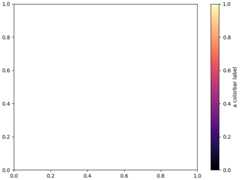
All examples in this tutorial (except this one) show a standalone colorbar onits own figure, but it is possible to display the colorbarnext to apre-existing Axesax by passingax=ax to the colorbar() call (meaning"draw the colorbar next toax") rather thancax=ax (meaning "draw thecolorbar onax").
fig,ax=plt.subplots(layout='constrained')fig.colorbar(mpl.cm.ScalarMappable(norm=mpl.colors.Normalize(0,1),cmap='magma'),ax=ax,orientation='vertical',label='a colorbar label')
Discrete and extended colorbar with continuous colorscale#
The following example shows how to make a discrete colorbar based on acontinuous cmap. We usematplotlib.colors.BoundaryNorm to describe theinterval boundaries (which must be in increasing order), and further pass theextend argument to it to further display "over" and "under" colors (whichare used for data outside of the norm range).
fig,ax=plt.subplots(figsize=(6,1),layout='constrained')cmap=mpl.cm.viridisbounds=[-1,2,5,7,12,15]norm=mpl.colors.BoundaryNorm(bounds,cmap.N,extend='both')fig.colorbar(mpl.cm.ScalarMappable(norm=norm,cmap=cmap),cax=ax,orientation='horizontal',label="Discrete intervals with extend='both' keyword")

Colorbar with arbitrary colors#
The following example still uses aBoundaryNorm to describe discreteinterval boundaries, but now uses amatplotlib.colors.ListedColormap toassociate each interval with an arbitrary color (there must be as manyintervals than there are colors). The "over" and "under" colors are set onthe colormap usingColormap.with_extremes.
We also pass additional arguments tocolorbar:
To display the out-of-range values on the colorbar, we use theextendargument in the colorbar() call. (This is equivalent to passing theextend argument in the
BoundaryNormconstructor as done in theprevious example.)To make the length of each colorbar segment proportional to itscorresponding interval, we use thespacing argument in the colorbar()call.
fig,ax=plt.subplots(figsize=(6,1),layout='constrained')cmap=(mpl.colors.ListedColormap(['red','green','blue','cyan']).with_extremes(under='yellow',over='magenta'))bounds=[1,2,4,7,8]norm=mpl.colors.BoundaryNorm(bounds,cmap.N)fig.colorbar(mpl.cm.ScalarMappable(cmap=cmap,norm=norm),cax=ax,orientation='horizontal',extend='both',spacing='proportional',label='Discrete intervals, some other units',)

Colorbar with custom extension lengths#
We can customize the length colorbar extensions, on a colorbar with discreteintervals. To make the length of each extension thesame as the length of the interior colors, useextendfrac='auto'.
fig,ax=plt.subplots(figsize=(6,1),layout='constrained')cmap=(mpl.colors.ListedColormap(['royalblue','cyan','yellow','orange']).with_extremes(over='red',under='blue'))bounds=[-1.0,-0.5,0.0,0.5,1.0]norm=mpl.colors.BoundaryNorm(bounds,cmap.N)fig.colorbar(mpl.cm.ScalarMappable(cmap=cmap,norm=norm),cax=ax,orientation='horizontal',extend='both',extendfrac='auto',spacing='uniform',label='Custom extension lengths, some other units',)plt.show()

Total running time of the script: (0 minutes 1.053 seconds)