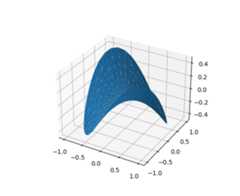
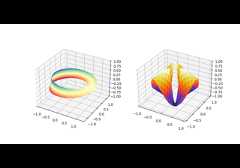
mpl_toolkits.mplot3d.axes3d.Axes3D.plot_trisurf#
- Axes3D.plot_trisurf(*args,color=None,norm=None,vmin=None,vmax=None,lightsource=None,axlim_clip=False,**kwargs)[source]#
Plot a triangulated surface.
The (optional) triangulation can be specified in one of two ways;either:
plot_trisurf(triangulation,...)
where triangulation is a
Triangulationobject, or:plot_trisurf(X,Y,...)plot_trisurf(X,Y,triangles,...)plot_trisurf(X,Y,triangles=triangles,...)
in which case a Triangulation object will be created. See
Triangulationfor an explanation of these possibilities.The remaining arguments are:
plot_trisurf(...,Z)
whereZ is the array of values to contour, one per pointin the triangulation.
- Parameters:
- X, Y, Zarray-like
Data values as 1D arrays.
- color
Color of the surface patches.
- cmap
A colormap for the surface patches.
- norm
Normalize, optional An instance of Normalize to map values to colors.
- vmin, vmaxfloat, optional
Minimum and maximum value to map.
- shadebool, default: True
Whether to shade the facecolors. Shading is always disabled whencmap is specified.
- lightsource
LightSource, optional The lightsource to use whenshade is True.
- axlim_clipbool, default: False
Whether to hide patches with a vertex outside the axes view limits.
Added in version 3.10.
- **kwargs
All other keyword arguments are passed on to
Poly3DCollection
Examples