mpl_toolkits.mplot3d.axes3d.Axes3D.fill_between#
- Axes3D.fill_between(x1,y1,z1,x2,y2,z2,*,where=None,mode='auto',facecolors=None,shade=None,axlim_clip=False,**kwargs)[source]#
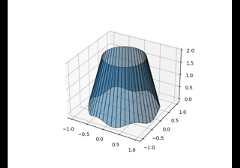
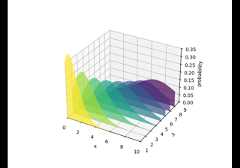
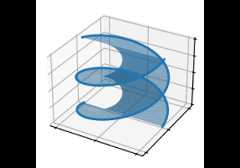
Fill the area between two 3D curves.
The curves are defined by the points (x1,y1,z1) and(x2,y2,z2). This creates one or multiple quadranglepolygons that are filled. All points must be the same length N, or asingle value to be used for all points.
- Parameters:
- x1, y1, z1float or 1D array-like
x, y, and z coordinates of vertices for 1st line.
- x2, y2, z2float or 1D array-like
x, y, and z coordinates of vertices for 2nd line.
- wherearray of bool (length N), optional
Definewhere to exclude some regions from being filled. Thefilled regions are defined by the coordinates
pts[where],for all x, y, and z pts. More precisely, fill betweenpts[i]andpts[i+1]ifwhere[i]andwhere[i+1]. Note that thisdefinition implies that an isolatedTrue value between twoFalse values inwhere will not result in filling. Both sides oftheTrue position remain unfilled due to the adjacentFalsevalues.- mode{'quad', 'polygon', 'auto'}, default: 'auto'
The fill mode. One of:
'quad': A separate quadrilateral polygon is created for eachpair of subsequent points in the two lines.
'polygon': The two lines are connected to form a single polygon.This is faster and can render more cleanly for simple shapes(e.g. for filling between two lines that lie within a plane).
'auto': If the points all lie on the same 3D plane, 'polygon' isused. Otherwise, 'quad' is used.
- facecolorscolor or list ofcolor, optional
Colors of each individual patch, or a single color to be used forall patches. If not given, the next color from the patch colorcycle is used.
- shadebool, default: None
Whether to shade the facecolors. IfNone, then defaults toTruefor 'quad' mode andFalse for 'polygon' mode.
- axlim_clipbool, default: False
Whether to hide data that is outside the axes view limits.
Added in version 3.10.
- **kwargs
All other keyword arguments are passed on to
Poly3DCollection.
- Returns:
Poly3DCollectionA
Poly3DCollectioncontaining the plotted polygons.