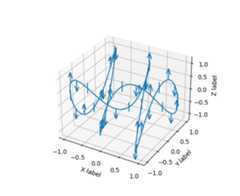
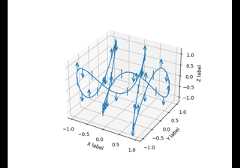
mpl_toolkits.mplot3d.axes3d.Axes3D.errorbar#
- Axes3D.errorbar(x,y,z,zerr=None,yerr=None,xerr=None,fmt='',barsabove=False,errorevery=1,ecolor=None,elinewidth=None,capsize=None,capthick=None,xlolims=False,xuplims=False,ylolims=False,yuplims=False,zlolims=False,zuplims=False,axlim_clip=False,*,data=None,**kwargs)[source]#
Plot lines and/or markers with errorbars around them.
x/y/z define the data locations, andxerr/yerr/zerr definethe errorbar sizes. By default, this draws the data markers/lines aswell the errorbars. Use fmt='none' to draw errorbars only.
- Parameters:
- x, y, zfloat or array-like
The data positions.
- xerr, yerr, zerrfloat or array-like, shape (N,) or (2, N), optional
The errorbar sizes:
scalar: Symmetric +/- values for all data points.
shape(N,): Symmetric +/-values for each data point.
shape(2, N): Separate - and + values for each bar. First rowcontains the lower errors, the second row contains the uppererrors.
None: No errorbar.
Note that all error arrays should havepositive values.
- fmtstr, default: ''
The format for the data points / data lines. See
plotfordetails.Use 'none' (case-insensitive) to plot errorbars without any datamarkers.
- ecolorcolor, optional
The color of the errorbar lines. If not given, use the color of theline connecting the markers.
- elinewidthfloat, optional
The linewidth of the errorbar lines. If not given, the linewidth ofthe current style is used.
- capsizefloat, default:
rcParams["errorbar.capsize"](default:0.0) The length of the error bar caps in points.
- capthickfloat, default: None
An alias to the keyword argumentmarkeredgewidth (a.k.a.mew).This setting is a more sensible name for the property thatcontrols the thickness of the error bar cap in points. Forbackwards compatibility, ifmew ormarkeredgewidth are given,then they will over-ridecapthick. This may change in futurereleases.
- barsabovebool, default: False
If True, will plot the errorbars above the plotsymbols. Default is below.
- xlolims, ylolims, zlolimsbool, default: False
These arguments can be used to indicate that a value gives onlylower limits. In that case a caret symbol is used to indicatethis.lims-arguments may be scalars, or array-likes of the samelength as the errors. To use limits with inverted axes,
set_xlim,set_ylim, orset_zlimmust becalled beforeerrorbar. Note the tricky parameter names: settinge.g.ylolims to True means that the y-value is alower limit ofthe True value, so, only anupward-pointing arrow will be drawn!- xuplims, yuplims, zuplimsbool, default: False
Same as above, but for controlling the upper limits.
- erroreveryint or (int, int), default: 1
draws error bars on a subset of the data.errorevery =N drawserror bars on the points (x[::N], y[::N], z[::N]).errorevery =(start, N) draws error bars on the points(x[start::N], y[start::N], z[start::N]). e.g.errorevery =(6, 3)adds error bars to the data at (x[6], x[9], x[12], x[15], ...).Used to avoid overlapping error bars when two series share x-axisvalues.
- axlim_clipbool, default: False
Whether to hide error bars that are outside the axes limits.
Added in version 3.10.
- Returns:
- errlineslist
List of
Line3DCollectioninstanceseach containing an errorbar line.- caplineslist
List of
Line3Dinstances eachcontaining a capline object.- limmarkslist
List of
Line3Dinstances eachcontaining a marker with an upper or lower limit.
- Other Parameters:
- dataindexable object, optional
If given, the following parameters also accept a string
s, which isinterpreted asdata[s]ifsis a key indata:x,y,z,xerr,yerr,zerr
- **kwargs
All other keyword arguments for styling errorbar lines are passed
Line3DCollection.
Examples