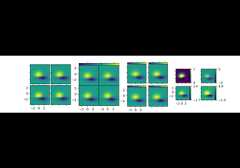
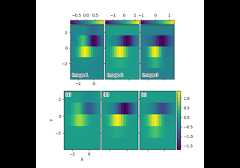
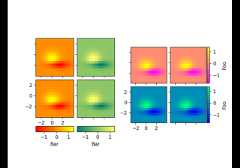
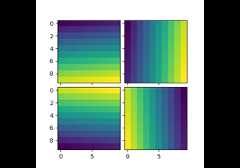
mpl_toolkits.axes_grid1.axes_grid.ImageGrid#
- classmpl_toolkits.axes_grid1.axes_grid.ImageGrid(fig,rect,nrows_ncols,n_axes=None,direction='row',axes_pad=0.02,*,share_all=False,aspect=True,label_mode='L',cbar_mode=None,cbar_location='right',cbar_pad=None,cbar_size='5%',cbar_set_cax=True,axes_class=None)[source]#
Bases:
GridA grid of Axes for Image display.
This class is a specialization of
Gridfor displaying agrid of images. In particular, it forces all axes in a column to share their x-axisand all axes in a row to share their y-axis. It further provides helpers to addcolorbars to some or all axes.- Parameters:
- fig
Figure The parent figure.
- rect(float, float, float, float) or int
The axes position, as a
(left,bottom,width,height)tuple oras a three-digit subplot position code (e.g., "121").- nrows_ncols(int, int)
Number of rows and columns in the grid.
- n_axesint, optional
If given, only the firstn_axes axes in the grid are created.
- direction{"row", "column"}, default: "row"
Whether axes are created in row-major ("row by row") orcolumn-major order ("column by column"). This also affects theorder in which axes are accessed using indexing (
grid[index]).- axes_padfloat or (float, float), default: 0.02in
Padding or (horizontal padding, vertical padding) between axes, ininches.
- share_allbool, default: False
Whether all axes share their x- and y-axis. Note that in any case,all axes in a column share their x-axis and all axes in a row sharetheir y-axis.
- aspectbool, default: True
Whether the axes aspect ratio follows the aspect ratio of the datalimits.
- label_mode{"L", "1", "all"}, default: "L"
Determines which axes will get tick labels:
"L": All axes on the left column get vertical tick labels;all axes on the bottom row get horizontal tick labels.
"1": Only the bottom left axes is labelled.
"all": all axes are labelled.
- cbar_mode{"each", "single", "edge", None}, default: None
Whether to create a colorbar for "each" axes, a "single" colorbarfor the entire grid, colorbars only for axes on the "edge"determined bycbar_location, or no colorbars. The colorbars arestored in the
cbar_axesattribute.- cbar_location{"left", "right", "bottom", "top"}, default: "right"
- cbar_padfloat, default: None
Padding between the image axes and the colorbar axes.
Changed in version 3.10:
cbar_mode="single"no longer addsaxes_pad between the axesand the colorbar if thecbar_location is "left" or "bottom".- cbar_sizesize specification (see
.Size.from_any), default: "5%" Colorbar size.
- cbar_set_caxbool, default: True
If True, each axes in the grid has acax attribute that is boundto associatedcbar_axes.
- axes_classsubclass of
matplotlib.axes.Axes, default:mpl_axes.Axes
- fig