matplotlib.axes.Axes.set_ylim#
- Axes.set_ylim(bottom=None,top=None,*,emit=True,auto=False,ymin=None,ymax=None)[source]#
Set the y-axis view limits.
- Parameters:
- bottomfloat, optional
The bottom ylim in data coordinates. PassingNone leaves thelimit unchanged.
The bottom and top ylims may also be passed as the tuple(bottom,top) as the first positional argument (or asthebottom keyword argument).
- topfloat, optional
The top ylim in data coordinates. PassingNone leaves thelimit unchanged.
- emitbool, default: True
Whether to notify observers of limit change.
- autobool or None, default: False
Whether to turn on autoscaling of the y-axis.True turns on,False turns off,None leaves unchanged.
- ymin, ymaxfloat, optional
They are equivalent to bottom and top respectively, and it is anerror to pass bothymin andbottom orymax andtop.
- Returns:
- bottom, top(float, float)
The new y-axis limits in data coordinates.
Notes
Thebottom value may be greater than thetop value, in whichcase the y-axis values will decrease frombottom totop.
Examples
>>>set_ylim(bottom,top)>>>set_ylim((bottom,top))>>>bottom,top=set_ylim(bottom,top)
One limit may be left unchanged.
>>>set_ylim(top=top_lim)
Limits may be passed in reverse order to flip the direction ofthe y-axis. For example, suppose
yrepresents depth of theocean in m. The y-axis limits might be set like the followingso 5000 m depth is at the bottom of the plot and the surface,0 m, is at the top.>>>set_ylim(5000,0)
Examples usingmatplotlib.axes.Axes.set_ylim#

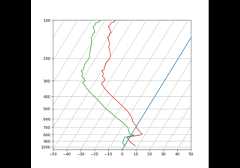
SkewT-logP diagram: using transforms and custom projections