matplotlib.axes.Axes.set_xlim#
- Axes.set_xlim(left=None,right=None,*,emit=True,auto=False,xmin=None,xmax=None)[source]#
Set the x-axis view limits.
- Parameters:
- leftfloat, optional
The left xlim in data coordinates. PassingNone leaves thelimit unchanged.
The left and right xlims may also be passed as the tuple(left,right) as the first positional argument (or astheleft keyword argument).
- rightfloat, optional
The right xlim in data coordinates. PassingNone leaves thelimit unchanged.
- emitbool, default: True
Whether to notify observers of limit change.
- autobool or None, default: False
Whether to turn on autoscaling of the x-axis. True turns on,False turns off, None leaves unchanged.
- xmin, xmaxfloat, optional
They are equivalent to left and right respectively, and it is anerror to pass bothxmin andleft orxmax andright.
- Returns:
- left, right(float, float)
The new x-axis limits in data coordinates.
Notes
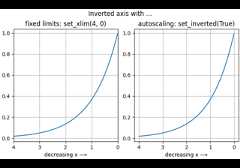
Theleft value may be greater than theright value, in whichcase the x-axis values will decrease from left to right.
Examples
>>>set_xlim(left,right)>>>set_xlim((left,right))>>>left,right=set_xlim(left,right)
One limit may be left unchanged.
>>>set_xlim(right=right_lim)
Limits may be passed in reverse order to flip the direction ofthe x-axis. For example, supposex represents the number ofyears before present. The x-axis limits might be set like thefollowing so 5000 years ago is on the left of the plot and thepresent is on the right.
>>>set_xlim(5000,0)
Examples usingmatplotlib.axes.Axes.set_xlim#

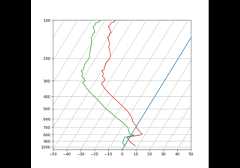
SkewT-logP diagram: using transforms and custom projections