

Note
Go to the endto download the full example code.
Pie charts#
Demo of plotting a pie chart.
This example illustrates various parameters ofpie.
Label slices#
Plot a pie chart of animals and label the slices. To addlabels, pass a list of labels to thelabels parameter
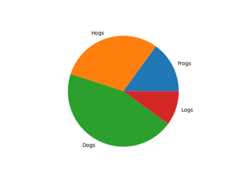
Each slice of the pie chart is apatches.Wedge object; therefore inaddition to the customizations shown here, each wedge can be customized usingthewedgeprops argument, as demonstrated inNested pie charts.
Auto-label slices#
Pass a function or format string toautopct to label slices.

By default, the label values are obtained from the percent size of the slice.
Color slices#
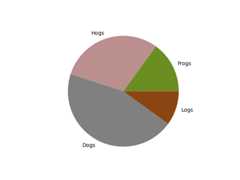
Pass a list of colors tocolors to set the color of each slice.
Hatch slices#
Pass a list of hatch patterns tohatch to set the pattern of each slice.

Swap label and autopct text positions#
Use thelabeldistance andpctdistance parameters to position thelabelsandautopct text respectively.
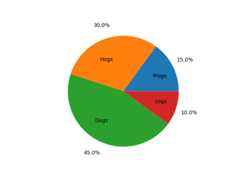
labeldistance andpctdistance are ratios of the radius; therefore theyvary between0 for the center of the pie and1 for the edge of thepie, and can be set to greater than1 to place text outside the pie.
Explode, shade, and rotate slices#
In addition to the basic pie chart, this demo shows a few optional features:
offsetting a slice usingexplode
add a drop-shadow usingshadow
custom start angle usingstartangle
This example orders the slices, separates (explodes) them, and rotates them.

The defaultstartangle is 0, which would start the first slice ("Frogs") onthe positive x-axis. This example setsstartangle=90 such that all theslices are rotated counter-clockwise by 90 degrees, and the frog slice startson the positive y-axis.
Controlling the size#
By changing theradius parameter, and often the text size for better visualappearance, the pie chart can be scaled.

Modifying the shadow#
Theshadow parameter may optionally take a dictionary with arguments totheShadow patch. This can be used to modify the default shadow.

References
The use of the following functions, methods, classes and modules is shownin this example:
Tags:plot-type: pielevel: beginner
Total running time of the script: (0 minutes 2.731 seconds)