

Note
Go to the endto download the full example code.
Cross-hair cursor#
This example adds a cross-hair as a data cursor. The cross-hair isimplemented as regular line objects that are updated on mouse move.
We show three implementations:
A simple cursor implementation that redraws the figure on every mouse move.This is a bit slow, and you may notice some lag of the cross-hair movement.
A cursor that uses blitting for speedup of the rendering.
A cursor that snaps to data points.
Faster cursoring is possible using native GUI drawing, as inAdd a cursor in WX.
Thempldatacursor andmplcursors third-party packages can be used toachieve a similar effect.
importmatplotlib.pyplotaspltimportnumpyasnpfrommatplotlib.backend_basesimportMouseEventclassCursor:""" A cross hair cursor. """def__init__(self,ax):self.ax=axself.horizontal_line=ax.axhline(color='k',lw=0.8,ls='--')self.vertical_line=ax.axvline(color='k',lw=0.8,ls='--')# text location in axes coordinatesself.text=ax.text(0.72,0.9,'',transform=ax.transAxes)defset_cross_hair_visible(self,visible):need_redraw=self.horizontal_line.get_visible()!=visibleself.horizontal_line.set_visible(visible)self.vertical_line.set_visible(visible)self.text.set_visible(visible)returnneed_redrawdefon_mouse_move(self,event):ifnotevent.inaxes:need_redraw=self.set_cross_hair_visible(False)ifneed_redraw:self.ax.figure.canvas.draw()else:self.set_cross_hair_visible(True)x,y=event.xdata,event.ydata# update the line positionsself.horizontal_line.set_ydata([y])self.vertical_line.set_xdata([x])self.text.set_text(f'x={x:1.2f}, y={y:1.2f}')self.ax.figure.canvas.draw()x=np.arange(0,1,0.01)y=np.sin(2*2*np.pi*x)fig,ax=plt.subplots()ax.set_title('Simple cursor')ax.plot(x,y,'o')cursor=Cursor(ax)fig.canvas.mpl_connect('motion_notify_event',cursor.on_mouse_move)# Simulate a mouse move to (0.5, 0.5), needed for online docst=ax.transDataMouseEvent("motion_notify_event",ax.figure.canvas,*t.transform((0.5,0.5)))._process()

Faster redrawing using blitting#
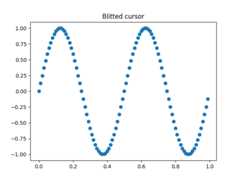
This technique stores the rendered plot as a background image. Only thechanged artists (cross-hair lines and text) are rendered anew. They arecombined with the background using blitting.
This technique is significantly faster. It requires a bit more setup becausethe background has to be stored without the cross-hair lines (seecreate_new_background()). Additionally, a new background has to becreated whenever the figure changes. This is achieved by connecting to the'draw_event'.
classBlittedCursor:""" A cross-hair cursor using blitting for faster redraw. """def__init__(self,ax):self.ax=axself.background=Noneself.horizontal_line=ax.axhline(color='k',lw=0.8,ls='--')self.vertical_line=ax.axvline(color='k',lw=0.8,ls='--')# text location in axes coordinatesself.text=ax.text(0.72,0.9,'',transform=ax.transAxes)self._creating_background=Falseax.figure.canvas.mpl_connect('draw_event',self.on_draw)defon_draw(self,event):self.create_new_background()defset_cross_hair_visible(self,visible):need_redraw=self.horizontal_line.get_visible()!=visibleself.horizontal_line.set_visible(visible)self.vertical_line.set_visible(visible)self.text.set_visible(visible)returnneed_redrawdefcreate_new_background(self):ifself._creating_background:# discard calls triggered from within this functionreturnself._creating_background=Trueself.set_cross_hair_visible(False)self.ax.figure.canvas.draw()self.background=self.ax.figure.canvas.copy_from_bbox(self.ax.bbox)self.set_cross_hair_visible(True)self._creating_background=Falsedefon_mouse_move(self,event):ifself.backgroundisNone:self.create_new_background()ifnotevent.inaxes:need_redraw=self.set_cross_hair_visible(False)ifneed_redraw:self.ax.figure.canvas.restore_region(self.background)self.ax.figure.canvas.blit(self.ax.bbox)else:self.set_cross_hair_visible(True)# update the line positionsx,y=event.xdata,event.ydataself.horizontal_line.set_ydata([y])self.vertical_line.set_xdata([x])self.text.set_text(f'x={x:1.2f}, y={y:1.2f}')self.ax.figure.canvas.restore_region(self.background)self.ax.draw_artist(self.horizontal_line)self.ax.draw_artist(self.vertical_line)self.ax.draw_artist(self.text)self.ax.figure.canvas.blit(self.ax.bbox)x=np.arange(0,1,0.01)y=np.sin(2*2*np.pi*x)fig,ax=plt.subplots()ax.set_title('Blitted cursor')ax.plot(x,y,'o')blitted_cursor=BlittedCursor(ax)fig.canvas.mpl_connect('motion_notify_event',blitted_cursor.on_mouse_move)# Simulate a mouse move to (0.5, 0.5), needed for online docst=ax.transDataMouseEvent("motion_notify_event",ax.figure.canvas,*t.transform((0.5,0.5)))._process()
Snapping to data points#
The following cursor snaps its position to the data points of aLine2Dobject.
To save unnecessary redraws, the index of the last indicated data point issaved inself._last_index. A redraw is only triggered when the mousemoves far enough so that another data point must be selected. This reducesthe lag due to many redraws. Of course, blitting could still be added on topfor additional speedup.
classSnappingCursor:""" A cross-hair cursor that snaps to the data point of a line, which is closest to the *x* position of the cursor. For simplicity, this assumes that *x* values of the data are sorted. """def__init__(self,ax,line):self.ax=axself.horizontal_line=ax.axhline(color='k',lw=0.8,ls='--')self.vertical_line=ax.axvline(color='k',lw=0.8,ls='--')self.x,self.y=line.get_data()self._last_index=None# text location in axes coordsself.text=ax.text(0.72,0.9,'',transform=ax.transAxes)defset_cross_hair_visible(self,visible):need_redraw=self.horizontal_line.get_visible()!=visibleself.horizontal_line.set_visible(visible)self.vertical_line.set_visible(visible)self.text.set_visible(visible)returnneed_redrawdefon_mouse_move(self,event):ifnotevent.inaxes:self._last_index=Noneneed_redraw=self.set_cross_hair_visible(False)ifneed_redraw:self.ax.figure.canvas.draw()else:self.set_cross_hair_visible(True)x,y=event.xdata,event.ydataindex=min(np.searchsorted(self.x,x),len(self.x)-1)ifindex==self._last_index:return# still on the same data point. Nothing to do.self._last_index=indexx=self.x[index]y=self.y[index]# update the line positionsself.horizontal_line.set_ydata([y])self.vertical_line.set_xdata([x])self.text.set_text(f'x={x:1.2f}, y={y:1.2f}')self.ax.figure.canvas.draw()x=np.arange(0,1,0.01)y=np.sin(2*2*np.pi*x)fig,ax=plt.subplots()ax.set_title('Snapping cursor')line,=ax.plot(x,y,'o')snap_cursor=SnappingCursor(ax,line)fig.canvas.mpl_connect('motion_notify_event',snap_cursor.on_mouse_move)# Simulate a mouse move to (0.5, 0.5), needed for online docst=ax.transDataMouseEvent("motion_notify_event",ax.figure.canvas,*t.transform((0.5,0.5)))._process()plt.show()

Total running time of the script: (0 minutes 1.369 seconds)