[PR]

jQuery MobileでGoogleMap APIを使ったサンプルがMITライセンスで公開されてた
この記事は年以上前に書かれたもので、内容が古かったり、セキュリティ上の問題等の理由でリンクが解除されている可能性があります。
なかなかいいサンプルだったのでシェア。
jQuery MobileでGoogleMap APIを使った
サンプルがオープンソースで公開されて
いました。ストリートビューなども表示する
ことが可能です。興味の有る方はチェック
してみては。
スマフォにGoogleMapを表示させるのに、Google Maps JavaScript API V3が必要みたいですが、これをスマフォ対応を簡略化するjQueryプラグイン、jQuery Mobileで使おう、というもの。
jquery-ui-map
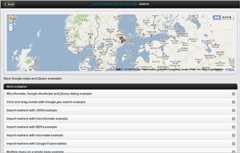
GoogleMap APIをjQuery Mobileで使ったサンプルです。jquery-ui-mapというプラグインも使用しています。このサンプルはMITライセンスでソースが公開されていますよ。
以下、デモのキャプチャです。
iPhone
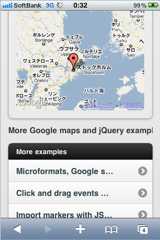
iPhoneでの実装状態です。
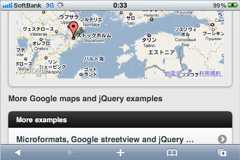
ランドスケープ時も自動で横幅をあわせてくれます。
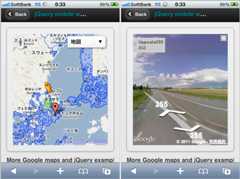
ストリートビューも問題なく表示。PCサイト同様、人アイコンを移動させればOKです。

位置の取得も可能。
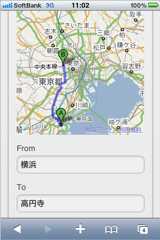
ルート検索。
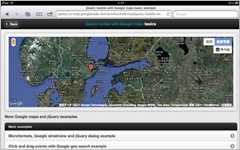
iPadで同じページにアクセスしてみました。
iPad
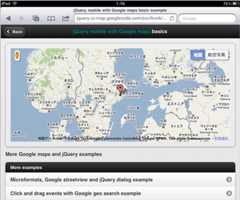
普通に表示できました。
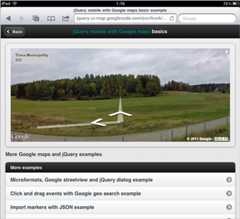
ストリートビューもOK。iPadだと凄くいい感じです。
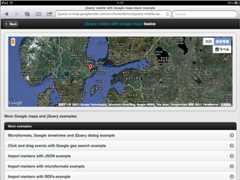
航空写真も表示できます。ランドスケープも綺麗に表示できました。
コード
<script src="http://www.google.com/jsapi?key=******" type="text/javascript"></script> <script type="text/javascript">google.load("maps", "3", {'other_params':'sensor=true'});google.load("jquery", "1.5");</script><script type="text/javascript">// Demonstration purpose only...$(document).bind("mobileinit", function () {$.mobile.ajaxEnabled = true;});</script><script type="text/javascript" src="http://code.jquery.com/mobile/1.0a4/jquery.mobile-1.0a4.min.js"></script><script type="text/javascript" src="../ui/jquery.ui.map.js"></script>必要なファイルなんかを読み込みます。
で、地図を表示させたいところに
<script type="text/javascript">$('#gmap-2').live("pageshow", function() {$('#map_canvas').gmap({'center': getLatLng(), 'callback': function() {$('#map_canvas').gmap('addMarker', {'position': getLatLng(), 'animation': google.maps.Animation.DROP, 'title': 'Hello world!'}, function(map, marker) {$('#map_canvas').gmap('addInfoWindow', { 'position':marker.getPosition(), 'content': 'Hello world!' }, function(iw) { $(marker).click(function() { iw.open(map, marker); map.panTo(marker.getPosition()); }); }); });}});function getLatLng() {if ( google.loader.ClientLocation != null ) {return new google.maps.LatLng(google.loader.ClientLocation.latitude, google.loader.ClientLocation.longitude);}return new google.maps.LatLng(59.3426606750, 18.0736160278);}});</script><div data-role="content"> <div class="ui-bar-c ui-corner-all ui-shadow" style="padding:1em;"><div id="map_canvas" style="height:300px;"></div></div>こんな感じで書けばいいみたいです。
表示や使い勝手はWebのGoogleMapと同じ感覚で使えるんですが、とにかく重い。jQuery Mobile自体アレなので余計に、という気もします。今後は表示速度が課題になりそうですね。でも知って置いて損は無いサンプルだと思いました。
以下でデモの確認とサンプルファイルのダウンロードが可能です。
ダウンロード:jquery-ui-map
ドキュメント:jQuery Mobile Plugin for Google Maps: Route Finder App
動作デモ※別窓:Demo
[PR]