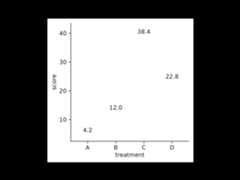
Add mean
Usage
add_mean_bar(plot, dodge_width=NULL, width=0.6, saturation=1, preserve="total",...)add_mean_dash(plot, dodge_width=NULL, width=0.6, linewidth=0.25, preserve="total",...)add_mean_dot(plot, dodge_width=NULL, size=2, preserve="total",...)add_mean_value(plot, dodge_width=NULL, accuracy=0.1, scale_cut=NULL, fontsize=7, extra_padding=0.15, vjust=NULL, hjust=NULL, preserve="total",...)add_mean_line(plot,group, dodge_width=NULL, linewidth=0.25, preserve="total",...)add_mean_area(plot,group, dodge_width=NULL, linewidth=0.25, preserve="total",...)Arguments
- plot
A
tidyplotgenerated with the functiontidyplot().- dodge_width
For adjusting the distance between grouped objects. Defaultsto
0.8for plots with at least one discrete axis and0for plots with twocontinuous axes.- width
Horizontal width of the plotted object (bar, error bar, boxplot,violin plot, etc). Typical values range between
0and1.- saturation
A
numberbetween0and1for the color saturation of an object. A value of0is completely desaturated (white),1is the original color.- preserve
Should dodging preserve the
"total"width of all elements ata position, or the width of a"single"element?- ...
Arguments passed on to the
geomfunction.- linewidth
Thickness of the line in points (pt). Typical values range between
0.25and1.- size
A
numberrepresenting the size of the plot symbol. Typicalvalues range between1and3.- accuracy
A number to round to. Use (e.g.)
0.01to show 2 decimalplaces of precision. IfNULL, the default, uses a heuristic that shouldensure breaks have the minimum number of digits needed to show thedifference between adjacent values.Applied to rescaled data.
- scale_cut
Scale cut function to be applied. See
scales::cut_short_scale()and friends.- fontsize
Font size in points. Defaults to
7.- extra_padding
Extra padding to create space for the value label.
- vjust
Vertical position adjustment of the value label.
- hjust
Horizontal position adjustment of the value label.
- group
Variable in the dataset to be used for grouping.
Examples
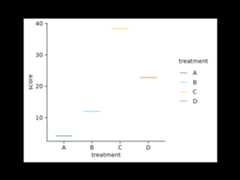
study|>tidyplot(x=treatment, y=score, color=treatment)|>add_mean_bar()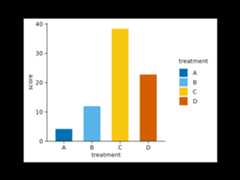 study|>tidyplot(x=treatment, y=score, color=treatment)|>add_mean_dash()
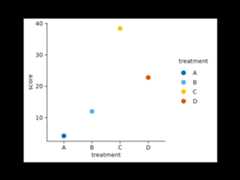
 study|>tidyplot(x=treatment, y=score, color=treatment)|>add_mean_dot()
 study|>tidyplot(x=treatment, y=score, color=treatment)|>add_mean_value()
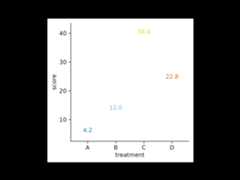 study|>tidyplot(x=treatment, y=score)|>add_mean_line()
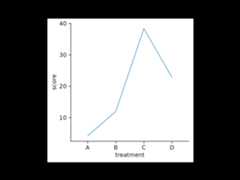 study|>tidyplot(x=treatment, y=score)|>add_mean_area()
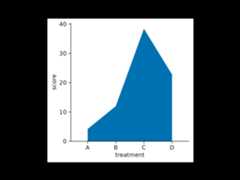 # Combinationstudy|>tidyplot(x=treatment, y=score)|>add_mean_bar(alpha=0.4)|>add_mean_dash()|>add_mean_dot()|>add_mean_value()|>add_mean_line()
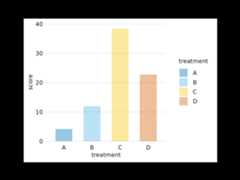
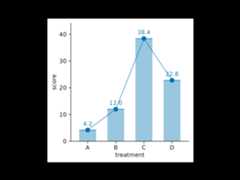 # Changing arguments: alpha# Makes objects transparentstudy|>tidyplot(x=treatment, y=score, color=treatment)|>theme_minimal_y()|>add_mean_bar(alpha=0.4)
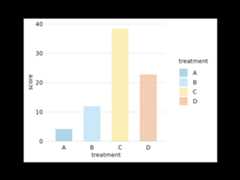
 # Changing arguments: saturation# Reduces fill color saturation without making the object transparentstudy|>tidyplot(x=treatment, y=score, color=treatment)|>theme_minimal_y()|>add_mean_bar(saturation=0.3)
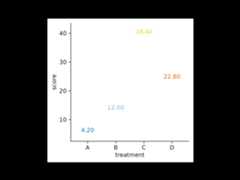
 # Changing arguments: accuracystudy|>tidyplot(x=treatment, y=score, color=treatment)|>add_mean_value(accuracy=0.01)
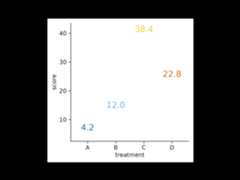
 # Changing arguments: fontsizestudy|>tidyplot(x=treatment, y=score, color=treatment)|>add_mean_value(fontsize=10)
 # Changing arguments: colorstudy|>tidyplot(x=treatment, y=score, color=treatment)|>add_mean_value(color="black")