This is the legacy version and no longer actively developed. Please upgrade to thedartRverse suit of packages
Publication:
Zenodo:
Overview
dartR is a user-friendly R package that delivers a variety of analyses and pipelines on the same platform, as well as excellent user support via high-quality tutorials and documentation.
dartR is a collaboration between the University of Canberra, CSIRO,
Diversity Arrays Technology and Monash University , and is supported with funding from the ACT Priority Investment Program, CSIRO and the University of Canberra.





Installation
dartR is on CRAN, so to install it simply type:
install.packages("dartR")Because of CRAN limitations, the default installation does not include all packages needed to run all the functions; hence, specialised analyses need the installation of additional packages. The following code guarantees that all necessary packages for alldartR analyses are set up and ready to go.
You can install the development version ofdartR from GitHub with:
gl.install.vanilla.dartR(flavour="dev")Please consultthis installation tutorial if you run into any problems during setup.
Usage
dartR provides several functions for handling all the steps involved in genetic data analysis, from reading multiple data input formats to manipulating, filtering, exploring and analysing the data.
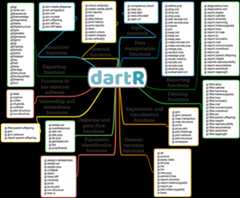
We use the prefix ‘gl’ in function names to acknowledge the use of the genlight object from packageadegenet as our input format.
In most cases, the following term in the function name indicates a subset of functions.
Similarly, in most cases the first function parameter (input) is the genlight object.
For instance, you might use the code below to generate a report and then filter your data based on the percentage of missing data:
library(dartR)test<-platypus.glrep<-gl.report.callrate(test)test_1<-gl.filter.callrate(test)Getting started
Are you a R rookie? If you want to learn R and RStudio without any fuss, have a look at ourR-refresher tutorial.
Let’s get started by reading your genetic data into
dartR; if you have DArT data, followthis tutorial; if not, followthis one.Checking out ourdata manipulation tutorial is the easiest way to get your feet wet with
dartR.This tutorial will provide some pointers on how to filter your data effectively, an important step that depends on making sound threshold assessments.
Check out oursimulations tutorial to learn more about our simulation model, a powerful tool for illuminating intricate evolutionary and genetic processes.
In more advanced topics, check our technical notes onGenetic Distances and their Visualization in Population Genetics andFixed Difference Analysis.
Getting help
Google groups Q&A forum in support of users can be accessedhere.
TheRStudio community provides a welcoming environment in which to ask any inquiry.
Answers to frequently asked topics may usually be found onStack Overflow.
Contribute
If you want to help shape the future ofdartR,this tutorial is for you.
License
- GPL (>= 3)
Community
Citation
Developers
- Bernd Gruber
Author, maintainer - Arthur Georges
Author - Jose L. Mijangos
Author - Carlo Pacioni
Author - Diana Robledo-Ruiz
Author - More about authors...


