This chapter inlines all the API documentation into a singlelong book, suitable for printing or reading on a tablet.
(Top)
1 Terminology
2 Writing a Lint Check: Basics
2.1 Preliminaries
2.1.1 “Lint?”
2.1.2 API Stability
2.1.3 Kotlin
2.2 Concepts
2.3 Client API versus Detector API
2.4 Creating an Issue
2.5 TextFormat
2.6 Issue Implementation
2.7 Scopes
2.8 Registering the Issue
2.9 Implementing a Detector: Scanners
2.10 Detector Lifecycle
2.11 Scanner Order
2.12 Implementing a Detector: Services
2.13 Scanner Example
2.14 Analyzing Kotlin and Java Code
2.14.1 UAST
2.14.2 UAST Example
2.14.3 Looking up UAST
2.14.4 Resolving
2.14.5 Implicit Calls
2.14.6 PSI
2.15 Testing
3 Example: Sample Lint Check GitHub Project
3.1 Project Layout
3.2 :checks
3.3 lintVersion?
3.4 :library and :app
3.5 Lint Check Project Layout
3.6 Service Registration
3.7 IssueRegistry
3.8 Detector
3.9 Detector Test
4 AST Analysis
4.1 AST Analysis
4.2 UAST
4.3 UAST: The Java View
4.4 Expressions
4.5 UElement
4.6 Visiting
4.7 UElement to PSI Mapping
4.8 PSI to UElement
4.9 UAST versus PSI
4.10 Kotlin Analysis API
4.10.1 Nothing Type?
4.10.2 Compiled Metadata
4.10.3 Configuring lint to use K2
4.11 API Compatibility
4.12 Recipes
4.12.1 Resolve a function call
4.12.2 Resolve a variable reference
4.12.3 Get the containing class of a symbol
4.12.4 Get the fully qualified name of a class
4.12.5 Look up the deprecation status of a symbol
4.12.6 Look up visibility
4.12.7 Get the KtType of a class symbol
4.12.8 Resolve a KtType into a class
4.12.9 See if two types refer to the same raw class (erasure):
4.12.10 For an extension method, get the receiver type:
4.12.11 Get the PsiFile containing a symbol declaration
5 Publishing a Lint Check
5.1 Android
5.1.1 AAR Support
5.1.2 lintPublish Configuration
5.1.3 Local Checks
5.1.4 Unpublishing
6 Lint Check Unit Testing
6.1 Creating a Unit Test
6.2 Computing the Expected Output
6.3 Test Files
6.4 Trimming indents?
6.5 Dollars in Raw Strings
6.6 Quickfixes
6.7 Library Dependencies and Stubs
6.8 Binary and Compiled Source Files
6.9 Base64-encoded gzipped byte code
6.10 My Detector Isn't Invoked From a Test!
6.11 Language Level
7 Test Modes
7.1 How to debug
7.2 Handling Intentional Failures
7.3 Source-Modifying Test Modes
7.3.1 Fully Qualified Names
7.3.2 Import Aliasing
7.3.3 Type Aliasing
7.3.4 Parenthesis Mode
7.3.5 Argument Reordering
7.3.6 Body Removal
7.3.7 If to When Replacement
7.3.8 Whitespace Mode
7.3.9 CDATA Mode
7.3.10 Suppressible Mode
7.3.11 @JvmOverloads Test Mode
8 Adding Quick Fixes
8.1 Introduction
8.2 The LintFix builder class
8.3 Creating a LintFix
8.4 Available Fixes
8.5 Combining Fixes
8.6 Refactoring Java and Kotlin code
8.7 Regular Expressions and Back References
8.8 Emitting quick fix XML to apply on CI
9 Partial Analysis
9.1 About
9.2 The Problem
9.3 Overview
9.4 Does My Detector Need Work?
9.4.1 Catching Mistakes: Blocking Access to Main Project
9.4.2 Catching Mistakes: Simulated App Module
9.4.3 Catching Mistakes: Diffing Results
9.4.4 Catching Mistakes: Remaining Issues
9.5 Incidents
9.6 Constraints
9.7 Incident LintMaps
9.8 Module LintMaps
9.9 Optimizations
10 Data Flow Analyzer
10.1 Usage
10.2 Self-referencing Calls
10.3 Kotlin Scoping Functions
10.4 Limitations
10.5 Escaping Values
10.5.1 Returns
10.5.2 Parameters
10.5.3 Fields
10.6 Non Local Analysis
10.7 Examples
10.7.1 Simple Example
10.7.2 Complex Example
10.8 TargetMethodDataFlowAnalyzer
11 Annotations
11.1 Basics
11.2 Annotation Usage Types and isApplicableAnnotationUsage
11.2.1 Method Override
11.2.2 Method Return
11.2.3 Handling Usage Types
11.2.4 Usage Types Filtered By Default
11.2.5 Scopes
11.2.6 Inherited Annotations
12 Options
12.1 Usage
12.2 Creating Options
12.3 Reading Options
12.4 Specific Configurations
12.5 Files
12.6 Constraints
12.7 Testing Options
12.8 Supporting Lint 4.2, 7.0 and 7.1
13 Error Message Conventions
13.1 Length
13.2 Formatting
13.3 Punctuation
13.4 Include Details
13.5 Reference Android By Number
13.6 Keep Messages Stable
13.7 Plurals
13.8 Examples
14 Frequently Asked Questions
14.0.1 My detector callbacks aren't invoked
14.0.2 My lint check works from the unit test but not in the IDE
14.0.3 visitAnnotationUsage isn't called for annotations
14.0.4 How do I check if a UAST or PSI element is for Java or Kotlin?
14.0.5 What if I need aPsiElement and I have aUElement ?
14.0.6 How do I get theUMethod for aPsiMethod ?
14.0.7 How do get aJavaEvaluator?
14.0.8 How do I check whether an element is internal?
14.0.9 Is element inline, sealed, operator, infix, suspend, data?
14.0.10 How do I look up a class if I have its fully qualified name?
14.0.11 How do I look up a class if I have a PsiType?
14.0.12 How do I look up hierarchy annotations for an element?
14.0.13 How do I look up if a class is a subclass of another?
14.0.14 How do I know which parameter a call argument corresponds to?
14.0.15 How can my lint checks target two different versions of lint?
14.0.16 Can I make my lint check “not suppressible?”
14.0.17 Why are overloaded operators not handled?
14.0.18 How do I check out the current lint source code?
14.0.19 Where do I find examples of lint checks?
14.0.20 How do I analyze details about Kotlin?
15 Appendix: Recent Changes
16 Appendix: Environment Variables and System Properties
16.1 Environment Variables
16.1.1 Detector Configuration Variables
16.1.2 Lint Configuration Variables
16.1.3 Lint Development Variables
16.2 System Properties
Terminology
You don't need to read this up front and understand everything, butthis is hopefully a handy reference to return to.
In alphabetical order:
- Configuration
A configuration provides extra information or parameters to lint on a per-project, or even per-directory, basis. For example, the
lint.xmlfiles can change the severity for issues, or list incidents to ignore (matched for example by a regular expression), or even provide values for options read by a specific detector.- Context
An object passed into detectors in many APIs, providing data about (for example) which file is being analyzed (and in which project), and (for specific types of analysis) additional information; for example, an XmlContext points to the DOM document, a JavaContext includes the AST, and so on.
- Detector
The implementation of the lint check which registers Issues, analyzes the code, and reports Incidents.
- Implementation
An
Implementationtells lint how a given issue is actually analyzed, such as which detector class to instantiate, as well as which scopes the detector applies to.- Incident
A specific occurrence of the issue at a specific location. An example of an incident is:
Warning: In file IoUtils.kt, line 140, the field download folder is "/sdcard/downloads"; do not hardcode the path to `/sdcard`.- Issue
A type or class of problem that your lint check identifies. An issue has an associated severity (error, warning or info), a priority, a category, an explanation, and so on.
An example of an issue is “Don't hardcode paths to /sdcard”.
- IssueRegistry
An
IssueRegistryprovides a list of issues to lint. When you write one or more lint checks, you'll register these in anIssueRegistryand point to it using theMETA-INFservice loader mechanism.- LintClient
The
LintClientrepresents the specific tool the detector is running in. For example, when running in the IDE there is a LintClient which (when incidents are reported) will show highlights in the editor, whereas when lint is running as part of the Gradle plugin, incidents are instead accumulated into HTML (and XML and text) reports, and the build interrupted on error.- Location
A “location” refers to a place where an incident is reported. Typically this refers to a text range within a source file, but a location can also point to a binary file such as a
pngfile. Locations can also be linked together, along with descriptions. Therefore, if you for example are reporting a duplicate declaration, you can includeboth Locations, and in the IDE, both locations (if they're in the same file) will be highlighted. A location linked from another is called a “secondary” location, but the chaining can be as long as you want (and lint's unit testing infrastructure will make sure there are no cycles.)- Partial Analysis
A “map reduce” architecture in lint which makes it possible to analyze individual modules in isolation and then later filter and customize the partial results based on conditions outside of these modules. This is explained in greater detail in thepartial analysis chapter.
- Platform
The
Platformabstraction allows lint issues to indicate where they apply (such as “Android”, or “Server”, and so on). This means that an Android-specific check won't trigger warnings on non-Android code.- Scanner
A
Scanneris a particular interface a detector can implement to indicate that it supports a specific set of callbacks. For example, theXmlScannerinterface is where the methods for visiting XML elements and attributes are defined, and theClassScanneris where the ASM bytecode handling methods are defined, and so on.- Scope
Scopeis an enum which lists various types of files that a detector may want to analyze.For example, there is a scope for XML files, there is a scope for Java and Kotlin files, there is a scope for .class files, and so on.
Typically lint cares about whichset of scopes apply, so most of the APIs take an
EnumSet<Scope>, but we'll often refer to this as just “the scope” instead of the “scope set”.- Severity
For an issue, whether the incident should be an error, or just a warning, or neither (just an FYI highlight). There is also a special type of error severity, “fatal”, discussed later.
- TextFormat
An enum describing various text formats lint understands. Lint checks will typically only operate with the “raw” format, which is markdown-like (e.g. you can surround words with an asterisk to make it italics or two to make it bold, and so on).
- Vendor
A
Vendoris a simple data class which provides information about the provenance of a lint check: who wrote it, where to file issues, and so on.
Writing a Lint Check: Basics
Preliminaries
(If you already know a lot of the basics but you're here because you'verun into a problem and you're consulting the docs, take a look at thefrequently asked questions chapter.)
“Lint?”
Thelint tool shipped with the C compiler and provided additionalstatic analysis of C code beyond what the compiler checked.
Android Lint was named in honor of this tool, and with the Androidprefix to make it really clear that this is a static analysis toolintended for analysis of Android code, provided by the Android OpenSource Project — and to disambiguate it from the many other tools with“lint” in their names.
However, since then, Android Lint has broadened its support and is nolonger intended only for Android code. In fact, within Google, it isused to analyze all Java and Kotlin code. One of the reasons for thisis that it can easily analyze both Java and Kotlin code without havingto implement the checks twice. Additional features are described in thefeatures chapter.
We're planning to rename lint to reflect this new role, so we arelooking for good name suggestions.
API Stability
Lint's APIs are not stable, and a large part of Lint's API surface isnot under our control (such as UAST and PSI). Therefore, custom lintchecks may need to be updated periodically to keep working.
However, “some APIs are more stable than others”. In particular, thedetector API (described below) is much less likely to change than theclient API (which is not intended for lint check authors but for toolsintegrating lint to run within, such as IDEs and build systems).
However, this doesn't mean the detector API won't change. A large partof the API surface is external to lint; it's the AST libraries (PSI andUAST) for Java and Kotlin from JetBrains; it's the bytecode library(asm.ow2.io), it's the XML DOM library (org.w3c.dom), and so on. Lintintentionally stays up to date with these, so any API or behaviorchanges in these can affect your lint checks.
Lint's own APIs may also change. The current API has grown organicallyover the last 10 years (the first version of lint was released in 2011)and there are a number of things we'd clean up and do differently ifstarting over. Not to mention rename and clean up inconsistencies.
However, lint has been pretty widely adopted, so at this point creatinga nicer API would probably cause more harm than good, so we're limitingrecent changes to just the necessary ones. An example of this is thenewpartial analysis architecture in 7.0which is there to allow much better CI and incremental analysisperformance.
Kotlin
We recommend that you implement your checks in Kotlin. Part ofthe reason for that is that the lint API uses a number of Kotlinfeatures:
- Named and default parameters: Rather than using builders, some construction methods, like
Issue.create()have a lot of parameters with default parameters. The API is cleaner to use if you just specify what you need and rely on defaults for everything else. - Compatibility: We may add additional parameters over time. It isn't practical to add @JvmOverloads on everything.
- Package-level functions: Lint's API includes a number of package level utility functions (in previous versions of the API these are all thrown together in a
LintUtilsclass). - Deprecations: Kotlin has support for simple API migrations. For example, in the below example, the new
@Deprecatedannotation on lines 1 through 7 will be added in an upcoming release, to ease migration to a new API. IntelliJ can automatically quickfix these deprecation replacements.
@Deprecated("Use the new report(Incident) method instead, which is more future proof", ReplaceWith("report(Incident(issue, message, location, null, quickfixData))","com.android.tools.lint.detector.api.Incident" ))@JvmOverloadsopenfunreport( issue:Issue, location:Location, message:String, quickfixData:LintFix? =null) {// ...}As of 7.0, there is more Kotlin code in lint than remaining Javacode:
| Language | files | blank | comment | code |
|---|---|---|---|---|
| Kotlin | 420 | 14243 | 23239 | 130250 |
| Java | 289 | 8683 | 15205 | 101549 |
$ cloc lint/And that's for all of lint, including many old lint detectors whichhaven't been touched in years. In the Lint API library,lint/libs/lint-api, the code is 78% Kotlin and 22% Java.
Concepts
Lint will search your source code for problems. There are many types ofproblems, and each one is called anIssue, which has associatedmetadata like a unique id, a category, an explanation, and so on.
Each instance that it finds is called an “incident”.
The actual responsibility of searching for and reporting incidents ishandled by detectors — subclasses ofDetector. Your lint check willextendDetector, and when it has found a problem, it will “report”the incident to lint.
ADetector can analyze more than oneIssue. For example, thebuilt-inStringFormatDetector analyzes formatting strings passed toString.format() calls, and in the process of doing that discoversmultiple unrelated issues — invalid formatting strings, formattingstrings which should probably use the plurals API instead, mismatchedtypes, and so on. The detector could simply have a single issue called“StringFormatProblems” and report everything as a StringFormatProblem,but that's not a good idea. Each of these individual types of Stringformat problems should have their own explanation, their own category,their own severity, and most importantly should be individuallyconfigurable by the user such that they can disable or promote one ofthese issues separately from the others.
ADetector can indicate which sets of files it cares about. These arecalled “scopes”, and the way this works is that when you register yourIssue, you tell that issue whichDetector class is responsible foranalyzing it, as well as which scopes the detector cares about.
If for example a lint check wants to analyze Kotlin files, it caninclude theScope.JAVA_FILE scope, and now that detector will beincluded when lint processes Java or Kotin files.
Scope.JAVA_FILE may make it sound like there should also be aScope.KOTLIN_FILE. However,JAVA_FILE here really refers to both Java and Kotlin files since the analysis and APIs are identical for both (using “UAST”, a unified abstract syntax tree). However, at this point we don't want to rename it since it would break a lot of existing checks. We might introduce an alias and deprecate this one in the future.When detectors implement various callbacks, they can analyze thecode, and if they find a problematic pattern, they can “report”the incident. This means computing an error message, as well asa “location”. A “location” for an incident is really an errorrange — a file, and a starting offset and an ending offset. Locationscan also be linked together, so for example for a “duplicatedeclaration” error, you can and should include both locations.
Many detector methods will pass in aContext, or a more specificsubclass ofContext such asJavaContext orXmlContext. Thisallows lint to give the detectors information they may need, withoutpassing in a lot of parameters. It also allows lint to add additional dataover time without breaking signatures.
TheContext classes also provide many convenience APIs. For example,forXmlContext there are methods for creating locations for XML tags,XML attributes, just the name part of an XML attribute, and just thevalue part of an XML attribute. For aJavaContext there are alsomethods for creating locations, such as for a method call, includingwhether to include the receiver and/or the argument list.
When you report anIncident you can also provide aLintFix; this isa quickfix which the IDE can use to offer actions to take on thewarning. In some cases, you can offer a complete and correct fix (suchas removing an unused element). In other cases the fix may be lessclear; for example, theAccessibilityDetector asks you to set adescription for images; the quickfix will set the content attribute,but will leave the text value as TODO and will select the string suchthat the user can just type to replace it.
$name has already been declared”. This isn't just for cosmetics; it also makes lint'sbaseline mechanism work better since it currently matches by id + file + message, not by line numbers which typically drift over time.Client API versus Detector API
Lint's API has two halves:
- TheClient API: “Integrate (and run) lint from within a tool”. For example, both the IDE and the build system use this API to embed and invoke lint to analyze the code in the project or editor.
- TheDetector API: “Implement a new lint check”. This is the API which lets checkers analyze code and report problems that they find.
The class in the Client API which represents lint running in a tool iscalledLintClient. This class is responsible for, among other things:
- Reporting incidents found by detectors. For example, in the IDE, it will place error markers into the source editor, and in a build system, it may write warnings to the console or generate a report or even fail the build.
- Handling I/O. Detectors should never read files from disk directly. This allows lint checks to work smoothly in for example the IDE. When lint runs on the fly, and a lint check asks for the source file contents (or other supporting files), the
LintClientin the IDE will implement thereadFilemethod to first look in the open source editors and if the requested file is being edited, it will return the current (often unsaved!) contents. - Handling network traffic. Lint checks should never open URLConnections themselves. Instead, they should go through the lint API to request data for URLs. Among other things, this allows the
LintClientto use configured IDE proxy settings (as is done in the IntelliJ integration of lint). This is also good for testing, because the special unit test implementation of aLintClienthas a simple way to provide exact responses for specific URLs:
lint() .files(...) // Set up exactly the expected maven.google.com network output to // ensure stable version suggestions in the tests .networkData("https://maven.google.com/master-index.xml", "" + "<!--?xml version='1.0' encoding='UTF-8'?-->\n" + "<metadata>\n" + "<com.android.tools.build>" + "</com.android.tools.build></metadata>") .networkData("https://maven.google.com/com/android/tools/build/group-index.xml", "" + "<!--?xml version='1.0' encoding='UTF-8'?-->\n" + "<com.android.tools.build>\n" + "<gradleversions="\"2.3.3,3.0.0-alpha1\"/">\n" + "</gradle></com.android.tools.build>").run().expect(...)And much, much, more.However, most of the implementation ofLintClient is intended for integration of lint itself, and as a checkauthor you don't need to worry about it. The detector API will mattermore, and it's also less likely to change than the client API.
Also,
public such that lint's code in one package can access it from the other. There's normally a comment explaining that this is for internal use only, but be aware that even when something ispublic or notfinal, it might not be a good idea to call or override it.Creating an Issue
For information on how to set up the project and to actually publishyour lint checks, see thesample andpublishing chapters.
Issue is a final class, so unlikeDetector, you don't subclassit; you instantiate it viaIssue.create.
By convention, issues are registered inside the companion object of thecorresponding detector, but that is not required.
Here's an example:
classSdCardDetector :Detector(), SourceCodeScanner {companionobject Issues {@JvmFieldval ISSUE = Issue.create( id ="SdCardPath", briefDescription ="Hardcoded reference to `/sdcard`", explanation =""" Your code should not reference the `/sdcard` path directly; \ instead use `Environment.getExternalStorageDirectory().getPath()`. Similarly, do not reference the `/data/data/` path directly; it \ can vary in multi-user scenarios. Instead, use \ `Context.getFilesDir().getPath()`. """, moreInfo ="https://developer.android.com/training/data-storage#filesExternal", category = Category.CORRECTNESS, severity = Severity.WARNING, androidSpecific =true, implementation = Implementation( SdCardDetector::class.java, Scope.JAVA_FILE_SCOPE ) ) } ...There are a number of things to note here.
On line 4, we have theIssue.create() call. We store the issue into aproperty such that we can reference this issue both from theIssueRegistry, where we provide theIssue to lint, and also in theDetector code where we report incidents of the issue.
Note thatIssue.create is a method with a lot of parameters (and wewill probably add more parameters in the future). Therefore, it's agood practice to explicitly include the argument names (and thereforeto implement your code in Kotlin).
TheIssue provides metadata about a type of problem.
Theid is a short, unique identifier for this issue. Byconvention it is a combination of words, capitalized camel case (thoughyou can also add your own package prefix as in Java packages). Notethat the id is “user visible”; it is included in text output when lintruns in the build system, such as this:
src/main/kotlin/test/pkg/MyTest.kt:4: Warning: Do not hardcode "/sdcard/"; use Environment.getExternalStorageDirectory().getPath() instead [SdCardPath] val s: String = "/sdcard/mydir" -------------0 errors, 1 warnings(Notice the[SdCardPath] suffix at the end of the error message.)
The reason the id is made known to the user is that the ID is howthey'll configure and/or suppress issues. For example, to suppress thewarning in the current method, use
@Suppress("SdCardPath")(or in Java, @SuppressWarnings). Note that there is an IDE quickfix tosuppress an incident which will automatically add these annotations, soyou don't need to know the ID in order to be able to suppress anincident, but the ID will be visible in the annotation that itgenerates, so it should be reasonably specific.
Also, since the namespace is global, try to avoid picking generic namesthat could clash with others, or seem to cover a larger set of issuesthan intended. For example, “InvalidDeclaration” would be a poor idsince that can cover a lot of potential problems with declarationsacross a number of languages and technologies.
Next, we have thebriefDescription. You can think of this as a“category report header”; this is a static description for allincidents of this type, so it cannot include any specifics. This stringis used for example as a header in HTML reports for all incidents ofthis type, and in the IDE, if you open the Inspections UI, the variousissues are listed there using the brief descriptions.
Theexplanation is a multi line, ideally multi-paragraphexplanation of what the problem is. In some cases, the problem is selfevident, as in the case of “Unused declaration”, but in many cases, theissue is more subtle and might require additional explanation,particularly for what the developer shoulddo to address theproblem. The explanation is included both in HTML reports and in theIDE inspection results window.
Note that even though we're using a raw string, and even though thestring is indented to be flush with the rest of the issue registrationfor better readability, we don't need to calltrimIndent() onthe raw string. Lint does that automatically.
However, we do need to add line continuations — those are the trailing\'s at the end of the lines.
Note also that we have a Markdown-like simple syntax, described in the“TextFormat” section below. You can use asterisks for italics or doubleasterisks for bold, you can use apostrophes for code font, and so on.In terminal output this doesn't make a difference, but the IDE,explanations, incident error messages, etc, are all formatted usingthese styles.
Thecategory isn't super important; the main use is that categorynames can be treated as id's when it comes to issue configuration; forexample, a user can turn off all internationalization issues, or runlint against only the security related issues. The category is alsoused for locating related issues in HTML reports. If none of thebuilt-in categories are appropriate you can also create your own.
Theseverity property is very important. An issue can be either awarning or an error. These are treated differently in the IDE (whereerrors are red underlines and warnings are yellow highlights), and inthe build system (where errors can optionally break the build andwarnings do not). There are some other severities too; “fatal” is likeerror except these checks are designated important enough (and havevery few false positives) such that we run them during release builds,even if the user hasn't explicitly run a lint target. There's also“informational” severity, which is only used in one or two places, andfinally the “ignore” severity. This is never the severity you registerfor an issue, but it's part of the severities a developer can configurefor a particular issue, thereby turning off that particular check.
You can also specify amoreInfo URL which will be included in theissue explanation as a “More Info” link to open to read more detailsabout this issue or underlying problem.
TextFormat
All error messages and issue metadata strings in lint are interpretedusing simple Markdown-like syntax:
| Raw text format | Renders To |
|---|---|
| This is a `code symbol` | This is acode symbol |
This is*italics* | This isitalics |
This is**bold** | This isbold |
This is~~strikethrough~~ | This is |
| http://,https:// | http://,https:// |
\*not italics* | \*not italics* |
| ```language\n text\n``` | (preformatted text block) |
This is useful when error messages and issue explanations are shown inHTML reports generated by Lint, or in the IDE, where for example theerror message tooltips will use formatting.
In the API, there is aTextFormat enum which encapsulates thedifferent text formats, and the above syntax is referred to asTextFormat.RAW; it can be converted to.TEXT or.HTML forexample, which lint does when writing text reports to the console orHTML reports to files respectively. As a lint check author you don'tneed to know this (though you can for example with the unit testingsupport decide which format you want to compare against in yourexpected output), but the main point here is that your issue's briefdescription, issue explanation, incident report messages etc, shoulduse the above “raw” syntax. Especially the first conversion; errormessages often refer to class names and method names, and these shouldbe surrounded by apostrophes.
See theerror message chapter for more informationon how to craft error messages.
Issue Implementation
The last issue registration property is theimplementation. Thisis where we glue our metadata to our specific implementation of ananalyzer which can find instances of this issue.
Normally, theImplementation provides two things:
- The
.classfor ourDetectorwhich should be instantiated. In the code sample above it wasSdCardDetector. - The
Scopethat this issue's detector applies to. In the above example it wasScope.JAVA_FILE, which means it will apply to Java and Kotlin files.
Scopes
TheImplementation actually takes aset of scopes; we still referto this as a “scope”. Some lint checks want to analyze multiple typesof files. For example, theStringFormatDetector will analyze both theresource files declaring the formatting strings across various locales,as well as the Java and Kotlin files containingString.format callsreferencing the formatting strings.
There are a number of pre-defined sets of scopes in theScopeclass.Scope.JAVA_FILE_SCOPE is the most common, which is asingleton set containing exactlyScope.JAVA_FILE, but youcan always create your own, such as for example
EnumSet.of(Scope.CLASS_FILE,Scope.JAVA_LIBRARIES)When a lint issue requires multiple scopes, that means lint willonly run this detector ifall the scopes are available in therunning tool. When lint runs a full batch run (such as a Gradle linttarget or a full “Inspect Code” in the IDE), all scopes are available.
However, when lint runs on the fly in the editor, it only has access tothe current file; it won't re-analyzeall files in the project forevery few keystrokes. So in this case, the scope in the lint driveronly includes the current source file's type, and only lint checkswhich specify a scope that is a subset would run.
This is a common mistake for new lint check authors: the lint checkworks just fine as a unit test, but they don't see working in the IDEbecause the issue implementation requests multiple scopes, andallhave to be available.
Often, a lint check looks at multiple source file types to workcorrectly in all cases, but it can still identifysome problems givenindividual source files. In this case, theImplementation constructor(which takes a vararg of scope sets) can be handed additional sets ofscopes, called “analysis scopes”. If the current lint client's scopematches or is a subset of any of the analysis scopes, then the checkwill run after all.
Registering the Issue
Once you've created your issue, you need to provide it fromanIssueRegistry.
Here's an exampleIssueRegistry:
package com.example.lint.checksimport com.android.tools.lint.client.api.IssueRegistryimport com.android.tools.lint.client.api.Vendorimport com.android.tools.lint.detector.api.CURRENT_APIclassSampleIssueRegistry :IssueRegistry() {overrideval issues = listOf(SdCardDetector.ISSUE)overrideval api:Intget() = CURRENT_API// works with Studio 4.1 or later; see// com.android.tools.lint.detector.api.Api / ApiKtoverrideval minApi:Intget() =8// Requires lint API 30.0+; if you're still building for something// older, just remove this property.overrideval vendor: Vendor = Vendor( vendorName ="Android Open Source Project", feedbackUrl ="https://com.example.lint.blah.blah", contact ="author@com.example.lint" )}On line 8, we're returning our issue. It's a list, so anIssueRegistry can provide multiple issues.
Theapi property should be written exactly like the way itappears above in your own issue registry as well; this will recordwhich version of the lint API this issue registry was compiled against(because this references a static final constant which will be copiedinto the jar file instead of looked up dynamically when the jar isloaded).
TheminApi property records the oldest lint API level this checkhas been tested with.
Both of these are used at issue loading time to make sure lint checksare compatible, but in recent versions of lint (7.0) lint will moreaggressively try to load older detectors even if they have beencompiled against older APIs since there's a high likelihood that theywill work (it checks all the lint APIs in the bytecode and usesreflection to verify that they're still there).
Thevendor property is new as of 7.0, and gives lint authors away to indicate where the lint check came from. When users use lint,they're running hundreds and hundreds of checks, and sometimes it's notclear who to contact with requests or bug reports. When a vendor hasbeen specified, lint will include this information in error output andreports.
The last step towards making the lint check available is to maketheIssueRegistry known via the service loader mechanism.
Create a file named exactly
src/main/resources/META-INF/services/com.android.tools.lint.client.api.IssueRegistrywith the following contents (but where you substitute in your ownfully qualified class name for your issue registry):
com.example.lint.checks.SampleIssueRegistryIf you're not building your lint check using Gradle, you may not wantthesrc/main/resources prefix; the point is that your packaging ofthe jar file should containMETA-INF/services/ at the root of the jarfile.
Implementing a Detector: Scanners
We've finally come to the main task with writing a lint check:implementing theDetector.
Here's a trivial one:
classMyDetector :Detector() {overridefunrun(context:Context) { context.report(ISSUE, Location.create(context.file),"I complain a lot") }}This will just complain in every single file. Obviously, no real lintdetector does this; we want to do some analysis andconditionally reportincidents. For information about how to phrase error messages, see theerrormessage chapter.
In order to make it simpler to perform analysis, Lint has dedicatedsupport for analyzing various file types. The way this works is thatyou register interest, and then various callbacks will be invoked.
For example:
- When implementing
XmlScanner, in an XML element you can be called back- when any of a set of given tags are declared (
visitElement) - when any of a set of named attributes are declared (
visitAttribute) - and you can perform your own document traversal via
visitDocument
- when any of a set of given tags are declared (
- When implementing
SourceCodeScanner, in Kotlin and Java files you can be called back- when a method of a given name is invoked (
getApplicableMethodNamesandvisitMethodCall) - when a class of the given type is instantiated (
getApplicableConstructorTypesandvisitConstructor) - when a new class is declared which extends (possibly indirectly) a given class or interface (
applicableSuperClassesandvisitClass) - when annotated elements are referenced or combined (
applicableAnnotationsandvisitAnnotationUsage) - when any AST nodes of given types appear (
getApplicableUastTypesandcreateUastHandler)
- when a method of a given name is invoked (
- When implementing a
ClassScanner, in.classand.jarfiles you can be called back- when a method is invoked for a particular owner (
getApplicableCallOwnersandcheckCall - when a given bytecode instruction occurs (
getApplicableAsmNodeTypesandcheckInstruction) - like with XmlScanner's
visitDocument, you can perform your own ASM bytecode iteration viacheckClass
- when a method is invoked for a particular owner (
- There are various other scanners too, for example
GradleScannerwhich lets you visitbuild.gradleandbuild.gradle.ktsDSL closures,BinaryFileScannerwhich visits resource files such as webp and png files, andOtherFileScannerwhich lets you visit unknown files.
Detector already implements empty stub methods for all of these interfaces, so if you for example implementSourceFileScanner in your detector, you don't need to go and add empty implementations for all the methods you aren't using.super when you override methods; methods meant to be overridden are always empty so the super-call is superfluous.Detector Lifecycle
Detector registration is done by detector class, not by detectorinstance. Lint will instantiate detectors on your behalf. It willinstantiate the detector once per analysis, so you can stash state onthe detector in fields and accumulate information for analysis at theend.
There are some callbacks both before and after each individual file isanalyzed (beforeCheckFile andafterCheckFile), as well as before andafter analysis of all the modules (beforeCheckRootProject andafterCheckRootProject).
This is for example how the “unused resources” check works: we storeall the resource declarations and resource references we find in theproject as we process each file, and then in theafterCheckRootProject method we analyze the resource graph andcompute any resource declarations that are not reachable in thereference graph, and then we report each of these as unused.
Scanner Order
Some lint checks involve multiple scanners. This is pretty common inAndroid, where we want to cross check consistency between data inresource files with the code usages. For example, theString.formatcheck makes sure that the arguments passed toString.format match theformatting strings specified in all the translation XML files.
Lint defines an exact order in which it processes scanners, and withinscanners, data. This makes it possible to write some detectors moreeasily because you know that you'll encounter one type of data beforethe other; you don't have to handle the opposite order. For example, inourString.format example, we know that we'll always see theformatting strings before we see the code withString.format calls,so we can stash the formatting strings in a map, and when we processthe formatting calls in code, we can immediately issue reports; wedon't have to worry about encountering a formatting call for aformatting string we haven't processed yet.
Here's lint's defined order:
- Android Manifest
- Android resources XML files (alphabetical by folder type, so for example layouts are processed before value files like translations)
- Kotlin and Java files
- Bytecode (local
.classfiles and library.jarfiles) - TOML files
- Gradle files
- Other files
- ProGuard files
- Property Files
Similarly, lint will always process libraries before the modulesthat depend on them.
context.driver.requestRepeat(this, …). This is actually how the unused resource analysis works. Note however that this repeat is only valid within the current module; you can't re-run the analysis through the whole dependency graph.Implementing a Detector: Services
In addition to the scanners, lint provides a number of servicesto make implementation simpler. These include
ConstantEvaluator: Performs evaluation of AST expressions, so for example if we have the statementsx = 5; y = 2 * x, the constant evaluator can tell you that y is 10. This constant evaluator can also be more permissive than a compiler's strict constant evaluator; e.g. it can return concatenated strings where not all parts are known, or it can use non-final initial values of fields. This can help you findpossible bugs instead ofcertain bugs.TypeEvaluator: Attempts to provide the concrete type of an expression. For example, for the Java statementsObject s = new StringBuilder(); Object o = s, the type evaluator can tell you that the type ofoat this point is reallyStringBuilder.JavaEvaluator: Despite the unfortunate older name, this service applies to both Kotlin and Java, and can for example provide information about inheritance hierarchies, class lookup from fully qualified names, etc.DataFlowAnalyzer: Data flow analysis within a method.- For Android analysis, there are several other important services, like the
ResourceRepositoryand theResourceEvaluator. - Finally, there are a number of utility methods; for example there is an
editDistancemethod used to find likely typos.
Scanner Example
Let's create aDetector using one of the above scanners,XmlScanner, which will look at all the XML files in the project andif it encounters a<bitmap> tag it will report that<vector> shouldbe used instead:
import com.android.tools.lint.detector.api.Detectorimport com.android.tools.lint.detector.api.Detector.XmlScannerimport com.android.tools.lint.detector.api.Locationimport com.android.tools.lint.detector.api.XmlContextimport org.w3c.dom.ElementclassMyDetector :Detector(), XmlScanner {overridefungetApplicableElements() = listOf("bitmap")overridefunvisitElement(context:XmlContext, element:Element) {val incident = Incident(context, ISSUE) .message("Use `<vector>` instead of `<bitmap>`") .at(element) context.report(incident) }}The above is using the newIncident API from Lint 7.0 and on; inolder versions you can use the following API, which still works in 7.0:
classMyDetector :Detector(), XmlScanner {overridefungetApplicableElements() = listOf("bitmap")overridefunvisitElement(context:XmlContext, element:Element) { context.report(ISSUE, context.getLocation(element),"Use `<vector>` instead of `<bitmap>`") }}The second (older) form may seem simpler, but the new API allows a lotmore metadata to be attached to the report, such as an overrideseverity. You don't have to convert to the builder syntax to do this;you could also have written the second form as
context.report(Incident(ISSUE, context.getLocation(element),"Use `<vector>` instead of `<bitmap>`"))Analyzing Kotlin and Java Code
UAST
To analyze Kotlin and Java code, lint offers an abstract syntax tree,or “AST”, for the code.
This AST is called “UAST”, for “Universal Abstract Syntax Tree”, whichrepresents multiple languages in the same way, hiding the languagespecific details like whether there is a semicolon at the end of thestatements or whether the way an annotation class is declared is as@interface orannotation class, and so on.
This makes it possible to write a single analyzer which worksacross all languages supported by UAST. And this isvery useful; most lint checks are doing something API or data-flowspecific, not something language specific. If however you do need toimplement something very language specific, see the next section,“PSI”.
In UAST, each element is called aUElement, and there are anumber of subclasses —UFile for the compilation unit,UClass fora class,UMethod for a method,UExpression for an expression,UIfExpression for anif-expression, and so on.
Here's a visualization of an AST in UAST for two equivalent programswritten in Kotlin and Java. These programs both result in the sameAST, shown on the right: aUFile compilation unit, containingaUClass namedMyTest, containingUField named s which hasan initializer setting the initial value tohello.
UProperty node which represents Kotlin properties. Instead, the AST will look the same as if the property had been implemented in Java: it will contain a private field and a public getter and a public setter (unless of course the Kotlin property specifies a private setter). If you’ve written code in Kotlin and have tried to access that Kotlin code from a Java file you will see the same thing — the “Java view” of Kotlin. The next section, “PSI”, will discuss how to do more language specific analysis.UAST Example
Here's an example (from the built-inAlarmDetector for Android) whichshows all of the above in practice; this is a lint check which makessure that if anyone callsAlarmManager.setRepeating, the secondargument is at least 5,000 and the third argument is at least 60,000.
Line 1 says we want to have line 3 called whenever lint comes across amethod tosetRepeating.
On lines 8-14 we make sure we're talking about the correct method on thecorrect class with the correct signature. This uses theJavaEvaluatorto check that the called method is a member of the named class. This isnecessary because the callback would also be invoked if lint cameacross a method call likeUnrelated.setRepeating; thevisitMethodCall callback only matches by name, not receiver.
On line 36 we use theConstantEvaluator to compute the value of eachargument passed in. This will let this lint check not only handle caseswhere you're specifying a specific value directly in the argument list,but also for example referencing a constant from elsewhere.
overridefungetApplicableMethodNames(): List<string> = listOf("setRepeating")overridefunvisitMethodCall( context:JavaContext, node:UCallExpression, method:PsiMethod) {val evaluator = context.evaluatorif (evaluator.isMemberInClass(method,"android.app.AlarmManager") && evaluator.getParameterCount(method) ==4 ) { ensureAtLeast(context, node,1,5000L) ensureAtLeast(context, node,2,60000L) }}privatefunensureAtLeast( context:JavaContext, node:UCallExpression, parameter:Int, min:Long) {val argument = node.valueArguments[parameter]val value = getLongValue(context, argument)if (value < min) {val message ="Value will be forced up to$min as of Android 5.1; " +"don't rely on this to be exact" context.report(ISSUE, argument, context.getLocation(argument), message) }}privatefungetLongValue( context:JavaContext, argument:UExpression):Long {val value = ConstantEvaluator.evaluate(context, argument)if (valueis Number) {return value.toLong() }return java.lang.Long.MAX_VALUE}Looking up UAST
To write your detector's analysis, you need to know what the AST foryour code of interest looks like. Instead of trying to figure it out byexamining the elements under a debugger, a simple way to find out is to“pretty print” it, using theUElement extension methodasRecursiveLogString.
For example, given the following unit test:
lint().files( kotlin(""+"package test.pkg\n"+"\n"+"class MyTest {\n"+" val s: String =\"hello\"\n"+"}\n"),...If you evaluatecontext.uastFile?.asRecursiveLogString() fromone of the callbacks, it will print this:
UFile (package = test.pkg) UClass (name = MyTest) UField (name = s) UAnnotation (fqName = org.jetbrains.annotations.NotNull) ULiteralExpression (value = "hello") UAnnotationMethod (name = getS) UAnnotationMethod (name = MyTest)(This also illustrates the earlier point about UAST representing theJava view of the code; here the read-only public Kotlin property “s” isrepresented by both a private fields and a public getter method,getS().)
Resolving
When you have a method call, or a field reference, you may want to takea look at the called method or field. This is called “resolving”, andUAST supports it directly; on aUCallExpression for example, call.resolve(), which returns aPsiMethod, which is like aUMethod,but may not represent a method we have source for (which for examplewould be the case if you resolve a reference to the JDK or to a librarywe do not have sources for). You can call.toUElement() on thePSI element to try to convert it to UAST if source is available.
Implicit Calls
Kotlin supports operator overloading for a number of built-inoperators. For example, if you have the following code,
funtest(n1:BigDecimal, n2:BigDecimal) {// Here, this is really an infix call to BigDecimal#compareToif (n1 < n2) { ... }}the< here is actually a function call (which you can verify byinvoking Go To Declaration over the symbol in the IDE). This is notsomething that is built specially for theBigDecimal class; thisworks on any of your Java classes as well, and Kotlin if you put theoperator modifier as part of the function declaration.
However, note that in the abstract syntax tree, this isnotrepresented as aUCallExpression; here we'll have aUBinaryExpression with left operandn1, right operandn2 andoperatorUastBinaryOperator.LESS. This means that if your lint checkis specifically looking atcompareTo calls, you can't just visiteveryUCallExpression; youalso have to visit everyUBinaryExpression, and check whether it's invoking acompareTomethod.
This is not just specific to binary operators; it also applies to unaryoperators (such as!,-,++, and so on), as well as even arrayaccesses; an array access can map to aget call or aset calldepending on how it's used.
Lint has some special support to help handle these situations.
First, the built-in support for call callbacks (where you register aninterest in call names by returning names from thegetApplicableMethodNames and then responding in thevisitMethodCallcallback) already handles this automatically. If you register forexample an interest in method calls tocompareTo, it will invoke yourcallback for the binary operator scenario shown above as well, passingyou a call which has the right value arguments, method name, and so on.
The way this works is that lint can create a “wrapper” class whichpresents the underlyingUBinaryExpression (orUArrayAccessExpression and so on) as aUCallExpression. In the caseof a binary operator, the value parameter list will be the left andright operands. This means that your code can just process this as ifthe code had written as an explicit call instead of using the operatorsyntax. You can also directly look for this wrapper class,UImplicitCallExpression, which has an accessor method for looking upthe original or underlying element. And you can construct thesewrappers yourself, viaUBinaryExpression.asCall(),UUnaryExpression.asCall(), andUArrayAccessExpression.asCall().
There is also a visitor you can use to visit all calls —UastCallVisitor, which will visit all calls, including those fromarray accesses and unary operators and binary operators.
This support is particularly useful for array accesses, since unlikethe operator expression, there is noresolveOperator method onUArrayExpression. There is an open request for that in the UAST issuetracker (KTIJ-18765), but for now, lint has a workaround to handle theresolve on its own.
PSI
PSI is short for “Program Structure Interface”, and is IntelliJ's ASTabstraction used for all language modeling in the IDE.
Note that there is adifferent PSI representation for eachlanguage. Java and Kotlin have completely different PSI classesinvolved. This means that writing a lint check using PSI would involvewriting a lot of logic twice; once for Java, and once for Kotlin. (Andthe Kotlin PSI is a bit trickier to work with.)
That's what UAST is for: there's a “bridge” from the Java PSI to UASTand there's a bridge from the Kotlin PSI to UAST, and your lint checkjust analyzes UAST.
However, there are a few scenarios where we have to use PSI.
The first, and most common one, is listed in the previous section onresolving. UAST does not completely replace PSI; in fact, PSI leaksthrough in part of the UAST API surface. For example,UMethod.resolve() returns aPsiMethod. And more importantly,UMethodextendsPsiMethod.
PsiMethod and other PSI classes contain some unfortunate APIs that only work for Java, such as asking for the method body. BecauseUMethod extendsPsiMethod, you might be tempted to callgetBody() on it, but this will return null from Kotlin. If your unit tests for your lint check only have test cases written in Java, you may not realize that your check is doing the wrong thing and won't work on Kotlin code. It should calluastBody on theUMethod instead. Lint's special detector for lint detectors looks for this and a few other scenarios (such as callingparent instead ofuastParent), so be sure to configure it for your project.When you are dealing with “signatures” — looking at classes andclass inheritance, methods, parameters and so on — using PSI isfine — and unavoidable since UAST does not represent bytecode(though in the future it potentially could, via a decompiler)or any other JVM languages than Kotlin and Java.
However, if you are looking at anythinginside a method or classor field initializer, youmust use UAST.
Thesecond scenario where you may need to use PSI is where you haveto do something language specific which is not represented in UAST. Forexample, if you are trying to look up the names or default values of aparameter, or whether a given class is a companion object, then you'llneed to dip into Kotlin PSI.
There is usually no need to look at Java PSI since UAST fully coversit, unless you want to look at individual details like specificwhitespace between AST nodes, which is represented in PSI but not UAST.
Testing
Writing unit tests for the lint check is important, and this is coveredin detail in the dedicatedunit testingchapter.
Example: Sample Lint Check GitHub Project
Thehttps://github.com/googlesamples/android-custom-lint-rulesGitHub project provides a sample lint check which shows a workingskeleton.
This chapter walks through that sample project and explainswhat and why.
Project Layout
Here's the project layout of the sample project:
We have an application module,app, which depends (via animplementation dependency) on alibrary, and the library itself hasalintPublish dependency on thechecks project.
:checks
Thechecks project is where the actual lint checks are implemented.This project is a plain Kotlin or plain Java Gradle project:
apply plugin:'java-library'apply plugin:'kotlin'apply plugin: 'com.android.lint'. This pulls in the standalone Lint Gradle plugin, which adds a lint target to this Kotlin project. This means that you can run./gradlew lint on the:checks project too. This is useful because lint ships with a dozen lint checks that look for mistakes in lint detectors! This includes warnings about using the wrong UAST methods, invalid id formats, words in messages which look like code which should probably be surrounded by apostrophes, etc.The Gradle file also declares the dependencies on lint APIsthat our detector needs:
dependencies { compileOnly"com.android.tools.lint:lint-api:$lintVersion" compileOnly"com.android.tools.lint:lint-checks:$lintVersion" testImplementation"com.android.tools.lint:lint-tests:$lintVersion"}The second dependency is usually not necessary; you just need to dependon the Lint API. However, the built-in checks define a lot ofadditional infrastructure which it's sometimes convenient to depend on,such asApiLookup which lets you look up the required API level for agiven method, and so on. Don't add the dependency until you need it.
lintVersion?
What is thelintVersion variable defined above?
Here's the top level build.gradle
buildscript { ext { kotlinVersion ='1.4.32'// Current lint target: Studio 4.2 / AGP 7//gradlePluginVersion = '4.2.0-beta06'//lintVersion = '27.2.0-beta06'// Upcoming lint target: Arctic Fox / AGP 7 gradlePluginVersion ='7.0.0-alpha10' lintVersion ='30.0.0-alpha10' } repositories { google() mavenCentral() } dependencies { classpath"com.android.tools.build:gradle:$gradlePluginVersion" classpath"org.jetbrains.kotlin:kotlin-gradle-plugin:$kotlinVersion" }}The$lintVersion variable is defined on line 11. We don't technicallyneed to define the$gradlePluginVersion here or add it to the classpath on line 19, but that's done so that we can add thelintplugin on the checks themselves, as well as for the other modules,:app and:library, which do need it.
When you build lint checks, you're compiling against the Lint APIsdistributed on maven.google.com (which is referenced viagoogle() inGradle files). These follow the Gradle plugin version numbers.
Therefore, you first pick which of lint's API you'd like to compileagainst. You should use the latest available if possible.
Once you know the Gradle plugin version number, say 4.2.0-beta06, youcan compute the lint version number by simply adding23 to themajor version of the gradle plugin, and leave everything the same:
lintVersion = gradlePluginVersion + 23.0.0
For example, 7 + 23 = 30, so AGP version7.something corresponds toLint version30.something. As another example; as of this writing thecurrent stable version of AGP is 4.1.2, so the corresponding version ofthe Lint API is 27.1.2.
:library and :app
Thelibrary project depends on the lint check project, and willpackage the lint checks as part of its payload. Theapp projectthen depends on thelibrary, and has some code which triggersthe lint check. This is there to demonstrate how lint checks canbe published and consumed, and this is described in detail in thePublishing a Lint Check chapter.
Lint Check Project Layout
The lint checks source project is very simple
checks/build.gradlechecks/src/main/resources/META-INF/services/com.android.tools.lint.client.api.IssueRegistrychecks/src/main/java/com/example/lint/checks/SampleIssueRegistry.ktchecks/src/main/java/com/example/lint/checks/SampleCodeDetector.ktchecks/src/test/java/com/example/lint/checks/SampleCodeDetectorTest.ktFirst is the build file, which we've discussed above.
Service Registration
Then there's the service registration file. Notice how this file is inthe source setsrc/main/resources/, which means that Gradle willtreat it as a resource and will package it into the output jar, in theMETA-INF/services folder. This is using the service-provider loading facility in the JDK to register a service lint can look up. Thekey is the fully qualified name for lint'sIssueRegistry class.And thecontents of that file is a single line, the fullyqualified name of the issue registry:
$cat checks/src/main/resources/META-INF/services/com.android.tools.lint.client.api.IssueRegistrycom.example.lint.checks.SampleIssueRegistry(The service loader mechanism is understood by IntelliJ, so it willcorrectly update the service file contents if the issue registry isrenamed etc.)
The service registration can contain more than one issue registry,though there's usually no good reason for that, since a single issueregistry can provide multiple issues.
IssueRegistry
Next we have theIssueRegistry linked from the service registration.Lint will instantiate this class and ask it to provide a list ofissues. These are then merged with lint's other issues when lintperforms its analysis.
In its simplest form we'd only need to have the following codein that file:
package com.example.lint.checksimport com.android.tools.lint.client.api.IssueRegistryclassSampleIssueRegistry :IssueRegistry() { override val issues = listOf(SampleCodeDetector.ISSUE)}However, we're also providing some additional metadata about these lintchecks, such as theVendor, which contains information about theauthor and (optionally) contact address or bug tracker information,displayed to users when an incident is found.
We also provide some information about which version of lint's API thecheck was compiled against, and the lowest version of the lint API thatthis lint check has been tested with. (Note that the API versions arenot identical to the versions of lint itself; the idea and hope is thatthe API may evolve at a slower pace than updates to lint delivering newfunctionality).
Detector
TheIssueRegistry references theSampleCodeDetector.ISSUE,so let's take a look atSampleCodeDetector:
classSampleCodeDetector :Detector(), UastScanner {// ...companionobject {/** * Issue describing the problem and pointing to the detector * implementation. */@JvmFieldval ISSUE: Issue = Issue.create(// ID: used in @SuppressLint warnings etc id ="SampleId",// Title -- shown in the IDE's preference dialog, as category headers in the// Analysis results window, etc briefDescription ="Lint Mentions",// Full explanation of the issue; you can use some markdown markup such as// `monospace`, *italic*, and **bold**. explanation =""" This check highlights string literals in code which mentions the word `lint`. \ Blah blah blah. Another paragraph here. """, category = Category.CORRECTNESS, priority =6, severity = Severity.WARNING, implementation = Implementation( SampleCodeDetector::class.java, Scope.JAVA_FILE_SCOPE ) ) }}TheIssue registration is pretty self-explanatory, and the detailsabout issue registration are covered in thebasicschapter. The excessive comments here are there to explain the sample,and there are usually no comments in issue registration code like this.
Note how on line 29, theIssue registration names theDetectorclass responsible for analyzing this issue:SampleCodeDetector. Inthe above I deleted the body of that class; here it is now without theissue registration at the end:
package com.example.lint.checksimport com.android.tools.lint.client.api.UElementHandlerimport com.android.tools.lint.detector.api.Categoryimport com.android.tools.lint.detector.api.Detectorimport com.android.tools.lint.detector.api.Detector.UastScannerimport com.android.tools.lint.detector.api.Implementationimport com.android.tools.lint.detector.api.Issueimport com.android.tools.lint.detector.api.JavaContextimport com.android.tools.lint.detector.api.Scopeimport com.android.tools.lint.detector.api.Severityimport org.jetbrains.uast.UElementimport org.jetbrains.uast.ULiteralExpressionimport org.jetbrains.uast.evaluateStringclassSampleCodeDetector :Detector(), UastScanner {overridefungetApplicableUastTypes(): List<class<out uelement?="">> {return listOf(ULiteralExpression::class.java) }overridefuncreateUastHandler(context:JavaContext): UElementHandler {returnobject : UElementHandler() {overridefunvisitLiteralExpression(node:ULiteralExpression) {val string = node.evaluateString() ?:returnif (string.contains("lint") && string.matches(Regex(".*\\blint\\b.*"))) { context.report( ISSUE, node, context.getLocation(node),"This code mentions `lint`: **Congratulations**" ) } } } }}This lint check is very simple; for Kotlin and Java files, it visitsall the literal strings, and if the string contains the word “lint”,then it issues a warning.
This is using a very general mechanism of AST analysis; specifying therelevant node types (literal expressions, on line 18) and visiting themon line 23. Lint has a large number of convenience APIs for doinghigher level things, such as “call this callback when somebody extendsthis class”, or “when somebody calls a method namedfoo”, and so on.Explore theSourceCodeScanner and otherDetector interfaces to seewhat's possible. We'll hopefully also add more dedicated documentationfor this.
Detector Test
Last but not least, let's not forget the unit test:
package com.example.lint.checksimport com.android.tools.lint.checks.infrastructure.TestFiles.javaimport com.android.tools.lint.checks.infrastructure.TestLintTask.lintimport org.junit.TestclassSampleCodeDetectorTest {@TestfuntestBasic() { lint().files( java(""" package test.pkg; public class TestClass1 { // In a comment, mentioning "lint" has no effect private static String s1 = "Ignore non-word usages: linting"; private static String s2 = "Let's say it: lint"; } """ ).indented() ) .issues(SampleCodeDetector.ISSUE) .run() .expect(""" src/test/pkg/TestClass1.java:5: Warning: This code mentions lint: Congratulations [SampleId] private static String s2 = "Let's say it: lint"; ∼∼∼∼∼∼∼∼∼∼∼∼∼∼∼∼∼∼∼∼ 0 errors, 1 warnings """ ) }}As you can see, writing a lint unit test is very simple, becauselint ships with a dedicated testing library; this is what the
testImplementation"com.android.tools.lint:lint-tests:$lintVersion"dependency in build.gradle pulled in.
Unit testing lint checks is covered in depth in theunittesting chapter, so we'll cut theexplanation of the above test short here.
AST Analysis
To analyze Kotlin and Java files, lint offers many convenience callbacksto make it simple to accomplish common tasks:
- Check calls to a particular method name
- Instantiating a particular class
- Extending a particular super class or interface
- Using a particular annotation, or calling an annotated method
And more. See theSourceCodeScanner interface for more information.
It also has various helpers, such as aConstantEvaluator and aDataFlowAnalyzer to help analyze code.
But in some cases, you'll need to dig in and analyze the “AST” yourself.
AST Analysis
AST is short for “Abstract Syntax Tree” — a tree representation of thesource code. Consider the following very simple Java program:
// MyTest.javapackage test.pkg;publicclassMyTest {Strings="hello";}Here's the AST for the above program, the way it's representedinternally in IntelliJ.

This is actually a simplified view; in reality, there are alsowhitespace nodes tracking all the spans of whitespace characters betweenthese nodes.
Anyway, you can see there is quite a bit of detail here — trackingthings like the keywords, the variables, references to for example thepackage — and higher level concepts like a class and a field, which I'vemarked with a thicker border.
Here's the corresponding Kotlin program:
// MyTest.ktpackage test.pkgclassMyTest {val s: String ="hello"}And here's the corresponding AST in IntelliJ:

This program is equivalent to the Java one.But notice that it has a completely different shape! They referencedifferent element classes,PsiClass versusKtClass, and on and onall the way down.
But there's some commonality — they each have a node for the file, forthe class, for the field, and for the initial value, the string.
UAST
We can construct a new AST that represents the same concepts:

This is a unified AST, in something called “UAST”, short for UnifiedAbstract Syntax Tree. UAST is the primary AST representation we use forcode in Lint. All the node classes here are prefixed with a capital U,for UAST. And this is the UAST for the first Java file example above.
Here's the UAST for the corresponding Kotlin example:

As you can see, the ASTs are not always identical. For Strings, inKotlin, we often end up with an extra parentUInjectionHost. But forour purposes, you can see that the ASTs are mostly the same, so if youhandle the Kotlin scenario, you'll handle the Java ones too.
UAST: The Java View
Note that “Unified” in the name here is a bit misleading. From the nameyou may assume that this is some sort of superset of the ASTs acrosslanguages — an AST that can represent everything needed by alllanguages. But that's not the case! Instead, a better way to think of itis as theJava view of the AST.
If you for example have the following Kotlin data class:
dataclassPerson(var id: String,var name: String)This is a Kotlin data class with two properties. So you might expectthat UAST would have a way to represent these concepts. This shouldbe aUDataClass with twoUProperty children, right?
But Java doesn't support properties. If you try to access aPersoninstance from Java, you'll notice that it exposes a number of publicmethods that you don't see there in the Kotlin code — in addition togetId,setId,getName andsetName, there's alsocomponent1 andcomponent2 (for destructuring), andcopy.
These methods are directly callable from Java, so they show up in UAST,and your analysis can reason about them.
Consider another complete Kotlin source file,test.kt:
var property =0Here's the UAST representation:

Here we have a very simple Kotlin file — for a single Kotlin property.But notice at the UAST level, there's no such thing as top level methodsand properties. In Java, everything is a class, sokotlinc will createa “facade class”, using the filename plus “Kt”. So we see ourTestKtclass. And there are three members here. There's the getter and thesetter for this property, asgetProperty andsetProperty. And thenthere is the private field itself, where the property is stored.
This all shows up in UAST. It's the Java view of the Kotlin code. Thismay seem limiting, but in practice, for most lint checks, this isactually what you want. This makes it easy to reason about calls to APIsand so on.
Expressions
You may be getting the impression that the UAST tree is very shallow andonly represents high level declarations, like files, classes, methodsand properties.
That's not the case. While itdoes skip low-level, language-specificdetails things like whitespace nodes and individual keyword nodes, allthe various expression types are represented and can be reasoned about.Take the following expression:
if (s.length >3)0else s.count { it.isUpperCase() }This maps to the following UAST tree:

As you can see it's modeling the if, the comparison, the lambda, and soon.
UElement
Every node in UAST is a subclass of aUElement. There's a parentpointer, which is handy for navigating around in the AST.
The real skill you need for writing lint checks is understanding theAST, and then doing pattern matching on it. And a simple trick for thisis to create the Kotlin or Java code you want, in a unit test, and thenin your detector, recursively print out the UAST as a tree.
Or in the debugger, anytime you have aUElement, you can callUElement.asRecursiveLogString on it, evaluate and see what you find.
For example, for the following Kotlin code:
import java.util.Datefuntest() {val warn1 = Date()val ok = Date(0L)}here's the corresponding UASTasRecursiveLogString output:
UFile (package = ) UImportStatement (isOnDemand = false) UClass (name = JavaTest) UMethod (name = test) UBlockExpression UDeclarationsExpression ULocalVariable (name = warn1) UCallExpression (kind = UastCallKind(name='constructor_call'), … USimpleNameReferenceExpression (identifier = Date) UDeclarationsExpression ULocalVariable (name = ok) UCallExpression (kind = UastCallKind(name='constructor_call'), … USimpleNameReferenceExpression (identifier = Date) ULiteralExpression (value = 0)Visiting
You generally shouldn't visit a source file on your own. Lint has aspecialUElementHandler for that, which is used to ensure we don'trepeat visiting a source file thousands of times, one per detector.
But when you're doing local analysis, you sometimes need to visit asubtree.
To do that, just extendAbstractUastVisitor and pass the visitor totheaccept method of the correspondingUElement.
method.accept(object : AbstractUastVisitor() {overridefunvisitSimpleNameReferenceExpression(node:USimpleNameReferenceExpression):Boolean {// your code herereturnsuper.visitSimpleNameReferenceExpression(node) }})In a visitor, you generally want to callsuper as shown above. You canalsoreturn true if you've “seen enough” and can stop visiting theremainder of the AST.
If you're visiting Java PSI elements, you use aJavaRecursiveElementVisitor, and in Kotlin PSI, use aKtTreeVisitor.
UElement to PSI Mapping
UAST is built on top of PSI, and eachUElement has asourcePsiproperty (which may be null). This lets you map from the general UASTnode, down to the specific PSI elements.
Here's an illustration of that:

We have our UAST tree in the top right corner. And here's the Java PSIAST behind the scenes. We can access the underlying PSI node for aUElement by accessing thesourcePsi property. So when you do need to dipinto something language specific, that's trivial to do.
Note that in some cases, these references are null.
MostUElement nodes point back to the PSI AST - whether a JavaAST or a Kotlin AST. Here's the same AST, but with thetype of thesourcePsi property for each node added.

You can see that the facade class generated to contain the top levelfunctions has a nullsourcePsi, because in theKotlin PSI, there is no realKtClass for a facade class. And for thethree members, the private field and the getter and the setter, they allcorrespond to the exact same, singleKtProperty instance, the singlenode in the Kotlin PSI that these methods were generated from.
PSI to UElement
In some cases, we can also map back to UAST from PSI elements, using thetoUElement extension function.
For example, let's say we resolve a method call. This returns aPsiMethod, not aUMethod. But we can get the correspondingUMethodusing the following:
val resolved = call.resolve() ?:returnval uDeclaration = resolve.toUElement()Note however thattoUElement may return null. For example, if you'veresolved to a method call that is compiled (which you can check usingresolved is PsiCompiledElement), UAST cannot convert it.
UAST versus PSI
UAST is the preferred AST to use when you're writing lint checks forKotlin and Java. It lets you reason about things that are the sameacross the languages. Declarations. Function calls. Super classes.Assignments. If expressions. Return statements. And on and on.
Thereare lint checks that are language specific — for example, ifyou write a lint check that forbids the use of companion objects — inthat case, there's no big advantage to using UAST over PSI; it's onlyever going to run on Kotlin code. (Note however that lint's APIs andconvenience callbacks are all targeting UAST, so it's easier to writeUAST lint checks even for the language-specific checks.)
The vast majority of lint checks however aren't language specific,they'reAPI or bug pattern specific. And if the API can be calledfrom Java, you want your lint check to not only flag problems in Kotlin,but in Java code as well. You don't want to have to write the lint checktwice — so if you use UAST, a single lint check can work for both. Butwhile you generally want to use UAST for your analysis (and lint's APIsare generally oriented around UAST), thereare cases where it'sappropriate to dip into PSI.
In particular, you should use PSI when you're doing something highlylanguage specific, and where the language details aren't exposed in UAST.
For example, let's say you need to determine if aUClass is a Kotlin“companion object”. You could cheat and look at the class name to see ifit's “Companion”. But that's not quite right; in Kotlin you canspecify a custom companion object name, and of course users are freeto create classes named “Companion” that aren't companion objects:
classTest {companionobject MyName {// Companion object not named "Companion"! }object Companion {// Named "Companion" but not a companion object! }}The right way to do this is using Kotlin PSI, via theUElement.sourcePsi property:
// Skip companion objectsval source = node.sourcePsiif (sourceis KtObjectDeclaration && source.isCompanion()) {return}(To figure out how to write the above code, use a debugger on a testcase and look at theUClass.sourcePsi property; you'll discover thatit's some subclass ofKtObjectDeclaration; look up its most generalsuper interface or class, and then use code completion to discoveravailable APIs, such asisCompanion().)
Kotlin Analysis API
Using Kotlin PSI was the state of the art for correctly analyzing Kotlincode until recently. But when you look at the PSI, you'll discover thatsome things are really hard to accomplish — in particular, resolvingreference, and dealing with Kotlin types.
Lint doesn't actually give you access to everything you need if you wantto try to look up types in Kotlin PSI; you need something called the“binding context”, which is not exposed anywhere! And this omission isdeliberate, because this is an implementation detail of the oldcompiler. The future is K2; a complete rewrite of the compiler frontend, which is no longer using the old binding context. And as part ofthe tooling support for K2, there's a new API called the “KotlinAnalysis API” you can use to dig into details about Kotlin.
For most lint checks, you should just use UAST if you can. But when youneed to know reallydetailed Kotlin information, especially aroundtypes, and smart casts, and null inference, and so on, the KotlinAnalysis API is your best friend (and only option...)
KtAnalysisSession returned byanalyze, has been renamedKaSession. Most APIs now have the prefixKa.Nothing Type?
Here's a simple example:
funtestTodo() {if (SDK_INT <11) { TODO()// never returns }val actionBar = getActionBar()// OK - SDK_INT must be >= 11 !}Here we have a scenario where we know that the TODO call will neverreturn, and lint can take advantage of that when analyzing the controlflow — in particular, it should understand that after the TODO() callthere's no chance of fallthrough, so it can conclude that SDK_INT mustbe at least 11 after the if block.
The way the Kotlin compiler can reason about this is that theTODOmethod in the standard library has a return type ofNothing.
@kotlin.internal.InlineOnlypublicinlinefunTODO():Nothing =throw NotImplementedError()TheNothing return type means it will never return.
Before the Kotlin lint analysis API, lint didn't have a way to reasonabout theNothing type. UAST only returns Java types, which maps tovoid. So instead, lint had an ugly hack that just hardcoded well knownnames of methods that don't return:
if (nextStatementis UCallExpression) {val methodName = nextStatement.methodNameif (methodName =="fail" || methodName =="error" || methodName =="TODO") {returntrue }However, with the Kotlin analysis API, this is easy:
funcallNeverReturns(call:UCallExpression):Boolean {val sourcePsi = call.sourcePsias? KtCallExpression ?:returnfalse analyze(sourcePsi) {val callInfo = sourcePsi.resolveToCall() ?:returnfalseval returnType = callInfo.singleFunctionCallOrNull()?.symbol?.returnTypereturn returnType !=null && returnType.isNothingType }}Older APIs (pre-8.7.0-alpha04):
/** * Returns true if this [call] node calls a method known to never * return, such as Kotlin's standard library method "error". */funcallNeverReturns(call:UCallExpression):Boolean {val sourcePsi = call.sourcePsias? KtCallExpression ?:returnfalse analyze(sourcePsi) {val callInfo = sourcePsi.resolveCall() ?:returnfalseval returnType = callInfo.singleFunctionCallOrNull()?.symbol?.returnTypereturn returnType !=null && returnType.isNothing }}The entry point to all Kotlin Analysis API usages is to call theanalyze method (see line 7) and pass in a Kotlin PSI element. Thiscreates an “analysis session”.It's very important that you don't leakobjects from inside the session out of it — to avoid memory leaks andother problems. If you do need to hold on to a symbol and compare later,you can create a special symbol pointer.
Anyway, there's a huge number of extension methods that take an analysissession as receiver, so inside the lambda on lines 7 to 13, there aremany new methods available.
Here, we have aKtCallExpression, and inside theanalyze block wecan callresolveCall() on it to reach the called method's symbol.
Similarly, on aKtDeclaration (such as a named function or property) Ican call.symbol to get the symbol for that method or property, tofor example look up parameter information. And on aKtExpression (suchas an if statement) I can call.expressionType to get the Kotlin type.
KaSymbol andKaType are the basic primitives we're working with inthe Kotlin Analysis API. There are a number of subclasses of symbol,such asKaFileSymbol,KaFunctionSymbol,KaClassSymbol, andso on.
In the new implementation ofcallNeverReturns, we resolve the call,look up the corresponding function, which of course is aKaSymbolitself, and from that we get the return type, and then we can just checkif it's theNothing type.
And this API works both with the old Kotlin compiler, used in lint rightnow, and K2, which can be turned on via a flag and will soon be thedefault (and may well be the default when you read this; we don't alwaysremember to update the documentation...)
Compiled Metadata
Accessing Kotlin-specific knowledge not available via Kotlin PSI is oneuse for the analysis API.
Another big advantage of the Kotlin analysis API is that it gives youaccess to reason about compiled Kotlin code, in the same way that thecompiler does.
Normally, when you resolve with UAST, you just get a plainPsiMethodback. For example, if we have a reference tokotlin.text.HexFormat.Companion, and we resolve it in UAST, we get aPsiMethod back. This isnot a Kotlin PSI element, so our earliercode to check if this is a companion object (source isKtObjectDeclaration && source.isCompanion()) does not work — the firstinstance check fails. These compiledPsiElements do not give us accessto any of the special Kotlin payload we can usually check onKtElements — modifiers likeinline orinfix, default parameters,and so on.
The analysis API handles this properly, even for compiled code. In fact,the earlier implementation of checking for theNothing typedemonstrated this, because the methods it's analyzing from the Kotlinstandard library (error,TODO, and so on), are all compiled classesin the Kotlin standard library jar file!
Therefore, yes, we can use Kotlin PSI to check if a class is a companionobject if we actually have the source code for the class. But if we'reresolving areference to a class, using the Kotlin analysis API isbetter; it will work for both source and compiled:
symbolis KaClassSymbol && symbol.classKind == KaClassKind.COMPANION_OBJECTOlder APIs (pre-8.7.0-alpha04):
symbolis KtClassOrObjectSymbol && symbol.classKind == KtClassKind.COMPANION_OBJECTKotlin Analysis API Howto
When you're using K2 with lint, a lot of UAST's handling of resolve andtypes in Kotlin is actually using the analysis API behind the scenes.
If you for example have a Kotlin PSIKtThisExpression, and you want tounderstand how to resolve thethis reference to another PSI element,write the following Kotlin UAST code:
thisReference.toUElement()?.tryResolve()You can now use a debugger to step into thetryResolve call, andyou'll eventually wind up in code using the Kotlin Analysis API to lookit up, and as it turns out, here's how:
analyze(expression) {val reference = expression.getTargetLabel()?.mainReference ?: expression.instanceReference.mainReferenceval psi = reference.resolveToSymbol()?.psi …}Configuring lint to use K2
To use K2 from a unit test, you can use the following lint test task override:
overridefunlint(): TestLintTask {returnsuper.lint().configureOptions { flags -> flags.setUseK2Uast(true) }}Outside of tests, you can also set the-Dlint.use.fir.uast=true system property in your run configurations.
Note that at some point this flag may go away since we'll be switchingover to K2 completely.
API Compatibility
Versions of lint before 8.7.0-alpha04 used an older version of theanalysis API. If your lint check is building against these olderversions, you need to use the older names and APIs, such asKtSymbol andKtType instead ofKaSymbol andKaType.
The analysis API isn't stable, and changed significantly betweenthese versions. The hope/plan is for the API to be stable soon, suchthat you can start using the analysis API in lint checks and have itwork with future versions of lint.
For now, lint uses a special bytecode rewriter on the fly to try toautomatically migrate compiled lint checks using the older API, butthis doesn't handle all corner cases, so the best path forward is touse the new APIs. In the below recipes, we're temporarily showing boththe new and the old versions.
Recipes
Here are various other Kotlin Analysis scenarios and potential solutions:
Resolve a function call
val call: KtCallExpression…analyze(call) {val callInfo = call.resolveToCall() ?:returnnullval symbol: KaFunctionSymbol? = callInfo.singleFunctionCallOrNull()?.symbol ?: callInfo.singleConstructorCallOrNull()?.symbol ?: callInfo.singleCallOrNull<kaannotationcall>()?.symbol …}Older APIs (pre-8.7.0-alpha04):
val call: KtCallExpression…analyze(call) {val callInfo = call.resolveCall()if (callInfo !=null) {val symbol: KtFunctionLikeSymbol = callInfo.singleFunctionCallOrNull()?.symbol ?: callInfo.singleConstructorCallOrNull()?.symbol ?: callInfo.singleCallOrNull<ktannotationcall>()?.symbol …}Resolve a variable reference
Also useresolveCall, though it's not really a call:
val expression: KtNameReferenceExpression…analyze(expression) {val symbol: KaVariableSymbol? = expression.resolveToCall()?.singleVariableAccessCall()?.symbol}Older APIs (pre-8.7.0-alpha04):
val expression: KtNameReferenceExpression…analyze(expression) {val symbol: KtVariableLikeSymbol = expression.resolveCall()?.singleVariableAccessCall()?.symbol}Get the containing class of a symbol
val containingSymbol = symbol.containingSymbolif (containingSymbolis KaNamedClassSymbol) { …}Older APIs (pre-8.7.0-alpha04):
val containingSymbol = symbol.getContainingSymbol()if (containingSymbolis KtNamedClassOrObjectSymbol) { …}Get the fully qualified name of a class
val containing = declarationSymbol.containingSymbolif (containingis KaClassSymbol) {val fqn = containing.classId?.asSingleFqName() …}Older APIs (pre-8.7.0-alpha04):
val containing = declarationSymbol.getContainingSymbol()if (containingis KtClassOrObjectSymbol) {val fqn = containing.classIdIfNonLocal?.asSingleFqName() …}Look up the deprecation status of a symbol
if (symbolis KaDeclarationSymbol) { symbol.deprecationStatus?.let { … }}Older APIs (pre-8.7.0-alpha04):
if (symbolis KtDeclarationSymbol) { symbol.deprecationStatus?.let { … }}Look up visibility
if (symbolis KaDeclarationSymbol) {if (!isPublicApi(symbol)) { … }}Older APIs (pre-8.7.0-alpha04):
if (symbolis KtSymbolWithVisibility) {val visibility = symbol.visibilityif (!visibility.isPublicAPI) { … }}Get the KtType of a class symbol
if (symbolis KaNamedClassSymbol) {val type = symbol.defaultType}Older APIs (pre-8.7.0-alpha04):
containingSymbol.buildSelfClassType()Resolve a KtType into a class
Example: is thisKtParameter pointing to an interface?
analyze(ktParameter) {val parameterSymbol = ktParameter.symbolval returnType = parameterSymbol.returnTypeval typeSymbol = returnType.expandedSymbolif (typeSymbolis KaClassSymbol) {val classKind = typeSymbol.classKindif (classKind == KaClassKind.INTERFACE) { … } }}Older APIs (pre-8.7.0-alpha04):
analyze(ktParameter) {val parameterSymbol = ktParameter.getParameterSymbol()val returnType = parameterSymbol.returnTypeval typeSymbol = returnType.expandedClassSymbolif (typeSymbolis KtClassOrObjectSymbol) {val classKind = typeSymbol.classKindif (classKind == KtClassKind.INTERFACE) { … }}See if two types refer to the same raw class (erasure):
if (type1is KaClassType && type2is KaClassType && type1.classId == type2.classId) { …}Older APIs (pre-8.7.0-alpha04):
if (type1is KtNonErrorClassType && type2is KtNonErrorClassType && type1.classId == type2.classId) { …}For an extension method, get the receiver type:
if (declarationSymbolis KaNamedFunctionSymbol) {val declarationReceiverType = declarationSymbol.receiverParameter?.type}Older APIs (pre-8.7.0-alpha04):
if (declarationSymbolis KtFunctionSymbol) {val declarationReceiverType = declarationSymbol.receiverParameter?.typeGet the PsiFile containing a symbol declaration
val file = symbol.containingFileif (file !=null) {val psi = file.psiif (psiis PsiFile) { … }}Older APIs (pre-8.7.0-alpha04):
val file = symbol.getContainingFileSymbol()if (fileis KtFileSymbol) {val psi = file.psiif (psiis PsiFile) { …}Publishing a Lint Check
Lint will look for jar files with a service registry key for issueregistries.
You can manually point it to your custom lint checks jar files by usingthe environment variableANDROID_LINT_JARS:
$export ANDROID_LINT_JARS=/path/to/first.jar:/path/to/second.jar(On Windows, use; instead of: as the path separator)
However, that is only intended for development and as a workaround forbuild systems that do not have direct support for lint or embedded lintlibraries, such as the internal Google build system.
Android
AAR Support
Android libraries are shipped as.aar files instead of.jar files.This means that they can carry more than just the code payload. Underthe hood,.aar files are just zip files which contain many othernested files, including api and implementation jars, resources,proguard/r8 rules, and yes, lint jars.
For example, if we look at the contents of the timber logging library'sAAR file, we can see the lint.jar with several lint checks within aspart of the payload:
$jar tvf ~/.gradle/caches/.../jakewharton.timber/timber/4.5.1/?/timber-4.5.1.aar 216 Fri Jan 20 14:45:28 PST 2017 AndroidManifest.xml 8533 Fri Jan 20 14:45:28 PST 2017 classes.jar 10111 Fri Jan 20 14:45:28 PST 2017 lint.jar 39 Fri Jan 20 14:45:28 PST 2017 proguard.txt 0 Fri Jan 20 14:45:24 PST 2017 aidl/ 0 Fri Jan 20 14:45:28 PST 2017 assets/ 0 Fri Jan 20 14:45:28 PST 2017 jni/ 0 Fri Jan 20 14:45:28 PST 2017 res/ 0 Fri Jan 20 14:45:28 PST 2017 libs/The advantage of this approach is that when lint notices that youdepend on a library, and that library contains custom lint checks, thenlint will pull in those checks and apply them. This gives libraryauthors a way to provide their own additional checks enforcing usage.
lintPublish Configuration
The Android Gradle library plugin provides some special configurations,lintChecks andlintPublish.
ThelintPublish configuration lets you reference another project, andit will take that project's output jar and package it as alint.jarinside the AAR file.
Thehttps://github.com/googlesamples/android-custom-lint-rulessample project demonstrates this setup.
The:checks project is a pure Kotlin library which depends on theLint APIs, implements aDetector, and provides anIssueRegistrywhich is linked fromMETA-INF/services.
Then in the Android library, the:library project applies the AndroidGradle library plugin. It then specifies alintPublish configurationreferencing the checks lint project:
apply plugin:'com.android.library'dependencies { lintPublishproject(':checks')// other dependencies}Finally, the sample:app project is an example of an Android appwhich depends on the library, and the source code in the app contains aviolation of the lint check defined in the:checks project. If yourun./gradlew :app:lint to analyze the app, the build will failemitting the custom lint check.
Local Checks
What if you aren't publishing a library, but you'd like to applysome checks locally for your own codebase?
You can use a similar approach tolintPublish: In your appmodule, specify
apply plugin:'com.android.application'dependencies { lintChecksproject(':checks')// other dependencies}Now, when lint runs on this application, it will apply the checksprovided from the given project.
Unpublishing
If you end up “deleting” a lint check, perhaps because the originalconditions for the lint check are not true, don't just stopdistributing lint checks with your library. Instead, you'll want toupdate yourIssueRegistry to override thedeletedIssues property toreturn your deleted issue id or ids:
/** * The issue id's from any issues that have been deleted from this * registry. This is here such that when an issue no longer applies * and is no longer registered, any existing mentions of the issue * id in baselines, lint.xml files etc are gracefully handled. */open val deletedIssues:List<String>= emptyList()The reason you'll want to do this is listed right there in the doc: Ifyou don't do this, and if users have for example listed your issue idin theirbuild.gradle file or inlint.xml to say change theseverity, then lint will report an error that it's an unknown id. Thisis done to catch issue id typos. And if the user has a baseline filelisting incidents from your check, then if your issue id is notregistered as deleted, lint will think this is an issue that has been“fixed” since it's no longer reported, and lint will issue aninformational message that the baseline contains issues no longerreported (which is done such that users can update their baselinefiles, to ensure that the fixed issues aren't reintroduced again.)
Lint Check Unit Testing
Lint has a dedicated testing library for lint checks. To use it,add this dependency to your lint check Gradle project:
testImplementation"com.android.tools.lint:lint-tests:$lintVersion"This lends itself nicely to test-driven development. When we get bugreports of a false positive, we typically start by adding the text forthe repro case, ensure that the test is failing, and then work on thebug fix (often setting breakpoints and debugging through the unit test)until it passes.
Creating a Unit Test
Here's a sample lint unit test for a simple, sample lint check whichjust issues warnings whenever it sees the word “lint” mentionedin a string:
package com.example.lint.checksimport com.android.tools.lint.checks.infrastructure.TestFiles.javaimport com.android.tools.lint.checks.infrastructure.TestLintTask.lintimport org.junit.TestclassSampleCodeDetectorTest {@TestfuntestBasic() { lint().files( java(""" package test.pkg; public class TestClass1 { // In a comment, mentioning "lint" has no effect private static String s1 = "Ignore non-word usages: linting"; private static String s2 = "Let's say it: lint"; } """ ).indented() ) .issues(SampleCodeDetector.ISSUE) .run() .expect(""" src/test/pkg/TestClass1.java:5: Warning: This code mentions lint: Congratulations [SampleId] private static String s2 = "Let's say it: lint"; ∼∼∼∼∼∼∼∼∼∼∼∼∼∼∼∼∼∼∼∼ 0 errors, 1 warnings """ ) }}Lint's testing API is a “fluent API”; you chain method calls together,and the return objects determine what is allowed next.
Notice how we construct a test object here on line 10 with thelint()call. This is a “lint test task”, which has a number of setup methodson it (such as the set of source files we want to analyze), the issuesit should consider, etc.
Then, on line 23, therun() method. This runs the lint unit test, andthen it returns a result object. On the result object we have a numberof methods to verify that the test succeeded. For a test making sure wedon't have false positives, you can just callexpectClean(). But themost common operation is to callexpect(output).
This is the recommended practice for lint checks. It may be tempting to avoid “duplication” of repeating error messages in the tests (“DRY”), so some developers have written tests where they just assert that a given test has say “2 warnings”. But this isn't testing that the error range is exactly what you expect (which matters a lot when users are seeing the lint check from the IDE, since that's the underlined region), and it could also continue to pass even if the errors flagged are no longer what you intended.
Finally, even if the location is correct today, it may not be correct tomorrow. Several times in the past, some unit tests in lint's built-in checks have started failing after an update to the Kotlin compiler because of some changes to the AST which required tweaks here and there.
Computing the Expected Output
You may wonder how we knew what to paste into ourexpect callto begin with.
We didn't. When you write a test, simply start withexpect(""), and run the test. It will fail. You can nowcopy the actual output into theexpect call as the expectedoutput, provided of course that it's correct!
Test Files
On line 11, we construct a Java test file. We calljava(...) and passin the source file contents. This constructs aTestFile, and thereare a number of different types of test source files, such as forKotlin files, manifest files, icons, property files, and so on.
Using test file descriptors like this todescribe an input file hasa number of advantages over the traditional approach of checking intest files as sources:
- Everything is kept together, so it's easier to look at a test and see what it analyzes and what the expected results are. This is particularly important for complex lint checks which test a lot of scenarios. As of this writing,
ApiDetectorTesthas 157 individual unit tests.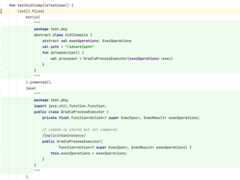
Multiple test files shown inline - Lint can provide a DSL to construct test files easily. For example,
projectProperties().compileSdk(17)andmanifest().minSdk(5).targetSdk(17)construct aproject.propertiesand anAndroidManifest.xmlfile with the correct contents to specify for example the rightelement setting up the minSdkVersionandtargetSdkVersion.For icons, we can construct bitmaps like this:

image("res/mipmap-hdpi/my_launcher2_round.png",50,50) .fillOval(0,0,50,50,0xFFFFFFFF).text(5,5,"x",0xFFFFFFFF))- Similarly, when we construct
java()orkotlin()test sources, we don't have to name the files, because lint will analyze the source code and figure out what the class file should be named and where to place it. - We can easily “parameterize” our test files. For example, if you want to run your unit test against a 100K json file, you can construct it programmatically; you don't have to check one in. As another example you can programmatically create a number of repetitive scenarios.
- Since test sources often (deliberately!) have errors in them (which is relevant when lint is unning on the fly inside the IDE editor), this sometimes causes problems with the tooling; for example, some code review tools will flag “disallowed” constructs or things like tabs or trailing spaces, which may be deliberate in a lint unit test.
- You can test running in single-file mode, which is how lint is run on the fly in the editor.
- Lint originally checked in test sources as individual files. Unfortunately over time, source files ended up getting reused by multiple tests. And that made it harder to make changes, or figure out whether test sources are still in use, and so on.
- Last but not least, because all the test construction methods specify the correct mime type for their string parameters, IntelliJ will actually syntax highlight the test source declarations! Here's how this looks:
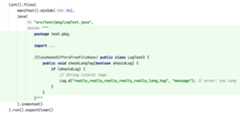
Screenshot of nested highlighting - Finally, but most importantly, with the descriptors of your test scenarios, lint can re-run your tests under a number of different scenarios, including modifying your source files and project layout. This concept is documented in more detail in thetest modes chapter.

Trimming indents?
Notice how in the above Kotlin unit tests we used raw strings,andwe indented the sources to be flush with the opening""" stringdelimiter.
You might be tempted to call.trimIndent() on the raw string.However, doing that would break the above nested syntax highlightingmethod (or at least it used to). Therefore, instead, call.indented()on the test file itself, not the string, as shown on line 20.
Note that we don't need to do anything with theexpect call; lintwill automatically calltrimIndent() on the string passed in to it.
Dollars in Raw Strings
Kotlin requires that raw strings have to escape the dollar ($)character. That's normally not a problem, but for some source files, itmakes the source code lookreally messy and unreadable.
For that reason, lint will actually convert $ into $ (a unicode widedollar sign). Lint lets you use this character in test sources, and italways converts the test output to use it (though it will convert inthe opposite direction when creating the test sources on disk).
Quickfixes
If your lint check registers quickfixes with the reported incidents,it's trivial to test these as well.
For example, for a lint check result which flags two incidents, with asingle quickfix, the unit test looks like this:
lint().files(...) .run() .expect(expected) .expectFixDiffs(""+"Fix for res/layout/textsize.xml line 10: Replace with sp:\n"+"@@ -11 +11\n"+"- android:textSize=\"14dp\" />\n"+"+ android:textSize=\"14sp\" />\n"+"Fix for res/layout/textsize.xml line 15: Replace with sp:\n"+"@@ -16 +16\n"+"- android:textSize=\"14dip\" />\n"+"+ android:textSize=\"14sp\" />\n");TheexpectFixDiffs method will iterate over all the incidents itfound, and in succession, apply the fix, diff the two sources, andappend this diff along with the fix message into the log.
When there are multiple fixes offered for a single incident, it williterate through all of these too:
lint().files(...) .run() .expect(expected) .expectFixDiffs(+"Fix for res/layout/autofill.xml line 7: Set autofillHints:\n"+"@@ -12 +12\n"+" android:layout_width=\"match_parent\"\n"+" android:layout_height=\"wrap_content\"\n"+"+ android:autofillHints=\"|\"\n"+" android:hint=\"hint\"\n"+" android:inputType=\"password\" >\n"+"Fix for res/layout/autofill.xml line 7: Set importantForAutofill=\"no\":\n"+"@@ -13 +13\n"+" android:layout_height=\"wrap_content\"\n"+" android:hint=\"hint\"\n"+"+ android:importantForAutofill=\"no\"\n"+" android:inputType=\"password\" >\n"+"\n");Library Dependencies and Stubs
Let's say you're writing a lint check for something like the AndroidJetpack library'sRecyclerView widget.
In this case, it's highly likely that your unit test will referenceRecyclerView. But how does lint know whatRecyclerView is? If itdoesn't, type resolve won't work, and as a result the detector won't.
You could make your test “depend” on theRecyclerView. This ispossible, using theLibraryReferenceTestFile, but is not recommended.
Instead, the recommended approach is to just use “stubs”; createskeleton classes which represent only thesignatures of thelibrary, and in particular, only the subset that your lint check caresabout.
For example, for lint's ownRecyclerView test, the unit test declaresa field holding the recycler view stub:
private val recyclerViewStub = java(""" package android.support.v7.widget; import android.content.Context; import android.util.AttributeSet; import android.view.View; import java.util.List; // Just a stub for lint unit tests public class RecyclerView extends View { public RecyclerView(Context context, AttributeSet attrs) { super(context, attrs); } public abstract static class ViewHolder { public ViewHolder(View itemView) { } } public abstract static class Adapter<vh extends="" viewholder=""> { public abstract void onBindViewHolder(VH holder, int position); public void onBindViewHolder(VH holder, int position, List<object> payloads) { } public void notifyDataSetChanged() { } } } """).indented()And now, all the other unit tests simply includerecyclerViewStubas one of the test files. For a larger example, seethis test.
getApplicableMethodNames() orgetApplicableReferenceNames() respectively.Here's an example of a test failure for an unresolved import:
java.lang.IllegalStateException:app/src/com/example/MyDiffUtilCallbackJava.java:4: Error:Couldn't resolve this import [LintError]import androidx.recyclerview.widget.DiffUtil; -------------------------------------This usually means that the unit test needs to declare a stub file orplaceholder with the expected signature such that type resolving works.If this import is immaterial to the test, either delete it, or markthis unit test as allowing resolution errors by setting`allowCompilationErrors()`.(This check only enforces import references, not all references, so ifit doesn't matter to the detector, you can just remove the import butleave references to the class in the code.)Binary and Compiled Source Files
If you need to use binaries in your unit tests, there are two options:
- base64gzip
- API stubs
If you want to analyze bytecode of method bodies, you'll need to usethe first option.
The first type requires you to actually compile your test file into aset of .class files, and check those in as a gzip-compressed, base64encoded string. Lint has utilities for this; see the next section.
The second option is using API stubs. For simple stub files (where youonly need to provide APIs you'll call as binaries, but not code), lintcan produce the corresponding bytecode on the fly, so you don't needto pre-create binary contents of the class. This is particularlyhelpful when you just want to create stubs for a library your lintcheck is targeting and you want to make sure the detector is seeingthe same types of elements as it will when analyzing real code outsideof tests (since there is a difference between resolving into APIs fromsource and form binaries; when you're analyzing calls into source, youcan access for example method bodies, and this isn't available viaUAST from byte code.)
These test files also let you specify an artifact name instead of ajar path, and lint will use this to place the jar in a special placesuch that it recognizes it (viaJavaEvaluator.findOwnerLibrary) asbelonging to this library.
Here's an example of how you can create one of these binary stubfiles:
fun testIdentityEqualsOkay() { lint().files( kotlin("/*test contents here *using* some recycler view APIs*/" ).indented(), mavenLibrary("androidx.recyclerview:recyclerview:1.0.0", java(""" package androidx.recyclerview.widget; public class DiffUtil { public abstract static class ItemCallback<t> { public abstract boolean areItemsTheSame(T oldItem, T newItem); public abstract boolean areContentsTheSame(T oldItem, T newItem); } } """ ).indented() ) ).run().expect(Base64-encoded gzipped byte code
Here's an example from a lint check which tries to recognize usage ofCordova in the bytecode:
funtestVulnerableCordovaVersionInClasses() { lint().files( base64gzip("bin/classes/org/apache/cordova/Device.class","" +"yv66vgAAADIAFAoABQAPCAAQCQAEABEHABIHABMBAA5jb3Jkb3ZhVmVyc2lv" +"bgEAEkxqYXZhL2xhbmcvU3RyaW5nOwEABjxpbml0PgEAAygpVgEABENvZGUB" +"AA9MaW5lTnVtYmVyVGFibGUBAAg8Y2xpbml0PgEAClNvdXJjZUZpbGUBAAtE" +"ZXZpY2UuamF2YQwACAAJAQAFMi43LjAMAAYABwEAGW9yZy9hcGFjaGUvY29y" +"ZG92YS9EZXZpY2UBABBqYXZhL2xhbmcvT2JqZWN0ACEABAAFAAAAAQAJAAYA" +"BwAAAAIAAQAIAAkAAQAKAAAAHQABAAEAAAAFKrcAAbEAAAABAAsAAAAGAAEA" +"AAAEAAgADAAJAAEACgAAAB4AAQAAAAAABhICswADsQAAAAEACwAAAAYAAQAA" +"AAUAAQANAAAAAgAO" ) ).run().expect(Here, “base64gzip” means that the file is gzipped and then base64encoded.
If you want to compute the base64gzip string for a given file, a simpleway to do it is to add this statement at the beginning of your test:
assertEquals("", TestFiles.toBase64gzip(File("/tmp/mybinary.bin")))The test will fail, and now you have your output to copy/paste into thetest.
However, if you're writing byte-code based tests, don't just hard codein the .class file or .jar file contents like this. Lint's own unittests did that, and it's hard to later reconstruct what the byte codewas later if you need to make changes or extend it to other bytecodeformats.
Instead, use the newcompiled orbytecode test files. The key hereis that they automate a bit of the above process: the test fileprovides a source test file, as well as a set of corresponding binaryfiles (since a single source file can create multiple class files, andfor Kotlin, some META-INF data).
Here's an example of a lint test which is usingbytecode(...) todescribe binary files:https://cs.android.com/android-studio/platform/tools/base/+/mirror-goog-studio-main:lint/libs/lint-tests/src/test/java/com/android/tools/lint/client/api/JarFileIssueRegistryTest.kt?q=testNewerLintBroken
Initially, you just specify the sources, and when no binary datahas been provided, lint will instead attempt to compile the sourcesand emit the full test file registration.
This isn't just a convenience; lint's test infrastructure also usesthis to test some additional scenarios (for example, in a multi-moduleproject it will only provide the binaries, not the sources, forupstream modules.)
My Detector Isn't Invoked From a Test!
One common question we hear is
My Detector works fine when I run it in the IDE or from Gradle, but from my unit test, my detector is never called! Why?
This is almost always because the test sources are referring to somelibrary or dependency which isn't on the class path. See the “LibraryDependencies and Stubs” section above, as well as thefrequently askedquestions.
Language Level
Lint will analyze Java and Kotlin test files using its own defaultlanguage levels. If you need a higher (or lower) language level in orderto test a particular scenario, you can use thekotlinLanguageLevelandjavaLanguageLevel setter methods on the lint test configuration.Here's an example of a unit test setup for Java records:
lint() .files( java(""" record Person(String name, int age) { } """) .indented() ) .javaLanguageLevel("17") .run() .expect(...)Test Modes
Lint's unit testing machinery has special support for “test modes”,where it repeats a unit test under different conditions and makes surethe test continues to pass with the same test results — the samewarnings in the same test files.
There are a number of built-in test modes:
- Test modes which make small tweaks to the source files which should be compatible, such as
- Inserting unnecessary parentheses
- Replacing imported symbols with fully qualified names
- Replacing imported symbols with Kotlin import aliases
- Replacing types with typealiases
- Reordering Kotlin named arguments
- Replacing simple functions with Kotlin expression bodies
- etc
- A partial analysis test mode which runs the tests in “partial analysis” mode; two phases, analysis and reporting, with minSdkVersion set to 1 during analysis and set to the true test value during reporting etc.
- Bytecode Only: Any test files that specify both source and bytecode will only use the bytecode
- Source Only: Any test files that specify both source and bytecode will only use the source code
These are built-in test modes which will be applied to all detectortests, but you can opt out of any test modes by invoking theskipTestModes DSL method, as described below.
You can also add in your own test modes. For example, lint adds its owninternal test mode for making sure the built-in annotation checks workwith Android platform annotations in the following test mode:
https://cs.android.com/android-studio/platform/tools/base/+/mirror-goog-studio-main:lint/libs/lint-tests/src/test/java/com/android/tools/lint/checks/AndroidPlatformAnnotationsTestMode.kt
How to debug
Let's say you have a test failure in a particular test mode, suchasTestMode.PARENTHESIZED which inserts unnecessary parenthesesinto the source code to make sure detectors are properly skippingthroughUParenthesizedExpression nodes.
If you just run this under the debugger, lint will run throughall the test modes as usual, which means you'll need to skipthrough a lot of intermediate breakpoint hits.
For these scenarios, it's helpful to limit the test run toonly thetarget test mode. To do this, go and specify that specific test mode aspart of the run setup by adding the following method declaration intoyour detector class:
overridefunlint(): TestLintTask {returnsuper.lint().testModes(TestMode.PARENTHESIZED)}Now when you run your test, it will runonly this test mode, so youcan set breakpoints and start debugging through the scenario withouthaving to figure out which mode you're currently being invoked in.
Handling Intentional Failures
There are cases where your lint check is doing something veryparticular related to the changes made by the test mode which meansthat the test mode doesn't really apply. For example, there is a testmode which adds unnecessary parentheses, to make sure that the detectoris properly handling the case where there are intermediate parenthesisnodes in the AST. Normally, every lint check should behave the samewhether or not optional parentheses are present. But, if the lint checkyou are writing is actually parenthesis specific, such as suggestingremoval of optional parentheses, then obviously in that case you don'twant to apply this test mode.
To do this, there's a special test DSL method you can add,skipTestModes. Adding a comment for why that particular mode isskipped is useful as well.
lint().files(...) .allowCompilationErrors()// When running multiple passes of lint each pass will warn// about the obsolete lint checks; that's fine .skipTestModes(TestMode.PARTIAL) .run() .expectClean()Source-Modifying Test Modes
The most powerful test modes are those that make some deliberatetransformations to your source code, to test variations of the codepatterns that may appear in the wild. Examples of this include havingoptional parentheses, or fully qualified names.
Lint will make these transformations, then run your tests on themodified sources, and make sure the results are the same — except forthe part of the output which shows the relevant source code, since thatpart is expected to differ due to the modifications.
When lint finds a failure, it will abort with a diff that includes notjust the different error output between the default mode and the sourcemodifying mode, but the source files as well; that makes it easier tospot what the difference is.
In the following screenshot for example we've run a failing test insideIntelliJ, and have then clicked on the Show Difference link in the testoutput window (Ctrl+D or Cmd-D) which shows the test failure diffnicely:

This is a test mode which converts all symbols to fully qualifiednames; in addition to the labeled output at the top we can see thediffs in the test case files below the error output diff. The testfiles include line numbers to help make it easy to correlate extra ormissing warnings with their line numbers to the changed source code.
Fully Qualified Names
TheTestMode.FULLY_QUALIFIED test mode will rewrite the source filessuch that all symbols that it can resolve are replaced with fullyqualified names.
For example, this mode will convert the following code:
import android.widget.RemoteViewsfuntest(packageName:String, other:Any) {val rv = RemoteViews(packageName, R.layout.test)val ov = otheras RemoteViews}to
import android.widget.RemoteViewsfuntest(packageName:String, other:Any) {val rv = android.widget.RemoteViews(packageName, R.layout.test)val ov = otheras android.widget.RemoteViews}This makes sure that your detector handles not only the case where asymbol appears in its normal imported state, but also when it is fullyqualified in the code, perhaps because there is a different competingclass of the same name.
This will typically catch cases where the code is incorrectly justcomparing the identifier at the call node instead of the fullyqualified name.
For example, one detector's tests failed in this mode becauseit was looking to identify references to anEnumSet,and the code looked like this:
privatefuncheckEnumSet(node:UCallExpression) {val receiver = node.receiverif (receiveris USimpleNameReferenceExpression && receiver.identifier =="EnumSet" ) {which will work for code such asEnumSet.of() but notjava.util.EnumSet.of().
Instead, use something like this:
privatefuncheckEnumSet(node:UCallExpression) {val targetClass = node.resolve()?.containingClass?.qualifiedName ?:returnif (targetClass =="java.util.EnumSet") {As with all the source transforming test modes, there are cases whereit doesn't apply. For example, lint had a built-in check for cameraEXIF metadata, encouraging you to import the androidx version of thelibrary instead of using the built-in version. If it sees you using theplatform one it will normally encourage you to import the androidx oneinstead:
src/test/pkg/ExifUsage.java:9: Warning: Avoidusing android.media.ExifInterface; use androidx.exifinterface.media.ExifInterface instead [ExifInterface] android.media.ExifInterface exif=new android.media.ExifInterface(path);---------------------------However, if you explicitly (via fully qualified imports) reference theplatform one, in that case the lint check does not issue any warningssince it figures you're deliberately trying to use the older version.And in this test mode, the results between the two obviously differ,and that's fine; as usual we'll deliberately turn off the check in thisdetector:
@Overrideprotected TestLintTasklint() {// This lint check deliberately treats fully qualified imports// differently (they are interpreted as a deliberate usage of// the discouraged API) so the fully qualified equivalence test// does not apply:returnsuper.lint().skipTestModes(TestMode.FULLY_QUALIFIED);}UCallExpression. But note that if a call is fully qualified, the node will be aUQualifiedReferenceExpression instead, and you'll need to look at its selector. So watch out for code which does something likenode as? UCallExpression.Import Aliasing
In Kotlin, you can create an import alias, which lets you refer tothe imported class using an entirely different name.
This test mode will create import aliases for all the import statementsin the file and will replace all the references to the import aliasesinstead. This makes sure that the detector handles the equivalent Kotlincode.
For example, this mode will convert the following code:
import android.widget.RemoteViewsfuntest(packageName:String, other:Any) {val rv = RemoteViews(packageName, R.layout.test)val ov = otheras RemoteViews}to
import android.widget.RemoteViewsas IMPORT_ALIAS_1_REMOTEVIEWSfuntest(packageName:String, other:Any) {val rv = IMPORT_ALIAS_1_REMOTEVIEWS(packageName, R.layout.test)val ov = otheras IMPORT_ALIAS_1_REMOTEVIEWS}Type Aliasing
Kotlin also lets you alias types using thetypealias keyword.This test mode is similar to import aliasing, but applied to alltypes. In addition to the different AST representations of importaliases and type aliases, they apply to different things.
For example, if we import TreeMap, and we have a code reference such asTreeMap<string>, then the import alias will alias the tree map classitself, and the reference would look likeIMPORT_ALIAS_1<string>,whereas for type aliases, the alias would be for the wholeTreeMap<string>, and the code reference would beTYPE_ALIAS_1.
Also, import aliases will only apply to the explicitly importedclasses, whereas type aliases will apply to all types, including Int,Boolean, List
For example, this mode will convert the following code:
import android.widget.RemoteViewsfuntest(packageName:String, other:Any) {val rv = RemoteViews(packageName, R.layout.test)val ov = otheras RemoteViews}to
import android.widget.RemoteViewsfuntest(packageName:TYPE_ALIAS_1, other:TYPE_ALIAS_2) {val rv = RemoteViews(packageName, R.layout.test)val ov = otheras TYPE_ALIAS_3}typealias TYPE_ALIAS_1 = Stringtypealias TYPE_ALIAS_2 = Anytypealias TYPE_ALIAS_3 = RemoteViewsParenthesis Mode
Kotlin and Java code is allowed to contain extra clarifyingparentheses. Sometimes these are leftovers from earlier morecomplicated expressions where when the expression was simplified theparentheses were left in place.
In UAST, parentheses are represented in the AST (via aUParenthesizedExpression node). While this is good since it allowsyou to for example write lint checks which identifies unnecessaryparentheses, it introduces a complication: you can't just look at anode's parent to for example see if it's aUQualifiedExpression; youhave to be prepared to look “through” it such that if it's aUParenthesizedExpression node, you instead look at its parent inturn. (And programmers can of course put as (((many unnecessary)))parentheses as they want, so you may have to skip through repeatednodes.)
Note also that this isn't just for looking upwards or outwards atparents. Let's say you're looking at a call and you want to see if thelast argument is a literal expression such as a number or a String. Youcan't just useif (call.valueArguments.lastOrNull() isULiteralExpression), because that first argument could be aUParenthesizedExpression, as incall(1, true, ("hello")), so you'dneed to look inside the parentheses.
UAST comes with two functions to help you handle this correctly:
- Whenever you look at the parent, make sure you surround the call with
skipParenthesizedExprUp(UExpression). - If you are looking at a child node, use the method
skipParenthesizedExprDown, an extension method on UExpression (and from Java import it from UastUtils).
To help catch these bugs, lint has a special test mode where it insertsvarious redundant parentheses in your test code, and then makes surethat the same errors are reported. The error output will of coursepotentially vary slightly (since the source code snippets shown willcontain extra parentheses), but the test will ignore these differencesand only fail if it sees new errors reported or expected errors notreported.
In the unlikely event that your lint check is actually doing somethingparenthesis specific, you can turn off this test mode using.skipTestModes(TestMode.PARENTHESIZED).
For example, this mode will convert the following code:
(tas? String)?.plus("other")?.get(0)?.dec()?.inc()"foo".chars().allMatch { it.dec() >0 }.toString()to
(((((tas? String))?.plus("other"))?.get(0))?.dec())?.inc()(("foo".chars()).allMatch { (it.dec() >0) }).toString()By default the parenthesis mode limits itself to “likely” unnecessaryparentheses; in particular, it won't put extra parenthesis aroundsimple literals, like (1) or (false). You can explicitly constructParenthesizedTestMode(includeUnlikely=true) if you want additionalparentheses.
Argument Reordering
In Kotlin, with named parameters you're allowed to pass in thearguments in any order. To handle this correctly, detectors shouldnever just line up parameters and arguments and match them by index;instead, there's acomputeArgumentMapping method onJavaEvaluatorwhich returns a map from argument to parameter.
The argument-reordering test mode will locate all calls to Kotlinmethods, and it will then first add argument names to any parameter notalready specifying a name, and then it will shift all the argumentsaround, then repeat the test. This will catch any detectors which wereincorrectly making assumptions about argument order.
(Note that the test mode will not touch methods that have varargparameters for now.)
For example, this mode will convert the following code:
test("test",5,true)to
test(n =5, z =true, s ="test")Body Removal
In Kotlin, you can replace
funtest(): List<string> {returnif (true) listOf("hello")else emptyList()}with
funtest(): List<string> =if (true) listOf("hello")else emptyList()Note that these two ASTs do not look the same; we'll only have anUReturnExpression node in the first case. Therefore, you have to becareful if your detector is just visitingUReturnExpressions in orderto find exit points.
The body removal test mode will identify all scenarios where it canreplace a simple function declaration with an expression body, andwill make sure that the test results are the same, to make sure detectors are handling both AST variations.
It also does one more thing: it toggled optional braces from ifexpressions — converting
if (x < y) { test(x+1) }else test(x+2)to
if (x < y) test(x+1)else { test(x+2) }(Here it has removed the braces around the if-then body since they areoptional, and it has added braces around the if-else body since it didnot have optional braces.)
The purpose of these tweaks are similar to the expression body change:making sure that detectors are properly handling the presence ofabsence ofUBlockExpression around the child nodes.
If to When Replacement
In Kotlin, you can replace a series ofif/else statements with asinglewhen block. These two alternative do not look the same in theAST;if expressions show up asUIfExpression, andwhenexpressions show up asUSwitchExpression.
The if-to-when test mode will change all theif statements in Kotlinlint tests with the corresponding when statement, and makes sure thatthe test results remain the same. This ensures that detectors areproperly looking for bothUIfExpression andUSwitchExpression andhandling each. When this test mode was introduced, around 12 unit testsin lint's built-in checks (spread across 5 detectors) needed sometweaks.
Whitespace Mode
This test mode inserts a number of “unnecessary” whitespace charactersin valid places in the source code.
This helps catch bugs where lint checks are improperly makingassumptions about whitespace in the source file, particularly inquickfix implementations, or when for example looking up a qualifiedexpression and just taking theasSourceString() ortext property ofa PSI element or PSI type and checking it for equality with somethinglikejava.util.List<string>.
For example, some of the built-in checks which performed quickfixstring replacements based on regular expression matching had to beupdated to be prepared for whitespace characters:
+++ b/lint/libs/lint-checks/src/main/java/com/android/tools/lint/checks/WakelockDetector.java@@ -454,7 +454,7 @@ public class WakelockDetector extends Detector implements ClassScanner, SourceCo LintFix fix = fix().name("Set timeout to 10 minutes") .replace()- .pattern("acquire\\(()\\)")+ .pattern("acquire\\s*\\(()\\s*\\)") .with("10*60*1000L /*10 minutes*/") .build();CDATA Mode
When declaring string resources, you may want to use XML CDATA sectionsinstead of plain text. For example, instead of
<?xml version="1.0" encoding="UTF-8"?><resources><stringname="app_name">Application Name</string></resources>you can equivalently use
<?xml version="1.0" encoding="UTF-8"?><resources><stringname="app_name"><![CDATA[Application Name]]></string></resources>(where you can place newlines and other unescaped text inside the bracketed span.)
This alternative form shows up differently in the XML DOM that isprovided to lint detectors; in particular, if you are iterating throughtheNode children of anElement, you should not just look at nodeswithnodeType == Node.TEXT_NODE; you need to also handlenoteType ==Node.CDATA_SECTION_NODE.
This test mode will automatically retry all your tests that definestring resources, and will convert regular text intoCDATA and makessure the results continue to be the same.
Suppressible Mode
Users should be able to ignore lint warnings by inserting suppress annotations(in Kotlin and Java), and viatools:ignore attributes in XML files.
This normally works for simple checks, but if you are combining results fromdifferent parts of the code, or for example caching locations and reportingthem later, this is sometimes broken.
This test mode looks at the reported warnings from your unit tests, and thenfor each one, it looks up the corresponding error location's source file, andinserts a suppress directive at the nearest applicable location. It thenre-runs the analysis, and makes sure that the warning no longer appears.
@JvmOverloads Test Mode
When UAST comes across a method like this:
@JvmOverloadsfuntest(parameter:Int =0) { implementation()}it will “inline” these two methods in the AST, such that we see the wholemethod body twice:
funtest() { implementation()}funtest(parameter:Int) { implementation()}If there were additional default parameters, there would be additionalrepetitions.
This is similar to what the compiler does, since Java doesn't havedefault arguments, but the compiler will actually just generate sometrampoline code to jump to the implementation with all the parameters;it will NOT repeat the method implementation:
funtest(parameter:Int) { implementation()}// $FF: synthetic methodfun `test$default`(var0:Int, var1:Int, var2:Any?) {var var0 = var0if ((var1 and1) !=0) { var0 =0 } test(var0)}Again, UAST will instead just repeat the method body. And this meanslint detectors may trigger repeatedly on the same code. In most casesthis will result in duplicated warnings. But it can also lead to otherproblems; for example, a lint check which makes sure you don't have anycode duplication would incorrectly believe code fragments are repeated.
Lint already looks for this situation and avoids visiting duplicatedmethods in its shared implementations (which is dispatching to mostDetector callbacks). However, if you manually visit a class yourself,you can run into this problem.
This test mode simulates this situation by finding all methods whereit can safely add at least one default parameter, and marks it@JvmOverloaded. It then makes sure the results are the same as before.
Adding Quick Fixes
Introduction
When your detector reports an incident, it can also provide one or more“quick fixes”, which are actions the users can invoke in the IDE (or,for safe fixes, in batch mode) to address the reported incident.
For example, if the lint check reports an unused resource, a quick fixcould offer to remove the unused resource.
In some cases, quick fixes can take partial steps towards fixing theproblem, but not fully. For example, the accessibility lint check whichmakes sure that for images you set a content description, the quickfixcan offer to add it — but obviously it doesn't know what descriptionto put. In that case, the lint fix will go ahead and add the attributedeclaration with the correct namespace and attribute name, but willleave the value up to the user (so it uses a special quick fix providedby lint to place a TODO marker as the value, along with selecting justthat TODO string such that the user can type to replace without havingto manually delete the TODO string first.)
The LintFix builder class
The class in lint which represents a quick fix isLintFix.
Note thatLintFix isnot a class you can subclass and then forexample implement your own arbitrary code in something like aperform() method.
Instead,LintFix has a number of builders where youdescribe theaction that you would like the quickfix to take. Then, lint will offerthat quickfix in the IDE, and when the user invokes it, lint runs itsown implementation of the various descriptors.
The historical reason for this is that many of the quickfixes in lintdepended on machinery in the IDE (such as code and import cleanup afteran edit operation) that isn't available in lint itself, along withother concepts that only make sense in the IDE, such as moving thecaret, opening files, selecting text, and so on.
More recently, this is also used to persist quickfixes properly forlater reuse; this is required forpartialanalysis.
Creating a LintFix
Lint fixes use a “fluent API”; you first construct aLintFix, and onthat method you call various available type methods, which will thenfurther direct you to the allowed options.
For example, to create a lint fix to set an XML attribute of a givenname to “true”, use something like this:
LintFix fix = fix().set(null,"singleLine","true").build()Here thefix() method is provided by theDetector super class, butthat's just a utility method forLintFix.fix() (or in older versions,LintFix.create()).
There are a number of additional, common methods you can set onthefix() object:
name: Sets the description of the lint fix. This should be brief; it's in the quickfix popup shown to the user.sharedName: This sets the “shared” or “family” name: all fixes in the file will with the same name can be applied in a single invocation by the user. For example, if you register 500 “Remove unused import” quickfixes in a file, you don't want to force the user to have to invoke each and every one. By setting the shared name, the user will be offered toFix All$family name problems in the current file, which they can then perform to have all 500 individual fixes applied in one go.autoFix: If you get a lint report and you notice there are a lot of incidents that lint can fix automatically, you don't want to have to go and open each and every file and all the fixes in the file. Therefore, lint can apply the fixes in batch mode; the Gradle integration has alintFixtarget to perform this, and thelintcommand has an--apply-suggestionsoption.However, many quick fixes require user intervention. Not just the ones where the user has to choose among alternatives, and not just the ones where the quick fix inserts a placeholder value like TODO. Take for example lint's built-in check which requires overrides of a method annotated with
@CallSuperto invokesuper.on the overridden method. Where should we insert the call — at the beginning? At the end?Therefore, lint has the
autoFixproperty you can set on a quickfix. This indicates that this fix is “safe” and can be performed in batch mode. When thelintFixtarget runs, it will only apply fixes marked safe in this way.
Available Fixes
The current set of available quick fix types are:
fix().replace: String replacements. This is the most general mechanism, and allows you to perform arbitrary edits to the source code. In addition to the obvious “replace old string with new”, the old string can use a different location range than the incident range, you can match with regular expressions (and perform replacements on a specific group within the regular expression), and so on.This fix is also the most straightforward way todelete text.
It offers some useful cleanup operations:
- Source code cleanup, which will run the IDE's code formatter on the modified source code range. This will apply the user's code preferences, such as whether there should be a space between a cast and the expression, and so on.
- Import cleanup. That means that if you are referencing a new type, you don't have to worry about checking whether it is imported and if not adding an import statement; you can simply write your string replacements using the fully qualified names, and then tag the quickfix with the import cleanup option, and when the quickfix is performed the import will be added if necessary and all the fully qualified references replaced with simple names. And this will also correctly handle the scenario where the symbols cannot be replaced with simple names because there is a conflicting import of the same name from a different package.
Normally, you should write your replacement source code using fully qualified names, and then apply
shortenNamesto the quickfix to tell lint to replace fully qualified names with imports; don't try to write your quickfix to also add the import statements on its own. There's a possibility that a given name cannot be imported because it's already importing the same name for a different namespace. When using fully qualified names, lint will specifically handle this.In some cases you cannot use fully qualified names in the code snippet; this is the case with Kotlin extension functions for example. For that scenario, the replacement quickfix has an
importsproperty you can use to specify methods (and classes and fields) to import at the same time.
fix().annotate: Annotating an element. This will add (or optionally replace) an annotation on a source element such as a method. It will also handle import management.fix().set: Add XML attributes. This will insert an attribute into the given element, applying the user's code style preferences for where to insert the attribute. (In Android XML for example there's a specific sorting convention which is generally alphabetical, except layout params go before other attributes, and width goes before height.)You can either set the value to something specific, or place the caret inside the newly created empty attribute value, or set it to TODO and select that text for easy type-to-replace.
todo() quickfix, it's a good idea to special case your lint check to deliberately not accept “TODO” as a valid value. For example, for lint's accessibility check which makes sure you set a content description, it will complain both when you haven't set the content description attribute,and if the text is set to “TODO”. That way, if the user applies the quickfix, which creates the attribute in the right place and moves the focus to the right place, the editor is still showing a warning that the content description should be set.fix().unset: Remove XML attribute. This is a special case of add attribute.fix().url: Show URL. In some cases, you can't “fix” or do anything local to address the problem, but you really want to direct the user's attention to additional documentation. In that case, you can attach a “show this URL” quick fix to the incident which will open the browser with the given URL when invoked. For example, in a complicated deprecation where you want users to migrate from one approach to a completely different one that you cannot automate, you could use something like this:
val message ="Job scheduling with `GcmNetworkManager` is deprecated: Use AndroidX `WorkManager` instead"val fix = fix().url("https://developer.android.com/topic/libraries/architecture/workmanager/migrating-gcm").build()Combining Fixes
You might notice that lint's APIs to report incidents only takes asingle quick fix instead of a list of fixes.
But let's say that itdid take a list of quick fixes.
- Should theyall be performed as a single unit? That makes sense if you're trying to write a quickfix which performs multiple string replacements.
- Or should they be offered as separate alternatives for the user to choose between? That makes sense if the incident says for example that you must set at least one attribute among three possibilities; in this case we may want to add quickfixes for setting each attribute.
Both scenarios have their uses, so lint makes this explicit:
fix().composite: create a “composite” fix, which composes the fix out of multiple individual fixes, orfix().alternatives: create an “alternatives” fix, which holds a number of individual fixes, which lint will present as separate options to the user.
Here's an example of how to create a composite fix, which will beperformed as a unit; here we're both setting a new attribute anddeleting a previous attribute:
val fix = fix().name("Replace with singleLine=\"true\"") .composite( fix().set(ANDROID_URI,"singleLine","true").build(), fix().unset(namespace, oldAttributeName).build() )And here's an example of how to create an alternatives fix, which areoffered to the user as separate options; this is from our earlierexample of the accessibility check which requires you to set a contentdescription, which can be set either on the “text” attribute or the“contentDescription” attribute:
val fix = fix().alternatives( fix().set().todo(ANDROID_URI,"text").build(), fix().set().todo(ANDROID_URI,"contentDescription") .build())Refactoring Java and Kotlin code
It would be nice if there was an AST manipulation API, similar to UASTfor visiting ASTs, that quickfixes could use to implement refactorings,but we don't have a library like that. And it's unlikely it would workwell; when you rewrite the user's code you typically have to takelanguage specific conventions into account.
Therefore, today, when you create quickfixes for Kotlin and Java code,if the quickfix isn't something simple which would work for bothlanguages, then you need to conditionally create either the Kotlinversion or the Java version of the quickfix based on whether the sourcefile it applies to is in Kotlin or Java. (For an easy way to check youcan use theisKotlin orisJava package level methods incom.android.tools.lint.detector.api.)
However, it's often the case that the quickfix is something simplewhich would work for both; that's true for most of the built-in lintchecks with quickfixes for Kotlin and Java.
Regular Expressions and Back References
Thereplace string quick fix allows you to match the text towith regular expressions.
You can also use back references in the regular expression suchthat the quick fix replacement text includes portions from theoriginal string.
Here's an example from lint'sAssertDetector:
val fix = fix().name("Surround with desiredAssertionStatus() check") .replace() .range(context.getLocation(assertCall)) .pattern("(.*)") .with("if (javaClass.desiredAssertionStatus()) { \\k<1> }") .reformat(true) .build()The replacement string's back reference above, on line 5, is \k<1>. Ifthere were multiple regular expression groups in the replacementstring, this could have been \k<2>, \k<3>, and so on.
Here's how this looks when applied, from its unit test:
lint().files().run().expectFixDiffs(""" Fix for src/test/pkg/AssertTest.kt line 18: Surround with desiredAssertionStatus() check: @@ -18 +18 - assert(expensive()) // WARN + if (javaClass.desiredAssertionStatus()) { assert(expensive()) } // WARN """)Emitting quick fix XML to apply on CI
Note that thelint has an option (--describe-suggestions) to emitan XML file which describes all the edits to perform on documents toapply a fix. This maps all quick fixes into chapter edits (includingXML logic operations). This can be (and is, within Google) used tointegrate with code review tools such that the user can choose whetherto auto-fix a suggestion right from within the code review tool.
Partial Analysis
About
This chapter describes Lint's “partial analysis”; its architecture andAPIs for allowing lint results to be cached.
This focuses on how to write or update existing lint checks such thatthey work correctly under partial analysis. For other details aboutpartial analysis, such as the client side implemented by the buildsystem, see the lint internal docs folder.
This is because coordinating partial results and merging is performed by theLintClient; e.g. in the IDE, there's no good reason to do all this extra work (because all sources are generally available, including “downstream” module info like theminSdkVersion).
Right now, only the Android Gradle Plugin turns on partial analysis mode. But that's a very important client, since it's usually how lint checks are performed on continuous integration servers to validate code reviews.
The Problem
Many lint checks require “global” analysis. For example you can'tdetermine whether a particular string defined in a library module isunused unless you look at all modules transitively consuming thislibrary as well.
However, many developers run lint as part of their continuousintegration. Particularly in large projects, analyzing all modules forevery check-in is too costly.
This chapter describes lint's architecture for handling this, suchthat module results can be cached.
Overview
Briefly stated, lint's architecture for this is “map reduce”: lint nowhas two separate phases, analyze and report (map and reducerespectively):
- analyze - where lint analyzes source code of a single module in isolation, and stores some intermediate partial results (map)
- report - where lint reads in the previously stored module results, and performs some post-processing on this data to generate an actual lint report.
Crucially, the individual module results can be cached, such that ifnothing has changed in a module, the module results continue to bevalid (unless signatures have changed in libraries it depends on.)
Making this work requires some modifications to anyDetector whichconsiders data from outside the current module. However, there are somevery common scenarios that lint has special support for to make thiseasier.
Detectors fit into one of the following categories (and thesecategories will be explained in subsequent sessions) :
- Local analysis which doesn't depend on anything else. For example, a lint check which flags typos can report incidents immediately. Lint calls these “definite incidents”.
- Local analysis which depends on a few, common conditions. For example, in Android, a check may only apply if the
minSdkVersion < 21. Lint has special support for this; you basically report an incident and attach a “constraint” to it. Lint calls these, and incidents reported as part of #3 below, as “provisional incidents”. - Analysis which depends on some conditions of downstream modules that are not part of the built-in constraints. For example, a lint check may only apply if the consuming module depends on a certain version of a networking library. In this case, the detector will report the incident and attach a map to it, with whatever data it needs to consult later to decide if the incident actually should be reported. When the detector reports incidents this way, it has to also override a callback method. Lint will record these incidents, and during reporting, call the detector and pass it back its data map and provisional incidents such that it can decide whether the incidents should indeed be reported.
- Last, and least, there are some scenarios where you cannot compute provisional incidents up front and filter them later (or doing so would be very costly). For example, unused resources fit into this category. We don't want to report every single resource declaration as unused and then filter later. Instead, we compute the resource usage graph within the module analysis. And in the reporting task, we then load all the partial usage graphs, and merge them together and walk the graph to report all the unused resources. To support this, lint provides a map per module for detectors to put their data into, and you can put maps into the map to model structured data. Lint will persist these, and in the reporting task the lint detectors will be passed their data to do their post-processing and reporting based on their data.
These are listed in increasing order of effort, and thankfully, they'realso listed in order of frequency. For lint's built-in checks (~385),
- 89% needed no work at all.
- 6% were updated to report incidents with constraints
- 4% were updated to report incidents with data for later filtering
- 1% were updated to perform map recording and later reduce filtering
Does My Detector Need Work?
At this point you're probably wondering whether your checks are in the89% category where you don't need to do anything, or in the remaining11%. How do you know?
Lint has several built-in mechanisms to try to catch problems. Thereare a few scenarios it cannot detect, and these are described below,but for the vast majority, simply running your unit tests (which arecomprehensive, right?) should create unit test failures if yourdetector is doing something it shouldn't.
Catching Mistakes: Blocking Access to Main Project
In Android checks, it's very common to try to access the main (“app”)project, to see what the realminSdkVersion is, since the appminSdkVersion can be higher than the one in the library. For thetargetSdkVersion it's even more important, since the librarytargetSdkVersion has no meaningful relationship to the app one.
When you run lint unit tests, as of 7.0, it will now run your teststwice — once with global analysis (the previous behavior), and oncewith partial analysis. When lint is running in partial analysis, anumber of calls, such as looking up the main project, or consulting themerged manifest, is not allowed during the analysis phase. Attemptingto do so will generate an error:
SdCardTest.java: Error: The lint detector com.android.tools.lint.checks.SdCardDetector called context.getMainProject() during module analysis. This does not work correctly when running in Lint Unit Tests. In particular, there may be false positives or false negatives because the lint check may be using the minSdkVersion or manifest information from the library instead of any consuming app module. Contact the vendor of the lint issue to get it fixed/updated (if known, listed below), and in the meantime you can try to work around this by disabling the following issues: "SdCardPath" Issue Vendor: Vendor: Android Open Source Project Contact: https://groups.google.com/g/lint-dev Feedback: https://issuetracker.google.com/issues/new?component=192708 Call stack: Context.getMainProject(Context.kt:117)←SdCardDetector$createUastHandler$1.visitLiteralExpression(SdCardDetector.kt:66) ←UElementVisitor$DispatchPsiVisitor.visitLiteralExpression(UElementVisitor.kt:791) ←ULiteralExpression$DefaultImpls.accept(ULiteralExpression.kt:38) ←JavaULiteralExpression.accept(JavaULiteralExpression.kt:24)←UVariableKt.visitContents(UVariable.kt:64) ←UVariableKt.access$visitContents(UVariable.kt:1)←UField$DefaultImpls.accept(UVariable.kt:92) ...Specific examples of information many lint checks look at in thiscategory:
minSdkVersionandtargetSdkVersion- The merged manifest
- The resource repository
- Whether the main module is an Android project
Catching Mistakes: Simulated App Module
Lint will also modify the unit test when running the test in partialanalysis mode. In particular, let's say your test has a manifest whichsetsminSdkVersion to 21.
Lint will instead run the analysis task on a modified test projectwhere theminSdkVersion is set to 1, and then run the reporting taskwhereminSdkVersion is set back to 21. This ensures that lint checkswill correctly use theminSdkVersion from the main project, not thelibrary.
Catching Mistakes: Diffing Results
Lint will also diff the report output from running the same unit testsboth in global analysis mode and in partial analysis mode. We expectthe results to always be identical, and in some cases if the moduleanalysis is not written correctly, they're not.
Catching Mistakes: Remaining Issues
The above three mechanisms will catch most problems related to partialanalysis. However, there are a few remaining scenarios to be aware of:
- Resolving into library source code. If you have a Kotlin or Java function call AST node (
UCallExpression) you can callresolve()on it to find the calledPsiMethod, and from there you can look at its source code, to make some decisions.For example, lint's API Check uses this to see if a given method is a version-check utility (“
SDK_INT > 21?”); it resolves the method call inif (isOnLollipop()) { ... }and looks at its method body to see if the return value corresponds to a properSDK_INTcheck.In partial analysis mode, you cannot look at source files from libraries you depend on; they will only be provided in binary (bytecode inside a jar file) form.
This means that instead, you need to aggregate data along the way. For example, the way lint handles the version check method lookup is to look for SDK_INT comparisons, and if found, stores a reference to the method in the partial results map which it can later consult from downstream modules.
- Multiple passes across the modules (lint has a way to request multiple passes; this was used by a few lint checks like the unused resource detector; the multiple passes now only apply to the local module)
In order to test for correct operation of your check, you should addyour own individual unit test for a multi-module project.
Lint's unit test infrastructure makes this easy; just use relativepaths in the test file descriptions.
For example, if you have the following unit test declaration:
lint().files( manifest().minSdk(15), manifest().to("../app/AndroidManifest.xml").minSdk(21), xml("res/layout/linear.xml","<linearlayout ...="">" + ...The secondmanifest() call here on line 3 does all the heavy lifting:the fact that you're referencing../app means it will create anothermodule named “app”, and it will add a dependency from that module onthis one. It will also mark the current module as a library. This isbased on the name patterns; if you for example reference say../lib1,it will assume the current module is an app module and the dependencywill go from here to the library.
Finally, to test a multi-module setup where the code in the othermodule is only available as binary, lint has a new special test filetype. TheCompiledSourceFile can be constructed via eithercompiled(), if you want to make both the source code and the classfile available in the project, orbytecode() if you want to onlyprovide the bytecode. In both cases you include the source code in thetest file declaration, and the first time you run your test it will tryto run compilation and emit the extra base64 string to include the testfile. By having the sources included for the binary it's easy toregenerate bytecode tests later (this was an issue with some of lint'solder unit tests; we recently decompiled them and created new testfiles using this mechanism to make the code more maintainable.
Lint's partial analysis testing support will automatically only usebinaries for the dependencies (even if usingCompiledSourceFile withsources).
Incidents
In the past, you would typically report problems like this:
context.report( ISSUE, element, context.getNameLocation(element),"Missing `contentDescription` attribute on image" )At some point, we added support for quickfixes, so thereport method took an additional parameter, line 6:
context.report( ISSUE, element, context.getNameLocation(element),"Missing `contentDescription` attribute on image", fix().set().todo(ANDROID_URI, ATTR_CONTENT_DESCRIPTION).build())Now that we need to attach various additional data (like constraintsand maps), we don't really want to just add more parameters.
Instead, this tuple of data about a particular occurrence of a problemis called an “incident”, and there is a newIncident class whichrepresents it. To report an incident you simply callcontext.report(incident). There are several ways to create theseincidents. The easiest is to simply edit your existing call above byputting it insideIncident(...) (in Java,new Incident(...)) insidethecontext.report block like this:
context.report(Incident( ISSUE, element, context.getNameLocation(element),"Missing `contentDescription` attribute on image" ))and then reformatting the source code:
context.report( Incident( ISSUE, element, context.getNameLocation(element),"Missing `contentDescription` attribute on image" ))Incident has a number of overloaded constructors to make it easy toconstruct it from existing report calls.
There are other ways to construct it too, for example like thefollowing:
Incident(context) .issue(ISSUE) .scope(node) .location(context.getLocation(node)) .message("Do not hardcode \"/sdcard/\"").report()That are additional methods you can fall too, likefix(), andconveniently,at() which specifies not only the scope node butautomatically computes and records the location of that scope node too,such that the following is equivalent:
Incident(context) .issue(ISSUE) .at(node) .message("Do not hardcode \"/sdcard/\"").report()So step one to partial analysis is to convert your code to reportincidents instead of the passing in all the individual properties of anincident. Note that for backwards compatibility, if your check doesn'tneed any work for partial analysis, you can keep calling the olderreport methods; they will be redirected to anIncident callinternally, but since you don't need to attach data you don't have tomake any changes
Constraints
If your check needs to be conditional, perhaps on theminSdkVersion,you need to attach a “constraint” to your report call.
All the constraints are built in; there isn't a way to implement yourown. For custom logic, see the next section: LintMaps.
Here are the current constraints, though this list may grow over time:
- minSdkAtLeast(Int)
- minSdkLessThan(Int)
- targetSdkAtLeast(Int)
- targetSdkLessThan(Int)
- isLibraryProject()
- isAndroidProject()
- notLibraryProject()
- notAndroidProject()
These are package-level functions, though from Java you can access themfrom theConstraints class.
Recording an incident with a constraint is easy; first construct theIncident as before, and then report it viacontext.report(incident, constraint):
Stringmessage="One or more images in this project can be converted to " +"the WebP format which typically results in smaller file sizes, " +"even for lossless conversion";Incidentincident=newIncident(WEBP_ELIGIBLE, location, message); context.report(incident, minSdkAtLeast(18));Finally, note that you can combine constraints; there are both “and”and “or” operators defined for theConstraint class, so the followingis valid:
val constraint = targetSdkAtLeast(23) and notLibraryProject() context.report(incident, constraint)That's all you have to do. Lint will record this provisional incident,and when it is performing reporting, it will evaluate these constraintson its own and only report incidents that meet the constraint.
Incident LintMaps
In some cases, you cannot use one of the built-in constraints; you haveto do your own “filtering” from the reporting task, where you haveaccess to the main module.
In that case, you callcontext.report(incident, map) instead.
LikeIncident,LintMap is a new data holder class in lint whichmakes it convenient to pass around (and more importantly, persist)data. All the set methods return the map itself, so you can easilychain property calls.
Here's an example:
context.report( incident, map() .put(KEY_OVERRIDES, overrides) .put(KEY_IMPLICIT, implicitlyExportedPreS) )Here,map() is a method defined byDetector to create a newLintMap, similar to howfix() constructs a newLintFix.
Note however that when reporting data, you need to do the postprocessing yourself. To do this, you need to override this method:
/** * Filter which looks at incidents previously reported via * [Context.report] with a [LintMap], and returns false if the issue * does not apply in the current reporting project context, or true * if the issue should be reported. For issues that are accepted, * the detector is also allowed to mutate the issue, such as * customizing the error message further. */openfunfilterIncident(context:Context, incident:Incident, map:LintMap):Boolean { }For example, for the above report call, the correspondingimplementation offilterIncident looks like this:
overridefunfilterIncident(context:Context, incident:Incident, map:LintMap):Boolean {if (context.mainProject.targetSdk <19)returntrueif (map.getBoolean(KEY_IMPLICIT,false) ==true && context.mainProject.targetSdk >=31)returntruereturn map.getBoolean(KEY_OVERRIDES,false) ==false }Note also that you are allowed to modify incidents here beforereporting them. The most common reason scenario for this is changingthe incident message, perhaps to reflect data not known at moduleanalysis time. For example, lint's API check creates messages like this:
Error: Cast from AudioFormat to Parcelable requires API level 24 (current min is 21)
At module analysis time when the incident was created, the minSdk being21 was not known (and in fact can vary if this library is consumed bymany different app modules!)
filterInstance is called on is not the same instance as the one which originally reported it. If you think about it, that makes sense; when module results are cached, the same reported data can be used over and over again for repeated builds, each time for new detector instances in the reporting task.Module LintMaps
The last (and most involved) scenario for partial analysis is one whereyou cannot just create incidents and filter or customize them later.
The most complicated example of this is lint's built-inUnusedResourceDetector, which locates unused resources. This “requires”global analysis, since we want to include all resources in the entireproject. We also cannot just store lists of “resources declared” and“resources referenced” since we really want to treat this as a graph.For example if@layout/main is including@drawable/icon, then anaive approach would see the icon as referenced (by main) and thereforemark it as not unused. But what we want is that if the icon isonlyreferenced from main, and if main is unused, then so is the icon.
To handle this, we model the resources as a graph, with edgesrepresenting references.
When analyzing individual modules, we create the resource graph forjust that model, and we store that in the results. That means we storeit in the module'sLintMap. This is a map for the whole modulemaintained by lint, so you can access it repeatedly and add to it.(This is also where lint's API check stores theSDK_INT comparisonfunctions as described earlier in this chapter).
The unused resource detector creates a persistence string for thegraph, and records that in the map.
Then, during reporting, it is given access toall the lint maps forall the modules that the reporting module depends on, including itself.It then merges all the graphs into a single reference graph.
For example, let's say in module 1 we have layout A which includesdrawables B and D, and B in turn depends on color C. We get a resourcegraph like the following:
Then in another module, we have the following resource reference graph:
In the reporting task, we merge the two graphs like the following:
Once that's done, it can proceed precisely as before: analyze the graphand report all the resources that are not reachable from the referenceroots (e.g. manifest and used code).
The way this works in code is that you report data into the module byfirst looking up the module data map, by calling this method on theContext:
/** * Returns a [PartialResult] where state can be stored for later * analysis. This is a more general mechanism for reporting * provisional issues when you need to collect a lot of data and do * some post processing before figuring out what to report and you * can't enumerate out specific [Incident] occurrences up front. * * Note that in this case, the lint infrastructure will not * automatically look up the error location (since there isn't one * yet) to see if the issue has been suppressed (via annotations, * lint.xml and other mechanisms), so you should do this * yourself, via the various [LintDriver.isSuppressed] methods. */fungetPartialResults(issue:Issue): PartialResult { ... }Then you put whatever data you want, such as the resource usage modelencoded as a string.
And then your detector should also override the following method, whereyou can walk through the map contents, compute incidents and reportthem:
/** * Callback to detectors that add partial results (by adding entries * to the map returned by [LintClient.getPartialResults]). This is * where the data should be analyzed and merged and results reported * (via [Context.report]) to lint. */openfuncheckPartialResults(context:Context, partialResults:PartialResult) { ... }Optimizations
Most lint checks run on the fly in the IDE editor as well. In somecases, if all the map computations are expensive, you can check whetherpartial analysis is in effect, and if not, just directly access (forexample) the main project.
Do this by callingisGlobalAnalysis():
if (context.isGlobalAnalysis()) {// shortcut }else {// partial analysis code path }Data Flow Analyzer
The dataflow analyzer is a helper in lint which makes writing certainkinds of lint checks a lot easier.
Let's say you have an API which creates an object, and then you want tomake sure that at some point a particular method is called on the sameinstance.
There are a lot of scenarios like this;
- Calling
showon a message in a Toast or Snackbar - Calling
commitorapplyon a transaction - Calling
recycleon a TypedArray - Calling
enqueueon a newly created work request
and so on. I didn't include calling close on a file object since youtypically use try-with-resources for those.
Here are some examples:
getFragmentManager().beginTransaction().commit()// OKval t1 = getFragmentManager().beginTransaction()// NEVER COMMITTEDval t2 = getFragmentManager().beginTransaction()// OKt2.commit()Here we are creating 3 transactions. The first one is committedimmediately. The second one is never committed. And the third oneis.
This example shows us creating multiple transactions, and thatdemonstrates that solving this problem isn't as simple as just visitingthe method and seeing if the code invokesTransaction#commitanywhere; we have to make sure that it's invoked on all the instanceswe care about.
Usage
To use the dataflow analyzer, you basically extend theDataFlowAnalyzer class, and override one or more of its callbacks,and then tell it to analyze a method scope.
DataFlowAnalyzer,TargetMethodDataFlowAnalyzer, which makes it easier to write flow analyzers where you are looking for a specific “cleanup” or close function invoked on an instance. See the separate section onTargetMethodDataFlowAnalyzer below for more information.For the above transaction scenario, it might look like this:
overridefungetApplicableMethodNames(): List<string> = listOf("beginTransaction")overridefunvisitMethodCall(context:JavaContext, node:UCallExpression, method:PsiMethod) {val containingClass = method.containingClassval evaluator = context.evaluatorif (evaluator.extendsClass(containingClass,"android.app.FragmentManager",false)) {// node is a call to FragmentManager.beginTransaction(),// so this expression will evaluate to an instance of// a Transaction. We want to track this instance to see// if we eventually call commit on it.var foundCommit =falseval visitor =object : DataFlowAnalyzer(setOf(node)) {overridefunreceiver(call:UCallExpression) {if (call.methodName =="commit") { foundCommit =true } } }val method = node.getParentOfType(UMethod::class.java) method?.accept(visitor)if (!foundCommit) { context.report(Incident(...)) } }}As you can see, theDataFlowAnalyzer is a visitor, so when we find acall we're interested in, we construct aDataFlowAnalyzer andinitialize it with the instance we want to track, and then we visit thesurrounding method with this visitor.
The visitor will invoke thereceiver method whenever the instance isinvoked as the receiver of a method call; this is the case witht2.commit() in the above example; here “t2” is the receiver, andcommit is the method call name.
With the above setup, basic value tracking is working; e.g. it willcorrectly handle the following case:
val t = getFragmentManager().beginTransaction().commit()val t2 = tval t3 = t2t3.commit()However, there's a lot that can go wrong, which we'll need to deal with. This is explained in the following sections
Self-referencing Calls
The Transaction API has a number of utility methods; here's a partiallist:
publicabstractclassFragmentTransaction {publicabstractintcommit();publicabstractintcommitAllowingStateLoss();publicabstract FragmentTransactionshow(Fragment fragment);publicabstract FragmentTransactionhide(Fragment fragment);publicabstract FragmentTransactionattach(Fragment fragment);publicabstract FragmentTransactiondetach(Fragment fragment);publicabstract FragmentTransactionadd(int containerViewId, Fragment fragment);publicabstract FragmentTransactionadd(Fragment fragment, String tag);publicabstract FragmentTransactionaddToBackStack(String name); ...}The reason all these methods return aFragmentTransaction is to make it easy to chain calls; e.g.
finalintid= getFragmentManager().beginTransaction() .add(newFragment(),null) .addToBackStack(null) .commit();In order to correctly analyze this, we'd need to know what the implementation ofadd andaddToBackStack return. If we know that they simply return “this”, then it's easy; we can transfer the instance through the call.
And this is what theDataFlowAnalyzer will try to do by default. Whenit encounters a call on our tracked receivers, it will try to guesswhether that method is returning itself. It has several heuristics forthis:
- The return type is the same as its surrounding class, or a subtype of it
- It's an extension method returning the same type
- It's not named something which indicates a new instance (such as clone, copy, or to*X*), unless
ignoreCopies()is overridden to return false
In our example, the above heuristics work, so out of the box, the lint check would correctly handle this scenario.
But there may be cases where you either don't want these heuristics, or you want to add your own. In these cases, you would override thereturnsSelf method on the flow analyzer and apply your own logic:
val visitor =object : DataFlowAnalyzer(setOf(node)) {overridefunreturnsSelf(call:UCallExpression):Boolean {returnsuper.returnsSelf(call) || call.methodName =="copy" }}Kotlin Scoping Functions
With this in place, lint will track the flow through the method.This includes handling Kotlin's scoping functions as well. Forexample, it will automatically handle scenarios like thefollowing:
transaction1.let { it.commit() }transaction2.apply { commit() }with (transaction3) { commit() }transaction4.also { it.commit() }getFragmentManager.let { it.beginTransaction()}.commit()// complex (contrived and unrealistic) example:transaction5.let { it.also { it.apply { with(this) { commit() } } }}Limitations
It doesn't try to “execute”, constant evaluation (maybe)if/else
Escaping Values
What if your check gets invoked on a code snippet like this:
funcreateTransaction(): FragmentTransaction = getFragmentManager().beginTransaction().add(new Fragment(),null)Here, we're not callingcommit, so our lint check would issue awarning. However, it's quite possible and likely that elsewhere,there's code using it, like this:
val transaction = createTransaction()...transaction.commit()Ideally, we'd perform global analysis to handle this, but that's notcurrently possible. However, wecan analyze some additional non-localscenarios, and more importantly, we need to ensure that we don't offer false positive warnings in the above scenario.
Returns
In the above case, our tracked transaction “escapes” the method thatwe're analyzing through either an implicit return as in the aboveKotlin code or via an explicit return.
The analyzer has a callback method to let us know when this is happening. We can override that callback to remember that the value escapes, and if so, ignore the missing commit:
var foundCommit =falsevar escapes =falseval visitor =object : DataFlowAnalyzer(setOf(node)) {overridefunreturns(expression:UReturnExpression) { escapes =true }overridefunargument(call:UCallExpression, reference:UElement) {super.argument(call, reference) }overridefunfield(field:UElement) {super.field(field) }}node.getParentOfType(UMethod::class.java)?.accept(visitor)if (!escapes && !foundCommit) { context.report(Incident(...))}Parameters
Another way our transaction can “escape” out of the method such that weno longer know for certain whether it gets committed is via a methodcall.
funtest() {val transaction = getFragmentManager().beginTransaction() process(transaction)}Here, it's possible that theprocess method will proceed to actuallycommit the transaction.
If we have source, we could resolve the call and take a look at themethod implementation (see the “Non Local Analysis” section below), butin the general case, if a value escapes, we'll want to do something similar to a returned value. The analyzer has a callback for this,argument, which is invoked whenever our tracked value is passed into a method as an argument. The callback gives us both the argument and the call in case we want to handle conditional logic based on the specific method call.
var escapes =falseval visitor =object : DataFlowAnalyzer(setOf(node)) { ...overridefunargument(call:UCallExpression, reference:UElement) { escapes =true } ...}(By default, the analyzer will ignore calls that look like logging calls since those are probably safe and not true escapes; you cancustomize this by overridingignoreArgument().)
Fields
Finally, a value may escape a local method context if it gets storedinto a field:
funinitialize() {this.transaction = createTransaction()}As with returns and method calls, the analyzer has a callback to makeit easy to handle when this is the case:
var escapes =falseval visitor =object : DataFlowAnalyzer(setOf(node)) { ...overridefunfield(field:UElement) { escapes =true } ...}As you can see, it's passing in the field that is being stored to, incase you want to perform additional analysis to track field values; seethe next section.
DataFlowAnalyzer, calledEscapeCheckingDataFlowAnalyzer, which you can extend instead. This handles recording all the scenarios where the instance escapes from the method, and at the end you can just check itsescaped property.Non Local Analysis
In the above examples, if we found that the value escaped via a returnor method call or storage in a field, we simply gave up. In some caseswe can do better than that.
- If the field we stored it into is a private field, we can visit the surrounding class, and check each reference to the field. If we can see that the field never escapes the class, we can perform the same analysis (using the data flow analyzer!) on each method where it's referenced.
- Similarly, if the method which returns the value is private, we can visit the surrounding class and see how the method is invoked, and track the value returned from it in each usage.
- Finally, if the value escapes as an argument to a call, we can resolve that call, and if it's to a method we have source for (which doesn't have to be in the same class, as long as it's in the same module), we can perform the analysis in that method as well, even reusing the same flow analyzer!
Complications: - storing in a field, returning, intermediate variables, self-referencing methods, scoping functions,
Examples
Here are some existing usages of the data flow analyzer in lint'sbuilt-in rules.
Simple Example
For WorkManager, ensure that newly created work tasks eventuallyget enqueued:
Complex Example
For the Slices API, apply a number of checks on chained calls constructing slices, checking that you only specify a single timestamp, that you don't mix icons and actions, etc etc.
TargetMethodDataFlowAnalyzer
TheTargetMethodDataFlowAnalyzer is a special subclass of theDataFlowAnalyzer which makes it simple to see if you eventually wind upcalling a target method on a particular instance. For example, callingclose on a file that was opened, or callingstart on an animation youcreated.
In addition, there is an extension function onUMethod which visitsthis analyzer, and then checks for various conditions, e.g. whether theinstance “escaped” (for example by being stored in a field or passed toanother method), in which case you probably don't want to conclude (andreport) that the close method is never called. It also handles failuresto resolve, where it remembers whether there was a resolve failure, andif so it looks to see if it finds a likely match (with the same name asthe target function), and if so also makes sure you don't report a falsepositive.
A simple way to do this is as follows:
val targets = mapOf("show" to listOf("android.widget.Toast","com.google.android.material.snackbar.Snackbar")val analyzer = TargetMethodDataFlowAnalyzer.create(node, targets)if (method.isMissingTarget(analyzer)) { context.report(...)}You can subclassTargetMethodDataFlowAnalyzer directly and override thegetTargetMethod methods and any other UAST visitor methods if you wantto customize the behavior further.
One advantage of using theTargetMethodDataFlowAnalyzer is that it alsocorrectly handles method references.
Annotations
Annotations allow API authors to express constraints that tools canenforce. There are many examples of these, along with existing lintchecks:
@VisibleForTesting: this API is considered private, and has been exposed only for unit testing purposes@CheckResult: anyone calling this method is expected to do something with the return value@CallSuper: anyone overriding this method must also invokesuper@UiThread: anyone calling this method must be calling from the UI thread@Size: the size of the annotated array or collection must be of a particular size@IntRange: the annotated integer must have a value in the given range
...and so on. Lint has built-in checks to enforce these, along withinfrastructure to make them easy to write, and to share analysis suchthat improvements to one helps them all. This means that you can easilywrite your own annotations-based checks as well.
getApplicableUastTypes to returnlistOf(UAnnotation::class.java), and overridecreateUastHandler to return anobject : UElementHandler which simply overridesvisitAnnotation.Basics
To create a basic annotation checker, there are two required steps:
- Register the fully qualified name (or names) of the annotation classes you want to analyze, and
- Implement the
visitAnnotationUsagecallback for handling each occurrence.
Here's a basic example:
overridefunapplicableAnnotations(): List<string> {return listOf("my.pkg.MyAnnotation")}overridefunvisitAnnotationUsage( context:JavaContext, element:UElement, annotationInfo:AnnotationInfo, usageInfo:AnnotationUsageInfo) {val name = annotationInfo.qualifiedName.substringAfterLast('.')val message ="`${usageInfo.type.name}` usage associated with " +"`@$name` on${annotationInfo.origin}"val location = context.getLocation(element) context.report(TEST_ISSUE, element, location, message)}All this simple detector does is flag any usage associated with thegiven annotation, including some information about the usage.
If we for example have the following annotated API:
annotationclassMyAnnotationabstractclassBook {operatorfuncontains(@MyAnnotation word:String):Boolean = TODO()funlength():Int = TODO()@MyAnnotationfunclose() = TODO()}operatorfun Book.get(@MyAnnotation index:Int):Int = TODO()...and we then run the above detector on the following test case:
funtest(book:Book) {val found ="lint"in bookval firstWord = book[0] book.close()}we get the following output:
src/book.kt:14: Error: METHOD_CALL_PARAMETER usage associated with @MyAnnotation on PARAMETER val found = "lint" in book ----src/book.kt:15: Error: METHOD_CALL_PARAMETER usage associated with @MyAnnotation on PARAMETER val firstWord = book[0] -src/book.kt:16: Error: METHOD_CALL usage associated with @MyAnnotation on METHOD book.close() -------In the first case, the infix operator “in” will callcontains underthe hood, and here we've annotated the parameter, so lint visits theargument corresponding to that parameter (the literal string “lint”).
The second case shows a similar situation where the array syntax willend up calling our extension method,get().
And the third case shows the most common scenario: a straightforwardmethod call to an annotated method.
In many cases, the above detector implementation is nearly all you haveto do to enforce an annotation constraint. For example, in the@CheckResult detector, we want to make sure that anyone calling amethod annotated with@CheckResult will not ignore the method returnvalue. All the lint check has to do is register an interest inandroidx.annotation.CheckResult, and lint will invokevisitAnnotationUsage for each method call to the annotated method.Then we just check the method call to make sure that its return valueisn't ignored, e.g. that it's stored into a variable or passed intoanother method call.
applicableAnnotations, you typically return the fully qualified names of the annotation classes your detector is targeting. However, in some cases, it's useful to match all annotations of a given name; for example, there are many, many variations of the@Nullable annotations, and you don't really want to be in the business of keeping track of and listing all of them here. Lint will also let you specify just the basename of an annotation here, such as"Nullable", and if so, annotations likeandroidx.annotation.Nullable andorg.jetbrains.annotations.Nullable will both match.Annotation Usage Types and isApplicableAnnotationUsage
Method Override
In the detector above, we're including the “usage type” in the errormessage. The usage type tells you something about how the annotation isassociated with the usage element — and in the above, the first twocases have a usage type of “parameter” because the visited elementcorresponds to a parameter annotation, and the third one a methodannotation.
There are many other usage types. For example, if we add the followingto the API:
openclassPaperback :Book() {overridefunclose() { }}then the detector will emit the following incident since the new methodoverrides another method that was annotated:
src/book.kt:14: Error: METHOD_OVERRIDE usage associated with @MyAnnotation on METHOD override fun close() { } -----1 errors, 0 warningsOverriding an annotated element is how the@CallSuper detector isimplemented, which makes sure that any method which overrides a methodannotated with@CallSuper is invokingsuper on the overriddenmethod somewhere in the method body.
Method Return
Here's another example, where we have annotated the return valuewith @MyAnnotation:
openclassPaperback :Book() {fungetDefaultCaption(): String = TODO()@MyAnnotationfungetCaption(imageId:Int): String {if (imageId ==5) {return"Blah blah blah" }else {return getDefaultCaption() } }}Here, lint will flag the various exit points from the methodassociated with the annotation:
src/book.kt:18: Error: METHOD_RETURN usage associated with @MyAnnotation on METHOD return "Blah blah blah" --------------src/book.kt:20: Error: METHOD_RETURN usage associated with @MyAnnotation on METHOD return getDefaultCaption() -------------------2 errors, 0 warningsNote also that this would have worked if the annotation had beeninherited from a super method instead of being explicitly set here.
One usage of this mechanism in Lint is the enforcement of return valuesin methods. For example, if a method has been marked with@DrawableRes, Lint will make sure that the returned value of thatmethod will not be of an incompatible resource type (such as@StringRes).
Handling Usage Types
As you can see, your callback will be invoked for a wide variety ofusage types, and sometimes, they don't apply to the scenario that yourdetector is interested in. Consider the@CheckResult detector again,which makes sure that any calls to a given method will look at thereturn value. From the “method override” section above, you can seethat lint wouldalso notify your detector for any method that isoverriding (rather than calling) a method annotated with@CheckResult. We don't want to report those.
There are two ways to handle this. The first one is to check whetherthe usage element is aUMethod, which it will be in the overridingcase, and return early in that case.
The recommended approach, whichCheckResultDetector uses, is tooverride theisApplicableAnnotationUsage method:
overridefunisApplicableAnnotationUsage(type:AnnotationUsageType):Boolean {return type != AnnotationUsageType.METHOD_OVERRIDE &&super.isApplicableAnnotationUsage(type)}super here and combining the result instead of just using a hardcoded list of expected usage types. This is because, as discussed below, lint already filters out some usage types by default in the super implementation.Usage Types Filtered By Default
The default implementation ofDetector.isApplicableAnnotationUsagelooks like this:
openfunisApplicableAnnotationUsage(type:AnnotationUsageType):Boolean {return type != AnnotationUsageType.BINARY && type != AnnotationUsageType.EQUALITY}These usage types apply to cases where annotated elements arecompared for equality or using other binary operators. Initiallyintroducing this support led to a lot of noise and false positives;most of the existing lint checks do not want this, so they're opt-in.
An example of a lint check whichdoes enforce this is the@HalfFloat lint check. In Android, aHalfFloat is a representation of a floating point value (with lessprecision than afloat) which is stored in ashort, normally aninteger primitive value. If you annotate ashort with@HalfFloat,including in APIs, lint can help catch cases where you are makingmistakes — such as accidentally widening the value to an int, and soon. Here are some example error messages from lint's unit tests for thehalf float check:
src/test/pkg/HalfFloatTest.java:23: Error: Expected a half float here, not a resource id [HalfFloat] method1(getDimension1()); // ERROR ---------------src/test/pkg/HalfFloatTest.java:43: Error: Half-float type in expression widened to int [HalfFloat] int result3 = float1 + 1; // error: widening ------src/test/pkg/HalfFloatTest.java:50: Error: Half-float type in expression widened to int [HalfFloat] Math.round(float1); // Error: should use Half.round ------Scopes
Many annotations apply not just to methods or fields but to classes andeven packages, with the idea that the annotation applies to everythingwithin the package.
For example, if we have this annotated API:
annotationclassThreadSafeannotationclassNotThreadSafe@ThreadSafeabstractclassStack<t> {abstractfunsize():Intabstractfunpush(item:T)abstractfunpop(): String@NotThreadSafefunsave() { }@NotThreadSafeabstractclassFileStack<t> :Stack<t>() {abstractoverridefunpop(): String }}And the following test case:
funtest(stack:Stack<string>, fileStack:Stack<string>) { stack.push("Hello") stack.pop() fileStack.push("Hello") fileStack.pop()}Here,stack.push call on line 2 resolves to the API method on line 7.That method is not annotated, but it's inside a class that is annotatedwith@ThreadSafe. Similarly for thepop() call on line 3.
ThefileStack.push call on line 4 also resolves to the same methodas the call on line 2 (even though the concrete type is aFileStackinstead of aStack), so like on line 2, this call is taken to bethread safe.
However, thefileStack.pop call on line 6 resolves to the API methodon line 14. That method is not annotated, but it's inside a classannotated with@NotThreadSafe, which in turn is inside an outer classannotated with@ThreadSafe. The intent here is clearly that thatmethod should be considered not thread safe.
To help with scenarios like this, lint will provideall theannotations (well, all annotations that any lint checks have registeredinterest in viagetApplicableAnnotations; it will not includeannotations likejava.lang.SuppressWarnings and so on unless a lintcheck asks for it).
This is provided in theAnnotationUsageInfo passed to thevisitAnnotationUsage parameters. Theannotations list will includeall relevant annotations,in scope order. That means that for theabovepop call on line 5, it will point to first the annotations onthepop method (and here there are none), then the@NotThreadSafeannotation on the surrounding class, and then the@ThreadSafeannotation on the outer class, and then annotations on the file itselfand the package.
Theindex points to the annotation we're analyzing. If for exampleour detector had registered an interest in@ThreadSafe, it would becalled for the secondpop call as well, since it calls a methodinside a@ThreadSafe annotation (on the outer class), but theindexwould be 1. The lint check can check all the annotations earlier thanthe one at the index to see if they “counteract” the annotation, whichof course the@NotThreadSafe annotation does.
Lint uses this mechanism for example for the@CheckResult annotation,since some APIs are annotated with@CheckResult for whole packages(as an API convention), and then there are explicit exceptions carvedout using@CanIgnoreReturnValue. There is a method on theAnnotationUsageInfo,anyCloser, which makes this check easy:
if (usageInfo.anyCloser { it.qualifiedName =="com.google.errorprone.annotations.CanIgnoreReturnValue" }) {// There's a closer @CanIgnoreReturnValue which cancels the// outer @CheckReturnValue annotation we're analyzing herereturn}AnnotationUsageInfo, but it will not invoke your callback for any outer occurrences; only the closest one. This is usually what detectors expect: the innermost one “overrides” the outer ones, so lint omits these to help avoid false positives where a lint check author forgot to handle and test this scenario. A good example of this situation is with the@RequiresApi annotation; a class may be annotated as requiring a particular API level, but a specific inner class or method within the class can have a more specific@RequiresApi annotation, and we only want the detector to be invoked for the innermost one. If for some reason your detectordoes need to handle all of the repeated outer occurrences, note that they're all there in theannotations list for theAnnotationUsageInfo so you can look for them and handle them when you are invoked for the innermost one.Inherited Annotations
As we saw in the method overrides section, lint will includeannotations in the hierarchy: annotations specified not just on aspecific method but super implementations and so on.
This is normally what you want — for example, if a method is annotatedwith@CheckResult (such asString.trim(), where it's important tounderstand that you're not changing the string in place, there's a newstring returned so it's probably a mistake to not use it), you probablywant any overriding implementations to have the same semantics.
However, there are exceptions to this. For example,@VisibleForTesting. Perhaps a super class made a method public onlyfor testing purposes, but you have a concrete subclass where you aredeliberately supporting the operation, not just from tests. Ifannotations were always inherited, you would have to create some sortof annotation to “revert” the semantics, e.g.@VisibleNotJustForTesting, which would require a lot of noisyannotations.
Lint lets you specify the inheritance behavior of individualannotations. For example, the lint check which enforces the@VisibleForTesting and@RestrictTo annotations handles it like this:
overridefuninheritAnnotation(annotation:String):Boolean {// Require restriction annotations to be annotated everywherereturnfalse}(Note that the API passes in the fully qualified name of the annotationin question so you can control this behavior individually for eachannotation when your detector applies to multiple annotations.)
Options
Usage
Users can configure lint usinglint.xml files, turning on and offchecks, changing the default severity, ignoring violations based onpaths or regular expressions matching paths or messages, and so on.
They can also configure “options” on a per issue type basis. Optionsare simply strings, booleans, integers or paths that configure how adetector works.
For example, in the followinglint.xml file, we're configuring theUnknownNullness detector to turn on itsignoreDeprecated option,and we're telling theTooManyViews detector that the maximum numberof views in a layout it should allow before generating a warning shouldbe set to 20:
<?xml version="1.0" encoding="UTF-8"?><lint><issueid="UnknownNullness"><optionname="ignoreDeprecated"value="true" /></issue><issueid="TooManyViews"><optionname="maxCount"value="20" /></issue></lint>Note thatlint.xml files can be located not just in the projectdirectory but nested as well, for example for a particular sourcefolder.
(See thelint.xml documentation for more.)
Creating Options
First, create anOption and register it with the correspondingIssue.
val MAX_COUNT = IntOption("maxCount","Max number of views allowed",80)val MY_ISSUE = Issue.create("MyId", ...) .setOptions(listOf(MAX_COUNT))An option has a few pieces of metadata:
- The name, which is a short identifier. Users will configure the option by listing this key along with the configured value in their
lint.xmlfiles. By convention this should be using camel case and only valid Java identifier characters. - A description. This should be a short sentence which lists the purpose of the option (and should be capitalized, and not end with punctuation).
- A default value. This is the value that will be returned from
Option.getValue()if the user has not configured the setting. - For integer and float options, minimum and maximum allowed values.
- An optional explanation. This is a longer explanation of the option, if necessary.
The name and default value are used by lint when options are looked upby detectors; the description, explanation and allowed ranges are usedto include information about available options when lint generates forexample HTML reports, or text reports including explanations, ordisplaying lint checks in the IDE settings panel, and so on.
There are currently 5 types of options: Strings, booleans, ints, floatsand paths. There's a separate option class for each one, which makes iteasier to look up these options since for example for aStringOption,getValue returns aString, for anIntOption it returns anInt,and so on.
| Option Type | Option Class |
|---|---|
String | StringOption |
Boolean | BooleanOption |
Int | IntOption |
Float | FloatOption |
File | FileOption |
Reading Options
To look up the configured value for an option, just callgetValueand pass in thecontext:
val maxCount = MAX_COUNT.getValue(context)This will return theInt value configured for this option by theuser, or if not set, our original default value, in this case 80.
Specific Configurations
The above call will look up the option configured for the specificsource file in the currentcontext, which might be an individualKotlin source file. That's generally what you want; users can configurelint.xml files not just at the root of the project; they can beplaced throughout the source folders and are interpreted by lint toapply to the folders below. Therefore, if we're analyzing a particularKotlin file and we want to check an option, you generally want to checkwhat's configured locally for this file.
However, there are cases where you want to look up options up front,for example at the project level.
In that case, first look up the particular configuration you want, andthen pass in that configuration instead of the context to theOption.getValue call.
For example, the context for the current module is already available inthecontext, so you might for example look up the option value likethis:
val maxCount = MAX_COUNT.getValue(context.configuration)If you want to find the most applicable configuration for a givensource file, use
val configuration = context.findConfiguration(context.file)val maxCount = MAX_COUNT.getValue(configuration)Files
Note that there is a specialOption type for files and paths:FileOption. Make sure that you use this instead of just aStringOption if you are planning on configuring files, because in thecase of paths, users will want to specify paths relative to thelocation of thelint.xml file where the path is defined. ForFileOption lint is aware of this and will convert the relative pathstring as necessary.
Constraints
Note that the integer and float options allow you to specify a validrange for the configured value — a minimum (inclusive) and a maximum(exclusive):
This range will be included with the option documentation, such as in“duration (default is 1.5): Expected duration in seconds. Must beat least 0.0 and less than 15.0.”
privateval DURATION_OPTION = FloatOption( name ="duration", description ="Expected duration", defaultValue =1.5f, min =0f, max =15f)It will also be checked at runtime, and if the configured value isoutside of the range, lint will report an error and pinpoint thelocation in the invalidlint.xml file:
lint.xml:4: Error: duration: Must be less than 15.0 [LintError] <option name="duration" value="100.0"> ----------------------------------------1 errors, 0 warningsTesting Options
When writing a lint unit test, you can easily configure specific valuesfor your detector options. On thelint() test task, you can callconfigureOption(option, value). There are a number of overloads forthis method, so you can reference the option by its string name, orpassing in the option instance, and if you do, you can pass in strings,integers, booleans, floats and files as values. Here's an example:
lint().files( kotlin("fun test() { println("Hello World.") }")).configureOption(MAX_COUNT,150).run().expectClean()Supporting Lint 4.2, 7.0 and 7.1
TheOption support is new in 7.2. If your lint check still needs towork with older versions of lint, you can bypass the optionregistration, and just read option values directly from theconfiguration.
First, find the configuration as shown above, and then instead ofcallingOption.getValue, callgetOption on the configuration:
val option: String? = configuration.getOption(ISSUE,"maxCount")ThegetOption method returns aString. For numbers and booleans,the coniguration also provides lookups which will convert the value toa number or boolean respectively:getOptionAsInt,getOptionAsBoolean, and most importantly,getOptionAsFile. If youare looking up paths, be sure to usegetOptionAsFile since it has theimportant attribute that it allows paths to be relative to theconfiguration file where the (possibly inherited) value was defined,which is what users expect when editinglint.xml files.
val option = configuration.getOptionAsInt(ISSUE,"maxCount",100)Error Message Conventions
Length
The error message reported by a detector should typically be short; think oftypical compiler error messages you see fromkotlinc orjavac.
This is particularly important when your lint check is running inside the IDE,because the error message will typically be shown as a tooltip as the userhovers over the underlined symbol.
It's tempting to try to fully explain what's going on, but lint has separatefacilities for that — the issue explanation metadata. When lint generates textand html reports, it will include the explanation metadata. Similarly, in theIDE, users can pull up the full explanation with a tooltip.
This is not a hard rule; there are cases where lint uses multiple sentences toexplain an issue, but strive to make the error message as short as possiblewhile still legible.
Formatting
Use the available formatting support for text in lint:
| Raw text format | Renders To |
|---|---|
| This is a `code symbol` | This is acode symbol |
This is*italics* | This isitalics |
This is**bold** | This isbold |
This is~~strikethrough~~ | This is |
| http://,https:// | http://,https:// |
\*not italics* | \*not italics* |
| ```language\n text\n``` | (preformatted text block) |
In particular, when referencing code elements such as variable names, APIs, andso on, use the code symbol formatting (`like this`), not simple or doublequotes.
Punctuation
One line error messages should not be punctuated — e.g. the error messageshould be “Unused import foo”, not “Unused import foo.”
However, if there are multiple sentences in the error message, all sentencesshould be punctuated.
Note that there should be no space before an exclamation (!) or question mark(?) sign.
Include Details
Avoid generic error messages such as “Unused import”; try to incorporatespecific details from the current error. In the unused import example, insteadof just saying “Unused import”, say “Unused import java.io.List”.
In addition to being clearer (you can see from the error message what theproblem is without having to look up the corresponding source code), this isimportant to support lint'sbaseline feature.Lint matches known errors not by matching on specific line numbers (which wouldcause problems as soon as the line numbers drift after edits to the file), lintmatches by error message in the file, so the more unique error messages are,the better. If all unused import warnings were just “Unused import”, lint wouldmatch them in order, which often would match the wrong import.
Reference Android By Number
When referring to Android behaviors introduced in new API levels, use thephrase “In Android 12 and higher”, instead of variations like “Android S” or“API 31”.
Keep Messages Stable
Once you have written an error message, think twice before changing it. This isagain because of the baseline mechanism mentioned above. If users have alreadyrun lint with your previous error message, and that message has been writteninto baselines, changing the error message will cause the baseline to no longermatch, which means this will show up as a new error for users.
If youhave to change an error message because it's misleading, then ofcourse, do that — but avoid it if there isn't a strong reason to do so.
Thereare some edits you can make to the error message which the baselinematcher will handle:
- Adding a suffix
- Adding a suffix which also changes the final punctuation; e.g. changing “Hello.” to “Hello, world!” is compatible.
- Adding a prefix
Plurals
Avoid trying to make sentences gramatically correct and flexible byusing constructs like “(s)” to quantity strings. In other words,instead of for example saying
“register your receiver(s) in the manifest”
just use the plural form,
“register your receivers in the manifest”
Examples
Here are some examples from lint's built-in checks. Note that these are notchosen as great examples of clear error messages; most of these were writtenby engineers without review from a tech writer. But for better or worse theyreflect the “tone” of the built-in lint checks today. (These were derived fromlint's unit test suite, which explains silly symbols liketest.pkg in theerror messages.)
Note that the [Id] block is not part of the error message; it's included hereto help cross reference the messages with the corresponding lint check.
- [AccidentalOctal] The leading 0 turns this number into octal which is probably not what was intended (interpreted as 8)
- [AdapterViewChildren] A list/grid should have no children declared in XML
- [AllCaps] Using `textAllCaps` with a string (`has_markup`) that contains markup; the markup will be dropped by the caps conversion
- [AllowAllHostnameVerifier] Using the `AllowAllHostnameVerifier` HostnameVerifier is unsafe because it always returns true, which could cause insecure network traffic due to trusting TLS/SSL server certificates for wrong hostnames
- [AlwaysShowAction] Prefer `ifRoom` instead of `always`
- [AndroidGradlePluginVersion] A newer version of com.android.tools.build:gradle than 3.3.0-alpha04 is available: 3.3.2
- [AnimatorKeep] This method is accessed from an ObjectAnimator so it should be annotated with `@Keep` to ensure that it is not discarded or renamed in release builds
- [AnnotateVersionCheck] This field should be annotated with `ChecksSdkIntAtLeast(api=Build.VERSION_CODES.LOLLIPOP)`
- [AnnotationProcessorOnCompilePath] Add annotation processor to processor path using `annotationProcessor` instead of `api`
- [AppBundleLocaleChanges] Found dynamic locale changes, but did not find corresponding Play Core library calls for downloading languages and splitting by language is not disabled in the `bundle` configuration
- [AppCompatCustomView] This custom view should extend `android.support.v7.widget.AppCompatButton` instead
- [AppCompatMethod] Should use `getSupportActionBar` instead of `getActionBar` name
- [AppCompatResource] Should use `android:showAsAction` when not using the appcompat library
- [AppIndexingService] `UPDATE_INDEX` is configured as a service in your app, which is no longer supported for the API level you're targeting. Use a `BroadcastReceiver` instead.
- [AppLinkUrlError] Missing URL for the intent filter
- [AppLinksAutoVerify] This host does not support app links to your app. Checks the Digital Asset Links JSON file:http://example.com/.well-known/assetlinks.json
- [ApplySharedPref] Consider using `apply()` instead; `commit` writes its data to persistent storage immediately, whereas `apply` will handle it in the background
- [AssertionSideEffect] Assertion condition has a side effect: i++
- [Autofill] Missing `autofillHints` attribute
- [BackButton] Back buttons are not standard on Android; see design guide's navigation section
- [BadHostnameVerifier] `verify` always returns `true`, which could cause insecure network traffic due to trusting TLS/SSL server certificates for wrong hostnames
- [BatteryLife] Use of `com.android.camera.NEW_PICTURE` is deprecated for all apps starting with the N release independent of the target SDK. Apps should not rely on these broadcasts and instead use `WorkManager`
- [BidiSpoofing] Comment contains misleading Unicode bidirectional text
- [BlockedPrivateApi] Reflective access to NETWORK_TYPES is forbidden when targeting API 28 and above
- [BottomAppBar] This `BottomAppBar` must be wrapped in a `CoordinatorLayout` (`android.support.design.widget.CoordinatorLayout`)
- [BrokenIterator] `Vector#listIterator` was broken in API 24 and 25; it can return `hasNext()=false` before the last element. Consider switching to `ArrayList` with synchronization if you need it.
- [ButtonCase] @android:string/yes actually returns “OK”, not “Yes”; use @android:string/ok instead or create a local string resource for Yes
- [ButtonOrder] OK button should be on the right (was “OK | Cancel”, should be “Cancel | OK”)
- [ButtonStyle] Buttons in button bars should be borderless; use `style=”?android:attr/buttonBarButtonStyle”` (and `?android:attr/buttonBarStyle` on the parent)
- [ByteOrderMark] Found byte-order-mark in the middle of a file
- [CanvasSize] Calling `Canvas.getWidth()` is usually wrong; you should be calling `getWidth()` instead
- [CheckResult] The result of `double` is not used
- [ClickableViewAccessibility] Custom view ``NoPerformClick`` has `setOnTouchListener` called on it but does not override `performClick`
- [CoarseFineLocation] If you need access to FINE location, you must request both `ACCESS_FINE_LOCATION` and `ACCESS_COARSE_LOCATION`
- [CommitPrefEdits] `SharedPreferences.edit()` without a corresponding `commit()` or `apply()` call
- [CommitTransaction] This transaction should be completed with a `commit()` call
- [ConstantLocale] Assigning `Locale.getDefault()` to a final static field is suspicious; this code will not work correctly if the user changes locale while the app is running
- [ContentDescription] Missing `contentDescription` attribute on image
- [ConvertToWebp] One or more images in this project can be converted to the WebP format which typically results in smaller file sizes, even for lossless conversion
- [CustomPermissionTypo] Did you mean `my.custom.permission.FOOBAR`?
- [CustomSplashScreen] The application should not provide its own launch screen
- [CustomViewStyleable] By convention, the custom view (`CustomView1`) and the declare-styleable (`MyDeclareStyleable`) should have the same name (various editor features rely on this convention)
- [CustomX509TrustManager] Implementing a custom `X509TrustManager` is error-prone and likely to be insecure. It is likely to disable certificate validation altogether, and is non-trivial to implement correctly without calling Android's default implementation.
- [CutPasteId] The id `R.id.duplicated` has already been looked up in this method; possible cut & paste error?
- [DalvikOverride] This package private method may be unintentionally overriding `method` in `pkg1.Class1`
- [DataBindingWithoutKapt] If you plan to use data binding in a Kotlin project, you should apply the kotlin-kapt plugin.
- [DataExtractionRules] The attribute `android:allowBackup` is deprecated from Android 12 and the default allows backup
- [DefaultEncoding] This `Scanner` will use the default system encoding instead of a specific charset which is usually a mistake; add charset argument, `Scanner(..., UTF_8)`?
- [DefaultLocale] Implicitly using the default locale is a common source of bugs: Use `toUpperCase(Locale)` instead. For strings meant to be internal use `Locale.ROOT`, otherwise `Locale.getDefault()`.
- [DeletedProvider] The Crypto provider has been deleted in Android P (and was deprecated in Android N), so the code will crash
- [DeprecatedProvider] The `BC` provider is deprecated and when `targetSdkVersion` is moved to `P` this method will throw a `NoSuchAlgorithmException`. To fix this you should stop specifying a provider and use the default implementation
- [DeprecatedSinceApi] This method is deprecated as of API level 25
- [Deprecated] `AbsoluteLayout` is deprecated
- [DevModeObsolete] You no longer need a `dev` mode to enable multi-dexing during development, and this can break API version checks
- [DeviceAdmin] You must have an intent filter for action `android.app.action.DEVICE_ADMIN_ENABLED`
- [DiffUtilEquals] Suspicious equality check: Did you mean `.equals()` instead of `==` ?
- [DisableBaselineAlignment] Set `android:baselineAligned=“false”` on this element for better performance
- [DiscouragedPrivateApi] Reflective access to addAssetPath, which is not part of the public SDK and therefore likely to change in future Android releases
- [DrawAllocation] Avoid object allocations during draw/layout operations (preallocate and reuse instead)
- [DuplicateActivity] Duplicate registration for activity `com.example.helloworld.HelloWorld`
- [DuplicateDefinition] `app_name` has already been defined in this folder
- [DuplicateDivider] Replace with `android.support.v7.widget.DividerItemDecoration`?
- [DuplicateIds] Duplicate id `@+id/android_logo`, already defined earlier in this layout
- [DuplicateIncludedIds] Duplicate id @+id/button1, defined or included multiple times in layout/layout2.xml: * [layout/layout2.xml => layout/layout3.xml defines @+id/button1, layout/layout2.xml => layout/layout4.xml defines @+id/button1]
- [DuplicatePlatformClasses] `xpp3` defines classes that conflict with classes now provided by Android. Solutions include finding newer versions or alternative libraries that don't have the same problem (for example, for `httpclient` use `HttpUrlConnection` or `okhttp` instead), or repackaging the library using something like `jarjar`.
- [DuplicateStrings] Duplicate string value `HELLO`, used in `hello_caps` and `hello`. Use `android:inputType` or `android:capitalize` to treat these as the same and avoid string duplication.
- [DuplicateUsesFeature] Duplicate declaration of uses-feature `android.hardware.camera`
- [EllipsizeMaxLines] Combining `ellipsize=start` and `lines=1` can lead to crashes. Use `singleLine=true` instead.
- [EmptySuperCall] No need to call `super.someOtherMethod`; the super method is defined to be empty
- [EnforceUTF8] iso-latin-1: Not using UTF-8 as the file encoding. This can lead to subtle bugs with non-ascii characters
- [EnqueueWork] WorkContinuation `cont` not enqueued: did you forget to call `enqueue()`?
Frequently Asked Questions
This chapter contains a random collection of questions peoplehave asked in the past.
My detector callbacks aren't invoked
If you've for example implemented the Detector callback for visitingmethod calls,visitMethodCall, notice how the third parameter is aPsiMethod, and that it is not nullable:
openfunvisitMethodCall( context:JavaContext, node:UCallExpression, method:PsiMethod ) {This passes in the method that has been called. When lint is visitingthe AST, it will resolve calls, and if the called method cannot beresolved, the callback won't be called.
This happens when the classpath that lint has been configured with doesnot contain everything needed. When lint is running from Gradle, thisshouldn't happen; the build system should have a complete classpath andpass it to Lint (or the build wouldn't have succeeded in the firstplace).
This usually comes up in unit tests for lint, where you've added a testcase which is referencing some API for some library, but the libraryitself isn't part of the test. The solution for this is to create stubsfor the part of the API you care about. This is discussed in moredetail in theunit testing chapter.
My lint check works from the unit test but not in the IDE
There are several things to check if you have a lint check whichworks correctly from your unit test but not in the IDE.
- First check that the lint jar is packaged correctly; use
jar tvf lint.jarto look at the jar file to make sure it contains the service loader registration of your issue registry, andjavap -classpath lint.jar com.example.YourIssueRegistryto inspect your issue registry. - If that's correct, the next thing to check is that lint is actually loading your issue registry. First look in the IDE log (from the Help menu) to make sure there aren't log messages from lint explaining why it can't load the registry, for example because it does not specify a valid applicable API range.
- If there's no relevant warning in the log, try setting the
$ANDROID_LINT_JARSenvironment variable to point directly to your lint jar file and restart Studio to make sure that that works. - Next, try runningAnalyze | Inspect Code.... This runs lint on the whole project. If that works, then the issue is that your lint check isn't eligible to run “on the fly”; the reason for this is that your implementation scope registers more than one scope, which says that your lint check can only run if lint gets to look at both types of files, and in the editor, only the current file is analyzed by lint. However, you can still make the check work on the fly by specifying additional analysis scopes; see the API guide for more information about this.
visitAnnotationUsage isn't called for annotations
If you want to just visit any annotation declarations (e.g.@Foo onmethodfoo), don't use theapplicableAnnotations andvisitAnnotationUsage machinery. The purpose of that facility is tolook atelements that are being combined with annotated elements,such as a method call to a method whose return value has beenannotated, or an argument to a method a method parameter that has beenannotated, or assigning an assigned value to an annotated variable, etc.
If you just want to look at annotations, usegetApplicableUastTypeswithUAnnotation::class.java, and aUElementHandler which overridesvisitAnnotation.
How do I check if a UAST or PSI element is for Java or Kotlin?
To check whether an element is in Java or Kotlin, call oneof the package level methods in the detector API (and fromJava, you can access them as utility methods on the “Lint”class) :
package com.android.tools.lint.detector.api/** Returns true if the given element is written in Java. */funisJava(element:PsiElement?):Boolean {/* ... */ }/** Returns true if the given language is Kotlin. */funisKotlin(language:Language?):Boolean {/* ... */ }/** Returns true if the given language is Java. */funisJava(language:Language?):Boolean {/* ... */ }If you have aUElement and need aPsiElement for the above method,see the next question.
What if I need aPsiElement and I have aUElement ?
If you have aUElement, you can get the underlying source PSI elementby callingelement.sourcePsi.
How do I get theUMethod for aPsiMethod ?
CallpsiMethod.toUElementOfType<UMethod>(). Note that this may returnnull if UAST cannot find valid Java or Kotlin source code for themethod.
ForPsiField andPsiClass instances use the equivalenttoUElementOfType type arguments.
How do get aJavaEvaluator?
TheContext passed into most of theDetector callback methodsrelevant to Kotlin and Java analysis is of typeJavaContext, and ithas a publicevaluator property which provides aJavaEvaluator youcan use in your analysis.
If you need one outside of that scenario (this is not common) you canconstruct one directly by instantiating aDefaultJavaEvaluator; theconstructor parameters are nullable, and are only needed for a coupleof operations on the evaluator.
How do I check whether an element is internal?
First get aJavaEvaluator as explained above, then callthis evaluator method:
openfunisInternal(owner:PsiModifierListOwner?):Boolean {/* ... */(Note that aPsiModifierListOwner is an interface which includesPsiMethod,PsiClass,PsiField,PsiMember,PsiVariable, etc.)
Is element inline, sealed, operator, infix, suspend, data?
Get theJavaEvaluator as explained above, and then call one of theseevaluator method:
openfunisData(owner:PsiModifierListOwner?):Boolean {/* ... */openfunisInline(owner:PsiModifierListOwner?):Boolean {/* ... */openfunisLateInit(owner:PsiModifierListOwner?):Boolean {/* ... */openfunisSealed(owner:PsiModifierListOwner?):Boolean {/* ... */openfunisOperator(owner:PsiModifierListOwner?):Boolean {/* ... */openfunisInfix(owner:PsiModifierListOwner?):Boolean {/* ... */openfunisSuspend(owner:PsiModifierListOwner?):Boolean {/* ... */How do I look up a class if I have its fully qualified name?
Get theJavaEvaluator as explained above, then callevaluator.findClass(qualifiedName: String). Note that the result isnullable.
How do I look up a class if I have a PsiType?
Get theJavaEvaluator as explained above, then callevaluator.getTypeClass. To go from a class to its type,usegetClassType.
abstractfungetClassType(psiClass:PsiClass?): PsiClassType?abstractfungetTypeClass(psiType:PsiType?): PsiClass?How do I look up hierarchy annotations for an element?
You can directly look up annotations via the modified listof PsiElement or the annotations for aUAnnotated element,but if you want to search the inheritance hierarchy forannotations (e.g. if a method is overriding another, getany annotations specified on super implementations), useone of these two evaluator methods:
abstractfungetAllAnnotations( owner:UAnnotated, inHierarchy:Boolean ): List<uannotation>abstractfungetAllAnnotations( owner:PsiModifierListOwner, inHierarchy:Boolean ): Array<psiannotation>How do I look up if a class is a subclass of another?
To see if a method is a direct member of a particularnamed class, use the following method inJavaEvaluator:
funisMemberInClass(member:PsiMember?, className:String):Boolean { }To see if a method is a member in anysubclass of a named class, use
openfunisMemberInSubClassOf( member:PsiMember, className:String, strict:Boolean =false ):Boolean {/* ... */ }Here, usestrict = true if you don't want to include members in thenamed class itself as a match.
To see if a class extends another or implements an interface, use oneof these methods. Again,strict controls whether we include the superclass or super interface itself as a match.
abstractfunextendsClass( cls:PsiClass?, className:String, strict:Boolean =false ):BooleanabstractfunimplementsInterface( cls:PsiClass, interfaceName:String, strict:Boolean =false ):BooleanHow do I know which parameter a call argument corresponds to?
In Java, matching up the arguments in a call with the parameters in thecalled method is easy: the first argument corresponds to the firstparameter, the second argument corresponds to the second parameter andso on. If there are more arguments than parameters, the last argumentsare all vararg arguments to the last parameter.
In Kotlin, it's much more complicated. With named parameters, butarguments can appear in any order, and with default parameters, onlysome of them may be specified. And if it's an extension method, thefirst argument passed to aPsiMethod is actually the instance itself.
Lint has a utility method to help with this on theJavaEvaluator:
openfuncomputeArgumentMapping( call:UCallExpression, method:PsiMethod ): Map<UExpression, PsiParameter> {/* ... */This returns a map from UAST expressions (each argument to a UAST callis aUExpression, and these are thevalueArguments property on theUCallExpression) to each correspondingPsiParameter on thePsiMethod that the method calls.
How can my lint checks target two different versions of lint?
If you need to ship different versions of your lint checks to targetdifferent versions of lint (because perhaps you need to work both withan older version of lint, and a newer version that has a differentAPI), the way to do this (as of Lint 7.0) is to use themaxApiproperty on theIssueRegistry. In the service loader registration(META-INF/services), registertwo issue registries; one for eachimplementation, and mark the older one with the rightminApi tomaxApi range, and the newer one withminApi following the previousregistry'smaxApi. (BothminApi andmaxApi are inclusive). Whenlint loads the issue registries it will ignore registries with a rangeoutside of the current API level.
Can I make my lint check “not suppressible?”
In some (hopefully rare) cases, you may want your lint checks to not besuppressible using the normal mechanisms — suppress annotations,comments, lint.xml files, baselines, and so on. The usecase for this istypically strict company guidelines around compliance or security andyou want to remove the easy possibility of just silencing the check.
This is possible as part of the issue registration. After creating yourIssue, set thesuppressNames property to anempty collection.
Why are overloaded operators not handled?
Kotlin supports overloaded operators, but these are not handled ascalls in the AST — instead, an implicitget orset method from anarray access will show up as aUArrayAccessExpression. Lint hasspecific support to help handling these scenarios; see the “ImplicitCalls” section in thebasics chapter.
How do I check out the current lint source code?
$gitclone --branch=mirror-goog-studio-main --single-branch \ https://android.googlesource.com/platform/tools/baseCloning into 'base'...remote: Total 648820 (delta 325442), reused 635137 (delta 325442)Receiving objects: 100% (648820/648820), 1.26 GiB | 15.52 MiB/s, done.Resolving deltas: 100% (325442/325442), done.Updating files: 100% (14416/14416), done.$du -sh base1.8G base$cd base/lint$ls.editorconfig BUILD build.gradle libs/.gitignore MODULE_LICENSE_APACHE2 cli/$ls libs/intellij-core/ kotlin-compiler/ lint-api/ lint-checks/ lint-gradle/ lint-model/ lint-tests/ uast/Where do I find examples of lint checks?
The built-in lint checks are a good source. Check out the source codeas shown above and look inlint/libs/lint-checks/src/main/java/com/android/tools/lint/checks/ orbrowse sources online:https://cs.android.com/android-studio/platform/tools/base/+/mirror-goog-studio-main:lint/libs/lint-checks/src/main/java/com/android/tools/lint/checks/
How do I analyze details about Kotlin?
The new Kotlin Analysis API offers access to detailed information aboutKotlin (types, resolution, as well as information the compiler hasfigured out such as smart casts, nullability, deprecation info, and soon). There are more details about this, as well as a number of recipes,in theAST Analysis chapter.
Appendix: Recent Changes
Recent Changes
This chapter lists recent changes to lint that affect lint checkauthors: new features, API and behavior changes, and so on. Forinformation about user visible changes to lint, see the UserGuide.
8.8
- For the string-replacement quickfix, you can now specify regex flags (such as Pattern.DOT_ALL) to change the pattern matching behavior.
8.7
- The unit testing support now checks to make sure that you don't have duplicate class names across Java and Kotlin (which can lead to subtle and confusing errors.)
- The
build.gradle.ktsunit testing support (TestFiles.kts()) now performs the same mocking of the builder model that the corresponding Groovy Gradle support (Testfiles.gradle()) performs. Among other things, this means that the other source files (java(),kotlin(), etc) must be located in source sets, e.g.src/main/res/and/src/main/java/rather than justres/andsrc/. This happens automatically if you don't manually specify a target path in the test file declaration.
8.6
- UAST repeats @JvmOverloaded methods in the AST. Lint now looks for and skips these duplications, and a new test mode also looks for potential problems in third party checks.
- Added a new chapter to the api-guide on AST analysis, and in particular, using the Kotlin Analysis API.
- The
UElementHandlernow supports recently added UAST element types:UPatternExpressionandUBinaryExpressionWithPattern. - There's a new test mode checking for issues related to
@JvmOverloads. See thetest modes chapter for more.
8.4
- You can now use
~~in text messages (error messages, issue explanations, etc) to create strikethrough text. For example, “Don't do this: ~~super.onCreate()~~” will render as “Don't do this:super.onCreate()”.
8.3
- If you'd like to change your error message reported by your detector, you can now override your
Detector'ssameMessagemethod: match the details in the previous error message with the new format. This is used by the baseline mechanism such that your message change doesn't suddenly invalidate all existing baseline files for your issue. - The replace-string quickfix descriptor now lets you replace a string repeatedly. Example:
fix().replace().text("Foo").with("Bar").repeatedly().build()You can also match an element optionally. Example:
fix().composite( fix().replace().text("<tag>").with("<tag>").build(), fix().replace().text("</tag>").with("</tag>").optional().build()) - The quickfix machinery was improved significantly. It now does a better job inserting imports (in alphabetical order instead of always prepending to the import list), inserting new XML attributes in the right canonical Android order, cleaning up whitespace after edits, etc. This may result in some diffs in any quickfix-related unit tests (e.g.
lint().run().expectFixDiffs(...)) - The
getFileNameWithParentutility method now always uses / as a file separator instead of the platform-specific one (e.g. \ on Windows). This ensures that baselines don't vary their error messages (where this utility method is typically used) based on which OS they were generated on.
8.2
- For unit tests, you can now specify the language level to be used for Kotlin and Java. For example, if your unit test is using Java records, add
.javaLanguageLevel("17")to yourlint()test configuration.
8.1
- Thedata flow analyzer has been improved; in addition to fixing a few bugs, there are a couple of new convenience sub classes which makes common tasks easier to accomplish; see the documentation for
TargetMethodDataFlowAnalyzerfor example. - The new
mavenLibrary(andbinaryStub) test files make it simple to create binary stub files in your tests, without having to perform compilation and check in base64 and gzip encoded test files. When your detector resolves references, the PSI elements you get back differ whether you're calling into source or into binary (jar/.class file) elements, so testing both (which the new test files automate using test modes) is helpful. More information about this is available inapi-guide/unit-testing.md.html. - Lint now supports analyzing TOML files. There is a new Scope.TOML_FILE detectors can register an interest in, a new TomlScanner interface to implement for visitTomlDocument callbacks, etc. From a GradleScanner, you can directly resolve version catalog libraries via lookup methods on the GradleContext.
- Lint's “diff” output for unit test verification has been improved; it's now smarter about combining nearby chunks. (This should not break existing tests; the test infrastructure will try the older format as a fallback if the diffs aren't matching for the new format.)
- Lint contains JVM 17 bytecode. You will now need to use JDK 17+ when compiling custom Lint checks. You should also configure the Kotlin compiler to target JVM 17, otherwise you may see errors when calling inline functions declared in Lint, UAST, or PSI.
- Lint's testing infrastructure now looks not just for test/ but also androidTest/ and testFixtures/ to set the corresponding source set type on each test context.
8.0
- A new testmode which makes sure lint checks are all suppressible. It analyzes the reported error locations from the expected test output, and inserts suppress annotations in XML, Kotlin and Java files and makes sure that the corresponding warnings disappear.
7.4
- Annotation detectors can now specify just an annotation name instead of its fully qualified name in order to matchall annotations of that name. For example,
override fun applicableAnnotations() = listOf("Nullable")will match bothandroidx.annotation.Nullableandorg.jetbrains.annotations.Nullable. This is used by for example the built-in CheckResultDetector to match many new variants of theCheckReturnValueannotations, such as the ones in mockito and in protobuf. - The new AnnotationUsageTypes IMPLICIT_CONSTRUCTOR and IMPLICIT_CONSTRUCTOR_CALL let detectors analyzing annotations get callbacks when an annotated no-args constructor is invoked explicitly from a subclass which has an implicit constructor, or from an implicit super call in an explicit sub constructor. These are not included by default, so override isApplicableAnnotationUsage to opt in.
7.3
- The new AnnotationUsageType.DEFINTION now lets detectors easily check occurrences of an annotation in the source code. Previously,
visitAnnotationUsagewould only check annotated elements, not the annotations themselves, and to check an annotation you'd need to create anUElementHandler. See the docs for the new enum constant for more details, and for an example of a detector that was converted from a handler to using this, seeIgnoreWithoutReasonDetector. - Lint unit tests can now include
package-info.javafiles with annotations in source form (until now, this only worked if the files were provided as binary class files) - String replacement quickfixes can now be configured with a list of imports to be performed when the fix is applied. This can be used to for example import Kotlin extension functions needed by the replacement string. (You should not use this for normal imports; instead, the replacement string should use fully qualified names everywhere along with the
shortenNamesproperty on the fix, and then lint will rewrite and import all symbols that can be done without conflicts.)
7.2
- There is now a way to register “options” for detectors. These are simple key/value pairs of type string, integer, boolean or file, and users can configure values in
lint.xmlfiles. This has all been possible since 4.2, but in 7.2 there is now a way to register the names, descriptions and default values of these options, and these will show up in issue explanations, HTML reports, and so on. (In the future we can use this to create an Options UI in the IDE, allow configuration via Gradle DSL, and so on.)For more, see theoptions chapter.
- A new test mode,
TestMode.CDATA, checks that tests correctly handle XML CDATA sections in<string>declarations.
7.1
- Lint now bundles IntelliJ version 2021.1 and Kotlin compiler version 1.5.30. You may see minor API changes in these dependencies. For example, the Kotlin UAST class
KotlinUMethodchanged packages fromorg.jetbrains.uast.kotlin.declarationstoorg.jetbrains.uast.kotlin. - The default behaviour of ResourceXmlDetector will change. It will skip res/raw folder and you have to override appliesTo method if you want your Lint checks to run there.
- The computation of checksums for binary test files (e.g.
compiledandbytecode) unfortunately had to change; the old mechamism was not stable. This means that after updating some of the test files will show as having wrong checksums (e.g. “The checksum does not match for test.kt; expected 0×26e3997d but was 0xb76b5946”). In these cases, just drop in the new checksum. - Source-modifying test modes. Lint's testing library now runs your unit tests through a number of additional paces: it will try inserting unnecessary parentheses, it will try replacing all imported symbols with fully qualified names, it will try adding argument names and reordering arguments to Kotlin calls, etc, and making sure the same results are reported. More information about this is available inapi-guide/test-modes.md.html.
- The support for Kotlin's overloaded operators is significantly improved. While these are method calls, in the AST they do not show up as
UCallExpressions(instead, you'll find them asUBinaryExpression,UPrefixExpression,UArrayAccessExpressionand so on), which meant various call-specific checks ignored them.Now, in addition to the built-in checks all applying to these implicit calls as well, lint can present these expressions as call expressions. This means that the
getApplicableMethodNamesmachinery for call callbacks will now also work for overloaded functions, and code which is iterating through calls can use the newUastCallVisitor(or directly constructUImplicitCallExpressionwrappers) to simplify processing of all these types of calls.Finally, lint now provides a way to resolve operators for array access expressions (which is missing in UAST) via the UArrayAccessExpression.resolveOperator extension method, which is also used by the above machinery.
- The annotation support (where a detector callback is invoked when elements are combined with annotated elements) has been significantly reworked (and the detector API changed). It now supports visiting the following additional scenarios:
- Fields in annotated classes and packages
- Fields and methods in annotated outerclasses
- Class and object literals
- Overridden methods
- File level annotations (from Kotlin)
- It also offers better control for handling scopes — providing all relevant annotations in the hierarchy at the same time such that a lint check for example can easily determine whether an outer annotation like
@Immutableis canceled by a closer@Mutableannotation.There are some new annotation usage type enum constants which let your lint checks treat these differently. For example, the lint check which makes sure that calls to methods annotated with
@CheckResultstarted flagging overrides of these methods. The fix was to add the following override to theCheckResultDetector:overridefunisApplicableAnnotationUsage(type:AnnotationUsageType):Boolean {return type != AnnotationUsageType.METHOD_OVERRIDE &&super.isApplicableAnnotationUsage(type)}(Using this new API constant will make your lint check only work with the new version of lint. An alternative fix is to check that the
usageparameter is not aUMethod.)For more, see thenew documentation for how to handle annotations from detectors.
- The lint testing library now contains a new test file type,
rClass, which lets you easily construct AndroidRclasses with resource declarations (which are needed in tests that reference the R fields to ensure that symbol resolution works.) - When you call
context.getLocation(UMethod), lint will now default this method to be equivalent tocontext.getNameLocation(UMethod)instead, which will highlight the method name. This might surface itself as unit test failures where the location range moves from a single^into a~~~~~range. This is because the location printer uses^to just indicate the start offset when a range is multi-line.
7.0
- The API level has bumped to 10.
- Partial analysis. Lint's architecture has changed to support better scalability across large projects, where module results can be cached, etc. See the api-guide's dedicated chapter for more details. It is enabled by default starting in AGP 7.0.0-alpha13.
- Issue registration now takes an optional
Vendorproperty, where you can specify information about which company or team provided this lint check, which library it's associated with, contact information, and so on. This will make it easier for users to figure out where to send feedback or requests for 3rd party lint checks. - Bytecode verification: Instead of warning about 3rd party lint checks being obsolete because they were not compiled against the latest Lint API, lint now run its own bytecode verification against the lint jar and will silently accept older (and newer!) lint checks if they do not reference APIs that are not available.
- Android Lint checks can now always access the resource repository for random access to resources, instead of having to gather them in batch mode. (Previously this was only available when lint checks were running in the IDE.)
- The lint unit testing library now provides a
TestModeconcept. You can define setup and teardown methods, and lint will run unit tests repeatedly for each test mode. There are a number of built-in test modes already enabled; for example, all lint tests will run both in global analysis mode and in partial analysis mode, and the results compared to ensure they are the same. - Lint unit tests now include source contents for secondary locations too. If the test fails, lint will retry without secondary source locations and not report an error; this preserves backwards compatibility.
- There's a new
Incidentclass which is used to hold information to be reported to the user. Previously, there were a number of overloaded methods to report issues, taking locations, error messages, quick fixes, and so on. Each time we added another one we'd have to add another overload. Now, you instead just report incidents. This is critical to the new partial analysis architecture but is also required if you for example want to override severities per incident as described above. - Lint checks can now vary the severity on a per incident basis by calling overrideSeverity on the incidents. This means that there is no longer a need to create separate issues for flavors of the same underlying problem with slightly different expectations around warnings or errors.
- There are additional modifier lookup methods for Kotlin modifiers on
JavaEvaluator, likeisReified(),isCompanion(),isTailRec(), and so on. - API documentation is now available.
- UAST for Kotlin is now based on Kotlin 1.5.
- Certain Kotlin PSI elements have new implementations known asultra light classes. Ultra light classes improve performance by answering PSI queries “directly from source” rather than delegating to the Kotlin compiler backend. You may see ultra light classes when accessing the
UElement.javaPsiproperty of a Kotlin UAST element. They can also appear when resolving references. For example, resolving a Kotlin field reference to its declaration may result in an instance ofKtUltraLightFieldForSourceDeclaration. As a reminder, Kotlin light classes represent the “Java view” of an underlying Kotlin PSI element. To access the underlying Kotlin PSI element you should useUElement.sourcePsi(preferred) or otherwise the extension propertyPsiElement.unwrapped(declared inorg.jetbrains.kotlin.asJava). - There is a new bug where calling
getNameIdentifier()on Kotlin fields may returnnull(KT-45629). As a workaround you can useJavaContext.findNameElement()instead. - Kotlin references to Java methods now trigger both the
visitMethodCall()callbackand thevisitReference()callback. Previously onlyvisitMethodCall()was triggered. - Quickfixes can now create and delete new files; see
LintFix#newFileandLintFix#deleteFile.. - For quickfixes, the
independentproperty had inverted logic; this has now been reversed to follow the meaning of the name. - The location range returned when looking up the location for a call will now include arguments outside of the call range itself. This is important when the code is using Kotlin's assignment syntax for calling methods as if they are properties.
- Lint's unit testing framework now checks all
importstatements in test files to make sure that they resolve. This will help catch common bugs and misunderstandings where tests reference frameworks that aren't available to lint in the unit test, and where you need to either add the library or more commonly just add some simple stubs. If the import statements do not matter to the test, you can just mark the test as allowing compilation errors, using.allowCompilationErrors()on thelint()task. - Thedata flow analyzer has been significantly improved, particularly around Kotlin scoping functions.
Appendix: Environment Variables and System Properties
This chapter lists the various environment variables and systemproperties that Lint will look at. None of these are really intended tobe used or guaranteed to be supported in the future, but documentingwhat they are seems useful.
Environment Variables
Detector Configuration Variables
ANDROID_LINT_INCLUDE_LDPILint's icon checks normally ignore the
ldpidensity since it's not commonly used any more, but you can turn this back on with this environment variable set totrue.ANDROID_LINT_MAX_VIEW_COUNTLint's
TooManyViewscheck makes sure that a single layout does not have more than 80 views. You can set this environment variable to a different number to change the limit.ANDROID_LINT_MAX_DEPTHLint's
TooManyViewscheck makes sure that a single layout does not have a deeper layout hierarchy than 10 levels.You can set this environment variable to a different number to change the limit.ANDROID_LINT_NULLNESS_IGNORE_DEPRECATEDLint's
UnknownNullnesswhich flags any API element which is not explicitly annotated with nullness annotations, normally skips deprecated elements. Set this environment variable to true to include these as well.Corresponding system property:
lint.nullness.ignore-deprecated.Note that this setting can also be configured using a proper
lint.xmlsetting instead; this is now listed in the documentation for that check.
Lint Configuration Variables
ANDROID_SDK_ROOTLocates the Android SDK root
ANDROID_HOMELocates the Android SDK root, if
$ANDROID_SDK_ROOThas not been setJAVA_HOMELocates the JDK when lint is analyzing JDK (not Android) projects
LINT_XML_ROOTNormally the search for
lint.xmlfiles proceeds upwards in the directory hierarchy. In the Gradle integration, the search will stop at the root Gradle project, but in other build systems, it can continue up to the root directory. This environment variable sets a path where the search should stop.ANDROID_LINT_JARSA path of jar files (using the path separator — semicolon on Windows, colon elsewhere) for lint to load extra lint checks from
ANDROID_SDK_CACHE_DIRSets the directory where lint should read and write its cache files. Lint has a number of databases that it caches between invocations, such as its binary representation of the SDK API database, used to look up API levels quickly. In the Gradle integration of lint, this cache directory is set to the root
build/directory, but elsewhere the cache directory is located in alintsubfolder of the normal Android tooling cache directory, such as~/.android.LINT_OVERRIDE_CONFIGURATIONPath to a lint XML file which should override any local
lint.xmlfiles closer to reported issues. This provides a way to globally change configuration.Corresponding system property:
lint.configuration.overrideLINT_DO_NOT_REUSE_UAST_ENVSet to
trueto enable a workaround (if affected) forbug 159733104 until 7.0 is released.Corresponding system property:
lint.do.not.reuse.uast.envLINT_API_DATABASEPoint lint to an alternative API database XML file instead of the normally used
$SDK/platforms/android-?/data/api-versions.xmlfile.ANDROID_LINT_SKIP_BYTECODE_VERIFIERIf set to
true, lint willnot perform bytecode verification of custom lint check jars from libraries or passed in via command line flags.Corresponding system property:
android.lint.skip.bytecode.verifier
Lint Development Variables
LINT_PRINT_STACKTRACEIf set to true, lint will print the full stack traces of any internal exceptions encountered during analysis. This is useful for authors of lint checks, or for power users who can reproduce a bug and want to report it with more details.
Corresponding system property:
lint.print-stacktraceLINT_TEST_KOTLINCWhen writing a lint check unit test, when creating a
compiledorbytecodetest file, lint can generate the .class file binary content automatically if it is pointed to thekotlinccompiler.LINT_TEST_JAVACWhen writing a lint check unit test, when creating a
compiledorbytecodetest file, lint can generate the .class file binary content automatically if it is pointed to thejavaccompiler.LINT_TEST_KOTLINC_NATIVEWhen writing a lint check unit test, when creating a
klibfile, lint can generate the.klibfile binary content automatically if it is pointed tokotlinc-native.LINT_TEST_INTEROPWhen writing a lint check unit test, when creating a
cordeftest file, lint can generate the.klibfile binary content automatically if it is pointed tocinterop.INCLUDE_EXPENSIVE_LINT_TESTSWhen working on lint itself, set this environment variable to
truesome really, really expensive tests that we don't want run on the CI server or by the rest of the development team.
System Properties
./gradlew lintDebug -Dlint.baselines.continue=truelint.baselines.continueWhen you configure a new baseline, lint normally fails the build after creating the baseline. You can set this system property to true to force lint to continue.
lint.autofixTurns on auto-fixing (applying safe quickfixes) by default. This is a shortcut for invoking the
lintFixtargets or running thelintcommand with--apply-suggestions.lint.autofix.importsIf
lint.autofixis on, setting this flag will also include updating imports and applying reference shortening for updated code. This is normally only done in the IDE, relying on the safe refactoring machinery there. Lint's implementation isn't accurate in all cases (for example, it may apply reference shortening in comments), but can be enabled when useful (such as large bulk operations along with manual verification.)Turns on auto-fixing (applying safe quickfixes) by default. This is a shortcut for invoking the
lintFixtargets or running thelintcommand with--apply-suggestions.lint.html.prefsThis property allows you to customize lint's HTML reports. It consists of a comma separated list of property assignments, e.g.
./gradlew :app:lintDebug -Dlint.html.prefs=theme=darcula,window=5
| Property | Explanation and Values | Default |
|---|---|---|
theme | light,darcula,solarized | light |
window | Number of lines around problem | 3 |
maxIncidents | Maximum incidents shown per issue type | 50 |
splitLimit | Issue count before “More...” button | 8 |
maxPerIssue | Name of split limit prior to 7.0 | 8 |
underlineErrors | If true, wavy underlines, else highlight | true |
lint.unused-resources.exclude-testsWhether the unused resource check should exclude test sources as referenced resources.
lint.configuration.overrideAlias for
$LINT_OVERRIDE_CONFIGURATIONlint.print-stacktraceAlias for
$LINT_PRINT_STACKTRACElint.do.not.reuse.uast.envAlias for
$LINT_DO_NOT_REUSE_UAST_ENVandroid.lint.log-jar-problemsControls whether lint will complain about custom check lint jar loading problems. By default, true.
android.lint.api-database-binary-pathPoint lint to a precomputed per-SDK platform, per-lintbinary API database to read from. If the file is not found or uses the wrong format version, lint will fail.
android.lint.skip.bytecode.verifierAlias for
$ANDROID_LINT_SKIP_BYTECODE_VERIFIERCorresponding system property:
android.lint.skip.bytecode.verifier