- Notifications
You must be signed in to change notification settings - Fork191
Visual Studio Code plugin for automatic time tracking and metrics generated from your programming activity.
License
wakatime/vscode-wakatime
Folders and files
| Name | Name | Last commit message | Last commit date | |
|---|---|---|---|---|
Repository files navigation


WakaTime is an open source VS Code plugin for metrics, insights, and time tracking automatically generated from your programming activity.
Press
F1or⌘ + Shift + Pand typeinstall. PickExtensions: Install Extension.
Type
wakatimeand hitenter.
Enter yourapi key, then press
enter.(If you’re not prompted, press
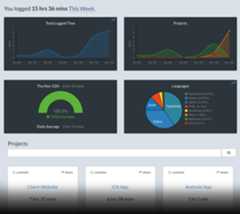
F1or⌘ + Shift + Pthen typeWakaTime API Key.)Use VSCode and your coding activity will be displayed on yourWakaTime dashboard


Visithttps://wakatime.com to see your coding activity.
VS Code specific settings are available from⌘ + Shift + P, then typingwakatime.
For example, to hide today's coding activity in your status bar:
Press⌘ + Shift + P then setWakaTime: Status Bar Coding Activity tofalse.
You can customize the position and priority of the WakaTime status bar item:
- Alignment: Set
wakatime.aligntoleftorrightto control which side of the status bar shows the WakaTime item - Priority: Set
wakatime.alignPriorityto a number to control the order (higher values appear more to the left)
Both settings require restarting VS Code to take effect.
Extension settings are stored in the INI file at$HOME/.wakatime.cfg.
More information can be found fromwakatime-cli.
If using an online IDE likegitpods, add yourapi key to global ENV keyWAKATIME_API_KEY.
Notes:
$HOMEdefaults to$HOME- To disable the extension at startup add
disabled=trueto your config, this operation can also be performed by pressing⌘ + Shift + Pand selectingWakaTime: Disable.
First, turn on debug mode:
- Press
F1or⌘ + Shift + P - Type
> WakaTime: Debug, and pressEnter. - Select
true, then pressEnter.
Next, open your Developer Console to view logs and errors:
Help → Toggle Developer Tools
Errors outside the scope of vscode-wakatime go to$HOME/.wakatime/wakatime.log fromwakatime-cli.
If your error message contains "won't send heartbeat due to backoff" then delete your~/.wakatime/wakatime-internal.cfg file to trigger an API connection so we can see the real error message.
TheHow to Debug Plugins guide shows how to check when coding activity was last received from your editor using thePlugins Status Page.
Microsoft Windows Only: Using WakaTime behind a corporate proxy? Try enabling your Windows Root Certs inside VS Code with thewin-ca extension:PressCtrl + Shift + X, search forwin-ca, pressInstall.
For more general troubleshooting info, see thewakatime-cli Troubleshooting Section.
If you're connected to a remote host using thessh extension you might want to force WakaTime to run locally instead on the server. This configuration is needed when the server you connect is shared among other people. Please followthis guide.
Click the Extensions sidebar item in VS Code.
Type
wakatimeand hit enter.Click the settings icon next to WakaTime, then click Uninstall.
Delete the
~/.wakatime*files in your home directory, unless you’re still using WakaTime with another IDE.
Pull requests, bug reports, and feature requests are welcome!Please searchexisting issues before creating a new one.
To run from source:
git clone git@github.com:wakatime/vscode-wakatime.gitcd vscode-wakatimenpm installnpm run watch- Install the extension from the marketplace
- Then symlink
~/.vscode/extensions/wakatime.vscode-wakatime-*/dist/extension.jsto./dist/extension.js
Or to run the web version from source:
git clone git@github.com:wakatime/vscode-wakatime.gitcd vscode-wakatimenpm installnpm run compilenpm run open-in-browser- Go tolocalhost:3000 in your web browser
Many thanks to allcontributors!
Made with ❤️ by theWakaTime Team.
About
Visual Studio Code plugin for automatic time tracking and metrics generated from your programming activity.
Topics
Resources
License
Uh oh!
There was an error while loading.Please reload this page.
Stars
Watchers
Forks
Uh oh!
There was an error while loading.Please reload this page.