Uh oh!
There was an error while loading.Please reload this page.
- Notifications
You must be signed in to change notification settings - Fork2.2k
Simple, fast, safe, compiled language for developing maintainable software. Compiles itself in <1s with zero library dependencies. Supports automatic C => V translation.https://vlang.io
License
vlang/v
Folders and files
| Name | Name | Last commit message | Last commit date | |
|---|---|---|---|---|
Repository files navigation


- Simplicity: the language can be learned over the course of a weekend
- Fast compilation: ≈110k loc/s with a Clang backend,≈500k loc/s with native and tcc backends(Intel i5-7500, SSD, nooptimization) (demo video)
- Easy to develop: V compiles itself in less than a second
- Performance: as fast as C (V's main backend compiles to human-readable C)
- Safety: no null, no globals, no undefined behavior (wip), immutability by default
- C to V translation (Translating DOOM demo video)
- Hot code reloading
- Flexible memory management. GC by default, manual via
v -gc none,arena allocation viav -prealloc, autofree viav -autofree(autofree demo video). - Cross-platform UI library
- Built-in graphics library
- Easy cross-compilation
- REPL
- Built-in ORM
- Built-in web framework
- C and JavaScript backends
- Great for writing low-level software (Vinix OS)
Despite being at an early development stage, the V language is relatively stable, and doesn'tchange often. But there will be changes before 1.0.Most changes in the syntax are handled via vfmt automatically.
The V core APIs (primarily theos module) will also have minor changes untilthey are stabilized in V 1.0. Of course, the APIs will grow after that, but without breakingexisting code.
After the 1.0 release V is going to be in the "feature freeze" mode. That means no breaking changesin the language, only bug fixes and performance improvements. Similar to Go.
Will there be V 2.0? Not within a decade after 1.0, perhaps not ever.
To sum it up, unlike many other languages, V is not going to be always changing, with new featuresintroduced and old features modified. It is always going to be a small and simplelanguage, very similar to the way it is right now.
-->(this is the preferred method)
Usually, installing V is quite simple if you have an environment that already has afunctionalgit installation.
Note: On Windows, runmake.bat instead ofmake in CMD, or./make.bat in PowerShell.Note: On Ubuntu/Debian, you may need to runsudo apt install git build-essential make first.
To get started, execute the following in your terminal/shell:
git clone --depth=1 https://github.com/vlang/vcd vmakeThat should be it, and you should find your V executable at[path to V repo]/v.[path to V repo] can be anywhere.
(Like the note above says, on Windows, usemake.bat, instead ofmake.)
Now try running./v run examples/hello_world.v (orv run examples/hello_world.v in cmd shell).
- Trouble? Please see the notes above, and link toInstallation Issuesfor help.
Note: V is being constantly updated. To update V to its latest version, simply run:
v up
Note
If you run into any trouble, or you have a different operatingsystem or Linux distribution that doesn't install or work immediately, please seeInstallation Issuesand search for your OS and problem.
If you can't find your problem, please add it to an existing discussion if one exists foryour OS, or create a new one if a main discussion doesn't yet exist for your OS.
# xbps-install -Su base-devel# xbps-install libatomic-devel$ git clone --depth=1 https://github.com/vlang/v$cd v$ make
git clone --depth=1 https://github.com/vlang/vcd vdocker build -t vlang.docker run --rm -it vlang:latest
git clone --depth=1 https://github.com/vlang/vcd vdocker build -t vlang_alpine -< Dockerfile.alpinealias with_alpine='docker run -u 1000:1000 --rm -it -v .:/src -w /src vlang_alpine:latest'
Compilingstatic executables, ready to be copied to a server, that is runninganother linux distro, without dependencies:
with_alpine v -skip-unused -prod -cc gcc -cflags -static -compress examples/http_server.vwith_alpine v -skip-unused -prod -cc gcc -cflags -static -compress -gc none examples/hello_world.vls -la examples/http_server examples/hello_worldfile examples/http_server examples/hello_worldexamples/http_server: ELF 64-bit LSB executable, x86-64, version 1 (SYSV), statically linked, no section headerexamples/hello_world: ELF 64-bit LSB executable, x86-64, version 1 (SYSV), statically linked, no section header
You should see something like this:
-rwxr-xr-x 1 root root 16612 May 27 17:07 examples/hello_world-rwxr-xr-x 1 root root 335308 May 27 17:07 examples/http_serverOn FreeBSD, V needsboehm-gc-threaded package preinstalled. After installing it, you can use thesame script, like on Linux/macos:
pkg install boehm-gc-threadedgit clone --depth=1 https://github.com/vlang/vcd vmakeOn OpenBSD (release 7.8), V needsboehm-gc andopenssl-3.5 packages preinstalled. Afterinstalling them, use GNUmake (installed withgmake package), to build V.
pkg_add boehm-gc openssl%3.5 gmakegit clone --depth=1 https://github.com/vlang/vcd vgmakeOn Termux, V needs some packages preinstalled - a working C compiler, alsolibexecinfo,libgc andlibgc-static. After installing them, you can use the same script, like onLinux/macos:
pkg install clang libexecinfo libgc libgc-static make gitpkg updategit clone --depth=1 https://github.com/vlang/vcd vmake./v symlinkNote: there isno need forsudo ./v symlink on Termux (and sudo is not installed by default).
TheTiny C Compiler (tcc) is downloaded for you bymake ifthere is a compatible version for your system, and installed under the Vthirdparty directory.
This compiler is very fast, but does almost no optimizations. It is best for development builds.
For production builds (using the-prod option to V), it's recommended to use clang, gcc, orMicrosoft Visual C++. If you are doing development, you most likely already have one of thoseinstalled.
Otherwise, follow these instructions:
Note
It ishighly recommended, that you put V on your PATH. That savesyou the effort to type in the full path to your v executable every time.V provides a conveniencev symlink command to do that more easily.
On Unix systems, it creates a/usr/local/bin/v symlink to yourexecutable. To do that, run:
sudo ./v symlink
On Windows, start a new shell with administrative privileges, for example by pressing theWindows Key, then typecmd.exe, right-click on its menu entry, and chooseRun as administrator. In the new administrative shell, cd to the path where you have compiled V, thentype:
v symlink
(or.\v symlink in PowerShell)
That will make V available everywhere, by adding it to your PATH. Please restart yourshell/editor after that, so that it can pick up the new PATH variable.
Note
There is no need to runv symlink more than once - v will still be available, even afterv up, restarts, and so on. You only need to run it again if you decide to move the V repofolder somewhere else.
To bring IDE functions for the V programming languages to your editor, check outv-analyzer. It provides language server capabilities.
Make sure V can compile itself:
$ v self$ vV 0.3.xUse Ctrl-C or`exit` toexit>>> println('hello world')hello world>>>
cd examplesv hello_world.v&& ./hello_world# or simplyv run hello_world.v# this builds the program and runs it right awayv run word_counter/word_counter.v word_counter/cinderella.txtv run news_fetcher.vv run tetris/tetris.v

In order to build Tetris or 2048 (or anything else using thesokol orgg graphics modules),you will need to install additional development libraries for your system.
| System | Installation method |
|---|---|
| Debian/Ubuntu based | Runsudo apt install libxi-dev libxcursor-dev libgl-dev libxrandr-dev libasound2-dev |
| Fedora/RH/CentOS | Runsudo dnf install libXi-devel libXcursor-devel libX11-devel libXrandr-devel libglvnd-devel |
| NixOS | Addxorg.libX11.dev xorg.libXcursor.dev xorg.libXi.dev xorg.libXrandr.dev libGL.dev to |
toenvironment.systemPackages |
The net.http module, the net.websocket module, and thev install command may all use SSL.V comes with a version of mbedtls, which should work on all systems. If you find a need touse OpenSSL instead, you will need to make sure that it is installed on your system, thenuse the-d use_openssl switch when you compile.
Note: Mbed-TLS is smaller and easier to install on windows too (V comes with it), but if youwrite programs, that do lots of http requests to HTTPS/SSL servers, in most cases, it isbestto compile with-d use_openssl, and do so on a system, where you do have OpenSSL installed(see below). Mbed-TLS is slower, and can have more issues, especially when you are doing parallelhttp requests to multiple hosts (for example in web scrapers, REST API clients, RSS readers, etc).On windows, it is better to run such programs in WSL2.
To install OpenSSL on non-Windows systems:
| System | Installation command |
|---|---|
| macOS | brew install openssl |
| Debian/Ubuntu based | sudo apt install libssl-dev |
| Arch/Manjaro | openssl is installed by default |
| Fedora/CentOS/RH | sudo dnf install openssl-devel |
On Windows, OpenSSL is simply hard to get working correctly. The instructionshere may (or may not) help.
V'ssync module and channel implementation uses libatomic.It is most likely already installed on your system, but if not,you can install it, by doing the following:
| System | Installation command |
|---|---|
| macOS | already installed |
| Debian/Ubuntu based | sudo apt install libatomic1 |
| Fedora/CentOS/RH | sudo dnf install libatomic-static |
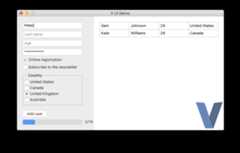
With V'svab tool, building V UI and graphical apps for Android can become as easy as:
./vab /path/to/v/examples/2048
Check out theBuilding a simple web blogtutorial and Gitly, a light and fast alternative to GitHub/GitLab:
https://github.com/vlang/gitly

V is great for writing low-level software like drivers and kernels.Vinix is an OS/kernel that already runs bash, GCC, V, and nano.
https://github.com/vlang/vinix


V thanks Fabrice Bellard for his original work on theTCC - Tiny C Compiler.Note the TCC website is old; the current TCC repository can be foundhere.V utilizes pre-built TCC binaries located athttps://github.com/vlang/tccbin/.
PVS-Studio - static analyzer for C, C++, C#, and Java code.
Please see theTroubleshootingsection on ourwiki page.
About
Simple, fast, safe, compiled language for developing maintainable software. Compiles itself in <1s with zero library dependencies. Supports automatic C => V translation.https://vlang.io
Topics
Resources
License
Code of conduct
Contributing
Uh oh!
There was an error while loading.Please reload this page.
Stars
Watchers
Forks
Sponsor this project
Uh oh!
There was an error while loading.Please reload this page.

Packages0
Uh oh!
There was an error while loading.Please reload this page.