- Notifications
You must be signed in to change notification settings - Fork25
Internal tools and workflow automations
uibakery/self-hosted
Folders and files
| Name | Name | Last commit message | Last commit date | |
|---|---|---|---|---|
Repository files navigation
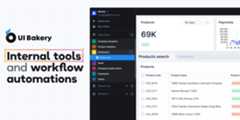
We understand that you might have lots of data accessible from your private network, that’s why you can use UI Bakery self-hosted version for your benefit.
On-premise version grants you:
- A quick setup process
- Custom branding
- Custom domain hosting
- OAuth2 SSO
- SAML-based identity providers
- Data is stored securely under your own VPS
✔️ UI Bakery on-premise version license key can be obtainedhere
This document describes how to deploy ui-bakery on-prem viainstall.sh script.
- Linux-based OS (e.g. Ubuntu 18.04).
- Minimum 2
vCPUs, 4GiBmemory and 20GiBof storage. - Must have full rights to use "sudo".
- These domains are accessible from your network:
Run this command preferably from
/homeLinux directory to download, install and launch UI Bakery:curl -k -L -o install.sh https://raw.githubusercontent.com/uibakery/self-hosted/main/install.sh&& bash ./install.shIn the process, upon request, enter the previously received license code, hosting URL and port.
Once the installation is completed, open the browser using URL and port provided earlier. By default it ishttp://localhost:3030/.
NOTE: If Docker of the version less than the required (minimum 20.10.11) is already installed on the server, and/or Docker Compose (minimum 1.29.2), the script will be stopped. You need to update the versions of components manually and run the script again.
For additional installation instructions, such as those for Azure, AWS, GCP, Kubernetes, and more, please visit thedocumentation website.
For instructions on installing, updating, and managing the on-premise instance, please refer to thedocumentation website.
About
Internal tools and workflow automations
Topics
Resources
Uh oh!
There was an error while loading.Please reload this page.
Stars
Watchers
Forks
Contributors10
Uh oh!
There was an error while loading.Please reload this page.