Uh oh!
There was an error while loading.Please reload this page.
- Notifications
You must be signed in to change notification settings - Fork0
WhatIf is an extremely simple and easy to use JavaScript extension for expressing a single if-else statement anywhere, anytime.
License
thecodrr/WhatIfJS
Folders and files
| Name | Name | Last commit message | Last commit date | |
|---|---|---|---|---|
Repository files navigation


WhatIf is an extremely simple and easy to use JavaScript extension for expressing a single if-else statement anywhere, anytime.
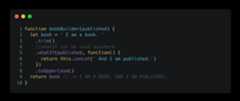
Install usingyarn ornpm
npm i --save whatif-jsyarn add whatif-js
Then in theentryPoint of yourapp/modulejustrequire``whatIf:
require("whatif-js");
And that's it, nothing more needed for setup. Everything is handled by the module itself.
WhatIf is an expression for invoking anaction when the given value is not-null, not-undefined andtrue.
ThewhatIffunction hasthree parameters:
given- the valueaction- the action to perform if thegivenvalue is not-null, not-undefinedandtrue.actionWhatIfNot- (optional) - the action to perform in case thegivenvalue returnsfalse.
The most basic (and useless) example would be:
letobj={name:"Awesome App",type:"App"};obj=obj.whatIf(obj.type==="App",function(){this["description"]="I am an awesome app.";});//output =//{// name: 'Awesome App',// type: 'App',// description: 'I am an awesome app.'//}
Now let's get alittle bit more complex. Usage in abuilder like anArray orStringalso works.
letarray=[0,1,2,3,4,5];array=array.whatIf(array.length===6,ctx=>{returnctx.concat(6,7,8,9);}).slice(2,4).join(",");//output = 2,3,4,5,6,7,8,9
WhatIf can also be used directly withbooleanslike so:
functionworkingWithBoolean(stopWork){stopWork.whatIf(function(){console.log("Stop all the work!");});}
Now coming to thethe more complex example. UsingWhatIf with functions.
There are two ways of usingWhatIf withfunctions, the first is more simple:
functioncalculateSimple(doMultiplication,doDivision){//three methods for three mathematical operationsfunctionadd(...params){returnparams.reduce((p,c)=>p+c);}functionmultiply(...params){returnparams.reduce((p,c)=>p*c);}functiondivide(...params){returnparams.reduce((p,c)=>p/c);}//the values to work withletparamaters=[21,23,41,51,5,1];//the resultletresult=add//perform add if both parameters are false.whatIf(doMultiplication,multiply)//this will only be executed if doDivision=false & doMultiplication=true.whatIf(doDivision,divide)//if doDivision=true, it will always take precedence no matter the value of doMultiplication.call(this, ...paramaters);//the final function callreturnresult;}
We can use the abovefunctioncalculateSimplein the following three ways:
calculateSimple(false,false);//142calculateSimple(false,true);//0.0000873307965816231calculateSimple(true,false);//5049765calculateSimple(true,true);//0.0000873307965816231
More complex example includes performing DMAS (Division, Multiplication, Addition, Subtraction) on astringusing only the power ofWhatIf. See thefull example here
whatIfNotNull is an expression for invoking anaction when the target object is not null.
let person= getPersonByUsername("John Doe");person.whatIfNotNull( function() { console.log("person is not null."); }, function() { console.log("person is null"); });
whatIfNotUndefined is exactly likewhatIfNotNullbut it checks whether the object isundefined or not.
In cases where you want a different return type then the input you can usewhatIf like this:
letstringLength="i am a string".whatIf(getLength,function(){returnthis.length;});
An expression for invoking anaction when the givenarray is not null and not empty.If thearray is null or empty,actionWhatIfNot will be invoked instead of theaction.
anyArray.whatIfNotNullOrEmpty( function() { console.log("array is not null or empty."); }, function() { console.log("array is null or empty"); });Allfunctions ofwhatIfare usable witharrow functions like so:
anyArray.whatIfNotNullOrEmpty(ctx=>console.log("array is not null or empty."),ctx=>console.log("array is null or empty"));
Support it by joiningstargazers for this repository. ⭐orbuy me a cup of coffeeAndfollow me for my next creations! 🤩
Copyright 2019 thecodrr (Abdullah Atta)Licensed under the Apache License, Version 2.0 (the "License");you may not use this file except in compliance with the License.You may obtain a copy of the License at http://www.apache.org/licenses/LICENSE-2.0Unless required by applicable law or agreed to in writing, softwaredistributed under the License is distributed on an "AS IS" BASIS,WITHOUT WARRANTIES OR CONDITIONS OF ANY KIND, either express or implied.See the License for the specific language governing permissions andlimitations under the License.
About
WhatIf is an extremely simple and easy to use JavaScript extension for expressing a single if-else statement anywhere, anytime.
Topics
Resources
License
Code of conduct
Uh oh!
There was an error while loading.Please reload this page.
Stars
Watchers
Forks
Sponsor this project
Uh oh!
There was an error while loading.Please reload this page.

Packages0
Uh oh!
There was an error while loading.Please reload this page.