- Notifications
You must be signed in to change notification settings - Fork547
Robotics Toolbox for Python
License
petercorke/robotics-toolbox-python
Folders and files
| Name | Name | Last commit message | Last commit date | |
|---|---|---|---|---|
Repository files navigation


 | A Python implementation of theRobotics Toolbox for MATLAB® |
This toolbox brings robotics-specific functionality to Python, and leveragesPython's advantages of portability, ubiquity and support, and the capability ofthe open-source ecosystem for linear algebra (numpy, scipy), graphics(matplotlib, three.js, WebGL), interactive development (jupyter, jupyterlab,mybinder.org), and documentation (sphinx).
The Toolbox provides tools for representing the kinematics and dynamics ofserial-link manipulators - you can easily create your own in Denavit-Hartenbergform, import a URDF file, or use over 30 supplied models for well-knowncontemporary robots from Franka-Emika, Kinova, Universal Robotics, Rethink aswell as classical robots such as the Puma 560 and the Stanford arm.
The toolbox will also support mobile robots with functions for robot motion models(unicycle, bicycle), path planning algorithms (bug, distance transform, D*,PRM), kinodynamic planning (lattice, RRT), localization (EKF, particle filter),map building (EKF) and simultaneous localization and mapping (EKF).
The Toolbox provides:
- code that is mature and provides a point of comparison for otherimplementations of the same algorithms;
- routines which are generally written in a straightforward manner whichallows for easy understanding, perhaps at the expense of computationalefficiency;
- source code which can be read for learning and teaching;
- backward compatability with the Robotics Toolbox for MATLAB
The Toolbox leverages theSpatial Maths Toolbox for Python toprovide support for data types such as SO(n) and SE(n) matrices, quaternions, twists and spatial vectors.
We will load a model of the Franka-Emika Panda robot defined classically usingmodified (Craig's convention) Denavit-Hartenberg notation
importroboticstoolboxasrtbrobot=rtb.models.DH.Panda()print(robot)Panda (byFrankaEmika):7axes (RRRRRRR),modifiedDHparameters┏━━━━━━━━┳━━━━━━━━┳━━━━━┳━━━━━━━┳━━━━━━━━━┳━━━━━━━━┓┃aⱼ₋₁ ┃ ⍺ⱼ₋₁ ┃θⱼ ┃dⱼ ┃q⁻ ┃q⁺ ┃┣━━━━━━━━╋━━━━━━━━╋━━━━━╋━━━━━━━╋━━━━━━━━━╋━━━━━━━━┫┃0.0 ┃0.0° ┃q1 ┃0.333 ┃-166.0° ┃166.0° ┃┃0.0 ┃-90.0° ┃q2 ┃0.0 ┃-101.0° ┃101.0° ┃┃0.0 ┃90.0° ┃q3 ┃0.316 ┃-166.0° ┃166.0° ┃┃0.0825 ┃90.0° ┃q4 ┃0.0 ┃-176.0° ┃-4.0° ┃┃-0.0825 ┃-90.0° ┃q5 ┃0.384 ┃-166.0° ┃166.0° ┃┃0.0 ┃90.0° ┃q6 ┃0.0 ┃-1.0° ┃215.0° ┃┃0.088 ┃90.0° ┃q7 ┃0.107 ┃-166.0° ┃166.0° ┃┗━━━━━━━━┻━━━━━━━━┻━━━━━┻━━━━━━━┻━━━━━━━━━┻━━━━━━━━┛┌─────┬───────────────────────────────────────┐│tool │t=0,0,0.1;rpy/xyz=-45°,0°,0° │└─────┴───────────────────────────────────────┘┌─────┬─────┬────────┬─────┬───────┬─────┬───────┬──────┐│name │q0 │q1 │q2 │q3 │q4 │q5 │q6 │├─────┼─────┼────────┼─────┼───────┼─────┼───────┼──────┤│qz │0° │0° │0° │0° │0° │0° │0° ││qr │0° │-17.2° │0° │-126° │0° │115° │45° │└─────┴─────┴────────┴─────┴───────┴─────┴───────┴──────┘T=robot.fkine(robot.qz)# forward kinematicsprint(T)0.7071070.70710700.0880.707107-0.7071070000-10.8230001
(Python prompts are not shown to make it easy to copy+paste the code, console output is indented)
We can solve inverse kinematics very easily. We first choose an SE(3) posedefined in terms of position and orientation (end-effector z-axis down (A=-Z) and fingerorientation parallel to y-axis (O=+Y)).
fromspatialmathimportSE3T=SE3(0.7,0.2,0.1)*SE3.OA([0,1,0], [0,0,-1])sol=robot.ikine_LM(T)# solve IKprint(sol)IKsolution(q=array([0.2134,1.867,-0.2264,0.4825,0.2198,1.396,-2.037]),success=True,reason=None,iterations=12,residual=1.4517646473808178e-11)q_pickup=sol.qprint(robot.fkine(q_pickup))# FK shows that desired end-effector pose was achievedOut[35]:-19.43001e-142.43909e-120.79.43759e-1417.2574e-130.2-2.43913e-127.2575e-13-10.10001
Note that because this robot is redundant we don't have any control over the arm configuration apart from end-effector pose, ie. we can't control the elbow height.
We can animate a path from the uprightqz configuration to this pickup configuration
qt=rtb.jtraj(robot.qz,q_pickup,50)robot.plot(qt.q,movie='panda1.gif')

which uses the default matplotlib backend. Grey arrows show the joint axes and the colored frame shows the end-effector pose.
Let's now load a URDF model of the same robot. The kinematic representation is no longerbased on Denavit-Hartenberg parameters, it is now a rigid-body tree.
robot=rtb.models.URDF.Panda()# load URDF version of the Pandaprint(robot)# display the modelpanda (byFrankaEmika):7axes (RRRRRRR),ETSmodel┌───┬──────────────┬─────────────┬──────────────┬──────────────────────────────────────────────────────────────────────────────┐│id │link │parent │joint │ETS │├───┼──────────────┼─────────────┼──────────────┼──────────────────────────────────────────────────────────────────────────────┤│0 │panda_link0 │_O_ │ │ {panda_link0}= {_O_} ││1 │panda_link1 │panda_link0 │panda_joint1 │ {panda_link1}= {panda_link0}*tz(0.333)*Rz(q0) ││2 │panda_link2 │panda_link1 │panda_joint2 │ {panda_link2}= {panda_link1}*Rx(-90°)*Rz(q1) ││3 │panda_link3 │panda_link2 │panda_joint3 │ {panda_link3}= {panda_link2}*ty(-0.316)*Rx(90°)*Rz(q2) ││4 │panda_link4 │panda_link3 │panda_joint4 │ {panda_link4}= {panda_link3}*tx(0.0825)*Rx(90°)*Rz(q3) ││5 │panda_link5 │panda_link4 │panda_joint5 │ {panda_link5}= {panda_link4}*tx(-0.0825)*ty(0.384)*Rx(-90°)*Rz(q4) ││6 │panda_link6 │panda_link5 │panda_joint6 │ {panda_link6}= {panda_link5}*Rx(90°)*Rz(q5) ││7 │panda_link7 │panda_link6 │panda_joint7 │ {panda_link7}= {panda_link6}*tx(0.088)*Rx(90°)*Rz(q6) ││8 │ @panda_link8 │panda_link7 │panda_joint8 │ {panda_link8}= {panda_link7}*tz(0.107) │└───┴──────────────┴─────────────┴──────────────┴──────────────────────────────────────────────────────────────────────────────┘┌─────┬─────┬────────┬─────┬───────┬─────┬───────┬──────┐│name │q0 │q1 │q2 │q3 │q4 │q5 │q6 │├─────┼─────┼────────┼─────┼───────┼─────┼───────┼──────┤│qz │0° │0° │0° │0° │0° │0° │0° ││qr │0° │-17.2° │0° │-126° │0° │115° │45° │└─────┴─────┴────────┴─────┴───────┴─────┴───────┴──────┘
The symbol@ indicates the link as an end-effector, a leaf node in the rigid-bodytree.
We can instantiate our robot inside a browser-based 3d-simulation environment.
fromroboticstoolbox.backends.SwiftimportSwift# instantiate 3D browser-based visualizerbackend=Swift()backend.launch()# activate itbackend.add(robot)# add robot to the 3D sceneforqkinqt.q:# for each joint configuration on trajectoryrobot.q=qk# update the robot statebackend.step()# update visualization

You will need Python >= 3.6
Install a snapshot from PyPI
pip3 install roboticstoolbox-python
Available options are:
Put the options in a comma separated list like
pip3 install roboticstoolbox-python[optionlist]
Swift, a web-based visualizer, isinstalled as part of Robotics Toolbox.
To install the bleeding-edge version from GitHub
git clone https://github.com/petercorke/robotics-toolbox-python.gitcd robotics-toolbox-pythonpip3 install -e.
Thenotebooks folder contains some tutorial Jupyter notebooks which you can browse on GitHub.
Or you can run them, and experiment with them, atmybinder.org.
The toolbox is incredibly useful for developing and prototyping algorithms for research, thanks to the exhaustive set of well documented and mature robotic functions exposed through clean and painless APIs. Additionally, the ease at which a user can visualize their algorithm supports a rapid prototyping paradigm.
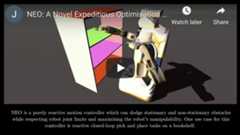
J. Haviland and P. Corke, "NEO: A Novel Expeditious Optimisation Algorithm for Reactive Motion Control of Manipulators," inIEEE Robotics and Automation Letters, doi: 10.1109/LRA.2021.3056060. In the video, the robot is controlled using the Robotics toolbox for Python and features a recording from theSwift Simulator.
[Arxiv Paper] [IEEE Xplore] [Project Website] [Video] [Code Example]
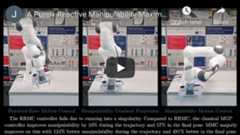
A Purely-Reactive Manipulability-Maximising Motion Controller, J. Haviland and P. Corke. In the video, the robot is controlled using the Robotics toolbox for Python.
[Paper] [Project Website] [Video] [Code Example]
See the common issues with fixeshere.
About
Robotics Toolbox for Python
Topics
Resources
License
Contributing
Uh oh!
There was an error while loading.Please reload this page.