- Notifications
You must be signed in to change notification settings - Fork53
☕️ TDD with Browserify, Mocha, Headless Chrome and WebDriver
License
mantoni/mochify.js
Folders and files
| Name | Name | Last commit message | Last commit date | |
|---|---|---|---|---|
Repository files navigation
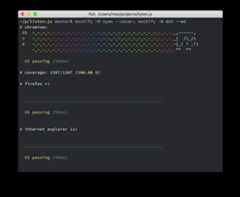
TDD with Browserify, Mocha, Headless Chrome and WebDriver


Browserifies./test/*.js, decorated with aMocha test runner, runs it inHeadless Chrome and passes the output back to your console. Cleans up yourstack traces by mapping back to the original sources and removing lines fromthe test framework.
- Run tests in Headless Chrome
- Run tests in real browsers
- Code coverage options:
- Works with most Mocha reporters (docs)
- Exposes a Node API (docs)
This will install Mochify in your current project and add it to thedevDependencies:
npm install mochify --save-devPuppeteer will download a recent version of Chromium. If you want to skipthe download and provide your own executable instead, define thePUPPETEER_SKIP_CHROMIUM_DOWNLOAD environment variable or add this to yourpackage.json:
{"config": {"puppeteer_skip_chromium_download":true }}For proxy settings and other environment variables, see thePuppeteerdocumentation.
Configure"scripts" in yourpackage.json so that your project ships withthe testing infrastructure:
{"scripts": {"test":"mochify","watch":"mochify --watch","webdriver":"mochify --wd" }}To run from the command line, either runnpm install mochify -g to havemochify available globally, or from within your project directory run:
node_modules/.bin/mochifyPlace adebugger statement in your source code and runmochify --debug.This will open a Chromium instance with developer tools opened and it willbreak at thedebugger statement.
--watchor-wusewatchify to watch your files and run the tests onchange.--reporteror-Rchanges the Mocha reporter (see further down).--grepsets the Mocha grep option.--invertsets the Mocha grepinvertflag.--recursiveinclude sub directories.--uior-Uchanges the Mocha UI. Defaults to'bdd'.--timeoutor-tchanges the Mocha timeout. Defaults to2000.--colorsexplicitly enables color output.--no-colorsexplicitly disables color output.--outfileor-owrites output to this file. If unspecified, mochifyprints to stdout.--requireor-rrequires the given module.--debuglaunches a non-headless chromium instance with developer tools.--chromeuses a specific Chrome executable. If not specified, the built-inchromium is used.--ignore-ssl-errorstells Chrome whether or not to ignore ssl certificateissues (default is false)--allow-chrome-as-rootallows Chrome to run as root--dumpiopassed to puppeteer to dump all IO--https-serverlaunches an HTTPS server on the specified port. If no port is given a random available port will be used.--viewport-widthtells Chrome to use a certain width for its viewport.--viewport-heighttells Chrome to use a certain height for its viewport.--coverchecks code coverage withcoverify.--nodecreates a bare bundle and runs test cases on node.--wdusemin-webdriver to run the tests in multiple real browsers.--urlruns the tests in the context of the given URL.--wd-file(only with--wd) specify the location of the.min-wdconfig file.--consolify output.htmlgenerate a standalone HTML page withconsolify.--bundlespecify a separate JS file export when using--consolify.--transformspecifies a Browserify transform to add. Can be specifiedmultiple times. Options can be passed withsubargs.--global-transformspecifies a Browserify transform to add globally. Can bespecified multiple times. Options can be passed withsubargs.--pluginspecifies a Browserify plugin to add. Can be specified multipletimes. Options can be passed withsubargs.--extensionsearch for files with the extension in "require" statements.--no-browser-fieldturns off package.json browser field resolution.--no-commondirpreserve original paths.--externalmarks given path or module as external resource andprevent from being loaded into the bundle.--yieldsor-ychanges the yield interval to allow pending I/O to happen.--versionor-vshows the Mochify version number.--helpor-hshows usage and all available options.--async-pollingdisables async polling when set to false (for use in Appium).--mocha-pathspecifies path to a custom Mocha module--web-securityallows disabling same-origin policy (when set tofalse, passes down--disable-web-securityto Chromium)
To run builds in CI services like Travis or CircleCI, you must pass--allow-chrome-as-root.
Here is a minimal.travis.yml:
language:node_jsnode_js: -"16"sudo:falsescript: -npm test -- --allow-chrome-as-root
- Download the «Selenium Server Standalone» JAR from here:http://selenium-release.storage.googleapis.com/index.html
- Except for Firefox, you will also need drivers for each browser.
- The driver for Google Chrome can be found here:http://chromedriver.storage.googleapis.com/index.html
- Put the drivers in the same directory as the JAR file and run:
java -jar selenium-server-standalone-2.39.0.jar
Create.min-wd in your project root:
{"hostname":"localhost","port":4444,"browsers": [{"name":"internet explorer","version":"11" }, {"name":"chrome" }, {"name":"firefox" }]}That's it! Nowmochify --wd will run your Mocha test cases in the configuredbrowsers simultaneously. If you installed mochify without-g, you will haveto runnode_modules/.bin/mochify --wd.
Additional Selenium capabilities and browser-specific capabilities can bespecified with thecapabilities property:
{"hostname":"localhost","port":4444,"browsers": [{"name":"chrome","capabilities": {"chromeOptions": {"args": ["--headless","--disable-gpu"] } } }]}Export yourSauceLabs credentials:
export SAUCE_USERNAME="your-user-name"export SAUCE_ACCESS_KEY="your-access-key"
Enable SauceLabs in your.min-wd file or in the"webdriver" property inyourpackage.json:
{"sauceLabs":true}For more information about Selenium WebDriver and SourceLabs support can befound on themin-webdriver project page.
Note: This has only be tested on Mac OS X High Sierra with the iOSSimulator so far. If you have successfully tested with other configurations,please file an issue so that we can extend the docs.
Setup for iOS Simulator on Mac OS X (requires XCode):
npm install -g appiumbrew install carthage- Configure your
.min-wdfile or the"webdriver"property in yourpackage.jsonlike this:
{"hostname":"localhost","port":4723,"browsers": [{"name":"Safari","platformName":"iOS","platformVersion":"11.2","deviceName":"iPhone Simulator" }]}- Run
appium --log-level errorwhich should start a server on port4723 - Run
mochify --wd --async-polling false
It's important to use--async-polling false here. The default asynchronouspolling does not work with this setup.
Export yourBrowserStack credentials:
export BROWSERSTACK_USERNAME="your-user-name"export BROWSERSTACK_ACCESS_KEY="your-access-key"
Example.min-wd file:
module.exports={"hostname":"hub-cloud.browserstack.com","port":80,"browsers":[{"name":"chrome","capabilities":{"browser":"Chrome","browserstack.user":process.env.BROWSERSTACK_USERNAME,"browserstack.key":process.env.BROWSERSTACK_ACCESS_KEY}}]}
Mocha reporters known to work:
- min
- dot
- list
- spec
- tap
- json
- doc
- xunit
- markdown
- landing
- nyan
Note: Consuming the output of a machine readable reporter may not work asexpected with--wd.
varmochify=require('mochify');mochify('./test/*.js',{reporter:'tap'}).bundle();
mochify()uses default settings and runs tests in./test/*.jsmochify(paths)specifies the paths, a space delimited list of globsmochify(opts)configures options as described belowmochify(paths, opts)combines custom paths and options
All long form command line options can be used. E.g.--node can be configuredas{ node : true },--no-browser-field as{ 'browser-field': false },--reporter tab as{ reporter : 'tab' } and so on.
Additional API options:
outputa stream that receives the test output (e.g.through2)globoptions to pass toglobreporterOptionsoptions to pass to mocha reporter
Themochify function returns a Browserify instance. Please refer to theBrowserify API for details.
Installnyc, thebabelify transform,@babel/core andbabel-plugin-istanbul:
$ npm install nyc babelify @babel/core babel-plugin-istanbul --save-dev
Using apackage.json script that can be run withnpm run cover:
{"scripts" : {"cover" :"nyc --instrument false mochify --transform [ babelify --ignore [ test ] --plugins [ babel-plugin-istanbul ] ]" }}Puppeteer fails to launch on M1. Follow these steps to work around:
Install Google Chrome
Define these environment variables:
export PUPPETEER_SKIP_CHROMIUM_DOWNLOAD=trueexport PUPPETEER_EXECUTABLE_PATH=/Applications/Google\Chrome.app/Contents/MacOS/Google\Chrome
- v8.x
- Node Node 12.0+, Node 14.0+, Node 16.0+
- Mocha ^8.4
- Browserify ^16.5
- Puppeteer ^9.1
- v7.x
- Node 10.0+, Node 12.0+, Node 14.0+
- Mocha ^5.2
- Browserify ^16.5
- Puppeteer ^5.3
- v6.x
- Node 6.0+, Node 8.0+, Node 10.0+
- Mocha ^5.2
- Browserify ^16.2
- Puppeteer ^1.10
- v5.2+
- Node 6.0+, Node 8.0+
- Mocha ^4.1
- Browserify ^15.2
- Puppeteer ^1.0
- v5.0 - v5.1
- Node 6.0+, Node 8.0+
- Mocha ^4.0
- Browserify ^14.4
- Puppeteer ^0.13
- v4.x
- Node 4.0+, 6.0+, Node 8.0+
- PhantomJS 1.9, 2.0
- Mocha ^4.0
- Browserify ^14.4
- v3.x
- Node 4.0+
- Mocha ^3.2
- Browserify ^14.1
- v2.15+
- Browserify 13.x
- v2.14
- Mocha ^2.3
- v2.13
- Browserify 11.x
- v2.10 - v2.12
- Browserify 10.x
- v2.5 - v2.9
- Browserify 9.x
- v2.4
- Browserify 8.x
- v2.3
- Browserify 7.x
- v2.0 - v2.2
- Browserify 6.x
- Mocha 2.x
- v1.x
- Browserify 5.x
- Mocha 1.x
- v0.x
- Browserify 4.x
MIT
About
☕️ TDD with Browserify, Mocha, Headless Chrome and WebDriver
Topics
Resources
License
Uh oh!
There was an error while loading.Please reload this page.
Stars
Watchers
Forks
Packages0
Uh oh!
There was an error while loading.Please reload this page.