- Notifications
You must be signed in to change notification settings - Fork0
kendonB/sfr
Folders and files
| Name | Name | Last commit message | Last commit date | |
|---|---|---|---|---|
Repository files navigation



A package that providessimple features access for R.
Blogs, links •Cheatsheet •Installing•Contributing •Acknowledgment •How to cite
Package sf:
- represents simple features as records in a
data.frameortibblewith a geometry list-column - represents natively in R all 17 simple feature types for all dimensions (XY, XYZ, XYM, XYZM)
- interfaces toGEOS for geometrical operations on projected coordinates, and (through R packages2) tos2geometry for geometrical operations on ellipsoidal coordinates
- interfaces toGDAL, supporting all driver options,
DateandPOSIXctand list-columns - interfaces toPRØJ for coordinate reference system conversion and transformation
- useswell-known-binary serialisations written in C++/Rcpp for fast I/O with GDAL and GEOS
- reads from and writes to spatial databases such asPostGIS usingDBI
- is extended by
- lwgeom for selected liblwgeom/PostGIS functions
- stars for raster data, and raster or vector data cubes (spatial time series)
- sfnetworks for geospatial network data
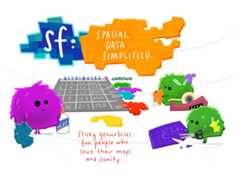
(Illustration (c) 2018 byAllison Horst)
- an open accessR Journal article summarizes the package
- two books:Spatial Data Science: with applications in R,Geocomputation with R
- package vignettes:first,second,third,fourth,fifth,sixth,seventh
- blog posts:first,second,third,fourth
- the original R Consortium ISCproposal, the R Consortiumblog post
- presentations:rstudio::conf 2018 (video),UseR! 2016
- wiki page describingsp-sf migration

Install either from CRAN with:
install.packages("sf")This will install binary packages on Windows and MacOS, unless you configured R such that it tries to install source packages; in that case, see below.
Install development versions from GitHub with:
library(remotes)install_github("r-spatial/sf")
Installing sf from source works under Windows whenRtools is installed.
MacOS users are strongly encouraged to install thesf binary packages from CRAN, unless they are familiar with compilers, linking, C++ source code, and homebrew. If you experience that R tries to installsf from source (or otherwise your install fails but you don't understand what is going on) try again by explicitly installing the binary, using
install.packages("sf",type="binary")
The remainder of this section is for those who understand what source installs mean, and imply.
Perhaps the easiest way of an install from source is to first installgdal using Homebrew. Recent versions of Homebrew include a full-featured up-to-dategdal formula, which installsproj andgdal at the same time:
brew install pkg-configbrew install gdalOnce gdal is installed, you may be able to installsf package from source in R. With the current version ofproj on homebrew, installation requires additional configuration:
install.packages("sf",type="source",configure.args="--with-proj-lib=$(brew --prefix)/lib/")
Or the development version:
library(remotes)install_github("r-spatial/sf",configure.args="--with-proj-lib=$(brew --prefix)/lib/")
Alternatively,these instructions explain how to install gdal using kyngchaos frameworks.
For Mac OS 11 Big Sur source install instruction, seehere
For Unix-alikes, GDAL (>= 2.0.1), GEOS (>= 3.4.0) and Proj.4 (>= 4.8.0) are required.
Dependencies for recent versions of Ubuntu (18.04 and later) are available in the official repositories; you can install them with:
sudo apt -y update&& apt install -y libudunits2-dev libgdal-dev libgeos-dev libproj-dev libsqlite3-devHowever, to get more up-to-date versions of dependencies such as GDAL, GEOS and PROJ we recommend adding theubuntugis-unstable PPA to the package repositories and installing them as follows:
sudo add-apt-repository ppa:ubuntugis/ubuntugis-unstablesudo apt updatesudo apt install libudunits2-dev libgdal-dev libgeos-dev libproj-dev libsqlite3-dev
Adding this PPA is required for installingsf on older versions of Ubuntu (e.g. Xenial).
Another option, for advanced users, is to install dependencies from source; see e.g. an olderTravis config file for hints.
The following command installs all required dependencies:
sudo dnf install gdal-devel proj-devel geos-devel sqlite-devel udunits2-devel
Get gdal, proj, geos and podofo from the main repos, and udunits from the AUR:
pacman -S gdal proj geos arrow podofoyay/pacaur/yaourt/whatever -S udunitsThere are several reports thatsf fails to install as a source package when R is used withrenv, or when R is installed in aconda environment. If you experience this, please do not raise an issue here, but
- try to sort this out with the
renvdevelopers or thecondamaintainers, or - try to use binary installs of the
sfpackage, e.g. fromr2u, or the Posit package manager
To install on Debian, therocker geospatial Dockerfiles may be helpful. Ubuntu Dockerfiles are foundhere.
If you use dynamic linking (installation from source) and have multiple versions of these libraries installed (e.g. one from ubuntugis-unstable, another installed from source in/usr/local/lib) then this will in general not work, even when settingLD_LIBRARY_PATH manually. Seehere for the reason why.
Functions and methods that requireliblwgeom, including ellipsoidal (not spherical or Euclidean) metrics (area, distances), are provide by and used fromlwgeom, which is also onCRAN.
- Contributions of all sorts are most welcome, issues and pull requests are the preferred ways of sharing them.
- When contributing pull requests, please adhere to the package style (in package code use
=rather than<-; don't change indentation; tab stops of 4 spaces are preferred). - This project is released with aContributor Code of Conduct. By participating in this project, you agree to abide by its terms.
Packagesf can be cited as:
Edzer Pebesma, 2018. Simple Features for R: Standardized Supportfor Spatial Vector Data. The R Journal10:1, 439-446.
Pebesma, E.; Bivand, R. (2023).Spatial Data Science: With Applications in R(1st ed.). 314 pages.Chapman and Hall/CRC.
This project gratefully acknowledges financialsupport from the

About
Simple features for R
Resources
License
Uh oh!
There was an error while loading.Please reload this page.
Stars
Watchers
Forks
Packages0
Languages
- R69.7%
- C++26.0%
- Dockerfile2.2%
- M42.1%