- Notifications
You must be signed in to change notification settings - Fork83
A NodeJS blueprint that creates the backend using NestJS
License
jhipster/generator-jhipster-nodejs
Folders and files
| Name | Name | Last commit message | Last commit date | |
|---|---|---|---|---|
Repository files navigation


generator-jhipster-nodejs, theofficial NodeJS blueprint that usesNestJS TypeScript Framework for yourbackend. We encourage you to use it and give us your feedback.

For the features of the last release refers toCHANGELOG.md.
The UI is inherited from standard JHipster app client. So only backend generation changes.For this, a live app running is less useful than the code and the app structure shows in:
- The sample repo app withReact client and Okta OAuth2
- The sample repo app withAngular client and JWT auth
- The sample repo app withVue.js client and mongodb
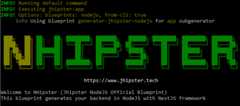
This project adds nodejs for your backend,all TypeScript files generation, not Java!, to theJHipster application 😎. It is based on JHipster Blueprint 🔵, that is meant to be used in a JHipster application.
The generator applies this standard configuration for the NodeJS app:
- NestJS base app with web controllers,swagger doc andJWT or OAuth2 passport auth services
- The app starts with four seed users (admin, basic user and anonymous roles), as standard JHipster monolithic app, with SQLite for dev and configurable sql db for prod. MongoDB support is experimental inTypeORM so is in JHipster NodeJS.
- The app usesTypeORM and asks you a question for another sql db or for mongodb
- TypeORM is also used for the automatically migration and versioning of the database scripts
- The app runs also as a full stack app including, for the monolitich choice, the Angular/React client with the home page set for NHipster and CRUD operations for entity generated with subgenerator and jdl import

Aprevious of a jwt auth app:

As this is aJHipster blueprint, we expect you have JHipster and its related tools already installed:
Please attention to install that node.js version!!
- Make sure you have followed theJHipster installation guide and that both
yeomanandjhipsterare installed. - Install the package with
npm install -g generator-jhipster-nodejs - And generate the application with
nhipster
To install this blueprint:
npm install -g generator-jhipster-nodejs
To update this blueprint:
npm update -g generator-jhipster-nodejs
To install this blueprint:
yarn global add generator-jhipster-nodejsTo update this blueprint:
yarn global upgrade generator-jhipster-nodejs
This is a blueprint that is runnable by:
nhipster
However, it also ships with annhipster CLI that you can use as a shortcut.
✅ General App generation
nhipster
✅ JDL model support generation
nhipster jdl my_file.jdl
✅ Ci-cd generation
nhipster ci-cd
For the last, in thegenerate-sample samples folder andjdl-samples there are some examples of jdl models.
- Download the Dockerfile:
mkdir dockercd dockerwget https://github.com/jhipster/generator-jhipster-nodejs/raw/master/docker/Dockerfile- Build the Docker images:
docker build -t jhipster-generator-nodejs:latest.- Make a folder where you want to generate the Application:
mkdir appcd app- Run the generator image in one of the two following options.
- Run the generator from image to generate service:
docker run -it --rm -v$PWD:/home/jhipster/app jhipster-generator-nodejs- Run and attach interactive shell to the generator docker container to work from inside the running container:
docker run -it --rm -v$PWD:/home/jhipster/app jhipster-generator-nodejs /bin/bashShell steps:
$git clone https://github.com/jhipster/generator-jhipster-nodejs.git$cd generator-jhipster-nodejs$git checkout -b feature/my-feature$npm install$npm link$cd ..$mkdir test-generation$cd test-generation
Now you will develop under thegenerator-jhipster-nodejs that you have cloned with git.After finish, to generate the app and check your feature, run intest-generation folder:
nhipster
Found anissue, check if is already opened or closed, otherwise open a newfeature or bug.
Interested in contributing, check out ourcontributing guide to get started.
Refer for contribution toroadmap or tokanban board.
Any questionsAngelo Manganiello.
Thanks goes to these wonderful people:
Angelo Manganiello (founder stream lead) | Hadi Rasouli | Iván García Sainz-Aja | Daniel Franco | Ed Pham | Markus |



Apache-2.0 ©Angelo Manganiello
About
A NodeJS blueprint that creates the backend using NestJS
Topics
Resources
License
Code of conduct
Contributing
Security policy
Uh oh!
There was an error while loading.Please reload this page.
Stars
Watchers
Forks
Packages0
Uh oh!
There was an error while loading.Please reload this page.