- Notifications
You must be signed in to change notification settings - Fork64
Plugin for Sketch allowing for CSS Flexbox layouts using stylesheets and prototypes
hrescak/Sketch-Flex-Layout
Folders and files
| Name | Name | Last commit message | Last commit date | |
|---|---|---|---|---|
Repository files navigation
A Plugin for Sketch allowing for CSS Flexbox layouts using stylesheets and prototypes. Here's aMedium article with some background. To install the plugin download this repository as a ZIP and double click the Flex-Layout.sketchplugin file.Important note :This is a very work in progress version for early testing. A lot of things are subject to change and using it on critical projects is not yet recommended.
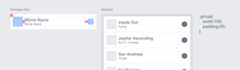
Flex Layout allows you to use both a stylesheet text layer and 'prototypes'. Prototypes are layer groups with added style layers - their sizes work as base for establishing paddings, margins, sizes etc. There's anexample file included in the repository that shows examples of working with both.
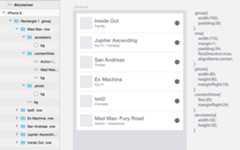
- Create a text layer and name it“@stylesheet”.
- Write css in the layer. Some rules:
- the supported properties are listedhere.
- they are in camelCase not hyphen-ated
- they have no units
- shortcut rules are not supported (yet)
- there are only classes(.something)
- so no nested styles(“>” declarations)
- Create some layers and append the selectors to them. So if your selector is '.someclass{width:200;}', you rename the layer from 'Rect1' to 'Rect1 .someclass'
- Run cmd + ctrl + L for the layout to apply(make sure your stylesheet layer is de-selected, or the changes will not apply)
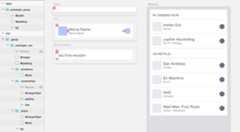
- Create a layer group, name it"prototype .SOMETHING"
- Add rectangles to the group that will define its style -these are the supported names and dimensions
- if you need it, add a text layer named"@styles" with layout styles, separated by semicolon -these are the styles and values
- You can add more groups with their own styles to the prototype group, and these don't need the "prototype" in their name, just the".somethingelse" class name
- RunAdd Object From Prototype action - this will duplicate the prototype, remove all the style layers and if you have a group selected, it will move it under the group. This will also apply the layout.
- After you make changes, Run cmd + ctrl + L for the layout to apply.


Tip - you can have both prototypes and a@stylesheet layer on the same page.
Pro Tip - when you duplicate your groups, you can prevent Sketch from adding "copy" to their names - Go to Preferences > Layers > Uncheck "Rename Duplicated Layers"
- You can have different stylesheets in different pages, the layout gets applied on the current page only.
- If a layer group has a style, all of it's children are automatically part of the layout.
- Adding a layer named"bg" stretches it to the size of the group. This is because unlike in HTML, groups have no default background.
- Class names are unique across the page and prototypes - if you have a class ".picture" in a prototype and ".picture" in a different one or the stylesheet, only one of them gets applied.
- SeeIssues to the right.
About
Plugin for Sketch allowing for CSS Flexbox layouts using stylesheets and prototypes
Resources
Uh oh!
There was an error while loading.Please reload this page.
Stars
Watchers
Forks
Releases
Packages0
Uh oh!
There was an error while loading.Please reload this page.
Contributors2
Uh oh!
There was an error while loading.Please reload this page.